
Create a staff member without login access
Create teaching or non-teaching staff in Tutorbase. Include a tutor as a teacher while keeping No access for login.
Last updated
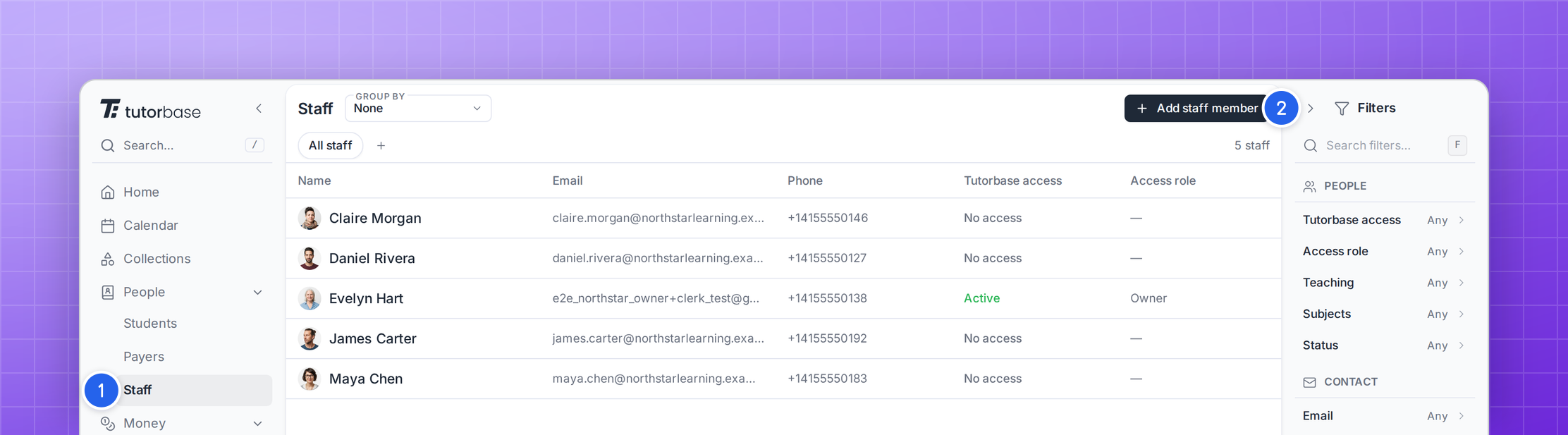
To create a staff member in Tutorbase without login access, open People > Staff and select Add staff member. Staff can teach or do non-teaching work; Include as teacher creates teaching records independently of login access.
Before you start
For a tutor who needs teaching records before a login, create Olivia Bennett with teaching enabled and access left off. Invite with role is the alternative when you intend to give the person login access.
Create the staff member
Open People > Staff.
Select Add staff member. Create staff member opens.
Set the staff member's details:
- Set First name and Last name to the person's name, for example Olivia Bennett.
- Under Include as teacher, choose Yes for a tutor who teaches lessons, because teaching status is independent of login access. Keep No, the default, for non-teaching staff.
- Under Tutorbase access, keep No access, the default, when the person does not need a login; staff can exist without access.
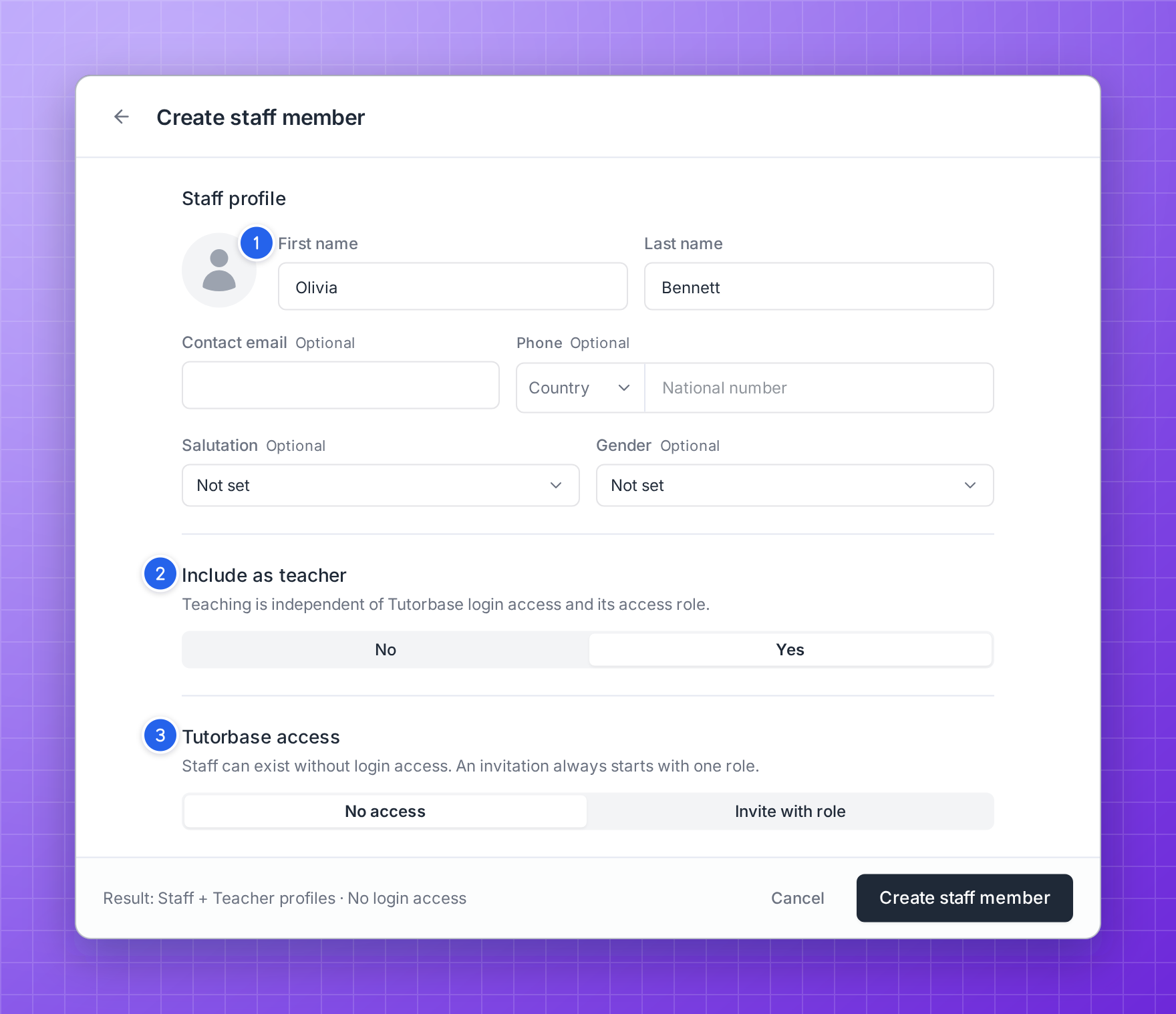
Contact email, Phone, Salutation, Gender and Add staff headshot are optional. Leave unknown details empty.
Select Create staff member. Tutorbase confirms that the person was created.
Open the new staff profile to check the saved details.
After you create the staff member
With Include as teacher set to Yes, the person has Staff and Teacher profiles. The staff profile shows No subjects assigned under Teaching and No access under Tutorbase access. Creating the teacher does not set availability or pay terms: the profile shows Availability not set and Pay agreement needs setup.
Common questions
How do I add a new tutor?
Under People > Staff, select Add staff member and choose Yes under Include as teacher. Choose No access if the tutor does not need a Tutorbase login.
Can I add staff without a login or email address?
Yes. Keep No access under Tutorbase access when creating the staff member. Contact email is optional and can stay empty.
Does Include as teacher give the person a Teacher access role?
No. Include as teacher controls teaching status independently of login access and the access role. A tutor created with No access still has No access on the staff profile.
Can I add a staff member who does not teach?
Yes. Keep No, the default under Include as teacher, when creating non-teaching staff.
Does adding a teacher set availability or pay terms?
No. Creating a teacher leaves Availability not set and Pay agreement needs setup on the staff profile.
Does creating staff with No access send an invitation?
No. Creating a staff member with No access does not submit an invitation.