
How to Streamline Booking a Class for Your Tutoring Center in 2026
Published: December 18, 2025 by Amy Ashford

Key Takeaway: Booking a class should take 30 seconds, not 30 minutes of manual work. For tutoring centers, an effective class booking system must connect scheduling with attendance, billing, and payroll. Basic tools fail because they only solve the calendar problem, not the entire business workflow.
Booking a class should take 30 seconds. It should not involve 30 minutes of back-and-forth WhatsApp messages, calendar checks, and manual invoicing. For growing tutoring centers, what seems simple is the start of a long administrative chain. This is why basic scheduling tools almost always fall short.
What Does "Booking a Class" Actually Involve?

Most people think booking is just picking a time slot. For tutoring centers, it is the start of a chain: booking → attendance → billing → teacher payout. Each booking forces your team to manually perform several other tasks, creating a significant hidden workload for every single class.
For each booking, your staff must:
Check teacher availability.
Check room availability (if in-person).
Confirm the student's enrollment or package status.
Handle prepayment or add the class to a monthly invoice.
Send a confirmation to the parent.
Update the master calendar.
Track attendance after the class.
Manual vs. Automated Booking Systems
Successful tutoring centers build automated operational workflows, not just schedules. Manual methods might work for a few students, but they quickly crumble as you grow. The manual approach, a patchwork of WhatsApp, Google Calendar, and Excel, leads to errors, double-bookings, and forgotten invoices.
From Manual Chaos to Automated Control
The problem with manual booking is the disconnect between scheduling and business operations. Generic tools like Calendly or Acuity Scheduling fail tutoring centers because they cannot handle the complexity. We know you've tried Calendly. It works until you have 50 students and 8 tutors.
These tools are great for one-off appointments but lack logic for:
Prepaid package management: They cannot auto-deduct a lesson from a 10-lesson package.
Integrated billing: They do not create an invoice when you mark a class as "attended."
Automated payroll: They cannot calculate a teacher's payout based on delivered lessons.
Multi-location management: They struggle to coordinate schedules across different branches.
An all-in-one system like Tutorbase treats booking a class as the trigger for the entire downstream flow automatically.
Quick Comparison: Booking Tools for Tutoring Centers
To grow, you need a system where booking, attendance, billing, and payroll are connected. This table shows how different tools stack up for a tutoring center's needs. The limitations of basic schedulers become obvious when compared to a specialized platform.
Tool | Booking | Recurring | Packages | Billing Integration | Payroll | Multi-Location |
|---|---|---|---|---|---|---|
Calendly | ✓ | ✓ | ✗ | ✗ | ✗ | ✗ |
Acuity | ✓ | ✓ | Basic | Basic | ✗ | ✗ |
TutorBird | ✓ | ✓ | Basic | ✓ | ✗ | ✗ |
Teachworks | ✓ | ✓ | Basic | ✓ | Export only | ✗ |
Tutorbase | ✓ | ✓ | ✓ | ✓ | ✓ | ✓ |
What are the Key Features of a Class Booking System?
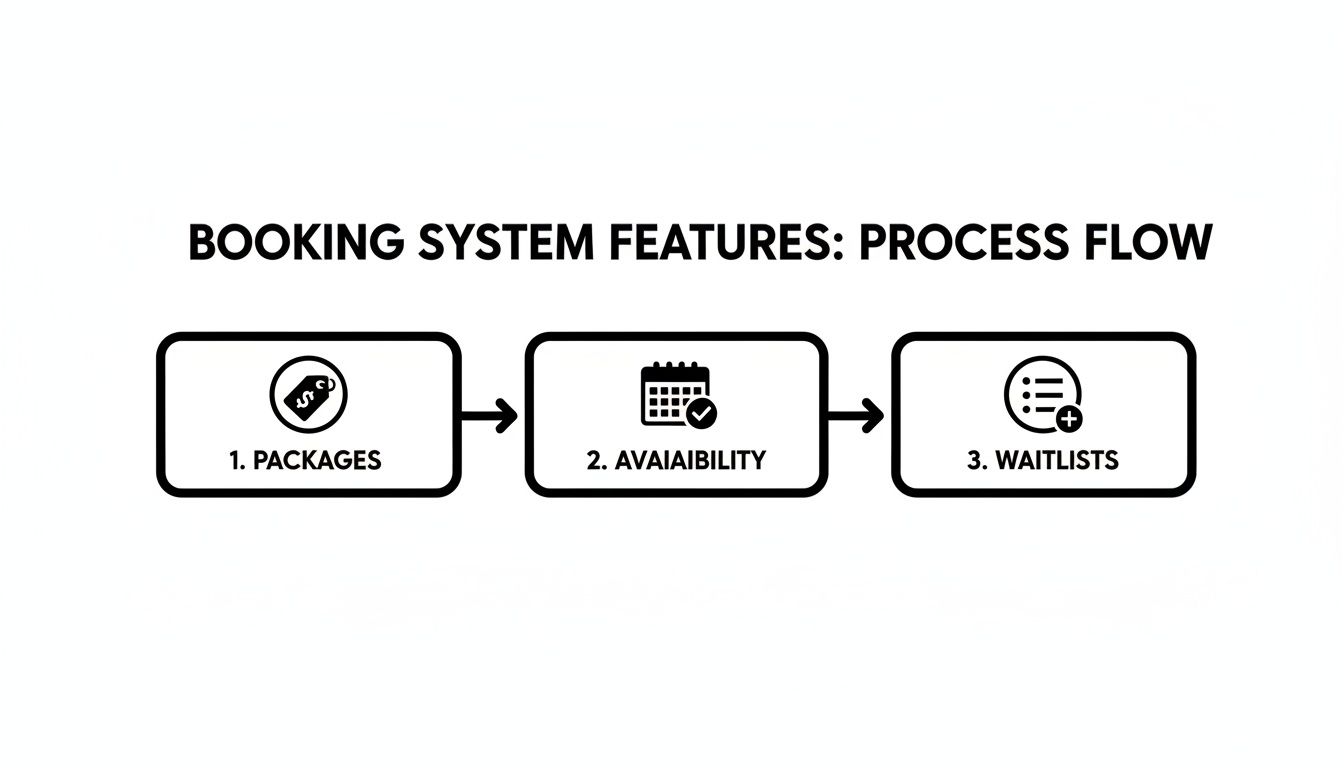
When choosing a tutoring scheduling software, focus on features that solve specific tutoring business problems. Your system should be the central hub of your operation, preventing double-bookings and revenue leakage from untracked lessons. For example, using specialized class booking forms ensures you capture all critical information upfront.
Feature | Why It Matters for Your Center |
|---|---|
Real-time availability | No more double-booking teachers or rooms. See schedules in one unified view. |
Recurring bookings | Set up weekly classes once for the whole semester, not 52 separate times. |
Trial class handling | Book trials for leads before they enroll. When they convert, their history comes with them. |
Prepaid package support | Automatically deduct from a 10-lesson pack. Parents can see their remaining balance. |
Mixed billing models | Seamlessly manage students who prepay alongside those who pay monthly invoices. |
Waitlist / capacity limits | Cap group classes at your desired limit (e.g., 6 students) and auto-manage a waitlist. |
Cancellation policies | Automatically apply late-cancellation fees based on your predefined rules. |
Parent confirmations | Instantly send booking confirmations via WhatsApp or email to reduce no-shows. |
How does Tutorbase Handle Class Booking?
With the right system, booking a class is a seamless, 30-second task. The workflow handles all complexity behind the scenes, so your team can focus on students, not spreadsheets. One booking action should result in zero spreadsheet updates.
Here is the step-by-step flow in Tutorbase:
Check availability: Instantly see teacher and room availability in one unified view.
Book the class: Select the student, service, time, and delivery mode (in-person/online).
Set recurrence: Create a lesson series with rules like "every Tuesday at 4pm."
Handle prepaid students: The system automatically deducts a credit from their package balance.
Manage monthly billing: A line item is added to the student's next invoice draft.
Book trials for leads: Book a trial without creating a "fake" student; convert them after.
Mark attendance: After the class, the teacher marks attendance (e.g., attended, no-show).
Trigger billing & payroll: This action finalizes the invoice and calculates teacher payout.
How to Handle Booking Edge Cases
A robust system manages exceptions as smoothly as routine bookings. Your software should handle cancellations, catch-up classes, and trial conversions without manual intervention. This is achieved through policy-driven automation, where you set rules once and the system enforces them.
What about Cancellations and Rescheduling?
If a student cancels two hours before class, the system can automatically apply your late-cancel fee based on your policy. If a teacher is sick, you can reschedule or assign a substitute tutor, and the system tracks the change for accurate payroll.
How do you Manage Catch-up Classes?
When a student misses a class, you can book a catch-up lesson. This new lesson is linked directly to the original missed one, ensuring your attendance and billing records remain accurate and auditable.
What happens after a Trial Class?
If a lead completes a trial and decides to enroll, you can convert them to a student with one click. This action preserves their history and smoothly transitions them into your regular enrollment and billing cycles.
How do Group Classes Work?
Set a capacity limit for group classes, for instance, a maximum of eight students. The system prevents overbooking and can offer an automated waitlist to parents when the class is full.
Why Should Booking and Billing Live Together?
Most booking tools stop at the calendar. But what happens after the class? Booking-only tools require you to manually create invoices, track payments, and calculate teacher pay. This disconnect between scheduling and finance is where revenue is lost and administrative hours are wasted.
Your booking system should be the start of the money flow, not a separate island. Tutorbase treats booking as the trigger for everything downstream. This concept is called attendance-driven billing. You do not bill based on what was scheduled; you bill based on what actually happened: attended, no-show, or late-cancel.
Here is how it works:
Lesson finalized → Invoice line created
Invoice line → Teacher payout line calculated
Attendance status → Cancellation fees or credits applied
According to a 2024 report by Statista, the global online event ticketing market is projected to reach over $70 billion. This shows consumers expect seamless digital booking and payment integration in all service industries, including education. Linking these systems prevents profit leakage and frees up hours of work.
Frequently Asked Questions (FAQ)
How do tutoring centers manage class bookings?
Tutoring centers manage class bookings by moving away from manual tools like spreadsheets and WhatsApp. They adopt integrated systems that connect scheduling with student package tracking, automated billing, and teacher payroll. This automates the entire workflow from the initial booking to final payment.
What's the best software for booking tutoring classes?
The best software for booking tutoring classes is an all-in-one platform like Tutorbase. While basic tools like Calendly are fine for solo tutors, a growing center needs software that handles recurring bookings, prepaid packages, multi-tutor schedules, and has billing integration built-in.
Can I book trial classes before a student enrolls?
Yes, a good tutoring management system lets you book a trial class for a prospective student without creating a full student profile. This keeps your active student roster clean. After the trial, you can convert the lead to a student with one click, transferring their history.
How do I handle cancellations and no-shows automatically?
You handle cancellations and no-shows by using policy-driven automation. You define your cancellation rules in the software (e.g., cancellations within 3 hours incur a 100% fee). The system then automatically applies these fees when a class is marked as a "late-cancel" or "no-show."
Why should my booking system integrate with billing?
Your booking system should integrate with billing to eliminate manual data entry and prevent revenue loss. When a booking is marked as attended, the system should automatically create an invoice line item. This "attendance-driven billing" ensures you are paid for every service you deliver.
How does a class booking system track student packages?
A class booking system tracks student packages by automatically deducting a credit each time a lesson is booked. When you sell a 10-lesson pack, the system tracks the balance. This gives parents visibility into their remaining lessons and alerts you when it's time for them to renew.
Ready to turn class booking into a 30-second task? See how Tutorbase handles booking, billing, and payroll in one flow at tutorbase.com/register.
How to Streamline Booking a Class for Your Tutoring Center in 2026
Published: December 17, 2025 by Amy Ashford


Key Takeaway: Booking a class should take 30 seconds, not 30 minutes of manual work. For tutoring centers, an effective class booking system must connect scheduling with attendance, billing, and payroll. Basic tools fail because they only solve the calendar problem, not the entire business workflow.
Booking a class should take 30 seconds. It should not involve 30 minutes of back-and-forth WhatsApp messages, calendar checks, and manual invoicing. For growing tutoring centers, what seems simple is the start of a long administrative chain. This is why basic scheduling tools almost always fall short.
What Does "Booking a Class" Actually Involve?

Most people think booking is just picking a time slot. For tutoring centers, it is the start of a chain: booking → attendance → billing → teacher payout. Each booking forces your team to manually perform several other tasks, creating a significant hidden workload for every single class.
For each booking, your staff must:
Check teacher availability.
Check room availability (if in-person).
Confirm the student's enrollment or package status.
Handle prepayment or add the class to a monthly invoice.
Send a confirmation to the parent.
Update the master calendar.
Track attendance after the class.
Manual vs. Automated Booking Systems
Successful tutoring centers build automated operational workflows, not just schedules. Manual methods might work for a few students, but they quickly crumble as you grow. The manual approach, a patchwork of WhatsApp, Google Calendar, and Excel, leads to errors, double-bookings, and forgotten invoices.
From Manual Chaos to Automated Control
The problem with manual booking is the disconnect between scheduling and business operations. Generic tools like Calendly or Acuity Scheduling fail tutoring centers because they cannot handle the complexity. We know you've tried Calendly. It works until you have 50 students and 8 tutors.
These tools are great for one-off appointments but lack logic for:
Prepaid package management: They cannot auto-deduct a lesson from a 10-lesson package.
Integrated billing: They do not create an invoice when you mark a class as "attended."
Automated payroll: They cannot calculate a teacher's payout based on delivered lessons.
Multi-location management: They struggle to coordinate schedules across different branches.
An all-in-one system like Tutorbase treats booking a class as the trigger for the entire downstream flow automatically.
Quick Comparison: Booking Tools for Tutoring Centers
To grow, you need a system where booking, attendance, billing, and payroll are connected. This table shows how different tools stack up for a tutoring center's needs. The limitations of basic schedulers become obvious when compared to a specialized platform.
Tool | Booking | Recurring | Packages | Billing Integration | Payroll | Multi-Location |
|---|---|---|---|---|---|---|
Calendly | ✓ | ✓ | ✗ | ✗ | ✗ | ✗ |
Acuity | ✓ | ✓ | Basic | Basic | ✗ | ✗ |
TutorBird | ✓ | ✓ | Basic | ✓ | ✗ | ✗ |
Teachworks | ✓ | ✓ | Basic | ✓ | Export only | ✗ |
Tutorbase | ✓ | ✓ | ✓ | ✓ | ✓ | ✓ |
What are the Key Features of a Class Booking System?

When choosing a tutoring scheduling software, focus on features that solve specific tutoring business problems. Your system should be the central hub of your operation, preventing double-bookings and revenue leakage from untracked lessons. For example, using specialized class booking forms ensures you capture all critical information upfront.
Feature | Why It Matters for Your Center |
|---|---|
Real-time availability | No more double-booking teachers or rooms. See schedules in one unified view. |
Recurring bookings | Set up weekly classes once for the whole semester, not 52 separate times. |
Trial class handling | Book trials for leads before they enroll. When they convert, their history comes with them. |
Prepaid package support | Automatically deduct from a 10-lesson pack. Parents can see their remaining balance. |
Mixed billing models | Seamlessly manage students who prepay alongside those who pay monthly invoices. |
Waitlist / capacity limits | Cap group classes at your desired limit (e.g., 6 students) and auto-manage a waitlist. |
Cancellation policies | Automatically apply late-cancellation fees based on your predefined rules. |
Parent confirmations | Instantly send booking confirmations via WhatsApp or email to reduce no-shows. |
How does Tutorbase Handle Class Booking?
With the right system, booking a class is a seamless, 30-second task. The workflow handles all complexity behind the scenes, so your team can focus on students, not spreadsheets. One booking action should result in zero spreadsheet updates.
Here is the step-by-step flow in Tutorbase:
Check availability: Instantly see teacher and room availability in one unified view.
Book the class: Select the student, service, time, and delivery mode (in-person/online).
Set recurrence: Create a lesson series with rules like "every Tuesday at 4pm."
Handle prepaid students: The system automatically deducts a credit from their package balance.
Manage monthly billing: A line item is added to the student's next invoice draft.
Book trials for leads: Book a trial without creating a "fake" student; convert them after.
Mark attendance: After the class, the teacher marks attendance (e.g., attended, no-show).
Trigger billing & payroll: This action finalizes the invoice and calculates teacher payout.
How to Handle Booking Edge Cases
A robust system manages exceptions as smoothly as routine bookings. Your software should handle cancellations, catch-up classes, and trial conversions without manual intervention. This is achieved through policy-driven automation, where you set rules once and the system enforces them.
What about Cancellations and Rescheduling?
If a student cancels two hours before class, the system can automatically apply your late-cancel fee based on your policy. If a teacher is sick, you can reschedule or assign a substitute tutor, and the system tracks the change for accurate payroll.
How do you Manage Catch-up Classes?
When a student misses a class, you can book a catch-up lesson. This new lesson is linked directly to the original missed one, ensuring your attendance and billing records remain accurate and auditable.
What happens after a Trial Class?
If a lead completes a trial and decides to enroll, you can convert them to a student with one click. This action preserves their history and smoothly transitions them into your regular enrollment and billing cycles.
How do Group Classes Work?
Set a capacity limit for group classes, for instance, a maximum of eight students. The system prevents overbooking and can offer an automated waitlist to parents when the class is full.
Why Should Booking and Billing Live Together?
Most booking tools stop at the calendar. But what happens after the class? Booking-only tools require you to manually create invoices, track payments, and calculate teacher pay. This disconnect between scheduling and finance is where revenue is lost and administrative hours are wasted.
Your booking system should be the start of the money flow, not a separate island. Tutorbase treats booking as the trigger for everything downstream. This concept is called attendance-driven billing. You do not bill based on what was scheduled; you bill based on what actually happened: attended, no-show, or late-cancel.
Here is how it works:
Lesson finalized → Invoice line created
Invoice line → Teacher payout line calculated
Attendance status → Cancellation fees or credits applied
According to a 2024 report by Statista, the global online event ticketing market is projected to reach over $70 billion. This shows consumers expect seamless digital booking and payment integration in all service industries, including education. Linking these systems prevents profit leakage and frees up hours of work.
Frequently Asked Questions (FAQ)
How do tutoring centers manage class bookings?
Tutoring centers manage class bookings by moving away from manual tools like spreadsheets and WhatsApp. They adopt integrated systems that connect scheduling with student package tracking, automated billing, and teacher payroll. This automates the entire workflow from the initial booking to final payment.
What's the best software for booking tutoring classes?
The best software for booking tutoring classes is an all-in-one platform like Tutorbase. While basic tools like Calendly are fine for solo tutors, a growing center needs software that handles recurring bookings, prepaid packages, multi-tutor schedules, and has billing integration built-in.
Can I book trial classes before a student enrolls?
Yes, a good tutoring management system lets you book a trial class for a prospective student without creating a full student profile. This keeps your active student roster clean. After the trial, you can convert the lead to a student with one click, transferring their history.
How do I handle cancellations and no-shows automatically?
You handle cancellations and no-shows by using policy-driven automation. You define your cancellation rules in the software (e.g., cancellations within 3 hours incur a 100% fee). The system then automatically applies these fees when a class is marked as a "late-cancel" or "no-show."
Why should my booking system integrate with billing?
Your booking system should integrate with billing to eliminate manual data entry and prevent revenue loss. When a booking is marked as attended, the system should automatically create an invoice line item. This "attendance-driven billing" ensures you are paid for every service you deliver.
How does a class booking system track student packages?
A class booking system tracks student packages by automatically deducting a credit each time a lesson is booked. When you sell a 10-lesson pack, the system tracks the balance. This gives parents visibility into their remaining lessons and alerts you when it's time for them to renew.
Ready to turn class booking into a 30-second task? See how Tutorbase handles booking, billing, and payroll in one flow at tutorbase.com/register.