
Your Free Invoice Hours Template for Tutoring
Published: December 20, 2025 by Amy Ashford

An effective invoice hours template is your key to getting paid accurately and on time for every lesson. It organizes your services professionally, builds client trust, and creates a solid financial record for your business. This guide provides a free template and explains when to upgrade to automated software.
Your Free Invoice Hours Template
Ready to streamline your billing? Download our straightforward, professional invoice hours template designed specifically for tutors. It helps you create a reliable billing system without needing complex accounting software. The process is simple: download the template, fill in your session details, and send it to your client.
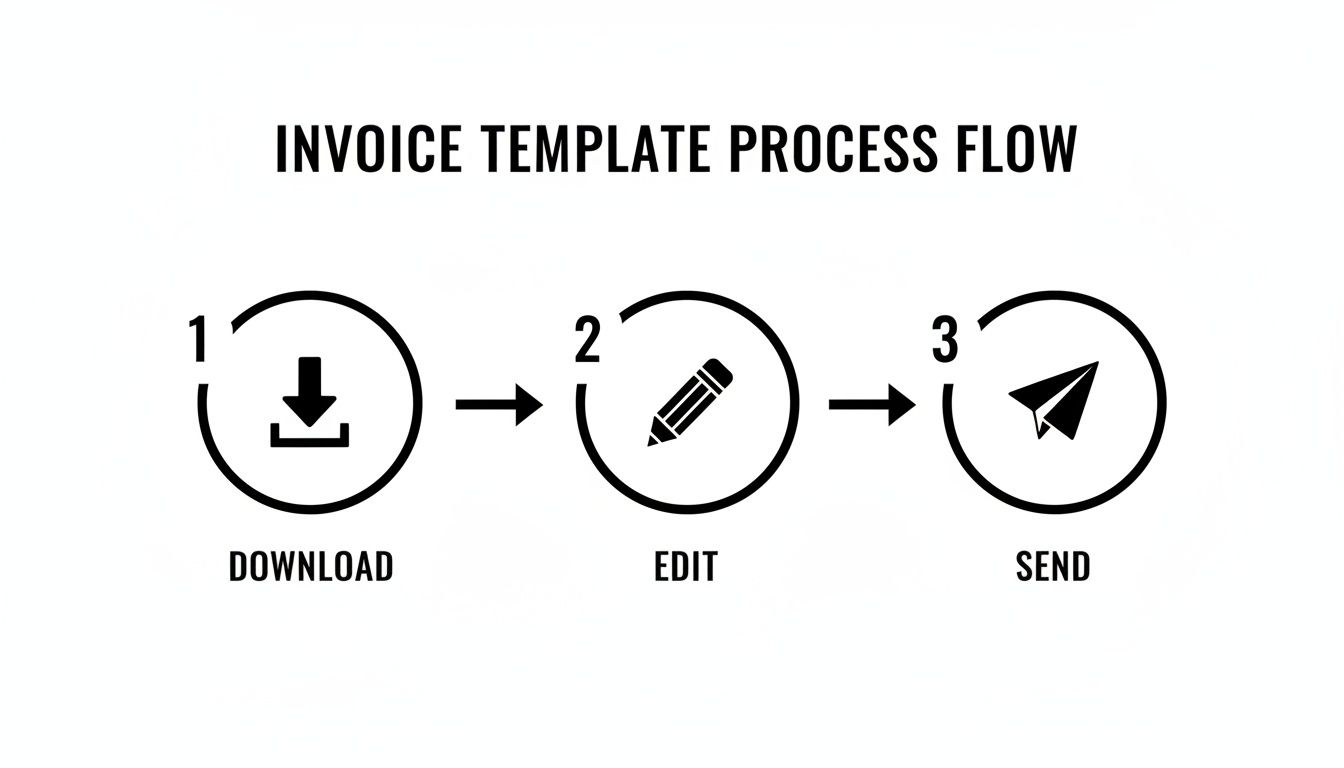
This system cuts down your admin time, boiling down invoicing to just a few quick clicks.
Download Your Template Now
Grab the format that works best for you. Both versions contain all the essential fields and formulas to calculate totals automatically. You can eliminate manual math and reduce costly errors.
Download for Google Sheets
Download for Microsoft Excel
Once you download the file, add your tutoring center's logo and business information to personalize it.
If you just need a one-off invoice, our free tutoring invoice generator can create one for you in seconds.
What is included in this template?
We designed this template to be completely intuitive. Every field you need for a complete, professional invoice is already there, laid out clearly. Its organized structure helps you and your clients see exactly what is being billed, from dates and services to hours and rates.
What Every Tutoring Invoice Needs
A professional invoice does more than request payment; it builds trust and helps you get paid faster. A clear, well-structured invoice provides an itemized record of your services. This transparency answers a parent's questions before they ask, creating a smoother payment experience.

Your invoice directly reflects your tutoring center's professionalism. Missing key details looks sloppy and can lead to payment delays, disputes, and unnecessary administrative work for you.
Core Invoice Components
Every invoice you send must have a few non-negotiable details. These elements protect you and your clients while keeping your cash flow moving.
Your Business Information: Clearly display your tutoring center's name, address, phone number, and email. Your logo should be prominent to reinforce your brand.
Client & Student Details: Be specific. Include the full name and contact information for the parent or payer, and always list the student's name for clarity.
Invoice Number: Assign a unique, sequential number to every invoice (e.g., INV-001, INV-002). This is essential for tracking payments and maintaining clean records.
Key Dates: Always include the date you issued the invoice and the payment due date. A clear deadline like "Due in 14 days" sets expectations and encourages prompt payment.
How do I itemize tutoring services?
The heart of your invoice is the detailed breakdown of services. This section shows parents exactly what they are paying for. A vague line item like "Tutoring Services" often leads to payment friction and questions from clients.
A crystal-clear itemized list is your best defense against billing questions. According to industry reports, companies that automate invoicing with verified time entries capture an additional 4–6% in billable hours that were previously missed.
Here’s how you can list different services clearly in 2024:
Service Type | Line Item Description Example |
|---|---|
1-on-1 Session | "Private Math Tutoring - Jane Doe (Oct 15)" |
Group Class | "SAT Prep Group Workshop (Section B)" |
Materials Fee | "Grade 11 Physics Workbook" |
Cancellation Fee | "Late Cancellation Fee - John Smith (Oct 12)" |
For more complex situations, like managing recurring payments or handling disputes, solid processes are a must. To ensure your invoices are not just complete but also secure, check out a guide to preventing Edtech chargebacks.
Finally, make the final total obvious and easy to find. Include your accepted payment methods and clear instructions. Your goal is to make it as simple as possible for clients to pay you.
Choosing the Right Invoicing Schedule
Deciding when to bill clients is a critical balancing act. Invoicing too frequently creates a mountain of admin work. Invoicing too infrequently can harm your cash flow. Getting this right is essential for your business's financial health. The ideal choice depends on your services and client relationships.

Whether you invoice per-lesson, weekly, or monthly, each approach has pros and cons. The key is to align your billing frequency with your service delivery. This alignment prevents confusion and helps you get paid on time.
What are the common billing cycles for tutors?
Your choice of billing cycle directly impacts your bank account and your admin hours. Many new tutors start with per-lesson invoicing because it is simple and immediate. Established centers almost always move to monthly cycles for greater efficiency.
Let's break down the common options.
Billing Frequency | Pros | Cons | Best For |
|---|---|---|---|
Per-Lesson | Immediate cash flow, easy for clients to track. | High admin workload, can feel transactional. | Drop-in sessions, new clients, trial lessons. |
Weekly | Good balance of cash flow and admin work. | Requires consistent tracking throughout the week. | Regular students with multiple lessons per week. |
Monthly | Most efficient, reduces admin time significantly. | Slower cash flow, requires careful month-end reconciliation. | Established clients, package-based services. |
Monthly invoicing is the clear winner for saving admin time, as you create and chase far fewer invoices. Research from other service industries consistently shows that batching admin work, like monthly billing, seriously boosts overall efficiency.
How do you handle adjustments on an invoice?
Tutoring often involves more than just scheduled lessons. You must manage last-minute cancellations, package deals, material fees, and makeup sessions. Your invoice hours template must show these adjustments clearly to avoid confused emails and payment delays.
Here are a few common scenarios:
Applying Package Discounts: A family buys a 10-lesson package. First, list all 10 lessons at their full rate. Then, add a final line item called "Package Discount" with a negative value. This clearly shows the value they received.
Handling Cancellation Credits: A client cancels with enough notice, so you offer a credit. On their next invoice, add a specific line item like "Credit: Canceled Session (Oct 15)" with a negative value.
Pro-rating Fees: A new student starts halfway through the month. Simply list the lessons they attended. You can add a note like, "Pro-rated for start date of October 12th" to provide context.
When Your Invoice Template Starts to Fail
That simple invoice template was perfect when you were starting. As your tutoring business grows, however, that same tool can become your biggest bottleneck. The shift is gradual. At first, it is just a few extra minutes copying and pasting, but soon you are spending hours on tedious data entry.
What are the hidden costs of manual invoicing?
When you rely on a manual template, you are not just losing time to admin. You are also exposing your business to real financial risk. A typo in an hourly rate or a miscalculated total can damage your professional image and directly hit your revenue.
These small mistakes add up. Worse, the time you spend cross-referencing attendance sheets with invoices is time you could have spent on marketing. This administrative drag places a direct cap on your growth.
Research shows that manual invoice processing costs between $15 and $23 per invoice. In contrast, automation and standardized systems can slash this cost by up to 80%. You can find more data on global trends in AI invoice processing on Parseur.com.
How do spreadsheets create problems?
As your business expands, your billing gets complicated. Managing multiple tutors with different pay rates in one spreadsheet is a recipe for disaster. It becomes a headache to track who taught which lesson and apply the correct rate, making payroll errors almost inevitable.
This problem gets even worse when you offer different services:
Group Classes vs. 1:1 Sessions: A template designed for one-on-one billing breaks when you try to invoice for a group class. Tracking multiple students at once becomes a messy, error-prone chore.
Variable Tutor Rates: If you pay one tutor $25/hour and another $30/hour, your spreadsheet needs constant manual updates. Every change is another opportunity for a mistake.
Package and Credit Tracking: Manually deducting sessions from a prepaid package is a nightmare. It is incredibly easy to double-bill a family or forget to mark a session as used.
Moving from Templates to Automation
It is a familiar story for any growing tutoring business. You start with a simple invoice template, which balloons into a monstrous workbook with dozens of tabs. You eventually spend more time fixing broken formulas than focusing on your students.
Making the jump from a manual invoice hours template to dedicated software is a critical step. It keeps your business from drowning in administrative work. As you add more students, tutors, and services, the spreadsheet that once saved you time starts to actively work against you.
The Evolution from Spreadsheet to Software
The journey from manual invoicing to full automation usually happens in a few predictable stages. Each step is a direct response to the growing pains of the last, pushing you toward a smarter, more scalable system.
Stage 1: The Simple Template. You start with a single Excel or Google Sheet. It is perfect for a handful of students and offers a quick, easy solution.
Stage 2: The Complex Workbook. You add tabs for each student, another for tutor payroll, and one to track packages. The file gets sluggish, becomes a magnet for errors, and is nearly impossible for others to use.
Stage 3: Dedicated Software. This is where you reclaim your time. A system like Tutorbase takes over. It automatically creates invoices the second a tutor marks attendance, and the manual grind disappears.
Why is automation a strategic move?
Automating your invoicing is about more than just saving a few hours a month. It is a strategic decision that strengthens your business's financial health. It also enhances your professional image and removes the ceiling on your growth.
Software eliminates the risk of human error in calculations. This guarantees you never accidentally undercharge a family or overbill for services. It also makes you look more professional, with consistently branded, accurate invoices delivered on time.
You can learn more about how to choose the right tutoring billing software in our comprehensive guide. For those looking to automate payment collection, tutorials on tools like QR Code Business Invoices can be incredibly helpful.
A Better Billing Model: Prepaid Packages
Chasing late payments every month is a massive headache. If you are tired of the hourly invoicing grind, you can flip your billing model with prepaid packages. This simple shift secures your cash flow upfront and dramatically cuts down on admin time. It gives you more stability and your clients a clear path forward.

Moving from a reactive hourly template to a proactive prepaid system is a smart strategic move. Instead of billing for hours you have already worked, you sell blocks of lessons in advance. This guarantees you get paid before a single lesson happens, eliminating the risk of non-payment.
How can I structure prepaid offers?
To make this work, you need to create packages that parents see as a great deal. The idea is to give them a real incentive to commit to a larger block of sessions. A tiered discount structure is a classic and highly effective way to do this.
Here is a simple, proven structure to start with:
5-Lesson Pack: The perfect entry point with no discount.
10-Lesson Pack: Offer a 5% discount to nudge parents toward a bigger commitment.
20-Lesson Pack: Provide a 10% discount for the best value, locking in a long-term student.
This approach gives parents clear choices and rewards them for committing. You can secure your revenue for weeks or even months. To dive deeper, read our full guide on creating student lesson packages for your tutoring business.
With a prepaid model, you stop being a bill collector and become a credit manager. A student attends a lesson, and you simply deduct one credit from their account. It is much cleaner than generating a detailed invoice every month.
Frequently Asked Questions
How often should I invoice my tutoring clients?
For new or drop-in students, invoicing per-lesson secures payment immediately. For regular clients, weekly or monthly invoicing is more efficient. Monthly billing offers the best balance of consistent cash flow and reduced administrative work for established tutoring centers.
What is the best way to handle cancellations on an invoice?
Your service agreement should clearly state your cancellation policy. When a client cancels within the allowed timeframe, issue a credit on their next invoice. Add a distinct line item, such as "Credit: Canceled Session (Date)," with a negative value to ensure transparency.
Should I use an invoice template or software?
An invoice hours template is a great starting point for solo tutors or small businesses with fewer than 10-15 clients. As your business grows, management software becomes essential. It automates invoicing, reduces human error by over 95%, and saves significant administrative time.
How do I add taxes to a tutoring invoice?
First, calculate the subtotal for all your itemized services. Next, add a separate line item labeled "Sales Tax" or "VAT." Apply the correct tax rate to the subtotal to find the tax amount. Finally, add the subtotal and the tax amount to get the final invoice total.
Can I use a single template for multiple students?
Yes, you can use one template as a master copy. For each student, you should create a duplicate of the template and save it with a unique name, like "Invoice_StudentName_Date." This prevents you from accidentally overwriting another client's information and helps keep your records organized.
What information must be on a legal invoice?
A legal invoice must include your business name and address, the client's name and address, a unique invoice number, the issue date, and a clear description of services provided. It must also show the total amount due and payment terms. Including these details ensures your invoice is a valid business document.
How can I make my invoices look more professional?
To make invoices look more professional, always include your business logo. Use a clean, easy-to-read font and maintain consistent formatting. Ensure all calculations are accurate and provide a clear breakdown of charges. A professional invoice builds trust and encourages prompt payment from clients.
Ready to stop wrestling with spreadsheets and outgrow your manual invoice hours template? Tutorbase automates the entire billing process by generating accurate invoices the moment a tutor marks attendance. See how it works at tutorbase.com/register.
Your Free Invoice Hours Template for Tutoring
Published: December 20, 2025 by Amy Ashford


An effective invoice hours template is your key to getting paid accurately and on time for every lesson. It organizes your services professionally, builds client trust, and creates a solid financial record for your business. This guide provides a free template and explains when to upgrade to automated software.
Your Free Invoice Hours Template
Ready to streamline your billing? Download our straightforward, professional invoice hours template designed specifically for tutors. It helps you create a reliable billing system without needing complex accounting software. The process is simple: download the template, fill in your session details, and send it to your client.

This system cuts down your admin time, boiling down invoicing to just a few quick clicks.
Download Your Template Now
Grab the format that works best for you. Both versions contain all the essential fields and formulas to calculate totals automatically. You can eliminate manual math and reduce costly errors.
Download for Google Sheets
Download for Microsoft Excel
Once you download the file, add your tutoring center's logo and business information to personalize it.
If you just need a one-off invoice, our free tutoring invoice generator can create one for you in seconds.
What is included in this template?
We designed this template to be completely intuitive. Every field you need for a complete, professional invoice is already there, laid out clearly. Its organized structure helps you and your clients see exactly what is being billed, from dates and services to hours and rates.
What Every Tutoring Invoice Needs
A professional invoice does more than request payment; it builds trust and helps you get paid faster. A clear, well-structured invoice provides an itemized record of your services. This transparency answers a parent's questions before they ask, creating a smoother payment experience.

Your invoice directly reflects your tutoring center's professionalism. Missing key details looks sloppy and can lead to payment delays, disputes, and unnecessary administrative work for you.
Core Invoice Components
Every invoice you send must have a few non-negotiable details. These elements protect you and your clients while keeping your cash flow moving.
Your Business Information: Clearly display your tutoring center's name, address, phone number, and email. Your logo should be prominent to reinforce your brand.
Client & Student Details: Be specific. Include the full name and contact information for the parent or payer, and always list the student's name for clarity.
Invoice Number: Assign a unique, sequential number to every invoice (e.g., INV-001, INV-002). This is essential for tracking payments and maintaining clean records.
Key Dates: Always include the date you issued the invoice and the payment due date. A clear deadline like "Due in 14 days" sets expectations and encourages prompt payment.
How do I itemize tutoring services?
The heart of your invoice is the detailed breakdown of services. This section shows parents exactly what they are paying for. A vague line item like "Tutoring Services" often leads to payment friction and questions from clients.
A crystal-clear itemized list is your best defense against billing questions. According to industry reports, companies that automate invoicing with verified time entries capture an additional 4–6% in billable hours that were previously missed.
Here’s how you can list different services clearly in 2024:
Service Type | Line Item Description Example |
|---|---|
1-on-1 Session | "Private Math Tutoring - Jane Doe (Oct 15)" |
Group Class | "SAT Prep Group Workshop (Section B)" |
Materials Fee | "Grade 11 Physics Workbook" |
Cancellation Fee | "Late Cancellation Fee - John Smith (Oct 12)" |
For more complex situations, like managing recurring payments or handling disputes, solid processes are a must. To ensure your invoices are not just complete but also secure, check out a guide to preventing Edtech chargebacks.
Finally, make the final total obvious and easy to find. Include your accepted payment methods and clear instructions. Your goal is to make it as simple as possible for clients to pay you.
Choosing the Right Invoicing Schedule
Deciding when to bill clients is a critical balancing act. Invoicing too frequently creates a mountain of admin work. Invoicing too infrequently can harm your cash flow. Getting this right is essential for your business's financial health. The ideal choice depends on your services and client relationships.

Whether you invoice per-lesson, weekly, or monthly, each approach has pros and cons. The key is to align your billing frequency with your service delivery. This alignment prevents confusion and helps you get paid on time.
What are the common billing cycles for tutors?
Your choice of billing cycle directly impacts your bank account and your admin hours. Many new tutors start with per-lesson invoicing because it is simple and immediate. Established centers almost always move to monthly cycles for greater efficiency.
Let's break down the common options.
Billing Frequency | Pros | Cons | Best For |
|---|---|---|---|
Per-Lesson | Immediate cash flow, easy for clients to track. | High admin workload, can feel transactional. | Drop-in sessions, new clients, trial lessons. |
Weekly | Good balance of cash flow and admin work. | Requires consistent tracking throughout the week. | Regular students with multiple lessons per week. |
Monthly | Most efficient, reduces admin time significantly. | Slower cash flow, requires careful month-end reconciliation. | Established clients, package-based services. |
Monthly invoicing is the clear winner for saving admin time, as you create and chase far fewer invoices. Research from other service industries consistently shows that batching admin work, like monthly billing, seriously boosts overall efficiency.
How do you handle adjustments on an invoice?
Tutoring often involves more than just scheduled lessons. You must manage last-minute cancellations, package deals, material fees, and makeup sessions. Your invoice hours template must show these adjustments clearly to avoid confused emails and payment delays.
Here are a few common scenarios:
Applying Package Discounts: A family buys a 10-lesson package. First, list all 10 lessons at their full rate. Then, add a final line item called "Package Discount" with a negative value. This clearly shows the value they received.
Handling Cancellation Credits: A client cancels with enough notice, so you offer a credit. On their next invoice, add a specific line item like "Credit: Canceled Session (Oct 15)" with a negative value.
Pro-rating Fees: A new student starts halfway through the month. Simply list the lessons they attended. You can add a note like, "Pro-rated for start date of October 12th" to provide context.
When Your Invoice Template Starts to Fail
That simple invoice template was perfect when you were starting. As your tutoring business grows, however, that same tool can become your biggest bottleneck. The shift is gradual. At first, it is just a few extra minutes copying and pasting, but soon you are spending hours on tedious data entry.
What are the hidden costs of manual invoicing?
When you rely on a manual template, you are not just losing time to admin. You are also exposing your business to real financial risk. A typo in an hourly rate or a miscalculated total can damage your professional image and directly hit your revenue.
These small mistakes add up. Worse, the time you spend cross-referencing attendance sheets with invoices is time you could have spent on marketing. This administrative drag places a direct cap on your growth.
Research shows that manual invoice processing costs between $15 and $23 per invoice. In contrast, automation and standardized systems can slash this cost by up to 80%. You can find more data on global trends in AI invoice processing on Parseur.com.
How do spreadsheets create problems?
As your business expands, your billing gets complicated. Managing multiple tutors with different pay rates in one spreadsheet is a recipe for disaster. It becomes a headache to track who taught which lesson and apply the correct rate, making payroll errors almost inevitable.
This problem gets even worse when you offer different services:
Group Classes vs. 1:1 Sessions: A template designed for one-on-one billing breaks when you try to invoice for a group class. Tracking multiple students at once becomes a messy, error-prone chore.
Variable Tutor Rates: If you pay one tutor $25/hour and another $30/hour, your spreadsheet needs constant manual updates. Every change is another opportunity for a mistake.
Package and Credit Tracking: Manually deducting sessions from a prepaid package is a nightmare. It is incredibly easy to double-bill a family or forget to mark a session as used.
Moving from Templates to Automation
It is a familiar story for any growing tutoring business. You start with a simple invoice template, which balloons into a monstrous workbook with dozens of tabs. You eventually spend more time fixing broken formulas than focusing on your students.
Making the jump from a manual invoice hours template to dedicated software is a critical step. It keeps your business from drowning in administrative work. As you add more students, tutors, and services, the spreadsheet that once saved you time starts to actively work against you.
The Evolution from Spreadsheet to Software
The journey from manual invoicing to full automation usually happens in a few predictable stages. Each step is a direct response to the growing pains of the last, pushing you toward a smarter, more scalable system.
Stage 1: The Simple Template. You start with a single Excel or Google Sheet. It is perfect for a handful of students and offers a quick, easy solution.
Stage 2: The Complex Workbook. You add tabs for each student, another for tutor payroll, and one to track packages. The file gets sluggish, becomes a magnet for errors, and is nearly impossible for others to use.
Stage 3: Dedicated Software. This is where you reclaim your time. A system like Tutorbase takes over. It automatically creates invoices the second a tutor marks attendance, and the manual grind disappears.
Why is automation a strategic move?
Automating your invoicing is about more than just saving a few hours a month. It is a strategic decision that strengthens your business's financial health. It also enhances your professional image and removes the ceiling on your growth.
Software eliminates the risk of human error in calculations. This guarantees you never accidentally undercharge a family or overbill for services. It also makes you look more professional, with consistently branded, accurate invoices delivered on time.
You can learn more about how to choose the right tutoring billing software in our comprehensive guide. For those looking to automate payment collection, tutorials on tools like QR Code Business Invoices can be incredibly helpful.
A Better Billing Model: Prepaid Packages
Chasing late payments every month is a massive headache. If you are tired of the hourly invoicing grind, you can flip your billing model with prepaid packages. This simple shift secures your cash flow upfront and dramatically cuts down on admin time. It gives you more stability and your clients a clear path forward.

Moving from a reactive hourly template to a proactive prepaid system is a smart strategic move. Instead of billing for hours you have already worked, you sell blocks of lessons in advance. This guarantees you get paid before a single lesson happens, eliminating the risk of non-payment.
How can I structure prepaid offers?
To make this work, you need to create packages that parents see as a great deal. The idea is to give them a real incentive to commit to a larger block of sessions. A tiered discount structure is a classic and highly effective way to do this.
Here is a simple, proven structure to start with:
5-Lesson Pack: The perfect entry point with no discount.
10-Lesson Pack: Offer a 5% discount to nudge parents toward a bigger commitment.
20-Lesson Pack: Provide a 10% discount for the best value, locking in a long-term student.
This approach gives parents clear choices and rewards them for committing. You can secure your revenue for weeks or even months. To dive deeper, read our full guide on creating student lesson packages for your tutoring business.
With a prepaid model, you stop being a bill collector and become a credit manager. A student attends a lesson, and you simply deduct one credit from their account. It is much cleaner than generating a detailed invoice every month.
Frequently Asked Questions
How often should I invoice my tutoring clients?
For new or drop-in students, invoicing per-lesson secures payment immediately. For regular clients, weekly or monthly invoicing is more efficient. Monthly billing offers the best balance of consistent cash flow and reduced administrative work for established tutoring centers.
What is the best way to handle cancellations on an invoice?
Your service agreement should clearly state your cancellation policy. When a client cancels within the allowed timeframe, issue a credit on their next invoice. Add a distinct line item, such as "Credit: Canceled Session (Date)," with a negative value to ensure transparency.
Should I use an invoice template or software?
An invoice hours template is a great starting point for solo tutors or small businesses with fewer than 10-15 clients. As your business grows, management software becomes essential. It automates invoicing, reduces human error by over 95%, and saves significant administrative time.
How do I add taxes to a tutoring invoice?
First, calculate the subtotal for all your itemized services. Next, add a separate line item labeled "Sales Tax" or "VAT." Apply the correct tax rate to the subtotal to find the tax amount. Finally, add the subtotal and the tax amount to get the final invoice total.
Can I use a single template for multiple students?
Yes, you can use one template as a master copy. For each student, you should create a duplicate of the template and save it with a unique name, like "Invoice_StudentName_Date." This prevents you from accidentally overwriting another client's information and helps keep your records organized.
What information must be on a legal invoice?
A legal invoice must include your business name and address, the client's name and address, a unique invoice number, the issue date, and a clear description of services provided. It must also show the total amount due and payment terms. Including these details ensures your invoice is a valid business document.
How can I make my invoices look more professional?
To make invoices look more professional, always include your business logo. Use a clean, easy-to-read font and maintain consistent formatting. Ensure all calculations are accurate and provide a clear breakdown of charges. A professional invoice builds trust and encourages prompt payment from clients.
Ready to stop wrestling with spreadsheets and outgrow your manual invoice hours template? Tutorbase automates the entire billing process by generating accurate invoices the moment a tutor marks attendance. See how it works at tutorbase.com/register.