
Automating Sessions Payroll Management for Your Tutoring Business

Published: December 5, 2025 by Amy Ashford

Key Takeaway: Effective sessions payroll management automates complex, variable pay calculations directly from tutor attendance records. This guide explains how specialized software eliminates manual spreadsheets, handles unique tutoring pay structures, and creates a seamless workflow from attendance to one-click payroll approval, solving problems generic systems can't.

The Tutoring Payroll Nightmare Scenario

It's the end of the pay period. You're drowning in spreadsheets, trying to match tutor attendance with a dozen different pay rules. One tutor gets a base rate plus a bonus for AP classes. Another has a tiered rate that jumps after their 20th session. This manual, error-prone mess is a headache every tutoring business owner knows.

This guide shows you how to turn that nightmare into an efficient, automated machine. We will explore solutions for how to do small business payroll without mistakes by detailing how specialized software transforms this chaotic process into a simple, automated workflow that generic tools can't handle.

Why is manual payroll such a problem?

Manual payroll is a significant business risk, not just a time commitment. Small mistakes can lead to frustrated tutors, compliance issues, and wasted hours on corrections. The core problems are consistent and damaging.

  • High Risk of Human Error: Transposing numbers or misapplying a pay rule is easy when you're juggling spreadsheets against a deadline.

  • It Doesn't Scale: As your tutoring business grows, so does payroll complexity. A manageable task quickly becomes an unsustainable burden.

  • Poor Audit Trails: When a tutor questions their pay, tracing the discrepancy without a connected system is nearly impossible and time-consuming.

Specialized software changes the game. It is built to handle the session-based calculations, last-minute substitutions, and contractor compliance that generic payroll systems can't.

Why Don't Generic Payroll Tools Work for Tutoring Centers?

If you have tried running tutoring payroll on platforms like Gusto or QuickBooks, you know the frustration. These tools are excellent for businesses with predictable pay structures, like salaried staff or fixed hourly workers. They manage taxes and benefits effectively but were not built for the session-driven world of tutoring.

Their foundation is based on hours and salaries. They do not understand individual lessons, variable rates for different subjects, or tiered pay. This forces you into a time-consuming workaround that relies on manual data entry and spreadsheets.

The Disconnect Between Attendance and Pay

Generic software cannot connect a tutor’s marked attendance to their paycheck. You are left exporting session logs from one system, painstakingly calculating totals in a spreadsheet, and then manually keying those totals into the payroll software. This process completely defeats the purpose of automation.
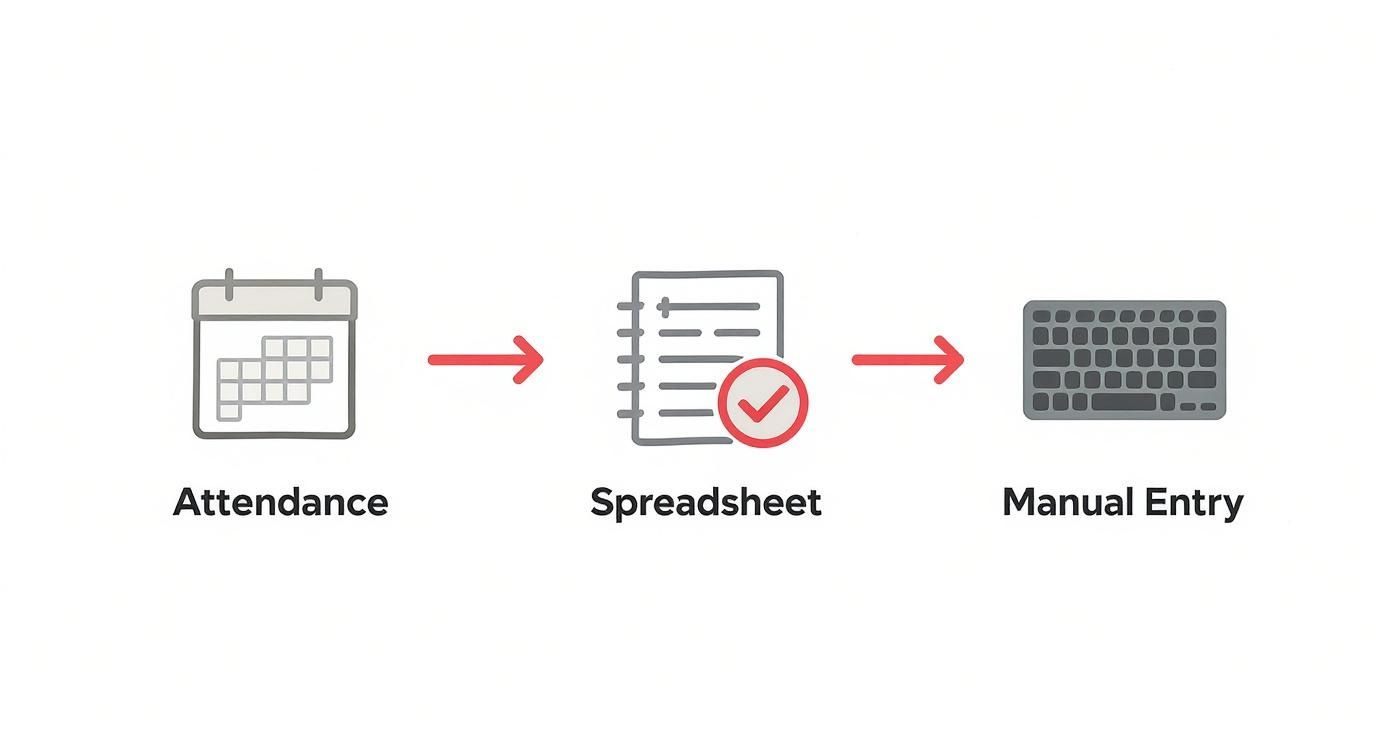
A flowchart illustrates attendance data flowing from a calendar, to a spreadsheet, then to manual keyboard entry.

This manual transfer introduces human error and creates a bottleneck that prevents growth. It is no wonder a Forbes Advisor survey found that 21% of small business owners spend over six hours a month on payroll. You can review more payroll statistics and what they mean for modern businesses.

Where Generic Systems Fall Short

Standard payroll platforms are designed for simplicity, but tutoring pay is complex. Their limitations become obvious when you try to implement common pay rules.

  • No Per-Session Logic: They think in hours, not sessions, so they can't assign different values to different lesson types.

  • Lack of Variable Rate Support: Paying a premium for a weekend class or a bonus for a specific subject requires manual overrides for every session.

  • Inability to Handle Substitutions: If Tutor A was scheduled but Tutor B covered the class, you must spot the change and manually reassign the pay.

Comparison: Generic Payroll vs. Session-Based Systems

A specialized system for sessions payroll management is a surgical tool designed for the job. It handles the complex details that generic software cannot.

Feature

Generic Payroll (e.g., QuickBooks)

Specialized Session Payroll (e.g., Tutorbase)

Pay Calculation Basis

Hourly or salary only

Per-session, tiered, and variable rates

Variable Rates

Requires manual overrides

Automated rules for subjects, times, and levels

Attendance Link

No direct link; manual data import

Directly linked; pay is calculated from attendance

Substitution Handling

Manual correction needed

Automatically pays the tutor who taught the session

Contractor Invoicing

Contractor must submit an invoice

Generates automated self-billing invoices

Audit Trail

Shows hours and final pay amounts

Links every dollar to a specific, time-stamped session

The Automated Workflow: From Attendance to Payroll

The key to reliable sessions payroll management is a direct link between tutor attendance, the client's invoice, and the final payout. This integrated workflow eliminates dangerous manual steps where errors happen. The process begins the moment a tutor marks a session as complete.

That single click triggers a series of automated events. The software instantly grabs attendance data and applies the correct, pre-set pay rule. This could be a flat rate, a complex tiered structure, or a rate with premiums for weekend hours.

What is a Payroll Run?

A Payroll Run is a unified workflow that consolidates all compensation calculations for a specific pay period into one reviewable document. It brings together earnings for both your W-2 employees and your 1099 independent contractors, eliminating the need for separate reports.

The system gives you a clear summary of every session taught, the pay rate applied, any bonuses, and the total amount owed to each person. All you have to do is review the consolidated report and approve it with one click. This unified approach makes the end of the pay period significantly less stressful.

How Does the Automation Chain Work?

The workflow is a logical sequence where each step automatically triggers the next. No data needs to be exported from one system and imported into another.

  • Attendance is Marked: A tutor finishes a lesson and marks it "complete." This starts the entire process.

  • Pay Rule is Applied: The system identifies the session type and tutor, then applies the specific pay rule from that tutor's profile to calculate their earnings.

  • Invoice is Generated: Simultaneously, the system creates a precise invoice for the client, ensuring your billing and payroll data are always aligned.

  • Payroll Run is Prepared: At the end of the pay period, the system compiles all accumulated earnings into the final Payroll Run for your approval.

This process ensures that every dollar you bill is directly tied to a dollar you pay out. You can analyze this data further using a tutoring analytics dashboard to track attendance and retention.

How do you handle substitutions and overrides?

What happens when Tutor A is scheduled but Tutor B has to cover at the last minute? In a manual system, this is a common source of payroll mistakes. An automated workflow handles this seamlessly.

When the substitute, Tutor B, marks the session complete, the system's logic reassigns the pay.

  • Pay is Reassigned: Earnings are automatically credited to Tutor B, the person who performed the work.

  • Audit Trail is Updated: The system logs both the scheduled tutor (A) and the actual tutor (B), preventing confusion during a dispute.

The same logic applies to manual overrides. If you need to add a one-time bonus, you can do it directly on the session record. The change is time-stamped and instantly reflected in the payroll run.

How to Handle Complex Tutor Pay Structures

Tutor compensation is rarely simple. To attract and retain top talent, you need flexibility. That flexibility often creates a payroll nightmare of different rates, bonuses, and special conditions. A smart sessions payroll management system is built to automate this variability.

A computer screen displays 'Flexible Pay Rules' software with icons and a calendar for payroll management.

You can build rules that stack a premium for an AP course on top of a tutor's base pay without manual calculations. The right software can also handle tiered pay rates that automatically increase after a tutor hits 20 sessions in a month. Weekend premiums and subject bonuses are applied instantly.

Setting Up Base Pay and Variable Bonuses

Generic payroll software often forces you into a single hourly rate. Purpose-built systems let you create a flexible contract for each tutor that reflects their true value. You can set a default pay rate and then layer on specific rules.

Here are a few common variable pay structures used in tutoring:

  • Subject-Specific Bonuses: Add a premium for high-demand subjects like SAT prep or advanced sciences.

  • Time-Based Premiums: Automatically apply a higher rate for sessions taught on weekends or after 7 PM.

  • Performance Tiers: Reward tutors who teach a certain number of sessions with an automatic pay increase.

How Do I Manage Substitutions to Pay the Right Tutor?

Substitutions are a common source of payroll headaches. When a sub steps in, you must ensure the right person gets paid. A good system links pay directly to the attendance marker.

When the substitute tutor marks the session as complete, the software intelligently reassigns the earnings to them. The original tutor's record shows they were absent, while the substitute's payroll is credited. This creates a clean, indisputable audit trail. For a deeper dive, our tutor payroll software guide breaks down essential features.

Building Incentive Structures with Tiered Pay Rates

Tiered pay is a fantastic tool for motivating your best tutors. It creates a clear path for them to earn more as they take on more work. Instead of a single flat rate, you can set up rules that automatically adjust pay based on volume.

Here’s a real-world scenario we see frequently in 2024:

  1. Tier 1 (Sessions 1-15): The tutor earns a base rate of $22 per session.

  2. Tier 2 (Sessions 16-30): The rate automatically jumps to $25 per session.

  3. Tier 3 (Sessions 31+): The rate climbs again to $28 per session.

The system tracks this in real-time. The moment a tutor completes their 16th session, the new pay rate kicks in for that session and all subsequent ones.

Managing Contractor Payments and Compliance

Paying independent contractors involves navigating a compliance maze of W-9s and 1099s. One of the biggest challenges is invoicing. Waiting for tutors to submit invoices can stall your entire payroll process and lead to corrections.

A tablet displaying

A smarter approach is using self-billing invoices. An automated system generates these invoices on behalf of your contractors directly from verified session data. The contractor simply reviews and approves the system-generated invoice, creating a perfect record for both parties.

The Power of Contractor Self-Billing Invoices

Chasing contractors for invoices is an inefficient use of your time. Self-billing eliminates that administrative loop by automatically creating an invoice from verified attendance data. This guarantees accuracy and timeliness from the start.

  • Slashes Admin Time: No more manually cross-referencing contractor invoices with your session logs.

  • Prevents Errors: Invoices are generated from time-stamped session data, removing the risk of incorrect amounts or late submissions.

  • Creates a Clear Agreement: Contractor approval serves as a formal agreement on the payment amount, preventing future disputes.

Why is an Audit Trail Non-Negotiable?

When a contractor questions a payment, you need data to back it up instantly. A solid audit trail links every dollar paid directly back to a specific, completed session. This record provides a clear history of every transaction.

You can immediately pull up a record that shows:

  • The student, date, and time of the session

  • The pay rate and any premiums applied

  • The date the payment was approved and sent

This level of detail protects your business during disputes and provides necessary documentation for financial audits. It is much easier to manage these documents with good enterprise document management solutions.

How to Resolve Disputes with Data, Not Debates

Payroll disputes can damage relationships with great tutors. When your system is backed by solid data, these tense conversations become simple data reviews. If a tutor feels their pay is off, you can pull up the detailed session log together and walk through it.

This clear link between work and payment resolves most issues in minutes. Our guide on essential tutoring software integrations explains how connecting systems creates this single source of truth.

Frequently Asked Questions (FAQ)

What is sessions payroll management?

Sessions payroll management is a specialized method for calculating and processing payments for session-based businesses, like tutoring centers. It automatically ties tutor pay directly to marked session attendance, handling complex variables like different rates per subject, tiered pay, and last-minute substitutions that generic payroll software cannot manage.

How does automated payroll handle last-minute tutor substitutions?

An automated system links pay directly to the person who marks attendance. When a substitute tutor completes a session and logs it, the software intelligently reassigns the earnings from the originally scheduled tutor to them. The system maintains a record of both the planned and actual tutor for a clear audit trail.

Can I manage W-2 employees and 1099 contractors together?

Yes. Modern platforms use a unified "Payroll Run" to process payments for both W-2 employees and 1099 contractors in a single workflow. The system automatically applies the correct tax rules and payment methods for each worker, generating pay stubs for employees and handling direct deposits for contractors from one consolidated process. Tutorbase handles complex session-based compensation calculations. For tax withholding and compliance filing, we integrate with Quickbooks.

What is a self-billing invoice for contractors?

A self-billing invoice is one that your system generates on behalf of your independent contractor based on their verified session attendance. Instead of waiting for contractors to submit invoices, the platform creates an accurate one for them to review and approve, which reduces administrative work and prevents payment delays.

How does the system handle different pay rates for the same tutor?

You can set up multiple, rule-based pay rates for each tutor. For example, a tutor can have a standard rate for general math, a premium rate for AP Chemistry, and another for group sessions. The system automatically applies the correct, pre-defined rate based on the session type when calculating their pay.

What kind of audit trail is available for payroll disputes?

A complete, time-stamped audit trail is available for every transaction. It links each payment directly to a specific session, showing who taught, when the session occurred, the exact pay rate and bonuses applied, and when the payment was approved. This data-backed evidence resolves most pay-related questions immediately.

Why can't I just use QuickBooks for my tutoring business payroll?

QuickBooks and other generic payroll systems are designed for hourly and salaried employees, not session-based work. They cannot automatically calculate pay based on different subjects, handle tiered rates, or manage substitutions without extensive manual data entry, which introduces a high risk of errors and wastes significant administrative time.

How does a unified "Payroll Run" save time?

A "Payroll Run" consolidates all earnings for both contractors and employees into a single report for a specific pay period. Because pay is calculated in real-time from attendance, your job is simply to review this pre-compiled report and approve it. This transforms a multi-hour manual task into a process that takes just a few minutes.

Tutorbase calculates teacher earnings automatically from attendance, so all you have to do is review and approve with a single click. See how much time you can save by visiting tutorbase.com/register.

Automating Sessions Payroll Management for Your Tutoring Business

Published: December 5, 2025 by Amy Ashford

Key Takeaway: Effective sessions payroll management automates complex, variable pay calculations directly from tutor attendance records. This guide explains how specialized software eliminates manual spreadsheets, handles unique tutoring pay structures, and creates a seamless workflow from attendance to one-click payroll approval, solving problems generic systems can't.

The Tutoring Payroll Nightmare Scenario

It's the end of the pay period. You're drowning in spreadsheets, trying to match tutor attendance with a dozen different pay rules. One tutor gets a base rate plus a bonus for AP classes. Another has a tiered rate that jumps after their 20th session. This manual, error-prone mess is a headache every tutoring business owner knows.

This guide shows you how to turn that nightmare into an efficient, automated machine. We will explore solutions for how to do small business payroll without mistakes by detailing how specialized software transforms this chaotic process into a simple, automated workflow that generic tools can't handle.

Why is manual payroll such a problem?

Manual payroll is a significant business risk, not just a time commitment. Small mistakes can lead to frustrated tutors, compliance issues, and wasted hours on corrections. The core problems are consistent and damaging.

  • High Risk of Human Error: Transposing numbers or misapplying a pay rule is easy when you're juggling spreadsheets against a deadline.

  • It Doesn't Scale: As your tutoring business grows, so does payroll complexity. A manageable task quickly becomes an unsustainable burden.

  • Poor Audit Trails: When a tutor questions their pay, tracing the discrepancy without a connected system is nearly impossible and time-consuming.

Specialized software changes the game. It is built to handle the session-based calculations, last-minute substitutions, and contractor compliance that generic payroll systems can't.

Why Don't Generic Payroll Tools Work for Tutoring Centers?

If you have tried running tutoring payroll on platforms like Gusto or QuickBooks, you know the frustration. These tools are excellent for businesses with predictable pay structures, like salaried staff or fixed hourly workers. They manage taxes and benefits effectively but were not built for the session-driven world of tutoring.

Their foundation is based on hours and salaries. They do not understand individual lessons, variable rates for different subjects, or tiered pay. This forces you into a time-consuming workaround that relies on manual data entry and spreadsheets.

The Disconnect Between Attendance and Pay

Generic software cannot connect a tutor’s marked attendance to their paycheck. You are left exporting session logs from one system, painstakingly calculating totals in a spreadsheet, and then manually keying those totals into the payroll software. This process completely defeats the purpose of automation.

A flowchart illustrates attendance data flowing from a calendar, to a spreadsheet, then to manual keyboard entry.

This manual transfer introduces human error and creates a bottleneck that prevents growth. It is no wonder a Forbes Advisor survey found that 21% of small business owners spend over six hours a month on payroll. You can review more payroll statistics and what they mean for modern businesses.

Where Generic Systems Fall Short

Standard payroll platforms are designed for simplicity, but tutoring pay is complex. Their limitations become obvious when you try to implement common pay rules.

  • No Per-Session Logic: They think in hours, not sessions, so they can't assign different values to different lesson types.

  • Lack of Variable Rate Support: Paying a premium for a weekend class or a bonus for a specific subject requires manual overrides for every session.

  • Inability to Handle Substitutions: If Tutor A was scheduled but Tutor B covered the class, you must spot the change and manually reassign the pay.

Comparison: Generic Payroll vs. Session-Based Systems

A specialized system for sessions payroll management is a surgical tool designed for the job. It handles the complex details that generic software cannot.

Feature

Generic Payroll (e.g., QuickBooks)

Specialized Session Payroll (e.g., Tutorbase)

Pay Calculation Basis

Hourly or salary only

Per-session, tiered, and variable rates

Variable Rates

Requires manual overrides

Automated rules for subjects, times, and levels

Attendance Link

No direct link; manual data import

Directly linked; pay is calculated from attendance

Substitution Handling

Manual correction needed

Automatically pays the tutor who taught the session

Contractor Invoicing

Contractor must submit an invoice

Generates automated self-billing invoices

Audit Trail

Shows hours and final pay amounts

Links every dollar to a specific, time-stamped session

The Automated Workflow: From Attendance to Payroll

The key to reliable sessions payroll management is a direct link between tutor attendance, the client's invoice, and the final payout. This integrated workflow eliminates dangerous manual steps where errors happen. The process begins the moment a tutor marks a session as complete.

That single click triggers a series of automated events. The software instantly grabs attendance data and applies the correct, pre-set pay rule. This could be a flat rate, a complex tiered structure, or a rate with premiums for weekend hours.

What is a Payroll Run?

A Payroll Run is a unified workflow that consolidates all compensation calculations for a specific pay period into one reviewable document. It brings together earnings for both your W-2 employees and your 1099 independent contractors, eliminating the need for separate reports.

The system gives you a clear summary of every session taught, the pay rate applied, any bonuses, and the total amount owed to each person. All you have to do is review the consolidated report and approve it with one click. This unified approach makes the end of the pay period significantly less stressful.

How Does the Automation Chain Work?

The workflow is a logical sequence where each step automatically triggers the next. No data needs to be exported from one system and imported into another.

  • Attendance is Marked: A tutor finishes a lesson and marks it "complete." This starts the entire process.

  • Pay Rule is Applied: The system identifies the session type and tutor, then applies the specific pay rule from that tutor's profile to calculate their earnings.

  • Invoice is Generated: Simultaneously, the system creates a precise invoice for the client, ensuring your billing and payroll data are always aligned.

  • Payroll Run is Prepared: At the end of the pay period, the system compiles all accumulated earnings into the final Payroll Run for your approval.

This process ensures that every dollar you bill is directly tied to a dollar you pay out. You can analyze this data further using a tutoring analytics dashboard to track attendance and retention.

How do you handle substitutions and overrides?

What happens when Tutor A is scheduled but Tutor B has to cover at the last minute? In a manual system, this is a common source of payroll mistakes. An automated workflow handles this seamlessly.

When the substitute, Tutor B, marks the session complete, the system's logic reassigns the pay.

  • Pay is Reassigned: Earnings are automatically credited to Tutor B, the person who performed the work.

  • Audit Trail is Updated: The system logs both the scheduled tutor (A) and the actual tutor (B), preventing confusion during a dispute.

The same logic applies to manual overrides. If you need to add a one-time bonus, you can do it directly on the session record. The change is time-stamped and instantly reflected in the payroll run.

How to Handle Complex Tutor Pay Structures

Tutor compensation is rarely simple. To attract and retain top talent, you need flexibility. That flexibility often creates a payroll nightmare of different rates, bonuses, and special conditions. A smart sessions payroll management system is built to automate this variability.

A computer screen displays 'Flexible Pay Rules' software with icons and a calendar for payroll management.

You can build rules that stack a premium for an AP course on top of a tutor's base pay without manual calculations. The right software can also handle tiered pay rates that automatically increase after a tutor hits 20 sessions in a month. Weekend premiums and subject bonuses are applied instantly.

Setting Up Base Pay and Variable Bonuses

Generic payroll software often forces you into a single hourly rate. Purpose-built systems let you create a flexible contract for each tutor that reflects their true value. You can set a default pay rate and then layer on specific rules.

Here are a few common variable pay structures used in tutoring:

  • Subject-Specific Bonuses: Add a premium for high-demand subjects like SAT prep or advanced sciences.

  • Time-Based Premiums: Automatically apply a higher rate for sessions taught on weekends or after 7 PM.

  • Performance Tiers: Reward tutors who teach a certain number of sessions with an automatic pay increase.

How Do I Manage Substitutions to Pay the Right Tutor?

Substitutions are a common source of payroll headaches. When a sub steps in, you must ensure the right person gets paid. A good system links pay directly to the attendance marker.

When the substitute tutor marks the session as complete, the software intelligently reassigns the earnings to them. The original tutor's record shows they were absent, while the substitute's payroll is credited. This creates a clean, indisputable audit trail. For a deeper dive, our tutor payroll software guide breaks down essential features.

Building Incentive Structures with Tiered Pay Rates

Tiered pay is a fantastic tool for motivating your best tutors. It creates a clear path for them to earn more as they take on more work. Instead of a single flat rate, you can set up rules that automatically adjust pay based on volume.

Here’s a real-world scenario we see frequently in 2024:

  1. Tier 1 (Sessions 1-15): The tutor earns a base rate of $22 per session.

  2. Tier 2 (Sessions 16-30): The rate automatically jumps to $25 per session.

  3. Tier 3 (Sessions 31+): The rate climbs again to $28 per session.

The system tracks this in real-time. The moment a tutor completes their 16th session, the new pay rate kicks in for that session and all subsequent ones.

Managing Contractor Payments and Compliance

Paying independent contractors involves navigating a compliance maze of W-9s and 1099s. One of the biggest challenges is invoicing. Waiting for tutors to submit invoices can stall your entire payroll process and lead to corrections.

A tablet displaying

A smarter approach is using self-billing invoices. An automated system generates these invoices on behalf of your contractors directly from verified session data. The contractor simply reviews and approves the system-generated invoice, creating a perfect record for both parties.

The Power of Contractor Self-Billing Invoices

Chasing contractors for invoices is an inefficient use of your time. Self-billing eliminates that administrative loop by automatically creating an invoice from verified attendance data. This guarantees accuracy and timeliness from the start.

  • Slashes Admin Time: No more manually cross-referencing contractor invoices with your session logs.

  • Prevents Errors: Invoices are generated from time-stamped session data, removing the risk of incorrect amounts or late submissions.

  • Creates a Clear Agreement: Contractor approval serves as a formal agreement on the payment amount, preventing future disputes.

Why is an Audit Trail Non-Negotiable?

When a contractor questions a payment, you need data to back it up instantly. A solid audit trail links every dollar paid directly back to a specific, completed session. This record provides a clear history of every transaction.

You can immediately pull up a record that shows:

  • The student, date, and time of the session

  • The pay rate and any premiums applied

  • The date the payment was approved and sent

This level of detail protects your business during disputes and provides necessary documentation for financial audits. It is much easier to manage these documents with good enterprise document management solutions.

How to Resolve Disputes with Data, Not Debates

Payroll disputes can damage relationships with great tutors. When your system is backed by solid data, these tense conversations become simple data reviews. If a tutor feels their pay is off, you can pull up the detailed session log together and walk through it.

This clear link between work and payment resolves most issues in minutes. Our guide on essential tutoring software integrations explains how connecting systems creates this single source of truth.

Frequently Asked Questions (FAQ)

What is sessions payroll management?

Sessions payroll management is a specialized method for calculating and processing payments for session-based businesses, like tutoring centers. It automatically ties tutor pay directly to marked session attendance, handling complex variables like different rates per subject, tiered pay, and last-minute substitutions that generic payroll software cannot manage.

How does automated payroll handle last-minute tutor substitutions?

An automated system links pay directly to the person who marks attendance. When a substitute tutor completes a session and logs it, the software intelligently reassigns the earnings from the originally scheduled tutor to them. The system maintains a record of both the planned and actual tutor for a clear audit trail.

Can I manage W-2 employees and 1099 contractors together?

Yes. Modern platforms use a unified "Payroll Run" to process payments for both W-2 employees and 1099 contractors in a single workflow. The system automatically applies the correct tax rules and payment methods for each worker, generating pay stubs for employees and handling direct deposits for contractors from one consolidated process. Tutorbase handles complex session-based compensation calculations. For tax withholding and compliance filing, we integrate with Quickbooks.

What is a self-billing invoice for contractors?

A self-billing invoice is one that your system generates on behalf of your independent contractor based on their verified session attendance. Instead of waiting for contractors to submit invoices, the platform creates an accurate one for them to review and approve, which reduces administrative work and prevents payment delays.

How does the system handle different pay rates for the same tutor?

You can set up multiple, rule-based pay rates for each tutor. For example, a tutor can have a standard rate for general math, a premium rate for AP Chemistry, and another for group sessions. The system automatically applies the correct, pre-defined rate based on the session type when calculating their pay.

What kind of audit trail is available for payroll disputes?

A complete, time-stamped audit trail is available for every transaction. It links each payment directly to a specific session, showing who taught, when the session occurred, the exact pay rate and bonuses applied, and when the payment was approved. This data-backed evidence resolves most pay-related questions immediately.

Why can't I just use QuickBooks for my tutoring business payroll?

QuickBooks and other generic payroll systems are designed for hourly and salaried employees, not session-based work. They cannot automatically calculate pay based on different subjects, handle tiered rates, or manage substitutions without extensive manual data entry, which introduces a high risk of errors and wastes significant administrative time.

How does a unified "Payroll Run" save time?

A "Payroll Run" consolidates all earnings for both contractors and employees into a single report for a specific pay period. Because pay is calculated in real-time from attendance, your job is simply to review this pre-compiled report and approve it. This transforms a multi-hour manual task into a process that takes just a few minutes.

Tutorbase calculates teacher earnings automatically from attendance, so all you have to do is review and approve with a single click. See how much time you can save by visiting tutorbase.com/register.