
The 12 Best Software for Scheduling Classes in 2026
Published: January 5, 2026 by Amy Ashford


Key Takeaway: The best software for scheduling classes automates tedious tasks like coordinating teacher availability, managing recurring lessons, and preventing double-bookings. Purpose-built platforms like Tutorbase outperform generic tools by integrating scheduling directly with billing and payroll, saving tutoring centers an average of 60% in administrative time.
Finding the right software for scheduling classes can feel overwhelming. Spreadsheets and generic booking tools often create double-bookings, frustrate staff, and waste hours on manual coordination. This is especially true for tutoring centers that manage recurring lessons, multiple teachers, and various locations.
This guide cuts through the noise. We researched and tested the top scheduling platforms for educational businesses. We provide an in-depth analysis of what makes each tool suitable for specific use cases. You will find practical insights to help you move beyond administrative chaos and focus on instruction.
1. Tutorbase: Best for Tutoring Center Operations
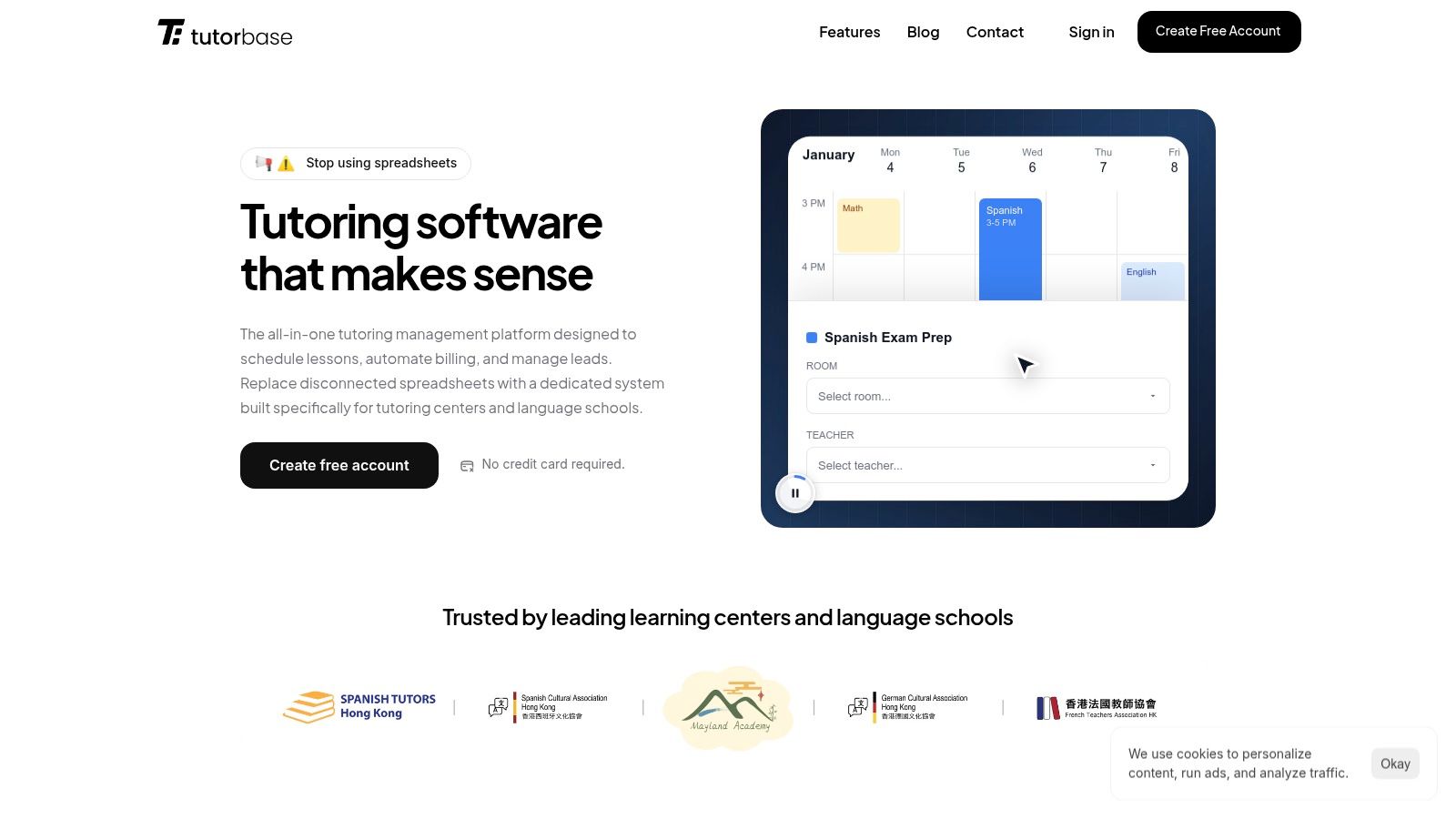
Tutorbase is an all-in-one operations platform designed specifically for tutoring centers and test-prep academies. It replaces fragmented spreadsheets with a unified system. This software excels by integrating intelligent scheduling with automated billing, payroll, and a branded student portal for a seamless workflow.
What is Tutorbase's scheduling best for?
Tutorbase directly addresses the complex operational pains of growing tutoring businesses. For tutoring centers, recurring lessons are the standard. Tutorbase lets you set up recurring lessons (weekly, biweekly, or custom) so you don't manually create the same class 52 times a year.
Recurring Lesson Scheduling: Change a recurring series once, and all future lessons update automatically.
Teacher & Room Availability: Before booking, instantly see which teachers and rooms are free. Set availability windows for teachers and block out holidays or sick days.
Multi-Location Support: Tutorbase organizes rooms for each location separately while giving you a unified view. It is perfect for centers expanding to new locations.
How does Tutorbase automate scheduling and billing?
The platform's core strength is its end-to-end automation. When an instructor marks attendance, Tutorbase automatically generates a corresponding invoice and calculates payroll. This eliminates hours of weekly administrative work, with clients reporting an average 60% reduction in overhead.
Visual Calendar with Smart Filters: See your week at a glance. You can filter by teacher, subject, or location, and drag and drop to reschedule.
Online + In-Person System: Manage classes in Room 3 or over Zoom from the same calendar. You can track delivery mode per lesson for hybrid setups.
Capacity & Enrollment Tracking: Set maximum spots per class. See which classes are full, which have openings, and stop overbooking group sessions.
For a deeper look at its features, you can learn more about Tutorbase's class scheduling software.
Best For: Tutoring centers (5-100+ teachers) seeking to automate complex operations and reduce administrative bottlenecks.
Website: https://tutorbase.com
2. Teachworks
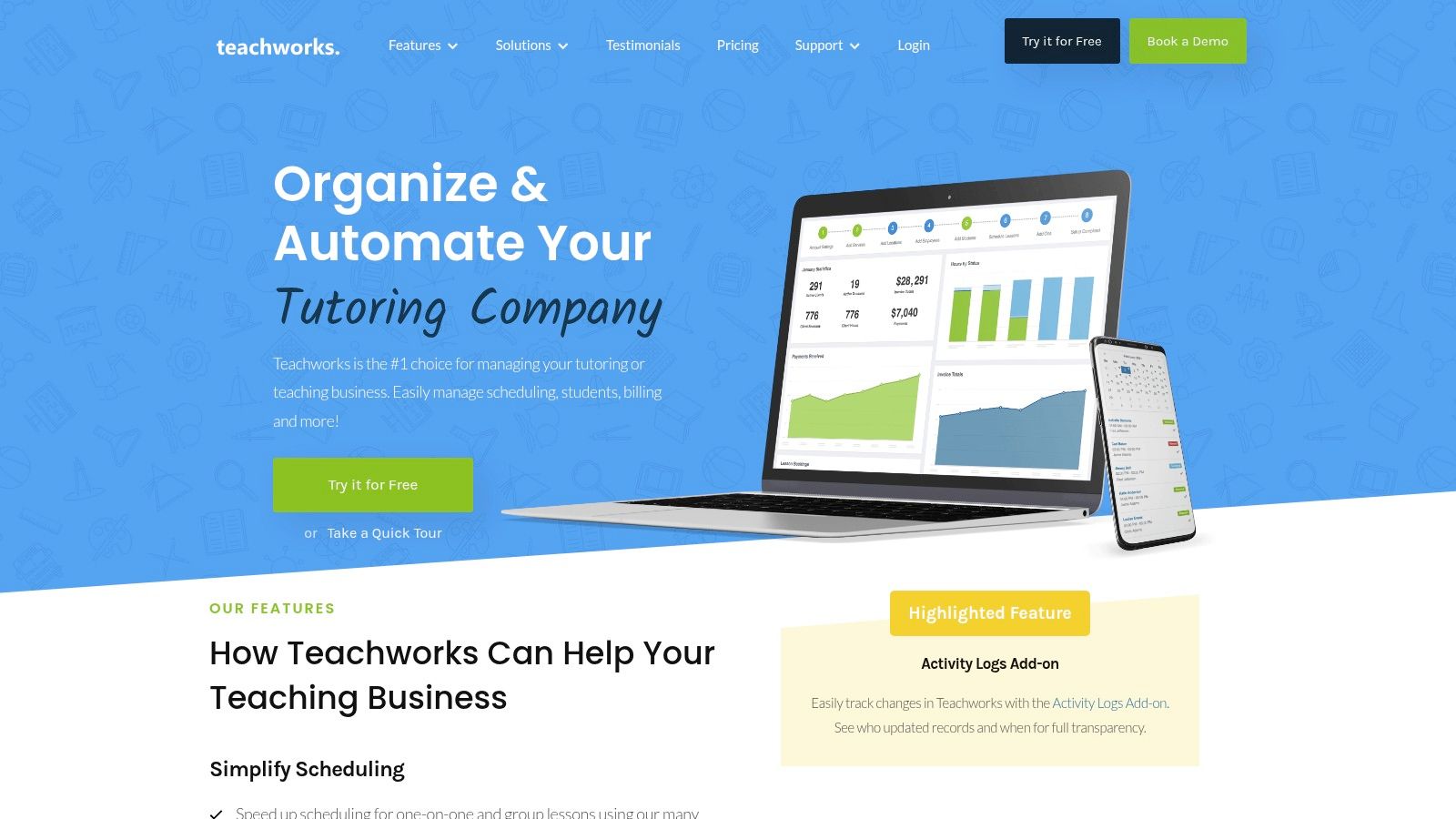
Teachworks is a well-established tutor company management software designed to centralize scheduling, billing, and communication. It offers tools for tutoring businesses that require flexible billing options tied directly to scheduled lessons. It's a solid choice for managing repeating lessons, payroll, and online bookings.
What are Teachworks' key features?
Teachworks excels at connecting its scheduling features with deep financial management tools. Its "Invoice Autopilot" feature automatically generates invoices based on completed lessons, saving significant administrative time each month. The website booking plugin allows centers to display open classes on their site.
Pros: Deep tutoring-focused feature set, mature add-on ecosystem, usage-based pricing that scales with lesson volume.
Cons: User interface feels dated compared to newer tools, per-student-lesson pricing can be complex to forecast.
Best For: Tutoring businesses that need highly flexible billing and payroll directly linked to lesson schedules.
For a detailed breakdown of its features compared to other platforms, you can learn more about how Teachworks compares to alternatives.
Website: https://teachworks.com/
3. TutorCruncher
TutorCruncher is a comprehensive operating system for tutoring businesses. It extends beyond simple class scheduling to include a client pipeline, automated billing, and detailed reporting. It’s designed for growing agencies that need a central hub to manage their entire client lifecycle.
Is TutorCruncher good for scheduling?
TutorCruncher’s strength lies in connecting your schedule directly to your revenue. Its color-coded calendar is robust, offering lesson reports, attendance tracking, and automated reminders. A key feature is its integrated CRM, which allows you to track potential clients through a sales pipeline.
Pros: Transparent starter pricing with pay-as-you-go flexibility, includes CRM and payment automation, good for growing multi-tutor businesses.
Cons: Card processing fees are an additional cost, and some advanced financial features can require onboarding support.
Best For: Tutoring agencies managing a growing team and businesses needing integrated CRM.
4. TutorBird
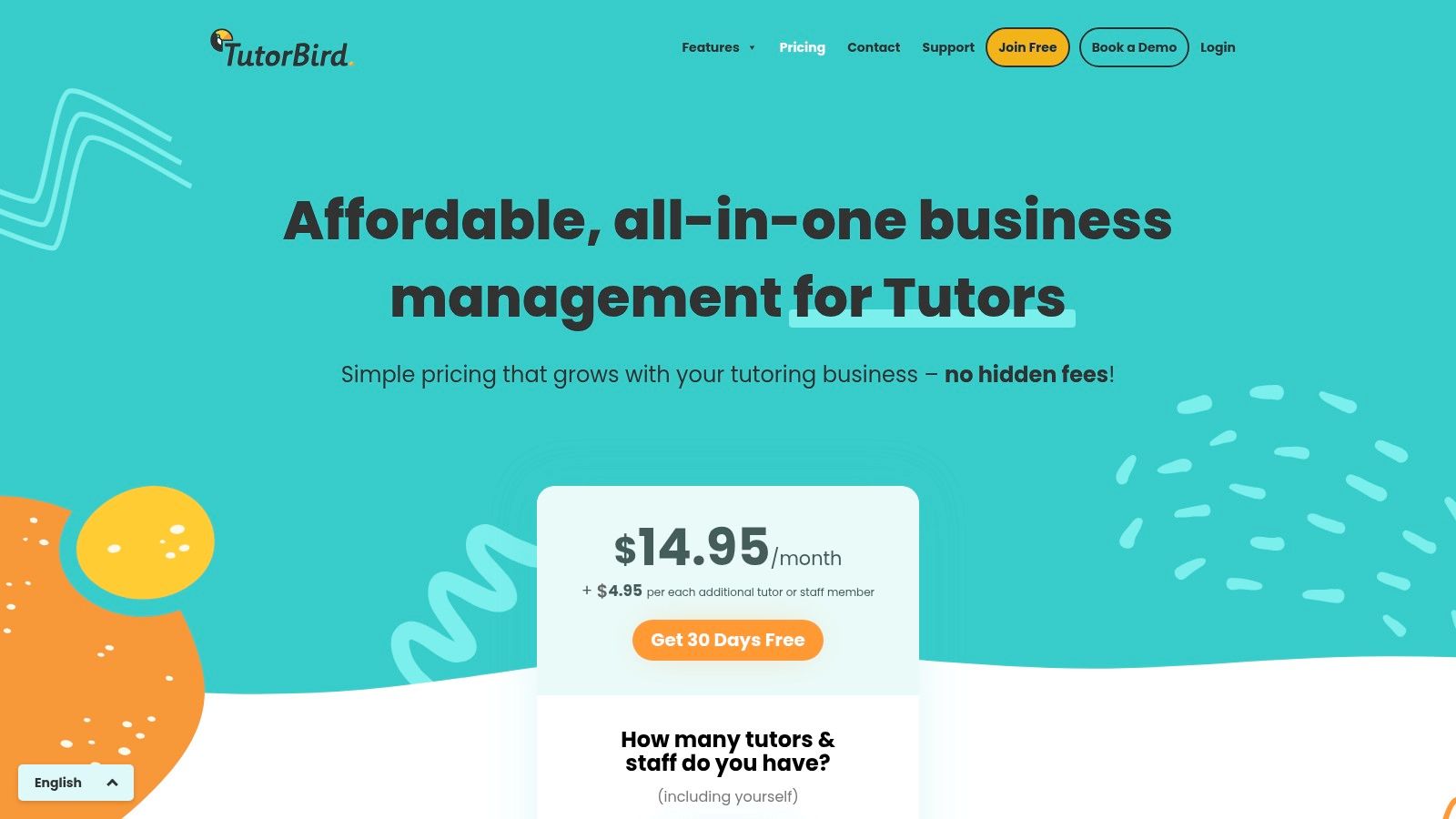
TutorBird is an affordable management platform designed for private music teachers, solo tutors, and small tutoring studios. It combines class scheduling with essential administrative functions like invoicing, payment processing, and parent communication. Its low entry price removes the complexity found in enterprise-level systems.
How does TutorBird help solo tutors?
TutorBird centralizes core administrative tasks into one easy-to-use interface. The platform gives students and parents their own portal where they can view schedules and track payments. This self-service capability significantly reduces administrative calls and emails for small businesses.
Pros: Very low entry price with a 30-day free trial, all core features included in a single simple plan.
Cons: Lighter on advanced analytics, per-staff member pricing can become costly as teams grow.
Best For: Solo tutors and small tutoring businesses needing an affordable, all-in-one solution.
Website: https://www.tutorbird.com/pricing/
5. Jackrabbit Class
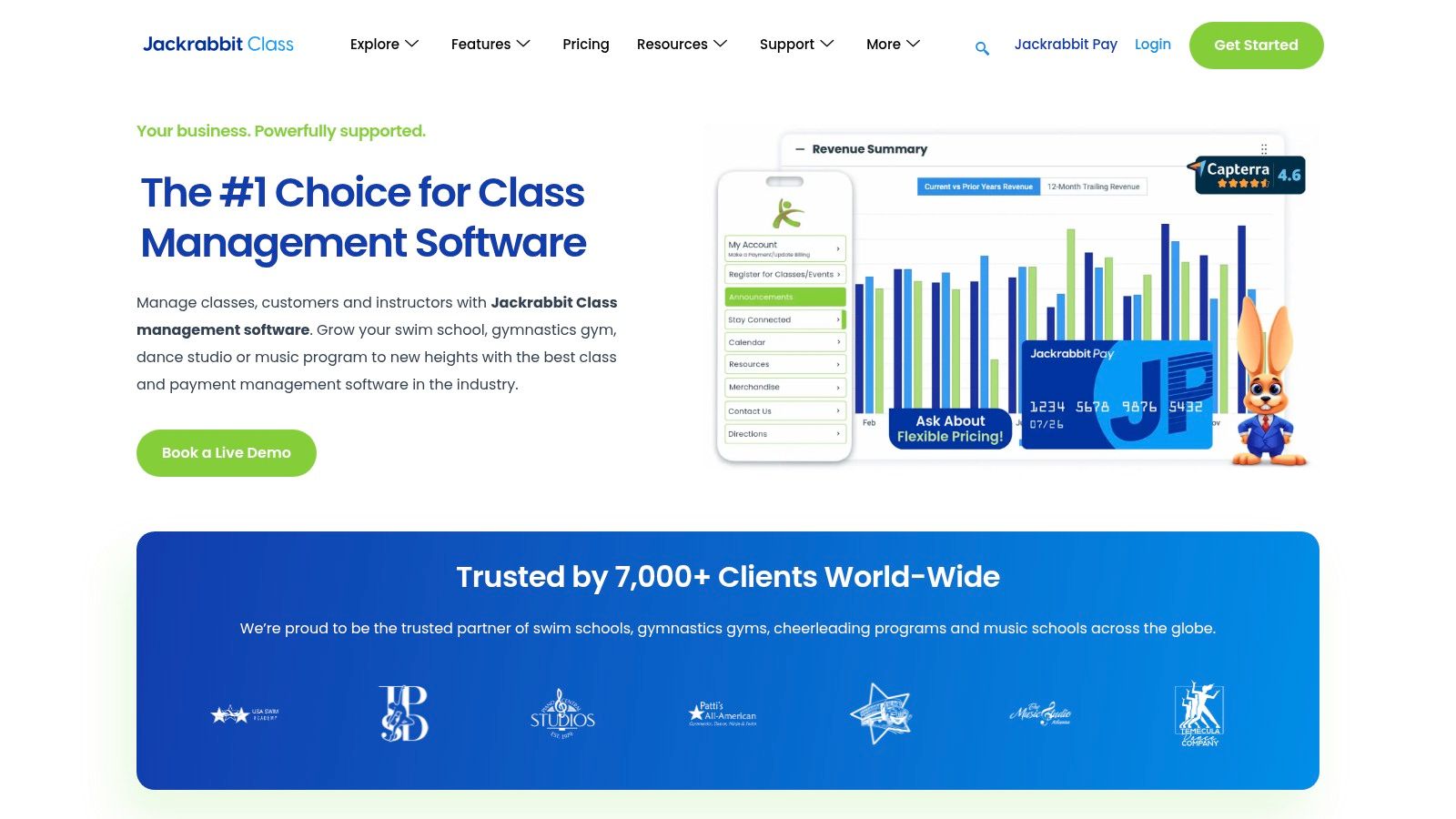
Jackrabbit Class is a management platform for activity-based schools like dance studios, swim schools, and music academies. It combines class registration and scheduling with powerful tuition billing. It is an excellent software for scheduling classes where complex multi-student billing rules are the norm.
Who should use Jackrabbit Class?
Jackrabbit Class excels at handling the financial logic behind enrollment. Its system allows you to set up detailed tuition rules, automatic discounts for siblings, and prorated fees. This automates what is often a manual, error-prone calculation for many activity centers.
Pros: Powerful tuition logic for multi-student/multi-class scenarios, strong adoption across the activity school industry.
Cons: Pricing often requires a sales consultation, the user interface can feel dated.
Best For: Dance studios, swim schools, and after-school programs that manage complex, family-based billing.
Website: https://www.jackrabbitclass.com/
6. Sawyer for Business
Sawyer for Business is a specialized registration platform built for providers of children’s classes and camps. It offers online registration, payment processing, and messaging. It is an excellent software for scheduling classes for businesses focused on the K-12 enrichment space.
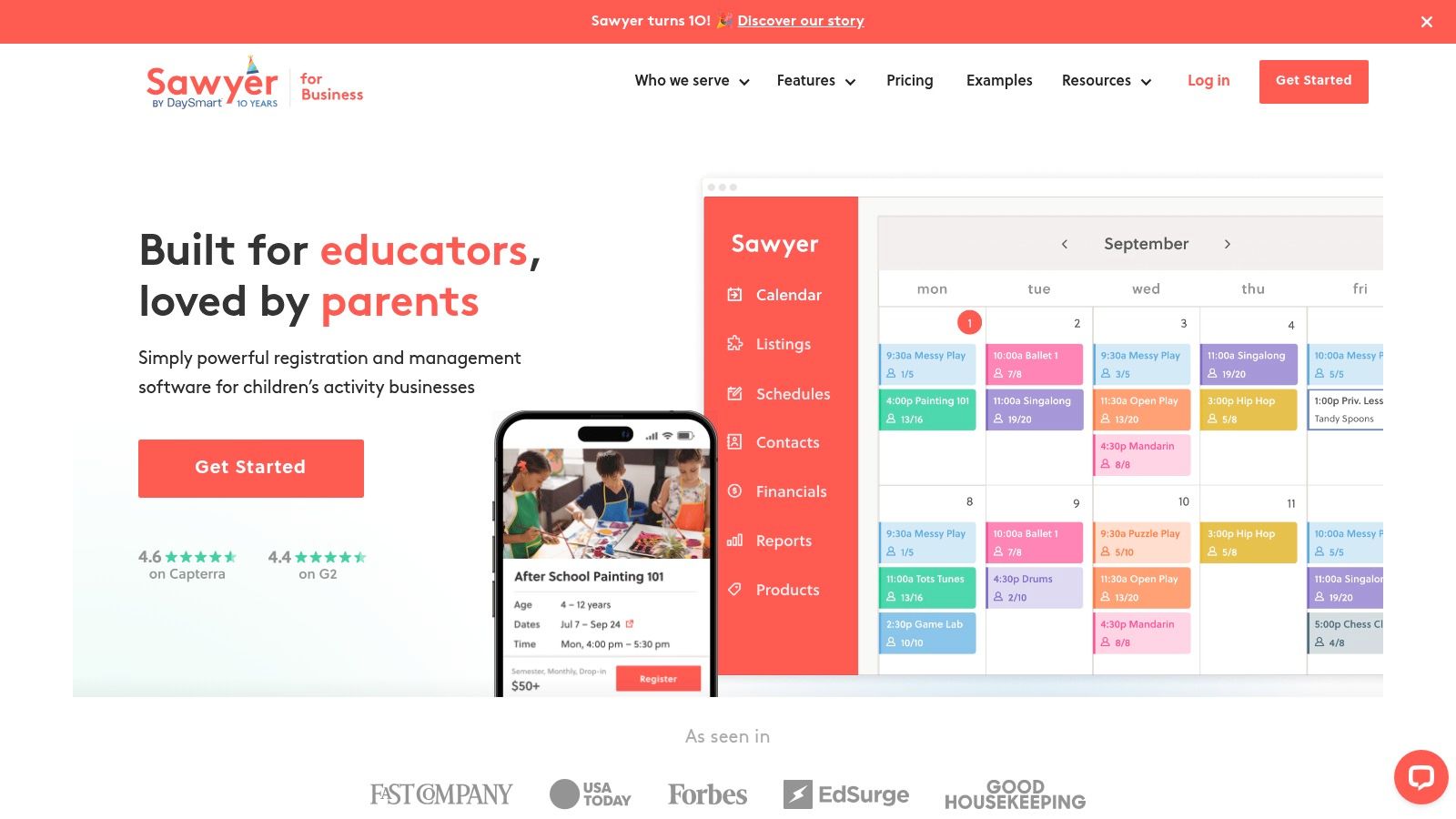
What makes Sawyer stand out?
Sawyer's major differentiator is the optional Sawyer Marketplace, a platform where parents search for children's activities. Listing your classes here provides a powerful, built-in marketing channel to generate new leads and fill empty spots, a feature most other scheduling tools lack.
Pros: Purpose-built for kids’ camps, offers a valuable marketing channel through its marketplace.
Cons: Consumer booking fees and marketplace commissions apply, some features are gated behind higher-priced plans.
Best For: Children's activity centers, summer camps, and enrichment providers looking for an all-in-one administrative and marketing tool.
7. Pike13
Pike13 is a client and class management platform built for music schools, swim centers, and tutoring agencies. It combines scheduling with robust membership and payment management. It is a strong contender for businesses that rely on recurring revenue from passes, memberships, and course enrollments.
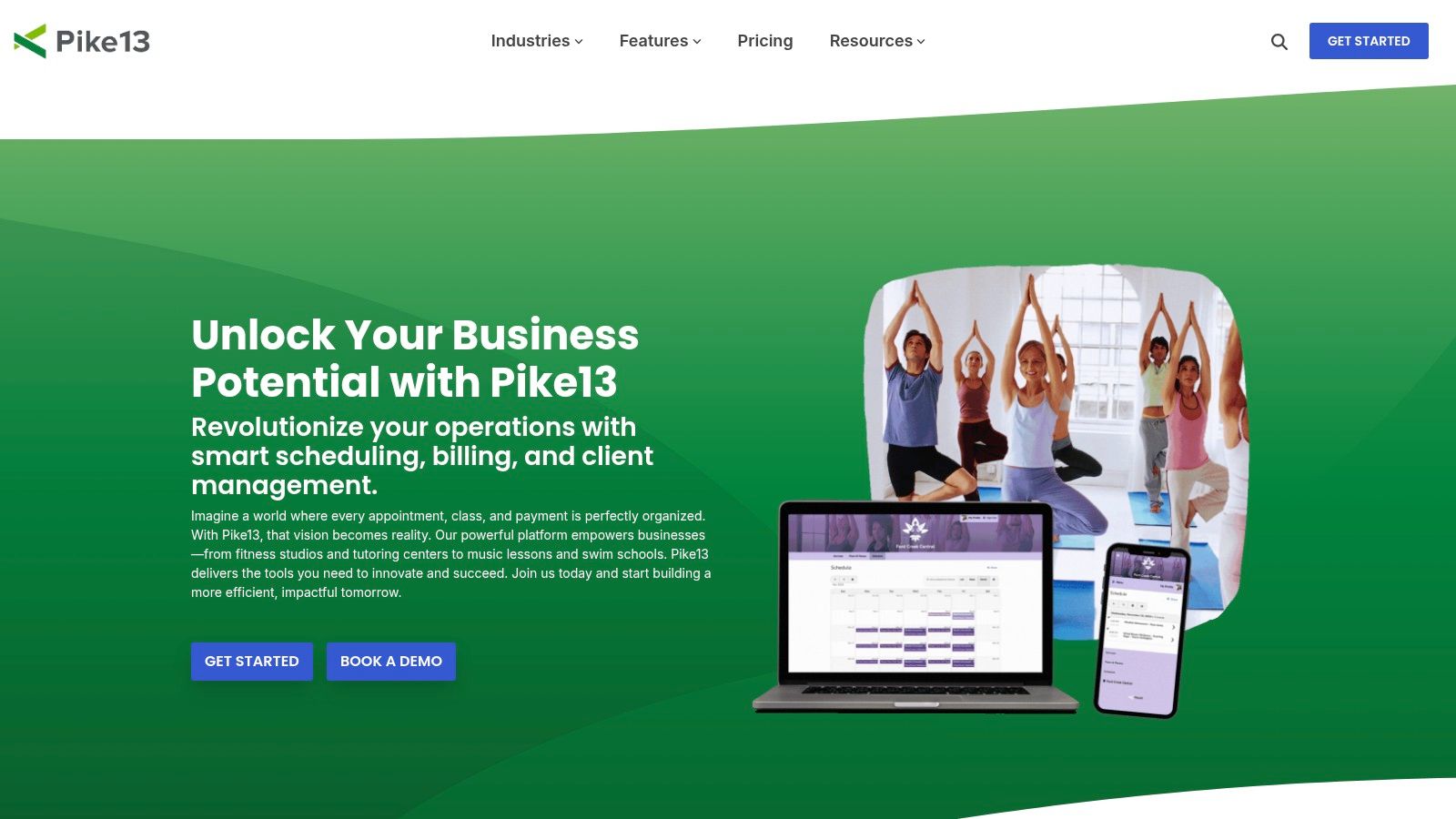
What are Pike13's core scheduling features?
Pike13 excels at structuring services into distinct types, including one-time classes and multi-session courses. This allows you to sell different packages and control how clients can book them. For instance, you can sell a 10-class pass that clients can use to book any eligible session.
Pros: Clear plans with included client and staff apps, good fit across education and activity-based businesses.
Cons: Some capabilities (widgets, advanced reporting) are add-ons or reserved for higher plans.
Best For: Music schools and tutoring businesses that utilize pass-based or membership billing models.
Website: https://www.pike13.com/
8. Squarespace Scheduling (Acuity)
Squarespace Scheduling (formerly Acuity) is a powerful self-serve booking platform. It allows clients to book appointments and group classes from a public-facing page. This makes it a great software for solo instructors and small studios that need a clean, embeddable booking solution.
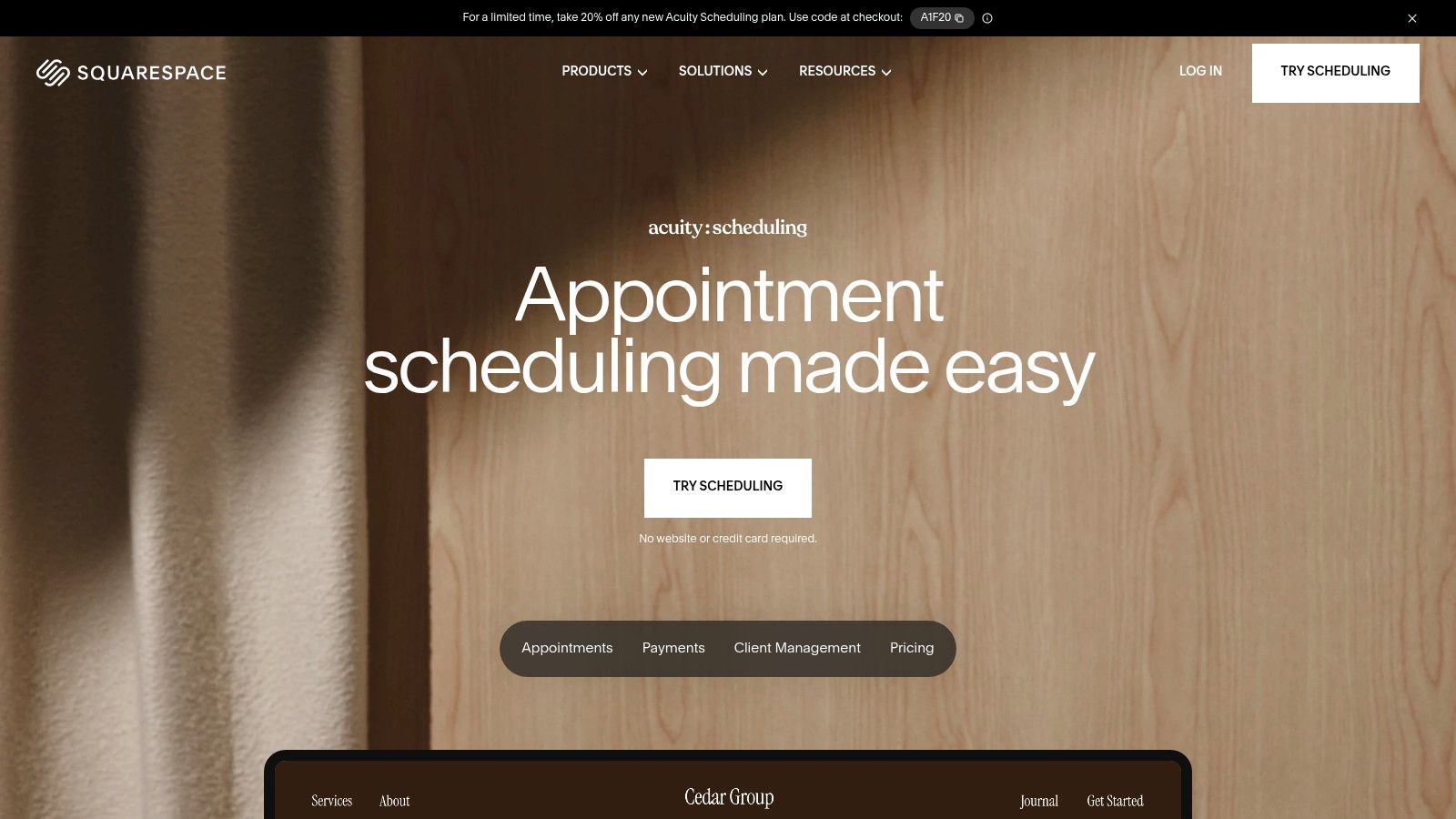
Who is Squarespace Scheduling for?
The platform is built around client convenience. You can create different class types, set capacity limits, and offer multi-session packages. Clients see your real-time availability and book open slots themselves, which dramatically cuts down on back-and-forth emails.
Pros: Excellent self-serve booking experience for clients, broad payment and calendar integrations.
Cons: Not purpose-built for multi-teacher tutoring centers; lacks features like integrated payroll or multi-location resource management.
Best For: Solo tutors and consultants who need a polished client-facing booking system.
9. Calendly
Calendly is a widely recognized scheduling automation platform. While not a dedicated class management system, its "Group Event" functionality makes it an effective tool for solo tutors and coaches offering workshops who need a fast, reliable scheduling solution. A 2022 survey found that automation tools like Calendly can save businesses up to 4 hours per week (Source: Zapier).
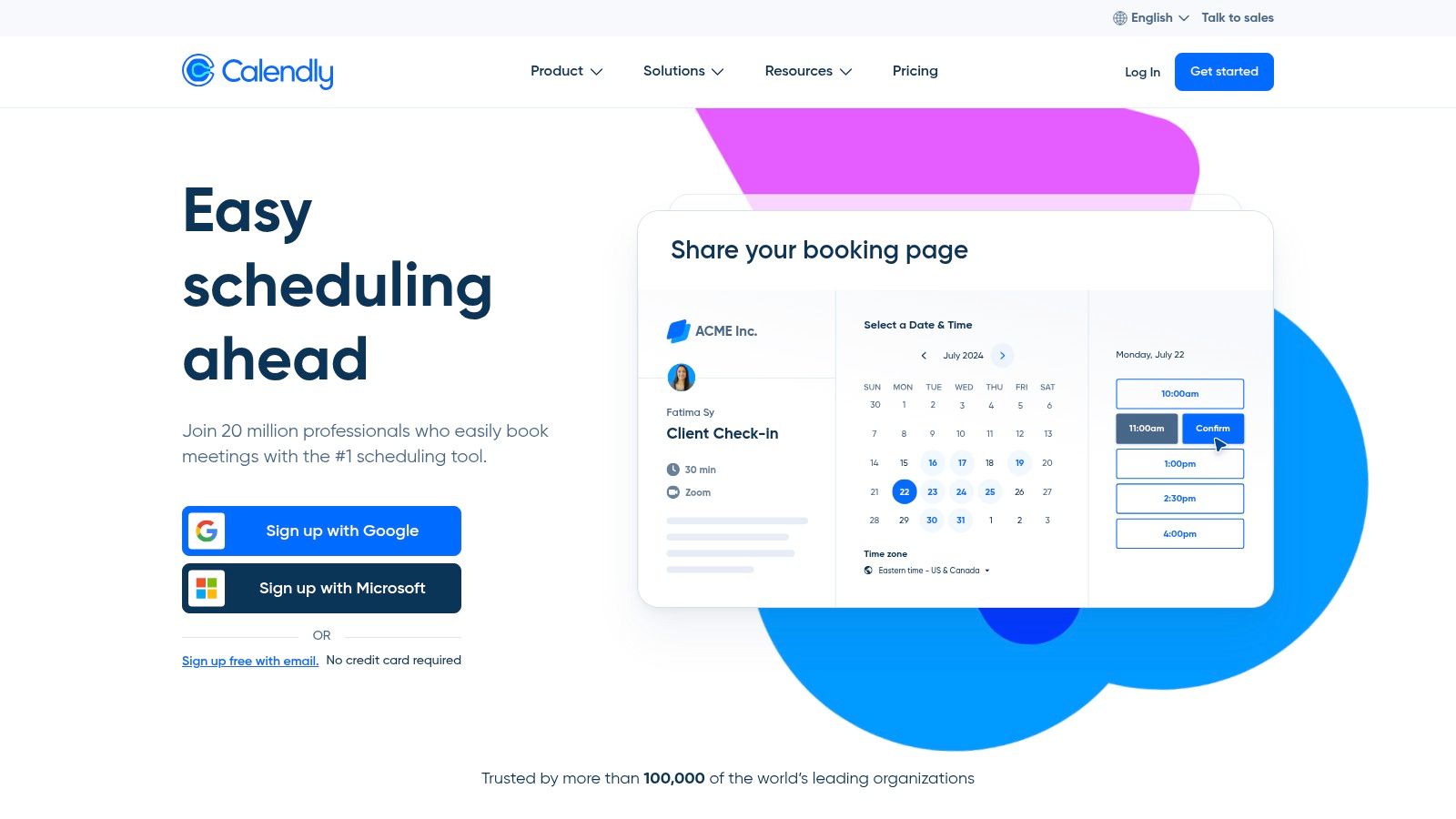
How can you use Calendly for classes?
Calendly's core strength is its simplicity. You can create a group event type for a class, set the maximum number of attendees, and share a single link. Students see your real-time availability and book a spot. Payment collection is built-in via Stripe and PayPal.
Pros: Extremely fast setup, transparent pricing with a useful free tier, powerful automation workflows.
Cons: Lacks purpose-built features for education like student rostering or complex recurring class series.
Best For: Independent tutors and coaches offering simple group workshops or single-session classes.
Website: https://calendly.com/
10. Mindbody
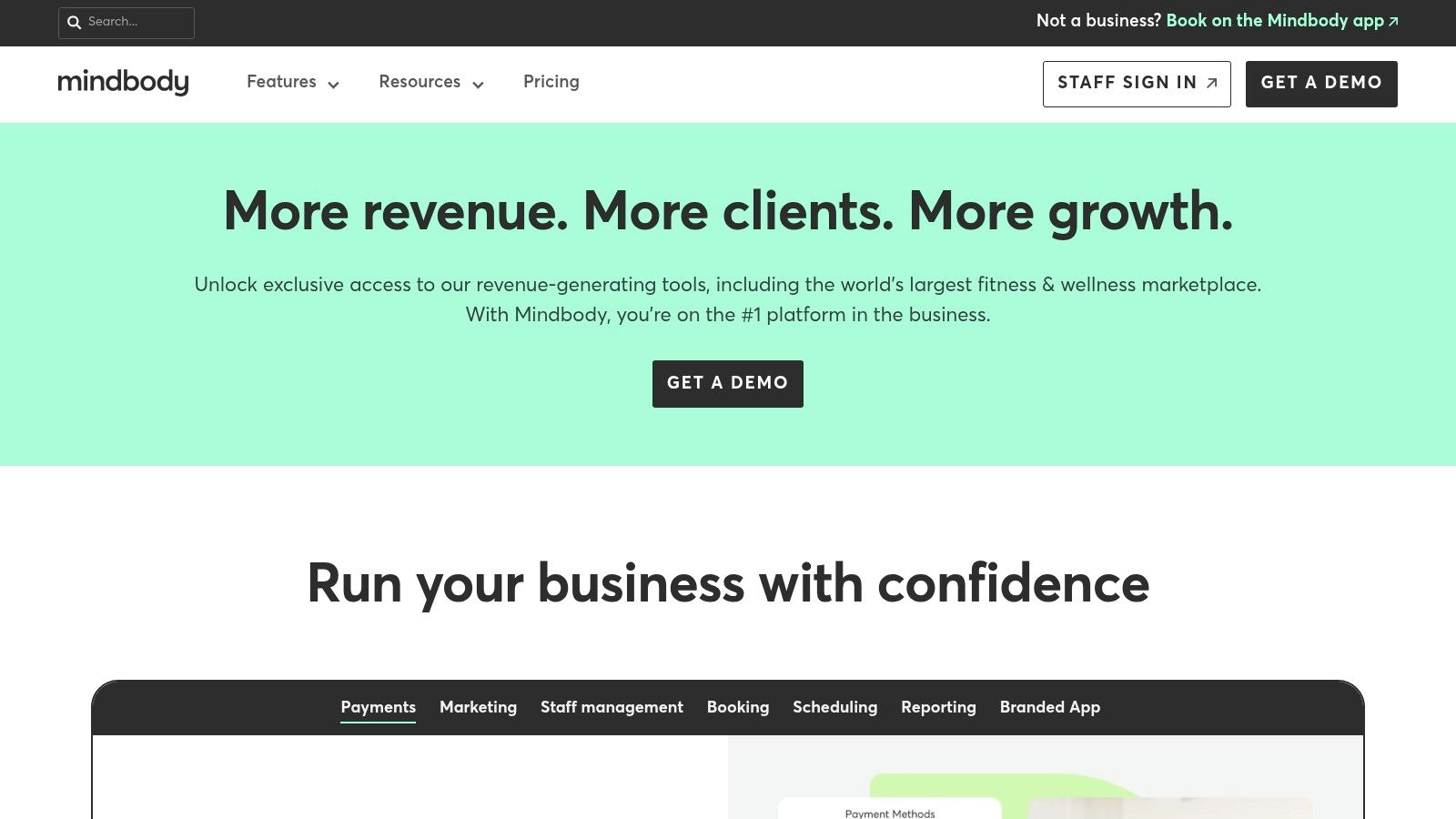
Mindbody is an enterprise-grade platform that integrates bookings with memberships, point-of-sale, and marketing automation. It is a popular choice for large fitness studios and training schools. It offers a powerful, albeit fitness-centric, framework for managing complex operations at scale.
Why choose Mindbody for class scheduling?
Mindbody’s strength lies in its comprehensive management capabilities. You can create classes, manage enrollments, and process payments for single sessions or memberships. The biggest differentiator is its consumer marketplace, which exposes your business to a massive user base searching for local classes.
Pros: Very robust enterprise capabilities, scales across multiple locations, consumer app for discoverability.
Cons: Higher-tier pricing can be expensive, fitness-first terminology may require adjustments.
Best For: Large training centers and educational franchises that need an all-in-one platform.
Website: https://www.mindbodyonline.com/
11. Amilia SmartRec
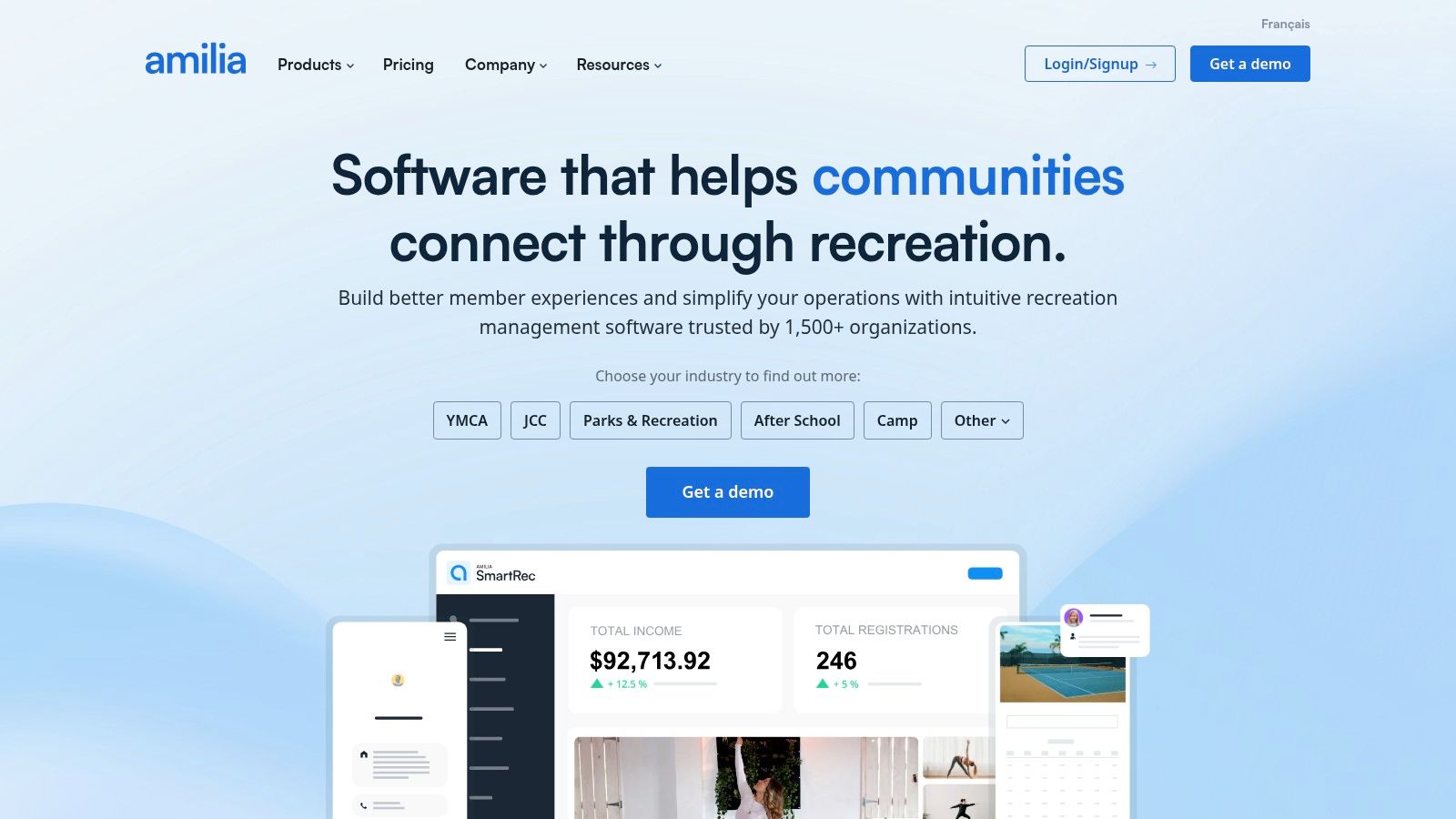
Amilia SmartRec is a registration and facility management platform designed for community-driven organizations. It is an ideal software for scheduling classes when you also need to manage facility rentals, memberships, and diverse program catalogs across multiple locations.
What is Amilia SmartRec?
Amilia is built to handle high-volume, public-facing registrations. You can create detailed online activity catalogs with custom forms and flexible pricing. Its strong suit is integrating class schedules with facility and resource management, preventing double-bookings of rooms or fields.
Pros: Strong facility and multi-location support, nonprofit pricing available, handles diverse program catalogs effectively.
Cons: Best suited for larger community programs rather than small tutoring centers.
Best For: Parks and recreation departments, large nonprofits, and community centers.
Website: https://www.amilia.com/
Class Scheduling Software Comparison for 2026
Software | Best For | Key Scheduling Feature | Pricing Model |
|---|---|---|---|
Tutorbase | Tutoring Centers (5-100+ teachers) | Recurring lessons & multi-location management | Custom Quote |
Teachworks | Small-Mid Tutoring Businesses | Website booking plugin & invoice automation | Usage-Based |
TutorCruncher | Growing Tutoring Agencies | Integrated CRM & calendar | Pay-As-You-Go |
TutorBird | Solo Tutors & Music Teachers | Simple calendar with parent portal | Low Flat Fee |
Jackrabbit Class | Dance/Swim/Gymnastics Schools | Complex family & multi-class tuition rules | Custom Quote |
Sawyer | Kids' Camps & After-School Programs | Built-in marketing marketplace | Tiered SaaS |
Pike13 | Membership-based businesses | Class passes & mobile apps | Tiered SaaS |
Squarespace Scheduling | Solo Professionals & Small Studios | Polished client self-booking experience | Tiered SaaS |
Calendly | Simple 1-on-1 & Group Bookings | Workflow automation & integrations | Freemium |
Mindbody | Large Fitness & Wellness Centers | Enterprise scale & consumer marketplace | Custom Quote |
Amilia SmartRec | Community & Rec Centers | Facility and resource management | Tiered SaaS |
What to look for in class scheduling software?
As you weigh your options, circle back to the core challenges you need to solve. Your final decision should be strategic. It must be grounded in your business's specific operational model, size, and future aspirations in 2026 and beyond.
Acknowledge Your Core Business Model: A system for recurring group lessons with capacity tracking, like Tutorbase, is different from a tool for simple appointment slots.
Prioritize Purpose-Built Solutions: Generic tools often require awkward workarounds. A purpose-built software inherently understands concepts like recurring student schedules and teacher availability, saving you hours.
Plan for Scalability: The software for a solo tutor may not support you when you hire your fifth teacher. Consider multi-location support and user permissions.
Evaluate the Entire Ecosystem: Look at how each platform handles invoicing and communication. An integrated system where scheduling directly informs billing and payroll eliminates manual data entry.
Try Tutorbase free—scheduling built for tutoring centers, not generic appointments.
Frequently Asked Questions (FAQ)
What is the best software for scheduling classes?
The best software depends on your needs. For tutoring centers with complex recurring schedules and multiple teachers, Tutorbase is a top choice. For solo instructors, a simpler tool like Squarespace Scheduling might be sufficient.
How do I automate my class schedule?
You automate your class schedule by using dedicated software. These tools allow you to set teacher availability, define class types with capacity limits, and let clients book online. Features like recurring lesson setup automate the process for ongoing classes.
Can scheduling software handle payments?
Yes, most modern class scheduling software integrates with payment processors like Stripe or PayPal. This allows you to require payment at the time of booking, which can reduce no-shows by over 30% according to industry studies.
What is the difference between class scheduling and appointment scheduling?
Class scheduling software manages group sessions with multiple attendees, capacity limits, and rosters (e.g., a yoga class). Appointment scheduling software typically manages one-on-one bookings between a service provider and a single client (e.g., a haircut).
How much does class scheduling software cost?
Pricing varies widely. Simple tools like Calendly offer free plans and paid tiers starting around $10/month. Comprehensive platforms for tutoring centers like Tutorbase or Teachworks are typically priced higher, often based on student volume or staff count, and require a custom quote.
Does Google Calendar work for scheduling classes?
Google Calendar can work for very small, simple operations. However, it lacks crucial features like automated booking, payment processing, capacity management, and client portals. Businesses quickly outgrow it as they face issues with double-bookings and manual coordination.
The 12 Best Software for Scheduling Classes in 2026
Published: January 4, 2026 by Amy Ashford


Key Takeaway: The best software for scheduling classes automates tedious tasks like coordinating teacher availability, managing recurring lessons, and preventing double-bookings. Purpose-built platforms like Tutorbase outperform generic tools by integrating scheduling directly with billing and payroll, saving tutoring centers an average of 60% in administrative time.
Finding the right software for scheduling classes can feel overwhelming. Spreadsheets and generic booking tools often create double-bookings, frustrate staff, and waste hours on manual coordination. This is especially true for tutoring centers that manage recurring lessons, multiple teachers, and various locations.
This guide cuts through the noise. We researched and tested the top scheduling platforms for educational businesses. We provide an in-depth analysis of what makes each tool suitable for specific use cases. You will find practical insights to help you move beyond administrative chaos and focus on instruction.
1. Tutorbase: Best for Tutoring Center Operations
Tutorbase is an all-in-one operations platform designed specifically for tutoring centers and test-prep academies. It replaces fragmented spreadsheets with a unified system. This software excels by integrating intelligent scheduling with automated billing, payroll, and a branded student portal for a seamless workflow.

What is Tutorbase's scheduling best for?
Tutorbase directly addresses the complex operational pains of growing tutoring businesses. For tutoring centers, recurring lessons are the standard. Tutorbase lets you set up recurring lessons (weekly, biweekly, or custom) so you don't manually create the same class 52 times a year.
Recurring Lesson Scheduling: Change a recurring series once, and all future lessons update automatically.
Teacher & Room Availability: Before booking, instantly see which teachers and rooms are free. Set availability windows for teachers and block out holidays or sick days.
Multi-Location Support: Tutorbase organizes rooms for each location separately while giving you a unified view. It is perfect for centers expanding to new locations.
How does Tutorbase automate scheduling and billing?
The platform's core strength is its end-to-end automation. When an instructor marks attendance, Tutorbase automatically generates a corresponding invoice and calculates payroll. This eliminates hours of weekly administrative work, with clients reporting an average 60% reduction in overhead.
Visual Calendar with Smart Filters: See your week at a glance. You can filter by teacher, subject, or location, and drag and drop to reschedule.
Online + In-Person System: Manage classes in Room 3 or over Zoom from the same calendar. You can track delivery mode per lesson for hybrid setups.
Capacity & Enrollment Tracking: Set maximum spots per class. See which classes are full, which have openings, and stop overbooking group sessions.
For a deeper look at its features, you can learn more about Tutorbase's class scheduling software.
Best For: Tutoring centers (5-100+ teachers) seeking to automate complex operations and reduce administrative bottlenecks.
Website: https://tutorbase.com
2. Teachworks
Teachworks is a well-established tutor company management software designed to centralize scheduling, billing, and communication. It offers tools for tutoring businesses that require flexible billing options tied directly to scheduled lessons. It's a solid choice for managing repeating lessons, payroll, and online bookings.

What are Teachworks' key features?
Teachworks excels at connecting its scheduling features with deep financial management tools. Its "Invoice Autopilot" feature automatically generates invoices based on completed lessons, saving significant administrative time each month. The website booking plugin allows centers to display open classes on their site.
Pros: Deep tutoring-focused feature set, mature add-on ecosystem, usage-based pricing that scales with lesson volume.
Cons: User interface feels dated compared to newer tools, per-student-lesson pricing can be complex to forecast.
Best For: Tutoring businesses that need highly flexible billing and payroll directly linked to lesson schedules.
For a detailed breakdown of its features compared to other platforms, you can learn more about how Teachworks compares to alternatives.
Website: https://teachworks.com/
3. TutorCruncher
TutorCruncher is a comprehensive operating system for tutoring businesses. It extends beyond simple class scheduling to include a client pipeline, automated billing, and detailed reporting. It’s designed for growing agencies that need a central hub to manage their entire client lifecycle.
Is TutorCruncher good for scheduling?
TutorCruncher’s strength lies in connecting your schedule directly to your revenue. Its color-coded calendar is robust, offering lesson reports, attendance tracking, and automated reminders. A key feature is its integrated CRM, which allows you to track potential clients through a sales pipeline.
Pros: Transparent starter pricing with pay-as-you-go flexibility, includes CRM and payment automation, good for growing multi-tutor businesses.
Cons: Card processing fees are an additional cost, and some advanced financial features can require onboarding support.
Best For: Tutoring agencies managing a growing team and businesses needing integrated CRM.
4. TutorBird
TutorBird is an affordable management platform designed for private music teachers, solo tutors, and small tutoring studios. It combines class scheduling with essential administrative functions like invoicing, payment processing, and parent communication. Its low entry price removes the complexity found in enterprise-level systems.

How does TutorBird help solo tutors?
TutorBird centralizes core administrative tasks into one easy-to-use interface. The platform gives students and parents their own portal where they can view schedules and track payments. This self-service capability significantly reduces administrative calls and emails for small businesses.
Pros: Very low entry price with a 30-day free trial, all core features included in a single simple plan.
Cons: Lighter on advanced analytics, per-staff member pricing can become costly as teams grow.
Best For: Solo tutors and small tutoring businesses needing an affordable, all-in-one solution.
Website: https://www.tutorbird.com/pricing/
5. Jackrabbit Class
Jackrabbit Class is a management platform for activity-based schools like dance studios, swim schools, and music academies. It combines class registration and scheduling with powerful tuition billing. It is an excellent software for scheduling classes where complex multi-student billing rules are the norm.

Who should use Jackrabbit Class?
Jackrabbit Class excels at handling the financial logic behind enrollment. Its system allows you to set up detailed tuition rules, automatic discounts for siblings, and prorated fees. This automates what is often a manual, error-prone calculation for many activity centers.
Pros: Powerful tuition logic for multi-student/multi-class scenarios, strong adoption across the activity school industry.
Cons: Pricing often requires a sales consultation, the user interface can feel dated.
Best For: Dance studios, swim schools, and after-school programs that manage complex, family-based billing.
Website: https://www.jackrabbitclass.com/
6. Sawyer for Business
Sawyer for Business is a specialized registration platform built for providers of children’s classes and camps. It offers online registration, payment processing, and messaging. It is an excellent software for scheduling classes for businesses focused on the K-12 enrichment space.

What makes Sawyer stand out?
Sawyer's major differentiator is the optional Sawyer Marketplace, a platform where parents search for children's activities. Listing your classes here provides a powerful, built-in marketing channel to generate new leads and fill empty spots, a feature most other scheduling tools lack.
Pros: Purpose-built for kids’ camps, offers a valuable marketing channel through its marketplace.
Cons: Consumer booking fees and marketplace commissions apply, some features are gated behind higher-priced plans.
Best For: Children's activity centers, summer camps, and enrichment providers looking for an all-in-one administrative and marketing tool.
7. Pike13
Pike13 is a client and class management platform built for music schools, swim centers, and tutoring agencies. It combines scheduling with robust membership and payment management. It is a strong contender for businesses that rely on recurring revenue from passes, memberships, and course enrollments.

What are Pike13's core scheduling features?
Pike13 excels at structuring services into distinct types, including one-time classes and multi-session courses. This allows you to sell different packages and control how clients can book them. For instance, you can sell a 10-class pass that clients can use to book any eligible session.
Pros: Clear plans with included client and staff apps, good fit across education and activity-based businesses.
Cons: Some capabilities (widgets, advanced reporting) are add-ons or reserved for higher plans.
Best For: Music schools and tutoring businesses that utilize pass-based or membership billing models.
Website: https://www.pike13.com/
8. Squarespace Scheduling (Acuity)
Squarespace Scheduling (formerly Acuity) is a powerful self-serve booking platform. It allows clients to book appointments and group classes from a public-facing page. This makes it a great software for solo instructors and small studios that need a clean, embeddable booking solution.

Who is Squarespace Scheduling for?
The platform is built around client convenience. You can create different class types, set capacity limits, and offer multi-session packages. Clients see your real-time availability and book open slots themselves, which dramatically cuts down on back-and-forth emails.
Pros: Excellent self-serve booking experience for clients, broad payment and calendar integrations.
Cons: Not purpose-built for multi-teacher tutoring centers; lacks features like integrated payroll or multi-location resource management.
Best For: Solo tutors and consultants who need a polished client-facing booking system.
9. Calendly
Calendly is a widely recognized scheduling automation platform. While not a dedicated class management system, its "Group Event" functionality makes it an effective tool for solo tutors and coaches offering workshops who need a fast, reliable scheduling solution. A 2022 survey found that automation tools like Calendly can save businesses up to 4 hours per week (Source: Zapier).

How can you use Calendly for classes?
Calendly's core strength is its simplicity. You can create a group event type for a class, set the maximum number of attendees, and share a single link. Students see your real-time availability and book a spot. Payment collection is built-in via Stripe and PayPal.
Pros: Extremely fast setup, transparent pricing with a useful free tier, powerful automation workflows.
Cons: Lacks purpose-built features for education like student rostering or complex recurring class series.
Best For: Independent tutors and coaches offering simple group workshops or single-session classes.
Website: https://calendly.com/
10. Mindbody
Mindbody is an enterprise-grade platform that integrates bookings with memberships, point-of-sale, and marketing automation. It is a popular choice for large fitness studios and training schools. It offers a powerful, albeit fitness-centric, framework for managing complex operations at scale.

Why choose Mindbody for class scheduling?
Mindbody’s strength lies in its comprehensive management capabilities. You can create classes, manage enrollments, and process payments for single sessions or memberships. The biggest differentiator is its consumer marketplace, which exposes your business to a massive user base searching for local classes.
Pros: Very robust enterprise capabilities, scales across multiple locations, consumer app for discoverability.
Cons: Higher-tier pricing can be expensive, fitness-first terminology may require adjustments.
Best For: Large training centers and educational franchises that need an all-in-one platform.
Website: https://www.mindbodyonline.com/
11. Amilia SmartRec
Amilia SmartRec is a registration and facility management platform designed for community-driven organizations. It is an ideal software for scheduling classes when you also need to manage facility rentals, memberships, and diverse program catalogs across multiple locations.

What is Amilia SmartRec?
Amilia is built to handle high-volume, public-facing registrations. You can create detailed online activity catalogs with custom forms and flexible pricing. Its strong suit is integrating class schedules with facility and resource management, preventing double-bookings of rooms or fields.
Pros: Strong facility and multi-location support, nonprofit pricing available, handles diverse program catalogs effectively.
Cons: Best suited for larger community programs rather than small tutoring centers.
Best For: Parks and recreation departments, large nonprofits, and community centers.
Website: https://www.amilia.com/
Class Scheduling Software Comparison for 2026
Software | Best For | Key Scheduling Feature | Pricing Model |
|---|---|---|---|
Tutorbase | Tutoring Centers (5-100+ teachers) | Recurring lessons & multi-location management | Custom Quote |
Teachworks | Small-Mid Tutoring Businesses | Website booking plugin & invoice automation | Usage-Based |
TutorCruncher | Growing Tutoring Agencies | Integrated CRM & calendar | Pay-As-You-Go |
TutorBird | Solo Tutors & Music Teachers | Simple calendar with parent portal | Low Flat Fee |
Jackrabbit Class | Dance/Swim/Gymnastics Schools | Complex family & multi-class tuition rules | Custom Quote |
Sawyer | Kids' Camps & After-School Programs | Built-in marketing marketplace | Tiered SaaS |
Pike13 | Membership-based businesses | Class passes & mobile apps | Tiered SaaS |
Squarespace Scheduling | Solo Professionals & Small Studios | Polished client self-booking experience | Tiered SaaS |
Calendly | Simple 1-on-1 & Group Bookings | Workflow automation & integrations | Freemium |
Mindbody | Large Fitness & Wellness Centers | Enterprise scale & consumer marketplace | Custom Quote |
Amilia SmartRec | Community & Rec Centers | Facility and resource management | Tiered SaaS |
What to look for in class scheduling software?
As you weigh your options, circle back to the core challenges you need to solve. Your final decision should be strategic. It must be grounded in your business's specific operational model, size, and future aspirations in 2026 and beyond.
Acknowledge Your Core Business Model: A system for recurring group lessons with capacity tracking, like Tutorbase, is different from a tool for simple appointment slots.
Prioritize Purpose-Built Solutions: Generic tools often require awkward workarounds. A purpose-built software inherently understands concepts like recurring student schedules and teacher availability, saving you hours.
Plan for Scalability: The software for a solo tutor may not support you when you hire your fifth teacher. Consider multi-location support and user permissions.
Evaluate the Entire Ecosystem: Look at how each platform handles invoicing and communication. An integrated system where scheduling directly informs billing and payroll eliminates manual data entry.
Try Tutorbase free—scheduling built for tutoring centers, not generic appointments.
Frequently Asked Questions (FAQ)
What is the best software for scheduling classes?
The best software depends on your needs. For tutoring centers with complex recurring schedules and multiple teachers, Tutorbase is a top choice. For solo instructors, a simpler tool like Squarespace Scheduling might be sufficient.
How do I automate my class schedule?
You automate your class schedule by using dedicated software. These tools allow you to set teacher availability, define class types with capacity limits, and let clients book online. Features like recurring lesson setup automate the process for ongoing classes.
Can scheduling software handle payments?
Yes, most modern class scheduling software integrates with payment processors like Stripe or PayPal. This allows you to require payment at the time of booking, which can reduce no-shows by over 30% according to industry studies.
What is the difference between class scheduling and appointment scheduling?
Class scheduling software manages group sessions with multiple attendees, capacity limits, and rosters (e.g., a yoga class). Appointment scheduling software typically manages one-on-one bookings between a service provider and a single client (e.g., a haircut).
How much does class scheduling software cost?
Pricing varies widely. Simple tools like Calendly offer free plans and paid tiers starting around $10/month. Comprehensive platforms for tutoring centers like Tutorbase or Teachworks are typically priced higher, often based on student volume or staff count, and require a custom quote.
Does Google Calendar work for scheduling classes?
Google Calendar can work for very small, simple operations. However, it lacks crucial features like automated booking, payment processing, capacity management, and client portals. Businesses quickly outgrow it as they face issues with double-bookings and manual coordination.
More from the Blog

A Guide to Fixing Google Calendar Sync Errors for Good
Read Article
Read Article

A Guide to Fixing Google Calendar Sync Errors for Good
Read Article
Read Article

How to Write a Tutor Position Description That Attracts Top Educators
Read Article
Read Article

How to Write a Tutor Position Description That Attracts Top Educators
Read Article
Read Article

How a Parent Portal for Tutoring Can Transform Your Center
Read Article
Read Article

How a Parent Portal for Tutoring Can Transform Your Center
Read Article
Read Article

