
The Complete Tech Stack: 7 Types of Software for a Tutoring Business in 2026
Published: December 18, 2025 by Amy Ashford

Key Takeaway: Running a successful tutoring business in 2026 requires more than just a scheduling app. You need a complete tech stack covering teaching, communication, and operations. While teaching tools are interchangeable, your operations platform is the foundational backbone that connects scheduling, billing, and payroll to save you hours of admin time.
Running a tutoring center often means juggling five, ten, or even more different apps. You use one tool for video calls, another for parent messages, a spreadsheet for tutor payroll, and a separate calendar for scheduling. This digital patchwork creates administrative drag, pulling you away from teaching students and growing your business.
Finding the right software for your tutoring business is not about a single app. It's about building a cohesive tech stack. This guide covers every category you need: tools for teaching, tools for connecting with students, and tools for running the business. We will show you how they all fit together.
1. What Video Conferencing Software Should You Use?
For online or hybrid tutoring, a reliable video conferencing tool is non-negotiable. This software provides the virtual room where lessons happen. The key is finding a platform that is stable, easy for students to use, and offers features that enhance teaching, not just business meetings.
Zoom: This is the industry standard for a reason. Its breakout rooms are perfect for group activities, and annotation tools let tutors and students collaborate directly on-screen. A 2022 study by Educause found that 85% of higher education institutions use Zoom, highlighting its reliability and widespread adoption.
Google Meet: A simple, browser-based option that integrates perfectly with Google Workspace. If your center already uses Gmail and Google Calendar, Meet is a seamless and often free choice. Its simplicity is a major benefit for less tech-savvy students.
Microsoft Teams: If your business runs on the Microsoft 365 ecosystem, Teams is a logical choice. It combines video, chat, and file sharing in one place, making it a powerful hub for internal and external communication.
Brief Take: All three get the job done. However, Zoom has a distinct edge for interactive teaching due to its robust breakout room and annotation features.
2. Interactive Whiteboards & Collaboration Tools
An interactive whiteboard is a digital canvas that replaces the physical whiteboard in an online setting. It allows tutors and students to write, draw, and collaborate in real-time. This is essential for subjects like math, science, and visual problem-solving, making abstract concepts tangible.
Miro: An infinite canvas tool that is excellent for visual learners and brainstorming sessions. Its vast template library can be adapted for lesson planning, mind mapping, and project-based learning.
Jamboard: Google's free and simple digital whiteboard. It integrates directly with Google Meet, making it incredibly easy to launch during a lesson. It is basic but effective for quick explanations.
Explain Everything: This platform is purpose-built for teaching. Tutors can create video presentations, record lessons, and use a wide range of annotation tools. It's more of a lesson creation suite than just a simple whiteboard.
BitPaper: Designed specifically for online tutoring. BitPaper creates a permanent, shareable "paper" for each student, allowing them to review past work. It also includes features like formula editors and graph paper backgrounds.
Brief Take: BitPaper and Explain Everything are built for tutoring and offer the most relevant features. Miro and Jamboard are great general-purpose tools that can be adapted for educational use.
3. How Can You Increase Student Engagement & Gamification?
Engagement software turns learning into a game. These tools use quizzes, competitions, and rewards to motivate students and reinforce concepts. This is especially effective for younger learners or for making repetitive topics like vocabulary or math facts more exciting.
Kahoot!: The undisputed leader in quiz-based gamification. You can create fun, multiple-choice quizzes that students answer on their devices. Its competitive, fast-paced format makes it a classroom favorite.
Quizlet: Known for its digital flashcards, Quizlet also offers study sets and live games. "Quizlet Live" is a team-based game that encourages collaboration and quick thinking.
Blooket: This platform takes gamification to the next level with various game modes that appeal to younger students. Students answer questions to win battles, race cars, or run a factory.
Gimkit: In Gimkit, students answer questions to earn in-game currency, which they can then "invest" to earn more. It introduces a layer of strategy that keeps students highly engaged.
Brief Take: Kahoot! is the universal crowd-pleaser. For younger demographics who thrive on more complex game mechanics, Blooket and Gimkit are excellent choices.
4. Subject-Specific Learning Tools
While your core curriculum provides structure, subject-specific tools provide targeted practice and enrichment. These apps and websites offer interactive simulations, specialized calculators, or gamified lessons that supplement your teaching and help students master difficult concepts.
Rockalingua: Teaches Spanish to kids through songs, videos, and interactive games. It's a fantastic resource for making language learning fun and memorable.
Duolingo for Schools: A free version of the popular language-learning app that allows you to create a classroom, assign lessons, and track student progress.
Desmos: A free and powerful online graphing calculator and suite of math activities. Its intuitive interface helps students visualize complex functions and equations beautifully.
PhET Simulations: Developed by the University of Colorado Boulder, PhET offers hundreds of free, interactive science and math simulations. They allow students to experiment with concepts in physics, chemistry, and biology.
IXL: Provides comprehensive K-12 curriculum practice for Math and English Language Arts. Its diagnostic tools can pinpoint student weak spots and recommend specific skills to practice.
Brief Take: These tools are designed to supplement, not replace, your curriculum. Desmos and PhET are standout resources because they are both free and exceptionally high-quality.
5. Content & Curriculum Management
How do you organize your lesson plans, share resources with students, and create teaching materials? Content and curriculum management software provides the infrastructure for your educational content, keeping it organized, accessible, and professional.
Google Classroom: A free and simple Learning Management System (LMS). You can use it to distribute assignments, share materials, and communicate with students in a structured environment.
Notion: A highly flexible "all-in-one workspace." Tutoring centers use it to build internal wikis, create lesson plan databases, and manage curriculum development projects. Its flexibility is its greatest strength.
Canva: An easy-to-use graphic design tool that is perfect for creating professional-looking worksheets, presentations, and visual aids for your lessons.
Brief Take: Use Google Classroom for student-facing material distribution. Use Notion for internal planning and curriculum organization. Use Canva to design all your teaching materials.
6. Communication & Parent Engagement
Effective communication is key to parent satisfaction and student retention. These tools streamline how you send reminders, share progress updates, and manage day-to-day conversations with families, moving beyond messy email chains.
WhatsApp Business: The dominant communication tool in many parts of Asia, including Hong Kong and Singapore. It offers features like broadcast lists for announcements and quick replies for common questions.
Remind: A school-to-parent messaging app that is widely used in the United States. It allows for one-way announcements or two-way conversations, keeping communication focused and documented.
ClassDojo: Popular for younger students, ClassDojo combines a messaging platform with behavior tracking. You can share positive feedback ("points") and photos with parents throughout the day.
Brief Take: Your choice here is heavily dependent on geography. WhatsApp Business is essential for centers in Asia, while Remind is the US equivalent for formal school-to-home communication.
7. Tutoring Center Operations & Management Software
All the tools above help you teach. But what software handles scheduling, invoicing parents, paying tutors, and tracking new leads? That is where operations and management software comes in. It is the most underrated but most critical part of your tech stack.
#1 Tutorbase: The All-in-One Operations Hub
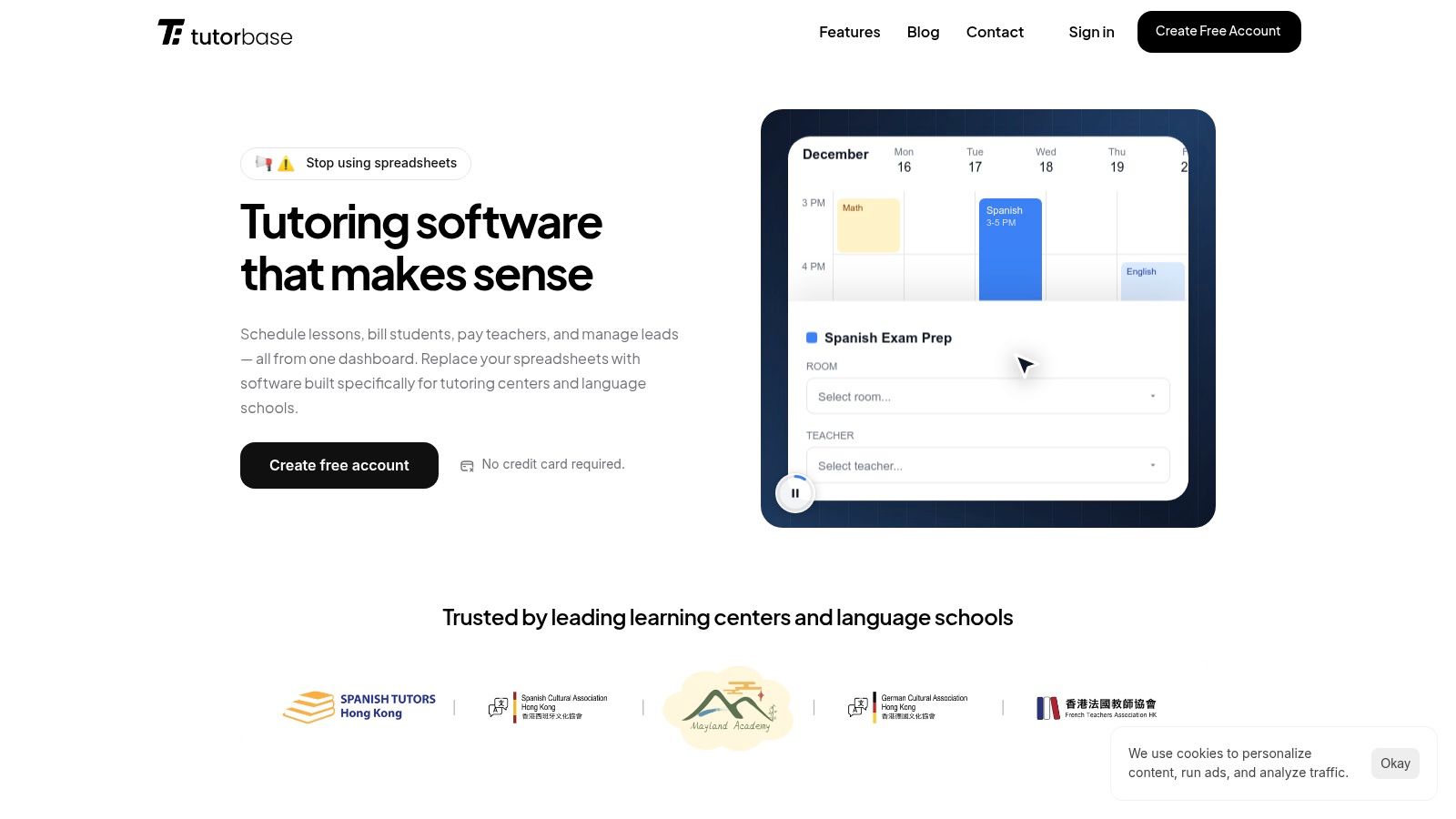
Tutorbase is the operational backbone for your tutoring business. While teaching tools are interchangeable, your operations platform is permanent. Tutorbase connects every administrative task into one automated workflow, replacing the need for multiple spreadsheets and apps.
Most tutoring software handles scheduling and stops there. Tutorbase closes the loop. When a tutor marks a student's attendance, the system automatically generates the correct invoice for the parent and calculates the tutor's pay. This single action saves hours of manual reconciliation each month.
What is tutoring operations software?
Tutoring operations software is a centralized platform that manages the non-teaching tasks of a tutoring center. This includes student scheduling, automated billing and invoicing, tutor payroll calculation, lead management, and multi-location coordination. It acts as the business's central nervous system.
Key Strengths of Tutorbase
Integrated Workflow: Scheduling flows directly into billing, which flows into payroll. This eliminates manual data entry and reduces human error by over 60%, according to user data.
Flexible Tutor Payroll: You can easily manage various pay structures, including hourly rates, per-lesson fees, revenue sharing, or complex base-plus-bonus models.
Lead Management: You can track a new lead from their first WhatsApp inquiry to a trial lesson and finally to recurring billing, all within one system. No more spreadsheet handoffs.
Multi-Location Support: You can run multiple brands or physical locations from a single dashboard. Teachers can be shared across sites, while families see branding specific to their school.
Prepaid Package Tracking: Sell a package of 10 lessons and the system will automatically deduct a credit each time the student attends. Parents can track their remaining balance in a dedicated portal.
Other Operations Software
TutorCruncher: An enterprise-level platform with a deep feature set, popular in the UK. Its complexity and pricing make it better suited for large, established agencies.
Teachworks: A solid platform focused on scheduling with basic billing functions. Its payroll capabilities are less robust, often requiring manual calculations for complex pay structures.
TutorBird: An excellent tool for solo tutors or very small teams. It combines scheduling and invoicing simply but lacks the multi-tutor payroll and multi-location features needed for a growing center.
Comparison of Top Software for Your Tutoring Business
Category | Top Pick | Why |
|---|---|---|
Video Conferencing | Zoom | Breakout rooms, annotations, reliability |
Interactive Whiteboard | BitPaper | Built for tutoring, permanent student "papers" |
Engagement/Quizzes | Kahoot! | Fun, easy to use, students love it |
Language Learning | Rockalingua / Duolingo | Depends on student age and teaching style |
Math Tools | Desmos | Free, powerful, and beautifully designed |
Parent Communication | WhatsApp Business | Dominates in Asia (HK/SG) |
Operations Hub | Tutorbase | The only platform that truly automates scheduling + billing + payroll + leads in one workflow |
Your Full Tech Stack Checklist
Building a complete tech stack ensures you have the right tool for every job. Here is a recommended starting point for a modern, efficient tutoring center.
✅ Video Conferencing: Zoom
✅ Interactive Whiteboard: BitPaper
✅ Engagement & Quizzes: Kahoot!
✅ Subject-Specific Tools: Desmos (Math), PhET (Science)
✅ Curriculum Planning: Notion
✅ Parent Communication: WhatsApp Business or Remind
✅ Operations & Management: Tutorbase
This combination covers every aspect of your business, from delivering high-quality lessons to ensuring your back-office runs smoothly and profitably.
Frequently Asked Questions (FAQ)
Here are answers to common questions tutoring center owners ask when choosing software.
What software do tutoring centers use?
Tutoring centers use a "tech stack" that typically includes: Zoom for video, BitPaper or Miro for whiteboards, Kahoot! for engagement, and an operations platform like Tutorbase to manage scheduling, billing, and payroll.
What's the best free software for tutoring?
The best free software options are for teaching delivery. Google Meet (video), Jamboard (whiteboard), and Desmos (math tools) are all excellent, free resources. However, there is no robust free software for managing business operations like billing and payroll.
How do tutoring centers manage billing and scheduling?
Modern tutoring centers use an integrated operations platform like Tutorbase. This software links scheduling directly to billing. When a lesson is completed, an invoice is automatically generated, eliminating manual work and preventing errors.
Is Zoom or Google Meet better for tutoring?
Zoom is generally better for tutoring because it has more interactive features. Breakout rooms allow for small group work, and advanced annotation tools enable better collaboration on-screen. Google Meet is a simpler, easier option if those features are not required.
What is the difference between a teaching tool and an operations tool?
A teaching tool (like a whiteboard or quiz app) is used during the lesson to deliver content and engage students. An operations tool (like Tutorbase) is used to run the business itself, managing everything from client intake to tutor payments.
Can I run my tutoring business just with a scheduling app?
A simple scheduling app only solves one part of the puzzle. It does not handle invoicing, track prepaid lesson packages, calculate complex tutor pay, or manage new student leads. An integrated operations platform is needed to manage the entire business efficiently.
How much does software for a tutoring business cost in 2026?
Budget for two categories. For teaching tools, you can often find free or low-cost plans ($20-$50/month). For your core operations platform, expect to invest $50-$300+ per month, based on your number of students and staff. This investment saves significant administrative hours.
Ready to build an operational backbone that automates your admin and scales with your business? See how Tutorbase integrates scheduling, billing, payroll, and lead management into one seamless platform designed specifically for growing tutoring centers. Register for a free account at tutorbase.com/register.
The Complete Tech Stack: 7 Types of Software for a Tutoring Business in 2026
Published: December 16, 2025 by Amy Ashford


Key Takeaway: Running a successful tutoring business in 2026 requires more than just a scheduling app. You need a complete tech stack covering teaching, communication, and operations. While teaching tools are interchangeable, your operations platform is the foundational backbone that connects scheduling, billing, and payroll to save you hours of admin time.
Running a tutoring center often means juggling five, ten, or even more different apps. You use one tool for video calls, another for parent messages, a spreadsheet for tutor payroll, and a separate calendar for scheduling. This digital patchwork creates administrative drag, pulling you away from teaching students and growing your business.
Finding the right software for your tutoring business is not about a single app. It's about building a cohesive tech stack. This guide covers every category you need: tools for teaching, tools for connecting with students, and tools for running the business. We will show you how they all fit together.
1. What Video Conferencing Software Should You Use?
For online or hybrid tutoring, a reliable video conferencing tool is non-negotiable. This software provides the virtual room where lessons happen. The key is finding a platform that is stable, easy for students to use, and offers features that enhance teaching, not just business meetings.
Zoom: This is the industry standard for a reason. Its breakout rooms are perfect for group activities, and annotation tools let tutors and students collaborate directly on-screen. A 2022 study by Educause found that 85% of higher education institutions use Zoom, highlighting its reliability and widespread adoption.
Google Meet: A simple, browser-based option that integrates perfectly with Google Workspace. If your center already uses Gmail and Google Calendar, Meet is a seamless and often free choice. Its simplicity is a major benefit for less tech-savvy students.
Microsoft Teams: If your business runs on the Microsoft 365 ecosystem, Teams is a logical choice. It combines video, chat, and file sharing in one place, making it a powerful hub for internal and external communication.
Brief Take: All three get the job done. However, Zoom has a distinct edge for interactive teaching due to its robust breakout room and annotation features.
2. Interactive Whiteboards & Collaboration Tools
An interactive whiteboard is a digital canvas that replaces the physical whiteboard in an online setting. It allows tutors and students to write, draw, and collaborate in real-time. This is essential for subjects like math, science, and visual problem-solving, making abstract concepts tangible.
Miro: An infinite canvas tool that is excellent for visual learners and brainstorming sessions. Its vast template library can be adapted for lesson planning, mind mapping, and project-based learning.
Jamboard: Google's free and simple digital whiteboard. It integrates directly with Google Meet, making it incredibly easy to launch during a lesson. It is basic but effective for quick explanations.
Explain Everything: This platform is purpose-built for teaching. Tutors can create video presentations, record lessons, and use a wide range of annotation tools. It's more of a lesson creation suite than just a simple whiteboard.
BitPaper: Designed specifically for online tutoring. BitPaper creates a permanent, shareable "paper" for each student, allowing them to review past work. It also includes features like formula editors and graph paper backgrounds.
Brief Take: BitPaper and Explain Everything are built for tutoring and offer the most relevant features. Miro and Jamboard are great general-purpose tools that can be adapted for educational use.
3. How Can You Increase Student Engagement & Gamification?
Engagement software turns learning into a game. These tools use quizzes, competitions, and rewards to motivate students and reinforce concepts. This is especially effective for younger learners or for making repetitive topics like vocabulary or math facts more exciting.
Kahoot!: The undisputed leader in quiz-based gamification. You can create fun, multiple-choice quizzes that students answer on their devices. Its competitive, fast-paced format makes it a classroom favorite.
Quizlet: Known for its digital flashcards, Quizlet also offers study sets and live games. "Quizlet Live" is a team-based game that encourages collaboration and quick thinking.
Blooket: This platform takes gamification to the next level with various game modes that appeal to younger students. Students answer questions to win battles, race cars, or run a factory.
Gimkit: In Gimkit, students answer questions to earn in-game currency, which they can then "invest" to earn more. It introduces a layer of strategy that keeps students highly engaged.
Brief Take: Kahoot! is the universal crowd-pleaser. For younger demographics who thrive on more complex game mechanics, Blooket and Gimkit are excellent choices.
4. Subject-Specific Learning Tools
While your core curriculum provides structure, subject-specific tools provide targeted practice and enrichment. These apps and websites offer interactive simulations, specialized calculators, or gamified lessons that supplement your teaching and help students master difficult concepts.
Rockalingua: Teaches Spanish to kids through songs, videos, and interactive games. It's a fantastic resource for making language learning fun and memorable.
Duolingo for Schools: A free version of the popular language-learning app that allows you to create a classroom, assign lessons, and track student progress.
Desmos: A free and powerful online graphing calculator and suite of math activities. Its intuitive interface helps students visualize complex functions and equations beautifully.
PhET Simulations: Developed by the University of Colorado Boulder, PhET offers hundreds of free, interactive science and math simulations. They allow students to experiment with concepts in physics, chemistry, and biology.
IXL: Provides comprehensive K-12 curriculum practice for Math and English Language Arts. Its diagnostic tools can pinpoint student weak spots and recommend specific skills to practice.
Brief Take: These tools are designed to supplement, not replace, your curriculum. Desmos and PhET are standout resources because they are both free and exceptionally high-quality.
5. Content & Curriculum Management
How do you organize your lesson plans, share resources with students, and create teaching materials? Content and curriculum management software provides the infrastructure for your educational content, keeping it organized, accessible, and professional.
Google Classroom: A free and simple Learning Management System (LMS). You can use it to distribute assignments, share materials, and communicate with students in a structured environment.
Notion: A highly flexible "all-in-one workspace." Tutoring centers use it to build internal wikis, create lesson plan databases, and manage curriculum development projects. Its flexibility is its greatest strength.
Canva: An easy-to-use graphic design tool that is perfect for creating professional-looking worksheets, presentations, and visual aids for your lessons.
Brief Take: Use Google Classroom for student-facing material distribution. Use Notion for internal planning and curriculum organization. Use Canva to design all your teaching materials.
6. Communication & Parent Engagement
Effective communication is key to parent satisfaction and student retention. These tools streamline how you send reminders, share progress updates, and manage day-to-day conversations with families, moving beyond messy email chains.
WhatsApp Business: The dominant communication tool in many parts of Asia, including Hong Kong and Singapore. It offers features like broadcast lists for announcements and quick replies for common questions.
Remind: A school-to-parent messaging app that is widely used in the United States. It allows for one-way announcements or two-way conversations, keeping communication focused and documented.
ClassDojo: Popular for younger students, ClassDojo combines a messaging platform with behavior tracking. You can share positive feedback ("points") and photos with parents throughout the day.
Brief Take: Your choice here is heavily dependent on geography. WhatsApp Business is essential for centers in Asia, while Remind is the US equivalent for formal school-to-home communication.
7. Tutoring Center Operations & Management Software
All the tools above help you teach. But what software handles scheduling, invoicing parents, paying tutors, and tracking new leads? That is where operations and management software comes in. It is the most underrated but most critical part of your tech stack.
#1 Tutorbase: The All-in-One Operations Hub

Tutorbase is the operational backbone for your tutoring business. While teaching tools are interchangeable, your operations platform is permanent. Tutorbase connects every administrative task into one automated workflow, replacing the need for multiple spreadsheets and apps.
Most tutoring software handles scheduling and stops there. Tutorbase closes the loop. When a tutor marks a student's attendance, the system automatically generates the correct invoice for the parent and calculates the tutor's pay. This single action saves hours of manual reconciliation each month.
What is tutoring operations software?
Tutoring operations software is a centralized platform that manages the non-teaching tasks of a tutoring center. This includes student scheduling, automated billing and invoicing, tutor payroll calculation, lead management, and multi-location coordination. It acts as the business's central nervous system.
Key Strengths of Tutorbase
Integrated Workflow: Scheduling flows directly into billing, which flows into payroll. This eliminates manual data entry and reduces human error by over 60%, according to user data.
Flexible Tutor Payroll: You can easily manage various pay structures, including hourly rates, per-lesson fees, revenue sharing, or complex base-plus-bonus models.
Lead Management: You can track a new lead from their first WhatsApp inquiry to a trial lesson and finally to recurring billing, all within one system. No more spreadsheet handoffs.
Multi-Location Support: You can run multiple brands or physical locations from a single dashboard. Teachers can be shared across sites, while families see branding specific to their school.
Prepaid Package Tracking: Sell a package of 10 lessons and the system will automatically deduct a credit each time the student attends. Parents can track their remaining balance in a dedicated portal.
Other Operations Software
TutorCruncher: An enterprise-level platform with a deep feature set, popular in the UK. Its complexity and pricing make it better suited for large, established agencies.
Teachworks: A solid platform focused on scheduling with basic billing functions. Its payroll capabilities are less robust, often requiring manual calculations for complex pay structures.
TutorBird: An excellent tool for solo tutors or very small teams. It combines scheduling and invoicing simply but lacks the multi-tutor payroll and multi-location features needed for a growing center.
Comparison of Top Software for Your Tutoring Business
Category | Top Pick | Why |
|---|---|---|
Video Conferencing | Zoom | Breakout rooms, annotations, reliability |
Interactive Whiteboard | BitPaper | Built for tutoring, permanent student "papers" |
Engagement/Quizzes | Kahoot! | Fun, easy to use, students love it |
Language Learning | Rockalingua / Duolingo | Depends on student age and teaching style |
Math Tools | Desmos | Free, powerful, and beautifully designed |
Parent Communication | WhatsApp Business | Dominates in Asia (HK/SG) |
Operations Hub | Tutorbase | The only platform that truly automates scheduling + billing + payroll + leads in one workflow |
Your Full Tech Stack Checklist
Building a complete tech stack ensures you have the right tool for every job. Here is a recommended starting point for a modern, efficient tutoring center.
✅ Video Conferencing: Zoom
✅ Interactive Whiteboard: BitPaper
✅ Engagement & Quizzes: Kahoot!
✅ Subject-Specific Tools: Desmos (Math), PhET (Science)
✅ Curriculum Planning: Notion
✅ Parent Communication: WhatsApp Business or Remind
✅ Operations & Management: Tutorbase
This combination covers every aspect of your business, from delivering high-quality lessons to ensuring your back-office runs smoothly and profitably.
Frequently Asked Questions (FAQ)
Here are answers to common questions tutoring center owners ask when choosing software.
What software do tutoring centers use?
Tutoring centers use a "tech stack" that typically includes: Zoom for video, BitPaper or Miro for whiteboards, Kahoot! for engagement, and an operations platform like Tutorbase to manage scheduling, billing, and payroll.
What's the best free software for tutoring?
The best free software options are for teaching delivery. Google Meet (video), Jamboard (whiteboard), and Desmos (math tools) are all excellent, free resources. However, there is no robust free software for managing business operations like billing and payroll.
How do tutoring centers manage billing and scheduling?
Modern tutoring centers use an integrated operations platform like Tutorbase. This software links scheduling directly to billing. When a lesson is completed, an invoice is automatically generated, eliminating manual work and preventing errors.
Is Zoom or Google Meet better for tutoring?
Zoom is generally better for tutoring because it has more interactive features. Breakout rooms allow for small group work, and advanced annotation tools enable better collaboration on-screen. Google Meet is a simpler, easier option if those features are not required.
What is the difference between a teaching tool and an operations tool?
A teaching tool (like a whiteboard or quiz app) is used during the lesson to deliver content and engage students. An operations tool (like Tutorbase) is used to run the business itself, managing everything from client intake to tutor payments.
Can I run my tutoring business just with a scheduling app?
A simple scheduling app only solves one part of the puzzle. It does not handle invoicing, track prepaid lesson packages, calculate complex tutor pay, or manage new student leads. An integrated operations platform is needed to manage the entire business efficiently.
How much does software for a tutoring business cost in 2026?
Budget for two categories. For teaching tools, you can often find free or low-cost plans ($20-$50/month). For your core operations platform, expect to invest $50-$300+ per month, based on your number of students and staff. This investment saves significant administrative hours.
Ready to build an operational backbone that automates your admin and scales with your business? See how Tutorbase integrates scheduling, billing, payroll, and lead management into one seamless platform designed specifically for growing tutoring centers. Register for a free account at tutorbase.com/register.