
Tuition Management Systems Reviews: An Operator's Guide for 2026

Published: December 5, 2025 by Amy Ashford

Key Takeaway: Choosing the right tuition management system means looking past features to find a platform that solves real operational problems. While Teachworks and TutorBird are great for small centers, only platforms like Tutorbase are built to handle the complex payroll, multi-location reporting, and high-volume scheduling that come with scaling your tutoring business.

This is not just another roundup of marketing fluff. It's an operator-led review designed to push these systems to their breaking points. We'll show you what happens when theory meets reality so you can find a platform that actually grows with you, not against you.

What Should You Look For in a Tutoring Platform?

A tablet on a white desk displays a checklist for 'Key Criteria' with 'Arial Helvetica' font.

The best tuition management software is not about who has the longest feature list. It is about which platform solves your biggest operational headaches. When you read reviews, you must look past shiny objects and focus on the core functions that will actually determine if you can scale your business efficiently.

Before you start comparing platforms, you need a solid evaluation framework. A generic checklist will not work because it does not reflect the day-to-day reality of running a tutoring center. Instead, zero in on the things that directly impact your profitability and ability to grow without hiring more admin staff.

Can it handle complex scheduling?

Your scheduling tool needs to be more than a digital calendar. A tuition management system's scheduling function should intelligently manage one-on-one sessions, group classes, and online lessons without issue. Real-time conflict detection is a critical feature, as double-booking a star tutor or a popular classroom is a costly mistake.

Look for a system that can effortlessly manage:

  • Recurring lessons: Setting up an entire term’s worth of weekly sessions should take a few clicks, not hours.

  • Teacher availability: The system should match a student's needs with the right tutor’s schedule and qualifications.

  • Room management: If you have physical locations, you need to track classroom capacity and availability across all of them.

How does it automate billing and invoicing?

Manually creating invoices is a massive time-drain and a breeding ground for errors. The best platforms completely automate this workflow. An invoice should be generated the moment a tutor marks a student as attended. That is the kind of direct link between service and payment you should look for.

When you evaluate a platform, its invoice management software capabilities are a make-or-break feature. You need a system that supports different payment models to cater to your clients, whether it’s prepaid credit packages, monthly subscriptions, or simple pay-as-you-go.

Will it simplify complicated payroll?

As you add more tutors, payroll complexity explodes. A basic system that just multiplies hours by a flat rate will quickly become a bottleneck. To attract and keep the best tutors, you need a platform that can handle varied pay structures, such as tiered commission rates or performance bonuses.

A truly scalable system can process payroll for both W-2 employees and 1099 contractors, applying different rules for each. This includes tiered commission rates, performance bonuses, and location-specific pay scales, all without you touching a spreadsheet.

Does it provide actionable reporting?

If your software cannot give you clear, consolidated data, you are flying blind. This is especially true for multi-location centers, where seeing performance metrics across all branches from a single dashboard is non-negotiable. Don’t settle for basic reports. Look for insights on student retention, teacher utilization, and revenue per class.

How Do Leading Tuition Management Systems Compare in 2026?

When you run a tutoring business, the software you choose is your operational backbone. A close look at the top tuition management systems reveals that while most platforms cover the basics, their performance varies dramatically under the pressure of growth. Let's break down the leading contenders based on the criteria that matter.

The screenshot above makes it clear that features like scheduling and billing are table stakes. The real difference is found in how each platform executes these features and, more importantly, whether they can handle the heat as you scale up.

Which system has the best scheduling tools?

Scheduling is where many tutoring centers first feel the pain of an inadequate system. You need a tool that actively prevents costly mistakes like double-bookings and helps you maximize your tutor and room utilization. This is how the top platforms approach it.

  • Teachworks & TutorBird: These platforms offer solid, dependable calendar functions. They are a great fit for solo tutors or small centers with straightforward scheduling needs, like recurring one-on-one lessons.

  • TutorCruncher & Oases: They step it up with more robust group scheduling and better tools for managing tutor availability across a larger team.

  • Tutorbase: This system is designed for high-volume, complex environments. Its intelligent "Find Slot" and "Find Spot" features suggest optimal teacher, room, and time combinations, which is a lifesaver for multi-location centers.

How does each platform handle billing and invoicing?

Automated billing is non-negotiable. The key differentiator is how tightly billing is linked to attendance and how flexible the payment models are. An operator's gold standard is a system where a tutor marking attendance automatically triggers an accurate invoice. This single workflow can slash administrative overhead by over 60% and improve cash flow.

Most systems handle basic pay-per-hour and package billing well. The complexity comes with subscriptions, prepaid credits, and automated late-cancellation fees. Tutorbase and TutorCruncher excel here, offering configurations that mirror how real-world tutoring businesses operate. If you are exploring similar tools, this guide to the 12 best LMS platforms for small businesses offers a broader perspective.

Who solves the payroll complexity problem?

Payroll is often the breaking point for growing tutoring centers. Calculating pay for a diverse team of employees and contractors, all with different variable rates, is a spreadsheet nightmare. This is a common pain point that many tuition management systems reviews overlook.

  • Simple Hourly/Salary: TutorBird and Teachworks manage basic payroll well. If all your tutors are on a simple hourly rate, these are cost-effective options.

  • Variable & Commission-Based: TutorCruncher adds more flexibility, allowing for revenue-sharing models and different rates for contractors.

  • Complex Multi-Variable Contracts: Tutorbase was built specifically to solve this problem. It automates intricate contract calculations, making it a viable choice for large-scale operations.

What is a feature comparison of top tuition management systems?

To make an informed decision, you need a clear, side-by-side view. This table breaks down the key features across the top platforms, giving you a quick reference based on our deep dive into tuition management systems reviews.

Feature

Teachworks

TutorCruncher

TutorBird

Oases

Tutorbase

Scheduling

Basic Calendar

Advanced Group

Simple & Clean

Strong Progress

Intelligent Search

Billing

Good Automation

Very Flexible

Solid Basics

Good Integration

Fully Automated

Payroll

Basic Hourly

Variable Rates

Basic Hourly

Limited

Multi-Variable

Reporting

Standard

Good Analytics

Standard

Comprehensive

Multi-Location

Integrations

QuickBooks, Stripe

Stripe, Xero, Zapier

Stripe, PayPal

QuickBooks, Stripe

Stripe, Xero

For more analysis on how these systems perform, check our deep dive into the best tutoring management software for 2026.

Where Do Tutoring Platforms Break When You Scale?

Computer monitor displaying colorful calendar charts, keyboard, and notebook on a wooden desk, 'SCALING LIMITS' text.

Scalability is the ghost in the machine for most tuition management systems. A platform can feel perfect with 10 tutors and 200 lessons a week. The real test comes when your ambition outgrows the software’s design. This is about the architectural limits that only become obvious when you push them.

Many platforms were built for small businesses and simply bolted on features over the years without re-engineering their core. As an operator, you do not discover this flaw until you are already feeling the pain, such as slow reports, payroll errors, and a lagging calendar.

What happens when you reach 50 tutors?

Hitting the 50-tutor mark is a huge milestone, but it is also where administrative cracks turn into chasms. The single biggest point of failure is payroll complexity. A platform that handles simple hourly rates will fall apart when faced with the diverse contracts needed to manage a large team.

At this scale, you are likely managing a mix of:

  • Full-time employees with salaries and bonuses.

  • Part-time contractors with variable hourly rates.

  • Senior tutors who earn a percentage of lesson revenue.

  • Tutors who get paid a premium for weekends.

Systems like TutorBird and Teachworks start requiring serious manual workarounds to handle this. This is where a platform like TutorCruncher pulls ahead, but even it can struggle with multi-layered, conditional pay rules without careful setup.

How do systems handle 10,000 lessons a week?

Processing 10,000 lessons every week is a stress test that reveals deep-seated performance issues. At this volume, every tiny inefficiency magnifies into a massive problem. The calendar is often the first casualty. We have seen platforms where it takes 10-15 seconds just to load the weekly schedule.

Reporting is the next major bottleneck. Generating a simple revenue report across thousands of data points can cause some systems to time out entirely. This forces you to export raw data into Excel for analysis, which defeats the purpose of an integrated system.

Why does multi-location support fail?

True multi-location support is more than just adding a "location" tag to a lesson. A tuition management system for multiple locations requires an architecture that can seamlessly segregate and consolidate data. Most platforms that add this feature as an afterthought fail to get this right.

Effective multi-location management needs granular control. You must be able to manage staff, resources, and reporting at both the individual branch level and the consolidated company level. You can learn more in our guide to multi-location tutoring software.

What We Learned Switching From Teachworks
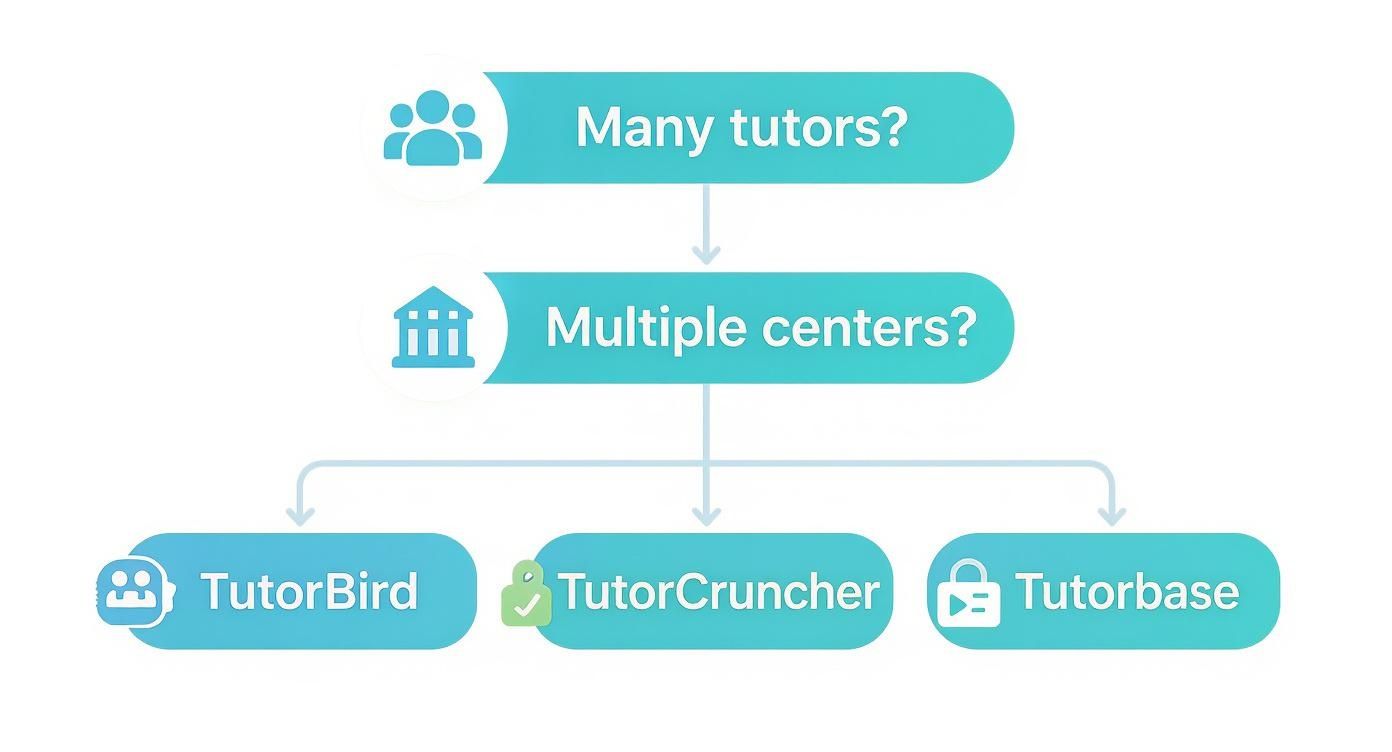
A flowchart detailing tuition management system choices based on tutor and center needs.

We ran our business on Teachworks for years, and it did the job when we were small. As we grew past 50 tutors and opened multiple locations, its cracks started to show. We ended up building Tutorbase to solve the real-world scaling problems that off-the-shelf software like Teachworks could not handle for an operation our size.

Our journey with tuition management software probably sounds familiar. We started with spreadsheets, quickly realized we needed a real system, and eventually hit a growth ceiling that forced a tough choice. Growth has a funny way of stress-testing your tools.

Why did we need to switch from Teachworks?

There was no single "aha!" moment. It was a gradual pile-up of inefficiencies that became impossible to ignore. Once we scaled beyond 50 tutors and our third location, two core functions became genuinely unmanageable: payroll and multi-center reporting. These were fundamental obstacles holding us back.

Teachworks handled our simple hourly payroll fine at the start. But to attract top talent, our pay structures had gotten complex. We were juggling:

  • Variable pay rates for different subjects and group sizes.

  • Commission splits for our senior instructors.

  • Weekend and evening pay premiums.

  • A mix of salaried staff and 1099 contractors.

Running these numbers manually outside the system became our finance team's most dreaded task. It took days every pay cycle and was riddled with the constant risk of human error.

How did multi-location reporting fail us?

With multiple branches, getting a clear, consolidated view of the entire business was impossible in Teachworks. The software treated each location like its own separate island. We had to export data from each branch and painstakingly stitch it together in spreadsheets to see company-wide metrics.

This meant we were always looking in the rearview mirror, making decisions based on old data. We could not answer critical questions like, "Which center is our most profitable?" without hours of manual work. You can explore this pain point in our detailed Tutorbase vs. Teachworks platform guide.

What was the implementation and migration timeline?

Building and moving to Tutorbase was not an overnight thing. It was a deliberate, phased process born from necessity. The initial rollout took about six weeks, with data migration being the heaviest lift. We had to carefully plan the transfer of thousands of student profiles and billing histories.

The support we needed was immense, but since we were building it, our developers worked hand-in-hand with our operations staff. That experience showed us how crucial a dedicated migration specialist is. A smooth transition is just as important as the software's features.

Which Tuition Management System Is Right for You?

Picking the right platform is about matching a system’s specific strengths to your unique business model. Your decision comes down to an honest look at your current size, your operational complexity, and where you realistically see yourself in a few years.

For solo tutors and small centers (under 10 tutors)

When you are just starting out, your priorities are simplicity and affordability. You need reliable scheduling, straightforward billing, and a clean interface that will not overwhelm you with features you will never use.

  • Best Fit: TutorBird is an excellent choice here. Its per-student pricing is easy to manage at this scale, and its interface is famously user-friendly.

For mid-sized businesses (10-50 tutors, single location)

Once you cross the 10-tutor mark, your needs change. Payroll gets more complicated, and you need better reporting to see what is actually working. You have outgrown the basics and need a system with more horsepower.

  • Best Fit: TutorCruncher is a strong contender for this stage. Its percentage-based pricing aligns well with your growth, and it offers more robust tools for managing contractor payroll and variable pay rates.

For large and multi-location operations (50+ tutors)

At this scale, you are running a complex enterprise. Your biggest headaches are intricate payroll runs, consolidated reporting across multiple centers, and managing performance at a high volume. You need an industrial-strength platform.

  • Our Verdict: For businesses that have hit the scaling walls of other systems, Tutorbase is the platform truly engineered for this level of complexity. We built it because we ran into those same walls ourselves.

The online tuition management market is set to explode from $48.25 billion in 2024 to $135.95 billion by 2033, according to Business Research Insights. This massive growth underscores why having digital tools that give you real operational control is so critical. You can learn more about the growth of the tuition management market.

We built Tutorbase because existing solutions couldn't handle our scale. If you are tired of being held back by your software, see how a platform designed for operational complexity can transform your business. Get started at tutorbase.com/register.

Frequently Asked Questions About Tuition Management Systems

What is a tuition management system?

A tuition management system is a software platform designed to help educational institutions, like tutoring centers, manage their administrative tasks. Core features typically include student scheduling, automated billing and invoicing, payroll processing, and client communication portals. These systems centralize operations to improve efficiency.

How long does it realistically take to migrate systems?

The migration timeline depends on the complexity of your data. A small center with a few hundred student records can migrate in as little as two weeks. A large, multi-location business with thousands of students and years of billing history might take four to six weeks for a complete and validated transfer.

What are the hidden costs of per-student pricing?

Per-student pricing models often have costs that are not immediately obvious. You might pay for inactive students still in your database, experience sudden cost increases when you hit a new pricing tier, or find that essential features like payment gateway integrations require extra fees.

How do these systems handle complicated payroll rules?

Basic platforms typically handle simple hourly rates. Advanced systems like TutorCruncher and Tutorbase are built for complexity. They allow you to create custom, multi-variable rules for things like tiered commissions, contractor vs. employee pay scales, or weekend premiums, directly reflecting your tutor contracts.

Can I integrate these platforms with QuickBooks?

Yes, all the leading platforms, including Teachworks, TutorCruncher, and Tutorbase, offer direct integrations with accounting software like QuickBooks and Xero. This integration automatically syncs invoices and payments, eliminating hours of manual data entry and reducing errors.

What level of support should I expect during onboarding?

Support quality varies widely. Some providers offer basic email help, while others provide a dedicated onboarding specialist who guides you through every step. For a smooth transition, look for a partner who offers personalized support, especially during the critical first 30-60 days.

How do tuition management systems improve parent communication?

Most modern tuition management systems include a parent portal. This feature gives parents a secure login where they can view their child's schedule, see attendance records, access progress reports, view and pay invoices, and communicate directly with tutors and administrative staff, all in one place.

Why do scaling limits matter in a TMS?

Scaling limits are the architectural breaking points of a software. A system might work perfectly for 10 tutors but become slow and unusable at 100 tutors or 10,000 weekly lessons. Choosing a system that can handle your projected growth is crucial to avoid a costly and disruptive migration in the future.

Tuition Management Systems Reviews: An Operator's Guide for 2026

Published: December 3, 2025 by Amy Ashford

Key Takeaway: Choosing the right tuition management system means looking past features to find a platform that solves real operational problems. While Teachworks and TutorBird are great for small centers, only platforms like Tutorbase are built to handle the complex payroll, multi-location reporting, and high-volume scheduling that come with scaling your tutoring business.

This is not just another roundup of marketing fluff. It's an operator-led review designed to push these systems to their breaking points. We'll show you what happens when theory meets reality so you can find a platform that actually grows with you, not against you.

What Should You Look For in a Tutoring Platform?

A tablet on a white desk displays a checklist for 'Key Criteria' with 'Arial Helvetica' font.

The best tuition management software is not about who has the longest feature list. It is about which platform solves your biggest operational headaches. When you read reviews, you must look past shiny objects and focus on the core functions that will actually determine if you can scale your business efficiently.

Before you start comparing platforms, you need a solid evaluation framework. A generic checklist will not work because it does not reflect the day-to-day reality of running a tutoring center. Instead, zero in on the things that directly impact your profitability and ability to grow without hiring more admin staff.

Can it handle complex scheduling?

Your scheduling tool needs to be more than a digital calendar. A tuition management system's scheduling function should intelligently manage one-on-one sessions, group classes, and online lessons without issue. Real-time conflict detection is a critical feature, as double-booking a star tutor or a popular classroom is a costly mistake.

Look for a system that can effortlessly manage:

  • Recurring lessons: Setting up an entire term’s worth of weekly sessions should take a few clicks, not hours.

  • Teacher availability: The system should match a student's needs with the right tutor’s schedule and qualifications.

  • Room management: If you have physical locations, you need to track classroom capacity and availability across all of them.

How does it automate billing and invoicing?

Manually creating invoices is a massive time-drain and a breeding ground for errors. The best platforms completely automate this workflow. An invoice should be generated the moment a tutor marks a student as attended. That is the kind of direct link between service and payment you should look for.

When you evaluate a platform, its invoice management software capabilities are a make-or-break feature. You need a system that supports different payment models to cater to your clients, whether it’s prepaid credit packages, monthly subscriptions, or simple pay-as-you-go.

Will it simplify complicated payroll?

As you add more tutors, payroll complexity explodes. A basic system that just multiplies hours by a flat rate will quickly become a bottleneck. To attract and keep the best tutors, you need a platform that can handle varied pay structures, such as tiered commission rates or performance bonuses.

A truly scalable system can process payroll for both W-2 employees and 1099 contractors, applying different rules for each. This includes tiered commission rates, performance bonuses, and location-specific pay scales, all without you touching a spreadsheet.

Does it provide actionable reporting?

If your software cannot give you clear, consolidated data, you are flying blind. This is especially true for multi-location centers, where seeing performance metrics across all branches from a single dashboard is non-negotiable. Don’t settle for basic reports. Look for insights on student retention, teacher utilization, and revenue per class.

How Do Leading Tuition Management Systems Compare in 2026?

When you run a tutoring business, the software you choose is your operational backbone. A close look at the top tuition management systems reveals that while most platforms cover the basics, their performance varies dramatically under the pressure of growth. Let's break down the leading contenders based on the criteria that matter.

The screenshot above makes it clear that features like scheduling and billing are table stakes. The real difference is found in how each platform executes these features and, more importantly, whether they can handle the heat as you scale up.

Which system has the best scheduling tools?

Scheduling is where many tutoring centers first feel the pain of an inadequate system. You need a tool that actively prevents costly mistakes like double-bookings and helps you maximize your tutor and room utilization. This is how the top platforms approach it.

  • Teachworks & TutorBird: These platforms offer solid, dependable calendar functions. They are a great fit for solo tutors or small centers with straightforward scheduling needs, like recurring one-on-one lessons.

  • TutorCruncher & Oases: They step it up with more robust group scheduling and better tools for managing tutor availability across a larger team.

  • Tutorbase: This system is designed for high-volume, complex environments. Its intelligent "Find Slot" and "Find Spot" features suggest optimal teacher, room, and time combinations, which is a lifesaver for multi-location centers.

How does each platform handle billing and invoicing?

Automated billing is non-negotiable. The key differentiator is how tightly billing is linked to attendance and how flexible the payment models are. An operator's gold standard is a system where a tutor marking attendance automatically triggers an accurate invoice. This single workflow can slash administrative overhead by over 60% and improve cash flow.

Most systems handle basic pay-per-hour and package billing well. The complexity comes with subscriptions, prepaid credits, and automated late-cancellation fees. Tutorbase and TutorCruncher excel here, offering configurations that mirror how real-world tutoring businesses operate. If you are exploring similar tools, this guide to the 12 best LMS platforms for small businesses offers a broader perspective.

Who solves the payroll complexity problem?

Payroll is often the breaking point for growing tutoring centers. Calculating pay for a diverse team of employees and contractors, all with different variable rates, is a spreadsheet nightmare. This is a common pain point that many tuition management systems reviews overlook.

  • Simple Hourly/Salary: TutorBird and Teachworks manage basic payroll well. If all your tutors are on a simple hourly rate, these are cost-effective options.

  • Variable & Commission-Based: TutorCruncher adds more flexibility, allowing for revenue-sharing models and different rates for contractors.

  • Complex Multi-Variable Contracts: Tutorbase was built specifically to solve this problem. It automates intricate contract calculations, making it a viable choice for large-scale operations.

What is a feature comparison of top tuition management systems?

To make an informed decision, you need a clear, side-by-side view. This table breaks down the key features across the top platforms, giving you a quick reference based on our deep dive into tuition management systems reviews.

Feature

Teachworks

TutorCruncher

TutorBird

Oases

Tutorbase

Scheduling

Basic Calendar

Advanced Group

Simple & Clean

Strong Progress

Intelligent Search

Billing

Good Automation

Very Flexible

Solid Basics

Good Integration

Fully Automated

Payroll

Basic Hourly

Variable Rates

Basic Hourly

Limited

Multi-Variable

Reporting

Standard

Good Analytics

Standard

Comprehensive

Multi-Location

Integrations

QuickBooks, Stripe

Stripe, Xero, Zapier

Stripe, PayPal

QuickBooks, Stripe

Stripe, Xero

For more analysis on how these systems perform, check our deep dive into the best tutoring management software for 2026.

Where Do Tutoring Platforms Break When You Scale?

Computer monitor displaying colorful calendar charts, keyboard, and notebook on a wooden desk, 'SCALING LIMITS' text.

Scalability is the ghost in the machine for most tuition management systems. A platform can feel perfect with 10 tutors and 200 lessons a week. The real test comes when your ambition outgrows the software’s design. This is about the architectural limits that only become obvious when you push them.

Many platforms were built for small businesses and simply bolted on features over the years without re-engineering their core. As an operator, you do not discover this flaw until you are already feeling the pain, such as slow reports, payroll errors, and a lagging calendar.

What happens when you reach 50 tutors?

Hitting the 50-tutor mark is a huge milestone, but it is also where administrative cracks turn into chasms. The single biggest point of failure is payroll complexity. A platform that handles simple hourly rates will fall apart when faced with the diverse contracts needed to manage a large team.

At this scale, you are likely managing a mix of:

  • Full-time employees with salaries and bonuses.

  • Part-time contractors with variable hourly rates.

  • Senior tutors who earn a percentage of lesson revenue.

  • Tutors who get paid a premium for weekends.

Systems like TutorBird and Teachworks start requiring serious manual workarounds to handle this. This is where a platform like TutorCruncher pulls ahead, but even it can struggle with multi-layered, conditional pay rules without careful setup.

How do systems handle 10,000 lessons a week?

Processing 10,000 lessons every week is a stress test that reveals deep-seated performance issues. At this volume, every tiny inefficiency magnifies into a massive problem. The calendar is often the first casualty. We have seen platforms where it takes 10-15 seconds just to load the weekly schedule.

Reporting is the next major bottleneck. Generating a simple revenue report across thousands of data points can cause some systems to time out entirely. This forces you to export raw data into Excel for analysis, which defeats the purpose of an integrated system.

Why does multi-location support fail?

True multi-location support is more than just adding a "location" tag to a lesson. A tuition management system for multiple locations requires an architecture that can seamlessly segregate and consolidate data. Most platforms that add this feature as an afterthought fail to get this right.

Effective multi-location management needs granular control. You must be able to manage staff, resources, and reporting at both the individual branch level and the consolidated company level. You can learn more in our guide to multi-location tutoring software.

What We Learned Switching From Teachworks

A flowchart detailing tuition management system choices based on tutor and center needs.

We ran our business on Teachworks for years, and it did the job when we were small. As we grew past 50 tutors and opened multiple locations, its cracks started to show. We ended up building Tutorbase to solve the real-world scaling problems that off-the-shelf software like Teachworks could not handle for an operation our size.

Our journey with tuition management software probably sounds familiar. We started with spreadsheets, quickly realized we needed a real system, and eventually hit a growth ceiling that forced a tough choice. Growth has a funny way of stress-testing your tools.

Why did we need to switch from Teachworks?

There was no single "aha!" moment. It was a gradual pile-up of inefficiencies that became impossible to ignore. Once we scaled beyond 50 tutors and our third location, two core functions became genuinely unmanageable: payroll and multi-center reporting. These were fundamental obstacles holding us back.

Teachworks handled our simple hourly payroll fine at the start. But to attract top talent, our pay structures had gotten complex. We were juggling:

  • Variable pay rates for different subjects and group sizes.

  • Commission splits for our senior instructors.

  • Weekend and evening pay premiums.

  • A mix of salaried staff and 1099 contractors.

Running these numbers manually outside the system became our finance team's most dreaded task. It took days every pay cycle and was riddled with the constant risk of human error.

How did multi-location reporting fail us?

With multiple branches, getting a clear, consolidated view of the entire business was impossible in Teachworks. The software treated each location like its own separate island. We had to export data from each branch and painstakingly stitch it together in spreadsheets to see company-wide metrics.

This meant we were always looking in the rearview mirror, making decisions based on old data. We could not answer critical questions like, "Which center is our most profitable?" without hours of manual work. You can explore this pain point in our detailed Tutorbase vs. Teachworks platform guide.

What was the implementation and migration timeline?

Building and moving to Tutorbase was not an overnight thing. It was a deliberate, phased process born from necessity. The initial rollout took about six weeks, with data migration being the heaviest lift. We had to carefully plan the transfer of thousands of student profiles and billing histories.

The support we needed was immense, but since we were building it, our developers worked hand-in-hand with our operations staff. That experience showed us how crucial a dedicated migration specialist is. A smooth transition is just as important as the software's features.

Which Tuition Management System Is Right for You?

Picking the right platform is about matching a system’s specific strengths to your unique business model. Your decision comes down to an honest look at your current size, your operational complexity, and where you realistically see yourself in a few years.

For solo tutors and small centers (under 10 tutors)

When you are just starting out, your priorities are simplicity and affordability. You need reliable scheduling, straightforward billing, and a clean interface that will not overwhelm you with features you will never use.

  • Best Fit: TutorBird is an excellent choice here. Its per-student pricing is easy to manage at this scale, and its interface is famously user-friendly.

For mid-sized businesses (10-50 tutors, single location)

Once you cross the 10-tutor mark, your needs change. Payroll gets more complicated, and you need better reporting to see what is actually working. You have outgrown the basics and need a system with more horsepower.

  • Best Fit: TutorCruncher is a strong contender for this stage. Its percentage-based pricing aligns well with your growth, and it offers more robust tools for managing contractor payroll and variable pay rates.

For large and multi-location operations (50+ tutors)

At this scale, you are running a complex enterprise. Your biggest headaches are intricate payroll runs, consolidated reporting across multiple centers, and managing performance at a high volume. You need an industrial-strength platform.

  • Our Verdict: For businesses that have hit the scaling walls of other systems, Tutorbase is the platform truly engineered for this level of complexity. We built it because we ran into those same walls ourselves.

The online tuition management market is set to explode from $48.25 billion in 2024 to $135.95 billion by 2033, according to Business Research Insights. This massive growth underscores why having digital tools that give you real operational control is so critical. You can learn more about the growth of the tuition management market.

We built Tutorbase because existing solutions couldn't handle our scale. If you are tired of being held back by your software, see how a platform designed for operational complexity can transform your business. Get started at tutorbase.com/register.

Frequently Asked Questions About Tuition Management Systems

What is a tuition management system?

A tuition management system is a software platform designed to help educational institutions, like tutoring centers, manage their administrative tasks. Core features typically include student scheduling, automated billing and invoicing, payroll processing, and client communication portals. These systems centralize operations to improve efficiency.

How long does it realistically take to migrate systems?

The migration timeline depends on the complexity of your data. A small center with a few hundred student records can migrate in as little as two weeks. A large, multi-location business with thousands of students and years of billing history might take four to six weeks for a complete and validated transfer.

What are the hidden costs of per-student pricing?

Per-student pricing models often have costs that are not immediately obvious. You might pay for inactive students still in your database, experience sudden cost increases when you hit a new pricing tier, or find that essential features like payment gateway integrations require extra fees.

How do these systems handle complicated payroll rules?

Basic platforms typically handle simple hourly rates. Advanced systems like TutorCruncher and Tutorbase are built for complexity. They allow you to create custom, multi-variable rules for things like tiered commissions, contractor vs. employee pay scales, or weekend premiums, directly reflecting your tutor contracts.

Can I integrate these platforms with QuickBooks?

Yes, all the leading platforms, including Teachworks, TutorCruncher, and Tutorbase, offer direct integrations with accounting software like QuickBooks and Xero. This integration automatically syncs invoices and payments, eliminating hours of manual data entry and reducing errors.

What level of support should I expect during onboarding?

Support quality varies widely. Some providers offer basic email help, while others provide a dedicated onboarding specialist who guides you through every step. For a smooth transition, look for a partner who offers personalized support, especially during the critical first 30-60 days.

How do tuition management systems improve parent communication?

Most modern tuition management systems include a parent portal. This feature gives parents a secure login where they can view their child's schedule, see attendance records, access progress reports, view and pay invoices, and communicate directly with tutors and administrative staff, all in one place.

Why do scaling limits matter in a TMS?

Scaling limits are the architectural breaking points of a software. A system might work perfectly for 10 tutors but become slow and unusable at 100 tutors or 10,000 weekly lessons. Choosing a system that can handle your projected growth is crucial to avoid a costly and disruptive migration in the future.