
What Does Hybrid Class Mean for Modern Tutoring Centers?

Published: December 12, 2025 by Amy Ashford

Key Takeaways: A hybrid class blends in-person and online students in the same live lesson. While offering flexibility, this model introduces significant operational complexities, like managing separate room and total class capacities. Successfully running a hybrid program requires specialized software to handle scheduling, attendance-based billing, and parent communication.

A hybrid class is a lesson model that combines in-person and online learning simultaneously. An instructor teaches students physically present in a classroom while other students join the same session remotely via video conferencing.

For tutoring businesses, this model offers tremendous flexibility. It can expand your market reach and significantly boost enrollment numbers. However, it also introduces operational challenges that many owners underestimate.

What Does a Hybrid Class Mean in Practice?

On the surface, offering hybrid classes seems simple. But beneath the flexibility lies a layer of operational complexity. These challenges include technology requirements, unique scheduling puzzles, and intricate billing scenarios your current software might not support.

Without careful planning, these administrative hurdles can lead to chaos. Solving them from the start is critical for a smooth operation.

What is a Hybrid Classroom?

A hybrid classroom is a learning environment where in-person and online students participate in the same live lesson. Imagine a tutor teaching three students at a table. At the same time, two more students join from home via a live video feed. That is a hybrid class.

This synchronous model mirrors modern business meetings. Some people are in the conference room, while others dial in remotely. Everyone sees the same presentation and contributes to the same discussion in real-time.

What are the Key Hybrid Concepts for Tutoring Centers?

Just saying you offer "hybrid" is not enough. You must define how you offer it. This decision impacts scheduling, billing, and parent communication. There are two primary approaches for tutoring centers.

  • Hybrid Delivery: The center decides the format. A specific course is designated as "hybrid," and parents choose either online or in-person attendance for the entire term.

  • Hybrid Attendance: The student or parent chooses the attendance mode for each lesson. A student might attend in person one day and log in from home the next, offering maximum flexibility.

This shift in education is significant. According to a 2023 report from the National Center for Education Statistics, hybrid enrollment in U.S. higher education reached 5.4 million students. Blended learning styles can also boost student achievement scores by 15-20% compared to purely traditional methods.

A successful hybrid strategy requires more than a webcam. It is a fundamental operational shift. You must manage room capacity separately from total class size and handle attendance-based billing. Exploring concepts in hybrid work models can provide a solid foundation.
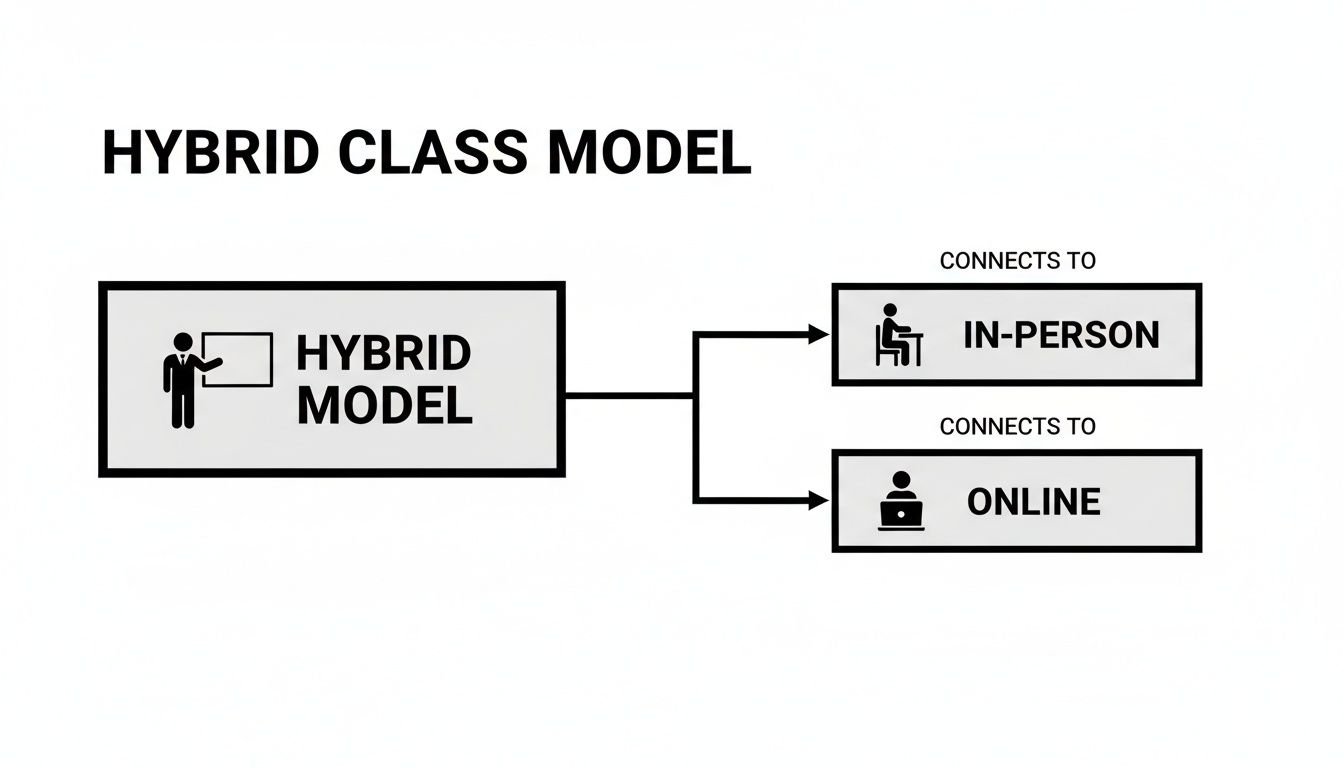
Diagram illustrating a hybrid class model, connecting to both in-person and online learning environments.

How Do You Navigate the Hidden Operational Hurdles?

Offering hybrid classes is a great way to provide flexibility. However, it's a major operational shift, not just a small teaching adjustment. The administrative challenges go beyond the classroom, affecting scheduling, billing, and parent communication.

The Scheduling Paradox: Room vs. Total Capacity

The first major challenge is managing two different capacity limits for the same class.

  • Physical Room Capacity: The maximum number of students who can physically sit in the classroom.

  • Total Class Capacity: The total number of students (in-person and online) the teacher can effectively manage.

An online student does not occupy a physical seat. This means your room might be "full" for in-person learners, but you still have available slots for remote students. A system that tracks this dual capacity is essential to maximize enrollment.

Hybrid Delivery vs. Hybrid Attendance: What’s the Difference?

You must clarify your offering. Are you providing hybrid delivery, where a student commits to one mode for the term? Or are you offering hybrid attendance, where a student can switch between in-person and online attendance for each lesson?

The second option provides ultimate flexibility. But it complicates billing and payroll. If a student switches modes, your system must apply the correct rate and calculate teacher pay accurately. Without automation, your staff will spend hours in spreadsheets.

How Does This Affect the Parent and Student Experience?

From a parent's perspective, convenience is key. They expect a simple portal to view schedules and switch their child's attendance mode with a single click. Most generic platforms lack this functionality. This forces your team into manual updates via calls and emails.

No-shows are a common issue for any scheduled service. They disrupt planning and impact revenue. Implementing smart strategies to reduce no-show appointments helps protect your tutors' time and keeps your hybrid classes running smoothly. A specialized management tool is a necessity for hybrid tutoring.

What Technology Do You Need for a Hybrid Classroom?

A hybrid class succeeds or fails based on its technology. Without the right equipment, online students feel disconnected. A solid tech setup in 2024 is the foundation that ensures every student receives the same high-quality, engaging experience.
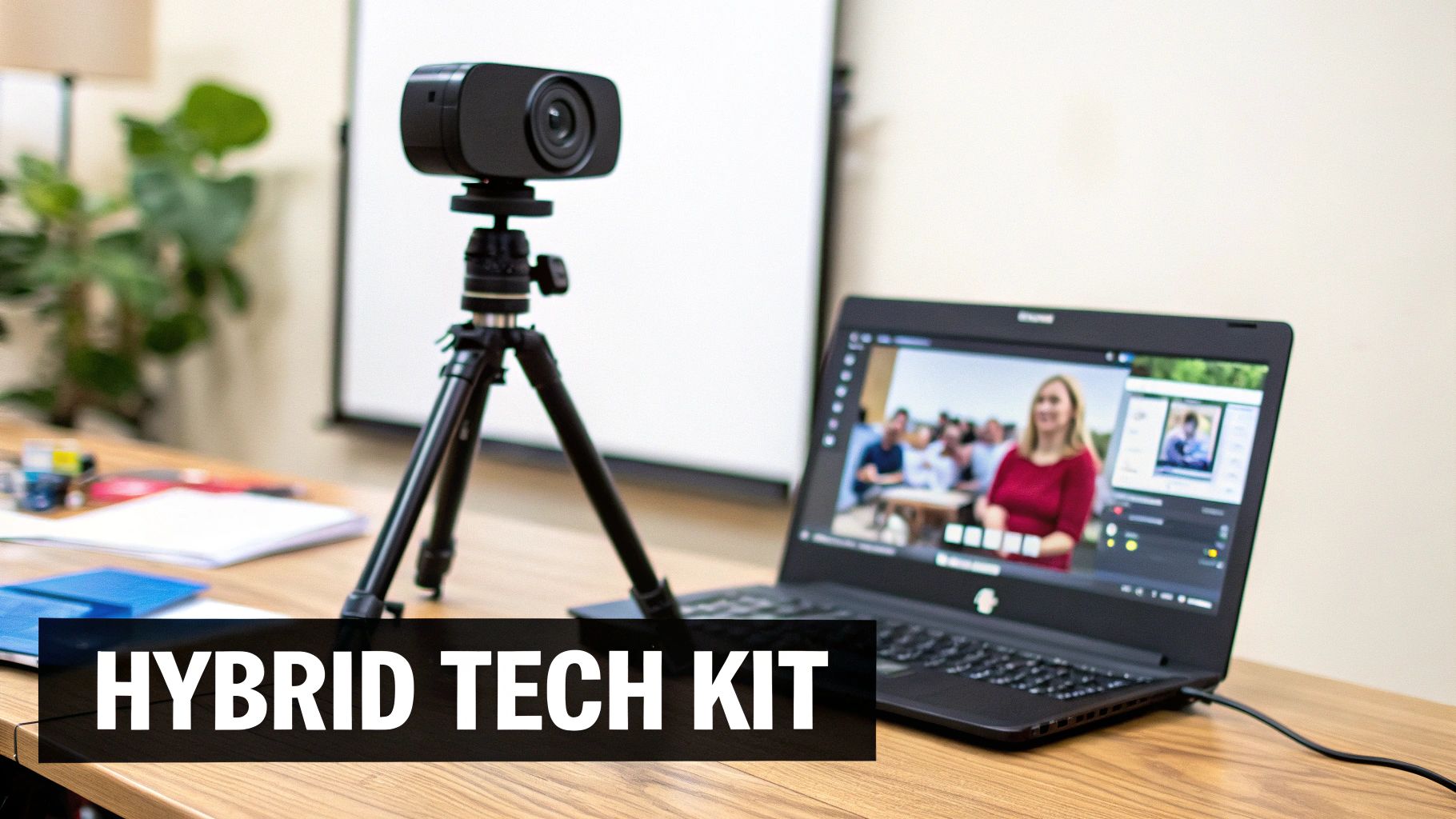
A camera on a tripod next to a laptop displaying a hybrid meeting, with 'HYBRID TECH KIT' text.

Core Components for Your Hybrid Classroom

You need to focus on three key areas: audio, video, and software. Getting these right makes remote students feel like they are in the room.

Audio Essentials

  • Microphone: Poor audio is the primary reason hybrid lessons fail. An omni-directional microphone placed centrally captures discussion from the entire room, so the tutor is not tied to their laptop.

  • Speakers: In-person students must hear remote classmates clearly. Good speakers enable group conversation and prevent a fragmented experience.

Video and Visuals

  • Camera: A laptop webcam is insufficient. A wide-angle external camera captures the entire room, including the whiteboard and other students, making remote learners feel truly present.

  • Display: A large monitor or projector facing the in-person students is essential. It puts remote participants front and center, allowing for natural interaction between the two groups.

  • Interactive Whiteboard: A digital whiteboard ensures both in-person and online students see lesson content instantly. Tools like Jamboard or Miro work well.

Hybrid Classroom Technology Comparison

Category

Basic Setup (Good Enough)

Advanced Setup (Ideal Experience)

Video

Laptop's built-in webcam

External wide-angle 1080p camera with pan/tilt/zoom functions

Audio (Input)

Laptop microphone or basic USB mic

Central omni-directional microphone or multiple boundary mics

Audio (Output)

Laptop speakers

High-quality external speakers or a soundbar

Display

A single large monitor for the tutor

A second large monitor or projector facing the in-person students

Whiteboard

Pointing a camera at a physical whiteboard

A dedicated interactive digital whiteboard

Software

Basic video conferencing tool (e.g., Zoom)

Integrated platform with a built-in virtual classroom for tutors, scheduling, and billing

While a basic setup can get you started, investing in advanced options creates a seamless experience that retains students. Hardware is only part of the solution. You also need software that handles both the live lesson and the complex logistics behind it.

How Can You Keep Every Student Engaged?

Technology makes a hybrid class possible, but teaching strategy makes it work. The core challenge is ensuring neither in-person nor remote students feel like passive observers. Success comes from intentionally merging the two groups into one cohesive class.

This approach delivers measurable results. One study found that students in hybrid classes achieved double the number of A grades and cut D and F rates by 50% compared to traditional formats. They also outperformed peers by 20-30% on identical exams.

A diverse classroom with a smiling teacher and students engaged, one student is on a video call.

Best Practices for Engaging Both Audiences

Creating an inclusive environment requires tools and tactics that put everyone on equal footing. You must actively bridge the physical gap between students in the room and those on screen.

  • Use Universal Digital Tools: Replace a show of hands with digital polls or chat features. This gives remote students an equal voice and prevents the in-person group from dominating the discussion.

  • Address Both Audiences Directly: Alternate your focus between the camera and the students in the room. Use names when calling on students from both groups to make everyone feel included.

  • Structure Mixed Breakout Sessions: For group activities, pair an in-person student with a remote student via a laptop. This forces interaction and breaks down the "us vs. them" barrier.

A dedicated student portal is a powerful tool. It provides a consistent place for all families to find updates and materials, reinforcing a sense of community. You can learn how to boost engagement with a student portal for your tutoring center to see how it improves the lesson experience.

How Should You Price and Schedule Hybrid Services?

Pricing and scheduling are critical business decisions for hybrid classes. They affect your profitability, enrollment numbers, and parent satisfaction. Getting these decisions right unlocks a powerful new revenue stream.

The first question is pricing. Should you charge the same rate for in-person and online attendance? The answer depends on your costs and how parents perceive the value of each option.

Choosing Your Hybrid Pricing Model

Your pricing strategy communicates value. A single, flat rate implies that the teaching quality is consistent regardless of location. This simplifies billing but may lead to pushback from parents who expect a discount for not using your physical space.

Offering a lower price for remote students can be a great marketing tool. It reflects your lower overhead and attracts price-sensitive families. However, this model complicates invoicing. You need a system that can handle different rates based on attendance mode per session. A 15-20% discount for online attendees is a common approach.

Solving the Hybrid Scheduling Puzzle

Scheduling highlights the complexity of hybrid teaching. For every lesson, you must track two separate but linked capacity numbers.

  • Room Capacity: The maximum number of students who can physically be in the room.

  • Total Class Capacity: The total number of students (in-person and online) a teacher can effectively manage.

These numbers are rarely the same. A classroom may have only 8 physical desks, but the teacher can manage a total class of 12 students. This means that once 8 students register for in-person spots, you still have 4 slots available for online learners.

Without a system that tracks both capacities independently, you will either overbook your physical room or lose revenue by turning away online students. Managing this with a spreadsheet is prone to errors and is not scalable.

Solving Hybrid Operations with Purpose-Built Software

Managing hybrid classes with spreadsheets or generic booking tools creates unnecessary administrative work. The operational puzzles of dual capacity limits, flexible attendance, and varied pricing demand software designed specifically for this model.

A dedicated tutoring management system is key to gaining a competitive advantage. Software built for the hybrid world automates the most frustrating tasks. The system is engineered to handle the specific logic of hybrid scheduling, billing, and payroll.

How a Dedicated System Works

A platform like Tutorbase understands the daily operational needs of a hybrid model. It is designed to solve the core challenges directly.

  • Per-Student Attendance Mode: It allows parents to choose "in-person" or "online" for each session through their portal, eliminating manual requests.

  • Intelligent Capacity Management: The software tracks physical room capacity and total class size separately. This prevents overbooking while maximizing online enrollment.

  • Attendance-Triggered Automation: When a tutor marks attendance, the system automatically applies the correct billing rate and calculates teacher pay based on the student's mode (in-person or remote).

This level of automation enables you to scale your hybrid services efficiently. You can explore essential features in our guide to the best tutoring management software in 2026.

Frequently Asked Questions About Hybrid Classes

What is the difference between hybrid and blended learning?

The main difference is timing. Hybrid learning is synchronous, with in-person and remote students participating in the same live lesson simultaneously. Blended learning combines in-person instruction with asynchronous online work, which students complete on their own time.

Is expensive technology required to start a hybrid class?

No, you can start with a basic setup. A good external webcam, a laptop, and a stable internet connection are enough for a pilot class. However, investing in a quality omni-directional microphone is the most important first upgrade to ensure clear audio for remote students.

Should I charge the same price for online and in-person students?

This depends on your business goals. A single rate is simple and reinforces equal teaching value. A 15-20% discount for online students can attract more families and reflects your lower overhead for remote attendees.

How does a hybrid model affect my room capacity?

A hybrid class has two capacity limits. Room capacity is the number of physical seats available. Total class capacity is the maximum number of students (both in-person and online) the teacher can manage effectively. You can fill all physical seats and still have open slots for online students.

What is the most difficult part of running hybrid classes?

The biggest challenge is operational complexity, not teaching. Managing dual capacity, tracking attendance for varied billing rates, and handling per-session attendance changes create significant administrative work. Specialized software is essential to manage these tasks efficiently.

How does the hybrid model benefit students?

The primary benefit is flexibility. It allows students to balance tutoring with other commitments like sports or family activities. This model can also increase access, with research showing hybrid options attract 32% of low-income high school students, a rate 7 percentage points higher than average. You can read more about the benefits of hybrid learning on classavo.com.

Ready to eliminate the operational headaches of hybrid tutoring? Tutorbase tracks attendance mode per student and natively supports hybrid lessons in scheduling, student invoicing, and teacher payroll. See how it works at tutorbase.com/register.

What Does Hybrid Class Mean for Modern Tutoring Centers?

Published: December 12, 2025 by Amy Ashford

Key Takeaways: A hybrid class blends in-person and online students in the same live lesson. While offering flexibility, this model introduces significant operational complexities, like managing separate room and total class capacities. Successfully running a hybrid program requires specialized software to handle scheduling, attendance-based billing, and parent communication.

A hybrid class is a lesson model that combines in-person and online learning simultaneously. An instructor teaches students physically present in a classroom while other students join the same session remotely via video conferencing.

For tutoring businesses, this model offers tremendous flexibility. It can expand your market reach and significantly boost enrollment numbers. However, it also introduces operational challenges that many owners underestimate.

What Does a Hybrid Class Mean in Practice?

On the surface, offering hybrid classes seems simple. But beneath the flexibility lies a layer of operational complexity. These challenges include technology requirements, unique scheduling puzzles, and intricate billing scenarios your current software might not support.

Without careful planning, these administrative hurdles can lead to chaos. Solving them from the start is critical for a smooth operation.

What is a Hybrid Classroom?

A hybrid classroom is a learning environment where in-person and online students participate in the same live lesson. Imagine a tutor teaching three students at a table. At the same time, two more students join from home via a live video feed. That is a hybrid class.

This synchronous model mirrors modern business meetings. Some people are in the conference room, while others dial in remotely. Everyone sees the same presentation and contributes to the same discussion in real-time.

What are the Key Hybrid Concepts for Tutoring Centers?

Just saying you offer "hybrid" is not enough. You must define how you offer it. This decision impacts scheduling, billing, and parent communication. There are two primary approaches for tutoring centers.

  • Hybrid Delivery: The center decides the format. A specific course is designated as "hybrid," and parents choose either online or in-person attendance for the entire term.

  • Hybrid Attendance: The student or parent chooses the attendance mode for each lesson. A student might attend in person one day and log in from home the next, offering maximum flexibility.

This shift in education is significant. According to a 2023 report from the National Center for Education Statistics, hybrid enrollment in U.S. higher education reached 5.4 million students. Blended learning styles can also boost student achievement scores by 15-20% compared to purely traditional methods.

A successful hybrid strategy requires more than a webcam. It is a fundamental operational shift. You must manage room capacity separately from total class size and handle attendance-based billing. Exploring concepts in hybrid work models can provide a solid foundation.

Diagram illustrating a hybrid class model, connecting to both in-person and online learning environments.

How Do You Navigate the Hidden Operational Hurdles?

Offering hybrid classes is a great way to provide flexibility. However, it's a major operational shift, not just a small teaching adjustment. The administrative challenges go beyond the classroom, affecting scheduling, billing, and parent communication.

The Scheduling Paradox: Room vs. Total Capacity

The first major challenge is managing two different capacity limits for the same class.

  • Physical Room Capacity: The maximum number of students who can physically sit in the classroom.

  • Total Class Capacity: The total number of students (in-person and online) the teacher can effectively manage.

An online student does not occupy a physical seat. This means your room might be "full" for in-person learners, but you still have available slots for remote students. A system that tracks this dual capacity is essential to maximize enrollment.

Hybrid Delivery vs. Hybrid Attendance: What’s the Difference?

You must clarify your offering. Are you providing hybrid delivery, where a student commits to one mode for the term? Or are you offering hybrid attendance, where a student can switch between in-person and online attendance for each lesson?

The second option provides ultimate flexibility. But it complicates billing and payroll. If a student switches modes, your system must apply the correct rate and calculate teacher pay accurately. Without automation, your staff will spend hours in spreadsheets.

How Does This Affect the Parent and Student Experience?

From a parent's perspective, convenience is key. They expect a simple portal to view schedules and switch their child's attendance mode with a single click. Most generic platforms lack this functionality. This forces your team into manual updates via calls and emails.

No-shows are a common issue for any scheduled service. They disrupt planning and impact revenue. Implementing smart strategies to reduce no-show appointments helps protect your tutors' time and keeps your hybrid classes running smoothly. A specialized management tool is a necessity for hybrid tutoring.

What Technology Do You Need for a Hybrid Classroom?

A hybrid class succeeds or fails based on its technology. Without the right equipment, online students feel disconnected. A solid tech setup in 2024 is the foundation that ensures every student receives the same high-quality, engaging experience.

A camera on a tripod next to a laptop displaying a hybrid meeting, with 'HYBRID TECH KIT' text.

Core Components for Your Hybrid Classroom

You need to focus on three key areas: audio, video, and software. Getting these right makes remote students feel like they are in the room.

Audio Essentials

  • Microphone: Poor audio is the primary reason hybrid lessons fail. An omni-directional microphone placed centrally captures discussion from the entire room, so the tutor is not tied to their laptop.

  • Speakers: In-person students must hear remote classmates clearly. Good speakers enable group conversation and prevent a fragmented experience.

Video and Visuals

  • Camera: A laptop webcam is insufficient. A wide-angle external camera captures the entire room, including the whiteboard and other students, making remote learners feel truly present.

  • Display: A large monitor or projector facing the in-person students is essential. It puts remote participants front and center, allowing for natural interaction between the two groups.

  • Interactive Whiteboard: A digital whiteboard ensures both in-person and online students see lesson content instantly. Tools like Jamboard or Miro work well.

Hybrid Classroom Technology Comparison

Category

Basic Setup (Good Enough)

Advanced Setup (Ideal Experience)

Video

Laptop's built-in webcam

External wide-angle 1080p camera with pan/tilt/zoom functions

Audio (Input)

Laptop microphone or basic USB mic

Central omni-directional microphone or multiple boundary mics

Audio (Output)

Laptop speakers

High-quality external speakers or a soundbar

Display

A single large monitor for the tutor

A second large monitor or projector facing the in-person students

Whiteboard

Pointing a camera at a physical whiteboard

A dedicated interactive digital whiteboard

Software

Basic video conferencing tool (e.g., Zoom)

Integrated platform with a built-in virtual classroom for tutors, scheduling, and billing

While a basic setup can get you started, investing in advanced options creates a seamless experience that retains students. Hardware is only part of the solution. You also need software that handles both the live lesson and the complex logistics behind it.

How Can You Keep Every Student Engaged?

Technology makes a hybrid class possible, but teaching strategy makes it work. The core challenge is ensuring neither in-person nor remote students feel like passive observers. Success comes from intentionally merging the two groups into one cohesive class.

This approach delivers measurable results. One study found that students in hybrid classes achieved double the number of A grades and cut D and F rates by 50% compared to traditional formats. They also outperformed peers by 20-30% on identical exams.

A diverse classroom with a smiling teacher and students engaged, one student is on a video call.

Best Practices for Engaging Both Audiences

Creating an inclusive environment requires tools and tactics that put everyone on equal footing. You must actively bridge the physical gap between students in the room and those on screen.

  • Use Universal Digital Tools: Replace a show of hands with digital polls or chat features. This gives remote students an equal voice and prevents the in-person group from dominating the discussion.

  • Address Both Audiences Directly: Alternate your focus between the camera and the students in the room. Use names when calling on students from both groups to make everyone feel included.

  • Structure Mixed Breakout Sessions: For group activities, pair an in-person student with a remote student via a laptop. This forces interaction and breaks down the "us vs. them" barrier.

A dedicated student portal is a powerful tool. It provides a consistent place for all families to find updates and materials, reinforcing a sense of community. You can learn how to boost engagement with a student portal for your tutoring center to see how it improves the lesson experience.

How Should You Price and Schedule Hybrid Services?

Pricing and scheduling are critical business decisions for hybrid classes. They affect your profitability, enrollment numbers, and parent satisfaction. Getting these decisions right unlocks a powerful new revenue stream.

The first question is pricing. Should you charge the same rate for in-person and online attendance? The answer depends on your costs and how parents perceive the value of each option.

Choosing Your Hybrid Pricing Model

Your pricing strategy communicates value. A single, flat rate implies that the teaching quality is consistent regardless of location. This simplifies billing but may lead to pushback from parents who expect a discount for not using your physical space.

Offering a lower price for remote students can be a great marketing tool. It reflects your lower overhead and attracts price-sensitive families. However, this model complicates invoicing. You need a system that can handle different rates based on attendance mode per session. A 15-20% discount for online attendees is a common approach.

Solving the Hybrid Scheduling Puzzle

Scheduling highlights the complexity of hybrid teaching. For every lesson, you must track two separate but linked capacity numbers.

  • Room Capacity: The maximum number of students who can physically be in the room.

  • Total Class Capacity: The total number of students (in-person and online) a teacher can effectively manage.

These numbers are rarely the same. A classroom may have only 8 physical desks, but the teacher can manage a total class of 12 students. This means that once 8 students register for in-person spots, you still have 4 slots available for online learners.

Without a system that tracks both capacities independently, you will either overbook your physical room or lose revenue by turning away online students. Managing this with a spreadsheet is prone to errors and is not scalable.

Solving Hybrid Operations with Purpose-Built Software

Managing hybrid classes with spreadsheets or generic booking tools creates unnecessary administrative work. The operational puzzles of dual capacity limits, flexible attendance, and varied pricing demand software designed specifically for this model.

A dedicated tutoring management system is key to gaining a competitive advantage. Software built for the hybrid world automates the most frustrating tasks. The system is engineered to handle the specific logic of hybrid scheduling, billing, and payroll.

How a Dedicated System Works

A platform like Tutorbase understands the daily operational needs of a hybrid model. It is designed to solve the core challenges directly.

  • Per-Student Attendance Mode: It allows parents to choose "in-person" or "online" for each session through their portal, eliminating manual requests.

  • Intelligent Capacity Management: The software tracks physical room capacity and total class size separately. This prevents overbooking while maximizing online enrollment.

  • Attendance-Triggered Automation: When a tutor marks attendance, the system automatically applies the correct billing rate and calculates teacher pay based on the student's mode (in-person or remote).

This level of automation enables you to scale your hybrid services efficiently. You can explore essential features in our guide to the best tutoring management software in 2026.

Frequently Asked Questions About Hybrid Classes

What is the difference between hybrid and blended learning?

The main difference is timing. Hybrid learning is synchronous, with in-person and remote students participating in the same live lesson simultaneously. Blended learning combines in-person instruction with asynchronous online work, which students complete on their own time.

Is expensive technology required to start a hybrid class?

No, you can start with a basic setup. A good external webcam, a laptop, and a stable internet connection are enough for a pilot class. However, investing in a quality omni-directional microphone is the most important first upgrade to ensure clear audio for remote students.

Should I charge the same price for online and in-person students?

This depends on your business goals. A single rate is simple and reinforces equal teaching value. A 15-20% discount for online students can attract more families and reflects your lower overhead for remote attendees.

How does a hybrid model affect my room capacity?

A hybrid class has two capacity limits. Room capacity is the number of physical seats available. Total class capacity is the maximum number of students (both in-person and online) the teacher can manage effectively. You can fill all physical seats and still have open slots for online students.

What is the most difficult part of running hybrid classes?

The biggest challenge is operational complexity, not teaching. Managing dual capacity, tracking attendance for varied billing rates, and handling per-session attendance changes create significant administrative work. Specialized software is essential to manage these tasks efficiently.

How does the hybrid model benefit students?

The primary benefit is flexibility. It allows students to balance tutoring with other commitments like sports or family activities. This model can also increase access, with research showing hybrid options attract 32% of low-income high school students, a rate 7 percentage points higher than average. You can read more about the benefits of hybrid learning on classavo.com.

Ready to eliminate the operational headaches of hybrid tutoring? Tutorbase tracks attendance mode per student and natively supports hybrid lessons in scheduling, student invoicing, and teacher payroll. See how it works at tutorbase.com/register.