


Key Takeaway: The best apps like Zoom for tutoring centers in 2026 include Microsoft Teams for deep integration, Google Meet for accessibility, and purpose-built platforms like LearnCube for specialized teaching tools. Choosing the right alternative depends on your budget, class size, and need for educational features like interactive whiteboards. This guide compares the top 12 options to help you find the perfect fit.
Finding the right video conferencing tool is crucial for tutoring centers and language schools. While Zoom is popular, its pricing, features, or security model might not be the perfect fit for your educational business. This guide provides a breakdown of the best apps like Zoom.
We will analyze twelve leading alternatives, including options like Microsoft Teams and Google Meet, and education-focused platforms like LearnCube and VEDAMO. For each application, you will find a detailed review covering core classroom features, pricing, security, and ideal use cases for your tutoring center.
Beyond the platform, many users enhance their video calls. For instance, you can learn how to add a custom background to Zoom to add a professional touch. This guide equips you with the detailed information needed to choose the video conferencing tool that will best support your students and instructors.
What is a Virtual Classroom Platform?
A virtual classroom platform is a digital environment designed to simulate a traditional classroom for online learning. Unlike general video conferencing tools, it often includes specialized features. These include interactive whiteboards, tools for creating polls and quizzes, and breakout rooms for group work.
1. Microsoft Teams
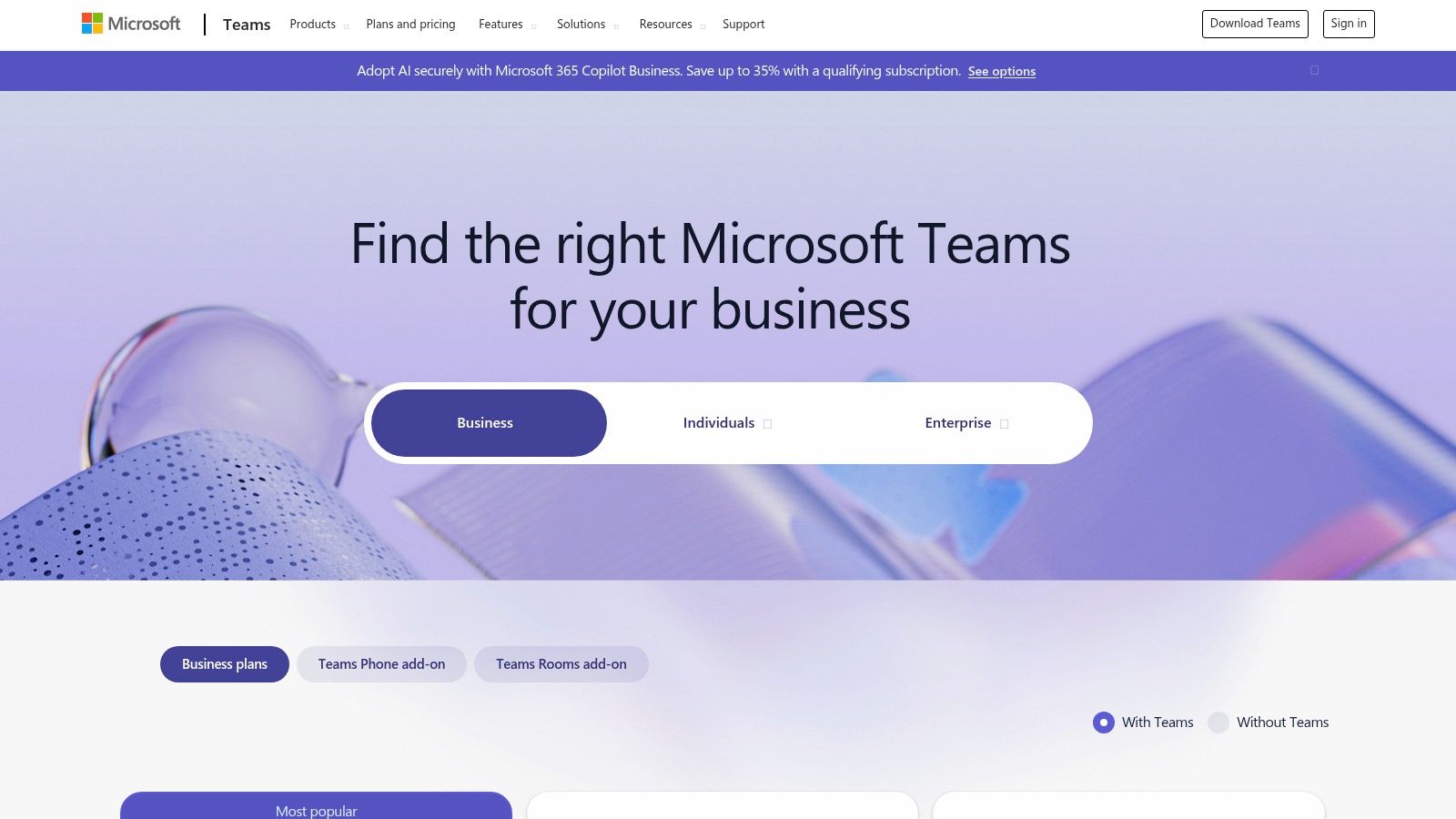
Microsoft Teams is a powerful, integrated communication hub. It is one of the best apps like Zoom for tutoring centers already invested in the Microsoft 365 ecosystem. Its connection with Outlook, OneDrive, and SharePoint streamlines scheduling, file sharing, and administrative workflows.
What are the core features of Microsoft Teams for tutors?
Teams offers a robust feature set for online instruction.
HD video meetings with recording and automatic transcripts provide a reliable session archive.
Interactive tools like breakout rooms are ideal for small group work.
The built-in digital whiteboard facilitates collaborative problem-solving.
Its integration with Outlook Calendar simplifies scheduling and sending invites.
Who should use Microsoft Teams?
Best For:
1:1 and Small Group Tutoring: The platform's reliability is excellent for focused, document-heavy sessions.
Hybrid Learning: Teams excels at connecting in-person and remote students in one environment.
Administrative Meetings: Its enterprise-grade security is perfect for staff coordination and internal training.
The primary limitation is its complexity. New users may experience a steeper learning curve than with simpler video tools. The client can also feel heavy compared to browser-first alternatives.
How much does Microsoft Teams cost in 2026?
Microsoft Teams is bundled with most Microsoft 365 Business plans, starting around $6.00 per user per month. A capable free version is also available. A study by Forrester found that Microsoft 365 provided a 163% return on investment over three years for businesses.
Tutorbase Integration: You can easily use Teams with Tutorbase. Create a meeting link in Teams and paste it into the "Location" field when scheduling a lesson in Tutorbase.
Website: Microsoft Teams
2. Google Meet (Google Workspace)
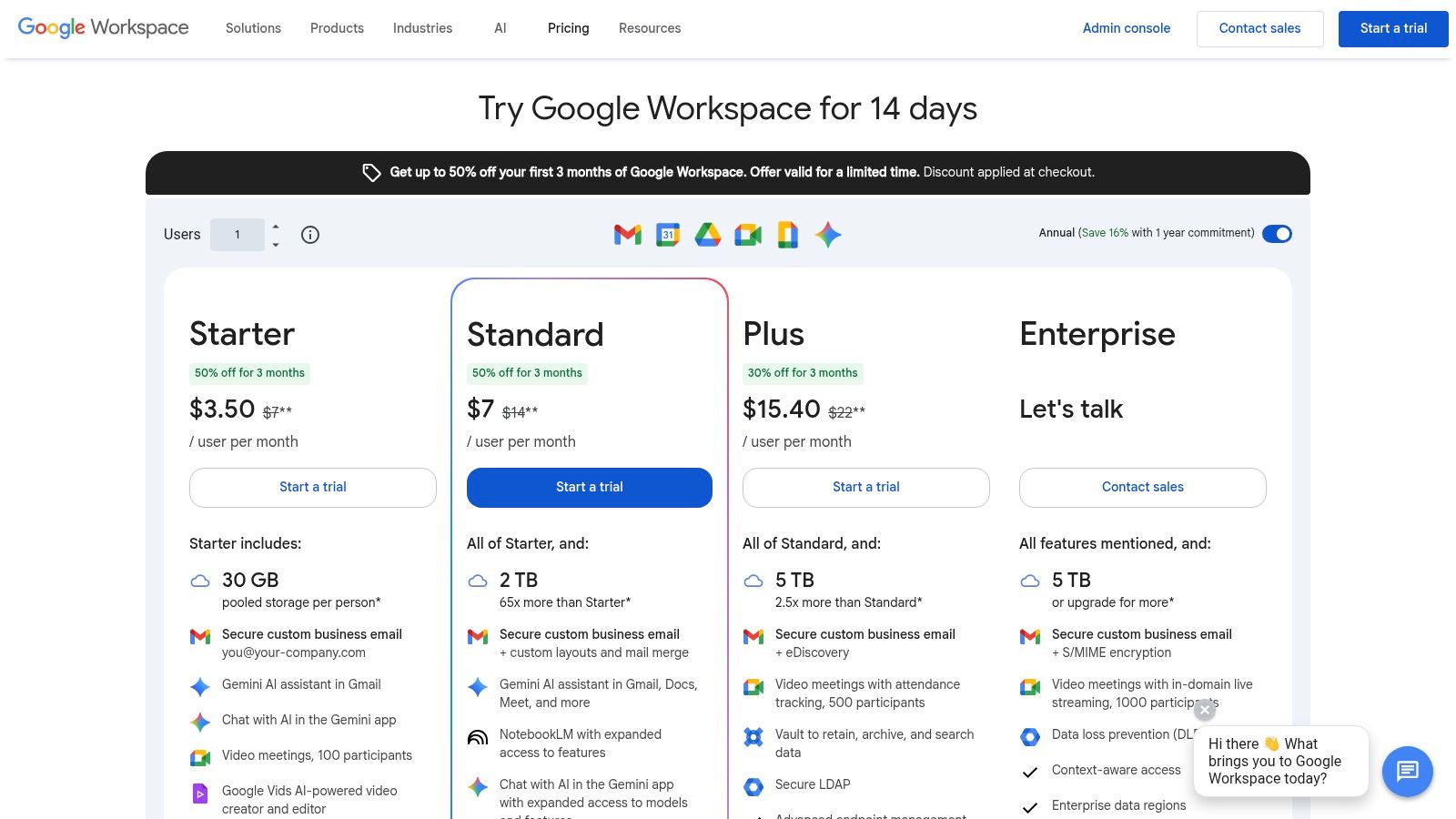
Google Meet is a lightweight, browser-based video platform. This makes it one of the most accessible apps like Zoom for centers using Google Workspace. Its seamless integration with Gmail, Google Calendar, and Drive creates a frictionless experience for scheduling and sharing materials.
What are Google Meet's key features for tutoring?
Google Meet provides a simple yet effective toolset.
You can start HD video meetings directly from a browser.
It offers robust screen sharing and one-click session scheduling from Google Calendar.
Paid tiers unlock breakout rooms, Q&A, polls, attendance tracking, and session recording.
Built-in noise cancellation helps maintain a clear audio environment.
Who is Google Meet best for?
Best For:
Quick-Start Tutoring: Its browser-first approach is perfect for a simple, no-download solution.
Collaborative Document Work: Deep integration with Google Docs, Sheets, and Slides is ideal for sessions focused on writing.
Centers Using Google Workspace: Organizations already in Google's ecosystem will find it cost-effective.
A main limitation is that many essential features, such as breakout rooms, are locked behind paid Workspace plans. The free version restricts group meetings to 60 minutes, which may be insufficient for longer tutoring sessions.
What is the price of Google Meet?
The basic version of Google Meet is free. To unlock advanced features, it is bundled with Google Workspace plans, which start at $6 per user per month. You can delve deeper into Google Meet's pricing and features.
Tutorbase Integration: Google Meet works flawlessly with Tutorbase. Create a meeting link in Google Meet or Calendar and simply paste it into the "Location" field when creating a new lesson.
Website: Google Workspace Pricing
3. Cisco Webex
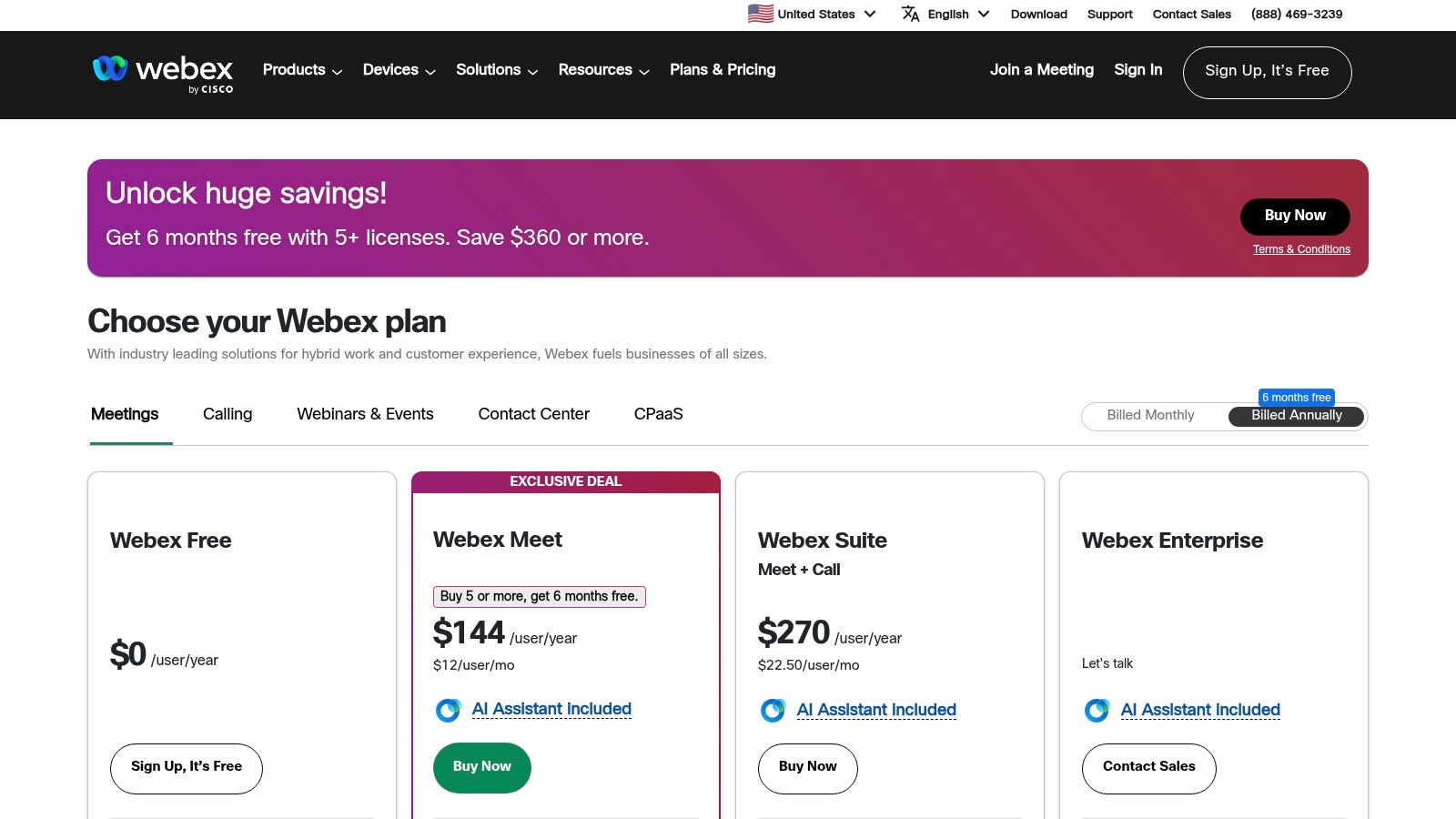
Cisco Webex is an enterprise-grade video conferencing platform. It positions itself as a highly secure and reliable app like Zoom. It is well-suited for tutoring centers that prioritize security, compliance, and robust administrative controls. Its reputation for stability makes it a strong contender.
What are the core features of Webex for tutors?
Webex offers a solid foundation for online teaching.
It features high-definition video and screen sharing.
Key features include interactive whiteboards and breakout rooms for group activities.
Its superior noise removal technology helps create a distraction-free learning environment.
Local recording is available on the free plan, allowing students to review sessions.
Who should use Cisco Webex for tutoring?
Best For:
Large Tutoring Organizations: Mature security and administrative controls are ideal for businesses managing many tutors.
Compliance-Focused Schools: Institutions requiring specific compliance standards like FedRAMP will find Webex suitable.
Hybrid Environments: Excellent device support makes it easy for users to join via phone.
The primary drawback is that the user interface can feel more corporate and less intuitive than some newer competitors. The platform can also feel heavier than more streamlined alternatives.
How do I figure out Webex pricing?
Cisco Webex offers a generous free plan allowing meetings up to 40 minutes for 100 attendees. Paid plans with longer meeting durations and cloud recording start with the "Meet" plan. This plan typically requires you to contact their sales team for exact pricing.
Tutorbase Integration: Webex works seamlessly with Tutorbase. You can schedule a meeting in your Webex account, copy the unique meeting link, and paste it directly into the "Location" field for any lesson.
Website: Cisco Webex
4. RingCentral Video
RingCentral Video offers a robust and scalable solution for tutoring businesses. As the meetings-first offering from a major Unified Communications as a Service (UCaaS) provider, it presents an easy path to integrate phone, messaging, and event services as your center expands.
What features does RingCentral Video offer for educators?
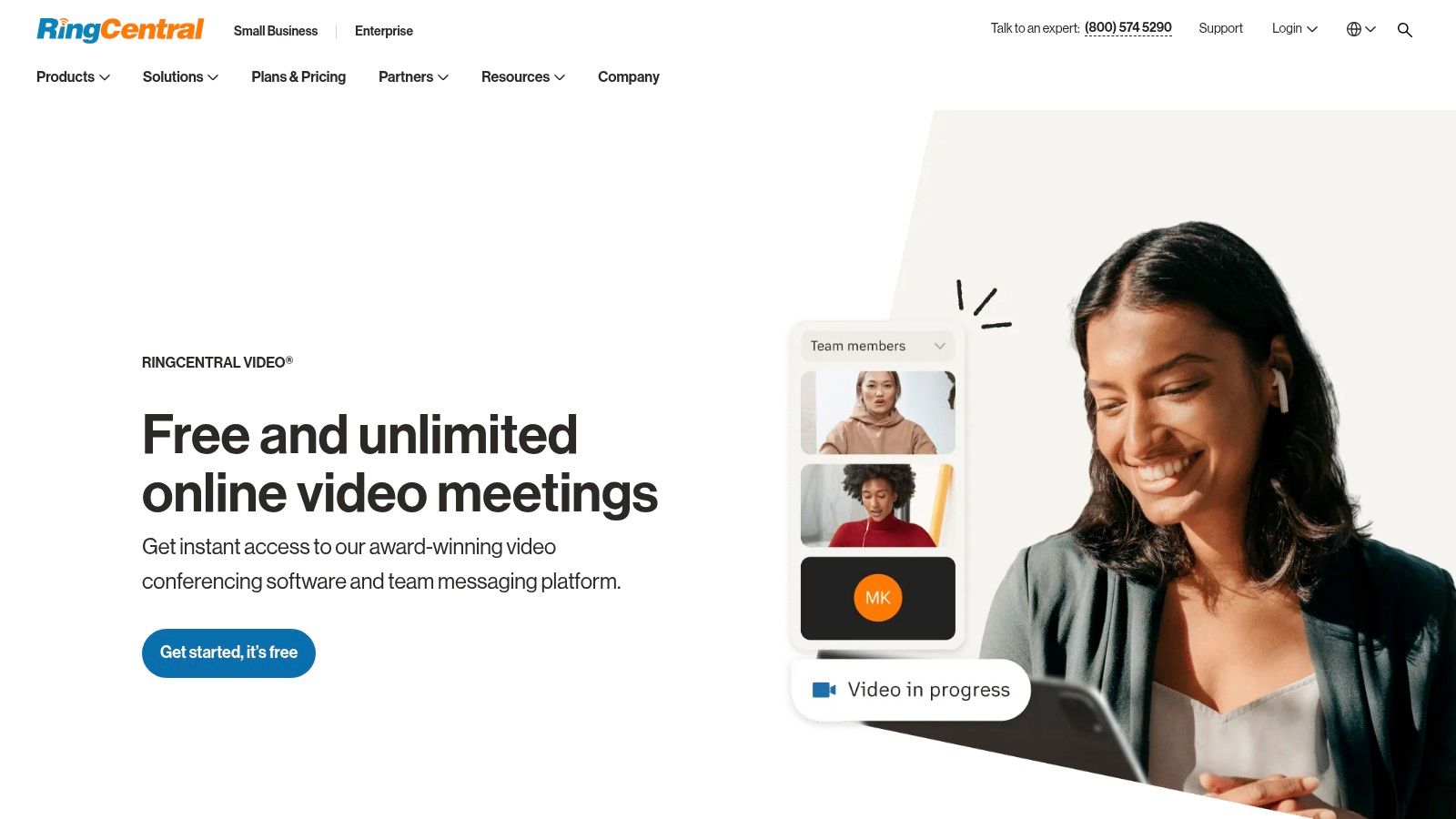
The free "Video Pro" tier is surprisingly capable.
It supports up to 100 participants and 50-minute sessions.
Key educational tools include a digital whiteboard and virtual backgrounds.
A standout feature is the inclusion of AI-powered summaries and transcripts. These summaries can automate note-taking and provide valuable session recaps for review.
Who is RingCentral Video best for?
Best For:
Growing Tutoring Businesses: Excellent for centers planning to add dedicated business phone lines in the future.
Accessibility-Focused Learning: The no-download browser join makes it simple for students to attend sessions.
Automated Session Review: AI summaries provide a quick overview of lessons for students who missed a class.
A potential downside is the scattered pricing information, which often encourages users to contact sales. Advanced features like webinars are priced as separate products, which could increase costs.
How much does RingCentral Video cost?
RingCentral Video offers a generous free plan. The paid Video Pro+ tier adds advanced administrative controls, single sign-on (SSO), and end-to-end encryption options. Pricing is typically revealed through a sales consultation.
Tutorbase Integration: Integrating is straightforward. Create your meeting in RingCentral, copy the unique URL, and paste it directly into the "Location" field when you schedule a lesson in Tutorbase.
Website: RingCentral Video
5. GoTo Meeting
GoTo Meeting is a long-standing and reliable web conferencing tool. It is a solid choice among apps like Zoom for tutoring centers that value stability and a straightforward licensing model. It is useful for organizations that also use GoTo's other products, like GoTo Webinar.
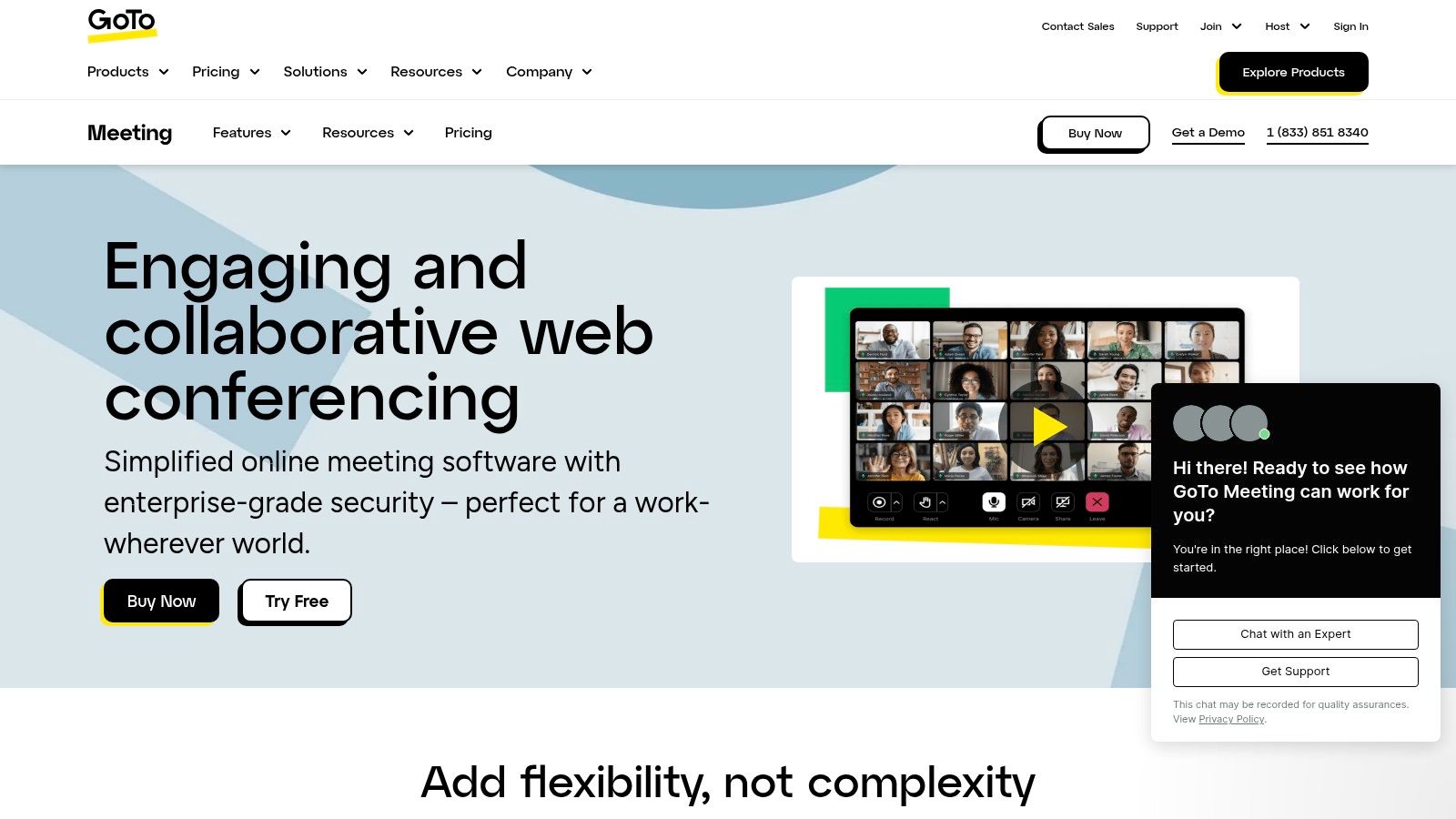
What are GoTo Meeting's core tutoring features?
The platform delivers the essential features needed for online tutoring.
Standard offerings include HD video meetings and breakout rooms for small group activities.
It provides co-organizer roles to help manage larger classes.
Cloud recording is available on higher-tier plans, allowing you to create a lesson archive.
Its simple organizer-based model means you only pay for hosts who create meetings.
Who is GoTo Meeting's ideal user?
Best For:
Administrative and Staff Meetings: Its reliability and simple interface make it ideal for internal coordination.
Mixed Event Needs: A great choice for centers that also run webinars for marketing or parent engagement.
1:1 Tutoring: The core functionality is more than sufficient for straightforward, one-on-one instructional sessions.
A primary limitation is the lack of education-specific features like advanced polling compared to purpose-built tools. Its pricing plans can also be difficult to find and compare directly on their website.
How is GoTo Meeting priced?
GoTo Meeting offers several paid plans, with pricing typically starting around $12.00 per organizer per month when billed annually. A 14-day free trial is available to test the platform.
Tutorbase Integration: You can easily use GoTo Meeting with Tutorbase. Generate a unique meeting URL in the GoTo Meeting app and simply paste it into the "Location" field when you schedule a lesson.
Website: GoTo Meeting
6. Zoho Meeting
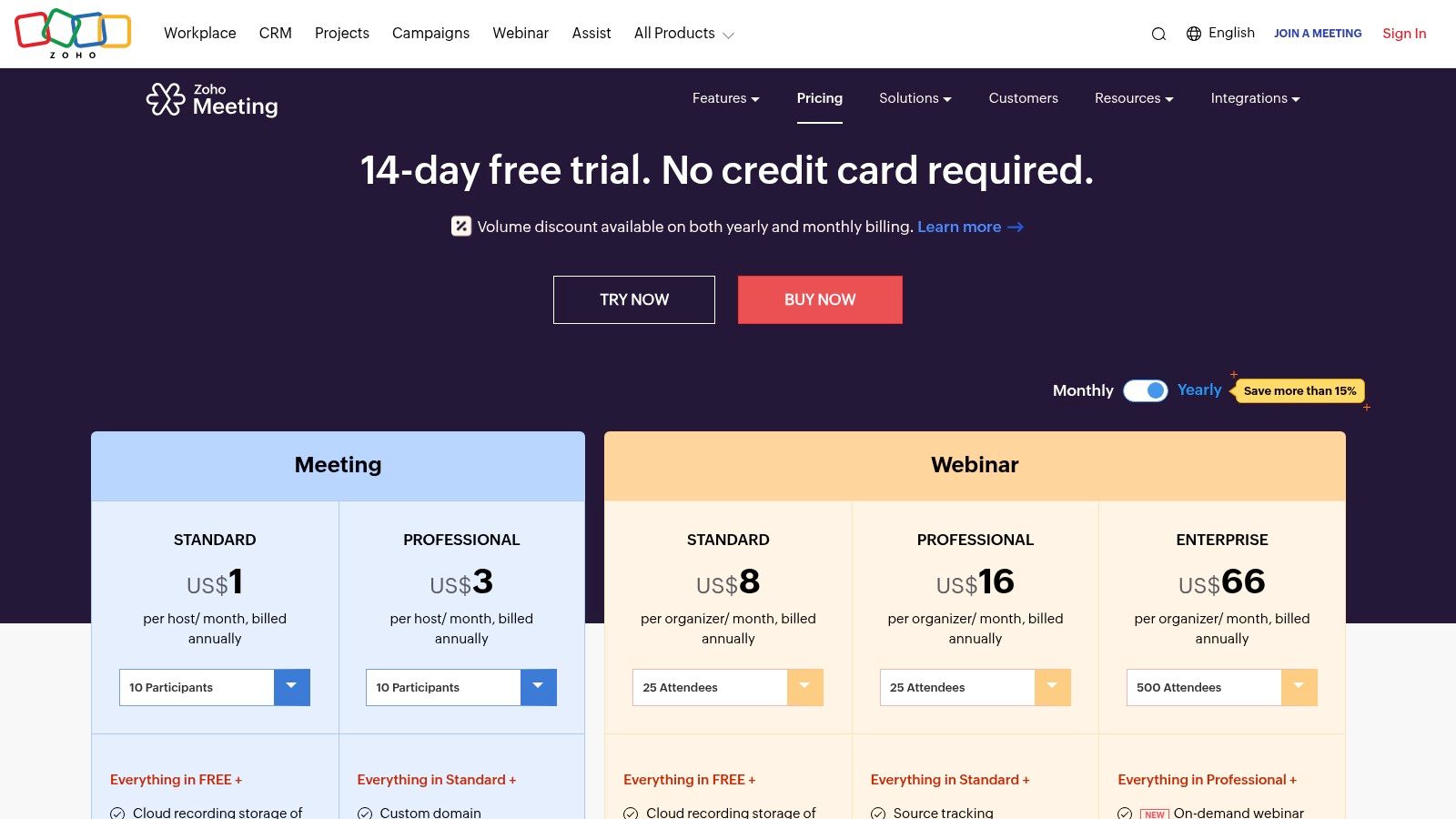
Zoho Meeting positions itself as a highly affordable and integrated solution. It is one of the most practical apps like Zoom for businesses using the Zoho ecosystem. It combines online meetings and webinar functionalities into a single platform, offering exceptional value for small centers.
What features does Zoho Meeting provide for tutors?
Zoho Meeting provides a solid set of essential tools.
It supports HD video meetings with session recording, screen sharing, and remote control.
Tutors can engage students using features like polls, Q&As, and annotations.
The browser-based join option removes the need for students to download any software. This simplifies access to lessons.
Who should consider Zoho Meeting?
Best For:
Budget-Conscious Centers: Its competitive pricing and generous free tier are ideal for organizations managing tight costs.
Integrated Workflows: Centers using Zoho CRM or Zoho Bookings can leverage native integrations.
Simple Group Webinars: The platform is well-suited for hosting open houses or parent orientations.
The main limitation is its comparative simplicity. Compared to enterprise-grade tools, it has fewer advanced administrative controls and a more basic user interface. This makes it less suitable for centers needing complex breakout room management.
How much does Zoho Meeting cost?
Zoho Meeting offers a free plan with generous features. Paid plans are extremely competitive, with meeting solutions starting as low as $3 per user per month. Webinar plans are also available, starting at approximately $19 per organizer per month.
Tutorbase Integration: You can easily use Zoho Meeting with Tutorbase. Simply schedule your session in Zoho, copy the meeting link, and paste it directly into the "Location" field of your Tutorbase lesson.
Website: Zoho Meeting
7. Whereby
Whereby stands out for its radical simplicity. This makes it one of the most accessible apps like Zoom for tutoring centers that prioritize ease of use. It is a 100% browser-based platform, meaning neither tutors nor students ever need to download software.
What are Whereby's key features for tutoring?
The platform's standout feature is its permanent, named meeting rooms.
This simplifies scheduling and removes the need to generate unique links for every session.
Core tutoring tools include breakout groups, noise reduction, and local recording capabilities.
Business plans add custom branding and subdomains, reinforcing your tutoring center's professional image.
Is Whereby a good choice for my tutoring center?
Best For:
Quick Consultations: Ideal for parent-teacher meetings where guests should not need an account.
Technologically Hesitant Clients: Its browser-based, no-download model is perfect for users who struggle with software.
Drop-In Office Hours: The permanent room link works well for tutors offering flexible support times.
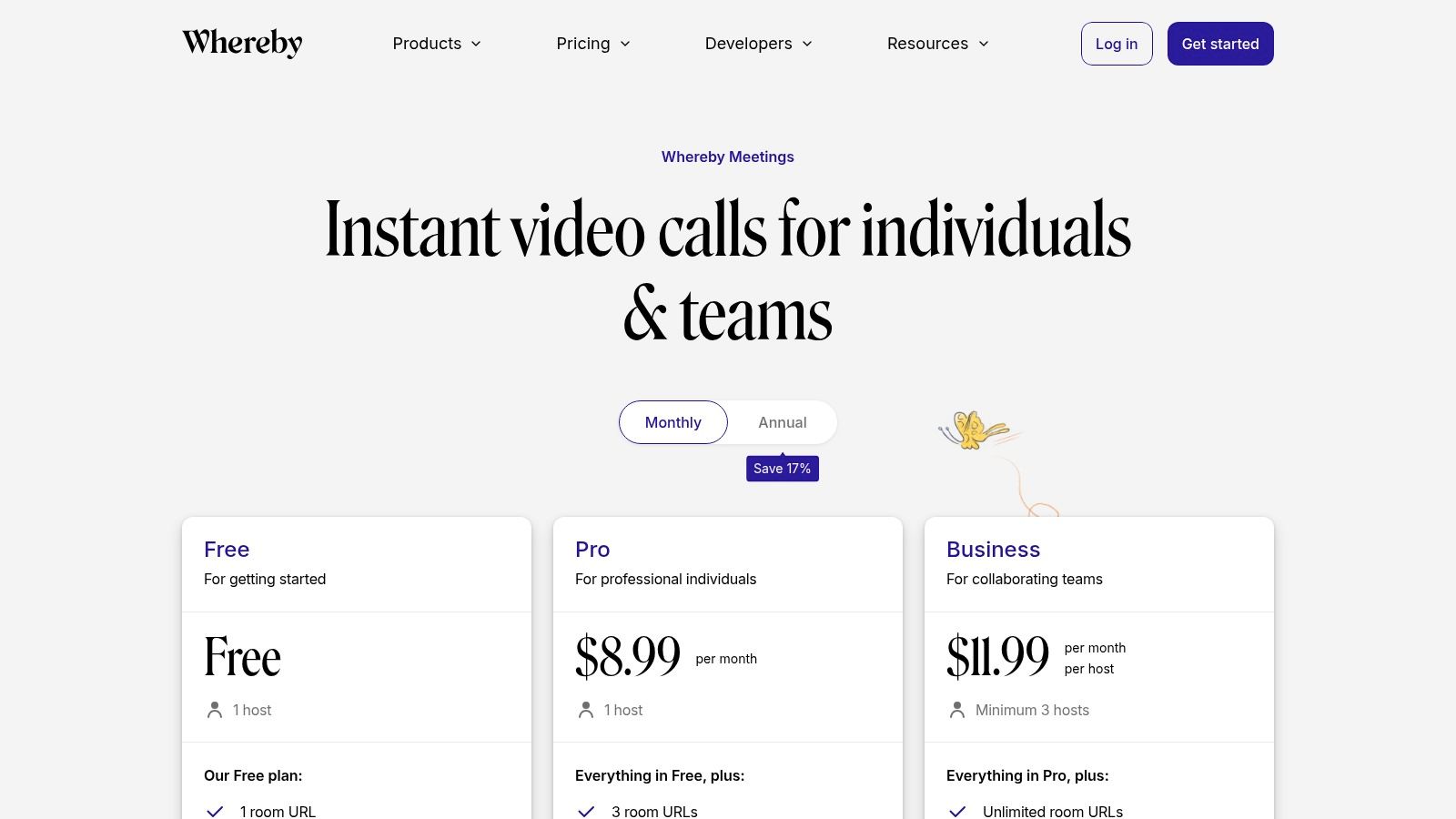
The main limitation lies in its administrative controls. The free plan is quite restrictive, limited to 45-minute meetings for up to 100 participants. Paid plans lack the advanced security and reporting found in enterprise-focused suites.
How much does Whereby cost in 2026?
Whereby offers a free plan with basic features. Paid plans, which unlock longer meetings, recording, and branding, start at $6.99 per host per month. The Business plan adds more rooms and advanced features for larger teams.
Tutorbase Integration: Whereby works seamlessly with Tutorbase. Tutors can create a personal meeting room, copy the permanent link, and paste it into the "Location" field for all their lessons.
Website: Whereby
8. Jitsi Meet (meet.jit.si)
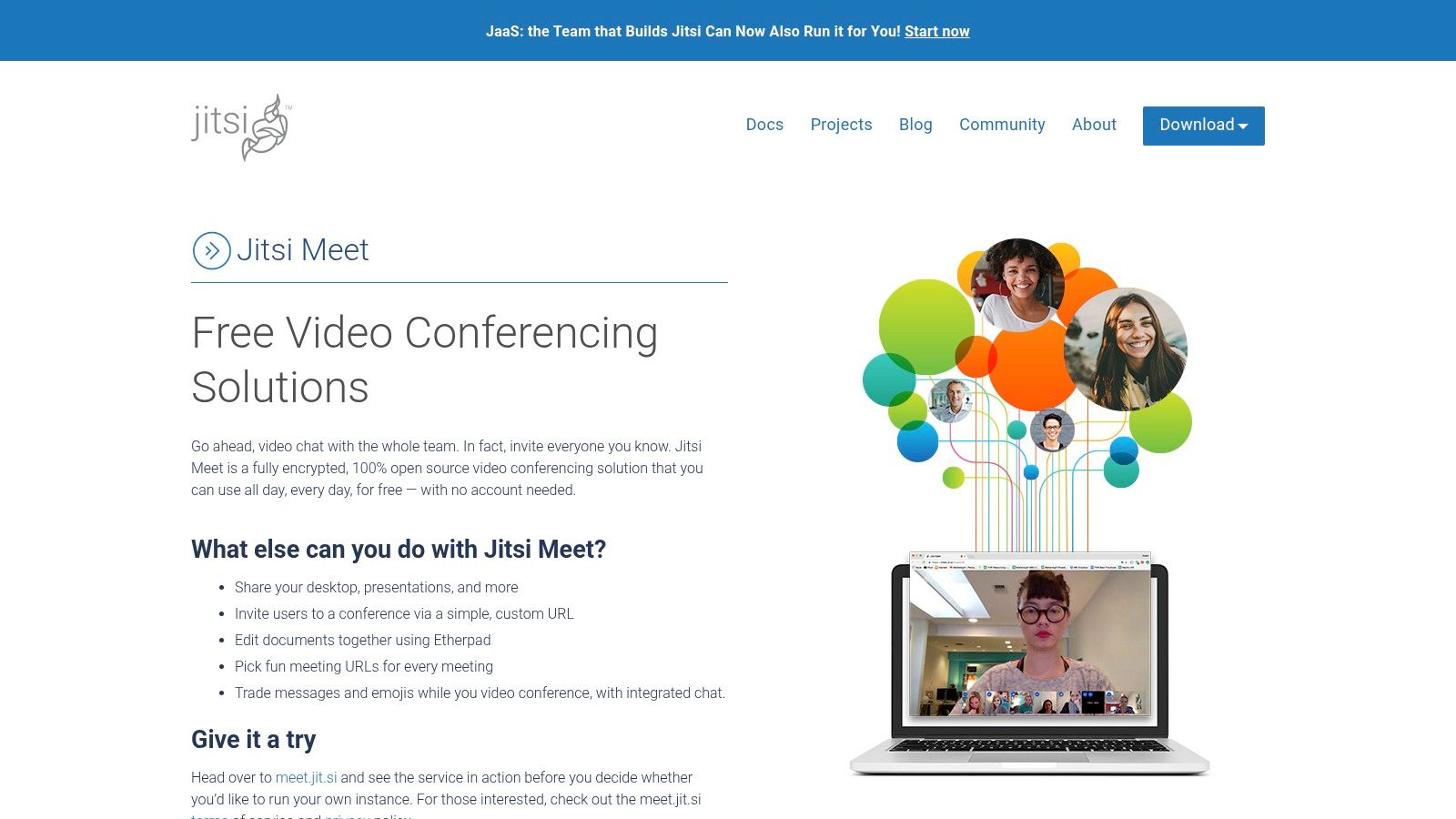
Jitsi Meet is a standout free, open-source video conferencing solution. It is ideal for tutoring centers prioritizing privacy, cost-effectiveness, and technical control. It offers instant, no-account-needed meetings via its public server, making it an excellent choice for ad-hoc sessions.
What instructional tools does Jitsi Meet have?
Jitsi delivers essential instructional tools without complexity.
Tutors benefit from reliable screen sharing and an integrated text chat.
It includes a collaborative document editor (Etherpad) for real-time problem-solving.
A key advantage is its developer-friendly nature, allowing centers to embed video directly into their websites.
All sessions are encrypted by default, ensuring student privacy.
Why would a tutoring center use Jitsi Meet?
Best For:
Budget-Conscious Centers: As a completely free solution, it eliminates software subscription costs.
Quick, Ad-Hoc Sessions: The ability to start a meeting instantly is perfect for spontaneous support.
Privacy-Focused Tutoring: Self-hosting gives you complete control over session data, a critical feature for handling student information.
The primary limitation is its reliance on shared resources for the public instance (meet.jit.si). This can lead to variable performance under heavy load. Achieving a guaranteed service level requires technical expertise for self-hosting.
Is Jitsi Meet really free?
Yes, the public Jitsi Meet platform is completely free to use. For guaranteed performance and advanced features, 8x8 offers Jitsi as a Service (JaaS), with paid plans that provide robust hosting and support.
Tutorbase Integration: Jitsi works perfectly with Tutorbase. Simply generate a meeting link from meet.jit.si or your self-hosted server and paste it into the "Location" field for any scheduled lesson.
Website: Jitsi Meet
9. Adobe Connect
Adobe Connect is a powerful virtual classroom platform designed for structured, engaging online learning. It is a strong alternative among apps like Zoom for tutoring centers that prioritize instructional design. It moves beyond simple video conferencing with persistent virtual rooms.
How do tutors use Adobe Connect for teaching?
The standout feature for educators is the persistent room.
It allows you to design a custom layout with specific "pods" for chat, Q&A, polls, and whiteboards.
You can arrange these pods to suit your teaching style, saving significant setup time.
Adobe Connect also offers highly interactive recordings, allowing students to engage with polls and links within the replay.
Who should use Adobe Connect?
Best For:
Structured Courses: Ideal for multi-session courses where a consistent environment is beneficial.
Highly Interactive Webinars: The advanced pod system is excellent for delivering engaging marketing webinars.
Corporate and Higher Education Training: Its robust instructional design features are well-suited for formal training.
The main limitation is its complexity. The user interface has a steeper learning curve compared to more streamlined meeting tools. This can be a barrier for less tech-savvy tutors or students.
How is Adobe Connect priced?
Adobe Connect offers tiered pricing based on the number of participants, starting from around $50.00 per month for meeting hosts. It also provides specific licensing for webinars and virtual classrooms with competitive annual pricing.
Tutorbase Integration: You can easily use Adobe Connect with Tutorbase. Generate a unique link for your virtual classroom and paste it directly into the "Location" field when scheduling a lesson.
Website: Adobe Connect
10. Slack (Huddles with video)
Slack shifts the paradigm from scheduled meetings to spontaneous conversation. This makes it one of the most agile apps like zoom for internal team collaboration. For tutoring centers that already use Slack for daily communication, its Huddles feature integrates quick video calls directly into the workflow.
What are the core features of Slack Huddles?
Slack Huddles, available on paid plans for groups, allow for instant audio or video conversations.
This is perfect for quick check-ins between tutors or with administrative staff.
Key features include multi-person screen sharing and drawing on shared screens.
You can create video clips (asynchronous video messages) to share updates without a live call.
Is Slack a good fit for tutoring centers?
Best For:
Internal Staff Coordination: Ideal for quick tutor stand-ups, administrative syncs, and coaching sessions.
Asynchronous Updates: Video clips are a great way for tutors to share a brief lesson summary with a manager.
Reducing "Meeting Fatigue": Replaces many formal internal meetings with quick, on-the-fly conversations.
The main limitation is its design. Slack is not built for formal, external-facing sessions with students or parents. Its strength lies in internal communication, not as a primary student-facing virtual classroom. A recent survey found that 62% of knowledge workers use collaboration apps like Slack daily.
What is Slack's pricing model?
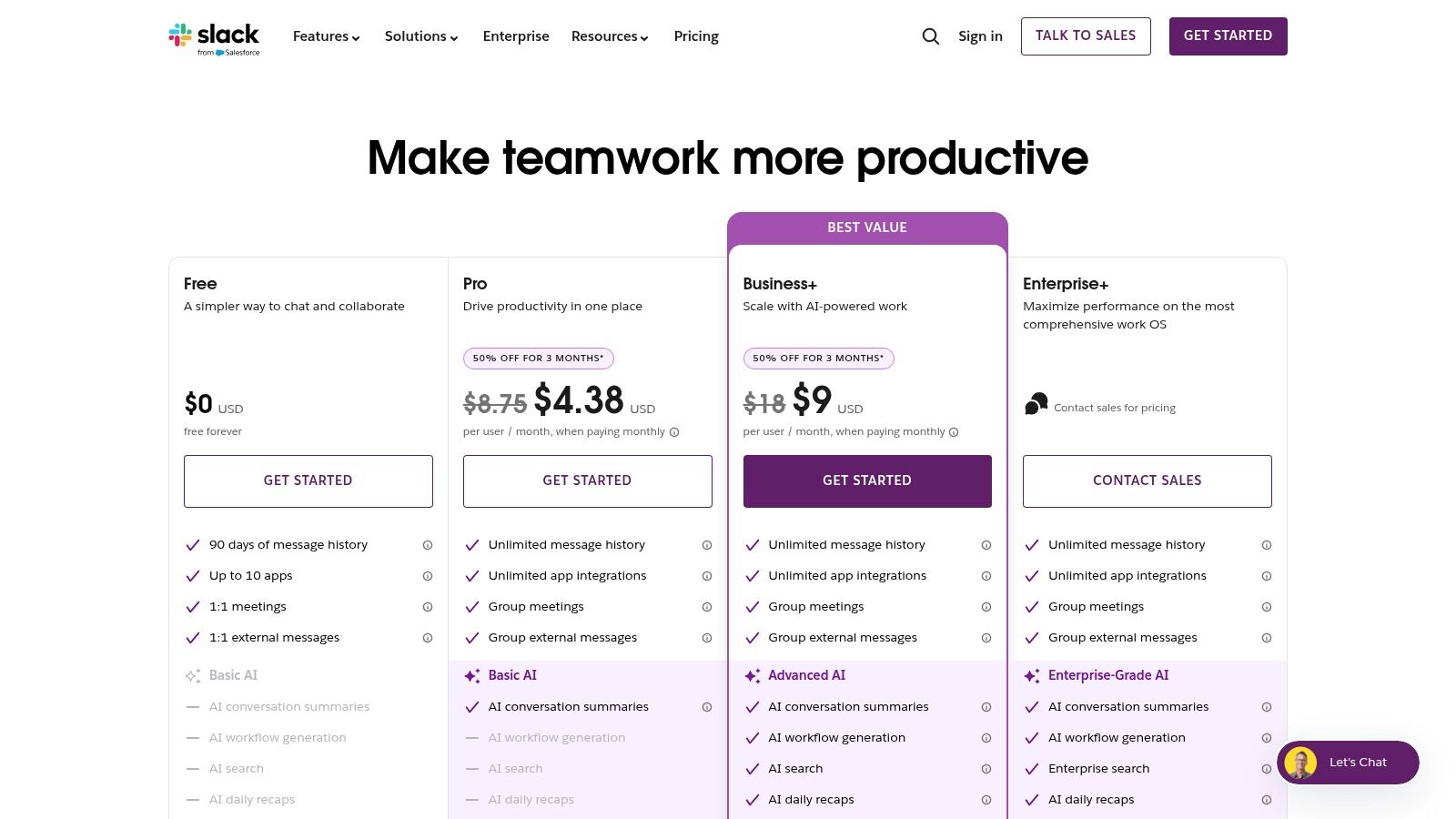
Slack offers a free tier with basic limitations. Paid plans that unlock group Huddles, screen sharing, and longer message history start at $7.25 per user per month (when billed annually). Enterprise Grid plans offer advanced security features.
Tutorbase Integration: There is no direct integration. Slack is best used for internal team communication, while a dedicated tool is used for student sessions.
Website: Slack
11. LearnCube
LearnCube is a purpose-built virtual classroom designed specifically for tutoring centers and language schools. It is a standout among other apps like Zoom. Unlike general-purpose meeting software, its entire workflow is optimized for teaching, with an interactive whiteboard and materials library.
What are LearnCube's features for tutors?
The platform is centered around its multi-page interactive whiteboard.
It allows tutors to prepare lesson materials in advance and save notes after class.
It supports a dedicated materials library for easy access to PDFs, images, and videos.
For language instruction, its specialized ESL content library is a significant advantage.
It includes breakout rooms, classroom branding, and an intuitive interface.
Is LearnCube right for my tutoring business?
Best For:
Language Schools: Its design and optional ESL content make it ideal for structured language teaching.
Solo Tutors to Mid-Sized Centers: The platform scales well, offering a generous free tier for 1:1 classes.
Seamless Student Experience: Because it's browser-based, it’s perfect for minimizing technical friction for students.
The primary limitation is its specialized focus. It lacks the broad corporate webinar or large-scale meeting features found in platforms like Zoom or Teams. Advanced analytics are reserved for higher-tier plans.
How much do LearnCube plans cost?
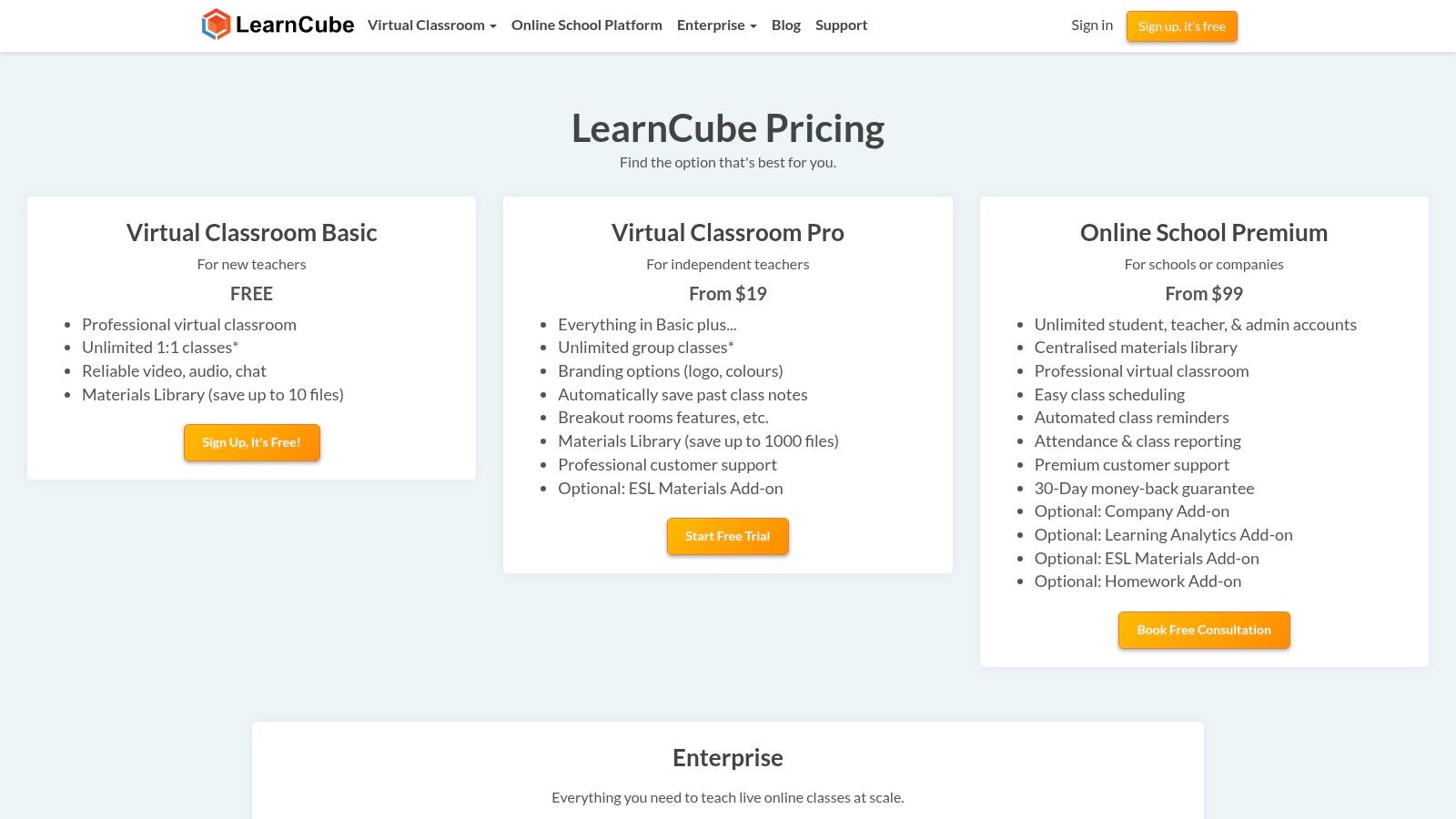
LearnCube offers a free plan with unlimited 1:1 classes, making it highly accessible. Paid plans for group classes and advanced features start with the "Virtual Classroom Pro" at around $25 per month. Online School and Enterprise plans provide more robust features.
Tutorbase Integration: Integration is straightforward. Generate a unique LearnCube classroom link and paste it directly into the "Location" field when scheduling a lesson in Tutorbase.
Website: LearnCube
12. VEDAMO
VEDAMO is a purpose-built virtual classroom and optional Learning Management System (LMS). It is designed specifically for live online teaching. Unlike general meeting tools, it offers a suite of interactive features tailored to educational settings, making it a strong alternative to Zoom.
What are VEDAMO's core features for tutors?
VEDAMO's feature set is centered on instruction.
It provides a powerful online whiteboard, seamless screen sharing, and reliable breakout rooms.
A key differentiator is its interactive session recording, which captures all on-screen activities.
The platform also offers custom branding and an optional LMS add-on to manage courses and user roles.
Who is VEDAMO best for?
Best For:
Structured Online Courses: The integrated LMS and classroom tools are ideal for delivering multi-session courses.
Hybrid Learning Models: Its features effectively support classrooms that mix in-person and remote students.
Growing Tutoring Businesses: The scalable licensing model allows you to add more concurrent classrooms as your student base expands.
The main limitation is its pricing structure. The base plan only includes one concurrent virtual classroom, meaning you must purchase additional licenses to run multiple sessions simultaneously.
What is the cost of VEDAMO?
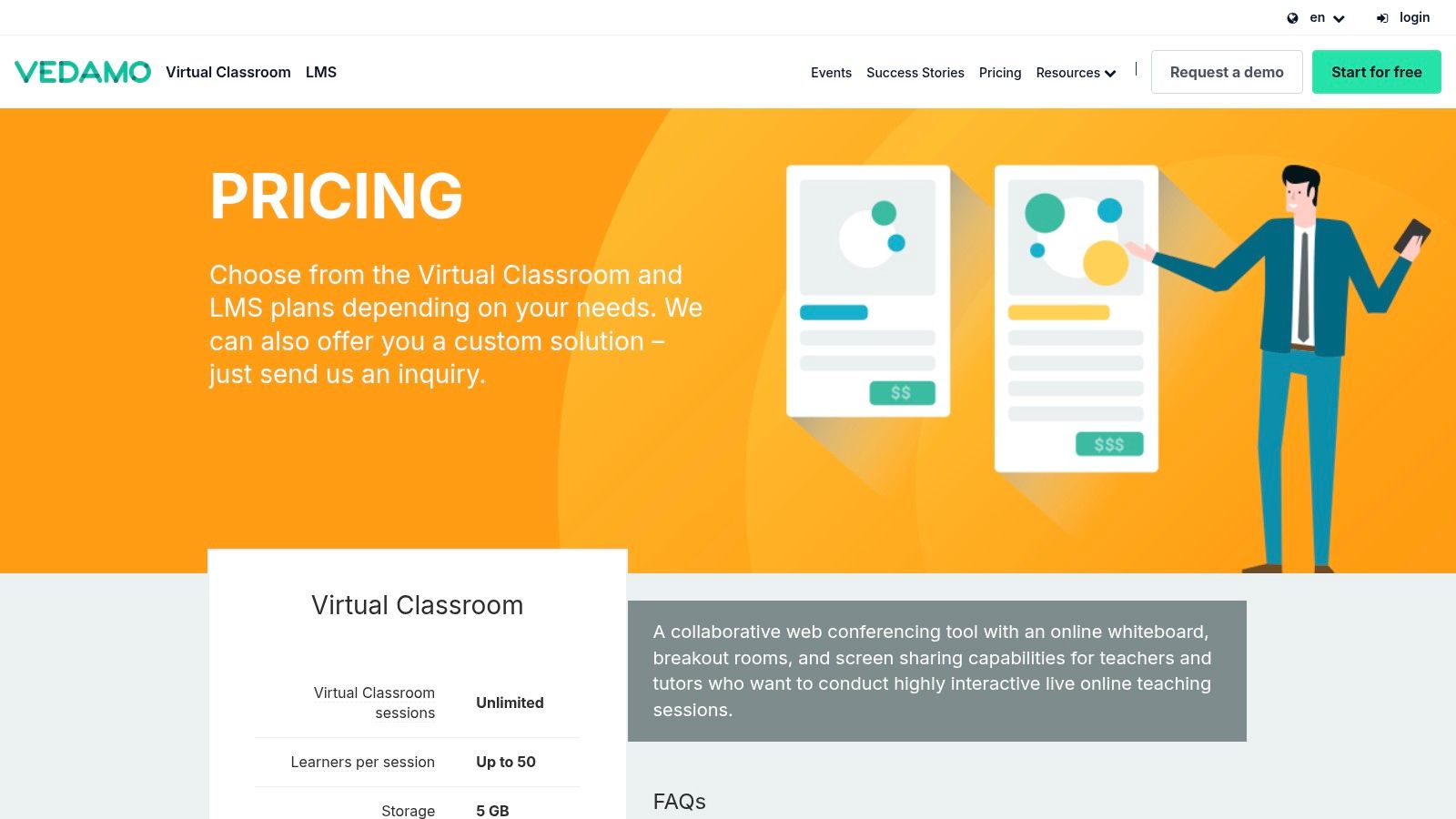
VEDAMO offers a "Virtual Classroom" plan starting at €22 per month (billed annually) for one virtual classroom with up to 25 learners. An "LMS" plan starts at €39 per month. Prices vary based on the number of concurrent classrooms and features.
Tutorbase Integration: Integrating VEDAMO with Tutorbase is straightforward. Generate a unique classroom link within VEDAMO and simply paste it into the "Location" field when you schedule a new lesson.
Website: VEDAMO
Top 12 Zoom Alternatives: Feature Comparison Table
Platform | Primary strengths | Education fit | Unique selling point(s) | Price / tiers | Best for |
|---|---|---|---|---|---|
Microsoft Teams | HD meetings, recordings, breakout rooms | Strong for centres using Microsoft 365; robust admin/compliance | Deep Office/Outlook integration; enterprise security; Teams Phone/Copilot | Multiple SKUs; add‑ons can raise cost | Mid–large schools with MS stack & compliance needs |
Google Meet (Workspace) | Browser meetings, lightweight, reliable | Easy for Gmail/Calendar customers; minimal IT overhead | No‑download join; tight Calendar/Drive integration | Free tier limits; advanced features on Workspace paid plans | Centres using Google Workspace; quick deployment |
Cisco Webex | Enterprise security, PSTN/dial‑ins, stable at scale | Good for large orgs requiring compliance & dial‑in access | FedRAMP/enterprise compliance; device ecosystem | Paid tiers; enterprise plans often via sales | Large institutions and compliance‑focused schools |
RingCentral Video | UCaaS path, AI summaries/transcripts | Useful where telephony/CC integration is desired | Easy upgrade to full UCaaS (calling, contact center) | Free Video Pro limited; paid Pro+ for admin/SSO | Centres wanting unified calling + meetings |
GoTo Meeting | Reliable conferencing; webinar/training ecosystem | Fits centres running admissions/parent webinars | Integrates with GoTo Webinar/Training products | Known plans; public pricing can be fragmented | Organisations that run frequent webinars/events |
Zoho Meeting | Meetings + webinars, competitive pricing | Good SMB value and CRM integrations | Bundles with Zoho apps; browser‑based join | Generous free plan; low‑cost paid tiers | Small/mid centres on a budget needing CRM links |
Whereby | 100% browser rooms, permanent links | Ideal for quick parent/student consultations | No downloads or accounts for guests; permanent room links | Affordable per‑host; free plan limited | External stakeholders and ad‑hoc meetings |
Jitsi Meet | Free open‑source; self‑hostable | Fits privacy‑focused or IT‑savvy centres | Self‑hosting/customization; no account required | Free public instance; hosting costs to scale | Teams wanting full data control and customization |
Adobe Connect | Persistent rooms, rich interactivity | Suited for structured lessons and training design | Configurable pods/layouts; interactive recordings | Per‑host pricing; add‑on packs | Centres requiring advanced instructional design |
Slack (Huddles) | Chat + quick audio/video huddles | Best for internal staff syncs, teacher collaboration | Combines persistent chat with huddles and clips | Free limits; advanced features on paid plans | Operations teams and internal comms |
LearnCube | Virtual classroom built for tutoring | Tailored UX for tutors, multi‑teacher schools | Interactive whiteboard, saved notes, ESL content | Free 1:1 tier; paid plans for groups/enterprise | Online-first tutoring & language schools |
VEDAMO | Virtual classroom + optional LMS | Good for live teaching, level‑based classes | LMS add‑on, interactive session recordings | Scalable licensing; extra classrooms cost more | Growing schools needing LMS + classroom features |
Final Thoughts
The landscape of virtual communication is vast. This review of apps like Zoom shows that the best platform aligns with your operational needs, teaching style, and budget. From the robust features of Microsoft Teams to the education-focused environments of LearnCube, your choices are diverse.
How do I choose the right Zoom alternative for my tutoring business?
Selecting the right software requires a strategic approach. Create a checklist based on your non-negotiable requirements. This process helps you narrow down the field from twelve options to the two or three top contenders for your business.
Consider these core decision-making factors:
Primary Use Case: Are you conducting mostly 1:1 sessions or small group classes? Your answer favors certain platforms. Whereby excels at simple 1:1 calls, while Adobe Connect is built for large, structured virtual classrooms.
User Tech Savvy: A simple, browser-based tool like Jitsi Meet or Whereby requires minimal setup. This reduces friction for less tech-comfortable users. A feature-rich platform like Microsoft Teams might have a steeper learning curve but offers greater capabilities.
Budget and Scalability: Start with your current budget but think about the future. A platform with flexible, per-user pricing like Google Meet might be perfect for a growing solo tutor. A larger center might find an all-in-one suite more cost-effective as they scale.
System Integration: How well does the tool integrate with your scheduling and billing software? Seamless integration saves countless administrative hours, a crucial factor for busy owners.
How do I implement a new virtual classroom platform?
Once you make a selection, a smooth rollout is critical for success. The goal is to minimize disruption for your tutors and students. A well-planned implementation ensures everyone feels confident and prepared to use the new tool from day one.
Follow these actionable steps for a successful transition:
Run a Pilot Program: First, test the new platform with a small group of tutors and students. This allows you to gather real-world feedback and identify potential issues in a low-stakes environment.
Develop Standard Operating Procedures (SOPs): Next, create simple, clear documentation for your team. This should cover how to start a session, use key features like breakout rooms, and troubleshoot common problems.
Conduct Staff Training: Host a dedicated training session for your tutors. You should record this session so new hires can watch it later. Focus on the features they will use most frequently in their day-to-day teaching.
Communicate Clearly: Finally, send an announcement well in advance of the switch. Provide students and parents with simple instructions, links, and information on who to contact if they need technical support.
Ultimately, the best video conferencing tool is an enabler. It should fade into the background, allowing teaching and learning to take center stage. By carefully evaluating these apps like Zoom against your unique needs, you can select a platform that supports your growth for years to come.
Managing scheduling, payments, and communication across any of these platforms can be complex. Tutorbase streamlines your entire back-office operations, integrating seamlessly with your chosen video tool to automate tedious administrative tasks. Visit tutorbase.com/register to see how it works.
Frequently Asked Questions (FAQ)
What is the best free app like Zoom?
Google Meet and Jitsi Meet are two of the best free apps like Zoom. Google Meet's free tier offers reliable, browser-based meetings for up to 60 minutes. Jitsi Meet is a completely free, open-source option that requires no account and is excellent for privacy-conscious users.
Are there any Zoom alternatives made specifically for teaching?
Yes, platforms like LearnCube and VEDAMO are designed specifically for online teaching. They offer features not found in general meeting software, such as advanced interactive whiteboards, persistent classroom layouts, and integrated learning management system (LMS) capabilities.
Which Zoom alternative is best for a small tutoring business?
For a small tutoring business, Zoho Meeting offers exceptional value with its low-cost plans and combined meeting/webinar functionality. Whereby is another great option due to its simplicity and permanent room links, which reduce administrative work for tutors.
Can I use Microsoft Teams for tutoring if my students don't have a Microsoft account?
Yes, you can invite students to a Microsoft Teams meeting as guests. They can join via a web browser without needing to download the app or create a Microsoft account, making it accessible for external participants.
What is the most secure alternative to Zoom?
Cisco Webex is widely regarded as one of the most secure alternatives, with a strong focus on enterprise-grade security and compliance (like FedRAMP). For maximum control, a self-hosted Jitsi Meet server gives you complete ownership of your data and communications.
How do I integrate these apps with my tutoring management software?
Most video conferencing apps integrate easily with management software like Tutorbase. You simply generate a unique meeting link in your chosen platform (e.g., Google Meet, Whereby, LearnCube) and paste it into the "Location" field when scheduling a lesson in your management system.


