


Key Takeaways: Reducing operational costs is about eliminating administrative waste, not cutting educational quality. You can significantly lower expenses by conducting a workflow audit to find hidden labor costs. Then, consolidate scattered software and automate manual tasks like scheduling and billing to boost profitability.
What is the best way to lower tutoring center costs?
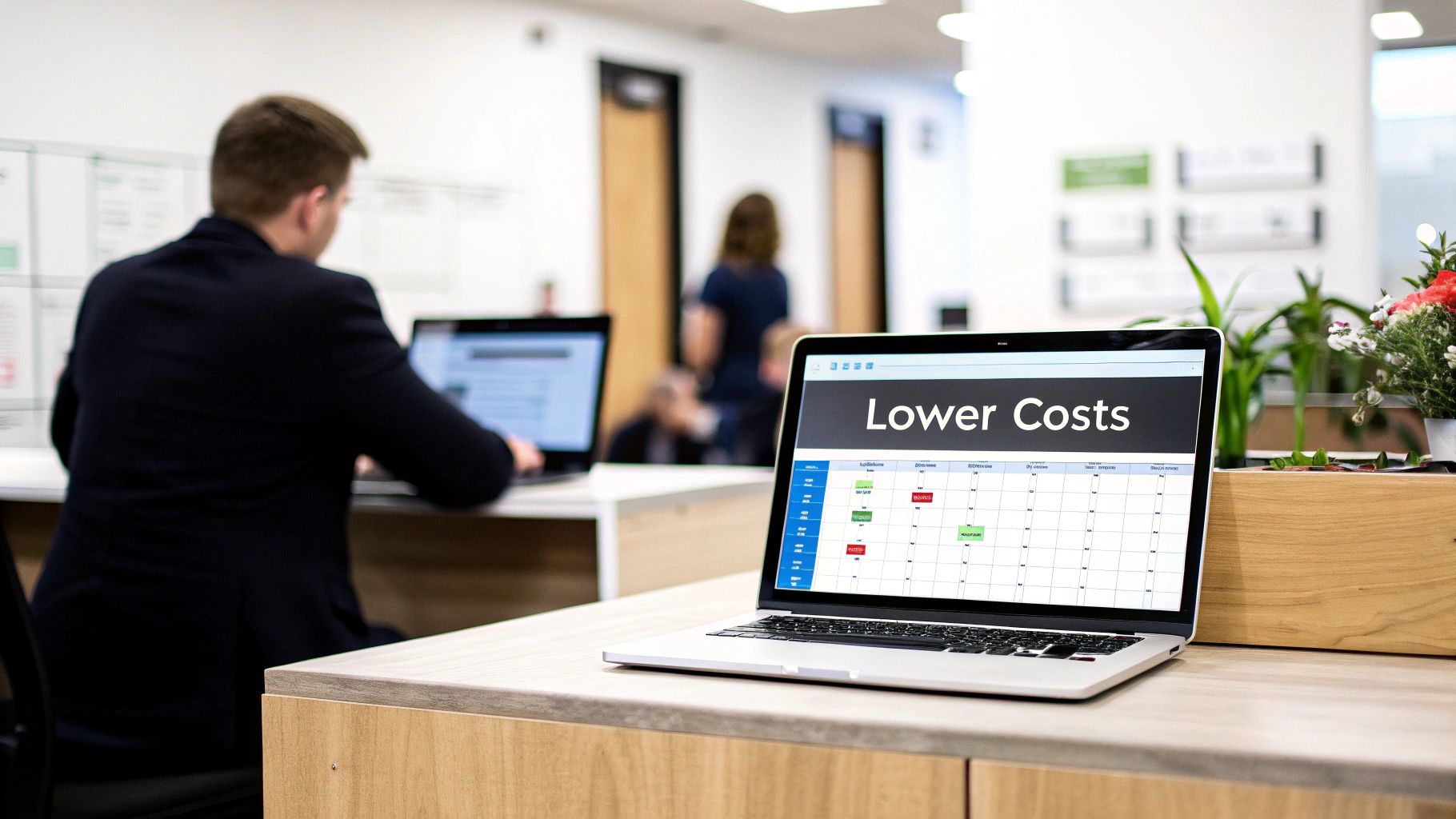
You can lower costs by swapping tangled spreadsheets for a single, unified system. This provides a clear playbook for boosting efficiency. This strategy isn't about painful cuts; it’s about implementing practical, real-world tactics that deliver measurable financial results.
Understanding Your Financial Landscape
The tutoring industry faces significant financial pressure. Centers with a physical location can face average monthly running costs of $39,060 in their first year. This creates a substantial financial hurdle each month.
Many centers also underestimate their actual operational expenses. Real per-student costs are often 44% to 124% higher than budgeted figures suggest. You can explore more industry cost benchmarks on ibisworld.com.
This gap between perceived and actual spending highlights the need for systematic cost reduction. By optimizing your operations, you can plug hidden financial leaks without compromising educational quality.
How do I start my cost reduction journey?
You should start with an honest, in-depth review of your internal processes. The goal is to identify and quantify the administrative burdens eating into your profit margins. From there, you can implement targeted solutions that work.
(For a deeper dive, read our tutoring center profitability playbook.)
You should look for common time-wasting tasks, which often include:
Manual Scheduling: Endless back-and-forth emails and calls to align students, tutors, and rooms.
Repetitive Billing: Manually creating invoices from attendance sheets and chasing late payments one by one.
Complex Payroll: Using spreadsheets to calculate tutor pay based on varied rates, hours, and session types.
Fragmented Software: Paying for multiple, disconnected tools for scheduling, payments, and communication.
Targeting these specific areas creates a solid foundation for sustainable growth. The following sections provide a step-by-step roadmap to achieve this.
Uncover Hidden Costs with a Workflow Audit
It’s easy to feel busy, but what is that activity actually costing you? The hidden expense of manual administrative tasks can quietly drain your resources. These tasks often stall growth and shrink your profit margins.
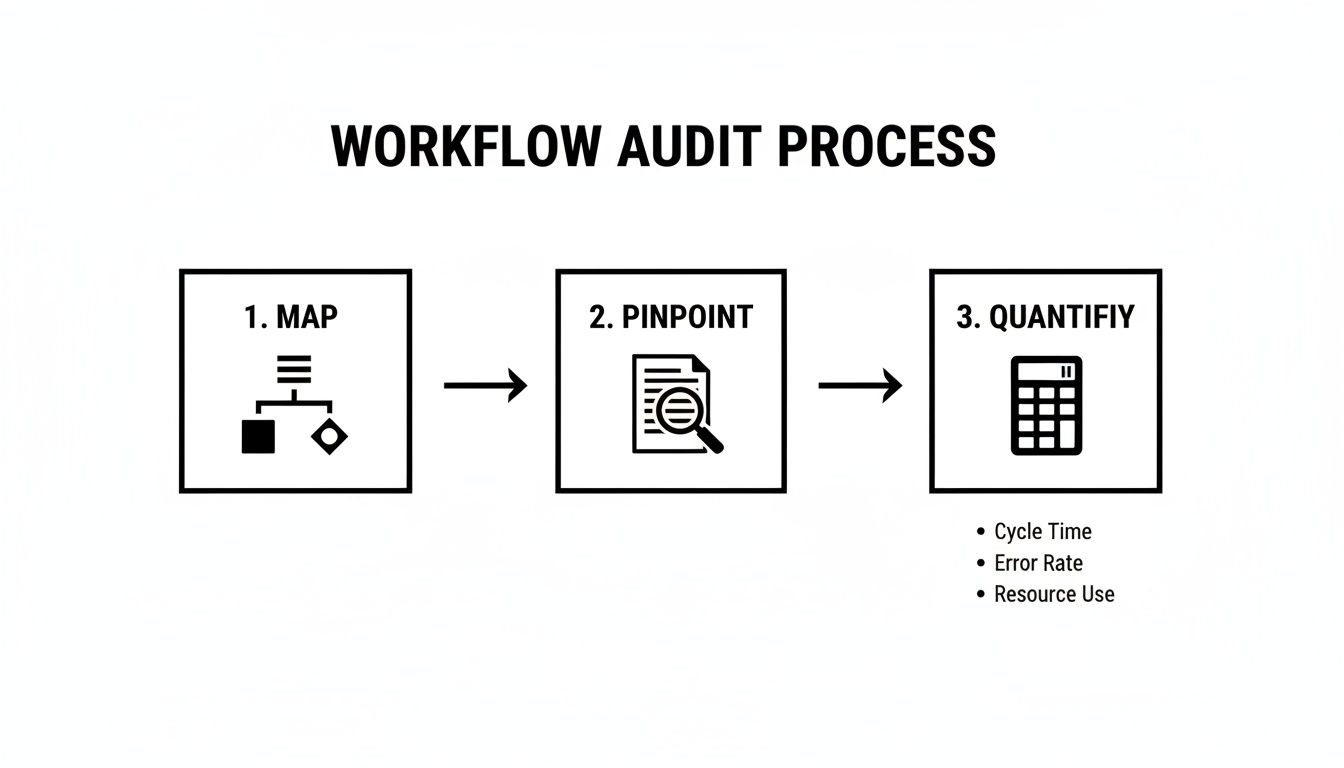
A workflow audit, which is a systematic review of your business processes, pulls back the curtain on these hidden costs. It helps you map everything from student onboarding to invoicing. This allows you to quantify bottlenecks and see where automation will deliver the biggest financial impact.
How do I map my core tutoring workflows?
Before you can slash operational costs, you need a clear picture of where your time and money are going. For a tutoring center, this means mapping every step. You must track processes from a new parent inquiry to a paid invoice.
A mid-sized center can easily burn over 10 hours a week just manually creating invoices. And that's only one task. Start by sketching out your most critical workflows to spot the most obvious pain points.
Your audit should zero in on these key areas:
Student Onboarding: Track every email, form, and data entry step to enroll a new student.
Lesson Scheduling: Document the back-and-forth required to book, reschedule, or cancel a lesson.
Attendance Tracking: Note how tutors report attendance and how that data reaches your admin team.
Invoicing and Payments: Map the entire invoice journey, from creation to follow-up to final payment.
Tutor Payroll: Outline all steps needed to calculate and process tutor payments accurately.
Putting a Price Tag on Inefficiency
Once you map your workflows, you can attach real numbers to them. This transforms vague feelings of being "too busy" into hard, actionable data. Quantifying these hidden labor costs builds a powerful, undeniable case for change.
Conducting a detailed time audit is a great first step. For a step-by-step guide, check out this a comprehensive guide to conducting a time audit.
By identifying and measuring these time-consuming tasks, you uncover the precise opportunities where targeted automation can yield the highest return on investment.
Let’s run the numbers. If your admin spends three hours daily on scheduling, that’s 15 hours a week. At a rate of $20 per hour, that single repetitive task costs your business $15,600 per year. Suddenly, an automated scheduling system becomes a smart financial decision.
Consolidating Your Software for Big Wins
Juggling separate tools for scheduling, billing, and communication creates a massive hidden expense. It's not just subscription fees; it's the admin hours lost to manual data entry and error correction. Bringing everything under one roof is a direct path to cutting operational costs.
Patching together tools like Calendly and QuickBooks creates frustrating data silos. Information gets trapped, forcing your team into tedious and error-prone double-entry. You simply can't get a clear, real-time business overview when your data is scattered.
When scheduling data doesn't automatically sync with billing, revenue leakage is practically guaranteed. A single missed invoice might seem small, but over a year, these mistakes could cost thousands in lost income. A unified system ensures every completed lesson is automatically invoiced.
What is Total Cost of Ownership (TCO)?
When evaluating software, looking only at the monthly subscription price is a mistake. Total Cost of Ownership (TCO) is a framework that calculates both the direct and indirect costs of a system. TCO accounts for staff hours spent transferring data, correcting errors, and managing vendors.
To understand your true TCO, you must first audit your workflows. You need to map tasks, find bottlenecks, and then quantify the time and money they cost you. This process almost always reveals the huge hidden labor costs of using fragmented software.
Comparing Fragmented Tools vs. a Unified Platform
Manual admin work is a quiet but massive drain on your budget. While technology subscriptions may only cost $50 to $150 a month, this figure ignores the much larger labor cost. Let's compare a fragmented setup to an all-in-one platform.
Operational Area | Fragmented Tools (e.g., Teachworks + Spreadsheets) | Unified Platform (e.g., Tutorbase) |
|---|---|---|
Monthly Software Fees | $70 - $200+ for multiple subscriptions | Single, predictable fee covering all functions |
Admin Time (Weekly) | 10-15 hours on manual data transfer and reconciliation | 1-3 hours on management and oversight |
Error Rate | High risk of errors in billing and payroll from manual entry | Near-zero error rate with automated data sync |
Data Visibility | Siloed data across multiple platforms, difficult to analyze | Centralized dashboard with real-time business insights |
The true expense of fragmented tools is wasted time, costly mistakes, and missed revenue. You must get serious about addressing data integration challenges to see financial wins. If you're stuck in spreadsheets, our guide on how to move from spreadsheets to tutoring software offers a practical roadmap.
Automating Scheduling and Billing to Drive Down Costs
Automating your scheduling and billing is a powerful way to reduce operational costs. This move eliminates costly errors, reclaims dozens of staff hours weekly, and ensures you get paid on time. This switch translates directly into lower overhead and a healthier bottom line.
Manual administration is an invisible drain on profitability. Tutoring centers using spreadsheets and old software often spend 10+ hours weekly just on scheduling and invoicing. That's a huge waste of productive time.
You can slash that administrative burden by up to 60% by adopting modern tech that links scheduling to billing and payroll. This is a fundamental change in how you reduce operational costs. You can learn more by exploring insights on the academic tutoring market.
What is Intelligent Scheduling?
Intelligent scheduling is software that finds the perfect lesson slot in seconds, eliminating endless email chains. The system instantly analyzes teacher availability, room capacity, and student needs to provide the best options. This prevents double-bookings and frantic searches for open slots.
Imagine a parent requests a "Grade 10 math lesson on Tuesdays after 4 PM." Your admin enters these criteria, and the system instantly shows a list of available tutors, rooms, and times. The process takes less than a minute, saving 10-15 minutes compared to manual methods.
An automated scheduling system does more than save admin hours; it creates a better customer experience. Parents appreciate the speed and ease of booking.
How does automated billing work?
Automated billing creates a direct, unbreakable link between a tutor's attendance log and your invoicing system. When a tutor marks a student as present, the system automatically generates an accurate invoice for that session. This eliminates the need to manually create invoices from attendance sheets.
The immediate benefits are clear:
Accuracy: Every lesson taught is a lesson invoiced, eliminating revenue leakage from mistakes.
Timeliness: You can send invoices immediately after a lesson or compile them into automated statements.
Payment Speed: Integrated online payment options allow parents to pay with a single click, improving cash flow. You can also use automated lesson reminders for tutoring centers to reduce no-shows.
The Impact of Automated Payroll
Handling payroll for tutors with different pay rates is a major headache. Calculating pay manually in a spreadsheet is a huge operational risk. A single formula error can lead to over or underpayments, which erodes trust and hurts morale.
Automated payroll eliminates this entire problem. It uses the same attendance data that drives billing to calculate each tutor's pay based on their specific contract. Accuracy is guaranteed, and your team gets back hours of time every pay cycle.
Optimizing Room and Teacher Utilization to Maximize Revenue
Your classrooms and tutors are your biggest assets, but they become profit drains when they sit empty. An underused room or an idle teacher represents lost income. Smart resource management turns these fixed costs back into revenue generators.
Getting a real-time view of your capacity is essential, especially if you run multiple locations. Without hard data, you might schedule a small group in your largest room while a bigger class is crammed elsewhere. This is a classic hidden inefficiency.
A data-driven approach shows you exactly how to make every asset, from rooms to staff, work harder for your bottom line.
What Is Resource Utilization?
Resource utilization is a metric showing how effectively you use your available assets. For a tutoring center, it tracks the percentage of time your rooms are occupied and your teachers are actively teaching. A low number here is a red flag for wasted capacity.
If a classroom is available for 8 hours a day but only hosts paid lessons for 4 hours, its utilization rate is just 50%. Spotting these gaps lets you add more classes or workshops, boosting revenue from the same fixed costs.
How do you identify peak hours and bottlenecks?
To optimize your schedule, you need a clear picture of when families want your services. Most modern tutoring management software includes dashboards that visualize your busiest and quietest periods. This lets you pinpoint when demand outstrips supply, or vice-versa.
As you dig into the data, look for these key patterns:
Peak Hour Bottlenecks: Are there times when you're turning away students because all rooms or tutors are booked? This signals a need to open more space or adjust schedules.
Underused Spaces: Do certain rooms consistently sit empty during specific times? This is a perfect slot to launch a new group class or sublet the space.
Tutor Availability Mismatches: You might find that your most in-demand tutors have awkward gaps in their schedules. Filling those gaps can dramatically increase their earning potential.
By analyzing utilization data, you stop guessing and start making strategic decisions. You can confidently adjust schedules to meet demand, maximizing the earning potential of existing resources.
FAQ: Your Top Questions About Cutting Tutoring Costs
What is the biggest hidden operational cost for a tutoring center?
The single biggest hidden cost is manual administrative labor. The time your team spends juggling schedules, creating invoices from attendance sheets, and calculating payroll adds up to dozens of costly hours each month. A workflow audit can reveal the true dollar figure of this inefficiency.
How can I measure the ROI of new management software?
You can measure the return on investment (ROI) by comparing financial gains against the software's cost. Calculate labor savings by multiplying saved admin hours by the staff wage. Add direct savings from canceling other software subscriptions. Finally, factor in savings from eliminating billing errors, which Gartner notes costs businesses millions annually.
Will my tutors and staff resist using a new system?
Staff may resist change, but you can get them on board by involving them early and framing the new system as a solution to their biggest headaches. Focus on benefits like simpler scheduling, automated and accurate payroll, and a massive reduction in tedious administrative work.
Can I reduce costs without hurting tutoring quality?
Yes, the goal is to eliminate administrative waste, not cut corners on education. Automating back-office tasks frees up your team’s time and your center's budget. You can then reinvest those resources where they truly count: in better tutor training, curriculum development, and high-impact student support.
What is the first step to reducing operational costs?
The first and most important step is to conduct a workflow audit. You cannot fix what you cannot measure. By mapping your core processes and quantifying the time and labor spent on each, you can identify the specific areas where automation will deliver the highest financial return.
How does consolidating software save money?
Consolidating software saves money in two ways. First, you reduce direct costs by paying a single subscription fee instead of multiple fees for separate tools. Second, and more importantly, you eliminate the massive indirect labor cost associated with manually transferring data between disconnected systems, which also reduces costly human errors.
What are operational costs in a tutoring business?
Operational costs are the ongoing expenses required to run your tutoring business day-to-day. These include fixed costs like rent and software subscriptions, as well as variable costs like tutor salaries, marketing expenses, and administrative labor. Managing these costs effectively is crucial for profitability.
Ready to see how much time and money you can save? Tutorbase consolidates scheduling, billing, and payroll into one smart platform, helping you reduce operational costs by up to 60%. Start your journey toward a more efficient and profitable tutoring center today at tutorbase.com/register.


