


Effective scheduling for schools isn't just about avoiding double bookings; it's the operational engine that drives efficiency, student satisfaction, and growth. By moving from manual methods like spreadsheets to a smart, automated system, you can cut administrative work by up to 60%, optimize resource use, and give your team more time to focus on student outcomes.
This guide provides a clear path to modernizing your school or tutoring center's scheduling. You'll learn how to audit your needs, select the right software, and implement a system that supports scalable growth.
Why Does Modern School Scheduling Matter?
Effective scheduling is the operational backbone of your institution. How you manage time and resources directly impacts staff morale, student satisfaction, and your bottom line. Whether you're running a small tutoring hub or a large school, modern scheduling streamlines operations.
Students now live in a digital-first world. Many rely on apps for college students to boost productivity and organization for their own lives. They expect the same level of digital convenience from their school. This guide will show you how to meet that expectation.
How is Your Old-School Scheduling Method Costing You Money?
Relying on spreadsheets and paper calendars feels like a cost-saving measure, but it's an illusion. These outdated methods actively drain your time and resources, creating operational bottlenecks that get worse as you grow. Think of it as a hidden tax on your business.
Every time staff manually fix a double-booked teacher or track down a cancellation, you pay that tax. For a tutoring center managing just 100 lessons a week, it's common to lose over 10 hours weekly just cleaning up manual messes. It's a cycle of administrative firefighting.
The True Cost of a Single Mistake
The problems go deeper than just wasted time. When your scheduling system is a standalone spreadsheet that doesn't connect to your billing platform, you create serious financial risks. What happens when a last-minute cancellation isn't updated in the billing file? You lose revenue.
This fragmentation means there’s no single source of truth. Is the master spreadsheet on the shared drive the most current version? Or is it the whiteboard in the staff room? We dig into this exact problem in our guide on how to move from spreadsheets to tutoring software.
The Hours Wasted Building a Timetable
Administrators historically spent weeks piecing together timetables, only to find conflicts that sent them back to the drawing board. Modern software completely flips this script. Today, a good academic scheduler produces a balanced, conflict-free timetable in just a few hours.
That's a time saving of over 90%. This isn't just about speed. It's about freeing up your most valuable people to focus on student success and teacher development. You can learn more about these scheduling advancements and their impact.
Manual vs. Automated Scheduling: A Comparison
The difference between running your schedule on spreadsheets versus using an automated system is stark. Clinging to manual methods means you are choosing a path that is slower, more error-prone, and fundamentally unscalable. An automated system gives you the foundation to grow efficiently.
Task | Manual Method (Spreadsheets) | Automated System (Software) |
|---|---|---|
Conflict Resolution | Requires manual checks and phone calls, taking hours. | Provides instant conflict alerts and suggests alternatives. |
Billing Integration | Requires separate data entry, risking errors and missed revenue. | Automatically generates invoices based on attendance. |
Resource Visibility | Offers a fragmented view of teacher and room availability. | Shows a real-time, centralized view of all resources. |
Scalability | Becomes increasingly unstable and error-prone as you grow. | Scales seamlessly to handle thousands of lessons weekly. |
How to Figure Out Your School's Real Scheduling Needs
Before looking at software, you must get brutally honest about how your school actually runs. The biggest mistake is jumping into demos for fancy features you will never use. You must pick a tool that solves your core problems.
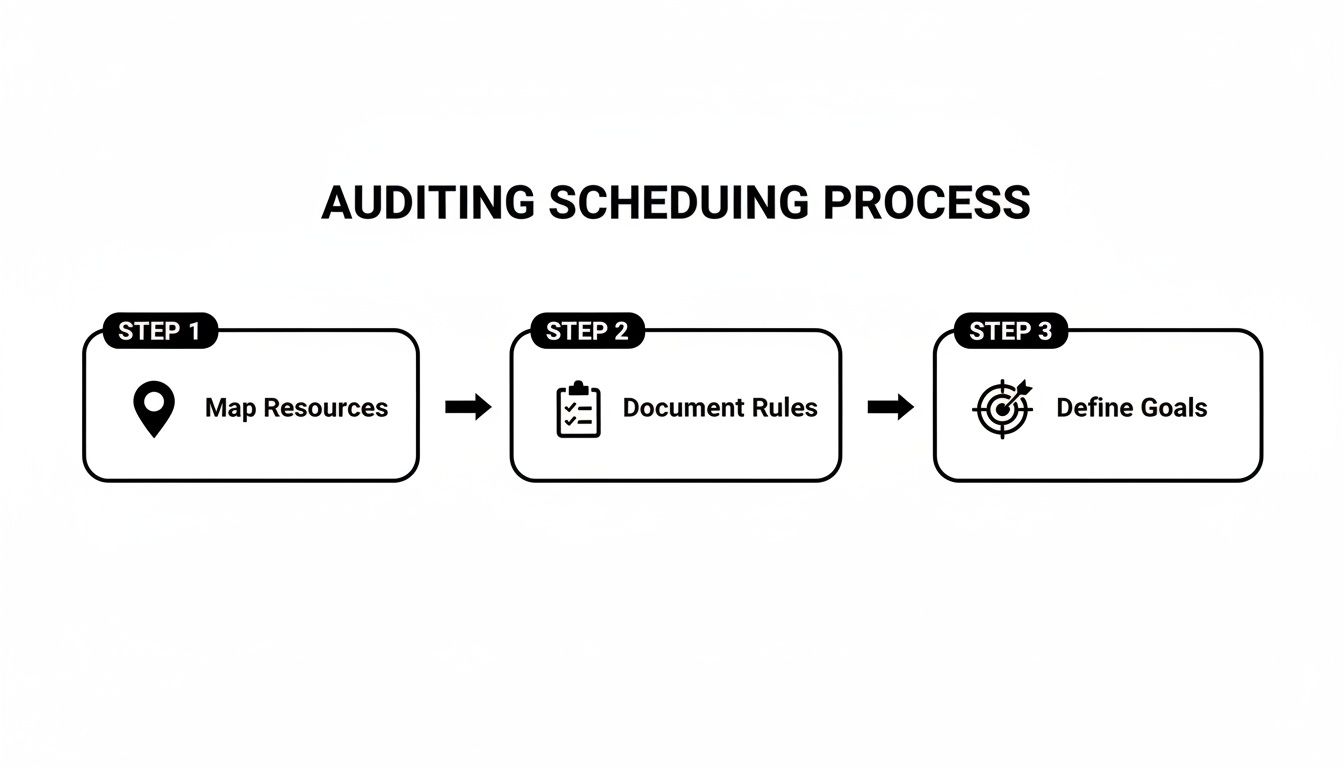
You need to do a thorough audit of your operations first. This means mapping out every single resource and writing down every rule. You also must identify what is truly broken in your current process. This audit is your blueprint for choosing the right system.
Start by Mapping Your Core Resources
"Mapping resources" is about creating a clear inventory of everything affecting your schedule. This goes beyond a simple list of teachers. You need to document all the details that determine whether a lesson can even happen.
Create a detailed inventory that includes:
Teacher Availability: Document their exact working hours, recurring breaks, and any preferences, like not wanting to teach three advanced calculus classes back-to-back.
Subject Expertise: List their specific subjects and the levels they're qualified for (e.g., "Math, Grades 9-12," "AP Calculus"). This is crucial for matching.
Room Capacity and Features: Note each room's student capacity, equipment (like smartboards or lab stations), and any restrictions.
Student Preferences: Track requests for a specific teacher, a preference for morning sessions, or any special learning requirements.
Write Down Your Unique Scheduling Rules
Every school runs on a unique set of rules. Some are official policies, but many are unspoken knowledge that lives in someone's head. You need to get it all down on paper. Writing down your rules turns abstract knowledge into a concrete checklist for software configuration.
Your list of rules needs to be exhaustive. Get very granular here:
Class Size Limits: What are the hard minimums and maximums for your group sessions?
Matching Logic: How do you pair students and teachers? Is it based on skill level, learning style, or a specific student request?
Cancellation Policies: What happens when someone cancels late? Is there a fee? Can they rebook within a certain window?
Billing Triggers: When does the system generate an invoice? Is it right after booking, after a lesson is completed, or on the first of the month?
Choosing and Implementing the Right Scheduling Software
You have audited your scheduling process. Now you must pick the software that will solve your problems. For a school, the right platform is the central nervous system connecting teachers, students, rooms, and finances. It should actively help you build a smarter schedule.
A game-changing feature is intelligent slot-finding. Your admin staff filters by teacher availability, subject, and room capacity. The system instantly suggests the perfect options. This alone can cut your enrollment time from minutes to seconds.
What Is Integrated Billing and Why Is It Essential?
Integrated billing is a feature where your schedule and your finances automatically communicate. When a teacher marks a lesson "attended," the software triggers the correct invoice based on that student's payment plan. This connection is non-negotiable for any growing school.
When comparing tools, look for these specific capabilities:
Real-time Conflict Alerts: The system should instantly flag any attempt to double-book a teacher or a room.
Automated Payroll Calculations: The software should track every lesson taught and calculate what you owe each teacher.
Multi-Location Management: If you run more than one branch, you need a single dashboard to view and manage all your resources.
How do you ensure a smooth software implementation?
Once you pick your platform, the real work begins. A structured implementation is crucial to avoid disrupting your operations. It's a good idea to explore different scheduling tools to get a feel for different interfaces before deciding.
The first big hurdle is usually data migration. This means moving your existing student and teacher information into the new system. A quality software provider should offer hands-on support. We have a detailed guide you can check out in our tutoring software implementation plan.
Next, you'll configure the software to match your unique business rules. This is where your auditing work pays off. You will set up billing rules, teacher contracts, and communication templates for automated reminders.
Training Your Staff for a Seamless System Launch
The success of your new scheduling software hinges on your team's confidence in using it. A rushed launch without proper training creates resistance and leads to costly errors. This undermines the very efficiency you were trying to achieve.
To get this right, you need to develop role-specific training materials. Your team doesn't need to know every single feature. They just need to master the parts of the system relevant to their daily tasks. This targeted approach makes training faster and far more effective.
Creating Role-Specific Training Guides
Your administrator, front-desk staff, and teachers all interact with the system in different ways. Create simple, focused guides for each role to avoid overwhelming them with irrelevant information.
For Administrators: Focus on big-picture functions. These include configuring billing rules, managing teacher contracts, and generating financial reports.
For Front-Desk Staff: Training should zero in on frequent tasks. This means using the slot-finder to book students, handling cancellations, and processing payments.
For Teachers: Their guide should be the simplest. It needs to cover how to view their daily schedules, mark attendance, and update their availability.
How do you communicate changes and secure buy-in?
Change, especially involving technology, is often met with skepticism. Your communication strategy is crucial for getting your team on board. Proactively address their concerns by framing the software as a tool that makes their jobs easier.
Show them how automated scheduling for schools eliminates tedious manual work. Explain that marking attendance now automatically calculates their pay, removing the need for timesheets. This directly answers the "What's in it for me?" question, which wins their support.
Running a Parallel Launch for a Confident Rollout
One of the safest strategies for a system launch is to run the new software in parallel with your old method for a short period. This parallel run acts as a safety net. During this time, you process all scheduling and billing tasks in both systems.
This process allows your team to practice on the new platform in a low-stakes environment. More importantly, it helps you identify and fix any configuration errors or workflow gaps before you fully commit. This ensures that when you make the final switch, it's seamless and confident.
How to Measure and Optimize Your New Scheduling System
Getting a new scheduling system running is a huge milestone, but the real payoff starts now. Operational excellence is about constantly tracking what works and making smart tweaks. This process turns a simple administrative tool into a strategic asset for your school.

The data your system collects is a goldmine. It offers a clear window into your operations' health. It reveals patterns in attendance, resource usage, and staff performance that were invisible before. Now, you can optimize your scheduling process effectively.
Identifying Your Key Performance Indicators
To properly optimize your scheduling for schools, you must know what you're measuring. You need to focus on specific, quantifiable Key Performance Indicators (KPIs) that tie directly to your business goals.
Here are the essentials to start tracking:
Classroom Utilization Rate: This is the percentage of time your rooms are actually in use. A low rate of 40% is a red flag, suggesting you could condense schedules to cut overhead costs.
Teacher Utilization Rate: This tracks how much of a teacher's available time is spent actively teaching. This is great for spotting your most in-demand instructors.
Student Attendance and No-Show Rate: A high no-show rate can signal problems with your reminder system or cancellation policy. Tracking this helps you plug revenue leaks. Check out our guide on the tutoring analytics dashboard for attendance and retention.
Analyzing Data to Drive Decisions
With your KPIs in hand, you can dig into the data to make smarter choices. Look for trends. For example, does your no-show rate always spike on Friday afternoons? That insight might lead you to require pre-payment for those specific slots to protect your income.
This data-driven mindset also helps you stay ahead of bigger trends in education. For example, the four-day school week is a huge scheduling shift. In 2026 and beyond, more schools may adopt such models to improve teacher retention. Read the full research about the four-day school week to see how it might impact your own scheduling.
Frequently Asked Questions About School Scheduling
What is the primary purpose of scheduling for schools?
The primary purpose of scheduling for schools is to efficiently organize and allocate resources. These resources include teachers, classrooms, and student time. Good scheduling maximizes learning opportunities, prevents conflicts, and ensures a smooth operational flow for the entire institution.
How does scheduling software improve school operations?
Scheduling software improves school operations by automating manual tasks. It prevents double-bookings with instant conflict alerts, integrates scheduling with billing and payroll, and provides real-time visibility into resource availability. This reduces administrative workload by up to 60% and minimizes human error.
What is the difference between a master schedule and a student schedule?
A master schedule is the comprehensive timetable for the entire school. It details all courses, teachers, room assignments, and time blocks. A student schedule is a personalized subset of the master schedule, showing the specific classes an individual student is enrolled in.
How do schools handle scheduling conflicts?
Schools handle scheduling conflicts by using automated software that flags them instantly. The system can then suggest alternative times or resources that fit the required constraints. Manually, this process would involve cross-referencing multiple documents and making phone calls, which is slow and error-prone.
Why is integrated billing important in scheduling software?
Integrated billing is important because it connects lesson attendance directly to your financial system. When a lesson is marked as completed, the software automatically generates the correct invoice. This prevents revenue leakage from missed billings and eliminates manual data entry errors.
Can scheduling software manage multi-location schools?
Yes, modern scheduling software is designed to manage multi-location schools from a single dashboard. You can view schedules, manage teacher availability, and consolidate financial reporting across all branches. This provides a centralized view of your entire operation, improving coordination and efficiency.
What data should I track to optimize my schedule?
To optimize your schedule, you should track Key Performance Indicators (KPIs) like classroom utilization rate, teacher utilization rate, and student attendance and no-show rates. Analyzing this data reveals patterns that help you make informed decisions about resource allocation and operational policies.
How do I prepare my staff for a new scheduling system?
You prepare your staff by providing role-specific training that focuses only on the features they will use daily. Communicate the benefits clearly, explaining how the new system makes their jobs easier. Running the new software in parallel with the old system for a short period can also build confidence before the full launch.
Ready to stop juggling spreadsheets and start optimizing your school's operations? Tutorbase provides the intelligent scheduling, automated billing, and multi-location management you need to grow efficiently. Get started today at tutorbase.com/register.


