


A well-implemented trial lesson booking system can reduce administrative time by over 60% and increase student conversion rates by up to 25%. This guide covers the essential features, implementation steps, and ROI metrics to help you select a system that automates scheduling, minimizes errors, and drives business growth.
What Is a Trial Lesson Booking System?
A trial lesson booking system is specialized software that automates the entire process of signing up prospective students. It manages everything from initial inquiry to the first lesson. This tool replaces messy spreadsheets and endless email chains, preventing double-bookings and creating a professional sign-up experience that converts interest into enrollment.
Why Does Your Tutoring Centre Need a Booking System?

If you juggle trial lessons with spreadsheets, you know the pain. It's a huge operational bottleneck that creates friction for parents and headaches for staff. A dedicated trial lesson booking system acts as a central command for your entire new student pipeline, turning interest into enrollment quickly.
The global private tutoring market was valued at $97.11 billion in 2023, and the trial lesson is critical. According to market research, 68% of parents want to try a service before committing. Manual scheduling often leads to a 25-30% booking error rate, which can cause a 15% drop in conversions.
From Manual Chaos to Automated Growth in 2026
Adopting automation is a strategic move to secure more students. For any tutoring center looking to scale, from a local program to complex online math tutoring service operations, an automated system is non-negotiable. It provides a clear runway for growth.
Metric | Manual Spreadsheets | Automated System |
|---|---|---|
Parent Experience | Back-and-forth emails, limited booking hours. | Instant 24/7 booking, real-time availability. |
Admin Time / Week | 5-10 hours on scheduling and follow-ups. | Less than 1 hour; system handles all tasks. |
Booking Error Rate | Up to 30%; double-bookings are common. | Near zero; system prevents all conflicts. |
Conversion Lift | Baseline; friction leads to drop-offs. | 15-25% increase from a seamless experience. |
By automating, you immediately offer:
24/7 Booking: Parents book when it’s convenient for them, often late at night, not just during your business hours.
Reduced Errors: The software acts as a gatekeeper, preventing double-bookings and other scheduling conflicts automatically.
A Professional First Impression: A modern booking experience tells families you are a well-run organization they can trust.
What Core Features Define a Booking System?

A trial lesson booking system is the operational heart of your growth engine. It is software designed to automate every step of onboarding a new student. It juggles the logistics of matching the right student with the right tutor, in the right room, at the right time.
This technology solves a major headache for growing education businesses. It handles new leads efficiently without drowning your admin staff in spreadsheets and emails. It takes control of the chaos so you can focus on teaching.
How is this different from a standard calendar?
A standard calendar, such as Google Calendar, is a passive tool where you manually record appointments. It works for a solo tutor but breaks down quickly as your business grows. A booking system is an active, intelligent platform that manages scheduling for you.
A dedicated booking system actively manages tutor availability, prevents double-bookings, communicates with parents, and gathers crucial data. It understands that Mr. Evans can teach advanced calculus but not beginner Spanish. A simple calendar has no idea. This intelligence drives business growth.
What are the core components that make it work?
A modern trial lesson booking system integrates several key functions into a single, cohesive platform. This prevents data silos and ensures a smooth journey for parents. You should expect to see several key features under the hood.
Public Booking Portal: A parent-facing page on your website that shows real-time availability and allows 24/7 booking.
Centralized Scheduling Dashboard: A single screen showing all tutor schedules, room availability, and upcoming trials.
Automated Communication Engine: This handles booking confirmations, reminder emails, and post-lesson follow-ups automatically.
Lead Management Pipeline: This feature tracks prospects from initial inquiry to completed trial, showing your conversion funnel.
5 Must-Have Features for Your Trial Lesson Booking System

Not all booking systems are created equal. Choosing the right platform is about picking a tool that understands your business. The features you prioritize will either save you hours of admin work or create new headaches. These are the core functions that help you grow.
1. Intelligent Scheduling and Conflict Detection
A booking system's main job is to schedule lessons without errors. You need intelligent scheduling, which is a system that knows your rules and thinks for you. It automatically filters for qualified tutors and cross-references their availability with open rooms, showing only workable time slots.
This single feature eliminates the number one source of administrative error: manual double-booking. It prevents staff from booking your most popular tutor for two different trials at the same time. This keeps your operations smooth and professional.
2. Automated Communication and Reminders
A booked trial only matters if the student shows up. Automated communication drastically cuts down your no-show rate without any manual effort. A solid workflow sends instant booking confirmations, 24-hour reminders via text or email, and post-trial follow-ups to guide parents toward enrollment.
This hands-off approach keeps parents informed. It also makes your center look incredibly organized from the very first interaction. Research from AppointmentPlus shows automated reminders can reduce no-shows by up to 38%.
3. Integrated Billing and Payroll Automation
Manually creating invoices for trial lessons and calculating tutor pay is a tedious task. A top-tier trial lesson booking system must connect scheduling directly to your finances. When a tutor marks a trial complete, it should automatically generate an invoice and log the hour for payroll.
This seamless link between attendance, billing, and payroll can save dozens of hours each month. It also eliminates payroll errors that occur with manual data entry. For a deeper dive, read our guide on tutoring software integrations.
4. Multi-Location and Room Management
If you run more than one center, this feature is essential. Multi-location management provides a bird's-eye view of every schedule, room, and tutor across all branches from one dashboard. It gives you complete operational control from a single screen.
Without this, scaling becomes an administrative nightmare. You can track real-time availability of every classroom and prevent a tutor from being booked at the wrong branch. With it, you can expand confidently, knowing your operations will remain organized and efficient.
How Do I Implement a New Booking System?
Switching systems can feel like a huge task, but a structured implementation plan makes it manageable. A good plan ensures your new system adds value from day one. It helps you avoid disrupting daily operations and gives your staff a better way to work.
What are the three pillars of a successful implementation?
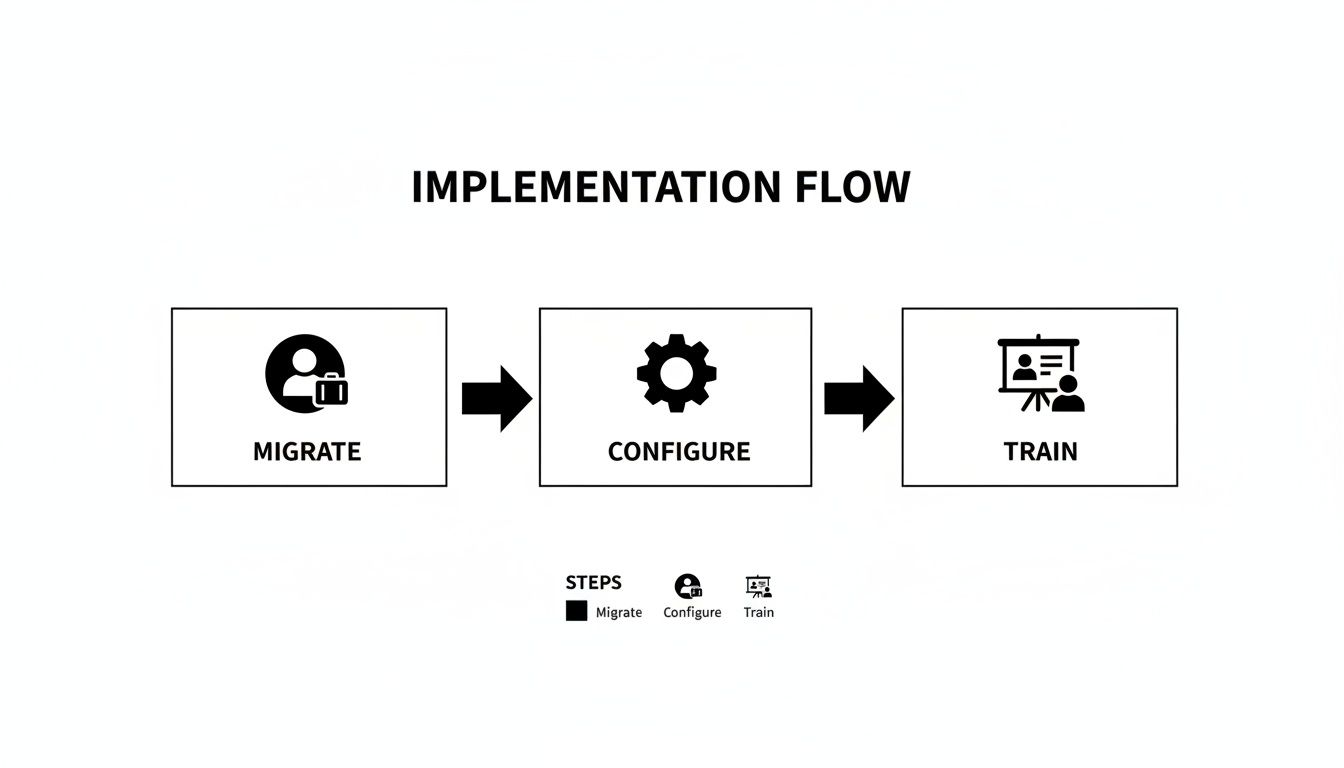
A smooth transition from old spreadsheets to a new trial lesson booking system depends on three critical stages. Each one must be solid before you move to the next. Rushing through this process can cause errors and headaches for months to come.
Migrate Your Data: Pull all existing student, parent, and tutor profiles into the new system.
Configure Your System: Set up the software to match your rules for subjects, locations, and pricing.
Train Your Team: Ensure everyone feels confident using the new platform.
A phased rollout is almost always better than a "big bang" launch. Test the system with a small group first to catch and fix any issues before they affect your entire operation. This simple precaution ensures a much smoother transition for everyone involved.
Step-by-Step Implementation Checklist
This checklist breaks the process into clear, actionable steps. Follow this order to ensure you don’t miss anything during the transition. For a deeper dive, check out our complete tutoring software implementation plan.
Phase 1: Data Migration
Your new software is only as good as the data you put into it.
Export Existing Data: Pull all student names, parent info, and teacher profiles from your current system.
Clean and Format: Fix typos, merge duplicates, and format everything to match the new system’s template.
Import and Verify: Upload the clean data file and spot-check to ensure everything landed in the right place.
Phase 2: System Configuration
This is where you make the software work for your center.
Set Up Subjects and Levels: Define every subject you offer, like "Grade 10 Physics."
Configure Locations and Rooms: Add your branches and classrooms, specifying student capacity.
Define Pricing and Discounts: Input your pricing structure for trial lessons and any promotional deals.
Create Teacher Profiles: Add each tutor, assigning their qualifications, subjects, and pay rates.
Phase 3: Team Training and Launch
A powerful system is useless if your team doesn't know how to use it.
Run Parallel Systems: For one week, keep your old system running but do all new work in the new one.
Conduct Hands-On Training: Host sessions focused on common tasks like booking a trial and marking attendance.
Go Live and Gather Feedback: Switch off the old system and ask your team for feedback as they begin using the new platform.
How to Measure the ROI of Your Booking System
Measuring the return on investment (ROI) for your new system involves tracking real-world metrics. You must monitor fewer admin hours, a higher trial-to-enrollment conversion rate, and a drop in scheduling errors. This data proves the system's financial impact and solidifies its place as a core business investment.
By focusing on specific KPIs, you can build a business case that shows exactly how automation impacts your bottom line. You will move from feeling more organized to knowing you’ve made a profitable decision.
Which Key Performance Indicators should I track?
To get a true sense of the system’s impact, you must monitor the "before and after" in key areas. Before you launch your new software, take a snapshot of your current performance. Then, measure again after a few months to see the improvement.
KPI | How to Measure | Example Goal for 2026 |
|---|---|---|
Admin Hours Saved | Track weekly hours spent on manual scheduling before vs. after. | Reduce weekly admin time from 15 hours to 5 hours (a 67% reduction). |
Trial-to-Enrollment Conversion Rate | Calculate the percentage of trial students who sign up. | Increase conversion rate from 55% to 70% within six months. |
Scheduling Errors & No-Shows | Log every double-booking, conflict, or no-show per month. | Decrease scheduling errors and no-shows from 12% to under 3%. |
Tracking these KPIs helps you build a data-backed story of how your tutoring center is becoming more efficient and profitable. For more details, see our full guide on the ROI of tutoring management software.
Calculating the Financial Impact
Translating KPIs into a clear ROI number is straightforward. Industry reports show that automated platforms can deliver a 60% reduction in admin time and a 42% lift in renewals. This represents a powerful financial return on your investment.
Think about it this way: saving just 10 admin hours a week gives you time and money to reinvest in marketing or curriculum development. If you need a primer on the basics, this guide on how to calculate marketing ROI is a great start.
Common Mistakes When Choosing Software
Picking a trial lesson booking system is about finding the right partner. Many businesses make preventable mistakes, getting locked into a platform that creates headaches. They focus on flashy features but ignore scalability, accept clunky interfaces, and get blindsided by the hidden costs of missing integrations.
Think of this as a long-term commitment. The system you choose becomes the operational backbone of your business. Getting it right means asking tough questions during demos to find a vendor who genuinely understands how a tutoring center works.
Ignoring Future Scalability Needs
One of the most frequent errors is picking a system that only solves today's problems. A platform that works for five tutors can fall apart when you expand to 20 tutors across three branches. This mistake forces a painful and expensive migration later.
Your trial lesson booking system must grow with you. Before committing, stress-test the vendor's capabilities with forward-looking questions:
Can the system handle 10,000 lessons per week?
Does it offer robust room management for multiple locations?
How does it manage complex payroll for 100+ tutors?
Accepting Clunky and Outdated Interfaces
An outdated user interface (UI) is an operational bottleneck. If staff must click through five screens to book one trial lesson, you're losing valuable time. Confusing software leads to frustrated employees, triples training time, and increases the risk of costly booking errors.
The best software feels intuitive from the moment you log in. A clean, modern interface means your team can work faster and with greater accuracy. Pay close attention to the workflow during a demo. If it feels clunky then, it will be worse during a busy period.
Overlooking Hidden Costs and Missing Integrations
The sticker price rarely tells the whole story. A cheaper system might seem tempting, but the hidden costs of missing features pile up. The biggest cost comes from a lack of integrated billing and payroll. If the system can't do this, your team must bridge the gap manually.
Those admin hours represent a real financial cost that can wipe out any savings from a cheaper subscription. Always choose a platform that offers end-to-end automation, from booking to billing. It may cost more upfront but pays for itself in saved time and fewer mistakes.
Frequently Asked Questions (FAQ)
What is a trial lesson booking system?
A trial lesson booking system is specialized software designed for educational centers. It automates scheduling, reminders, and communication for prospective students, helping to convert inquiries into enrollments efficiently.
Is my data secure in a booking system?
Yes. Reputable software vendors use robust security measures like 256-bit SSL encryption to protect your data. Information is stored on secure, access-controlled cloud servers, similar to the security used by online banking services.
How long does it take to migrate our data?
The migration process is usually quick. If your student and teacher records are organized in spreadsheets, the entire process can often be completed in just 1-2 business days. A good vendor will provide a template and guide you through it.
Can a booking system integrate with other tools?
Yes, a modern system must integrate with other tools. Common integrations for a trial lesson booking system include payment gateways like Stripe and PayPal, personal calendars like Google Calendar, and email marketing services for automated follow-ups.
What kind of support can we expect from a vendor?
Most vendors offer comprehensive support, including a dedicated onboarding specialist to guide you through setup. You should also expect access to an online knowledge base, responsive email support, and live chat for immediate assistance.
Is it difficult to train staff on a new system?
No. A well-designed trial lesson booking system is intuitive. Its purpose is to simplify workflows, not complicate them. Most admin staff can master core tasks like booking lessons and managing schedules after a single 1-2 hour training session.
Ready to eliminate double-bookings and cut your administrative workload by 60%? See how Tutorbase uses intelligent scheduling and automated billing to help tutoring centers grow faster. Get started today at tutorbase.com/register


