


Key Takeaway: While TutorBird is a capable tool, many alternatives offer specialized advantages for growing tutoring businesses. Platforms like Tutorbase provide deep automation for scaling centers, while options like Fons and Schedulista offer simplicity for solo tutors. The best choice depends on your specific needs for billing, scheduling, and multi-location management.
TutorBird is a popular tutoring management software, but it is not the perfect fit for every education business. Your current software might lack specific billing flexibility, have a user interface that slows your team down, or simply not scale effectively with your growth plans. Finding the right platform is critical for your success.
This guide provides a comprehensive breakdown of the best TutorBird alternatives available in 2026. You will discover how different platforms handle everything from student registration and parent communication to automated invoicing and payroll. Many TutorBird alternatives excel in automating routine tasks, offering practical business process automation examples.
Our goal is to equip you with the information needed to make a confident decision. We explore specific use cases for solo tutors, multi-branch centers, and language schools. By the end, you will understand the strengths of top competitors like Tutorbase, Teachworks, and TutorCruncher, helping you select the ideal software.
1. Tutorbase
Tutorbase presents a compelling, modern alternative for mid-to-large tutoring businesses aiming to replace legacy systems with powerful, AI-driven automation. Designed by former school owners, it directly addresses the operational bottlenecks that limit growth. It consolidates scheduling, billing, payroll, and CRM functions into a single, intuitive platform.

Why does Tutorbase stand out as a TutorBird Alternative?
Tutorbase provides an intelligent, end-to-end operational workflow. Its key advantage is deep automation, which connects every step from attendance to payroll. For instance, when a teacher marks attendance, the system automatically generates the correct invoice and calculates teacher pay. This trigger-based automation eliminates hours of manual data entry.
This focus on operational efficiency makes it a standout choice for businesses tired of juggling spreadsheets. The platform is trusted by over 500 centers. Case studies from these centers report a 60% reduction in admin overhead and a 42% increase in monthly renewals.
What is intelligent scheduling?
Intelligent scheduling uses algorithms to find and suggest the best available times, teachers, and rooms for a lesson, preventing double-bookings. Tutorbase's "Find Slot / Find Spot" feature automatically finds viable combinations, making rescheduling effortless. It also helps fill empty seats in existing classes to maximize utilization.
Key Features and Practical Use Cases
Attendance-Driven Billing & Payroll: This core feature automates financial workflows. Once attendance is marked, invoices are created and payroll is calculated. You can learn more about this by reading this guide on how to set up tutoring billing software.
Multi-Location Management: Tutorbase is built for growth, offering tools to manage rooms, capacity, and resources across multiple branches. It supports hybrid lessons (in-person and online) and provides insights into underused spaces.
Integrated Education CRM: A built-in CRM tracks leads from initial inquiry (via WhatsApp or a website widget) through trial and enrollment. This is paired with a branded student portal for a seamless customer experience.
Who is Tutorbase for?
Tutorbase is best suited for established tutoring centers with 5 to 100+ teachers, language schools, and multi-branch test-prep academies. Its architecture is optimized for high-volume operations (50 to 10,000+ lessons per week) that need to automate complex workflows to scale without increasing administrative staff.
How does Tutorbase pricing work?
Tutorbase operates on a SaaS subscription model. While pricing is not publicly listed, you can get a quote by contacting their sales team. The website offers a "Create free account" option with no credit card required, suggesting a free trial or a freemium tier to explore its core features before committing.
Pros & Cons
Pros | Cons |
|---|---|
Massive admin savings through deep automation (attendance → invoice → payroll). | No public pricing, requiring a demo or sales call to determine cost. |
Intelligent scheduling eliminates double-bookings and optimizes resource utilization. | Over-featured for solo tutors; smaller operations may not need its full suite of tools. |
Built for scale with robust multi-location and complex contract management. | Requires setup time to migrate from legacy systems and configure rules. |
All-in-one system with integrated CRM, payments, and a branded student portal. | |
Strong social proof with 500+ centers and data-backed performance improvements. |
Website: https://tutorbase.com
2. Teachworks
Teachworks is a robust, US-hosted management software designed for multi-tutor businesses and expanding tutoring centers. As an established TutorBird alternative, it excels in handling complex scheduling. Its unique billing model is tied directly to individual student lessons, making it ideal for operations that require precise, per-session accounting.
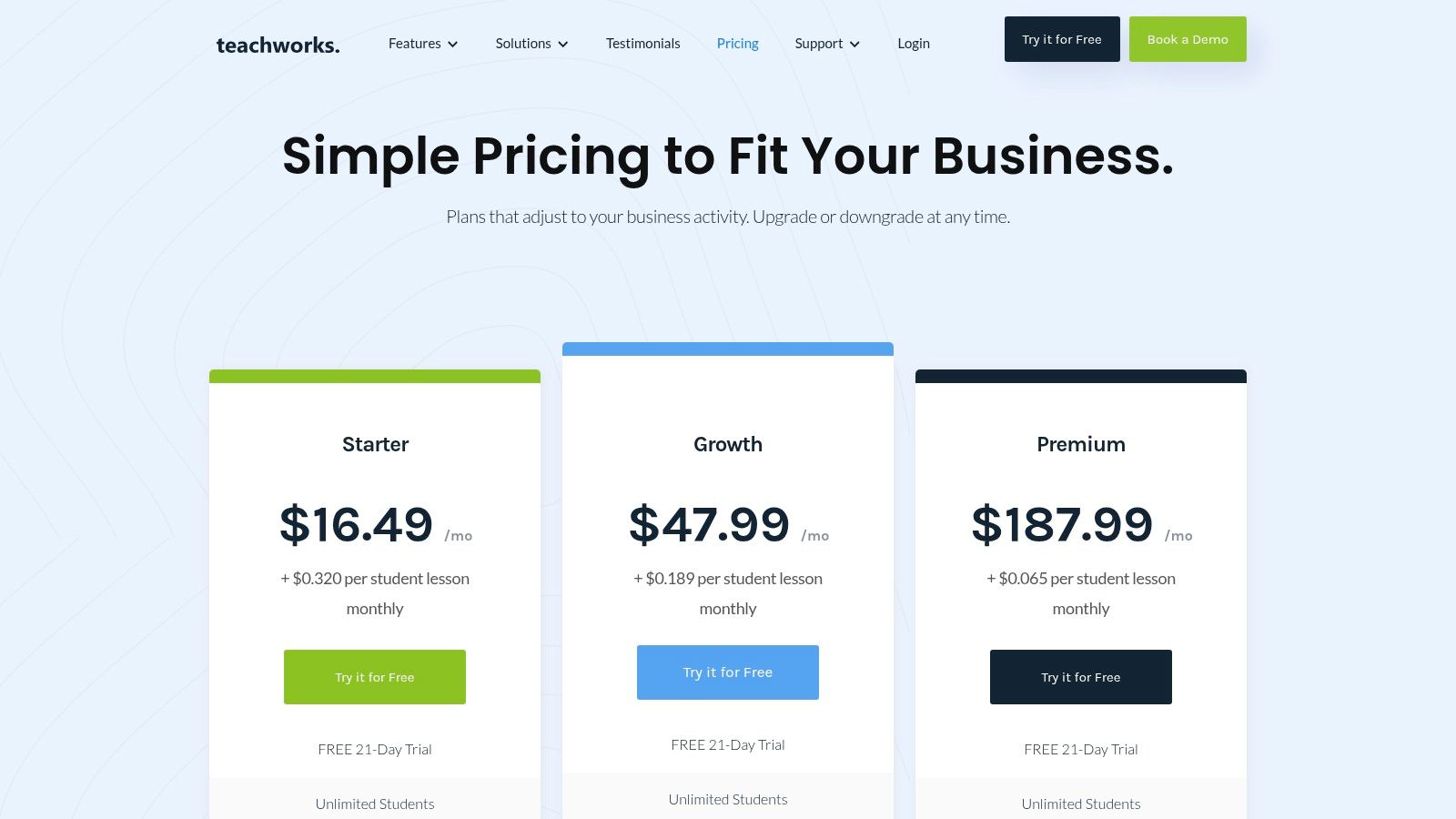
This platform is a strong choice for businesses managing multiple branches. The interface is clean and functional, prioritizing utility over aesthetics. While its per-lesson fee structure requires some initial setup, it offers a transparent and scalable pricing model that grows with your business.
Who is Teachworks for?
Teachworks is best suited for growing tutoring businesses that need a more powerful, scalable solution. Its architecture is particularly beneficial for:
Multi-Branch Centers: The Premium plan supports multi-location management, allowing administrators to oversee everything from a single dashboard.
Test Prep Academies: The detailed lesson-aware billing is perfect for managing various course packages and one-on-one sessions with different pricing structures.
Tech-Forward Businesses: Companies needing custom integrations will find the API access on higher-tier plans extremely valuable for connecting Teachworks to their existing software.
What are Teachworks' key strengths and limitations?
Pros:
Scalable Billing: The model, which combines a base fee with a per-student-lesson charge, scales predictably as your business grows.
Powerful Integrations: Higher-tier plans include API access and add-ons, enabling connections to other business tools.
Transparent Pricing: Its website features a clear plan calculator, so you know exactly what your costs will be.
Cons:
Potential for High Costs: The per-lesson fee can become expensive for very high-volume tutoring centers.
Learning Curve: The lesson-fee model is distinct and may require a period of adjustment for your administrative team.
Website: https://teachworks.com/
3. TutorCruncher
TutorCruncher is an agency-grade management platform built for tutoring companies that require deep financial controls. As a sophisticated TutorBird alternative, it excels in automating complex invoicing and payroll. This makes it a powerful choice for multi-location centers and businesses managing diverse payment structures.
This platform is ideal for organizations that have outgrown basic tools. TutorCruncher’s strength lies in its ability to handle nuanced payroll rules and provide detailed reporting. This gives administrators a clear view of business performance. While its powerful features require some initial setup, it offers significant long-term efficiency.
Who is TutorCruncher for?
TutorCruncher is best suited for established tutoring businesses with complex operational needs, particularly those focused on financial management. It is an excellent fit for:
Multi-Branch Tutoring Companies: Its architecture supports multi-location management, allowing you to streamline invoicing and payroll across all branches.
Agencies with Complex Payroll: Businesses that pay tutors based on varying rates will benefit from the platform’s automated payroll system.
Subscription-Based Services: The platform’s ability to manage recurring subscriptions and split payments makes it perfect for businesses offering ongoing packages.
What are TutorCruncher's key strengths and limitations?
Pros:
Deep Financial Controls: Offers extensive features for automated invoicing, complex tutor payroll, and detailed financial analytics.
Manages Complex Operations: Built to handle multi-branch logistics, diverse tutor roles, and intricate scheduling, making it highly scalable.
Transparent US Pricing: Features a clear plan calculator on its US-specific pricing page, so you can accurately estimate costs.
Cons:
Steeper Learning Curve: The extensive feature set and financial controls can be complex and may require a dedicated onboarding period.
Additional Costs: Online and offline payment processing fees, along with optional support packages, can increase the total cost.
Website: https://tutorcruncher.com/pricing/us/
4. Teach ’n Go
Teach ’n Go offers a straightforward, all-inclusive approach to tutoring management. This makes it an excellent TutorBird alternative for businesses that prefer predictable pricing. This EU-based platform includes all its core features, like scheduling and billing, in every plan. Tiers are based solely on the number of active students.
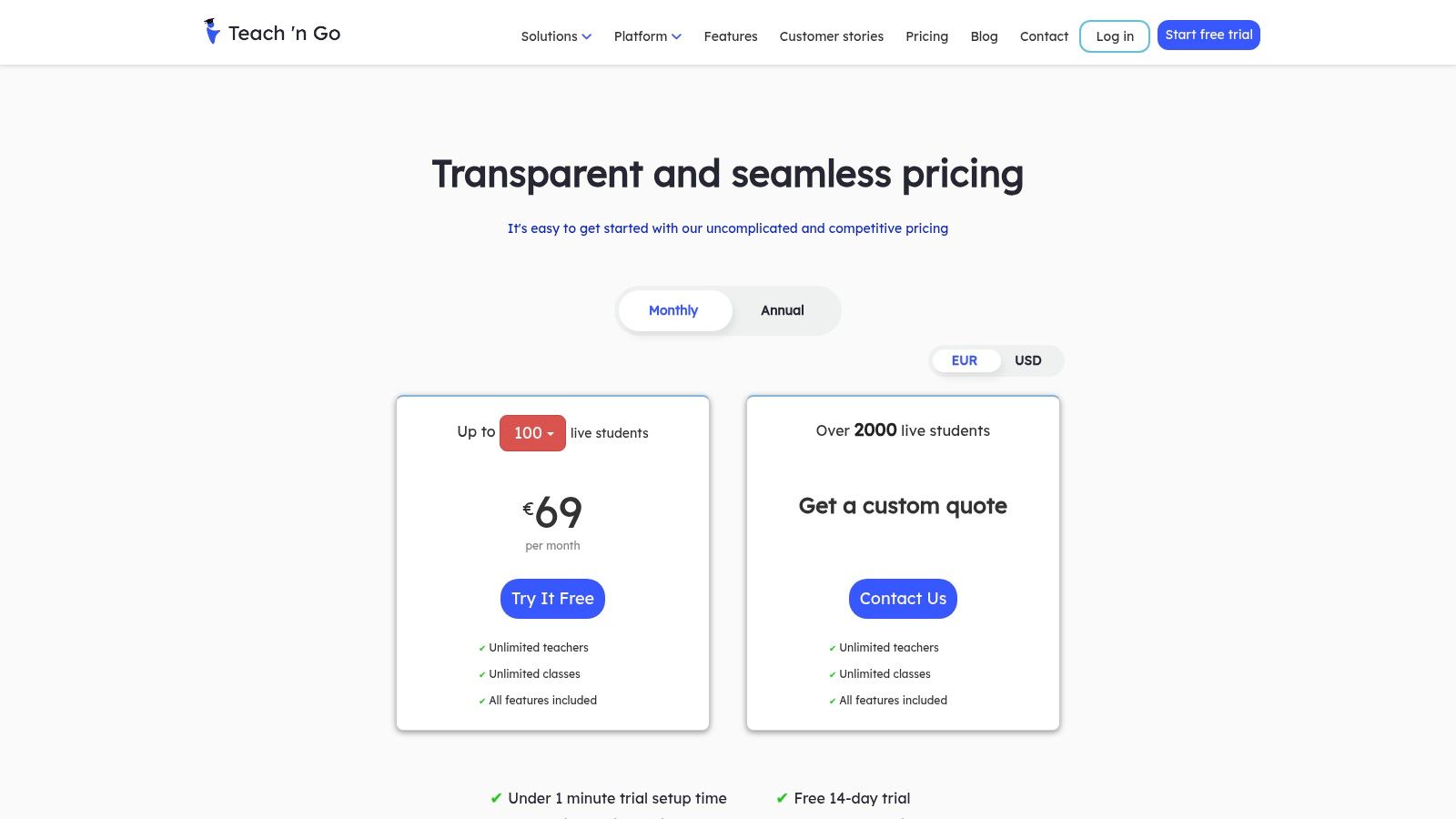
This model simplifies decision-making, as you get full functionality from day one. Its emphasis on unlimited teachers and classes makes it highly scalable for growing schools. The clean interface and integrations with Stripe, PayPal, and Zapier provide a solid foundation for administrative automation.
Who is Teach ’n Go for?
Teach ’n Go is ideal for small to medium-sized tutoring centers and language schools that want a full-featured solution without complex pricing. Its structure is particularly well-suited for:
Growing Tutoring Centers: Businesses actively hiring more tutors will benefit from the unlimited staff and class allowance on every plan.
Language Schools: The platform is a great fit for academies that need robust scheduling, attendance, and grading features without per-tutor fees.
Budget-Conscious Owners: The clear, student-based pricing model provides predictable monthly costs, making financial planning simple.
What are Teach 'n Go's key strengths and limitations?
Pros:
All Features Included: Every pricing tier includes access to all core administrative tools, so you never have to upgrade just to unlock a feature.
Unlimited Staff: You can add as many teachers and administrative users as you need without incurring extra costs.
Simple Pricing: The model is based entirely on the number of active students, making it easy to predict your monthly subscription fee.
Cons:
Limited US Support Hours: As an EU-based company, live support availability may not align perfectly with US business hours.
Extra Costs for Setup: Services like personalized training sessions and data migration are offered as paid add-ons.
Website: https://www.teachngo.com/pages/pricing
5. Classcard
Classcard is a versatile management platform that excels in handling class-based bookings and memberships. This makes it a strong TutorBird alternative for academies and schools. It streamlines publishing class schedules online, accepting bookings, and managing payments. Its standout feature is the branded web app for families, providing a seamless experience.
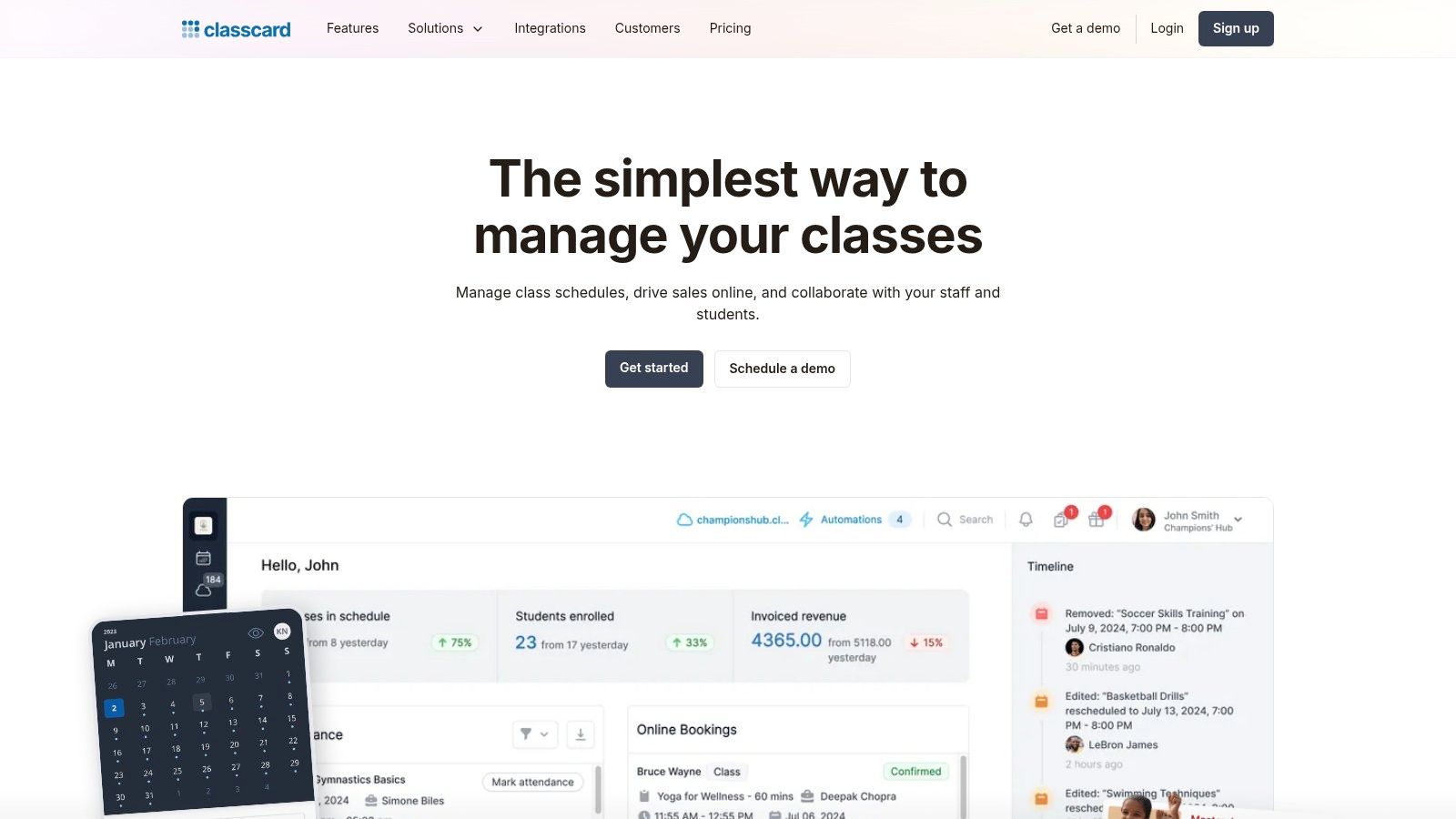
The platform is well-suited for businesses that need robust marketing and communication tools. Features like segmented email and SMS reminders allow for targeted campaigns. This helps to improve student retention and engagement. While its core focus is on group classes, it also capably handles one-on-one session management.
Who is Classcard for?
Classcard is ideal for education businesses that prioritize a smooth, modern booking experience for their customers and need integrated marketing tools. Its features are most beneficial for:
After-School Programs: Coordinators can quickly publish seasonal classes for music, art, or STEM and manage fluctuating enrollments with ease.
Language Schools: Directors can manage multiple class levels and package deals while communicating schedules through the branded family app.
Group-Focused Tutoring Academies: Businesses that rely heavily on group sessions will find its public booking pages and membership management highly efficient.
Solo Tutors Scaling Up: Independent tutors looking to professionalize their client experience can use the platform to offer a polished interface.
What are Classcard's key strengths and limitations?
Pros:
Fast Class Publishing: You can create and publish new class schedules on a public booking page with minimal effort.
Built-in Marketing: The platform includes student communication tools with audience segmentation for targeted email and SMS campaigns.
Branded Web App: It provides a mobile-friendly, branded app experience for families without requiring them to download anything.
Cons:
Opaque Pricing: Pricing information is not prominently displayed, likely requiring you to contact their sales team for a quote.
Less US-Centric: Documentation and support may feel less tailored to US-based businesses compared to some domestic competitors.
Website: https://www.classcardapp.com/
6. Bookeo (Classes & Courses)
Bookeo is a mature, general-purpose booking system widely adopted by tutoring centers. Its "Classes & Courses" module offers powerful tools for managing group sessions and workshops. As a TutorBird alternative, it excels in flexible self-service booking, membership management, and payment processing for student enrollment autonomy.

This platform is a strong contender for businesses operating on a class-based model. Its strength lies in selling packages, passes, and memberships that clients can use to book themselves into available slots. The system provides a standalone booking page or can be embedded directly into an existing website.
Who is Bookeo for?
Bookeo is best suited for class-based educational businesses that need a robust, client-facing scheduling engine. Its architecture is particularly beneficial for:
Language Schools: Easily manage different course levels and student self-enrollment using prepaid packages or memberships.
Test Prep Centers: Offer workshops, boot camps, and group review sessions with automated waitlists and capacity management.
After-School Programs: Handle seasonal enrollments for music, art, or STEM classes with flexible scheduling and automated reminders.
What are Bookeo's key strengths and limitations?
Pros:
Established Booking Engine: A proven platform focused on class scheduling, with reliable self-booking and payment features.
Clear Pricing Tiers: Pricing is straightforward, based on the number of teachers and bookings, with a generous 30-day free trial.
Flexible Packages: Strong tools for creating memberships, multi-class passes, and gift vouchers to drive sales.
Cons:
Not Tutor-Specific: It lacks specialized features like tutor payroll or progress reports, requiring configuration for tutoring workflows.
Limited Admin Tools: Core functionality is focused on booking, so it does not offer the comprehensive suite found in dedicated tutoring software.
Website: https://www.bookeo.com/classes/
7. Fons
Fons is a streamlined scheduling and automated billing platform for independent instructors and small tutoring teams. What sets Fons apart as a TutorBird alternative is its intense focus on simplifying recurring payments. It integrates with Stripe to offer robust subscription, package, and automated per-lesson billing for predictable cash flow.
The platform is built for simplicity, offering a clean, mobile-friendly web app. While it lacks comprehensive learning management features, its strength is making the financial side of tutoring effortless. This is especially true for businesses operating with subscription models or selling lesson packages upfront.
Who is Fons for?
Fons is best suited for solo tutors and small teams that need a simple system for booking and automated payments without the complexity of a full-scale management suite. Its architecture is beneficial for:
Independent Tutors: Solo operators who want to automate their entire billing process, from enforcing cancellation policies to running recurring subscriptions.
Music and Arts Instructors: Professionals who often bill on a recurring weekly or monthly basis will find the subscription tools highly effective.
Small Tutoring Collectives: Small teams that require a straightforward way to manage client booking and ensure consistent, automated payments.
What are Fons's key strengths and limitations?
Pros:
Powerful Recurring Billing: Excels at managing automated subscriptions and packages, ensuring consistent revenue.
Simple Pricing: Offers a very straightforward pricing model that is easy to understand for solo providers and small teams.
ACH Payment Support: For US-based users, the ability to process ACH payments via Stripe can significantly lower transaction fees.
Cons:
Limited Management Features: It is not a full learning management system and lacks advanced reporting, payroll, or deep student progress tracking.
Stripe Dependency: The platform's payment functionality is heavily tied to Stripe, which may be a limitation for those preferring other gateways.
Website: https://fons.app
8. Schedulista
Schedulista offers a streamlined, lightweight appointment scheduling service ideal for solo tutors or small teams focused on simplicity. This TutorBird alternative zeroes in on the core needs of booking, payments, and reminders. Its flat-rate, per-user pricing model makes it a predictable and affordable entry point for many tutors.
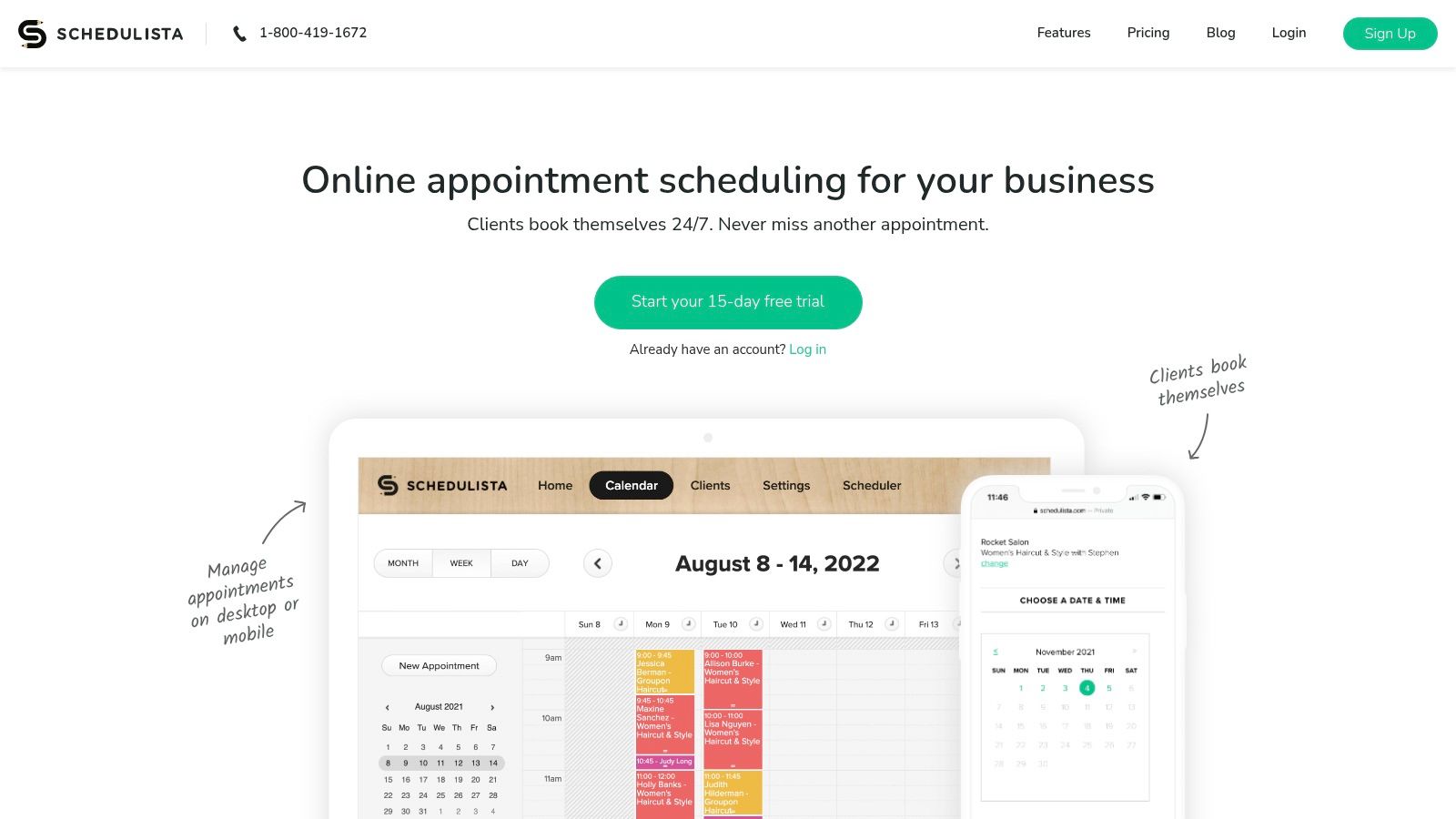
This platform excels at providing a branded, professional booking experience that can be embedded directly into a website. It integrates with popular tools like Stripe, Zoom, and Google Calendar. The mobile apps for iOS and Android ensure tutors can manage their schedule from anywhere, making it highly practical.
Who is Schedulista for?
Schedulista is best suited for independent tutors or small-scale operations that prioritize a simple booking system over comprehensive business management features. Its design is beneficial for:
Solo Tutors: Independent educators who need to automate appointment booking, reminders, and upfront payments without a large system.
Small Tutoring Teams: Groups of 2-5 tutors who require a simple way to manage individual schedules under one account.
Tutors Needing Quick Deployment: Educators looking to set up an online booking system in minutes can use Schedulista's user-friendly interface.
What are Schedulista's key strengths and limitations?
Pros:
Very Quick to Deploy: The simple interface allows you to set up a booking page and start taking appointments in under an hour.
Inexpensive Flat-Fee Model: Pricing is based on the number of users, making it highly affordable for solo tutors.
Core Integrations Included: Stripe, Zoom, and Google Calendar sync are built-in, covering essential needs of most modern tutors.
Cons:
No Native Tutor Payroll: The platform lacks features for calculating and processing tutor payroll, a key function for growing businesses.
Limited LMS Capabilities: It does not include tools for lesson planning or student progress tracking, requiring other software for these tasks.
Website: https://www.schedulista.com/
9. Yo!Coach
Yo!Coach offers a fundamentally different approach. It is a white-label, self-hosted tutoring marketplace software sold via a one-time license, not a monthly subscription. This model is for entrepreneurs aiming to build their own unique, branded online tutoring platform with full ownership of the source code.

This solution is for those who want to create a marketplace connecting multiple tutors with students. It provides the core framework, including booking, reviews, and commission handling. This allows you to launch a platform with a significant upfront investment instead of recurring SaaS fees. The self-hosted nature means you are responsible for hosting.
What is a white-label software?
White-label software is a product or service developed by one company that other companies can rebrand and sell as their own. In the case of Yo!Coach, you purchase the platform and can then apply your own branding, logo, and domain name to create a unique tutoring marketplace without building the software from scratch.
Who is Yo!Coach for?
Yo!Coach is best for ventures that require complete control and ownership over their platform and business model. It is not a management tool for an existing center but a foundation for a new one. It excels for:
Platform Entrepreneurs: Individuals wanting to launch their own branded online tutoring marketplace like Preply or Chegg Tutors.
Educational Institutions: Universities or large schools that need a custom internal platform to connect their faculty with students.
Corporate Training Providers: Businesses that need a white-label solution to create a marketplace for specialized corporate trainers.
What are Yo!Coach's key strengths and limitations?
Pros:
No Monthly SaaS Fees: The one-time license fee provides a predictable, long-term cost structure without recurring subscription payments.
Full Ownership and Branding: You get the source code, allowing for deep customization and complete control over your brand.
Marketplace-Ready: It includes essential features like multi-tutor profiles, commission management, and multi-currency support out of the box.
Cons:
High Upfront Cost: The initial license fee is a significant capital investment compared to a monthly subscription.
Technical Responsibility: You are responsible for arranging hosting, setup, ongoing maintenance, and security updates.
Website: https://www.yo-coach.com/
10. Arlo
Arlo is a training and course management system built for providers delivering courses at scale. While not a dedicated tutoring tool, it serves as a powerful TutorBird alternative for larger operations. It is ideal for test-prep academies or language schools that prioritize robust registration workflows and enterprise controls.

This platform excels at managing the entire student journey, from online course discovery to post-class communication. Its architecture is designed for volume and complexity. This makes it a strong choice for educational businesses that have outgrown simpler scheduling tools and require a more integrated commercial solution.
Who is Arlo for?
Arlo is best suited for established educational organizations that manage a high volume of courses, events, and registrations. It is particularly effective for:
Test-Prep Academies: Businesses offering multi-session SAT or ACT courses can manage complex schedules and online registrations efficiently.
Language Schools: The platform can handle multi-level course progressions, automated communications, and multi-region tax requirements.
Corporate Training Providers: Its enterprise-grade features, including an optional eLearning add-on, make it ideal for delivering professional development courses.
What are Arlo's key strengths and limitations?
Pros:
Enterprise-Grade Features: Offers advanced capabilities like multi-region tax handling, SSO, and deep reporting analytics.
Powerful Registration Workflows: The website integration creates a seamless checkout and registration experience for students.
Extensive Integrations: Connects with thousands of other applications, allowing it to fit into complex software stacks.
Cons:
Implementation Overhead: Getting started typically requires a paid implementation package, which adds to the initial cost.
Potential Overkill: The system can feel heavier and more complex than necessary for smaller, one-on-one tutoring businesses.
Website: https://www.arlo.co/pricing
11. Capterra – TutorBird Alternatives Category
Capterra serves as a high-level research hub rather than a direct software solution. Its dedicated TutorBird alternatives page aggregates dozens of potential competitors into a single, filterable view. This makes it an excellent starting point for business owners who want to quickly survey the market and discover new vendors.
The platform provides a broad overview, allowing you to quickly scan for key features like billing automation or parent portals. While it is a powerful discovery tool, it relies on vendor-supplied information and user reviews. The value here is in breadth, not depth, helping you create a shortlist of platforms.
Who is Capterra for?
Capterra is best suited for tutoring business owners in the initial discovery phase of their software search. It is particularly useful for:
New Business Owners: Individuals starting a tutoring company can use the platform to understand the landscape of available management software.
Decision-Makers with Limited Time: Managers needing to quickly compile a list of potential TutorBird alternatives will find the comparison layout highly efficient.
Businesses with Niche Needs: The filtering system allows you to search for specific functionalities, helping you find specialized software.
What are Capterra's key strengths and limitations?
Pros:
Broad Market Overview: Quickly compare dozens of alternatives, their pricing models, and user ratings in one place.
Feature-Based Filtering: The ability to filter by essential features helps you narrow down options that meet your specific operational requirements.
Aggregated User Reviews: Access real-world feedback from other tutoring professionals to gauge user satisfaction.
Cons:
Sponsored Placements: The ranking of software can be influenced by paid placements, so top-listed options are not always the best fit.
Surface-Level Information: Summaries may lack nuance; you must visit the vendor’s website for detailed feature breakdowns.
Website: https://www.capterra.com/p/181623/TutorBird/alternatives/
12. GetApp – TutorBird Alternatives
GetApp is a popular software marketplace that provides a high-level overview of various TutorBird alternatives. Instead of being a management platform itself, it serves as a discovery tool. It allows tutoring business owners to quickly triage potential solutions based on user ratings, key features, and screenshots.
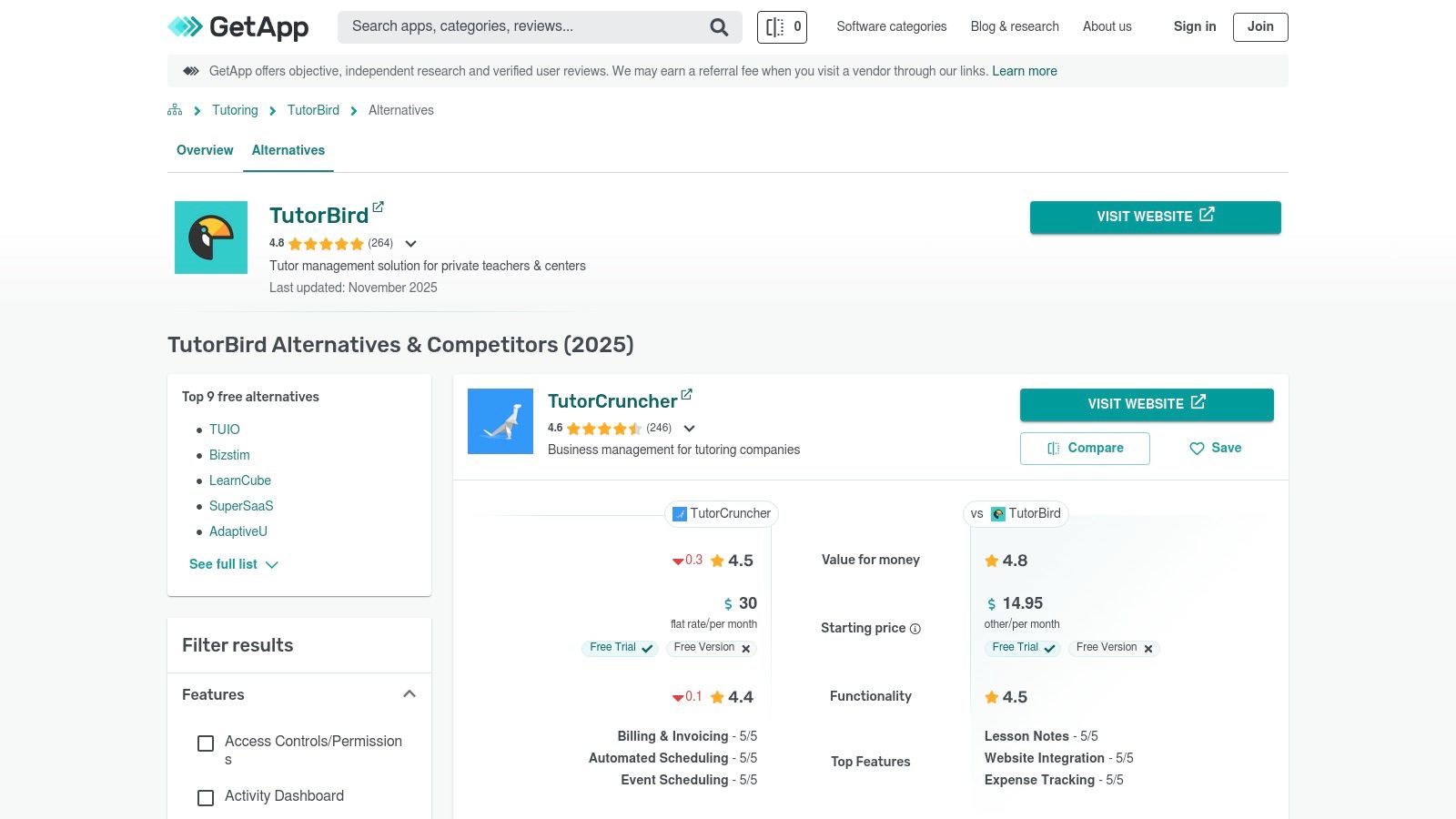
This platform excels at presenting information visually through feature grids and user-submitted reviews. It is an excellent starting point for those in the initial research phase. It helps to create a shortlist of vendors to investigate further. You will need to visit the vendor sites to confirm current pricing.
Who is GetApp for?
GetApp is best for tutoring business owners and administrators who are in the early stages of their software search and want to understand the landscape of available options. It is particularly useful for:
New Tutoring Businesses: Owners unfamiliar with the market can use GetApp to discover both well-known and niche software solutions.
Time-Crunched Administrators: The platform’s comparison grids and "Top Features" tags allow for rapid evaluation, saving time.
Decision-Makers: Leaders who need a quick, data-driven overview with user ratings to present to stakeholders will find the format helpful.
What are GetApp's key strengths and limitations?
Pros:
Broad Discovery: Uncovers a wide array of potential TutorBird alternatives, including smaller, specialized platforms.
Quick Triage: The comparison grids and user ratings make it easy to quickly filter and shortlist candidates.
User-Generated Reviews: Provides real-world feedback and insights that you will not find on a vendor's marketing page.
Cons:
Potentially Outdated Information: Pricing and feature details can sometimes lag behind the latest updates from vendors.
Surface-Level Data: The information is high-level, requiring you to visit vendor websites for in-depth details.
Website: https://www.getapp.com/education-childcare-software/a/tutorbird/alternatives/
TutorBird Alternatives Comparison Table
Product | Core Features | Best For | Pricing Model | Unique Advantage |
|---|---|---|---|---|
Tutorbase | Intelligent Scheduling, Automated Billing & Payroll, CRM | Mid-to-large, multi-branch centers | SaaS Subscription | Deep, end-to-end operational automation. |
Teachworks | Lesson-Aware Billing, API Access, Multi-Location Mgmt. | Growing centers needing scalable billing | Tiered Plans + Per-Lesson Fees | Precise per-lesson accounting model. |
TutorCruncher | Complex Payroll, Financial Analytics, Agency Controls | Agencies with complex financial needs | SaaS Plans | Granular control over invoicing and payroll. |
Teach ’n Go | All-Inclusive Features, Unlimited Teachers, Parent Portal | Centers wanting predictable, simple pricing | Per-Student Tiers | All features are included in every plan. |
Classcard | Public Booking Pages, Memberships, Marketing Tools | Class-based businesses needing customer-facing tools | SaaS (Contact for Price) | Branded web app for a seamless client experience. |
Bookeo | Self-Service Booking, Packages, Waitlists | Schools needing a robust student booking engine | Tiered by Teachers/Bookings | Strong in selling class passes and memberships. |
Fons | Automated Recurring Billing, ACH Payments via Stripe | Solo tutors and small teams prioritizing payments | Simple Flat Rate | Streamlined subscription and automated billing. |
Schedulista | Simple Booking Page, Core Integrations (Zoom, Stripe) | Solo tutors needing a quick, affordable solution | Flat Rate Per User | Very fast deployment and low cost. |
Yo!Coach | White-Label Marketplace, Full Source Code Ownership | Entrepreneurs building a new tutoring platform | One-Time License Fee | No recurring fees and full platform ownership. |
Arlo | Enterprise Course Management, Advanced Registration | Large test-prep and corporate training providers | Enterprise SaaS | Manages high-volume course registrations at scale. |
Capterra | Software Discovery, User Reviews, Feature Filters | Business owners in the initial research phase | Free to Use | Broad market overview to build a shortlist. |
GetApp | Visual Comparison Grids, Vendor Discovery | Admins who need to quickly compare features | Free to Use | Easy side-by-side triage of potential solutions. |
Final Thoughts on Choosing a TutorBird Alternative
The journey to find the right tutoring management software is a pivotal step. This guide has detailed a wide array of TutorBird alternatives, from comprehensive platforms like Teachworks to niche solutions like Fons. Each tool presents a unique combination of features, pricing, and operational focus.
Your final decision should align with your business's specific stage of growth, operational priorities, and long-term vision. The right software is more than a digital filing cabinet. It is a strategic asset that can unlock new levels of efficiency and scalability.
How do you choose the right software?
When choosing your software, consider these key points:
Prioritize Automation: The biggest return on investment comes from automating scheduling, invoicing, payments, and payroll. This is where you reclaim the most time and reduce errors.
Plan for Scalability: A solution for a five-tutor team might not work for twenty. Evaluate how each platform handles multi-location management and increased user complexity.
Focus on User Experience: A powerful tool is useless if your team finds it difficult to use. An intuitive interface for admins, tutors, and parents is crucial for successful adoption.
Check for Integrations: Your tutoring software should connect with your other essential tools like accounting software (QuickBooks) and online learning platforms. Strong integrations streamline workflows.
How do you implement a new system?
Once you select a platform, a structured plan ensures a smooth transition. Shifting your core operations requires careful planning to minimize disruption.
Migrate Your Data First: Begin by exporting all critical data from your current system. This includes client contacts, student details, billing histories, and upcoming schedules.
Configure Your Settings: Set up your new platform’s core functions. Configure your billing cycles, create service types, establish locations, and customize communication templates.
Conduct Phased Training: Start with a small group of tech-savvy staff. Let them become "power users" who can then help train their peers. Provide separate, role-specific training.
Communicate with Clients: Inform your clients about the change in advance. Explain the benefits to them, such as easier online booking or a secure parent portal.
Run Systems in Parallel: For one or two weeks, consider running your old and new systems simultaneously. This helps catch discrepancies in scheduling or billing before you fully cut over.
Choosing the right software is a critical decision, much like selecting tools for other parts of your business. For instance, you might also need to evaluate PandaDoc Alternatives to handle contracts. The goal is to build a cohesive technology stack that supports every facet of your operation.
By moving beyond the limitations of your current setup, you are not just changing software. You are investing in a more efficient, scalable, and profitable future for your tutoring business.
Frequently Asked Questions (FAQ)
What is the best TutorBird alternative for a large tutoring center?
For large or multi-location tutoring centers, platforms like Tutorbase and TutorCruncher are excellent choices. They are built for scale, offering advanced features for managing complex payroll, multi-branch operations, and high-volume scheduling. A 2023 study by EdTech Insights found that centers using management software with deep automation scaled their student base 35% faster.
Are there any free TutorBird alternatives?
While most comprehensive management platforms are paid, some offer free tiers for very small operations. For example, some systems may have a free plan for a single user with a limited number of students. However, for a growing business, the limitations of free plans often make a paid solution a better long-term investment.
How long does it take to migrate from TutorBird to a new system?
The migration timeline depends on the complexity of your data and the new platform's tools. For a small center, it can take as little as one week. For a larger organization with thousands of students, the process could take 3-4 weeks. This includes data export, configuration, staff training, and client communication.
What is the primary difference between a booking system like Bookeo and a full management platform like Tutorbase?
A booking system like Bookeo focuses primarily on client-facing scheduling and payment processing for classes. A full management platform like Tutorbase is an end-to-end operational tool. It handles scheduling, but also automates internal workflows like tutor payroll, attendance-triggered invoicing, CRM, and multi-location resource management.
Can these alternatives handle online and in-person tutoring?
Yes, most modern TutorBird alternatives are designed to manage hybrid operations. They typically include integrations with video conferencing tools like Zoom and offer features to manage both physical classroom availability and online session links within the same schedule.
Do I need technical skills to set up these software platforms?
Most modern tutoring software is designed to be user-friendly for non-technical users. The setup process usually involves configuring settings through a web interface, not writing code. However, platforms with more advanced features, like API access or self-hosting (e.g., Yo!Coach), will require technical expertise for implementation.
How do I handle payment processing with these alternatives?
Nearly all TutorBird alternatives integrate with payment gateways like Stripe or PayPal. This allows you to securely accept credit card and ACH payments online. The system automates invoicing and payment collection, sending reminders for overdue payments and providing clients with a portal to manage their payment methods.
What should I look for in a free trial?
During a free trial, focus on testing the core workflows your business relies on daily. Create a test student, schedule a series of lessons, mark attendance, generate an invoice, and (if possible) run a mock payroll report. This will reveal if the platform's logic aligns with your operational needs.
Ready to eliminate your administrative bottlenecks? Tutorbase automates the complex scheduling, billing, and payroll challenges that growing tutoring centers face. Stop spending evenings on admin and start focusing on growth by exploring a free account at tutorbase.com/register.


