
After School Program Registration Software: Streamline Enrollment & Operations

Published: January 8, 2026 by Amy Ashford

Key Takeaway: After school program registration software automates the entire enrollment journey, from lead capture to billing. By replacing manual paperwork with a unified digital system, you can reduce administrative work by over 60%, eliminate scheduling errors, and provide parents with a seamless, professional experience from their first click.

What is After School Program Registration Software?

A person uses a laptop displaying registration software, with office supplies and a calendar on a wooden desk.

After school program registration software is a specialized digital tool that automates and manages student enrollment. This software replaces outdated paper forms and spreadsheets with one efficient, online system. It handles every step, from initial parent inquiries to final payment confirmation, simplifying the entire process for both staff and families.

Guiding the Entire Enrollment Journey

At its core, this software maps out and manages the entire student journey. It provides a clear, organized path for every family engaging with your program, which usually breaks down into three key stages:

  • Lead Capture: A parent shows interest on your website, and their details are automatically saved.

  • Trial Booking: The system lets parents easily find and book a trial session online without calling you.

  • Enrollment Creation: The software guides parents through the final registration steps once they are ready to commit.

This structured workflow ensures no potential student slips through the cracks. You can track enrollment status (active, completed, or cancelled) and set specific start and end dates for semester-based programs. Pricing policies define billing frequency and cancellation terms per program. For a deeper look, see our guide on after school program management software.

Why Is Digital Registration No Longer Optional?

In places like Hong Kong, demand for after-school care has surged as more households rely on two incomes. This spurred the government to expand its schemes. For example, the School-based After-school Care Service Scheme saw participation jump from just 59 schools to 121 schools in a single year.

By automating registration, you eliminate tedious manual data entry and slash the risk of human error. You create a seamless, professional experience for parents. This builds trust from their very first interaction and sets a positive tone for their entire relationship with your center.

Good registration software makes online sign-ups, payment processing, and parent communication effortless. When these pieces work together, they can slash administrative busywork by over 60%. They also cut down on errors and give families a smooth, professional experience right from the start.

What Are the Core Features of Registration Software?

Overhead view of a smartphone displaying a document, a credit card, and a laptop on a wooden desk with 'Core Features' text.

To understand this software's value, you must look at its core tools. These features are the building blocks of an efficient system. Each one solves a specific administrative headache. Together, they create a single platform that handles everything from a student's first inquiry to their final payment.

The main goal is to automate repetitive work. This automation frees your staff from mind-numbing data entry and manual follow-ups. It allows them to focus on engaging with children and parents. Adopting these tools helps you run a much more organized and responsive program.

Must-Have Registration Tools for Any Program

Every solid software solution should have a core set of features. These tools tackle the most critical parts of enrollment. They are non-negotiables for any center looking to modernize its operations and deliver the experience parents expect in 2026.

Here’s what to look for:

  • Customizable Online Registration Forms: Let parents sign up 24/7 with forms you build to capture needed info, from emergency contacts to allergies.

  • Secure Payment Gateway Integration: Connect with platforms like Stripe to securely accept online payments for tuition, deposits, and fees.

  • Automated Communication Suite: Send instant confirmation emails, payment reminders, and class schedule updates without lifting a finger.

  • Centralized Parent and Student Database: Keep all family information, enrollment history, and communication logs in one easy-to-search place.

A study by Brightwheel found that childcare centers using modern software save an average of 20 administrative hours each month. This report highlights the significant impact automation has on daily operations, giving your team valuable time back.

How Does Scheduling and Class Management Work?

Beyond enrollment, a robust platform provides tools to manage daily class logistics. Smart scheduling prevents common mistakes like double-booking a teacher or overfilling a classroom. This ensures you always use your resources effectively and professionally.

The software should also give you a real-time dashboard. This command center offers an at-a-glance view of crucial numbers like current enrollment and class capacity. This data-driven approach means better planning and smarter decisions all term long.

To see the difference, let’s compare old methods with the efficiency of modern software.

Manual Spreadsheets vs. Automated Registration Software

The table below shows the reality of juggling spreadsheets versus using a dedicated system like Tutorbase.

Feature

Manual Method (Spreadsheets & Paper)

Registration Software (e.g., Tutorbase)

Registration

Time-consuming paper forms and manual data entry. Prone to errors and lost information.

Instant online forms accessible anytime, anywhere. Data is captured accurately and automatically.

Payments

Manual invoicing, chasing cash/cheque payments, and messy reconciliation.

Automated billing and secure online payment processing. Parents can pay in seconds.

Communication

Individual emails and phone calls for reminders. Inconsistent and hard to track.

Automated confirmations, reminders, and bulk announcements. Consistent and professional.

Reporting

Tedious compilation of data from multiple sources. Reports are often outdated by the time they're finished.

Real-time dashboards with instant access to key metrics. Make decisions with current data.

The contrast is stark. One path leads to administrative headaches, while the other paves the way for a smooth, scalable operation.

How Can Software Solve Your Biggest Registration Headaches?

Ask any program coordinator, and they will tell you about registration chaos. The endless waiting lists, last-minute cancellations, and impossible booking conflicts consume entire days. This is precisely where after-school program registration software steps in. It replaces that administrative mess with calm, automated efficiency.

Imagine your popular robotics club is full. Instead of a messy spreadsheet, the software automatically manages a waiting list. When a spot opens, the system can instantly notify the next family. This simple step ensures the process is fair and every seat gets filled.

Nailing Down Scheduling and Cancellations

The same clean logic applies to cancellations and refunds. When a parent withdraws their child, the system handles it based on your rules. It processes the change, updates the class roster, and manages financial transactions automatically. This prevents accounting headaches and cuts administrative errors by over 60%.

  • Conflict-Free Scheduling: The system is your failsafe against double-booking a teacher or room, cross-referencing schedules in real-time.

  • Smarter Resource Use: You get a clear, top-down view of how your rooms and staff are being used, helping you maximize resource value.

  • Automatic Updates for Everyone: Any schedule change is communicated automatically, keeping staff and parents in the loop without you sending a single email.

Taming Complexity Across Multiple Locations

This need for a central command center becomes critical as your program grows. In a place like Hong Kong, the geographic spread of after-school services adds another layer of logistical complexity.

Think about a provider with 3 branches, 15 teachers, and 500 enrollments per term. That is thousands of potential combinations to manage. Without a dedicated system, coordinating room availability across different classes becomes an overwhelming, error-prone nightmare.

By automating these difficult tasks, your team is freed from the grind of administrative work. They can shift their focus from fixing mistakes to what truly matters: creating an exceptional and engaging experience for your students.

Mapping the Modern Registration Journey

A parent's journey with your program should feel smooth and professional. Modern after-school program registration software maps this entire experience. It turns disjointed steps into one seamless flow. This ensures no potential student gets lost along the way.

It all starts the moment a parent shows interest. A simple lead capture form on your website instantly saves their details. That single action kicks off a guided, automated journey that reflects the quality and organization of your program.

From First Interest to Full Enrollment

Once a parent is in your system as a lead, the software takes over. It can prompt them to book a trial lesson with just a few clicks. It shows them available slots in real-time. This self-service is what busy parents expect in 2026.

After a successful trial, the system guides them through the final enrollment steps. It stores all their information, from contact details to payment records, securely. This automated onboarding makes the entire process up to three times faster than manual methods, creating a stress-free experience.

This flow chart visualizes common pain points this automated journey eliminates.
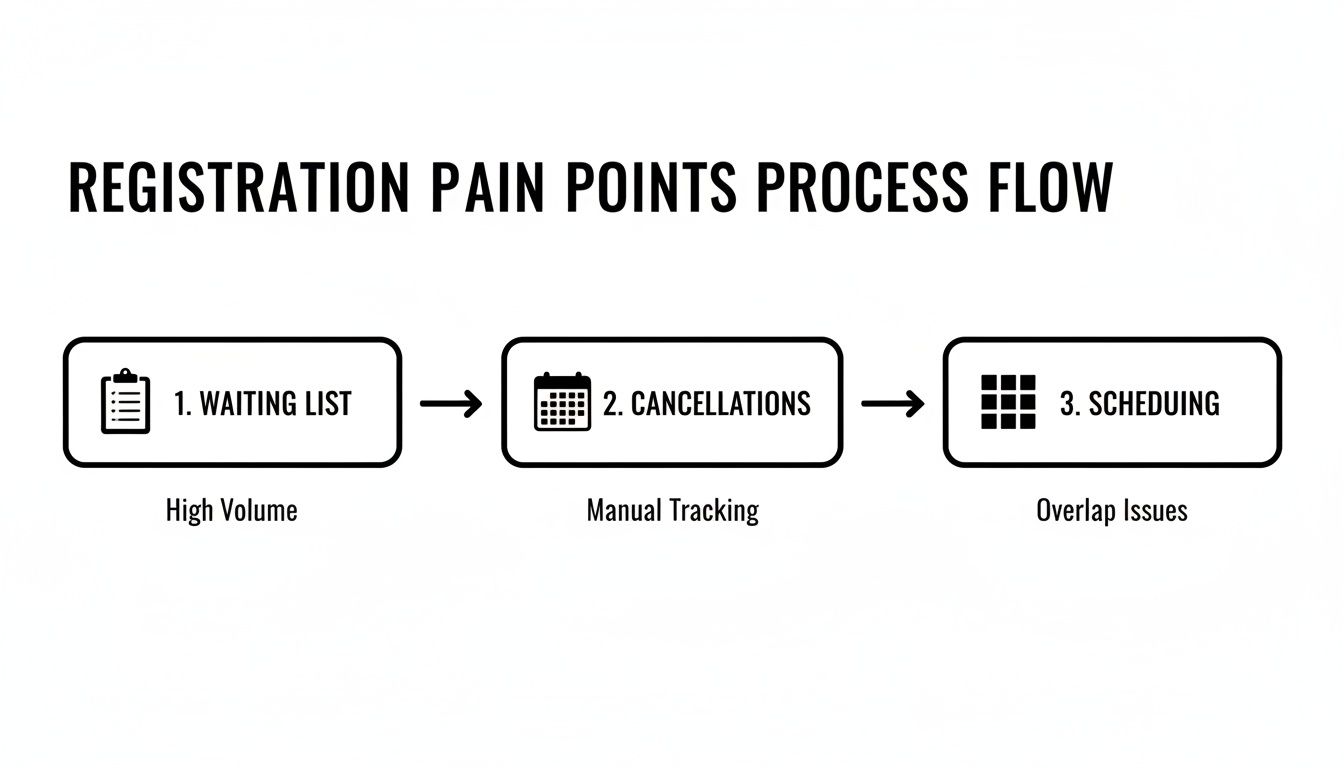
Process flow diagram illustrating registration pain points: waiting list, cancellations, and scheduling issues.

The software helps you tackle persistent issues like managing waiting lists, handling last-minute cancellations, and preventing frustrating scheduling conflicts.

How Does Automation Keep Parents Informed?

Throughout this journey, automated communication is the secret ingredient. The right software sends emails at critical touchpoints. This ensures parents feel informed, valued, and confident in their decision. This builds trust and sets a professional tone from day one.

Key automated communications include:

  • Lead Acknowledgement: An instant confirmation that you have received their initial inquiry.

  • Trial Booking Confirmation: An email with all the details for their upcoming trial class.

  • Welcome Email: A warm welcome message once their full enrollment is complete, often including important next steps.

By automating these touchpoints, you eliminate the risk of human error. You ensure every family receives timely, consistent information. This level of organization demonstrates that your program is well-managed and reliable, encouraging parents to complete their registration.

Why Does Integrating Registration and Billing Matter?

Here is where modern software truly shines. Registration is not just a standalone task but the engine that powers your entire operation. By linking enrollment data directly to your billing and scheduling systems, you create a single, unified platform. This gets rid of dangerous data silos.

This connection is what prevents the costly errors that happen when separate systems do not talk to each other.

Imagine a student's attendance gets marked, which then automatically triggers an invoice. You have eliminated manual payment tracking. It stops revenue leakage from forgotten charges. The system can handle everything from the moment of enrollment, guaranteeing your financial records are always accurate.

How Does Integrated Billing Work?

With an integrated system, the financial side of your program runs on autopilot. It is guided by the rules you set. When a family signs up for a class with a specific pricing plan, that information gets locked in. This ensures billing is always accurate and aligned with the services you deliver.

For this to work seamlessly, having robust software integrations with any other tools you use is key to keeping things streamlined.

  • Automatic Invoicing: Attendance data flows straight to the billing module, generating invoices without anyone needing to lift a finger.

  • Flexible Payment Plans: You can easily manage various fee structures, whether pay-per-hour, class packages, or recurring monthly subscriptions.

  • Accurate Financial Reporting: With all your data in one place, you get a real-time look at your revenue and outstanding payments.

For a deeper dive on streamlining payments, you can check out our complete guide to tuition fee collection software.

The Link Between Enrollment and Scheduling

This integration goes beyond just money. When a new student enrolls, their class instantly appears on the correct teacher's schedule. At the same time, the system marks that classroom or time slot as booked. This end-to-end automation helps you maximize your capacity and prevents double-bookings.

This need is becoming more critical. In Hong Kong, the government's push for digital workflows in funded after-school programs underscores this point. The Education Bureau now promotes e-Form tools. This trend shows a clear and growing need for software that handles sign-ups, billing, and attendance in one unified system.

An integrated system brings operational harmony. Every new registration automatically updates schedules, attendance logs, and financial records. This creates a single source of truth that keeps your entire program running smoothly and professionally.

How Do You Choose the Right Software for Your Program?

Picking the right after-school program registration software is like choosing a business partner. It is not just about features. It is about finding a system that saves you time, streamlines operations, and grows with you.

Not all platforms are the same. You need something that solves today’s headaches but won’t become tomorrow’s problem. This guide will arm you with the right questions to ask vendors. It will help you see beyond the price tag and find a tool that delivers a real return on investment.

Evaluating Scalability and Ease of Use

The first question you should ask is: can this system handle our growth? A platform that works for 50 students might fail at 500. You need to ask vendors directly how their software performs as client numbers scale. A truly scalable system saves you the massive headache of switching platforms in a few years.

Equally important is how easy the software is to use. Your staff should not need weeks of intensive training for basic tasks. A clean, intuitive interface cuts down the learning curve and boosts team adoption. It can easily save an average of 20 administrative hours every month.

Customization and Support

Every after-school program has its own rules. The big question is, can the software adapt to your way of doing things? Look for customization options for registration forms, pricing structures, and your specific cancellation policies. The power to tailor the system to your needs is the hallmark of a flexible platform.

Finally, do not overlook the quality of customer support. It is the safety net you will be glad you have when things go wrong.

  • Availability: Is their team available during your actual operating hours?

  • Responsiveness: What is their typical turnaround time for support tickets or calls?

  • Resources: Do they offer helpful training guides, webinars, or a comprehensive help center?

Reliable support is crucial when you run into an issue. Before you commit, get a firsthand look at how different systems work. Reading a comprehensive tutoring software demo buyer's guide can give you the perfect questions to ask during a live demonstration.

Frequently Asked Questions

What is after school program registration software?

After school program registration software is a digital tool that automates enrollment for extracurricular activities. It replaces paper forms with online registration, secure payment processing, and automated parent communication. This streamlines administrative tasks and improves efficiency for program coordinators.

How can software handle different pricing models?

Modern software can handle complex billing. You can set up various pricing rules for each class, such as pay-per-hour rates, prepaid lesson packages, or recurring monthly subscriptions. The system automatically applies the correct billing policy when a parent enrolls their child.

Can this software manage waiting lists for full classes?

Yes, managing waiting lists is a key feature. When a class is full, interested parents can add their child to a digital waiting list. If a spot opens, the system can automatically notify the next person in line, ensuring you never miss an enrollment opportunity.

Is it difficult to switch from paper forms to a digital system?

The transition is smoother than you might think. Most software providers offer data importation services to transfer your existing student information from spreadsheets. They also provide training and support to help your team get comfortable with the new platform quickly.

How does the software improve communication with parents?

It automates communication by sending instant registration confirmations, payment reminders, and class change notifications via email or SMS. Many systems also include a secure parent portal where families can view schedules, check attendance, and manage payments at any time. This can reduce administrative calls by up to 40%.

Why is integrated billing important in registration software?

Integrated billing links enrollment data directly to your financial system. When a student's attendance is marked, an invoice is automatically triggered. This eliminates manual tracking, prevents revenue loss from missed charges, and ensures your financial records are always accurate and up-to-date.

Ready to eliminate administrative errors and give parents a seamless registration experience? Tutorbase provides the tools you need to automate enrollment, billing, and communication. Visit tutorbase.com/register to learn how our platform can transform your operations.

After School Program Registration Software: Streamline Enrollment & Operations

Published: January 8, 2026 by Amy Ashford

Key Takeaway: After school program registration software automates the entire enrollment journey, from lead capture to billing. By replacing manual paperwork with a unified digital system, you can reduce administrative work by over 60%, eliminate scheduling errors, and provide parents with a seamless, professional experience from their first click.

What is After School Program Registration Software?

A person uses a laptop displaying registration software, with office supplies and a calendar on a wooden desk.

After school program registration software is a specialized digital tool that automates and manages student enrollment. This software replaces outdated paper forms and spreadsheets with one efficient, online system. It handles every step, from initial parent inquiries to final payment confirmation, simplifying the entire process for both staff and families.

Guiding the Entire Enrollment Journey

At its core, this software maps out and manages the entire student journey. It provides a clear, organized path for every family engaging with your program, which usually breaks down into three key stages:

  • Lead Capture: A parent shows interest on your website, and their details are automatically saved.

  • Trial Booking: The system lets parents easily find and book a trial session online without calling you.

  • Enrollment Creation: The software guides parents through the final registration steps once they are ready to commit.

This structured workflow ensures no potential student slips through the cracks. You can track enrollment status (active, completed, or cancelled) and set specific start and end dates for semester-based programs. Pricing policies define billing frequency and cancellation terms per program. For a deeper look, see our guide on after school program management software.

Why Is Digital Registration No Longer Optional?

In places like Hong Kong, demand for after-school care has surged as more households rely on two incomes. This spurred the government to expand its schemes. For example, the School-based After-school Care Service Scheme saw participation jump from just 59 schools to 121 schools in a single year.

By automating registration, you eliminate tedious manual data entry and slash the risk of human error. You create a seamless, professional experience for parents. This builds trust from their very first interaction and sets a positive tone for their entire relationship with your center.

Good registration software makes online sign-ups, payment processing, and parent communication effortless. When these pieces work together, they can slash administrative busywork by over 60%. They also cut down on errors and give families a smooth, professional experience right from the start.

What Are the Core Features of Registration Software?

Overhead view of a smartphone displaying a document, a credit card, and a laptop on a wooden desk with 'Core Features' text.

To understand this software's value, you must look at its core tools. These features are the building blocks of an efficient system. Each one solves a specific administrative headache. Together, they create a single platform that handles everything from a student's first inquiry to their final payment.

The main goal is to automate repetitive work. This automation frees your staff from mind-numbing data entry and manual follow-ups. It allows them to focus on engaging with children and parents. Adopting these tools helps you run a much more organized and responsive program.

Must-Have Registration Tools for Any Program

Every solid software solution should have a core set of features. These tools tackle the most critical parts of enrollment. They are non-negotiables for any center looking to modernize its operations and deliver the experience parents expect in 2026.

Here’s what to look for:

  • Customizable Online Registration Forms: Let parents sign up 24/7 with forms you build to capture needed info, from emergency contacts to allergies.

  • Secure Payment Gateway Integration: Connect with platforms like Stripe to securely accept online payments for tuition, deposits, and fees.

  • Automated Communication Suite: Send instant confirmation emails, payment reminders, and class schedule updates without lifting a finger.

  • Centralized Parent and Student Database: Keep all family information, enrollment history, and communication logs in one easy-to-search place.

A study by Brightwheel found that childcare centers using modern software save an average of 20 administrative hours each month. This report highlights the significant impact automation has on daily operations, giving your team valuable time back.

How Does Scheduling and Class Management Work?

Beyond enrollment, a robust platform provides tools to manage daily class logistics. Smart scheduling prevents common mistakes like double-booking a teacher or overfilling a classroom. This ensures you always use your resources effectively and professionally.

The software should also give you a real-time dashboard. This command center offers an at-a-glance view of crucial numbers like current enrollment and class capacity. This data-driven approach means better planning and smarter decisions all term long.

To see the difference, let’s compare old methods with the efficiency of modern software.

Manual Spreadsheets vs. Automated Registration Software

The table below shows the reality of juggling spreadsheets versus using a dedicated system like Tutorbase.

Feature

Manual Method (Spreadsheets & Paper)

Registration Software (e.g., Tutorbase)

Registration

Time-consuming paper forms and manual data entry. Prone to errors and lost information.

Instant online forms accessible anytime, anywhere. Data is captured accurately and automatically.

Payments

Manual invoicing, chasing cash/cheque payments, and messy reconciliation.

Automated billing and secure online payment processing. Parents can pay in seconds.

Communication

Individual emails and phone calls for reminders. Inconsistent and hard to track.

Automated confirmations, reminders, and bulk announcements. Consistent and professional.

Reporting

Tedious compilation of data from multiple sources. Reports are often outdated by the time they're finished.

Real-time dashboards with instant access to key metrics. Make decisions with current data.

The contrast is stark. One path leads to administrative headaches, while the other paves the way for a smooth, scalable operation.

How Can Software Solve Your Biggest Registration Headaches?

Ask any program coordinator, and they will tell you about registration chaos. The endless waiting lists, last-minute cancellations, and impossible booking conflicts consume entire days. This is precisely where after-school program registration software steps in. It replaces that administrative mess with calm, automated efficiency.

Imagine your popular robotics club is full. Instead of a messy spreadsheet, the software automatically manages a waiting list. When a spot opens, the system can instantly notify the next family. This simple step ensures the process is fair and every seat gets filled.

Nailing Down Scheduling and Cancellations

The same clean logic applies to cancellations and refunds. When a parent withdraws their child, the system handles it based on your rules. It processes the change, updates the class roster, and manages financial transactions automatically. This prevents accounting headaches and cuts administrative errors by over 60%.

  • Conflict-Free Scheduling: The system is your failsafe against double-booking a teacher or room, cross-referencing schedules in real-time.

  • Smarter Resource Use: You get a clear, top-down view of how your rooms and staff are being used, helping you maximize resource value.

  • Automatic Updates for Everyone: Any schedule change is communicated automatically, keeping staff and parents in the loop without you sending a single email.

Taming Complexity Across Multiple Locations

This need for a central command center becomes critical as your program grows. In a place like Hong Kong, the geographic spread of after-school services adds another layer of logistical complexity.

Think about a provider with 3 branches, 15 teachers, and 500 enrollments per term. That is thousands of potential combinations to manage. Without a dedicated system, coordinating room availability across different classes becomes an overwhelming, error-prone nightmare.

By automating these difficult tasks, your team is freed from the grind of administrative work. They can shift their focus from fixing mistakes to what truly matters: creating an exceptional and engaging experience for your students.

Mapping the Modern Registration Journey

A parent's journey with your program should feel smooth and professional. Modern after-school program registration software maps this entire experience. It turns disjointed steps into one seamless flow. This ensures no potential student gets lost along the way.

It all starts the moment a parent shows interest. A simple lead capture form on your website instantly saves their details. That single action kicks off a guided, automated journey that reflects the quality and organization of your program.

From First Interest to Full Enrollment

Once a parent is in your system as a lead, the software takes over. It can prompt them to book a trial lesson with just a few clicks. It shows them available slots in real-time. This self-service is what busy parents expect in 2026.

After a successful trial, the system guides them through the final enrollment steps. It stores all their information, from contact details to payment records, securely. This automated onboarding makes the entire process up to three times faster than manual methods, creating a stress-free experience.

This flow chart visualizes common pain points this automated journey eliminates.

Process flow diagram illustrating registration pain points: waiting list, cancellations, and scheduling issues.

The software helps you tackle persistent issues like managing waiting lists, handling last-minute cancellations, and preventing frustrating scheduling conflicts.

How Does Automation Keep Parents Informed?

Throughout this journey, automated communication is the secret ingredient. The right software sends emails at critical touchpoints. This ensures parents feel informed, valued, and confident in their decision. This builds trust and sets a professional tone from day one.

Key automated communications include:

  • Lead Acknowledgement: An instant confirmation that you have received their initial inquiry.

  • Trial Booking Confirmation: An email with all the details for their upcoming trial class.

  • Welcome Email: A warm welcome message once their full enrollment is complete, often including important next steps.

By automating these touchpoints, you eliminate the risk of human error. You ensure every family receives timely, consistent information. This level of organization demonstrates that your program is well-managed and reliable, encouraging parents to complete their registration.

Why Does Integrating Registration and Billing Matter?

Here is where modern software truly shines. Registration is not just a standalone task but the engine that powers your entire operation. By linking enrollment data directly to your billing and scheduling systems, you create a single, unified platform. This gets rid of dangerous data silos.

This connection is what prevents the costly errors that happen when separate systems do not talk to each other.

Imagine a student's attendance gets marked, which then automatically triggers an invoice. You have eliminated manual payment tracking. It stops revenue leakage from forgotten charges. The system can handle everything from the moment of enrollment, guaranteeing your financial records are always accurate.

How Does Integrated Billing Work?

With an integrated system, the financial side of your program runs on autopilot. It is guided by the rules you set. When a family signs up for a class with a specific pricing plan, that information gets locked in. This ensures billing is always accurate and aligned with the services you deliver.

For this to work seamlessly, having robust software integrations with any other tools you use is key to keeping things streamlined.

  • Automatic Invoicing: Attendance data flows straight to the billing module, generating invoices without anyone needing to lift a finger.

  • Flexible Payment Plans: You can easily manage various fee structures, whether pay-per-hour, class packages, or recurring monthly subscriptions.

  • Accurate Financial Reporting: With all your data in one place, you get a real-time look at your revenue and outstanding payments.

For a deeper dive on streamlining payments, you can check out our complete guide to tuition fee collection software.

The Link Between Enrollment and Scheduling

This integration goes beyond just money. When a new student enrolls, their class instantly appears on the correct teacher's schedule. At the same time, the system marks that classroom or time slot as booked. This end-to-end automation helps you maximize your capacity and prevents double-bookings.

This need is becoming more critical. In Hong Kong, the government's push for digital workflows in funded after-school programs underscores this point. The Education Bureau now promotes e-Form tools. This trend shows a clear and growing need for software that handles sign-ups, billing, and attendance in one unified system.

An integrated system brings operational harmony. Every new registration automatically updates schedules, attendance logs, and financial records. This creates a single source of truth that keeps your entire program running smoothly and professionally.

How Do You Choose the Right Software for Your Program?

Picking the right after-school program registration software is like choosing a business partner. It is not just about features. It is about finding a system that saves you time, streamlines operations, and grows with you.

Not all platforms are the same. You need something that solves today’s headaches but won’t become tomorrow’s problem. This guide will arm you with the right questions to ask vendors. It will help you see beyond the price tag and find a tool that delivers a real return on investment.

Evaluating Scalability and Ease of Use

The first question you should ask is: can this system handle our growth? A platform that works for 50 students might fail at 500. You need to ask vendors directly how their software performs as client numbers scale. A truly scalable system saves you the massive headache of switching platforms in a few years.

Equally important is how easy the software is to use. Your staff should not need weeks of intensive training for basic tasks. A clean, intuitive interface cuts down the learning curve and boosts team adoption. It can easily save an average of 20 administrative hours every month.

Customization and Support

Every after-school program has its own rules. The big question is, can the software adapt to your way of doing things? Look for customization options for registration forms, pricing structures, and your specific cancellation policies. The power to tailor the system to your needs is the hallmark of a flexible platform.

Finally, do not overlook the quality of customer support. It is the safety net you will be glad you have when things go wrong.

  • Availability: Is their team available during your actual operating hours?

  • Responsiveness: What is their typical turnaround time for support tickets or calls?

  • Resources: Do they offer helpful training guides, webinars, or a comprehensive help center?

Reliable support is crucial when you run into an issue. Before you commit, get a firsthand look at how different systems work. Reading a comprehensive tutoring software demo buyer's guide can give you the perfect questions to ask during a live demonstration.

Frequently Asked Questions

What is after school program registration software?

After school program registration software is a digital tool that automates enrollment for extracurricular activities. It replaces paper forms with online registration, secure payment processing, and automated parent communication. This streamlines administrative tasks and improves efficiency for program coordinators.

How can software handle different pricing models?

Modern software can handle complex billing. You can set up various pricing rules for each class, such as pay-per-hour rates, prepaid lesson packages, or recurring monthly subscriptions. The system automatically applies the correct billing policy when a parent enrolls their child.

Can this software manage waiting lists for full classes?

Yes, managing waiting lists is a key feature. When a class is full, interested parents can add their child to a digital waiting list. If a spot opens, the system can automatically notify the next person in line, ensuring you never miss an enrollment opportunity.

Is it difficult to switch from paper forms to a digital system?

The transition is smoother than you might think. Most software providers offer data importation services to transfer your existing student information from spreadsheets. They also provide training and support to help your team get comfortable with the new platform quickly.

How does the software improve communication with parents?

It automates communication by sending instant registration confirmations, payment reminders, and class change notifications via email or SMS. Many systems also include a secure parent portal where families can view schedules, check attendance, and manage payments at any time. This can reduce administrative calls by up to 40%.

Why is integrated billing important in registration software?

Integrated billing links enrollment data directly to your financial system. When a student's attendance is marked, an invoice is automatically triggered. This eliminates manual tracking, prevents revenue loss from missed charges, and ensures your financial records are always accurate and up-to-date.

Ready to eliminate administrative errors and give parents a seamless registration experience? Tutorbase provides the tools you need to automate enrollment, billing, and communication. Visit tutorbase.com/register to learn how our platform can transform your operations.