
The Best Contact Form for Tutoring Tools to Boost Enrolments in 2026

Published: December 29, 2025 by Amy Ashford

A Key Takeaway: The best contact form for tutoring isn't a generic tool; it's a system that captures leads and feeds them directly into a CRM. Platforms like Tutorbase offer built-in form builders that eliminate manual data entry, automating the process from a parent's first inquiry to a tracked lead in your pipeline. This integration saves significant administrative time and prevents potential students from being overlooked.

Your contact form for tutoring is the most critical tool for converting website visitors into enrolled students. It's the digital handshake that captures essential information and initiates the enrolment process. Generic forms often fail because they don't ask the right questions, which leads to time-consuming follow-ups and lost leads.

This guide explores the best contact form builders for tutoring businesses in 2026. We will analyze seven platforms with ready-to-use templates and actionable strategies. You will learn how to structure your forms to capture student needs, subject interests, and availability right from the first interaction.

Each example includes screenshots, links, and a strategic breakdown of its features. We'll cover everything from simple enquiry forms to complex, multi-step forms for large centers. To use these tools effectively, you must understand the basic steps, which you can learn about in guides on how to add a contact form to any website.

What is a purpose-built tutoring contact form?

A purpose-built tutoring contact form is an online form designed specifically for the student enrolment process. Unlike generic forms from tools like Google Forms or Typeform, it includes fields relevant to tutoring (e.g., student grade, subject interest, guardian details). It also feeds submissions directly into a CRM, automating lead management.

Why is an integrated contact form better?

Most tutoring centers use generic contact forms that dump submissions into an email inbox. This creates a gap between receiving an inquiry and tracking it as a lead. An integrated solution, like the one in Tutorbase, closes this gap. It ensures every inquiry automatically becomes a tracked lead in your CRM, preventing manual data entry errors.

According to a study by VentureBeat, companies that automate lead management see a 10% or more increase in revenue in 6-9 months. Tutorbase's form builder feeds directly into its purpose-built tutoring CRM. This design eliminates the administrative friction that causes leads to be lost.

1. Tutorbase: The Integrated Form & CRM Solution

Tutorbase is not just another operations platform. It is a comprehensive solution engineered to bridge the gap between a student's initial inquiry and their successful enrolment. It replaces generic contact forms with an integrated form builder that feeds directly into a purpose-built CRM for tutoring businesses. This eliminates manual data entry.
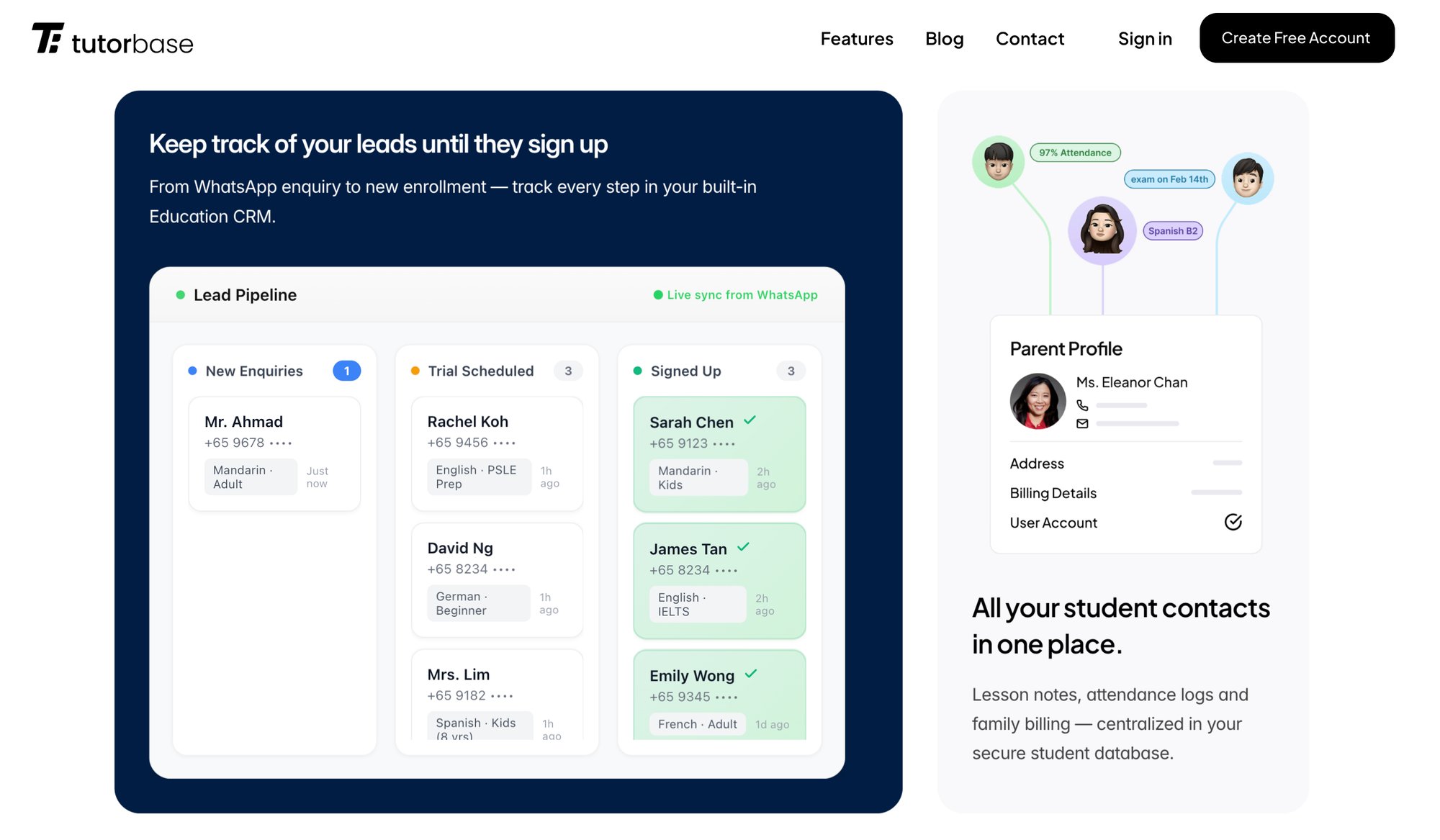
Tutorbase's Education CRM showing lead tracking, parent profiles, and student attendance records.

This platform is a robust choice for any mid-to-large tutoring center looking to professionalize its contact form for tutoring and streamline lead management. Its design, created by former school owners, addresses real-world operational bottlenecks. This makes it a strategic asset rather than just a software tool.

How does the integrated form builder work?

Unlike generic form tools that dump submissions into an email inbox, Tutorbase’s form builder is a native component of its ecosystem. This integration offers significant advantages.

  • Direct CRM Integration: When a parent fills out a form, a lead card is automatically created in Tutorbase’s visual Kanban pipeline. This eradicates the need for manual data transfer from emails to spreadsheets and prevents lost leads.

  • Customizable Fields: You can tailor forms with fields relevant to a tutoring business. Collect information like student name, guardian details, subject of interest, and current grade level. You can reorder fields with drag-and-drop functionality.

  • Seamless Website Embedding: Tutorbase provides a simple code snippet to embed your custom forms on any website, including platforms like WordPress, Squarespace, and Wix. Each form gets a unique ID for source tracking.

  • Instant Notifications: Staff receive email notifications when new submissions come in, ensuring prompt follow-up with prospective families.

Why is Tutorbase better than standalone form tools?

Many centers rely on tools like Google Forms or Typeform, but these create administrative friction. Tutorbase eliminates this. There is no need for third-party connectors like Zapier to link your form to a CRM. The entire student intake process is unified, from initial contact to scheduling the first lesson.

Feature

Tutorbase Form Builder

Generic Form Tools (e.g., Google Forms)

Lead Management

Submissions automatically create leads in a built-in CRM

Submissions go to an email inbox or spreadsheet

Data Entry

Fully automated, no manual entry needed

Requires manual copy-pasting into a separate system

Required Integrations

None. Form and CRM are one system.

Often requires Zapier or other tools to connect to a CRM

Field Customization

Designed for tutoring (Student, Guardian, Subject)

Generic fields that need manual setup

Source Tracking

Built-in unique IDs for each embedded form

Requires manual setup with hidden fields or UTMs

Pros:

  • Saves significant admin time by automating the lead capture to CRM pipeline.

  • Provides forms built for tutoring with relevant, customizable fields.

  • Eliminates the need for third-party tools and manual data entry.

  • Offers a comprehensive platform that manages scheduling, billing, and payroll.

Cons:

  • Pricing is not public and requires a demo.

  • May be more powerful than needed for solo tutors with very few students.

Website: Tutorbase

2. Jotform

Jotform is a powerful online form builder that excels in speed and customization. For tutoring businesses, it offers a vast library of ready-to-use templates for education. These include tutor requests, registrations, and appointment bookings. This makes launching a professional contact form for tutoring incredibly fast.

Strategic Analysis

Jotform’s key advantage is its extensive feature set and integration capabilities. Tutors can accept payments directly through forms using Stripe or PayPal. They can also schedule consultations via Google Calendar integration and automate follow-ups. Its drag-and-drop builder is intuitive, allowing for deep customization without code.

The platform is useful for businesses that need more than just a contact form. You can build entire workflows, from initial inquiry to payment and scheduling, all within one tool. Their 50% education discount makes it an affordable option for schools and tutoring centers.

How can I use Jotform for tutoring?

  • Utilize Templates: Start with a "Tutor Request Form" template and customize it. Add fields for specific subjects, student grade level, and preferred tutoring times to pre-qualify leads effectively.

  • Integrate Payments: If you offer paid trial sessions, use the payment fields. Integrating Stripe or PayPal lets you capture commitment and payment upfront, which reduces no-shows and administrative follow-up.

  • Sync Calendars: Connect your form to Google Calendar to automate booking consultation calls. When a parent submits a form, a calendar event can be created automatically, which streamlines your intake process.

Jotform bridges the gap between a simple contact form and a comprehensive business tool. By leveraging its integrations, you can automate significant parts of your new student onboarding workflow. For more on this, see how to convert tutoring inquiries into enrolments with a CRM.

Pros:

  • Extensive library of tutoring-specific templates for rapid deployment.

  • Broad integration ecosystem (payments, calendars, CRM).

  • Generous 50% discount for educational institutions.

Cons:

  • The free plan includes Jotform branding and has submission limits.

  • Advanced features for multi-user management are on higher-tier plans.

Website: https://www.jotform.com

3. Typeform

Typeform redefines the contact form by making it a conversational, engaging experience. For tutoring businesses, it offers a mobile-first approach that guides parents through questions one at a time. This can boost completion rates by up to 57%, according to their internal data. Its modern aesthetic makes it a premium choice.
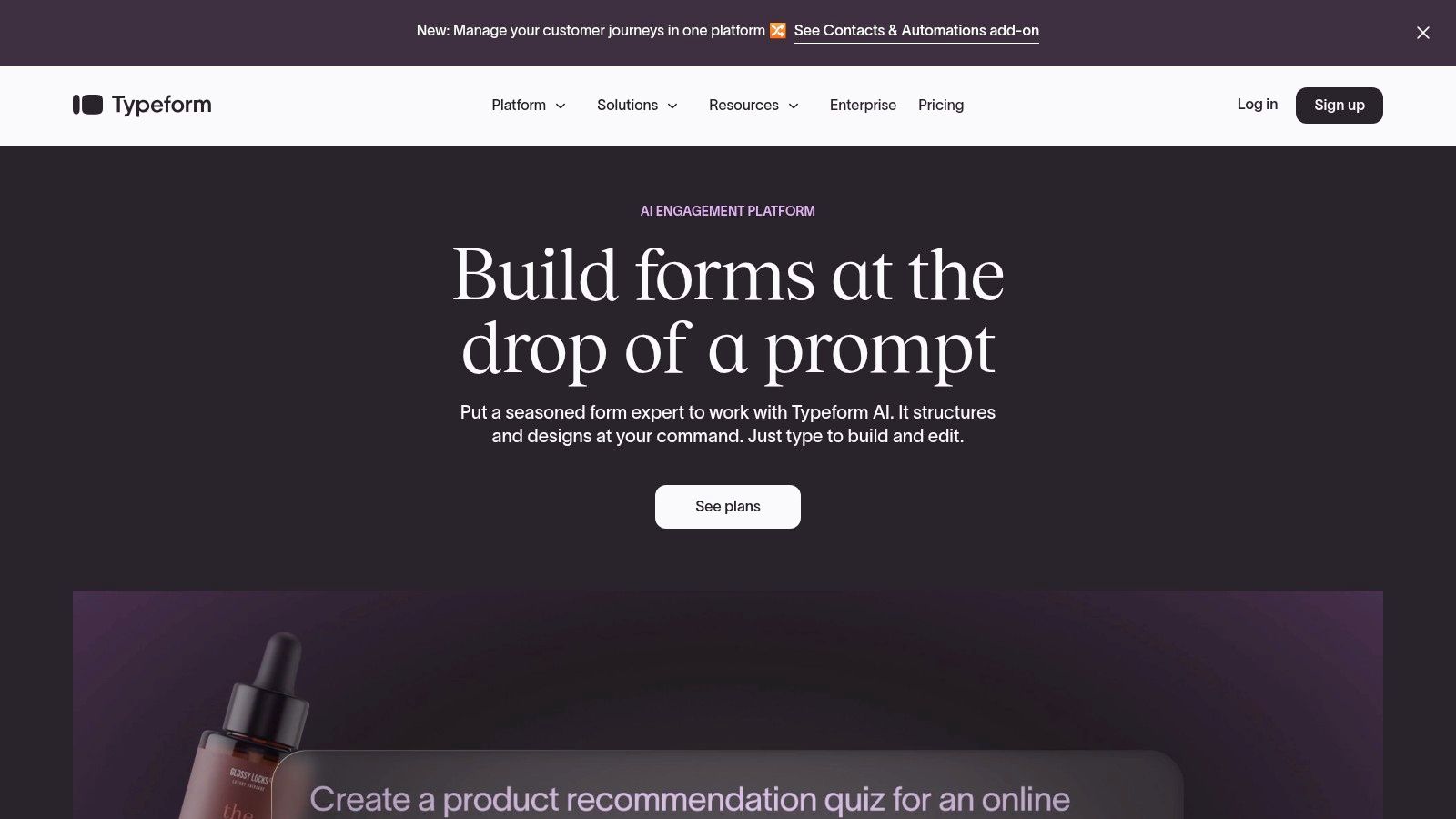
A conversational contact form for tutoring built with Typeform, shown on a mobile device.

Strategic Analysis

Typeform’s core strength is its ability to create a human-centered, interactive journey. This is crucial for capturing leads on mobile devices where traditional forms feel clumsy. For tutors, this means a lower drop-off rate and higher quality submissions from genuinely interested prospects.

The platform excels at embedding payment collection directly within the form flow. Using its native Stripe integration, you can accept payments for trial lessons or registration fees. This frictionless process supports Apple Pay and Google Pay. While Typeform is fantastic for lead capture, pairing it with a CRM is essential to manage leads effectively. Learn more about improving your strategy to get new tutoring clients.

How do I optimize a Typeform for tutoring?

  • Create a Conversational Flow: Structure your questions to build a narrative. Start with friendly greetings before asking for contact details. Use logic jumps to ask relevant follow-up questions based on the subject selected.

  • Embed Trial Payments: Use the Stripe payment question to offer a paid initial assessment. This secures commitment and qualifies leads, ensuring you only spend time on serious families.

  • Design for Mobile: Keep your form concise and visually appealing. Use images or icons for multiple-choice questions (e.g., subject selection) to make the experience more interactive and faster to complete on a phone.

Typeform turns lead capture from a transactional task into a relational experience. Its conversational style builds rapport from the first interaction. This high-quality user experience can directly translate to higher conversion rates, especially from mobile traffic.

Pros:

  • Excellent mobile user experience that leads to high conversion rates.

  • Payments for trials or deposits are embedded directly in the form.

  • Beautiful, modern design templates that require minimal customization.

Cons:

  • Response limits on all plans can become restrictive as you scale.

  • Advanced features like detailed analytics are locked behind higher-priced tiers.

Website: https://www.typeform.com

4. Paperform

Paperform positions itself as more than just a form builder. It’s a versatile tool for creating beautiful, landing page-style forms. These forms can handle everything from initial contact to payments and scheduling. For tutoring businesses, it is ideal for creating a dedicated "Book a Trial Session" page.

Strategic Analysis

Paperform’s unique advantage is its free-text, document-like editor. This makes building a contact form feel more like designing a webpage. You can combine rich text, images, and videos with powerful form fields to guide parents through the sign-up process. This is perfect for solo tutors who want a branded experience.

The platform excels in managing complex booking and payment scenarios. Its custom pricing rules and calculated fields allow you to offer tiered pricing or dynamic quotes. For tutoring companies in Hong Kong, its ability to process HKD payments through Stripe streamlines local transactions.

How can Paperform create a booking page?

  • Build a "Trial Session" Landing Page: Use Paperform's editor to build an all-in-one page. Describe the benefits of the trial, add a tutor bio, and embed a booking form that captures student details.

  • Utilize Custom Pricing Rules: If you offer different trial rates for various subjects, set up pricing rules. This automatically adjusts the cost based on the user's selection, eliminating manual invoicing.

  • Leverage Payment Gateways: Connect your Stripe account and configure the currency. This ensures parents in regions like Hong Kong have a frictionless checkout experience, seeing prices in their local currency.

Paperform is the ideal solution for turning a simple contact form for tutoring into a conversion-focused landing page. By combining elegant design with powerful e-commerce and scheduling, you can create a seamless journey from initial interest to a paid session.

Pros:

  • Landing-page style forms reduce the need for a separate page builder.

  • Advanced payment features with currency control (e.g., HKD via Stripe).

  • Intuitive, doc-style editor is easy for non-technical users.

Cons:

  • Annual submission quotas on some plans may require paid add-ons.

  • The free plan is quite limited for active business use.

Website: https://paperform.co

5. Zoho Forms

Zoho Forms is a business-oriented form builder ideal for tutoring centers that use the wider Zoho ecosystem. It excels at creating powerful workflows. It connects a simple contact form for tutoring directly into sophisticated CRM, billing, and marketing automation processes. This makes it a strong contender for established businesses.

Strategic Analysis

Zoho Forms’ primary strength is its native integration with other Zoho applications, particularly Zoho CRM and Zoho Books. This allows tutoring businesses to build a seamless system. A new lead from a website form automatically becomes a contact in the CRM. This level of integration is difficult to achieve with standalone form builders.

The platform is designed for data-driven organizations. Its reporting and analytics capabilities allow managers to track lead sources and manage team tasks. While its interface is more corporate, its customization potential for complex business logic is immense.

How do I integrate Zoho Forms with my CRM?

  • Connect to Zoho CRM: Connect your form directly to Zoho CRM. Map form fields like "Guardian Name" and "Subject of Interest" to corresponding fields in your CRM to automate lead creation.

  • Set Up Approval Workflows: For multi-location centers, set up an approval process. A high-value inquiry can trigger a notification for a senior manager to review and assign it to the correct branch.

  • Utilize Payment Gateways: Use the multi-gateway payment feature for enrolment deposits. You can offer parents options like Stripe, PayPal, or Square directly on your contact form.

Zoho Forms is a gateway to a complete business operating system. For tutoring centers serious about scaling with robust CRM and financial tracking, building your contact form here creates a unified data flow from the start.

Pros:

  • Deep, native integration with the extensive Zoho business suite (CRM, Books).

  • Powerful automation and approval workflows for managing complex operations.

  • Strong reporting and analytics for data-driven decision-making.

Cons:

  • The user interface is more functional than aesthetic.

  • The true power is only unlocked when committed to the wider Zoho ecosystem.

Website: https://www.zoho.com/forms

6. Tally.so

Tally.so offers a uniquely simple and powerful approach to form building. Its "just start typing" interface allows you to create a sophisticated contact form for tutoring in minutes. The platform's generous free plan is its biggest draw, providing unlimited forms and submissions.
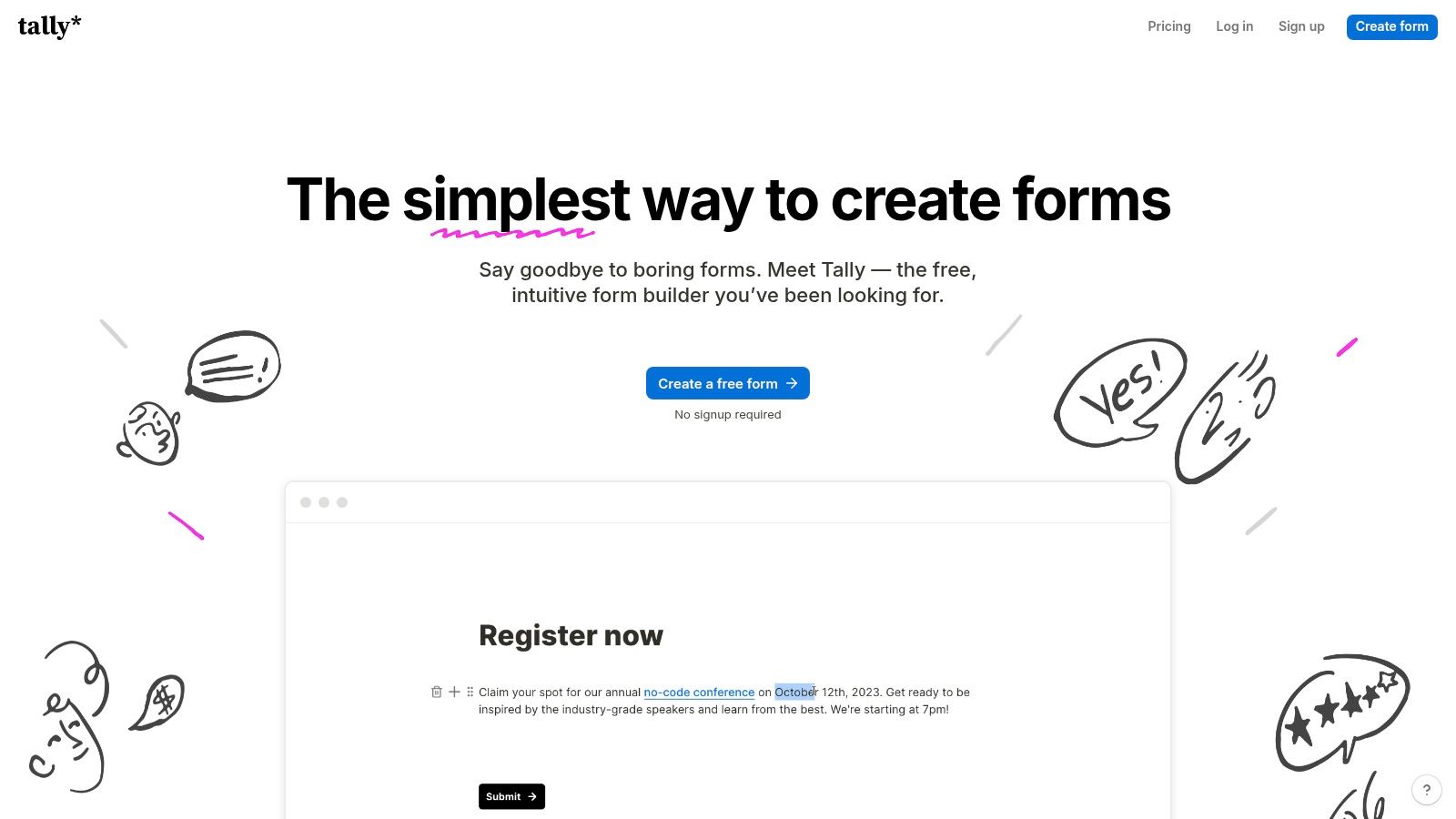
Tally.so

Strategic Analysis

Tally.so’s primary advantage is its frictionless user experience combined with a powerful free offering. Unlike competitors that gatekeep features like conditional logic, Tally.so provides most of its functionality for free. This makes it exceptional for solo tutors or small centers testing new services.

The platform is perfect for lean operations that need professional-grade forms without the cost. It supports Stripe payments and calculated pricing fields on the free tier. This allows a tutor to offer a paid trial session and charge different rates based on the subject chosen, all without a paid subscription.

What are the best uses for Tally.so?

  • Create Campaign-Specific Forms: Create unique forms for different marketing efforts. Use a Tally form on a landing page for a subject promotion or share a direct link in a WhatsApp message to capture leads.

  • Offer Paid Trial Sessions: Implement the Stripe integration to charge for initial assessment sessions. Use the "calculated price" feature to adjust the fee based on the student's level or subject.

  • Qualify Leads Simply: Use conditional logic to ask follow-up questions. For example, if a parent selects "Secondary School Maths," you can show a follow-up question asking about their specific exam board.

Tally.so excels at speed and accessibility, removing financial and technical barriers. Its generous free plan empowers you to experiment with different lead capture strategies without any investment. This is ideal for agile businesses that need to move fast.

Pros:

  • Extremely generous free plan with unlimited forms and submissions.

  • Quick to build and deploy, perfect for campaigns and social media.

  • Includes advanced features like payments and conditional logic for free.

Cons:

  • The template library is smaller compared to larger platforms.

  • Advanced branding and custom domains require a paid plan.

Website: https://tally.so

7. Formstack Forms

Formstack Forms is an enterprise-grade platform built for security and complex internal workflows. For larger tutoring organizations with stringent data privacy requirements, it offers a robust solution for creating a secure contact form for tutoring. This is backed by powerful automation and approval processes.
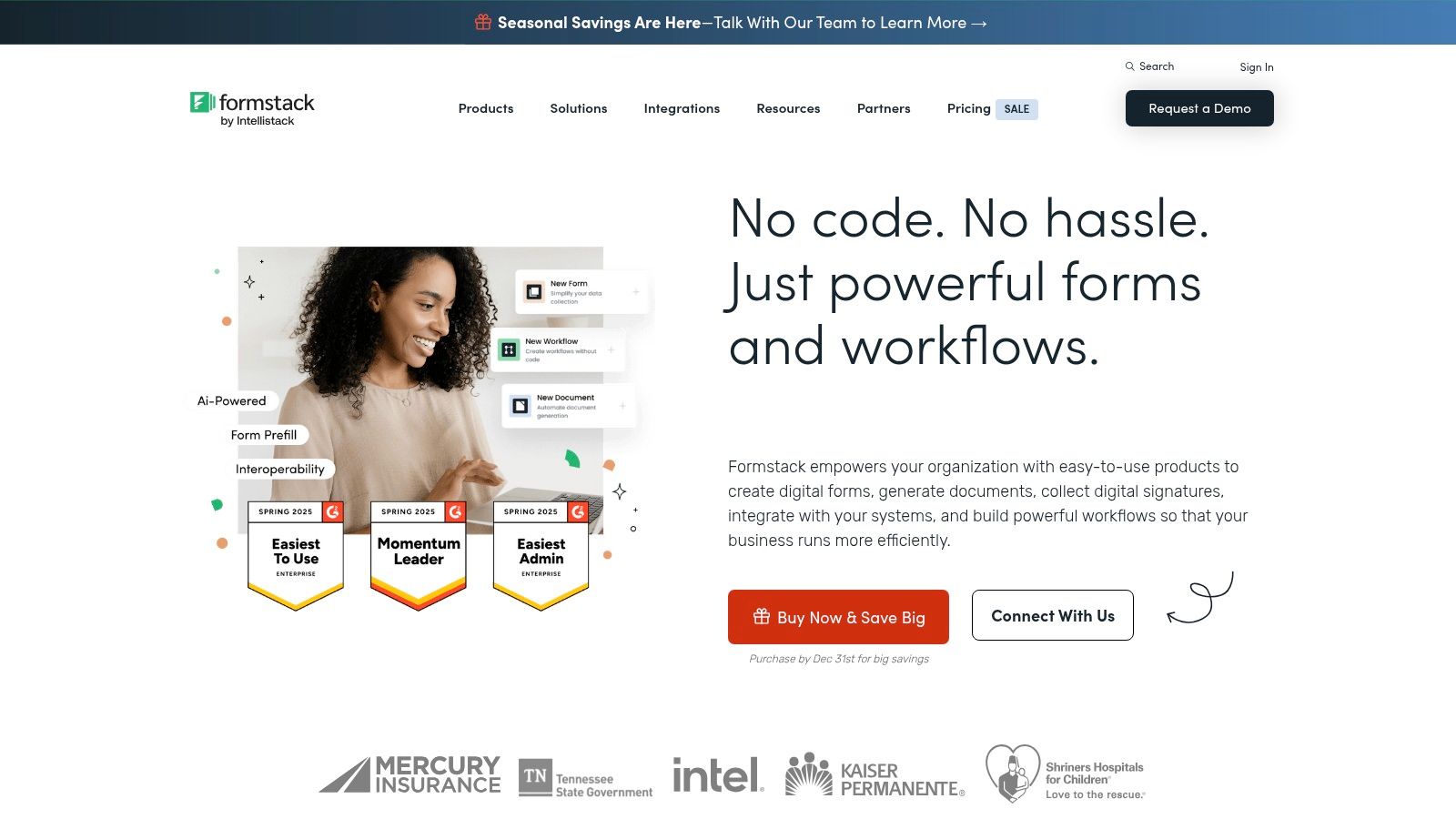
Formstack Forms

Strategic Analysis

Formstack's core strength is managing multi-step processes. Its workflow automation allows a submitted form to trigger a sequence of events. For example, it can assign a lead to a specific manager, request approval, and then generate a customized PDF contract. This is ideal for tutoring centers with formalised procedures.

The platform's Salesforce-native option is a significant advantage for businesses already using Salesforce as their CRM. Furthermore, its PCI-certified payment integrations and advanced security features make it a reliable choice. While it might be overkill for a solo tutor, it’s a powerhouse for scaling multi-location operations.

How can I automate enrolment with Formstack?

  • Create Approval Workflows: Use the workflow builder to route new inquiries. A request for a specialized subject could be automatically sent to the relevant head of department for approval before a consultation is scheduled.

  • Generate Documents: Automate the creation of enrolment agreements. Once a contact form is approved, Formstack can automatically populate a branded document with the submitted information and send it for an e-signature.

  • Use Prefill Functionality: For returning families, leverage the prefill feature. This allows you to send parents a partially completed form with known information, improving their experience and speeding up re-enrolment.

Formstack excels where a simple contact form ends and a complex business process begins. It is the ideal tool for tutoring organizations that require formal, auditable workflows for lead management, approvals, and contract generation.

Pros:

  • Excellent for complex, multi-stakeholder processes and audits.

  • Scales with teams and supports advanced permissions and SSO.

  • Native Salesforce integration and robust security features.

Cons:

  • Higher starting price compared to SMB-focused tools.

  • More configuration overhead for simple contact form use cases.

Website: https://www.formstack.com

Comparison of Top Contact Form Builders for Tutoring

Product

Best For

Key Advantage

Why It Works for Tutoring

Tutorbase

All-in-one Management

Integrated form builder feeds directly into a tutoring CRM

Eliminates manual data entry and ensures no lead is lost

Jotform

Quick Setup & Versatility

Massive template library and payment integrations

Launch a professional, payment-ready form in minutes

Typeform

High-Engagement & Mobile

Conversational, one-question-at-a-time user experience

Boosts completion rates, especially on mobile devices

Paperform

Landing Page Forms

Combines form, payment, and scheduling on one page

Creates a seamless booking experience for trial sessions

Zoho Forms

Zoho Ecosystem Users

Native integration with Zoho CRM and other business apps

Automates the entire lead-to-customer workflow

Tally.so

Solo Tutors & Startups

Extremely generous free plan with unlimited forms

Professional features without the cost, great for testing ideas

Formstack Forms

Large Organizations

Advanced security, compliance, and approval workflows

Manages complex, auditable enrolment processes at scale

Final Thoughts

Your contact form is the digital front door to your tutoring business. By optimizing your contact form for tutoring, you influence lead quality and streamline your administrative workload. Moving beyond generic templates is the first step towards building an efficient enrolment engine.

This guide has showcased a variety of tools, from the all-in-one power of Tutorbase to the versatile designs of Typeform. Your choice depends on your specific operational needs and growth ambitions.

Key Strategic Takeaways

As you move forward in 2026, keep these core principles in mind:

  • Integration is Non-Negotiable: The biggest time-saver is a form that feeds directly into your CRM. Eliminating manual data entry from an email inbox is a crucial efficiency gain.

  • User Experience Drives Conversions: A long or confusing form will deter parents. Prioritize clarity, use conditional logic to hide irrelevant fields, and include a clear privacy statement to build trust.

  • Context is King: Customize your fields and microcopy to gather the exact information you need to qualify and route leads effectively. The ideal form for a multi-subject center differs from one for a test prep academy.

  • Automation is Your Ally: Use form submissions to trigger automated workflows. This could be sending a welcome email or assigning the lead to a staff member. This ensures no inquiry ever falls through the cracks.

For tutoring businesses aiming to scale, the choice is between a generic form builder connected via third-party tools or an integrated platform. While tools like Jotform offer flexibility, they require you to build the bridge to your lead management process.

A solution like Tutorbase has the bridge already built. Its form builder is designed specifically for tutoring. Because it feeds directly into a dedicated tutoring CRM, it removes several hurdles, allowing you to focus on nurturing leads. For more advanced automation, you can also investigate lead generation chatbots.

The best contact form for tutoring serves both your prospective clients and your internal team. It should be effortless for parents to complete and provide your staff with organized, actionable data.

Frequently Asked Questions (FAQ)

What is the best contact form for a tutoring website?

The best contact form for a tutoring website is one that integrates directly with a CRM, like the form builder in Tutorbase. This automates lead capture and eliminates manual data entry, ensuring every inquiry is tracked from the moment it is submitted.

What information should I ask for on a tutoring contact form?

You should ask for the guardian's name, student's name, email, phone number, the student's current grade level, and the subject(s) of interest. You can also add an optional field for specific goals or challenges to better qualify the lead.

How do I add a contact form to my tutoring website?

Most form builders, including Tutorbase, provide a simple code snippet. You copy this snippet and paste it into the HTML of your website page (on platforms like WordPress, Squarespace, or Wix) where you want the form to appear.

Can I accept payments through my tutoring contact form?

Yes, many form builders like Jotform, Typeform, and Paperform integrate with payment gateways like Stripe and PayPal. This allows you to collect fees for trial sessions or registration directly on the form.

How can a contact form help me get more tutoring clients?

A well-designed contact form makes it easy for interested parents to inquire about your services. By asking targeted questions, you can qualify leads faster. By integrating with a CRM, you ensure prompt follow-up, which increases your conversion rate from inquiry to enrolment.

Should I use a free form builder like Google Forms?

While Google Forms is free, it sends submissions to a spreadsheet, which requires manual tracking and follow-up. A dedicated tool like Tutorbase or even a paid plan on Jotform automates this process, saving you time and preventing leads from being lost.

What is the difference between a contact form and a lead capture form?

A contact form is typically simple, asking for a name, email, and message. A lead capture form is more strategic. It's designed to gather specific information to qualify a prospect, such as a student's grade or subject needs, and often triggers an automated workflow.

Ready to stop juggling spreadsheets and disconnected tools? Tutorbase integrates your contact forms directly into a powerful CRM built for tutoring centers. You can automate your lead capture and streamline your entire enrolment process. To learn more, visit tutorbase.com/register.

The Best Contact Form for Tutoring Tools to Boost Enrolments in 2026

Published: December 29, 2025 by Amy Ashford

A Key Takeaway: The best contact form for tutoring isn't a generic tool; it's a system that captures leads and feeds them directly into a CRM. Platforms like Tutorbase offer built-in form builders that eliminate manual data entry, automating the process from a parent's first inquiry to a tracked lead in your pipeline. This integration saves significant administrative time and prevents potential students from being overlooked.

Your contact form for tutoring is the most critical tool for converting website visitors into enrolled students. It's the digital handshake that captures essential information and initiates the enrolment process. Generic forms often fail because they don't ask the right questions, which leads to time-consuming follow-ups and lost leads.

This guide explores the best contact form builders for tutoring businesses in 2026. We will analyze seven platforms with ready-to-use templates and actionable strategies. You will learn how to structure your forms to capture student needs, subject interests, and availability right from the first interaction.

Each example includes screenshots, links, and a strategic breakdown of its features. We'll cover everything from simple enquiry forms to complex, multi-step forms for large centers. To use these tools effectively, you must understand the basic steps, which you can learn about in guides on how to add a contact form to any website.

What is a purpose-built tutoring contact form?

A purpose-built tutoring contact form is an online form designed specifically for the student enrolment process. Unlike generic forms from tools like Google Forms or Typeform, it includes fields relevant to tutoring (e.g., student grade, subject interest, guardian details). It also feeds submissions directly into a CRM, automating lead management.

Why is an integrated contact form better?

Most tutoring centers use generic contact forms that dump submissions into an email inbox. This creates a gap between receiving an inquiry and tracking it as a lead. An integrated solution, like the one in Tutorbase, closes this gap. It ensures every inquiry automatically becomes a tracked lead in your CRM, preventing manual data entry errors.

According to a study by VentureBeat, companies that automate lead management see a 10% or more increase in revenue in 6-9 months. Tutorbase's form builder feeds directly into its purpose-built tutoring CRM. This design eliminates the administrative friction that causes leads to be lost.

1. Tutorbase: The Integrated Form & CRM Solution

Tutorbase is not just another operations platform. It is a comprehensive solution engineered to bridge the gap between a student's initial inquiry and their successful enrolment. It replaces generic contact forms with an integrated form builder that feeds directly into a purpose-built CRM for tutoring businesses. This eliminates manual data entry.

Tutorbase's Education CRM showing lead tracking, parent profiles, and student attendance records.

This platform is a robust choice for any mid-to-large tutoring center looking to professionalize its contact form for tutoring and streamline lead management. Its design, created by former school owners, addresses real-world operational bottlenecks. This makes it a strategic asset rather than just a software tool.

How does the integrated form builder work?

Unlike generic form tools that dump submissions into an email inbox, Tutorbase’s form builder is a native component of its ecosystem. This integration offers significant advantages.

  • Direct CRM Integration: When a parent fills out a form, a lead card is automatically created in Tutorbase’s visual Kanban pipeline. This eradicates the need for manual data transfer from emails to spreadsheets and prevents lost leads.

  • Customizable Fields: You can tailor forms with fields relevant to a tutoring business. Collect information like student name, guardian details, subject of interest, and current grade level. You can reorder fields with drag-and-drop functionality.

  • Seamless Website Embedding: Tutorbase provides a simple code snippet to embed your custom forms on any website, including platforms like WordPress, Squarespace, and Wix. Each form gets a unique ID for source tracking.

  • Instant Notifications: Staff receive email notifications when new submissions come in, ensuring prompt follow-up with prospective families.

Why is Tutorbase better than standalone form tools?

Many centers rely on tools like Google Forms or Typeform, but these create administrative friction. Tutorbase eliminates this. There is no need for third-party connectors like Zapier to link your form to a CRM. The entire student intake process is unified, from initial contact to scheduling the first lesson.

Feature

Tutorbase Form Builder

Generic Form Tools (e.g., Google Forms)

Lead Management

Submissions automatically create leads in a built-in CRM

Submissions go to an email inbox or spreadsheet

Data Entry

Fully automated, no manual entry needed

Requires manual copy-pasting into a separate system

Required Integrations

None. Form and CRM are one system.

Often requires Zapier or other tools to connect to a CRM

Field Customization

Designed for tutoring (Student, Guardian, Subject)

Generic fields that need manual setup

Source Tracking

Built-in unique IDs for each embedded form

Requires manual setup with hidden fields or UTMs

Pros:

  • Saves significant admin time by automating the lead capture to CRM pipeline.

  • Provides forms built for tutoring with relevant, customizable fields.

  • Eliminates the need for third-party tools and manual data entry.

  • Offers a comprehensive platform that manages scheduling, billing, and payroll.

Cons:

  • Pricing is not public and requires a demo.

  • May be more powerful than needed for solo tutors with very few students.

Website: Tutorbase

2. Jotform

Jotform is a powerful online form builder that excels in speed and customization. For tutoring businesses, it offers a vast library of ready-to-use templates for education. These include tutor requests, registrations, and appointment bookings. This makes launching a professional contact form for tutoring incredibly fast.

Strategic Analysis

Jotform’s key advantage is its extensive feature set and integration capabilities. Tutors can accept payments directly through forms using Stripe or PayPal. They can also schedule consultations via Google Calendar integration and automate follow-ups. Its drag-and-drop builder is intuitive, allowing for deep customization without code.

The platform is useful for businesses that need more than just a contact form. You can build entire workflows, from initial inquiry to payment and scheduling, all within one tool. Their 50% education discount makes it an affordable option for schools and tutoring centers.

How can I use Jotform for tutoring?

  • Utilize Templates: Start with a "Tutor Request Form" template and customize it. Add fields for specific subjects, student grade level, and preferred tutoring times to pre-qualify leads effectively.

  • Integrate Payments: If you offer paid trial sessions, use the payment fields. Integrating Stripe or PayPal lets you capture commitment and payment upfront, which reduces no-shows and administrative follow-up.

  • Sync Calendars: Connect your form to Google Calendar to automate booking consultation calls. When a parent submits a form, a calendar event can be created automatically, which streamlines your intake process.

Jotform bridges the gap between a simple contact form and a comprehensive business tool. By leveraging its integrations, you can automate significant parts of your new student onboarding workflow. For more on this, see how to convert tutoring inquiries into enrolments with a CRM.

Pros:

  • Extensive library of tutoring-specific templates for rapid deployment.

  • Broad integration ecosystem (payments, calendars, CRM).

  • Generous 50% discount for educational institutions.

Cons:

  • The free plan includes Jotform branding and has submission limits.

  • Advanced features for multi-user management are on higher-tier plans.

Website: https://www.jotform.com

3. Typeform

Typeform redefines the contact form by making it a conversational, engaging experience. For tutoring businesses, it offers a mobile-first approach that guides parents through questions one at a time. This can boost completion rates by up to 57%, according to their internal data. Its modern aesthetic makes it a premium choice.

A conversational contact form for tutoring built with Typeform, shown on a mobile device.

Strategic Analysis

Typeform’s core strength is its ability to create a human-centered, interactive journey. This is crucial for capturing leads on mobile devices where traditional forms feel clumsy. For tutors, this means a lower drop-off rate and higher quality submissions from genuinely interested prospects.

The platform excels at embedding payment collection directly within the form flow. Using its native Stripe integration, you can accept payments for trial lessons or registration fees. This frictionless process supports Apple Pay and Google Pay. While Typeform is fantastic for lead capture, pairing it with a CRM is essential to manage leads effectively. Learn more about improving your strategy to get new tutoring clients.

How do I optimize a Typeform for tutoring?

  • Create a Conversational Flow: Structure your questions to build a narrative. Start with friendly greetings before asking for contact details. Use logic jumps to ask relevant follow-up questions based on the subject selected.

  • Embed Trial Payments: Use the Stripe payment question to offer a paid initial assessment. This secures commitment and qualifies leads, ensuring you only spend time on serious families.

  • Design for Mobile: Keep your form concise and visually appealing. Use images or icons for multiple-choice questions (e.g., subject selection) to make the experience more interactive and faster to complete on a phone.

Typeform turns lead capture from a transactional task into a relational experience. Its conversational style builds rapport from the first interaction. This high-quality user experience can directly translate to higher conversion rates, especially from mobile traffic.

Pros:

  • Excellent mobile user experience that leads to high conversion rates.

  • Payments for trials or deposits are embedded directly in the form.

  • Beautiful, modern design templates that require minimal customization.

Cons:

  • Response limits on all plans can become restrictive as you scale.

  • Advanced features like detailed analytics are locked behind higher-priced tiers.

Website: https://www.typeform.com

4. Paperform

Paperform positions itself as more than just a form builder. It’s a versatile tool for creating beautiful, landing page-style forms. These forms can handle everything from initial contact to payments and scheduling. For tutoring businesses, it is ideal for creating a dedicated "Book a Trial Session" page.

Strategic Analysis

Paperform’s unique advantage is its free-text, document-like editor. This makes building a contact form feel more like designing a webpage. You can combine rich text, images, and videos with powerful form fields to guide parents through the sign-up process. This is perfect for solo tutors who want a branded experience.

The platform excels in managing complex booking and payment scenarios. Its custom pricing rules and calculated fields allow you to offer tiered pricing or dynamic quotes. For tutoring companies in Hong Kong, its ability to process HKD payments through Stripe streamlines local transactions.

How can Paperform create a booking page?

  • Build a "Trial Session" Landing Page: Use Paperform's editor to build an all-in-one page. Describe the benefits of the trial, add a tutor bio, and embed a booking form that captures student details.

  • Utilize Custom Pricing Rules: If you offer different trial rates for various subjects, set up pricing rules. This automatically adjusts the cost based on the user's selection, eliminating manual invoicing.

  • Leverage Payment Gateways: Connect your Stripe account and configure the currency. This ensures parents in regions like Hong Kong have a frictionless checkout experience, seeing prices in their local currency.

Paperform is the ideal solution for turning a simple contact form for tutoring into a conversion-focused landing page. By combining elegant design with powerful e-commerce and scheduling, you can create a seamless journey from initial interest to a paid session.

Pros:

  • Landing-page style forms reduce the need for a separate page builder.

  • Advanced payment features with currency control (e.g., HKD via Stripe).

  • Intuitive, doc-style editor is easy for non-technical users.

Cons:

  • Annual submission quotas on some plans may require paid add-ons.

  • The free plan is quite limited for active business use.

Website: https://paperform.co

5. Zoho Forms

Zoho Forms is a business-oriented form builder ideal for tutoring centers that use the wider Zoho ecosystem. It excels at creating powerful workflows. It connects a simple contact form for tutoring directly into sophisticated CRM, billing, and marketing automation processes. This makes it a strong contender for established businesses.

Strategic Analysis

Zoho Forms’ primary strength is its native integration with other Zoho applications, particularly Zoho CRM and Zoho Books. This allows tutoring businesses to build a seamless system. A new lead from a website form automatically becomes a contact in the CRM. This level of integration is difficult to achieve with standalone form builders.

The platform is designed for data-driven organizations. Its reporting and analytics capabilities allow managers to track lead sources and manage team tasks. While its interface is more corporate, its customization potential for complex business logic is immense.

How do I integrate Zoho Forms with my CRM?

  • Connect to Zoho CRM: Connect your form directly to Zoho CRM. Map form fields like "Guardian Name" and "Subject of Interest" to corresponding fields in your CRM to automate lead creation.

  • Set Up Approval Workflows: For multi-location centers, set up an approval process. A high-value inquiry can trigger a notification for a senior manager to review and assign it to the correct branch.

  • Utilize Payment Gateways: Use the multi-gateway payment feature for enrolment deposits. You can offer parents options like Stripe, PayPal, or Square directly on your contact form.

Zoho Forms is a gateway to a complete business operating system. For tutoring centers serious about scaling with robust CRM and financial tracking, building your contact form here creates a unified data flow from the start.

Pros:

  • Deep, native integration with the extensive Zoho business suite (CRM, Books).

  • Powerful automation and approval workflows for managing complex operations.

  • Strong reporting and analytics for data-driven decision-making.

Cons:

  • The user interface is more functional than aesthetic.

  • The true power is only unlocked when committed to the wider Zoho ecosystem.

Website: https://www.zoho.com/forms

6. Tally.so

Tally.so offers a uniquely simple and powerful approach to form building. Its "just start typing" interface allows you to create a sophisticated contact form for tutoring in minutes. The platform's generous free plan is its biggest draw, providing unlimited forms and submissions.

Tally.so

Strategic Analysis

Tally.so’s primary advantage is its frictionless user experience combined with a powerful free offering. Unlike competitors that gatekeep features like conditional logic, Tally.so provides most of its functionality for free. This makes it exceptional for solo tutors or small centers testing new services.

The platform is perfect for lean operations that need professional-grade forms without the cost. It supports Stripe payments and calculated pricing fields on the free tier. This allows a tutor to offer a paid trial session and charge different rates based on the subject chosen, all without a paid subscription.

What are the best uses for Tally.so?

  • Create Campaign-Specific Forms: Create unique forms for different marketing efforts. Use a Tally form on a landing page for a subject promotion or share a direct link in a WhatsApp message to capture leads.

  • Offer Paid Trial Sessions: Implement the Stripe integration to charge for initial assessment sessions. Use the "calculated price" feature to adjust the fee based on the student's level or subject.

  • Qualify Leads Simply: Use conditional logic to ask follow-up questions. For example, if a parent selects "Secondary School Maths," you can show a follow-up question asking about their specific exam board.

Tally.so excels at speed and accessibility, removing financial and technical barriers. Its generous free plan empowers you to experiment with different lead capture strategies without any investment. This is ideal for agile businesses that need to move fast.

Pros:

  • Extremely generous free plan with unlimited forms and submissions.

  • Quick to build and deploy, perfect for campaigns and social media.

  • Includes advanced features like payments and conditional logic for free.

Cons:

  • The template library is smaller compared to larger platforms.

  • Advanced branding and custom domains require a paid plan.

Website: https://tally.so

7. Formstack Forms

Formstack Forms is an enterprise-grade platform built for security and complex internal workflows. For larger tutoring organizations with stringent data privacy requirements, it offers a robust solution for creating a secure contact form for tutoring. This is backed by powerful automation and approval processes.

Formstack Forms

Strategic Analysis

Formstack's core strength is managing multi-step processes. Its workflow automation allows a submitted form to trigger a sequence of events. For example, it can assign a lead to a specific manager, request approval, and then generate a customized PDF contract. This is ideal for tutoring centers with formalised procedures.

The platform's Salesforce-native option is a significant advantage for businesses already using Salesforce as their CRM. Furthermore, its PCI-certified payment integrations and advanced security features make it a reliable choice. While it might be overkill for a solo tutor, it’s a powerhouse for scaling multi-location operations.

How can I automate enrolment with Formstack?

  • Create Approval Workflows: Use the workflow builder to route new inquiries. A request for a specialized subject could be automatically sent to the relevant head of department for approval before a consultation is scheduled.

  • Generate Documents: Automate the creation of enrolment agreements. Once a contact form is approved, Formstack can automatically populate a branded document with the submitted information and send it for an e-signature.

  • Use Prefill Functionality: For returning families, leverage the prefill feature. This allows you to send parents a partially completed form with known information, improving their experience and speeding up re-enrolment.

Formstack excels where a simple contact form ends and a complex business process begins. It is the ideal tool for tutoring organizations that require formal, auditable workflows for lead management, approvals, and contract generation.

Pros:

  • Excellent for complex, multi-stakeholder processes and audits.

  • Scales with teams and supports advanced permissions and SSO.

  • Native Salesforce integration and robust security features.

Cons:

  • Higher starting price compared to SMB-focused tools.

  • More configuration overhead for simple contact form use cases.

Website: https://www.formstack.com

Comparison of Top Contact Form Builders for Tutoring

Product

Best For

Key Advantage

Why It Works for Tutoring

Tutorbase

All-in-one Management

Integrated form builder feeds directly into a tutoring CRM

Eliminates manual data entry and ensures no lead is lost

Jotform

Quick Setup & Versatility

Massive template library and payment integrations

Launch a professional, payment-ready form in minutes

Typeform

High-Engagement & Mobile

Conversational, one-question-at-a-time user experience

Boosts completion rates, especially on mobile devices

Paperform

Landing Page Forms

Combines form, payment, and scheduling on one page

Creates a seamless booking experience for trial sessions

Zoho Forms

Zoho Ecosystem Users

Native integration with Zoho CRM and other business apps

Automates the entire lead-to-customer workflow

Tally.so

Solo Tutors & Startups

Extremely generous free plan with unlimited forms

Professional features without the cost, great for testing ideas

Formstack Forms

Large Organizations

Advanced security, compliance, and approval workflows

Manages complex, auditable enrolment processes at scale

Final Thoughts

Your contact form is the digital front door to your tutoring business. By optimizing your contact form for tutoring, you influence lead quality and streamline your administrative workload. Moving beyond generic templates is the first step towards building an efficient enrolment engine.

This guide has showcased a variety of tools, from the all-in-one power of Tutorbase to the versatile designs of Typeform. Your choice depends on your specific operational needs and growth ambitions.

Key Strategic Takeaways

As you move forward in 2026, keep these core principles in mind:

  • Integration is Non-Negotiable: The biggest time-saver is a form that feeds directly into your CRM. Eliminating manual data entry from an email inbox is a crucial efficiency gain.

  • User Experience Drives Conversions: A long or confusing form will deter parents. Prioritize clarity, use conditional logic to hide irrelevant fields, and include a clear privacy statement to build trust.

  • Context is King: Customize your fields and microcopy to gather the exact information you need to qualify and route leads effectively. The ideal form for a multi-subject center differs from one for a test prep academy.

  • Automation is Your Ally: Use form submissions to trigger automated workflows. This could be sending a welcome email or assigning the lead to a staff member. This ensures no inquiry ever falls through the cracks.

For tutoring businesses aiming to scale, the choice is between a generic form builder connected via third-party tools or an integrated platform. While tools like Jotform offer flexibility, they require you to build the bridge to your lead management process.

A solution like Tutorbase has the bridge already built. Its form builder is designed specifically for tutoring. Because it feeds directly into a dedicated tutoring CRM, it removes several hurdles, allowing you to focus on nurturing leads. For more advanced automation, you can also investigate lead generation chatbots.

The best contact form for tutoring serves both your prospective clients and your internal team. It should be effortless for parents to complete and provide your staff with organized, actionable data.

Frequently Asked Questions (FAQ)

What is the best contact form for a tutoring website?

The best contact form for a tutoring website is one that integrates directly with a CRM, like the form builder in Tutorbase. This automates lead capture and eliminates manual data entry, ensuring every inquiry is tracked from the moment it is submitted.

What information should I ask for on a tutoring contact form?

You should ask for the guardian's name, student's name, email, phone number, the student's current grade level, and the subject(s) of interest. You can also add an optional field for specific goals or challenges to better qualify the lead.

How do I add a contact form to my tutoring website?

Most form builders, including Tutorbase, provide a simple code snippet. You copy this snippet and paste it into the HTML of your website page (on platforms like WordPress, Squarespace, or Wix) where you want the form to appear.

Can I accept payments through my tutoring contact form?

Yes, many form builders like Jotform, Typeform, and Paperform integrate with payment gateways like Stripe and PayPal. This allows you to collect fees for trial sessions or registration directly on the form.

How can a contact form help me get more tutoring clients?

A well-designed contact form makes it easy for interested parents to inquire about your services. By asking targeted questions, you can qualify leads faster. By integrating with a CRM, you ensure prompt follow-up, which increases your conversion rate from inquiry to enrolment.

Should I use a free form builder like Google Forms?

While Google Forms is free, it sends submissions to a spreadsheet, which requires manual tracking and follow-up. A dedicated tool like Tutorbase or even a paid plan on Jotform automates this process, saving you time and preventing leads from being lost.

What is the difference between a contact form and a lead capture form?

A contact form is typically simple, asking for a name, email, and message. A lead capture form is more strategic. It's designed to gather specific information to qualify a prospect, such as a student's grade or subject needs, and often triggers an automated workflow.

Ready to stop juggling spreadsheets and disconnected tools? Tutorbase integrates your contact forms directly into a powerful CRM built for tutoring centers. You can automate your lead capture and streamline your entire enrolment process. To learn more, visit tutorbase.com/register.