
Your Guide to an Enrichment Class Booking System

Published: January 8, 2026 by Amy Ashford

Key Takeaway: An enrichment class booking system automates scheduling, billing, and parent communication, cutting administrative tasks by up to 60%. It provides a central hub for managing classes, staff, and locations, while offering parents a 24/7 portal for easy booking and account management. This technology is essential for scaling an education center efficiently.

An enrichment class booking system acts as the central command for your tutoring business. It is the engine that automates tedious tasks like scheduling, billing, and parent communication. This automation eliminates the administrative chaos many centers face daily.

Modern platforms like Tutorbase can reduce manual admin work by over 60%. They eliminate costly double-bookings and give parents a simple way to find and book your classes online. This saves time, boosts client retention, and makes your operations efficient.

What is an enrichment class booking system?

An enrichment class booking system is a software platform that coordinates every student, tutor, classroom, and payment. Think of it as the operational hub that manages a class's entire lifecycle, from a parent's initial online search to the final paid invoice.

This technology prevents operational issues like double-booking a popular room or scheduling a tutor who is on holiday. It is the core tool that stops logistical problems before they can disrupt your business.
A man in a black shirt monitors multiple screens displaying data in a control room.

These platforms are essential for modern education businesses, far surpassing outdated spreadsheets. You can learn more in our guide to class scheduling software. Ultimately, they provide the stability you need to stop firefighting and start scaling your center smoothly.

What are the hidden costs of manual scheduling?

Are you losing more than 10 hours a week to administrative work? If you rely on spreadsheets, calendars, and messaging apps, you face hidden costs that go beyond wasted time. Imagine a manager scrambling to handle a last-minute inquiry or the lost revenue from a double-booked classroom.

These are not minor issues; they damage parent satisfaction and choke your center's growth. In competitive markets like Hong Kong, owners spend countless hours fixing booking errors. Our guide on how to move from spreadsheets to tutoring software shows how to escape this cycle.

This administrative drag can be the difference between thriving and surviving. Poor booking visibility and parent frustration contribute to 42% of centers facing drops in student renewals. You can discover more insights about Hong Kong's tutoring landscape on scmp.com.
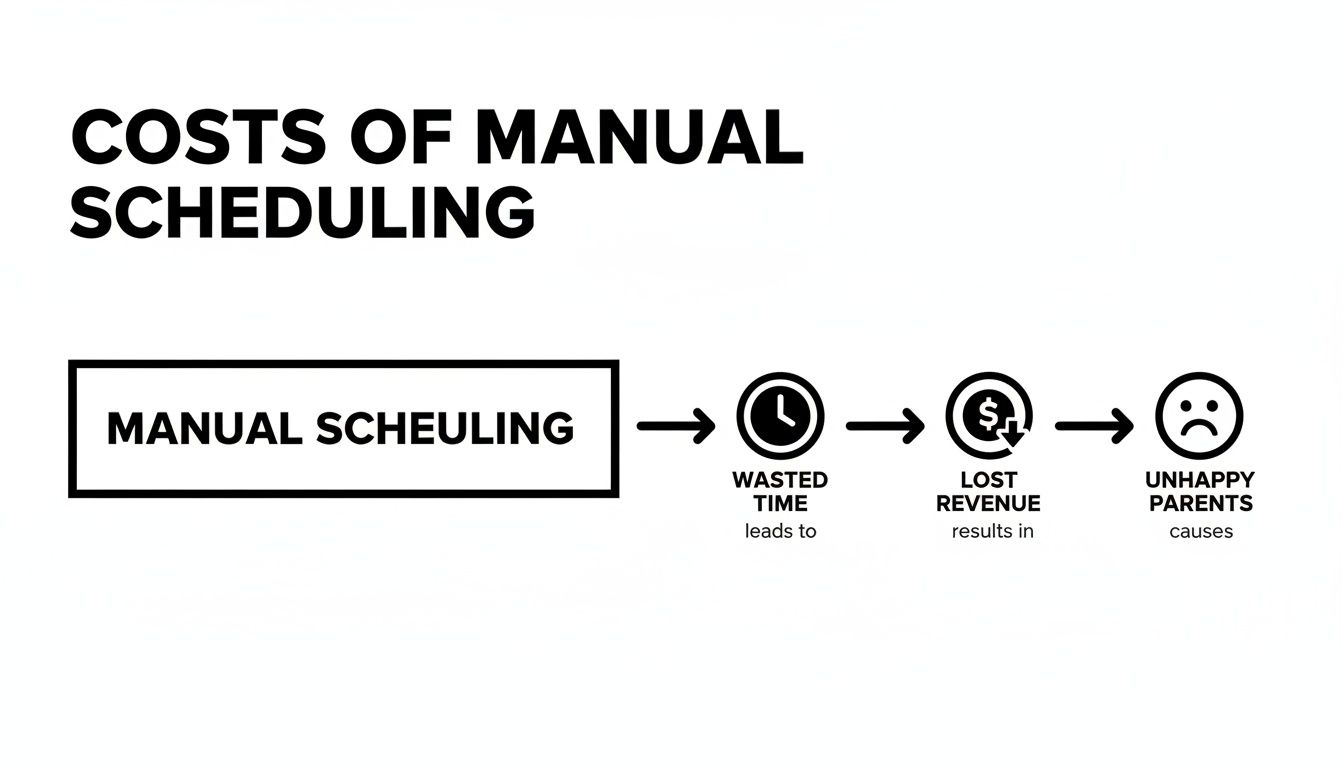
Flowchart illustrating the negative consequences of manual scheduling: wasted time, lost revenue, unhappy parents.

What are the must-have booking system features?

When evaluating booking systems, a few features are non-negotiable for success. Getting these right ensures your operations run smoothly and efficiently.

Smart Scheduling and Conflict Detection

Smart scheduling with conflict detection acts like an assistant who prevents you from booking two classes in the same room. It also stops you from assigning one tutor to two places at once. This single feature prevents countless headaches and costly refunds for your enrichment center.

Automated Billing and Invoicing

Automated billing should be tied directly to student attendance. When a student attends a class, the system automatically generates an invoice or deducts a credit from their package. This feature alone can slash manual admin work by over 10 hours per week. You can read more about this shift at Pebb's new calendar feature.

Parent Portal and Class Discovery

A dedicated parent portal is crucial. It empowers clients by letting them see available slots and book sessions 24/7. An advanced class discovery feature lets parents filter classes by subject, level, time, available seats, teacher, and location.

Your system should also manage different delivery modes (in-person or online) and track enrollment with start and end dates for semester passes. This is essential for managing a full schedule, a topic we cover in our guide on waitlist management for your tutoring centre.

Feature

Manual Method

Automated System

Booking

Phone calls, emails

24/7 online parent portal

Scheduling

Spreadsheets, calendars

Centralized schedule with conflict detection

Billing

Manual invoice creation

Auto-generated invoices based on attendance

Reporting

Manual data compilation

Real-time dashboards and financial reports

Communication

Individual messages, emails

Automated reminders and notifications

How does automation drive business growth?

There is a major difference between managing your center and actively growing it with automation. Basic scheduling keeps the lights on, but smart automation builds an empire. An advanced booking system is a strategic partner, not just a calendar tool.

Consider an intelligent 'Slot Finder' tool. When a parent has a complex request, the system actively searches for and proposes the most efficient class times. It performs the heavy lifting for your admin team, freeing them for higher-value tasks.

This automation is how you claim your piece of a market projected to hit $123.5 billion by 2030. Find out more about global tutoring market trends on einpresswire.com.

When your software handles complex payroll and integrates with other smart AI-powered appointment scheduling solutions, you unlock true scalability. You can handle more students without hiring more staff. That is growth by design.

How do I choose and implement a new system?

Switching to a new enrichment class booking system is a significant step. Breaking it down into a clear, structured process makes all the difference. A practical roadmap separates a smooth transition from a chaotic one, ensuring minimal disruption.

First, create an evaluation checklist. Before you look at software, clarify what your center needs. Consider your student volume, class variety, billing complexity, and reporting requirements. This clarity will guide your choice of the right tool.

Next, develop a solid implementation plan. This should cover migrating student and class data, training your staff, and communicating the change to parents. A good software partner provides a support team to walk you through this process, ensuring a flawless transition.

Frequently Asked Questions (FAQ)

How much time can an enrichment class booking system save me?

A fully integrated system can save your admin team over 10 hours a week. That time is recovered from repetitive jobs like generating invoices, chasing payments, and calculating teacher payroll. Centers often see their administrative workload drop by as much as 60%.

Can one system handle both group classes and private lessons?

Yes, a robust system is built to manage both. You can set up semester-long group classes with fixed headcounts alongside flexible, one-on-one private lessons. The software allows different rules for each service, including per-lesson rates, prepaid packages, or monthly subscriptions, all in one place.

How does an online system improve the parent experience?

An online system gives parents control and transparency. They can log into a parent portal anytime to see real-time class availability, book a spot, and pay instantly. They can also track their child's attendance and manage their payment information, building trust and loyalty.

Is it difficult to switch from my current spreadsheets?

Moving from spreadsheets is smoother than you might think. The best software providers have dedicated teams to guide you through migrating your student profiles, teacher details, and existing schedules. They provide training and support to ensure your team feels confident.

How does this system help manage multiple locations?

A purpose-built system excels at multi-branch management. It provides a central dashboard to view operations across all locations from a single login. You can manage room bookings, assign staff to specific sites, and pull consolidated financial reports for a clear, top-down business view.

How does class discovery work for parents?

Class discovery allows parents to easily find the perfect class for their child. They use filters to search your offerings by specific criteria such as subject, age level, day of the week, time, available seats, teacher, and physical location. This simplifies their booking process significantly.

What happens if a class is full in 2026?

If a class is full, an enrichment class booking system automatically offers a waitlist option. Parents can add their child to the waitlist, and the system will notify them automatically if a spot opens up. This helps you fill every seat and gauge demand for popular classes.

Ready to get your admin under control and focus on growth? Tutorbase provides a complete solution that automates your scheduling, billing, and payroll. See exactly how it works at tutorbase.com/register.

Your Guide to an Enrichment Class Booking System

Published: January 7, 2026 by Amy Ashford

Key Takeaway: An enrichment class booking system automates scheduling, billing, and parent communication, cutting administrative tasks by up to 60%. It provides a central hub for managing classes, staff, and locations, while offering parents a 24/7 portal for easy booking and account management. This technology is essential for scaling an education center efficiently.

An enrichment class booking system acts as the central command for your tutoring business. It is the engine that automates tedious tasks like scheduling, billing, and parent communication. This automation eliminates the administrative chaos many centers face daily.

Modern platforms like Tutorbase can reduce manual admin work by over 60%. They eliminate costly double-bookings and give parents a simple way to find and book your classes online. This saves time, boosts client retention, and makes your operations efficient.

What is an enrichment class booking system?

An enrichment class booking system is a software platform that coordinates every student, tutor, classroom, and payment. Think of it as the operational hub that manages a class's entire lifecycle, from a parent's initial online search to the final paid invoice.

This technology prevents operational issues like double-booking a popular room or scheduling a tutor who is on holiday. It is the core tool that stops logistical problems before they can disrupt your business.

A man in a black shirt monitors multiple screens displaying data in a control room.

These platforms are essential for modern education businesses, far surpassing outdated spreadsheets. You can learn more in our guide to class scheduling software. Ultimately, they provide the stability you need to stop firefighting and start scaling your center smoothly.

What are the hidden costs of manual scheduling?

Are you losing more than 10 hours a week to administrative work? If you rely on spreadsheets, calendars, and messaging apps, you face hidden costs that go beyond wasted time. Imagine a manager scrambling to handle a last-minute inquiry or the lost revenue from a double-booked classroom.

These are not minor issues; they damage parent satisfaction and choke your center's growth. In competitive markets like Hong Kong, owners spend countless hours fixing booking errors. Our guide on how to move from spreadsheets to tutoring software shows how to escape this cycle.

This administrative drag can be the difference between thriving and surviving. Poor booking visibility and parent frustration contribute to 42% of centers facing drops in student renewals. You can discover more insights about Hong Kong's tutoring landscape on scmp.com.

Flowchart illustrating the negative consequences of manual scheduling: wasted time, lost revenue, unhappy parents.

What are the must-have booking system features?

When evaluating booking systems, a few features are non-negotiable for success. Getting these right ensures your operations run smoothly and efficiently.

Smart Scheduling and Conflict Detection

Smart scheduling with conflict detection acts like an assistant who prevents you from booking two classes in the same room. It also stops you from assigning one tutor to two places at once. This single feature prevents countless headaches and costly refunds for your enrichment center.

Automated Billing and Invoicing

Automated billing should be tied directly to student attendance. When a student attends a class, the system automatically generates an invoice or deducts a credit from their package. This feature alone can slash manual admin work by over 10 hours per week. You can read more about this shift at Pebb's new calendar feature.

Parent Portal and Class Discovery

A dedicated parent portal is crucial. It empowers clients by letting them see available slots and book sessions 24/7. An advanced class discovery feature lets parents filter classes by subject, level, time, available seats, teacher, and location.

Your system should also manage different delivery modes (in-person or online) and track enrollment with start and end dates for semester passes. This is essential for managing a full schedule, a topic we cover in our guide on waitlist management for your tutoring centre.

Feature

Manual Method

Automated System

Booking

Phone calls, emails

24/7 online parent portal

Scheduling

Spreadsheets, calendars

Centralized schedule with conflict detection

Billing

Manual invoice creation

Auto-generated invoices based on attendance

Reporting

Manual data compilation

Real-time dashboards and financial reports

Communication

Individual messages, emails

Automated reminders and notifications

How does automation drive business growth?

There is a major difference between managing your center and actively growing it with automation. Basic scheduling keeps the lights on, but smart automation builds an empire. An advanced booking system is a strategic partner, not just a calendar tool.

Consider an intelligent 'Slot Finder' tool. When a parent has a complex request, the system actively searches for and proposes the most efficient class times. It performs the heavy lifting for your admin team, freeing them for higher-value tasks.

This automation is how you claim your piece of a market projected to hit $123.5 billion by 2030. Find out more about global tutoring market trends on einpresswire.com.

When your software handles complex payroll and integrates with other smart AI-powered appointment scheduling solutions, you unlock true scalability. You can handle more students without hiring more staff. That is growth by design.

How do I choose and implement a new system?

Switching to a new enrichment class booking system is a significant step. Breaking it down into a clear, structured process makes all the difference. A practical roadmap separates a smooth transition from a chaotic one, ensuring minimal disruption.

First, create an evaluation checklist. Before you look at software, clarify what your center needs. Consider your student volume, class variety, billing complexity, and reporting requirements. This clarity will guide your choice of the right tool.

Next, develop a solid implementation plan. This should cover migrating student and class data, training your staff, and communicating the change to parents. A good software partner provides a support team to walk you through this process, ensuring a flawless transition.

Frequently Asked Questions (FAQ)

How much time can an enrichment class booking system save me?

A fully integrated system can save your admin team over 10 hours a week. That time is recovered from repetitive jobs like generating invoices, chasing payments, and calculating teacher payroll. Centers often see their administrative workload drop by as much as 60%.

Can one system handle both group classes and private lessons?

Yes, a robust system is built to manage both. You can set up semester-long group classes with fixed headcounts alongside flexible, one-on-one private lessons. The software allows different rules for each service, including per-lesson rates, prepaid packages, or monthly subscriptions, all in one place.

How does an online system improve the parent experience?

An online system gives parents control and transparency. They can log into a parent portal anytime to see real-time class availability, book a spot, and pay instantly. They can also track their child's attendance and manage their payment information, building trust and loyalty.

Is it difficult to switch from my current spreadsheets?

Moving from spreadsheets is smoother than you might think. The best software providers have dedicated teams to guide you through migrating your student profiles, teacher details, and existing schedules. They provide training and support to ensure your team feels confident.

How does this system help manage multiple locations?

A purpose-built system excels at multi-branch management. It provides a central dashboard to view operations across all locations from a single login. You can manage room bookings, assign staff to specific sites, and pull consolidated financial reports for a clear, top-down business view.

How does class discovery work for parents?

Class discovery allows parents to easily find the perfect class for their child. They use filters to search your offerings by specific criteria such as subject, age level, day of the week, time, available seats, teacher, and physical location. This simplifies their booking process significantly.

What happens if a class is full in 2026?

If a class is full, an enrichment class booking system automatically offers a waitlist option. Parents can add their child to the waitlist, and the system will notify them automatically if a spot opens up. This helps you fill every seat and gauge demand for popular classes.

Ready to get your admin under control and focus on growth? Tutorbase provides a complete solution that automates your scheduling, billing, and payroll. See exactly how it works at tutorbase.com/register.