
Language School Software Singapore: Your 2026 Essential Guide

Published: January 5, 2026 by Amy Ashford

Language school software in Singapore is the central engine for managing your entire operation. A modern platform automates scheduling, billing, and parent communication, freeing up significant administrative time. By choosing a system with multi-brand architecture and features localized for Singapore, you can scale efficiently while providing a superior student experience.

Why is Modern Language School Software Essential?
A laptop and an open book on a classroom desk, with a blurry presenter and whiteboard in the background, displaying 'AUTOMATE ADMIN'.

Trying to manage a language school in Singapore's competitive market with spreadsheets is a recipe for burnout. Manual scheduling, invoicing, and payroll consume your time and create opportunities for errors. These mistakes, like double-booked teachers or incorrect GST calculations, directly impact your revenue and student trust.

Modern software automates these critical but time-consuming tasks. You can run your entire operation from a single, clean dashboard instead of spending hours cross-checking calendars. This shift allows you to redirect your energy toward high-value work like curriculum development, teacher training, and student engagement.

To get a clearer picture, here’s a quick look at how software transforms daily operations.

At-a-Glance Benefits of Language School Software

Operational Area

Manual Process Pain Point

Software Automation Benefit

Scheduling

Juggling spreadsheets, texts, and emails. High risk of double-booking teachers or rooms.

You get a centralised, real-time calendar visible to staff and parents. The system performs automatic conflict detection.

Billing & Invoicing

Manually creating invoices, tracking payments, and calculating GST. Chasing late fees.

The software provides automated, recurring invoicing with correct GST. Online payment gateway integration for faster payments.

Parent Communication

Sending mass emails that get lost. No central place for progress updates or announcements.

You use a dedicated parent portal for progress reports, schedules, and payments. You can send targeted SMS/email alerts.

Payroll

Manually calculating teacher hours based on attendance sheets. Prone to errors.

The system generates automatic timesheets based on logged class attendance. You receive accurate, one-click payroll reports.

This shift from manual chaos to automated clarity allows a good language school to become a great one.

How do you automate operations for growth?

The move towards digital tools in education is undeniable. The language learning apps market revenue in Singapore is projected to reach S$45.1m in 2024. This trend highlights the digital shift in how schools are run. Language centres of all sizes are ditching old systems for smart platforms.

What is Multi-Brand Management?

Multi-brand management is a software feature that allows you to operate multiple, distinct language programs from a single administrative dashboard. For example, you can run 'ABC English' for adults and a separate 'XYZ Mandarin' program for kids under one system. This is a crucial feature for the Singapore enrichment market.

A key benefit is sharing resources like teachers across different brands. At the same time, you provide a unique, branded portal for each student group. Students only see their specific school's portal, ensuring a seamless and professional experience. This setup is ideal for enrichment centres offering a diverse mix of courses.

What Core Features Does Your Language School Need?

Running a language school in Singapore involves managing many moving parts. The right software does not just organize this chaos, it automates it. This automation gives you back precious hours to focus on what actually grows your business. Your software should solve your biggest operational headaches.

Think of it this way: good software should solve your biggest operational headaches. So, when you're looking for a platform, focus on the core features that tackle the most time-consuming tasks. For Singaporean centres, that means smart scheduling, seamless billing, and flexible payroll are non-negotiable.

Let's break down what these features actually do for you day-to-day.

What Is Intelligent Scheduling?

Intelligent scheduling is an active assistant that instantly finds the perfect lesson slot based on all your constraints. These constraints include teacher availability, room capacity, and student needs. You do not have to manually cross-reference spreadsheets to find a slot.

The hero feature here is often called ‘Find Slot’. Imagine a parent asks for a private Mandarin lesson on Tuesday afternoons. Instead of checking three teachers' schedules and room bookings, you enter the request. The software instantly shows every possible combination of available teachers, rooms, and times.

This is a game-changer for a few key reasons:

  • No More Double-Bookings: The system automatically flags conflicts, so you cannot accidentally book the same teacher or classroom twice.

  • Maximise Your Resources: You can easily spot gaps in schedules. This helps you fill empty slots and maximize your teachers' hours and classroom space.

  • Faster Enrolment: You can confirm a new student's booking in seconds. This provides a slick, professional experience from the first interaction.

How do I automate tutoring centre billing?

Automated billing links attendance directly to invoicing. This eliminates the tedious and error-prone process of creating invoices manually. When a teacher marks a student as present, the system automatically logs that lesson as a billable item. A great system for Singapore handles local financial details without fuss.

The software should automatically apply the correct Goods and Services Tax (GST). It should also integrate with local payment methods. You need options to track bank transfers and generate PayNow QR codes to make reconciliation simple, in addition to Stripe for credit cards.

How do you simplify payroll for complex teacher contracts?

Payroll automation uses the attendance data you're already collecting to calculate teacher payments. This is a lifesaver for language schools that work with instructors on different types of contracts. A flexible platform can handle various pay structures.

A flexible platform can handle various pay structures, including:

  • Per-Lesson Fees: A flat rate for each class taught.

  • Revenue-Sharing Models: Paying instructors a percentage of the lesson revenue.

  • Premium Payouts: Automatically adding bonuses for lessons on weekends or for specialised courses like IELTS preparation.

Multi-Brand and Multi-Location Management

Successful enrichment centres in Singapore often operate multiple programs under one roof. For example, you might run ‘ABC English’ and ‘XYZ Mandarin’ as distinct brands. The best software supports this multi-brand architecture from a single dashboard.

This feature lets you share teachers across brands while giving each student a unique, branded portal. A student at ABC English will only see the ABC English logo, schedule, and messages. This creates a polished and focused experience. Many centres still waste over 10 hours a week on manual admin.

Forward-thinking schools are even integrating advanced AI Audio Translator tools to support learners with diverse linguistic backgrounds. These tools provide instant comprehension aids right within the curriculum.

How do you choose the right software for your centre?

When picking language school software in Singapore, you need to think beyond the price tag. The right platform must handle genuine growth, be built for the Singaporean market, and manage the messy reality of hybrid operations. It's about long-term efficiency, not just a cheap subscription.

Choosing a management platform is a huge decision. It touches every part of your daily operations and dictates how easily you can grow. The best way to approach this is with a simple checklist, making sure you're buying long-term value, not just a quick fix.

Can the software truly scale with your school?

Scalability means the software works just as smoothly when you're managing 10,000 lessons a week as it did at 50. You need to ask vendors directly if their system can handle a massive jump in activity without slowing down or crashing. Your software should help you grow, not hold you back.

Think about your five-year plan. If you plan to open new branches or triple student numbers, the platform you pick in 2026 must be ready. Otherwise, you're setting yourself up for a painful migration in a few years. Multi-brand support is a true test of scalability.

Is the platform properly localized for Singapore?

For any language school here, localization is a deal-breaker. This goes beyond changing the currency symbol to SGD. The software has to be designed from the ground up for the unique business environment in Singapore. This means it must be fully compliant with local regulations and payment norms.

Here’s what that actually means:

  • PDPA Compliance: The platform must follow Singapore's Personal Data Protection Act (PDPA). This ensures all your student and staff data is handled securely and meets national regulations.

  • Local Payment Methods: The system needs to let you easily track payments made via PayNow QR codes and direct bank transfers.

  • GST Functionality: The software should handle Goods and Services Tax automatically and accurately, making your financial reporting much simpler.

Does it support complex hybrid operations?

Modern language schools are complicated. You are likely juggling online classes, in-person lessons, multi-branch schedules, and different class types. Your software needs to be flexible enough to manage all this without creating administrative headaches. It should support both group classes and 1:1 lessons seamlessly.

Before you commit, it's worth checking out a detailed language learning app comparison to see what modern functionality looks like. To go even deeper, our tutoring software demo buyer's guide gives you a checklist of the exact questions to ask during a product walkthrough.

The global edtech market for language learning is set to hit USD 124.7 billion by 2034, with Singapore as a key market. Centres with 5-20 teachers often waste 15% of revenue on admin inefficiencies. The right software can slash that overhead by 60%.

Legacy vs. Modern Software Comparison

The gap between a modern platform and an older tool isn't just about a pretty interface. It's about fundamental differences in efficiency and your ability to grow. Ambitious schools are held back by bottlenecks that simply shouldn't exist in 2026.

Here’s a look at a typical legacy system interface. Notice how everything is crammed into dense tables?

This kind of design forces your team to click through endless menus just to do simple things. It is exhausting and kills productivity. Modern software, on the other hand, is built around clean, intuitive dashboards. A good interface means your team spends less time fighting the software.

To really see the difference, it helps to put the two approaches side-by-side. We've compared a modern platform like Tutorbase against the kind of features you'd find in common legacy systems.

Feature

Modern Platform (e.g., Tutorbase)

Legacy System

Scheduling

Intelligent 'Find Slot' function finds options in seconds.

You use a manual drag-and-drop calendar which is prone to errors.

Billing & Invoicing

Attendance automatically generates invoices; one-click creation.

You follow a tedious, multi-step manual process at month-end.

User Interface

You get a clean, intuitive dashboard designed for speed and ease of use.

The design is clunky and table-heavy, requiring extensive training.

Parent Communication

You have an integrated parent portal for bookings, payments, and updates.

You rely on external emails and phone calls, with no central hub.

Multi-Branch Support

The software natively supports multiple brands/locations from one account.

You need separate accounts or workarounds for each branch.

Localisation (SG)

It has built-in GST, PayNow/Stripe support, and PDPA compliance.

It uses generic features that require manual adjustments for local needs.

As you can see, the contrast isn't just about convenience, it's about capability. Modern tools automate repetitive tasks, while legacy systems often just digitize manual processes without improving them.

Your Step-by-Step Plan for a Smooth Software Migration

Switching your language school's core software doesn't have to be a nightmare. With a clear, structured plan, you can move from an old system to a modern platform in just 2 to 4 weeks. This plan involves breaking down the migration into four simple phases.

The goal is to leave behind the slow, manual processes that hold you back. You can embrace something built for speed and simplicity.
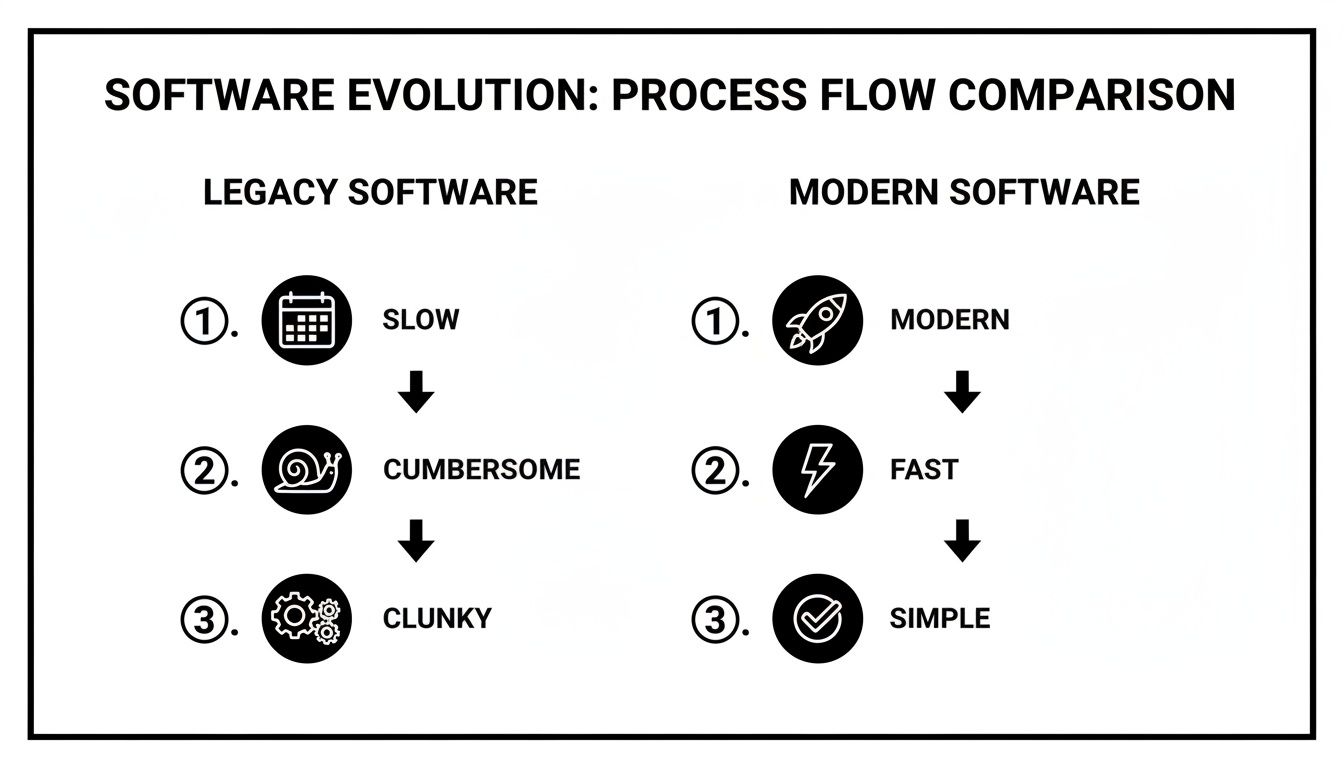
Comparison of software evolution, showing legacy software as slow, cumbersome, clunky versus modern software as modern, fast, simple.

This isn't just a minor upgrade, it's an evolution. You're moving away from the operational drag of old tools toward the efficiency that defines modern language school software in Singapore.

Phase 1: How do I prepare my data for migration?

Every successful migration starts with clean data. You must organize and export your essential information from your current system. This could be spreadsheets or an outdated program. Skipping this step is a recipe for disaster.

Here’s your essential export checklist:

  • Student Information: You need full names, contact details, current enrolments, and any outstanding lesson credits.

  • Teacher Profiles: You need their contact info, the subjects they teach, and their specific weekly availability.

  • Class Schedules: You need a complete list of all current group classes and any recurring one-on-one lessons.

Take an afternoon to tidy up this data. You should get rid of duplicate entries, fix typos, and make sure everything is consistent. A clean dataset means your new system will be accurate from day one.

Phase 2: System Configuration and Setup

With your clean data in hand, it's time to mould the new software to fit your school's unique DNA. This phase is all about configuring the platform to handle your specific rules for billing, payroll, and scheduling. This is where the software stops being a generic tool and truly becomes your system.

Key setup tasks include:

  • Building your billing rules, from GST calculations to your specific package pricing.

  • Defining your teacher payroll models, whether you pay per lesson, per hour, or use a revenue-share agreement.

  • Mapping out your physical spaces by adding each branch's room locations and seating capacities.

Phase 3: Training and Team Onboarding

A powerful tool is useless if your team doesn't know how to drive it. Focused training for your admin staff and teachers is absolutely critical for a smooth rollout. You need everyone to feel confident with the new workflows for their day-to-day tasks.

Your admin team must master scheduling, invoicing, and reporting. Your teachers must be comfortable with marking attendance and checking their schedules. Targeted training crushes resistance to change and gets you seeing a return on your investment much faster.

For a deeper dive into getting your team ready, check out this detailed tutoring software implementation plan.

Phase 4: Go-Live and Ongoing Support

"Go-Live" is the moment you flip the switch. Your new software becomes the official, central system for all school operations. If you can, try to schedule this during a quieter period, like a school holiday, to give yourself some breathing room.

Most importantly, make sure your new software provider offers excellent support right after you launch. You'll inevitably have questions, and having a responsive team to help you navigate those first few days is the key to a stress-free transition.

What is the ROI of new school software?

Think of the right software as a strategic investment, not just another expense. A modern platform can slash administrative overhead by over 60%. It helps onboard new students 3x faster and gives your monthly renewals a serious boost. These benefits translate directly into a healthier bottom line for your centre.

Investing in a proper management platform is all about getting measurable results for your school. The most immediate return on investment (ROI) comes from winning back the hundreds of hours your team sinks into manual, repetitive tasks every single month.

When you automate tedious workflows like scheduling, invoicing, and chasing payments, you free up staff. They can then focus on things that actually grow the business. Suddenly, they're improving the student experience and bringing in new families. This shift turns software from a cost into a tool for real profitability.

How much are those saved admin hours really worth?

Let’s look at a typical scenario for a language school in Singapore. If your admin team spends 10+ hours every week on manual tasks, automating that work delivers an immediate financial return. That saved time is capital you can reinvest into student support, marketing campaigns, or curriculum development.

Just look at the savings from three key areas:

  • Faster Student Onboarding: A smooth, digital process means you can enrol new students 3x faster. This cuts the time to see revenue from a new sign-up.

  • Higher Student Renewals: When communication is sharp and parents have a professional portal, schools often see up to a 42% increase in monthly student renewals.

  • Zero Booking Errors: Automated conflict detection completely gets rid of costly double-bookings. You avoid awkward apologies, lost revenue, and damage to your reputation.

From a Cost Centre to a Profit Driver

Beyond just saving time, the right software actively makes you money by helping you use your resources better. Smart room management prevents scheduling clashes and shines a light on underused classrooms, even across multiple branches. This lets you maximize your enrolment capacity without needing to rent more space.

By framing the ROI in concrete numbers, like a 60% reduction in admin overhead, the investment becomes a no-brainer. The software stops being a monthly bill. It starts being an engine for sustainable, profitable growth for your language school. The software quickly pays for itself.

Frequently Asked Questions

What is language school software?

Language school software is a specialized management platform designed to automate and streamline the administrative operations of a language education center. It typically includes features for student registration, class scheduling, automated billing and invoicing, teacher payroll, parent communication, and performance reporting, all within a single integrated system.

Can the software handle different language programs with separate branding?

Yes, modern platforms built for the Singapore enrichment market use a multi-brand architecture. This allows you to manage multiple distinct programs (e.g., adult English and kids' Mandarin) from one admin dashboard. You can share teachers across brands while providing a unique, branded student portal for each program.

How does the system manage both group classes and private lessons?

The software is designed for flexibility, supporting various lesson formats. You can schedule recurring group classes, book ad-hoc 1:1 private lessons, and even manage hybrid delivery where some students attend in-person while others join online. The system's intelligent scheduling prevents conflicts across all these formats.

Is the platform compliant with Singapore's PDPA regulations?

Yes, compliance with Singapore's Personal Data Protection Act (PDPA) is a non-negotiable requirement for any reputable software provider in this market. The platform ensures data security through secure storage, strict user access controls, and transparent data handling policies to protect student and staff information.

Can it integrate with local payment methods like PayNow?

Absolutely. A system localized for Singapore must support local payment methods. In addition to credit card processing via Stripe, it allows you to generate invoices with PayNow QR codes. You can also manually track payments made via direct bank transfer to ensure your financial records are always accurate.

What kind of support is offered during migration from another system?

A good software provider offers comprehensive support during the transition. This includes guided data migration to import student and teacher information, system configuration to set up your specific billing and payroll rules, and dedicated training for your administrative staff and teachers to ensure a smooth go-live.

How does multi-brand architecture benefit a language school?

Multi-brand architecture allows a single organization to run multiple, separately branded schools or programs from one administrative account. For a Singapore language school, this means you can offer an English program and a Mandarin program that look completely separate to students, yet you can share teachers and manage finances centrally, increasing efficiency.

What is the main benefit of automated billing for a Singapore school?

The main benefit is the automatic and accurate application of Goods and Services Tax (GST) and integration with local payment methods like PayNow. It eliminates manual calculations, reduces human error, and saves significant administrative time each month, improving cash flow and financial accuracy for your school.

Ready to eliminate administrative bottlenecks and unlock your school's growth potential? Discover how Tutorbase can automate your scheduling, billing, and payroll. Visit tutorbase.com/register today.

Language School Software Singapore: Your 2026 Essential Guide

Published: January 5, 2026 by Amy Ashford

Language school software in Singapore is the central engine for managing your entire operation. A modern platform automates scheduling, billing, and parent communication, freeing up significant administrative time. By choosing a system with multi-brand architecture and features localized for Singapore, you can scale efficiently while providing a superior student experience.

Why is Modern Language School Software Essential?

A laptop and an open book on a classroom desk, with a blurry presenter and whiteboard in the background, displaying 'AUTOMATE ADMIN'.

Trying to manage a language school in Singapore's competitive market with spreadsheets is a recipe for burnout. Manual scheduling, invoicing, and payroll consume your time and create opportunities for errors. These mistakes, like double-booked teachers or incorrect GST calculations, directly impact your revenue and student trust.

Modern software automates these critical but time-consuming tasks. You can run your entire operation from a single, clean dashboard instead of spending hours cross-checking calendars. This shift allows you to redirect your energy toward high-value work like curriculum development, teacher training, and student engagement.

To get a clearer picture, here’s a quick look at how software transforms daily operations.

At-a-Glance Benefits of Language School Software

Operational Area

Manual Process Pain Point

Software Automation Benefit

Scheduling

Juggling spreadsheets, texts, and emails. High risk of double-booking teachers or rooms.

You get a centralised, real-time calendar visible to staff and parents. The system performs automatic conflict detection.

Billing & Invoicing

Manually creating invoices, tracking payments, and calculating GST. Chasing late fees.

The software provides automated, recurring invoicing with correct GST. Online payment gateway integration for faster payments.

Parent Communication

Sending mass emails that get lost. No central place for progress updates or announcements.

You use a dedicated parent portal for progress reports, schedules, and payments. You can send targeted SMS/email alerts.

Payroll

Manually calculating teacher hours based on attendance sheets. Prone to errors.

The system generates automatic timesheets based on logged class attendance. You receive accurate, one-click payroll reports.

This shift from manual chaos to automated clarity allows a good language school to become a great one.

How do you automate operations for growth?

The move towards digital tools in education is undeniable. The language learning apps market revenue in Singapore is projected to reach S$45.1m in 2024. This trend highlights the digital shift in how schools are run. Language centres of all sizes are ditching old systems for smart platforms.

What is Multi-Brand Management?

Multi-brand management is a software feature that allows you to operate multiple, distinct language programs from a single administrative dashboard. For example, you can run 'ABC English' for adults and a separate 'XYZ Mandarin' program for kids under one system. This is a crucial feature for the Singapore enrichment market.

A key benefit is sharing resources like teachers across different brands. At the same time, you provide a unique, branded portal for each student group. Students only see their specific school's portal, ensuring a seamless and professional experience. This setup is ideal for enrichment centres offering a diverse mix of courses.

What Core Features Does Your Language School Need?

Running a language school in Singapore involves managing many moving parts. The right software does not just organize this chaos, it automates it. This automation gives you back precious hours to focus on what actually grows your business. Your software should solve your biggest operational headaches.

Think of it this way: good software should solve your biggest operational headaches. So, when you're looking for a platform, focus on the core features that tackle the most time-consuming tasks. For Singaporean centres, that means smart scheduling, seamless billing, and flexible payroll are non-negotiable.

Let's break down what these features actually do for you day-to-day.

What Is Intelligent Scheduling?

Intelligent scheduling is an active assistant that instantly finds the perfect lesson slot based on all your constraints. These constraints include teacher availability, room capacity, and student needs. You do not have to manually cross-reference spreadsheets to find a slot.

The hero feature here is often called ‘Find Slot’. Imagine a parent asks for a private Mandarin lesson on Tuesday afternoons. Instead of checking three teachers' schedules and room bookings, you enter the request. The software instantly shows every possible combination of available teachers, rooms, and times.

This is a game-changer for a few key reasons:

  • No More Double-Bookings: The system automatically flags conflicts, so you cannot accidentally book the same teacher or classroom twice.

  • Maximise Your Resources: You can easily spot gaps in schedules. This helps you fill empty slots and maximize your teachers' hours and classroom space.

  • Faster Enrolment: You can confirm a new student's booking in seconds. This provides a slick, professional experience from the first interaction.

How do I automate tutoring centre billing?

Automated billing links attendance directly to invoicing. This eliminates the tedious and error-prone process of creating invoices manually. When a teacher marks a student as present, the system automatically logs that lesson as a billable item. A great system for Singapore handles local financial details without fuss.

The software should automatically apply the correct Goods and Services Tax (GST). It should also integrate with local payment methods. You need options to track bank transfers and generate PayNow QR codes to make reconciliation simple, in addition to Stripe for credit cards.

How do you simplify payroll for complex teacher contracts?

Payroll automation uses the attendance data you're already collecting to calculate teacher payments. This is a lifesaver for language schools that work with instructors on different types of contracts. A flexible platform can handle various pay structures.

A flexible platform can handle various pay structures, including:

  • Per-Lesson Fees: A flat rate for each class taught.

  • Revenue-Sharing Models: Paying instructors a percentage of the lesson revenue.

  • Premium Payouts: Automatically adding bonuses for lessons on weekends or for specialised courses like IELTS preparation.

Multi-Brand and Multi-Location Management

Successful enrichment centres in Singapore often operate multiple programs under one roof. For example, you might run ‘ABC English’ and ‘XYZ Mandarin’ as distinct brands. The best software supports this multi-brand architecture from a single dashboard.

This feature lets you share teachers across brands while giving each student a unique, branded portal. A student at ABC English will only see the ABC English logo, schedule, and messages. This creates a polished and focused experience. Many centres still waste over 10 hours a week on manual admin.

Forward-thinking schools are even integrating advanced AI Audio Translator tools to support learners with diverse linguistic backgrounds. These tools provide instant comprehension aids right within the curriculum.

How do you choose the right software for your centre?

When picking language school software in Singapore, you need to think beyond the price tag. The right platform must handle genuine growth, be built for the Singaporean market, and manage the messy reality of hybrid operations. It's about long-term efficiency, not just a cheap subscription.

Choosing a management platform is a huge decision. It touches every part of your daily operations and dictates how easily you can grow. The best way to approach this is with a simple checklist, making sure you're buying long-term value, not just a quick fix.

Can the software truly scale with your school?

Scalability means the software works just as smoothly when you're managing 10,000 lessons a week as it did at 50. You need to ask vendors directly if their system can handle a massive jump in activity without slowing down or crashing. Your software should help you grow, not hold you back.

Think about your five-year plan. If you plan to open new branches or triple student numbers, the platform you pick in 2026 must be ready. Otherwise, you're setting yourself up for a painful migration in a few years. Multi-brand support is a true test of scalability.

Is the platform properly localized for Singapore?

For any language school here, localization is a deal-breaker. This goes beyond changing the currency symbol to SGD. The software has to be designed from the ground up for the unique business environment in Singapore. This means it must be fully compliant with local regulations and payment norms.

Here’s what that actually means:

  • PDPA Compliance: The platform must follow Singapore's Personal Data Protection Act (PDPA). This ensures all your student and staff data is handled securely and meets national regulations.

  • Local Payment Methods: The system needs to let you easily track payments made via PayNow QR codes and direct bank transfers.

  • GST Functionality: The software should handle Goods and Services Tax automatically and accurately, making your financial reporting much simpler.

Does it support complex hybrid operations?

Modern language schools are complicated. You are likely juggling online classes, in-person lessons, multi-branch schedules, and different class types. Your software needs to be flexible enough to manage all this without creating administrative headaches. It should support both group classes and 1:1 lessons seamlessly.

Before you commit, it's worth checking out a detailed language learning app comparison to see what modern functionality looks like. To go even deeper, our tutoring software demo buyer's guide gives you a checklist of the exact questions to ask during a product walkthrough.

The global edtech market for language learning is set to hit USD 124.7 billion by 2034, with Singapore as a key market. Centres with 5-20 teachers often waste 15% of revenue on admin inefficiencies. The right software can slash that overhead by 60%.

Legacy vs. Modern Software Comparison

The gap between a modern platform and an older tool isn't just about a pretty interface. It's about fundamental differences in efficiency and your ability to grow. Ambitious schools are held back by bottlenecks that simply shouldn't exist in 2026.

Here’s a look at a typical legacy system interface. Notice how everything is crammed into dense tables?

This kind of design forces your team to click through endless menus just to do simple things. It is exhausting and kills productivity. Modern software, on the other hand, is built around clean, intuitive dashboards. A good interface means your team spends less time fighting the software.

To really see the difference, it helps to put the two approaches side-by-side. We've compared a modern platform like Tutorbase against the kind of features you'd find in common legacy systems.

Feature

Modern Platform (e.g., Tutorbase)

Legacy System

Scheduling

Intelligent 'Find Slot' function finds options in seconds.

You use a manual drag-and-drop calendar which is prone to errors.

Billing & Invoicing

Attendance automatically generates invoices; one-click creation.

You follow a tedious, multi-step manual process at month-end.

User Interface

You get a clean, intuitive dashboard designed for speed and ease of use.

The design is clunky and table-heavy, requiring extensive training.

Parent Communication

You have an integrated parent portal for bookings, payments, and updates.

You rely on external emails and phone calls, with no central hub.

Multi-Branch Support

The software natively supports multiple brands/locations from one account.

You need separate accounts or workarounds for each branch.

Localisation (SG)

It has built-in GST, PayNow/Stripe support, and PDPA compliance.

It uses generic features that require manual adjustments for local needs.

As you can see, the contrast isn't just about convenience, it's about capability. Modern tools automate repetitive tasks, while legacy systems often just digitize manual processes without improving them.

Your Step-by-Step Plan for a Smooth Software Migration

Switching your language school's core software doesn't have to be a nightmare. With a clear, structured plan, you can move from an old system to a modern platform in just 2 to 4 weeks. This plan involves breaking down the migration into four simple phases.

The goal is to leave behind the slow, manual processes that hold you back. You can embrace something built for speed and simplicity.

Comparison of software evolution, showing legacy software as slow, cumbersome, clunky versus modern software as modern, fast, simple.

This isn't just a minor upgrade, it's an evolution. You're moving away from the operational drag of old tools toward the efficiency that defines modern language school software in Singapore.

Phase 1: How do I prepare my data for migration?

Every successful migration starts with clean data. You must organize and export your essential information from your current system. This could be spreadsheets or an outdated program. Skipping this step is a recipe for disaster.

Here’s your essential export checklist:

  • Student Information: You need full names, contact details, current enrolments, and any outstanding lesson credits.

  • Teacher Profiles: You need their contact info, the subjects they teach, and their specific weekly availability.

  • Class Schedules: You need a complete list of all current group classes and any recurring one-on-one lessons.

Take an afternoon to tidy up this data. You should get rid of duplicate entries, fix typos, and make sure everything is consistent. A clean dataset means your new system will be accurate from day one.

Phase 2: System Configuration and Setup

With your clean data in hand, it's time to mould the new software to fit your school's unique DNA. This phase is all about configuring the platform to handle your specific rules for billing, payroll, and scheduling. This is where the software stops being a generic tool and truly becomes your system.

Key setup tasks include:

  • Building your billing rules, from GST calculations to your specific package pricing.

  • Defining your teacher payroll models, whether you pay per lesson, per hour, or use a revenue-share agreement.

  • Mapping out your physical spaces by adding each branch's room locations and seating capacities.

Phase 3: Training and Team Onboarding

A powerful tool is useless if your team doesn't know how to drive it. Focused training for your admin staff and teachers is absolutely critical for a smooth rollout. You need everyone to feel confident with the new workflows for their day-to-day tasks.

Your admin team must master scheduling, invoicing, and reporting. Your teachers must be comfortable with marking attendance and checking their schedules. Targeted training crushes resistance to change and gets you seeing a return on your investment much faster.

For a deeper dive into getting your team ready, check out this detailed tutoring software implementation plan.

Phase 4: Go-Live and Ongoing Support

"Go-Live" is the moment you flip the switch. Your new software becomes the official, central system for all school operations. If you can, try to schedule this during a quieter period, like a school holiday, to give yourself some breathing room.

Most importantly, make sure your new software provider offers excellent support right after you launch. You'll inevitably have questions, and having a responsive team to help you navigate those first few days is the key to a stress-free transition.

What is the ROI of new school software?

Think of the right software as a strategic investment, not just another expense. A modern platform can slash administrative overhead by over 60%. It helps onboard new students 3x faster and gives your monthly renewals a serious boost. These benefits translate directly into a healthier bottom line for your centre.

Investing in a proper management platform is all about getting measurable results for your school. The most immediate return on investment (ROI) comes from winning back the hundreds of hours your team sinks into manual, repetitive tasks every single month.

When you automate tedious workflows like scheduling, invoicing, and chasing payments, you free up staff. They can then focus on things that actually grow the business. Suddenly, they're improving the student experience and bringing in new families. This shift turns software from a cost into a tool for real profitability.

How much are those saved admin hours really worth?

Let’s look at a typical scenario for a language school in Singapore. If your admin team spends 10+ hours every week on manual tasks, automating that work delivers an immediate financial return. That saved time is capital you can reinvest into student support, marketing campaigns, or curriculum development.

Just look at the savings from three key areas:

  • Faster Student Onboarding: A smooth, digital process means you can enrol new students 3x faster. This cuts the time to see revenue from a new sign-up.

  • Higher Student Renewals: When communication is sharp and parents have a professional portal, schools often see up to a 42% increase in monthly student renewals.

  • Zero Booking Errors: Automated conflict detection completely gets rid of costly double-bookings. You avoid awkward apologies, lost revenue, and damage to your reputation.

From a Cost Centre to a Profit Driver

Beyond just saving time, the right software actively makes you money by helping you use your resources better. Smart room management prevents scheduling clashes and shines a light on underused classrooms, even across multiple branches. This lets you maximize your enrolment capacity without needing to rent more space.

By framing the ROI in concrete numbers, like a 60% reduction in admin overhead, the investment becomes a no-brainer. The software stops being a monthly bill. It starts being an engine for sustainable, profitable growth for your language school. The software quickly pays for itself.

Frequently Asked Questions

What is language school software?

Language school software is a specialized management platform designed to automate and streamline the administrative operations of a language education center. It typically includes features for student registration, class scheduling, automated billing and invoicing, teacher payroll, parent communication, and performance reporting, all within a single integrated system.

Can the software handle different language programs with separate branding?

Yes, modern platforms built for the Singapore enrichment market use a multi-brand architecture. This allows you to manage multiple distinct programs (e.g., adult English and kids' Mandarin) from one admin dashboard. You can share teachers across brands while providing a unique, branded student portal for each program.

How does the system manage both group classes and private lessons?

The software is designed for flexibility, supporting various lesson formats. You can schedule recurring group classes, book ad-hoc 1:1 private lessons, and even manage hybrid delivery where some students attend in-person while others join online. The system's intelligent scheduling prevents conflicts across all these formats.

Is the platform compliant with Singapore's PDPA regulations?

Yes, compliance with Singapore's Personal Data Protection Act (PDPA) is a non-negotiable requirement for any reputable software provider in this market. The platform ensures data security through secure storage, strict user access controls, and transparent data handling policies to protect student and staff information.

Can it integrate with local payment methods like PayNow?

Absolutely. A system localized for Singapore must support local payment methods. In addition to credit card processing via Stripe, it allows you to generate invoices with PayNow QR codes. You can also manually track payments made via direct bank transfer to ensure your financial records are always accurate.

What kind of support is offered during migration from another system?

A good software provider offers comprehensive support during the transition. This includes guided data migration to import student and teacher information, system configuration to set up your specific billing and payroll rules, and dedicated training for your administrative staff and teachers to ensure a smooth go-live.

How does multi-brand architecture benefit a language school?

Multi-brand architecture allows a single organization to run multiple, separately branded schools or programs from one administrative account. For a Singapore language school, this means you can offer an English program and a Mandarin program that look completely separate to students, yet you can share teachers and manage finances centrally, increasing efficiency.

What is the main benefit of automated billing for a Singapore school?

The main benefit is the automatic and accurate application of Goods and Services Tax (GST) and integration with local payment methods like PayNow. It eliminates manual calculations, reduces human error, and saves significant administrative time each month, improving cash flow and financial accuracy for your school.

Ready to eliminate administrative bottlenecks and unlock your school's growth potential? Discover how Tutorbase can automate your scheduling, billing, and payroll. Visit tutorbase.com/register today.