
A Guide to Piano School Management Software
Published: January 12, 2026 by Amy Ashford
Key Takeaway: Piano school management software streamlines your operations by automating recurring lesson scheduling, attendance-driven billing, and teacher payroll. The best systems link a student, teacher, and room for an entire term, offer flexible billing like per-lesson or packages, and provide a seamless workflow for makeup lessons. This saves 10-15 hours per week on admin tasks.
Ever find yourself buried under spreadsheets, sticky notes, and clunky calendars just to run your piano school? There is a better way.
Piano school management software is the all-in-one system built to take the administrative chaos off your plate. It handles everything from recurring lesson scheduling and client billing to teacher payroll, all in one place. It acts as your digital school manager.
By bringing these core tasks into a single, automated platform, you can finally ditch the disjointed tools. These tools often lead to double-bookings, missed payments, and hours of wasted time. This guide will walk you through exactly how this software works and what features are non-negotiable.
Why Do You Need More Than Spreadsheets?
Using spreadsheets to manage a piano school creates operational chaos and limits growth. The sheer volume of recurring lessons, makeup sessions, and student-teacher-room coordination leads to errors. This manual approach compromises the professional service that parents expect from your school.
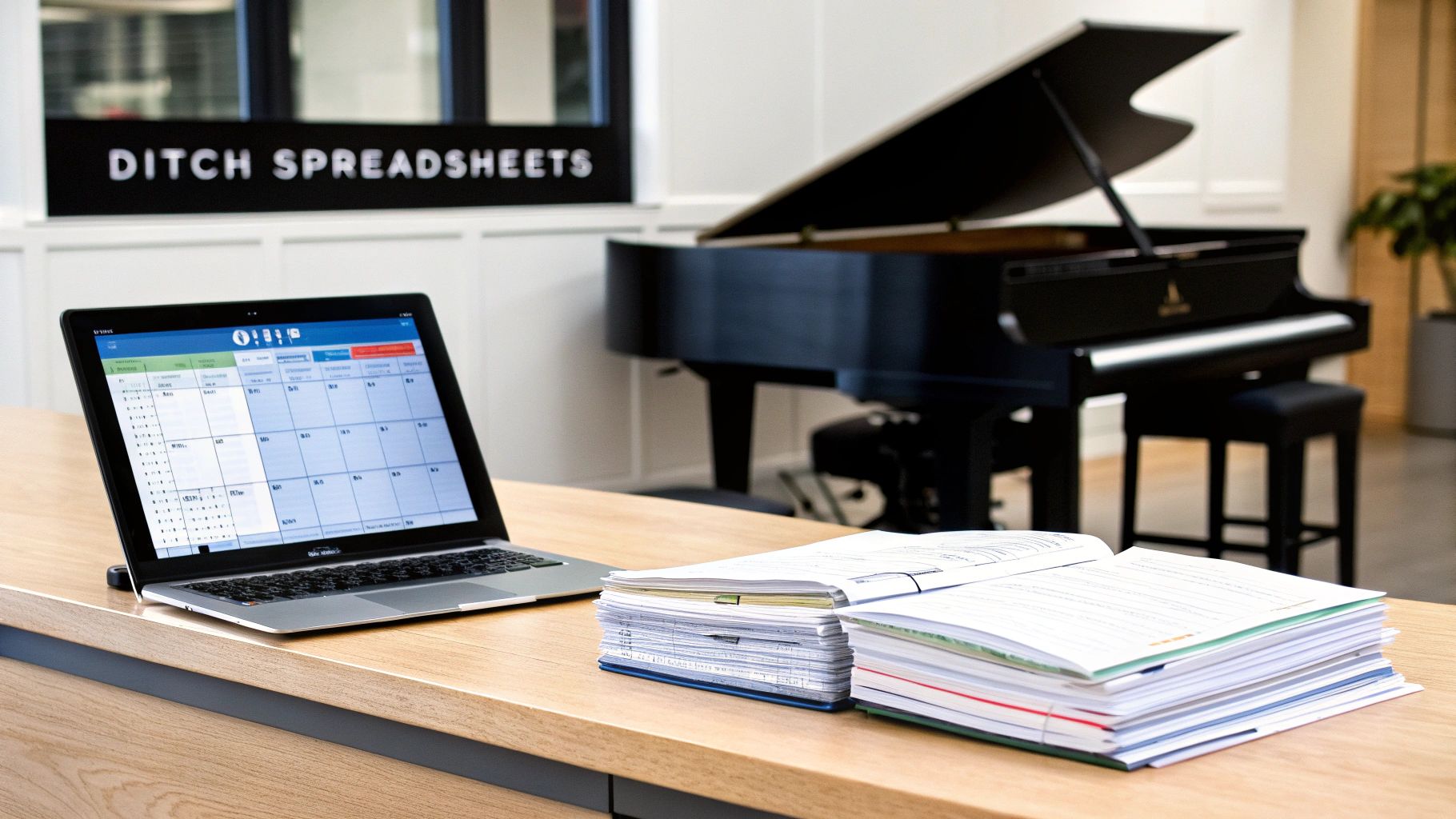
Picture a typical Tuesday at your music school. You juggle dozens of ABRSM exam prep lessons and try to reschedule a sick student. You also hunt for a free practice room and then attempt to calculate last week’s teacher payroll. It's a lot to handle manually.
Trying to manage this intricate dance with a patchwork of spreadsheets and calendars is ineffective. You're trying to conduct an orchestra with a single violin. Before you know it, you drown in admin, and costly errors start to creep into your operations.
The Problem with Manual Processes
Let's be honest, manual data entry is a recipe for mistakes. Moving information between spreadsheets for scheduling, billing, and payroll is just asking for trouble. A single typo can lead to a double-booked room, an angry parent with an incorrect invoice, or an underpaid teacher.
These are not just small hiccups; they can seriously damage your school's reputation and bottom line. This disjointed approach also creates information silos. Your scheduling calendar has no idea what your billing ledger is doing. This means you must manually update multiple documents for every single lesson change.
The real cost of sticking with spreadsheets isn't the software itself. It's the 10-15 hours per week of your time spent on tasks that software could automate. You could invest that time in marketing or improving your curriculum.
Why do piano schools have unique challenges?
The operational demands of a piano school are intense, especially in competitive, exam-driven markets. You are not just booking one-off appointments. You are managing complex, recurring lesson series that lock a specific student, teacher, and room together for an entire term.
The sheer volume of exam participation creates immense scheduling pressure. A report by the Associated Board of the Royal Schools of Music (ABRSM) revealed over 650,000 exam entries worldwide annually. In exam-focused markets, a typical music centre juggles hundreds of weekly lessons.
This environment demands a system that can gracefully handle:
Recurring Series Bookings: Lock in a student, teacher, and room for a whole term without clashes.
Makeup Lesson Workflows: Seamlessly manage cancellations and find new slots without creating calendar chaos.
Per-Lesson Billing: Accurately track attendance to generate invoices that parents can trust.
Variable Teacher Pay: Calculate pay using a flat rate, base salary plus variable, or other models without manual number-crunching.
Trying to manage these moving parts by hand simply is not sustainable. For a deeper look, check out the benefits of moving from spreadsheets to dedicated timesheet apps. Dedicated piano school management software turns operational chaos into a smooth workflow.
What Features Should Piano School Management Software Include?
The best piano school management software does more than just generic booking. It is built with the unique rhythm of a music school in mind. It offers specialized tools like smart scheduling that links students, teachers, and rooms for an entire term. It should also connect attendance directly to billing.
When you start comparing software, it is easy to get lost in a long list of features. But not all platforms are created equal. Generic business software just does not understand the specific operational headaches of running a music school. You need a system that gets it.
This means looking past the buzzwords and focusing on functions that solve your biggest daily challenges. The right software should feel like a designer who has actually run a busy music centre created it. It should understand everything from term-based scheduling to the nightmare of calculating teacher payroll.
What is Smart Scheduling for Recurring Lessons?
Smart scheduling is a feature that lets you create a recurring lesson series. This permanently links a specific student, teacher, and practice room for the same day and time, every single week of the term. Your school isn’t booking one-off appointments; you are building long-term relationships.
Think of it as creating one solid, unbreakable booking unit. This completely eliminates the tedious job of recreating schedules week after week. More importantly, it prevents the dreaded double-booking of your star teacher or that one popular practice room with the grand piano.
How Does Attendance-Driven Billing Work?
Manually creating invoices is a massive time-drain. It is also a common source of mistakes that can frustrate parents. Modern software automates this entire process with attendance-driven billing. The concept is simple but powerful, billing is triggered directly by what the teacher does in the classroom.
When a teacher marks a student as "Attended" for a lesson, the system instantly takes a financial action. This could be:
Generating a per-lesson invoice for the parent to pay.
Deducting a credit from a prepaid package the parent bought at the start of term.
Logging the completed lesson for a clean, accurate monthly subscription bill.
This direct link ensures you only bill for services you have actually provided. It creates transparent and accurate invoices that build trust with your families. For more on this, check out our article on music school management software.
How Can I Manage Flexible Payroll for Music Teachers?
Teacher pay in music schools is rarely straightforward. You might have some tutors on a flat hourly rate, others on a base salary plus a per-student bonus, and some who earn a percentage of the lesson fee. Your software has to handle this complexity without giving you a headache.
Look for a platform with a flexible payroll module. It should let you set up different pay rules for each individual teacher. The system should then automatically calculate their earnings based on the lessons they've taught. This gets rid of hours spent wrestling with spreadsheets at the end of the month.
Why Do You Need Dedicated Makeup Lesson Support?
Let’s be honest, managing makeup lessons is one of the biggest administrative pains. One simple cancellation can kick off a messy chain of phone calls and emails. You have to find a new time that works for the student, the teacher, and an available room.
A dedicated makeup lesson workflow is a non-negotiable feature. It should allow you to easily cancel a lesson, credit the student with a "makeup credit," and then let parents or staff find and book a new slot from a list of available times. This turns a frustrating, multi-step process into a simple, self-service action.
How Do I Track Individual Progress with Lesson Notes?
Great music education is all about tracking a student’s development over time. A robust piano school management software should include a student profile where teachers can log progress notes after each and every lesson. This creates a running record of progress.
This record shows what was covered, areas that need more practice, and the pieces they are working on. This is invaluable for communicating with parents. It also ensures a consistent learning journey, even if a substitute teacher has to step in for a week.
Comparison: Manual Spreadsheets vs. Automated Software
Administrative Task | Using Spreadsheets and Manual Tools | Using Piano School Management Software |
|---|---|---|
Recurring Lessons | Manually copy and paste weekly schedules, with a high risk of booking conflicts and errors. | Create a single "lesson series" that locks in the student, teacher, and room for the entire term. |
Billing | Manually check attendance sheets against schedules to create invoices one by one at the end of the month. | Marking attendance automatically generates an invoice or deducts from a pre-paid package in real-time. |
Teacher Payroll | Export lesson data to a spreadsheet and use complex formulas to calculate different pay structures. | Payroll is calculated automatically based on pre-set teacher rates (flat rate, base + variable, etc.) and the exact lessons taught. |
Makeup Lessons | A chaotic mix of emails, phone calls, and calendar checks to find and confirm a new slot. | A built-in workflow tracks makeup credits and shows parents or staff a list of available slots for easy rebooking. |
Progress Notes | Keep notes in separate notebooks or random documents, often inaccessible to parents or other staff. | Attach digital notes directly to the student's profile, creating a central, accessible learning history. |
As you can see, the right software fundamentally changes how you run your school. It frees you up from tedious admin to focus on what really matters: teaching music.
Solving Scheduling Conflicts Before They Happen
Scheduling is the heart of your piano school, and it's also the source of your biggest headaches. Trying to manage it manually is like being an air traffic controller with nothing but a paper map and a pencil. You spend hours staring at calendars, hoping you don't accidentally create conflicts.
A modern piano school management software introduces smart scheduling. It acts less like a simple calendar and more like an automated air traffic control system for your entire school. It is designed to prevent problems before they even have a chance to happen.
How to Create an Unbreakable Lesson Series
The core of this system is the recurring lesson series. This is not just a repeating event you would plug into Google Calendar. Think of it as a single, unbreakable unit that permanently links one student, with one teacher, in one room, for the whole term.
Once you create that series, the system effectively locks down that time slot. Nobody else can book that teacher, and nobody else can book that room. This one simple action wipes out the most common cause of scheduling chaos, which is human error from copying weekly timetables.
How Do I Find a Slot for a New Student Instantly?
Picture this: a parent calls, wanting to sign up their Grade 5 child for lessons on Wednesday afternoons. If you are doing things manually, this kicks off a frustrating 20-minute scramble. You flip through binders and cross-reference charts while the parent is on hold.
Smart scheduling kills this problem with a "Find Slot" feature. You just punch in the student’s needs (Grade 5 piano, Wednesday afternoon), and the software does the rest. In seconds, it scans the real-time availability of every qualified teacher and every free room, giving you a clean list of options.
The Challenge of Scheduling in Competitive Regions
This kind of scheduling power is not just a nice-to-have. In dense, exam-focused markets, it is essential for survival.
Take Hong Kong, for example, where a huge number of children learn instruments privately. Piano centres there manage incredibly complex timetables built around mainstream school hours and exam prep. You can learn more about this environment by reading about music education in Hong Kong.
That level of complexity makes tools like Google Calendar or WhatsApp completely unworkable. The sheer volume of interlocking schedules creates a natural demand for robust, centre-grade management platforms.
The real power of smart scheduling is its ability to see the future. The system knows every teacher's availability, every room's booking status, and every student's lesson time. It can instantly identify and prevent conflicts that you would not spot until it was too late.
This proactive approach even helps you manage demand. When your best teachers are fully booked, the software lets you build an organised waitlist. The moment a slot opens up, you can instantly notify the next student in line. This keeps your schedules full and your revenue flowing.
Automating Your Finances From Lesson to Ledger
Chasing payments and calculating payroll are two of the biggest time-sinks for any piano school owner. Modern school management software connects your day-to-day lessons directly to your finances. It turns classroom activities into cash flow.
It all starts with one simple action. When a teacher marks a student as "Attended" in the software, it kicks off a powerful chain reaction. That single click becomes the trigger for your entire financial workflow. It creates an accurate accounting record without anyone lifting a finger.
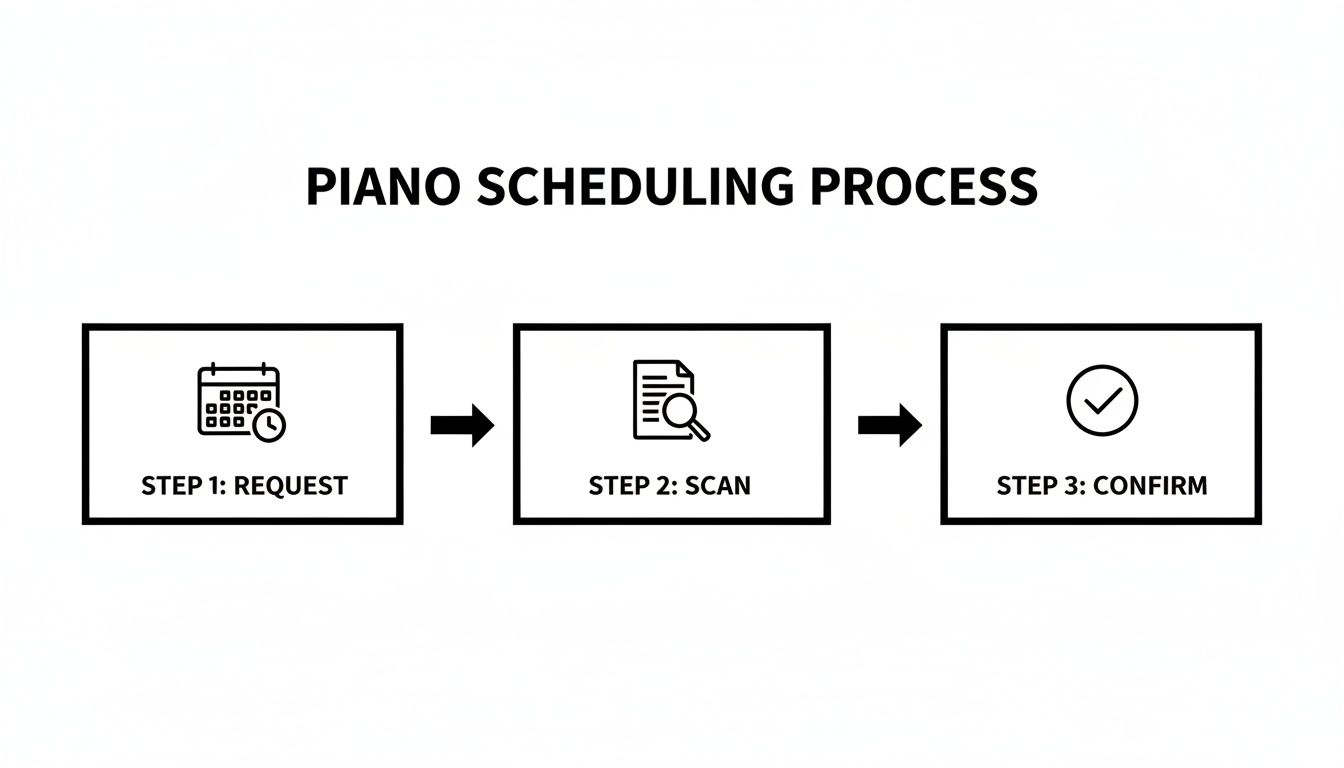
From the moment a lesson is confirmed, its financial outcome is already queued up. It just waits for that attendance trigger to make it official.
What Is Attendance-Driven Billing?
Attendance-driven billing is a core feature that automates your invoicing by linking it directly to lesson attendance. This ensures you only bill for services that have actually been delivered. This builds huge trust with parents through transparent and accurate invoices.
When a teacher marks a lesson as complete, the system can automatically:
Generate an invoice for that specific per-lesson billing session.
Deduct one credit from a student's prepaid lesson package.
Log the completed hour towards an end-of-month subscription bill.
For the revenue side of things, good automated invoicing software turns a manual chore into a smooth, self-running process.
Handling Flexible Billing and Payment Models
Your school probably does not have a one-size-fits-all payment plan. Families need options. A robust platform should handle this complexity with ease. It lets you set up different billing rules for different students.
This flexibility is crucial. You might have one student on a 10-lesson package where credits are deducted automatically. Meanwhile, another is on a pay-as-you-go model. The system needs to manage these parallel tracks flawlessly. It ensures every family is billed correctly according to their agreement.
How Does Automated Payroll Work for Teachers?
Figuring out what to pay each teacher can be a real headache. This is especially true with varied pay structures. The right software gets rid of this manual chore. It calculates payroll based on the lessons teachers actually teach. You can set unique pay rules for every single teacher.
Common Teacher Pay Structures
Pay Model | How It Works in Software |
|---|---|
Flat Rate Per Hour | The system multiplies the teacher's hourly rate by the total hours taught, all logged via attendance. |
Base Salary + Variable | A fixed base salary is set, and the software automatically adds variable pay for each lesson taught beyond a certain threshold. |
Revenue Share | The teacher earns a pre-set percentage of the lesson fee, which the software calculates for each student automatically. |
This automation means your teachers get paid accurately and on time, every single month. Their payable hours are logged the moment they mark attendance. It completely removes that end-of-month spreadsheet scramble. A system like Tutorbase is designed to bring this efficiency to your school.
How to Choose the Right Software for Your School
Choosing your piano school management software is a long-term investment, much like buying a grand piano. Your evaluation should focus on scalability to support growth, ease of use for quick team adoption, and specialized features. Spotting red flags like clunky interfaces is crucial.
Picking the right platform is one of the most critical decisions you will make for your school’s future. The goal is to find a partner that genuinely simplifies your operations, not one that adds another layer of complexity.
Your choice needs to support not only how you work today, but where you see your school in 2026 and beyond. A system that works for a small studio of 50 students might buckle under the pressure of 500.
Can the Software Grow With Your School?
Scalability should be your number one concern. Will the software keep up as you grow from 50 students to 500? A truly scalable system handles more lessons, students, and teachers smoothly, without slowing down or forcing a costly upgrade.
Before you commit, ask potential vendors about their larger clients. If a platform is already managing schools with thousands of weekly lessons, that’s a great sign. It shows the system can handle your future growth. You don’t want to face a painful data migration in two years.
Is It Easy for Your Team to Use?
The most feature-packed software is useless if your team finds it confusing. Simplicity is key to getting everyone on board quickly. Look for a clean, intuitive interface. During a demo, pay close attention to how many clicks it takes to perform common tasks.
Here’s a good test: imagine your newest admin using the system during the back-to-school rush.
Can they find a new lesson slot in under a minute?
Is the process for handling a makeup lesson clear and simple?
Can teachers easily mark attendance from a phone or tablet?
If the answer to any of these is “no,” that is a major red flag. Complicated software creates bottlenecks and needs endless training.
Does It Support Multiple Locations?
If you dream of opening a second or third branch, multi-location support is non-negotiable. The software must let you manage schedules, billing, and reporting for all your locations from a single dashboard. This centralised control is absolutely essential for keeping your operations consistent as your business expands.
Research from Premier Software found that 60% of businesses using management software reported improved efficiency. The right software gives you this time back, but only if it matches your specific operational model, including plans for expansion.
How do I spot red flags during evaluation?
As you look at different options, keep an eye out for warning signs. A clunky, outdated interface is often the first red flag. It hints that the technology underneath might be just as old. Another huge issue is a rigid billing system.
If a platform cannot handle your specific mix of per-lesson billing, packages, and variable teacher pay, it will create more problems than it solves. Be cautious of vendors who are not transparent about their pricing. Your software provider is a partner, so you need one invested in your success.
Your Migration and Training Checklist
A smooth switch is just as important as picking the right software. Planning your data migration and team training ahead of time will prevent chaos when you go live.
Data Cleanup: Before you move anything, clean up your existing data. Fix typos in student names, update contact info, and get your lesson history into a consistent format.
Phased Rollout: Do not try to switch everything at once. Start by migrating student data, then move on to scheduling, and finally turn on the billing and payroll features.
Appoint a Champion: Choose one person on your team to become the in-house expert. They can lead training and be the first person everyone goes to with questions.
Schedule Dedicated Training: Set aside specific time for staff training. Ensure everyone understands how to use the new system before it goes live.
A well-planned migration ensures your new piano school management software becomes a tool for growth. To see how Tutorbase can fit your school, you can sign up and get started.
Frequently Asked Questions
What is piano school management software?
Piano school management software is an all-in-one digital platform designed to automate the administrative tasks of running a music school. It handles recurring lesson scheduling, student billing, teacher payroll, room booking, and progress tracking in a single system, replacing manual spreadsheets and calendars.
How much does piano school management software cost?
The cost varies based on school size. Most providers use a monthly subscription model, often tiered by the number of active students or teachers. Prices can range from around $50 per month for a small studio to over $500 per month for large, multi-location music centers.
Can this software handle different teacher pay rates?
Yes, a key feature of quality software is a flexible payroll module. You can set unique pay rules for each teacher, such as a flat rate per hour, a base salary plus a variable amount per lesson, or a percentage of the lesson fee. The system then calculates payroll automatically based on attendance.
How does the software handle makeup lessons?
The software automates the makeup lesson process. When a lesson is canceled, the system can issue a "makeup credit" to the student's account. Parents or administrators can then use this credit to book a new lesson from a list of available teacher and room slots, preventing scheduling conflicts.
Is my school's data secure in the software?
Reputable software providers use industry-standard security measures to protect your data. This includes data encryption, secure cloud hosting (often with providers like Amazon Web Services), and regular security audits. Always ask a potential vendor about their specific security and data backup protocols.
How does recurring lesson scheduling work?
The software allows you to create a "recurring lesson series." This feature links a specific student, teacher, and room to a set day and time for an entire term or an indefinite period. This locks in the schedule, prevents double-bookings, and eliminates the need to manually recreate schedules each week.
Can I manage multiple school locations with one account?
Yes, robust piano school management software is designed for multi-location businesses. It provides a centralized dashboard where you can manage schedules, view reports, and handle billing for all your branches from a single login, ensuring operational consistency as you expand.
Ready to stop juggling spreadsheets and start automating your school? Tutorbase provides the smart scheduling, automated billing, and flexible payroll your piano school needs to grow. See how it works by visiting tutorbase.com/register.


A Guide to Piano School Management Software
Published: January 10, 2026 by Amy Ashford
Key Takeaway: Piano school management software streamlines your operations by automating recurring lesson scheduling, attendance-driven billing, and teacher payroll. The best systems link a student, teacher, and room for an entire term, offer flexible billing like per-lesson or packages, and provide a seamless workflow for makeup lessons. This saves 10-15 hours per week on admin tasks.
Ever find yourself buried under spreadsheets, sticky notes, and clunky calendars just to run your piano school? There is a better way.
Piano school management software is the all-in-one system built to take the administrative chaos off your plate. It handles everything from recurring lesson scheduling and client billing to teacher payroll, all in one place. It acts as your digital school manager.
By bringing these core tasks into a single, automated platform, you can finally ditch the disjointed tools. These tools often lead to double-bookings, missed payments, and hours of wasted time. This guide will walk you through exactly how this software works and what features are non-negotiable.
Why Do You Need More Than Spreadsheets?
Using spreadsheets to manage a piano school creates operational chaos and limits growth. The sheer volume of recurring lessons, makeup sessions, and student-teacher-room coordination leads to errors. This manual approach compromises the professional service that parents expect from your school.
Picture a typical Tuesday at your music school. You juggle dozens of ABRSM exam prep lessons and try to reschedule a sick student. You also hunt for a free practice room and then attempt to calculate last week’s teacher payroll. It's a lot to handle manually.
Trying to manage this intricate dance with a patchwork of spreadsheets and calendars is ineffective. You're trying to conduct an orchestra with a single violin. Before you know it, you drown in admin, and costly errors start to creep into your operations.
The Problem with Manual Processes
Let's be honest, manual data entry is a recipe for mistakes. Moving information between spreadsheets for scheduling, billing, and payroll is just asking for trouble. A single typo can lead to a double-booked room, an angry parent with an incorrect invoice, or an underpaid teacher.
These are not just small hiccups; they can seriously damage your school's reputation and bottom line. This disjointed approach also creates information silos. Your scheduling calendar has no idea what your billing ledger is doing. This means you must manually update multiple documents for every single lesson change.
The real cost of sticking with spreadsheets isn't the software itself. It's the 10-15 hours per week of your time spent on tasks that software could automate. You could invest that time in marketing or improving your curriculum.
Why do piano schools have unique challenges?
The operational demands of a piano school are intense, especially in competitive, exam-driven markets. You are not just booking one-off appointments. You are managing complex, recurring lesson series that lock a specific student, teacher, and room together for an entire term.
The sheer volume of exam participation creates immense scheduling pressure. A report by the Associated Board of the Royal Schools of Music (ABRSM) revealed over 650,000 exam entries worldwide annually. In exam-focused markets, a typical music centre juggles hundreds of weekly lessons.
This environment demands a system that can gracefully handle:
Recurring Series Bookings: Lock in a student, teacher, and room for a whole term without clashes.
Makeup Lesson Workflows: Seamlessly manage cancellations and find new slots without creating calendar chaos.
Per-Lesson Billing: Accurately track attendance to generate invoices that parents can trust.
Variable Teacher Pay: Calculate pay using a flat rate, base salary plus variable, or other models without manual number-crunching.
Trying to manage these moving parts by hand simply is not sustainable. For a deeper look, check out the benefits of moving from spreadsheets to dedicated timesheet apps. Dedicated piano school management software turns operational chaos into a smooth workflow.
What Features Should Piano School Management Software Include?
The best piano school management software does more than just generic booking. It is built with the unique rhythm of a music school in mind. It offers specialized tools like smart scheduling that links students, teachers, and rooms for an entire term. It should also connect attendance directly to billing.
When you start comparing software, it is easy to get lost in a long list of features. But not all platforms are created equal. Generic business software just does not understand the specific operational headaches of running a music school. You need a system that gets it.
This means looking past the buzzwords and focusing on functions that solve your biggest daily challenges. The right software should feel like a designer who has actually run a busy music centre created it. It should understand everything from term-based scheduling to the nightmare of calculating teacher payroll.
What is Smart Scheduling for Recurring Lessons?
Smart scheduling is a feature that lets you create a recurring lesson series. This permanently links a specific student, teacher, and practice room for the same day and time, every single week of the term. Your school isn’t booking one-off appointments; you are building long-term relationships.
Think of it as creating one solid, unbreakable booking unit. This completely eliminates the tedious job of recreating schedules week after week. More importantly, it prevents the dreaded double-booking of your star teacher or that one popular practice room with the grand piano.
How Does Attendance-Driven Billing Work?
Manually creating invoices is a massive time-drain. It is also a common source of mistakes that can frustrate parents. Modern software automates this entire process with attendance-driven billing. The concept is simple but powerful, billing is triggered directly by what the teacher does in the classroom.
When a teacher marks a student as "Attended" for a lesson, the system instantly takes a financial action. This could be:
Generating a per-lesson invoice for the parent to pay.
Deducting a credit from a prepaid package the parent bought at the start of term.
Logging the completed lesson for a clean, accurate monthly subscription bill.
This direct link ensures you only bill for services you have actually provided. It creates transparent and accurate invoices that build trust with your families. For more on this, check out our article on music school management software.
How Can I Manage Flexible Payroll for Music Teachers?
Teacher pay in music schools is rarely straightforward. You might have some tutors on a flat hourly rate, others on a base salary plus a per-student bonus, and some who earn a percentage of the lesson fee. Your software has to handle this complexity without giving you a headache.
Look for a platform with a flexible payroll module. It should let you set up different pay rules for each individual teacher. The system should then automatically calculate their earnings based on the lessons they've taught. This gets rid of hours spent wrestling with spreadsheets at the end of the month.
Why Do You Need Dedicated Makeup Lesson Support?
Let’s be honest, managing makeup lessons is one of the biggest administrative pains. One simple cancellation can kick off a messy chain of phone calls and emails. You have to find a new time that works for the student, the teacher, and an available room.
A dedicated makeup lesson workflow is a non-negotiable feature. It should allow you to easily cancel a lesson, credit the student with a "makeup credit," and then let parents or staff find and book a new slot from a list of available times. This turns a frustrating, multi-step process into a simple, self-service action.
How Do I Track Individual Progress with Lesson Notes?
Great music education is all about tracking a student’s development over time. A robust piano school management software should include a student profile where teachers can log progress notes after each and every lesson. This creates a running record of progress.
This record shows what was covered, areas that need more practice, and the pieces they are working on. This is invaluable for communicating with parents. It also ensures a consistent learning journey, even if a substitute teacher has to step in for a week.
Comparison: Manual Spreadsheets vs. Automated Software
Administrative Task | Using Spreadsheets and Manual Tools | Using Piano School Management Software |
|---|---|---|
Recurring Lessons | Manually copy and paste weekly schedules, with a high risk of booking conflicts and errors. | Create a single "lesson series" that locks in the student, teacher, and room for the entire term. |
Billing | Manually check attendance sheets against schedules to create invoices one by one at the end of the month. | Marking attendance automatically generates an invoice or deducts from a pre-paid package in real-time. |
Teacher Payroll | Export lesson data to a spreadsheet and use complex formulas to calculate different pay structures. | Payroll is calculated automatically based on pre-set teacher rates (flat rate, base + variable, etc.) and the exact lessons taught. |
Makeup Lessons | A chaotic mix of emails, phone calls, and calendar checks to find and confirm a new slot. | A built-in workflow tracks makeup credits and shows parents or staff a list of available slots for easy rebooking. |
Progress Notes | Keep notes in separate notebooks or random documents, often inaccessible to parents or other staff. | Attach digital notes directly to the student's profile, creating a central, accessible learning history. |
As you can see, the right software fundamentally changes how you run your school. It frees you up from tedious admin to focus on what really matters: teaching music.
Solving Scheduling Conflicts Before They Happen
Scheduling is the heart of your piano school, and it's also the source of your biggest headaches. Trying to manage it manually is like being an air traffic controller with nothing but a paper map and a pencil. You spend hours staring at calendars, hoping you don't accidentally create conflicts.
A modern piano school management software introduces smart scheduling. It acts less like a simple calendar and more like an automated air traffic control system for your entire school. It is designed to prevent problems before they even have a chance to happen.
How to Create an Unbreakable Lesson Series
The core of this system is the recurring lesson series. This is not just a repeating event you would plug into Google Calendar. Think of it as a single, unbreakable unit that permanently links one student, with one teacher, in one room, for the whole term.
Once you create that series, the system effectively locks down that time slot. Nobody else can book that teacher, and nobody else can book that room. This one simple action wipes out the most common cause of scheduling chaos, which is human error from copying weekly timetables.
How Do I Find a Slot for a New Student Instantly?
Picture this: a parent calls, wanting to sign up their Grade 5 child for lessons on Wednesday afternoons. If you are doing things manually, this kicks off a frustrating 20-minute scramble. You flip through binders and cross-reference charts while the parent is on hold.
Smart scheduling kills this problem with a "Find Slot" feature. You just punch in the student’s needs (Grade 5 piano, Wednesday afternoon), and the software does the rest. In seconds, it scans the real-time availability of every qualified teacher and every free room, giving you a clean list of options.
The Challenge of Scheduling in Competitive Regions
This kind of scheduling power is not just a nice-to-have. In dense, exam-focused markets, it is essential for survival.
Take Hong Kong, for example, where a huge number of children learn instruments privately. Piano centres there manage incredibly complex timetables built around mainstream school hours and exam prep. You can learn more about this environment by reading about music education in Hong Kong.
That level of complexity makes tools like Google Calendar or WhatsApp completely unworkable. The sheer volume of interlocking schedules creates a natural demand for robust, centre-grade management platforms.
The real power of smart scheduling is its ability to see the future. The system knows every teacher's availability, every room's booking status, and every student's lesson time. It can instantly identify and prevent conflicts that you would not spot until it was too late.
This proactive approach even helps you manage demand. When your best teachers are fully booked, the software lets you build an organised waitlist. The moment a slot opens up, you can instantly notify the next student in line. This keeps your schedules full and your revenue flowing.
Automating Your Finances From Lesson to Ledger
Chasing payments and calculating payroll are two of the biggest time-sinks for any piano school owner. Modern school management software connects your day-to-day lessons directly to your finances. It turns classroom activities into cash flow.
It all starts with one simple action. When a teacher marks a student as "Attended" in the software, it kicks off a powerful chain reaction. That single click becomes the trigger for your entire financial workflow. It creates an accurate accounting record without anyone lifting a finger.
From the moment a lesson is confirmed, its financial outcome is already queued up. It just waits for that attendance trigger to make it official.
What Is Attendance-Driven Billing?
Attendance-driven billing is a core feature that automates your invoicing by linking it directly to lesson attendance. This ensures you only bill for services that have actually been delivered. This builds huge trust with parents through transparent and accurate invoices.
When a teacher marks a lesson as complete, the system can automatically:
Generate an invoice for that specific per-lesson billing session.
Deduct one credit from a student's prepaid lesson package.
Log the completed hour towards an end-of-month subscription bill.
For the revenue side of things, good automated invoicing software turns a manual chore into a smooth, self-running process.
Handling Flexible Billing and Payment Models
Your school probably does not have a one-size-fits-all payment plan. Families need options. A robust platform should handle this complexity with ease. It lets you set up different billing rules for different students.
This flexibility is crucial. You might have one student on a 10-lesson package where credits are deducted automatically. Meanwhile, another is on a pay-as-you-go model. The system needs to manage these parallel tracks flawlessly. It ensures every family is billed correctly according to their agreement.
How Does Automated Payroll Work for Teachers?
Figuring out what to pay each teacher can be a real headache. This is especially true with varied pay structures. The right software gets rid of this manual chore. It calculates payroll based on the lessons teachers actually teach. You can set unique pay rules for every single teacher.
Common Teacher Pay Structures
Pay Model | How It Works in Software |
|---|---|
Flat Rate Per Hour | The system multiplies the teacher's hourly rate by the total hours taught, all logged via attendance. |
Base Salary + Variable | A fixed base salary is set, and the software automatically adds variable pay for each lesson taught beyond a certain threshold. |
Revenue Share | The teacher earns a pre-set percentage of the lesson fee, which the software calculates for each student automatically. |
This automation means your teachers get paid accurately and on time, every single month. Their payable hours are logged the moment they mark attendance. It completely removes that end-of-month spreadsheet scramble. A system like Tutorbase is designed to bring this efficiency to your school.
How to Choose the Right Software for Your School
Choosing your piano school management software is a long-term investment, much like buying a grand piano. Your evaluation should focus on scalability to support growth, ease of use for quick team adoption, and specialized features. Spotting red flags like clunky interfaces is crucial.
Picking the right platform is one of the most critical decisions you will make for your school’s future. The goal is to find a partner that genuinely simplifies your operations, not one that adds another layer of complexity.
Your choice needs to support not only how you work today, but where you see your school in 2026 and beyond. A system that works for a small studio of 50 students might buckle under the pressure of 500.
Can the Software Grow With Your School?
Scalability should be your number one concern. Will the software keep up as you grow from 50 students to 500? A truly scalable system handles more lessons, students, and teachers smoothly, without slowing down or forcing a costly upgrade.
Before you commit, ask potential vendors about their larger clients. If a platform is already managing schools with thousands of weekly lessons, that’s a great sign. It shows the system can handle your future growth. You don’t want to face a painful data migration in two years.
Is It Easy for Your Team to Use?
The most feature-packed software is useless if your team finds it confusing. Simplicity is key to getting everyone on board quickly. Look for a clean, intuitive interface. During a demo, pay close attention to how many clicks it takes to perform common tasks.
Here’s a good test: imagine your newest admin using the system during the back-to-school rush.
Can they find a new lesson slot in under a minute?
Is the process for handling a makeup lesson clear and simple?
Can teachers easily mark attendance from a phone or tablet?
If the answer to any of these is “no,” that is a major red flag. Complicated software creates bottlenecks and needs endless training.
Does It Support Multiple Locations?
If you dream of opening a second or third branch, multi-location support is non-negotiable. The software must let you manage schedules, billing, and reporting for all your locations from a single dashboard. This centralised control is absolutely essential for keeping your operations consistent as your business expands.
Research from Premier Software found that 60% of businesses using management software reported improved efficiency. The right software gives you this time back, but only if it matches your specific operational model, including plans for expansion.
How do I spot red flags during evaluation?
As you look at different options, keep an eye out for warning signs. A clunky, outdated interface is often the first red flag. It hints that the technology underneath might be just as old. Another huge issue is a rigid billing system.
If a platform cannot handle your specific mix of per-lesson billing, packages, and variable teacher pay, it will create more problems than it solves. Be cautious of vendors who are not transparent about their pricing. Your software provider is a partner, so you need one invested in your success.
Your Migration and Training Checklist
A smooth switch is just as important as picking the right software. Planning your data migration and team training ahead of time will prevent chaos when you go live.
Data Cleanup: Before you move anything, clean up your existing data. Fix typos in student names, update contact info, and get your lesson history into a consistent format.
Phased Rollout: Do not try to switch everything at once. Start by migrating student data, then move on to scheduling, and finally turn on the billing and payroll features.
Appoint a Champion: Choose one person on your team to become the in-house expert. They can lead training and be the first person everyone goes to with questions.
Schedule Dedicated Training: Set aside specific time for staff training. Ensure everyone understands how to use the new system before it goes live.
A well-planned migration ensures your new piano school management software becomes a tool for growth. To see how Tutorbase can fit your school, you can sign up and get started.
Frequently Asked Questions
What is piano school management software?
Piano school management software is an all-in-one digital platform designed to automate the administrative tasks of running a music school. It handles recurring lesson scheduling, student billing, teacher payroll, room booking, and progress tracking in a single system, replacing manual spreadsheets and calendars.
How much does piano school management software cost?
The cost varies based on school size. Most providers use a monthly subscription model, often tiered by the number of active students or teachers. Prices can range from around $50 per month for a small studio to over $500 per month for large, multi-location music centers.
Can this software handle different teacher pay rates?
Yes, a key feature of quality software is a flexible payroll module. You can set unique pay rules for each teacher, such as a flat rate per hour, a base salary plus a variable amount per lesson, or a percentage of the lesson fee. The system then calculates payroll automatically based on attendance.
How does the software handle makeup lessons?
The software automates the makeup lesson process. When a lesson is canceled, the system can issue a "makeup credit" to the student's account. Parents or administrators can then use this credit to book a new lesson from a list of available teacher and room slots, preventing scheduling conflicts.
Is my school's data secure in the software?
Reputable software providers use industry-standard security measures to protect your data. This includes data encryption, secure cloud hosting (often with providers like Amazon Web Services), and regular security audits. Always ask a potential vendor about their specific security and data backup protocols.
How does recurring lesson scheduling work?
The software allows you to create a "recurring lesson series." This feature links a specific student, teacher, and room to a set day and time for an entire term or an indefinite period. This locks in the schedule, prevents double-bookings, and eliminates the need to manually recreate schedules each week.
Can I manage multiple school locations with one account?
Yes, robust piano school management software is designed for multi-location businesses. It provides a centralized dashboard where you can manage schedules, view reports, and handle billing for all your branches from a single login, ensuring operational consistency as you expand.
Ready to stop juggling spreadsheets and start automating your school? Tutorbase provides the smart scheduling, automated billing, and flexible payroll your piano school needs to grow. See how it works by visiting tutorbase.com/register.
More from the Blog

January 9, 2026
The Ultimate Music Academy CRM Guide
Read Article
Read Article
January 9, 2026
The Ultimate Music Academy CRM Guide
Read Article
Read Article
January 8, 2026
After School Program Registration Software: Streamline Enrollment & Operations
Read Article
Read Article
January 8, 2026
After School Program Registration Software: Streamline Enrollment & Operations
Read Article
Read Article

January 7, 2026
Your Guide to an Enrichment Class Booking System
Read Article
Read Article
January 7, 2026
Your Guide to an Enrichment Class Booking System
Read Article
Read Article