
The Ultimate Playgroup Scheduling Software Guide
Published: December 27, 2025 by Amy Ashford

Playgroup scheduling software automates class bookings, teacher management, and parent billing into one central system. This guide shows you how moving from manual spreadsheets to a dedicated platform can save over 10 hours a week, eliminate costly double-bookings, and provide a seamless experience for modern families.
By automating core administrative tasks with a system like Tutorbase, you can stop juggling schedules and focus on growing your playgroup. This software is designed for the unique complexities of the Hong Kong market, managing everything from recurring lessons to trial classes.
Why is Manual Scheduling Holding Your Playgroup Back?

If you run a playgroup in Hong Kong, you likely juggle parent requests, teacher availability, and room bookings using messy spreadsheets and endless WhatsApp chains. This constant administrative battle is a significant drain on your resources.
Every last-minute booking change risks a schedule clash. Every hour spent manually tracking attendance is an hour you can't spend improving your programs. These daily frustrations cost you time, lead to lost revenue, and slowly chip away at the professional image parents trust.
What Are the Hidden Costs of Old Methods?
Sticking with manual systems creates friction that directly hits your bottom line. These outdated methods are magnets for errors and inefficiencies that have real financial consequences. The admin burden balloons with every new student, making scaling nearly impossible without more staff.
The most common pain points include:
Accidental Double-Bookings: Assigning the same teacher or room to two different classes at the same time results in frantic rearrangements and unhappy parents.
Revenue Leakage: When you can't accurately track no-shows or late cancellations, you miss out on charging the right fees. Potential income simply vanishes.
Time-Consuming Communication: Manually confirming every single booking and sending reminders via WhatsApp eats up dozens of hours each month, time that automation could reclaim.
In Hong Kong's tough preschool market, plummeting birth rates have already caused a 29% enrolment drop in subsidised kindergartens, according to a 2024 SCMP report. For playgroup operators, chaotic manual scheduling can lead to costly overbookings or empty slots, wasting precious revenue. You can read more on scmp.com.
When Do Spreadsheets Start to Break?
Spreadsheets were never built to manage the complex, ever-changing puzzle of a busy playgroup schedule. As your center grows, that trusty spreadsheet quickly becomes a liability. It doesn't update in real-time, making it easy for staff to work from outdated versions.
This lack of a single source of truth is where most mistakes are born. A simple copy-paste error can lead to a parent showing up for a class that doesn't exist. We break this down in our article on moving from spreadsheets to specialised tutoring software.
Ultimately, relying on manual tools forces you to work in your business, not on it. You become trapped in a constant cycle of administrative firefighting. This is where playgroup scheduling software comes in, breaking the cycle by automating these repetitive tasks.
What is Playgroup Scheduling Software?
Playgroup scheduling software is a purpose-built tool designed to automate and centralize the administrative tasks of running a playgroup or tuition center. It replaces tangled spreadsheets, paper calendars, and WhatsApp groups with a single, unified system for all your operational data.
This software allows you to manage class timetables, see teacher availability across multiple locations, and handle room bookings without clashes. Centers that make the switch typically save over 20 hours per month on pure admin, freeing up time to grow the business.
How is it More Than a Simple Calendar?
A basic calendar shows you when things happen. Proper playgroup scheduling software tells you how and why they connect. It intelligently links different parts of your operation, becoming your single source of truth and eliminating human error.
For example, when a parent books a trial class online, the system instantly checks teacher availability, confirms room space, and sends a confirmation email automatically.
Integrated Operations: The software links scheduling directly to billing. When a teacher marks a student as present, it can generate an invoice automatically.
Parent Self-Service: It gives parents a portal where they can see schedules, book classes for their kids, and pay online, slashing manual data entry.
Resource Management: The system prevents you from booking a teacher who is on leave or assigning a class to a room that is already full.
A good analogy is moving from a paper map to a GPS. A map shows you the streets, but a GPS gives you real-time traffic, finds the fastest route, and recalculates if you take a wrong turn. This software does the same for your center’s resources, dynamically managing them in real time.
Must-Have Features for Playgroup Software in 2026
When you start shopping for playgroup scheduling software, it’s easy to get overwhelmed. Focus on features that solve your real-world headaches: automated class management, parent self-service portals, and integrated attendance and billing. The best platforms weave these tools together to slash admin time.
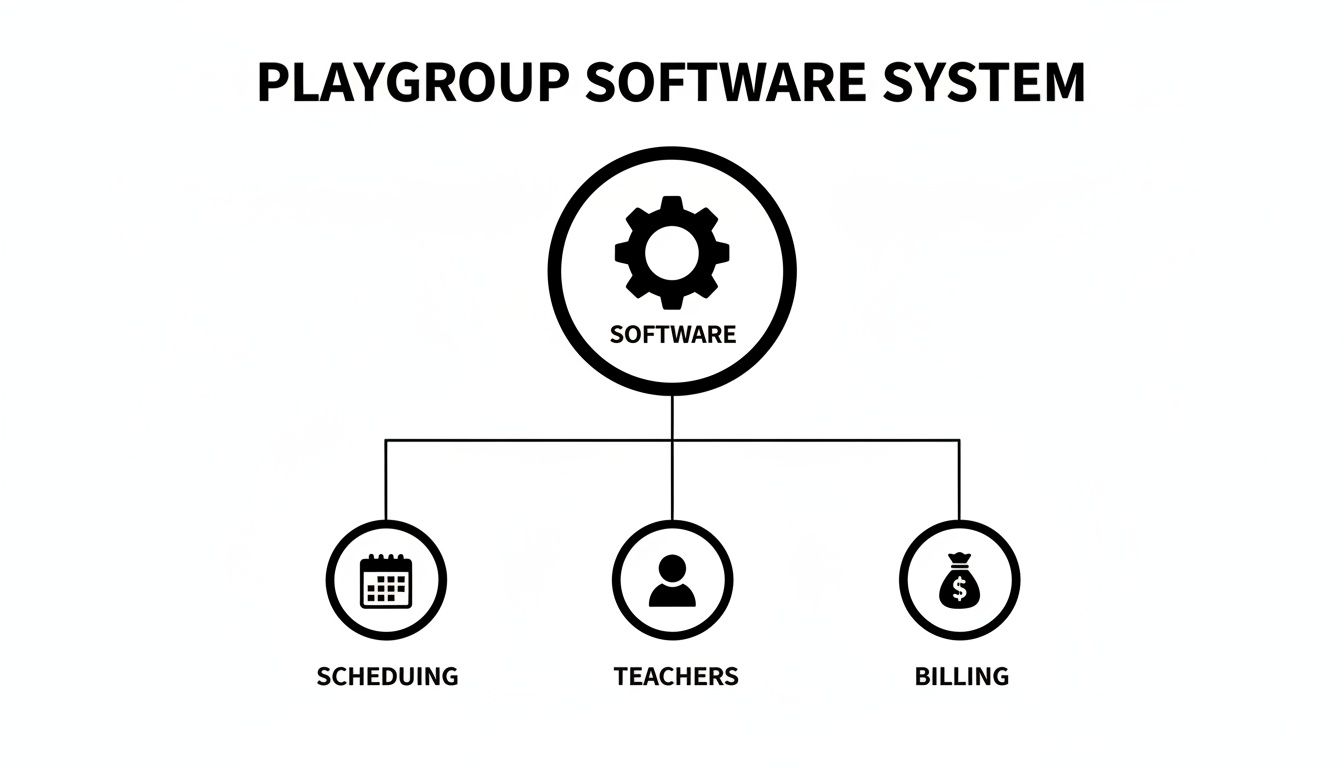
These functions should not operate in silos. They must be connected. When a teacher marks attendance, it should automatically trigger the correct billing process. That integration delivers real efficiency for your playgroup.
Core Scheduling and Lesson Management
The heart of any good system is its ability to manage complicated class structures. You need a tool built for the day-to-day reality of running a playgroup, not a generic business calendar.
Recurring Lesson Series: Set up an entire term of classes in one go. You should assign the same teacher, room, and time for the whole term with a few clicks.
Room Capacity Management: Set a maximum number of students for each room. The system must automatically prevent new enrollments once a class is full.
Teacher Availability Tracking: Get a single, real-time view of when each teacher is free, which subjects they teach, and which branches they work at.
Trial Class Support: A smooth process for booking trial classes is key for growth. The software should make it effortless for a new family to convert to a full enrollment.
While Hong Kong's kindergarten enrolment was around 125,400 for the 2024/25 school year, clunky scheduling remains a bottleneck. A system with real-time conflict detection and automated billing can cut administrative work by 60% and onboard new students 3x faster. You can find the latest statistics in this government fact sheet on gov.hk.
Parent-Facing Features and Progress Tracking
A modern system transforms the experience for your parents. When you give families control and visibility, you build trust and massively reduce your own admin burden.
Parent Discovery Portal: A self-service portal lets parents browse available group classes. They can filter by subject, level, time, and location to find the perfect class.
Detailed Attendance Tracking: Don’t settle for a simple "present" or "absent." Your software must let you mark specific statuses like Attended, Cancelled, or No-show. This granular detail is essential for accurate billing.
Comparison: Manual Spreadsheets vs. Automated Software
This table shows how a dedicated system improves daily tasks. Automated software doesn't just do the same tasks faster; it changes how you work entirely.
Task | Manual Method (Spreadsheets & WhatsApp) | Automated Software (Tutorbase) |
|---|---|---|
Booking a Class | Frantically checking a spreadsheet, then sending WhatsApp messages back and forth. Double-bookings are common. | Parents book through an online portal showing real-time availability and get instant confirmation. |
Tracking Attendance | Teachers use paper sheets or send messages. An admin manually keys in the data later, often with delays and errors. | Teachers mark attendance on a tablet or phone. Statuses like 'Attended' or 'No-show' are logged instantly. |
Managing Room Use | Relies on a shared calendar someone forgot to update. The risk of booking two classes in the same room is high. | A central dashboard shows every room booking across all locations in real-time. Conflicts are impossible. |
Handling Payments | Manually creating individual invoices, then chasing payments and updating another spreadsheet. It is slow and painful. | Invoices are generated automatically based on attendance. Parents can pay online in a few clicks. |
For a deeper look into tutor availability, see our comprehensive tutor availability software guide. For broader business insights, you can review these capacity planning strategies.
How Does Smart Scheduling Work in Practice?

Moving to smart scheduling software delivers tangible, daily improvements. This shift takes you from chaotic, reactive fire-fighting to a smooth, proactive workflow. Stressful tasks like last-minute bookings or complex term planning become simple, two-minute jobs.
Let’s walk through a typical day for a center manager, comparing the old manual slog with the slick efficiency of an automated system.
A Day in the Life: Before and After Automation
Before: A parent calls to book a class. The manager puts them on hold, pulls up a spreadsheet, and sends frantic WhatsApp messages to the teacher to confirm space. The process takes ten minutes and risks a double-booking if someone else books in the meantime.
After: A parent calls. The manager opens the software, filters by age and subject, and instantly sees a class with one available seat. The booking is confirmed in under 30 seconds. The system updates the roster, reduces capacity, and sends a confirmation email automatically.
From Term Planning Chaos to Calm Control
Before: Planning a new term means manually cross-referencing multiple teacher calendars, room schedules, and class sequences. This complex juggling act takes an entire afternoon and is prone to a domino effect of errors.
After: The manager uses a 'Find Slot' tool, plugging in the class requirements (e.g., "Tuesdays, 3-4 PM, Teacher A, Room 2"). The system instantly generates every possible time that works without conflicts. The entire term is planned in 20 minutes, not four hours.
Automation offers a vital competitive edge. According to recent education sector analysis, it can lead to zero double-bookings and a 42% increase in renewals for centers that adopt it.
Automation is not just a time-saver. It fundamentally shifts you from a reactive state of constant problem-solving to a proactive state of control. It removes the mental load of tracking a dozen moving parts.
How Do I Choose The Right Software For My Centre?
Choosing the right playgroup scheduling software is a long-term investment in your center's growth. Prioritize solutions that scale with you, offer seamless integration, and provide an excellent user experience for both your staff and parents.
The best platform becomes the operational backbone of your business. Your choice today directly impacts how easily you can scale tomorrow. A system that feels fine managing 50 weekly lessons might buckle under the pressure of 500.
Questions to Ask Before You Commit
Before you sign a contract, be sure a potential software partner understands the unique needs of a growing education center. A flashy interface means nothing if the engine underneath can't handle daily operational chaos.
Here are the non-negotiable questions to ask every vendor:
Can it scale? Will the system perform just as smoothly when we're managing 5,000 weekly lessons as it does with 50?
Does it support multiple locations? Can I manage teacher schedules, room bookings, and communications across all branches from a single dashboard?
How deep is the integration? Do scheduling, billing, and parent communication tools genuinely work together, or are they separate features in one app?
What is the user experience like? Is the interface intuitive for my admin staff? Is the parent portal easy for families to use?
Evaluating Key Functional Areas
Zero in on three core pillars that have the biggest impact on your daily operations. A great system excels at all three.
1. Scalability and Multi-Location Support
Your software must grow with your ambition. If you plan to open new branches, a centralized management system is essential. It stops cross-branch scheduling conflicts before they happen and gives you a holistic, real-time view of your entire business.
2. Seamless Operational Integration
True automation happens here. When a teacher marks a student as 'Attended', the system should automatically generate the correct line item on the next invoice. This connection eliminates manual data entry and guarantees billing accuracy.
3. User Experience for Staff and Parents
A clunky, confusing interface will frustrate your staff and drive parents nuts. A clean, modern design makes training faster. For parents, a simple self-service portal for booking and payments is a modern expectation that builds loyalty.
While exploring options like the Bookedin scheduling platform can provide market context, our tutoring software demo buyer's guide offers a focused walkthrough for education centers.
Frequently Asked Questions (FAQ)
How much time will playgroup scheduling software save?
Playgroup scheduling software saves a significant amount of time. Centers using a dedicated platform often report a 60% reduction in administrative tasks, which can translate to over 10 hours per week for a busy manager by automating manual data entry, scheduling, and billing.
Can the software handle complex billing like class packages?
Yes, modern playgroup scheduling software is built to manage flexible billing models. This includes pay-as-you-go sessions, prepaid credit packages, and term-based subscriptions, all while automating invoicing based on attendance records to eliminate human error.
Will one system manage multiple playgroup locations?
Absolutely. A key feature of robust software is multi-location management from a single dashboard. This allows you to view teacher schedules, check room availability, and track enrollments across all branches in real-time, preventing cross-location booking conflicts.
Is it difficult to switch from spreadsheets to new software?
The transition is made simple by the best software providers. Look for features like data import tools to upload your existing student and class information, dedicated onboarding support to guide setup, and an intuitive interface that your team can learn quickly.
How does this software help get more families?
This software improves the parent experience, which is a competitive advantage. A self-service parent portal allows families to view class availability, book spots for their children, and handle payments online 24/7, building trust and encouraging word-of-mouth referrals.
Can the software stop double-booking a teacher or room?
Yes, preventing double-bookings is a core function. The software uses real-time conflict detection. When a class is booked, it instantly verifies that both the teacher and the room are available, making it impossible to create a scheduling clash.
Ready to put scheduling conflicts and admin overload behind you? See how Tutorbase can transform your playgroup's operations and give you your time back. Get started by visiting the Tutorbase registration page.
The Ultimate Playgroup Scheduling Software Guide
Published: December 27, 2025 by Amy Ashford


Playgroup scheduling software automates class bookings, teacher management, and parent billing into one central system. This guide shows you how moving from manual spreadsheets to a dedicated platform can save over 10 hours a week, eliminate costly double-bookings, and provide a seamless experience for modern families.
By automating core administrative tasks with a system like Tutorbase, you can stop juggling schedules and focus on growing your playgroup. This software is designed for the unique complexities of the Hong Kong market, managing everything from recurring lessons to trial classes.
Why is Manual Scheduling Holding Your Playgroup Back?

If you run a playgroup in Hong Kong, you likely juggle parent requests, teacher availability, and room bookings using messy spreadsheets and endless WhatsApp chains. This constant administrative battle is a significant drain on your resources.
Every last-minute booking change risks a schedule clash. Every hour spent manually tracking attendance is an hour you can't spend improving your programs. These daily frustrations cost you time, lead to lost revenue, and slowly chip away at the professional image parents trust.
What Are the Hidden Costs of Old Methods?
Sticking with manual systems creates friction that directly hits your bottom line. These outdated methods are magnets for errors and inefficiencies that have real financial consequences. The admin burden balloons with every new student, making scaling nearly impossible without more staff.
The most common pain points include:
Accidental Double-Bookings: Assigning the same teacher or room to two different classes at the same time results in frantic rearrangements and unhappy parents.
Revenue Leakage: When you can't accurately track no-shows or late cancellations, you miss out on charging the right fees. Potential income simply vanishes.
Time-Consuming Communication: Manually confirming every single booking and sending reminders via WhatsApp eats up dozens of hours each month, time that automation could reclaim.
In Hong Kong's tough preschool market, plummeting birth rates have already caused a 29% enrolment drop in subsidised kindergartens, according to a 2024 SCMP report. For playgroup operators, chaotic manual scheduling can lead to costly overbookings or empty slots, wasting precious revenue. You can read more on scmp.com.
When Do Spreadsheets Start to Break?
Spreadsheets were never built to manage the complex, ever-changing puzzle of a busy playgroup schedule. As your center grows, that trusty spreadsheet quickly becomes a liability. It doesn't update in real-time, making it easy for staff to work from outdated versions.
This lack of a single source of truth is where most mistakes are born. A simple copy-paste error can lead to a parent showing up for a class that doesn't exist. We break this down in our article on moving from spreadsheets to specialised tutoring software.
Ultimately, relying on manual tools forces you to work in your business, not on it. You become trapped in a constant cycle of administrative firefighting. This is where playgroup scheduling software comes in, breaking the cycle by automating these repetitive tasks.
What is Playgroup Scheduling Software?
Playgroup scheduling software is a purpose-built tool designed to automate and centralize the administrative tasks of running a playgroup or tuition center. It replaces tangled spreadsheets, paper calendars, and WhatsApp groups with a single, unified system for all your operational data.
This software allows you to manage class timetables, see teacher availability across multiple locations, and handle room bookings without clashes. Centers that make the switch typically save over 20 hours per month on pure admin, freeing up time to grow the business.
How is it More Than a Simple Calendar?
A basic calendar shows you when things happen. Proper playgroup scheduling software tells you how and why they connect. It intelligently links different parts of your operation, becoming your single source of truth and eliminating human error.
For example, when a parent books a trial class online, the system instantly checks teacher availability, confirms room space, and sends a confirmation email automatically.
Integrated Operations: The software links scheduling directly to billing. When a teacher marks a student as present, it can generate an invoice automatically.
Parent Self-Service: It gives parents a portal where they can see schedules, book classes for their kids, and pay online, slashing manual data entry.
Resource Management: The system prevents you from booking a teacher who is on leave or assigning a class to a room that is already full.
A good analogy is moving from a paper map to a GPS. A map shows you the streets, but a GPS gives you real-time traffic, finds the fastest route, and recalculates if you take a wrong turn. This software does the same for your center’s resources, dynamically managing them in real time.
Must-Have Features for Playgroup Software in 2026
When you start shopping for playgroup scheduling software, it’s easy to get overwhelmed. Focus on features that solve your real-world headaches: automated class management, parent self-service portals, and integrated attendance and billing. The best platforms weave these tools together to slash admin time.

These functions should not operate in silos. They must be connected. When a teacher marks attendance, it should automatically trigger the correct billing process. That integration delivers real efficiency for your playgroup.
Core Scheduling and Lesson Management
The heart of any good system is its ability to manage complicated class structures. You need a tool built for the day-to-day reality of running a playgroup, not a generic business calendar.
Recurring Lesson Series: Set up an entire term of classes in one go. You should assign the same teacher, room, and time for the whole term with a few clicks.
Room Capacity Management: Set a maximum number of students for each room. The system must automatically prevent new enrollments once a class is full.
Teacher Availability Tracking: Get a single, real-time view of when each teacher is free, which subjects they teach, and which branches they work at.
Trial Class Support: A smooth process for booking trial classes is key for growth. The software should make it effortless for a new family to convert to a full enrollment.
While Hong Kong's kindergarten enrolment was around 125,400 for the 2024/25 school year, clunky scheduling remains a bottleneck. A system with real-time conflict detection and automated billing can cut administrative work by 60% and onboard new students 3x faster. You can find the latest statistics in this government fact sheet on gov.hk.
Parent-Facing Features and Progress Tracking
A modern system transforms the experience for your parents. When you give families control and visibility, you build trust and massively reduce your own admin burden.
Parent Discovery Portal: A self-service portal lets parents browse available group classes. They can filter by subject, level, time, and location to find the perfect class.
Detailed Attendance Tracking: Don’t settle for a simple "present" or "absent." Your software must let you mark specific statuses like Attended, Cancelled, or No-show. This granular detail is essential for accurate billing.
Comparison: Manual Spreadsheets vs. Automated Software
This table shows how a dedicated system improves daily tasks. Automated software doesn't just do the same tasks faster; it changes how you work entirely.
Task | Manual Method (Spreadsheets & WhatsApp) | Automated Software (Tutorbase) |
|---|---|---|
Booking a Class | Frantically checking a spreadsheet, then sending WhatsApp messages back and forth. Double-bookings are common. | Parents book through an online portal showing real-time availability and get instant confirmation. |
Tracking Attendance | Teachers use paper sheets or send messages. An admin manually keys in the data later, often with delays and errors. | Teachers mark attendance on a tablet or phone. Statuses like 'Attended' or 'No-show' are logged instantly. |
Managing Room Use | Relies on a shared calendar someone forgot to update. The risk of booking two classes in the same room is high. | A central dashboard shows every room booking across all locations in real-time. Conflicts are impossible. |
Handling Payments | Manually creating individual invoices, then chasing payments and updating another spreadsheet. It is slow and painful. | Invoices are generated automatically based on attendance. Parents can pay online in a few clicks. |
For a deeper look into tutor availability, see our comprehensive tutor availability software guide. For broader business insights, you can review these capacity planning strategies.
How Does Smart Scheduling Work in Practice?

Moving to smart scheduling software delivers tangible, daily improvements. This shift takes you from chaotic, reactive fire-fighting to a smooth, proactive workflow. Stressful tasks like last-minute bookings or complex term planning become simple, two-minute jobs.
Let’s walk through a typical day for a center manager, comparing the old manual slog with the slick efficiency of an automated system.
A Day in the Life: Before and After Automation
Before: A parent calls to book a class. The manager puts them on hold, pulls up a spreadsheet, and sends frantic WhatsApp messages to the teacher to confirm space. The process takes ten minutes and risks a double-booking if someone else books in the meantime.
After: A parent calls. The manager opens the software, filters by age and subject, and instantly sees a class with one available seat. The booking is confirmed in under 30 seconds. The system updates the roster, reduces capacity, and sends a confirmation email automatically.
From Term Planning Chaos to Calm Control
Before: Planning a new term means manually cross-referencing multiple teacher calendars, room schedules, and class sequences. This complex juggling act takes an entire afternoon and is prone to a domino effect of errors.
After: The manager uses a 'Find Slot' tool, plugging in the class requirements (e.g., "Tuesdays, 3-4 PM, Teacher A, Room 2"). The system instantly generates every possible time that works without conflicts. The entire term is planned in 20 minutes, not four hours.
Automation offers a vital competitive edge. According to recent education sector analysis, it can lead to zero double-bookings and a 42% increase in renewals for centers that adopt it.
Automation is not just a time-saver. It fundamentally shifts you from a reactive state of constant problem-solving to a proactive state of control. It removes the mental load of tracking a dozen moving parts.
How Do I Choose The Right Software For My Centre?
Choosing the right playgroup scheduling software is a long-term investment in your center's growth. Prioritize solutions that scale with you, offer seamless integration, and provide an excellent user experience for both your staff and parents.
The best platform becomes the operational backbone of your business. Your choice today directly impacts how easily you can scale tomorrow. A system that feels fine managing 50 weekly lessons might buckle under the pressure of 500.
Questions to Ask Before You Commit
Before you sign a contract, be sure a potential software partner understands the unique needs of a growing education center. A flashy interface means nothing if the engine underneath can't handle daily operational chaos.
Here are the non-negotiable questions to ask every vendor:
Can it scale? Will the system perform just as smoothly when we're managing 5,000 weekly lessons as it does with 50?
Does it support multiple locations? Can I manage teacher schedules, room bookings, and communications across all branches from a single dashboard?
How deep is the integration? Do scheduling, billing, and parent communication tools genuinely work together, or are they separate features in one app?
What is the user experience like? Is the interface intuitive for my admin staff? Is the parent portal easy for families to use?
Evaluating Key Functional Areas
Zero in on three core pillars that have the biggest impact on your daily operations. A great system excels at all three.
1. Scalability and Multi-Location Support
Your software must grow with your ambition. If you plan to open new branches, a centralized management system is essential. It stops cross-branch scheduling conflicts before they happen and gives you a holistic, real-time view of your entire business.
2. Seamless Operational Integration
True automation happens here. When a teacher marks a student as 'Attended', the system should automatically generate the correct line item on the next invoice. This connection eliminates manual data entry and guarantees billing accuracy.
3. User Experience for Staff and Parents
A clunky, confusing interface will frustrate your staff and drive parents nuts. A clean, modern design makes training faster. For parents, a simple self-service portal for booking and payments is a modern expectation that builds loyalty.
While exploring options like the Bookedin scheduling platform can provide market context, our tutoring software demo buyer's guide offers a focused walkthrough for education centers.
Frequently Asked Questions (FAQ)
How much time will playgroup scheduling software save?
Playgroup scheduling software saves a significant amount of time. Centers using a dedicated platform often report a 60% reduction in administrative tasks, which can translate to over 10 hours per week for a busy manager by automating manual data entry, scheduling, and billing.
Can the software handle complex billing like class packages?
Yes, modern playgroup scheduling software is built to manage flexible billing models. This includes pay-as-you-go sessions, prepaid credit packages, and term-based subscriptions, all while automating invoicing based on attendance records to eliminate human error.
Will one system manage multiple playgroup locations?
Absolutely. A key feature of robust software is multi-location management from a single dashboard. This allows you to view teacher schedules, check room availability, and track enrollments across all branches in real-time, preventing cross-location booking conflicts.
Is it difficult to switch from spreadsheets to new software?
The transition is made simple by the best software providers. Look for features like data import tools to upload your existing student and class information, dedicated onboarding support to guide setup, and an intuitive interface that your team can learn quickly.
How does this software help get more families?
This software improves the parent experience, which is a competitive advantage. A self-service parent portal allows families to view class availability, book spots for their children, and handle payments online 24/7, building trust and encouraging word-of-mouth referrals.
Can the software stop double-booking a teacher or room?
Yes, preventing double-bookings is a core function. The software uses real-time conflict detection. When a class is booked, it instantly verifies that both the teacher and the room are available, making it impossible to create a scheduling clash.
Ready to put scheduling conflicts and admin overload behind you? See how Tutorbase can transform your playgroup's operations and give you your time back. Get started by visiting the Tutorbase registration page.
More from the Blog

The Ultimate Playgroup Scheduling Software Guide
Read Article
Read Article

The Ultimate Playgroup Scheduling Software Guide
Read Article
Read Article

Lead Capture Software for Language Schools That Boosts Enrollment
Read Article
Read Article

Lead Capture Software for Language Schools That Boosts Enrollment
Read Article
Read Article

Lead Capture Software For Language Schools: The 2026 Growth Guide
Read Article
Read Article

Lead Capture Software For Language Schools: The 2026 Growth Guide
Read Article
Read Article
