
A Guide to Student Inquiry Management Software

Published: December 29, 2025 by Amy Ashford

Key Takeaway: Student inquiry management software unifies leads from sources like WhatsApp and web forms into one database. It allows you to book trial lessons for leads without creating "fake" student records, keeping your billing data clean until they formally enroll. This streamlines operations and increases conversion rates.

What is student inquiry management software?

Student inquiry management software is a specialized tool that captures, tracks, and converts prospective students into enrolled clients. It acts as a central hub for all your leads. This replaces chaotic spreadsheets and disconnected apps with an organized, visual pipeline for growth.

Woman in professional attire working on a laptop at a desk with an 'Unified Inquiry Hub' sign in the background.

This software streamlines the entire journey a family takes with your center, from their first question to their child's first paid lesson. It is tailored for education, giving you a clear way to manage every stage of the enrollment process. For example, tutoring lead management software is a total game-changer for staying organized.

Manual Tracking vs. Inquiry Software

Here is a quick comparison table to show the operational shift. It contrasts manual methods with the efficiency of dedicated software. This highlights how technology can refine your center's processes.

Operational Task

Manual Method (Spreadsheets, WhatsApp)

Inquiry Management Software

Lead Capture

Manually copy and paste details from various sources. High risk of human error.

Automatically captures leads from web forms and messaging apps into a central database.

Tracking Progress

Rely on color-coding cells or moving names between lists. It's clunky and hard to visualize.

A visual pipeline (Kanban-style) shows every lead's stage at a glance.

Communication

Juggle multiple apps (email, WhatsApp, phone). No central record of conversations.

Logs all communication history against the lead's profile for total clarity.

Scheduling Trials

Back-and-forth emails to find a time. Create "ghost" student profiles for trials.

Integrated trial booking lets parents schedule directly. No fake accounts needed.

Reporting

A painful, manual process of counting rows and building charts. Almost impossible to get real-time data.

Generates instant reports on conversion rates, lead sources, and team performance.

Follow-up

Relies on memory or calendar reminders, which are easily missed.

Automated reminders ensure no lead is forgotten and every family gets a timely follow-up.

As you can see, the difference is about building a reliable, professional system that drives growth.

How do you unify communication channels?

A key function of inquiry software is to pull all conversations into a single, clean dashboard. Your admin team can see and respond to everyone in one place. This unified hub drastically cuts down on missed opportunities and improves response times.

Here’s what gets pulled into that central hub:

  • Website Forms: Automatically captures and logs inquiries submitted through your site.

  • WhatsApp & Messaging Apps: Pulls conversations right into the system through integrations.

  • Manual Entry: Your team can quickly add details from phone calls or walk-in visitors.

This unified view gives you a complete, chronological history of every interaction with a prospective family.

How does the software help from inquiry to enrollment?

This software handles the unique sales cycle of a tutoring business. You can book trial lessons for interested leads without creating "fake" student accounts. This keeps your active student roster clean and accurate until a family formally signs up and enrolls.

The real goal here is to create a seamless, step-by-step process that turns a simple question into a long-term client relationship. Nailing this is critical for sustainable growth in 2026 and beyond. Broader education insights on AI Chatbots for Universities show similar trends.

Why is manual inquiry tracking costly for your center?

The administrative grind of tracking new inquiries is a silent drain on your center’s resources. When staff spend hours jumping between spreadsheets and chats, it becomes a serious financial leak. This fragmented approach leads to missed follow-ups and lost leads.

A frustrated man looking at his phone at a desk with documents, a laptop, and a clock, with text overlay

In a hyper-competitive market like Hong Kong's, every enrollment matters. These inefficiencies represent a direct opportunity cost that holds your center back. Using dedicated student inquiry management software is not a luxury, it is a strategic necessity for survival and growth.

What is the hidden financial drain of manual admin?

Most center owners underestimate the true cost of administrative work. Every hour spent on manual data entry is an hour not spent on marketing or teacher training. This lost opportunity has a real, measurable financial impact that builds up over time.

For instance, when a center owner spends 10+ hours a week on manual admin, it equals a direct financial hit. At a conservative operator cost of HK$300/hour, this is HK$12,000/month in non-billable labor. This translates to HK$144,000 lost to admin per center annually. More on Hong Kong's market can be found in this SCMP article.

Where do manual processes fail your center?

Relying on outdated methods creates specific problems that directly impact your bottom line. These small failures compound, leading to significant revenue loss and damage to your center's reputation. It becomes a constant struggle as your business grows.

Here are the most common failure points:

  • Lost Leads: Inquiries get buried in a crowded inbox or forgotten in WhatsApp chats.

  • Slow Response Times: Manual schedule checking delays your response, giving parents time to find a competitor.

  • Inaccurate Data: Human error leads to incorrect contact info and frustrating scheduling conflicts.

  • No Clear Oversight: Without a central dashboard, you cannot know inquiry volumes or staff assignments.

The core issue with manual tracking is its lack of scalability. A system that works for five inquiries a week breaks down at fifty. Ready to improve? See our guide on how to move from spreadsheets to proper tutoring software.

What should you look for in your inquiry software?

The best inquiry software pulls leads from every channel into a single, visual pipeline. It uses customizable forms to get the info you need upfront. It also lets you book trial lessons without creating messy, temporary student profiles in your billing system.

When shopping for a platform, focus on solutions that solve real-world headaches for tutoring centers. The goal is to find a system that simplifies life from the first inquiry to enrollment. The foundation is a unified inbox that is non-negotiable.

Unified Lead Capture and Customization

A solid platform brings every potential customer into one central hub. Look for software that not only grabs leads automatically but also lets you customize the information you collect. This ensures you get the details that matter from the start.

Key capabilities should include:

  • Multi-channel Integration: Connect website forms and WhatsApp, as 73% of customers prefer messaging businesses directly.

  • Customizable Inquiry Fields: Define specific info you need, like the student's grade or subject of interest.

  • Manual Lead Entry: A simple way for your admin team to quickly add details from a phone call or walk-in.

How do you manage a visual sales pipeline?

Once you capture a lead, you need a clear way to track their progress. A visual sales pipeline, like a Kanban board, is the most intuitive method. It provides an at-a-glance overview of every family's journey toward becoming a student.

This visual approach turns a messy list of names into a clear, actionable workflow. You can instantly see who needs a follow-up call. Your pipeline should be flexible enough to match your center's actual process.

For example:

  1. New Inquiry: Automatically lands here from your contact channels.

  2. Contact Made: Your team has reached out to start a conversation.

  3. Trial Booked: A trial lesson is scheduled.

  4. Trial Completed: Time to gather feedback and follow up.

  5. Enrolled: The lead has officially become a paying student.

To learn more about this process, our guide shows how a tutoring CRM can convert inquiries into enrolments.

Seamless Trial Lesson Booking

A key feature separates good software from great software: intelligent trial lesson handling. Your system must let you book trials for prospective students without creating "ghost" student profiles. This critical function keeps your active student data clean and prevents future administrative headaches.

How do you connect inquiries to core operations?

The best systems build a seamless bridge between your sales process and daily center operations. It is about creating a smooth journey from a new lead to a fully enrolled, billable student. This is often achievable with a single click.

This integration is what separates a basic contact form from a true growth engine. It eliminates hours of manual data entry and reduces the risk of human error. This gives families a much faster, more professional onboarding experience.
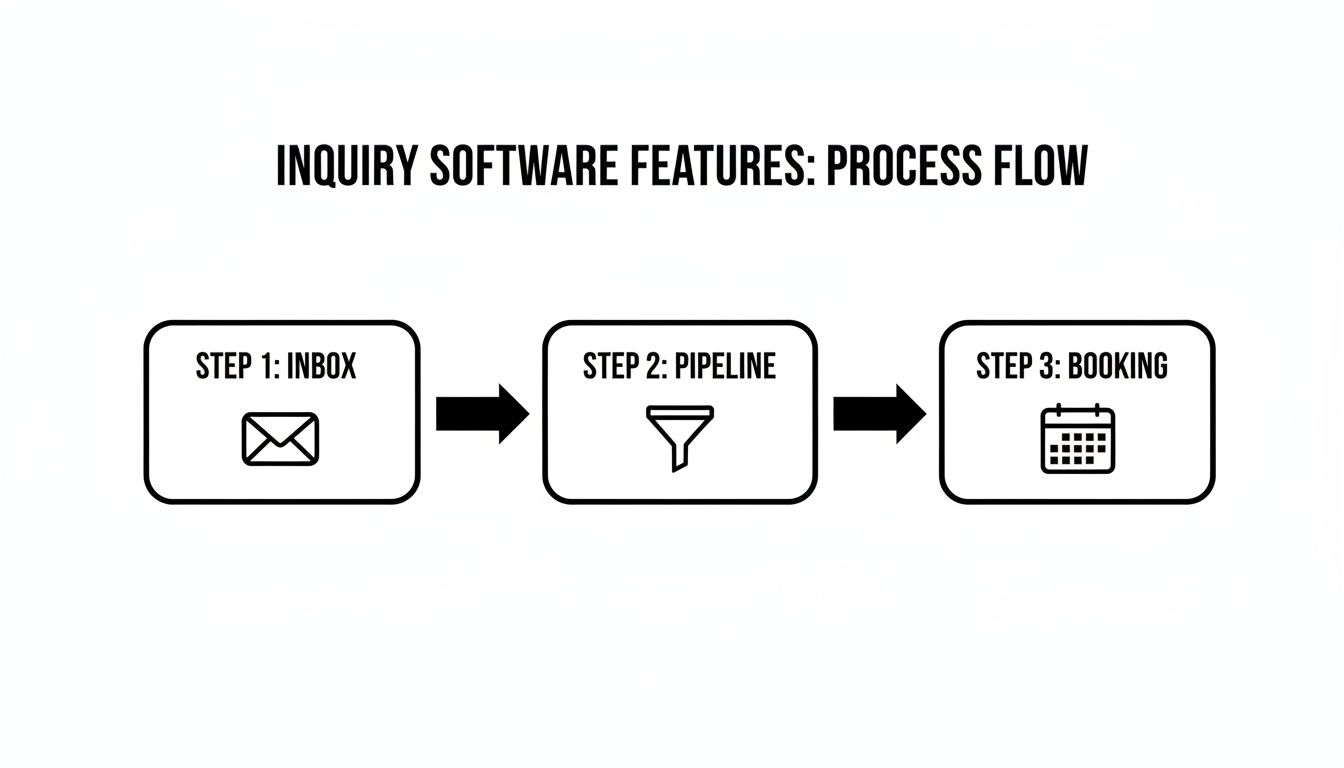
A process flow diagram showcasing three steps for inquiry software: Inbox, Pipeline, and Booking.

This visual shows the clean handoff from capturing a lead, managing it in a pipeline, and getting that trial on the calendar.

How does integration benefit your center?

Tightly linking sales and operational workflows delivers significant wins. It completely eliminates manual data re-entry, which is a notorious source of admin headaches. This results in a quicker, slicker start for new families.

Once a family enrolls, their profile converts from a lead into an active, billable student with one click. Their information, including contact details and communication history, carries over automatically. Centers using this approach report onboarding new students up to 3x faster.

This one-click conversion is a fundamental shift away from disjointed, manual work. It creates a unified, efficient system built for growth. This process saves your team hours of work and guarantees data accuracy from the start.

How to choose the right software for your center

Choosing the right software is about finding a long-term partner for your center's growth. The best system scales with your ambitions, supports multiple branches, and provides deep, actionable reports. A platform built with the Hong Kong market in mind will always outperform a generic one.

The first question you should ask is about scalability. You need a system that can handle pressure when you double or triple your lesson volume. If you plan to expand, the software must offer solid multi-branch support. This is essential for maintaining brand consistency and control.

Which core capabilities should you evaluate in 2026?

Zero in on capabilities that save time and deliver real business intelligence. Powerful automation and sharp analytics separate a basic tool from a strategic asset. These features fuel smart decisions, drive profitability, and keep parents happy.

Your evaluation checklist should include:

  • Automation Power: How much of the journey from inquiry to enrollment can it automate?

  • Reporting Analytics: Does it provide clear dashboards on conversion rates and lead sources?

  • Modern Interface: Is the software easy and intuitive for your team to use daily?

Why does local market understanding matter?

Consider whether the provider understands the unique pressures of the Hong Kong market. Our tutoring sector is defined by high parent engagement, intense competition, and student churn. Centers must efficiently juggle inquiries from WhatsApp, walk-ins, and online forms. You can find more insights about the Hong Kong tutoring market dynamics on cps.hkfyg.org.hk.

A system designed with these specific pressures in mind will offer more relevant solutions. Look for a partner who understands your operational reality. Seeing what the broader market considers the best lead management software can also provide helpful context for your decision.

What is the real ROI of automating your inquiries?

Investing in student inquiry management software generates a measurable return that shows up on your balance sheet. Centers that automate inquiry handling often see a 60% reduction in admin work. This frees up staff to focus on teaching and parent relationships.

Think about the hours your team spends chasing leads or manually scheduling trials. Every one of those hours could be spent on activities that grow your center. Dedicated software gives that time back to you, directly fueling your profitability.

How do you quantify the financial impact?

The return on investment (ROI) comes from several key areas of your business. It turns small operational tweaks into hard numbers. This strengthens your center's long-term financial health.

Here’s where you’ll see the most concrete returns:

  • Reduced Administrative Costs: Drastically cut hours spent on manual lead tracking and data entry.

  • Increased Conversion Rates: A systematic process ensures no lead is forgotten, boosting enrollments.

  • Higher Student Retention: With less admin work, your team can focus on delivering a great experience.

Every lead you save from slipping through the cracks is a direct deposit into your center's success. It is about building a more profitable, scalable operation.

How do you move from efficiency to profitability?

Ultimately, the goal is to create a seamless workflow that captures every opportunity. By automating the top of your sales funnel, you build a reliable engine for growth. This organized approach means you can handle a higher volume of inquiries without hiring more staff.

FAQ: Your Questions Answered

What is the primary purpose of student inquiry management software?

Student inquiry management software is a specialized tool designed to capture, organize, and track prospective student leads. Its main purpose is to streamline the entire process from the first inquiry to final enrollment, ensuring no potential student is lost.

How is student inquiry management software different from a generic CRM?

Generic CRMs are general-purpose tools, while student inquiry software is built specifically for education. It includes features like trial lesson booking without creating fake student profiles and direct integrations with platforms like WhatsApp, which are crucial for tutoring centers.

Can this software handle inquiries from multiple sources?

Yes. A key feature is its ability to unify inquiries from various channels. It automatically captures leads from your website forms, WhatsApp messages, and allows for manual entry from phone calls or walk-ins, consolidating them into one central database.

How does the software help with scheduling trial lessons?

The software lets you book trial lessons for prospective students without adding them as "active" students in your core billing system. This keeps your main student roster clean and accurate, preventing administrative clutter from temporary or "ghost" profiles.

Will I be able to track the success of my marketing efforts?

Absolutely. The software provides detailed reporting and analytics. You can track key metrics like conversion rates, the source of your most valuable leads (e.g., website, social media), and the performance of your administrative team in following up.

Is this type of software difficult to implement?

No, modern platforms are typically cloud-based and designed for quick setup. The process usually involves connecting your website and messaging apps, customizing your sales pipeline stages, and importing any existing leads. Good providers offer support to ensure a smooth transition.

Can the software grow with my tutoring center?

Yes, scalability is a core consideration. Look for software that offers multi-branch support. This allows you to manage lead pipelines, staff, and reporting for all your locations from a single, centralized dashboard as your business expands.

Ready to stop losing leads and start growing your center more efficiently? Tutorbase provides all the tools you need to capture, track, and convert inquiries into enrolments. Get started at tutorbase.com/register.

A Guide to Student Inquiry Management Software

Published: December 28, 2025 by Amy Ashford

Key Takeaway: Student inquiry management software unifies leads from sources like WhatsApp and web forms into one database. It allows you to book trial lessons for leads without creating "fake" student records, keeping your billing data clean until they formally enroll. This streamlines operations and increases conversion rates.

What is student inquiry management software?

Student inquiry management software is a specialized tool that captures, tracks, and converts prospective students into enrolled clients. It acts as a central hub for all your leads. This replaces chaotic spreadsheets and disconnected apps with an organized, visual pipeline for growth.

Woman in professional attire working on a laptop at a desk with an 'Unified Inquiry Hub' sign in the background.

This software streamlines the entire journey a family takes with your center, from their first question to their child's first paid lesson. It is tailored for education, giving you a clear way to manage every stage of the enrollment process. For example, tutoring lead management software is a total game-changer for staying organized.

Manual Tracking vs. Inquiry Software

Here is a quick comparison table to show the operational shift. It contrasts manual methods with the efficiency of dedicated software. This highlights how technology can refine your center's processes.

Operational Task

Manual Method (Spreadsheets, WhatsApp)

Inquiry Management Software

Lead Capture

Manually copy and paste details from various sources. High risk of human error.

Automatically captures leads from web forms and messaging apps into a central database.

Tracking Progress

Rely on color-coding cells or moving names between lists. It's clunky and hard to visualize.

A visual pipeline (Kanban-style) shows every lead's stage at a glance.

Communication

Juggle multiple apps (email, WhatsApp, phone). No central record of conversations.

Logs all communication history against the lead's profile for total clarity.

Scheduling Trials

Back-and-forth emails to find a time. Create "ghost" student profiles for trials.

Integrated trial booking lets parents schedule directly. No fake accounts needed.

Reporting

A painful, manual process of counting rows and building charts. Almost impossible to get real-time data.

Generates instant reports on conversion rates, lead sources, and team performance.

Follow-up

Relies on memory or calendar reminders, which are easily missed.

Automated reminders ensure no lead is forgotten and every family gets a timely follow-up.

As you can see, the difference is about building a reliable, professional system that drives growth.

How do you unify communication channels?

A key function of inquiry software is to pull all conversations into a single, clean dashboard. Your admin team can see and respond to everyone in one place. This unified hub drastically cuts down on missed opportunities and improves response times.

Here’s what gets pulled into that central hub:

  • Website Forms: Automatically captures and logs inquiries submitted through your site.

  • WhatsApp & Messaging Apps: Pulls conversations right into the system through integrations.

  • Manual Entry: Your team can quickly add details from phone calls or walk-in visitors.

This unified view gives you a complete, chronological history of every interaction with a prospective family.

How does the software help from inquiry to enrollment?

This software handles the unique sales cycle of a tutoring business. You can book trial lessons for interested leads without creating "fake" student accounts. This keeps your active student roster clean and accurate until a family formally signs up and enrolls.

The real goal here is to create a seamless, step-by-step process that turns a simple question into a long-term client relationship. Nailing this is critical for sustainable growth in 2026 and beyond. Broader education insights on AI Chatbots for Universities show similar trends.

Why is manual inquiry tracking costly for your center?

The administrative grind of tracking new inquiries is a silent drain on your center’s resources. When staff spend hours jumping between spreadsheets and chats, it becomes a serious financial leak. This fragmented approach leads to missed follow-ups and lost leads.

A frustrated man looking at his phone at a desk with documents, a laptop, and a clock, with text overlay

In a hyper-competitive market like Hong Kong's, every enrollment matters. These inefficiencies represent a direct opportunity cost that holds your center back. Using dedicated student inquiry management software is not a luxury, it is a strategic necessity for survival and growth.

What is the hidden financial drain of manual admin?

Most center owners underestimate the true cost of administrative work. Every hour spent on manual data entry is an hour not spent on marketing or teacher training. This lost opportunity has a real, measurable financial impact that builds up over time.

For instance, when a center owner spends 10+ hours a week on manual admin, it equals a direct financial hit. At a conservative operator cost of HK$300/hour, this is HK$12,000/month in non-billable labor. This translates to HK$144,000 lost to admin per center annually. More on Hong Kong's market can be found in this SCMP article.

Where do manual processes fail your center?

Relying on outdated methods creates specific problems that directly impact your bottom line. These small failures compound, leading to significant revenue loss and damage to your center's reputation. It becomes a constant struggle as your business grows.

Here are the most common failure points:

  • Lost Leads: Inquiries get buried in a crowded inbox or forgotten in WhatsApp chats.

  • Slow Response Times: Manual schedule checking delays your response, giving parents time to find a competitor.

  • Inaccurate Data: Human error leads to incorrect contact info and frustrating scheduling conflicts.

  • No Clear Oversight: Without a central dashboard, you cannot know inquiry volumes or staff assignments.

The core issue with manual tracking is its lack of scalability. A system that works for five inquiries a week breaks down at fifty. Ready to improve? See our guide on how to move from spreadsheets to proper tutoring software.

What should you look for in your inquiry software?

The best inquiry software pulls leads from every channel into a single, visual pipeline. It uses customizable forms to get the info you need upfront. It also lets you book trial lessons without creating messy, temporary student profiles in your billing system.

When shopping for a platform, focus on solutions that solve real-world headaches for tutoring centers. The goal is to find a system that simplifies life from the first inquiry to enrollment. The foundation is a unified inbox that is non-negotiable.

Unified Lead Capture and Customization

A solid platform brings every potential customer into one central hub. Look for software that not only grabs leads automatically but also lets you customize the information you collect. This ensures you get the details that matter from the start.

Key capabilities should include:

  • Multi-channel Integration: Connect website forms and WhatsApp, as 73% of customers prefer messaging businesses directly.

  • Customizable Inquiry Fields: Define specific info you need, like the student's grade or subject of interest.

  • Manual Lead Entry: A simple way for your admin team to quickly add details from a phone call or walk-in.

How do you manage a visual sales pipeline?

Once you capture a lead, you need a clear way to track their progress. A visual sales pipeline, like a Kanban board, is the most intuitive method. It provides an at-a-glance overview of every family's journey toward becoming a student.

This visual approach turns a messy list of names into a clear, actionable workflow. You can instantly see who needs a follow-up call. Your pipeline should be flexible enough to match your center's actual process.

For example:

  1. New Inquiry: Automatically lands here from your contact channels.

  2. Contact Made: Your team has reached out to start a conversation.

  3. Trial Booked: A trial lesson is scheduled.

  4. Trial Completed: Time to gather feedback and follow up.

  5. Enrolled: The lead has officially become a paying student.

To learn more about this process, our guide shows how a tutoring CRM can convert inquiries into enrolments.

Seamless Trial Lesson Booking

A key feature separates good software from great software: intelligent trial lesson handling. Your system must let you book trials for prospective students without creating "ghost" student profiles. This critical function keeps your active student data clean and prevents future administrative headaches.

How do you connect inquiries to core operations?

The best systems build a seamless bridge between your sales process and daily center operations. It is about creating a smooth journey from a new lead to a fully enrolled, billable student. This is often achievable with a single click.

This integration is what separates a basic contact form from a true growth engine. It eliminates hours of manual data entry and reduces the risk of human error. This gives families a much faster, more professional onboarding experience.

A process flow diagram showcasing three steps for inquiry software: Inbox, Pipeline, and Booking.

This visual shows the clean handoff from capturing a lead, managing it in a pipeline, and getting that trial on the calendar.

How does integration benefit your center?

Tightly linking sales and operational workflows delivers significant wins. It completely eliminates manual data re-entry, which is a notorious source of admin headaches. This results in a quicker, slicker start for new families.

Once a family enrolls, their profile converts from a lead into an active, billable student with one click. Their information, including contact details and communication history, carries over automatically. Centers using this approach report onboarding new students up to 3x faster.

This one-click conversion is a fundamental shift away from disjointed, manual work. It creates a unified, efficient system built for growth. This process saves your team hours of work and guarantees data accuracy from the start.

How to choose the right software for your center

Choosing the right software is about finding a long-term partner for your center's growth. The best system scales with your ambitions, supports multiple branches, and provides deep, actionable reports. A platform built with the Hong Kong market in mind will always outperform a generic one.

The first question you should ask is about scalability. You need a system that can handle pressure when you double or triple your lesson volume. If you plan to expand, the software must offer solid multi-branch support. This is essential for maintaining brand consistency and control.

Which core capabilities should you evaluate in 2026?

Zero in on capabilities that save time and deliver real business intelligence. Powerful automation and sharp analytics separate a basic tool from a strategic asset. These features fuel smart decisions, drive profitability, and keep parents happy.

Your evaluation checklist should include:

  • Automation Power: How much of the journey from inquiry to enrollment can it automate?

  • Reporting Analytics: Does it provide clear dashboards on conversion rates and lead sources?

  • Modern Interface: Is the software easy and intuitive for your team to use daily?

Why does local market understanding matter?

Consider whether the provider understands the unique pressures of the Hong Kong market. Our tutoring sector is defined by high parent engagement, intense competition, and student churn. Centers must efficiently juggle inquiries from WhatsApp, walk-ins, and online forms. You can find more insights about the Hong Kong tutoring market dynamics on cps.hkfyg.org.hk.

A system designed with these specific pressures in mind will offer more relevant solutions. Look for a partner who understands your operational reality. Seeing what the broader market considers the best lead management software can also provide helpful context for your decision.

What is the real ROI of automating your inquiries?

Investing in student inquiry management software generates a measurable return that shows up on your balance sheet. Centers that automate inquiry handling often see a 60% reduction in admin work. This frees up staff to focus on teaching and parent relationships.

Think about the hours your team spends chasing leads or manually scheduling trials. Every one of those hours could be spent on activities that grow your center. Dedicated software gives that time back to you, directly fueling your profitability.

How do you quantify the financial impact?

The return on investment (ROI) comes from several key areas of your business. It turns small operational tweaks into hard numbers. This strengthens your center's long-term financial health.

Here’s where you’ll see the most concrete returns:

  • Reduced Administrative Costs: Drastically cut hours spent on manual lead tracking and data entry.

  • Increased Conversion Rates: A systematic process ensures no lead is forgotten, boosting enrollments.

  • Higher Student Retention: With less admin work, your team can focus on delivering a great experience.

Every lead you save from slipping through the cracks is a direct deposit into your center's success. It is about building a more profitable, scalable operation.

How do you move from efficiency to profitability?

Ultimately, the goal is to create a seamless workflow that captures every opportunity. By automating the top of your sales funnel, you build a reliable engine for growth. This organized approach means you can handle a higher volume of inquiries without hiring more staff.

FAQ: Your Questions Answered

What is the primary purpose of student inquiry management software?

Student inquiry management software is a specialized tool designed to capture, organize, and track prospective student leads. Its main purpose is to streamline the entire process from the first inquiry to final enrollment, ensuring no potential student is lost.

How is student inquiry management software different from a generic CRM?

Generic CRMs are general-purpose tools, while student inquiry software is built specifically for education. It includes features like trial lesson booking without creating fake student profiles and direct integrations with platforms like WhatsApp, which are crucial for tutoring centers.

Can this software handle inquiries from multiple sources?

Yes. A key feature is its ability to unify inquiries from various channels. It automatically captures leads from your website forms, WhatsApp messages, and allows for manual entry from phone calls or walk-ins, consolidating them into one central database.

How does the software help with scheduling trial lessons?

The software lets you book trial lessons for prospective students without adding them as "active" students in your core billing system. This keeps your main student roster clean and accurate, preventing administrative clutter from temporary or "ghost" profiles.

Will I be able to track the success of my marketing efforts?

Absolutely. The software provides detailed reporting and analytics. You can track key metrics like conversion rates, the source of your most valuable leads (e.g., website, social media), and the performance of your administrative team in following up.

Is this type of software difficult to implement?

No, modern platforms are typically cloud-based and designed for quick setup. The process usually involves connecting your website and messaging apps, customizing your sales pipeline stages, and importing any existing leads. Good providers offer support to ensure a smooth transition.

Can the software grow with my tutoring center?

Yes, scalability is a core consideration. Look for software that offers multi-branch support. This allows you to manage lead pipelines, staff, and reporting for all your locations from a single, centralized dashboard as your business expands.

Ready to stop losing leads and start growing your center more efficiently? Tutorbase provides all the tools you need to capture, track, and convert inquiries into enrolments. Get started at tutorbase.com/register.