
The Ultimate Tutoring Center Management System Hong Kong Guide for 2026

Published: January 5, 2026 by Amy Ashford

Key Takeaway: A modern tutoring center management system automates your entire Hong Kong operation, from WhatsApp lead capture to scheduling, billing, and payroll. This guide shows you how to select a platform that reduces admin work by up to 60%, boosts student retention, and provides a scalable foundation for growth in a competitive market.

Why is a modern management system essential for Hong Kong tutoring centres?

Running a tutoring business in Hong Kong is a high-stakes game. You face fierce competition, fluctuating student numbers, and parents who expect top-tier service. In this environment, operational efficiency isn't just a goal; it's a requirement for survival. Manual tools simply can't keep up.

Many centres wrestle with a messy collection of tools. You might be juggling enrolment enquiries on WhatsApp, tracking schedules in Google Calendar, and using complex Excel formulas for teacher pay. This DIY approach is inefficient and creates opportunities for costly errors and a poor parent experience.

What is the real cost of outdated methods?

Relying on manual admin slowly drains your time and money. A single scheduling error means a lost lesson and an unhappy parent. Chasing late payments consumes hours you could spend growing your student base. The damage is tangible and adds up quickly.

  • Lost Revenue: Every double-booked tutor or missed lead is money walking out the door.

  • Wasted Hours: Your admin staff can burn over 10 hours a week manually coordinating schedules, sending reminders, and calculating payroll.

  • Poor Parent Experience: Slow replies, confusing invoices, and scheduling mix-ups damage your reputation in a city full of alternatives.

How do you survive in a hyper-competitive market?

The pressure is increasing. Between 2016 and 2024, the number of centers run by Hong Kong's three largest local players dropped from 102 to just 56. This reflects a shrinking student population and significant curriculum changes that challenge old business models.

Simultaneously, educational giants from the mainland are entering the city aggressively. You can read more about these shifts in Hong Kong's education market. A modern management system acts as your operational hub, bringing order to chaos and providing a foundation to compete.

What is a tutoring center management system?

Two professionals collaborating with a unified platform displayed on a laptop and tablet in an office.

A tutoring center management system is a single software platform that connects and automates every part of your operation. It handles everything from capturing a parent's first WhatsApp enquiry to processing a teacher's final payroll. This one hub replaces the messy web of spreadsheets, calendars, and billing apps.

Think of it as the air traffic controller for your center. The system coordinates students, teachers, classrooms, and payments, ensuring nothing clashes and everything runs smoothly. Instead of you manually juggling tasks, you get a unified view that connects every moving part. This transforms fragmented work into an efficient workflow.

The Four Pillars of a Modern Management System

A true tutoring center management system for Hong Kong businesses stands on four interconnected pillars. These features work together to automate your entire operational cycle. They solve the specific administrative headaches common in local tutoring centers.

Each pillar tackles a major pain point:

  • Integrated Lead Capture & CRM: This pulls enquiries from channels like WhatsApp directly into one central system.

  • Intelligent Scheduling: This is more than a calendar. It finds the perfect lesson slot based on teacher, student, and room availability.

  • Automated Billing: The system automatically generates invoices from completed lessons and tracks lesson packages.

  • Flexible Teacher Payroll: It accurately calculates teacher pay based on complex rules like hourly rates or commissions.

At its core, a system digitizes your operations. It applies principles of document workflow automation to manage everything from student data to administrative processes. It transforms manual chaos into automated control.

How does it transform your workflow?

Without a unified system, your workflow is broken. A parent's WhatsApp message forces you to check multiple calendars, create an invoice, and make a manual payroll entry. Each step is an opportunity for human error. A modern system connects these steps seamlessly.

When a teacher marks a lesson complete, the platform automatically generates the parent's invoice and calculates the teacher's pay. This alone can eliminate up to 90% of manual data entry. This table shows the clear difference between manual methods and an integrated system.

Comparison Table: Manual vs. Automated Operations

Operational Task

Manual Method (Spreadsheets & Apps)

Automated System (e.g., Tutorbase)

New Student Onboarding

Manually entering data from WhatsApp/email into multiple spreadsheets.

Capturing lead data once; system automatically creates student and payer profiles.

Lesson Scheduling

Cross-referencing multiple calendars, risking double-bookings.

Using a "Find Slot" feature to instantly see all viable teacher/room/time options.

Generating Invoices

Manually creating individual invoices based on attendance sheets.

Invoices automatically generated and sent after attendance is marked.

Calculating Payroll

Exporting lesson data to manually calculate pay based on complex rates.

Payroll statements automatically calculated based on predefined contract rules.

Which Core Features Should Your Hong Kong Center Prioritize?

A tablet on a wooden desk displays core features like scheduling, billing, payroll, and leads, with a notebook and pen nearby.

A generic management system won't work in Hong Kong. The pace is relentless, parents expect instant answers, and our business models are unique. You need software built for how we actually work. This means intelligent scheduling, automated billing for prepaid packages, and flexible payroll for diverse contracts.

The real test for a tutoring center management system in Hong Kong is whether it solves our specific, local headaches. Standard platforms aren’t designed for the speed and complexity of this market. The features below are the tools that save you from admin overload and help you grow.

How do I automate tutoring center scheduling?

Manual scheduling is a huge bottleneck. A parent's WhatsApp request for a lesson sends your admin scrambling to check calendars and avoid double-bookings. A modern system automates this entire process with intelligent tools. It is more than a digital calendar; it’s a smart assistant.

  • Smart Slot-Finding: This is a game-changer. You enter the student's request, and the system instantly shows every possible teacher, room, and time slot that works.

  • Real-Time Conflict Detection: The software acts as a safety net. It physically prevents you from double-booking a teacher or a room.

  • Waitlist Management: For popular classes, an automated waitlist tracks interested parents and notifies them when a spot opens.

Why is WhatsApp integration a must-have?

In Hong Kong, business runs on WhatsApp. Any system that ignores this forces your team into clunky, manual workflows of copying and pasting messages. This is a perfect recipe for losing track of valuable new leads. A powerful system connects your WhatsApp Business account directly to your customer database.

When a new parent enquires, their details are automatically saved as a new lead. Your team can then use smart scheduling tools to find a slot and confirm the booking, all within one connected platform. Learn more about streamlining this process in our guide to building a tutoring centre CRM.

How can I automate tutoring center billing?

Manually creating invoices and chasing payments is a massive time sink. Your billing system must be flexible, automated, and smart enough to handle prepaid packages. The key is linking class attendance directly to invoicing. This simple connection eliminates up to 80% of manual invoicing tasks.

When a tutor marks a lesson complete, the system should automatically deduct a credit from a student's package or generate an invoice. A solid billing module must also handle local nuances:

  • Prepaid Packages: Easily sell and track packages of 10, 20, or 50 lessons.

  • Recurring Subscriptions: Set up automatic monthly or termly billing for regular students.

  • Local Payment Gateways: Integration with FPS and Stripe is crucial for instant online payments.

Can a system handle flexible teacher payroll?

Calculating tutor pay can be a nightmare. Most Hong Kong centers have a mix of salaried staff and freelance tutors on various pay structures. Managing this with a spreadsheet is prone to errors and disputes. Your management software needs a flexible payroll engine that handles this complexity automatically.

You should be able to build a custom pay rule for each teacher. At the end of the month, the system analyzes the lessons they taught and generates a perfect, detailed pay statement. This is critical as the booming online tutoring market in Hong Kong adds complexity to scheduling and payroll management.

How to Choose the Right Management System for Your Center

Choosing a management system is a critical decision. Get it right, and the software becomes a silent partner, automating tedious work. Get it wrong, and you're stuck with an expensive bottleneck that frustrates your staff and parents. You must evaluate systems based on scalability, user experience, and local support.

Is the system scalable for future growth?

Can the system grow with your business? A platform that works for one location might fail when you're managing fifty tutors across three branches. As you expand, your software must handle the extra load without slowing down.

Consider these critical factors:

  • Multi-Branch Management: This is non-negotiable for expansion. Can you manage schedules, billing, and reports for all locations from one dashboard?

  • Performance Under Load: Ask providers how their system performs with thousands of lessons a week. Older systems often choke on large volumes.

  • Database Architecture: A modern system is built for high-volume transactions, ensuring reports and payroll run in seconds, not minutes.

Why is user experience so important?

If your staff finds the software confusing, they won't use it properly. A clunky interface leads to booking errors, wasted time, and a frustrated team. An intuitive user experience is a core requirement for getting any value from your investment. The software should feel as modern and responsive as everyday apps.

A study by Forrester Research found that a well-designed user interface could raise a website's conversion rate by up to 200%. Better design means your team adopts the software faster and makes fewer mistakes. A clean layout helps managers see key data instantly without digging through menus.

Modern vs. Legacy Tutoring Management Systems

Not all systems are created equal. Many older platforms were designed over a decade ago with features piled on top of an outdated foundation. Modern systems like Tutorbase are built from the ground up for the speed and scale a growing Hong Kong tutoring business demands. Legacy systems help you organize information; modern systems help you automate entire workflows.

Comparison Table: Modern vs. Legacy Platforms

Aspect

Modern System (e.g., Tutorbase)

Legacy System (e.g., Teachworks)

Scheduling

Intelligent "Find Slot" feature instantly suggests all viable lesson times.

Requires manual calendar browsing to find and book an open slot.

User Interface

Clean, responsive, and intuitive design similar to modern web apps.

Dated, often clunky interface with a steep learning curve.

Automation

Attendance marking automatically triggers invoicing and payroll.

Invoicing and payroll are often separate, manual processes.

Scalability

Built to handle 10,000+ lessons per week across multiple branches.

Performance can degrade significantly with high volume.

Localisation

Designed for Asia, with features like WhatsApp integration.

Generic features that may not align with Hong Kong practices.

A Step-by-Step Guide to System Implementation
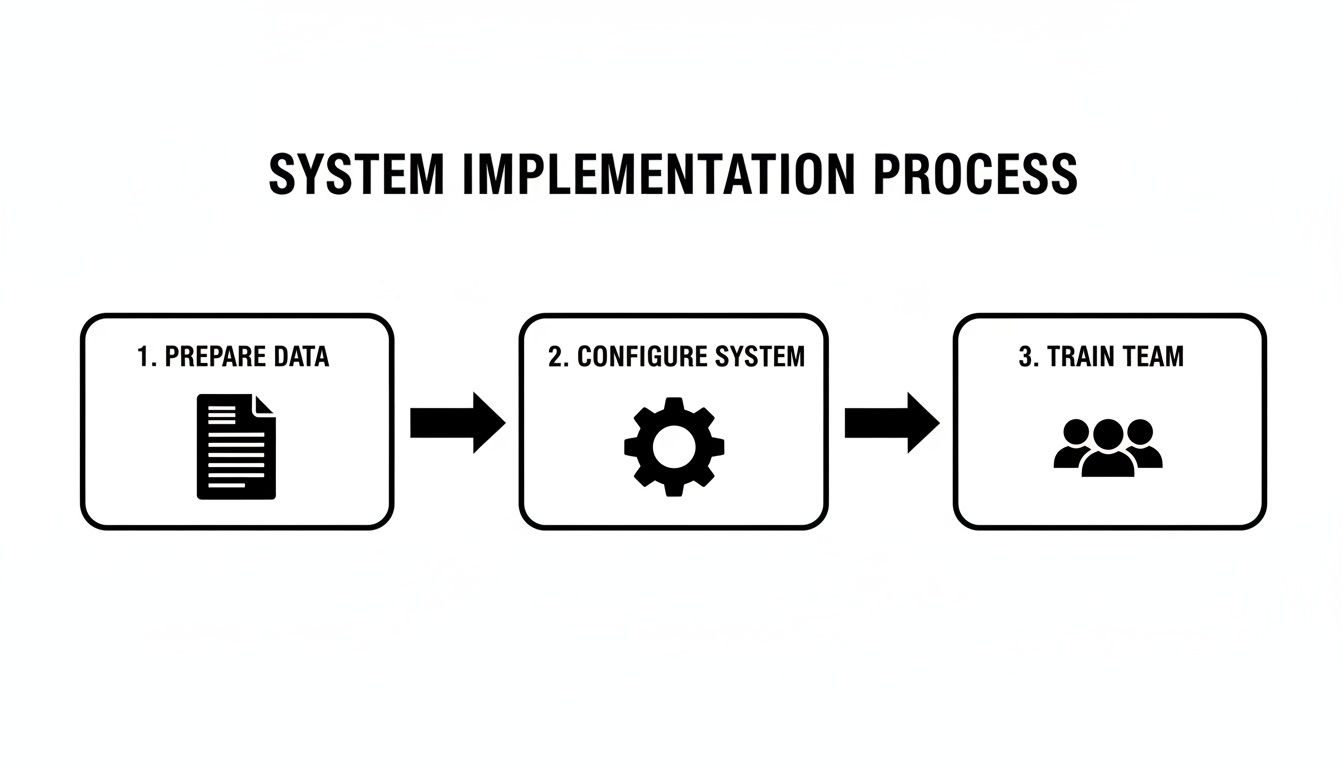
Flowchart showing a three-step system implementation process: prepare data, configure system, train team.

Moving to a new tutoring center management system can feel overwhelming, but a phased approach makes it manageable. The goal is to migrate your operations without disrupting your business rhythm. A good provider will guide you through each step, making the switch a strategic upgrade.

Stage 1: How do I prepare my data for migration?

Before the new system can work, you need to feed it clean, organized information. The quality of your data will directly dictate the software's effectiveness. Rushing this step leads to future headaches. Start by gathering and cleaning up all existing records.

Your core data sets will typically include:

  • Student Information: Full names, contact details, subjects, and lesson package status.

  • Teacher Contracts: Pay rates, commission structures, and availability for each tutor.

  • Payer Details: Billing information for parents, noting any outstanding balances.

  • Existing Schedules: A complete export of your current class schedules.

Stage 2: System Configuration and Customisation

Once your data is ready, it’s time to mould the software to fit your center’s unique operations. This is where you translate your business rules into automated actions. A modern platform lets you do this without technical expertise.

You'll be setting up key parameters that run your center:

  • Billing Rules: Configure lesson packages, set up automated invoicing, and define cancellation policies.

  • Payroll Structures: Create specific pay rules for each teacher, from hourly rates to revenue-share agreements.

  • User Permissions: Assign roles (admin, teacher, manager) to control access to sensitive information.

Stage 3: Team Training and Parallel Run

The final piece is your team. Proper training ensures everyone understands the new tools from day one. Focus on hands-on, role-specific training for administrators and teachers to build their confidence. A best practice is to conduct a parallel run.

For a week or two, run your new system alongside your old methods. This lets you compare outputs, catch discrepancies, and ensure everything works perfectly before you go all in. It’s a simple safety net that guarantees a seamless final transition.

How to Measure Your Return on Investment (ROI)

A tutoring center management system should be a growth engine, not just an expense. To prove its value, you must track specific Key Performance Indicators (KPIs). This isn't about feeling "more organized." It’s about using hard data to turn your software into a quantifiable asset for your Hong Kong center.

Which KPIs should I track?

To see the impact, you need a clear "before and after" picture. Establish a baseline for your current performance before you switch anything on. This will be your benchmark for success. Focus on metrics that directly reflect efficiency and profitability.

  • Reduction in Administrative Hours: Track how much time your team spends on scheduling, billing, and chasing payments. A modern system can slash this manual work by up to 60%.

  • Increase in Student Renewal Rates: A smooth, professional experience improves loyalty. Track your term-over-term renewal rate to see how much better service is boosting retention.

  • Faster Lead Conversion Time: Measure the time from a WhatsApp enquiry to a booked trial lesson. Automation can shrink this process from days to minutes.

How do I calculate the financial return?

Once you collect data, you can calculate a tangible return on investment. Start with cost savings. If you cut admin work by 20 hours a month at HKD 100 per hour, that’s a direct saving of HKD 2,000 monthly. You can learn more about the ROI of tutoring management software.

Next, look at revenue growth. If your student renewal rate increases by 10%, calculate the extra revenue that generates each term. The after-school market in mainland China is expected to grow by USD 130.8 billion between 2025-2029, fueled by technology adoption. This trend puts pressure on Hong Kong centers to operate efficiently. Read more about this explosive market growth on PR Newswire.

Frequently Asked Questions (FAQ)

1. What is a tutoring center management system?

A tutoring center management system is an all-in-one software platform designed for education businesses. It automates and integrates core operations like student lead capture from WhatsApp, intelligent lesson scheduling, automated billing and invoicing, and flexible teacher payroll calculations into a single, unified dashboard.

2. How does the system handle local Hong Kong payment methods?

A system built for Hong Kong must support local payment gateways. This includes built-in integrations for methods parents commonly use, like FPS or PayMe. This allows parents to settle invoices instantly from their phones, which improves your cash flow and reduces manual reconciliation work.

3. Can I manage trial lessons and convert new leads?

Yes, a powerful system manages the entire student journey. You can track new enquiries from sources like WhatsApp, use smart scheduling tools to book trial lessons, and set up automated follow-up messages. It streamlines the process of converting promising leads into enrolled students.

4. How long does it take to migrate from spreadsheets?

For a typical mid-sized center with clean records, a full migration usually takes between two to four weeks. This timeline covers data cleanup, system configuration, staff training, and a "parallel run" to ensure a smooth transition without disrupting your daily operations.

5. What kind of support should I expect in Hong Kong?

You should prioritize a provider with strong, local support. This means a team in your time zone that understands the Hong Kong education market. Good support includes a structured onboarding process, ongoing technical help, and a dedicated contact to help you maximize the software's value.

6. Can the software handle complex teacher payroll rules?

Absolutely. A key benefit is automating complex payroll. A top-tier system lets you create unique pay rules for each teacher, whether they are on hourly rates, revenue-share agreements, or performance bonuses. The software then generates accurate pay slips based on the lessons they have taught.

7. How does the system adapt to multi-branch operations?

If you plan to expand, multi-branch support is essential. The software should provide a single, centralized dashboard to manage schedules, view reports, and monitor performance across all your locations. This gives you a high-level overview while allowing each branch to manage its own daily tasks.

8. What happens if a parent cancels a lesson last minute?

A flexible system allows you to define your own cancellation policies. You can create a rule that automatically charges a fee or deducts a lesson credit from a package if a parent cancels within a specified window (e.g., 24 hours). This protects your revenue and enforces your policies consistently.

Ready to replace administrative chaos with automated efficiency? Tutorbase provides an all-in-one platform built for the unique demands of Hong Kong's tutoring centers. See how you can reduce admin by 60% and grow your business at tutorbase.com/register.

The Ultimate Tutoring Center Management System Hong Kong Guide for 2026

Published: January 4, 2026 by Amy Ashford

Key Takeaway: A modern tutoring center management system automates your entire Hong Kong operation, from WhatsApp lead capture to scheduling, billing, and payroll. This guide shows you how to select a platform that reduces admin work by up to 60%, boosts student retention, and provides a scalable foundation for growth in a competitive market.

Why is a modern management system essential for Hong Kong tutoring centres?

Running a tutoring business in Hong Kong is a high-stakes game. You face fierce competition, fluctuating student numbers, and parents who expect top-tier service. In this environment, operational efficiency isn't just a goal; it's a requirement for survival. Manual tools simply can't keep up.

Many centres wrestle with a messy collection of tools. You might be juggling enrolment enquiries on WhatsApp, tracking schedules in Google Calendar, and using complex Excel formulas for teacher pay. This DIY approach is inefficient and creates opportunities for costly errors and a poor parent experience.

What is the real cost of outdated methods?

Relying on manual admin slowly drains your time and money. A single scheduling error means a lost lesson and an unhappy parent. Chasing late payments consumes hours you could spend growing your student base. The damage is tangible and adds up quickly.

  • Lost Revenue: Every double-booked tutor or missed lead is money walking out the door.

  • Wasted Hours: Your admin staff can burn over 10 hours a week manually coordinating schedules, sending reminders, and calculating payroll.

  • Poor Parent Experience: Slow replies, confusing invoices, and scheduling mix-ups damage your reputation in a city full of alternatives.

How do you survive in a hyper-competitive market?

The pressure is increasing. Between 2016 and 2024, the number of centers run by Hong Kong's three largest local players dropped from 102 to just 56. This reflects a shrinking student population and significant curriculum changes that challenge old business models.

Simultaneously, educational giants from the mainland are entering the city aggressively. You can read more about these shifts in Hong Kong's education market. A modern management system acts as your operational hub, bringing order to chaos and providing a foundation to compete.

What is a tutoring center management system?

Two professionals collaborating with a unified platform displayed on a laptop and tablet in an office.

A tutoring center management system is a single software platform that connects and automates every part of your operation. It handles everything from capturing a parent's first WhatsApp enquiry to processing a teacher's final payroll. This one hub replaces the messy web of spreadsheets, calendars, and billing apps.

Think of it as the air traffic controller for your center. The system coordinates students, teachers, classrooms, and payments, ensuring nothing clashes and everything runs smoothly. Instead of you manually juggling tasks, you get a unified view that connects every moving part. This transforms fragmented work into an efficient workflow.

The Four Pillars of a Modern Management System

A true tutoring center management system for Hong Kong businesses stands on four interconnected pillars. These features work together to automate your entire operational cycle. They solve the specific administrative headaches common in local tutoring centers.

Each pillar tackles a major pain point:

  • Integrated Lead Capture & CRM: This pulls enquiries from channels like WhatsApp directly into one central system.

  • Intelligent Scheduling: This is more than a calendar. It finds the perfect lesson slot based on teacher, student, and room availability.

  • Automated Billing: The system automatically generates invoices from completed lessons and tracks lesson packages.

  • Flexible Teacher Payroll: It accurately calculates teacher pay based on complex rules like hourly rates or commissions.

At its core, a system digitizes your operations. It applies principles of document workflow automation to manage everything from student data to administrative processes. It transforms manual chaos into automated control.

How does it transform your workflow?

Without a unified system, your workflow is broken. A parent's WhatsApp message forces you to check multiple calendars, create an invoice, and make a manual payroll entry. Each step is an opportunity for human error. A modern system connects these steps seamlessly.

When a teacher marks a lesson complete, the platform automatically generates the parent's invoice and calculates the teacher's pay. This alone can eliminate up to 90% of manual data entry. This table shows the clear difference between manual methods and an integrated system.

Comparison Table: Manual vs. Automated Operations

Operational Task

Manual Method (Spreadsheets & Apps)

Automated System (e.g., Tutorbase)

New Student Onboarding

Manually entering data from WhatsApp/email into multiple spreadsheets.

Capturing lead data once; system automatically creates student and payer profiles.

Lesson Scheduling

Cross-referencing multiple calendars, risking double-bookings.

Using a "Find Slot" feature to instantly see all viable teacher/room/time options.

Generating Invoices

Manually creating individual invoices based on attendance sheets.

Invoices automatically generated and sent after attendance is marked.

Calculating Payroll

Exporting lesson data to manually calculate pay based on complex rates.

Payroll statements automatically calculated based on predefined contract rules.

Which Core Features Should Your Hong Kong Center Prioritize?

A tablet on a wooden desk displays core features like scheduling, billing, payroll, and leads, with a notebook and pen nearby.

A generic management system won't work in Hong Kong. The pace is relentless, parents expect instant answers, and our business models are unique. You need software built for how we actually work. This means intelligent scheduling, automated billing for prepaid packages, and flexible payroll for diverse contracts.

The real test for a tutoring center management system in Hong Kong is whether it solves our specific, local headaches. Standard platforms aren’t designed for the speed and complexity of this market. The features below are the tools that save you from admin overload and help you grow.

How do I automate tutoring center scheduling?

Manual scheduling is a huge bottleneck. A parent's WhatsApp request for a lesson sends your admin scrambling to check calendars and avoid double-bookings. A modern system automates this entire process with intelligent tools. It is more than a digital calendar; it’s a smart assistant.

  • Smart Slot-Finding: This is a game-changer. You enter the student's request, and the system instantly shows every possible teacher, room, and time slot that works.

  • Real-Time Conflict Detection: The software acts as a safety net. It physically prevents you from double-booking a teacher or a room.

  • Waitlist Management: For popular classes, an automated waitlist tracks interested parents and notifies them when a spot opens.

Why is WhatsApp integration a must-have?

In Hong Kong, business runs on WhatsApp. Any system that ignores this forces your team into clunky, manual workflows of copying and pasting messages. This is a perfect recipe for losing track of valuable new leads. A powerful system connects your WhatsApp Business account directly to your customer database.

When a new parent enquires, their details are automatically saved as a new lead. Your team can then use smart scheduling tools to find a slot and confirm the booking, all within one connected platform. Learn more about streamlining this process in our guide to building a tutoring centre CRM.

How can I automate tutoring center billing?

Manually creating invoices and chasing payments is a massive time sink. Your billing system must be flexible, automated, and smart enough to handle prepaid packages. The key is linking class attendance directly to invoicing. This simple connection eliminates up to 80% of manual invoicing tasks.

When a tutor marks a lesson complete, the system should automatically deduct a credit from a student's package or generate an invoice. A solid billing module must also handle local nuances:

  • Prepaid Packages: Easily sell and track packages of 10, 20, or 50 lessons.

  • Recurring Subscriptions: Set up automatic monthly or termly billing for regular students.

  • Local Payment Gateways: Integration with FPS and Stripe is crucial for instant online payments.

Can a system handle flexible teacher payroll?

Calculating tutor pay can be a nightmare. Most Hong Kong centers have a mix of salaried staff and freelance tutors on various pay structures. Managing this with a spreadsheet is prone to errors and disputes. Your management software needs a flexible payroll engine that handles this complexity automatically.

You should be able to build a custom pay rule for each teacher. At the end of the month, the system analyzes the lessons they taught and generates a perfect, detailed pay statement. This is critical as the booming online tutoring market in Hong Kong adds complexity to scheduling and payroll management.

How to Choose the Right Management System for Your Center

Choosing a management system is a critical decision. Get it right, and the software becomes a silent partner, automating tedious work. Get it wrong, and you're stuck with an expensive bottleneck that frustrates your staff and parents. You must evaluate systems based on scalability, user experience, and local support.

Is the system scalable for future growth?

Can the system grow with your business? A platform that works for one location might fail when you're managing fifty tutors across three branches. As you expand, your software must handle the extra load without slowing down.

Consider these critical factors:

  • Multi-Branch Management: This is non-negotiable for expansion. Can you manage schedules, billing, and reports for all locations from one dashboard?

  • Performance Under Load: Ask providers how their system performs with thousands of lessons a week. Older systems often choke on large volumes.

  • Database Architecture: A modern system is built for high-volume transactions, ensuring reports and payroll run in seconds, not minutes.

Why is user experience so important?

If your staff finds the software confusing, they won't use it properly. A clunky interface leads to booking errors, wasted time, and a frustrated team. An intuitive user experience is a core requirement for getting any value from your investment. The software should feel as modern and responsive as everyday apps.

A study by Forrester Research found that a well-designed user interface could raise a website's conversion rate by up to 200%. Better design means your team adopts the software faster and makes fewer mistakes. A clean layout helps managers see key data instantly without digging through menus.

Modern vs. Legacy Tutoring Management Systems

Not all systems are created equal. Many older platforms were designed over a decade ago with features piled on top of an outdated foundation. Modern systems like Tutorbase are built from the ground up for the speed and scale a growing Hong Kong tutoring business demands. Legacy systems help you organize information; modern systems help you automate entire workflows.

Comparison Table: Modern vs. Legacy Platforms

Aspect

Modern System (e.g., Tutorbase)

Legacy System (e.g., Teachworks)

Scheduling

Intelligent "Find Slot" feature instantly suggests all viable lesson times.

Requires manual calendar browsing to find and book an open slot.

User Interface

Clean, responsive, and intuitive design similar to modern web apps.

Dated, often clunky interface with a steep learning curve.

Automation

Attendance marking automatically triggers invoicing and payroll.

Invoicing and payroll are often separate, manual processes.

Scalability

Built to handle 10,000+ lessons per week across multiple branches.

Performance can degrade significantly with high volume.

Localisation

Designed for Asia, with features like WhatsApp integration.

Generic features that may not align with Hong Kong practices.

A Step-by-Step Guide to System Implementation

Flowchart showing a three-step system implementation process: prepare data, configure system, train team.

Moving to a new tutoring center management system can feel overwhelming, but a phased approach makes it manageable. The goal is to migrate your operations without disrupting your business rhythm. A good provider will guide you through each step, making the switch a strategic upgrade.

Stage 1: How do I prepare my data for migration?

Before the new system can work, you need to feed it clean, organized information. The quality of your data will directly dictate the software's effectiveness. Rushing this step leads to future headaches. Start by gathering and cleaning up all existing records.

Your core data sets will typically include:

  • Student Information: Full names, contact details, subjects, and lesson package status.

  • Teacher Contracts: Pay rates, commission structures, and availability for each tutor.

  • Payer Details: Billing information for parents, noting any outstanding balances.

  • Existing Schedules: A complete export of your current class schedules.

Stage 2: System Configuration and Customisation

Once your data is ready, it’s time to mould the software to fit your center’s unique operations. This is where you translate your business rules into automated actions. A modern platform lets you do this without technical expertise.

You'll be setting up key parameters that run your center:

  • Billing Rules: Configure lesson packages, set up automated invoicing, and define cancellation policies.

  • Payroll Structures: Create specific pay rules for each teacher, from hourly rates to revenue-share agreements.

  • User Permissions: Assign roles (admin, teacher, manager) to control access to sensitive information.

Stage 3: Team Training and Parallel Run

The final piece is your team. Proper training ensures everyone understands the new tools from day one. Focus on hands-on, role-specific training for administrators and teachers to build their confidence. A best practice is to conduct a parallel run.

For a week or two, run your new system alongside your old methods. This lets you compare outputs, catch discrepancies, and ensure everything works perfectly before you go all in. It’s a simple safety net that guarantees a seamless final transition.

How to Measure Your Return on Investment (ROI)

A tutoring center management system should be a growth engine, not just an expense. To prove its value, you must track specific Key Performance Indicators (KPIs). This isn't about feeling "more organized." It’s about using hard data to turn your software into a quantifiable asset for your Hong Kong center.

Which KPIs should I track?

To see the impact, you need a clear "before and after" picture. Establish a baseline for your current performance before you switch anything on. This will be your benchmark for success. Focus on metrics that directly reflect efficiency and profitability.

  • Reduction in Administrative Hours: Track how much time your team spends on scheduling, billing, and chasing payments. A modern system can slash this manual work by up to 60%.

  • Increase in Student Renewal Rates: A smooth, professional experience improves loyalty. Track your term-over-term renewal rate to see how much better service is boosting retention.

  • Faster Lead Conversion Time: Measure the time from a WhatsApp enquiry to a booked trial lesson. Automation can shrink this process from days to minutes.

How do I calculate the financial return?

Once you collect data, you can calculate a tangible return on investment. Start with cost savings. If you cut admin work by 20 hours a month at HKD 100 per hour, that’s a direct saving of HKD 2,000 monthly. You can learn more about the ROI of tutoring management software.

Next, look at revenue growth. If your student renewal rate increases by 10%, calculate the extra revenue that generates each term. The after-school market in mainland China is expected to grow by USD 130.8 billion between 2025-2029, fueled by technology adoption. This trend puts pressure on Hong Kong centers to operate efficiently. Read more about this explosive market growth on PR Newswire.

Frequently Asked Questions (FAQ)

1. What is a tutoring center management system?

A tutoring center management system is an all-in-one software platform designed for education businesses. It automates and integrates core operations like student lead capture from WhatsApp, intelligent lesson scheduling, automated billing and invoicing, and flexible teacher payroll calculations into a single, unified dashboard.

2. How does the system handle local Hong Kong payment methods?

A system built for Hong Kong must support local payment gateways. This includes built-in integrations for methods parents commonly use, like FPS or PayMe. This allows parents to settle invoices instantly from their phones, which improves your cash flow and reduces manual reconciliation work.

3. Can I manage trial lessons and convert new leads?

Yes, a powerful system manages the entire student journey. You can track new enquiries from sources like WhatsApp, use smart scheduling tools to book trial lessons, and set up automated follow-up messages. It streamlines the process of converting promising leads into enrolled students.

4. How long does it take to migrate from spreadsheets?

For a typical mid-sized center with clean records, a full migration usually takes between two to four weeks. This timeline covers data cleanup, system configuration, staff training, and a "parallel run" to ensure a smooth transition without disrupting your daily operations.

5. What kind of support should I expect in Hong Kong?

You should prioritize a provider with strong, local support. This means a team in your time zone that understands the Hong Kong education market. Good support includes a structured onboarding process, ongoing technical help, and a dedicated contact to help you maximize the software's value.

6. Can the software handle complex teacher payroll rules?

Absolutely. A key benefit is automating complex payroll. A top-tier system lets you create unique pay rules for each teacher, whether they are on hourly rates, revenue-share agreements, or performance bonuses. The software then generates accurate pay slips based on the lessons they have taught.

7. How does the system adapt to multi-branch operations?

If you plan to expand, multi-branch support is essential. The software should provide a single, centralized dashboard to manage schedules, view reports, and monitor performance across all your locations. This gives you a high-level overview while allowing each branch to manage its own daily tasks.

8. What happens if a parent cancels a lesson last minute?

A flexible system allows you to define your own cancellation policies. You can create a rule that automatically charges a fee or deducts a lesson credit from a package if a parent cancels within a specified window (e.g., 24 hours). This protects your revenue and enforces your policies consistently.

Ready to replace administrative chaos with automated efficiency? Tutorbase provides an all-in-one platform built for the unique demands of Hong Kong's tutoring centers. See how you can reduce admin by 60% and grow your business at tutorbase.com/register.