
12 Best Apps for Tracking Tutoring Hours in 2026
Published: January 7, 2026 by Amy Ashford


Key Takeaway: The best apps for tracking tutoring hours do more than just log time. They integrate scheduling, billing, and payroll into a single system, eliminating the costly errors and administrative overhead caused by using disconnected spreadsheets and calendars. This guide will help you find the right software to automate your operations and reclaim valuable time.
If your tutoring center still runs on a patchwork of spreadsheets, calendars, and manual invoices, you are likely losing both time and money. Every hour spent manually cross-referencing a tutor’s schedule with their timesheet, calculating payroll, and then creating an invoice is an hour not spent on growing your business. This administrative friction leads to payroll errors, delayed payments from clients, and frustrating double-bookings that damage your reputation.
Many businesses attempt to mitigate the manual effort by looking into ways to efficiently automate data entry in Excel, but this only patches a single part of a fragmented system. The core problem remains: your data is siloed. A tutor’s logged hours in one file don't automatically trigger a payroll calculation in another or generate an invoice in your accounting software. This disconnection is where mistakes happen and costs accumulate.
This guide moves beyond simple time clocks to review the best apps for tracking tutoring hours as part of a complete management system. We will analyze how each platform connects time tracking to critical business functions like billing, payroll, and scheduling. You will find a detailed breakdown of each tool, complete with screenshots, feature comparisons, and clear use cases to help you select the ideal software for your center’s specific needs, whether you're a solo tutor or managing multiple branches. We’ll show you how to transition from operational chaos to automated efficiency.
1. Tutorbase
Tutorbase is not just an app for tracking tutoring hours, it's an AI-powered operations platform designed to replace fragmented systems like Teachworks, TutorCruncher, and spreadsheets. It’s built for tutoring centers, language schools, and test prep academies managing 5 to 100+ teachers. The core value is unifying scheduling, billing, and payroll into a single, automated workflow, which directly addresses the administrative bottlenecks that limit growth.
Unlike simpler trackers, Tutorbase ties every tracked hour directly to both billing and payroll, eliminating manual reconciliation. When a tutor marks a lesson as "Attended," the system automatically generates the correct invoice line item and calculates the corresponding payroll entry based on the teacher's specific pay model. This tight integration is what makes it one of the best apps for tracking tutoring hours at scale, reducing admin time by up to 60%.
Key Features and Use Cases
AI-Powered Scheduling: The Find Slot feature instantly generates optimal teacher, room, and time combinations for new bookings. This cuts the enrollment process from over 10 minutes to under 2 minutes.
Automated Billing from Attendance: The system auto-generates invoices directly from lesson attendance records. It supports complex models, including native prepaid credits, lesson packages with auto-consumption, and subscriptions.
Complex Payroll Automation: The platform handles diverse pay structures beyond simple hourly rates. It supports revenue sharing, base salary plus variable pay, overtime, and contractor self-billing invoices.
Multi-Branch Operations: For centers with multiple locations, Tutorbase provides a unified dashboard to manage rooms, teachers, and scheduling across all branches, preventing double-bookings.
Pros & Cons
Pros:
All-in-one platform that eliminates the need for separate tools for scheduling, billing, and payroll.
Powerful automation reduces manual administrative work by up to 60% and eliminates human error.
Scalable for growth, supporting multi-branch centers with high lesson volumes (10,000+ per week).
Robust financial tools, including native prepaid credits and flexible pricing policy packs.
Cons:
Opaque pricing, requiring a demo and custom quote to determine the total cost of ownership.
Steeper learning curve due to its comprehensive feature set; migration from spreadsheets or legacy systems requires a dedicated setup process.
Tutorbase is best suited for established tutoring business owners and operations managers spending 10+ hours a week on administrative tasks and who need a unified system to cut costs and accelerate growth.
Website: https://tutorbase.com
2. Teachworks
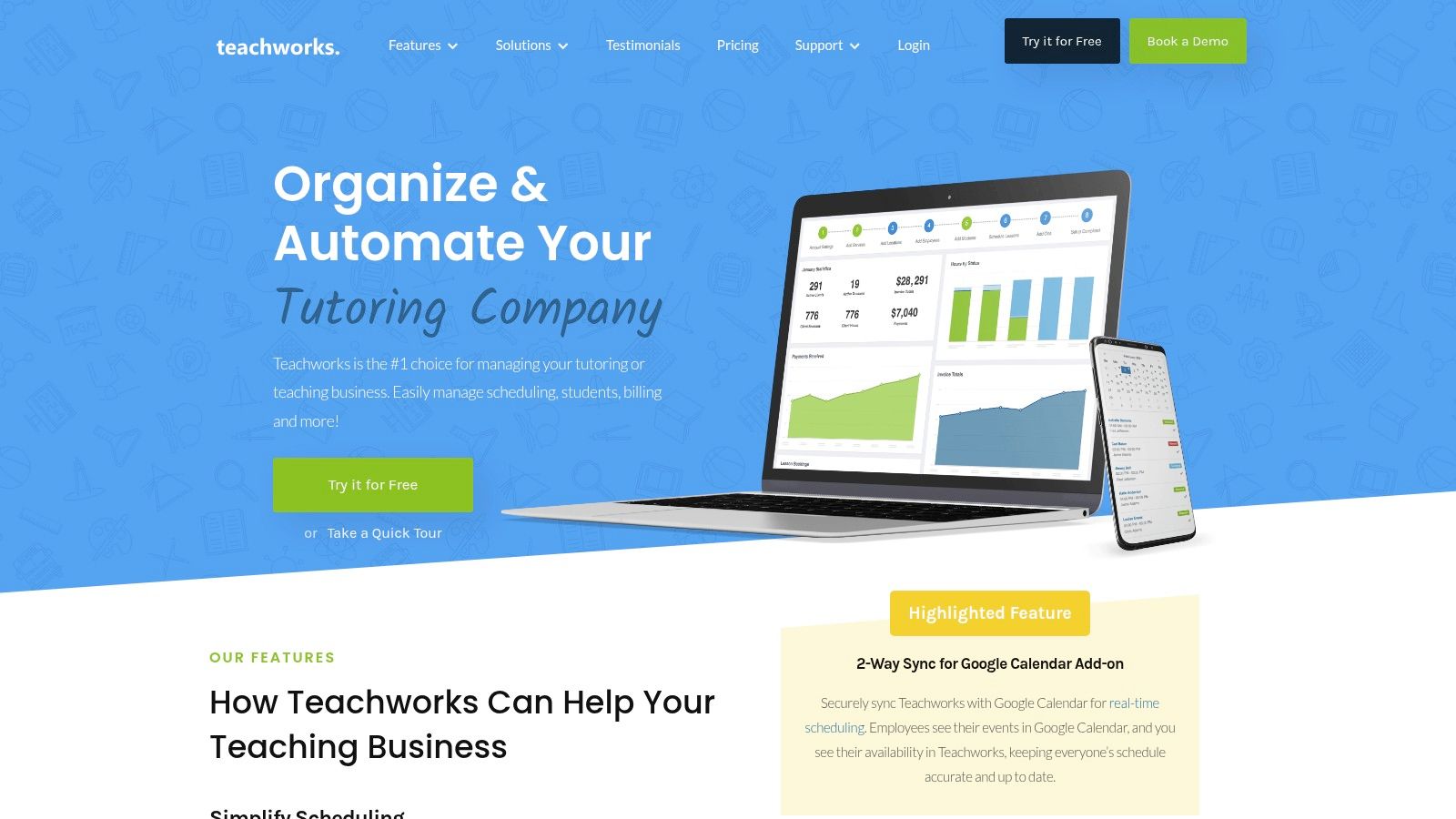
Teachworks is a comprehensive tutoring management platform for centers needing a single source of truth for operations. It excels at linking lesson scheduling directly to staff hours, payroll, and billing, which reduces the manual reconciliation required between separate systems. If your primary goal is to ensure hours tracked are perfectly aligned with attendance and invoices, this platform is a strong contender.
The platform automatically calculates teacher hours from scheduled and completed lessons, providing an accurate, real-time log. This feature makes it one of the best apps for tracking tutoring hours without manual entry. For businesses with multiple staff members, the "Employee Hours" pages and export options streamline the entire payroll process.
Core Features & Limitations
Teachworks offers a robust feature set that scales well for growing operations. However, its manual scheduling and basic payroll features are a limitation compared to AI-powered alternatives.
Pros:
Integrated Workflow: Hours are generated from the same data used for attendance and invoicing, eliminating discrepancies.
Granular Reporting: Lesson Summary reports grouped by teacher simplify payroll cycles and performance analysis.
Scalability: The system is built to handle multi-branch operations, centralizing data across different locations.
Cons:
Semi-Manual Billing: The billing process is not fully automated and requires manual steps to generate and send invoices.
Limited Payroll: Payroll capabilities are basic and primarily suited for simple hourly rate calculations.
Website: https://teachworks.com/
3. TutorCruncher
TutorCruncher operates as a complete tutoring business management system, integrating CRM, scheduling, and billing into a single platform. It excels at connecting scheduled lessons directly to payroll, making it an excellent tool for centers that need to track and pay tutors based on hours worked. The platform's strength lies in its comprehensive workflow, managing the entire process from lead capture to final payroll export.
The system provides clear analytics on "Lesson Hours," allowing administrators to track time delivered by each tutor with filters for specific date ranges. This data can be easily exported for seamless payroll processing. For businesses juggling various tutor compensation models, TutorCruncher is one of the best apps for tracking tutoring hours because it maintains auditable activity logs, ensuring transparency and accuracy.
Core Features & Limitations
TutorCruncher offers a powerful, end-to-end workflow ideal for growing centers. However, its lack of AI scheduling and complex payroll features can create bottlenecks at scale.
Pros:
Strong End-to-End Workflow: Manages the entire client lifecycle from initial lead inquiry through to lesson completion and payroll.
Transparent Time Analytics: The "Lesson Hours" page and CSV exports provide clear, actionable data for paying staff correctly.
Flexible Pricing Tiers: The structure scales well, accommodating small but growing tutoring businesses as their needs evolve.
Cons:
Manual Booking Process: Scheduling lacks intelligent "Find Slot" functionality, requiring administrators to manually search for availability.
Limited Financial Tools: Prepaid credit management is not a native feature and requires workarounds.
Website: https://tutorcruncher.com/
4. TutorBird
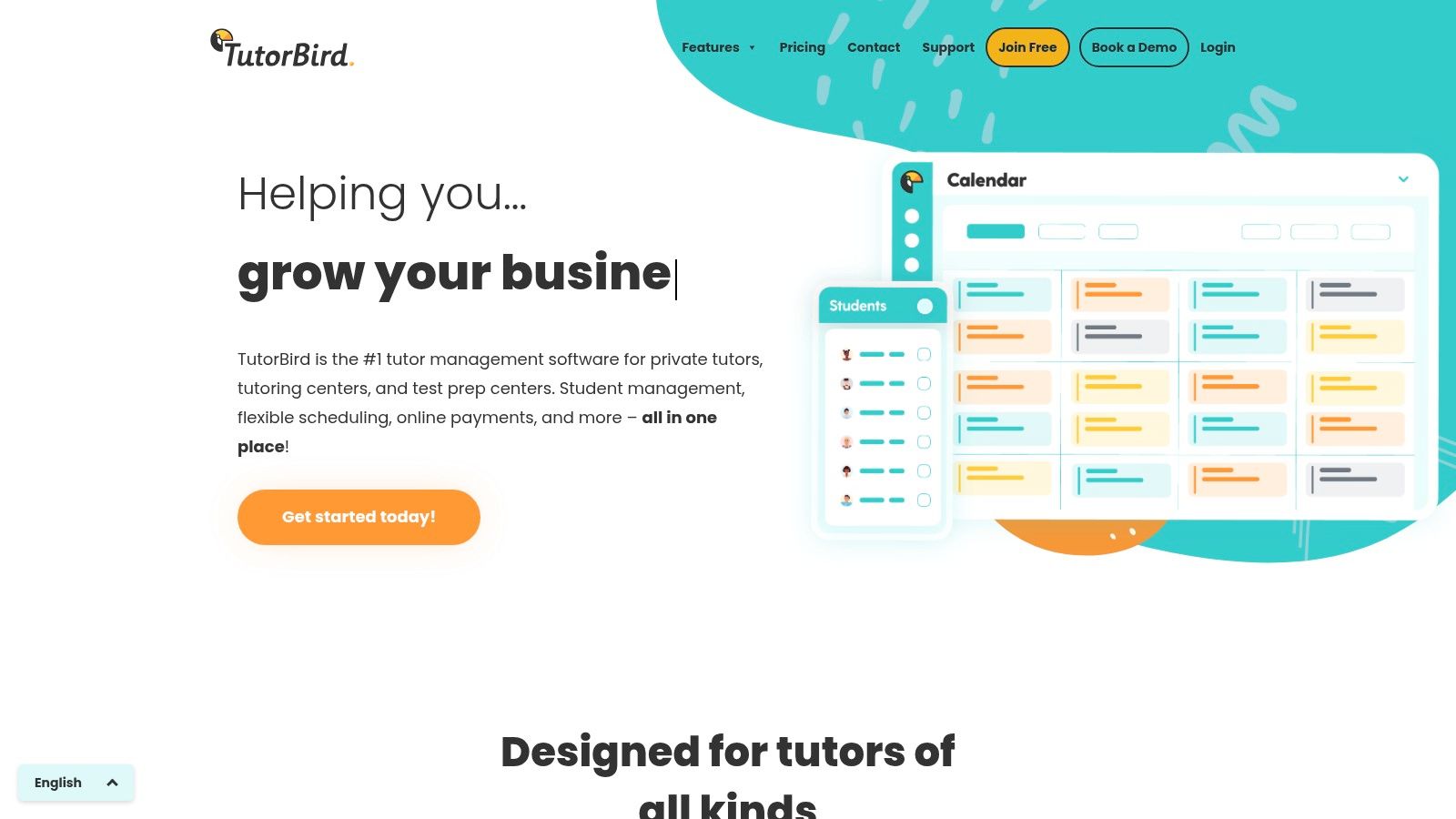
TutorBird is an affordable and user-friendly management software built for solo tutors and small, growing tutoring businesses. It excels at providing a simple, integrated system where hours tracking is directly tied to the lesson calendar and attendance. If you need a straightforward, low-cost solution to move away from spreadsheets for scheduling, billing, and payroll, TutorBird is an excellent starting point.
The platform automatically logs hours based on scheduled lessons and marked attendance, creating a reliable record for both billing and payroll. Tutors can easily see their upcoming schedule, and administrators can run payroll reports based on hourly rates or a percentage of revenue. This makes it one of the best apps for tracking tutoring hours for small teams that prioritize ease of use and affordability.
Core Features & Limitations
TutorBird offers a practical set of tools that are easy to set up and use. However, its capabilities may be outgrown by centers requiring deep customization or multi-branch management.
Pros:
Affordable Pricing: A flat, low monthly fee and a 30-day free trial make it highly accessible for new or small businesses.
Ease of Use: The platform is known for its intuitive interface, good documentation, and quick setup process.
Integrated Payroll: Payroll tools are built-in and handle both hourly and revenue-share models effectively for small teams.
Cons:
Limited Enterprise Features: Lacks advanced controls for multi-branch operations, complex curriculum management, and multi-brand support.
Fewer Integrations: Deep customization and integration with other specialized business software are more limited compared to larger platforms.
Website: https://www.tutorbird.com/
5. Teach 'n Go
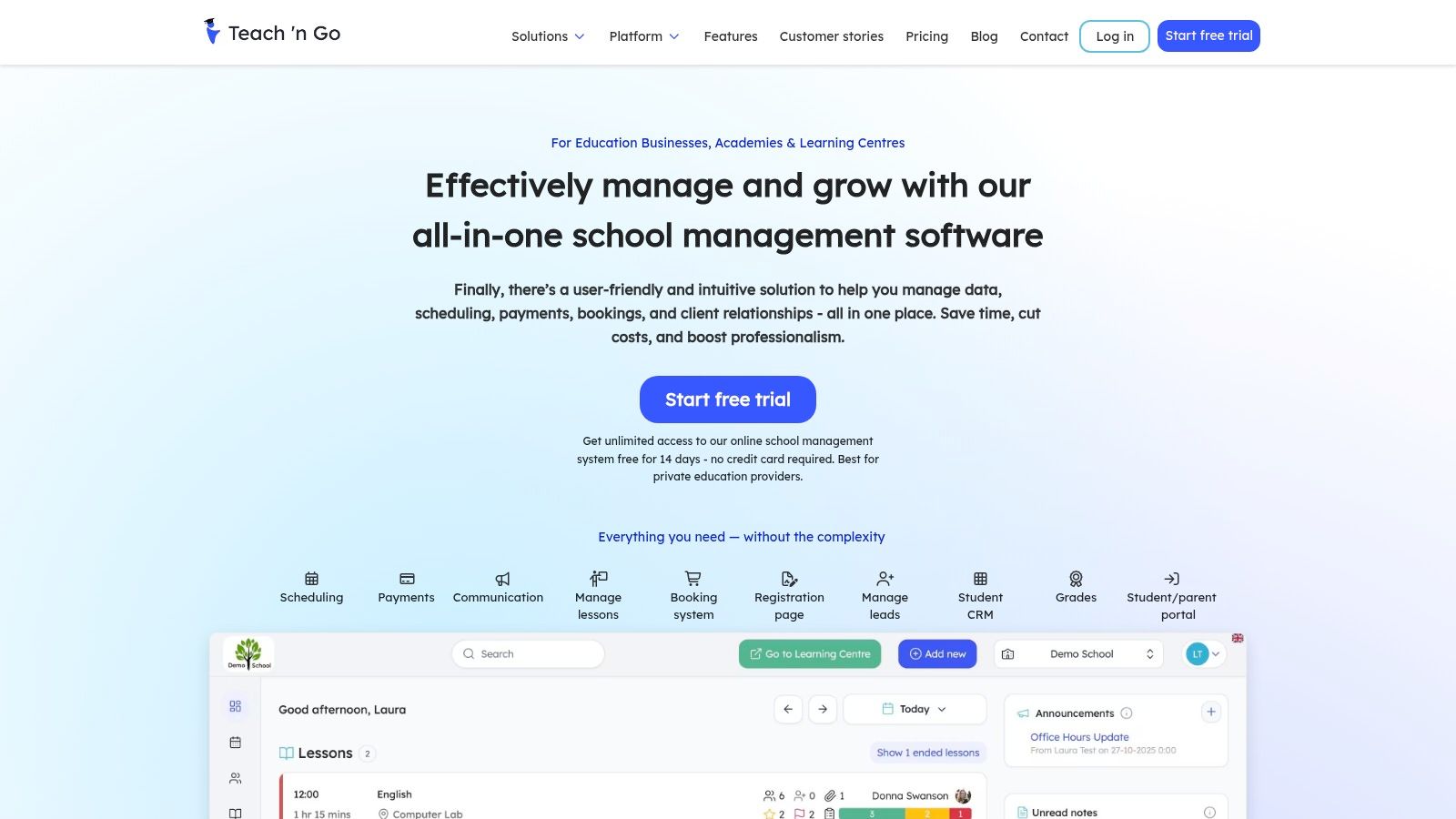
Teach 'n Go is a streamlined management system designed for tutoring centers and schools that prioritize simple, all-inclusive pricing. It excels at core operational tasks like scheduling, attendance, and billing, with a strong focus on automating teacher payroll directly from lesson data. Its key differentiator is offering unlimited teachers and classes on standard plans, making it an excellent choice for centers that want predictable costs as they grow their teaching staff.
The platform automatically calculates teacher fees based on the hourly rate multiplied by lesson duration, creating a clear link between scheduled lessons and payroll. This makes it one of the best apps for tracking tutoring hours without complex setup. For administrators, detailed lesson and teacher reports, which can be exported to Excel, provide the necessary data for quick and accurate payroll processing each cycle.
Core Features & Limitations
Teach 'n Go offers a straightforward, powerful feature set with an emphasis on ease of use and transparent pricing. However, its integration ecosystem and user interface defaults may be a consideration for some businesses.
Pros:
Simple Pricing: The model includes all features and unlimited teachers, which removes the guesswork from monthly budgeting.
Fast Setup: A free trial and money-back guarantee allow new users to get started quickly and test the platform with minimal risk.
Solid Teacher Payroll: The workflow for calculating and reporting teacher hours is direct and efficient, based on completed lessons.
Cons:
Euro-Centric UI: The pricing is often displayed in Euros by default, although a toggle for USD and other currencies is available.
Limited Integrations: It has a smaller marketplace of third-party integrations compared to some US-based competitors.
Website: https://www.teachngo.com/
6. Clockify
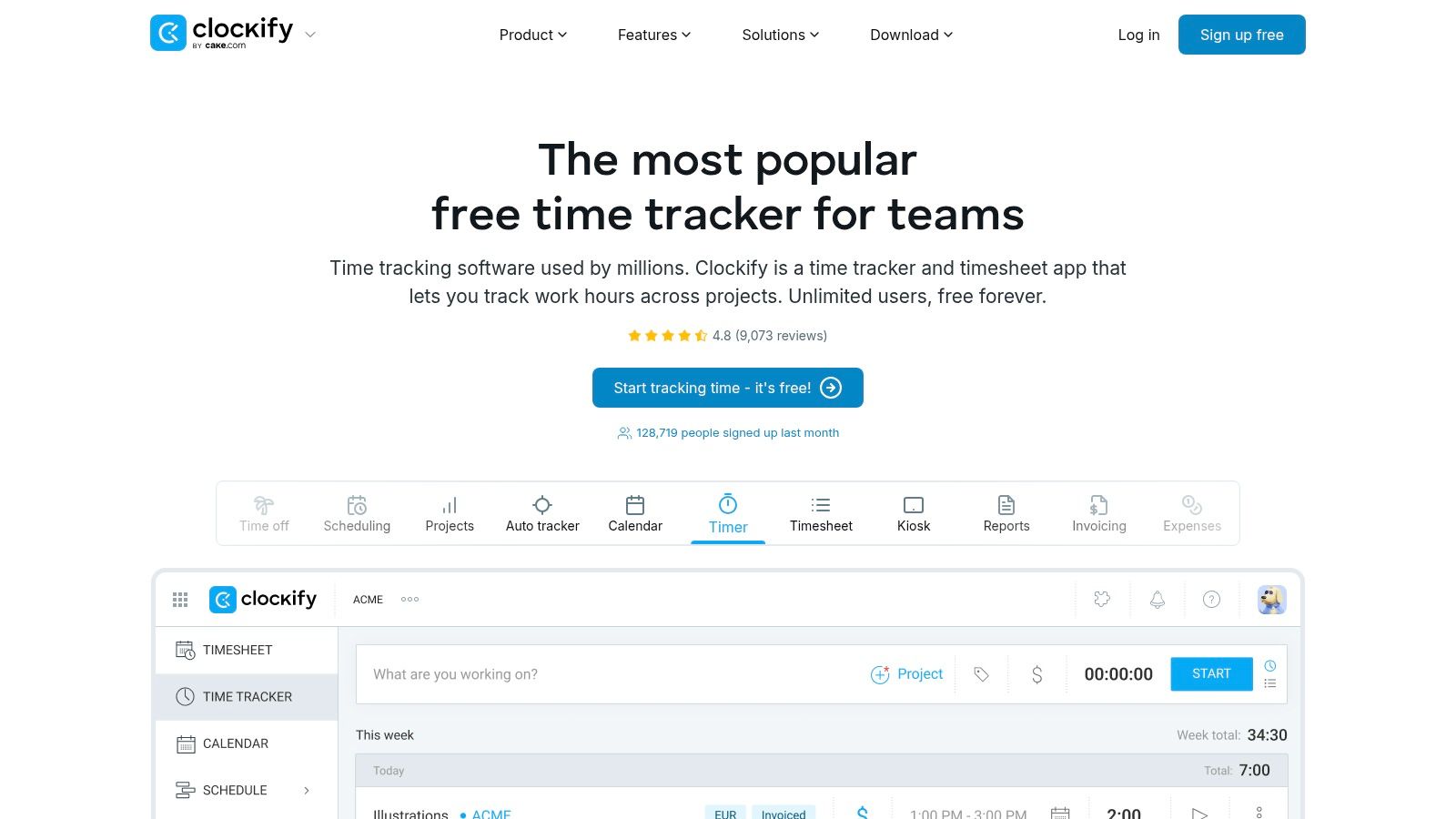
Clockify is a popular, free-forever time tracker that serves as an excellent starting point for tutoring businesses needing dedicated time logs without the complexity of a full management system. It excels at its core function: allowing tutors and administrative staff to track hours worked on specific tasks or projects via web, desktop, and mobile apps. If you need a simple, reliable, and free tool for pure time tracking to support payroll, Clockify is a top-tier choice.
The platform's strength lies in its simplicity and generous free plan, which includes unlimited users and projects. Tutors can easily start and stop a timer or fill in a timesheet, providing clear data for payroll calculations. This makes it one of the best apps for tracking tutoring hours when your primary need is accurate time capture rather than integrated billing.
Core Features & Limitations
Clockify offers a clean and focused time-tracking experience that is easy for anyone to adopt. However, its general-purpose nature means it lacks the specialized workflows found in tutoring-specific software.
Pros:
Very Generous Free Tier: The free-forever plan supports unlimited users, projects, and reporting, making it accessible for any size team.
Easy Onboarding & Cross-Device Support: Its intuitive interface ensures tutors can start tracking time immediately on any device with minimal training.
Strong Reporting: Detailed reports can be exported to supplement your existing payroll process, providing clear documentation of hours worked.
Cons:
Not Tutoring-Specific: Lacks native links between tracked time, student attendance, and invoicing, requiring manual data reconciliation.
Paid Tiers for Key Features: Advanced features like scheduling, time-off approvals, and GPS tracking are locked behind paid plans.
Website: https://clockify.me/
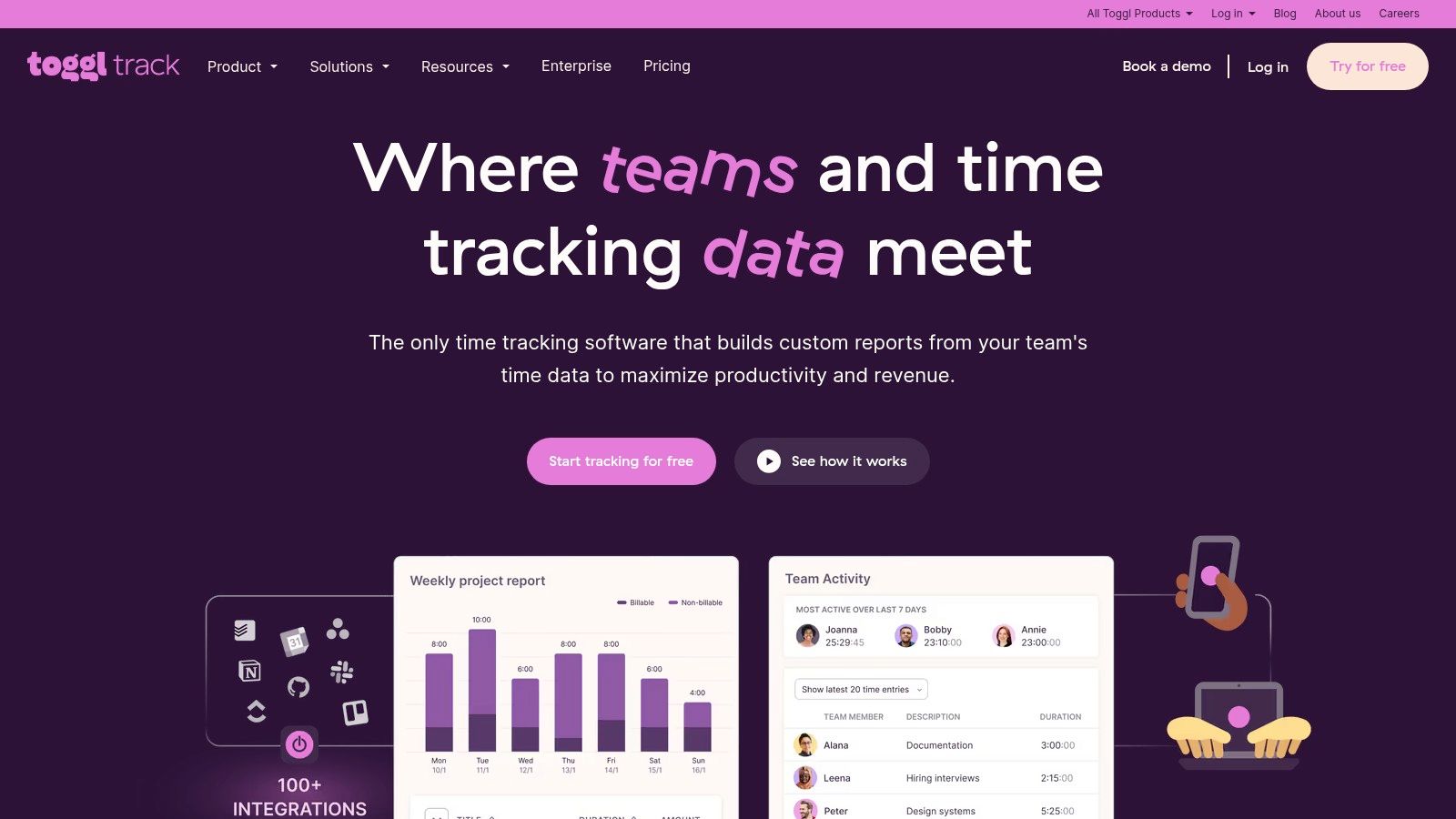
7. Toggl Track
Toggl Track is a veteran in the time-tracking space, renowned for its simple, user-friendly interface that makes logging hours effortless. While not a dedicated tutoring management platform, it excels at its core function: tracking time accurately across different projects and clients. For solo tutors or small teams of up to five, its generous free plan offers a powerful way to monitor billable hours without the complexity of a full-scale management system.
The platform’s strength lies in its one-click start/stop timer, available on web, desktop, and mobile apps. This accessibility ensures tutors can log time precisely as it happens, whether they are in a session, doing prep work, or handling admin tasks. Its extensive integration library means it can connect to calendar apps and other tools, providing a more cohesive, albeit manual, workflow for tracking and billing.
Core Features & Limitations
Toggl Track is one of the best apps for tracking tutoring hours if your priority is pure timekeeping accuracy and ease of use, but it requires manual processes to link this data to billing and payroll.
Pros:
Intuitive start/stop tracking: Tutors can easily start and stop timers on any device, ensuring precise time logs for both billable and non-billable tasks.
Good free plan for small teams: The free tier supports up to five users, making it a cost-effective starting point for new or small tutoring businesses.
Strong reporting: Even on the free plan, you can generate clear reports to analyze time spent per student (client) or subject (project).
Cons:
No built-in tutoring features: It lacks direct integration for student attendance, scheduling, and automated invoicing based on tracked hours.
Limited scalability on free plan: The five-user cap on the free plan means growing teams will quickly need to upgrade to a paid subscription.
Website: https://toggl.com/track/
8. Harvest
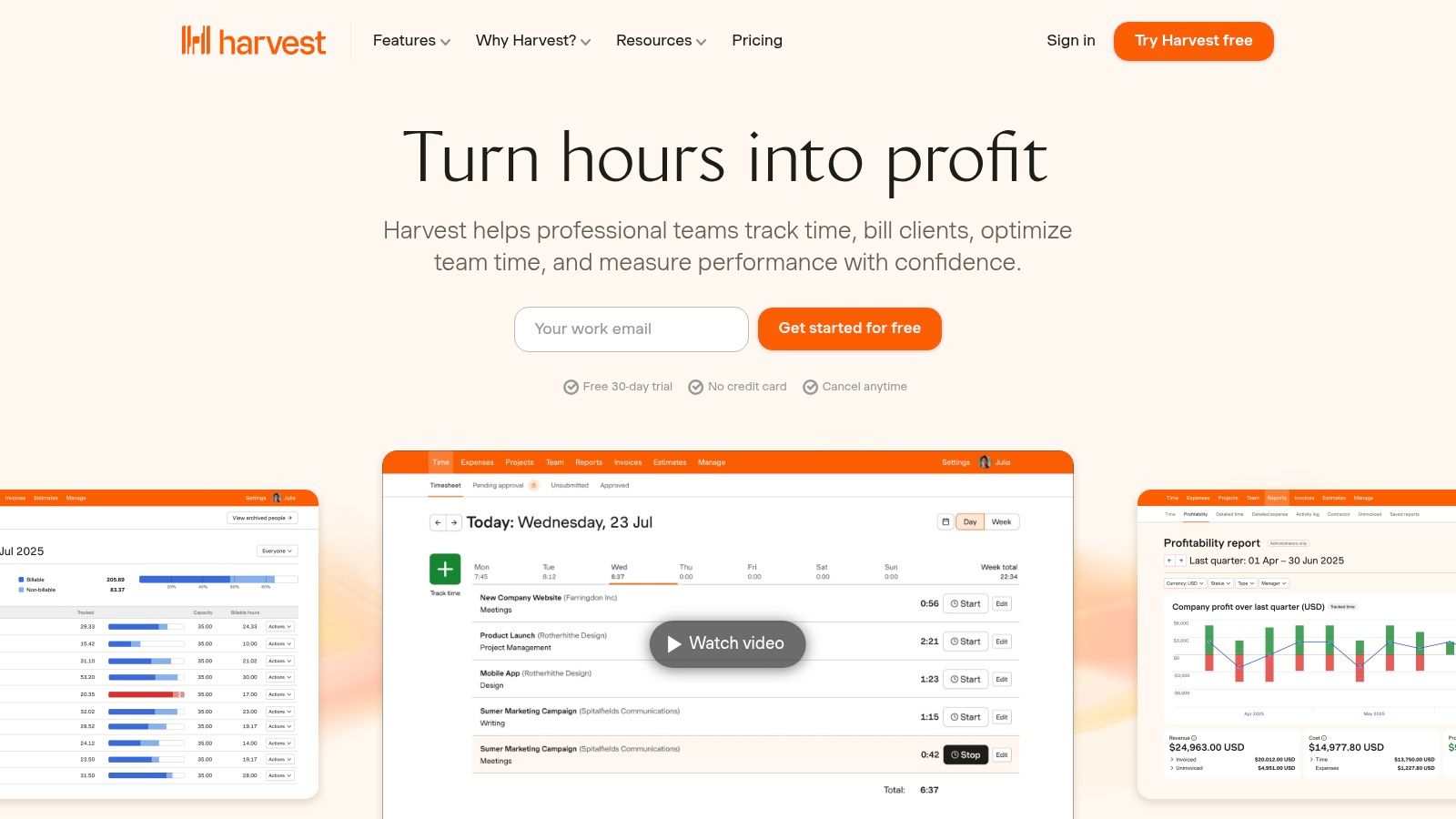
Harvest is a well-regarded time tracking and invoicing software that serves a broad range of freelancers and businesses, including tutoring operations focused on B2B contracts or programs requiring meticulous hourly billing. Its core strength lies in its simplicity and direct workflow: tutors track time, which administrators approve and then convert directly into professional invoices. This makes it one of the best apps for tracking tutoring hours when invoicing is the final, most critical step.
For tutoring businesses that manage corporate training programs, partner with schools, or handle clients who pay on a strict per-hour basis, Harvest provides the necessary accountability. The platform’s visual reports give administrators a clear overview of billable vs. non-billable hours, team capacity, and project profitability, helping to ensure every minute of tutoring is accounted for and billed correctly.
Core Features & Limitations
Harvest excels at connecting time tracking to revenue but lacks the specialized features of a full tutoring management system, like student scheduling or attendance.
Pros:
Clean Invoicing Workflow: Directly convert tracked tutor hours into client invoices with just a few clicks. It's easy to create an accurate tutoring invoice with the data from the platform.
Mature Platform: Harvest is a reliable and stable tool with robust reporting and integrations with accounting software like QuickBooks and Xero.
Timesheet Approvals: Administrators can review and approve tutor timesheets before they are processed for invoicing or payroll.
Cons:
Limited Free Plan: The free tier is restricted to a single user and two projects, making it unsuitable for teams.
Per-User Pricing: The cost is calculated per user per month, which can become expensive for tutoring centers with a large team of part-time tutors.
Website: https://www.getharvest.com/
9. TimeCamp
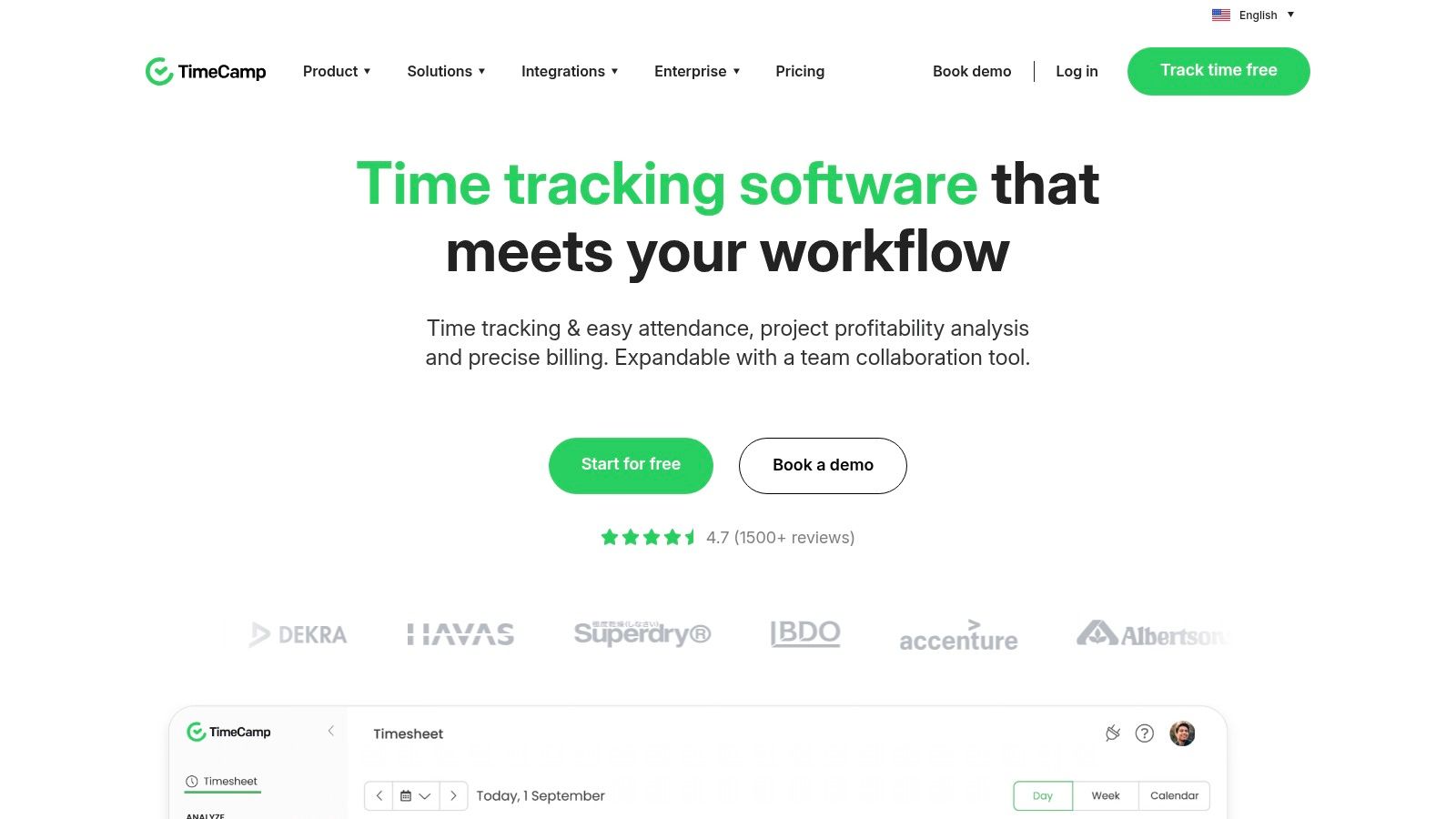
TimeCamp is a specialized time tracking application that serves businesses needing detailed, verifiable records of team hours. While not a full tutoring management suite, it excels at its core function: tracking billable time with robust approval workflows and reporting. It is an excellent choice for tutoring centers that already have scheduling and billing systems but require a dedicated, budget-friendly tool to professionalize their time tracking and payroll exports.
The platform offers multiple ways to capture hours, including web, desktop, and mobile timers, alongside options for manual entry. Its strength lies in features like automated timesheet creation, attendance tracking, and manager approvals, which add a layer of control before processing payroll. This makes it one of the best apps for tracking tutoring hours when your primary goal is accuracy and accountability for a distributed team.
Core Features & Limitations
TimeCamp provides granular time tracking that can integrate with other tools, but it doesn't manage the student or scheduling side of the business. Its value depends on your existing software stack.
Pros:
Competitive Pricing: Offers several tiers, including Starter, Premium, and Ultimate, with flexible payment options and valuable discounts for nonprofits and educational institutions.
Approval Workflow: The built-in timesheet approval system ensures managers can verify and sign off on tutor hours before they are sent to payroll, reducing errors.
Flexible Time Capture: Supports automatic time tracking via desktop/mobile apps and manual timesheet entries, catering to different tutor preferences.
Cons:
Over-featured for Some: Advanced monitoring tools like screenshot capture and application tracking might be excessive and unnecessary for a typical tutoring environment.
Requires Configuration: The user interface has significant depth and requires an initial setup phase to tailor it to your center’s specific needs.
Website: https://www.timecamp.com/
10. QuickBooks Time
QuickBooks Time (formerly TSheets) is a dedicated employee time and attendance tool from Intuit. It is an excellent choice for US-based tutoring businesses that already use QuickBooks for accounting and payroll. Its primary strength lies in its seamless integration, allowing hours tracked on its mobile or web app to sync directly into payroll runs and client invoices, eliminating duplicate data entry.
The platform provides features that are particularly useful for centers with tutors working across different locations or remotely. These include real-time GPS tracking and geofencing to ensure staff are on-site when they clock in. For centers wanting a physical clock-in point, the Kiosk mode allows a single tablet or computer to serve as a centralized time clock. This makes it one of the best apps for tracking tutoring hours when payroll integration is the top priority.
Core Features & Limitations
QuickBooks Time excels at pure time tracking and payroll integration, but it is not a complete tutoring management system. It must be paired with other tools for scheduling and student management.
Pros:
Tight QuickBooks Integration: Drastically reduces administrative work by syncing hours directly for payroll and invoicing. Learn more about how to integrate with QuickBooks Online.
Strong Mobile Experience: The mobile app is robust, offering GPS tracking and easy clock-in/out for tutors on the go.
Suitable for Mixed Staff: Easily manages both hourly employees and contract tutors with different pay rates and rules.
Cons:
Requires QuickBooks: The platform’s full value is only realized when paired with a QuickBooks Online subscription.
Per-User Pricing: The model includes a monthly base fee plus a fee for each active user, which can become costly for larger teams.
Website: https://quickbooks.intuit.com/time-tracking/
11. Timely by Memory
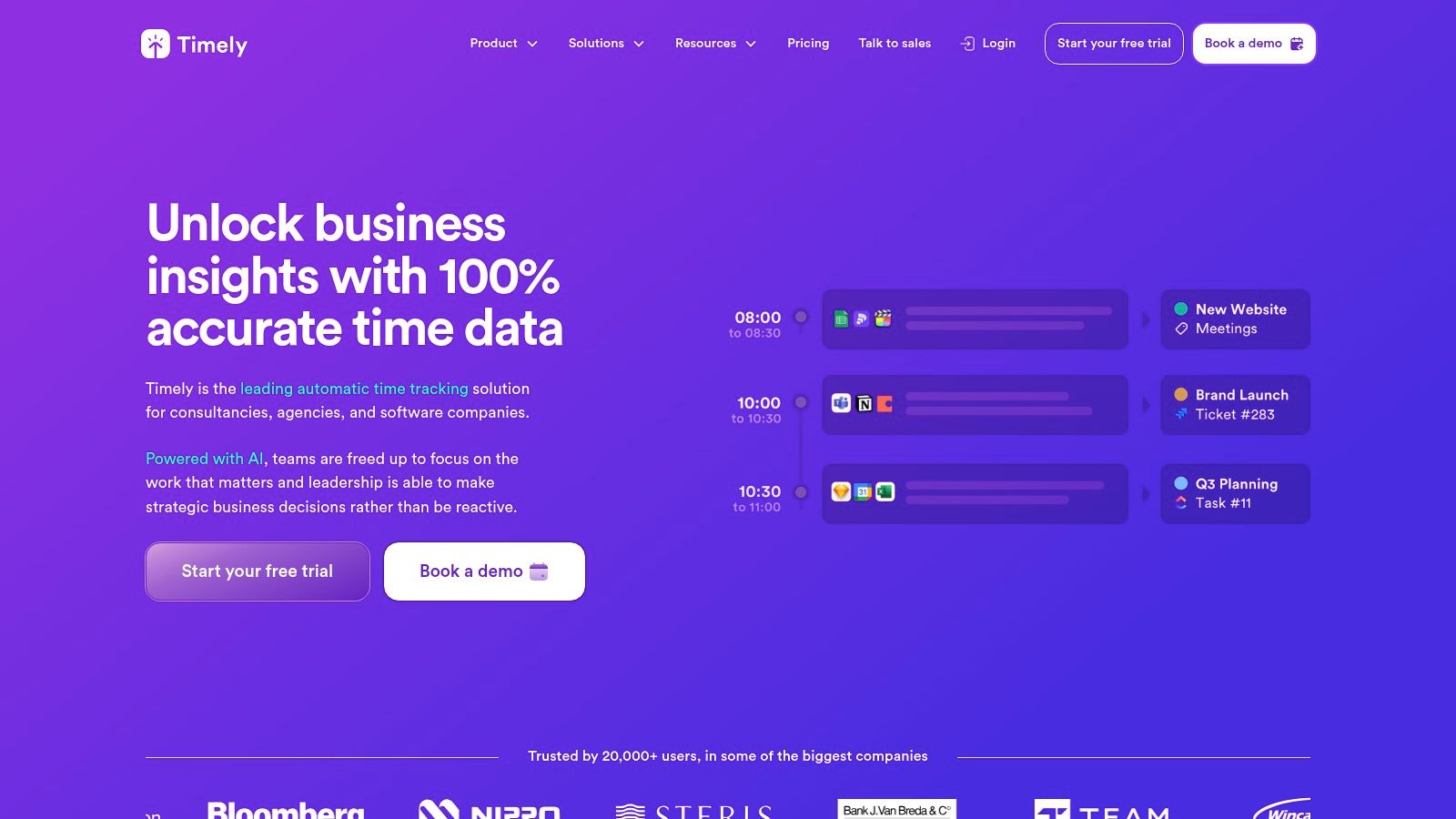
Timely by Memory is an automated time-tracking application that excels at capturing all billable and non-billable work without manual input. It runs in the background, logging activity across different applications and websites, and uses AI to draft timesheets. This makes it ideal for tutors who need to account for fragmented work like lesson prep, grading, and parent communication, which often goes unbilled.
While not designed specifically for tutoring, its strength lies in preventing lost revenue from forgotten timers. The platform automatically builds a complete timeline of a tutor’s workday, ensuring every minute is accounted for. For tutoring centers managing multiple tutors, it provides a clear, verifiable record of all work performed, simplifying payroll and improving project profitability analysis.
Core Features & Limitations
Timely is a powerful tool for capturing total work hours but requires integration with other systems for scheduling and billing. It is one of the best apps for tracking tutoring hours automatically when manual tracking is unreliable.
Pros:
Reduces Missed Hours: The automatic tracking captures all activity, minimizing revenue loss from tutors forgetting to start or stop a timer.
Clear Budget Views: Administrators can monitor project budgets, tutor utilization, and overall profitability with detailed reports.
Painless Payroll Exports: The system provides clean, admin-friendly exports that streamline the payroll verification process.
Cons:
Not Tutoring-Specific: It operates as a separate system from your scheduling, attendance, or invoicing software, requiring data reconciliation.
Higher Price Point: Its subscription cost is higher than simpler manual time trackers, which may be a barrier for smaller operations.
Website: https://www.timely.com/
12. My Music Staff
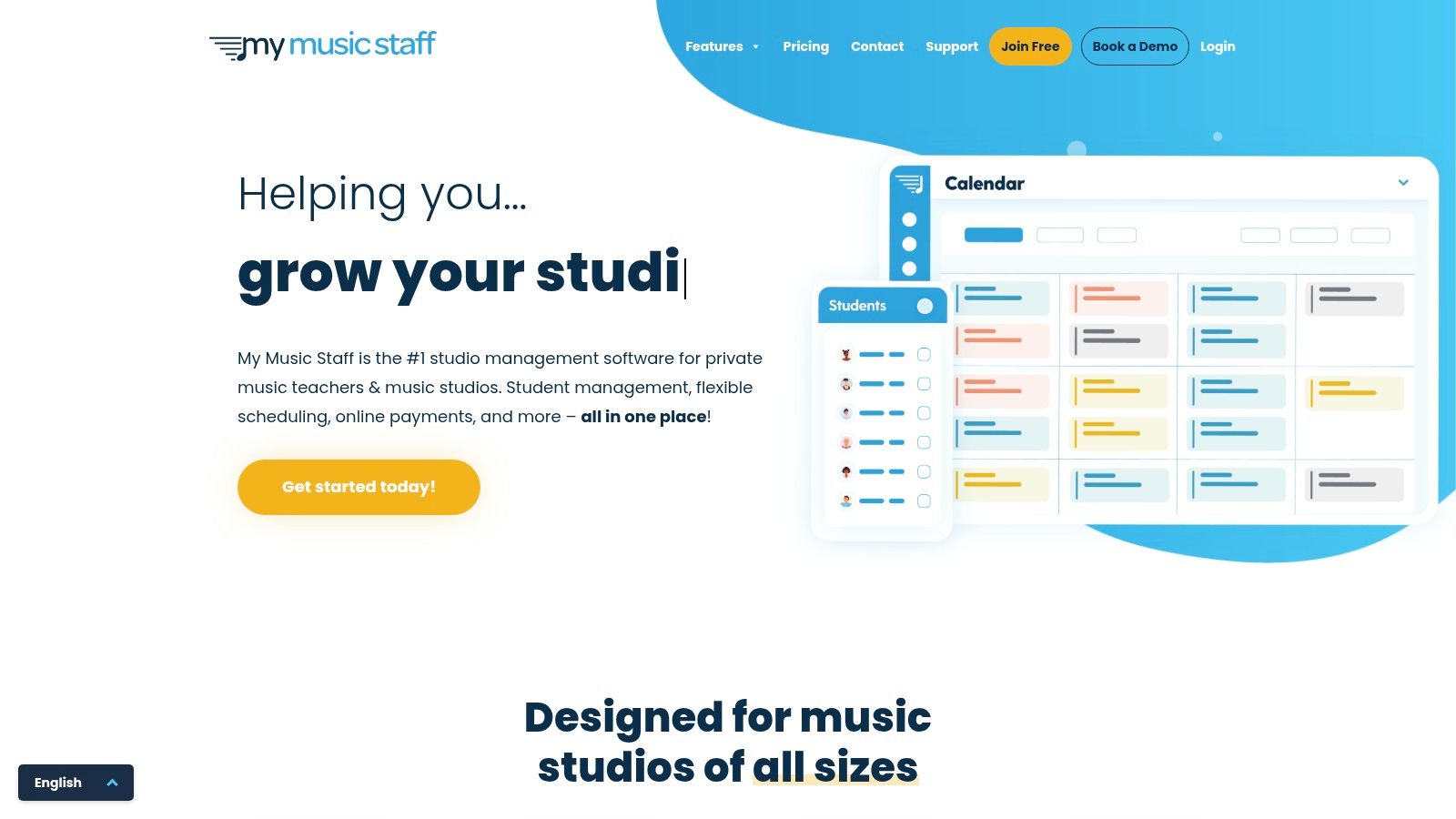
My Music Staff is a specialized business management platform designed for music and arts schools, but its features are highly relevant for any lesson-based tutoring program. The platform excels at automating payroll calculations based on hours taught, making it a strong choice for after-school programs or arts-focused centers where instructors are paid per session. It directly links attendance records to teacher payroll, ensuring accuracy and saving significant administrative time.
The system's strength lies in its purpose-built workflows for lesson businesses. It generates detailed "Hours Taught" and "Billable Hours" reports, giving administrators clear visibility into staff activity and revenue generation. For tutoring businesses that operate similarly to a music school, with individual or small group lessons, this platform offers one of the best apps for tracking tutoring hours with integrated payroll and scheduling.
Core Features & Limitations
My Music Staff provides powerful, targeted tools for lesson-based businesses. While its focus is on music and arts, its core functionality for tracking hours and managing payroll is adaptable for many tutoring models.
Pros:
Purpose-Built Payroll: Automatically calculates payroll based on flat hourly rates or a percentage of lesson revenue, accommodating common compensation models.
Attendance-Driven Data: Payroll is directly linked to lesson attendance records, which eliminates manual reconciliation and reduces payment errors.
Strong Reporting Tools: Offers excellent reports on hours taught and billable hours, simplifying performance tracking and financial analysis for administrators.
Cons:
Niche Focus: The user interface and terminology are heavily skewed toward music and arts workflows, which may feel less intuitive for a purely academic tutoring center.
Limited Enterprise Integrations: Lacks the broad range of native integrations with enterprise-level accounting or HR systems found in more generalized business management platforms.
Website: https://www.mymusicstaff.com/
Top 12 Tutoring Hours Tracking Apps Comparison
Product | Target customer | Core features | Payroll & scale | Price & USP |
|---|---|---|---|---|
Tutorbase (Recommended) | Tutoring centres, language schools, test-prep (5–100+ teachers, multi-branch) | AI scheduling (Find Slot/Spot), auto billing from attendance, rooms, CRM, prepaid credits | Complex pay models (base+variable, rev share, overtime), multi-branch, 10k+ lessons/wk | Demo/quote, unified platform, ~60% admin time reduction |
Teachworks | Tutoring centres & schools | Scheduling → attendance → invoicing, staff hours tracking | Employee hours pages, exports, payroll-ready | Per‑student‑lesson fees; strong reporting |
TutorCruncher | Tutoring businesses & centres | CRM, scheduling, billing, lesson hours analytics | Integrated payroll, CSV exports, audit logs | Flexible tiers, integrated payments (fees apply) |
TutorBird | Solo tutors & small multi-tutor schools | Calendar, attendance, lesson notes, payments | Payroll by hourly rate or revenue % | Flat low monthly fee, easy setup, 30‑day trial |
Teach 'n Go | Schools & tutoring centres needing payroll | Scheduling, attendance, billing, teacher payroll | Auto teacher fee calc, unlimited teachers on plans | Simple pricing, fast setup, trial + guarantee |
Clockify | Teams needing general time tracking | Unlimited users, timesheets, reports, integrations | Reports/exports for payroll (manual linkage) | Free-forever generous tier; not tutoring-specific |
Toggl Track | Small teams, pilot groups | Start/stop tracking, calendar integrations, reports | Billable rates & approvals on paid plans | Free up to 5 users; intuitive UX |
Harvest | B2B tutoring / invoicing from time | Time & expense tracking, invoicing, payments | Timesheet approvals, invoicing integrations (Stripe, QBO, Xero) | Single-user free; per-user pricing for teams |
TimeCamp | Budget-conscious centres | Time capture, attendance, approvals, reports | Automated timesheets, exports for payroll | Competitive tiers, education/nonprofit discounts |
QuickBooks Time | US centres using QuickBooks | Mobile time, GPS, geofence, kiosk mode | Sync to QuickBooks payroll, PTO & approvals | Base + per-user pricing; best with QuickBooks |
Timely by Memory | Teams needing automatic capture | Automatic activity capture, AI timesheets, budgets | AI-built timesheets, payroll exports | Auto-capture reduces missed hours; higher price |
My Music Staff | Music/arts schools, after-school programs | Attendance, lesson notes, billing, hours taught | Payroll by flat rate or % revenue, multi-teacher | Purpose-built for lessons, strong teaching reports |
How to Choose the Right App for Your Tutoring Business
Selecting the right software from our list of the best apps for tracking tutoring hours can feel overwhelming, but the choice becomes clearer when you align the tool’s core function with your business’s specific stage of growth. After reviewing everything from dedicated time trackers to comprehensive management platforms, the decision hinges on one key question: Are you just tracking time, or are you managing a business?
Your operational needs should be the primary driver of your choice. Standalone tools like Clockify and Toggl Track are excellent for solo tutors or small teams who primarily need to log hours for simple, hourly billing. They are lightweight, affordable, and solve one problem exceptionally well. However, as soon as your needs expand to include student scheduling, parent communication, complex payroll, and multi-location resource management, these single-purpose apps create more administrative work by forcing you to operate in silos.
For a growing tutoring business, the real return on investment comes from integration. This is where platforms like TutorBird and Teachworks enter the picture, combining time tracking with scheduling and basic invoicing. They represent a significant step up from spreadsheets and standalone timers. Yet, as our analysis showed, they often struggle with the operational complexity that comes with scale, particularly in managing multi-branch room availability, complex payroll rules, and multi-brand identities.
Making the Final Decision: A Quick Guide
To simplify your choice, consider your business through these three lenses:
Complexity of Operations: Are you a solo operator with 15 students, or a multi-branch center with 50 teachers and 500+ lessons a week? The more moving parts you have (locations, teachers, subjects, pricing tiers), the more you need a system built for that complexity. Manual workarounds for payroll or scheduling conflicts don’t scale.
Primary Business Pain Point: What is the single biggest administrative headache costing you time and money right now? If it’s just logging hours, a simple timer will do. If it’s constant double-bookings, missed revenue from unenforced cancellation policies, and hours spent calculating payroll, you need an end-to-end solution. A tool like Tutorbase is designed to solve these interconnected, high-cost problems directly.
Future Growth Trajectory: Where do you see your business in two years? If you plan to add another location, expand your team, or introduce new programs, choose a platform that can grow with you. Migrating systems is disruptive, so selecting a scalable solution from the start saves significant time and resources down the line.
When choosing the right app, it's also beneficial to consider broader integrated business solutions that cater specifically to your industry, such as AI receptionist solutions specifically for Education Tutoring Centers, which can handle lead intake and appointment setting, feeding new clients directly into your management system. The goal is to build a technology stack where each component works together to reduce your manual workload.
Ultimately, the best app for tracking tutoring hours is one that does more than just count minutes. It’s a system that automates your most tedious tasks, provides clear visibility into your operations, and frees you up to focus on what truly matters: delivering exceptional education to your students.
Frequently Asked Questions
1. What is the best app for tracking tutoring hours?
For tutoring centers managing 5-100+ teachers, Tutorbase is the best app because it integrates time tracking with AI-powered scheduling, automated billing, and complex payroll. For solo tutors, simple timers like Clockify or Toggl Track offer a great free starting point.
2. How do I track hours for my tutoring business?
You can track hours manually with spreadsheets, use a dedicated time-tracking app like Clockify, or implement a full tutoring management system like Tutorbase. Management software is the most efficient method as it automatically links tracked hours from lesson attendance to both client invoices and teacher payroll.
3. Can I automate payroll from tracked tutoring hours?
Yes, platforms like Tutorbase, Teachworks, and TutorCruncher automate payroll calculations directly from attendance data. When a tutor marks a lesson as completed, the system uses their pre-set pay rate (per-hour, revenue share, etc.) to calculate their earnings, eliminating manual data entry.
4. What's the difference between a time tracker and tutoring management software?
A time tracker (like Toggl Track) only logs hours worked. Tutoring management software (like Tutorbase) is an all-in-one system that not only tracks hours but also manages student scheduling, multi-location room booking, automated invoicing, lead management (CRM), and teacher payroll, creating a single source of truth for your entire operation.
5. Why shouldn't I just use a spreadsheet to track tutoring hours?
Using a spreadsheet creates fragmented data, leading to costly errors. Hours logged in a spreadsheet must be manually transferred for billing and payroll, a process that is time-consuming and prone to mistakes like double-bookings, incorrect invoices, and payroll errors. This administrative burden limits a tutoring center's ability to scale.
12 Best Apps for Tracking Tutoring Hours in 2026
Published: January 6, 2026 by Amy Ashford


Key Takeaway: The best apps for tracking tutoring hours do more than just log time. They integrate scheduling, billing, and payroll into a single system, eliminating the costly errors and administrative overhead caused by using disconnected spreadsheets and calendars. This guide will help you find the right software to automate your operations and reclaim valuable time.
If your tutoring center still runs on a patchwork of spreadsheets, calendars, and manual invoices, you are likely losing both time and money. Every hour spent manually cross-referencing a tutor’s schedule with their timesheet, calculating payroll, and then creating an invoice is an hour not spent on growing your business. This administrative friction leads to payroll errors, delayed payments from clients, and frustrating double-bookings that damage your reputation.
Many businesses attempt to mitigate the manual effort by looking into ways to efficiently automate data entry in Excel, but this only patches a single part of a fragmented system. The core problem remains: your data is siloed. A tutor’s logged hours in one file don't automatically trigger a payroll calculation in another or generate an invoice in your accounting software. This disconnection is where mistakes happen and costs accumulate.
This guide moves beyond simple time clocks to review the best apps for tracking tutoring hours as part of a complete management system. We will analyze how each platform connects time tracking to critical business functions like billing, payroll, and scheduling. You will find a detailed breakdown of each tool, complete with screenshots, feature comparisons, and clear use cases to help you select the ideal software for your center’s specific needs, whether you're a solo tutor or managing multiple branches. We’ll show you how to transition from operational chaos to automated efficiency.
1. Tutorbase
Tutorbase is not just an app for tracking tutoring hours, it's an AI-powered operations platform designed to replace fragmented systems like Teachworks, TutorCruncher, and spreadsheets. It’s built for tutoring centers, language schools, and test prep academies managing 5 to 100+ teachers. The core value is unifying scheduling, billing, and payroll into a single, automated workflow, which directly addresses the administrative bottlenecks that limit growth.
Unlike simpler trackers, Tutorbase ties every tracked hour directly to both billing and payroll, eliminating manual reconciliation. When a tutor marks a lesson as "Attended," the system automatically generates the correct invoice line item and calculates the corresponding payroll entry based on the teacher's specific pay model. This tight integration is what makes it one of the best apps for tracking tutoring hours at scale, reducing admin time by up to 60%.
Key Features and Use Cases
AI-Powered Scheduling: The Find Slot feature instantly generates optimal teacher, room, and time combinations for new bookings. This cuts the enrollment process from over 10 minutes to under 2 minutes.
Automated Billing from Attendance: The system auto-generates invoices directly from lesson attendance records. It supports complex models, including native prepaid credits, lesson packages with auto-consumption, and subscriptions.
Complex Payroll Automation: The platform handles diverse pay structures beyond simple hourly rates. It supports revenue sharing, base salary plus variable pay, overtime, and contractor self-billing invoices.
Multi-Branch Operations: For centers with multiple locations, Tutorbase provides a unified dashboard to manage rooms, teachers, and scheduling across all branches, preventing double-bookings.
Pros & Cons
Pros:
All-in-one platform that eliminates the need for separate tools for scheduling, billing, and payroll.
Powerful automation reduces manual administrative work by up to 60% and eliminates human error.
Scalable for growth, supporting multi-branch centers with high lesson volumes (10,000+ per week).
Robust financial tools, including native prepaid credits and flexible pricing policy packs.
Cons:
Opaque pricing, requiring a demo and custom quote to determine the total cost of ownership.
Steeper learning curve due to its comprehensive feature set; migration from spreadsheets or legacy systems requires a dedicated setup process.
Tutorbase is best suited for established tutoring business owners and operations managers spending 10+ hours a week on administrative tasks and who need a unified system to cut costs and accelerate growth.
Website: https://tutorbase.com
2. Teachworks
Teachworks is a comprehensive tutoring management platform for centers needing a single source of truth for operations. It excels at linking lesson scheduling directly to staff hours, payroll, and billing, which reduces the manual reconciliation required between separate systems. If your primary goal is to ensure hours tracked are perfectly aligned with attendance and invoices, this platform is a strong contender.
The platform automatically calculates teacher hours from scheduled and completed lessons, providing an accurate, real-time log. This feature makes it one of the best apps for tracking tutoring hours without manual entry. For businesses with multiple staff members, the "Employee Hours" pages and export options streamline the entire payroll process.

Core Features & Limitations
Teachworks offers a robust feature set that scales well for growing operations. However, its manual scheduling and basic payroll features are a limitation compared to AI-powered alternatives.
Pros:
Integrated Workflow: Hours are generated from the same data used for attendance and invoicing, eliminating discrepancies.
Granular Reporting: Lesson Summary reports grouped by teacher simplify payroll cycles and performance analysis.
Scalability: The system is built to handle multi-branch operations, centralizing data across different locations.
Cons:
Semi-Manual Billing: The billing process is not fully automated and requires manual steps to generate and send invoices.
Limited Payroll: Payroll capabilities are basic and primarily suited for simple hourly rate calculations.
Website: https://teachworks.com/
3. TutorCruncher
TutorCruncher operates as a complete tutoring business management system, integrating CRM, scheduling, and billing into a single platform. It excels at connecting scheduled lessons directly to payroll, making it an excellent tool for centers that need to track and pay tutors based on hours worked. The platform's strength lies in its comprehensive workflow, managing the entire process from lead capture to final payroll export.
The system provides clear analytics on "Lesson Hours," allowing administrators to track time delivered by each tutor with filters for specific date ranges. This data can be easily exported for seamless payroll processing. For businesses juggling various tutor compensation models, TutorCruncher is one of the best apps for tracking tutoring hours because it maintains auditable activity logs, ensuring transparency and accuracy.
Core Features & Limitations
TutorCruncher offers a powerful, end-to-end workflow ideal for growing centers. However, its lack of AI scheduling and complex payroll features can create bottlenecks at scale.
Pros:
Strong End-to-End Workflow: Manages the entire client lifecycle from initial lead inquiry through to lesson completion and payroll.
Transparent Time Analytics: The "Lesson Hours" page and CSV exports provide clear, actionable data for paying staff correctly.
Flexible Pricing Tiers: The structure scales well, accommodating small but growing tutoring businesses as their needs evolve.
Cons:
Manual Booking Process: Scheduling lacks intelligent "Find Slot" functionality, requiring administrators to manually search for availability.
Limited Financial Tools: Prepaid credit management is not a native feature and requires workarounds.
Website: https://tutorcruncher.com/
4. TutorBird
TutorBird is an affordable and user-friendly management software built for solo tutors and small, growing tutoring businesses. It excels at providing a simple, integrated system where hours tracking is directly tied to the lesson calendar and attendance. If you need a straightforward, low-cost solution to move away from spreadsheets for scheduling, billing, and payroll, TutorBird is an excellent starting point.
The platform automatically logs hours based on scheduled lessons and marked attendance, creating a reliable record for both billing and payroll. Tutors can easily see their upcoming schedule, and administrators can run payroll reports based on hourly rates or a percentage of revenue. This makes it one of the best apps for tracking tutoring hours for small teams that prioritize ease of use and affordability.

Core Features & Limitations
TutorBird offers a practical set of tools that are easy to set up and use. However, its capabilities may be outgrown by centers requiring deep customization or multi-branch management.
Pros:
Affordable Pricing: A flat, low monthly fee and a 30-day free trial make it highly accessible for new or small businesses.
Ease of Use: The platform is known for its intuitive interface, good documentation, and quick setup process.
Integrated Payroll: Payroll tools are built-in and handle both hourly and revenue-share models effectively for small teams.
Cons:
Limited Enterprise Features: Lacks advanced controls for multi-branch operations, complex curriculum management, and multi-brand support.
Fewer Integrations: Deep customization and integration with other specialized business software are more limited compared to larger platforms.
Website: https://www.tutorbird.com/
5. Teach 'n Go
Teach 'n Go is a streamlined management system designed for tutoring centers and schools that prioritize simple, all-inclusive pricing. It excels at core operational tasks like scheduling, attendance, and billing, with a strong focus on automating teacher payroll directly from lesson data. Its key differentiator is offering unlimited teachers and classes on standard plans, making it an excellent choice for centers that want predictable costs as they grow their teaching staff.
The platform automatically calculates teacher fees based on the hourly rate multiplied by lesson duration, creating a clear link between scheduled lessons and payroll. This makes it one of the best apps for tracking tutoring hours without complex setup. For administrators, detailed lesson and teacher reports, which can be exported to Excel, provide the necessary data for quick and accurate payroll processing each cycle.

Core Features & Limitations
Teach 'n Go offers a straightforward, powerful feature set with an emphasis on ease of use and transparent pricing. However, its integration ecosystem and user interface defaults may be a consideration for some businesses.
Pros:
Simple Pricing: The model includes all features and unlimited teachers, which removes the guesswork from monthly budgeting.
Fast Setup: A free trial and money-back guarantee allow new users to get started quickly and test the platform with minimal risk.
Solid Teacher Payroll: The workflow for calculating and reporting teacher hours is direct and efficient, based on completed lessons.
Cons:
Euro-Centric UI: The pricing is often displayed in Euros by default, although a toggle for USD and other currencies is available.
Limited Integrations: It has a smaller marketplace of third-party integrations compared to some US-based competitors.
Website: https://www.teachngo.com/
6. Clockify
Clockify is a popular, free-forever time tracker that serves as an excellent starting point for tutoring businesses needing dedicated time logs without the complexity of a full management system. It excels at its core function: allowing tutors and administrative staff to track hours worked on specific tasks or projects via web, desktop, and mobile apps. If you need a simple, reliable, and free tool for pure time tracking to support payroll, Clockify is a top-tier choice.
The platform's strength lies in its simplicity and generous free plan, which includes unlimited users and projects. Tutors can easily start and stop a timer or fill in a timesheet, providing clear data for payroll calculations. This makes it one of the best apps for tracking tutoring hours when your primary need is accurate time capture rather than integrated billing.

Core Features & Limitations
Clockify offers a clean and focused time-tracking experience that is easy for anyone to adopt. However, its general-purpose nature means it lacks the specialized workflows found in tutoring-specific software.
Pros:
Very Generous Free Tier: The free-forever plan supports unlimited users, projects, and reporting, making it accessible for any size team.
Easy Onboarding & Cross-Device Support: Its intuitive interface ensures tutors can start tracking time immediately on any device with minimal training.
Strong Reporting: Detailed reports can be exported to supplement your existing payroll process, providing clear documentation of hours worked.
Cons:
Not Tutoring-Specific: Lacks native links between tracked time, student attendance, and invoicing, requiring manual data reconciliation.
Paid Tiers for Key Features: Advanced features like scheduling, time-off approvals, and GPS tracking are locked behind paid plans.
Website: https://clockify.me/
7. Toggl Track
Toggl Track is a veteran in the time-tracking space, renowned for its simple, user-friendly interface that makes logging hours effortless. While not a dedicated tutoring management platform, it excels at its core function: tracking time accurately across different projects and clients. For solo tutors or small teams of up to five, its generous free plan offers a powerful way to monitor billable hours without the complexity of a full-scale management system.
The platform’s strength lies in its one-click start/stop timer, available on web, desktop, and mobile apps. This accessibility ensures tutors can log time precisely as it happens, whether they are in a session, doing prep work, or handling admin tasks. Its extensive integration library means it can connect to calendar apps and other tools, providing a more cohesive, albeit manual, workflow for tracking and billing.

Core Features & Limitations
Toggl Track is one of the best apps for tracking tutoring hours if your priority is pure timekeeping accuracy and ease of use, but it requires manual processes to link this data to billing and payroll.
Pros:
Intuitive start/stop tracking: Tutors can easily start and stop timers on any device, ensuring precise time logs for both billable and non-billable tasks.
Good free plan for small teams: The free tier supports up to five users, making it a cost-effective starting point for new or small tutoring businesses.
Strong reporting: Even on the free plan, you can generate clear reports to analyze time spent per student (client) or subject (project).
Cons:
No built-in tutoring features: It lacks direct integration for student attendance, scheduling, and automated invoicing based on tracked hours.
Limited scalability on free plan: The five-user cap on the free plan means growing teams will quickly need to upgrade to a paid subscription.
Website: https://toggl.com/track/
8. Harvest
Harvest is a well-regarded time tracking and invoicing software that serves a broad range of freelancers and businesses, including tutoring operations focused on B2B contracts or programs requiring meticulous hourly billing. Its core strength lies in its simplicity and direct workflow: tutors track time, which administrators approve and then convert directly into professional invoices. This makes it one of the best apps for tracking tutoring hours when invoicing is the final, most critical step.
For tutoring businesses that manage corporate training programs, partner with schools, or handle clients who pay on a strict per-hour basis, Harvest provides the necessary accountability. The platform’s visual reports give administrators a clear overview of billable vs. non-billable hours, team capacity, and project profitability, helping to ensure every minute of tutoring is accounted for and billed correctly.

Core Features & Limitations
Harvest excels at connecting time tracking to revenue but lacks the specialized features of a full tutoring management system, like student scheduling or attendance.
Pros:
Clean Invoicing Workflow: Directly convert tracked tutor hours into client invoices with just a few clicks. It's easy to create an accurate tutoring invoice with the data from the platform.
Mature Platform: Harvest is a reliable and stable tool with robust reporting and integrations with accounting software like QuickBooks and Xero.
Timesheet Approvals: Administrators can review and approve tutor timesheets before they are processed for invoicing or payroll.
Cons:
Limited Free Plan: The free tier is restricted to a single user and two projects, making it unsuitable for teams.
Per-User Pricing: The cost is calculated per user per month, which can become expensive for tutoring centers with a large team of part-time tutors.
Website: https://www.getharvest.com/
9. TimeCamp
TimeCamp is a specialized time tracking application that serves businesses needing detailed, verifiable records of team hours. While not a full tutoring management suite, it excels at its core function: tracking billable time with robust approval workflows and reporting. It is an excellent choice for tutoring centers that already have scheduling and billing systems but require a dedicated, budget-friendly tool to professionalize their time tracking and payroll exports.
The platform offers multiple ways to capture hours, including web, desktop, and mobile timers, alongside options for manual entry. Its strength lies in features like automated timesheet creation, attendance tracking, and manager approvals, which add a layer of control before processing payroll. This makes it one of the best apps for tracking tutoring hours when your primary goal is accuracy and accountability for a distributed team.

Core Features & Limitations
TimeCamp provides granular time tracking that can integrate with other tools, but it doesn't manage the student or scheduling side of the business. Its value depends on your existing software stack.
Pros:
Competitive Pricing: Offers several tiers, including Starter, Premium, and Ultimate, with flexible payment options and valuable discounts for nonprofits and educational institutions.
Approval Workflow: The built-in timesheet approval system ensures managers can verify and sign off on tutor hours before they are sent to payroll, reducing errors.
Flexible Time Capture: Supports automatic time tracking via desktop/mobile apps and manual timesheet entries, catering to different tutor preferences.
Cons:
Over-featured for Some: Advanced monitoring tools like screenshot capture and application tracking might be excessive and unnecessary for a typical tutoring environment.
Requires Configuration: The user interface has significant depth and requires an initial setup phase to tailor it to your center’s specific needs.
Website: https://www.timecamp.com/
10. QuickBooks Time
QuickBooks Time (formerly TSheets) is a dedicated employee time and attendance tool from Intuit. It is an excellent choice for US-based tutoring businesses that already use QuickBooks for accounting and payroll. Its primary strength lies in its seamless integration, allowing hours tracked on its mobile or web app to sync directly into payroll runs and client invoices, eliminating duplicate data entry.
The platform provides features that are particularly useful for centers with tutors working across different locations or remotely. These include real-time GPS tracking and geofencing to ensure staff are on-site when they clock in. For centers wanting a physical clock-in point, the Kiosk mode allows a single tablet or computer to serve as a centralized time clock. This makes it one of the best apps for tracking tutoring hours when payroll integration is the top priority.
Core Features & Limitations
QuickBooks Time excels at pure time tracking and payroll integration, but it is not a complete tutoring management system. It must be paired with other tools for scheduling and student management.
Pros:
Tight QuickBooks Integration: Drastically reduces administrative work by syncing hours directly for payroll and invoicing. Learn more about how to integrate with QuickBooks Online.
Strong Mobile Experience: The mobile app is robust, offering GPS tracking and easy clock-in/out for tutors on the go.
Suitable for Mixed Staff: Easily manages both hourly employees and contract tutors with different pay rates and rules.
Cons:
Requires QuickBooks: The platform’s full value is only realized when paired with a QuickBooks Online subscription.
Per-User Pricing: The model includes a monthly base fee plus a fee for each active user, which can become costly for larger teams.
Website: https://quickbooks.intuit.com/time-tracking/
11. Timely by Memory
Timely by Memory is an automated time-tracking application that excels at capturing all billable and non-billable work without manual input. It runs in the background, logging activity across different applications and websites, and uses AI to draft timesheets. This makes it ideal for tutors who need to account for fragmented work like lesson prep, grading, and parent communication, which often goes unbilled.
While not designed specifically for tutoring, its strength lies in preventing lost revenue from forgotten timers. The platform automatically builds a complete timeline of a tutor’s workday, ensuring every minute is accounted for. For tutoring centers managing multiple tutors, it provides a clear, verifiable record of all work performed, simplifying payroll and improving project profitability analysis.

Core Features & Limitations
Timely is a powerful tool for capturing total work hours but requires integration with other systems for scheduling and billing. It is one of the best apps for tracking tutoring hours automatically when manual tracking is unreliable.
Pros:
Reduces Missed Hours: The automatic tracking captures all activity, minimizing revenue loss from tutors forgetting to start or stop a timer.
Clear Budget Views: Administrators can monitor project budgets, tutor utilization, and overall profitability with detailed reports.
Painless Payroll Exports: The system provides clean, admin-friendly exports that streamline the payroll verification process.
Cons:
Not Tutoring-Specific: It operates as a separate system from your scheduling, attendance, or invoicing software, requiring data reconciliation.
Higher Price Point: Its subscription cost is higher than simpler manual time trackers, which may be a barrier for smaller operations.
Website: https://www.timely.com/
12. My Music Staff
My Music Staff is a specialized business management platform designed for music and arts schools, but its features are highly relevant for any lesson-based tutoring program. The platform excels at automating payroll calculations based on hours taught, making it a strong choice for after-school programs or arts-focused centers where instructors are paid per session. It directly links attendance records to teacher payroll, ensuring accuracy and saving significant administrative time.
The system's strength lies in its purpose-built workflows for lesson businesses. It generates detailed "Hours Taught" and "Billable Hours" reports, giving administrators clear visibility into staff activity and revenue generation. For tutoring businesses that operate similarly to a music school, with individual or small group lessons, this platform offers one of the best apps for tracking tutoring hours with integrated payroll and scheduling.

Core Features & Limitations
My Music Staff provides powerful, targeted tools for lesson-based businesses. While its focus is on music and arts, its core functionality for tracking hours and managing payroll is adaptable for many tutoring models.
Pros:
Purpose-Built Payroll: Automatically calculates payroll based on flat hourly rates or a percentage of lesson revenue, accommodating common compensation models.
Attendance-Driven Data: Payroll is directly linked to lesson attendance records, which eliminates manual reconciliation and reduces payment errors.
Strong Reporting Tools: Offers excellent reports on hours taught and billable hours, simplifying performance tracking and financial analysis for administrators.
Cons:
Niche Focus: The user interface and terminology are heavily skewed toward music and arts workflows, which may feel less intuitive for a purely academic tutoring center.
Limited Enterprise Integrations: Lacks the broad range of native integrations with enterprise-level accounting or HR systems found in more generalized business management platforms.
Website: https://www.mymusicstaff.com/
Top 12 Tutoring Hours Tracking Apps Comparison
Product | Target customer | Core features | Payroll & scale | Price & USP |
|---|---|---|---|---|
Tutorbase (Recommended) | Tutoring centres, language schools, test-prep (5–100+ teachers, multi-branch) | AI scheduling (Find Slot/Spot), auto billing from attendance, rooms, CRM, prepaid credits | Complex pay models (base+variable, rev share, overtime), multi-branch, 10k+ lessons/wk | Demo/quote, unified platform, ~60% admin time reduction |
Teachworks | Tutoring centres & schools | Scheduling → attendance → invoicing, staff hours tracking | Employee hours pages, exports, payroll-ready | Per‑student‑lesson fees; strong reporting |
TutorCruncher | Tutoring businesses & centres | CRM, scheduling, billing, lesson hours analytics | Integrated payroll, CSV exports, audit logs | Flexible tiers, integrated payments (fees apply) |
TutorBird | Solo tutors & small multi-tutor schools | Calendar, attendance, lesson notes, payments | Payroll by hourly rate or revenue % | Flat low monthly fee, easy setup, 30‑day trial |
Teach 'n Go | Schools & tutoring centres needing payroll | Scheduling, attendance, billing, teacher payroll | Auto teacher fee calc, unlimited teachers on plans | Simple pricing, fast setup, trial + guarantee |
Clockify | Teams needing general time tracking | Unlimited users, timesheets, reports, integrations | Reports/exports for payroll (manual linkage) | Free-forever generous tier; not tutoring-specific |
Toggl Track | Small teams, pilot groups | Start/stop tracking, calendar integrations, reports | Billable rates & approvals on paid plans | Free up to 5 users; intuitive UX |
Harvest | B2B tutoring / invoicing from time | Time & expense tracking, invoicing, payments | Timesheet approvals, invoicing integrations (Stripe, QBO, Xero) | Single-user free; per-user pricing for teams |
TimeCamp | Budget-conscious centres | Time capture, attendance, approvals, reports | Automated timesheets, exports for payroll | Competitive tiers, education/nonprofit discounts |
QuickBooks Time | US centres using QuickBooks | Mobile time, GPS, geofence, kiosk mode | Sync to QuickBooks payroll, PTO & approvals | Base + per-user pricing; best with QuickBooks |
Timely by Memory | Teams needing automatic capture | Automatic activity capture, AI timesheets, budgets | AI-built timesheets, payroll exports | Auto-capture reduces missed hours; higher price |
My Music Staff | Music/arts schools, after-school programs | Attendance, lesson notes, billing, hours taught | Payroll by flat rate or % revenue, multi-teacher | Purpose-built for lessons, strong teaching reports |
How to Choose the Right App for Your Tutoring Business
Selecting the right software from our list of the best apps for tracking tutoring hours can feel overwhelming, but the choice becomes clearer when you align the tool’s core function with your business’s specific stage of growth. After reviewing everything from dedicated time trackers to comprehensive management platforms, the decision hinges on one key question: Are you just tracking time, or are you managing a business?
Your operational needs should be the primary driver of your choice. Standalone tools like Clockify and Toggl Track are excellent for solo tutors or small teams who primarily need to log hours for simple, hourly billing. They are lightweight, affordable, and solve one problem exceptionally well. However, as soon as your needs expand to include student scheduling, parent communication, complex payroll, and multi-location resource management, these single-purpose apps create more administrative work by forcing you to operate in silos.
For a growing tutoring business, the real return on investment comes from integration. This is where platforms like TutorBird and Teachworks enter the picture, combining time tracking with scheduling and basic invoicing. They represent a significant step up from spreadsheets and standalone timers. Yet, as our analysis showed, they often struggle with the operational complexity that comes with scale, particularly in managing multi-branch room availability, complex payroll rules, and multi-brand identities.
Making the Final Decision: A Quick Guide
To simplify your choice, consider your business through these three lenses:
Complexity of Operations: Are you a solo operator with 15 students, or a multi-branch center with 50 teachers and 500+ lessons a week? The more moving parts you have (locations, teachers, subjects, pricing tiers), the more you need a system built for that complexity. Manual workarounds for payroll or scheduling conflicts don’t scale.
Primary Business Pain Point: What is the single biggest administrative headache costing you time and money right now? If it’s just logging hours, a simple timer will do. If it’s constant double-bookings, missed revenue from unenforced cancellation policies, and hours spent calculating payroll, you need an end-to-end solution. A tool like Tutorbase is designed to solve these interconnected, high-cost problems directly.
Future Growth Trajectory: Where do you see your business in two years? If you plan to add another location, expand your team, or introduce new programs, choose a platform that can grow with you. Migrating systems is disruptive, so selecting a scalable solution from the start saves significant time and resources down the line.
When choosing the right app, it's also beneficial to consider broader integrated business solutions that cater specifically to your industry, such as AI receptionist solutions specifically for Education Tutoring Centers, which can handle lead intake and appointment setting, feeding new clients directly into your management system. The goal is to build a technology stack where each component works together to reduce your manual workload.
Ultimately, the best app for tracking tutoring hours is one that does more than just count minutes. It’s a system that automates your most tedious tasks, provides clear visibility into your operations, and frees you up to focus on what truly matters: delivering exceptional education to your students.
Frequently Asked Questions
1. What is the best app for tracking tutoring hours?
For tutoring centers managing 5-100+ teachers, Tutorbase is the best app because it integrates time tracking with AI-powered scheduling, automated billing, and complex payroll. For solo tutors, simple timers like Clockify or Toggl Track offer a great free starting point.
2. How do I track hours for my tutoring business?
You can track hours manually with spreadsheets, use a dedicated time-tracking app like Clockify, or implement a full tutoring management system like Tutorbase. Management software is the most efficient method as it automatically links tracked hours from lesson attendance to both client invoices and teacher payroll.
3. Can I automate payroll from tracked tutoring hours?
Yes, platforms like Tutorbase, Teachworks, and TutorCruncher automate payroll calculations directly from attendance data. When a tutor marks a lesson as completed, the system uses their pre-set pay rate (per-hour, revenue share, etc.) to calculate their earnings, eliminating manual data entry.
4. What's the difference between a time tracker and tutoring management software?
A time tracker (like Toggl Track) only logs hours worked. Tutoring management software (like Tutorbase) is an all-in-one system that not only tracks hours but also manages student scheduling, multi-location room booking, automated invoicing, lead management (CRM), and teacher payroll, creating a single source of truth for your entire operation.
5. Why shouldn't I just use a spreadsheet to track tutoring hours?
Using a spreadsheet creates fragmented data, leading to costly errors. Hours logged in a spreadsheet must be manually transferred for billing and payroll, a process that is time-consuming and prone to mistakes like double-bookings, incorrect invoices, and payroll errors. This administrative burden limits a tutoring center's ability to scale.
More from the Blog

The Best Client Management Software For Tutors
Read Article
Read Article

The Best Client Management Software For Tutors
Read Article
Read Article

12 Best Software for Managing Group Tutoring in 2026
Read Article
Read Article

12 Best Software for Managing Group Tutoring in 2026
Read Article
Read Article

A Guide to Flat Pay Rate for Tutoring Centers
Read Article
Read Article

A Guide to Flat Pay Rate for Tutoring Centers
Read Article
Read Article


