
12 Best Software for Managing Group Tutoring in 2026

Published: January 7, 2026 by Amy Ashford

Key Takeaway: The best software for managing group tutoring replaces fragmented tools like Google Calendar and QuickBooks with a single platform. Leading options like Tutorbase use AI-powered scheduling and automated billing to reduce administrative time by up to 60%, eliminate double-bookings, and streamline complex teacher payroll, allowing tutoring centers to scale efficiently.

Managing a growing tutoring center feels like a constant battle against administrative chaos. Between coordinating group schedules, tracking attendance, creating invoices, and processing payroll, owners and operations managers lose over 10 hours a week to manual tasks. Fragmented tools like Google Calendar for scheduling, QuickBooks for billing, and Excel for payroll create data silos, lead to double-bookings, and prevent you from seeing your center's true capacity.

This guide breaks down the essential features your business needs and reviews the 12 best software for managing group tutoring to help you reclaim your time and scale your operations. We provide detailed analysis for tutoring centers, language schools, and test prep academies. The key is finding a unified platform that automates the entire student lifecycle, from lead capture to final payment.

You'll learn how to evaluate platforms based on critical features like intelligent scheduling, automated billing, complex payroll, and multi-location room management. While dedicated tutoring management software handles core operations, remember to consider tools that streamline your entire workflow. For instance, integrating AI Receptionist solutions for Education Tutoring Centers can automate call handling and appointment booking, freeing up your team to focus on students. Our goal is to equip you with a clear framework to choose a system that stops the operational juggling and unlocks sustainable growth.

1. Tutorbase

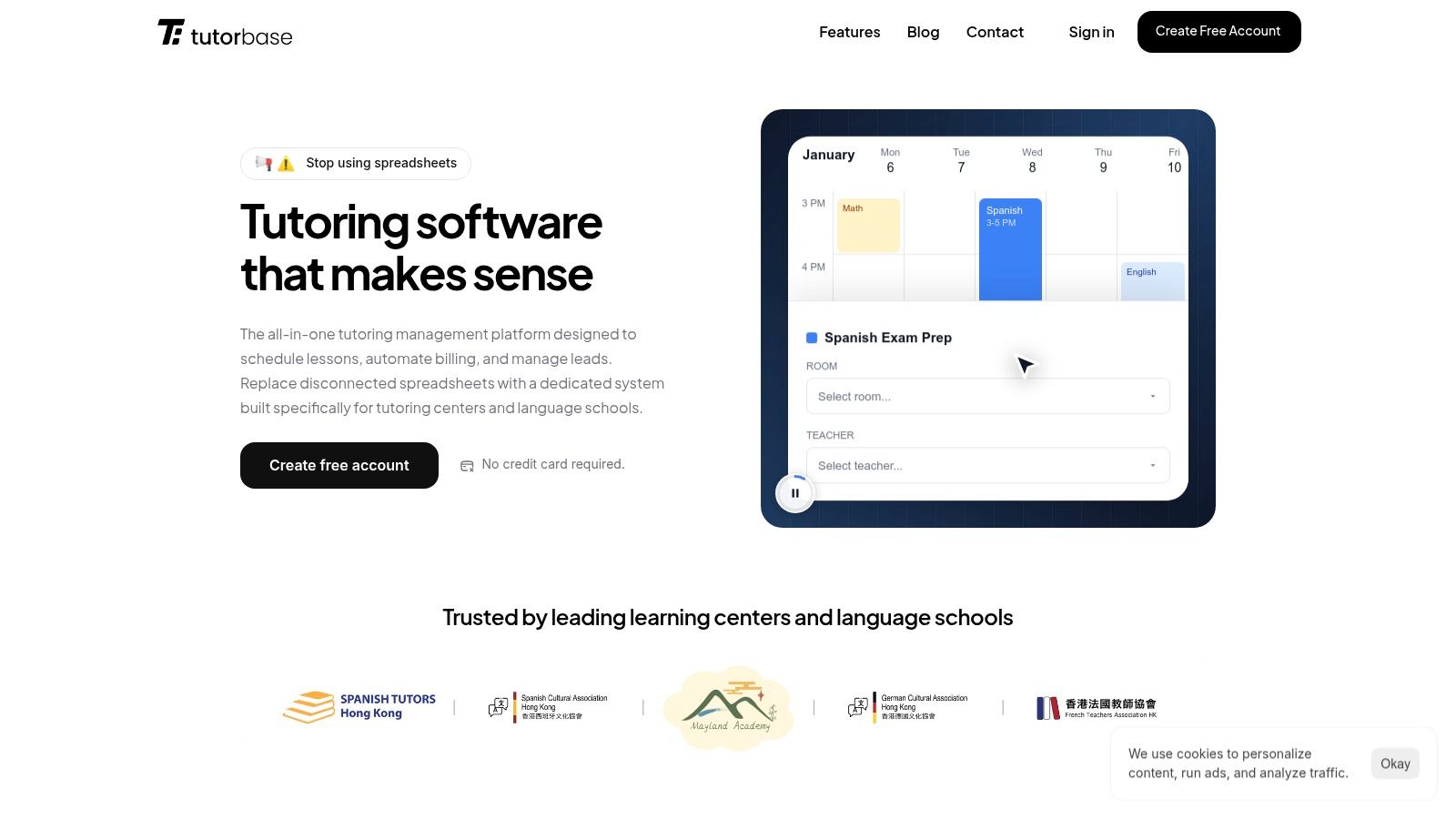
Tutorbase is an AI-powered, all-in-one platform built by tutoring center owners to replace fragmented operational stacks and manual spreadsheets. It is a comprehensive solution for medium-to-large tutoring centers, language schools, and multi-branch educational businesses facing the complexities of scale. The platform directly addresses the core administrative burdens that limit growth, like scheduling conflicts, tedious billing cycles, and complex payroll calculations.
Tutorbase

Its core strength lies in intelligent automation that connects every part of your operation. For centers spending hours hunting for open slots, Tutorbase’s standout AI scheduling tools, Find Slot and Find Spot, are transformative. Instead of manually cross-referencing teacher availability, room capacity, and student requests, an admin generates optimal teacher, room, and time combinations in under two minutes, virtually eliminating double-bookings.

This intelligent scheduling flows directly into its financial tools. Attendance data automatically generates invoices, deducts from prepaid credit wallets, and updates package consumption. This seamless link between service delivery and billing is what makes Tutorbase a powerful choice for managing group tutoring, where tracking variable attendance is paramount. The platform also excels in managing financial complexity with robust payroll that handles diverse compensation models, from revenue sharing to base-plus-variable pay.

Key Details & Use Cases

  • Best Fit: Medium and large tutoring centers, multi-location language and music schools, and test-prep academies (5-100+ teachers) aiming to automate operations and scale efficiently.

  • Pricing: Custom pricing based on policy packs tailored to your business rules (per-hour, subscription, packages). You must contact their sales team for a detailed quote. An implementation phase is expected to configure curriculum, policies, and payroll.

  • Standout Features:

    • AI-Driven Scheduling: The Find Slot and Find Spot tools reduce booking time from 10+ minutes to under 2 minutes, increasing student onboarding speed by 3x.

    • Automated Billing & Credits: Invoices are auto-generated from attendance records, and the native prepaid credit system with low-balance alerts improves cash flow and reduces payment chasing.

    • Advanced Payroll: Supports complex pay structures including revenue share, overtime, and per-student models, a significant differentiator from competitors offering only basic hourly rates.

    • Multi-Branch & Brand Ready: A unified dashboard manages multiple locations, rooms, and even separate brands, making it ideal for franchise operators.

Website: https://tutorbase.com

2. Teachworks

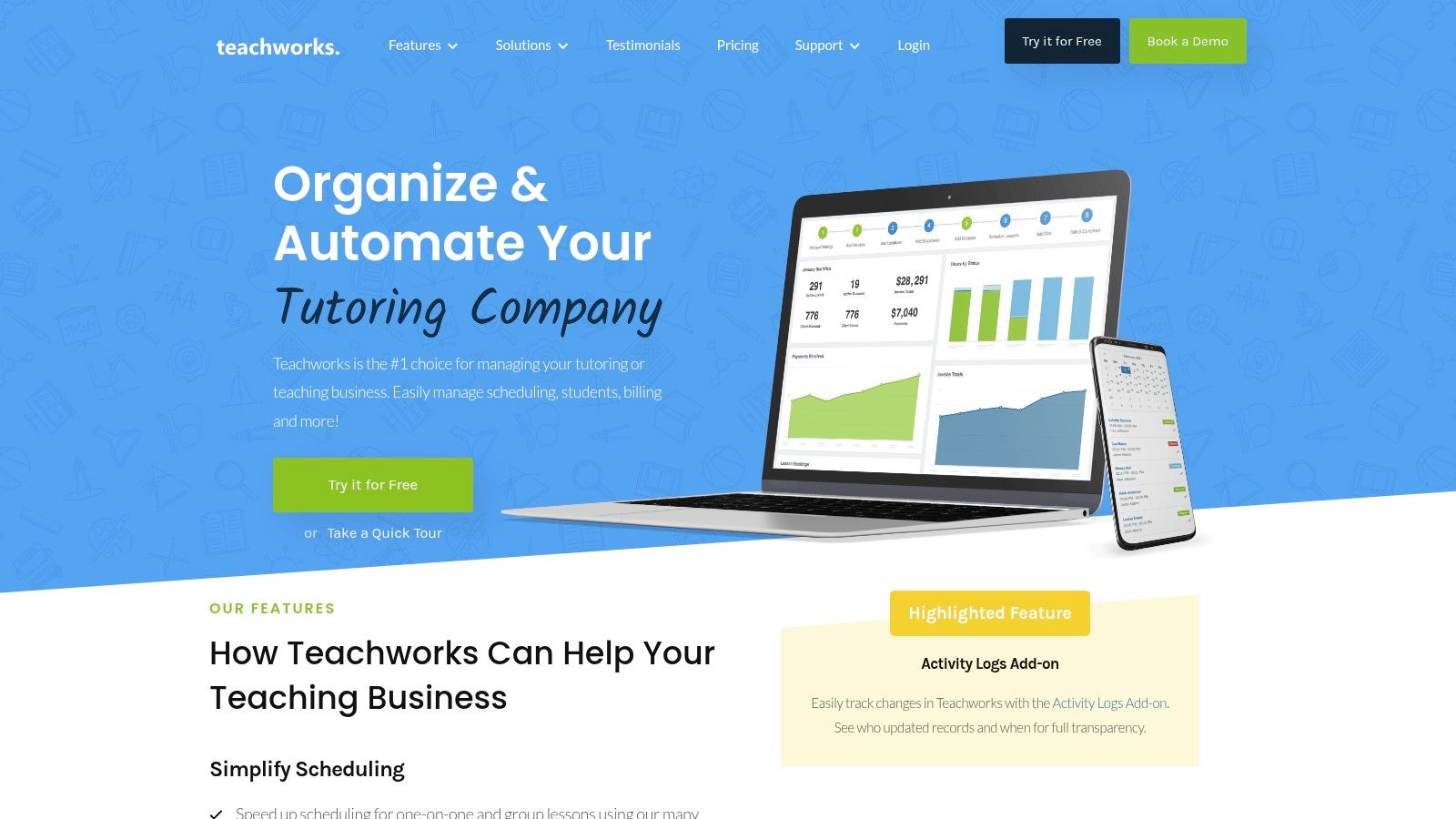
Teachworks is a well-established tutoring business management software designed to handle scheduling, billing, and multi-branch operations. It’s particularly noted for its usage-based pricing model, where costs are tied directly to the number of lessons scheduled, making it a flexible option for businesses with seasonal fluctuations in student volume. This approach allows smaller or growing centers to access enterprise-level features without a prohibitive upfront cost.
Teachworks

The platform excels in managing the complexities of both one-on-one and group lessons, with robust attendance tracking that directly feeds into its semi-manual invoicing system. For businesses expanding to multiple physical locations, Teachworks provides strong multi-branch accounts and granular location controls, allowing administrators to oversee operations from a central dashboard. Its API and numerous third-party integrations (like Stripe and QuickBooks) offer added flexibility.

What are the key features of Teachworks?

  • Group Lesson Management: Supports group scheduling where each student's attendance is counted individually for billing, ideal for test prep academies and language schools.

  • Multi-Branch Controls: A strong choice for franchise operators or tutoring centers with several locations needing standardized administrative processes.

  • Usage-Based Pricing: Fits programs with significant seasonal enrollment, like summer camps or after-school homework clubs, as costs scale down during off-peak months.

However, the per-student-lesson pricing can become difficult to forecast and potentially expensive at very high volumes. New users, especially solo tutors or small teams, may find the interface and initial setup more complex compared to newer, more streamlined systems. While Teachworks handles basic payroll, centers with complex compensation models may need more advanced tools. For a deeper dive into modern payroll solutions, you can find more information about automating teacher payroll for tutoring centers.

Website: https://teachworks.com

3. TutorCruncher

TutorCruncher is an all-in-one management platform designed for tutoring agencies, offering a comprehensive suite of tools for CRM, scheduling, and billing. It scales effectively from small, growing agencies to enterprise-level organizations, positioning itself as a robust operational hub. The software’s strength lies in its deep financial automation, handling everything from automatic payments and subscriptions to complex credit and split-payment scenarios.

The platform provides a centralized calendar with automated reminders and lesson reports, which helps maintain clear communication between tutors, students, and parents. For larger businesses, its API and custom integration capabilities on higher-tier plans allow for significant customization and connectivity with other business systems. This makes it a powerful choice for agencies aiming to build a scalable, tech-enabled operation.

What are the key features of TutorCruncher?

  • Financial Automation: Excels at managing complex billing for tutoring agencies, including subscriptions and automated payroll, making it ideal for businesses with diverse payment models.

  • Scalable Operations: A strong fit for agencies planning for growth, as its feature set and pricing tiers accommodate needs from startup to enterprise.

  • Integrated CRM: The built-in customer relationship management system is perfect for tracking leads and managing the entire student lifecycle from inquiry to active client.

However, users should factor in additional costs. Standard card processing fees apply to transactions, and value-added features like SMS notifications come at an extra charge. Some of the more advanced functionalities, critical for larger operations, are only available on higher-priced plans. To better understand how these costs compare, you can explore this tutoring software pricing guide for a detailed breakdown.

Website: https://tutorcruncher.com

4. TutorBird

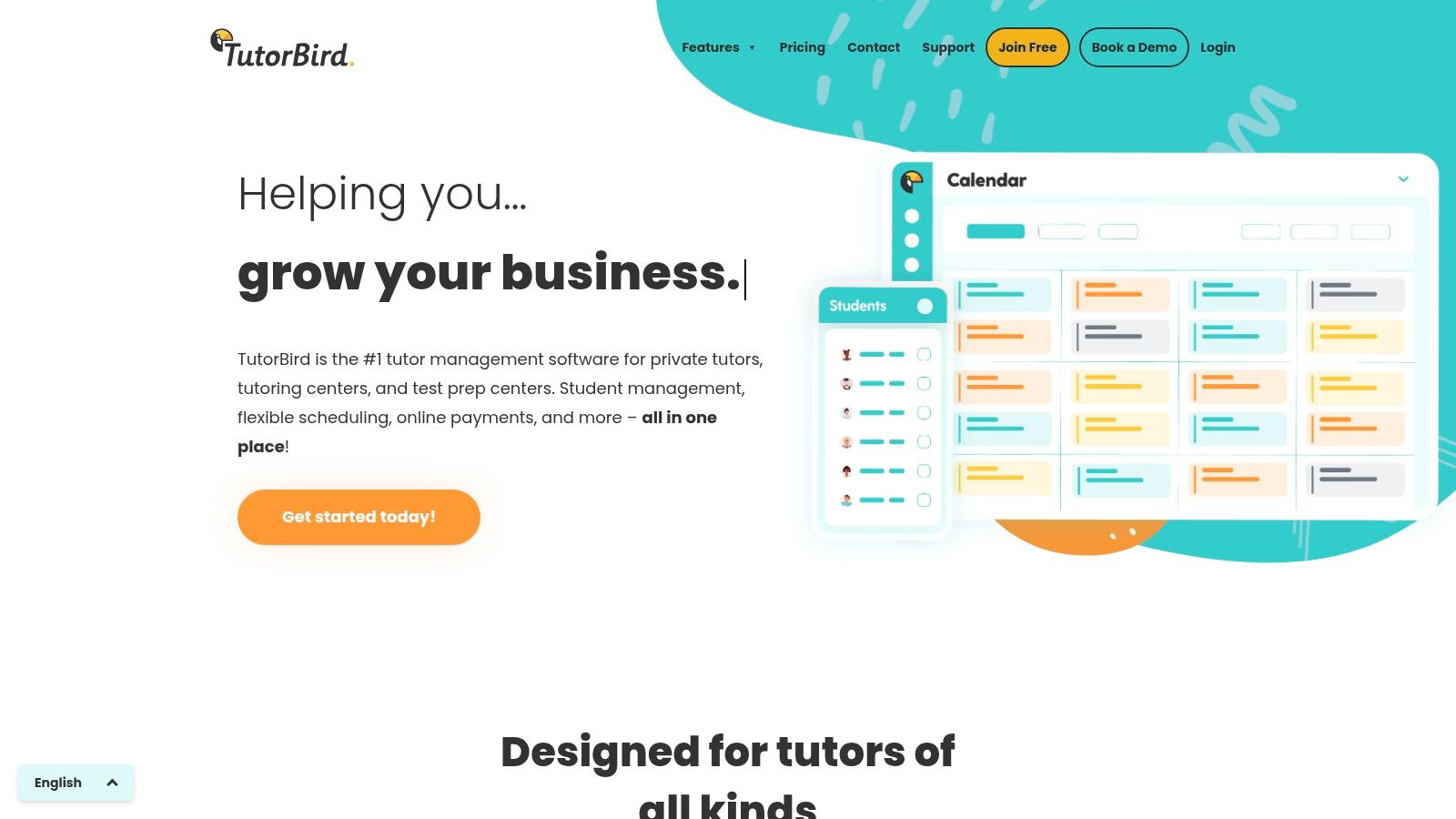
TutorBird is a lightweight tutoring management tool aimed at solo tutors and small teams who need a simple, all-in-one solution. It provides core functionalities like scheduling (for both individual and group sessions), attendance tracking, invoicing, and payment processing at a very accessible price point. This makes it a popular starting point for educators transitioning from spreadsheets to a dedicated system.
TutorBird

The platform stands out for its simplicity and single-tier pricing model, where all features are included from the start. Users get a student and parent portal with self-service registration, automated invoicing with late-fee triggers, and a calendar with two-way sync capabilities. Integrations with Stripe, PayPal, and Zoom cover the essential needs for online and in-person tutoring, making it a complete package for a small operation. You can explore how TutorBird handles the fundamentals in our guide on group tutoring scheduling software.

What are the key features of TutorBird?

  • Solo Tutor Operations: Perfect for independent tutors who need to automate scheduling, reminders, and billing without the complexity of an enterprise system.

  • Simple All-in-One Plan: Its single pricing tier is ideal for small businesses that want full feature access without navigating complicated plans.

  • Parent & Student Self-Service: The portal allows clients to manage their own schedules and payments, reducing administrative back-and-forth for the tutor.

While TutorBird’s low entry price and gentle learning curve are significant advantages, it lacks the enterprise-level controls needed for multi-branch operations. Its reporting capabilities are less advanced compared to heavier platforms, which can be a limitation for growing centers needing deep business intelligence. Businesses requiring complex payroll models or multi-location room management will quickly outgrow its feature set.

Website: https://www.tutorbird.com

5. Jackrabbit Class

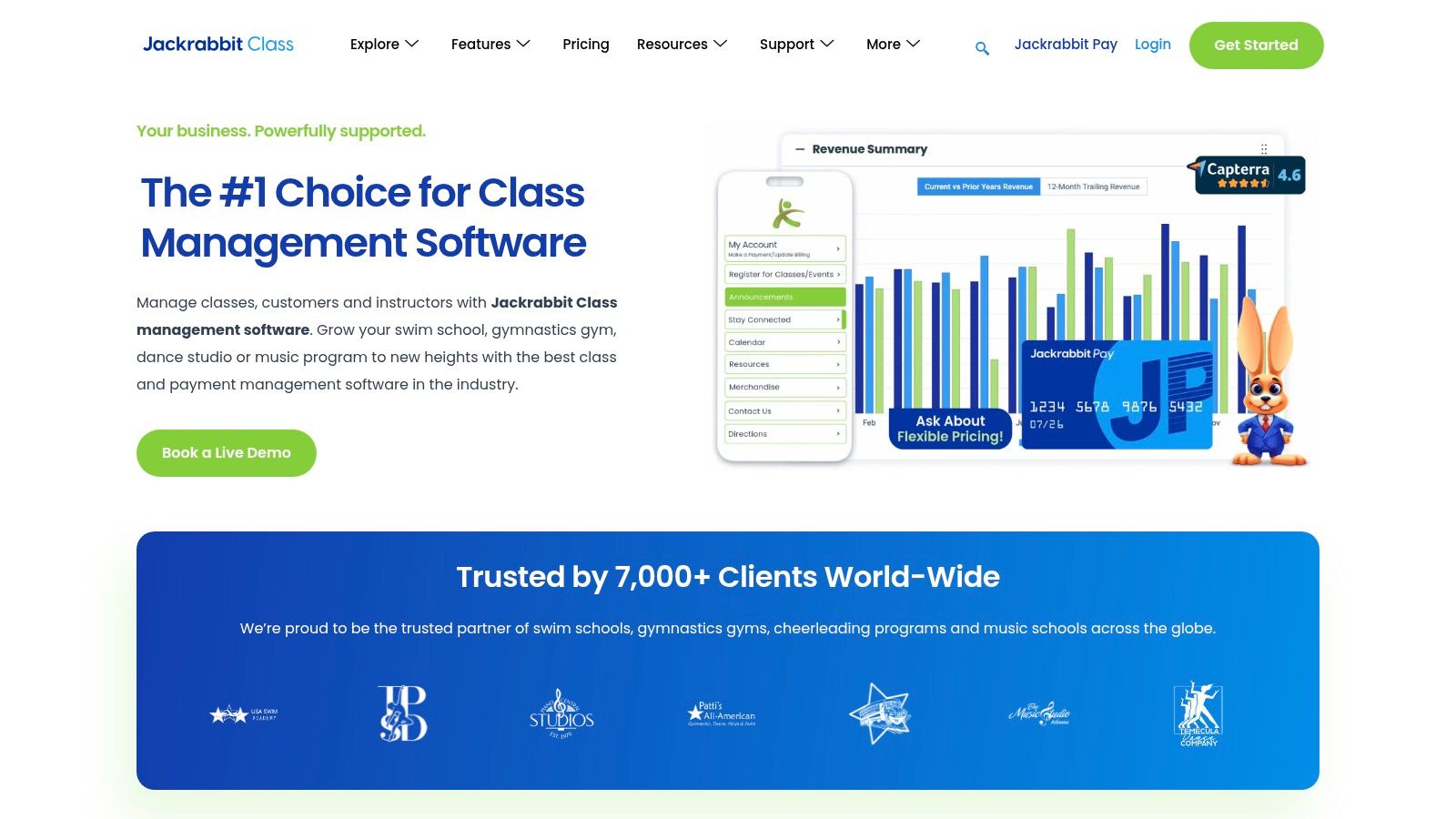
Jackrabbit Class is a mature class and camp management system widely used by youth activity centers, including dance studios, swim schools, and gymnastics gyms. While not specifically designed for academic tutoring, its robust features for managing recurring group classes, complex family accounts, and multi-location operations make it a viable option for larger tutoring businesses that function more like class-based programs.
Jackrabbit Class

The platform’s strength lies in its high-volume processing capabilities, online registration, and a dedicated parent portal. It excels at handling billing for families with multiple children enrolled in various classes, a common scenario for after-school programs. Its ecosystem includes a partner marketplace and a business intelligence dashboard, offering analytics that help large-scale operations track enrollment and revenue trends across different branches. This makes it one of the more powerful options when evaluating the best software for managing group tutoring at scale.

What are the key features of Jackrabbit Class?

  • Family Accounts & Parent Portal: Ideal for after-school programs and K-12 centers where parents manage registration and payments for multiple children.

  • High-Volume Class Scheduling: A proven choice for large, multi-location franchises or test prep academies running hundreds of concurrent group sessions.

  • Business Intelligence Dashboard: Provides owners of growing businesses with the data needed to make informed decisions about class capacity and resource allocation.

However, Jackrabbit’s generalist "class management" approach means it lacks tutoring-specific workflows, such as matching students to tutors based on subject expertise or tracking individual academic progress. The interface can feel dated compared to modern SaaS platforms, and its pricing is tiered by student count, which may not be cost-effective for programs with fluctuating enrollment. Additionally, accessing a branded mobile app requires a one-time setup fee, and integrating partner services can add to the overall cost.

Website: https://www.jackrabbitclass.com

6. Pike13

Pike13 is a comprehensive management platform originally designed for class and appointment-based businesses like fitness studios, but its robust feature set translates effectively to tutoring centers. It excels at scheduling, client management, and billing, offering dedicated mobile apps for both staff and clients to manage their schedules on the go. This focus on mobile accessibility makes it a strong contender for centers with a tech-savvy client base.
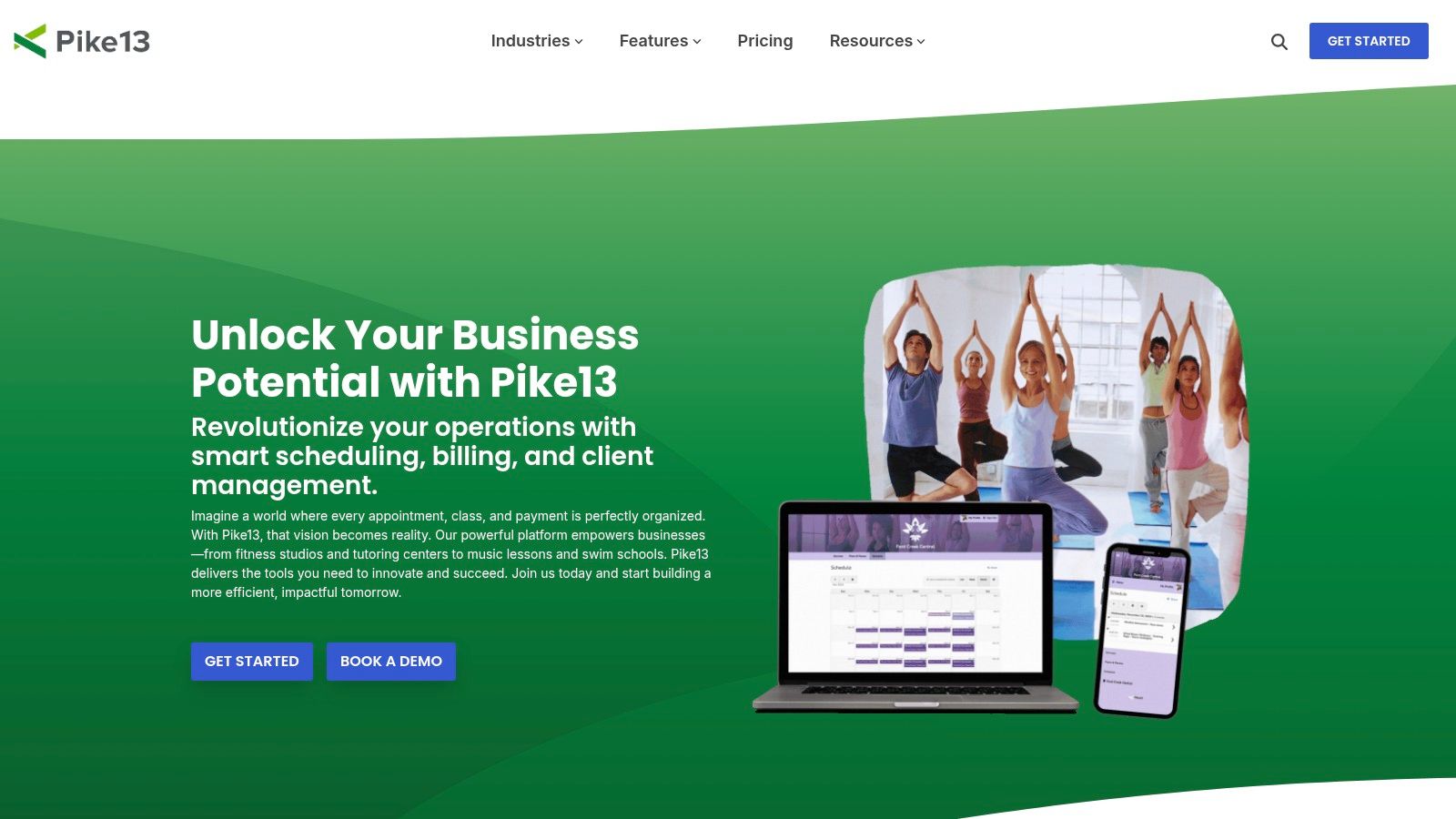
Pike13

The platform’s strength lies in its structured approach to service offerings, allowing administrators to define classes, courses, and appointments with specific rules and pricing. Pike13 also provides strong onboarding support and data migration services, which is a significant advantage for established centers switching from a legacy system. Its clear plan delineation helps businesses choose a package that aligns directly with their feature requirements without paying for unnecessary tools.

What are the key features of Pike13?

  • Mobile App Ecosystem: Ideal for centers that want to offer a modern, mobile-first experience for parents and teachers to book and manage lessons.

  • Structured Class & Course Scheduling: A great fit for test prep academies or language schools that run multi-session courses or semester-long programs with fixed enrollments.

  • Guided Onboarding & Migration: Best for established businesses migrating from older software or complex spreadsheet systems who need hands-on support to ensure a smooth transition.

While powerful, Pike13's price floor is higher than many tools built specifically for solo tutors, making it a better fit for established centers. Some advanced marketing and reporting features also require purchasing add-ons or integrating with third-party tools like Zapier, which can increase the total cost of ownership. It is a solid choice for centers looking for one of the best software for managing group tutoring with a premium, client-facing feel.

Website: https://www.pike13.com

7. Arlo (Training Management)

Arlo is a powerful course and event management system built for commercial training providers rather than traditional K-12 tutoring centers. Its strength lies in managing complex, multi-session courses, seminars, and blended learning programs. This makes it a strong contender for centers offering structured group courses with defined start and end dates, such as standardized test preparation (SAT, IELTS) or Continuing Professional Development (CPD) workshops.
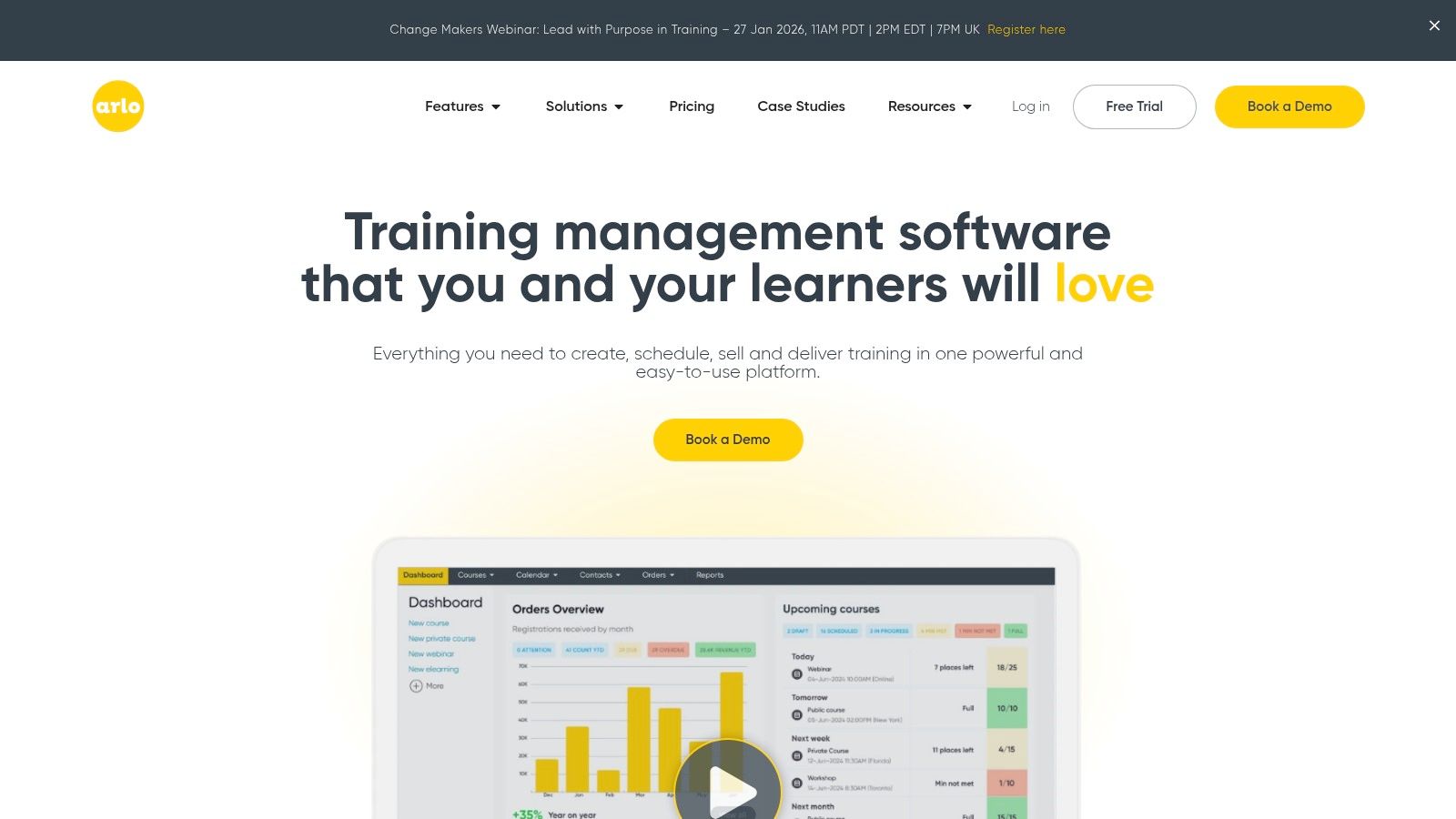
Arlo (Training Management)

The platform is designed for scale, offering enterprise-level features like website integration for direct course bookings, automated communication workflows, and advanced reporting. For businesses operating across different regions, Arlo capably handles multi-region tax requirements and scheduling. Its focus is on selling and managing scheduled events rather than the flexible, ongoing scheduling common in academic tutoring, which is a key differentiator. The system is robust but requires a more significant initial setup.

What are the key features of Arlo?

  • Multi-Session Course Management: Ideal for test prep academies or vocational schools that sell courses as a complete package (e.g., an 8-week SAT course with multiple class times).

  • Website Integration & E-commerce: A great fit for businesses that drive most of their registrations through their website and need a seamless booking and payment experience.

  • Blended Learning Support: Supports programs combining live online sessions, in-person classes, and self-paced e-learning modules into a single course offering.

However, Arlo’s model is less suited for drop-in classes or the dynamic, one-on-one scheduling that many academic tutoring centers require. Its pricing is based on administrative seats and registration volume, and a mandatory implementation package is required for setup, representing a higher upfront investment. Its feature set may be overly complex for centers focused primarily on personalized, recurring academic support, where a more flexible system for managing individual student schedules is paramount.

Website: https://www.arlo.co

8. Sawyer (for Business)

Sawyer positions itself as a class registration and payment platform specifically for children's activities, making it a strong contender for enrichment programs that offer group tutoring. Its primary value lies in simplifying the front-end experience for parents, offering embeddable registration widgets and optional distribution through its own marketplace to help centers attract new families and fill empty seats.
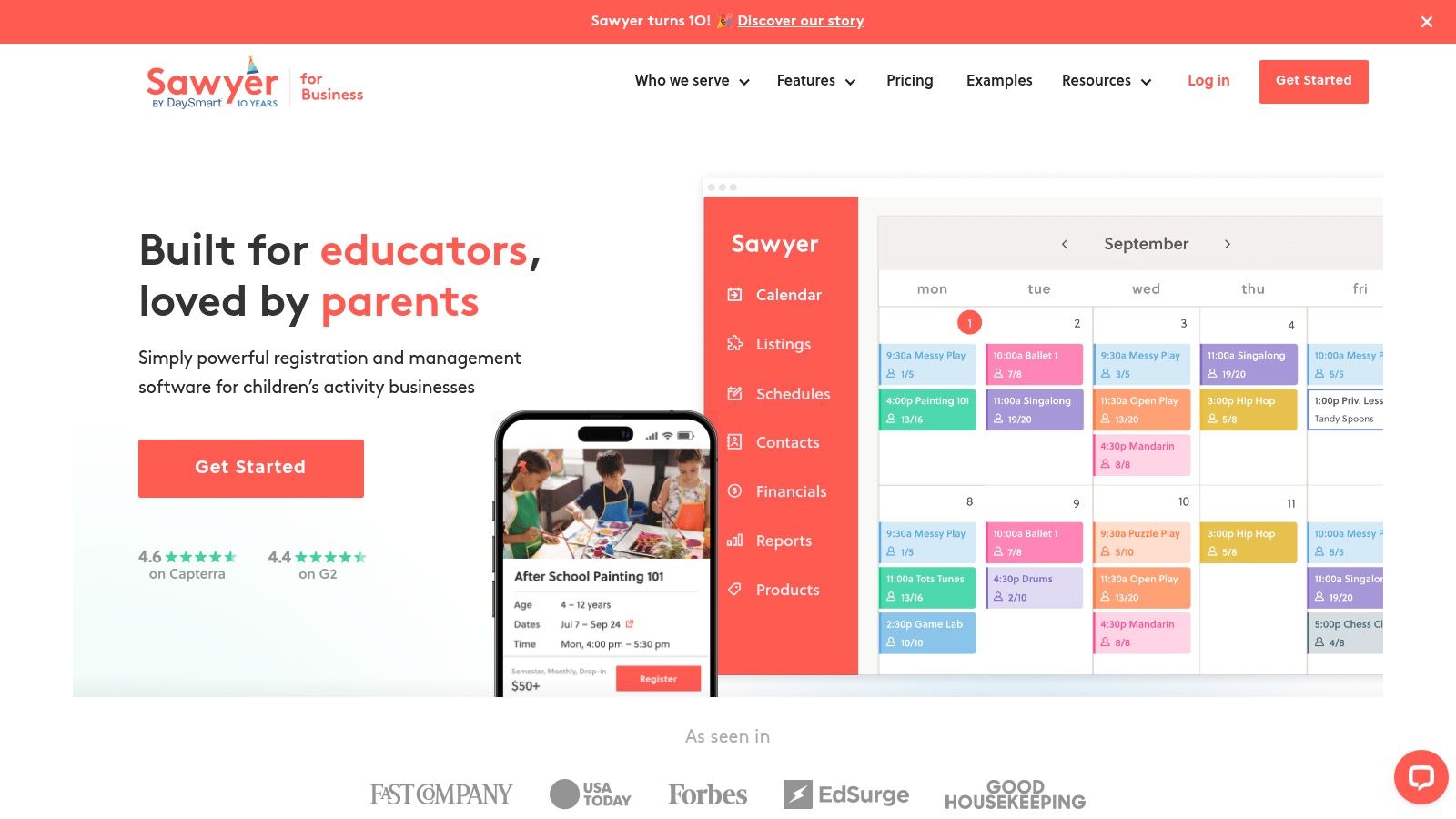
Sawyer (for Business)

The platform focuses heavily on the booking and payment process, providing automated reminders and managing payment plans to reduce administrative follow-up. Centers can easily add class schedules and checkout options directly to their existing websites, creating a seamless user experience. By handling the consumer-facing aspects of registration, Sawyer allows tutoring businesses to focus more on curriculum and instruction rather than payment collection and scheduling logistics. This makes it a great piece of software for managing group tutoring when the primary challenge is student acquisition and simplified enrollment.

What are the key features of Sawyer?

  • Marketplace Distribution: Ideal for after-school programs or summer camps looking to tap into a built-in network of local parents actively searching for kids' activities.

  • On-site Registration Widgets: A great choice for tutoring centers that already have a strong website but need an easy way to add dynamic schedules and online checkout without a full system overhaul.

  • Automated Payment Plans: Useful for centers offering high-value courses, like intensive test prep, allowing them to offer flexible payment options to parents without manual tracking.

However, Sawyer’s focus on class registration means it lacks the specialized operational tools many tutoring centers require. Its pricing model includes marketplace take rates and per-order booking fees, which can add up. Furthermore, it is not designed for the complexities of tutor-specific payroll, detailed curriculum management, or multi-location room booking, making it less suitable for dedicated academic tutoring centers that need deep administrative control.

Website: https://www.hisawyer.com/for-business

9. Jumbula

Jumbula specializes in online registration and program management for businesses running classes, camps, and after-school programs. Its platform is designed around simplifying enrollment for group activities, making it a strong contender for tutoring centers that focus on seasonal workshops, test prep bootcamps, or extracurricular courses rather than continuous one-on-one sessions. The system provides a centralized admin dashboard alongside a dedicated family portal for parents to manage their children’s schedules and payments.
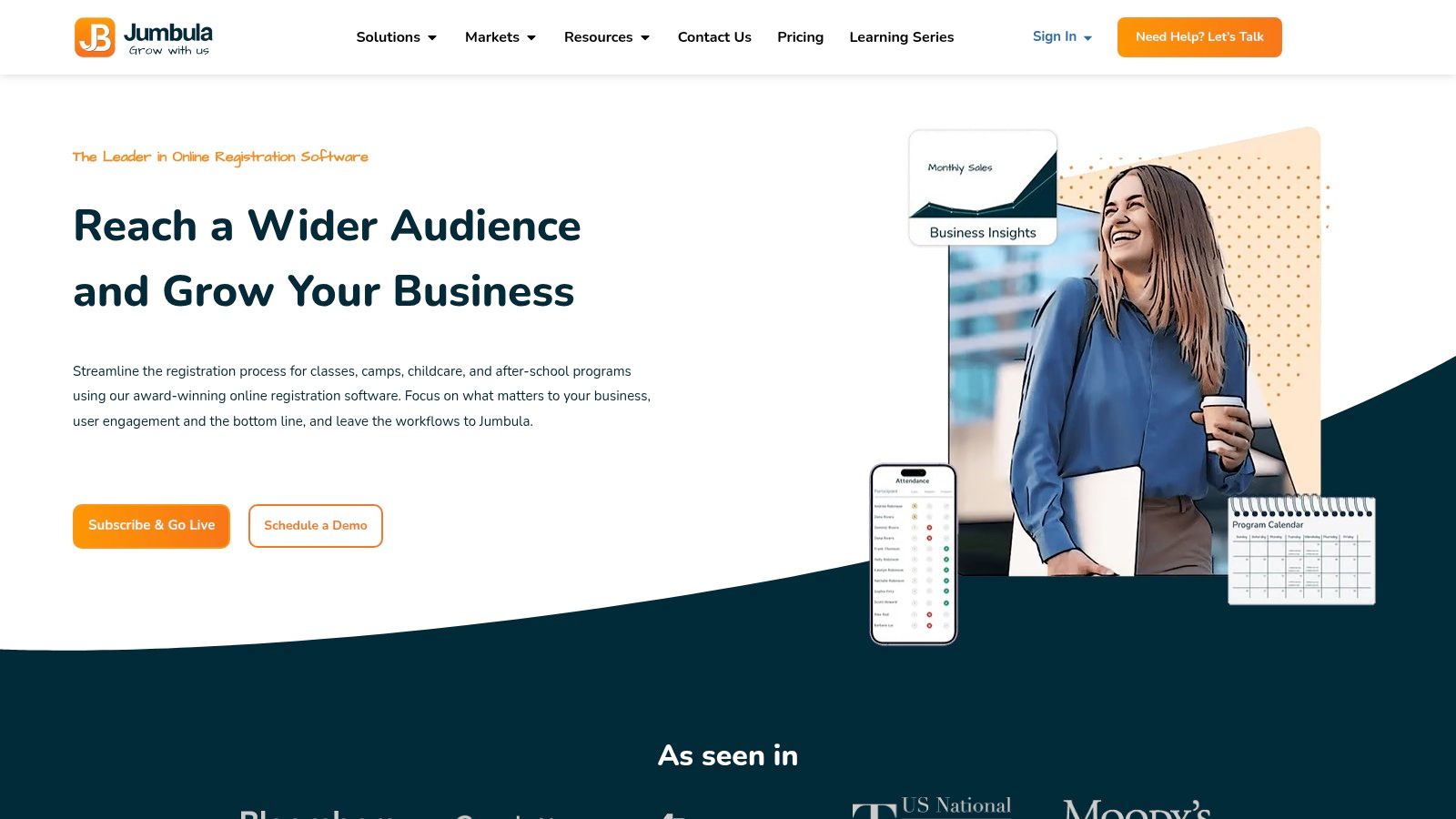
Jumbula

The platform stands out with its modular, add-on-based structure, allowing a tutoring center to start with core registration tools and expand functionality as needed. You can embed class listings directly onto your website and use the mobile app for on-the-go attendance tracking. This flexibility makes it an accessible entry point for organizations testing out new program formats or those who want to pay only for the features they actively use, such as photo sharing or SMS notifications.

What are the key features of Jumbula?

  • Program and Camp Registration: Excels at handling registration for fixed-term group programs, like summer STEM camps or SAT prep courses, where enrollment happens in bulk.

  • Modular Add-Ons: Ideal for growing businesses that want to add specific features like advanced communication or inventory management without upgrading to a completely new plan.

  • Flexible Pricing Models: With both pay-as-you-go and flat monthly options, it supports seasonal businesses that need to control costs during slower periods.

However, its focus on program registration means it may lack the nuanced, recurring scheduling and complex payroll features needed by centers managing hundreds of weekly individual or small-group lessons. The cost of modular add-ons can accumulate, and standard payment processing fees from providers like Stripe are an additional, separate expense. It is a solid choice for event-based learning but may be less suitable as an all-in-one solution for year-round, multi-branch tutoring operations.

Website: https://www.jumbula.com

10. CourseStorm

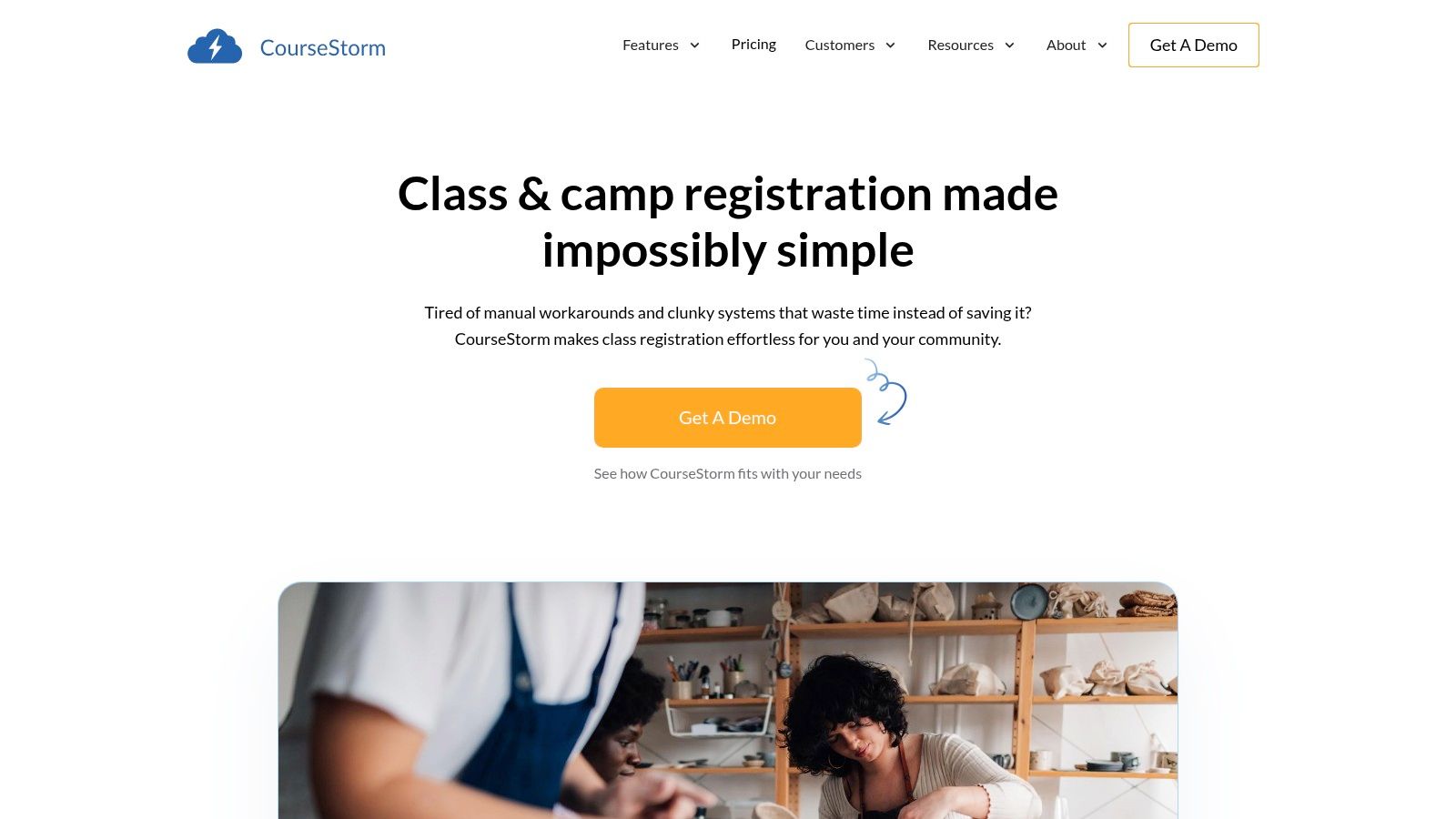
CourseStorm is a class registration and public catalog platform built for community and continuing education programs. It excels where public visibility and easy enrollment are key, making it a strong fit for tutoring centers that offer cohort-style group classes, workshops, or seasonal camps. Its primary strength lies in creating a user-friendly public catalog that simplifies the student and family registration process.
CourseStorm

The platform is designed around the concept of classes rather than individual appointments, supporting recurring sessions, automatic waitlists, and flexible payment plans. This focus makes it one of the best software options for managing group tutoring programs where students sign up for a full term or course. Instructors get portal access for attendance tracking, and integrations with tools like Mailchimp and Zapier allow for extended marketing and operational automation.

What are the key features of CourseStorm?

  • Public Class Catalog: Ideal for after-school programs, community centers, and art or music schools that need to publicly list and market their group course offerings.

  • Family & Group Registration: Streamlines the sign-up process for parents enrolling multiple children or groups, with features like family accounts and promo codes.

  • Automated Waitlists & Payments: A good fit for popular test prep courses or summer programs where managing demand and offering payment plans is essential for maximizing enrollment.

However, CourseStorm's model includes a per-registration fee on all plans, which can add up for centers with high volume and low-margin classes. The platform is less suited for businesses that primarily offer one-on-one, on-demand tutoring, as its structure is built around predefined courses. Centers requiring complex payroll calculations or integrated multi-room management may find its feature set limiting compared to more comprehensive, all-in-one systems.

Website: https://www.coursestorm.com

11. G2 (Tutoring Software category)

G2 is not a direct tutoring management software but a comprehensive B2B peer-review directory. It serves as a crucial research platform where tutoring center owners can compare dozens of software products based on user ratings, feature sets, and market presence. Its primary value lies in offering an aggregated view of real-world user sentiment, which helps validate vendor claims and identify potential red flags before committing to a demo or subscription.

The platform allows you to filter tutoring software by specific features, business size, and user satisfaction scores, making it an essential first step in the software selection process. By reading recent, unbiased reviews from other tutoring professionals, you can gain insights into a system's true strengths and weaknesses, its customer support quality, and its ease of implementation. This is particularly useful when looking for the best software for managing group tutoring, as you can see how different tools perform in real-world scenarios.

What are the key features of G2?

  • Peer Reviews & Ratings: Provides up-to-date user feedback, helping you shortlist vendors and avoid products with poor track records or outdated technology.

  • Feature Comparison Grids: Allows for a side-by-side analysis of key functionalities, helping you quickly identify which platforms meet your core requirements for scheduling, billing, and payroll.

  • Buyer Guides: Offers in-depth articles and scoring methodologies that educate buyers on what to look for, helping you create a more informed and effective software evaluation checklist.

While G2 is an invaluable research tool, it's important to be aware that some vendors pay for prominent placement in search results. The sheer volume of options can also be overwhelming without a clear list of your own business requirements. It is a discovery platform, not a management tool itself, so it represents the beginning of your search, not the end.

Website: https://www.g2.com/categories/tutoring

12. Capterra (Tutoring Software directory)

Capterra is not a management software itself, but a massive online directory where you can discover and compare over 90 different tutoring software products. It serves as an essential starting point for any tutoring center owner looking to survey the market, providing extensive filters that let you narrow down options by specific features like attendance tracking, automated billing, or multi-location room management. This makes it an invaluable resource for finding niche solutions or creating a shortlist of potential platforms.

The platform offers buyer guides and side-by-side product comparisons, allowing you to see how different tools stack up against each other on key functionalities. From there, you can link directly to official vendor websites for demos or more detailed information. It’s a practical first step for understanding the landscape of the best software for managing group tutoring before committing to trials or demos.

What are the key features of Capterra?

  • Extensive Filtering: Ideal for new center owners who need to understand what features are available and which are essential for their specific business model.

  • Market Survey Tool: A fast way for established multi-branch operators to spot emerging competitors or specialized tools that might handle a unique operational challenge better.

  • User Reviews: Provides social proof and real-world insights, helping you gauge user satisfaction and identify potential red flags not mentioned in marketing materials.

While Capterra is free and incredibly useful for initial research, it's important to use it critically. Sponsored listings often appear first, and the quality or recency of reviews can vary significantly, so always cross-reference claims with the vendor's actual website. The sheer volume of options can also be overwhelming without a clear idea of your non-negotiable features.

Website: https://www.capterra.com/tutoring-software

Comparison of the Top Group Tutoring Software

Product

Core features

UX & reliability

Value proposition

Target audience / scale

Pricing & notes

Tutorbase (recommended)

AI scheduling (Find Slot/Spot), auto-billing from attendance, payroll, multi-branch/rooms, WhatsApp leads, prepaid credits

Proven scale (10k+ lessons/week), ~60% admin time saved, 3x faster onboarding, zero double-bookings

Replace fragmented stack; automate scheduling, billing & payroll to cut admin & leakage

Tutoring centers, language schools, test-prep, music schools; 5–100+ teachers, 1–10+ branches, 50–10k+ lessons/week

No public pricing; policy-pack driven (per-hour/lesson/package/subscription); onboarding required

Teachworks

Scheduling (1:1 & groups), billing, payroll, multi-branch, API integrations

Mature multi-location support; can feel complex for small teams

Usage-based platform good for centers with seasonal volume

Multi-branch tutoring centers running group lessons

Usage-based per-lesson pricing; can be hard to forecast at high volume

TutorCruncher

CRM, group scheduling, invoicing/payments, payroll, subscriptions, analytics

Robust finance automation; scales to enterprise

End-to-end operations for tutor agencies with strong finance tools

Agencies → enterprise tutoring organisations

Tiered plans; card processing fees; higher tiers unlock integrations

TutorBird

Scheduling (groups), attendance, invoicing, payments, student/parent portal

Simple UI; low learning curve; all features in one plan

Low-cost, lightweight management for small tutors/teams

Solo tutors, small tutoring teams

Low entry price; single-plan includes core features

Jackrabbit Class

Class/camp scheduling, family accounts, billing, BI dashboards, mobile app option

Mature ecosystem and marketplace; proven for high-volume classes

Strong for recurring group classes and family-account workflows

Youth activity programs, multi-location class businesses

Tiered pricing; branded app one-time fee; partner costs possible

Pike13

Class/course scheduling, payroll, staff/client mobile apps, add-ons

Strong onboarding & data migration; clear plan delineation

Enterprise-ready scheduling + payroll with solid support

Centers needing mobile apps and payroll workflows

Higher price floor than lightweight tools; add-ons cost extra

Arlo (Training)

Multi-session course/event mgmt, waitlists, region/tax support, e-learning add-on

Enterprise features (SSO, advanced reporting); implementation recommended

Best for structured courses, multi-region tax & compliance

Training providers, test-prep centers running multi-session courses

License/admin-seat pricing; implementation package required

Sawyer (for Business)

On-site registration widgets, ACH/card checkout, marketplace distribution, reminders

Built-in demand via marketplace; marketplace fees and per-order costs

Easy registration + marketplace exposure for family-facing programs

Enrichment providers, group class operators seeking reach

Marketplace take rates and booking fees apply

Jumbula

Online registration, family portal, attendance/check-ins, mobile business app, add-ons

Flexible pay-as-you-go or monthly; add-on costs can accumulate

Modular toolkit for seasonal programs, camps, after-school

Camps, after-school, seasonal group programs

Pay-as-you-go or flat monthly; add-on & processor fees

CourseStorm

Public class catalog, recurring sessions, waitlists, payment plans, promo codes

Clear tiering; per-registration fees; higher tiers add AI reporting

Public-facing catalog + enrollment for community education

Community ed, continuing ed, cohort-style tutoring

Per-registration fee on all plans; tier limits on automation

G2 (directory)

Product listings, buyer guides, category filters, recent user reviews

Broad, up-to-date user sentiment; sponsored placements appear prominently

Vendor discovery and peer-review validation before buying

Buyers researching tutoring software

Free to use; sponsored vendor placements

Capterra (directory)

Large product directory, filters, buyer guides, vendor links

Deep filtering; sponsored listings prioritized by default

Quick market scan and direct vendor links for demos

Buyers shortlisting tutoring tools

Free to use; sponsored listings appear first

How do I choose the right software for my tutoring center?

Navigating the crowded market for tutoring management software can feel overwhelming. We have explored a dozen options, from all-in-one platforms like Tutorbase and TutorCruncher to more niche solutions like Sawyer and Arlo. The journey from manual spreadsheets and fragmented tools to a centralized, automated system is a pivotal moment for any growing tutoring business. This final step is about translating this comprehensive review into a decisive, strategic choice for your unique center.

The core takeaway from our analysis is that not all software is created equal, especially when it comes to the specific demands of group tutoring. While most platforms offer a digital calendar, the true value lies in how deeply the software understands and automates the complex, interconnected workflows that define a tutoring center. The best software for managing group tutoring is not just a scheduling tool; it is an operational backbone.

From Analysis to Action: Your Next Steps

Your decision-making process should be a direct reflection of your biggest operational pain points. Before you commit to a free trial or book a demo, take a moment to perform an internal audit. Where do you and your admin team lose the most time each week?

  1. Identify Your Core Bottleneck: Is it the 10-minute back-and-forth to schedule a single student? Is it the hours spent cross-referencing attendance records with teacher pay rates for payroll? Or is it the revenue lost from double-booked rooms and teachers across multiple branches? Your primary problem should be the primary feature you evaluate. For instance, if scheduling speed is your main issue, a tool with an intelligent slot-finding feature, like the one in Tutorbase, should be at the top of your list.

  2. Define Your Growth Trajectory: Where do you see your business in two years? If you plan to open a second location, add new program verticals (like test prep or a new language), or even launch a separate brand, you need a system built for that scale. Scrutinize features like multi-location room management, multi-brand capabilities, and the ability to handle complex payroll and pricing structures. Legacy systems often struggle here, slowing down precisely when you need to speed up.

  3. Map the Full Operational Cycle: Look beyond scheduling. The ideal platform should connect every administrative touchpoint seamlessly.

    • Lead to Enrollment: Does the system capture leads from your website or WhatsApp and guide them through a defined pipeline?

    • Enrollment to Billing: Can it automatically generate invoices based on attendance records, handling various pricing models from per-hour to prepaid packages?

    • Attendance to Payroll: Does it calculate complex teacher payroll, accounting for different rates, premiums, and employment types without manual intervention in a spreadsheet?

A truly integrated system eliminates data re-entry and provides a single source of truth for your business's health, from student attendance to monthly revenue.

Final Implementation Considerations

As you prepare to make a choice, remember that the software is only as good as its implementation. Plan for the transition. The migration checklist we provided earlier is your guide to ensuring a smooth transfer of student, teacher, and financial data. Involve your team in the decision process. An operations manager will have different priorities than a lead tutor, and their buy-in is crucial for successful adoption.

Ultimately, choosing the best software for managing group tutoring is an investment in your business’s future. It’s about reclaiming the 10-plus hours a week spent on manual admin and reinvesting that time into what truly matters: delivering exceptional education, supporting your teachers, and strategically growing your center. The right platform doesn’t just organize your chaos; it unlocks new potential for efficiency and profitability.

Ready to see how an AI-powered platform can eliminate your administrative bottlenecks and provide the operational backbone for growth? Discover why modern tutoring centers are choosing Tutorbase to automate everything from scheduling and billing to payroll. See the difference for yourself and start scaling your business with confidence.

Explore Tutorbase and book a demo today.

Frequently Asked Questions

What is tutoring management software?

Tutoring management software is a specialized platform that centralizes and automates the core administrative tasks of a tutoring center. It typically combines scheduling, billing, student management, teacher payroll, and communication tools into one system, replacing fragmented tools like spreadsheets, calendars, and separate accounting software. The goal is to reduce manual work, prevent errors, and provide a clear overview of business operations.

Why is specialized software important for group tutoring?

Group tutoring introduces complexities that generic scheduling tools cannot handle. Specialized software manages variable attendance within a single class, calculates billing accurately for each student, tracks room capacity to prevent overbooking, and helps find open seats in existing groups. It automates these multi-student workflows, which is crucial for efficiency and profitability at scale.

How much does tutoring software typically cost?

Tutoring software pricing varies widely. Simple tools for solo tutors like TutorBird can start around $20 per month. More comprehensive platforms like Teachworks or TutorCruncher often have tiered plans from $50 to over $400 per month, based on the number of students, lessons, or staff. Enterprise-level systems like Tutorbase use custom pricing based on the complexity of your operations, as they are tailored to specific business rules.

Can this software handle multiple locations?

Yes, many of the leading platforms, including Tutorbase and Teachworks, are specifically designed for multi-branch operations. They allow you to manage schedules, rooms, teachers, and reporting across all locations from a single dashboard while keeping data segmented where necessary. This feature is critical for franchises or growing centers looking to standardize operations.

What are the key features to look for in tutoring software?

The most critical features are: 1) intelligent scheduling with conflict detection, 2) automated invoicing generated from attendance, 3) a parent/student portal for self-service, 4) flexible teacher payroll that handles various pay rates, and 5) robust reporting on finances and enrollment. For scaling businesses, multi-location and room management are also essential.

How does Tutorbase differ from Teachworks or TutorCruncher?

Tutorbase differentiates itself with AI-powered scheduling (Find Slot/Spot) that automates the booking process, native multi-brand support for running separate business lines from one account, and a more robust system for handling complex payroll and prepaid credit models. While Teachworks and TutorCruncher are strong platforms, Tutorbase is built to handle higher operational complexity and scale, specifically for centers running 50 to 10,000+ lessons per week.

What is the implementation process like for new software?

Implementation typically involves migrating your existing data (students, teachers, schedules) into the new system, configuring your specific business rules (pricing, cancellation policies, payroll), and training your staff. Simpler tools may take a few hours to set up, while comprehensive platforms like Tutorbase often include a guided onboarding process over several weeks to ensure the system is perfectly aligned with your operational workflows.

12 Best Software for Managing Group Tutoring in 2026

Published: January 6, 2026 by Amy Ashford

Key Takeaway: The best software for managing group tutoring replaces fragmented tools like Google Calendar and QuickBooks with a single platform. Leading options like Tutorbase use AI-powered scheduling and automated billing to reduce administrative time by up to 60%, eliminate double-bookings, and streamline complex teacher payroll, allowing tutoring centers to scale efficiently.

Managing a growing tutoring center feels like a constant battle against administrative chaos. Between coordinating group schedules, tracking attendance, creating invoices, and processing payroll, owners and operations managers lose over 10 hours a week to manual tasks. Fragmented tools like Google Calendar for scheduling, QuickBooks for billing, and Excel for payroll create data silos, lead to double-bookings, and prevent you from seeing your center's true capacity.

This guide breaks down the essential features your business needs and reviews the 12 best software for managing group tutoring to help you reclaim your time and scale your operations. We provide detailed analysis for tutoring centers, language schools, and test prep academies. The key is finding a unified platform that automates the entire student lifecycle, from lead capture to final payment.

You'll learn how to evaluate platforms based on critical features like intelligent scheduling, automated billing, complex payroll, and multi-location room management. While dedicated tutoring management software handles core operations, remember to consider tools that streamline your entire workflow. For instance, integrating AI Receptionist solutions for Education Tutoring Centers can automate call handling and appointment booking, freeing up your team to focus on students. Our goal is to equip you with a clear framework to choose a system that stops the operational juggling and unlocks sustainable growth.

1. Tutorbase

Tutorbase is an AI-powered, all-in-one platform built by tutoring center owners to replace fragmented operational stacks and manual spreadsheets. It is a comprehensive solution for medium-to-large tutoring centers, language schools, and multi-branch educational businesses facing the complexities of scale. The platform directly addresses the core administrative burdens that limit growth, like scheduling conflicts, tedious billing cycles, and complex payroll calculations.

Tutorbase

Its core strength lies in intelligent automation that connects every part of your operation. For centers spending hours hunting for open slots, Tutorbase’s standout AI scheduling tools, Find Slot and Find Spot, are transformative. Instead of manually cross-referencing teacher availability, room capacity, and student requests, an admin generates optimal teacher, room, and time combinations in under two minutes, virtually eliminating double-bookings.

This intelligent scheduling flows directly into its financial tools. Attendance data automatically generates invoices, deducts from prepaid credit wallets, and updates package consumption. This seamless link between service delivery and billing is what makes Tutorbase a powerful choice for managing group tutoring, where tracking variable attendance is paramount. The platform also excels in managing financial complexity with robust payroll that handles diverse compensation models, from revenue sharing to base-plus-variable pay.

Key Details & Use Cases

  • Best Fit: Medium and large tutoring centers, multi-location language and music schools, and test-prep academies (5-100+ teachers) aiming to automate operations and scale efficiently.

  • Pricing: Custom pricing based on policy packs tailored to your business rules (per-hour, subscription, packages). You must contact their sales team for a detailed quote. An implementation phase is expected to configure curriculum, policies, and payroll.

  • Standout Features:

    • AI-Driven Scheduling: The Find Slot and Find Spot tools reduce booking time from 10+ minutes to under 2 minutes, increasing student onboarding speed by 3x.

    • Automated Billing & Credits: Invoices are auto-generated from attendance records, and the native prepaid credit system with low-balance alerts improves cash flow and reduces payment chasing.

    • Advanced Payroll: Supports complex pay structures including revenue share, overtime, and per-student models, a significant differentiator from competitors offering only basic hourly rates.

    • Multi-Branch & Brand Ready: A unified dashboard manages multiple locations, rooms, and even separate brands, making it ideal for franchise operators.

Website: https://tutorbase.com

2. Teachworks

Teachworks is a well-established tutoring business management software designed to handle scheduling, billing, and multi-branch operations. It’s particularly noted for its usage-based pricing model, where costs are tied directly to the number of lessons scheduled, making it a flexible option for businesses with seasonal fluctuations in student volume. This approach allows smaller or growing centers to access enterprise-level features without a prohibitive upfront cost.

Teachworks

The platform excels in managing the complexities of both one-on-one and group lessons, with robust attendance tracking that directly feeds into its semi-manual invoicing system. For businesses expanding to multiple physical locations, Teachworks provides strong multi-branch accounts and granular location controls, allowing administrators to oversee operations from a central dashboard. Its API and numerous third-party integrations (like Stripe and QuickBooks) offer added flexibility.

What are the key features of Teachworks?

  • Group Lesson Management: Supports group scheduling where each student's attendance is counted individually for billing, ideal for test prep academies and language schools.

  • Multi-Branch Controls: A strong choice for franchise operators or tutoring centers with several locations needing standardized administrative processes.

  • Usage-Based Pricing: Fits programs with significant seasonal enrollment, like summer camps or after-school homework clubs, as costs scale down during off-peak months.

However, the per-student-lesson pricing can become difficult to forecast and potentially expensive at very high volumes. New users, especially solo tutors or small teams, may find the interface and initial setup more complex compared to newer, more streamlined systems. While Teachworks handles basic payroll, centers with complex compensation models may need more advanced tools. For a deeper dive into modern payroll solutions, you can find more information about automating teacher payroll for tutoring centers.

Website: https://teachworks.com

3. TutorCruncher

TutorCruncher is an all-in-one management platform designed for tutoring agencies, offering a comprehensive suite of tools for CRM, scheduling, and billing. It scales effectively from small, growing agencies to enterprise-level organizations, positioning itself as a robust operational hub. The software’s strength lies in its deep financial automation, handling everything from automatic payments and subscriptions to complex credit and split-payment scenarios.

The platform provides a centralized calendar with automated reminders and lesson reports, which helps maintain clear communication between tutors, students, and parents. For larger businesses, its API and custom integration capabilities on higher-tier plans allow for significant customization and connectivity with other business systems. This makes it a powerful choice for agencies aiming to build a scalable, tech-enabled operation.

What are the key features of TutorCruncher?

  • Financial Automation: Excels at managing complex billing for tutoring agencies, including subscriptions and automated payroll, making it ideal for businesses with diverse payment models.

  • Scalable Operations: A strong fit for agencies planning for growth, as its feature set and pricing tiers accommodate needs from startup to enterprise.

  • Integrated CRM: The built-in customer relationship management system is perfect for tracking leads and managing the entire student lifecycle from inquiry to active client.

However, users should factor in additional costs. Standard card processing fees apply to transactions, and value-added features like SMS notifications come at an extra charge. Some of the more advanced functionalities, critical for larger operations, are only available on higher-priced plans. To better understand how these costs compare, you can explore this tutoring software pricing guide for a detailed breakdown.

Website: https://tutorcruncher.com

4. TutorBird

TutorBird is a lightweight tutoring management tool aimed at solo tutors and small teams who need a simple, all-in-one solution. It provides core functionalities like scheduling (for both individual and group sessions), attendance tracking, invoicing, and payment processing at a very accessible price point. This makes it a popular starting point for educators transitioning from spreadsheets to a dedicated system.

TutorBird

The platform stands out for its simplicity and single-tier pricing model, where all features are included from the start. Users get a student and parent portal with self-service registration, automated invoicing with late-fee triggers, and a calendar with two-way sync capabilities. Integrations with Stripe, PayPal, and Zoom cover the essential needs for online and in-person tutoring, making it a complete package for a small operation. You can explore how TutorBird handles the fundamentals in our guide on group tutoring scheduling software.

What are the key features of TutorBird?

  • Solo Tutor Operations: Perfect for independent tutors who need to automate scheduling, reminders, and billing without the complexity of an enterprise system.

  • Simple All-in-One Plan: Its single pricing tier is ideal for small businesses that want full feature access without navigating complicated plans.

  • Parent & Student Self-Service: The portal allows clients to manage their own schedules and payments, reducing administrative back-and-forth for the tutor.

While TutorBird’s low entry price and gentle learning curve are significant advantages, it lacks the enterprise-level controls needed for multi-branch operations. Its reporting capabilities are less advanced compared to heavier platforms, which can be a limitation for growing centers needing deep business intelligence. Businesses requiring complex payroll models or multi-location room management will quickly outgrow its feature set.

Website: https://www.tutorbird.com

5. Jackrabbit Class

Jackrabbit Class is a mature class and camp management system widely used by youth activity centers, including dance studios, swim schools, and gymnastics gyms. While not specifically designed for academic tutoring, its robust features for managing recurring group classes, complex family accounts, and multi-location operations make it a viable option for larger tutoring businesses that function more like class-based programs.

Jackrabbit Class

The platform’s strength lies in its high-volume processing capabilities, online registration, and a dedicated parent portal. It excels at handling billing for families with multiple children enrolled in various classes, a common scenario for after-school programs. Its ecosystem includes a partner marketplace and a business intelligence dashboard, offering analytics that help large-scale operations track enrollment and revenue trends across different branches. This makes it one of the more powerful options when evaluating the best software for managing group tutoring at scale.

What are the key features of Jackrabbit Class?

  • Family Accounts & Parent Portal: Ideal for after-school programs and K-12 centers where parents manage registration and payments for multiple children.

  • High-Volume Class Scheduling: A proven choice for large, multi-location franchises or test prep academies running hundreds of concurrent group sessions.

  • Business Intelligence Dashboard: Provides owners of growing businesses with the data needed to make informed decisions about class capacity and resource allocation.

However, Jackrabbit’s generalist "class management" approach means it lacks tutoring-specific workflows, such as matching students to tutors based on subject expertise or tracking individual academic progress. The interface can feel dated compared to modern SaaS platforms, and its pricing is tiered by student count, which may not be cost-effective for programs with fluctuating enrollment. Additionally, accessing a branded mobile app requires a one-time setup fee, and integrating partner services can add to the overall cost.

Website: https://www.jackrabbitclass.com

6. Pike13

Pike13 is a comprehensive management platform originally designed for class and appointment-based businesses like fitness studios, but its robust feature set translates effectively to tutoring centers. It excels at scheduling, client management, and billing, offering dedicated mobile apps for both staff and clients to manage their schedules on the go. This focus on mobile accessibility makes it a strong contender for centers with a tech-savvy client base.

Pike13

The platform’s strength lies in its structured approach to service offerings, allowing administrators to define classes, courses, and appointments with specific rules and pricing. Pike13 also provides strong onboarding support and data migration services, which is a significant advantage for established centers switching from a legacy system. Its clear plan delineation helps businesses choose a package that aligns directly with their feature requirements without paying for unnecessary tools.

What are the key features of Pike13?

  • Mobile App Ecosystem: Ideal for centers that want to offer a modern, mobile-first experience for parents and teachers to book and manage lessons.

  • Structured Class & Course Scheduling: A great fit for test prep academies or language schools that run multi-session courses or semester-long programs with fixed enrollments.

  • Guided Onboarding & Migration: Best for established businesses migrating from older software or complex spreadsheet systems who need hands-on support to ensure a smooth transition.

While powerful, Pike13's price floor is higher than many tools built specifically for solo tutors, making it a better fit for established centers. Some advanced marketing and reporting features also require purchasing add-ons or integrating with third-party tools like Zapier, which can increase the total cost of ownership. It is a solid choice for centers looking for one of the best software for managing group tutoring with a premium, client-facing feel.

Website: https://www.pike13.com

7. Arlo (Training Management)

Arlo is a powerful course and event management system built for commercial training providers rather than traditional K-12 tutoring centers. Its strength lies in managing complex, multi-session courses, seminars, and blended learning programs. This makes it a strong contender for centers offering structured group courses with defined start and end dates, such as standardized test preparation (SAT, IELTS) or Continuing Professional Development (CPD) workshops.

Arlo (Training Management)

The platform is designed for scale, offering enterprise-level features like website integration for direct course bookings, automated communication workflows, and advanced reporting. For businesses operating across different regions, Arlo capably handles multi-region tax requirements and scheduling. Its focus is on selling and managing scheduled events rather than the flexible, ongoing scheduling common in academic tutoring, which is a key differentiator. The system is robust but requires a more significant initial setup.

What are the key features of Arlo?

  • Multi-Session Course Management: Ideal for test prep academies or vocational schools that sell courses as a complete package (e.g., an 8-week SAT course with multiple class times).

  • Website Integration & E-commerce: A great fit for businesses that drive most of their registrations through their website and need a seamless booking and payment experience.

  • Blended Learning Support: Supports programs combining live online sessions, in-person classes, and self-paced e-learning modules into a single course offering.

However, Arlo’s model is less suited for drop-in classes or the dynamic, one-on-one scheduling that many academic tutoring centers require. Its pricing is based on administrative seats and registration volume, and a mandatory implementation package is required for setup, representing a higher upfront investment. Its feature set may be overly complex for centers focused primarily on personalized, recurring academic support, where a more flexible system for managing individual student schedules is paramount.

Website: https://www.arlo.co

8. Sawyer (for Business)

Sawyer positions itself as a class registration and payment platform specifically for children's activities, making it a strong contender for enrichment programs that offer group tutoring. Its primary value lies in simplifying the front-end experience for parents, offering embeddable registration widgets and optional distribution through its own marketplace to help centers attract new families and fill empty seats.

Sawyer (for Business)

The platform focuses heavily on the booking and payment process, providing automated reminders and managing payment plans to reduce administrative follow-up. Centers can easily add class schedules and checkout options directly to their existing websites, creating a seamless user experience. By handling the consumer-facing aspects of registration, Sawyer allows tutoring businesses to focus more on curriculum and instruction rather than payment collection and scheduling logistics. This makes it a great piece of software for managing group tutoring when the primary challenge is student acquisition and simplified enrollment.

What are the key features of Sawyer?

  • Marketplace Distribution: Ideal for after-school programs or summer camps looking to tap into a built-in network of local parents actively searching for kids' activities.

  • On-site Registration Widgets: A great choice for tutoring centers that already have a strong website but need an easy way to add dynamic schedules and online checkout without a full system overhaul.

  • Automated Payment Plans: Useful for centers offering high-value courses, like intensive test prep, allowing them to offer flexible payment options to parents without manual tracking.

However, Sawyer’s focus on class registration means it lacks the specialized operational tools many tutoring centers require. Its pricing model includes marketplace take rates and per-order booking fees, which can add up. Furthermore, it is not designed for the complexities of tutor-specific payroll, detailed curriculum management, or multi-location room booking, making it less suitable for dedicated academic tutoring centers that need deep administrative control.

Website: https://www.hisawyer.com/for-business

9. Jumbula

Jumbula specializes in online registration and program management for businesses running classes, camps, and after-school programs. Its platform is designed around simplifying enrollment for group activities, making it a strong contender for tutoring centers that focus on seasonal workshops, test prep bootcamps, or extracurricular courses rather than continuous one-on-one sessions. The system provides a centralized admin dashboard alongside a dedicated family portal for parents to manage their children’s schedules and payments.

Jumbula

The platform stands out with its modular, add-on-based structure, allowing a tutoring center to start with core registration tools and expand functionality as needed. You can embed class listings directly onto your website and use the mobile app for on-the-go attendance tracking. This flexibility makes it an accessible entry point for organizations testing out new program formats or those who want to pay only for the features they actively use, such as photo sharing or SMS notifications.

What are the key features of Jumbula?

  • Program and Camp Registration: Excels at handling registration for fixed-term group programs, like summer STEM camps or SAT prep courses, where enrollment happens in bulk.

  • Modular Add-Ons: Ideal for growing businesses that want to add specific features like advanced communication or inventory management without upgrading to a completely new plan.

  • Flexible Pricing Models: With both pay-as-you-go and flat monthly options, it supports seasonal businesses that need to control costs during slower periods.

However, its focus on program registration means it may lack the nuanced, recurring scheduling and complex payroll features needed by centers managing hundreds of weekly individual or small-group lessons. The cost of modular add-ons can accumulate, and standard payment processing fees from providers like Stripe are an additional, separate expense. It is a solid choice for event-based learning but may be less suitable as an all-in-one solution for year-round, multi-branch tutoring operations.

Website: https://www.jumbula.com

10. CourseStorm

CourseStorm is a class registration and public catalog platform built for community and continuing education programs. It excels where public visibility and easy enrollment are key, making it a strong fit for tutoring centers that offer cohort-style group classes, workshops, or seasonal camps. Its primary strength lies in creating a user-friendly public catalog that simplifies the student and family registration process.

CourseStorm

The platform is designed around the concept of classes rather than individual appointments, supporting recurring sessions, automatic waitlists, and flexible payment plans. This focus makes it one of the best software options for managing group tutoring programs where students sign up for a full term or course. Instructors get portal access for attendance tracking, and integrations with tools like Mailchimp and Zapier allow for extended marketing and operational automation.

What are the key features of CourseStorm?

  • Public Class Catalog: Ideal for after-school programs, community centers, and art or music schools that need to publicly list and market their group course offerings.

  • Family & Group Registration: Streamlines the sign-up process for parents enrolling multiple children or groups, with features like family accounts and promo codes.

  • Automated Waitlists & Payments: A good fit for popular test prep courses or summer programs where managing demand and offering payment plans is essential for maximizing enrollment.

However, CourseStorm's model includes a per-registration fee on all plans, which can add up for centers with high volume and low-margin classes. The platform is less suited for businesses that primarily offer one-on-one, on-demand tutoring, as its structure is built around predefined courses. Centers requiring complex payroll calculations or integrated multi-room management may find its feature set limiting compared to more comprehensive, all-in-one systems.

Website: https://www.coursestorm.com

11. G2 (Tutoring Software category)

G2 is not a direct tutoring management software but a comprehensive B2B peer-review directory. It serves as a crucial research platform where tutoring center owners can compare dozens of software products based on user ratings, feature sets, and market presence. Its primary value lies in offering an aggregated view of real-world user sentiment, which helps validate vendor claims and identify potential red flags before committing to a demo or subscription.

The platform allows you to filter tutoring software by specific features, business size, and user satisfaction scores, making it an essential first step in the software selection process. By reading recent, unbiased reviews from other tutoring professionals, you can gain insights into a system's true strengths and weaknesses, its customer support quality, and its ease of implementation. This is particularly useful when looking for the best software for managing group tutoring, as you can see how different tools perform in real-world scenarios.

What are the key features of G2?

  • Peer Reviews & Ratings: Provides up-to-date user feedback, helping you shortlist vendors and avoid products with poor track records or outdated technology.

  • Feature Comparison Grids: Allows for a side-by-side analysis of key functionalities, helping you quickly identify which platforms meet your core requirements for scheduling, billing, and payroll.

  • Buyer Guides: Offers in-depth articles and scoring methodologies that educate buyers on what to look for, helping you create a more informed and effective software evaluation checklist.

While G2 is an invaluable research tool, it's important to be aware that some vendors pay for prominent placement in search results. The sheer volume of options can also be overwhelming without a clear list of your own business requirements. It is a discovery platform, not a management tool itself, so it represents the beginning of your search, not the end.

Website: https://www.g2.com/categories/tutoring

12. Capterra (Tutoring Software directory)

Capterra is not a management software itself, but a massive online directory where you can discover and compare over 90 different tutoring software products. It serves as an essential starting point for any tutoring center owner looking to survey the market, providing extensive filters that let you narrow down options by specific features like attendance tracking, automated billing, or multi-location room management. This makes it an invaluable resource for finding niche solutions or creating a shortlist of potential platforms.

The platform offers buyer guides and side-by-side product comparisons, allowing you to see how different tools stack up against each other on key functionalities. From there, you can link directly to official vendor websites for demos or more detailed information. It’s a practical first step for understanding the landscape of the best software for managing group tutoring before committing to trials or demos.

What are the key features of Capterra?

  • Extensive Filtering: Ideal for new center owners who need to understand what features are available and which are essential for their specific business model.

  • Market Survey Tool: A fast way for established multi-branch operators to spot emerging competitors or specialized tools that might handle a unique operational challenge better.

  • User Reviews: Provides social proof and real-world insights, helping you gauge user satisfaction and identify potential red flags not mentioned in marketing materials.

While Capterra is free and incredibly useful for initial research, it's important to use it critically. Sponsored listings often appear first, and the quality or recency of reviews can vary significantly, so always cross-reference claims with the vendor's actual website. The sheer volume of options can also be overwhelming without a clear idea of your non-negotiable features.

Website: https://www.capterra.com/tutoring-software

Comparison of the Top Group Tutoring Software

Product

Core features

UX & reliability

Value proposition

Target audience / scale

Pricing & notes

Tutorbase (recommended)

AI scheduling (Find Slot/Spot), auto-billing from attendance, payroll, multi-branch/rooms, WhatsApp leads, prepaid credits

Proven scale (10k+ lessons/week), ~60% admin time saved, 3x faster onboarding, zero double-bookings

Replace fragmented stack; automate scheduling, billing & payroll to cut admin & leakage

Tutoring centers, language schools, test-prep, music schools; 5–100+ teachers, 1–10+ branches, 50–10k+ lessons/week

No public pricing; policy-pack driven (per-hour/lesson/package/subscription); onboarding required

Teachworks

Scheduling (1:1 & groups), billing, payroll, multi-branch, API integrations

Mature multi-location support; can feel complex for small teams

Usage-based platform good for centers with seasonal volume

Multi-branch tutoring centers running group lessons

Usage-based per-lesson pricing; can be hard to forecast at high volume

TutorCruncher

CRM, group scheduling, invoicing/payments, payroll, subscriptions, analytics

Robust finance automation; scales to enterprise

End-to-end operations for tutor agencies with strong finance tools

Agencies → enterprise tutoring organisations

Tiered plans; card processing fees; higher tiers unlock integrations

TutorBird

Scheduling (groups), attendance, invoicing, payments, student/parent portal

Simple UI; low learning curve; all features in one plan

Low-cost, lightweight management for small tutors/teams

Solo tutors, small tutoring teams

Low entry price; single-plan includes core features

Jackrabbit Class

Class/camp scheduling, family accounts, billing, BI dashboards, mobile app option

Mature ecosystem and marketplace; proven for high-volume classes

Strong for recurring group classes and family-account workflows

Youth activity programs, multi-location class businesses

Tiered pricing; branded app one-time fee; partner costs possible

Pike13

Class/course scheduling, payroll, staff/client mobile apps, add-ons

Strong onboarding & data migration; clear plan delineation

Enterprise-ready scheduling + payroll with solid support

Centers needing mobile apps and payroll workflows

Higher price floor than lightweight tools; add-ons cost extra

Arlo (Training)

Multi-session course/event mgmt, waitlists, region/tax support, e-learning add-on

Enterprise features (SSO, advanced reporting); implementation recommended

Best for structured courses, multi-region tax & compliance

Training providers, test-prep centers running multi-session courses

License/admin-seat pricing; implementation package required

Sawyer (for Business)

On-site registration widgets, ACH/card checkout, marketplace distribution, reminders

Built-in demand via marketplace; marketplace fees and per-order costs

Easy registration + marketplace exposure for family-facing programs

Enrichment providers, group class operators seeking reach

Marketplace take rates and booking fees apply

Jumbula

Online registration, family portal, attendance/check-ins, mobile business app, add-ons

Flexible pay-as-you-go or monthly; add-on costs can accumulate

Modular toolkit for seasonal programs, camps, after-school

Camps, after-school, seasonal group programs

Pay-as-you-go or flat monthly; add-on & processor fees

CourseStorm

Public class catalog, recurring sessions, waitlists, payment plans, promo codes

Clear tiering; per-registration fees; higher tiers add AI reporting

Public-facing catalog + enrollment for community education

Community ed, continuing ed, cohort-style tutoring

Per-registration fee on all plans; tier limits on automation

G2 (directory)

Product listings, buyer guides, category filters, recent user reviews

Broad, up-to-date user sentiment; sponsored placements appear prominently

Vendor discovery and peer-review validation before buying

Buyers researching tutoring software

Free to use; sponsored vendor placements

Capterra (directory)

Large product directory, filters, buyer guides, vendor links

Deep filtering; sponsored listings prioritized by default

Quick market scan and direct vendor links for demos

Buyers shortlisting tutoring tools

Free to use; sponsored listings appear first

How do I choose the right software for my tutoring center?

Navigating the crowded market for tutoring management software can feel overwhelming. We have explored a dozen options, from all-in-one platforms like Tutorbase and TutorCruncher to more niche solutions like Sawyer and Arlo. The journey from manual spreadsheets and fragmented tools to a centralized, automated system is a pivotal moment for any growing tutoring business. This final step is about translating this comprehensive review into a decisive, strategic choice for your unique center.

The core takeaway from our analysis is that not all software is created equal, especially when it comes to the specific demands of group tutoring. While most platforms offer a digital calendar, the true value lies in how deeply the software understands and automates the complex, interconnected workflows that define a tutoring center. The best software for managing group tutoring is not just a scheduling tool; it is an operational backbone.

From Analysis to Action: Your Next Steps

Your decision-making process should be a direct reflection of your biggest operational pain points. Before you commit to a free trial or book a demo, take a moment to perform an internal audit. Where do you and your admin team lose the most time each week?

  1. Identify Your Core Bottleneck: Is it the 10-minute back-and-forth to schedule a single student? Is it the hours spent cross-referencing attendance records with teacher pay rates for payroll? Or is it the revenue lost from double-booked rooms and teachers across multiple branches? Your primary problem should be the primary feature you evaluate. For instance, if scheduling speed is your main issue, a tool with an intelligent slot-finding feature, like the one in Tutorbase, should be at the top of your list.

  2. Define Your Growth Trajectory: Where do you see your business in two years? If you plan to open a second location, add new program verticals (like test prep or a new language), or even launch a separate brand, you need a system built for that scale. Scrutinize features like multi-location room management, multi-brand capabilities, and the ability to handle complex payroll and pricing structures. Legacy systems often struggle here, slowing down precisely when you need to speed up.

  3. Map the Full Operational Cycle: Look beyond scheduling. The ideal platform should connect every administrative touchpoint seamlessly.

    • Lead to Enrollment: Does the system capture leads from your website or WhatsApp and guide them through a defined pipeline?

    • Enrollment to Billing: Can it automatically generate invoices based on attendance records, handling various pricing models from per-hour to prepaid packages?

    • Attendance to Payroll: Does it calculate complex teacher payroll, accounting for different rates, premiums, and employment types without manual intervention in a spreadsheet?

A truly integrated system eliminates data re-entry and provides a single source of truth for your business's health, from student attendance to monthly revenue.

Final Implementation Considerations

As you prepare to make a choice, remember that the software is only as good as its implementation. Plan for the transition. The migration checklist we provided earlier is your guide to ensuring a smooth transfer of student, teacher, and financial data. Involve your team in the decision process. An operations manager will have different priorities than a lead tutor, and their buy-in is crucial for successful adoption.

Ultimately, choosing the best software for managing group tutoring is an investment in your business’s future. It’s about reclaiming the 10-plus hours a week spent on manual admin and reinvesting that time into what truly matters: delivering exceptional education, supporting your teachers, and strategically growing your center. The right platform doesn’t just organize your chaos; it unlocks new potential for efficiency and profitability.

Ready to see how an AI-powered platform can eliminate your administrative bottlenecks and provide the operational backbone for growth? Discover why modern tutoring centers are choosing Tutorbase to automate everything from scheduling and billing to payroll. See the difference for yourself and start scaling your business with confidence.

Explore Tutorbase and book a demo today.

Frequently Asked Questions

What is tutoring management software?

Tutoring management software is a specialized platform that centralizes and automates the core administrative tasks of a tutoring center. It typically combines scheduling, billing, student management, teacher payroll, and communication tools into one system, replacing fragmented tools like spreadsheets, calendars, and separate accounting software. The goal is to reduce manual work, prevent errors, and provide a clear overview of business operations.

Why is specialized software important for group tutoring?

Group tutoring introduces complexities that generic scheduling tools cannot handle. Specialized software manages variable attendance within a single class, calculates billing accurately for each student, tracks room capacity to prevent overbooking, and helps find open seats in existing groups. It automates these multi-student workflows, which is crucial for efficiency and profitability at scale.

How much does tutoring software typically cost?

Tutoring software pricing varies widely. Simple tools for solo tutors like TutorBird can start around $20 per month. More comprehensive platforms like Teachworks or TutorCruncher often have tiered plans from $50 to over $400 per month, based on the number of students, lessons, or staff. Enterprise-level systems like Tutorbase use custom pricing based on the complexity of your operations, as they are tailored to specific business rules.

Can this software handle multiple locations?

Yes, many of the leading platforms, including Tutorbase and Teachworks, are specifically designed for multi-branch operations. They allow you to manage schedules, rooms, teachers, and reporting across all locations from a single dashboard while keeping data segmented where necessary. This feature is critical for franchises or growing centers looking to standardize operations.

What are the key features to look for in tutoring software?

The most critical features are: 1) intelligent scheduling with conflict detection, 2) automated invoicing generated from attendance, 3) a parent/student portal for self-service, 4) flexible teacher payroll that handles various pay rates, and 5) robust reporting on finances and enrollment. For scaling businesses, multi-location and room management are also essential.

How does Tutorbase differ from Teachworks or TutorCruncher?

Tutorbase differentiates itself with AI-powered scheduling (Find Slot/Spot) that automates the booking process, native multi-brand support for running separate business lines from one account, and a more robust system for handling complex payroll and prepaid credit models. While Teachworks and TutorCruncher are strong platforms, Tutorbase is built to handle higher operational complexity and scale, specifically for centers running 50 to 10,000+ lessons per week.

What is the implementation process like for new software?

Implementation typically involves migrating your existing data (students, teachers, schedules) into the new system, configuring your specific business rules (pricing, cancellation policies, payroll), and training your staff. Simpler tools may take a few hours to set up, while comprehensive platforms like Tutorbase often include a guided onboarding process over several weeks to ensure the system is perfectly aligned with your operational workflows.