
The 12 Best Student Management Systems for Tutoring Centers in 2026
Published: January 11, 2026 by Amy Ashford


Key Takeaway: The best student management system for a tutoring center automates its most time-consuming tasks. For centers with 5-100+ teachers, this means replacing fragmented spreadsheets and manual processes with an all-in-one platform like Tutorbase, which reduces admin time by up to 60% through AI-powered scheduling and automated billing.
For growing tutoring centers, relying on fragmented tools like spreadsheets, Google Calendar, and separate billing software creates operational chaos. This manual approach leads to lost money from double-bookings, missed invoices, and countless hours spent on administrative tasks. These tasks pull you away from teaching and growth. If you spend 10+ hours per week manually creating invoices and untangling scheduling conflicts, you are limiting your business's potential.
This guide analyzes the best student management systems for tutoring centers designed to replace these inefficient processes. We will dive deep into platforms that automate everything from complex scheduling and multi-location room management to intricate teacher payroll and client billing. Moving from a spreadsheet to a dedicated platform is a significant upgrade. To drive real change, exploring various business process improvement methods can provide a structured approach to enhancing your operations.
Here, you will find a comprehensive roundup of leading software solutions for tutoring businesses of all sizes, from solo operators to multi-branch enterprises. We'll explore:
Detailed feature comparisons, including scheduling, billing, and payroll.
Ideal customer fit for each system, whether you have 5 or 100+ teachers.
Honest pros and cons, with direct insights into their limitations.
Pricing and ROI considerations to help you choose wisely.
Each review includes screenshots and direct links, giving you the information to select the right system, start a trial, and reclaim your valuable time. Let's find the software that will help you scale efficiently.
1. Tutorbase: The AI-Powered Alternative to Teachworks and TutorCruncher
Tutorbase is an AI-powered, all-in-one platform designed to eliminate the administrative bottlenecks that hinder growth in tutoring centers and language schools. It consolidates scheduling, billing, payroll, and multi-branch room management into a single system, replacing fragmented tool stacks like Teachworks, TutorCruncher, and manual spreadsheets. The platform is engineered for scale, catering to businesses with 5 to 100+ teachers across multiple locations, managing 50 to 10,000+ lessons per week.
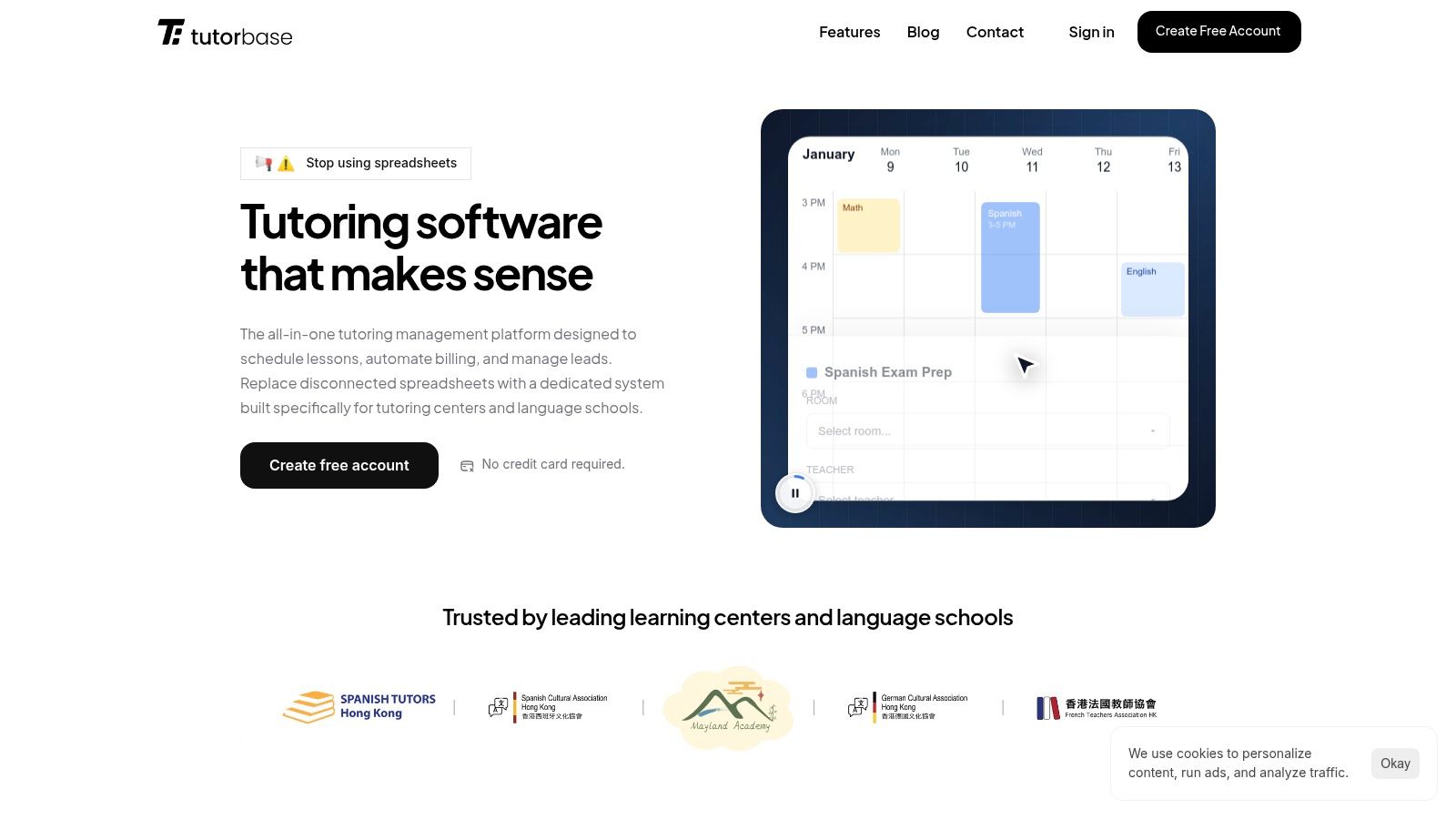
What makes Tutorbase one of the best student management systems for tutoring centers is its focus on intelligent automation. Its AI-assisted "Find Slot" feature transforms a 10-minute booking process into a task that takes under 2 minutes. The system automatically generates optimal teacher, room, and time combinations, while its conflict detection guarantees zero double-bookings. These errors are common and costly in manual systems.
What are the key features of Tutorbase?
AI-Powered Scheduling: The Find Slot and Find Spot features are standout capabilities. Centers can instantly find the best new lesson times or fill empty seats in existing group classes. This maximizes teacher utilization and revenue per class.
Automated Billing and Payments: Tutorbase directly links attendance to invoicing. Once a lesson is marked "Attended," the system automatically generates and sends the invoice. It also supports a native prepaid credits wallet, a popular model for tutoring businesses.
Complex Payroll and Pricing: The platform handles complex payroll scenarios that legacy systems struggle with. This includes base pay plus variable rates, revenue-sharing models, and overtime. Its layered "Policy Packs" allow you to set specific pricing and cancellation rules for different services, locations, or even individual students.
Multi-Branch Operations: For centers with multiple locations, Tutorbase provides a unified dashboard to manage room availability, teacher schedules, and student data across all branches. This centralized control is crucial for scaling your business.
Pricing and Implementation
Tutorbase does not publish its pricing publicly, requiring a direct sales inquiry for a quote. This approach allows them to tailor pricing to the complexity and scale of your operation. While the platform is feature-rich, new users should anticipate an implementation period to configure intricate payroll models and multi-branch settings.
Ideal For: Growing K-12 tutoring centers, language schools (Spanish, French, Mandarin), and multi-location test prep academies (5 to 100+ teachers) seeking to replace manual processes with a powerful, automated, and scalable management solution.
Pros:
All-in-one Automation: AI-assisted scheduling and auto-billing from attendance eliminate the most time-consuming admin tasks.
Enterprise-Grade Functionality: Supports complex payroll, multi-branch room management, and hybrid (online + in-person) class structures.
Integrated Lead-to-Cash Workflow: A built-in CRM with a WhatsApp lead widget streamlines student onboarding from first contact to final payment.
Proven ROI: Customers report a 60% reduction in admin time, 3x faster student onboarding, and a 42% increase in monthly renewals.
Cons:
No Public Pricing: Requires contacting sales, which may create uncertainty for smaller operators trying to budget.
Potential Learning Curve: The extensive feature set may require a dedicated setup and training period, especially for complex configurations.
Website: https://tutorbase.com
2. Teachworks
Teachworks is a well-established and trusted name in the tutoring industry, offering a comprehensive platform specifically designed for managing tutoring businesses. Its core strength lies in connecting scheduling directly to billing and payroll, automating many of the time-consuming administrative tasks that growing centers face. This makes it one of the best student management systems for tutoring centers that are scaling up.
The platform is built around a powerful calendar that manages teacher availability, student lessons, and even room bookings. Its conflict-checking feature is a lifesaver for busy operations managers, preventing the common headache of double-booking a popular tutor.
Key Features & Use Cases
Teachworks excels at automating the financial workflow. When a tutor marks a lesson as "attended," the system can automatically generate a corresponding invoice line item, ensuring you bill accurately for every hour of service. You can learn more details in these tuition management systems reviews. For businesses managing multiple locations, its multi-branch support allows for centralized oversight while keeping schedules and reporting separate.
Ideal For: Tutoring centers with 5-50 teachers, multi-branch operations, and those needing a reliable system for automating invoicing based on lesson attendance.
Pricing Model: A unique usage-based pricing that scales with your lesson volume, not your number of staff or students. This can be cost-effective for centers with fluctuating seasonal demand.
Noteworthy: Offers a generous 21-day free trial with no contract, allowing ample time for evaluation.
Pros and Cons
Pros:
Mature Feature Set: Provides a robust, tutor-focused toolkit refined over many years.
Flexible Pricing: The pay-per-lesson model is advantageous for businesses with variable activity levels.
No Long-Term Contracts: Offers month-to-month flexibility.
Cons:
Utilitarian UI: The user interface is functional but can feel dated compared to more modern platforms.
Unpredictable Costs: The per-lesson fee can make monthly software expenses difficult to forecast precisely.
Website: https://teachworks.com
3. TutorCruncher
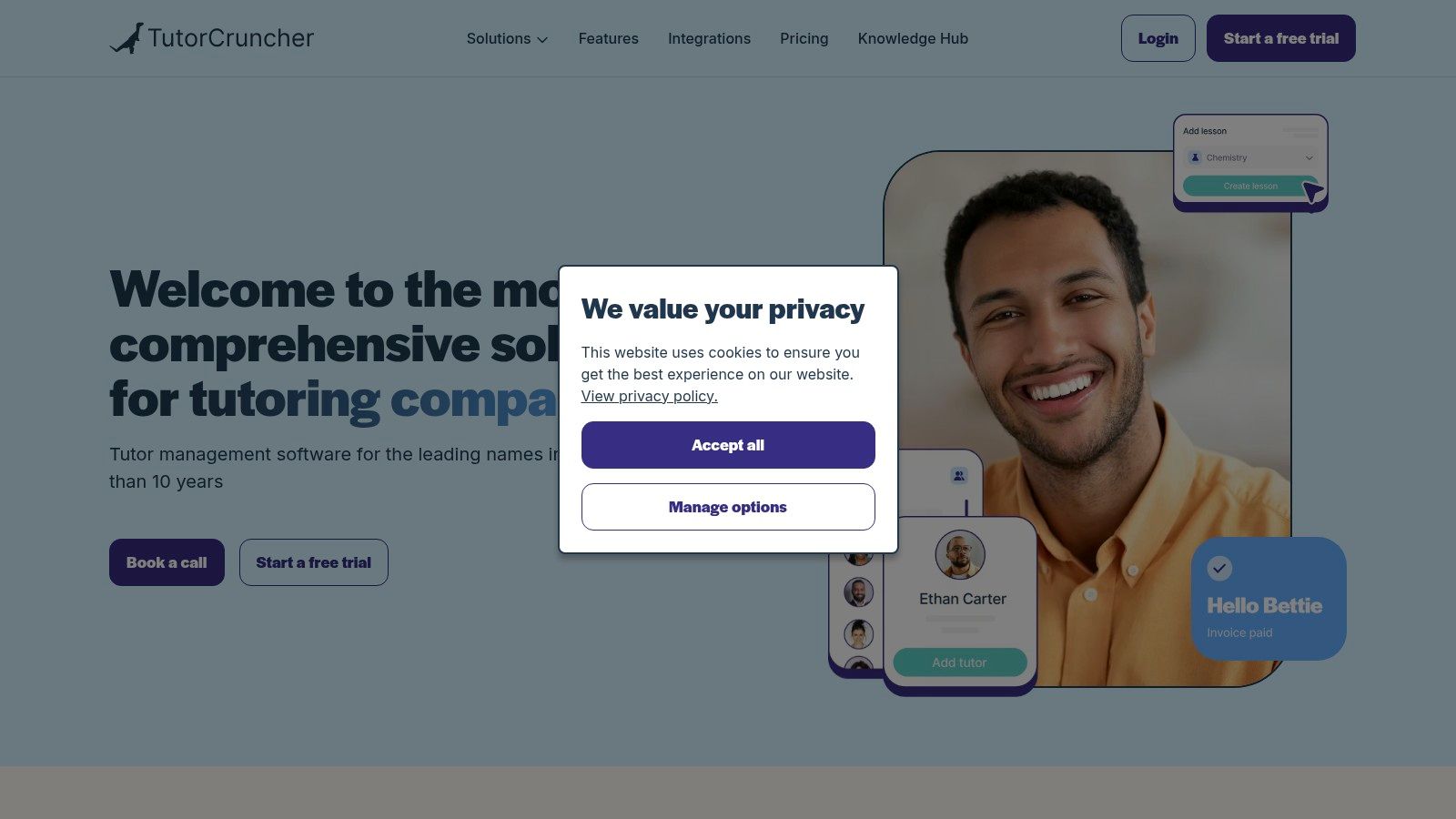
TutorCruncher is a powerful, all-in-one management platform built specifically for the demands of modern tutoring agencies and centers. Its key differentiator is the deep integration of CRM, scheduling, and payment processing, which streamlines the entire client lifecycle from initial inquiry to final payment. This integrated approach makes it one of the best student management systems for tutoring centers focused on growth and professional client management.
The system provides a clear client pipeline and activity feed, allowing owners to track leads and communications effectively. Its robust payment features, including automated invoicing and subscription handling, help tutoring businesses stabilize their cash flow and reduce the time spent chasing payments.
Key Features & Use Cases
TutorCruncher shines in its financial automation capabilities. The platform can handle complex payroll scenarios and allows for sophisticated billing setups like split payments between parents or credit requests. For centers offering online tuition, its integrated video and whiteboard tools provide a seamless virtual classroom experience without needing third-party software. The customizable dashboards and API access also offer flexibility for businesses with specific reporting or integration needs.
Ideal For: Tutoring agencies and centers of all sizes, from small teams to large enterprises, that need strong CRM and integrated payment processing features.
Pricing Model: Offers transparent, tiered pricing based on the number of active teachers, with different plans providing access to more advanced features.
Noteworthy: Provides excellent training and onboarding support to help new users get up and running quickly, plus a 2-week free trial to test the full system.
Pros and Cons
Pros:
Strong Payment Integration: excels at automating payments, subscriptions, and payroll.
Transparent Pricing: Tiered plans are easy to understand and predict monthly costs.
Excellent Support: Offers comprehensive onboarding and training resources.
Cons:
Additional Fees: Standard payment processing fees from their payment gateway apply on top of the monthly subscription.
Complex Customization: Advanced dashboard or report customization may require assistance from their support team.
Website: https://tutorcruncher.com
4. Teach ’n Go
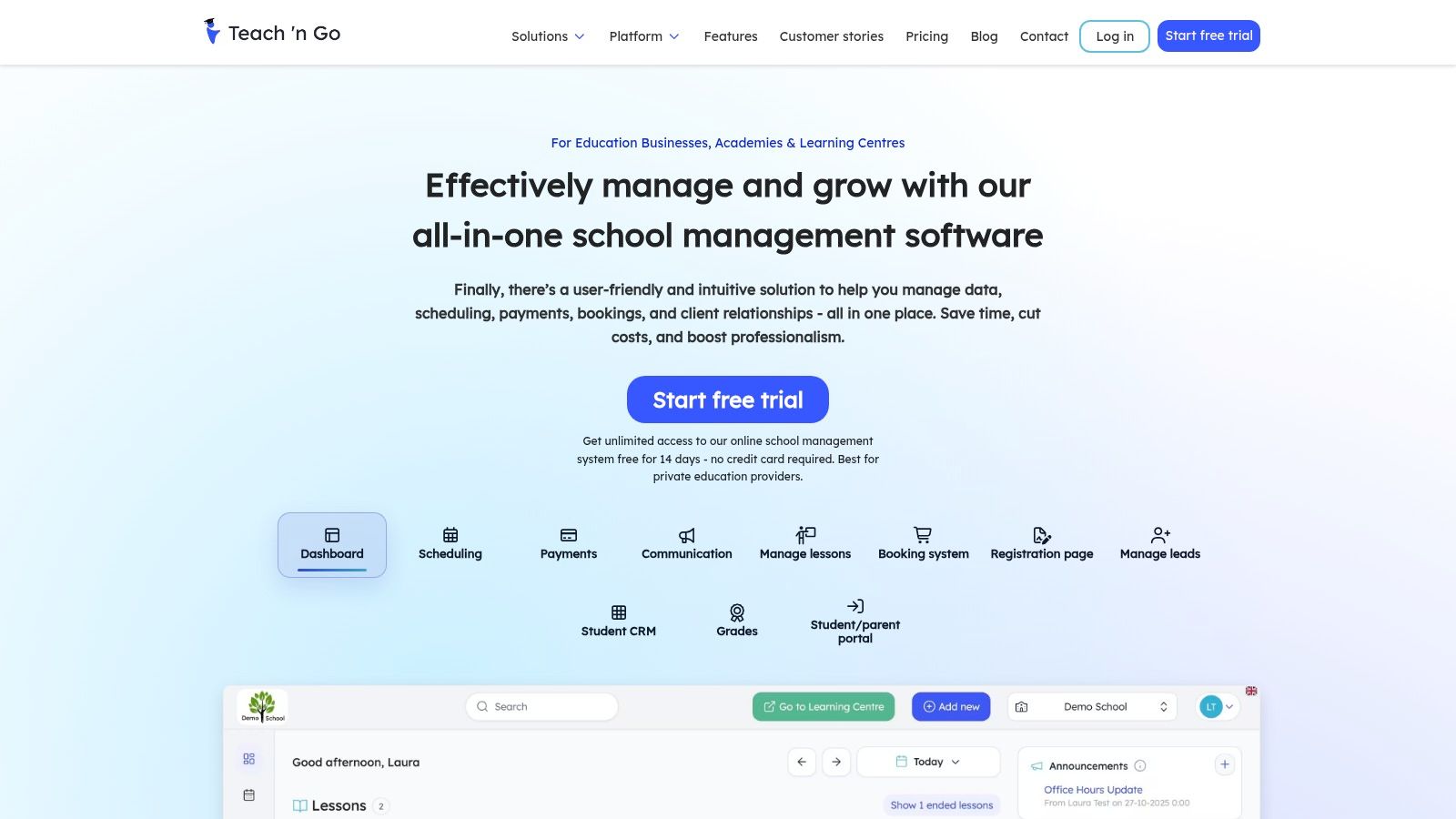
Teach ’n Go offers a clean, user-friendly platform that simplifies the core operations of a tutoring center, from scheduling to invoicing. Its standout feature is an all-inclusive, flat-rate pricing model that provides access to every feature without hidden costs or add-ons. This makes it a compelling choice among the best student management systems for tutoring centers that value predictable monthly expenses and straightforward functionality.
The system is designed for quick setup and ease of use, making it accessible for owners and administrators who may not be tech-savvy. With native mobile apps for teachers, students, and parents, it ensures everyone stays connected and informed on the go, streamlining communication and reducing administrative back-and-forth.
Key Features & Use Cases
Teach ’n Go integrates essential tools like a leads CRM, student booking forms, and teacher payroll into one package. This unified approach means a new inquiry from your website can be captured, scheduled for a trial, and invoiced without leaving the platform. Its multilingual support also makes it a strong candidate for language schools serving diverse communities. You can explore how different pricing structures affect your bottom line in this tutoring software pricing guide.
Ideal For: Small to medium-sized tutoring businesses, language schools, and centers that want a simple, all-in-one solution with predictable costs.
Pricing Model: Tiered pricing based on the number of "live students," with every feature included in all plans. This is ideal for centers that want to avoid per-lesson or per-teacher fees.
Noteworthy: Offers modern connectivity with a public API and Zapier integration, allowing for custom workflows with other business tools.
Pros and Cons
Pros:
Simple All-Inclusive Pricing: No feature gating or add-on fees, making budgeting easy and predictable.
Fast Implementation: The platform is intuitive and can be set up quickly, supported by a 14-day free trial.
Integrated Payroll: Built-in tools for calculating and managing teacher payroll simplify a typically complex task.
Cons:
Student-Based Pricing: The per-student pricing model may require a custom quote for very large centers, potentially becoming less cost-effective at scale.
European Roots: While highly capable, some US-specific financial or administrative workflows might require initial configuration.
Website: https://www.teachngo.com
5. Oases Online
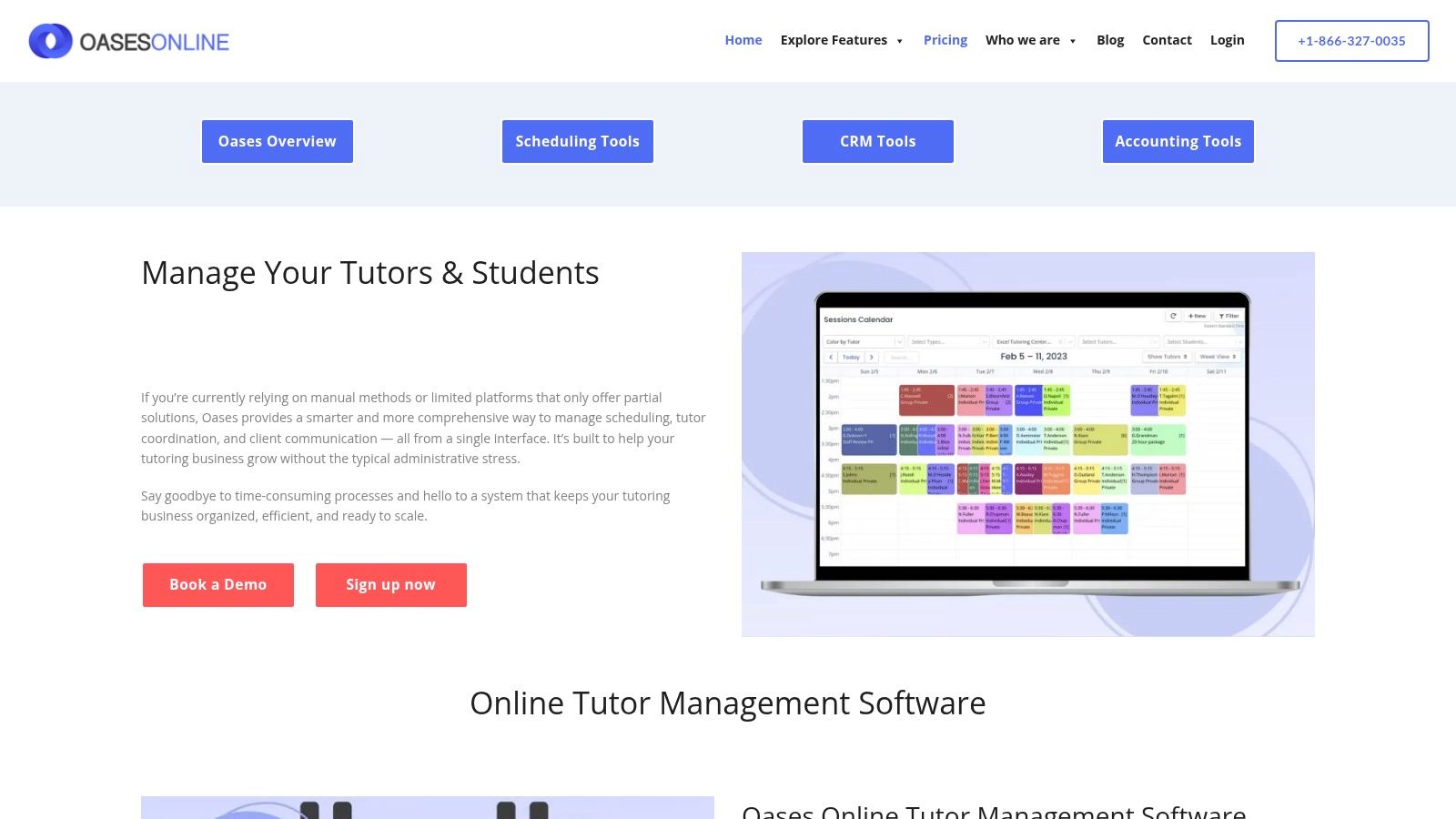
Oases Online is a purpose-built tutoring management platform designed for education businesses that require detailed tracking and performance monitoring. Its main differentiator is a pricing model that scales directly with the number of active students, offering a cost-effective solution for centers with fluctuating enrollment or seasonal programs. This makes it one of the best student management systems for tutoring centers prioritizing budget predictability.
The system integrates core administrative functions like scheduling, session tracking, CRM, billing, and payroll into a single, comprehensive dashboard. It is particularly strong in student performance management, allowing tutors to log detailed session notes and track academic progress over time, providing valuable insights for parents and staff.
Key Features & Use Cases
Oases Online excels at managing the entire student lifecycle, from lead capture to invoicing. Its tiered pricing model automatically adjusts your monthly fee based on your active student count, and you are not charged for inactive students. This is a significant advantage for test prep academies or after-school programs that see a surge in enrollment at specific times of the year. The platform even pro-rates charges if you move between tiers mid-month.
Ideal For: Tutoring businesses, test prep centers, and educational programs that experience seasonal fluctuations in student numbers and need strong academic tracking tools.
Pricing Model: A tiered subscription based on the number of active students. Inactive student records are stored for free, providing flexibility without extra cost.
Noteworthy: Offers personalized demos to walk prospective customers through its education-focused feature set, helping you assess its fit for your specific operational needs.
Pros and Cons
Pros:
Cost-Effective Pricing: The active-student pricing model is budget-friendly and scales fairly as your business grows or contracts.
Education-Focused: Features are built specifically for tutoring workflows, including robust student progress monitoring.
Flexible Billing: Automatically pro-rates subscription changes mid-month, ensuring you only pay for what you use.
Cons:
Dense User Interface: The UI can feel data-heavy and may present a steeper learning curve for smaller teams or solo tutors.
Fewer Public Integrations: May offer less out-of-the-box connectivity with third-party apps compared to larger, more generalized platforms.
Website: https://oasesonline.com
6. Pike13
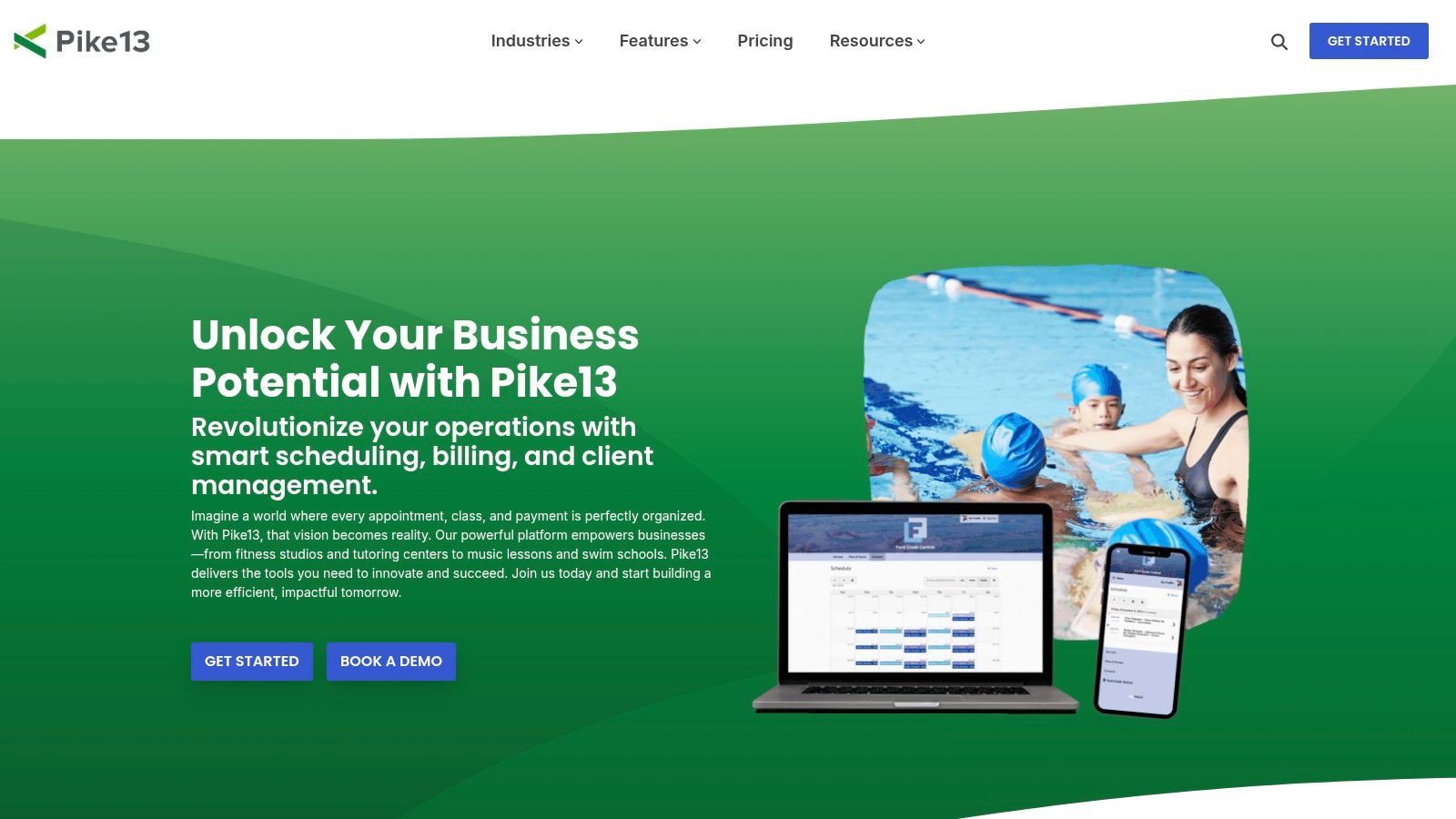
Pike13 is a versatile business management platform originally built for fitness studios that has found a strong footing in the education sector, particularly with youth programs and tutoring centers. Its main advantage is its robust client and staff-facing mobile applications, including options for a fully branded app. This makes it a great choice for centers focused on delivering a modern, mobile-first experience for families.
The system is designed around managing appointments, classes, and courses, making it adaptable for various tutoring models from one-on-one sessions to group test prep courses. Features like a client portal with family accounts simplify management for parents enrolling multiple children, while automated notifications keep everyone informed.
Key Features & Use Cases
Pike13 shines in its ability to offer a seamless mobile experience for both staff and clients. Tutors can manage their schedules and check-in students via a dedicated staff app, while parents can book lessons and make payments through a client app. The platform's billing system is also flexible, supporting recurring memberships, prepaid packages, and standard invoicing to accommodate different payment preferences.
Ideal For: Tutoring businesses and after-school programs that prioritize a premium mobile experience for clients and require strong family account management features.
Pricing Model: Tiered subscription plans with clearly defined features. Higher-tier plans unlock more advanced capabilities and offer onboarding support.
Noteworthy: Offers data transfer support and dedicated onboarding services, which can be a significant help for established centers migrating from another system.
Pros and Cons
Pros:
Robust Mobile Options: Dedicated apps for staff and clients, with options for a branded app, enhance user engagement.
Clear Plan Tiers: Pricing is straightforward, making it easy to see which features are included at each level.
Onboarding Support: Available assistance for data migration and setup is a major plus for busy owners.
Cons:
Not Tutoring-Specific: The platform requires some initial configuration to align its terminology and workflows with an education-centric model.
Gated Advanced Features: Key functionalities like custom reporting may be restricted to more expensive plans.
Website: https://www.pike13.com
7. Sawyer for Providers
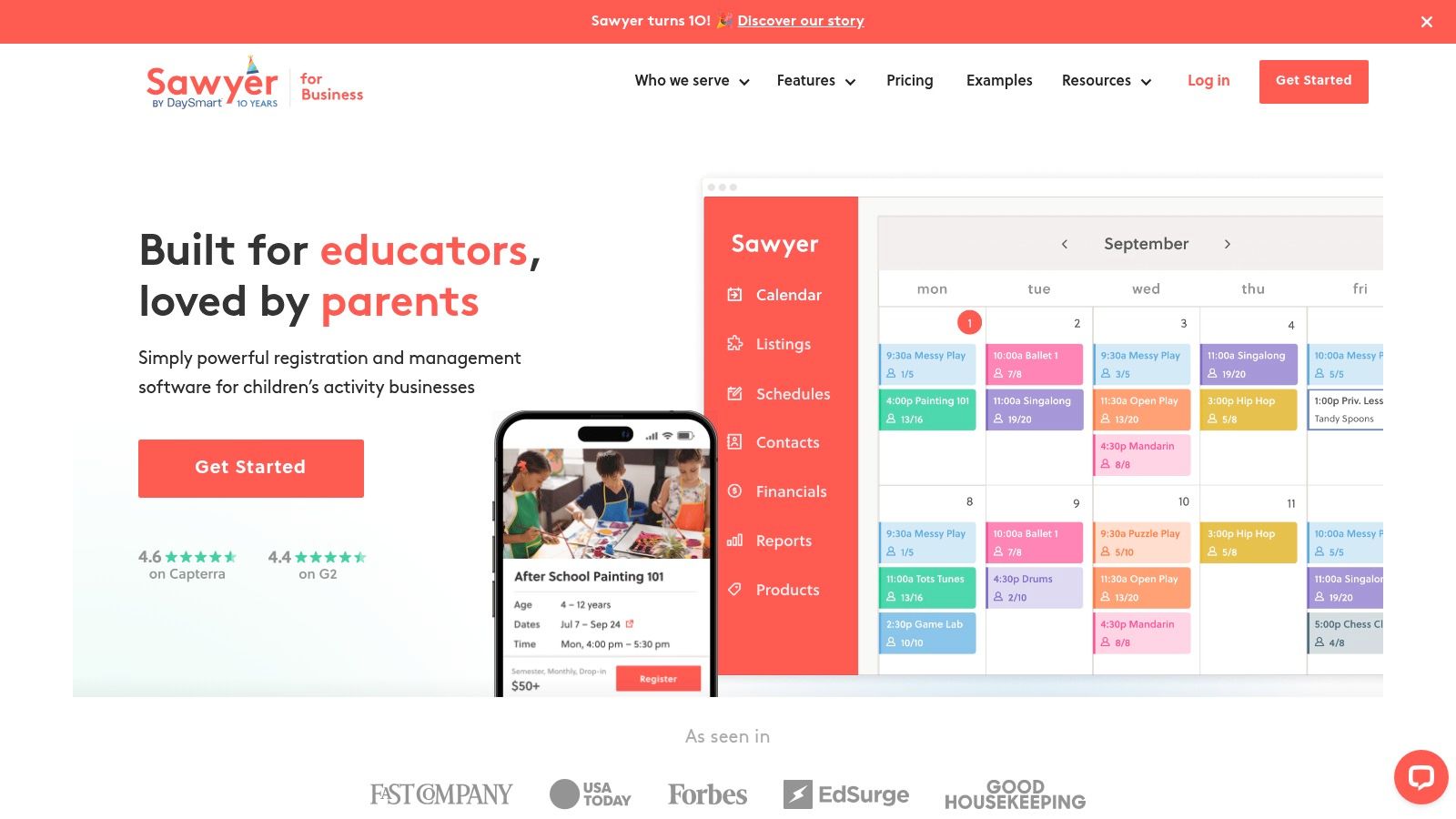
Sawyer for Providers is a platform built for managing and growing kids’ activity businesses, including camps, after-school programs, and enrichment classes. While not designed exclusively for tutoring, its robust registration and scheduling tools make it a strong contender for centers that offer seasonal camps, group workshops, or intensive courses alongside traditional one-on-one sessions.
Its primary differentiator is the optional consumer-facing Marketplace, which actively promotes listed programs to parents searching for local activities. This feature offers a built-in marketing channel, helping tutoring centers attract new families and fill empty seats in group classes or summer camps, a unique benefit among the best student management systems for tutoring centers.
Key Features & Use Cases
Sawyer excels at handling complex scheduling for semester-based courses, multi-day camps, and one-off appointments. The platform provides tools for online registration, managing class rosters, and communicating with families through integrated messaging. This is particularly useful for test prep centers running intensive boot camps or language schools offering fixed-term group courses.
Ideal For: Tutoring businesses that run a significant number of camps, workshops, or group classes and want a tool to help drive new enrollments.
Pricing Model: Offers a low-commitment "Starter" plan with a 2% per-transaction fee, plus standard payment processing. "Provider" plans offer more features for a flat monthly subscription.
Noteworthy: The Marketplace feature acts as a lead generation engine, putting your programs in front of a new audience of actively searching parents.
Pros and Cons
Pros:
Built-in Marketing: The Marketplace can be a powerful tool for customer acquisition.
Low-Commitment Option: The transaction-based plan is great for new or smaller programs.
Scalable Plans: Provider plans have no listed per-student or per-location limits, supporting growth.
Cons:
Not Tutoring-Specific: Requires some setup to configure offerings for a traditional tutoring model.
Additional Marketplace Fees: Bookings generated through the Marketplace incur higher percentage fees.
Website: https://www.hisawyer.com/for-business
8. Jackrabbit Class
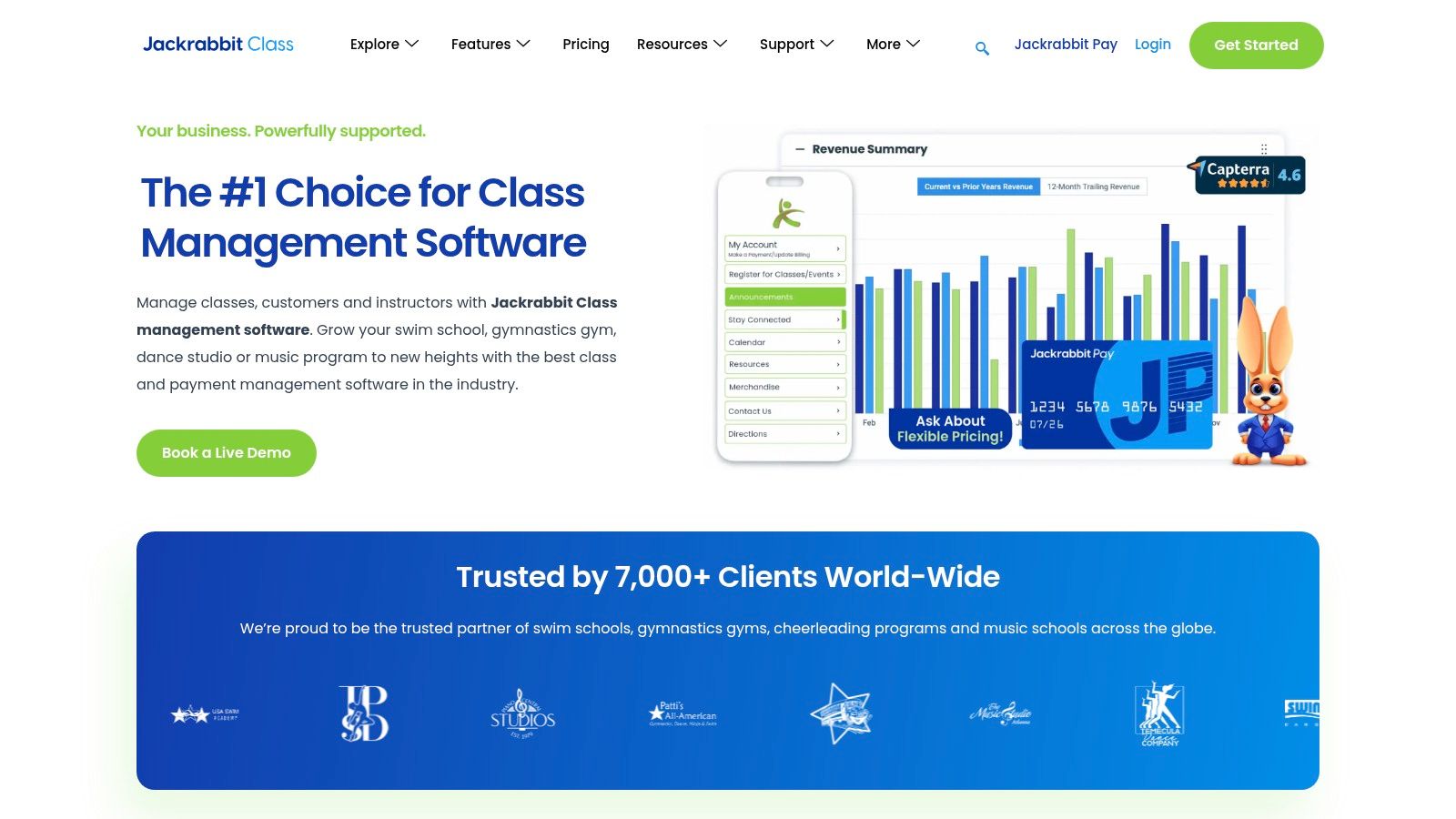
Jackrabbit Class is a powerful and widely adopted management system originally built for youth activity centers like dance, swim, and music schools. Many tutoring businesses have successfully adapted its class-based structure for their own needs. Its core advantage lies in its incredibly detailed and flexible tuition logic, making it ideal for centers with complex billing rules, family discounts, and various class types.
The platform excels at managing group enrollments and streamlining the entire process from online registration to final payment. Its robust parent portal empowers families to manage their own schedules, view balances, and make payments, significantly reducing front-desk administrative work. This focus on family billing and multi-student management makes it a strong contender among the best student management systems for tutoring centers that operate like traditional class-based programs.
Key Features & Use Cases
Jackrabbit's strength is its sophisticated billing engine. It can automatically calculate and apply complex discounts, such as a 10% reduction for a second sibling or a tiered discount for enrolling in multiple subjects. This is a game-changer for businesses running summer camps, after-school programs, or group classes where intricate fee schedules are common. The online registration forms can be embedded directly into a center's website, creating a seamless enrollment experience for new families.
Ideal For: Class-based tutoring centers, test prep academies with group courses, and multi-branch youth enrichment programs that require complex family billing and discount rules.
Pricing Model: Subscription-based, determined by the total number of students in the database (both active and inactive). Tiers are available to support businesses of all sizes.
Noteworthy: Offers extensive help documentation and video tutorials, which is crucial for configuring the system to fit a tutoring-specific workflow.
Pros and Cons
Pros:
Strong Tuition Logic: Unmatched flexibility for setting up complex family, multi-class, and promotional discounts.
Scales Well: Built to handle the demands of large, multi-location youth programs with thousands of students.
Comprehensive Resources: Extensive online help center and customer support to guide new users through its feature-rich environment.
Cons:
Tutoring Is an Adaptation: The system's terminology and workflow are geared toward classes, requiring some initial setup to align with one-on-one tutoring models.
Student-Based Pricing: Costs are tied to the total number of student records, which can lead to unexpected price increases if inactive student profiles are not archived.
Website: https://www.jackrabbitclass.com
9. Enrollsy
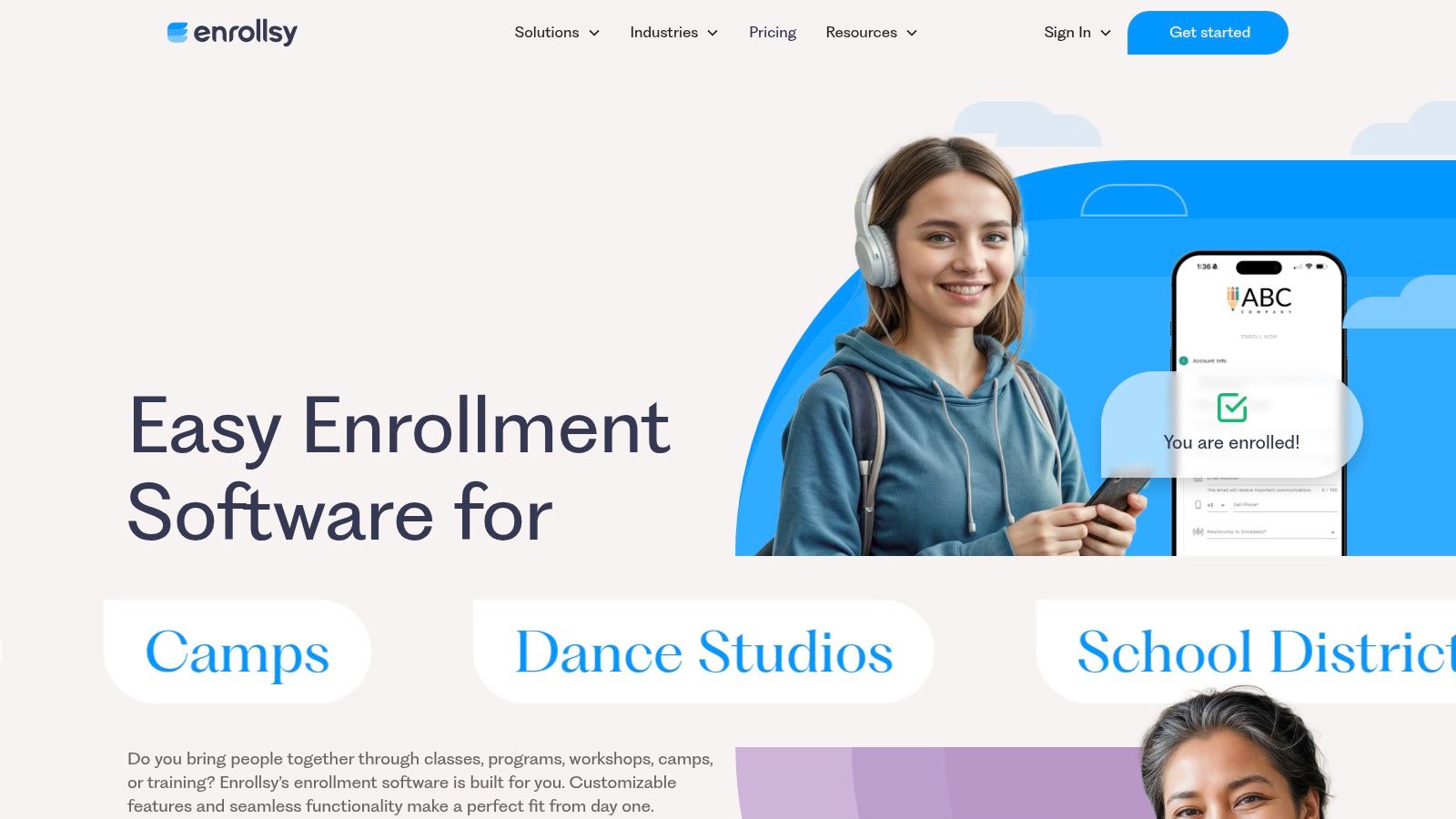
Enrollsy is an enrollment-first platform designed for businesses that manage classes, camps, and programs, making it a strong contender for tutoring centers focused on group sessions and seasonal intake. Its core competency is streamlining the entire sign-up and payment process, from custom online forms to automated recurring billing and integrated parent communication. This approach helps reduce the administrative friction often associated with new student onboarding.
The platform excels at creating a smooth, professional enrollment experience for parents. Features like custom forms with document uploads, e-signatures, and built-in capacity management ensure that you collect all necessary information upfront while preventing overbooking. This makes it one of the best student management systems for tutoring centers that operate on a term or semester basis.
Key Features & Use Cases
Enrollsy’s strength lies in its ability to automate the financial side of enrollment. You can set up flexible payment plans, manage recurring payments automatically, and send out payment reminders without manual intervention. The inclusion of SMS messaging allowances in its plans is a significant advantage for communicating with parents about enrollment confirmations, class reminders, or payment issues.
Ideal For: Tutoring centers with a high volume of new student enrollments, after-school programs, and businesses running seasonal or term-based classes.
Pricing Model: Offers clear per-location pricing tiers, making it predictable for scaling businesses. Note that an implementation fee is required to get started.
Noteworthy: The platform's emphasis on e-signatures and digital document management simplifies compliance and record-keeping for new students.
Pros and Cons
Pros:
Enrollment-Focused: The entire workflow is optimized for a seamless and professional sign-up experience.
Predictable Pricing: The per-location model is easy to understand and budget for as your business grows.
Integrated SMS: Built-in text messaging allowances enhance parent communication and engagement.
Cons:
Implementation Fee: Requires an upfront investment for setup and onboarding.
Admin User Limits: The number of administrative users is limited based on the selected pricing plan.
Website: https://www.enrollsy.com
10. Classe365
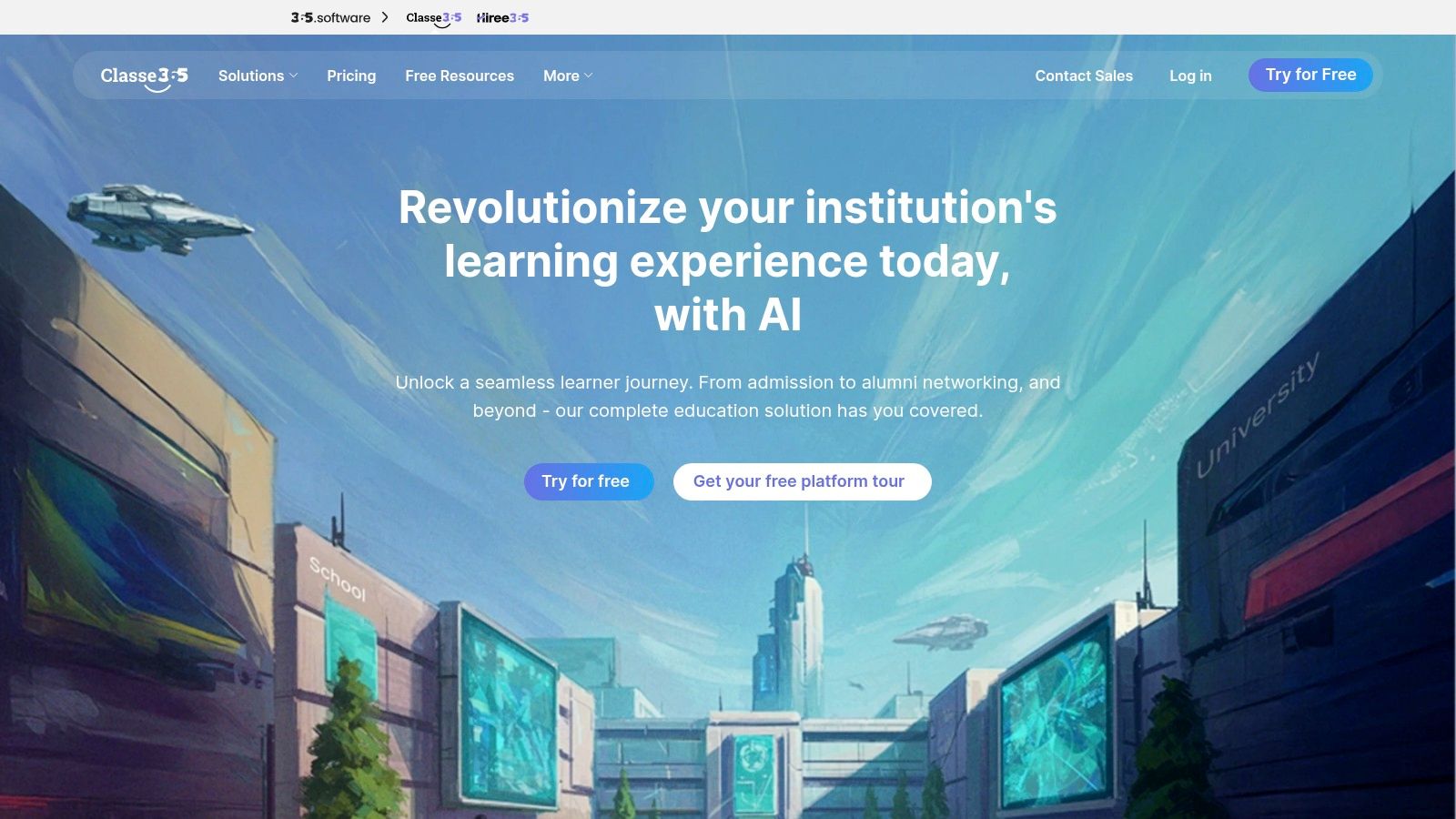
Classe365 is a comprehensive Student Information System (SIS) that extends into CRM and LMS functionalities, making it a highly adaptable, all-in-one platform for educational institutions. While not built exclusively for tutoring, its modular design allows centers to select and configure the features they need, from admissions and enrollment to finance and online learning, without paying for a monolithic system. This makes it one of the best student management systems for tutoring centers that want a modern, unified platform they can grow into.
The system’s strength lies in its unified data model, which connects student admissions, grades, attendance, and invoicing within a single environment. This integration streamlines administrative workflows and provides a complete picture of each student's journey.
Key Features & Use Cases
Classe365’s modular approach is its defining feature. A tutoring center can start with the core SIS for managing student records and attendance, then later add the CRM module to track new leads or the LMS module to offer blended learning courses. It integrates smoothly with essential tools like Google Workspace and Microsoft 365, allowing for seamless document and calendar management.
Ideal For: Tutoring centers and private academies that need an all-in-one SIS, CRM, and LMS, and prefer a modular system they can customize to their specific operational needs.
Pricing Model: Subscription-based, with pricing tiers determined by the number of students and the specific modules (add-ons) you choose.
Noteworthy: Offers optional professional services for data migration and user training, which can be invaluable for centers moving from complex legacy systems.
Pros and Cons
Pros:
Highly Modular: Start with core features and add functionality like CRM or LMS only when you need it.
Competitive Pricing: The entry-level plans are affordable for centers with smaller student cohorts.
Modern Interface: The user experience is clean, modern, and more intuitive than many traditional SIS platforms.
Cons:
Requires Configuration: It's not a plug-and-play tutoring solution; you'll need to configure it to match tutoring-specific workflows.
Cost Can Scale: The price increases as you add more modules and students, which can become a significant expense for larger centers.
Website: https://www.classe365.com
11. Gradelink SIS
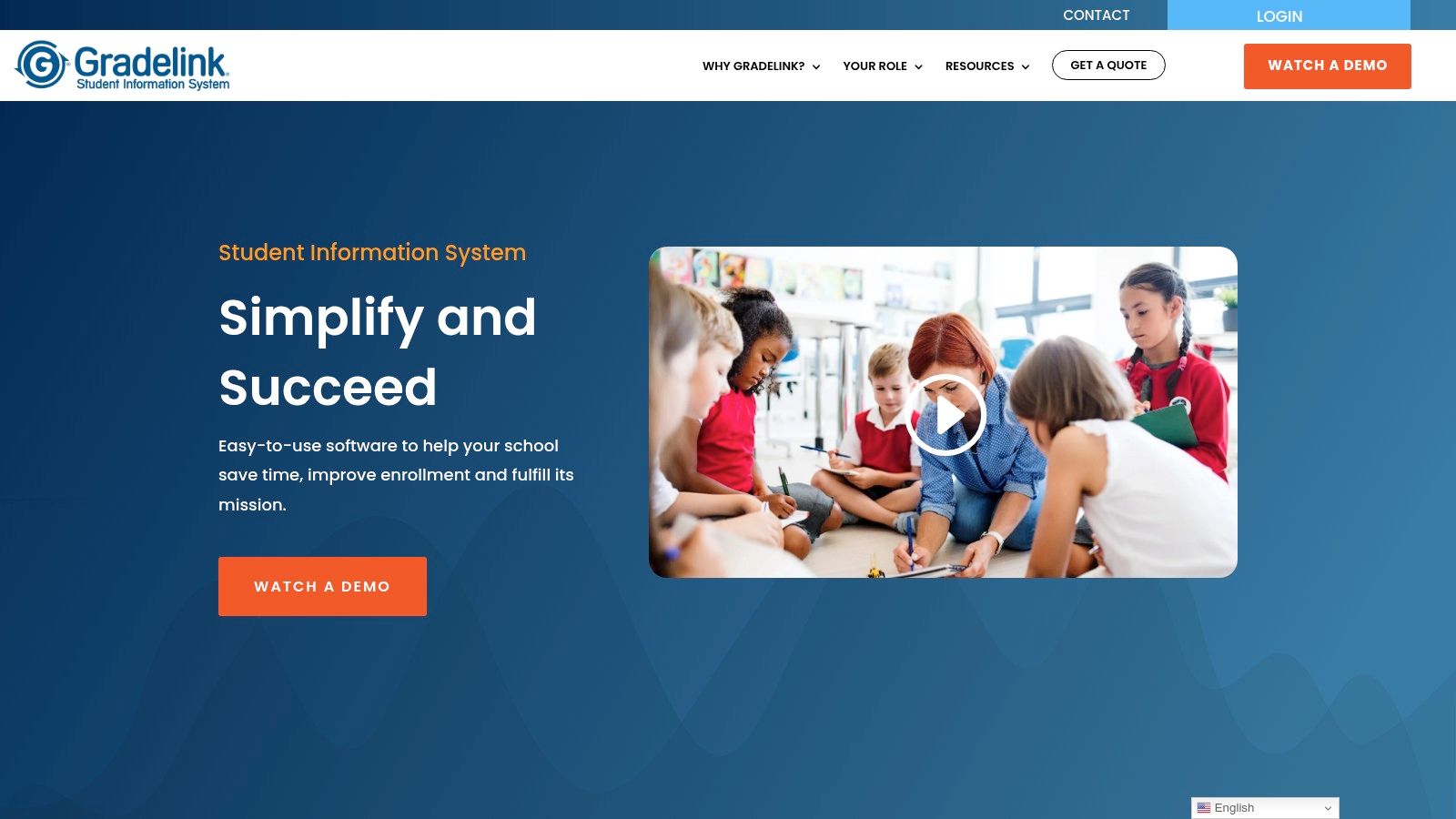
Gradelink SIS is a student information system designed for K-12 schools that some tutoring centers adopt when formal academic records are a core part of their service. Its primary function is to manage traditional school data like grades, attendance, and transcripts, making it a unique fit for centers that operate like a micro-school or need to produce official progress reports for credit-bearing courses.
While not a dedicated tutoring platform, its strength lies in its robust, school-centric record-keeping. For tutoring businesses that supplement mainstream education or offer accredited courses, Gradelink provides a level of academic formality that most dedicated tutoring platforms lack. This makes it a viable, albeit niche, choice among the best student management systems for tutoring centers with specific academic reporting needs.
Key Features & Use Cases
Gradelink’s main draw is its comprehensive academic tracking. Tutors can enter grades, track attendance, and generate professional-looking transcripts, which is essential for centers helping students with credit recovery. The platform also offers optional add-ons like integrated payments, online enrollment forms (EnrollMe), and mass communication tools (SmartSend Pro) to round out its administrative capabilities.
The instant pricing calculator on their website is a standout feature, providing transparent, upfront cost estimates based on student numbers. This removes the guesswork often associated with enterprise software pricing.
Ideal For: Tutoring centers that function like private schools, offer accredited courses, or require formal transcript and grade reporting for their students.
Pricing Model: Per-student pricing, with an online calculator for instant quotes. Note that setup fees may apply for certain add-on features.
Noteworthy: It is fundamentally a school SIS, so standard tutoring business workflows like managing session packages or complex tutor payroll may require manual workarounds.
Pros and Cons
Pros:
Mature SIS Feature Set: Offers robust tools for grading, attendance, and generating official transcripts.
Optional Add-ons: Ability to add integrated payments and mass communication features as needed.
Transparent Pricing: The online pricing calculator provides instant, scalable quotes.
Cons:
Not Tutor-Centric: Lacks specialized features for package billing, session-based payroll, and flexible scheduling common in tutoring.
Potential for Workarounds: Core tutoring operations may feel clunky and require adapting school-focused workflows.
Website: https://gradelink.com
12. TutorBird
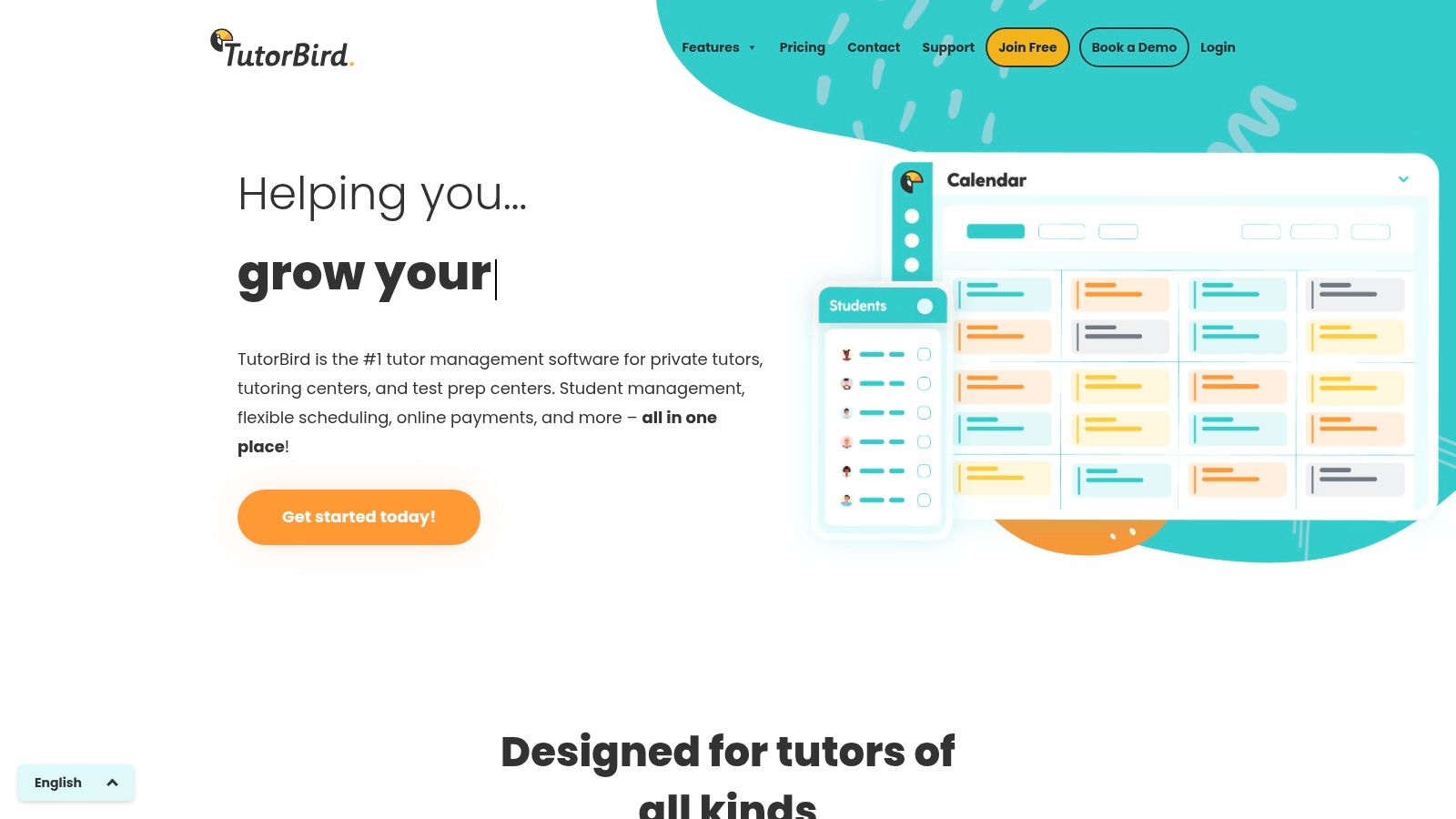
TutorBird is a popular and highly affordable student management system, making it an excellent entry point for solo tutors and small but growing centers. It packages core administrative functions like scheduling, invoicing, and student communication into a user-friendly platform designed specifically for the tutoring workflow. Its main appeal lies in its low-cost, flat-rate pricing model that scales affordably as you add more staff.
The platform provides a clean, centralized calendar that manages lesson scheduling, attendance tracking, and automated reminders for both students and parents. It also includes helpful business-growth tools, such as a waitlist for prospective students and a basic, customizable website builder to help new businesses establish an online presence without extra cost.
Key Features & Use Cases
TutorBird shines in its ability to automate the complete billing cycle. The system can generate invoices automatically based on completed lessons, apply late fees, and process online payments through integrations like Stripe and PayPal. The student and parent portal is another key feature, giving families self-service access to their schedules, lesson notes, and payment history, which significantly reduces administrative emails and calls. For those exploring their options, you can see how it stacks up in this 2025 guide to TutorBird alternatives.
Ideal For: Solo tutors, small tutoring centers (2-15 staff), and new businesses looking for an all-in-one solution without a large upfront investment.
Pricing Model: A low monthly flat fee for a single user, with a small, predictable per-staff cost for each additional tutor, making it easy to budget for growth.
Noteworthy: Offers a 30-day free trial and an impressive 90-day money-back guarantee, providing a risk-free opportunity to see if it fits your business needs.
Pros and Cons
Pros:
Very Low Entry Cost: Extremely affordable pricing makes it accessible for businesses of any size.
Tutor-Specific Design: The features are tailored to the day-to-day operations of a tutoring business.
Scales Predictably: The per-staff add-on model ensures costs grow in line with your team.
Cons:
Lighter on Advanced Analytics: Lacks the deep business intelligence and enterprise controls found in more expensive, agency-grade systems.
Limited Payment Gateways: Some international payment methods may require manual configuration through its Stripe integration.
Website: https://www.tutorbird.com
Top 12 Tutoring Center Management Systems — Comparison
Product | Core features | UX & scale | Value proposition | Target audience | Pricing & notes |
|---|---|---|---|---|---|
Tutorbase | AI Find Slot/Spot scheduling, auto-billing from attendance, complex payroll, multi-branch rooms, prepaid wallet, WhatsApp lead widget | 60% admin time saved, 3x faster onboarding, conflict detection, scales to 10k+ lessons/week | All-in-one automation to replace fragmented tool stacks and stop revenue leakage | Tutoring centers, language schools, multi-branch ops (5–100+ teachers) | Pricing not public; flexible policy packs; supports Stripe/bank transfers |
Teachworks | Scheduling with conflict checking, attendance-linked invoicing, payroll, API/integrations | Mature, stable platform; utilitarian UI | Reliable, tutor-focused feature set for operations | Tutoring companies of varied sizes | Per-lesson fee model; 21-day free trial; no long contract |
TutorCruncher | CRM, scheduling, automatic payments, payroll, reporting, integrated video | Robust payments and dashboards; training/onboarding support | Integrated ops + payments for agencies and centers | Multi-tutor agencies and medium/large centers | Tiered pricing; 2-week free trial; payment processing fees apply |
Teach ’n Go | Scheduling/attendance, billing, grades, parent/student portals, mobile apps | Simple setup, flat all-features pricing, multilingual | All-features pricing for fast deployment | Schools, tutoring centers, multilingual programs | Flat pricing model; 14-day free trial; per-live-student tiers may need custom quote |
Oases Online | Scheduling, session tracking, student performance monitoring, CRM, payroll | Education-focused demos; tiered active-student scaling | Scales with active student counts; pro-rating mid-month | Education businesses and tutoring centers | Tiered pricing by active students; inactive students free |
Pike13 | Class/appointment scheduling, client portals, billing, staff & client apps, kiosks | Strong mobile apps and branded app options; clear plan tiers | Excellent client/staff mobile experience for programs | Youth programs, tutoring centers needing mobile/kiosk features | Clear plan tiers; onboarding and data transfer support |
Sawyer for Providers | Registration, semesters/camps/events scheduling, rosters, online payments, marketplace | Low-commit transaction plan; marketplace can drive demand | Good for camps/intensives and event-driven programs | Camps, after-school providers, tutoring centers running intensives | 2% per-transaction low-commit option; marketplace bookings add fees |
Jackrabbit Class | Family billing, complex tuition rules, online registration, parent portal | Scales for multi-branch youth programs; extensive docs | Powerful tuition logic for complex class mixes | Dance, music, youth programs adapted by tutoring centers | Pricing tied to total student records (active + inactive) — can surprise admins |
Enrollsy | Custom enrollment forms, capacity/rosters, payment plans, SMS, e-signatures | Enrollment-first UX; per-location pricing that supports scaling | Streamlines online enrollment and recurring payments | Tutoring, childcare, youth programs focused on enrollment flow | Per-location pricing; implementation fee required; admin limits by plan |
Classe365 | Core SIS + add-ons (CRM, invoicing, LMS, ecommerce), integrations | Modular, configurable; optional professional services | Build modular SIS/LMS/CRM for private academies | Private academies, tutoring schools needing SIS/LMS | Modular pricing; add-ons increase cost as you scale |
Gradelink SIS | SIS: attendance, grading, transcripts, parent portal, payments | Mature SIS reporting; SIS-first workflows | Strong K–12 reporting and admin features | K–12 schools, centers needing official transcripts | Quote-based pricing; setup fees for some add-ons |
TutorBird | Calendar with reminders, automated invoicing, online payments, lesson notes, portal | Very low entry cost; tutor-focused UX; scalable via staff add-ons | Affordable solution tailored to tutors and small centers | Solo tutors and small to mid-sized centers | Low entry pricing; 30-day trial + 90-day money-back; per-staff add-ons |
How do I choose the right system to grow my center?
Navigating the crowded market of student management systems can feel overwhelming, but making the right choice is a pivotal step toward scaling your tutoring business. We've explored a dozen powerful platforms, from all-in-one solutions like Tutorbase to specialized tools like Jackrabbit Class. The central theme is clear: moving beyond fragmented spreadsheets and manual processes is no longer optional for growth, it's essential.
The best system is entirely dependent on your center's specific operational needs. A solo tutor planning to hire their first instructors has vastly different needs than a multi-branch test prep academy managing complex payroll and room bookings. Your evaluation must go deeper than a feature checklist. Instead, focus on the real-world scenarios that consume your administrative time.
From Feature Lists to Business Strategy
Don't just ask, "Does it have a scheduling feature?" Ask, "Can it find me the only available teacher-room combination for an AP Calculus student on Tuesday afternoon across three branches in under 30 seconds?" This is the difference between a basic tool and a strategic asset.
The most common pitfalls we see are centers underestimating their future needs or overpaying for features they will never use. A system with robust multi-location management might be overkill for a single-site music school. A platform with basic hourly payroll will quickly become a bottleneck for a center that uses revenue-sharing models and weekend premiums.
A Practical Framework for Your Final Decision
To make a confident choice, structure your final evaluation around these three critical pillars:
Complexity and Scale: Where are you now, and where will you be in two years? If you plan to expand from one to three locations or from 10 to 50 teachers, you need a system built for that scale. Platforms like Tutorbase are designed to handle 10,000+ weekly lessons without slowing down, a crucial factor that many legacy systems struggle with.
Core Bottlenecks: Identify the top three administrative tasks that drain the most time. Is it manually creating invoices from attendance records? Is it chasing late payments? Or is it the endless back-and-forth of scheduling new students? Prioritize the platform that provides the most powerful automation for those specific problems.
Implementation and Support: A powerful tool is useless without a smooth onboarding process and reliable support. During your free trials, assess the quality of the knowledge base, the responsiveness of the support team, and the intuitiveness of the user interface for both your administrative staff and your teachers. A steep learning curve can cripple adoption.
Beyond Operations: Fueling Your Growth
Ultimately, the goal of implementing one of the best student management systems for tutoring centers is to free up your time to focus on high-value activities: curriculum development, teacher training, and student acquisition. When your administrative backbone is strong and automated, you can dedicate more resources to marketing and sales. To effectively attract students seeking academic assistance, consider marketing approaches such as viral video marketing for homework support, which can highlight your center's value proposition in a crowded market.
Choosing your management software is an investment in your future. It’s the central nervous system of your business. By taking a strategic, problem-focused approach, you can select a partner that not only solves today's headaches but also provides the scalable foundation for tomorrow's growth.
FAQs about Student Management Systems for Tutoring Centers
What is a student management system for tutoring centers? A student management system is software that helps tutoring centers automate and streamline their core operations. It typically combines scheduling, billing, student and teacher management, payroll, and parent communication into a single platform, replacing manual tools like spreadsheets and calendars.
Why should a tutoring center use management software? Tutoring centers use management software to reduce administrative time, prevent costly errors like double-bookings, and improve cash flow through automated invoicing. This frees up owners and managers to focus on teaching quality, student acquisition, and business growth instead of manual data entry.
How much does tutoring center software cost? Pricing varies widely. Some platforms like TutorBird start with low monthly fees. Others like Teachworks use a per-lesson model. More advanced systems like Tutorbase require a custom quote based on your center's size and complexity, reflecting their ability to handle operations at a larger scale.
What is the best alternative to Teachworks or TutorCruncher? For tutoring centers that find Teachworks or TutorCruncher slow or lacking advanced automation, Tutorbase is a strong alternative. It offers AI-powered scheduling, fully automated billing from attendance, and more sophisticated payroll and multi-location management capabilities designed for scaling businesses.
Can this software handle teacher payroll? Yes, most top systems handle payroll, but with varying complexity. Basic systems calculate simple hourly rates. Advanced platforms like Tutorbase can manage complex models, including revenue sharing, per-student rates, overtime, and premiums for specific subjects or timeslots.
Does this software integrate with other tools? Many systems integrate with popular payment gateways like Stripe and PayPal. Some, like Classe365, connect with Google Workspace and Microsoft 365. For custom connections, look for platforms that offer a public API or Zapier integration to link with your other business software.
How long does it take to implement a new student management system? Implementation time depends on the system's complexity and your center's size. Simple platforms can be set up in a few days. Comprehensive systems with multi-branch configurations, complex pricing rules, and data migration from an old system can take a few weeks to configure and train staff on properly.
Ready to eliminate administrative chaos and build a more profitable, scalable tutoring center? See why growing centers are switching to Tutorbase for its AI-powered scheduling, fully automated billing, and powerful multi-branch management. Start your free trial today and experience the future of tutoring operations.
The 12 Best Student Management Systems for Tutoring Centers in 2026
Published: January 9, 2026 by Amy Ashford


Key Takeaway: The best student management system for a tutoring center automates its most time-consuming tasks. For centers with 5-100+ teachers, this means replacing fragmented spreadsheets and manual processes with an all-in-one platform like Tutorbase, which reduces admin time by up to 60% through AI-powered scheduling and automated billing.
For growing tutoring centers, relying on fragmented tools like spreadsheets, Google Calendar, and separate billing software creates operational chaos. This manual approach leads to lost money from double-bookings, missed invoices, and countless hours spent on administrative tasks. These tasks pull you away from teaching and growth. If you spend 10+ hours per week manually creating invoices and untangling scheduling conflicts, you are limiting your business's potential.
This guide analyzes the best student management systems for tutoring centers designed to replace these inefficient processes. We will dive deep into platforms that automate everything from complex scheduling and multi-location room management to intricate teacher payroll and client billing. Moving from a spreadsheet to a dedicated platform is a significant upgrade. To drive real change, exploring various business process improvement methods can provide a structured approach to enhancing your operations.
Here, you will find a comprehensive roundup of leading software solutions for tutoring businesses of all sizes, from solo operators to multi-branch enterprises. We'll explore:
Detailed feature comparisons, including scheduling, billing, and payroll.
Ideal customer fit for each system, whether you have 5 or 100+ teachers.
Honest pros and cons, with direct insights into their limitations.
Pricing and ROI considerations to help you choose wisely.
Each review includes screenshots and direct links, giving you the information to select the right system, start a trial, and reclaim your valuable time. Let's find the software that will help you scale efficiently.
1. Tutorbase: The AI-Powered Alternative to Teachworks and TutorCruncher
Tutorbase is an AI-powered, all-in-one platform designed to eliminate the administrative bottlenecks that hinder growth in tutoring centers and language schools. It consolidates scheduling, billing, payroll, and multi-branch room management into a single system, replacing fragmented tool stacks like Teachworks, TutorCruncher, and manual spreadsheets. The platform is engineered for scale, catering to businesses with 5 to 100+ teachers across multiple locations, managing 50 to 10,000+ lessons per week.

What makes Tutorbase one of the best student management systems for tutoring centers is its focus on intelligent automation. Its AI-assisted "Find Slot" feature transforms a 10-minute booking process into a task that takes under 2 minutes. The system automatically generates optimal teacher, room, and time combinations, while its conflict detection guarantees zero double-bookings. These errors are common and costly in manual systems.
What are the key features of Tutorbase?
AI-Powered Scheduling: The Find Slot and Find Spot features are standout capabilities. Centers can instantly find the best new lesson times or fill empty seats in existing group classes. This maximizes teacher utilization and revenue per class.
Automated Billing and Payments: Tutorbase directly links attendance to invoicing. Once a lesson is marked "Attended," the system automatically generates and sends the invoice. It also supports a native prepaid credits wallet, a popular model for tutoring businesses.
Complex Payroll and Pricing: The platform handles complex payroll scenarios that legacy systems struggle with. This includes base pay plus variable rates, revenue-sharing models, and overtime. Its layered "Policy Packs" allow you to set specific pricing and cancellation rules for different services, locations, or even individual students.
Multi-Branch Operations: For centers with multiple locations, Tutorbase provides a unified dashboard to manage room availability, teacher schedules, and student data across all branches. This centralized control is crucial for scaling your business.
Pricing and Implementation
Tutorbase does not publish its pricing publicly, requiring a direct sales inquiry for a quote. This approach allows them to tailor pricing to the complexity and scale of your operation. While the platform is feature-rich, new users should anticipate an implementation period to configure intricate payroll models and multi-branch settings.
Ideal For: Growing K-12 tutoring centers, language schools (Spanish, French, Mandarin), and multi-location test prep academies (5 to 100+ teachers) seeking to replace manual processes with a powerful, automated, and scalable management solution.
Pros:
All-in-one Automation: AI-assisted scheduling and auto-billing from attendance eliminate the most time-consuming admin tasks.
Enterprise-Grade Functionality: Supports complex payroll, multi-branch room management, and hybrid (online + in-person) class structures.
Integrated Lead-to-Cash Workflow: A built-in CRM with a WhatsApp lead widget streamlines student onboarding from first contact to final payment.
Proven ROI: Customers report a 60% reduction in admin time, 3x faster student onboarding, and a 42% increase in monthly renewals.
Cons:
No Public Pricing: Requires contacting sales, which may create uncertainty for smaller operators trying to budget.
Potential Learning Curve: The extensive feature set may require a dedicated setup and training period, especially for complex configurations.
Website: https://tutorbase.com
2. Teachworks
Teachworks is a well-established and trusted name in the tutoring industry, offering a comprehensive platform specifically designed for managing tutoring businesses. Its core strength lies in connecting scheduling directly to billing and payroll, automating many of the time-consuming administrative tasks that growing centers face. This makes it one of the best student management systems for tutoring centers that are scaling up.
The platform is built around a powerful calendar that manages teacher availability, student lessons, and even room bookings. Its conflict-checking feature is a lifesaver for busy operations managers, preventing the common headache of double-booking a popular tutor.
Key Features & Use Cases
Teachworks excels at automating the financial workflow. When a tutor marks a lesson as "attended," the system can automatically generate a corresponding invoice line item, ensuring you bill accurately for every hour of service. You can learn more details in these tuition management systems reviews. For businesses managing multiple locations, its multi-branch support allows for centralized oversight while keeping schedules and reporting separate.
Ideal For: Tutoring centers with 5-50 teachers, multi-branch operations, and those needing a reliable system for automating invoicing based on lesson attendance.
Pricing Model: A unique usage-based pricing that scales with your lesson volume, not your number of staff or students. This can be cost-effective for centers with fluctuating seasonal demand.
Noteworthy: Offers a generous 21-day free trial with no contract, allowing ample time for evaluation.
Pros and Cons
Pros:
Mature Feature Set: Provides a robust, tutor-focused toolkit refined over many years.
Flexible Pricing: The pay-per-lesson model is advantageous for businesses with variable activity levels.
No Long-Term Contracts: Offers month-to-month flexibility.
Cons:
Utilitarian UI: The user interface is functional but can feel dated compared to more modern platforms.
Unpredictable Costs: The per-lesson fee can make monthly software expenses difficult to forecast precisely.
Website: https://teachworks.com
3. TutorCruncher
TutorCruncher is a powerful, all-in-one management platform built specifically for the demands of modern tutoring agencies and centers. Its key differentiator is the deep integration of CRM, scheduling, and payment processing, which streamlines the entire client lifecycle from initial inquiry to final payment. This integrated approach makes it one of the best student management systems for tutoring centers focused on growth and professional client management.
The system provides a clear client pipeline and activity feed, allowing owners to track leads and communications effectively. Its robust payment features, including automated invoicing and subscription handling, help tutoring businesses stabilize their cash flow and reduce the time spent chasing payments.

Key Features & Use Cases
TutorCruncher shines in its financial automation capabilities. The platform can handle complex payroll scenarios and allows for sophisticated billing setups like split payments between parents or credit requests. For centers offering online tuition, its integrated video and whiteboard tools provide a seamless virtual classroom experience without needing third-party software. The customizable dashboards and API access also offer flexibility for businesses with specific reporting or integration needs.
Ideal For: Tutoring agencies and centers of all sizes, from small teams to large enterprises, that need strong CRM and integrated payment processing features.
Pricing Model: Offers transparent, tiered pricing based on the number of active teachers, with different plans providing access to more advanced features.
Noteworthy: Provides excellent training and onboarding support to help new users get up and running quickly, plus a 2-week free trial to test the full system.
Pros and Cons
Pros:
Strong Payment Integration: excels at automating payments, subscriptions, and payroll.
Transparent Pricing: Tiered plans are easy to understand and predict monthly costs.
Excellent Support: Offers comprehensive onboarding and training resources.
Cons:
Additional Fees: Standard payment processing fees from their payment gateway apply on top of the monthly subscription.
Complex Customization: Advanced dashboard or report customization may require assistance from their support team.
Website: https://tutorcruncher.com
4. Teach ’n Go
Teach ’n Go offers a clean, user-friendly platform that simplifies the core operations of a tutoring center, from scheduling to invoicing. Its standout feature is an all-inclusive, flat-rate pricing model that provides access to every feature without hidden costs or add-ons. This makes it a compelling choice among the best student management systems for tutoring centers that value predictable monthly expenses and straightforward functionality.
The system is designed for quick setup and ease of use, making it accessible for owners and administrators who may not be tech-savvy. With native mobile apps for teachers, students, and parents, it ensures everyone stays connected and informed on the go, streamlining communication and reducing administrative back-and-forth.

Key Features & Use Cases
Teach ’n Go integrates essential tools like a leads CRM, student booking forms, and teacher payroll into one package. This unified approach means a new inquiry from your website can be captured, scheduled for a trial, and invoiced without leaving the platform. Its multilingual support also makes it a strong candidate for language schools serving diverse communities. You can explore how different pricing structures affect your bottom line in this tutoring software pricing guide.
Ideal For: Small to medium-sized tutoring businesses, language schools, and centers that want a simple, all-in-one solution with predictable costs.
Pricing Model: Tiered pricing based on the number of "live students," with every feature included in all plans. This is ideal for centers that want to avoid per-lesson or per-teacher fees.
Noteworthy: Offers modern connectivity with a public API and Zapier integration, allowing for custom workflows with other business tools.
Pros and Cons
Pros:
Simple All-Inclusive Pricing: No feature gating or add-on fees, making budgeting easy and predictable.
Fast Implementation: The platform is intuitive and can be set up quickly, supported by a 14-day free trial.
Integrated Payroll: Built-in tools for calculating and managing teacher payroll simplify a typically complex task.
Cons:
Student-Based Pricing: The per-student pricing model may require a custom quote for very large centers, potentially becoming less cost-effective at scale.
European Roots: While highly capable, some US-specific financial or administrative workflows might require initial configuration.
Website: https://www.teachngo.com
5. Oases Online
Oases Online is a purpose-built tutoring management platform designed for education businesses that require detailed tracking and performance monitoring. Its main differentiator is a pricing model that scales directly with the number of active students, offering a cost-effective solution for centers with fluctuating enrollment or seasonal programs. This makes it one of the best student management systems for tutoring centers prioritizing budget predictability.
The system integrates core administrative functions like scheduling, session tracking, CRM, billing, and payroll into a single, comprehensive dashboard. It is particularly strong in student performance management, allowing tutors to log detailed session notes and track academic progress over time, providing valuable insights for parents and staff.

Key Features & Use Cases
Oases Online excels at managing the entire student lifecycle, from lead capture to invoicing. Its tiered pricing model automatically adjusts your monthly fee based on your active student count, and you are not charged for inactive students. This is a significant advantage for test prep academies or after-school programs that see a surge in enrollment at specific times of the year. The platform even pro-rates charges if you move between tiers mid-month.
Ideal For: Tutoring businesses, test prep centers, and educational programs that experience seasonal fluctuations in student numbers and need strong academic tracking tools.
Pricing Model: A tiered subscription based on the number of active students. Inactive student records are stored for free, providing flexibility without extra cost.
Noteworthy: Offers personalized demos to walk prospective customers through its education-focused feature set, helping you assess its fit for your specific operational needs.
Pros and Cons
Pros:
Cost-Effective Pricing: The active-student pricing model is budget-friendly and scales fairly as your business grows or contracts.
Education-Focused: Features are built specifically for tutoring workflows, including robust student progress monitoring.
Flexible Billing: Automatically pro-rates subscription changes mid-month, ensuring you only pay for what you use.
Cons:
Dense User Interface: The UI can feel data-heavy and may present a steeper learning curve for smaller teams or solo tutors.
Fewer Public Integrations: May offer less out-of-the-box connectivity with third-party apps compared to larger, more generalized platforms.
Website: https://oasesonline.com
6. Pike13
Pike13 is a versatile business management platform originally built for fitness studios that has found a strong footing in the education sector, particularly with youth programs and tutoring centers. Its main advantage is its robust client and staff-facing mobile applications, including options for a fully branded app. This makes it a great choice for centers focused on delivering a modern, mobile-first experience for families.
The system is designed around managing appointments, classes, and courses, making it adaptable for various tutoring models from one-on-one sessions to group test prep courses. Features like a client portal with family accounts simplify management for parents enrolling multiple children, while automated notifications keep everyone informed.

Key Features & Use Cases
Pike13 shines in its ability to offer a seamless mobile experience for both staff and clients. Tutors can manage their schedules and check-in students via a dedicated staff app, while parents can book lessons and make payments through a client app. The platform's billing system is also flexible, supporting recurring memberships, prepaid packages, and standard invoicing to accommodate different payment preferences.
Ideal For: Tutoring businesses and after-school programs that prioritize a premium mobile experience for clients and require strong family account management features.
Pricing Model: Tiered subscription plans with clearly defined features. Higher-tier plans unlock more advanced capabilities and offer onboarding support.
Noteworthy: Offers data transfer support and dedicated onboarding services, which can be a significant help for established centers migrating from another system.
Pros and Cons
Pros:
Robust Mobile Options: Dedicated apps for staff and clients, with options for a branded app, enhance user engagement.
Clear Plan Tiers: Pricing is straightforward, making it easy to see which features are included at each level.
Onboarding Support: Available assistance for data migration and setup is a major plus for busy owners.
Cons:
Not Tutoring-Specific: The platform requires some initial configuration to align its terminology and workflows with an education-centric model.
Gated Advanced Features: Key functionalities like custom reporting may be restricted to more expensive plans.
Website: https://www.pike13.com
7. Sawyer for Providers
Sawyer for Providers is a platform built for managing and growing kids’ activity businesses, including camps, after-school programs, and enrichment classes. While not designed exclusively for tutoring, its robust registration and scheduling tools make it a strong contender for centers that offer seasonal camps, group workshops, or intensive courses alongside traditional one-on-one sessions.
Its primary differentiator is the optional consumer-facing Marketplace, which actively promotes listed programs to parents searching for local activities. This feature offers a built-in marketing channel, helping tutoring centers attract new families and fill empty seats in group classes or summer camps, a unique benefit among the best student management systems for tutoring centers.

Key Features & Use Cases
Sawyer excels at handling complex scheduling for semester-based courses, multi-day camps, and one-off appointments. The platform provides tools for online registration, managing class rosters, and communicating with families through integrated messaging. This is particularly useful for test prep centers running intensive boot camps or language schools offering fixed-term group courses.
Ideal For: Tutoring businesses that run a significant number of camps, workshops, or group classes and want a tool to help drive new enrollments.
Pricing Model: Offers a low-commitment "Starter" plan with a 2% per-transaction fee, plus standard payment processing. "Provider" plans offer more features for a flat monthly subscription.
Noteworthy: The Marketplace feature acts as a lead generation engine, putting your programs in front of a new audience of actively searching parents.
Pros and Cons
Pros:
Built-in Marketing: The Marketplace can be a powerful tool for customer acquisition.
Low-Commitment Option: The transaction-based plan is great for new or smaller programs.
Scalable Plans: Provider plans have no listed per-student or per-location limits, supporting growth.
Cons:
Not Tutoring-Specific: Requires some setup to configure offerings for a traditional tutoring model.
Additional Marketplace Fees: Bookings generated through the Marketplace incur higher percentage fees.
Website: https://www.hisawyer.com/for-business
8. Jackrabbit Class
Jackrabbit Class is a powerful and widely adopted management system originally built for youth activity centers like dance, swim, and music schools. Many tutoring businesses have successfully adapted its class-based structure for their own needs. Its core advantage lies in its incredibly detailed and flexible tuition logic, making it ideal for centers with complex billing rules, family discounts, and various class types.
The platform excels at managing group enrollments and streamlining the entire process from online registration to final payment. Its robust parent portal empowers families to manage their own schedules, view balances, and make payments, significantly reducing front-desk administrative work. This focus on family billing and multi-student management makes it a strong contender among the best student management systems for tutoring centers that operate like traditional class-based programs.

Key Features & Use Cases
Jackrabbit's strength is its sophisticated billing engine. It can automatically calculate and apply complex discounts, such as a 10% reduction for a second sibling or a tiered discount for enrolling in multiple subjects. This is a game-changer for businesses running summer camps, after-school programs, or group classes where intricate fee schedules are common. The online registration forms can be embedded directly into a center's website, creating a seamless enrollment experience for new families.
Ideal For: Class-based tutoring centers, test prep academies with group courses, and multi-branch youth enrichment programs that require complex family billing and discount rules.
Pricing Model: Subscription-based, determined by the total number of students in the database (both active and inactive). Tiers are available to support businesses of all sizes.
Noteworthy: Offers extensive help documentation and video tutorials, which is crucial for configuring the system to fit a tutoring-specific workflow.
Pros and Cons
Pros:
Strong Tuition Logic: Unmatched flexibility for setting up complex family, multi-class, and promotional discounts.
Scales Well: Built to handle the demands of large, multi-location youth programs with thousands of students.
Comprehensive Resources: Extensive online help center and customer support to guide new users through its feature-rich environment.
Cons:
Tutoring Is an Adaptation: The system's terminology and workflow are geared toward classes, requiring some initial setup to align with one-on-one tutoring models.
Student-Based Pricing: Costs are tied to the total number of student records, which can lead to unexpected price increases if inactive student profiles are not archived.
Website: https://www.jackrabbitclass.com
9. Enrollsy
Enrollsy is an enrollment-first platform designed for businesses that manage classes, camps, and programs, making it a strong contender for tutoring centers focused on group sessions and seasonal intake. Its core competency is streamlining the entire sign-up and payment process, from custom online forms to automated recurring billing and integrated parent communication. This approach helps reduce the administrative friction often associated with new student onboarding.
The platform excels at creating a smooth, professional enrollment experience for parents. Features like custom forms with document uploads, e-signatures, and built-in capacity management ensure that you collect all necessary information upfront while preventing overbooking. This makes it one of the best student management systems for tutoring centers that operate on a term or semester basis.

Key Features & Use Cases
Enrollsy’s strength lies in its ability to automate the financial side of enrollment. You can set up flexible payment plans, manage recurring payments automatically, and send out payment reminders without manual intervention. The inclusion of SMS messaging allowances in its plans is a significant advantage for communicating with parents about enrollment confirmations, class reminders, or payment issues.
Ideal For: Tutoring centers with a high volume of new student enrollments, after-school programs, and businesses running seasonal or term-based classes.
Pricing Model: Offers clear per-location pricing tiers, making it predictable for scaling businesses. Note that an implementation fee is required to get started.
Noteworthy: The platform's emphasis on e-signatures and digital document management simplifies compliance and record-keeping for new students.
Pros and Cons
Pros:
Enrollment-Focused: The entire workflow is optimized for a seamless and professional sign-up experience.
Predictable Pricing: The per-location model is easy to understand and budget for as your business grows.
Integrated SMS: Built-in text messaging allowances enhance parent communication and engagement.
Cons:
Implementation Fee: Requires an upfront investment for setup and onboarding.
Admin User Limits: The number of administrative users is limited based on the selected pricing plan.
Website: https://www.enrollsy.com
10. Classe365
Classe365 is a comprehensive Student Information System (SIS) that extends into CRM and LMS functionalities, making it a highly adaptable, all-in-one platform for educational institutions. While not built exclusively for tutoring, its modular design allows centers to select and configure the features they need, from admissions and enrollment to finance and online learning, without paying for a monolithic system. This makes it one of the best student management systems for tutoring centers that want a modern, unified platform they can grow into.
The system’s strength lies in its unified data model, which connects student admissions, grades, attendance, and invoicing within a single environment. This integration streamlines administrative workflows and provides a complete picture of each student's journey.

Key Features & Use Cases
Classe365’s modular approach is its defining feature. A tutoring center can start with the core SIS for managing student records and attendance, then later add the CRM module to track new leads or the LMS module to offer blended learning courses. It integrates smoothly with essential tools like Google Workspace and Microsoft 365, allowing for seamless document and calendar management.
Ideal For: Tutoring centers and private academies that need an all-in-one SIS, CRM, and LMS, and prefer a modular system they can customize to their specific operational needs.
Pricing Model: Subscription-based, with pricing tiers determined by the number of students and the specific modules (add-ons) you choose.
Noteworthy: Offers optional professional services for data migration and user training, which can be invaluable for centers moving from complex legacy systems.
Pros and Cons
Pros:
Highly Modular: Start with core features and add functionality like CRM or LMS only when you need it.
Competitive Pricing: The entry-level plans are affordable for centers with smaller student cohorts.
Modern Interface: The user experience is clean, modern, and more intuitive than many traditional SIS platforms.
Cons:
Requires Configuration: It's not a plug-and-play tutoring solution; you'll need to configure it to match tutoring-specific workflows.
Cost Can Scale: The price increases as you add more modules and students, which can become a significant expense for larger centers.
Website: https://www.classe365.com
11. Gradelink SIS
Gradelink SIS is a student information system designed for K-12 schools that some tutoring centers adopt when formal academic records are a core part of their service. Its primary function is to manage traditional school data like grades, attendance, and transcripts, making it a unique fit for centers that operate like a micro-school or need to produce official progress reports for credit-bearing courses.
While not a dedicated tutoring platform, its strength lies in its robust, school-centric record-keeping. For tutoring businesses that supplement mainstream education or offer accredited courses, Gradelink provides a level of academic formality that most dedicated tutoring platforms lack. This makes it a viable, albeit niche, choice among the best student management systems for tutoring centers with specific academic reporting needs.

Key Features & Use Cases
Gradelink’s main draw is its comprehensive academic tracking. Tutors can enter grades, track attendance, and generate professional-looking transcripts, which is essential for centers helping students with credit recovery. The platform also offers optional add-ons like integrated payments, online enrollment forms (EnrollMe), and mass communication tools (SmartSend Pro) to round out its administrative capabilities.
The instant pricing calculator on their website is a standout feature, providing transparent, upfront cost estimates based on student numbers. This removes the guesswork often associated with enterprise software pricing.
Ideal For: Tutoring centers that function like private schools, offer accredited courses, or require formal transcript and grade reporting for their students.
Pricing Model: Per-student pricing, with an online calculator for instant quotes. Note that setup fees may apply for certain add-on features.
Noteworthy: It is fundamentally a school SIS, so standard tutoring business workflows like managing session packages or complex tutor payroll may require manual workarounds.
Pros and Cons
Pros:
Mature SIS Feature Set: Offers robust tools for grading, attendance, and generating official transcripts.
Optional Add-ons: Ability to add integrated payments and mass communication features as needed.
Transparent Pricing: The online pricing calculator provides instant, scalable quotes.
Cons:
Not Tutor-Centric: Lacks specialized features for package billing, session-based payroll, and flexible scheduling common in tutoring.
Potential for Workarounds: Core tutoring operations may feel clunky and require adapting school-focused workflows.
Website: https://gradelink.com
12. TutorBird
TutorBird is a popular and highly affordable student management system, making it an excellent entry point for solo tutors and small but growing centers. It packages core administrative functions like scheduling, invoicing, and student communication into a user-friendly platform designed specifically for the tutoring workflow. Its main appeal lies in its low-cost, flat-rate pricing model that scales affordably as you add more staff.
The platform provides a clean, centralized calendar that manages lesson scheduling, attendance tracking, and automated reminders for both students and parents. It also includes helpful business-growth tools, such as a waitlist for prospective students and a basic, customizable website builder to help new businesses establish an online presence without extra cost.

Key Features & Use Cases
TutorBird shines in its ability to automate the complete billing cycle. The system can generate invoices automatically based on completed lessons, apply late fees, and process online payments through integrations like Stripe and PayPal. The student and parent portal is another key feature, giving families self-service access to their schedules, lesson notes, and payment history, which significantly reduces administrative emails and calls. For those exploring their options, you can see how it stacks up in this 2025 guide to TutorBird alternatives.
Ideal For: Solo tutors, small tutoring centers (2-15 staff), and new businesses looking for an all-in-one solution without a large upfront investment.
Pricing Model: A low monthly flat fee for a single user, with a small, predictable per-staff cost for each additional tutor, making it easy to budget for growth.
Noteworthy: Offers a 30-day free trial and an impressive 90-day money-back guarantee, providing a risk-free opportunity to see if it fits your business needs.
Pros and Cons
Pros:
Very Low Entry Cost: Extremely affordable pricing makes it accessible for businesses of any size.
Tutor-Specific Design: The features are tailored to the day-to-day operations of a tutoring business.
Scales Predictably: The per-staff add-on model ensures costs grow in line with your team.
Cons:
Lighter on Advanced Analytics: Lacks the deep business intelligence and enterprise controls found in more expensive, agency-grade systems.
Limited Payment Gateways: Some international payment methods may require manual configuration through its Stripe integration.
Website: https://www.tutorbird.com
Top 12 Tutoring Center Management Systems — Comparison
Product | Core features | UX & scale | Value proposition | Target audience | Pricing & notes |
|---|---|---|---|---|---|
Tutorbase | AI Find Slot/Spot scheduling, auto-billing from attendance, complex payroll, multi-branch rooms, prepaid wallet, WhatsApp lead widget | 60% admin time saved, 3x faster onboarding, conflict detection, scales to 10k+ lessons/week | All-in-one automation to replace fragmented tool stacks and stop revenue leakage | Tutoring centers, language schools, multi-branch ops (5–100+ teachers) | Pricing not public; flexible policy packs; supports Stripe/bank transfers |
Teachworks | Scheduling with conflict checking, attendance-linked invoicing, payroll, API/integrations | Mature, stable platform; utilitarian UI | Reliable, tutor-focused feature set for operations | Tutoring companies of varied sizes | Per-lesson fee model; 21-day free trial; no long contract |
TutorCruncher | CRM, scheduling, automatic payments, payroll, reporting, integrated video | Robust payments and dashboards; training/onboarding support | Integrated ops + payments for agencies and centers | Multi-tutor agencies and medium/large centers | Tiered pricing; 2-week free trial; payment processing fees apply |
Teach ’n Go | Scheduling/attendance, billing, grades, parent/student portals, mobile apps | Simple setup, flat all-features pricing, multilingual | All-features pricing for fast deployment | Schools, tutoring centers, multilingual programs | Flat pricing model; 14-day free trial; per-live-student tiers may need custom quote |
Oases Online | Scheduling, session tracking, student performance monitoring, CRM, payroll | Education-focused demos; tiered active-student scaling | Scales with active student counts; pro-rating mid-month | Education businesses and tutoring centers | Tiered pricing by active students; inactive students free |
Pike13 | Class/appointment scheduling, client portals, billing, staff & client apps, kiosks | Strong mobile apps and branded app options; clear plan tiers | Excellent client/staff mobile experience for programs | Youth programs, tutoring centers needing mobile/kiosk features | Clear plan tiers; onboarding and data transfer support |
Sawyer for Providers | Registration, semesters/camps/events scheduling, rosters, online payments, marketplace | Low-commit transaction plan; marketplace can drive demand | Good for camps/intensives and event-driven programs | Camps, after-school providers, tutoring centers running intensives | 2% per-transaction low-commit option; marketplace bookings add fees |
Jackrabbit Class | Family billing, complex tuition rules, online registration, parent portal | Scales for multi-branch youth programs; extensive docs | Powerful tuition logic for complex class mixes | Dance, music, youth programs adapted by tutoring centers | Pricing tied to total student records (active + inactive) — can surprise admins |
Enrollsy | Custom enrollment forms, capacity/rosters, payment plans, SMS, e-signatures | Enrollment-first UX; per-location pricing that supports scaling | Streamlines online enrollment and recurring payments | Tutoring, childcare, youth programs focused on enrollment flow | Per-location pricing; implementation fee required; admin limits by plan |
Classe365 | Core SIS + add-ons (CRM, invoicing, LMS, ecommerce), integrations | Modular, configurable; optional professional services | Build modular SIS/LMS/CRM for private academies | Private academies, tutoring schools needing SIS/LMS | Modular pricing; add-ons increase cost as you scale |
Gradelink SIS | SIS: attendance, grading, transcripts, parent portal, payments | Mature SIS reporting; SIS-first workflows | Strong K–12 reporting and admin features | K–12 schools, centers needing official transcripts | Quote-based pricing; setup fees for some add-ons |
TutorBird | Calendar with reminders, automated invoicing, online payments, lesson notes, portal | Very low entry cost; tutor-focused UX; scalable via staff add-ons | Affordable solution tailored to tutors and small centers | Solo tutors and small to mid-sized centers | Low entry pricing; 30-day trial + 90-day money-back; per-staff add-ons |
How do I choose the right system to grow my center?
Navigating the crowded market of student management systems can feel overwhelming, but making the right choice is a pivotal step toward scaling your tutoring business. We've explored a dozen powerful platforms, from all-in-one solutions like Tutorbase to specialized tools like Jackrabbit Class. The central theme is clear: moving beyond fragmented spreadsheets and manual processes is no longer optional for growth, it's essential.
The best system is entirely dependent on your center's specific operational needs. A solo tutor planning to hire their first instructors has vastly different needs than a multi-branch test prep academy managing complex payroll and room bookings. Your evaluation must go deeper than a feature checklist. Instead, focus on the real-world scenarios that consume your administrative time.
From Feature Lists to Business Strategy
Don't just ask, "Does it have a scheduling feature?" Ask, "Can it find me the only available teacher-room combination for an AP Calculus student on Tuesday afternoon across three branches in under 30 seconds?" This is the difference between a basic tool and a strategic asset.
The most common pitfalls we see are centers underestimating their future needs or overpaying for features they will never use. A system with robust multi-location management might be overkill for a single-site music school. A platform with basic hourly payroll will quickly become a bottleneck for a center that uses revenue-sharing models and weekend premiums.
A Practical Framework for Your Final Decision
To make a confident choice, structure your final evaluation around these three critical pillars:
Complexity and Scale: Where are you now, and where will you be in two years? If you plan to expand from one to three locations or from 10 to 50 teachers, you need a system built for that scale. Platforms like Tutorbase are designed to handle 10,000+ weekly lessons without slowing down, a crucial factor that many legacy systems struggle with.
Core Bottlenecks: Identify the top three administrative tasks that drain the most time. Is it manually creating invoices from attendance records? Is it chasing late payments? Or is it the endless back-and-forth of scheduling new students? Prioritize the platform that provides the most powerful automation for those specific problems.
Implementation and Support: A powerful tool is useless without a smooth onboarding process and reliable support. During your free trials, assess the quality of the knowledge base, the responsiveness of the support team, and the intuitiveness of the user interface for both your administrative staff and your teachers. A steep learning curve can cripple adoption.
Beyond Operations: Fueling Your Growth
Ultimately, the goal of implementing one of the best student management systems for tutoring centers is to free up your time to focus on high-value activities: curriculum development, teacher training, and student acquisition. When your administrative backbone is strong and automated, you can dedicate more resources to marketing and sales. To effectively attract students seeking academic assistance, consider marketing approaches such as viral video marketing for homework support, which can highlight your center's value proposition in a crowded market.
Choosing your management software is an investment in your future. It’s the central nervous system of your business. By taking a strategic, problem-focused approach, you can select a partner that not only solves today's headaches but also provides the scalable foundation for tomorrow's growth.
FAQs about Student Management Systems for Tutoring Centers
What is a student management system for tutoring centers? A student management system is software that helps tutoring centers automate and streamline their core operations. It typically combines scheduling, billing, student and teacher management, payroll, and parent communication into a single platform, replacing manual tools like spreadsheets and calendars.
Why should a tutoring center use management software? Tutoring centers use management software to reduce administrative time, prevent costly errors like double-bookings, and improve cash flow through automated invoicing. This frees up owners and managers to focus on teaching quality, student acquisition, and business growth instead of manual data entry.
How much does tutoring center software cost? Pricing varies widely. Some platforms like TutorBird start with low monthly fees. Others like Teachworks use a per-lesson model. More advanced systems like Tutorbase require a custom quote based on your center's size and complexity, reflecting their ability to handle operations at a larger scale.
What is the best alternative to Teachworks or TutorCruncher? For tutoring centers that find Teachworks or TutorCruncher slow or lacking advanced automation, Tutorbase is a strong alternative. It offers AI-powered scheduling, fully automated billing from attendance, and more sophisticated payroll and multi-location management capabilities designed for scaling businesses.
Can this software handle teacher payroll? Yes, most top systems handle payroll, but with varying complexity. Basic systems calculate simple hourly rates. Advanced platforms like Tutorbase can manage complex models, including revenue sharing, per-student rates, overtime, and premiums for specific subjects or timeslots.
Does this software integrate with other tools? Many systems integrate with popular payment gateways like Stripe and PayPal. Some, like Classe365, connect with Google Workspace and Microsoft 365. For custom connections, look for platforms that offer a public API or Zapier integration to link with your other business software.
How long does it take to implement a new student management system? Implementation time depends on the system's complexity and your center's size. Simple platforms can be set up in a few days. Comprehensive systems with multi-branch configurations, complex pricing rules, and data migration from an old system can take a few weeks to configure and train staff on properly.
Ready to eliminate administrative chaos and build a more profitable, scalable tutoring center? See why growing centers are switching to Tutorbase for its AI-powered scheduling, fully automated billing, and powerful multi-branch management. Start your free trial today and experience the future of tutoring operations.
More from the Blog

11 Best Tutoring CRM Tools for Small Teams in 2026
Read Article
Read Article

11 Best Tutoring CRM Tools for Small Teams in 2026
Read Article
Read Article

The 12 Best Billing Software for Tutoring Businesses in 2026
Read Article
Read Article

The 12 Best Billing Software for Tutoring Businesses in 2026
Read Article
Read Article

The Top 10 Class Scheduling Apps for Tutors: Our Best Picks for 2026
Read Article
Read Article

The Top 10 Class Scheduling Apps for Tutors: Our Best Picks for 2026
Read Article
Read Article


