
Why Your Tutoring Center Needs a Real Class Scheduler App

Published: December 9, 2025 by Amy Ashford

A dedicated class scheduler app automates the complex task of aligning teachers, students, and rooms, turning a 15-minute manual process into a 15-second solution. Generic tools like Calendly fail because they can only find a spot in one calendar, not a multi-resource slot, which is essential for tutoring centers.

A parent sends a WhatsApp message: "Hi! When can my daughter start Grade 10 Math tutoring?" This simple question can trigger a 15-minute scramble. Your admin opens multiple tabs to compare tutor schedules, check room availability, and cross-reference the student's availability. This manual chaos creates delays and makes a poor first impression.

With a specialized class scheduler app, the workflow is instant. Your admin uses a "Find Slot" feature, inputs "Grade 10 Math," and immediately sees every available time that aligns a qualified teacher, a room, and the student. They reply to the parent in seconds with a direct booking link, securing a new client before they can message a competitor.

What Makes Tutoring Scheduling Different?

Booking a tutoring session is not like booking a simple meeting. It involves a complex puzzle of matching students with qualified teachers by subject and level. You also manage recurring lessons and juggle physical resources like classrooms. Generic apps simply cannot handle this multi-layered complexity.

Find a Spot vs. Find a Slot

The core failure of generic schedulers is the "Find a Spot" vs. "Find a Slot" problem. A generic app like Calendly is designed to "Find a Spot." It looks at a single calendar (like a salesperson's) and displays their open times. This is a simple, one-dimensional process.

Tutoring centers need to "Find a Slot." A "slot" is the specific intersection where the right teacher, the right room, and the student are all available simultaneously. This requires checking multiple, interdependent resources at once. Trying to manage this with a basic app creates chaos, delays, and a frustrating experience for staff and parents.

How are recurring and ad-hoc lessons different?

Tutoring is built on consistent, recurring appointments, which generic schedulers handle poorly. Your class scheduler app must expertly manage weekly recurring series, like a student's session every Tuesday at 4 PM. It also needs to slot in ad-hoc sessions, such as makeup lessons or trial classes, without disrupting your core schedule.

Do I need to manage group class capacity?

Yes, and this is where generic schedulers fail completely. For group classes, you need to manage enrollment capacity to prevent overbooking. A specialized class scheduler app automates this by setting class size limits, tracking real-time enrollment, and managing automated waitlists to fill spots from last-minute cancellations.

Why Generic Schedulers Fail Tutoring Centers
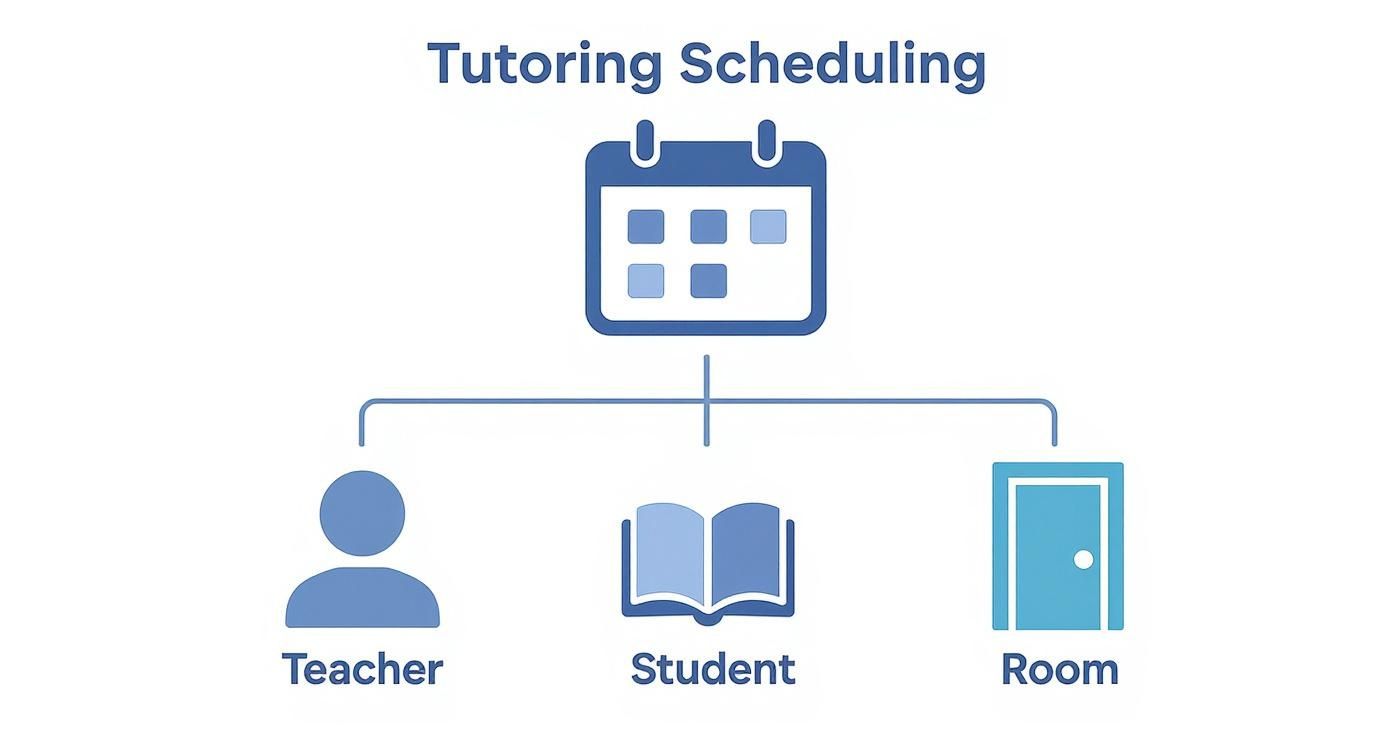
A diagram illustrating tutoring scheduling with a calendar, connecting teacher, student, and room icons.

Using a generic scheduler like Calendly or Acuity for a tutoring business is a common but costly mistake. These tools are designed for simple one-on-one meetings, not the multi-resource logistics of an education center. They create administrative bottlenecks that waste time and lose potential clients.

What is Multi-Resource Scheduling?

Multi-resource scheduling is the process of coordinating several resources at once to confirm a booking. For a tutoring center, a valid lesson requires three resources to be available:

  • A qualified teacher

  • An available student

  • A free classroom or online meeting link

Generic apps cannot perform this calculation. They check one calendar at a time, forcing your admin to manually juggle spreadsheets and calendars to find a viable slot. This defeats the entire purpose of automation. The global class scheduling app market was valued at over USD 2.2 billion in 2023 and is projected to reach USD 5.7 billion by 2033, showing a clear shift towards specialized tools.

Comparison Table: Generic vs. Specialized Class Scheduler App

Feature

Generic Scheduler (e.g., Calendly)

Specialized Tutoring App (e.g., Tutorbase)

Booking Logic

Find Spot: Finds an opening in one person's calendar.

Find Slot: Checks teacher, student, AND room availability simultaneously.

Group Classes

No capacity management or automated waitlists.

Sets class size limits and automates waitlists to maximize revenue.

Recurring Lessons

Clunky; designed for one-time events.

Natively supports semester-long recurring schedules and makeup lessons.

Teacher Matching

No filtering by subject or level.

Matches students with teachers based on qualifications and expertise.

Billing

Basic payment collection for one-off meetings.

Fully integrated invoicing for packages, recurring lessons, and drop-ins.

The feature gaps directly impact your efficiency. A lack of automated waitlists means staff manually track cancellations, a slow process that loses revenue. Without integrated billing, you spend hours reconciling attendance records with invoices, which leads to errors and missed payments. A specialized tutor scheduling software eliminates these problems.

Self-Booking vs. Admin-Managed: Which is Better?
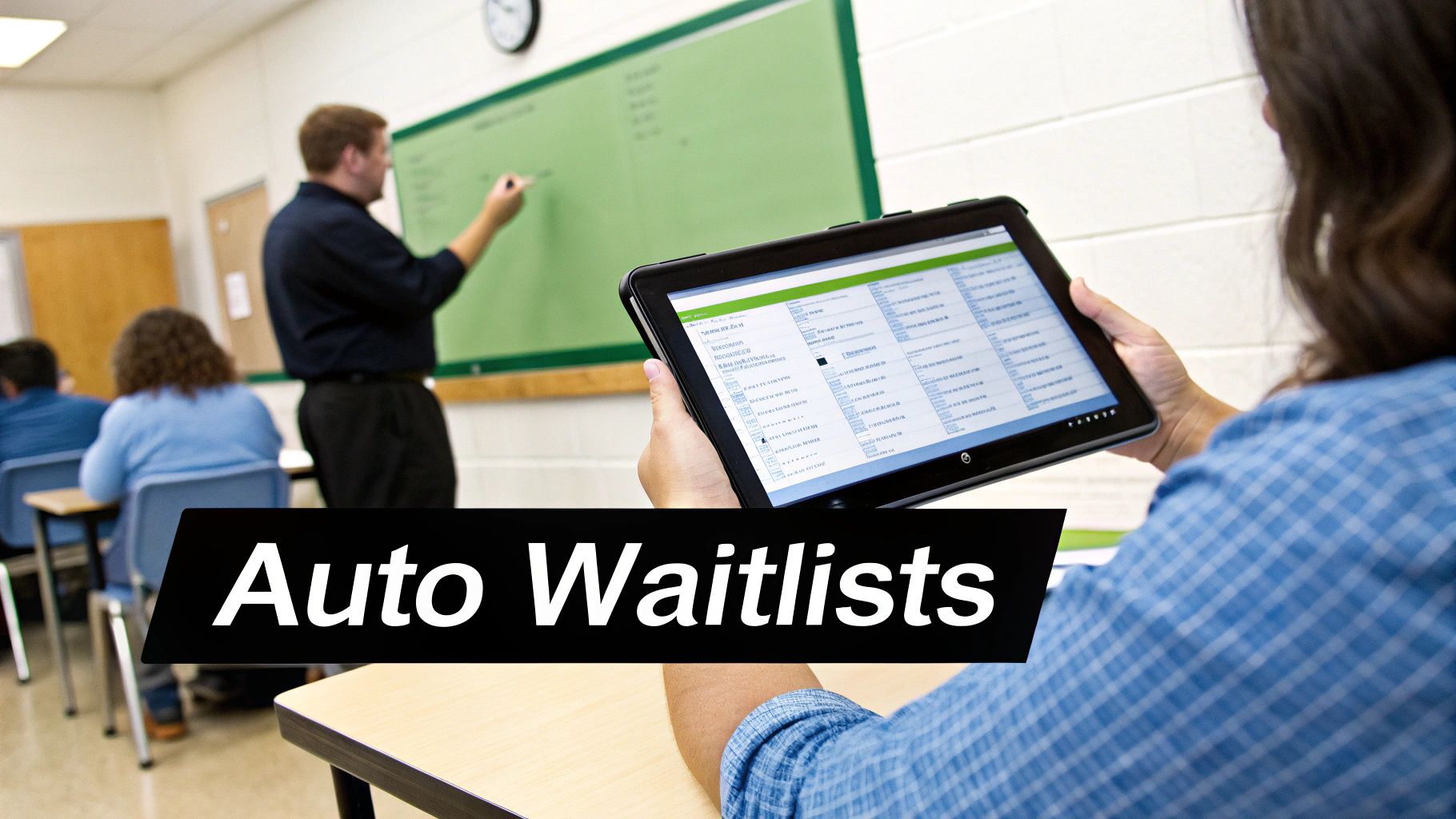
A student in a classroom views a digital schedule or waitlist on a tablet, with a teacher at the board.

Deciding between parent self-booking and admin-managed scheduling involves a trade-off between convenience and control. Full self-service offers parents 24/7 access but risks booking errors. Full admin control ensures accuracy but creates a bottleneck and frustrates parents who want a quick answer.

How does a hybrid model work?

A hybrid approach offers the best of both worlds. A specialized class scheduler app enables you to offer limited self-service options for simple tasks while your admin team retains control over complex scheduling. This provides client convenience without sacrificing operational sanity.

Here is how a hybrid model works in practice:

  • Parents self-book trial lessons: You designate specific times for trials, and parents can book them online instantly.

  • Admins manage recurring schedules: Your team sets up all long-term, weekly lessons to ensure accuracy.

  • Parents request changes online: A parent can request to reschedule a lesson through a portal, but an admin must approve it.

This flexible model is becoming the standard. The market for scheduling apps is projected to grow to USD 3.6 billion by 2033, driven by demand for tools that support personalized, flexible timetables. Managing schedules across multiple sites can add another layer of complexity, which is where a dedicated multi-location scheduling software becomes invaluable.

How Can You Optimize the Trial Lesson Booking Flow?

Happy mother and son smiling while looking at a smartphone together, with books on a table.

Your trial lesson is your most powerful sales tool. A clunky booking process creates a poor first impression and can lose you a potential client. A dedicated class scheduler app automates this flow, making it seamless for parents and protecting your core schedule from disruption.

What is a dedicated trial lesson workflow?

Instead of opening your entire calendar, you pre-approve specific time slots just for trials. This gives parents the convenience of self-booking without creating chaos for your admin team. It ensures a professional, organized experience from the very first interaction with your business.

The ideal automated workflow includes:

  • A parent books an approved trial slot online in under 60 seconds.

  • The system sends an instant confirmation email and calendar invite.

  • Automated reminders are sent before the lesson to reduce no-shows.

  • A follow-up email is sent after the trial to gather feedback and encourage enrollment.

Automated reminders are particularly effective. In 2026, centers using them can expect to see a 41% reduction in no-shows, according to industry data. This automation ensures you are not wasting a teacher's valuable time on an empty slot. This type of workflow is a core example of effective business process improvement techniques.

Frequently Asked Questions (FAQ)

What is a class scheduler app?

A class scheduler app is a software tool designed to automate and manage the booking of classes and appointments. For tutoring centers, a specialized app handles complex logistics like matching qualified teachers to students, managing room availability, and scheduling recurring lessons, which generic schedulers cannot do.

Why is Calendly not suitable for a tutoring center?

Calendly is designed to find an open spot in a single person's calendar. It cannot handle the multi-resource scheduling required by tutoring centers, which must align the availability of a teacher, a student, and a room simultaneously to book a valid lesson slot.

How does a scheduler app manage group class waitlists?

A specialized scheduler app automates waitlist management. When a booked student cancels, the system automatically notifies the next person on the waitlist via email or SMS, allowing them to claim the open spot instantly. This maximizes class fill rates and recovers potential lost revenue.

Can parents book lessons themselves with a scheduler app?

Yes, the best apps offer a hybrid model. You can allow parents to self-book simple appointments like trial lessons from a pre-approved list of times. Your administrative team can retain control over more complex bookings, like recurring weekly schedules, to ensure accuracy and prevent errors.

How does a class scheduler app help with billing?

A specialized class scheduler app integrates scheduling directly with billing. It automates invoicing for packages, recurring lessons, and drop-in classes based on attendance records. This eliminates manual reconciliation, reduces billing errors by over 60%, and ensures you get paid on time.

What is the difference between "Find Slot" and "Find Spot"?

"Find Spot" is what generic apps do: they find an empty time in one calendar. "Find Slot" is what tutoring-specific apps do: they find a viable time where multiple resources (teacher, student, room) are all available at once. This distinction is critical for efficient tutoring center management.

How does a scheduler handle trial lesson booking?

A purpose-built app creates a dedicated booking flow for trial lessons. You can set aside specific, pre-approved time slots for new clients to book online. This automates the intake process, prevents disruption to your main schedule, and provides a professional first impression for parents.

Ready to answer "When can we start?" in seconds? Tutorbase uses its smart "Find Slot" feature to eliminate scheduling chaos and automate your admin work. See how much time you can save by visiting tutorbase.com/register.

Why Your Tutoring Center Needs a Real Class Scheduler App

Published: December 9, 2025 by Amy Ashford

A dedicated class scheduler app automates the complex task of aligning teachers, students, and rooms, turning a 15-minute manual process into a 15-second solution. Generic tools like Calendly fail because they can only find a spot in one calendar, not a multi-resource slot, which is essential for tutoring centers.

A parent sends a WhatsApp message: "Hi! When can my daughter start Grade 10 Math tutoring?" This simple question can trigger a 15-minute scramble. Your admin opens multiple tabs to compare tutor schedules, check room availability, and cross-reference the student's availability. This manual chaos creates delays and makes a poor first impression.

With a specialized class scheduler app, the workflow is instant. Your admin uses a "Find Slot" feature, inputs "Grade 10 Math," and immediately sees every available time that aligns a qualified teacher, a room, and the student. They reply to the parent in seconds with a direct booking link, securing a new client before they can message a competitor.

What Makes Tutoring Scheduling Different?

Booking a tutoring session is not like booking a simple meeting. It involves a complex puzzle of matching students with qualified teachers by subject and level. You also manage recurring lessons and juggle physical resources like classrooms. Generic apps simply cannot handle this multi-layered complexity.

Find a Spot vs. Find a Slot

The core failure of generic schedulers is the "Find a Spot" vs. "Find a Slot" problem. A generic app like Calendly is designed to "Find a Spot." It looks at a single calendar (like a salesperson's) and displays their open times. This is a simple, one-dimensional process.

Tutoring centers need to "Find a Slot." A "slot" is the specific intersection where the right teacher, the right room, and the student are all available simultaneously. This requires checking multiple, interdependent resources at once. Trying to manage this with a basic app creates chaos, delays, and a frustrating experience for staff and parents.

How are recurring and ad-hoc lessons different?

Tutoring is built on consistent, recurring appointments, which generic schedulers handle poorly. Your class scheduler app must expertly manage weekly recurring series, like a student's session every Tuesday at 4 PM. It also needs to slot in ad-hoc sessions, such as makeup lessons or trial classes, without disrupting your core schedule.

Do I need to manage group class capacity?

Yes, and this is where generic schedulers fail completely. For group classes, you need to manage enrollment capacity to prevent overbooking. A specialized class scheduler app automates this by setting class size limits, tracking real-time enrollment, and managing automated waitlists to fill spots from last-minute cancellations.

Why Generic Schedulers Fail Tutoring Centers

A diagram illustrating tutoring scheduling with a calendar, connecting teacher, student, and room icons.

Using a generic scheduler like Calendly or Acuity for a tutoring business is a common but costly mistake. These tools are designed for simple one-on-one meetings, not the multi-resource logistics of an education center. They create administrative bottlenecks that waste time and lose potential clients.

What is Multi-Resource Scheduling?

Multi-resource scheduling is the process of coordinating several resources at once to confirm a booking. For a tutoring center, a valid lesson requires three resources to be available:

  • A qualified teacher

  • An available student

  • A free classroom or online meeting link

Generic apps cannot perform this calculation. They check one calendar at a time, forcing your admin to manually juggle spreadsheets and calendars to find a viable slot. This defeats the entire purpose of automation. The global class scheduling app market was valued at over USD 2.2 billion in 2023 and is projected to reach USD 5.7 billion by 2033, showing a clear shift towards specialized tools.

Comparison Table: Generic vs. Specialized Class Scheduler App

Feature

Generic Scheduler (e.g., Calendly)

Specialized Tutoring App (e.g., Tutorbase)

Booking Logic

Find Spot: Finds an opening in one person's calendar.

Find Slot: Checks teacher, student, AND room availability simultaneously.

Group Classes

No capacity management or automated waitlists.

Sets class size limits and automates waitlists to maximize revenue.

Recurring Lessons

Clunky; designed for one-time events.

Natively supports semester-long recurring schedules and makeup lessons.

Teacher Matching

No filtering by subject or level.

Matches students with teachers based on qualifications and expertise.

Billing

Basic payment collection for one-off meetings.

Fully integrated invoicing for packages, recurring lessons, and drop-ins.

The feature gaps directly impact your efficiency. A lack of automated waitlists means staff manually track cancellations, a slow process that loses revenue. Without integrated billing, you spend hours reconciling attendance records with invoices, which leads to errors and missed payments. A specialized tutor scheduling software eliminates these problems.

Self-Booking vs. Admin-Managed: Which is Better?

A student in a classroom views a digital schedule or waitlist on a tablet, with a teacher at the board.

Deciding between parent self-booking and admin-managed scheduling involves a trade-off between convenience and control. Full self-service offers parents 24/7 access but risks booking errors. Full admin control ensures accuracy but creates a bottleneck and frustrates parents who want a quick answer.

How does a hybrid model work?

A hybrid approach offers the best of both worlds. A specialized class scheduler app enables you to offer limited self-service options for simple tasks while your admin team retains control over complex scheduling. This provides client convenience without sacrificing operational sanity.

Here is how a hybrid model works in practice:

  • Parents self-book trial lessons: You designate specific times for trials, and parents can book them online instantly.

  • Admins manage recurring schedules: Your team sets up all long-term, weekly lessons to ensure accuracy.

  • Parents request changes online: A parent can request to reschedule a lesson through a portal, but an admin must approve it.

This flexible model is becoming the standard. The market for scheduling apps is projected to grow to USD 3.6 billion by 2033, driven by demand for tools that support personalized, flexible timetables. Managing schedules across multiple sites can add another layer of complexity, which is where a dedicated multi-location scheduling software becomes invaluable.

How Can You Optimize the Trial Lesson Booking Flow?

Happy mother and son smiling while looking at a smartphone together, with books on a table.

Your trial lesson is your most powerful sales tool. A clunky booking process creates a poor first impression and can lose you a potential client. A dedicated class scheduler app automates this flow, making it seamless for parents and protecting your core schedule from disruption.

What is a dedicated trial lesson workflow?

Instead of opening your entire calendar, you pre-approve specific time slots just for trials. This gives parents the convenience of self-booking without creating chaos for your admin team. It ensures a professional, organized experience from the very first interaction with your business.

The ideal automated workflow includes:

  • A parent books an approved trial slot online in under 60 seconds.

  • The system sends an instant confirmation email and calendar invite.

  • Automated reminders are sent before the lesson to reduce no-shows.

  • A follow-up email is sent after the trial to gather feedback and encourage enrollment.

Automated reminders are particularly effective. In 2026, centers using them can expect to see a 41% reduction in no-shows, according to industry data. This automation ensures you are not wasting a teacher's valuable time on an empty slot. This type of workflow is a core example of effective business process improvement techniques.

Frequently Asked Questions (FAQ)

What is a class scheduler app?

A class scheduler app is a software tool designed to automate and manage the booking of classes and appointments. For tutoring centers, a specialized app handles complex logistics like matching qualified teachers to students, managing room availability, and scheduling recurring lessons, which generic schedulers cannot do.

Why is Calendly not suitable for a tutoring center?

Calendly is designed to find an open spot in a single person's calendar. It cannot handle the multi-resource scheduling required by tutoring centers, which must align the availability of a teacher, a student, and a room simultaneously to book a valid lesson slot.

How does a scheduler app manage group class waitlists?

A specialized scheduler app automates waitlist management. When a booked student cancels, the system automatically notifies the next person on the waitlist via email or SMS, allowing them to claim the open spot instantly. This maximizes class fill rates and recovers potential lost revenue.

Can parents book lessons themselves with a scheduler app?

Yes, the best apps offer a hybrid model. You can allow parents to self-book simple appointments like trial lessons from a pre-approved list of times. Your administrative team can retain control over more complex bookings, like recurring weekly schedules, to ensure accuracy and prevent errors.

How does a class scheduler app help with billing?

A specialized class scheduler app integrates scheduling directly with billing. It automates invoicing for packages, recurring lessons, and drop-in classes based on attendance records. This eliminates manual reconciliation, reduces billing errors by over 60%, and ensures you get paid on time.

What is the difference between "Find Slot" and "Find Spot"?

"Find Spot" is what generic apps do: they find an empty time in one calendar. "Find Slot" is what tutoring-specific apps do: they find a viable time where multiple resources (teacher, student, room) are all available at once. This distinction is critical for efficient tutoring center management.

How does a scheduler handle trial lesson booking?

A purpose-built app creates a dedicated booking flow for trial lessons. You can set aside specific, pre-approved time slots for new clients to book online. This automates the intake process, prevents disruption to your main schedule, and provides a professional first impression for parents.

Ready to answer "When can we start?" in seconds? Tutorbase uses its smart "Find Slot" feature to eliminate scheduling chaos and automate your admin work. See how much time you can save by visiting tutorbase.com/register.