
The 12 Best Software for Scheduling Classes in 2026
Published: January 5, 2026 by Amy Ashford


Key Takeaway: The best software for scheduling classes moves beyond simple appointment booking to handle recurring lessons, teacher and room availability, and multi-student classes. Purpose-built platforms like Tutorbase automate these complex workflows, saving tutoring centers dozens of hours weekly compared to generic tools or spreadsheets. Choosing the right system streamlines operations and enables growth.
Are you spending hours each week wrestling with spreadsheets and calendars to manage your class schedule? The constant back-and-forth to coordinate teacher availability, room bookings, and student enrollments leads to double-bookings and administrative overload. Moving beyond manual methods is essential for scaling a tutoring center or language school.
This guide helps you find the right software for scheduling classes that fits your needs. We move past generic feature lists to provide a comprehensive analysis of the top platforms available in 2026. Whether you're a solo tutor or an operations manager, the right tool can reclaim your time.
Inside this comparison, you will find:
In-depth reviews of each software with screenshots.
Practical use-case scenarios for tutoring centers.
Honest assessments of each platform's strengths.
Feature comparisons focusing on what matters most.
We'll analyze everything from purpose-built tutoring management systems like Tutorbase to general-purpose schedulers. This resource provides the clarity needed to select a platform that not only solves scheduling headaches but also supports your business as it grows. For insights on related tools, see this guide to reservation software for events like workshops.
Which is the Best Software for Tutoring Centers?
1. Tutorbase
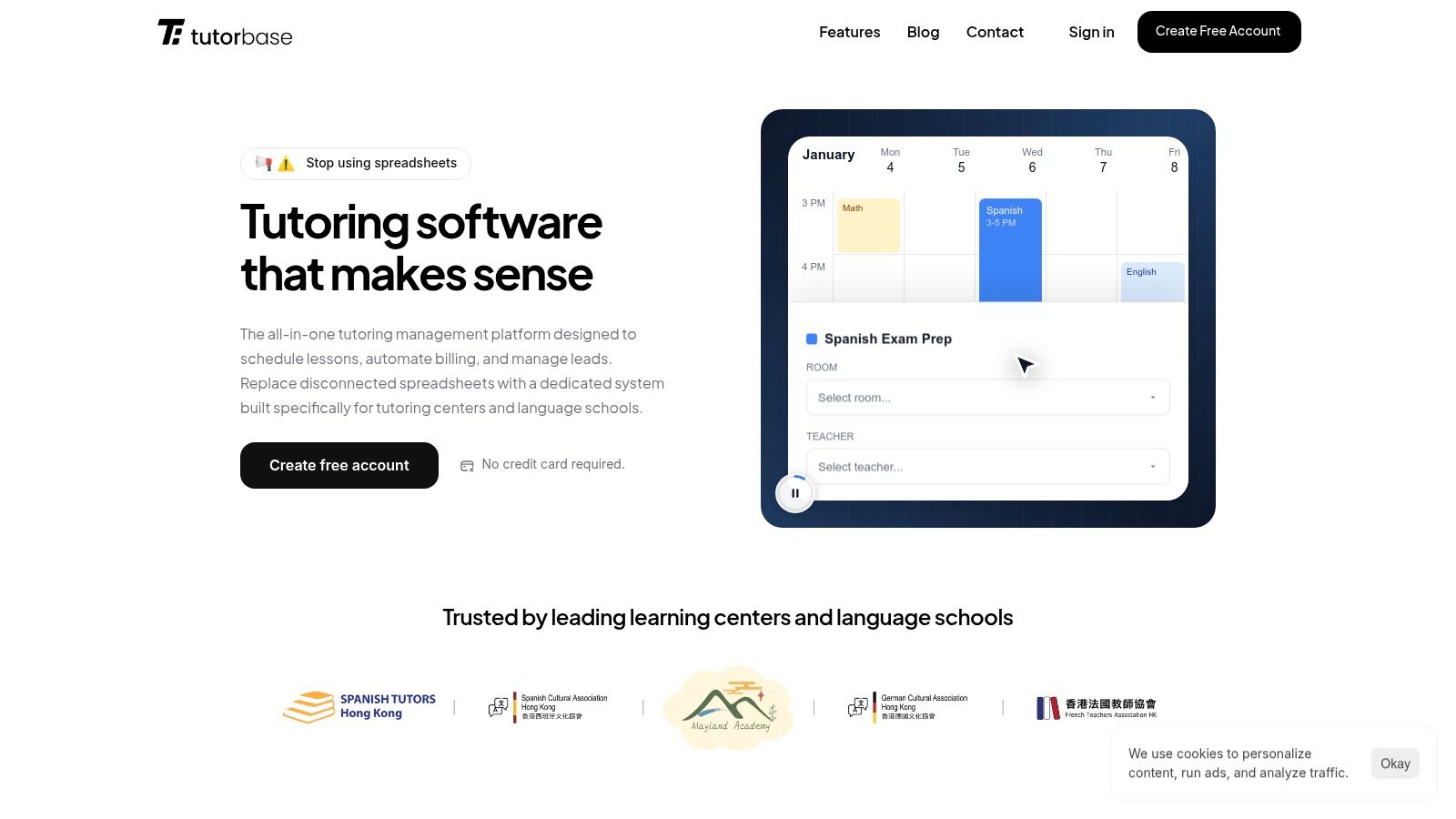
Tutorbase is an all-in-one management platform designed by former school owners specifically for tutoring centers, language schools, and test-prep academies. It moves beyond basic appointment setting to provide a comprehensive solution that integrates scheduling, billing, and payroll, addressing the unique complexities of multi-teacher, multi-location education businesses.
Why does Tutorbase excel at scheduling classes?
Unlike generic booking tools, Tutorbase is purpose-built to handle the specific scheduling challenges of tutoring centers. It excels at managing recurring lessons, multi-student classes, and the complex interplay between teacher availability, room capacity, and student needs. The platform's core strength is its intelligent scheduling engine.
The standout "Find Slot" feature generates optimal teacher, room, and time combinations based on your criteria, while "Find Spot" helps fill empty seats in existing classes. For centers managing both in-person and online classes, Tutorbase unifies scheduling in one calendar, supporting hybrid models.
Key Features & Use Cases
Recurring Lesson Scheduling: Set up recurring lessons (weekly, biweekly) so you don't manually create the same class 52 times a year. Change a series once, and all future lessons update automatically.
Teacher & Room Availability at a Glance: Instantly see which teachers are available and which rooms are free before booking. Set availability windows for teachers and block out holidays or sick days.
Visual Calendar with Smart Filters: See your entire week at a glance and filter by teacher, subject, or location. You can drag and drop lessons to reschedule easily, while color-coded views help staff quickly spot gaps.
Multi-Location Support: Manage schedules across multiple branches from a single dashboard. Tutorbase keeps each location's rooms organized separately while giving you a unified view across all sites.
Online + In-Person in One System: Whether a class happens in a physical room or over Zoom, it lives in the same calendar. You can track the delivery mode per lesson and even support hybrid setups.
Capacity & Enrollment Tracking: Set maximum spots per class. See at a glance which classes are full, which have openings, and which are under-enrolled, preventing overbooking for group classes.
What are the pros and cons of Tutorbase?
Tutorbase operates on a SaaS subscription model. Pricing is not publicly listed. To get a quote tailored to your center's size and needs, you must contact their sales team for a demo. They offer a free account to get started.
Pros:
Powerful automation connects scheduling, billing, and payroll.
Smart scheduling tools ("Find Slot/Find Spot") optimize resource allocation.
Built to scale for multi-branch and hybrid (online/in-person) operations.
Strong social proof with over 500 centers and verified performance metrics.
Cons:
Lack of public pricing can make initial budgeting difficult.
The comprehensive feature set may be more than what a solo tutor needs.
Website: https://tutorbase.com
What are the Top General Scheduling Platforms?
2. Teachworks
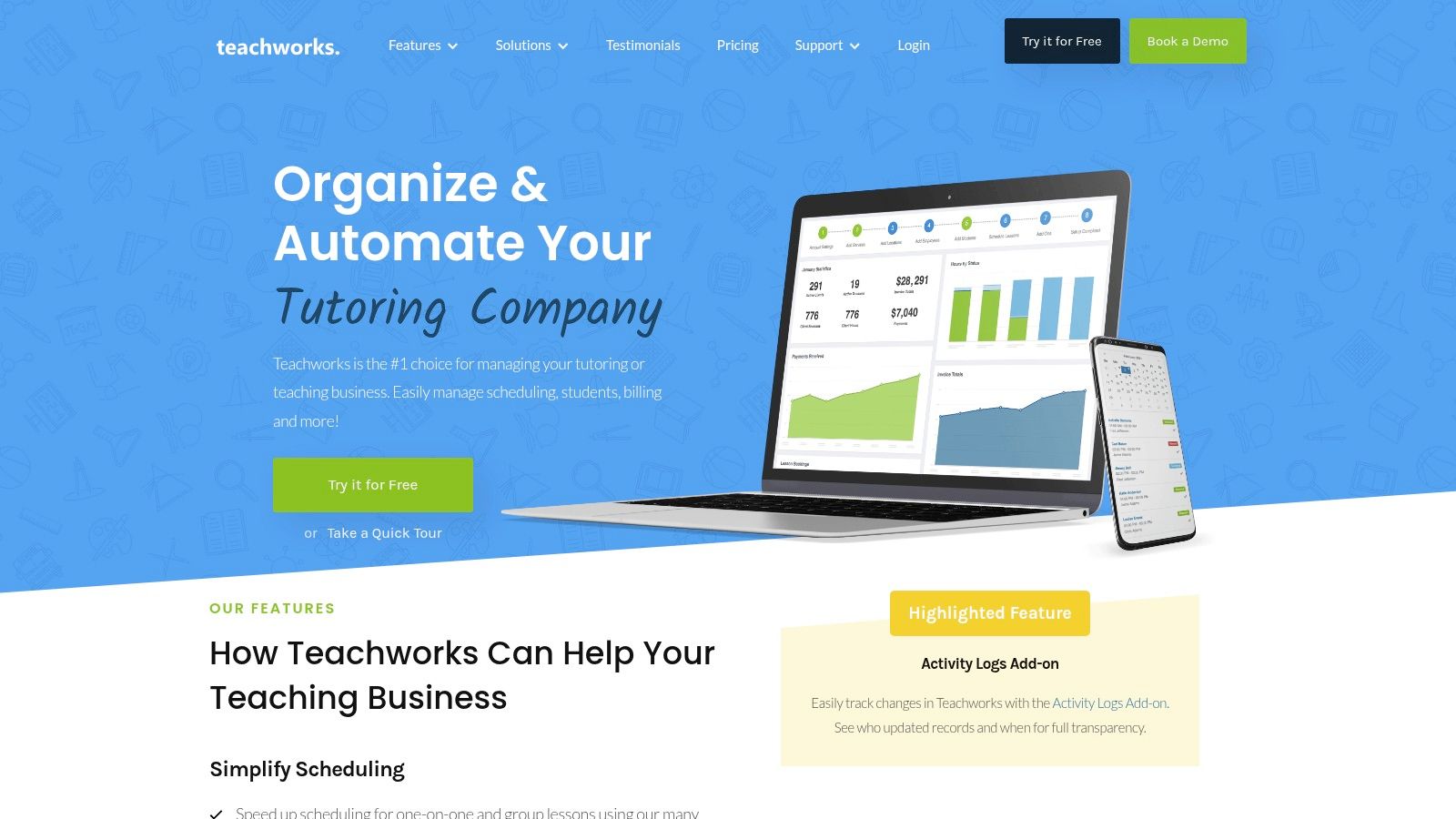
Teachworks is a tutor management system designed around the core needs of scheduling one-on-one and group lessons. It stands out with a usage-based pricing model that scales with lesson volume. This makes it an accessible option for both single-tutor operations and growing multi-branch centers.
What are the key features of Teachworks?
Teachworks focuses on providing a flexible and robust scheduling engine that caters to various educational models. Its calendar is highly functional, offering multiple views and drag-and-drop rescheduling capabilities. The platform also includes website integration tools, allowing new clients to book directly.
Key functionalities of this software for scheduling classes include:
Flexible Calendar Management: Features multiple calendar views with filters, drag-and-drop adjustments, and automated conflict detection.
Integrated Client Portals: Provides dedicated portals for tutors, students, and parents to view schedules and track lesson history.
Versatile Billing Options: Supports diverse billing models, including calendar-based invoicing and pre-paid packages.
Pros and Cons of Teachworks
Pros:
Transparent Pricing: The pricing model is clear, with a base fee plus a small per-student-lesson cost.
Unlimited Users: All plans include unlimited student, teacher, and administrative user accounts.
API Access: Higher-tier plans offer API access, enabling custom integrations with other business software.
Cons:
Per-Lesson Fees: For high-volume centers, per-student-lesson fees can become less cost-effective than flat-rate plans.
Dated User Interface: The user experience may feel less modern and could require a brief onboarding period for staff.
For more information, visit https://teachworks.com.
3. TutorCruncher
TutorCruncher is a comprehensive CRM, scheduling, and billing platform built for tutoring agencies. It stands out with flexible pricing models, offering both pay-as-you-go and monthly plans. Its integrated approach connects scheduling directly to powerful financial tools like payroll and automated invoicing.
How does TutorCruncher help schedule classes?
TutorCruncher excels at automating administrative tasks. Its lesson reports feature allows tutors to provide feedback after a session, which can be shared with parents while simultaneously triggering payroll calculations. This deep integration is a key differentiator from more basic schedulers.
Key functionalities of this software for scheduling classes include:
Color-Coded Calendar: Provides a clear visual overview of all lessons, with filters for teachers, subjects, and status.
Automated Payments and Invoicing: Supports subscriptions, split payments, and automatic charges upon lesson completion.
Payroll & Reporting: Automates payroll calculations and offers detailed business analytics to track performance.
Pros and Cons of TutorCruncher
Pros:
Flexible Plan Structure: Pay-as-you-go and monthly options allow businesses to choose a plan that matches their size.
Strong Financial Toolkit: Robust features for payments, invoicing, and payroll are built directly into the platform.
Customization Options: Offers API access and custom CSS/JS for businesses wanting to tailor the platform.
Cons:
Additional Processing Fees: Standard card processing fees apply on top of the monthly subscription costs.
Short Trial Period: The two-week free trial is shorter than what some competitors offer.
For more information, visit https://tutorcruncher.com or learn more in these tuition management systems reviews.
4. TutorBird
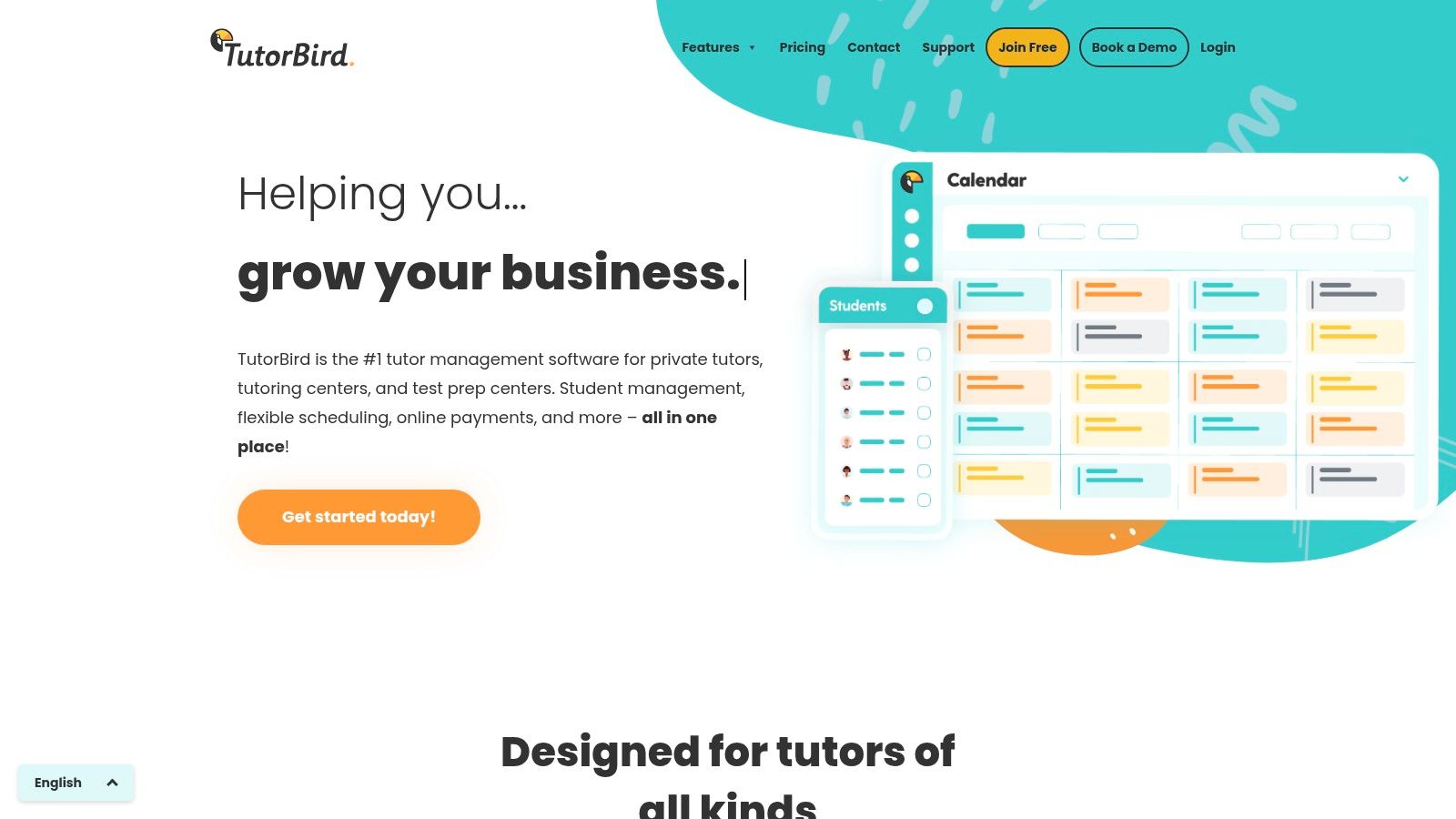
TutorBird is an accessible, all-in-one management platform ideal for independent tutors and small studios. It combines essential administrative tools, such as scheduling, billing, and communication, into a single, affordable package. It is a strong entry point for educators transitioning from manual methods.
What are TutorBird's main features?
TutorBird excels at providing a comprehensive yet straightforward user experience. Its student portal, for example, empowers clients to view their schedule, track attendance, and access shared files. This reduces administrative back-and-forth.
Key functionalities of this software for scheduling classes include:
Integrated Student Portal: Allows students and parents to view calendars, register for open slots, and manage their information.
Automated Invoicing: Generates invoices automatically based on completed lessons and logs payments.
Simple Website Builder: Provides a tool for creating a professional website with built-in scheduling forms.
Pros and Cons of TutorBird
Pros:
Affordable Entry Point: A single low base price includes most features, making it accessible for solo tutors.
Generous Trial: Offers a 30-day free trial and a 60-day money-back guarantee for a risk-free evaluation.
All-in-One Functionality: Combines scheduling, billing, communication, and a website builder into one platform.
Cons:
Scalability Costs: The pricing model adds a per-tutor fee, which can become costly as small teams grow.
Limited for Large Centers: The feature set is less robust for managing the complex needs of large operations.
For more information, visit https://www.tutorbird.com.
5. Bookeo (Classes & Courses)
Bookeo is a versatile online booking system for service businesses, including workshops and language schools. It provides a robust customer-facing booking portal, allowing clients to view schedules and pay for services online. It is excellent for businesses looking to automate the entire booking and payment cycle.
Who should use Bookeo for class scheduling?
Bookeo excels at managing public-facing course catalogs where customers self-enroll. Its strength lies in handling diverse booking scenarios, from one-off workshops to multi-session courses. It includes capacity controls and flexible payment options like deposits or full upfront payment.
Key functionalities of this software for scheduling classes include:
Flexible Enrollment Options: Easily manage recurring classes, courses, and one-time events.
Integrated Payments & Packages: The system supports prepaid packages, memberships, and gift vouchers.
Automated Communication: Reduce no-shows with automated email and SMS reminders for upcoming classes.
Pros and Cons of Bookeo
Pros:
Transparent Pricing: Offers clear, tiered pricing plans based on booking volume and features.
No Commission Fees: You keep 100% of your revenue, as Bookeo does not charge per-transaction fees.
Generous Trial Period: Provides a 30-day free trial and a 30-day money-back guarantee.
Cons:
Add-on Costs: Critical features like SMS reminders and digital waivers are paid add-ons.
Plan Limitations: Strict limits on teachers and rooms can force businesses to upgrade as they grow.
For more information, visit https://www.bookeo.com/classes.
6. Sawyer for Business (Hisawyer)
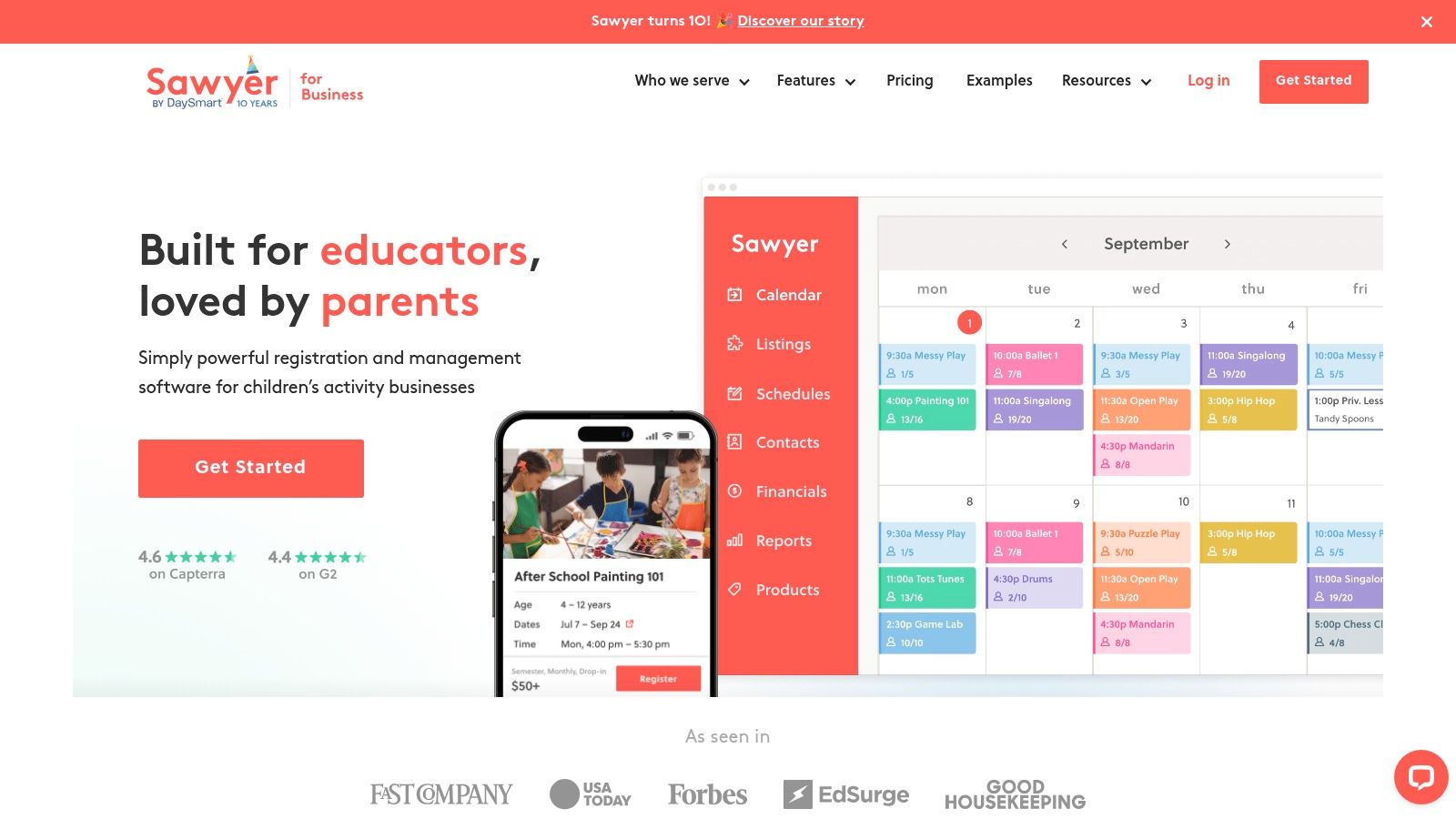
Sawyer for Business is a specialized scheduling platform built for providers of children's activities and camps. It offers tools for semester-based enrollment and flexible payment options. Its standout feature is an optional consumer marketplace that helps providers reach new families.
How is Sawyer different from other schedulers?
Sawyer is finely tuned for the K-12 out-of-school market. It handles complex scheduling needs such as multi-week camps, semester-long courses with prorated pricing, and drop-in appointments. The platform combines back-end management with a front-end marketing channel, helping businesses attract new students.
Key functionalities of this software for scheduling classes include:
Diverse Program Scheduling: Easily set up semester-long classes, multi-day camps, and private appointments.
Integrated Financial Tools: Supports memberships, deposits, automated billing plans, and class packs.
Client Acquisition Marketplace: Providers can list offerings on the Sawyer Marketplace to drive new enrollments.
Pros and Cons of Sawyer
Pros:
Strong Youth Market Focus: Built-in marketplace provides direct access to a targeted audience of parents.
Flexible Payment Options: Supports ACH payments, auto-billing, and deposits, which are crucial for camps.
Clear Plan Tiers: Pricing is clearly differentiated, making it easy to select a plan based on business size.
Cons:
Marketplace Fees: Bookings from the marketplace are subject to a significant commission (15–30%).
Customer-Facing Fees: A booking fee is charged to customers on eligible orders.
For more information, visit https://www.hisawyer.com/for-business. See other tutoring software pricing models to compare.
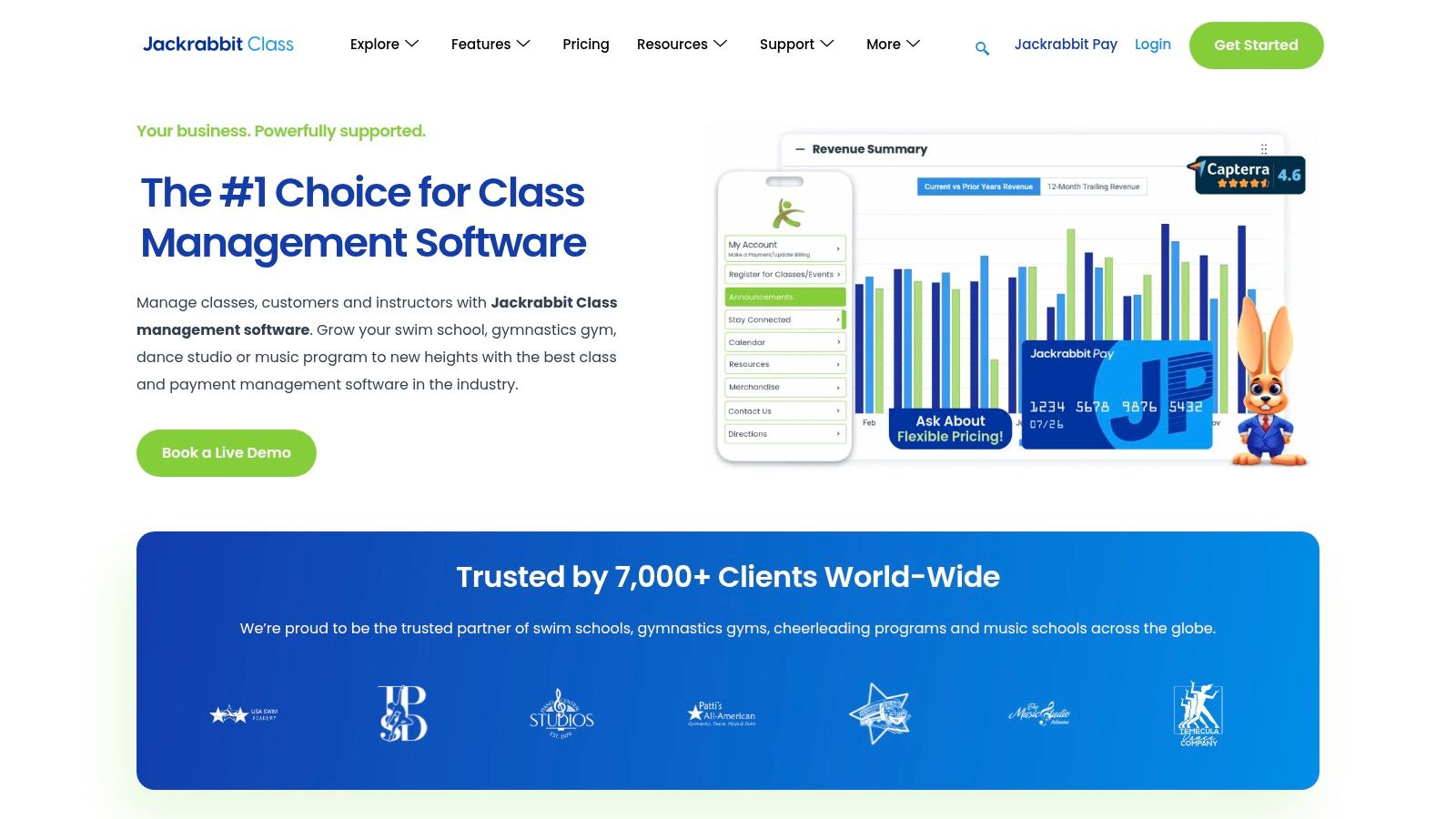
7. Jackrabbit Class
Jackrabbit Class is a management platform for youth activity centers, including dance studios and music programs. It combines robust class scheduling with integrated billing and online registration. It's an excellent choice for businesses managing a high volume of group classes and recurring enrollments.
What can Jackrabbit Class do?
Jackrabbit Class is tailored to the needs of centers that run on sessions or terms. Its online registration tools allow parents to sign up and pay for classes directly. This significantly reduces administrative workload during peak enrollment periods.
Key functionalities of this software for scheduling classes include:
Automated Tuition Billing: Set up recurring tuition fees that are automatically charged based on enrollment.
Flexible Calendar Views: The calendar provides multiple views (Week, Day, Room, Instructor) and conflict detection.
Integrated Parent Portal: Parents can view schedules, make payments, and update their information.
Pros and Cons of Jackrabbit Class
Pros:
Feature-Complete: Offers a deep, reliable feature set for youth activity center workflows.
Operational Visibility: Flexible calendar views give managers a clear overview of resource utilization.
Reliable Performance: Known for consistent uptime and a stable platform for high-volume registration.
Cons:
Scales with Cost: Pricing is tiered based on the number of active students, so costs increase as you grow.
Add-On Fees: The branded mobile app (Jackrabbit Plus) requires an additional monthly fee.
For more information, visit https://www.jackrabbitclass.com.
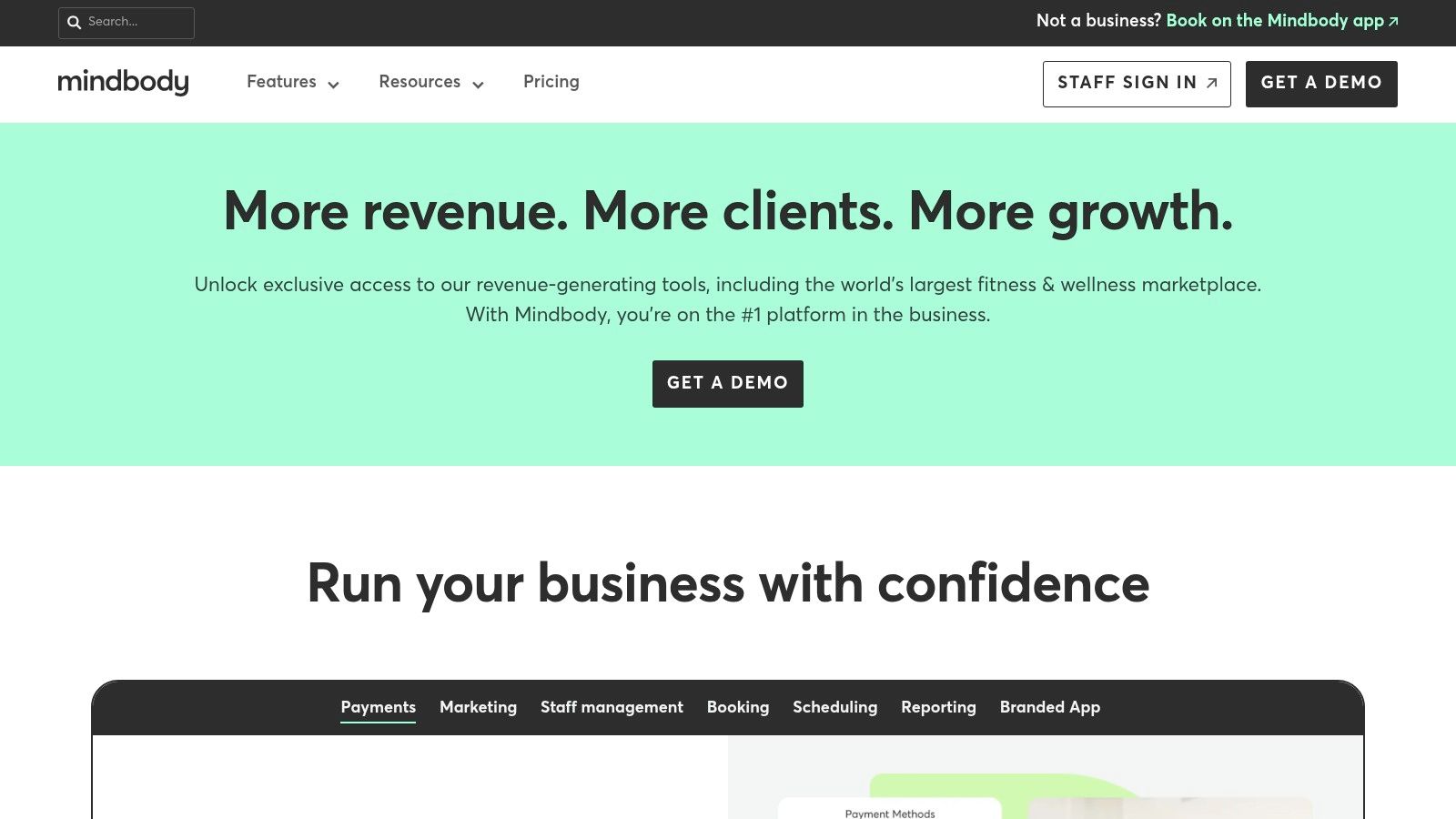
8. Mindbody
Mindbody is a well-known name in the wellness and fitness industry, offering a comprehensive class scheduling platform. While its core focus is on yoga studios and gyms, its robust feature set makes it a viable option for larger educational centers like music or art schools.
Is Mindbody good for scheduling classes?
Mindbody’s strength lies in its consumer-facing tools and powerful backend management. Its branded web widgets allow for seamless integration into an existing website. A listing on the popular Mindbody consumer app can also attract new students.
Key functionalities of this software for scheduling classes include:
Resource & Capacity Management: Schedule classes while managing instructor availability, room assignments, and equipment.
Branded Client Experience: Offers branded website widgets and a custom mobile app for a professional booking experience.
Marketing & Reporting: Higher-tier plans include marketing automation to re-engage students and detailed reports.
Pros and Cons of Mindbody
Pros:
Large Ecosystem: An extensive network of third-party integrations and a large consumer marketplace.
Multi-Location Capabilities: Strong features for managing multiple branches, making it a good fit for franchises.
Unlimited Staff Logins: All plans support unlimited users per location.
Cons:
Fitness-Centric Design: The terminology and workflows are heavily geared towards fitness.
Complex Pricing Tiers: The most valuable features are locked behind more expensive plans.
For more information, visit https://www.mindbodyonline.com.
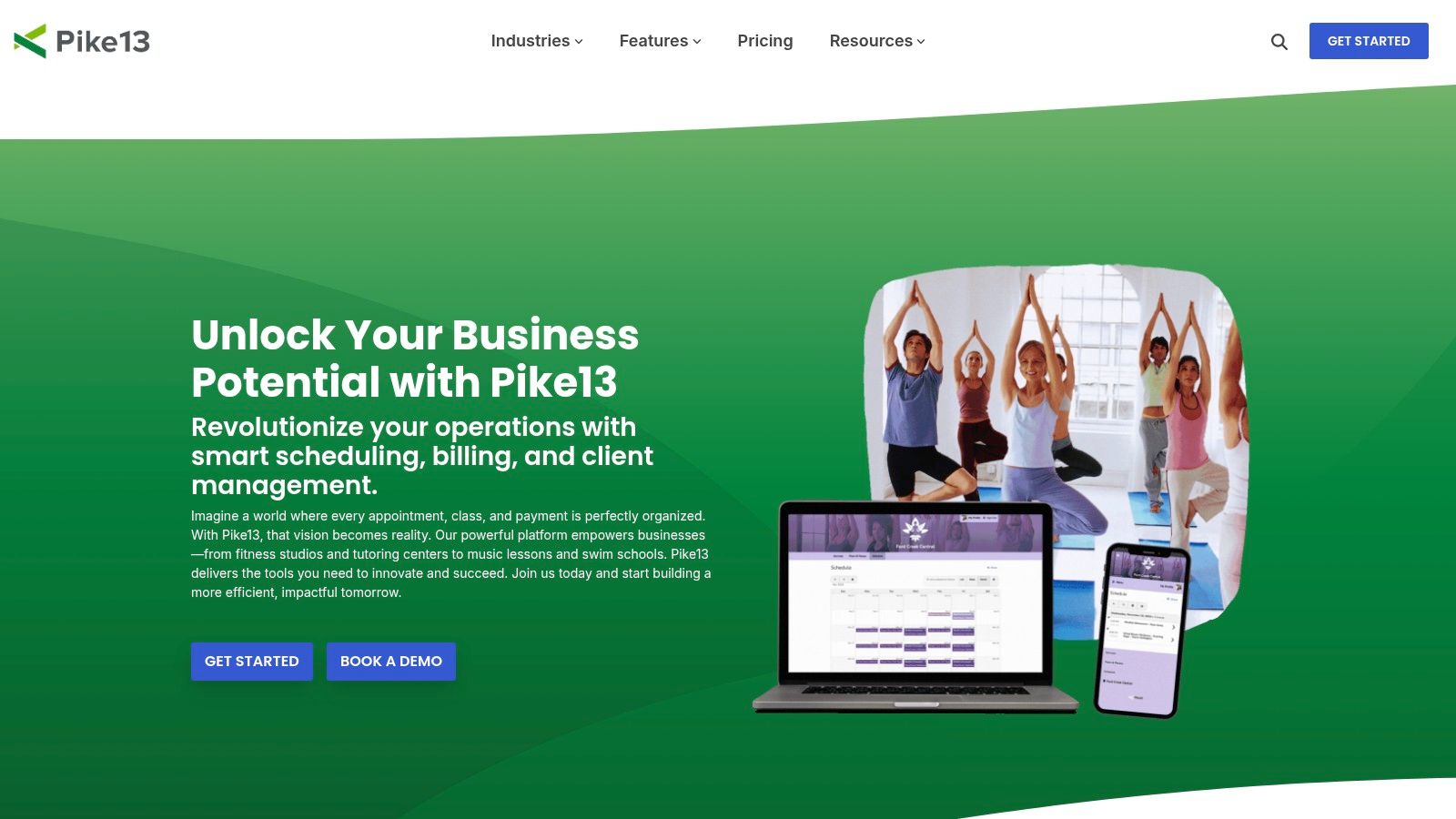
9. Pike13
Pike13 is a business management platform for class, course, and appointment-based providers. It serves businesses like youth programs and music schools by combining scheduling with operational tools. It offers straightforward plans and a client-facing app, making it a strong choice for US-based businesses.
What are the core features of Pike13?
Pike13 stands out by bundling scheduling with administrative functions like billing and payroll. This integration streamlines daily operations. Its website widgets allow for easy booking directly from a business's own site, creating a seamless client experience.
Key functionalities of this software for scheduling classes include:
Diverse Scheduling Options: The system supports one-time appointments, recurring classes, and multi-session courses.
Integrated Client and Staff Management: Includes dedicated apps for clients to book and for staff to manage availability.
Extensibility with Add-Ons: Businesses can enhance the core platform with optional features like a branded app.
Pros and Cons of Pike13
Pros:
Clear Plan Structure: Offers a clear plan ladder with available annual discounts, making costs predictable.
Guided Onboarding: Provides hands-on onboarding and data transfer support to help new businesses get set up.
Integrated Ecosystem: Connects with tools like Zapier and email marketing platforms.
Cons:
Features as Add-Ons: Some useful tools, such as retail management, are only available as paid add-ons.
Additional Costs for Premium Tools: Key features like the branded app and skill-tracking add extra costs.
For more information, visit https://www.pike13.com.
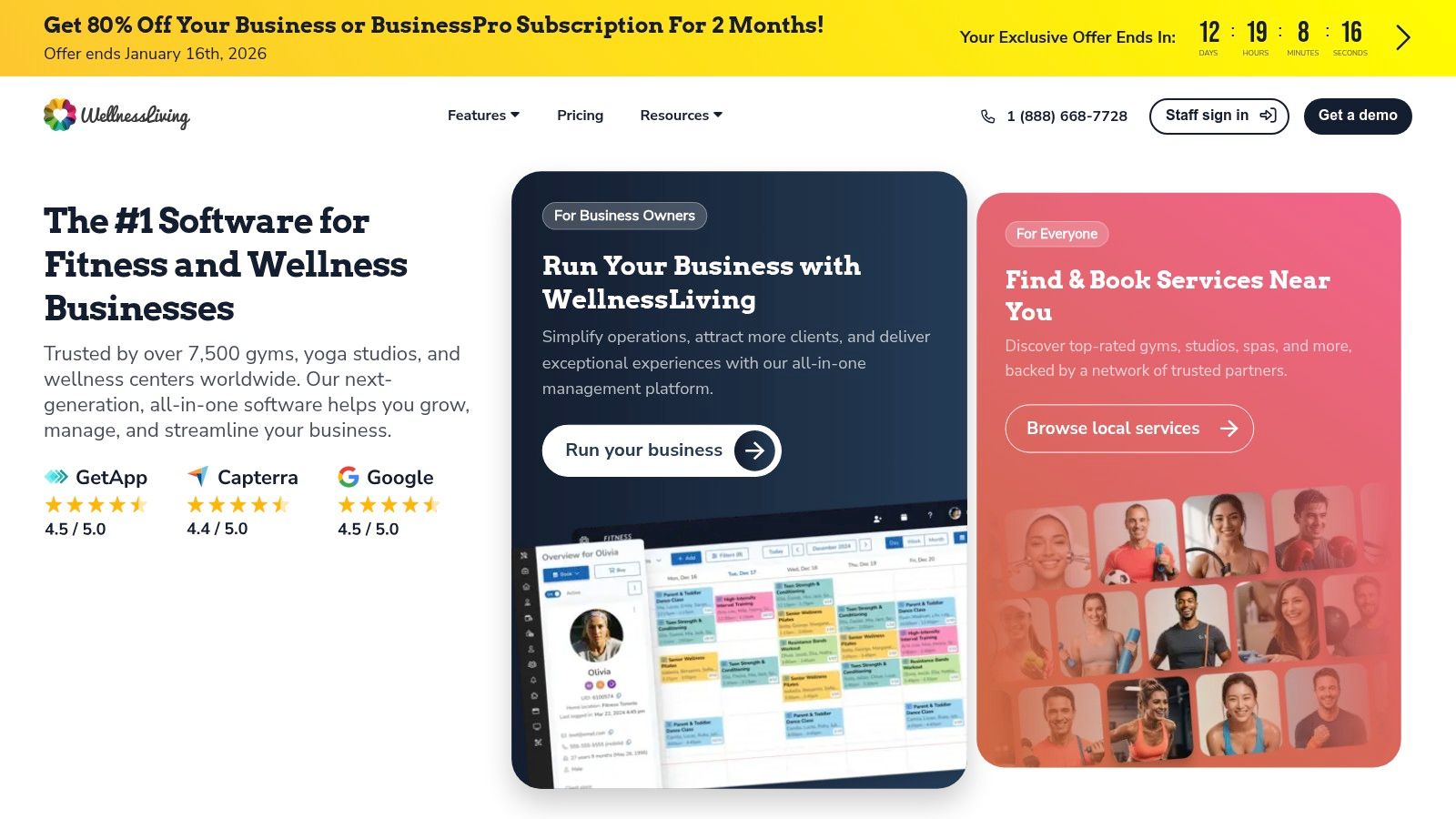
10. WellnessLiving
WellnessLiving is an all-in-one business management platform popular with fitness studios, salons, and schools. It integrates marketing automation, point-of-sale (POS), and client rewards programs. This makes it a strong contender for educational businesses looking for a single system to manage operations.
How can WellnessLiving be used for education?
WellnessLiving offers robust tools that adapt well to educational settings. Its dedicated client (Achieve) and staff (Elevate) mobile apps allow students to book on the go and instructors to manage their schedules. This mobile-first approach is a significant draw for modern learning centers.
Key functionalities of this software for scheduling classes include:
Integrated Marketing & Lead Capture: Includes tools for email/SMS marketing automation and website widgets.
Comprehensive Membership Management: Easily create and manage membership tiers, passes, and event tickets.
Rewards and Loyalty Programs: It features a built-in rewards system to encourage student retention.
Pros and Cons of WellnessLiving
Pros:
Competitive Pricing: Often features promotional offers and a competitive entry-level price point.
Free Onboarding Support: Provides free data migration and dedicated onboarding assistance.
All-in-One Functionality: Combines scheduling, marketing, POS, and client management into a single platform.
Cons:
Tier-Gated Features: Advanced functionality is locked behind more expensive plans.
Marketing Claims: Requires careful review of each plan’s specifics to confirm included features.
For more information, visit https://www.wellnessliving.com.
11. Amilia SmartRec
Amilia SmartRec is a registration platform designed for municipal recreation departments and after-school programs. It handles facility rentals, memberships, and high-volume online registrations. This makes it a strong contender for community-based organizations managing diverse public programs.
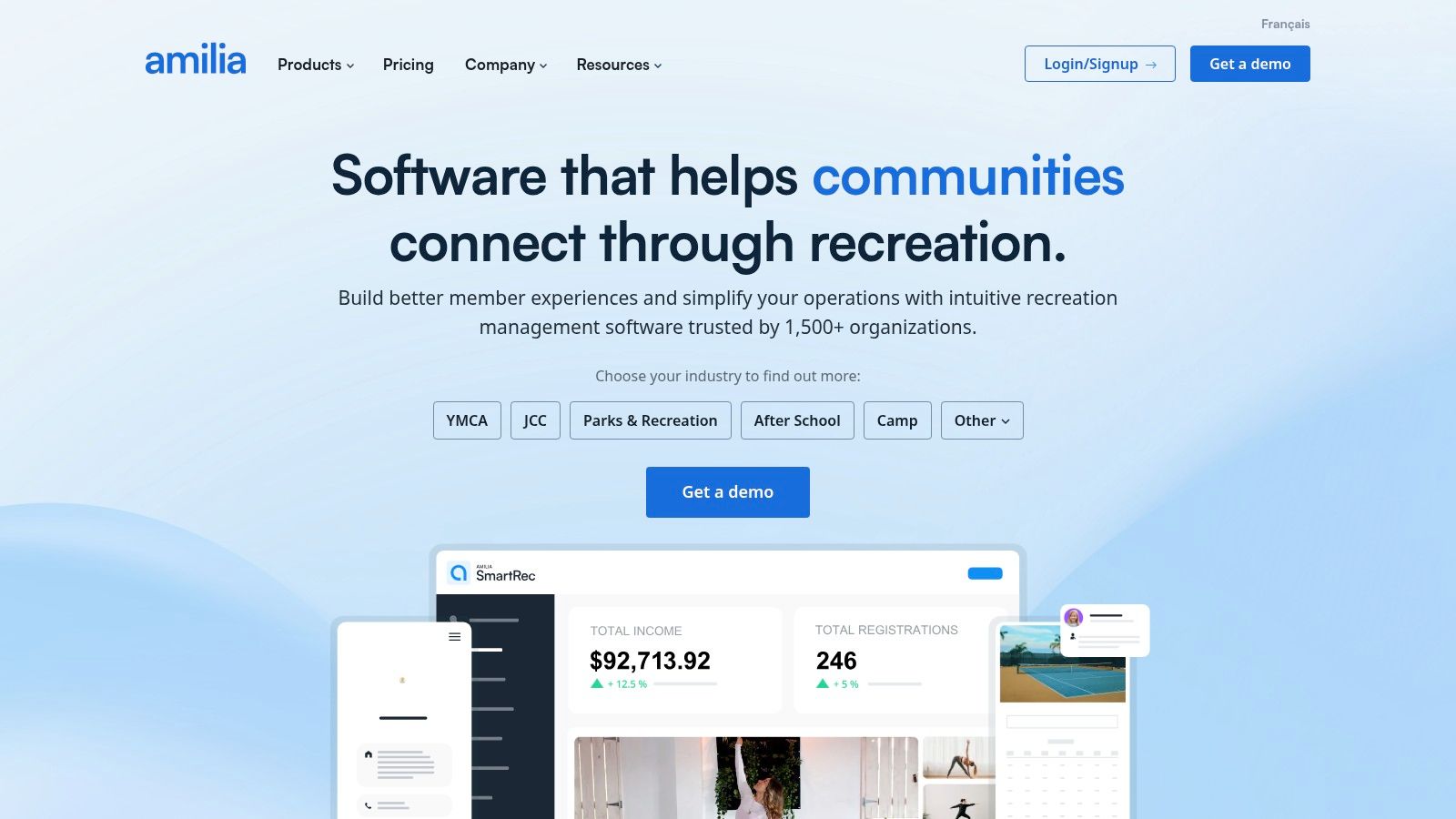
Who is Amilia SmartRec best for?
Amilia is engineered to handle public registration surges and complex, rule-based pricing. For instance, it can automate early-bird discounts and resident vs. non-resident pricing directly within the registration flow. This eliminates manual adjustments by staff.
Key functionalities of this software for scheduling classes include:
Advanced Registration Engine: Supports automated proration for late joiners, family discounts, and tiered pricing.
Integrated Facility Management: Manage classes, facility bookings, and equipment rentals from one calendar.
Financial Reporting & Analytics: Provides real-time dashboards to track revenue and enrollment trends.
Pros and Cons of Amilia SmartRec
Pros:
Handles Complexity: Built to manage intricate fee rules and high-volume registration.
All-in-One Platform: Combines class scheduling, facility booking, and memberships.
Transparent Billing Model: The fee structure is clearly outlined for budgeting.
Cons:
Complex Fee Structure: The combination of fees can be costly for smaller organizations.
Quote-Based Pricing: You must contact their sales team for a detailed quote.
For more information, visit https://www.amilia.com.
What is a class scheduling software?
Class scheduling software is a digital tool that automates the process of organizing, booking, and managing classes, courses, or appointments. It helps tutoring centers and other educational businesses coordinate teacher availability, room assignments, and student enrollments. This automation replaces manual methods like spreadsheets, preventing double-bookings and reducing administrative tasks.
Class Scheduling Software Comparison for 2026
The table below provides a quick comparison of the top software for scheduling classes in 2026, highlighting their key features and ideal use cases.
Product | Best For | Recurring Lessons | Multi-Location | Integrated Billing |
|---|---|---|---|---|
Tutorbase (Recommended) | Tutoring Centers & Language Schools | Yes, advanced series editing | Yes | Yes, automated |
Teachworks | Small to Mid-sized Tutoring | Yes | Yes | Yes |
TutorCruncher | Tutoring Agencies | Yes | Yes | Yes, automated |
TutorBird | Solo Tutors & Small Studios | Yes | No | Yes |
Bookeo | Public Workshops & Courses | Yes | Yes | Yes |
Sawyer | Kids' Camps & Activities | Yes | Yes | Yes |
Jackrabbit Class | Youth Activity Centers | Yes | Yes | Yes, automated |
Mindbody | Fitness & Wellness Studios | Yes | Yes | Yes |
Pike13 | Multi-Staff SMBs | Yes | Yes | Yes |
WellnessLiving | Membership-based Businesses | Yes | Yes | Yes |
Amilia | Community & Rec Programs | Yes | Yes | Yes |
How do you choose the right class scheduling software?
Choosing the right software requires a structured approach. Before you commit, focus on these critical steps to ensure the platform you select aligns perfectly with your business goals and operational realities. Your goal is to find a tool that solves your biggest scheduling pain points.
Audit Your Current Process: Where are the biggest bottlenecks? Identify your top three to five pain points. This audit will become your evaluation checklist when comparing software features.
Define Your Non-Negotiables: Create a list of must-have features. For most tutoring centers, this includes recurring lesson scheduling, multi-instructor calendars, and parent portal access.
Run a Comprehensive Trial: Never skip the free trial period. Use this time to replicate your most common and complex scheduling scenarios. The trial is your opportunity to pressure-test the software.
Evaluate Support: Consider the transition process. Does the company offer data migration support? A platform with responsive, knowledgeable support can save you significant time and frustration.
Implementing the right software for scheduling classes is a foundational step in scaling your business. It frees up administrative time, allowing you to focus on higher-impact activities. For example, refining your social media marketing strategies for small businesses can effectively fill the new class slots your software helps you create.
Frequently Asked Questions
What is the best software for scheduling classes?
The best software depends on your specific needs. For tutoring centers, Tutorbase is a top choice because it is purpose-built for recurring lessons, multi-teacher coordination, and integrated billing. For general fitness classes, Mindbody is a popular option.
How do I automate my class schedule?
You can automate your class schedule by using dedicated scheduling software. These platforms allow you to set teacher availability, create recurring class templates, and let clients book online. Automation eliminates manual data entry and prevents conflicts.
What features should I look for in class scheduling software?
Look for features like recurring lesson setup, real-time calendar syncing, multi-teacher and multi-location management, automated reminders, online payment processing, and capacity tracking for group classes. A parent or student portal is also highly valuable.
Can scheduling software handle both online and in-person classes?
Yes, modern software for scheduling classes like Tutorbase is designed to manage hybrid models. You can schedule a class and specify its delivery method (e.g., "Room 3" or "Zoom Link") within the same system, preventing scheduling conflicts between different formats.
How much does class scheduling software cost?
Pricing varies widely, from around $20 per month for solo operators to several hundred dollars for large, multi-location centers. Some platforms charge a flat monthly fee, while others charge based on the number of students, teachers, or lessons scheduled.
Why is specialized software better than a generic calendar for tutoring centers?
Specialized software is better because it handles the unique complexity of tutoring. A generic tool like Calendly can book a simple appointment, but it cannot manage recurring group classes with specific teacher assignments, room bookings, and capacity limits all at once.
Does scheduling software integrate with billing and payments?
Most leading class scheduling platforms offer integrated billing. Systems like Tutorbase automatically generate invoices based on attendance records and can process payments through gateways like Stripe. This connection saves significant administrative time and reduces errors.
Try Tutorbase free—scheduling built for tutoring centers, not generic appointments. Start your free trial today and discover a smarter way to manage your business.
The 12 Best Software for Scheduling Classes in 2026
Published: January 4, 2026 by Amy Ashford


Key Takeaway: The best software for scheduling classes moves beyond simple appointment booking to handle recurring lessons, teacher and room availability, and multi-student classes. Purpose-built platforms like Tutorbase automate these complex workflows, saving tutoring centers dozens of hours weekly compared to generic tools or spreadsheets. Choosing the right system streamlines operations and enables growth.
Are you spending hours each week wrestling with spreadsheets and calendars to manage your class schedule? The constant back-and-forth to coordinate teacher availability, room bookings, and student enrollments leads to double-bookings and administrative overload. Moving beyond manual methods is essential for scaling a tutoring center or language school.
This guide helps you find the right software for scheduling classes that fits your needs. We move past generic feature lists to provide a comprehensive analysis of the top platforms available in 2026. Whether you're a solo tutor or an operations manager, the right tool can reclaim your time.
Inside this comparison, you will find:
In-depth reviews of each software with screenshots.
Practical use-case scenarios for tutoring centers.
Honest assessments of each platform's strengths.
Feature comparisons focusing on what matters most.
We'll analyze everything from purpose-built tutoring management systems like Tutorbase to general-purpose schedulers. This resource provides the clarity needed to select a platform that not only solves scheduling headaches but also supports your business as it grows. For insights on related tools, see this guide to reservation software for events like workshops.
Which is the Best Software for Tutoring Centers?
1. Tutorbase
Tutorbase is an all-in-one management platform designed by former school owners specifically for tutoring centers, language schools, and test-prep academies. It moves beyond basic appointment setting to provide a comprehensive solution that integrates scheduling, billing, and payroll, addressing the unique complexities of multi-teacher, multi-location education businesses.

Why does Tutorbase excel at scheduling classes?
Unlike generic booking tools, Tutorbase is purpose-built to handle the specific scheduling challenges of tutoring centers. It excels at managing recurring lessons, multi-student classes, and the complex interplay between teacher availability, room capacity, and student needs. The platform's core strength is its intelligent scheduling engine.
The standout "Find Slot" feature generates optimal teacher, room, and time combinations based on your criteria, while "Find Spot" helps fill empty seats in existing classes. For centers managing both in-person and online classes, Tutorbase unifies scheduling in one calendar, supporting hybrid models.
Key Features & Use Cases
Recurring Lesson Scheduling: Set up recurring lessons (weekly, biweekly) so you don't manually create the same class 52 times a year. Change a series once, and all future lessons update automatically.
Teacher & Room Availability at a Glance: Instantly see which teachers are available and which rooms are free before booking. Set availability windows for teachers and block out holidays or sick days.
Visual Calendar with Smart Filters: See your entire week at a glance and filter by teacher, subject, or location. You can drag and drop lessons to reschedule easily, while color-coded views help staff quickly spot gaps.
Multi-Location Support: Manage schedules across multiple branches from a single dashboard. Tutorbase keeps each location's rooms organized separately while giving you a unified view across all sites.
Online + In-Person in One System: Whether a class happens in a physical room or over Zoom, it lives in the same calendar. You can track the delivery mode per lesson and even support hybrid setups.
Capacity & Enrollment Tracking: Set maximum spots per class. See at a glance which classes are full, which have openings, and which are under-enrolled, preventing overbooking for group classes.
What are the pros and cons of Tutorbase?
Tutorbase operates on a SaaS subscription model. Pricing is not publicly listed. To get a quote tailored to your center's size and needs, you must contact their sales team for a demo. They offer a free account to get started.
Pros:
Powerful automation connects scheduling, billing, and payroll.
Smart scheduling tools ("Find Slot/Find Spot") optimize resource allocation.
Built to scale for multi-branch and hybrid (online/in-person) operations.
Strong social proof with over 500 centers and verified performance metrics.
Cons:
Lack of public pricing can make initial budgeting difficult.
The comprehensive feature set may be more than what a solo tutor needs.
Website: https://tutorbase.com
What are the Top General Scheduling Platforms?
2. Teachworks
Teachworks is a tutor management system designed around the core needs of scheduling one-on-one and group lessons. It stands out with a usage-based pricing model that scales with lesson volume. This makes it an accessible option for both single-tutor operations and growing multi-branch centers.

What are the key features of Teachworks?
Teachworks focuses on providing a flexible and robust scheduling engine that caters to various educational models. Its calendar is highly functional, offering multiple views and drag-and-drop rescheduling capabilities. The platform also includes website integration tools, allowing new clients to book directly.
Key functionalities of this software for scheduling classes include:
Flexible Calendar Management: Features multiple calendar views with filters, drag-and-drop adjustments, and automated conflict detection.
Integrated Client Portals: Provides dedicated portals for tutors, students, and parents to view schedules and track lesson history.
Versatile Billing Options: Supports diverse billing models, including calendar-based invoicing and pre-paid packages.
Pros and Cons of Teachworks
Pros:
Transparent Pricing: The pricing model is clear, with a base fee plus a small per-student-lesson cost.
Unlimited Users: All plans include unlimited student, teacher, and administrative user accounts.
API Access: Higher-tier plans offer API access, enabling custom integrations with other business software.
Cons:
Per-Lesson Fees: For high-volume centers, per-student-lesson fees can become less cost-effective than flat-rate plans.
Dated User Interface: The user experience may feel less modern and could require a brief onboarding period for staff.
For more information, visit https://teachworks.com.
3. TutorCruncher
TutorCruncher is a comprehensive CRM, scheduling, and billing platform built for tutoring agencies. It stands out with flexible pricing models, offering both pay-as-you-go and monthly plans. Its integrated approach connects scheduling directly to powerful financial tools like payroll and automated invoicing.
How does TutorCruncher help schedule classes?
TutorCruncher excels at automating administrative tasks. Its lesson reports feature allows tutors to provide feedback after a session, which can be shared with parents while simultaneously triggering payroll calculations. This deep integration is a key differentiator from more basic schedulers.
Key functionalities of this software for scheduling classes include:
Color-Coded Calendar: Provides a clear visual overview of all lessons, with filters for teachers, subjects, and status.
Automated Payments and Invoicing: Supports subscriptions, split payments, and automatic charges upon lesson completion.
Payroll & Reporting: Automates payroll calculations and offers detailed business analytics to track performance.
Pros and Cons of TutorCruncher
Pros:
Flexible Plan Structure: Pay-as-you-go and monthly options allow businesses to choose a plan that matches their size.
Strong Financial Toolkit: Robust features for payments, invoicing, and payroll are built directly into the platform.
Customization Options: Offers API access and custom CSS/JS for businesses wanting to tailor the platform.
Cons:
Additional Processing Fees: Standard card processing fees apply on top of the monthly subscription costs.
Short Trial Period: The two-week free trial is shorter than what some competitors offer.
For more information, visit https://tutorcruncher.com or learn more in these tuition management systems reviews.
4. TutorBird
TutorBird is an accessible, all-in-one management platform ideal for independent tutors and small studios. It combines essential administrative tools, such as scheduling, billing, and communication, into a single, affordable package. It is a strong entry point for educators transitioning from manual methods.

What are TutorBird's main features?
TutorBird excels at providing a comprehensive yet straightforward user experience. Its student portal, for example, empowers clients to view their schedule, track attendance, and access shared files. This reduces administrative back-and-forth.
Key functionalities of this software for scheduling classes include:
Integrated Student Portal: Allows students and parents to view calendars, register for open slots, and manage their information.
Automated Invoicing: Generates invoices automatically based on completed lessons and logs payments.
Simple Website Builder: Provides a tool for creating a professional website with built-in scheduling forms.
Pros and Cons of TutorBird
Pros:
Affordable Entry Point: A single low base price includes most features, making it accessible for solo tutors.
Generous Trial: Offers a 30-day free trial and a 60-day money-back guarantee for a risk-free evaluation.
All-in-One Functionality: Combines scheduling, billing, communication, and a website builder into one platform.
Cons:
Scalability Costs: The pricing model adds a per-tutor fee, which can become costly as small teams grow.
Limited for Large Centers: The feature set is less robust for managing the complex needs of large operations.
For more information, visit https://www.tutorbird.com.
5. Bookeo (Classes & Courses)
Bookeo is a versatile online booking system for service businesses, including workshops and language schools. It provides a robust customer-facing booking portal, allowing clients to view schedules and pay for services online. It is excellent for businesses looking to automate the entire booking and payment cycle.
Who should use Bookeo for class scheduling?
Bookeo excels at managing public-facing course catalogs where customers self-enroll. Its strength lies in handling diverse booking scenarios, from one-off workshops to multi-session courses. It includes capacity controls and flexible payment options like deposits or full upfront payment.
Key functionalities of this software for scheduling classes include:
Flexible Enrollment Options: Easily manage recurring classes, courses, and one-time events.
Integrated Payments & Packages: The system supports prepaid packages, memberships, and gift vouchers.
Automated Communication: Reduce no-shows with automated email and SMS reminders for upcoming classes.
Pros and Cons of Bookeo
Pros:
Transparent Pricing: Offers clear, tiered pricing plans based on booking volume and features.
No Commission Fees: You keep 100% of your revenue, as Bookeo does not charge per-transaction fees.
Generous Trial Period: Provides a 30-day free trial and a 30-day money-back guarantee.
Cons:
Add-on Costs: Critical features like SMS reminders and digital waivers are paid add-ons.
Plan Limitations: Strict limits on teachers and rooms can force businesses to upgrade as they grow.
For more information, visit https://www.bookeo.com/classes.
6. Sawyer for Business (Hisawyer)
Sawyer for Business is a specialized scheduling platform built for providers of children's activities and camps. It offers tools for semester-based enrollment and flexible payment options. Its standout feature is an optional consumer marketplace that helps providers reach new families.

How is Sawyer different from other schedulers?
Sawyer is finely tuned for the K-12 out-of-school market. It handles complex scheduling needs such as multi-week camps, semester-long courses with prorated pricing, and drop-in appointments. The platform combines back-end management with a front-end marketing channel, helping businesses attract new students.
Key functionalities of this software for scheduling classes include:
Diverse Program Scheduling: Easily set up semester-long classes, multi-day camps, and private appointments.
Integrated Financial Tools: Supports memberships, deposits, automated billing plans, and class packs.
Client Acquisition Marketplace: Providers can list offerings on the Sawyer Marketplace to drive new enrollments.
Pros and Cons of Sawyer
Pros:
Strong Youth Market Focus: Built-in marketplace provides direct access to a targeted audience of parents.
Flexible Payment Options: Supports ACH payments, auto-billing, and deposits, which are crucial for camps.
Clear Plan Tiers: Pricing is clearly differentiated, making it easy to select a plan based on business size.
Cons:
Marketplace Fees: Bookings from the marketplace are subject to a significant commission (15–30%).
Customer-Facing Fees: A booking fee is charged to customers on eligible orders.
For more information, visit https://www.hisawyer.com/for-business. See other tutoring software pricing models to compare.
7. Jackrabbit Class
Jackrabbit Class is a management platform for youth activity centers, including dance studios and music programs. It combines robust class scheduling with integrated billing and online registration. It's an excellent choice for businesses managing a high volume of group classes and recurring enrollments.

What can Jackrabbit Class do?
Jackrabbit Class is tailored to the needs of centers that run on sessions or terms. Its online registration tools allow parents to sign up and pay for classes directly. This significantly reduces administrative workload during peak enrollment periods.
Key functionalities of this software for scheduling classes include:
Automated Tuition Billing: Set up recurring tuition fees that are automatically charged based on enrollment.
Flexible Calendar Views: The calendar provides multiple views (Week, Day, Room, Instructor) and conflict detection.
Integrated Parent Portal: Parents can view schedules, make payments, and update their information.
Pros and Cons of Jackrabbit Class
Pros:
Feature-Complete: Offers a deep, reliable feature set for youth activity center workflows.
Operational Visibility: Flexible calendar views give managers a clear overview of resource utilization.
Reliable Performance: Known for consistent uptime and a stable platform for high-volume registration.
Cons:
Scales with Cost: Pricing is tiered based on the number of active students, so costs increase as you grow.
Add-On Fees: The branded mobile app (Jackrabbit Plus) requires an additional monthly fee.
For more information, visit https://www.jackrabbitclass.com.
8. Mindbody
Mindbody is a well-known name in the wellness and fitness industry, offering a comprehensive class scheduling platform. While its core focus is on yoga studios and gyms, its robust feature set makes it a viable option for larger educational centers like music or art schools.

Is Mindbody good for scheduling classes?
Mindbody’s strength lies in its consumer-facing tools and powerful backend management. Its branded web widgets allow for seamless integration into an existing website. A listing on the popular Mindbody consumer app can also attract new students.
Key functionalities of this software for scheduling classes include:
Resource & Capacity Management: Schedule classes while managing instructor availability, room assignments, and equipment.
Branded Client Experience: Offers branded website widgets and a custom mobile app for a professional booking experience.
Marketing & Reporting: Higher-tier plans include marketing automation to re-engage students and detailed reports.
Pros and Cons of Mindbody
Pros:
Large Ecosystem: An extensive network of third-party integrations and a large consumer marketplace.
Multi-Location Capabilities: Strong features for managing multiple branches, making it a good fit for franchises.
Unlimited Staff Logins: All plans support unlimited users per location.
Cons:
Fitness-Centric Design: The terminology and workflows are heavily geared towards fitness.
Complex Pricing Tiers: The most valuable features are locked behind more expensive plans.
For more information, visit https://www.mindbodyonline.com.
9. Pike13
Pike13 is a business management platform for class, course, and appointment-based providers. It serves businesses like youth programs and music schools by combining scheduling with operational tools. It offers straightforward plans and a client-facing app, making it a strong choice for US-based businesses.

What are the core features of Pike13?
Pike13 stands out by bundling scheduling with administrative functions like billing and payroll. This integration streamlines daily operations. Its website widgets allow for easy booking directly from a business's own site, creating a seamless client experience.
Key functionalities of this software for scheduling classes include:
Diverse Scheduling Options: The system supports one-time appointments, recurring classes, and multi-session courses.
Integrated Client and Staff Management: Includes dedicated apps for clients to book and for staff to manage availability.
Extensibility with Add-Ons: Businesses can enhance the core platform with optional features like a branded app.
Pros and Cons of Pike13
Pros:
Clear Plan Structure: Offers a clear plan ladder with available annual discounts, making costs predictable.
Guided Onboarding: Provides hands-on onboarding and data transfer support to help new businesses get set up.
Integrated Ecosystem: Connects with tools like Zapier and email marketing platforms.
Cons:
Features as Add-Ons: Some useful tools, such as retail management, are only available as paid add-ons.
Additional Costs for Premium Tools: Key features like the branded app and skill-tracking add extra costs.
For more information, visit https://www.pike13.com.
10. WellnessLiving
WellnessLiving is an all-in-one business management platform popular with fitness studios, salons, and schools. It integrates marketing automation, point-of-sale (POS), and client rewards programs. This makes it a strong contender for educational businesses looking for a single system to manage operations.

How can WellnessLiving be used for education?
WellnessLiving offers robust tools that adapt well to educational settings. Its dedicated client (Achieve) and staff (Elevate) mobile apps allow students to book on the go and instructors to manage their schedules. This mobile-first approach is a significant draw for modern learning centers.
Key functionalities of this software for scheduling classes include:
Integrated Marketing & Lead Capture: Includes tools for email/SMS marketing automation and website widgets.
Comprehensive Membership Management: Easily create and manage membership tiers, passes, and event tickets.
Rewards and Loyalty Programs: It features a built-in rewards system to encourage student retention.
Pros and Cons of WellnessLiving
Pros:
Competitive Pricing: Often features promotional offers and a competitive entry-level price point.
Free Onboarding Support: Provides free data migration and dedicated onboarding assistance.
All-in-One Functionality: Combines scheduling, marketing, POS, and client management into a single platform.
Cons:
Tier-Gated Features: Advanced functionality is locked behind more expensive plans.
Marketing Claims: Requires careful review of each plan’s specifics to confirm included features.
For more information, visit https://www.wellnessliving.com.
11. Amilia SmartRec
Amilia SmartRec is a registration platform designed for municipal recreation departments and after-school programs. It handles facility rentals, memberships, and high-volume online registrations. This makes it a strong contender for community-based organizations managing diverse public programs.

Who is Amilia SmartRec best for?
Amilia is engineered to handle public registration surges and complex, rule-based pricing. For instance, it can automate early-bird discounts and resident vs. non-resident pricing directly within the registration flow. This eliminates manual adjustments by staff.
Key functionalities of this software for scheduling classes include:
Advanced Registration Engine: Supports automated proration for late joiners, family discounts, and tiered pricing.
Integrated Facility Management: Manage classes, facility bookings, and equipment rentals from one calendar.
Financial Reporting & Analytics: Provides real-time dashboards to track revenue and enrollment trends.
Pros and Cons of Amilia SmartRec
Pros:
Handles Complexity: Built to manage intricate fee rules and high-volume registration.
All-in-One Platform: Combines class scheduling, facility booking, and memberships.
Transparent Billing Model: The fee structure is clearly outlined for budgeting.
Cons:
Complex Fee Structure: The combination of fees can be costly for smaller organizations.
Quote-Based Pricing: You must contact their sales team for a detailed quote.
For more information, visit https://www.amilia.com.
What is a class scheduling software?
Class scheduling software is a digital tool that automates the process of organizing, booking, and managing classes, courses, or appointments. It helps tutoring centers and other educational businesses coordinate teacher availability, room assignments, and student enrollments. This automation replaces manual methods like spreadsheets, preventing double-bookings and reducing administrative tasks.
Class Scheduling Software Comparison for 2026
The table below provides a quick comparison of the top software for scheduling classes in 2026, highlighting their key features and ideal use cases.
Product | Best For | Recurring Lessons | Multi-Location | Integrated Billing |
|---|---|---|---|---|
Tutorbase (Recommended) | Tutoring Centers & Language Schools | Yes, advanced series editing | Yes | Yes, automated |
Teachworks | Small to Mid-sized Tutoring | Yes | Yes | Yes |
TutorCruncher | Tutoring Agencies | Yes | Yes | Yes, automated |
TutorBird | Solo Tutors & Small Studios | Yes | No | Yes |
Bookeo | Public Workshops & Courses | Yes | Yes | Yes |
Sawyer | Kids' Camps & Activities | Yes | Yes | Yes |
Jackrabbit Class | Youth Activity Centers | Yes | Yes | Yes, automated |
Mindbody | Fitness & Wellness Studios | Yes | Yes | Yes |
Pike13 | Multi-Staff SMBs | Yes | Yes | Yes |
WellnessLiving | Membership-based Businesses | Yes | Yes | Yes |
Amilia | Community & Rec Programs | Yes | Yes | Yes |
How do you choose the right class scheduling software?
Choosing the right software requires a structured approach. Before you commit, focus on these critical steps to ensure the platform you select aligns perfectly with your business goals and operational realities. Your goal is to find a tool that solves your biggest scheduling pain points.
Audit Your Current Process: Where are the biggest bottlenecks? Identify your top three to five pain points. This audit will become your evaluation checklist when comparing software features.
Define Your Non-Negotiables: Create a list of must-have features. For most tutoring centers, this includes recurring lesson scheduling, multi-instructor calendars, and parent portal access.
Run a Comprehensive Trial: Never skip the free trial period. Use this time to replicate your most common and complex scheduling scenarios. The trial is your opportunity to pressure-test the software.
Evaluate Support: Consider the transition process. Does the company offer data migration support? A platform with responsive, knowledgeable support can save you significant time and frustration.
Implementing the right software for scheduling classes is a foundational step in scaling your business. It frees up administrative time, allowing you to focus on higher-impact activities. For example, refining your social media marketing strategies for small businesses can effectively fill the new class slots your software helps you create.
Frequently Asked Questions
What is the best software for scheduling classes?
The best software depends on your specific needs. For tutoring centers, Tutorbase is a top choice because it is purpose-built for recurring lessons, multi-teacher coordination, and integrated billing. For general fitness classes, Mindbody is a popular option.
How do I automate my class schedule?
You can automate your class schedule by using dedicated scheduling software. These platforms allow you to set teacher availability, create recurring class templates, and let clients book online. Automation eliminates manual data entry and prevents conflicts.
What features should I look for in class scheduling software?
Look for features like recurring lesson setup, real-time calendar syncing, multi-teacher and multi-location management, automated reminders, online payment processing, and capacity tracking for group classes. A parent or student portal is also highly valuable.
Can scheduling software handle both online and in-person classes?
Yes, modern software for scheduling classes like Tutorbase is designed to manage hybrid models. You can schedule a class and specify its delivery method (e.g., "Room 3" or "Zoom Link") within the same system, preventing scheduling conflicts between different formats.
How much does class scheduling software cost?
Pricing varies widely, from around $20 per month for solo operators to several hundred dollars for large, multi-location centers. Some platforms charge a flat monthly fee, while others charge based on the number of students, teachers, or lessons scheduled.
Why is specialized software better than a generic calendar for tutoring centers?
Specialized software is better because it handles the unique complexity of tutoring. A generic tool like Calendly can book a simple appointment, but it cannot manage recurring group classes with specific teacher assignments, room bookings, and capacity limits all at once.
Does scheduling software integrate with billing and payments?
Most leading class scheduling platforms offer integrated billing. Systems like Tutorbase automatically generate invoices based on attendance records and can process payments through gateways like Stripe. This connection saves significant administrative time and reduces errors.
Try Tutorbase free—scheduling built for tutoring centers, not generic appointments. Start your free trial today and discover a smarter way to manage your business.
More from the Blog

A Guide to Fixing Google Calendar Sync Errors for Good
Read Article
Read Article

A Guide to Fixing Google Calendar Sync Errors for Good
Read Article
Read Article

How to Write a Tutor Position Description That Attracts Top Educators
Read Article
Read Article

How to Write a Tutor Position Description That Attracts Top Educators
Read Article
Read Article

How a Parent Portal for Tutoring Can Transform Your Center
Read Article
Read Article

How a Parent Portal for Tutoring Can Transform Your Center
Read Article
Read Article

