
The Top 10 Class Scheduling Apps for Tutors: Our Best Picks for 2026
Published: January 8, 2026 by Amy Ashford


Tutoring centers thrive on seamless scheduling but often get bogged down by manual processes, fragmented tools, and costly booking errors. Operations managers spend over 10 hours weekly just trying to align teachers, students, and rooms, leading to double-bookings, lost revenue, and administrative burnout. In 2026, the right software is a necessity for growth, not just a convenience.
This guide analyzes the top class scheduling apps for tutors, from simple calendar tools to comprehensive platforms for multi-branch academies. We will compare scheduling features, pricing, and use cases to help you eliminate administrative work. Beyond just picking an app, understanding best practices for online teaching can further enhance your business.
Each option in our list includes a detailed breakdown of its pros and cons, screenshots of its interface, and direct links to get started. You will gain a clear understanding of which platform best fits your needs, whether you're a solo tutor or managing hundreds of lessons across multiple locations.
1. Tutorbase: Best Tutoring Center Software
Tutorbase is the central nervous system for ambitious tutoring businesses, replacing fragmented software like Teachworks and TutorCruncher with a unified, AI-powered platform. It’s engineered for scale, serving centers and language schools managing 5 to 100+ teachers. By integrating scheduling, billing, payroll, and room management, Tutorbase directly addresses the operational chaos that inhibits growth.
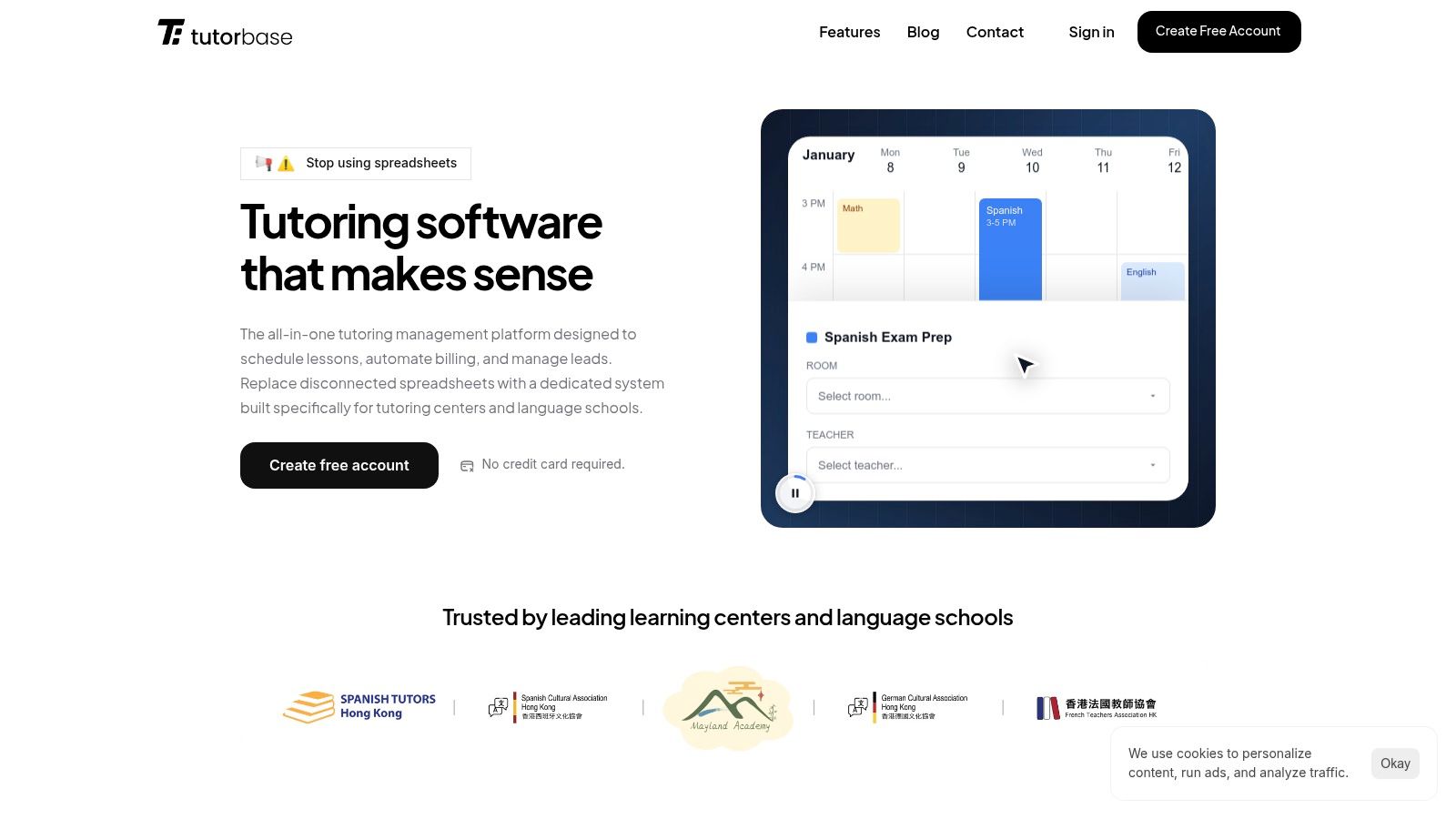
Its standout feature is an intelligent scheduling engine designed to eliminate double-bookings. The "Find Slot" and "Find Spot" tools automatically find the best teacher, room, and time, reducing a 10-minute manual process to under 2 minutes. This feature alone ranks it as one of the best class scheduling apps for tutors where booking errors mean lost revenue. Its real power is how attendance data automatically generates invoices and calculates complex payroll, including revenue-share and bonus structures.
What are Tutorbase's key features?
Best For: Tutoring centers (5–100+ teachers), multi-branch operators, and test-prep academies that require a single source of truth for all operations, from lead management to payroll.
Standout Features: AI-powered "Find Slot" scheduling, automated invoicing from attendance, native prepaid credit wallets, multi-branch room capacity tracking, and highly flexible payroll models.
Pricing: Custom. You'll need to contact their sales team for a quote tailored to your business size. This approach can be a hurdle for smaller operators who prefer transparent, tiered pricing.
Pros: The unified system delivers a 60% reduction in admin time and eliminates costly booking errors. It's built to handle high-volume operations (10,000+ lessons/week) without performance degradation.
Cons: The platform's feature depth means there is a learning curve. Migrating from spreadsheets or legacy systems requires dedicated implementation and staff training.
Website: https://tutorbase.com
2. Teachworks
Teachworks is a robust, scheduling-first tutoring management system designed for multi-teacher organizations. It excels at connecting lesson schedules with core administrative tasks like attendance, payroll, and invoicing, making it a strong contender for established K-12 centers, language schools, and test prep academies managing complex operations.

Its primary strength lies in its logical workflow where scheduling is the central engine. Every booked lesson automatically feeds data into attendance logs, teacher payroll calculations, and client invoices. This integrated approach reduces manual data entry and minimizes errors, a key benefit for centers with high lesson volume. The platform also supports multi-branch management and provides API access on higher-tier plans.
Key Features & Pricing
Scheduling: Handles both 1-on-1 and group classes with automated conflict checking and attendance tracking.
Admin Integration: Seamlessly connects scheduling to invoicing, billing, and teacher payroll.
Pricing: Starts with a usage-based model at $12/month plus a per-lesson fee. Plans scale up to offer more features like API access and multi-branch support. A generous 21-day free trial is available.
Pros & Cons
Pros | Cons |
|---|---|
Usage-based pricing can be cost-effective for seasonal businesses. | Variable per-lesson fee can become expensive at high volume. |
Unlimited student and teacher profiles across all plans. | Advanced features are locked behind higher-priced plans. |
Strong core features for scheduling, billing, and payroll. | Lacks advanced AI-driven booking tools like Tutorbase's "Find Slot" feature. |
The Verdict
Teachworks is a solid choice for multi-teacher tutoring centers that need a reliable, integrated system. However, its manual booking process and variable costs at scale can become limitations. For a more detailed breakdown, learn more about Teachworks on tuition management system reviews. Centers looking for AI-powered scheduling and more sophisticated payroll and multi-brand management may find Tutorbase to be a more scalable alternative.
Website: https://teachworks.com
3. TutorCruncher
TutorCruncher is an end-to-end management system designed for tutoring agencies and growing centers. It acts as a comprehensive OS, integrating lesson scheduling with a client pipeline, automated payments, and payroll. This makes it ideal for businesses seeking to consolidate core functions into a single platform.
The platform's main advantage is its tutoring-centric design. Unlike generic booking software, its features are tailored for agency workflows. For instance, the color-coded calendar and automated lesson reports streamline daily scheduling, while integrated payment processing and subscription management simplify revenue collection. This holistic approach helps businesses manage growth from lead acquisition to tutor payment without fragmented tools.
Key Features & Pricing
Scheduling: Features a color-coded calendar with automated email and SMS reminders and detailed lesson reporting.
Admin Integration: Combines CRM, client billing, subscriptions, and contractor payroll into one workflow.
Pricing: Tiered pricing based on active students, with clear calculators on their site. A 14-day free trial is available to test all features.
Pros & Cons
Pros | Cons |
|---|---|
Designed specifically for tutoring company workflows. | Standard card payment processing fees apply on top of the subscription. |
All-in-one system from lead management to payroll. | Advanced support options may come at an additional cost. |
Two-week free trial with access to all features. | Lacks AI-driven scheduling tools like Tutorbase's "Find Slot" for rapid booking. |
The Verdict
TutorCruncher is a powerful choice for tutoring agencies that need an all-in-one system. Its focus on the tutoring model makes it more intuitive than generic scheduling tools. However, businesses scaling rapidly or managing complex multi-branch logistics may find its manual booking process and basic payroll less efficient. For centers prioritizing automated, AI-powered scheduling and sophisticated multi-brand management, Tutorbase offers a more scalable solution.
Website: https://tutorcruncher.com
4. Squarespace Scheduling (Acuity)
Squarespace Scheduling, formerly Acuity Scheduling, is a polished scheduler ideal for tutors who prioritize a premium client booking experience. It operates effectively as a standalone tool or can be embedded into any website, offering robust features for 1:1 sessions, group classes, and selling class packages or memberships.

Its main advantage is its mature, automation-focused ecosystem. Tutors can set up intricate availability rules, create intake forms to gather student information, and accept payments via Stripe, Square, or PayPal. The platform excels at client-facing interactions, sending automated email and SMS reminders to reduce no-shows. It is one of the best class scheduling apps for tutors who need a highly customizable booking page.
Key Features & Pricing
Scheduling: Advanced client self-booking for unlimited services, 1-on-1 sessions, and group classes.
Admin Integration: Supports packages, gift certificates, and memberships. It also integrates with calendars and payment gateways.
Pricing: Plans start at $16/month (billed annually) for one calendar. Higher tiers add more calendars, features like SMS reminders, and the ability to remove Squarespace branding. A 7-day free trial is available.
Pros & Cons
Pros | Cons |
|---|---|
Mature ecosystem with powerful automation and integrations. | Not designed for tutoring; lacks payroll or detailed progress tracking. |
Excellent, professional-looking client booking interface. | Key features like brand removal require more expensive plans. |
Supports selling packages and memberships natively. | CRM capabilities are basic, requiring another tool for full student management. |
The Verdict
Squarespace Scheduling is an excellent choice for solo tutors or small businesses that need a best-in-class, client-facing booking system. Its ability to handle class packs is a significant plus. However, it is not a complete tutoring management system. Centers needing integrated payroll, multi-teacher coordination, and AI-assisted booking like Tutorbase's "Find Slot" feature will find it lacks the necessary operational depth for scaling.
Website: https://www.squarespace.com/scheduling
5. Calendly
Calendly is a widely adopted scheduling platform that excels at automating the front-end booking process, especially for capturing and distributing new leads. Its strength lies in team scheduling features like round-robin assignment, making it ideal for centers wanting to efficiently route trial lesson requests to available teachers or sales staff.
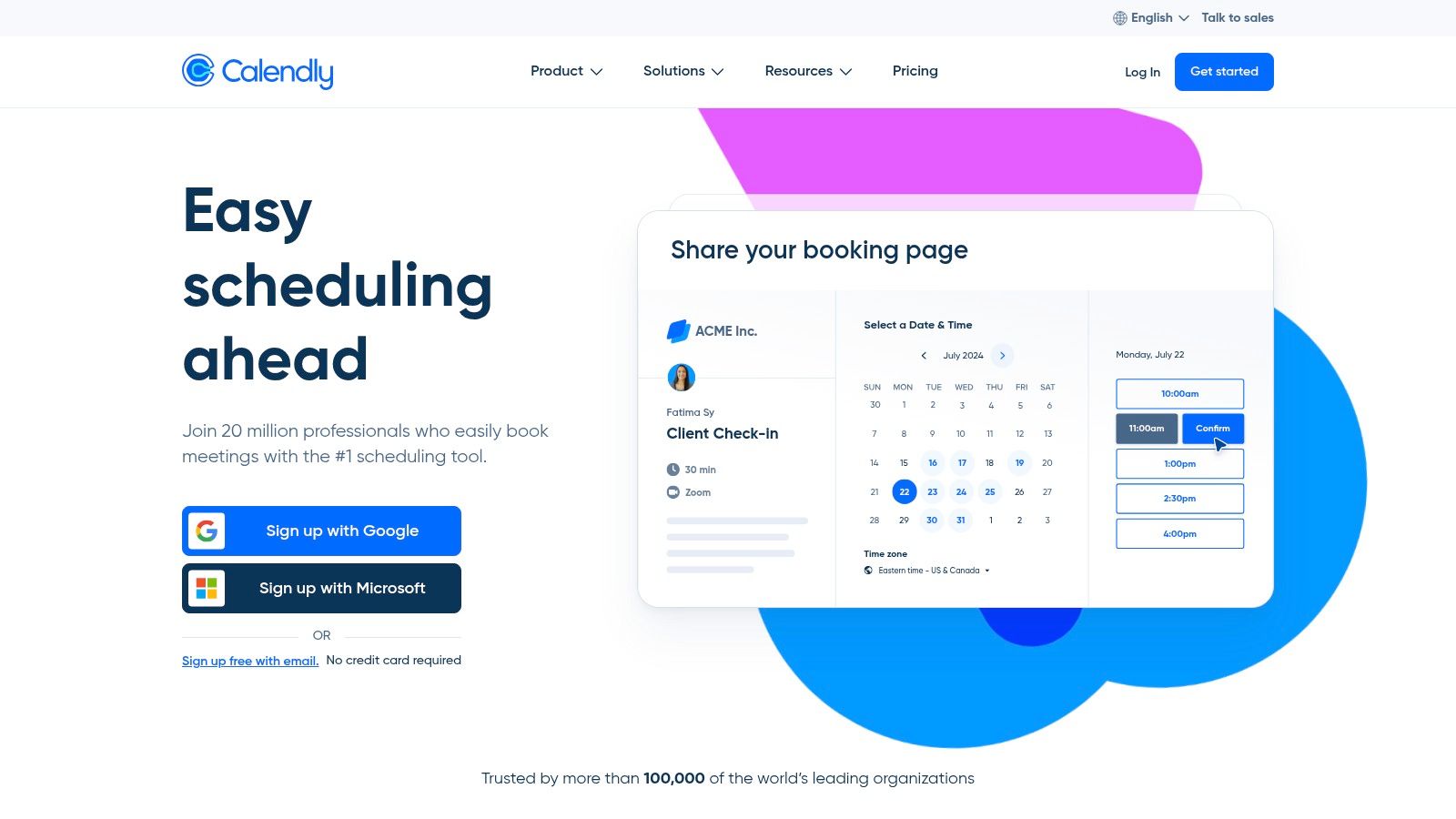
Its primary advantage is the familiar and simple booking experience it offers parents, which can be embedded directly into a website. Calendly's routing forms can automatically qualify leads and direct them to the correct teacher. For tutoring businesses focused on lead generation, its integrations with CRMs (Salesforce, HubSpot) and payment processors create a smooth onboarding funnel.
Key Features & Pricing
Scheduling: Provides one-to-one and group event types with automated workflows, reminders, and follow-ups.
Team Features: Includes round-robin and collective scheduling to distribute bookings, plus routing forms for lead qualification.
Pricing: Offers a free basic plan for individuals. Paid plans start at $10 per seat/month (billed annually) and scale up to Enterprise-level for advanced team features.
Pros & Cons
Pros | Cons |
|---|---|
Excellent, familiar user experience for clients and leads. | Lacks education-specific features like attendance and payroll. |
Strong integrations with marketing and sales tools (CRMs). | Becomes an expensive add-on when paired with other management tools. |
Advanced routing and team distribution for trial lessons. | Not designed for complex, recurring student scheduling. |
The Verdict
Calendly is an excellent choice for the top of your sales funnel, automating trial bookings better than most all-in-one systems. However, it is not a substitute for a comprehensive tutoring management platform. Centers will still need another system for attendance, invoicing, and payroll. For managing multi-location scheduling, you can explore how Calendly stacks up. Centers needing an integrated solution for both lead capture and daily operations will find Tutorbase’s built-in CRM more cost-effective.
Website: https://calendly.com
6. Setmore
Setmore is a streamlined online booking tool ideal for tutors and small teams who need a quick, user-friendly scheduling solution. It excels at simplifying the appointment process with a branded booking page, social media integrations, and built-in payment processing, making it a great entry point for businesses looking to professionalize their scheduling.
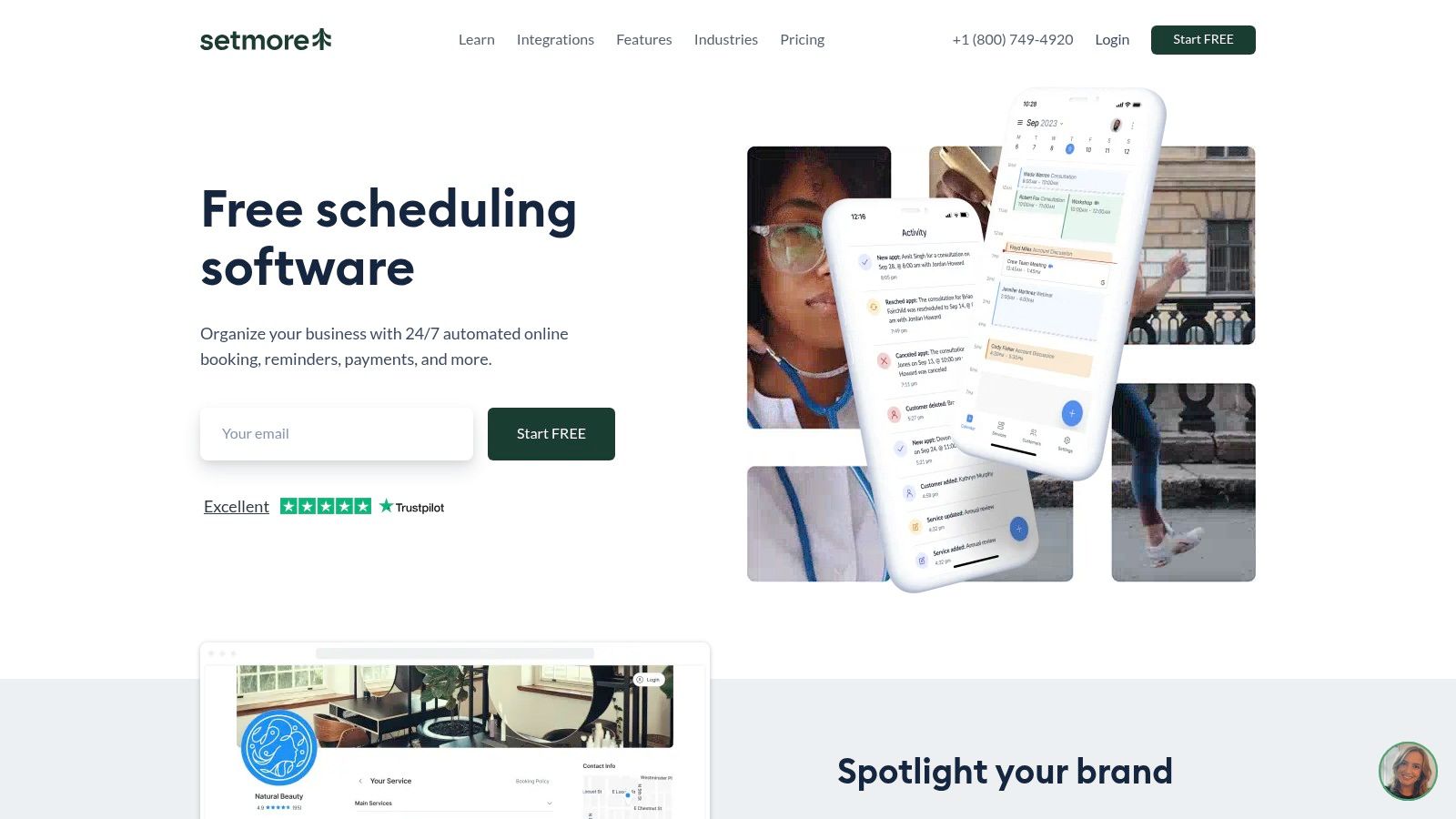
Its primary appeal is its accessibility and ease of setup. Tutors can create a custom booking page and embed it on their website or link it from Instagram and Facebook, allowing clients to book sessions effortlessly. The platform supports both one-on-one and group classes, syncs with Google and Office 365 calendars, and sends automated SMS reminders. It is one of the more versatile class scheduling apps for tutors focused on client acquisition.
Key Features & Pricing
Booking & Payments: Offers a branded booking page, website widget, and mobile app. It supports online payments, including Tap to Pay for in-person sessions.
Integrations: Connects with social media for direct booking and integrates with Google Calendar for two-way syncing.
Pricing: A generous free plan supports up to 4 users. Paid plans (Pro and Team) unlock advanced features like SMS reminders and recurring appointments.
Pros & Cons
Pros | Cons |
|---|---|
Generous free plan for up to 4 users is perfect for small teams. | Advanced reporting and automation are locked behind paid plans. |
Social booking integrations (Instagram, Facebook) simplify marketing. | Lacks tutoring-specific features like complex payroll or multi-branch room management. |
24/7 human support is available on all plans, including the free one. | May require paid add-ons for enterprise-grade functionality. |
The Verdict
Setmore is an excellent choice for solo tutors or small tutoring businesses that prioritize easy client booking and a strong online presence. Its free plan provides substantial value. However, centers needing comprehensive management tools for payroll, invoicing, and multi-location coordination will find it limited. For those complex operational needs, a dedicated system like Tutorbase offers far more depth and automation.
Website: https://www.setmore.com
7. Appointy
Appointy is a general-purpose scheduling tool with a strong focus on education, making it a straightforward option for centers needing a simple booking solution. It handles class scheduling, resource management like booking rooms, and multi-location coordination. It's well-suited for smaller schools or after-school programs that need reliable booking with integrated payments.
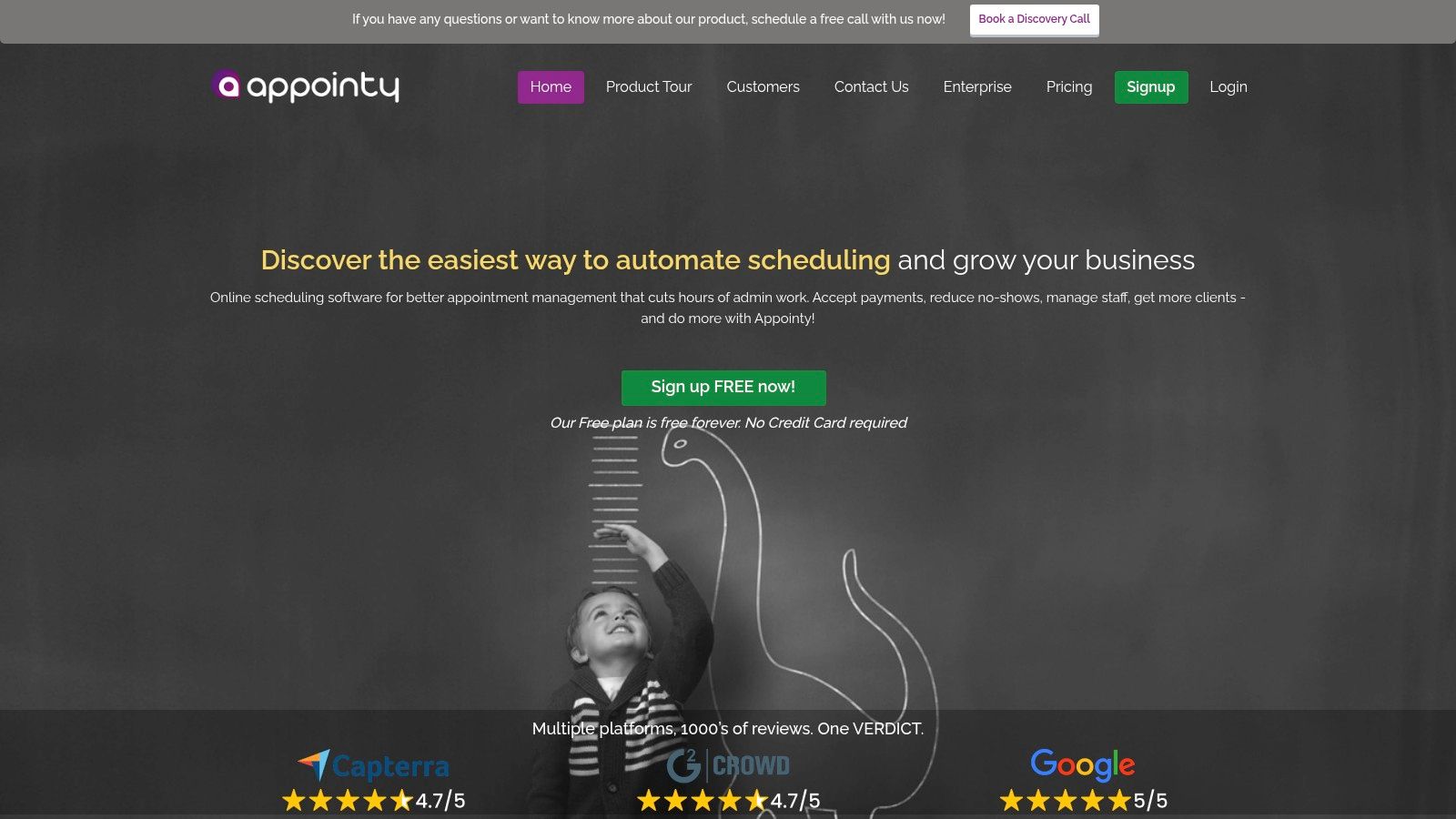
The platform's key advantage is its simplicity. It offers website booking integration, calendar synchronization with Google and iCal, and popular payment gateway support like Stripe and PayPal. Features like gift certificates and class packages make it an accessible choice for businesses looking to offer flexible options without the complexity of a full-scale management system.
Key Features & Pricing
Scheduling: Provides booking for classes and resources (rooms, equipment) with calendar sync and Zoom integration.
Payments & Packages: Supports Stripe/PayPal, gift certificates, and lesson packages to drive sales.
Pricing: Offers a free plan for solo tutors. Paid plans start at $20 per user/month (billed annually) with a 14-day free trial.
Pros & Cons
Pros | Cons |
|---|---|
Straightforward per-user pricing tiers and a free plan. | Lacks deep tutoring-specific features like automated payroll. |
Education-ready features like resource scheduling and packages. | Multi-location management is locked behind the most expensive plan. |
Easy integration with websites, calendars, and payment systems. | Not designed for high-volume centers that require advanced billing automation. |
The Verdict
Appointy is a solid scheduler for tutors or small centers focused primarily on streamlining their booking process. Its user-friendly interface makes it easy to adopt. However, centers with complex payroll needs or multi-branch operations may find its capabilities limiting. Businesses requiring integrated, automated systems for billing and AI-assisted scheduling will find a more comprehensive solution in Tutorbase.
Website: https://www.appointy.com
8. SimplyBook.me
SimplyBook.me is a versatile booking system designed for a wide range of service-based businesses, including tutors. It offers a rich feature set that goes beyond simple scheduling, providing an embeddable booking widget, dedicated client and admin apps, and robust payment processing capabilities. This makes it a strong choice for businesses that need an all-in-one client-facing booking solution.
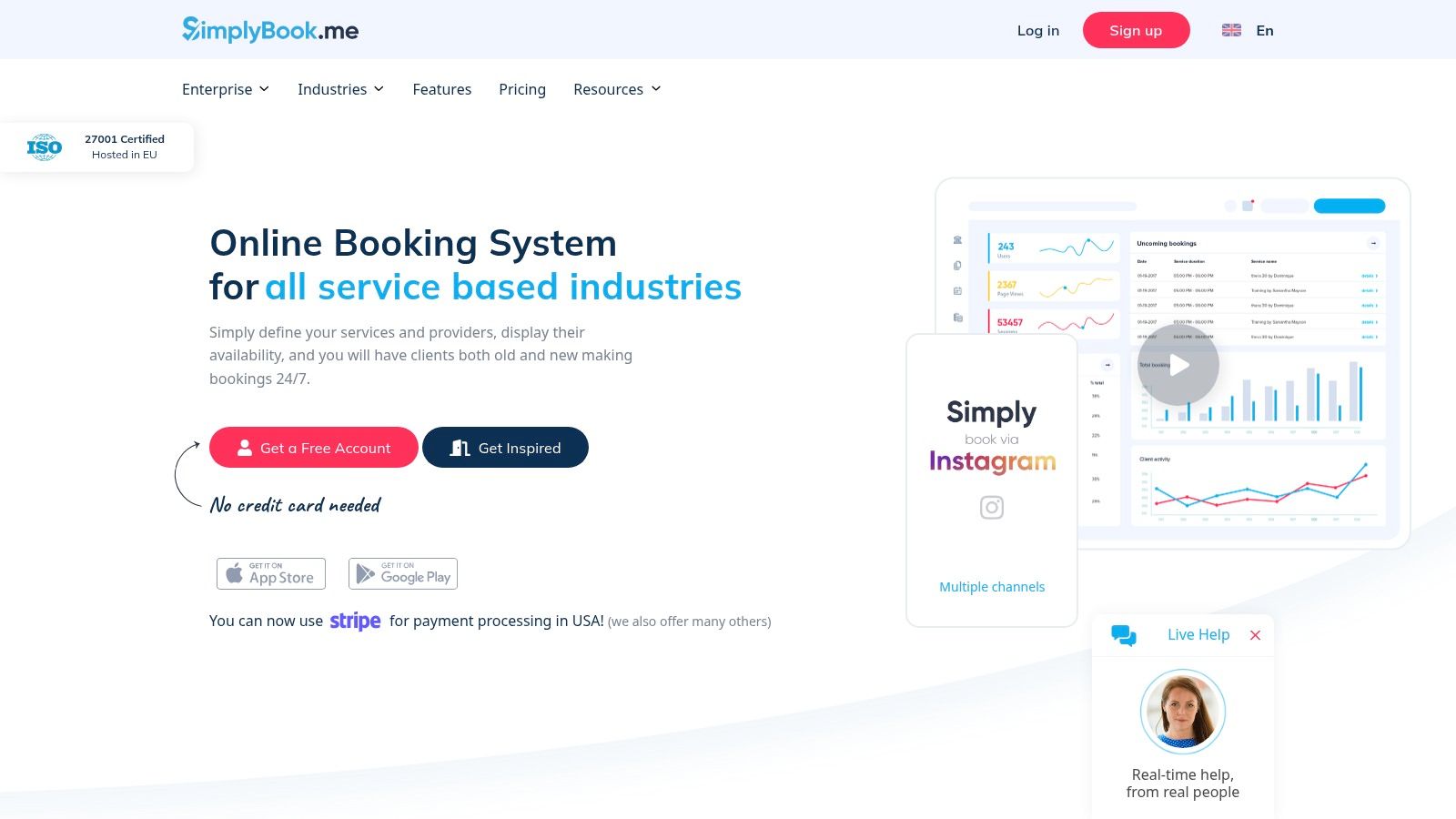
The platform’s strength lies in its extensive customization through add-ons, which it calls "custom features." This allows tutors to add functionalities like POS, gift cards, and packages. This modular approach lets a small tutoring business start simple and add complexity as it scales, without paying for enterprise-level features from day one.
Key Features & Pricing
Scheduling: Provides a booking website, embeddable widget, and dedicated admin/client apps.
Payments: Supports online payments, deposits, coupons, gift cards, and includes POS functionality.
Pricing: Offers a free plan with 50 bookings/month. Paid plans start at $9.90/month for 100 bookings and scale up, offering more bookings and custom features.
Pros & Cons
Pros | Cons |
|---|---|
Rich feature set with numerous optional add-ons (SMS, packages). | Plans have strict monthly booking caps; extra bookings cost more. |
Transparent pricing for add-ons and optional setup services. | The high number of add-ons can increase complexity. |
Supports enterprise needs like HIPAA and SAML SSO on higher plans. | Lacks integrated, tutor-specific payroll and deep operational tools. |
The Verdict
SimplyBook.me is an excellent scheduling app for tutors focused on providing a polished, feature-rich online booking experience. Its modular design is powerful but can become costly if your needs grow. While great for front-end booking, it is not a comprehensive tutoring management system. For a better understanding of its payment features, learn more about tutoring billing software on Tutorbase. Businesses needing integrated payroll and AI-assisted scheduling will find Tutorbase a more fitting solution.
Website: https://www.simplybook.me
9. Picktime
Picktime is a budget-friendly class scheduling platform designed for cost-conscious small businesses. It appeals to solo tutors and small after-school programs that need reliable, straightforward scheduling with core features like payment processing and calendar syncs without a high initial investment.
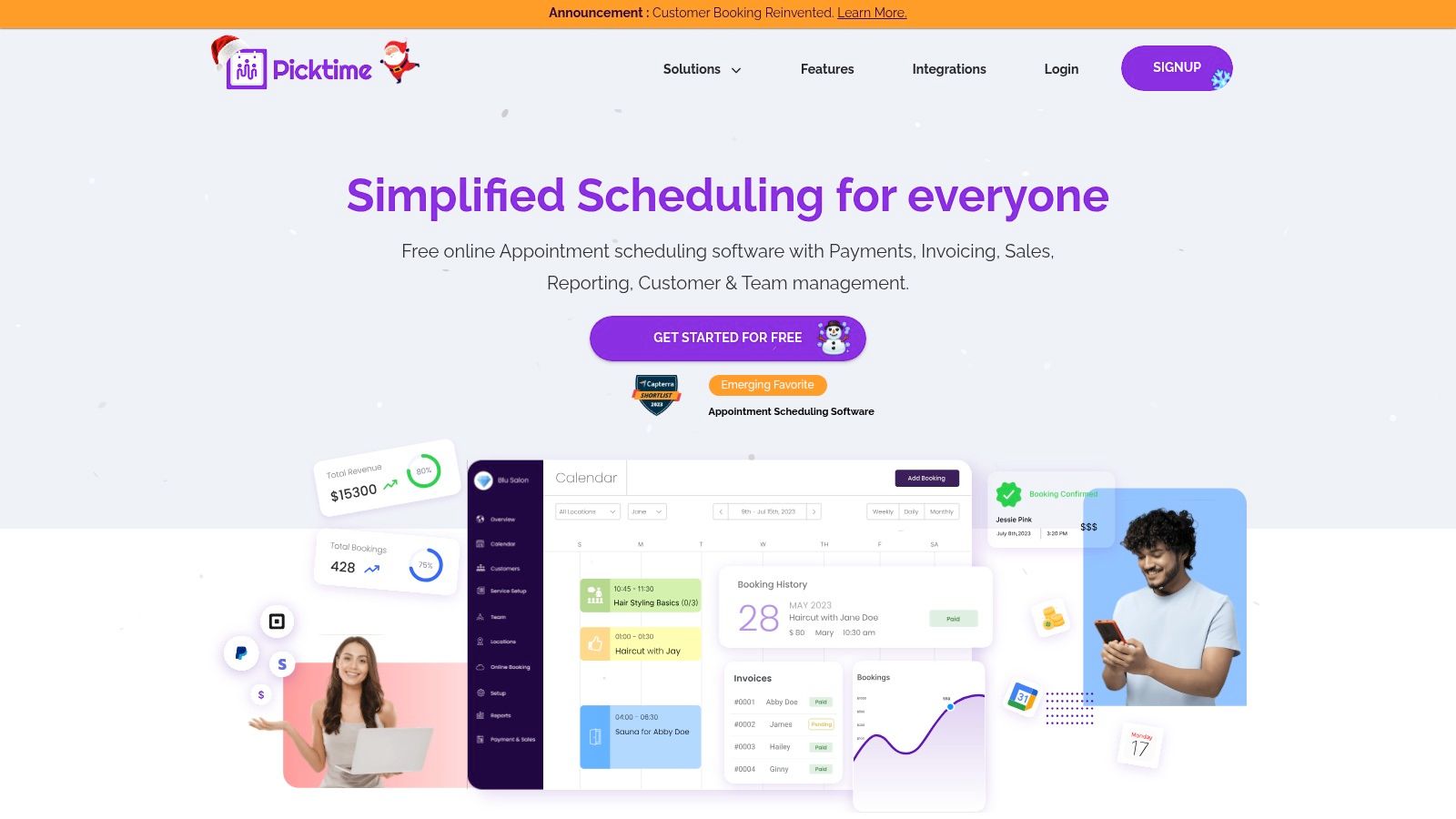
Its primary appeal lies in providing advanced features like round-robin scheduling and waitlists at a very accessible price point. The platform supports both 1-on-1 appointments and group classes with recurring bookings and attendance tracking. With integrations for payment gateways like PayPal and Stripe, plus Zapier support, it offers a functional hub for tutors just starting to automate administrative tasks.
Key Features & Pricing
Scheduling: Supports classes, courses, and one-on-one appointments with recurring bookings and attendance tracking.
Automation: Includes round-robin scheduling for teams, waitlists for full classes, and automated reminders.
Pricing: Offers a free plan for basic needs. Paid plans like Pro are very competitively priced, offering more features for a low per-user fee.
Pros & Cons
Pros | Cons |
|---|---|
Very low per-user pricing with unlimited appointments. | Some advanced features are still listed as “coming soon”. |
Includes round-robin and waitlist features at an entry-level price point. | Lacks deep operational tools for complex payroll or multi-branch management. |
Integrates with major payment gateways and Zapier. | Documentation and support can be less comprehensive than larger platforms. |
The Verdict
Picktime is an excellent starting point for new or budget-conscious tutors. Its feature set provides significant value for the cost, covering scheduling and payments essentials. However, growing centers that require sophisticated billing logic, multi-branch room management, and automated payroll will quickly outgrow its capabilities. For those businesses, a dedicated platform like Tutorbase provides the necessary infrastructure to manage complex operations.
Website: https://www.picktime.com
10. Bookeo – Classes & Courses
Bookeo is a versatile scheduling platform with a dedicated "Classes & Courses" product tailored for businesses that run group sessions. It’s well-suited for language schools and tutoring centers that sell services through memberships, passes, or class packs. Its strength is managing complex enrollment types and recurring class schedules.
The platform provides solid tools for managing teacher and room availability, setting capacity limits, and creating automated waitlists for popular classes. This makes it a practical choice for centers that need to maximize the utilization of their physical spaces and teaching staff. Its structure is centered around selling predefined courses or flexible class packs, which aligns well with term-based enrollment models.
Key Features & Pricing
Scheduling: Manages recurring classes, workshops, and courses with teacher/room assignments, capacity limits, and waitlists.
Enrollment Management: Supports class packs, memberships, and gift vouchers, allowing for flexible payment and attendance models.
Pricing: Tiered plans start at $39.95/month, based on the number of teachers and booking limits. A 30-day free trial is available.
Pros & Cons
Pros | Cons |
|---|---|
Generous 30-day free trial to test all features. | Higher tiers are required for larger teams or multi-location businesses. |
Strong focus on class packs and memberships fits certain business models. | Some important capabilities are only available as paid add-ons. |
Education-oriented features like digital waivers are available. | Lacks the sophisticated, AI-driven booking tools found in Tutorbase. |
The Verdict
Bookeo is a competent scheduler for tutoring businesses that operate like a studio, relying on class packs and memberships. However, its generalist approach means it lacks deep, tutoring-specific administrative features for complex payroll or automated billing based on attendance data. Centers needing a fully integrated system will find a dedicated platform like Tutorbase more efficient.
Website: https://www.bookeo.com/classes
Bonus Tools for Tutors
While the tools below didn't make our top 10 for tutoring centers, they are excellent options for specific use cases, particularly for solo tutors or those already using the Zoho ecosystem.
11. Zoho Bookings
Zoho Bookings is an affordable scheduler that shines when integrated into the broader Zoho ecosystem. It’s an excellent choice for businesses that already use Zoho CRM, as it tightly connects class scheduling with lead management and sales funnels. This integration makes it one of the top class scheduling apps for tutors who need more than just a calendar.
Its core value lies in its seamless connection to other Zoho products, like CRM and SalesIQ. This allows tutors to automate the entire customer journey, from a lead booking a trial to that lead being tracked in the CRM pipeline. The platform supports one-to-one and group event bookings through embeddable widgets and offers a generous free plan.
What are Zoho Booking's key features?
Scheduling: Provides 1-on-1 and group class bookings with mobile apps and embeddable website widgets.
Integrations: Features two-way sync with Google, Microsoft, and Zoho calendars, plus integrations for Zoom and Teams. It is also included in the Zoho One bundle.
Pricing: A "Free Forever" plan is available for a single user. Paid plans start at a competitive price point, billed per user.
Pros & Cons
Pros | Cons |
|---|---|
Strong value with a robust free plan for solo tutors. | The per-user pricing model can become costly for centers with a large tutor roster. |
Native integrations with Zoho CRM create a unified system. | Lacks the specialized tutoring workflows like AI-powered slot finding. |
Includes a customer portal for self-service management. | Pricing and feature limits can vary by region. |
The Verdict
Zoho Bookings is a powerful tool for tutoring businesses already invested in the Zoho ecosystem. Its deep CRM integration is a significant advantage. However, its per-user pricing can scale poorly for large teams, and it lacks the specialized scheduling and payroll features that dedicated tutoring management systems like Tutorbase offer.
Website: https://www.zoho.com/bookings/
12. TutorBird
TutorBird is a comprehensive tutor-specific management app popular with solo tutors and small teams. It covers scheduling, invoicing, reminders, and attendance, all bundled with a dedicated student portal. The platform is designed for rapid deployment, making it ideal for educators moving away from spreadsheets.
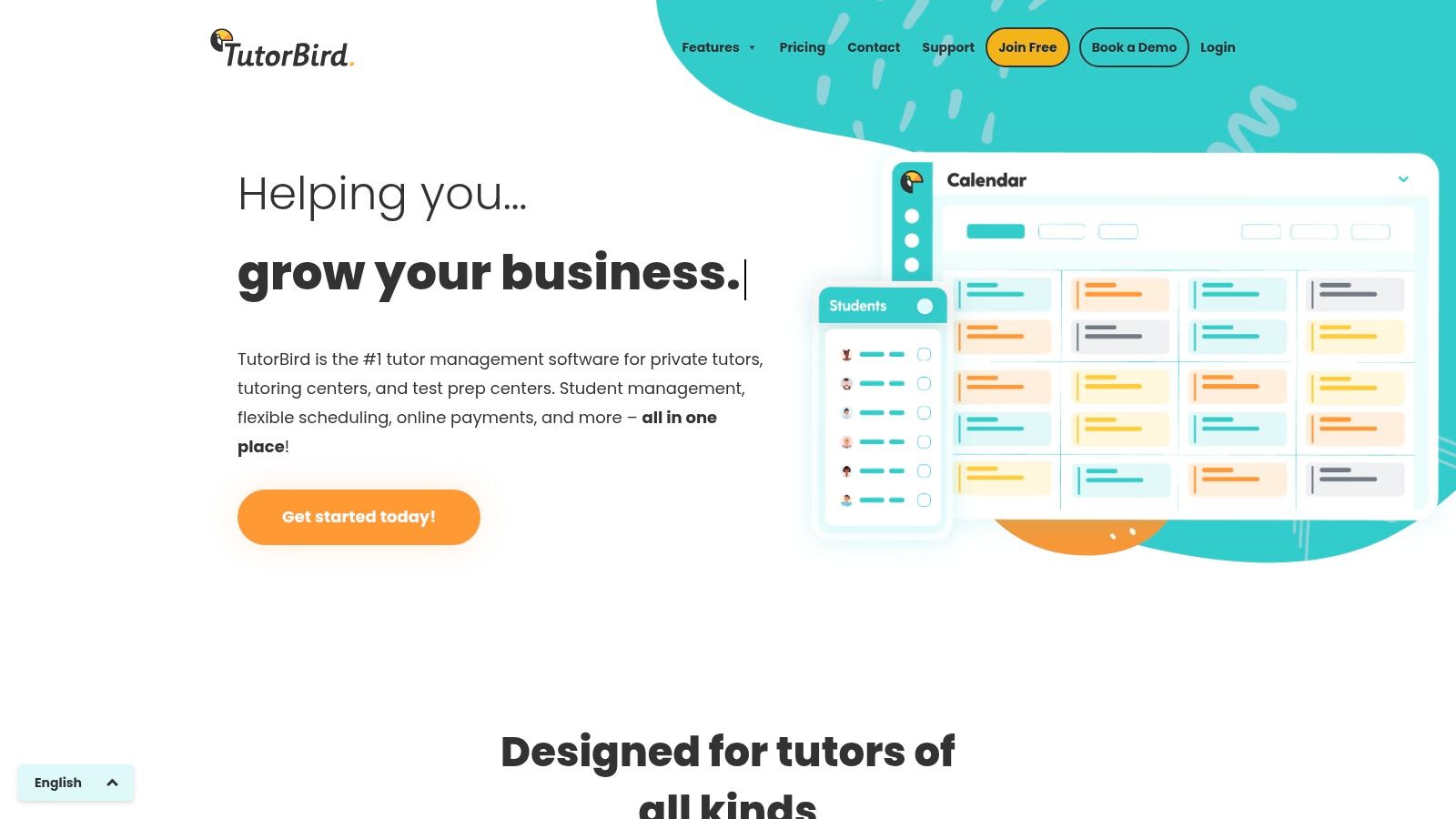
Its main appeal is simplicity and an all-in-one feature set tailored for the core needs of a tutoring business. You get a centralized calendar with attendance tracking, integrated invoicing with automated late fees, and a parent portal for families to view schedules. The platform also integrates with online lesson tools like Zoom and Lessonspace.
What makes TutorBird a good choice?
Scheduling: Central calendar with attendance, cancellation tracking, and two-way calendar sync.
Billing: Invoicing, online payments, and automated late fees with detailed reporting.
Pricing: A flat monthly fee that scales per active teacher. This includes all features, a 30-day free trial, and a 90-day money-back guarantee.
Pros & Cons
Pros | Cons |
|---|---|
All core features are included in one price with phone and email support. | Pricing scales per additional tutor, which can increase costs for growing teams. |
Generous 30-day free trial and a 90-day money-back guarantee. | Lacks enterprise-level controls for larger organizations. |
User-friendly interface designed for tutors, not just admins. | Does not offer advanced payroll or multi-branch room management features. |
The Verdict
TutorBird is an excellent starting point for solo tutors and small centers needing to organize their admin tasks. However, its per-tutor pricing and lack of advanced features can become a bottleneck. As a business grows to manage multiple locations or complex payroll models, a more powerful solution like Tutorbase, with its AI-driven scheduling and robust multi-branch capabilities, becomes a necessary upgrade.
Website: https://www.tutorbird.com
Comparison of Top Tutor Scheduling Software
Product | Core focus | Scheduling & rooms | Billing & payroll | Best for / Pricing |
|---|---|---|---|---|
Tutorbase (Recommended) | AI-powered all-in-one tutoring ops; unifies scheduling, billing, payroll | Find Slot/Find Spot, conflict detection, multi-branch room & capacity, hybrid classes | Auto invoices from attendance, prepaid wallet, complex payroll (base+variable, overtime, revenue share) | Multi-branch centers & language schools (5–100+ teachers, 50–10k lessons/week); contact sales |
Teachworks | Scheduling-first tutoring platform | Class & 1:1 scheduling, conflict checks, multi-branch on higher plans | Invoicing & payments; basic payroll options | Mid-sized centers; usage-based pricing can be economical but variable cost at scale |
TutorCruncher | End-to-end tutoring OS for agencies | Color-coded calendar, lesson reports, multi-branch support | Integrated payments, subscriptions, payroll | Tutoring agencies & growing centers; clear US pricing and calculator |
Squarespace Scheduling (Acuity) | Polished scheduler & embed ecosystem | Client self-booking, group classes, embeds, intake forms | Packages, Stripe/Square/PayPal payments; limited automation for tutoring ops | Single-location studios and class-pack businesses; easy embeds |
Calendly | Broad team scheduler for lead routing | Round-robin, routing, team scheduling, CRM integrations | Payment collection (Stripe/PayPal) only; no attendance/payroll | Lead distribution and trial scheduling; familiar UX for parents |
Setmore | Easy booking with mobile-first UX | Branded booking page, recurring classes, two-way calendar sync | Built-in payments; advanced reporting on Pro | Small–mid teams; generous free plan (up to 4 users) |
Appointy | General scheduler with resource focus | Resource/room scheduling, multi-location basics, calendar sync | Payments, packages, gift certificates | Centers needing simple room/resource scheduling; straightforward tiers |
SimplyBook.me | Feature-rich booking with add-ons | Booking website, embeddable widget, multi-provider support | POS, deposits, coupons, add-on billing | Teams needing many integrations/add-ons; transparent add-on pricing |
Picktime | Budget-friendly scheduler | Classes, waitlists, round-robin, two-way sync | Payment gateway integrations; basic invoicing | Cost-conscious small teams and after-school programs |
Bookeo – Classes & Courses | Class- and course-centric scheduling | Recurring classes, capacity limits, waitlists | Class packs, memberships, vouchers | Language schools and multi-teacher programs; clear tiering |
How do you choose the right scheduler for your tutoring business?
Navigating the landscape of class scheduling apps can feel overwhelming, but making an informed choice is critical for scaling your operations. This list of the top class scheduling apps for tutors shows a clear spectrum. On one end, you have powerful appointment setters like Calendly and Squarespace Scheduling. These are fantastic for solo tutors whose primary need is to automate booking and eliminate back-and-forth emails.
As you move up the complexity scale, tools like TutorBird and Setmore introduce more tutoring-specific features, such as student records and basic billing. However, they often require you to manually connect scheduling data to other critical business functions like payroll and invoicing. This fragmentation is where administrative overhead begins to grow, leading to manual data entry and a higher risk of human error.
Moving from a Simple Scheduler to a True Management System
For growing tutoring centers, especially those with multiple teachers, locations, or complex pricing, the limitations of basic schedulers become a significant bottleneck. This is where dedicated tutoring management platforms like Teachworks and TutorCruncher enter. They consolidate scheduling, billing, and student management. Yet, they can still present challenges with complex payroll, multi-branch room management, and performance at high volume.
The ultimate goal for any ambitious tutoring business is a seamless operational workflow from lead to payroll. This means choosing a system built for growth. Your choice of software should solve tomorrow's problems, not just today's. If your vision includes expanding to new locations or managing a team of 20+ educators, you need a platform designed for that scale.
Making Your Final Decision
When selecting your tool, consider these final implementation factors:
Migration Effort: How difficult will it be to move your existing data into the new system? Look for platforms that offer import tools or migration support.
Total Cost of Ownership: Look beyond the monthly subscription fee. Factor in the cost of manual workarounds and errors from disconnected systems. An all-in-one system often has a higher sticker price but a lower total cost.
Scalability: Will the software grow with you? A system that works for five teachers might buckle under the pressure of fifty. An integrated system aligns better with long-term growth. For a deeper look, review the best LMS solutions for small businesses.
The right tool transforms your administrative burden into a competitive advantage. It frees you from the chaos of spreadsheets and double-bookings, allowing you to focus on delivering exceptional education.
Frequently Asked Questions (FAQ)
What is the best scheduling app for a solo tutor?
For a solo tutor, a simple and affordable tool like Squarespace Scheduling or Calendly is often the best choice. They offer professional booking pages, easy calendar integration, and payment collection without the complexity of a full management system. Setmore's generous free plan is also an excellent starting point.
Which software is best for managing a multi-location tutoring center?
Tutorbase is specifically designed for multi-location tutoring centers. Its platform allows you to manage teachers, rooms, capacity, and pricing across different branches from a single dashboard, which is a feature many simpler schedulers lack. This prevents booking conflicts and provides unified reporting.
How can software prevent double-booking teachers or rooms?
Modern scheduling software prevents double-bookings through real-time conflict detection. When you try to schedule a lesson, the system checks the teacher's availability and the room's schedule simultaneously. If a conflict exists, the software will block the booking and, in advanced systems like Tutorbase, suggest alternative available slots.
Can these apps handle both online and in-person classes?
Yes, most of the top scheduling apps support both online and in-person tutoring. They often integrate with video conferencing tools like Zoom or Google Meet, automatically generating unique links for online lessons. Platforms like Tutorbase also support hybrid classes, allowing you to manage both online and in-person students in the same lesson simultaneously.
How does tutoring software automate invoicing and payments?
Tutoring management software automates invoicing by linking lesson attendance directly to billing. When a teacher marks a student as "Attended," the system automatically generates an invoice item based on the student's specific pricing plan. It can then compile these into weekly or monthly invoices and send them to parents automatically, significantly reducing administrative time.
Ready to stop managing tasks and start scaling your business? Tutorbase is the AI-powered, all-in-one platform designed for ambitious tutoring centers that have outgrown simple schedulers. Reduce admin time by 60% and eliminate booking errors. Register for a demo.
The Top 10 Class Scheduling Apps for Tutors: Our Best Picks for 2026
Published: January 8, 2026 by Amy Ashford


Tutoring centers thrive on seamless scheduling but often get bogged down by manual processes, fragmented tools, and costly booking errors. Operations managers spend over 10 hours weekly just trying to align teachers, students, and rooms, leading to double-bookings, lost revenue, and administrative burnout. In 2026, the right software is a necessity for growth, not just a convenience.
This guide analyzes the top class scheduling apps for tutors, from simple calendar tools to comprehensive platforms for multi-branch academies. We will compare scheduling features, pricing, and use cases to help you eliminate administrative work. Beyond just picking an app, understanding best practices for online teaching can further enhance your business.
Each option in our list includes a detailed breakdown of its pros and cons, screenshots of its interface, and direct links to get started. You will gain a clear understanding of which platform best fits your needs, whether you're a solo tutor or managing hundreds of lessons across multiple locations.
1. Tutorbase: Best Tutoring Center Software
Tutorbase is the central nervous system for ambitious tutoring businesses, replacing fragmented software like Teachworks and TutorCruncher with a unified, AI-powered platform. It’s engineered for scale, serving centers and language schools managing 5 to 100+ teachers. By integrating scheduling, billing, payroll, and room management, Tutorbase directly addresses the operational chaos that inhibits growth.

Its standout feature is an intelligent scheduling engine designed to eliminate double-bookings. The "Find Slot" and "Find Spot" tools automatically find the best teacher, room, and time, reducing a 10-minute manual process to under 2 minutes. This feature alone ranks it as one of the best class scheduling apps for tutors where booking errors mean lost revenue. Its real power is how attendance data automatically generates invoices and calculates complex payroll, including revenue-share and bonus structures.
What are Tutorbase's key features?
Best For: Tutoring centers (5–100+ teachers), multi-branch operators, and test-prep academies that require a single source of truth for all operations, from lead management to payroll.
Standout Features: AI-powered "Find Slot" scheduling, automated invoicing from attendance, native prepaid credit wallets, multi-branch room capacity tracking, and highly flexible payroll models.
Pricing: Custom. You'll need to contact their sales team for a quote tailored to your business size. This approach can be a hurdle for smaller operators who prefer transparent, tiered pricing.
Pros: The unified system delivers a 60% reduction in admin time and eliminates costly booking errors. It's built to handle high-volume operations (10,000+ lessons/week) without performance degradation.
Cons: The platform's feature depth means there is a learning curve. Migrating from spreadsheets or legacy systems requires dedicated implementation and staff training.
Website: https://tutorbase.com
2. Teachworks
Teachworks is a robust, scheduling-first tutoring management system designed for multi-teacher organizations. It excels at connecting lesson schedules with core administrative tasks like attendance, payroll, and invoicing, making it a strong contender for established K-12 centers, language schools, and test prep academies managing complex operations.

Its primary strength lies in its logical workflow where scheduling is the central engine. Every booked lesson automatically feeds data into attendance logs, teacher payroll calculations, and client invoices. This integrated approach reduces manual data entry and minimizes errors, a key benefit for centers with high lesson volume. The platform also supports multi-branch management and provides API access on higher-tier plans.
Key Features & Pricing
Scheduling: Handles both 1-on-1 and group classes with automated conflict checking and attendance tracking.
Admin Integration: Seamlessly connects scheduling to invoicing, billing, and teacher payroll.
Pricing: Starts with a usage-based model at $12/month plus a per-lesson fee. Plans scale up to offer more features like API access and multi-branch support. A generous 21-day free trial is available.
Pros & Cons
Pros | Cons |
|---|---|
Usage-based pricing can be cost-effective for seasonal businesses. | Variable per-lesson fee can become expensive at high volume. |
Unlimited student and teacher profiles across all plans. | Advanced features are locked behind higher-priced plans. |
Strong core features for scheduling, billing, and payroll. | Lacks advanced AI-driven booking tools like Tutorbase's "Find Slot" feature. |
The Verdict
Teachworks is a solid choice for multi-teacher tutoring centers that need a reliable, integrated system. However, its manual booking process and variable costs at scale can become limitations. For a more detailed breakdown, learn more about Teachworks on tuition management system reviews. Centers looking for AI-powered scheduling and more sophisticated payroll and multi-brand management may find Tutorbase to be a more scalable alternative.
Website: https://teachworks.com
3. TutorCruncher
TutorCruncher is an end-to-end management system designed for tutoring agencies and growing centers. It acts as a comprehensive OS, integrating lesson scheduling with a client pipeline, automated payments, and payroll. This makes it ideal for businesses seeking to consolidate core functions into a single platform.
The platform's main advantage is its tutoring-centric design. Unlike generic booking software, its features are tailored for agency workflows. For instance, the color-coded calendar and automated lesson reports streamline daily scheduling, while integrated payment processing and subscription management simplify revenue collection. This holistic approach helps businesses manage growth from lead acquisition to tutor payment without fragmented tools.
Key Features & Pricing
Scheduling: Features a color-coded calendar with automated email and SMS reminders and detailed lesson reporting.
Admin Integration: Combines CRM, client billing, subscriptions, and contractor payroll into one workflow.
Pricing: Tiered pricing based on active students, with clear calculators on their site. A 14-day free trial is available to test all features.
Pros & Cons
Pros | Cons |
|---|---|
Designed specifically for tutoring company workflows. | Standard card payment processing fees apply on top of the subscription. |
All-in-one system from lead management to payroll. | Advanced support options may come at an additional cost. |
Two-week free trial with access to all features. | Lacks AI-driven scheduling tools like Tutorbase's "Find Slot" for rapid booking. |
The Verdict
TutorCruncher is a powerful choice for tutoring agencies that need an all-in-one system. Its focus on the tutoring model makes it more intuitive than generic scheduling tools. However, businesses scaling rapidly or managing complex multi-branch logistics may find its manual booking process and basic payroll less efficient. For centers prioritizing automated, AI-powered scheduling and sophisticated multi-brand management, Tutorbase offers a more scalable solution.
Website: https://tutorcruncher.com
4. Squarespace Scheduling (Acuity)
Squarespace Scheduling, formerly Acuity Scheduling, is a polished scheduler ideal for tutors who prioritize a premium client booking experience. It operates effectively as a standalone tool or can be embedded into any website, offering robust features for 1:1 sessions, group classes, and selling class packages or memberships.

Its main advantage is its mature, automation-focused ecosystem. Tutors can set up intricate availability rules, create intake forms to gather student information, and accept payments via Stripe, Square, or PayPal. The platform excels at client-facing interactions, sending automated email and SMS reminders to reduce no-shows. It is one of the best class scheduling apps for tutors who need a highly customizable booking page.
Key Features & Pricing
Scheduling: Advanced client self-booking for unlimited services, 1-on-1 sessions, and group classes.
Admin Integration: Supports packages, gift certificates, and memberships. It also integrates with calendars and payment gateways.
Pricing: Plans start at $16/month (billed annually) for one calendar. Higher tiers add more calendars, features like SMS reminders, and the ability to remove Squarespace branding. A 7-day free trial is available.
Pros & Cons
Pros | Cons |
|---|---|
Mature ecosystem with powerful automation and integrations. | Not designed for tutoring; lacks payroll or detailed progress tracking. |
Excellent, professional-looking client booking interface. | Key features like brand removal require more expensive plans. |
Supports selling packages and memberships natively. | CRM capabilities are basic, requiring another tool for full student management. |
The Verdict
Squarespace Scheduling is an excellent choice for solo tutors or small businesses that need a best-in-class, client-facing booking system. Its ability to handle class packs is a significant plus. However, it is not a complete tutoring management system. Centers needing integrated payroll, multi-teacher coordination, and AI-assisted booking like Tutorbase's "Find Slot" feature will find it lacks the necessary operational depth for scaling.
Website: https://www.squarespace.com/scheduling
5. Calendly
Calendly is a widely adopted scheduling platform that excels at automating the front-end booking process, especially for capturing and distributing new leads. Its strength lies in team scheduling features like round-robin assignment, making it ideal for centers wanting to efficiently route trial lesson requests to available teachers or sales staff.

Its primary advantage is the familiar and simple booking experience it offers parents, which can be embedded directly into a website. Calendly's routing forms can automatically qualify leads and direct them to the correct teacher. For tutoring businesses focused on lead generation, its integrations with CRMs (Salesforce, HubSpot) and payment processors create a smooth onboarding funnel.
Key Features & Pricing
Scheduling: Provides one-to-one and group event types with automated workflows, reminders, and follow-ups.
Team Features: Includes round-robin and collective scheduling to distribute bookings, plus routing forms for lead qualification.
Pricing: Offers a free basic plan for individuals. Paid plans start at $10 per seat/month (billed annually) and scale up to Enterprise-level for advanced team features.
Pros & Cons
Pros | Cons |
|---|---|
Excellent, familiar user experience for clients and leads. | Lacks education-specific features like attendance and payroll. |
Strong integrations with marketing and sales tools (CRMs). | Becomes an expensive add-on when paired with other management tools. |
Advanced routing and team distribution for trial lessons. | Not designed for complex, recurring student scheduling. |
The Verdict
Calendly is an excellent choice for the top of your sales funnel, automating trial bookings better than most all-in-one systems. However, it is not a substitute for a comprehensive tutoring management platform. Centers will still need another system for attendance, invoicing, and payroll. For managing multi-location scheduling, you can explore how Calendly stacks up. Centers needing an integrated solution for both lead capture and daily operations will find Tutorbase’s built-in CRM more cost-effective.
Website: https://calendly.com
6. Setmore
Setmore is a streamlined online booking tool ideal for tutors and small teams who need a quick, user-friendly scheduling solution. It excels at simplifying the appointment process with a branded booking page, social media integrations, and built-in payment processing, making it a great entry point for businesses looking to professionalize their scheduling.

Its primary appeal is its accessibility and ease of setup. Tutors can create a custom booking page and embed it on their website or link it from Instagram and Facebook, allowing clients to book sessions effortlessly. The platform supports both one-on-one and group classes, syncs with Google and Office 365 calendars, and sends automated SMS reminders. It is one of the more versatile class scheduling apps for tutors focused on client acquisition.
Key Features & Pricing
Booking & Payments: Offers a branded booking page, website widget, and mobile app. It supports online payments, including Tap to Pay for in-person sessions.
Integrations: Connects with social media for direct booking and integrates with Google Calendar for two-way syncing.
Pricing: A generous free plan supports up to 4 users. Paid plans (Pro and Team) unlock advanced features like SMS reminders and recurring appointments.
Pros & Cons
Pros | Cons |
|---|---|
Generous free plan for up to 4 users is perfect for small teams. | Advanced reporting and automation are locked behind paid plans. |
Social booking integrations (Instagram, Facebook) simplify marketing. | Lacks tutoring-specific features like complex payroll or multi-branch room management. |
24/7 human support is available on all plans, including the free one. | May require paid add-ons for enterprise-grade functionality. |
The Verdict
Setmore is an excellent choice for solo tutors or small tutoring businesses that prioritize easy client booking and a strong online presence. Its free plan provides substantial value. However, centers needing comprehensive management tools for payroll, invoicing, and multi-location coordination will find it limited. For those complex operational needs, a dedicated system like Tutorbase offers far more depth and automation.
Website: https://www.setmore.com
7. Appointy
Appointy is a general-purpose scheduling tool with a strong focus on education, making it a straightforward option for centers needing a simple booking solution. It handles class scheduling, resource management like booking rooms, and multi-location coordination. It's well-suited for smaller schools or after-school programs that need reliable booking with integrated payments.

The platform's key advantage is its simplicity. It offers website booking integration, calendar synchronization with Google and iCal, and popular payment gateway support like Stripe and PayPal. Features like gift certificates and class packages make it an accessible choice for businesses looking to offer flexible options without the complexity of a full-scale management system.
Key Features & Pricing
Scheduling: Provides booking for classes and resources (rooms, equipment) with calendar sync and Zoom integration.
Payments & Packages: Supports Stripe/PayPal, gift certificates, and lesson packages to drive sales.
Pricing: Offers a free plan for solo tutors. Paid plans start at $20 per user/month (billed annually) with a 14-day free trial.
Pros & Cons
Pros | Cons |
|---|---|
Straightforward per-user pricing tiers and a free plan. | Lacks deep tutoring-specific features like automated payroll. |
Education-ready features like resource scheduling and packages. | Multi-location management is locked behind the most expensive plan. |
Easy integration with websites, calendars, and payment systems. | Not designed for high-volume centers that require advanced billing automation. |
The Verdict
Appointy is a solid scheduler for tutors or small centers focused primarily on streamlining their booking process. Its user-friendly interface makes it easy to adopt. However, centers with complex payroll needs or multi-branch operations may find its capabilities limiting. Businesses requiring integrated, automated systems for billing and AI-assisted scheduling will find a more comprehensive solution in Tutorbase.
Website: https://www.appointy.com
8. SimplyBook.me
SimplyBook.me is a versatile booking system designed for a wide range of service-based businesses, including tutors. It offers a rich feature set that goes beyond simple scheduling, providing an embeddable booking widget, dedicated client and admin apps, and robust payment processing capabilities. This makes it a strong choice for businesses that need an all-in-one client-facing booking solution.

The platform’s strength lies in its extensive customization through add-ons, which it calls "custom features." This allows tutors to add functionalities like POS, gift cards, and packages. This modular approach lets a small tutoring business start simple and add complexity as it scales, without paying for enterprise-level features from day one.
Key Features & Pricing
Scheduling: Provides a booking website, embeddable widget, and dedicated admin/client apps.
Payments: Supports online payments, deposits, coupons, gift cards, and includes POS functionality.
Pricing: Offers a free plan with 50 bookings/month. Paid plans start at $9.90/month for 100 bookings and scale up, offering more bookings and custom features.
Pros & Cons
Pros | Cons |
|---|---|
Rich feature set with numerous optional add-ons (SMS, packages). | Plans have strict monthly booking caps; extra bookings cost more. |
Transparent pricing for add-ons and optional setup services. | The high number of add-ons can increase complexity. |
Supports enterprise needs like HIPAA and SAML SSO on higher plans. | Lacks integrated, tutor-specific payroll and deep operational tools. |
The Verdict
SimplyBook.me is an excellent scheduling app for tutors focused on providing a polished, feature-rich online booking experience. Its modular design is powerful but can become costly if your needs grow. While great for front-end booking, it is not a comprehensive tutoring management system. For a better understanding of its payment features, learn more about tutoring billing software on Tutorbase. Businesses needing integrated payroll and AI-assisted scheduling will find Tutorbase a more fitting solution.
Website: https://www.simplybook.me
9. Picktime
Picktime is a budget-friendly class scheduling platform designed for cost-conscious small businesses. It appeals to solo tutors and small after-school programs that need reliable, straightforward scheduling with core features like payment processing and calendar syncs without a high initial investment.

Its primary appeal lies in providing advanced features like round-robin scheduling and waitlists at a very accessible price point. The platform supports both 1-on-1 appointments and group classes with recurring bookings and attendance tracking. With integrations for payment gateways like PayPal and Stripe, plus Zapier support, it offers a functional hub for tutors just starting to automate administrative tasks.
Key Features & Pricing
Scheduling: Supports classes, courses, and one-on-one appointments with recurring bookings and attendance tracking.
Automation: Includes round-robin scheduling for teams, waitlists for full classes, and automated reminders.
Pricing: Offers a free plan for basic needs. Paid plans like Pro are very competitively priced, offering more features for a low per-user fee.
Pros & Cons
Pros | Cons |
|---|---|
Very low per-user pricing with unlimited appointments. | Some advanced features are still listed as “coming soon”. |
Includes round-robin and waitlist features at an entry-level price point. | Lacks deep operational tools for complex payroll or multi-branch management. |
Integrates with major payment gateways and Zapier. | Documentation and support can be less comprehensive than larger platforms. |
The Verdict
Picktime is an excellent starting point for new or budget-conscious tutors. Its feature set provides significant value for the cost, covering scheduling and payments essentials. However, growing centers that require sophisticated billing logic, multi-branch room management, and automated payroll will quickly outgrow its capabilities. For those businesses, a dedicated platform like Tutorbase provides the necessary infrastructure to manage complex operations.
Website: https://www.picktime.com
10. Bookeo – Classes & Courses
Bookeo is a versatile scheduling platform with a dedicated "Classes & Courses" product tailored for businesses that run group sessions. It’s well-suited for language schools and tutoring centers that sell services through memberships, passes, or class packs. Its strength is managing complex enrollment types and recurring class schedules.
The platform provides solid tools for managing teacher and room availability, setting capacity limits, and creating automated waitlists for popular classes. This makes it a practical choice for centers that need to maximize the utilization of their physical spaces and teaching staff. Its structure is centered around selling predefined courses or flexible class packs, which aligns well with term-based enrollment models.
Key Features & Pricing
Scheduling: Manages recurring classes, workshops, and courses with teacher/room assignments, capacity limits, and waitlists.
Enrollment Management: Supports class packs, memberships, and gift vouchers, allowing for flexible payment and attendance models.
Pricing: Tiered plans start at $39.95/month, based on the number of teachers and booking limits. A 30-day free trial is available.
Pros & Cons
Pros | Cons |
|---|---|
Generous 30-day free trial to test all features. | Higher tiers are required for larger teams or multi-location businesses. |
Strong focus on class packs and memberships fits certain business models. | Some important capabilities are only available as paid add-ons. |
Education-oriented features like digital waivers are available. | Lacks the sophisticated, AI-driven booking tools found in Tutorbase. |
The Verdict
Bookeo is a competent scheduler for tutoring businesses that operate like a studio, relying on class packs and memberships. However, its generalist approach means it lacks deep, tutoring-specific administrative features for complex payroll or automated billing based on attendance data. Centers needing a fully integrated system will find a dedicated platform like Tutorbase more efficient.
Website: https://www.bookeo.com/classes
Bonus Tools for Tutors
While the tools below didn't make our top 10 for tutoring centers, they are excellent options for specific use cases, particularly for solo tutors or those already using the Zoho ecosystem.
11. Zoho Bookings
Zoho Bookings is an affordable scheduler that shines when integrated into the broader Zoho ecosystem. It’s an excellent choice for businesses that already use Zoho CRM, as it tightly connects class scheduling with lead management and sales funnels. This integration makes it one of the top class scheduling apps for tutors who need more than just a calendar.
Its core value lies in its seamless connection to other Zoho products, like CRM and SalesIQ. This allows tutors to automate the entire customer journey, from a lead booking a trial to that lead being tracked in the CRM pipeline. The platform supports one-to-one and group event bookings through embeddable widgets and offers a generous free plan.
What are Zoho Booking's key features?
Scheduling: Provides 1-on-1 and group class bookings with mobile apps and embeddable website widgets.
Integrations: Features two-way sync with Google, Microsoft, and Zoho calendars, plus integrations for Zoom and Teams. It is also included in the Zoho One bundle.
Pricing: A "Free Forever" plan is available for a single user. Paid plans start at a competitive price point, billed per user.
Pros & Cons
Pros | Cons |
|---|---|
Strong value with a robust free plan for solo tutors. | The per-user pricing model can become costly for centers with a large tutor roster. |
Native integrations with Zoho CRM create a unified system. | Lacks the specialized tutoring workflows like AI-powered slot finding. |
Includes a customer portal for self-service management. | Pricing and feature limits can vary by region. |
The Verdict
Zoho Bookings is a powerful tool for tutoring businesses already invested in the Zoho ecosystem. Its deep CRM integration is a significant advantage. However, its per-user pricing can scale poorly for large teams, and it lacks the specialized scheduling and payroll features that dedicated tutoring management systems like Tutorbase offer.
Website: https://www.zoho.com/bookings/
12. TutorBird
TutorBird is a comprehensive tutor-specific management app popular with solo tutors and small teams. It covers scheduling, invoicing, reminders, and attendance, all bundled with a dedicated student portal. The platform is designed for rapid deployment, making it ideal for educators moving away from spreadsheets.

Its main appeal is simplicity and an all-in-one feature set tailored for the core needs of a tutoring business. You get a centralized calendar with attendance tracking, integrated invoicing with automated late fees, and a parent portal for families to view schedules. The platform also integrates with online lesson tools like Zoom and Lessonspace.
What makes TutorBird a good choice?
Scheduling: Central calendar with attendance, cancellation tracking, and two-way calendar sync.
Billing: Invoicing, online payments, and automated late fees with detailed reporting.
Pricing: A flat monthly fee that scales per active teacher. This includes all features, a 30-day free trial, and a 90-day money-back guarantee.
Pros & Cons
Pros | Cons |
|---|---|
All core features are included in one price with phone and email support. | Pricing scales per additional tutor, which can increase costs for growing teams. |
Generous 30-day free trial and a 90-day money-back guarantee. | Lacks enterprise-level controls for larger organizations. |
User-friendly interface designed for tutors, not just admins. | Does not offer advanced payroll or multi-branch room management features. |
The Verdict
TutorBird is an excellent starting point for solo tutors and small centers needing to organize their admin tasks. However, its per-tutor pricing and lack of advanced features can become a bottleneck. As a business grows to manage multiple locations or complex payroll models, a more powerful solution like Tutorbase, with its AI-driven scheduling and robust multi-branch capabilities, becomes a necessary upgrade.
Website: https://www.tutorbird.com
Comparison of Top Tutor Scheduling Software
Product | Core focus | Scheduling & rooms | Billing & payroll | Best for / Pricing |
|---|---|---|---|---|
Tutorbase (Recommended) | AI-powered all-in-one tutoring ops; unifies scheduling, billing, payroll | Find Slot/Find Spot, conflict detection, multi-branch room & capacity, hybrid classes | Auto invoices from attendance, prepaid wallet, complex payroll (base+variable, overtime, revenue share) | Multi-branch centers & language schools (5–100+ teachers, 50–10k lessons/week); contact sales |
Teachworks | Scheduling-first tutoring platform | Class & 1:1 scheduling, conflict checks, multi-branch on higher plans | Invoicing & payments; basic payroll options | Mid-sized centers; usage-based pricing can be economical but variable cost at scale |
TutorCruncher | End-to-end tutoring OS for agencies | Color-coded calendar, lesson reports, multi-branch support | Integrated payments, subscriptions, payroll | Tutoring agencies & growing centers; clear US pricing and calculator |
Squarespace Scheduling (Acuity) | Polished scheduler & embed ecosystem | Client self-booking, group classes, embeds, intake forms | Packages, Stripe/Square/PayPal payments; limited automation for tutoring ops | Single-location studios and class-pack businesses; easy embeds |
Calendly | Broad team scheduler for lead routing | Round-robin, routing, team scheduling, CRM integrations | Payment collection (Stripe/PayPal) only; no attendance/payroll | Lead distribution and trial scheduling; familiar UX for parents |
Setmore | Easy booking with mobile-first UX | Branded booking page, recurring classes, two-way calendar sync | Built-in payments; advanced reporting on Pro | Small–mid teams; generous free plan (up to 4 users) |
Appointy | General scheduler with resource focus | Resource/room scheduling, multi-location basics, calendar sync | Payments, packages, gift certificates | Centers needing simple room/resource scheduling; straightforward tiers |
SimplyBook.me | Feature-rich booking with add-ons | Booking website, embeddable widget, multi-provider support | POS, deposits, coupons, add-on billing | Teams needing many integrations/add-ons; transparent add-on pricing |
Picktime | Budget-friendly scheduler | Classes, waitlists, round-robin, two-way sync | Payment gateway integrations; basic invoicing | Cost-conscious small teams and after-school programs |
Bookeo – Classes & Courses | Class- and course-centric scheduling | Recurring classes, capacity limits, waitlists | Class packs, memberships, vouchers | Language schools and multi-teacher programs; clear tiering |
How do you choose the right scheduler for your tutoring business?
Navigating the landscape of class scheduling apps can feel overwhelming, but making an informed choice is critical for scaling your operations. This list of the top class scheduling apps for tutors shows a clear spectrum. On one end, you have powerful appointment setters like Calendly and Squarespace Scheduling. These are fantastic for solo tutors whose primary need is to automate booking and eliminate back-and-forth emails.
As you move up the complexity scale, tools like TutorBird and Setmore introduce more tutoring-specific features, such as student records and basic billing. However, they often require you to manually connect scheduling data to other critical business functions like payroll and invoicing. This fragmentation is where administrative overhead begins to grow, leading to manual data entry and a higher risk of human error.
Moving from a Simple Scheduler to a True Management System
For growing tutoring centers, especially those with multiple teachers, locations, or complex pricing, the limitations of basic schedulers become a significant bottleneck. This is where dedicated tutoring management platforms like Teachworks and TutorCruncher enter. They consolidate scheduling, billing, and student management. Yet, they can still present challenges with complex payroll, multi-branch room management, and performance at high volume.
The ultimate goal for any ambitious tutoring business is a seamless operational workflow from lead to payroll. This means choosing a system built for growth. Your choice of software should solve tomorrow's problems, not just today's. If your vision includes expanding to new locations or managing a team of 20+ educators, you need a platform designed for that scale.
Making Your Final Decision
When selecting your tool, consider these final implementation factors:
Migration Effort: How difficult will it be to move your existing data into the new system? Look for platforms that offer import tools or migration support.
Total Cost of Ownership: Look beyond the monthly subscription fee. Factor in the cost of manual workarounds and errors from disconnected systems. An all-in-one system often has a higher sticker price but a lower total cost.
Scalability: Will the software grow with you? A system that works for five teachers might buckle under the pressure of fifty. An integrated system aligns better with long-term growth. For a deeper look, review the best LMS solutions for small businesses.
The right tool transforms your administrative burden into a competitive advantage. It frees you from the chaos of spreadsheets and double-bookings, allowing you to focus on delivering exceptional education.
Frequently Asked Questions (FAQ)
What is the best scheduling app for a solo tutor?
For a solo tutor, a simple and affordable tool like Squarespace Scheduling or Calendly is often the best choice. They offer professional booking pages, easy calendar integration, and payment collection without the complexity of a full management system. Setmore's generous free plan is also an excellent starting point.
Which software is best for managing a multi-location tutoring center?
Tutorbase is specifically designed for multi-location tutoring centers. Its platform allows you to manage teachers, rooms, capacity, and pricing across different branches from a single dashboard, which is a feature many simpler schedulers lack. This prevents booking conflicts and provides unified reporting.
How can software prevent double-booking teachers or rooms?
Modern scheduling software prevents double-bookings through real-time conflict detection. When you try to schedule a lesson, the system checks the teacher's availability and the room's schedule simultaneously. If a conflict exists, the software will block the booking and, in advanced systems like Tutorbase, suggest alternative available slots.
Can these apps handle both online and in-person classes?
Yes, most of the top scheduling apps support both online and in-person tutoring. They often integrate with video conferencing tools like Zoom or Google Meet, automatically generating unique links for online lessons. Platforms like Tutorbase also support hybrid classes, allowing you to manage both online and in-person students in the same lesson simultaneously.
How does tutoring software automate invoicing and payments?
Tutoring management software automates invoicing by linking lesson attendance directly to billing. When a teacher marks a student as "Attended," the system automatically generates an invoice item based on the student's specific pricing plan. It can then compile these into weekly or monthly invoices and send them to parents automatically, significantly reducing administrative time.
Ready to stop managing tasks and start scaling your business? Tutorbase is the AI-powered, all-in-one platform designed for ambitious tutoring centers that have outgrown simple schedulers. Reduce admin time by 60% and eliminate booking errors. Register for a demo.
More from the Blog

The 12 Best Billing Software for Tutoring Businesses in 2026
Read Article
Read Article

The 12 Best Billing Software for Tutoring Businesses in 2026
Read Article
Read Article

The Top 10 Class Scheduling Apps for Tutors: Our Best Picks for 2026
Read Article
Read Article

The Top 10 Class Scheduling Apps for Tutors: Our Best Picks for 2026
Read Article
Read Article

The 12 Best Tutoring Platforms for SAT Prep in 2026
Read Article
Read Article

The 12 Best Tutoring Platforms for SAT Prep in 2026
Read Article
Read Article


