
Top 7 Free Tools for Independent Tutors to Streamline Your Business
Published: January 8, 2026 by Amy Ashford


Key Takeaway: Independent tutors can significantly reduce administrative workload by using a strategic combination of free tools. Platforms like Calendly automate scheduling, Wave simplifies invoicing, and Zoom provides a reliable virtual classroom, allowing you to focus on teaching rather than manual tasks. This approach creates a professional, scalable foundation without initial financial investment.
Managing a tutoring business involves juggling multiple tasks, from scheduling lessons and processing payments to creating engaging educational materials. For independent tutors, stitching together a functional system from various applications is often the first step toward streamlining operations. This can feel overwhelming, but the right combination of free tools can solve administrative headaches without requiring a significant financial investment.
This guide details the top 7 free tools for independent tutors, selected to help you build an efficient, professional, and scalable workflow. We will move beyond simple feature lists to provide a practical analysis of each platform, covering everything from initial setup to day-to-day use cases. You will find direct links, screenshots, and honest assessments of each tool's limitations, helping you decide which ones best fit your specific needs. By the end, you'll have a clear roadmap for assembling a powerful, cost-effective tech stack to support your students and grow your business.
1. Zoom: The Standard for Virtual Classrooms
Zoom is a powerhouse for video conferencing, making it one of the most essential free tools for independent tutors conducting online sessions. Its widespread adoption means most students and parents are already familiar with the interface, eliminating technical hurdles before a lesson even begins. The platform provides stable HD video and audio, crucial for clear communication and instruction.
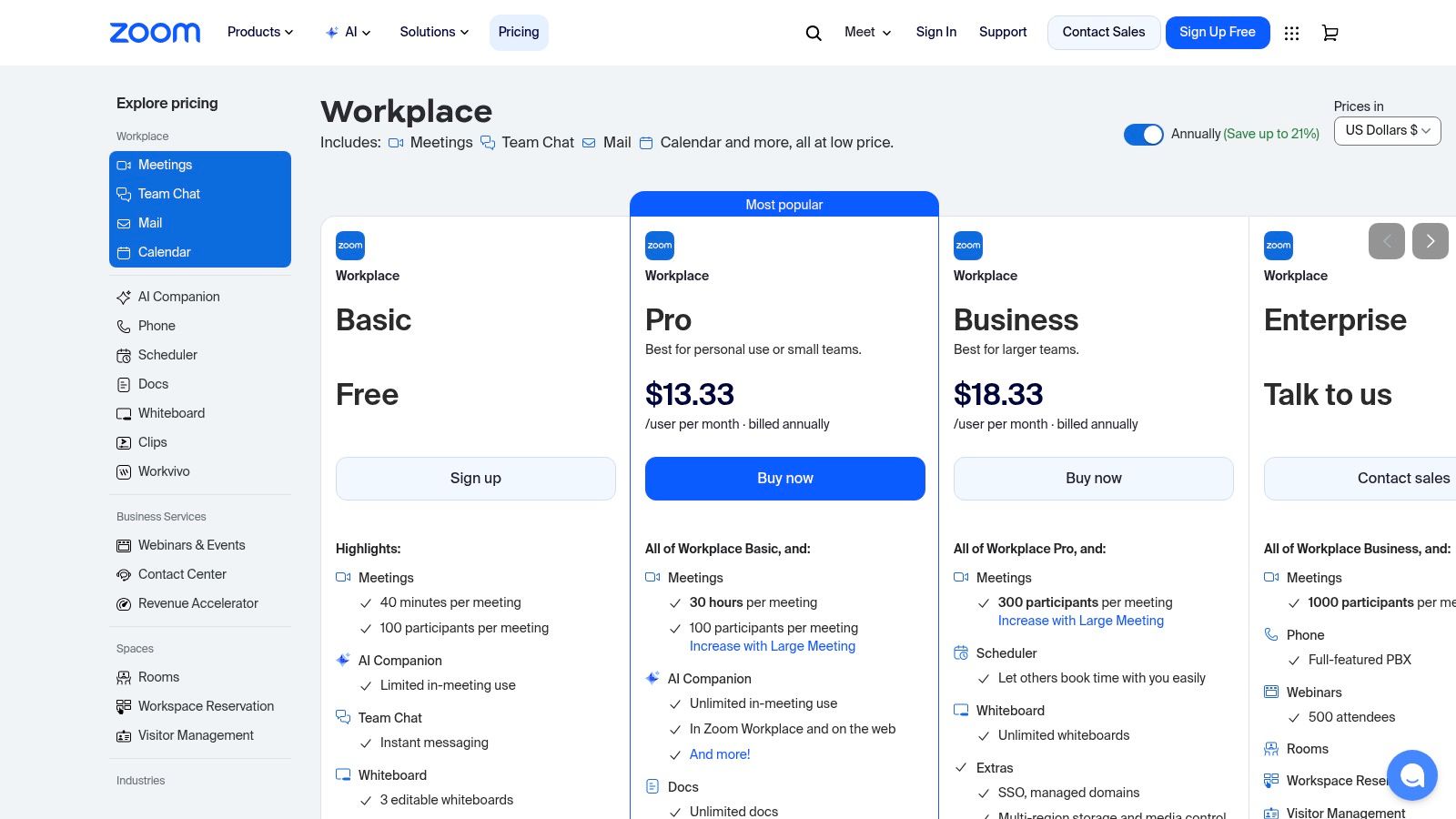
For a solo tutor, Zoom's free "Basic" plan is often sufficient for getting started. It includes core features like screen sharing, a basic digital whiteboard for collaborative problem-solving, and in-meeting chat. While the 40-minute limit on group meetings can be a drawback, one-on-one lessons have no time restrictions, a significant advantage for individual tutors. The waiting room feature also adds a layer of security, allowing you to control who enters your virtual classroom. To learn more about setting up your teaching space, explore our guide to creating a virtual classroom for tutors on tutorbase.com.
Key Features & Limitations
Pros:
High Familiarity: Most clients already have and know how to use Zoom.
Stable Performance: Reliable video and audio on various devices and internet speeds.
Unlimited 1:1 Meetings: The free plan allows unlimited duration for one-on-one sessions.
Cons:
40-Minute Group Limit: Meetings with three or more participants are cut off after 40 minutes on the free plan.
Limited Cloud Recording: Advanced recording features and cloud storage require a paid subscription.
2. Google Meet: Seamless Integration for Google Users
For tutors deeply integrated into the Google ecosystem, Google Meet is a streamlined and highly accessible video conferencing tool. Its biggest advantage is simplicity. It runs directly in a web browser, meaning clients don't need to install any software to join a session. This low-friction entry point is especially useful for students using Chromebooks or those who are less tech-savvy.
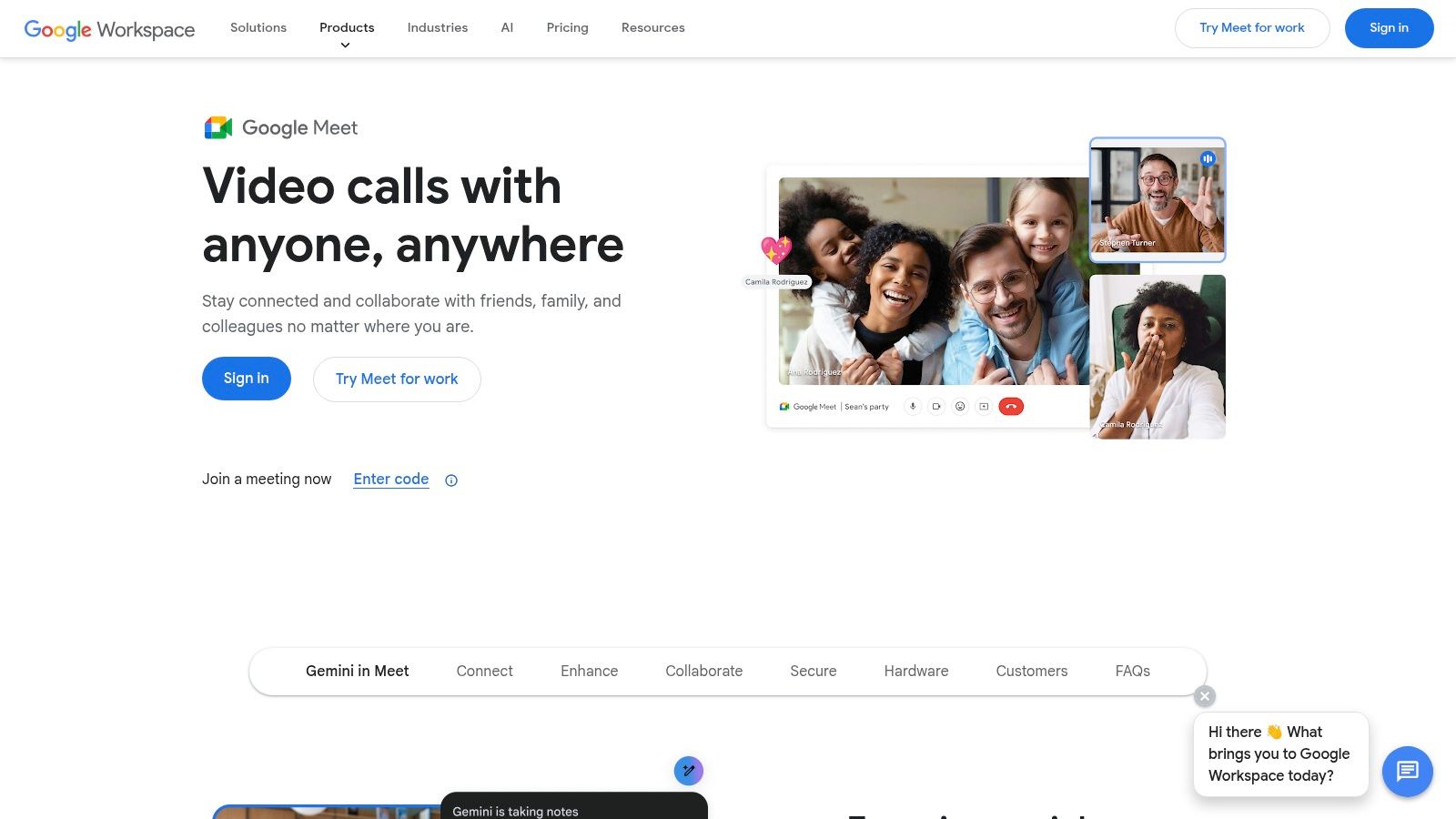
The free version provides reliable video quality, screen sharing, and live captions, which is a fantastic accessibility feature for diverse learners. Its tight integration with Google Calendar and Drive makes scheduling and sharing materials seamless. While the free plan caps all meetings at 60 minutes and lacks advanced controls found in competitors, its reliability and ease of use make it a top contender among the free tools for independent tutors who prioritize convenience. For more details, visit meet.google.com.
Key Features & Limitations
Pros:
Zero Installs: Runs entirely in the browser on desktop, making it incredibly easy for students to join.
Google Ecosystem Integration: Works flawlessly with Google Calendar, Gmail, and Drive for scheduling and file sharing.
High Reliability: Backed by Google's infrastructure, providing a stable connection for lessons.
Cons:
60-Minute Meeting Limit: All meetings, including one-on-one sessions, are limited to one hour on the free plan.
Fewer Advanced Features: Lacks some of the advanced webinar-style controls and breakout rooms offered by competitors.
3. Calendly: Automate Your Booking Process
Calendly solves one of the biggest time-sinks for independent tutors: scheduling. It eliminates the endless back-and-forth emails required to find a suitable time for trial lessons or parent consultations. You simply set your availability and share a personalized booking link. Parents and students can then see your open slots in their own time zone and book a meeting with just a few clicks.
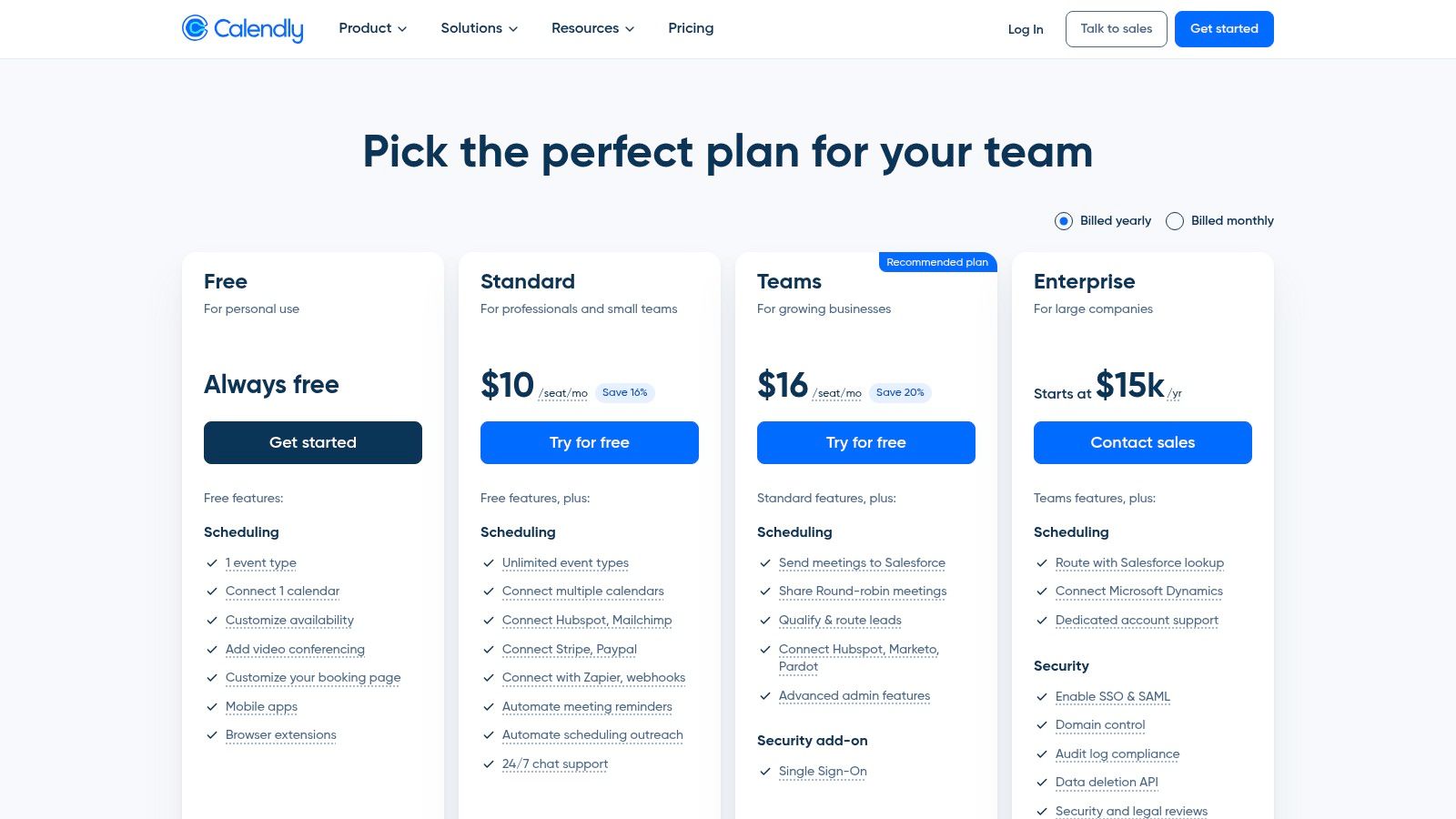
The free "Basic" plan is perfect for a solo tutor managing initial inquiries. It allows you to connect one calendar (like Google Calendar or Outlook) and create one active event type, such as a "30-Minute Trial Session". This is highly effective for converting prospective clients from your website or social media. Automated event notifications reduce no-shows by sending reminders to both you and the booker. For more complex scheduling needs, you can check out our comprehensive tutor scheduling software guide on tutorbase.com.
Key Features & Limitations
Pros:
Professional First Impression: Provides a smooth, professional booking experience for new clients.
Eliminates Time Zone Confusion: Automatically adjusts for the booker's local time.
Reduces Admin Work: Drastically cuts down on manual scheduling emails and texts.
Cons:
Single Event Type: The free plan only allows one active meeting type at a time.
No Payment Integration: You cannot collect payments for sessions on the free plan.
4. Wave: Free Invoicing and Accounting
Wave offers a surprisingly robust suite of free accounting and invoicing software, making it an excellent choice for independent tutors managing their finances. Instead of relying on messy spreadsheets, you can create and send professional, customized invoices, track payments, and manage expenses all in one place. The platform is designed for small business owners, not accountants, so the interface is clean and intuitive. For tutors who need to issue regular invoices and keep a clear record of income, Wave is a powerful free tool.
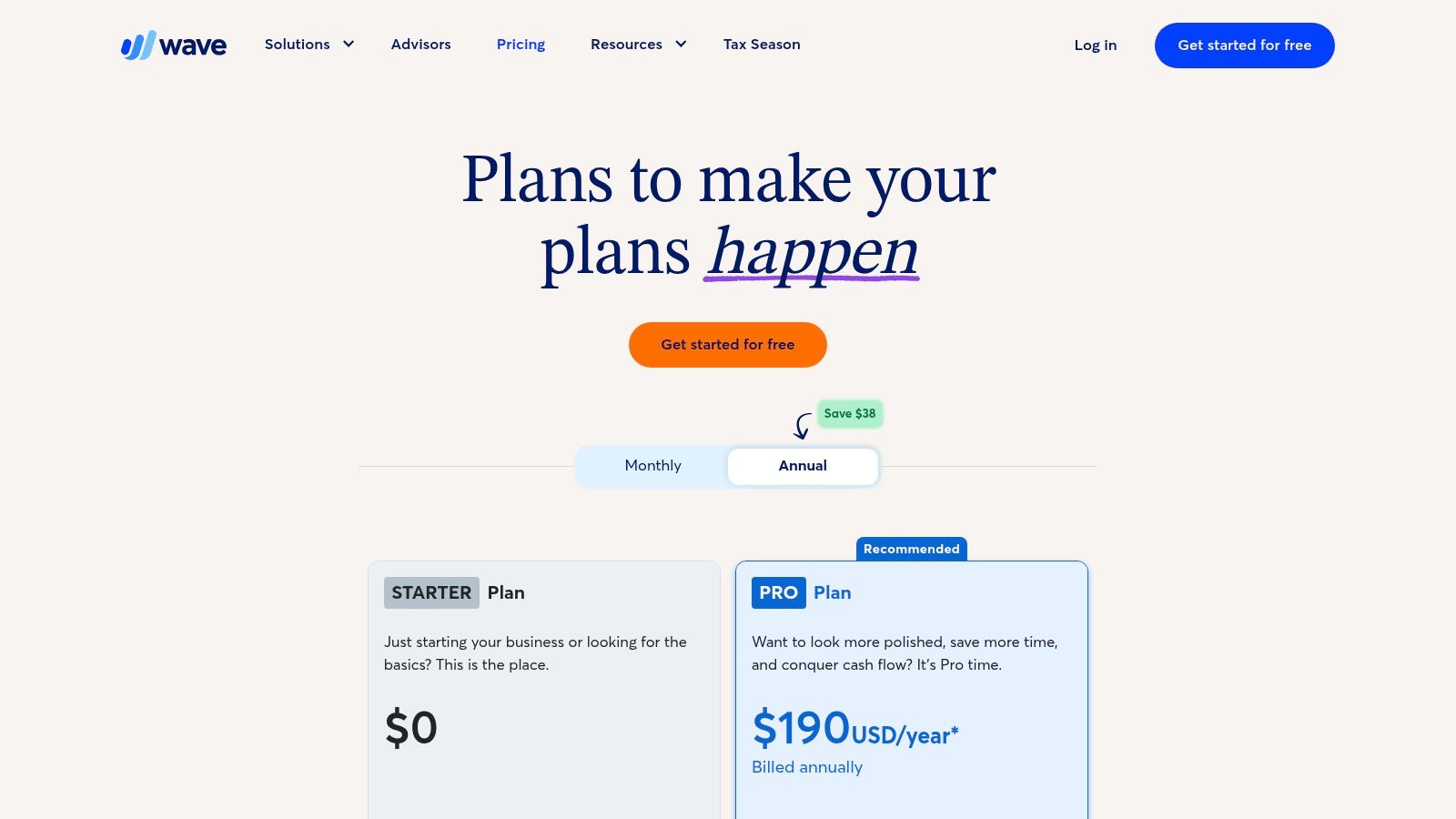
The core features, including unlimited invoicing and income/expense tracking, are genuinely free without hidden trials or limits. This is a significant advantage over competitors that often gate essential functions behind a paywall. You can also accept online payments through Wave Payments (which has standard processing fees), giving clients a convenient way to pay directly from the invoice. To ensure you manage your income effectively, understanding the best practices for mastering invoicing as a freelancer is crucial for maintaining healthy cash flow.
Key Features & Limitations
Pros:
Truly Free Core Features: Unlimited invoicing, expense tracking, and accounting are free forever.
Professional Invoicing: Create and send customized, professional-looking invoices.
User-Friendly Interface: Simple and intuitive, designed for those without an accounting background.
Cons:
Transaction Fees: Accepting online credit card or bank payments incurs separate, per-transaction fees.
Limited Integrations: May not connect with as many third-party apps as larger accounting platforms like QuickBooks.
5. Notion: Your All-in-One Digital Headquarters
Notion is a uniquely flexible, all-in-one workspace that allows tutors to build a custom "headquarters" for their entire operation. For tutors juggling multiple students, it serves as a lightweight CRM, lesson planner, and notes system combined. Its power lies in its adaptability. You can create databases to track student progress, build curriculum templates, and organize your weekly tasks using Kanban boards, all within one interconnected system.
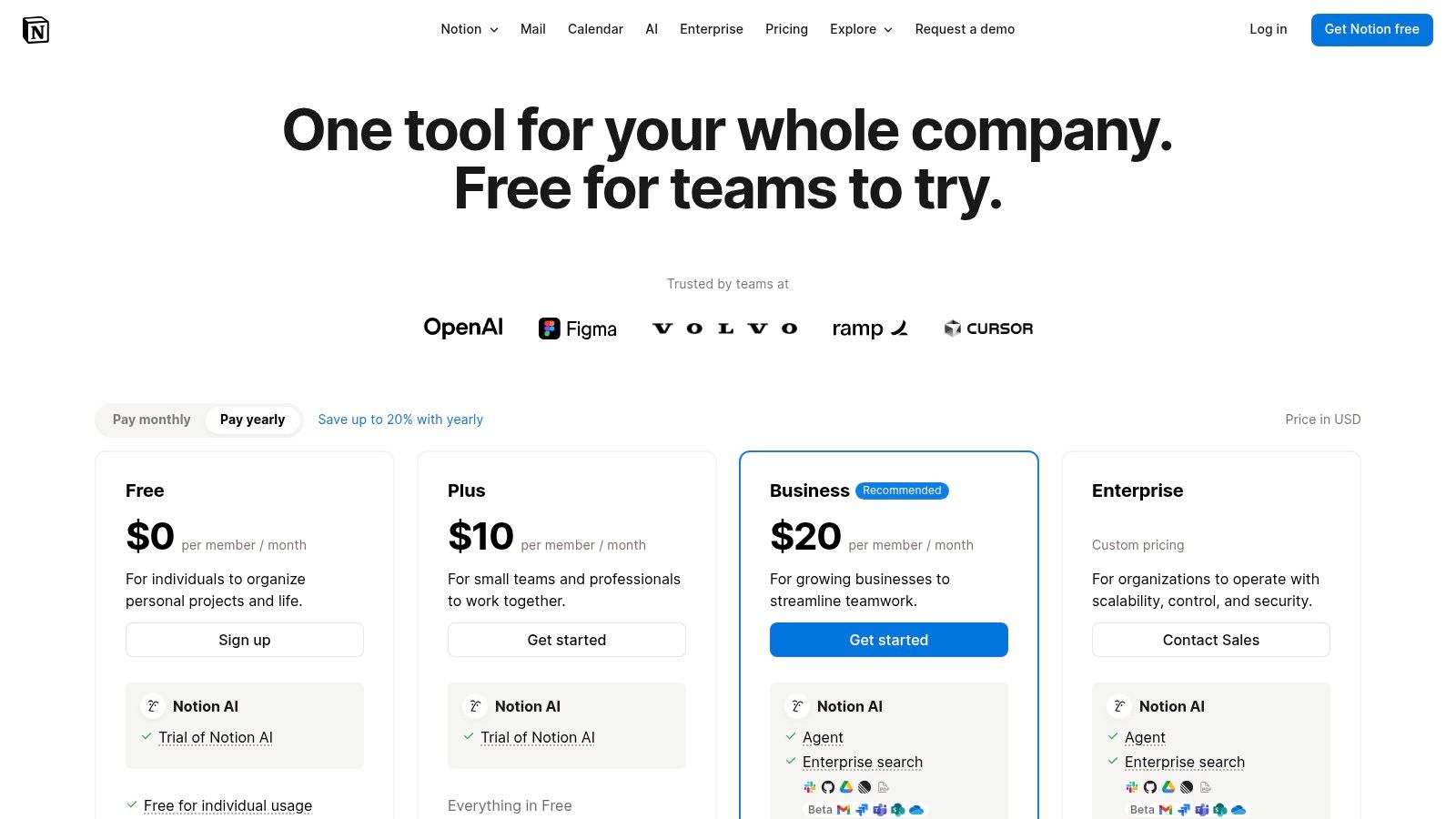
The free "Personal" plan is incredibly generous, offering unlimited pages and blocks, which means you can build out your system without hitting a content wall. You can also share specific pages with up to 10 guests, which is useful for giving parents or students access to their lesson notes or progress reports. While there is a learning curve, the long-term payoff in organization and efficiency is substantial. Tutors can standardize everything from lesson notes to new student onboarding checklists, creating a scalable foundation for their business.
Key Features & Limitations
Pros:
Extremely Flexible: Can be customized for CRM, curriculum tracking, and creating Standard Operating Procedures (SOPs).
Standardizes Workflows: Excellent for creating reusable lesson note templates and checklists.
Generous Free Plan: Unlimited pages and blocks provide ample space for a solo tutor's needs.
Cons:
Steep Learning Curve: Requires an initial time investment to learn the platform and design a system that works for you.
5 MB File Upload Limit: The free plan restricts individual file uploads to 5 MB, which can be limiting for larger resources.
6. Miro: The Ultimate Interactive Whiteboard
When a simple video call isn't enough, Miro provides an infinite digital whiteboard perfect for interactive and visual learning. This tool is a game-changer for tutors in subjects like math, where demonstrating step-by-step solutions is critical. It is also great for English, allowing for annotating passages and brainstorming essays together in real time. Miro transforms a static lesson into a dynamic, collaborative workspace.
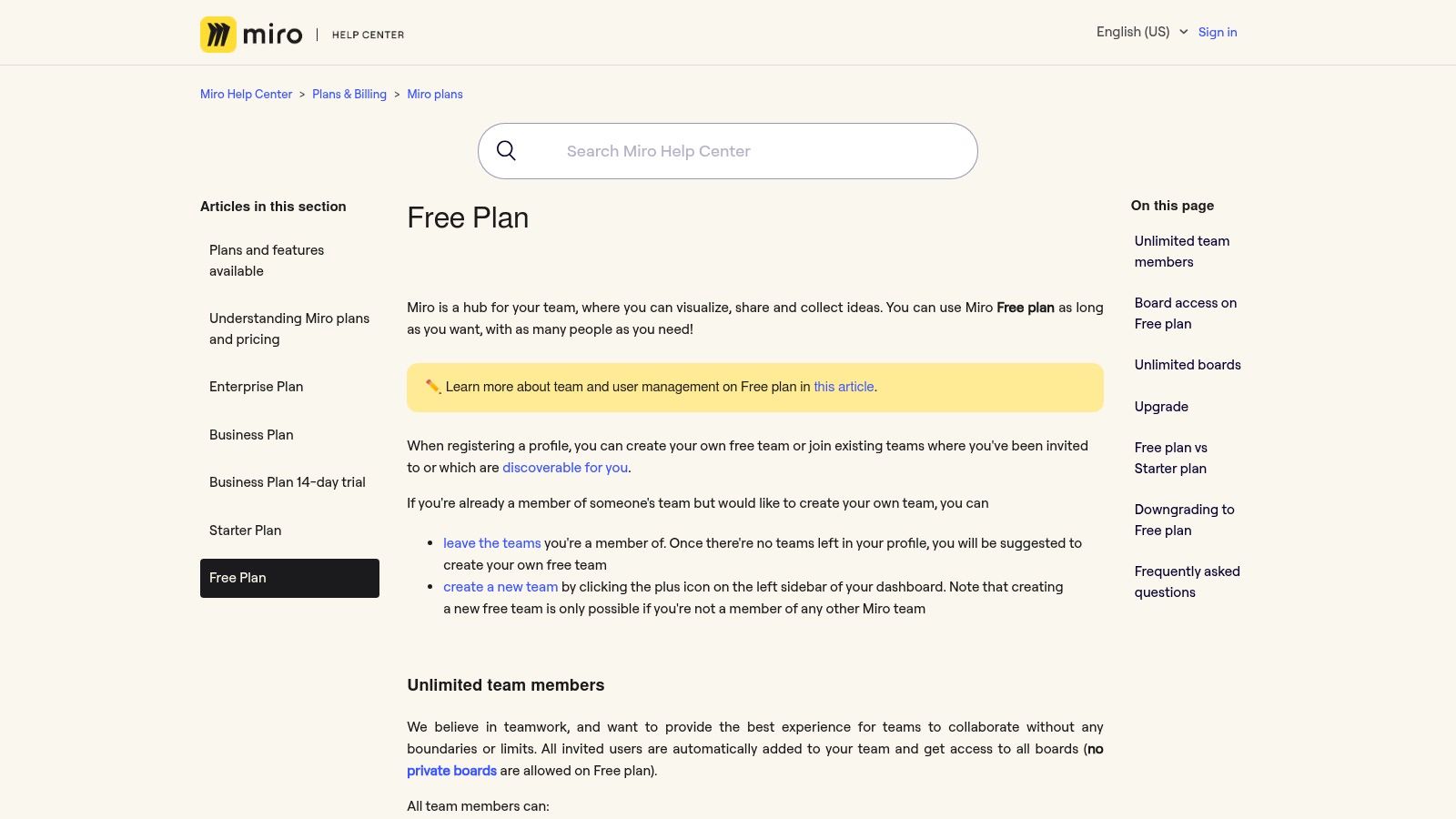
The free plan from Miro is fantastic for independent tutors, offering up to three editable boards at any given time. This allows you to maintain separate, persistent workspaces for a few key students or subjects. You can leverage a vast library of templates, sticky notes, and drawing tools to create engaging lesson materials. The live collaboration feature ensures you and your student are always on the same page, literally.
Key Features & Limitations
Pros:
Excellent for Visual Collaboration: Unmatched for real-time, interactive explanations and problem-solving.
Education-Focused Templates: A wide variety of pre-built templates for mind maps, KWL charts, and more.
Live and Asynchronous: Students can review the board and add comments even after the session ends.
Cons:
Three Board Limit: The free plan restricts you to three active, editable boards, which may require board management.
Advanced Features are Paid: Tools like private boards, unlimited boards, and custom templates require a subscription.
7. Khan Academy: A Free Library of Practice Content
Khan Academy is an invaluable, non-profit resource for tutors needing high-quality practice materials and lesson supplements. This platform offers a vast library of instructional videos, articles, and interactive exercises across a wide range of academic subjects from K-12 to early college. As a tutor, you can use it to assign targeted homework that students complete independently, freeing up your session time for more complex problem-solving.
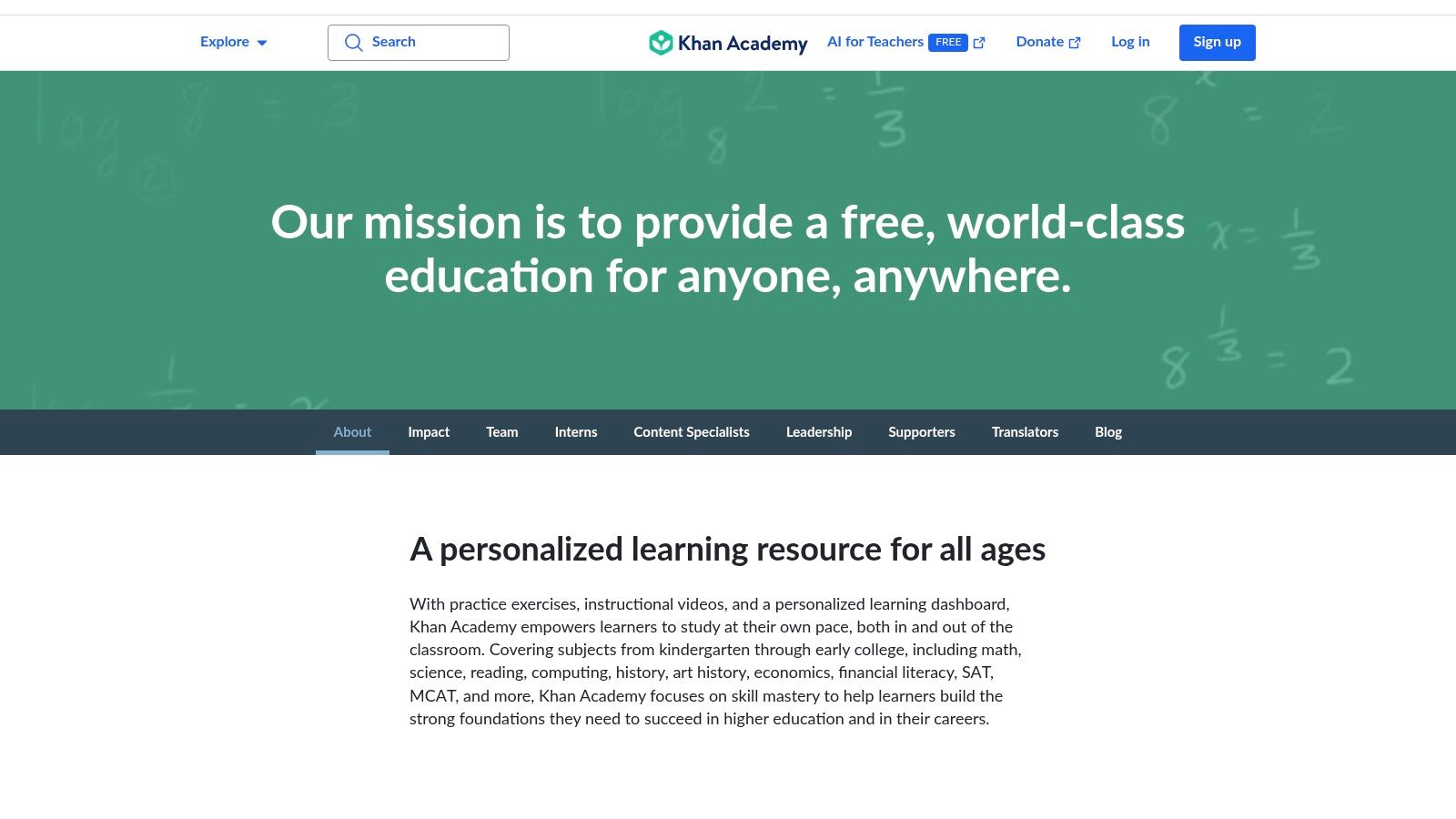
Its teacher dashboard is a standout feature, allowing you to create a "class," invite your students, and assign specific content. You can then track their progress, see which concepts they are struggling with, and identify areas that need more attention in your next session. This data-driven approach makes Khan Academy more than just a content library. It’s a powerful diagnostic tool that ranks among the top free tools for independent tutors seeking to reinforce learning. You can learn more at www.khanacademy.org.
Key Features & Limitations
Pros:
Completely Free: All learning resources and teacher tools are 100% free with no hidden costs.
Comprehensive Content: Strong alignment with common school curricula and standardized tests.
Progress Tracking: The teacher dashboard provides clear insights into student performance and mastery.
Cons:
Limited Subject Scope: Focuses on core academic subjects, with less material for niche or specialized topics.
Isolated Analytics: Progress tracking is limited to activities performed within the Khan Academy ecosystem.
How Do These Free Tools Compare?
Tool | Primary Use Case | Key Free Feature | Best For | Main Limitation on Free Plan |
|---|---|---|---|---|
Zoom | Video Lessons | Unlimited 1-on-1 meetings | Tutors who need a stable, familiar video platform | 40-minute limit on group meetings |
Google Meet | Video Lessons | Browser-based, no software install | Tutors using Google Calendar for scheduling | 60-minute meeting limit for all calls |
Calendly | Scheduling | Automated booking page | Tutors who want to eliminate back-and-forth scheduling emails | Only one active event type (e.g., "30-Min Trial") |
Wave | Invoicing | Unlimited professional invoices | Tutors needing free, simple accounting and invoicing | Transaction fees for online payment processing |
Notion | Organization/CRM | Unlimited pages and blocks | Tutors who want a central hub for all notes and student data | A steep learning curve to set up effectively |
Miro | Interactive Whiteboard | 3 editable collaborative boards | Math, science, or visual-heavy subject tutors | The limited number of active boards |
Khan Academy | Student Practice | Teacher dashboard with progress tracking | Tutors who want to assign and track supplementary practice | Analytics are limited to the Khan Academy platform |
What are the benefits of using free tools for tutoring?
For an independent tutor, the primary benefit is cost savings. Building a business from scratch often means keeping overhead low. Free tools allow you to establish professional systems for scheduling, billing, and teaching without any upfront financial commitment. This reduces risk and allows you to reinvest your earnings into growth.
Another key benefit is scalability. Tools like Calendly and Wave handle administrative tasks that become increasingly time-consuming as your student base grows. By automating these processes early, you create a foundation that can support your business as you expand, preventing you from becoming overwhelmed by manual work. This frees up valuable time to focus on teaching and student relationships.
When should a tutor upgrade to paid software?
A tutor should upgrade to paid software when the time spent managing and connecting free tools costs more than a unified, paid solution. This tipping point, often reached with 5-10 regular students, is signaled by several pain points. These include manually creating invoices from calendar events, double-booking students due to separate systems, or spending hours chasing payments.
If you find yourself spending more than 2-3 hours per week on administrative tasks that could be automated, it's time to consider an upgrade. Paid tutoring management software, like Tutorbase, integrates scheduling, automated billing, and payroll into one platform. This consolidation eliminates the manual work of linking disparate free tools, directly converting lost admin time back into billable teaching hours.
Final Thoughts
Building a successful tutoring business requires more than just subject matter expertise. It demands efficient operations, seamless student communication, and professional administrative processes. As we've explored in this guide, you can construct a powerful, cost-effective tech stack to manage every aspect of your work.
From scheduling lessons with Calendly to conducting them on Zoom, and from managing student notes in Notion to creating invoices with Wave, these free platforms provide a solid foundation. They empower you to automate repetitive tasks, present a polished image to clients, and dedicate more time to what truly matters: teaching your students. By leveraging these resources, you can effectively manage a growing roster of clients while keeping your overheads virtually non-existent.
When your administrative tasks grow from a simple to-do list into a complex web of interconnected spreadsheets and apps, it’s time to unify your operations. Tutorbase consolidates scheduling, automated billing, payroll, and client management into a single, powerful platform, eliminating the manual work that holds your business back. See how you can reclaim your time and scale your tutoring business by exploring tutorbase.com/register.
Top 7 Free Tools for Independent Tutors to Streamline Your Business
Published: January 8, 2026 by Amy Ashford


Key Takeaway: Independent tutors can significantly reduce administrative workload by using a strategic combination of free tools. Platforms like Calendly automate scheduling, Wave simplifies invoicing, and Zoom provides a reliable virtual classroom, allowing you to focus on teaching rather than manual tasks. This approach creates a professional, scalable foundation without initial financial investment.
Managing a tutoring business involves juggling multiple tasks, from scheduling lessons and processing payments to creating engaging educational materials. For independent tutors, stitching together a functional system from various applications is often the first step toward streamlining operations. This can feel overwhelming, but the right combination of free tools can solve administrative headaches without requiring a significant financial investment.
This guide details the top 7 free tools for independent tutors, selected to help you build an efficient, professional, and scalable workflow. We will move beyond simple feature lists to provide a practical analysis of each platform, covering everything from initial setup to day-to-day use cases. You will find direct links, screenshots, and honest assessments of each tool's limitations, helping you decide which ones best fit your specific needs. By the end, you'll have a clear roadmap for assembling a powerful, cost-effective tech stack to support your students and grow your business.
1. Zoom: The Standard for Virtual Classrooms
Zoom is a powerhouse for video conferencing, making it one of the most essential free tools for independent tutors conducting online sessions. Its widespread adoption means most students and parents are already familiar with the interface, eliminating technical hurdles before a lesson even begins. The platform provides stable HD video and audio, crucial for clear communication and instruction.

For a solo tutor, Zoom's free "Basic" plan is often sufficient for getting started. It includes core features like screen sharing, a basic digital whiteboard for collaborative problem-solving, and in-meeting chat. While the 40-minute limit on group meetings can be a drawback, one-on-one lessons have no time restrictions, a significant advantage for individual tutors. The waiting room feature also adds a layer of security, allowing you to control who enters your virtual classroom. To learn more about setting up your teaching space, explore our guide to creating a virtual classroom for tutors on tutorbase.com.
Key Features & Limitations
Pros:
High Familiarity: Most clients already have and know how to use Zoom.
Stable Performance: Reliable video and audio on various devices and internet speeds.
Unlimited 1:1 Meetings: The free plan allows unlimited duration for one-on-one sessions.
Cons:
40-Minute Group Limit: Meetings with three or more participants are cut off after 40 minutes on the free plan.
Limited Cloud Recording: Advanced recording features and cloud storage require a paid subscription.
2. Google Meet: Seamless Integration for Google Users
For tutors deeply integrated into the Google ecosystem, Google Meet is a streamlined and highly accessible video conferencing tool. Its biggest advantage is simplicity. It runs directly in a web browser, meaning clients don't need to install any software to join a session. This low-friction entry point is especially useful for students using Chromebooks or those who are less tech-savvy.

The free version provides reliable video quality, screen sharing, and live captions, which is a fantastic accessibility feature for diverse learners. Its tight integration with Google Calendar and Drive makes scheduling and sharing materials seamless. While the free plan caps all meetings at 60 minutes and lacks advanced controls found in competitors, its reliability and ease of use make it a top contender among the free tools for independent tutors who prioritize convenience. For more details, visit meet.google.com.
Key Features & Limitations
Pros:
Zero Installs: Runs entirely in the browser on desktop, making it incredibly easy for students to join.
Google Ecosystem Integration: Works flawlessly with Google Calendar, Gmail, and Drive for scheduling and file sharing.
High Reliability: Backed by Google's infrastructure, providing a stable connection for lessons.
Cons:
60-Minute Meeting Limit: All meetings, including one-on-one sessions, are limited to one hour on the free plan.
Fewer Advanced Features: Lacks some of the advanced webinar-style controls and breakout rooms offered by competitors.
3. Calendly: Automate Your Booking Process
Calendly solves one of the biggest time-sinks for independent tutors: scheduling. It eliminates the endless back-and-forth emails required to find a suitable time for trial lessons or parent consultations. You simply set your availability and share a personalized booking link. Parents and students can then see your open slots in their own time zone and book a meeting with just a few clicks.

The free "Basic" plan is perfect for a solo tutor managing initial inquiries. It allows you to connect one calendar (like Google Calendar or Outlook) and create one active event type, such as a "30-Minute Trial Session". This is highly effective for converting prospective clients from your website or social media. Automated event notifications reduce no-shows by sending reminders to both you and the booker. For more complex scheduling needs, you can check out our comprehensive tutor scheduling software guide on tutorbase.com.
Key Features & Limitations
Pros:
Professional First Impression: Provides a smooth, professional booking experience for new clients.
Eliminates Time Zone Confusion: Automatically adjusts for the booker's local time.
Reduces Admin Work: Drastically cuts down on manual scheduling emails and texts.
Cons:
Single Event Type: The free plan only allows one active meeting type at a time.
No Payment Integration: You cannot collect payments for sessions on the free plan.
4. Wave: Free Invoicing and Accounting
Wave offers a surprisingly robust suite of free accounting and invoicing software, making it an excellent choice for independent tutors managing their finances. Instead of relying on messy spreadsheets, you can create and send professional, customized invoices, track payments, and manage expenses all in one place. The platform is designed for small business owners, not accountants, so the interface is clean and intuitive. For tutors who need to issue regular invoices and keep a clear record of income, Wave is a powerful free tool.

The core features, including unlimited invoicing and income/expense tracking, are genuinely free without hidden trials or limits. This is a significant advantage over competitors that often gate essential functions behind a paywall. You can also accept online payments through Wave Payments (which has standard processing fees), giving clients a convenient way to pay directly from the invoice. To ensure you manage your income effectively, understanding the best practices for mastering invoicing as a freelancer is crucial for maintaining healthy cash flow.
Key Features & Limitations
Pros:
Truly Free Core Features: Unlimited invoicing, expense tracking, and accounting are free forever.
Professional Invoicing: Create and send customized, professional-looking invoices.
User-Friendly Interface: Simple and intuitive, designed for those without an accounting background.
Cons:
Transaction Fees: Accepting online credit card or bank payments incurs separate, per-transaction fees.
Limited Integrations: May not connect with as many third-party apps as larger accounting platforms like QuickBooks.
5. Notion: Your All-in-One Digital Headquarters
Notion is a uniquely flexible, all-in-one workspace that allows tutors to build a custom "headquarters" for their entire operation. For tutors juggling multiple students, it serves as a lightweight CRM, lesson planner, and notes system combined. Its power lies in its adaptability. You can create databases to track student progress, build curriculum templates, and organize your weekly tasks using Kanban boards, all within one interconnected system.

The free "Personal" plan is incredibly generous, offering unlimited pages and blocks, which means you can build out your system without hitting a content wall. You can also share specific pages with up to 10 guests, which is useful for giving parents or students access to their lesson notes or progress reports. While there is a learning curve, the long-term payoff in organization and efficiency is substantial. Tutors can standardize everything from lesson notes to new student onboarding checklists, creating a scalable foundation for their business.
Key Features & Limitations
Pros:
Extremely Flexible: Can be customized for CRM, curriculum tracking, and creating Standard Operating Procedures (SOPs).
Standardizes Workflows: Excellent for creating reusable lesson note templates and checklists.
Generous Free Plan: Unlimited pages and blocks provide ample space for a solo tutor's needs.
Cons:
Steep Learning Curve: Requires an initial time investment to learn the platform and design a system that works for you.
5 MB File Upload Limit: The free plan restricts individual file uploads to 5 MB, which can be limiting for larger resources.
6. Miro: The Ultimate Interactive Whiteboard
When a simple video call isn't enough, Miro provides an infinite digital whiteboard perfect for interactive and visual learning. This tool is a game-changer for tutors in subjects like math, where demonstrating step-by-step solutions is critical. It is also great for English, allowing for annotating passages and brainstorming essays together in real time. Miro transforms a static lesson into a dynamic, collaborative workspace.

The free plan from Miro is fantastic for independent tutors, offering up to three editable boards at any given time. This allows you to maintain separate, persistent workspaces for a few key students or subjects. You can leverage a vast library of templates, sticky notes, and drawing tools to create engaging lesson materials. The live collaboration feature ensures you and your student are always on the same page, literally.
Key Features & Limitations
Pros:
Excellent for Visual Collaboration: Unmatched for real-time, interactive explanations and problem-solving.
Education-Focused Templates: A wide variety of pre-built templates for mind maps, KWL charts, and more.
Live and Asynchronous: Students can review the board and add comments even after the session ends.
Cons:
Three Board Limit: The free plan restricts you to three active, editable boards, which may require board management.
Advanced Features are Paid: Tools like private boards, unlimited boards, and custom templates require a subscription.
7. Khan Academy: A Free Library of Practice Content
Khan Academy is an invaluable, non-profit resource for tutors needing high-quality practice materials and lesson supplements. This platform offers a vast library of instructional videos, articles, and interactive exercises across a wide range of academic subjects from K-12 to early college. As a tutor, you can use it to assign targeted homework that students complete independently, freeing up your session time for more complex problem-solving.

Its teacher dashboard is a standout feature, allowing you to create a "class," invite your students, and assign specific content. You can then track their progress, see which concepts they are struggling with, and identify areas that need more attention in your next session. This data-driven approach makes Khan Academy more than just a content library. It’s a powerful diagnostic tool that ranks among the top free tools for independent tutors seeking to reinforce learning. You can learn more at www.khanacademy.org.
Key Features & Limitations
Pros:
Completely Free: All learning resources and teacher tools are 100% free with no hidden costs.
Comprehensive Content: Strong alignment with common school curricula and standardized tests.
Progress Tracking: The teacher dashboard provides clear insights into student performance and mastery.
Cons:
Limited Subject Scope: Focuses on core academic subjects, with less material for niche or specialized topics.
Isolated Analytics: Progress tracking is limited to activities performed within the Khan Academy ecosystem.
How Do These Free Tools Compare?
Tool | Primary Use Case | Key Free Feature | Best For | Main Limitation on Free Plan |
|---|---|---|---|---|
Zoom | Video Lessons | Unlimited 1-on-1 meetings | Tutors who need a stable, familiar video platform | 40-minute limit on group meetings |
Google Meet | Video Lessons | Browser-based, no software install | Tutors using Google Calendar for scheduling | 60-minute meeting limit for all calls |
Calendly | Scheduling | Automated booking page | Tutors who want to eliminate back-and-forth scheduling emails | Only one active event type (e.g., "30-Min Trial") |
Wave | Invoicing | Unlimited professional invoices | Tutors needing free, simple accounting and invoicing | Transaction fees for online payment processing |
Notion | Organization/CRM | Unlimited pages and blocks | Tutors who want a central hub for all notes and student data | A steep learning curve to set up effectively |
Miro | Interactive Whiteboard | 3 editable collaborative boards | Math, science, or visual-heavy subject tutors | The limited number of active boards |
Khan Academy | Student Practice | Teacher dashboard with progress tracking | Tutors who want to assign and track supplementary practice | Analytics are limited to the Khan Academy platform |
What are the benefits of using free tools for tutoring?
For an independent tutor, the primary benefit is cost savings. Building a business from scratch often means keeping overhead low. Free tools allow you to establish professional systems for scheduling, billing, and teaching without any upfront financial commitment. This reduces risk and allows you to reinvest your earnings into growth.
Another key benefit is scalability. Tools like Calendly and Wave handle administrative tasks that become increasingly time-consuming as your student base grows. By automating these processes early, you create a foundation that can support your business as you expand, preventing you from becoming overwhelmed by manual work. This frees up valuable time to focus on teaching and student relationships.
When should a tutor upgrade to paid software?
A tutor should upgrade to paid software when the time spent managing and connecting free tools costs more than a unified, paid solution. This tipping point, often reached with 5-10 regular students, is signaled by several pain points. These include manually creating invoices from calendar events, double-booking students due to separate systems, or spending hours chasing payments.
If you find yourself spending more than 2-3 hours per week on administrative tasks that could be automated, it's time to consider an upgrade. Paid tutoring management software, like Tutorbase, integrates scheduling, automated billing, and payroll into one platform. This consolidation eliminates the manual work of linking disparate free tools, directly converting lost admin time back into billable teaching hours.
Final Thoughts
Building a successful tutoring business requires more than just subject matter expertise. It demands efficient operations, seamless student communication, and professional administrative processes. As we've explored in this guide, you can construct a powerful, cost-effective tech stack to manage every aspect of your work.
From scheduling lessons with Calendly to conducting them on Zoom, and from managing student notes in Notion to creating invoices with Wave, these free platforms provide a solid foundation. They empower you to automate repetitive tasks, present a polished image to clients, and dedicate more time to what truly matters: teaching your students. By leveraging these resources, you can effectively manage a growing roster of clients while keeping your overheads virtually non-existent.
When your administrative tasks grow from a simple to-do list into a complex web of interconnected spreadsheets and apps, it’s time to unify your operations. Tutorbase consolidates scheduling, automated billing, payroll, and client management into a single, powerful platform, eliminating the manual work that holds your business back. See how you can reclaim your time and scale your tutoring business by exploring tutorbase.com/register.
More from the Blog

The 12 Best Billing Software for Tutoring Businesses in 2026
Read Article
Read Article

The 12 Best Billing Software for Tutoring Businesses in 2026
Read Article
Read Article

The Top 10 Class Scheduling Apps for Tutors: Our Best Picks for 2026
Read Article
Read Article

The Top 10 Class Scheduling Apps for Tutors: Our Best Picks for 2026
Read Article
Read Article

The 12 Best Tutoring Platforms for SAT Prep in 2026
Read Article
Read Article

The 12 Best Tutoring Platforms for SAT Prep in 2026
Read Article
Read Article


