


A powerful calendar for teachers is the operational heart of your tutoring business, not just a scheduling tool. A well-designed calendar stops double-bookings, clarifies teacher availability, and links attendance directly to billing and payroll. This saves tutoring center owners 10+ hours in weekly administrative work.
Building Your Tutoring Center's Scheduling Foundation

Stop fighting with generic calendars that don’t understand how a tutoring business actually works. The path to smooth, efficient scheduling starts with a solid data structure. This means defining your operation’s core components—subjects, locations, rooms, and teachers—as interconnected building blocks, not just isolated appointments.
What are the core components of a teacher calendar?
Before you can schedule a single lesson, your system needs to understand the "what," "where," and "who" of your business. This foundational data provides the logic for every scheduling decision you'll make down the line.
- Locations: Each physical branch or online portal your center operates. This lets you manage schedules and resources separately for your "Downtown Campus" versus your "Online Academy."
- Rooms: The specific physical or virtual spaces where lessons happen. A room isn't just a name; it has real properties, like capacity ("Room A" holds 8 students) and features ("has a whiteboard").
- Subjects: The academic disciplines you offer, like "Mathematics" or "Spanish."
- Levels: This is the crucial detail that distinguishes broad subjects. It’s the difference between "Spanish A1 (Beginner)" and "Spanish C1 (Advanced)."
Getting this structure right turns your calendar from a simple appointment book into a dynamic operational tool that prevents booking errors.
From Components to Services
With your core components defined, you can now create specific, bookable Services. A service is the combination of these elements into a single offering a parent can actually book. For example, instead of just blocking time for "Math," you create a service called "SAT Prep - Math Section."
This service has its own set of rules attached to it:
- Subject: Math
- Level: SAT Prep
- Capacity: Max 6 students
- Delivery: In-person
- Eligible Teachers: Only instructors qualified to teach SAT Math
- Pricing: A specific per-lesson or package rate
This detail unlocks real automation. When a parent requests an advanced SAT math class, your system already knows which teachers are qualified, which rooms are big enough, and the correct price. No more frantic, manual searching.
For multi-branch operations, this structure is a complete game-changer. Many tutoring centers lose over 10 hours per week per manager to manual calendar hunting, leading to 15-25% underutilized capacity. In contrast, Tutorbase's structured system slashes administrative time by 60% and ensures zero double-bookings, which contributes to a 42% increase in monthly renewals. You can explore more about these industry benchmarks and their impact.
A well-defined service is the key to automating your booking process. It tells your system exactly what rules to follow, eliminating guesswork and preventing costly errors like assigning an unqualified teacher to an advanced class.
This initial setup pays off almost immediately. It stops the daily chaos of cross-referencing spreadsheets and sticky notes, creating a reliable foundation for your business, from finding available slots to running accurate payroll.
Manual Spreadsheets vs An Integrated Calendar
If you're still juggling Google Calendar and spreadsheets, you're likely feeling the pain of a disconnected system. The manual approach creates bottlenecks that a purpose-built calendar for teachers solves from day one. Here’s a quick comparison.
| Challenge | Manual Method (e.g., Google Calendar + Sheets) | Integrated System Solution (e.g., Tutorbase) |
|---|---|---|
| Teacher Availability | Constantly asking teachers for their hours via text or email; updating multiple sheets. | Teachers manage their own availability in a central portal; updates are instant and system-wide. |
| Preventing Double-Bookings | Relies on a manager manually checking multiple calendars before confirming a lesson. Prone to human error. | System automatically blocks slots that are unavailable due to teacher, room, or service conflicts. |
| Finding Open Slots | "Let me check and get back to you." Involves checking teacher, room, and location calendars one by one. | "Find Slot" workflow instantly searches all resources and shows valid open times in seconds. |
| Linking to Payroll | Manually counting teacher hours from calendars and attendance sheets at the end of the month. | Attendance automatically generates timesheets, creating accurate payroll reports with one click. |
| Utilization Reporting | A painful, manual process of exporting data and creating pivot tables to see which rooms or teachers are underused. | Dashboards provide real-time utilization rates for teachers, rooms, and locations, highlighting growth opportunities. |
While free tools seem cost-effective upfront, the hidden costs in administrative time, missed opportunities, and booking errors add up fast. An integrated system isn't just a calendar; it's a solution to the most common operational headaches that hold tutoring centers back.
Master Teacher Availability And Eliminate Double Bookings
Double-booked teachers and overfilled rooms are direct revenue leaks and reputation killers. The key to preventing this chaos is creating a rock-solid system for managing teacher and room availability. This is where your calendar stops being a simple diary and becomes an active management tool.
A proper system translates your team’s real-world schedules into a digital format that works. This means setting up recurring weekly schedules for each teacher, blocking off holidays months in advance, and easily handling last-minute changes like sick days. The goal is to make this calendar the single source of truth for your entire operation.
Set Recurring Schedules and One-Off Unavailability
The foundation of a reliable teacher calendar is knowing exactly when your team is available to work. You'll want to start by defining the standard weekly schedule for each instructor. For instance, Ms. Davis might work every Monday, Wednesday, and Friday from 3 PM to 8 PM. This should be a one-time setup that repeats automatically.
Of course, life happens. A teacher might need a specific Tuesday morning off for an appointment. Your system must handle these one-off events without disrupting their entire recurring schedule. The fix is simple: just block off that specific time slot as unavailable, and the system should immediately remove it from any new booking searches.
- Recurring Availability: Set a teacher’s standard weekly hours once and let the system handle the repetition.
- Company Holidays: Block off dates like national holidays for all teachers in a single action.
- One-Time Unavailability: Allow for easy blocking of specific dates and times for individual staff members.
This layered approach ensures your calendar reflects reality at all times, preventing admins from scheduling lessons when a teacher simply isn't there. For centers managing multiple locations, this becomes even more critical. Your calendar should let teachers set different availability for your "Uptown" and "Downtown" branches, making it impossible to book them at two places at once.
With a well-defined availability system, the phrase "let me check and get back to you" disappears from your front desk vocabulary. The calendar becomes an instant, reliable guide, allowing your team to answer parent inquiries with confidence and speed.
How does conflict detection prevent booking errors?
The real power of a smart calendar is its ability to actively prevent errors before they happen. This is done through conflict detection, an automated process that cross-references all your resources (teachers, rooms, and even specific services) before confirming any booking. Think of it as the digital safety net that makes double-bookings a thing of the past.
Imagine an admin tries to schedule a student with Mr. Smith on a Thursday at 4 PM, but he's already teaching another class. A good system won't just show a busy slot; it will actively block the booking attempt and flag the conflict.
The same logic applies to your physical space. If you try to book a group class of eight students into a room with a maximum capacity of six, the system should stop you. It understands the rules you’ve set and enforces them automatically. The best platforms go a step further by suggesting the next available teacher or room, turning a potential problem into a quick solution.
By using a calendar that handles recurring lessons and conflict detection, you can achieve zero double-bookings, creating a seamless experience that builds trust with parents and teachers alike. This isn't just about avoiding mistakes; it's about building a reputation for reliability.
Automate Bookings With Smart Scheduling Workflows
Imagine cutting the time it takes to book a new student from a 10-minute scavenger hunt down to just two minutes. That's the power of a smart scheduling workflow. Instead of manually cross-referencing multiple calendars, these tools do the heavy lifting for your front desk.
When a parent calls, your team needs answers instantly. A smart calendar for teachers makes that happen by automating the search for valid lesson slots.
Find The Perfect Slot Instantly
The old way of booking is a painful back-and-forth. You check a teacher's schedule, then a room's availability, then double-check that the teacher is qualified for the specific subject and level. It's slow and tedious, often eating up more than 10 minutes for a single booking.
A "Find Slot" workflow flips this script. Your admin simply enters the student's needs:
- Subject: IELTS Prep
- Level: Advanced
- Location: Downtown Campus
- Times: Weekday afternoons
The system instantly scans every qualified teacher’s schedule against every available room’s calendar and returns a list of all valid combinations. This simple change reduces booking time by over 80%, turning a frustrating 10-minute task into a quick two-minute confirmation and accelerating student onboarding by 3x.
This isn't just about saving time. When you give immediate, confident answers to a prospective client, you create a professional first impression that builds trust and boosts conversion rates.
This process flow shows you the core logic: set a base schedule, block off exceptions, and let the system automatically prevent any conflicts.
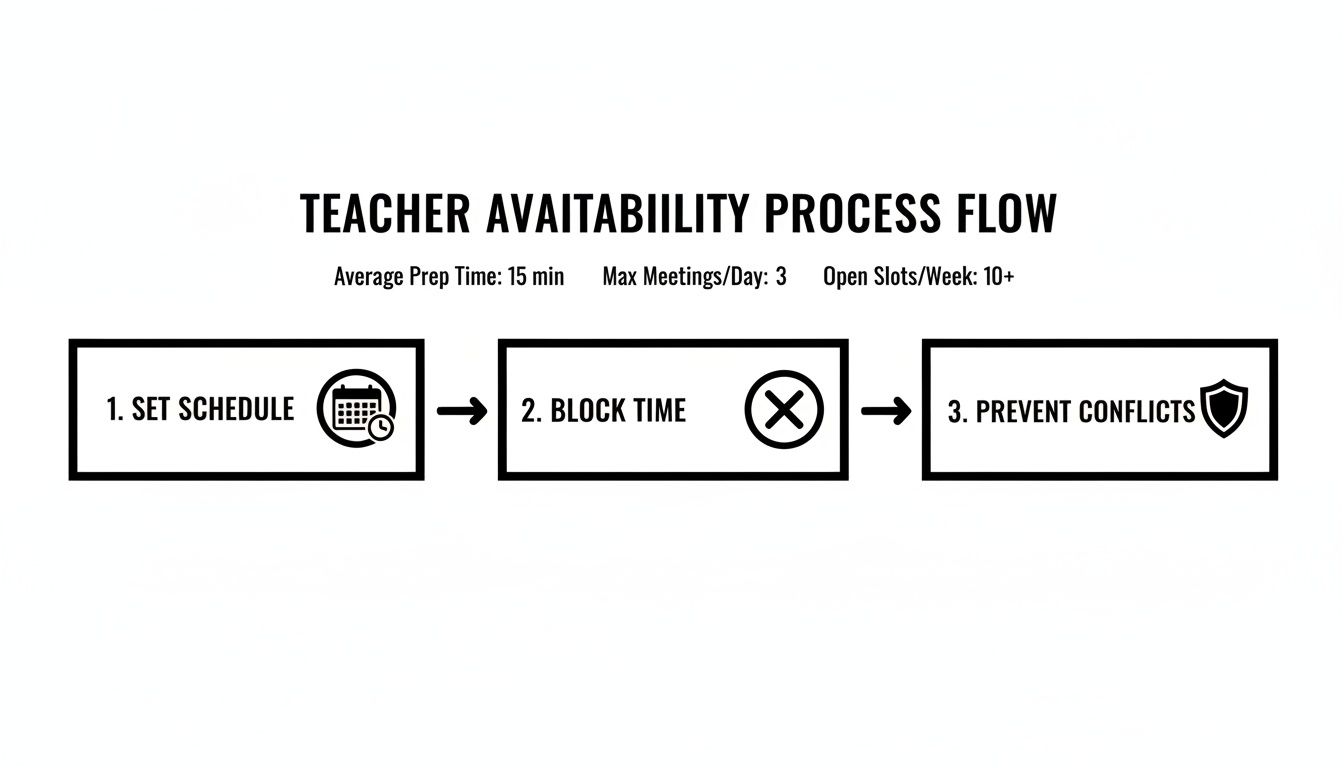
This automated checking is the engine that powers instant slot-finding, making double-bookings impossible and ensuring every scheduling option you offer is 100% valid.
Maximize Profitability by Filling Empty Seats
For any tutoring center, an empty seat in a group class is lost revenue. But trying to manually track these openings across dozens of weekly classes is next to impossible. This is where a "Find Spot" workflow comes in, it’s designed specifically to solve this problem and maximize the profitability of every group lesson.
This feature lets your team filter all existing classes to find those with open seats. For instance, a parent calls asking for a Grade 3 math class on a Tuesday. Instead of defaulting to a new private lesson, your admin can use the "Find Spot" filter to instantly see that Mrs. Gable’s Tuesday 4 PM math group has one seat available.
This workflow is a game-changer for optimizing your center's capacity.
- Enter Search Criteria: Enter the desired subject, level, and general time frame.
- View Openings: The system displays a list of all matching group classes that aren't full.
- Book the Seat: Add the new student to the existing class with a single click.
By systematically filling these empty seats, you increase revenue without adding operational costs. It turns a potential scheduling headache into a clear opportunity for growth, ensuring your group classes consistently run at or near full capacity. In 2026 and beyond, maximizing resource utilization will be a key differentiator for successful tutoring centers.
Connect Your Calendar To Billing And Payroll
A modern calendar for your tutoring business should be the engine that runs your entire operation. When you connect it to your financial systems, it becomes the single source of truth that drives both billing and payroll. This is where you ditch the spreadsheets and reclaim hours of manual work.
When your calendar is properly linked, every lesson's attendance status becomes an automated trigger. No more cross-referencing notes or chasing down teachers at the end of the month. The entire financial workflow runs automatically.
From Attendance To Automatic Invoices
It all starts the moment a teacher marks attendance. Each status (attended, no-show, cancelled) tells the system exactly what to do next, creating a clean, automated financial event.
- Attended: The system automatically queues up the lesson charge for the student's next invoice. Done.
- No-show: Based on your policy, the system can charge the full lesson fee or a specific penalty.
- Late Cancel: A different fee, maybe 50% of the lesson cost, is automatically calculated and added to the invoice.
- Cancelled (within policy): No charge is created. The system simply logs the cancellation, leaving a clean paper trail.
This direct link means invoices are generated from real-time calendar data, virtually eliminating the risk of forgetting to bill for a lesson or incorrectly charging for a cancelled one. The result is a system of invoicing connected to lesson scheduling that’s fast, accurate, and needs almost no human intervention. For centers scaling to 10,000+ lessons per week, this automation changes invoice processing from hours to minutes.
By making attendance the trigger for billing, you transform a daily administrative task into an automated, error-proof process. Your team simply marks who showed up, and the system handles the rest.
Automate Complex Teacher Payroll
Just as attendance drives billing, it should also power your payroll. This connection ensures your teachers are always paid accurately for the work they did, which reduces payroll disputes and administrative headaches.
A robust calendar system can handle payroll models far more complex than a simple hourly rate. You can set up custom rules that automatically calculate pay based on factors pulled directly from lesson data.
Configure Diverse Payroll Models
Your system needs to be flexible enough to handle the unique pay structures you've designed to attract top talent. This is where automation really proves its worth, calculating earnings based on rules you only have to set up once.
| Payroll Model | How It Works With Calendar Data |
|---|---|
| Revenue Share | Automatically calculates a teacher's cut (e.g., 40%) of the revenue from each attended lesson. |
| Per-Student Bonus | Pays a base rate plus a bonus for each additional student in a group class, pulled directly from attendance data. |
| Overtime Premiums | Applies a higher pay rate for lessons taught beyond a set number of hours or on weekends. |
| Subject Premiums | Instantly adds a bonus for teaching high-demand subjects like AP Chemistry or SAT Prep. |
This level of automation turns payroll from a multi-hour ordeal into a quick review-and-approve task. Of course, managing compensation efficiently is critical, and leveraging dedicated payroll services for small businesses can streamline this even further. When integrated properly, this link between your calendar and your financials ensures accuracy and frees up your admin team to focus on growing the business.
Use Calendar Data To Optimize Your Center's Performance
Your teacher calendar holds the keys to growing your business, but only if you know how to read the data it generates. A well-managed calendar for teachers is more than a booking grid; it's a powerful business intelligence tool. By digging into this data, you can move from putting out fires to making proactive, data-driven decisions.
This shift helps you answer critical business questions with hard numbers instead of guesswork. Is your Saturday morning schedule truly maximized? Is one of your best teachers quietly burning out? The answers are sitting right there in your schedule history.

What are the most important calendar metrics to track?
To turn calendar data into actionable insights, you need to zero in on a few key performance indicators (KPIs). Think of these metrics as a numerical snapshot of your center's operational health. They help you spot opportunities for improvement and growth.
Start by getting a handle on these essentials:
- Capacity Utilization: This is the big one. It measures what percentage of your available teaching hours are actually booked. A consistently low rate might signal a need for a marketing push or more flexible service offerings.
- Teacher Workload Balance: This shows you the real distribution of teaching hours across your staff. An unbalanced workload, with some tutors completely swamped and others sitting idle, is a recipe for burnout and high turnover.
- Room Occupancy Rates: Similar to capacity utilization, but for your physical space. This metric helps you identify which rooms are your money-makers and which might be better suited for different class sizes.
Checking these numbers regularly is non-negotiable. You can get a deeper dive into which metrics to monitor by exploring this guide to building a tutoring center KPI dashboard.
Generate Reports To Answer Critical Questions
Raw numbers are useless until they help you make a better decision. A good scheduling system should let you generate reports that answer specific, strategic questions about your business. Instead of staring at a wall of data, you can pull reports that uncover the stories hiding behind the numbers.
For instance, you might run a report on your most and least popular class times. If you discover that your Tuesday 7 PM slots are consistently empty, you could test a new service offering at that time or adjust teacher schedules to trim payroll costs.
Your calendar data is a direct reflection of customer demand. By analyzing it systematically, you can align your services, pricing, and resource allocation with what your clients actually want, directly boosting your profitability.
The goal here is to use this information to fine-tune every part of your operation. By generating reports on teacher performance, service popularity, and peak booking times, you can make informed choices that maximize revenue and improve overall efficiency.
Key Metrics To Track From Your Teacher Calendar
A well-structured calendar provides data that goes beyond simple appointment tracking. Here are some of the most vital metrics you can pull directly from your scheduling system and why they are so crucial for strategic planning.
| Metric | What It Tells You | Why It Matters For Growth |
|---|---|---|
| Teacher Utilization Rate | The percentage of a teacher's available hours that are filled with actual lessons. | Helps identify your most in-demand teachers for potential raises and highlights those who may need more student assignments, preventing burnout and turnover. |
| Room Occupancy Rate | The percentage of time a specific room is being used for lessons. | Reveals if you need more or fewer rooms of a certain size. High occupancy might justify expansion, while low occupancy suggests you could sublet the space. |
| Cancellation/No-Show Rate | The frequency of students cancelling or not showing up, often filterable by teacher or subject. | A high rate for a specific teacher might indicate a need for feedback or training. It also helps you refine your cancellation policies to protect revenue. |
| Peak Booking Hours | The times of day and days of the week with the highest number of booked lessons. | Allows you to optimize staffing by scheduling more teachers during high-demand periods and reducing staff during lulls to control payroll costs. |
| Student-to-Teacher Ratio | The average number of students per teacher across all group classes. | Directly impacts profitability. Tracking this helps you ensure group classes are full enough to be profitable and identify opportunities to combine smaller classes. |
Ultimately, treating your calendar as a data source is what separates the centers that just get by from the ones that truly thrive.
Frequently Asked Questions
How long does it take to set up a new teacher calendar system?
You can get the basics running in a few days. The main task is importing your data: teachers, subjects, students, and their existing schedules. A platform with a bulk import feature can reduce this process to a few hours. For a mid-sized center with 15 teachers and 200 students, plan for 8-10 hours to define services, build teacher profiles with availability and pay rates, and upload all student information.
What is the best way to handle last-minute schedule changes?
When a teacher calls in sick, a modern calendar system should instantly show you all affected lessons and a list of other qualified tutors who are available at those exact times. You can then reassign the lesson with a simple drag-and-drop. The system should automatically send notifications to the new teacher and the parent, turning a two-hour fire drill into a 15-minute fix.
Can a digital calendar really prevent double-bookings?
Yes, 100%. A purpose-built system doesn't just show you a time slot is busy; it actively prevents you from creating a conflict. Before saving any new lesson, it checks three things in real-time: teacher availability, room availability, and the student's own schedule. If any check fails, the system will block the booking, making accidental double-bookings impossible.
How does this system work for online and hybrid classes?
A smart calendar treats a virtual classroom like a physical room—it's a resource that can be booked. You can designate the delivery mode as "Online" or "Hybrid" when setting up your services. For online classes, the system can automatically generate a unique meeting link. For hybrid lessons, it can track attendance for both in-person and remote students within the same session, ensuring accurate billing and payroll.
Is it difficult to train teachers to use a new calendar?
No, as long as the system is designed with a simple teacher portal. You can typically train your entire team in a single one-hour session. They only need to learn how to view their schedule, take attendance, update their own availability, and add lesson notes. Once they realize it eliminates manual timesheets, they get on board quickly.
How does the calendar link to payroll for different pay rates?
The process is driven by attendance. When you set up a teacher's profile, you define their specific pay rules (e.g., one rate for a 1-on-1 lesson, a higher rate for weekend groups). When a teacher marks a lesson as "Attended," the system automatically looks at the service type, day, and number of students, then applies the correct pay rule. This data flows directly into a payroll report, eliminating manual calculations and errors.
Ready to stop wrestling with spreadsheets and eliminate scheduling errors for good? With Tutorbase, you can automate your calendar, billing, and payroll, reducing admin time by 60% and giving you back the hours you need to grow your business. See how it works at https://tutorbase.com.


