


To improve operational efficiency, you must automate manual administrative tasks like scheduling and billing. By implementing a unified software platform, you can reduce admin time by up to 60%, eliminate costly human errors, and get paid faster. This guide provides a clear roadmap for diagnosing bottlenecks and implementing solutions that reclaim hours for growth.
A Practical Guide to Tutoring Center Efficiency
For most tutoring centers, inefficiency is not one big problem, but many small ones. It's the double-bookings from manual scheduling, lost paper invoices, and payroll errors from messy spreadsheets. Each issue seems minor, but together they slow growth and create frustration for your team.
Learning how to improve operational efficiency means finding and eliminating these bottlenecks. The process begins with analyzing your current workflows, identifying quick wins, and then adopting the right technology. This shifts your focus from managing daily chaos to strategically building your business.
What is Operational Efficiency?
Operational efficiency is the balance between your business inputs (like staff hours and money) and your outputs (lesson revenue). In practice, improving it means achieving more with the same or fewer resources. For a tutoring center, this looks like:
Slashing Admin Time: You will spend less time on scheduling, billing, and payroll.
Maximizing Resources: You will ensure classrooms and tutors are booked as fully as possible.
Improving Cash Flow: You will get paid faster with automated invoicing and online payments.
This is about building strong, automated systems that reduce human error. A study found that 74% of businesses saw task automation as their biggest opportunity for process improvement. For general advice, see these top tips for improving operational efficiency.
In the next sections, we outline a step-by-step roadmap for tutoring centers. You will learn how to pinpoint your biggest headaches, from student onboarding to teacher payroll. We will show you how to audit workflows and use a unified platform to streamline your business.
How Do You Find Where Your Tutoring Center is Losing Time?
Before you can fix operational leaks, you must find them. The path to a more efficient tutoring center starts with an honest audit of your daily, weekly, and monthly tasks. Many owners feel overwhelmed but cannot pinpoint which specific tasks consume their time and energy.
You cannot improve what you do not measure. Pinpointing where your center loses time, by auditing manual processes like scheduling and invoicing, is the first step. This process helps you reclaim those lost hours and build a more profitable operation in 2026.
Let's move from feeling busy to knowing precisely where the hours go. For one week, track the time your admin staff (or you) spends on core tasks. A simple spreadsheet works well for this. The goal is to build a data-driven case for change.
Quantifying Your Administrative Bottlenecks
First, map out your key workflows. For most tutoring centers, the major ones are new student registration, lesson scheduling, attendance tracking, invoicing, and payment collection. Each of these processes contains small, manual steps that accumulate quickly.
Think of it as a simple, continuous cycle: you find problems, implement fixes, and measure the results to see what works.
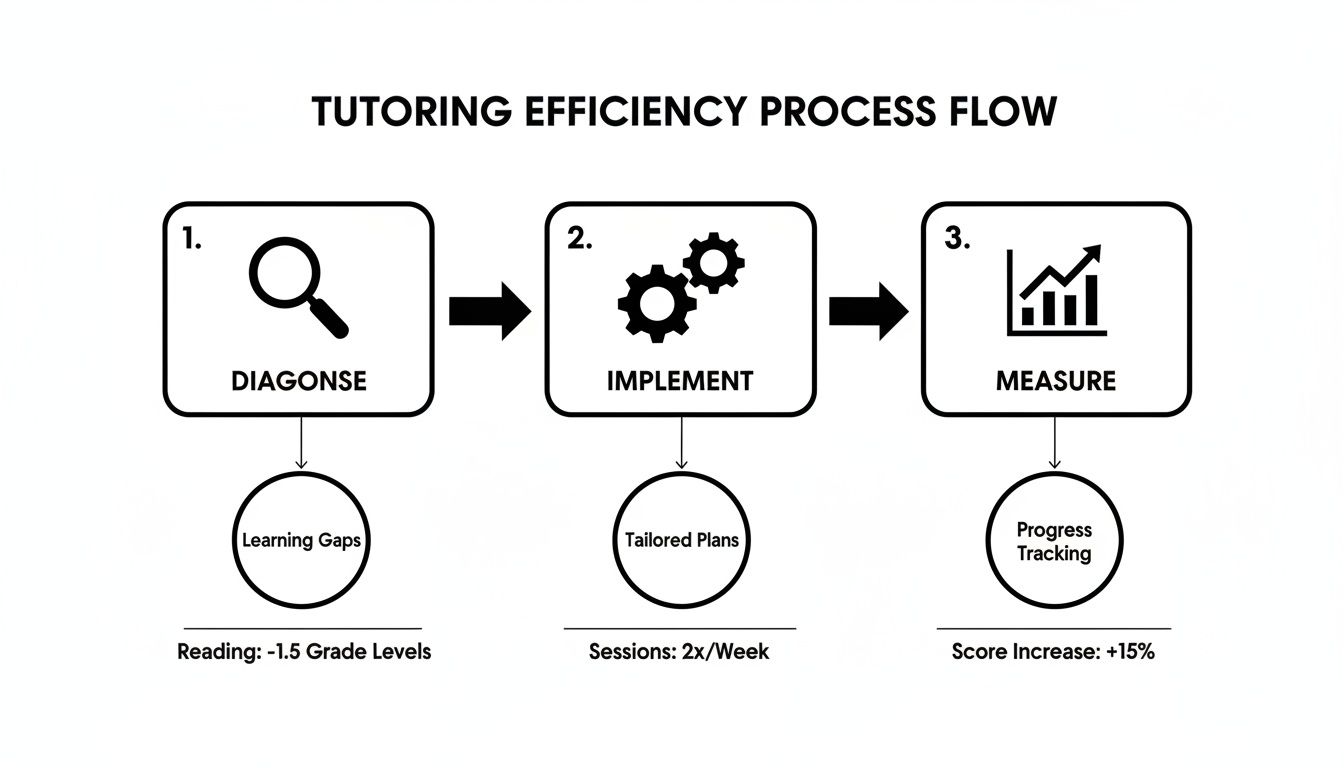
This is not a one-time fix; it is about building a system of constant improvement.
So, where should you start tracking? Focus on these common time-consuming tasks:
Scheduling: How many minutes does it take to find one viable time slot? Tally the back-and-forth emails.
Conflict Resolution: How much time do you spend fixing one double-booking? Include time spent soothing parents.
Invoicing: Time yourself creating, checking, and sending one invoice. Then, multiply that by your total students.
Payment Chasing: How many hours per week do you dedicate to sending reminders for overdue payments?
Payroll Prep: Document the time it takes to manually calculate each tutor's pay from their lesson logs.
By putting numbers to these tasks, you are no longer guessing. You will have data showing that your team spends 10 hours a month just on invoicing. That is a powerful number.
How to Spot the Biggest Time-Sinks
Once you have a week's worth of data, the bottlenecks become obvious. The small, repetitive tasks often do the most damage over time. That "quick" five-minute invoice for a center with 100 students becomes over eight hours of admin work every single month.
Look for tasks that are both time-consuming and prone to human error. These are your best opportunities for improvement. Manual scheduling, for example, not only consumes hours but also leads to double-bookings, which require even more time to fix.
To put this in perspective, here’s a quick comparison of manual versus automated tasks.
Comparison: Manual Admin vs. Automated Solutions
Manual Task | Time Spent Weekly | Common Errors | Automated Solution (with Tutorbase) |
|---|---|---|---|
Scheduling lessons via email/phone | 3–5 hours | Double-bookings, missed appointments, time zone confusion | Parents self-book via an online portal; recurring lessons are set automatically. |
Creating and sending invoices one-by-one | 2–4 hours | Calculation errors, incorrect billing details, missed invoices | Invoices are generated automatically from attendance records and sent on a set schedule. |
Chasing overdue payments | 1–3 hours | Forgotten reminders, inconsistent follow-up, awkward conversations | Automated payment reminders are sent via email/SMS; cards on file are charged automatically. |
Manually calculating tutor payroll | 2–3 hours | Miscalculated hours, incorrect pay rates, delays in payment | Payroll reports are generated instantly based on logged lessons and tutor pay rates. |
The side-by-side comparison makes it clear: the hours wasted on these tasks are significant, and the errors they cause create even more work.
This audit builds a solid business case for investing in technology. When you can say, "We will save 15 hours per month by automating invoicing and scheduling," the value becomes tangible. This data is your first step toward building a scalable tutoring operation.
Eliminate Scheduling Conflicts with Automation
Scheduling is the nerve center of any growing tutoring business. When it is chaotic, everything else feels chaotic too. If you are juggling calendars, spreadsheets, and emails, you know the pain. Double-bookings and last-minute panics are signs of a system that cannot scale.
By implementing a smart scheduling system, you can slash admin overhead by up to 60%. This is not just about saving time. It is about shifting your team's focus from fixing mistakes to proactively filling your timetable and growing the business.
Manual scheduling is a massive bottleneck. Every time a parent calls, your staff starts a time-consuming search across multiple spreadsheets. They check tutor availability, room capacity, and student levels. The process is slow, tedious, and a recipe for human error.

This kind of real-time, visual overview turns complex scheduling decisions into a simple, point-and-click process.
How Do Smart Scheduling Tools Work?
Smart scheduling tools act as an expert admin assistant who works 24/7 and never makes a mistake. You set the rules (like tutor availability, subject qualifications, and room capacities), and the system does the heavy lifting. This transforms your team from reactive calendar jugglers to strategic planners.
For example, when a parent seeks a spot, you do not have to put them on hold. Instead, you can use a feature like ‘Find Slot’. It instantly scans every variable and presents the best teacher, room, and time combinations in seconds.
Real-World Scheduling Scenarios
Let's look at how automation helps two different tutoring businesses. These examples show the practical jump from manual chaos to automated clarity.
Scenario 1: A Multi-Branch Test Prep Academy
A busy test prep academy with three locations struggled with coordination. Their star SAT math tutor was double-booked, and rooms were often over capacity.
Before Automation: Admins at each branch used separate spreadsheets. Booking a workshop across locations required a flurry of emails and calls.
After Automation: They brought everything into one unified system. The platform now automatically checks tutor availability across all three branches.
Scenario 2: A Local Language School
A language school had a hard time placing new students into the right group level. An admin would manually sift through class rosters to find an open spot, which could take hours.
Before Automation: The slow process caused them to lose potential students who would not wait for a callback.
After Automation: With a 'Find Spot' feature, the admin can now filter all active ESL classes and instantly see empty seats.
Maximizing Your Capacity
Effective scheduling is about revenue. Every empty seat is lost income, and every scheduling conflict costs you time and reputation. Automation ensures you make the most of every resource you have.
Spot Underused Rooms: A centralized dashboard can highlight which rooms are consistently empty at certain times.
Fill Last-Minute Gaps: Quickly find and offer spots in classes that are not at full capacity.
Optimize Tutor Schedules: Make sure your most popular tutors are booked efficiently without burning them out.
For a deeper look at choosing the right tools, check out our complete tutor scheduling software guide. Organization also extends to your instructors. Exploring tools for implementing digital teacher planners adds another layer of efficiency.
How to Automate Billing and Get Paid Faster
Cash flow is the lifeblood of any tutoring business, but many owners get stuck in manual invoicing. You cobble together spreadsheets, send individual emails, and then chase late payments. This process is slow, prone to errors, and creates a painful gap between teaching and getting paid.
By linking student attendance directly to your invoicing, you can eliminate manual work and slash payment delays. The goal is simple: the moment a tutor marks a student as present, the system logs the charge and generates the invoice. No spreadsheets, no double-checking, no awkward follow-ups.

This direct link between attendance and billing is the key to closing your revenue cycle gap. It is not just about saving time; it is about consistently applying your financial policies without any headache.
What is Automated Billing?
Automated billing is a system that automatically generates and sends invoices based on predefined rules and triggers, such as lesson attendance. It eliminates the need for manual data entry and reduces human error. Good tutoring management software supports multiple billing models to fit your unique business needs.
You can set up automated billing for various scenarios:
Pay-Per-Hour or Pay-Per-Lesson: An invoice is created automatically after each completed session.
Prepaid Credit Packages: Parents buy hours upfront, and the system deducts credits as students attend classes.
Monthly or Term Subscriptions: Set up recurring billing, and invoices are sent on a fixed schedule.
Hybrid Models: Offer a monthly subscription for a set number of lessons, then automatically charge for extra sessions.
How to Implement Automated Financial Policies
Billing automation helps enforce your financial rules without you having to be the "bad cop." It removes inconsistency and ensures every client is treated fairly based on agreed-upon policies. It also protects your bottom line from last-minute cancellations.
For instance, you can configure your system to automatically apply charges for things like:
Late Cancellation Fees: If a student cancels with less than 24 hours' notice, the system can trigger a fee.
No-Show Charges: When a tutor marks a student as a no-show, the system can process the charge.
This hands-off enforcement removes the emotional labor and administrative mess of tracking these fees manually. Your team no longer has to debate whether to apply a charge or chase a parent to explain the policy. The system just handles it.
Integrating Payments to Close the Loop
Generating an invoice is only half the battle. To get paid faster, you must make paying you incredibly easy. Integrating your billing system with a payment gateway like Stripe lets parents pay invoices online instantly. This closes the loop on the entire process.
Based on data from over 500 centers, automated billing cuts administrative tasks by up to 60%. This is crucial as the global online tutoring market is projected to grow from $10.91 billion in 2025 to $22.67 billion by 2030. To learn more, read the full research about these financial trends.
The workflow becomes beautifully seamless:
A tutor marks attendance.
An invoice is instantly generated and emailed to the parent.
The parent clicks a "Pay Now" button and enters their card details.
The payment is processed, and the invoice is marked as paid.
By removing all friction, you dramatically shrink your accounts receivable. You finally break free from the tedious cycle of sending reminders. For more tips, check our tutoring billing software guide.
How Can You Untangle Teacher Payroll?
Manual payroll is more than a headache; it is a huge operational drain and a serious liability. We have all been there, hunched over spreadsheets late at night, double-checking hours and rates. Every tiny formula error or miscounted hour chips away at the trust you have built with your teachers.
An inaccurate paycheck is one of the fastest ways to crush morale. It can send your best talent looking for other opportunities, creating instability in your business.
The fix is to get payroll to run itself. When your system automatically calculates pay based on attendance data, you eliminate the entire manual grind. Payroll transforms from a dreaded task into a simple review-and-approve process.
How Do You Handle Different Pay Structures?
No two teachers are paid the same way. You have different rates for various subjects, bonuses, and maybe even revenue-sharing agreements. Your payroll system must handle that complexity without you needing a custom spreadsheet for every person.
A modern platform lets you set up specific, flexible compensation rules for each teacher. You can finally build contracts that reflect your actual agreements without messy manual workarounds.
This means you can easily set up rules for:
Hourly or Per-Lesson Rates: The system adds up lessons or hours and calculates the total.
Revenue Sharing: You can set a percentage of lesson revenue to go to the teacher.
Performance Bonuses: Create rules to add bonuses tied to student retention or great feedback.
Payout Premiums: Pay extra for weekend lessons, holiday sessions, or advanced test prep.
Getting this level of detail right without manual calculation is a game-changer. It ensures every teacher's unique contract is honored every single time.
Managing Different Pay Schedules and Contractor Invoices
Flexibility is everything, especially with a mix of full-time staff and independent contractors. A good system should handle different payment schedules (weekly, bi-weekly, monthly) without issue. This adaptability keeps your staff happy and your operations running smoothly.
For your contractors, the system can generate self-billing invoices with one click. This provides them with the professional, accurate documents they need. For multi-branch centers juggling thousands of lessons a week, this is essential.
The private tutoring market is projected to grow from $131.04 billion in 2025 to $192.09 billion by 2029. That growth is captured by businesses that get their operations in order. Top-performing centers see a 1977% ROE at just 50% occupancy, and efficient payroll is a huge part. To learn more, discover more insights about these financial models.
Measuring the Impact of Your New Efficiencies
Improving your operations should do more than just feel less busy; it needs to show up in the numbers. To understand the value of your new, automated system, you must track specific metrics. This is how you move from vague feelings to hard data that demonstrates tangible business growth.
Your goal is to quantify the "before and after." Without this data, it is tough to justify the investment in new tools or pinpoint which areas still need more work.
Which Key Metrics Should You Track?
To see the real story, you only need to focus on a handful of high-impact KPIs. These numbers will tell you exactly how automation improves your bottom line. They will also show you how it frees up your team’s time.
Here are the key metrics you should be tracking in 2026:
Reduction in Administrative Hours: Compare the hours your team spent on scheduling, invoicing, and payroll before and after the switch.
Time-to-Invoice: Measure how long it took to send an invoice after a lesson was finished. With automation, this delay should drop to zero.
Payment Collection Speed: Track the average number of days it takes for a family to pay an invoice.
Student Renewal Rate: A smooth, professional operation leads to happier clients. A rising renewal rate is a powerful sign of success.
How Do You Calculate ROI?
Calculating the return on investment (ROI) does not have to be complicated. It is a straightforward way to see if your new software is paying for itself.
First, add up the monthly cost of your new platform. Next, calculate the value of the time you have saved. Just multiply your admin staff’s hourly wage by the number of hours you have reclaimed each month.
If you save 15 admin hours per month and your staff earns $20/hour, you have gained $300 in productive time. If your software costs less than that, you have a positive ROI from day one.
For more guidance on which numbers matter most, check our complete guide to building a tutoring center KPIs dashboard.
Frequently Asked Questions
How can I tell if my tutoring center is inefficient?
Your center is inefficient if you or your staff spend hours each week on manual administrative work. Common signs include constant scheduling conflicts, time spent chasing late payments from parents, and fixing booking errors. Using a messy collection of separate spreadsheets, calendars, and accounting tools is another clear indicator.
We have many problems. Where should we start with automation?
You should start with your biggest operational challenge, which for most tutoring centers is either scheduling or billing. Automating these two areas provides the fastest and most noticeable return on investment. Fixing your scheduling eliminates back-and-forth emails and double-bookings, while automating billing helps you get paid faster and improves cash flow.
Is automation worth it for a small tutoring center?
Yes, automation is critical for small tutoring centers where the owner often handles all administrative tasks. Every hour you save on scheduling, invoicing, and payroll is an hour you can reinvest into teaching, marketing, or strategic growth. For a small center, reclaiming 10+ hours per week can be the difference between burnout and sustainable growth.
How do modern software platforms differ from older systems?
Modern software is designed for true automation, while older systems were often just digital calendars and contact lists. Modern platforms offer intelligent features like automated slot finding, attendance-triggered invoicing, and rule-based payroll that handles complex pay structures. The user interface in modern software is also far more intuitive and easier for new staff to learn.
Comparison: Modern vs. Legacy Software
Feature | Legacy Systems (e.g., Teachworks) | Modern Platforms (e.g., Tutorbase) |
|---|---|---|
Scheduling | Manual calendar entries; basic conflict alerts | Smart "Find Slot" and "Find Spot" features that proactively suggest optimal bookings |
Billing | Manual or batch invoice creation | Fully automated invoicing triggered directly by teacher-marked student attendance |
Payroll | Basic hourly rate calculations | Flexible, rule-based payroll that handles complex pay structures like revenue sharing and bonuses |
User Interface | Often dated and clunky, requiring extensive training | Modern, intuitive design that simplifies complex tasks and is easy for new staff to learn |
Scalability | Can become slow and difficult to manage with multiple branches or high lesson volumes | Built to handle thousands of lessons per week across multiple locations without performance issues |
What is the real ROI on tutoring management software?
You can typically expect a positive return on investment (ROI) within the first few months. You calculate ROI by comparing the software's monthly cost to the value of the time it saves. For example, if you reclaim 15 administrative hours a month and value that time at $20/hour, you have gained $300 in productivity. If the software costs less than $300, you are already profitable.
Ready to stop juggling spreadsheets and start building a more efficient, profitable tutoring business? Tutorbase provides the all-in-one platform to automate your scheduling, billing, and payroll, giving you back the time you need to focus on growth. See how you can transform your operations at tutorbase.com/register.


