


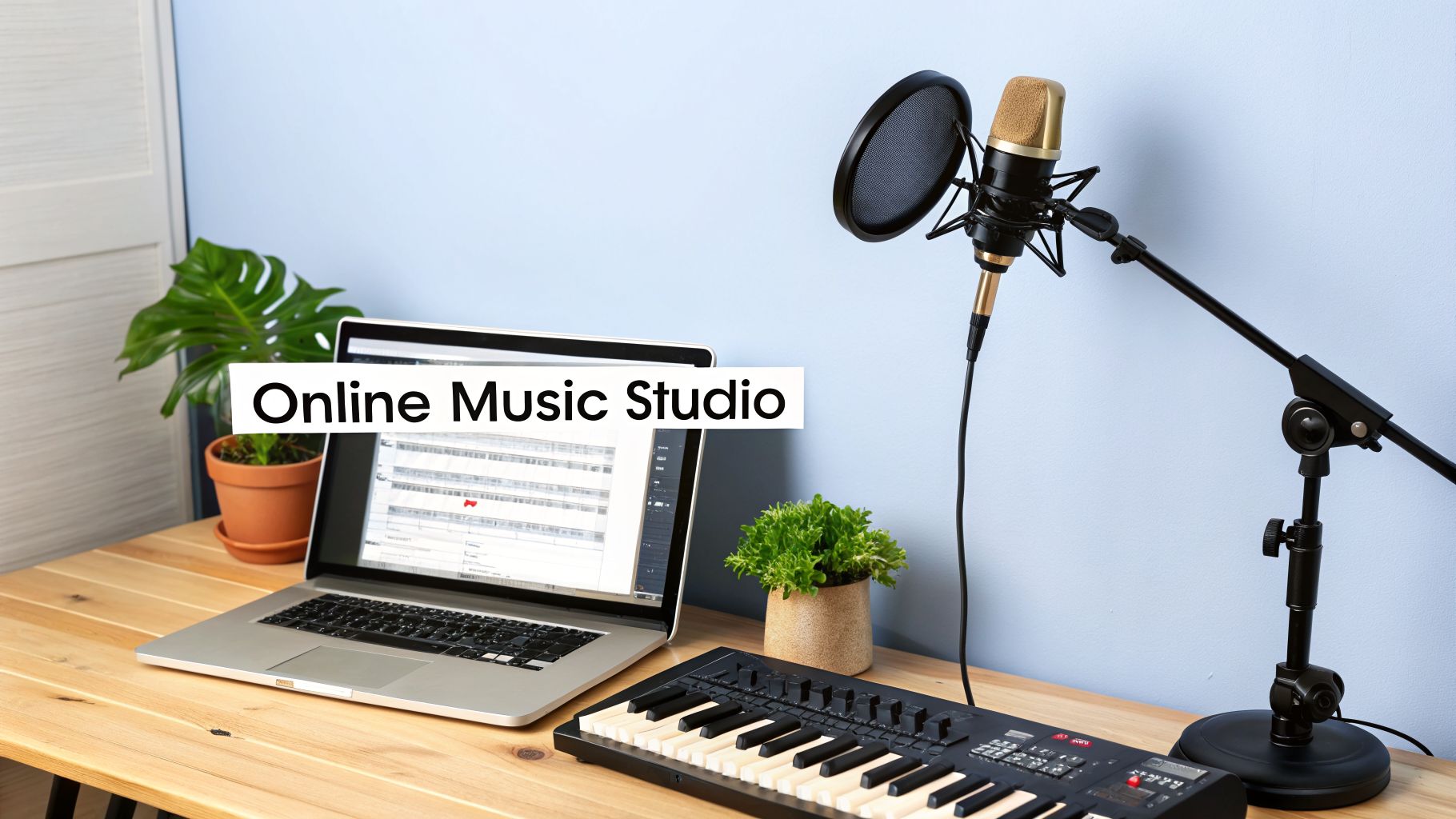
Teaching music online requires more than a webcam and a smile; it's about building a reliable digital studio. Getting the technology right, from crystal-clear audio to a rock-solid internet connection, is the first, most crucial step. A professional, lag-free experience is what keeps students coming back for more lessons.
Building Your Foundation For Teaching Music Online
Moving your music school online, or adding a hybrid option, opens your doors to students far beyond your local area. The online music education market has grown significantly, from USD 130.74 million in 2020 to a projected USD 421.92 million by 2027. This shift represents a permanent change in how people learn music.
Making the leap from a physical classroom to a virtual one requires more than just technology. It demands a smart approach to your curriculum, daily operations, and student management. The entire experience must feel polished and professional for both students and parents.
Crafting Your Essential Tech Stack
Your technology is the backbone of your online studio and directly shapes a student's perception of your school's quality. You need to prioritize a setup that delivers clarity and reliability in every lesson. Think of it as your virtual concert hall; it has to sound good and look professional.
Here's the gear that truly matters:
- High-Fidelity Audio: An external USB microphone is non-negotiable. It captures the rich tones and subtle dynamics of an instrument that a built-in laptop mic will miss.
- Clear Visuals: A high-definition (1080p) webcam is essential for demonstrating precise fingerings, posture, and technique. Good lighting ensures students can see what you are doing.
- Stable Internet: A wired Ethernet connection provides a more stable experience than Wi-Fi. It minimizes the lag and dropouts that can derail a lesson.
If your home internet is unreliable, having a backup is a smart move. Learning how to boost mobile phone signal at home can be a lifesaver when your main connection falters.
Key Takeaway: Your investment in audio and video quality is a direct investment in student retention. Poor tech is one of the fastest ways to lose an online student.
Essential Toolkit For Teaching Music Online
Choosing the right gear can be overwhelming, so here’s a quick-reference table to help you select the right tools for your needs.
| Category | Budget Option | Professional Recommendation | Key Feature |
|---|---|---|---|
| Microphone | Blue Yeti Nano | Shure MV7 | Captures nuanced instrument sounds clearly |
| Webcam | Logitech C920 | Razer Kiyo Pro | Delivers crisp, 1080p video |
| Software | Zoom (with "Original Sound") | Forte | Optimized audio for music, not just speech |
| Lighting | Basic Ring Light | Elgato Key Light Air | Ensures you and the instrument are well-lit |
This simple toolkit covers the essentials. Start with what you can, but always aim to upgrade your audio and video as your school grows.
Adapting Your Operations For A Digital World
Running a successful online music school involves more than just what happens during the lesson. The key to scaling is the administrative framework that holds it all together. This means rethinking how you handle scheduling, communicate with parents, and process payments.
Many music schools struggle with a messy patchwork of tools: one app for booking, another for invoicing, and dozens of emails for communication. This manual chaos is a massive time-sink and leads to errors like double-bookings and missed payments, ultimately costing you money.
This is where a unified platform becomes a game-changer. Using dedicated music school management software consolidates these scattered tasks. You can automate teacher scheduling, manage different lesson packages, and track student progress from a single dashboard, reducing admin time by up to 60%.
Adapting Your Teaching for the Virtual Studio
Moving music lessons online is more than pointing a camera at your instrument; it requires a complete shift in teaching philosophy. A simple video call cannot capture the nuance of in-person instruction. You must rethink how you engage students, demonstrate proper technique, and build rapport through a screen.
Great online teaching is an active, dynamic process. It means creating a lesson structure that keeps students focused, using digital tools to explain concepts, and providing clear feedback. You have to become a master of this new virtual studio to succeed.
Reimagining Lesson Structure and Pacing
The rhythm of an online lesson is different from an in-person one. You are competing for attention against digital distractions, making student engagement your top priority. Forget long lectures; shorter, focused activity blocks are more effective.
Break your lessons into varied segments to maintain student attention. For instance, a 30-minute online piano lesson could be structured as follows:
- 5 minutes: Warm-ups and scales.
- 10 minutes: Deep dive into a tough passage from their current piece.
- 5 minutes: An interactive music theory game using a digital whiteboard.
- 7 minutes: Run-throughs focused on performance and musicality.
- 3 minutes: A recap of achievements and setting clear practice goals for the next week.
This "chunking" method keeps the energy high and ensures students are actively participating, not just passively watching you perform.
Your goal is to make every minute interactive. The moment a student is just listening for more than a few minutes, you risk losing them. Constant, purposeful engagement is key.
Mastering the Art of Visual Demonstration
In a physical studio, you can physically adjust a student's hand on a guitar fretboard. Online, your camera becomes your most critical teaching tool. You need to get strategic about using it to provide crystal-clear visual instructions.
Think like a film director. Instead of one static shot, use multiple camera angles if possible. A second camera focused on your hands for piano or guitar, or a side view for a flute player, can be a game-changer for clarity. When demonstrating complex fingerings, slow your movements and talk through each step.
To correct posture, the "mirroring" technique works well. Ask the student to mirror your exact position, then give specific, actionable feedback like, "See my wrist? Lift yours a little higher, like this," while clearly showing the correct form.
Providing Feedback That Resonates
Effective feedback is the heart of any good lesson, but it’s especially vital online where you cannot rely on subtle physical cues. Personalized instruction is why students seek private lessons in the first place.
One-to-one online music instruction commands 47.10% of market spending because learners value personalized feedback that helps them master skills faster. New AI tools can provide real-time analysis with 91.9% accuracy on fundamentals like pitch and rhythm. This can free you to focus on musicality and expression. You can find more details in the online music education market report.
To make your feedback land, try these techniques:
- Record and Review: Ask students to record short practice clips and send them to you. This lets you provide detailed feedback they can watch on their own time.
- Use Annotations: During a live lesson, use screen-sharing and annotation tools. You can draw on their sheet music to highlight a tricky rhythm or circle a missed dynamic marking.
- Focus on the "Why": Don't just say, "That note was flat." Explain why it might have been flat and give a specific fix, such as, "I heard the pitch drop there. Let's try some breathing exercises for more support."
How To Automate Your Music School's Scheduling
When your music school is small, scheduling is simple. But as you grow, it quickly becomes your biggest operational headache, drowning you in a web of calendars and emails. This administrative drain costs you money and limits your ability to scale.
The only way forward is to ditch manual processes and embrace automation. A central management platform can handle the complex dance of scheduling multiple teachers, students, and rooms, whether online, in-person, or hybrid. For any music school owner, this shift is non-negotiable.
From Minutes To Seconds Finding The Perfect Lesson Slot
Imagine a new parent wants to book a 45-minute online piano lesson on a weekday. The old way involves checking calendars and a chain of emails, taking 10-15 minutes. This process is slow and can lead to lost customers.
A modern platform turns this on its head. A feature like 'Find Slot' instantly scans every teacher's availability, subjects, and location to find perfect matches in seconds. This reduces student onboarding time from over 10 minutes to under 2 minutes and presents a professional experience.
Once the schedule is locked in, you can focus on the teaching itself.
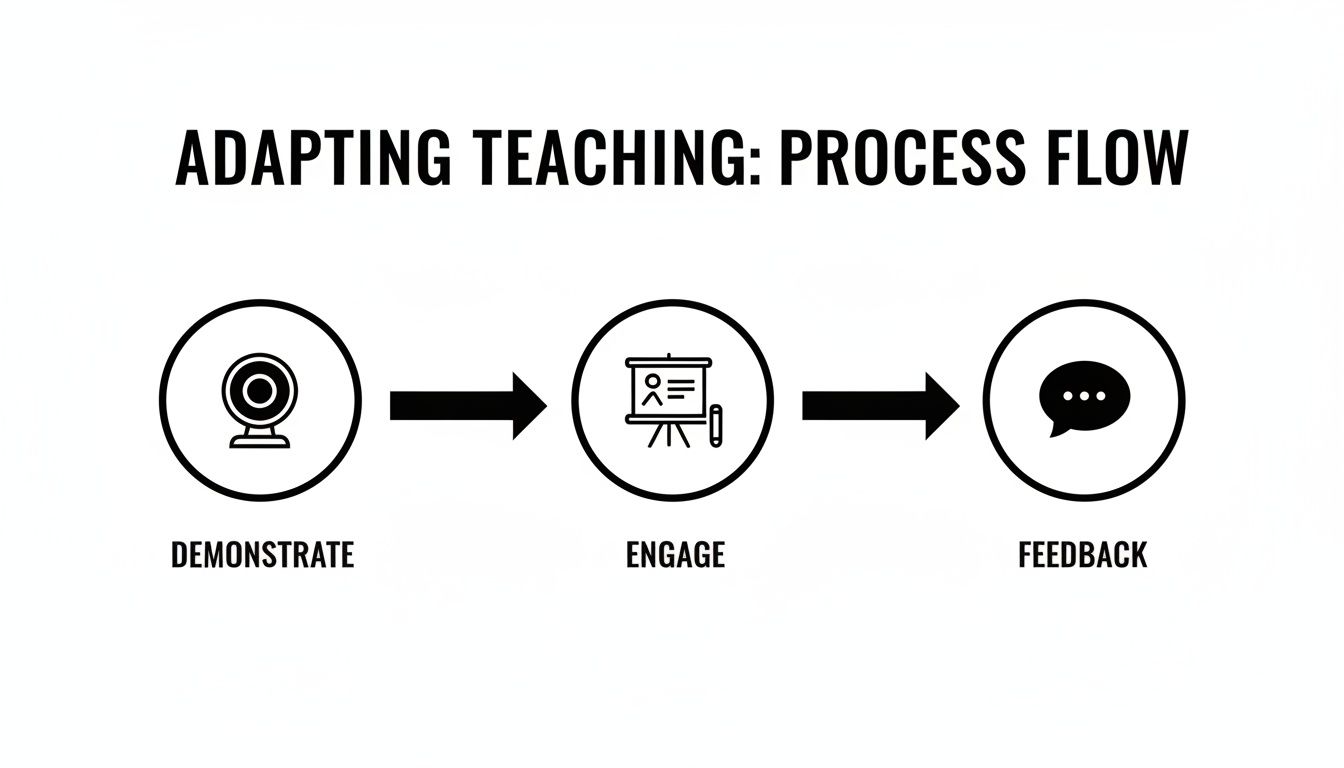
Automating your schedule gives you more time to dedicate to these critical teaching moments: demonstrating technique, engaging students, and providing meaningful feedback.
Setting Up Recurring Lessons And Managing Availability
Most music students sign up for a recurring weekly slot. Manually creating these entries for every student is a recipe for errors. A smart scheduling system lets you set up an entire term's worth of recurring lessons with a single click.
Teacher availability is just as vital. Instead of a shared Google Calendar, each teacher needs a profile to set their own working hours, creating a single source of truth for your school.
- Set Recurring Availability: A teacher can define their standard work week (e.g., Tuesdays 3-8 PM, Saturdays 9 AM-2 PM).
- Block Off Time: They can easily add one-off unavailability for appointments or holidays without disrupting their core schedule.
- Prevent Conflicts: The system automatically prevents double-bookings by blocking unavailable times, a common and costly booking error.
This level of control, managed through a feature-rich platform like the one found at https://tutorbase.com/features/scheduling, gives you a real-time, accurate view of your school's capacity.
Reducing No-Shows With Automated Reminders
No-shows are silent revenue killers. One study found that automated reminders can slash no-show rates by as much as 38%. Manually sending reminders to every student is not a scalable solution.
Automation handles this effortlessly. You can set up workflows to send customized email reminders to students and parents 24 or 48 hours before their lesson. You can also configure separate reminders for your teachers. Understanding how other organizations handle their scheduling process can also offer insights.
By implementing automated practices, music school owners consistently reclaim 10+ hours per week previously lost to administrative churn.
Creating A Smart And Automated Billing System
Disconnected billing is a silent killer for music schools. If you are still manually creating invoices in spreadsheets and chasing late payments, you are leaving money on the table and creating a barrier to growth.
An automated billing workflow is essential for teaching music online at scale. It ensures you get paid on time without the administrative headache. The goal is to move billing from a painful chore into a natural outcome of your teaching activities.
Choosing The Right Pricing Models
Before you can automate billing, you must decide how you will charge. A flexible system should handle a mix of pricing models, allowing you to cater to different students while keeping your revenue predictable.
Most successful music schools use a combination of these three structures. Here’s a quick breakdown of the most common models.
Pricing Models For Online Music Lessons
| Pricing Model | Best For | Pros | Cons |
|---|---|---|---|
| Per-Lesson Payments | New students, trial lessons, or those with unpredictable schedules. | Maximum flexibility for parents. Low barrier to entry. | Highly unpredictable cash flow. Lots of individual transactions to track. |
| Monthly Subscriptions | The majority of your committed students taking weekly lessons. | Stable, predictable income. Simplifies forecasting. Encourages retention. | Less flexible for families who travel often or have shifting schedules. |
| Prepaid Packages | Students preparing for an exam or performance, or as a gift option. | Boosts short-term cash flow. Encourages commitment for a set period. | Can create scheduling bottlenecks if many students use credits at once. |
A modern management platform should let you set a default pricing policy but also create specific exceptions, like a premium rate for your top violin instructor or a special 4-lesson introductory package.
From Attendance To Invoice Automatically
The single most powerful change you can make is to stop creating invoices manually. An integrated system connects lesson attendance directly to your billing, making the process seamless and error-proof.
Here is how it works: a teacher marks a student as "Attended" for their Zoom lesson. That click automatically triggers the correct charge on the family's next invoice. This completely removes the manual data entry that leads to costly mistakes.
With the right Tutorbase billing automation, you can shrink your invoicing time from hours down to just a few minutes a month.
Your teachers are your front-line operators. By empowering them to mark attendance, you're not just tracking lessons; you're kicking off an automated billing cycle that ensures every lesson is accounted for.
Managing Payments And Policies With Ease
Getting paid on time is all about making it easy for parents to pay you. It also means setting clear policies and letting your system enforce them so you do not have to be the bad guy.
A smart system should handle these financial details effortlessly:
- Online Payments: Let parents pay invoices online with a credit card through an integration like Stripe. The system automatically records the payment and marks the invoice as paid.
- Prepaid Credits: For package-based students, a "digital wallet" is a lifesaver. Parents buy a block of credits, and the system automatically deducts lesson costs, sending low-balance alerts to prompt a top-up.
- Automated Cancellation Policies: Set your rules once, such as a 50% fee for cancellations within 24 hours. When a parent cancels late, the system applies the charge automatically, protecting your revenue.
This level of automation transforms billing from a reactive, time-sucking chore into a proactive system that supports your school’s financial health.
Managing A Hybrid Music School Without The Chaos
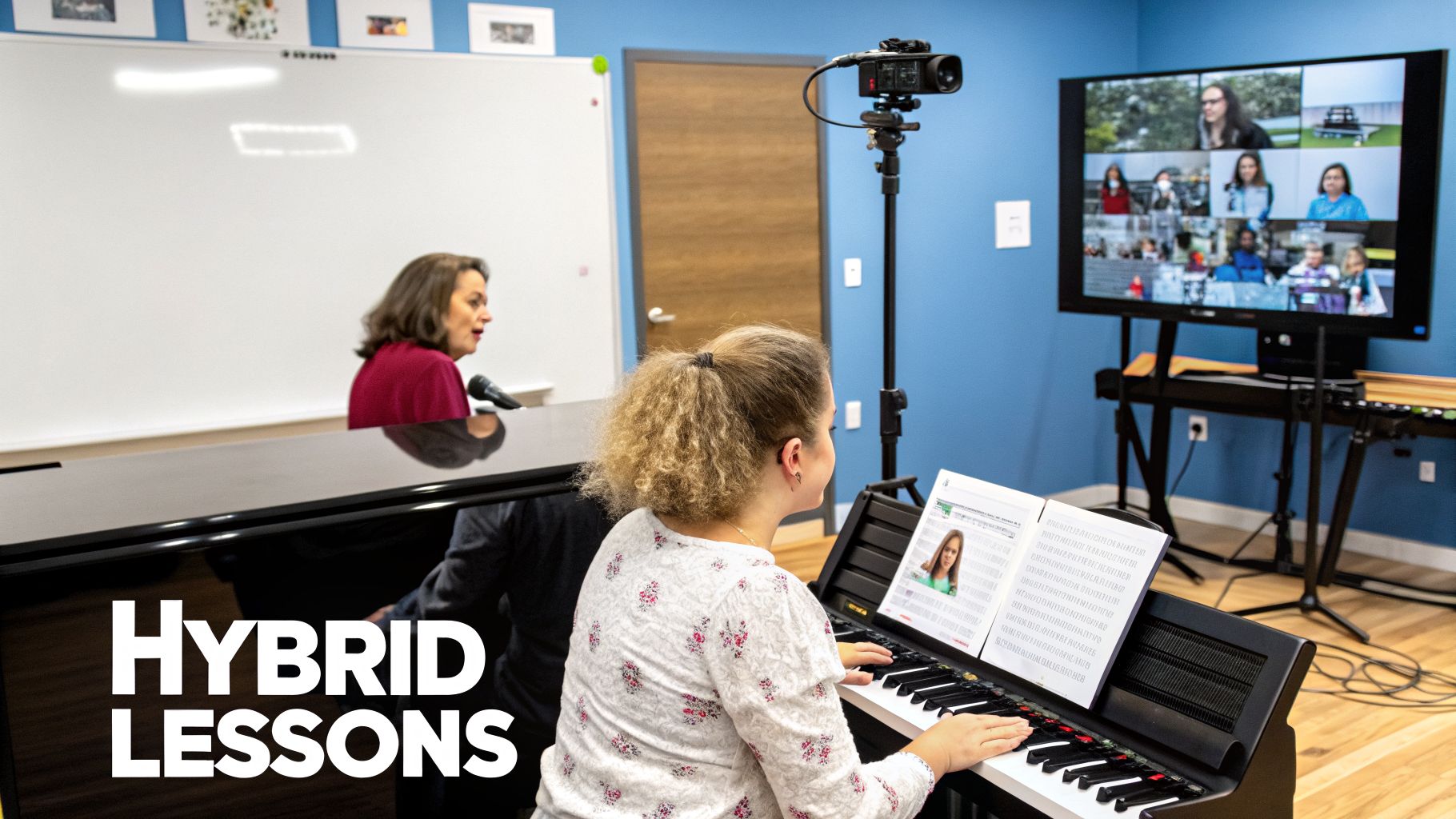
The future of music education is a blend of online and in-person learning. A hybrid model, where some students are in the classroom while others join remotely, offers incredible flexibility. However, it also adds complexity that can quickly turn into chaos with old-school tools.
Juggling physical room bookings, virtual lesson links, and different attendance types is nearly impossible with spreadsheets. To make a hybrid model work, you need a single, centralized system that sees your entire operation in one place.
A Single Source Of Truth For Locations And Rooms
Running a hybrid music school means managing multiple locations, even if some are virtual. You might have several practice rooms at your main studio and a "virtual" location for online-only lessons.
A solid management system lets you handle all these spaces from one dashboard. This is critical for preventing conflicts. For instance, if a teacher is booked for an in-person lesson in "Room 3" from 4-5 PM, the system should automatically block them from being booked for an online lesson at the same time.
This integrated approach gives you a clear, real-time overview of your school's entire capacity.
Key Takeaway: Stop thinking of your physical rooms and online lessons as separate. A unified system treats them as interconnected resources, which eliminates the double-bookings that plague hybrid models.
How To Track Hybrid Attendance Accurately
The real challenge with a hybrid class is in the details. In a single group piano lesson, you might have two students show up in person and three join via Zoom. Each student needs different attendance tracking for accurate billing and payroll.
A modern platform solves this with granular attendance options. For any lesson, a teacher should be able to mark each student individually:
- Student A: Attended (In-Person)
- Student B: Attended (In-Person)
- Student C: Attended (Online)
- Student D: No-show
- Student E: Attended (Online)
This simple action feeds directly into your billing and payroll. The parents of online students might be on a different pricing plan, and your teacher might earn a different rate for remote instruction. Without precise tracking, these financial calculations become a mess of guesswork.
Automating Complex Payroll For Hybrid Teachers
Paying teachers accurately in a hybrid model is notoriously difficult. A teacher's pay can change from one lesson to the next. Calculating payroll manually with these variables is slow and leads to unhappy staff.
Automation is the only sustainable way to do this. A powerful payroll system can handle layered, rule-based calculations automatically, so you do not have to think about it.
Consider this common scenario for a single teacher:
- Base Rate: $40/hour for standard in-person lessons.
- Online Premium: An additional 10% for handling the tech setup for hybrid classes.
- Per-Student Bonus: An extra $5 for each student over the third one in a group lesson.
With an integrated system, you set these rules once. When the teacher marks attendance, the platform crunches the numbers and calculates the exact earnings for each lesson. This removes the burden of manual calculation, ensuring your teachers are paid correctly and on time.
FAQ: Common Questions About Teaching Music Online
Shifting to online or hybrid lessons always brings up questions. Here are answers to some of the most common ones we hear from music school owners.
What is the best software for teaching music online?
For the lesson itself, many teachers use platforms like Zoom or Forte because they handle audio well. Zoom's "Original Sound for Musicians" mode prevents the software from suppressing instrument sounds. For running the business, however, you need more than a video tool. A dedicated management platform like Tutorbase consolidates everything from scheduling to billing and payroll into one place. This automation can save you over 10 hours of administrative work per week.
How can I prevent bad audio quality during online music lessons?
Great audio quality is a dealbreaker. The single biggest upgrade you can make is investing in an external USB microphone. A laptop's built-in mic cannot capture the rich tones of an instrument. Encourage your students to get one as well. Also, ensure your software's "Original Sound" setting is on and use a wired ethernet connection for a more stable signal than Wi-Fi.
How do I handle billing and payments for online students?
The easiest way to handle billing is with a management system that has invoicing built in. This lets you set different rates for all your services, like a 30-minute online piano lesson versus a 60-minute in-person voice lesson. A good system automates the process: when a teacher marks a student as "Attended," the charge is automatically added to that family's account. Parents can then pay online through a gateway like Stripe, eliminating manual invoicing.
Is it possible to manage both online and in-person students in the same class?
Yes, this is called a hybrid class. Making it work smoothly requires the right tech in the classroom and the right software behind the scenes. In the room, you need a solid camera and mic so remote students feel included. A platform like Tutorbase is crucial because it allows you to track attendance differently for each student within the same lesson (e.g., "in-person" vs. "online"). This detailed tracking is essential for accurate billing.
How do I keep online music students engaged?
Keeping students focused through a screen requires a different approach than in-person teaching. The secret is to make every lesson interactive and varied. Use the "chunking" method to break lessons into smaller segments. Incorporate digital tools like ear training apps or sight-reading games. Finally, set clear, short-term goals at the end of each lesson to give students a specific target for their practice.
How can I effectively demonstrate physical technique online?
Showing proper hand position is tough with a single laptop camera. The solution is to use multiple camera angles. A second webcam focused on your hands can be a game-changer. When demonstrating, slow everything down and talk through each movement. Also use the "mirroring" technique: ask the student to copy your posture exactly, then provide specific corrections while modeling it for them again.
Ready to stop juggling spreadsheets and reclaim your time? Tutorbase consolidates your scheduling, billing, and payroll into one smart platform, cutting admin work by 60% so you can focus on teaching. See how it works at tutorbase.com/register.


