


Key Takeaway: While TutorCruncher serves small or online-only agencies, growing tutoring centers often face bottlenecks with its manual scheduling, lack of room management, and basic payroll. This guide compares top TutorCruncher alternatives that solve these specific pain points, focusing on platforms built for multi-teacher operations, physical locations, and complex business models.
Tutoring centers often seek TutorCruncher alternatives when operational bottlenecks hinder growth. Your business scales from a small team to a multi-teacher operation, and challenges like manual calendar searches or complex payroll consume administrative time. These limitations impact efficiency and your ability to serve more students.
This guide analyzes the best TutorCruncher alternatives available in 2026. We will move beyond generic feature lists to provide a side-by-side comparison of 12 platforms, including Tutorbase, Teachworks, and Oases Online. You will find insights into solving common pain points such as:
Smart Scheduling: How can you automate finding the perfect tutor, time, and room?
Integrated Room Management: How do you prevent double-bookings and manage classroom capacity?
Flexible Payroll: What is the best way to handle complex pay like bonuses or revenue shares?
Parent Self-Service: How do you empower parents to manage bookings and payments?
Each review includes screenshots, links, and an assessment of its strengths. This resource helps you make an informed decision for your tutoring center's long-term growth.
What is Tutorbase?
Tutorbase is an AI-driven management platform for mid-to-large tutoring centers that have outgrown manual systems like TutorCruncher. It centralizes operations, from smart scheduling and billing to complex payroll and multi-location management, into one intuitive interface. It stands out as a top TutorCruncher alternative for centers focused on automation.
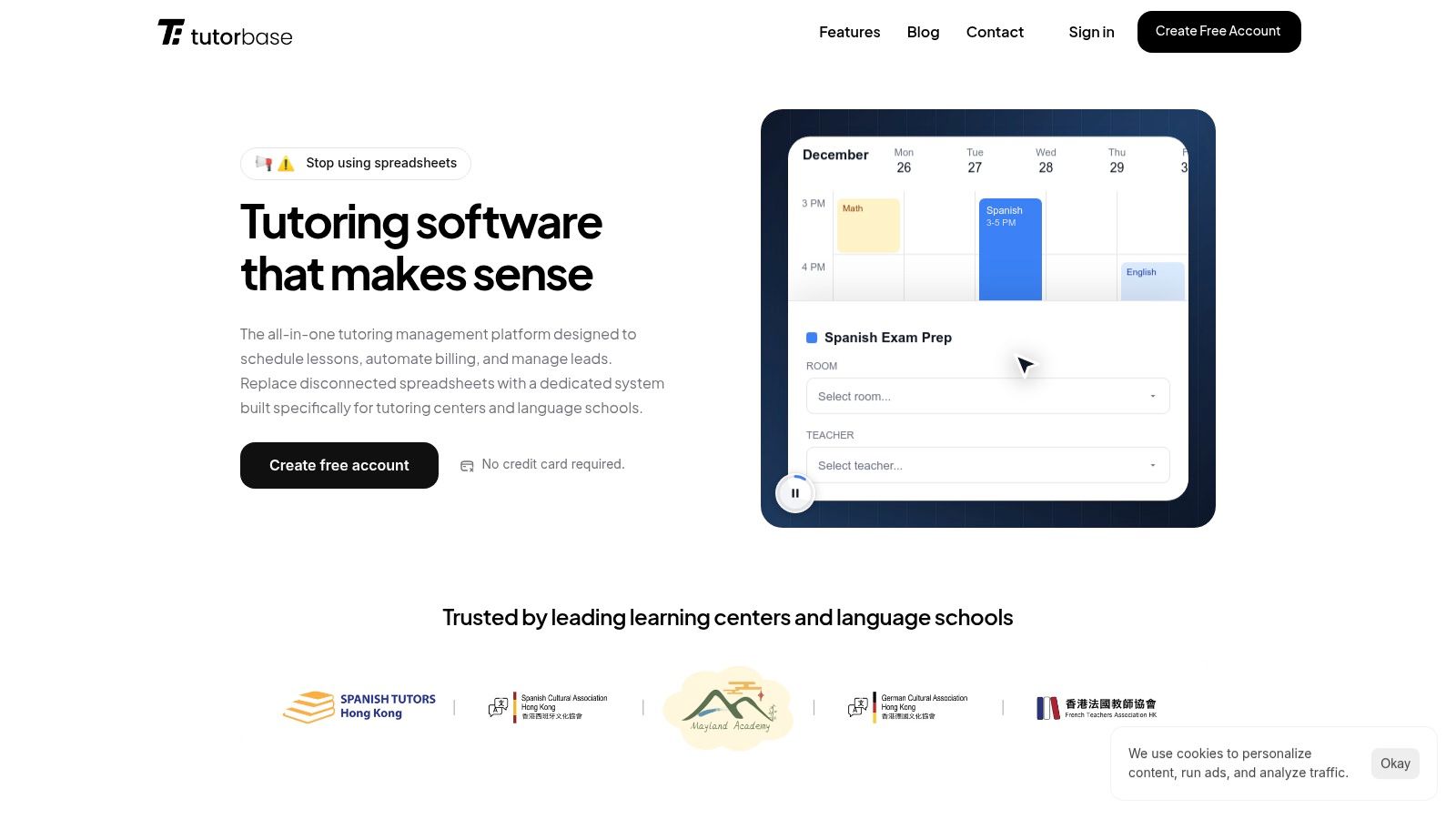
The platform solves specific bottlenecks in growing education businesses. Customers consistently report significant time savings. Some achieve a 60% reduction in administrative overhead and 3x faster student onboarding. Tutorbase also eliminates the double-bookings that previously plagued their scheduling.
Why is Tutorbase a Strong TutorCruncher Alternative?
Tutorbase directly addresses key limitations users face with TutorCruncher, particularly for centers managing physical locations or complex compensation.
Smart Scheduling vs. Basic Calendar: TutorCruncher offers a color-coded calendar where admins manually hunt for open slots. Tutorbase's Find Slot instantly generates viable teacher, room, and time combinations based on availability and capacity.
No Built-In Room Management: TutorCruncher lacks integrated room management, forcing users to track rooms separately in Google Calendar. Tutorbase tracks room capacity, features, and availability, checking both teacher AND room availability to prevent double-bookings automatically.
Multi-Brand Headaches: To manage multiple programs (e.g., German School, French School), TutorCruncher requires separate accounts. Tutorbase lets you manage all brands from one dashboard. You can share teachers while students see only their school's portal.
Limited Payroll Flexibility: TutorCruncher handles basic hourly payroll. Tutorbase calculates complex compensation automatically, including base salary plus per-lesson bonuses, revenue share, and weekend premiums. It generates payout statements ready for approval.
No Self-Service for Parents: TutorCruncher students must call the school to reschedule or check invoices. Tutorbase gives parents a portal to see schedules, make changes, view payment history, and pay online, reducing admin work.
No WhatsApp Lead Capture: TutorCruncher has email and SMS but no WhatsApp integration. Tutorbase has a native WhatsApp widget that captures inquiries directly into your CRM without manual data entry.
Cluttered Interface with Learning Curve: Multiple TutorCruncher reviews mention a steep learning curve. Tutorbase is designed with a modern, clean UI that both admins and parents find intuitive, ensuring faster onboarding.
Who is Tutorbase Best For?
Tutorbase is ideal for established tutoring centers, language schools, and test-prep academies with 5 to 100+ teachers. It is effective for multi-branch operators needing to standardize processes. For migrations, Tutorbase offers a comparison guide. You can see how Tutorbase compares to other tools.
Pricing and Onboarding
Tutorbase operates on a SaaS subscription model. Pricing is not public, so you can contact their sales team for a custom quote. They offer a free trial account without requiring a credit card. Their team provides support to streamline the transition from TutorCruncher.
Website: https://tutorbase.com
2. Teachworks
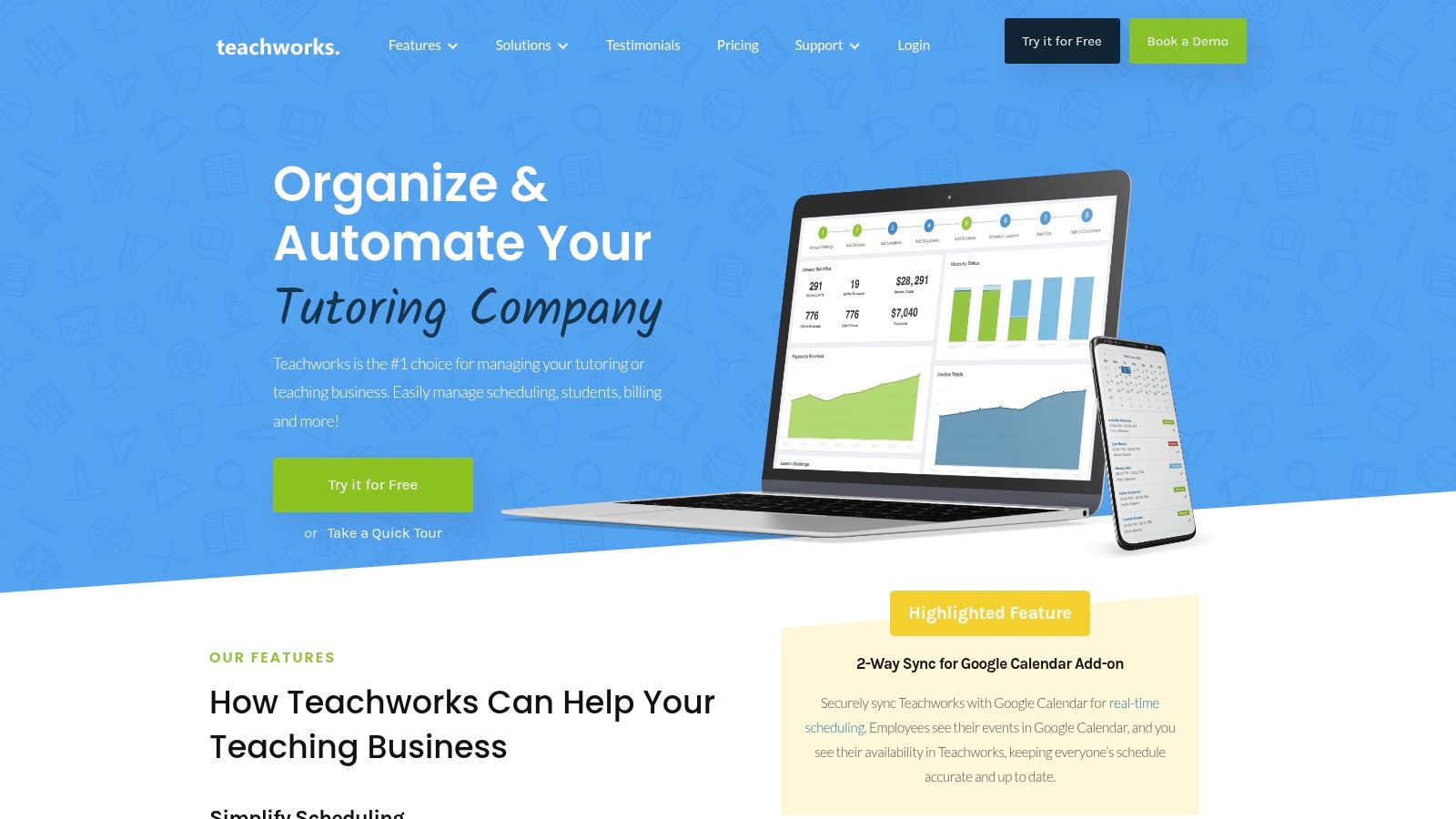
Teachworks is a robust tutoring management platform ideal for growing companies needing automation, particularly around billing and payroll. It is a strong TutorCruncher alternative for businesses with multiple branches or requiring customization through add-ons. The platform excels at tying teacher payroll directly to lesson timesheets.
What Are Its Key Features and Strengths?
Teachworks stands out with powerful automation and scalability. Its calendar-based billing system automates invoicing based on completed lessons. The platform supports complex package and credit systems, allowing you to sell services in bulk. For group classes, its discount mechanisms are particularly useful.
Notable features include:
Teacher Payroll Automation: Automatically generate payroll reports from lesson timesheets, which significantly reduces manual calculations and errors.
Extensibility: Offers a wide range of add-ons and API access (on higher tiers) to integrate with other tools and build custom workflows.
Multi-Branch Support: Manage multiple locations from a single dashboard, providing a consolidated view of your entire operation.
Limitations and Pricing Considerations
While powerful, Teachworks' pricing model includes per-student-lesson fees that can make monthly costs unpredictable. This variable cost can be a drawback compared to platforms with a fixed monthly fee. Additionally, API access is not included in the starter plan, which may limit smaller companies wanting integrations.
Pros:
Scales to support unlimited students and teachers.
Excellent multi-branch and multi-location management.
Strong customization options through its API and add-ons.
Cons:
Variable per-lesson fees can be difficult to forecast.
API access is restricted to higher-priced plans.
You can explore its features at Teachworks.com.
3. TutorBird
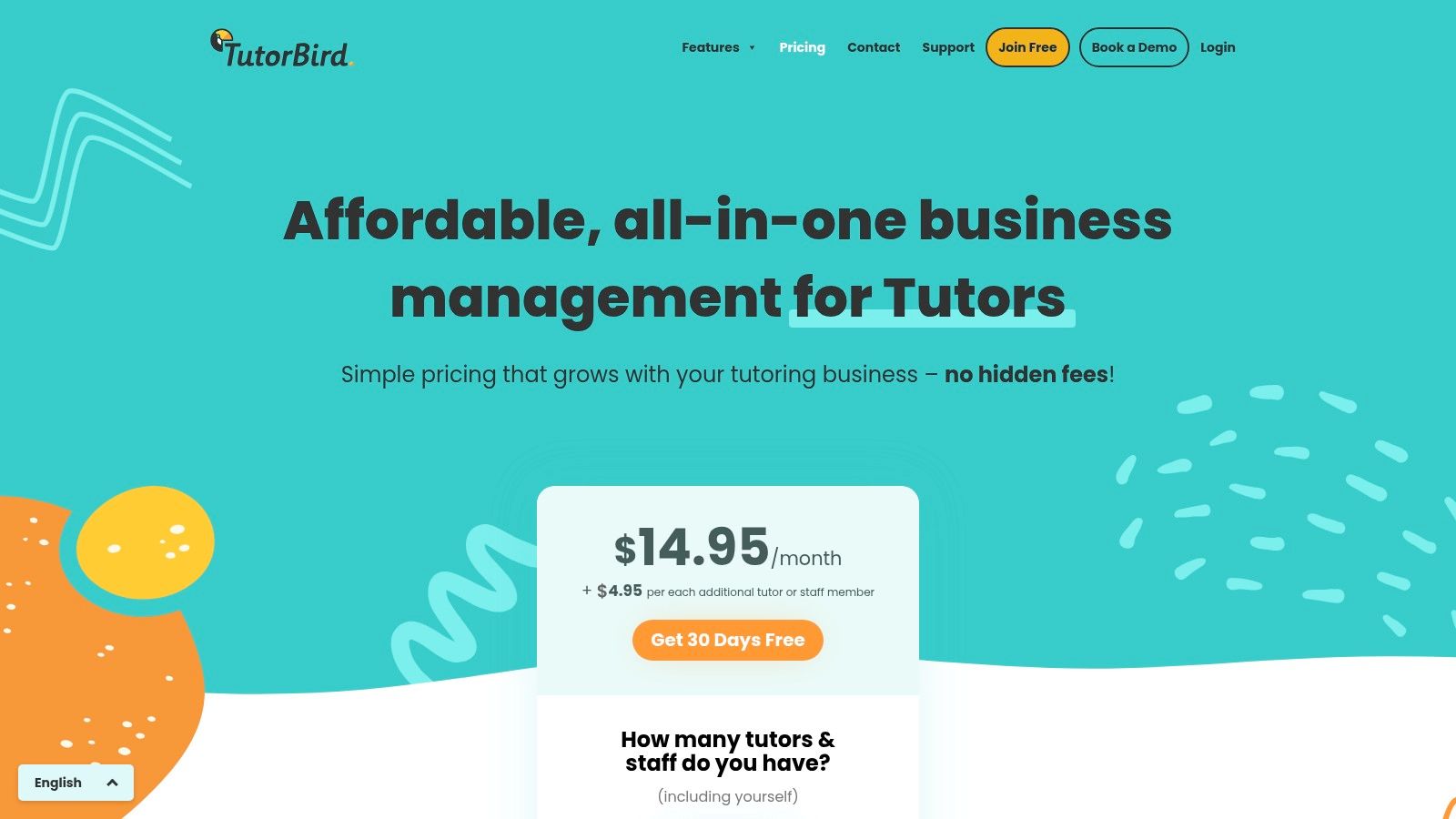
TutorBird is an affordable, all-in-one platform for solo tutors and small tutoring centers seeking simplicity. As a TutorCruncher alternative, it provides a straightforward back-office solution for scheduling, invoicing, and parent communication. Its strength is providing essential tools without a steep learning curve.
What Are Its Key Features and Strengths?
TutorBird stands out with its user-friendly interface. The calendar-based billing system, with integrations for Stripe and PayPal, simplifies invoicing and includes automations like late fee reminders. Two-way calendar sync and bulk SMS/email capabilities streamline communication. The built-in website builder helps you create a professional presence.
Notable features include:
Broad Integrations: Connects seamlessly with essential tools like Zoom, QuickBooks, Lessonspace, and major website builders (Wix, Squarespace, WordPress).
Simple Onboarding: The platform is designed for fast setup, allowing small teams to get up and running with minimal technical assistance.
All-in-One Functionality: Provides scheduling, billing, communication, and a student/parent portal in a single package.
Limitations and Pricing Considerations
While great for smaller operations, TutorBird's feature depth and reporting are lighter compared to enterprise-focused platforms. Its per-staff pricing model can become costly as a center grows. Businesses needing complex payroll or advanced multi-branch management may find its functionality limiting.
Pros:
Simple, transparent pricing model is easy to forecast.
Easy onboarding and an intuitive user interface.
Wide range of integrations covers common tutoring workflows.
Cons:
Per-staff fees can become expensive for larger teams.
Reporting and feature depth are less robust than enterprise solutions.
You can explore its features at tutorbird.com.
4. LearnSpeed
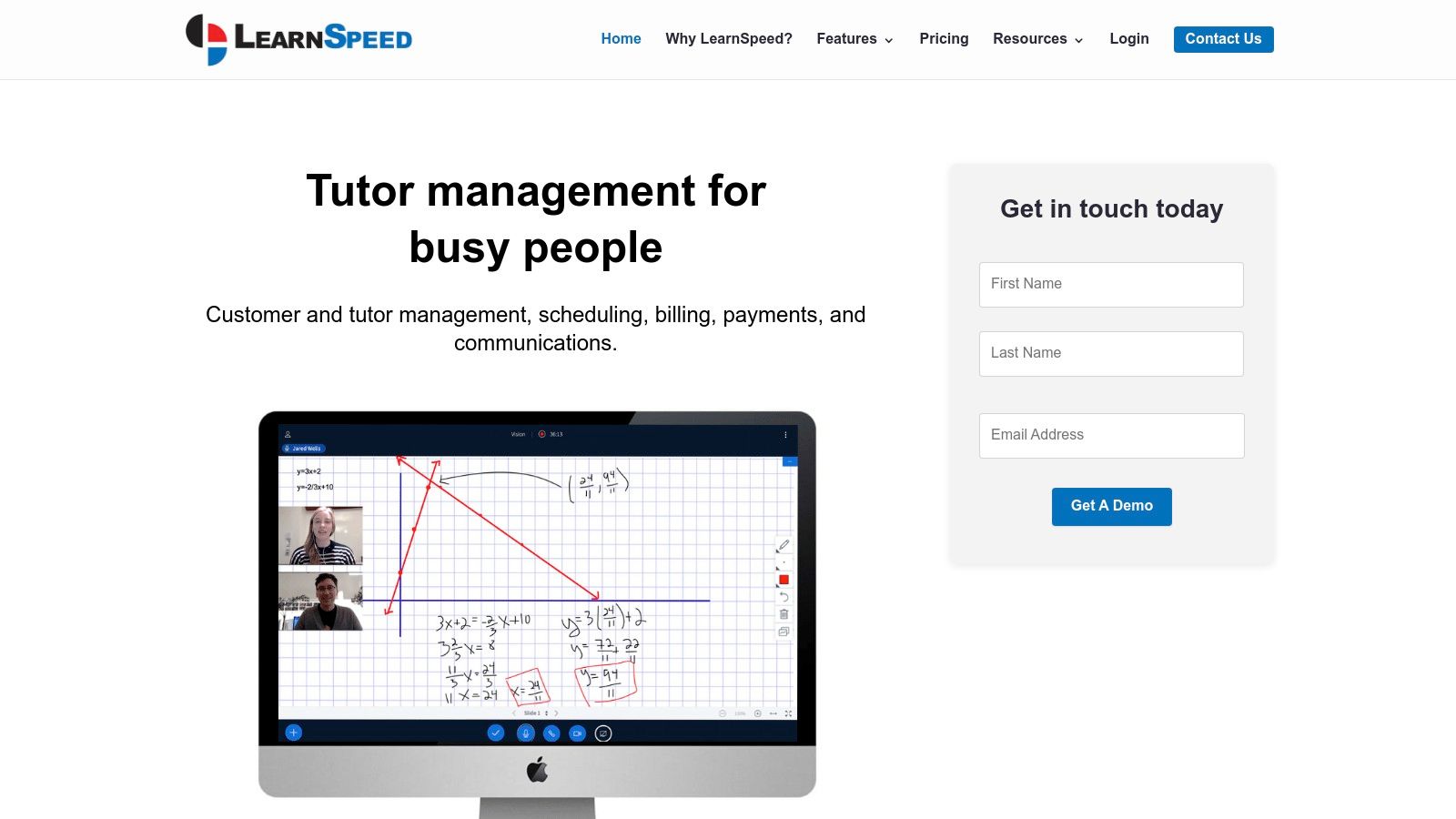
LearnSpeed is a mature tutor management system with a unique pay-as-you-go pricing model. This makes it an excellent TutorCruncher alternative for seasonal businesses avoiding fixed monthly fees. Its feature set is tailored to tutoring center workflows, including robust reporting and an integrated online classroom called Vision.
What Are Its Key Features and Strengths?
LearnSpeed's main advantage is its per-session pricing and extensive reporting. The platform includes a lead-to-enrollment CRM and flexible scheduling. One-click invoicing simplifies billing. Its integrated Vision online classroom provides a seamless virtual tutoring experience. For managers, automatic timesheets and payroll streamline admin tasks.
Notable features include:
Per-Session Pricing Model: The pay-as-you-go structure ensures you only pay for what you use, which is beneficial for businesses with fluctuating student numbers.
Integrated Online Classroom: The built-in "Vision" platform consolidates virtual teaching tools directly within the management system.
Extensive Reporting: Offers over 100 specialized reports, providing deep insights into your tutoring operations.
Limitations and Pricing Considerations
While the pay-as-you-go model is a strength, it can become expensive for businesses running a high volume of sessions. The per-session cost can add up and exceed the predictable fees of other platforms. The user interface, while functional, may feel less modern compared to newer platforms.
Pros:
Pay-as-you-go pricing avoids costs during off-seasons.
Mature and comprehensive feature set built specifically for tutoring.
Powerful reporting tools for data-driven management.
Cons:
Per-session billing can be costly at high volumes.
The interface may appear dated to some users.
You can explore its features at learnspeed.com.
5. Oases Online
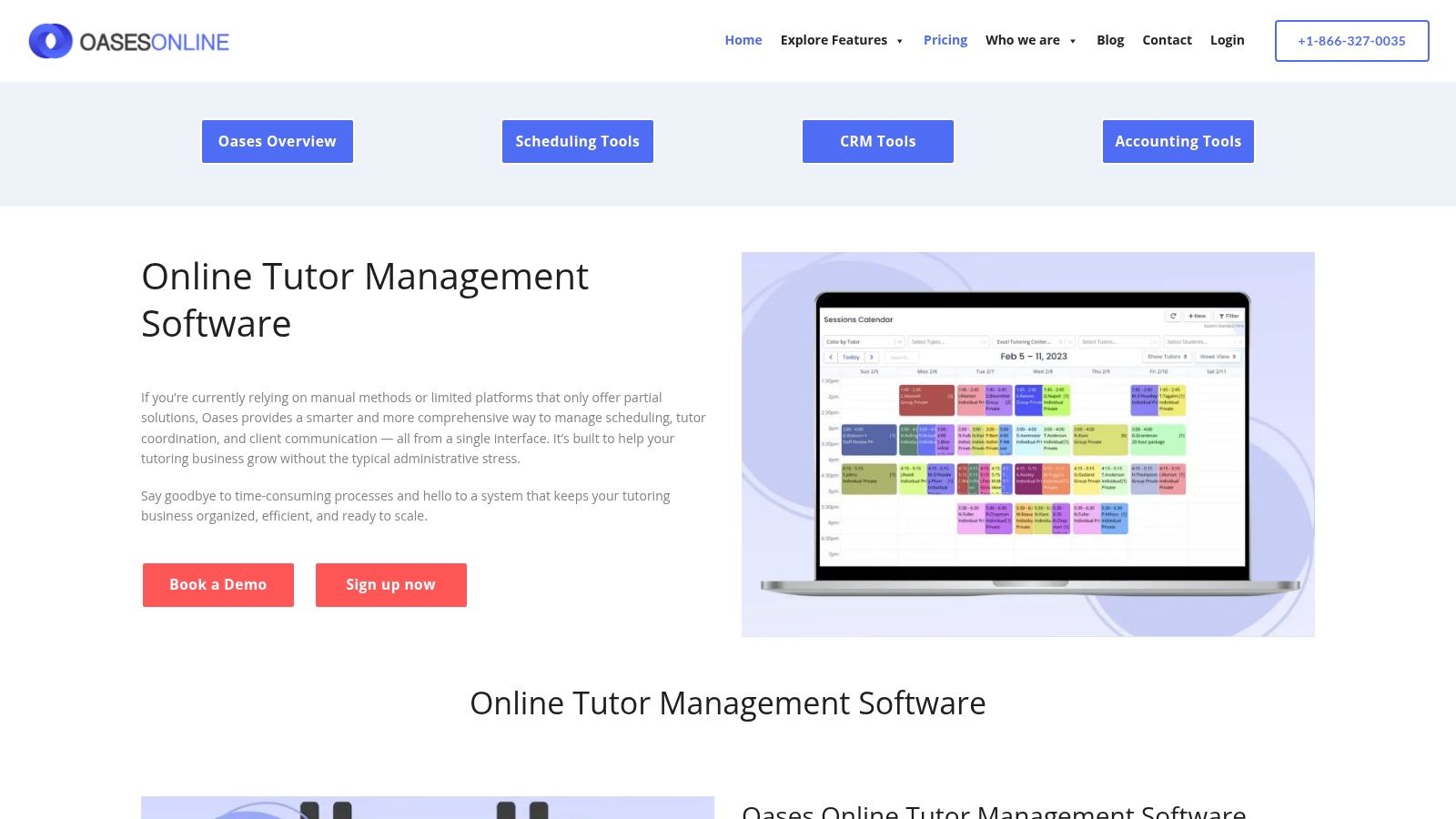
Oases Online is a comprehensive system that goes beyond simple scheduling, making it a strong TutorCruncher alternative for businesses focused on student performance. It merges a robust CRM with academic monitoring, offering features like optional assessment packs. Its pricing automatically adjusts based on active students.
What Are Its Key Features and Strengths?
Oases Online excels with its integrated approach to student management. The platform’s CRM is tailored for education services, helping you manage leads effectively. A key differentiator is the optional Achieve assessment packs, which let you measure student progress and share performance reports with parents.
Notable features include:
Student Performance Tracking: Monitor and report on student progress with detailed session notes and optional integrated assessments.
Flexible Scheduling: Manage one-on-one, group, and online sessions with tools for tracking attendance and session status.
Adaptive Pricing: The tiered pricing automatically scales up or down based on your active student count, providing cost predictability.
Limitations and Pricing Considerations
While the core platform is robust, some powerful features come as add-ons at an extra cost. The Achieve assessment packs and premium setup services can increase the overall investment. Additionally, some advanced functionalities are only available in higher-tier plans, which may be a hurdle for smaller businesses.
Pros:
Pricing scales automatically with your active student roster.
Strong focus on student progress and academic reporting.
Enterprise tiers are available for large operations (350+ students).
Cons:
Assessment and premium support services are costly add-ons.
Key features may be restricted to more expensive plans.
You can explore its features at OasesOnline.com.
6. Teach ’n Go
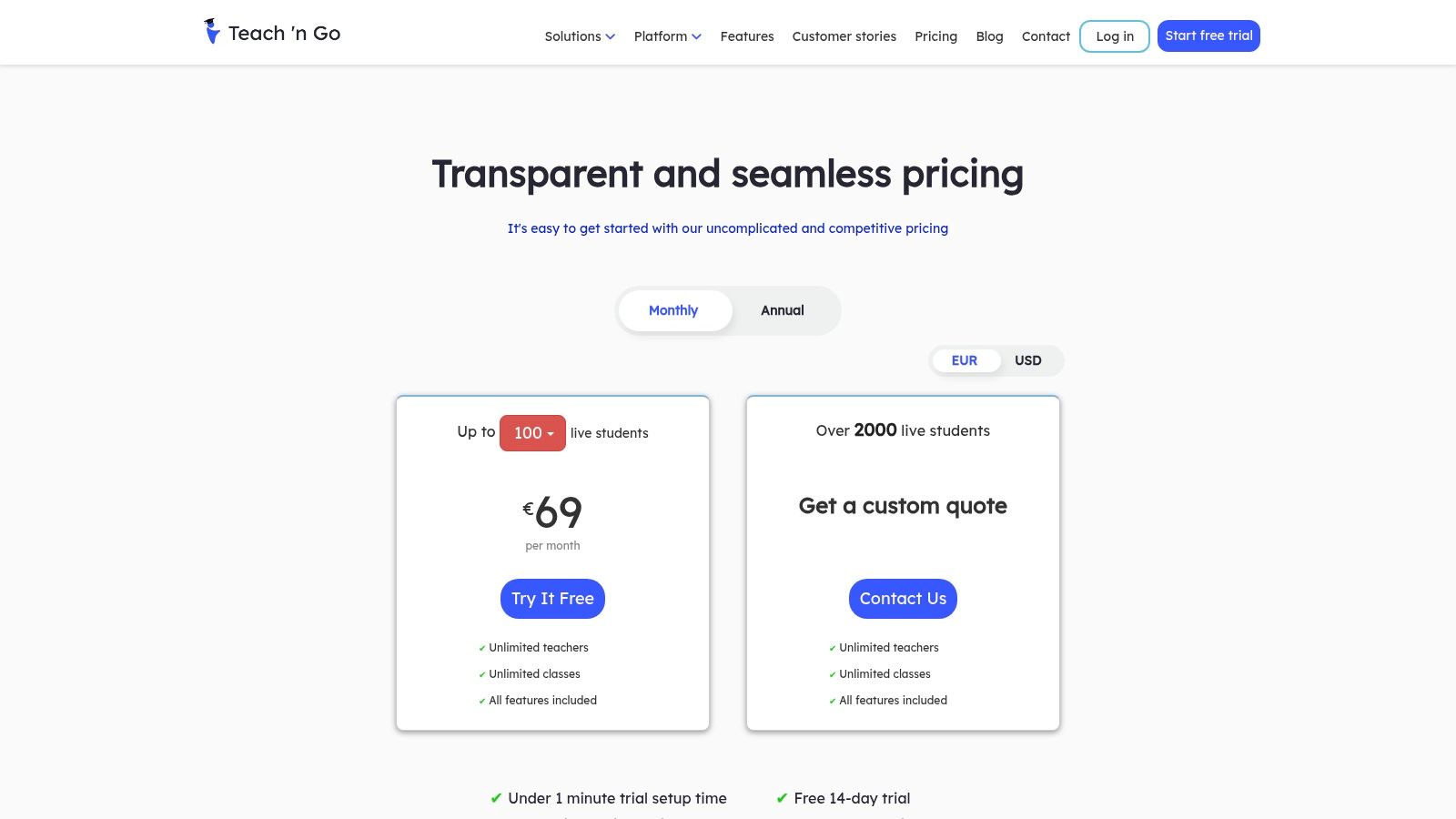
Teach ’n Go is a management system designed for organizations that prefer a straightforward, all-inclusive pricing model. It stands out by offering unlimited teachers and classes on its base plan. Costs scale based on active students, making it a great TutorCruncher alternative for businesses wanting predictable expenses.
What Are Its Key Features and Strengths?
The platform’s main advantage is its simple, value-packed plan structure. All essential tools, from scheduling to automated billing via Stripe, PayPal, and SEPA, are included. This approach removes the complexity of choosing between feature tiers. Its communication suite with integrated SMS and email keeps parents and students informed.
Notable features include:
Simple Pricing Model: Costs are based solely on the number of active students, offering unlimited teachers and classes, which simplifies budget forecasting.
Integrated Communications: Built-in SMS and email tools allow for direct communication with students and parents for reminders and updates.
Complete Management Suite: Offers scheduling, attendance, grade tracking, student/parent portals, and teacher payroll in one unified system.
Limitations and Pricing Considerations
While pricing is transparent, it is displayed in EUR by default, so U.S.-based companies will need to confirm USD billing rates. Very large operations may need a custom quote, as public plans have an upper limit. The lack of a public API on its main plans could be a limitation for businesses needing custom integrations.
Pros:
All core features are included in the base plan.
Transparent, predictable per-student pricing.
Optional fixed-fee services for onboarding and data migration.
Cons:
Pricing is displayed in EUR by default.
Custom quotes may be necessary for very large-scale operations.
You can explore its features at teachngo.com.
7. Arlo Training Management
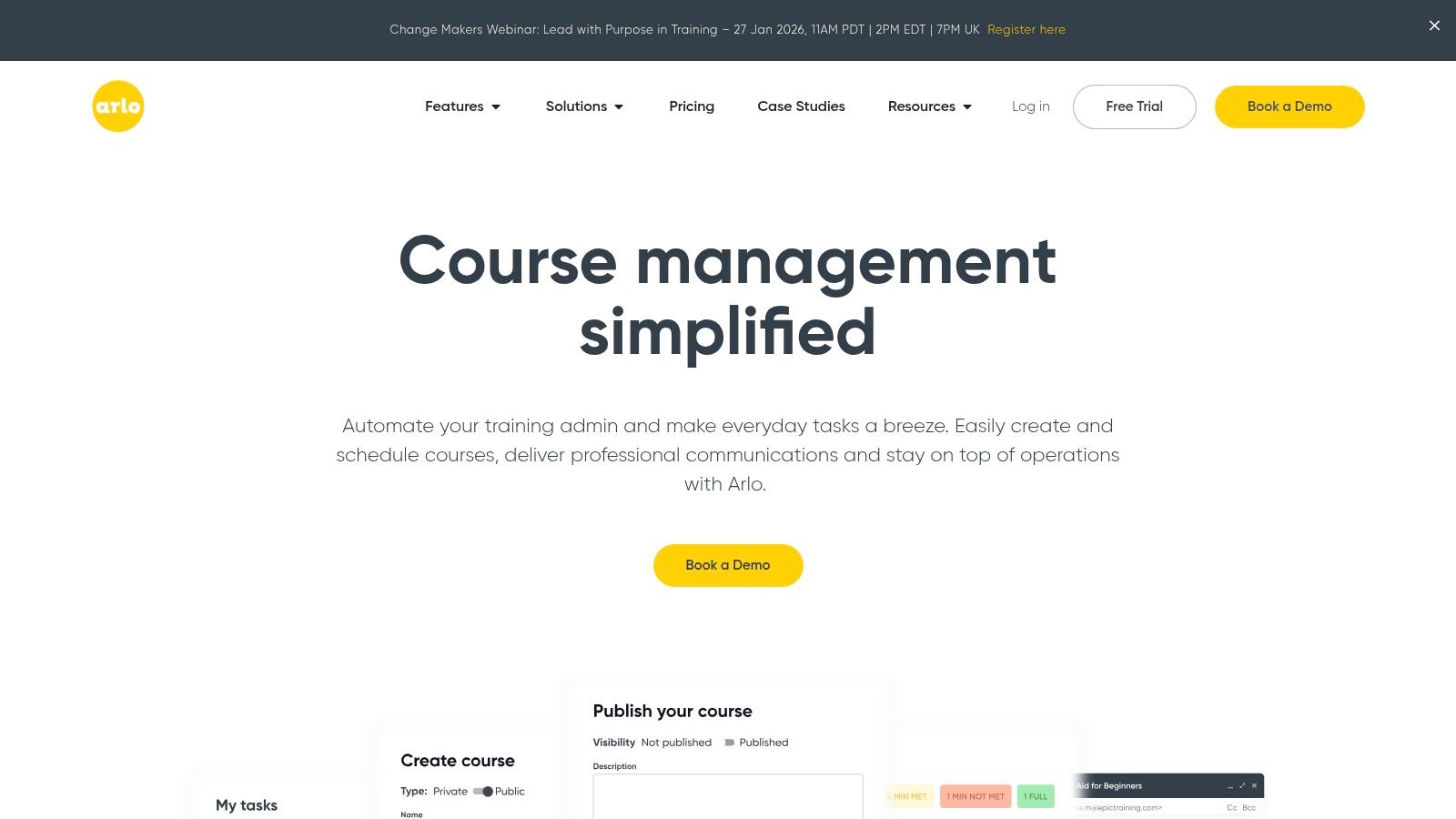
Arlo is a training and course management system for providers that run public or private courses. It is a unique TutorCruncher alternative for centers offering workshops and classes. Its strength lies in its powerful ecommerce and website integration, letting you create a branded checkout for public course catalogs.
What Are Its Key Features and Strengths?
Arlo stands out with its robust course scheduling engine, which handles one-off, multi-session, and recurring events. It automates communications like confirmations, reminders, and certificates, reducing administrative workload. For organizations blending tutoring with self-paced learning, its optional AI-assisted e-learning authoring tool is a major advantage.
Notable features include:
Public Course Ecommerce: Build a fully branded course catalog and checkout on your website, perfect for attracting and converting new students.
Comprehensive Automation: Automate everything from emails and invoicing to certificate issuance and feedback surveys.
Resource Management: Efficiently manage trainer assignments and venue bookings, preventing conflicts. Learn more about tutor scheduling software.
Limitations and Pricing Considerations
Arlo is a training management platform, not a dedicated tutoring system. Certain nuances of tutoring, like detailed payroll or one-on-one session management, may require customization. Its pricing is based on administrator licenses, which can be less cost-effective for smaller tutoring-only businesses.
Pros:
Excellent for public course sales with a branded ecommerce experience.
Scales well for growing organizations with volume-based pricing tiers.
Strong automation for course-related communications and logistics.
Cons:
Core focus is on training, not one-on-one tutoring.
Pricing model based on admin licenses may not align with typical tutoring business structures.
You can explore its features at Arlo.co.
8. Pike13
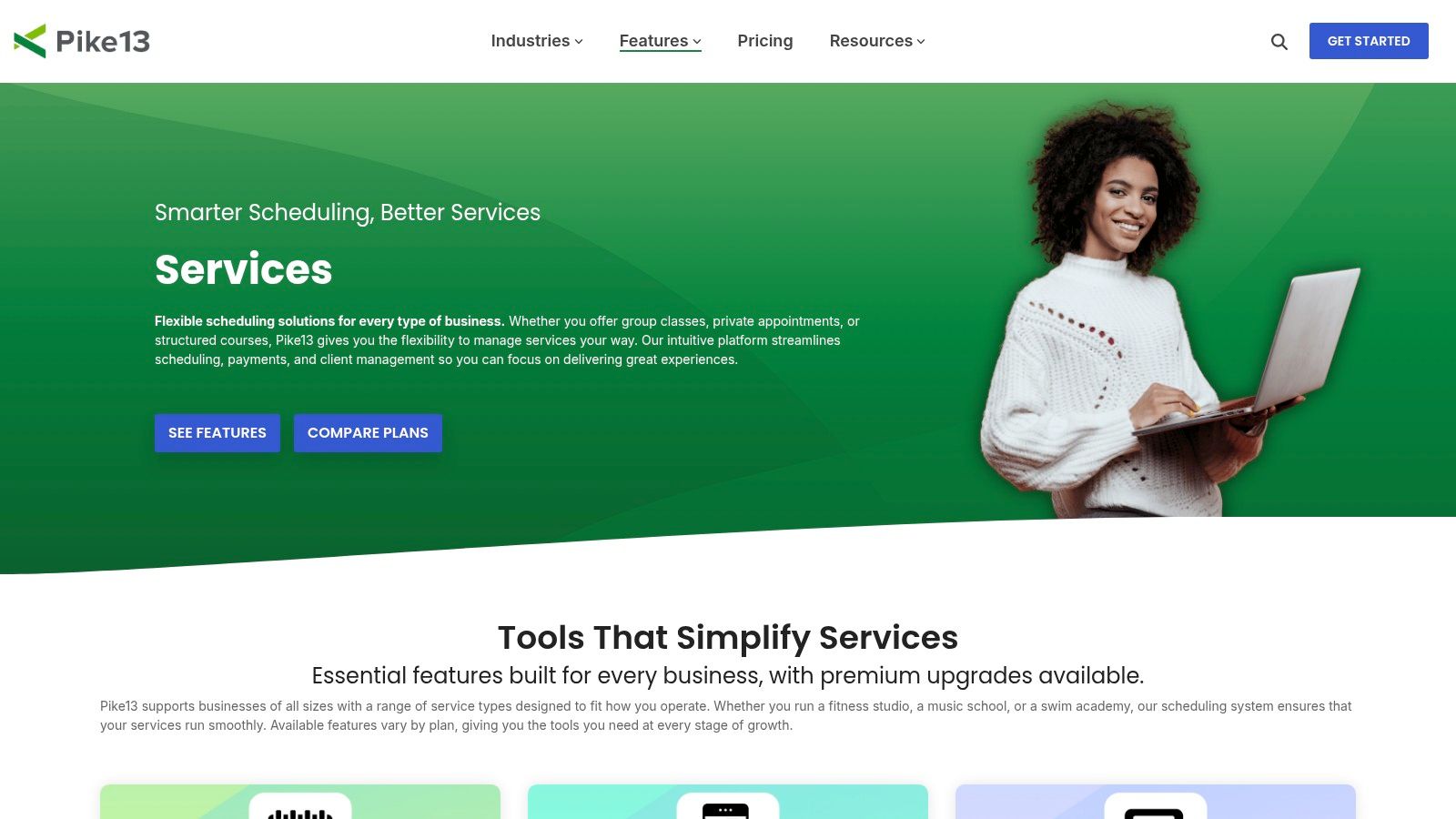
Pike13 is a class and appointment management platform suited for tutoring businesses that operate like fitness studios. While not exclusively for tutoring, its robust scheduling for recurring classes and appointments makes it a strong TutorCruncher alternative. Its integrated billing, client apps, and payroll tools provide a comprehensive operational backbone.
What Are Its Key Features and Strengths?
Pike13 excels at managing enrollments through flexible models, including recurring memberships and class passes. The platform provides dedicated mobile apps for staff and clients, which streamlines communication and self-service actions. This significantly reduces administrative workload compared to systems without a client-facing app.
Notable features include:
Flexible Service Offerings: Easily manage group classes, private appointments, and multi-session courses, complete with waitlists.
Staff and Client Mobile Apps: Empowers tutors to manage schedules and clients to book sessions from their phones.
Integrated Payments and Payroll: Connects billing directly to attendance, simplifying payroll and client invoicing.
Assisted Onboarding: Offers data transfer and guided setup, a major benefit for businesses migrating from another platform.
Limitations and Pricing Considerations
Pike13's origins in fitness mean its terminology may require adaptation for a tutoring model. Its course enrollment system is often geared towards upfront payments. Tutoring-specific features, such as detailed student progress reporting or lesson recaps, are not as specialized as in dedicated tutoring software.
Pros:
Strong controls for managing recurring classes and bulk enrollment.
Excellent mobile app experience for both staff and clients.
Assisted onboarding and data migration support simplifies the switch.
Cons:
Some tutoring-specific workflows may require manual configuration.
The interface is not exclusively tailored to education.
You can explore its features at Pike13.com.
9. SimplyBook.me
SimplyBook.me is a popular scheduling platform that serves as an effective TutorCruncher alternative for tutors focused on simplifying online booking. It excels at managing appointments, accepting payments, and automating communication. It is best for solo tutors or small teams that prioritize a seamless booking experience.
What Are Its Key Features and Strengths?
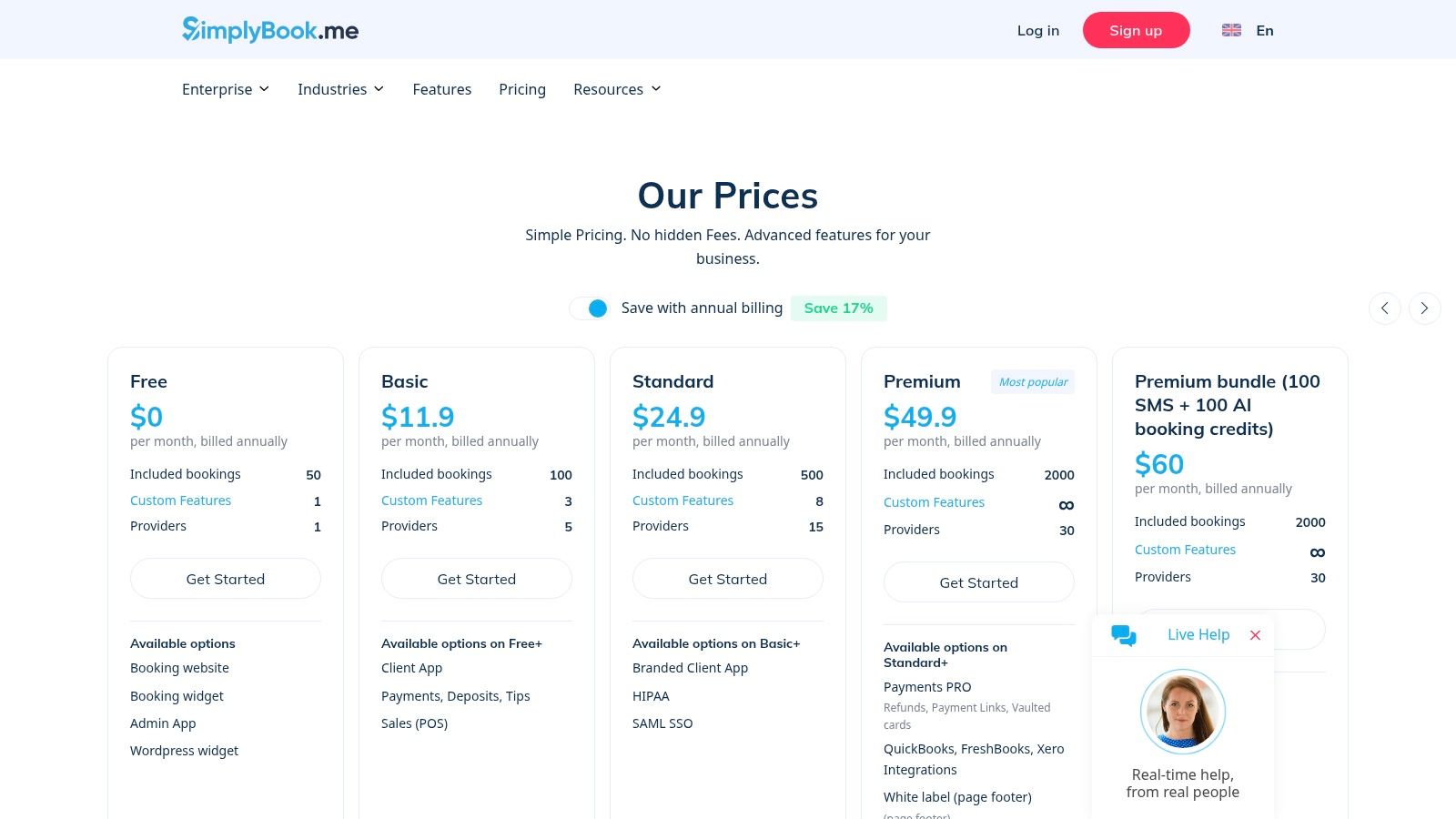
SimplyBook.me's main strength is its robust and customizable online booking engine. You can create a branded booking website or embed a widget into your existing site. The platform handles payments, deposits, and even tips. It also offers powerful add-ons for packages, memberships, and compliance needs.
Notable features include:
Comprehensive Booking Tools: Provides a branded booking site, embeddable widgets, and a client app for easy scheduling.
Flexible Payment Options: Supports online payments, deposits, and package sales to secure bookings and improve cash flow.
Extensive Integrations: Offers a wide range of add-ons and connects with many popular tools, including support for SMS and WhatsApp reminders.
Limitations and Pricing Considerations
While versatile for scheduling, SimplyBook.me is not purpose-built for tutoring center management. It lacks specialized features for complex teacher payroll or multi-branch student tracking. The pricing model, which can involve purchasing packs for extra bookings, may lead to variable monthly costs as your business grows.
Pros:
Competitive pricing with a generous feature set on all tiers.
Strong language support and a large library of integrations.
Excellent client-facing booking and payment experience.
Cons:
Not designed for tutoring-specific payroll or multi-branch management.
Add-on costs for extra bookings or messages can increase expenses.
You can explore its features at SimplyBook.me.
10. Setmore
Setmore is a straightforward booking platform that serves as a low-cost TutorCruncher alternative for solo tutors or small teams. It excels at getting you running quickly with a clean interface for booking appointments, accepting payments, and sending reminders. It is more an appointment scheduler than a full management system.
What Are Its Key Features and Strengths?
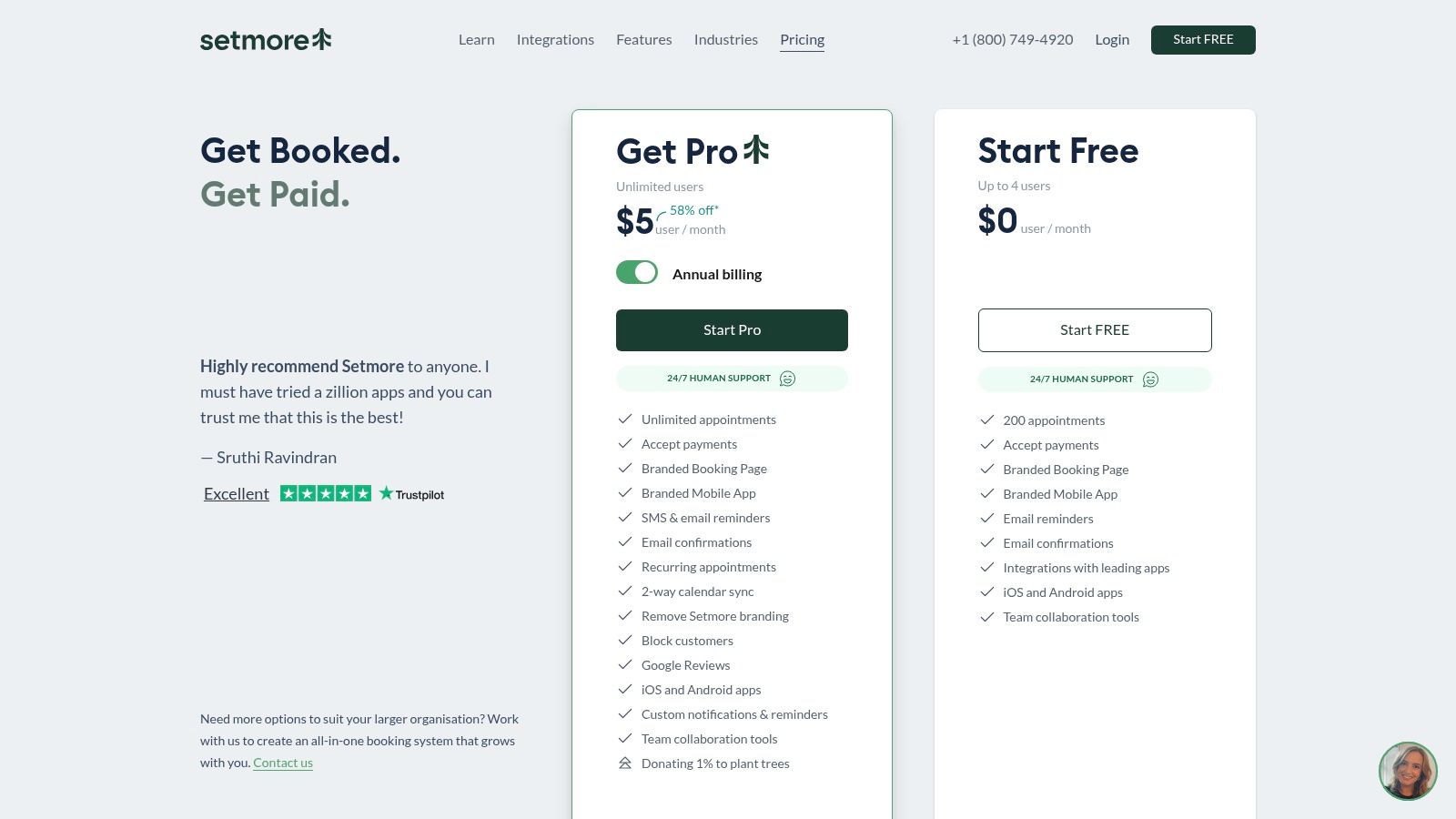
Setmore’s main advantage is its simplicity and affordability. The platform provides a public-facing, branded booking page where clients can see your availability and schedule sessions. Its two-way calendar sync prevents double-bookings. Payment integrations with Stripe and Square let you collect funds at booking.
Notable features include:
Simple Online Booking: Offers a clean, branded booking page for clients to self-serve, with recurring appointment options.
Payment Integration: Seamlessly connects with Stripe and Square to process payments directly from the booking page.
Automated Reminders: Reduces no-shows by sending automated SMS and email reminders to both clients and staff.
Limitations and Pricing Considerations
Setmore lacks specialized features for managing a full tutoring operation. It does not have built-in functions for tutor payroll or multi-branch management. The platform is designed for general appointment-based businesses, so it misses the nuanced logic needed for managing student progress and complex pay rates.
Pros:
Very affordable per-user pricing with a free-forever plan.
Extremely easy to set up and use for both staff and clients.
Offers 24/7 human support across all plans.
Cons:
Lacks tutoring-specific features like payroll and student reporting.
Not built for multi-location or franchise management.
You can explore its features at Setmore.com.
11. G2 (TutorCruncher Alternatives page)
G2's alternatives page is a research hub for businesses prioritizing peer-driven data. It is a platform that aggregates user reviews, feature comparisons, and satisfaction ratings. This makes it an essential stop for shortlisting potential TutorCruncher alternatives based on real-world feedback.
What Are Its Key Features and Strengths?
G2 provides unbiased, user-generated insights. You can filter reviews by company size and role. Its side-by-side comparison grids let you evaluate key features, pricing, and user satisfaction scores for top competitors at a glance. This helps you identify which platforms are truly built for tutoring management.
Notable features include:
User Ratings and Reviews: Access detailed feedback from verified users, often highlighting specific pros and cons.
Side-by-Side Comparisons: Directly compare platforms like TutorTrac and Teachworks against TutorCruncher on features such as scheduling and billing.
Recency Filters: Sort reviews by date to understand if a platform has recently improved or if older complaints are still relevant.
Limitations and Pricing Considerations
The main limitation of G2 is that its listings are not exclusively focused on tutoring-specific software. You might find broader EdTech or generic business management tools mixed in. Additionally, accessing in-depth comparison reports may require creating a G2 account.
Pros:
Provides independent, verified user reviews for unbiased insights.
Excellent for building a shortlist of commonly considered competitors.
Side-by-side feature comparison makes it easy to spot key differences.
Cons:
Includes many general EdTech tools, not just tutoring-specific ones.
Access to some detailed data may require creating an account.
You can start your research at G2.com.
12. Capterra (TutorCruncher Alternatives page)
Capterra offers a vendor-neutral directory listing top TutorCruncher alternatives, complete with feature comparisons and user ratings. It is an excellent starting point for discovering niche tools and quickly navigating to vendor sites. This resource lets you compare a wide breadth of options side-by-side.
What Are Its Key Features and Strengths?
Capterra's primary strength is its comprehensive database and powerful filtering tools. You can filter by features, pricing models, deployment type, and organization size. This makes it a practical tool for creating a shortlist of potential platforms to demo.
Notable features include:
Detailed Product Profiles: Access in-depth profiles for leading tools like Teachworks and TutorBird, which include verified user reviews.
Alternatives Lists: View curated lists of top alternatives and a full directory, helping you discover software you might not have found otherwise.
Advanced Filtering: Efficiently narrow down choices based on essential criteria, saving you hours of manual research time.
Limitations and Pricing Considerations
Capterra is a third-party directory, so its information might not always reflect the latest vendor pricing. Sponsored placements can also influence the order in which software appears. It is crucial to verify all details directly on the vendor's website.
Pros:
Transparent pricing snapshots and a wide selection of tools in one place.
Useful filtering helps you quickly narrow options and jump to vendor pages.
Verified user reviews offer real-world insights into software usability.
Cons:
Sponsored placements can affect the ranking of listed software.
Directory entries may not always reflect the most current vendor pricing or features.
You can explore its listings at Capterra.com.
Quick Comparison Table of TutorCruncher Alternatives
Product | Core Features | Target Audience | Key Differentiator | Pricing Model |
|---|---|---|---|---|
Tutorbase | Smart Scheduling, Integrated Room Management, Advanced Payroll, Multi-Brand Support, Parent Portal | Mid to large centers with physical locations | Solves specific growth pain points (room booking, complex pay) | SaaS subscription (contact sales) |
Teachworks | Billing Automation, Payroll from Timesheets, API Access, Multi-Branch Management | Growing companies needing customization | Highly extensible through add-ons and API | Tiered, per-lesson fees can apply |
TutorBird | Calendar Billing, Website Builder, Broad Integrations (Zoom, QuickBooks) | Solo tutors and small centers | All-in-one simplicity and affordability | Per-staff fee |
LearnSpeed | Pay-as-you-go, Integrated Online Classroom (Vision), 100+ Reports | Seasonal businesses, centers wanting deep data | Pay only for sessions you run | Per-session (pay-as-you-go) |
Oases Online | Student Performance Tracking, Education CRM, Assessment Packs, Adaptive Pricing | Centers focused on academic progress | Strong focus on student data and assessments | Tiered by active student count |
Teach 'n Go | All-inclusive plan, Integrated SMS/Email, Multi-currency Billing | Centers wanting predictable, all-in-one pricing | Unlimited teachers and classes on base plan | Per-active-student fee |
Arlo | Public Course Ecommerce, Branded Checkout, Automated Course Communications | Training providers offering public workshops | Powerful for selling courses directly from a website | Per-administrator license |
Pike13 | Recurring Class Management, Staff and Client Mobile Apps, Assisted Onboarding | Centers with class/membership models | Excellent mobile app experience | Tiered plans |
SimplyBook.me | Online Booking Engine, Payment/Deposit Processing, Client App | Businesses needing a powerful scheduling front-end | Highly customizable client booking experience | Tiered plans plus add-on packs |
Setmore | Simple Booking Page, Two-Way Calendar Sync, Automated Reminders | Solo tutors needing a low-cost scheduler | Extreme simplicity and affordability | Low per-user fee, free plan available |
G2 | User Reviews, Side-by-Side Comparisons, Market Data | Buyers doing competitive research | Unbiased peer reviews and ratings | Free to browse |
Capterra | Software Directory, Advanced Filters, User Ratings | Buyers discovering and shortlisting vendors | Broad database for initial software discovery | Free to browse |
How Do I Choose the Right Alternative?
Choosing management software is a pivotal decision. It shapes your operational efficiency, client experience, and growth potential. We have explored a wide array of TutorCruncher alternatives, from comprehensive platforms like Tutorbase to specialized tools like Arlo. Each option offers a unique combination of features.
Your journey began by identifying friction points in your current system. Perhaps it was the manual process of finding an available tutor and room. Maybe it was managing payroll with complex compensation rules. For many, it is the constant back-and-forth with parents to handle scheduling and payments. The right software should eliminate these drags.
Key Takeaways from Our Analysis
The central theme is clear: as a tutoring business scales, its needs evolve beyond basic scheduling. While TutorCruncher is a functional starting point, its limitations in resource management and payroll flexibility become obstacles for growing centers. This is where dedicated alternatives built for scale provide significant advantages.
Platforms like TutorBird and Oases Online offer more advanced features around student management. For centers with physical locations or multiple branches, the choice becomes even more critical. You need a system built for that specific environment to truly thrive.
How to Finalize Your Decision
The best software solves your biggest, most expensive problems. To make the final call, move beyond feature lists and focus on your real-world workflows. Here is a practical framework to guide you:
Identify Your Top 3 Bottlenecks: Is it scheduling conflicts, payroll, or lead management? Your new software must excel at solving these issues. If you spend hours on calendars, a tool with smart scheduling like Tutorbase should be at the top of your list.
Map the User Experience: Consider everyone who will interact with the platform. Is the interface intuitive for your admins? Can parents easily self-serve for booking? A system that confuses parents or frustrates staff creates more work.
Plan the Migration Path: Switching systems can feel daunting. Ask potential vendors about their data migration support. Can they import student data, lesson histories, and tutor profiles from TutorCruncher? A smooth transition is a non-negotiable requirement.
Evaluate the Ecosystem: A great platform should integrate with other tools. Beyond core management, consider exploring top programmatic solutions like these amazing online assessment tools for teachers.
Investing in the right TutorCruncher alternative is an investment in your business's future. It frees your team from administrative tasks, allowing you to focus on delivering exceptional education. The goal is to implement a strategic asset that fuels growth for years.
Frequently Asked Questions (FAQ)
What is the best TutorCruncher alternative for a small tutoring business?
For solo tutors or small businesses, TutorBird is an excellent alternative. It offers an affordable, all-in-one solution with simple pricing, a user-friendly interface, and essential features like scheduling, invoicing, and a parent portal without a steep learning curve.
Which alternative is best for managing physical classrooms and rooms?
Tutorbase is the best alternative for managing physical locations. Unlike TutorCruncher, it has integrated room management that tracks capacity and availability across all branches, automatically preventing double-bookings of both teachers and rooms.
How do TutorCruncher alternatives handle complex teacher payroll?
Platforms like Tutorbase are built for complex payroll. While TutorCruncher handles basic hourly rates, Tutorbase automates calculations for revenue sharing, per-lesson bonuses, tiered rates, and overtime, generating detailed payout statements for approval.
Can I migrate my data from TutorCruncher to a new system?
Yes, many alternatives offer data migration support. Platforms like Tutorbase and Pike13 provide assisted onboarding to help you import student data, lesson histories, and tutor profiles, ensuring a smoother transition from your old system.
Do any TutorCruncher alternatives offer a better parent experience?
Tutorbase provides a superior parent experience through its self-service portal and mobile app. Parents can view schedules, reschedule lessons, check payment history, and pay invoices online, significantly reducing administrative communication for your staff.
Are there any free TutorCruncher alternatives?
Some platforms like Setmore offer a "free-forever" plan, but it is typically limited to basic scheduling for a small number of users. For a complete tutoring center management solution, you will generally need a paid subscription, though most offer free trials.
How does Tutorbase's scheduling compare to TutorCruncher's calendar?
TutorCruncher uses a manual, color-coded calendar where admins must visually search for open slots. Tutorbase uses smart scheduling; its "Find Slot" feature instantly generates all possible teacher, room, and time combinations, eliminating manual searches and saving significant time.
Ready to see how a platform designed for growing tutoring centers can transform your operations? Tutorbase was built to solve the exact challenges discussed. We handle smart scheduling, room management, multi-brand support, and flexible payroll. Schedule your free demo today to see how we can help you eliminate administrative bottlenecks and scale your business with confidence. We offer data migration support for a smooth switch from TutorCruncher.


