


Key Takeaway: Tutoring business management software automates the most time-consuming parts of running a tutoring center. It replaces fragmented spreadsheets and apps with a single platform for scheduling, billing, and payroll, cutting admin time by up to 60% and eliminating costly errors like double-bookings.
If you're still juggling your tutoring business with a patchwork of spreadsheets, calendars, and a separate billing app, you're not just dealing with chaos, you're actively losing money. The hidden costs of manual operations, from billing errors to scheduling conflicts, create friction that doesn't just eat up time, it directly blocks your growth.
The True Cost of Manual Operations
For many tutoring center owners, the daily grind is familiar. It’s spending hours manually creating invoices in QuickBooks, trying to calculate complex tutor payroll in Excel, and constantly double-checking Google Calendar to avoid booking two classes in the same room. This fragmented approach is a recipe for expensive mistakes.

As your center grows, the problems created by separate tools multiply. Every manual step is a potential point of failure, leading to issues that hit your bottom line and reputation.
The Inefficiency Trap
The global tutoring industry, valued at over $120 billion in 2026, is growing at a healthy 9% clip. That boom puts pressure on centers to run a tight ship. Yet, many businesses handling 50 to 10,000 lessons a week still spend 10+ hours per week on admin. That's a massive drain on resources. You can read more about the industry's rapid growth over at Tutorbase.com.
This admin burden creates real-world problems that dedicated tutoring business management software is built to solve. The common pain points probably sound familiar:
- Booking Errors: Overbooked rooms and double-booked teachers lead to frustrated parents, canceled lessons, and a direct hit to your revenue.
- Billing Delays: Manually creating invoices from attendance sheets is slow and error-prone. The result is delayed payments and cash flow headaches.
- Payroll Complexity: Calculating variable pay rates, weekend bonuses, or revenue-sharing models in a spreadsheet is a gamble that often leads to payment disputes.
- Lack of Visibility: Without a central dashboard, you have no clear view of crucial numbers like room capacity utilization, teacher workload, or student renewal rates.
Running a multi-branch tutoring center with fragmented tools is like conducting an orchestra where every musician has different sheet music. The result is chaos and an exhausted conductor.
These manual processes are more than just a headache, they represent a huge opportunity cost. The time you spend chasing payments or fixing scheduling errors is time you could have invested in marketing or training your team. Moving to an integrated platform is a fundamental requirement for growth.
What Is Tutoring Business Management Software?
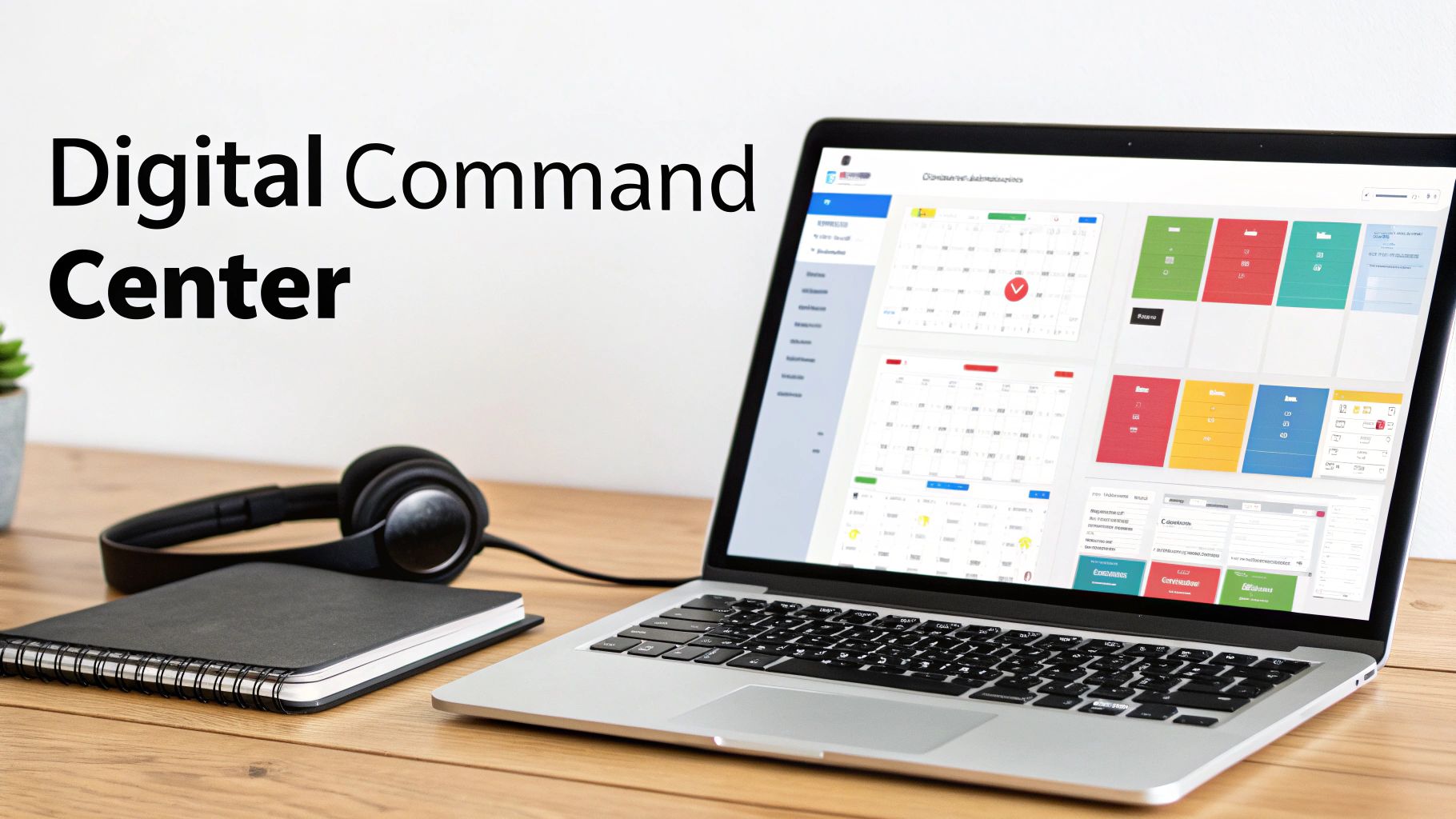
Tutoring business management software is the central command center for your entire operation. It pulls scheduling, billing, payroll, room management, and student tracking into a single, automated system. It ends the costly errors and headaches that come from juggling separate apps like Google Calendar, QuickBooks, and Excel.
Think of it as the central nervous system for your tutoring center. Right now, your scheduling data might be in one app and billing info in another. A proper management platform interconnects everything, turning scattered information into a smooth, real-time workflow.
Here’s a practical example: when an administrator marks a student as "Attended," the system instantly generates an invoice for the parent and calculates the correct payroll for the tutor. One click triggers multiple automated tasks, saving you hours of manual work.
From Fragmented Tools to a Single Source of Truth
At its core, tutoring business management software replaces the patchwork of disconnected apps that cause administrative drag. It consolidates all critical jobs into one cohesive dashboard, giving you a clear view of your business.
- Scheduling: This moves from checking multiple calendars to an automated system that prevents double-bookings and finds the best teacher, room, and time in under 2 minutes.
- Billing: The system automatically generates invoices from attendance records and sends them to clients, ending the need to create them by hand and chase payments.
- Payroll: This evolves from wrestling with complex spreadsheet formulas to an accurate, automated calculation of tutor pay based on their specific rates, bonuses, and hours taught.
Getting a handle on what modern time tracking software can do is a great starting point, as the same principles of automation and accuracy are the bedrock of these management platforms.
Why You Need a Digital Command Center
Imagine trying to fly a plane with separate, unlinked controls for each engine, the landing gear, and the navigation system. That is what running a tutoring center with fragmented tools feels like.
A proper management platform acts as your cockpit's integrated flight display. It brings all essential data (student attendance, tutor availability, room capacity, financial health) onto a single screen. This lets you make smart, data-driven decisions.
This shift from manual chaos to automated control is where the real value lies. It’s not about adding another piece of tech. It’s about implementing a strategic system that organizes your operations, cuts administrative workload by up to 60%, and gives you the visibility needed to grow your business.
Core Features That Drive Growth and Efficiency
If you're juggling spreadsheets and calendar apps, you're leaving money on the table. Tutoring business management software is a unified system designed to fix the most expensive problems growing centers face. Each feature replaces a manual, error-prone task with a smart, automated workflow.
This shift directly impacts your bottom line. Tutoring centers using fragmented systems report double-bookings in up to 15% of sessions. An integrated platform can slash your admin time by 60%, putting that time and money back into your business.
Let's break down the essential features that turn operational chaos into a smooth, profitable machine.
Intelligent Scheduling and Conflict Detection
At the heart of any tutoring business is the schedule. An intelligent scheduling tool, like an AI-powered "Find Slot" feature, turns this daily headache into a quick, two-minute task.
Instead of hunting through calendars, you tell the system what you need, for example "Grade 10 Math, Tuesday afternoon, online." It instantly generates every available teacher, room, and time slot that fits. It completely eliminates double-bookings and makes sure every resource is used to its full potential.
- Conflict Detection: The system automatically flags and prevents you from scheduling a tutor or room that’s already taken, suggesting alternatives.
- Recurring Lessons: You can set up a student's weekly lessons for the entire semester with a single click. No more mind-numbing, repetitive data entry.
- Vacancy Filling: Instantly see which group classes have open seats using a "Find Spot" filter, so you can fill them quickly and maximize revenue from every session.
Automated Billing and Payments
Chasing parents for late payments is draining. Automated billing takes you out of the collections business and ensures you get paid on time, every time, without awkward follow-up calls.
It works by connecting attendance directly to invoicing. The moment a tutor marks a lesson as "Attended," the system can automatically:
- Generate an invoice for the parent based on your pricing rules.
- Deduct a credit from a student's prepaid package.
- Calculate and log the tutor's pay for that lesson.
This simple, automated flow ends the painful cycle of printing attendance sheets, manually typing up invoices, and tracking down payments weeks later. It just happens.
This gives you total command over your cash flow. You can set up any model you like (per-lesson invoicing, monthly subscriptions, prepaid packages) and the software handles the rest. Powerful workflow automation benefits like this are what truly separate a basic tool from a business growth engine.
Manual Operations vs. Automated Management
| Administrative Task | The Old Way With Spreadsheets | The New Way With Integrated Software |
|---|---|---|
| Scheduling Lessons | Manually checking 3 calendars, texting tutors, risking double-bookings. | System finds open slots instantly based on student, tutor, and room availability. |
| Sending Reminders | Manually sending texts or emails the day before, or forgetting entirely. | Automated SMS and email reminders go out 24 hours and 1 hour before every session. |
| Invoicing Parents | Exporting attendance, creating invoices one by one, emailing them out. | Invoices are generated automatically after a lesson is marked "Attended." |
| Chasing Payments | Keeping a list of overdue accounts and making awkward phone calls. | System auto-charges cards on file or sends automated payment reminders. |
| Calculating Tutor Pay | Manually adding up hours, calculating complex rates and bonuses in Excel. | Payroll is calculated automatically based on completed lessons and custom pay rates. |
| Reporting on Growth | Stitching together data from 4 different sources to see revenue trends. | Real-time dashboards show revenue, attendance, and tutor performance at a glance. |
This table shows how you can reclaim hundreds of hours per year and eliminate human errors that cost you money and parent goodwill.
Integrated Teacher Payroll Management
Paying tutors is rarely simple. Different tutors have different fees, bonuses for weekend classes, or complex revenue-sharing deals. Trying to manage this in Excel is slow and a major compliance risk.
An integrated payroll system handles this complexity automatically. You can set unique payment rules for every tutor, including:
- Multiple Pay Models: Per-hour, per-student, revenue share, or a base salary plus performance bonuses.
- Automatic Premiums: The system automatically adds extra pay for lessons taught on weekends, in the evening, or for high-demand subjects like SAT prep.
- Contractor Self-Billing: Allow freelance tutors to generate their own invoices based on completed lessons, which simplifies your accounting.
This automation ensures your payroll is always accurate and on time, a critical factor in keeping your best tutors.
Multi-Branch and Room Management
For tutoring businesses with more than one location, managing operations is a huge challenge. Software with multi-branch capabilities gives you a single dashboard to manage every location.
You can track every room across every branch, including its capacity, equipment, and any booking fees. This bird's-eye view prevents scheduling conflicts and gives you a clear picture of how well your space is being used. You can finally answer, "Which branch has a room free on Saturday?" without making five phone calls.
To see how all these components work together in one seamless platform, you can explore the complete list of Tutorbase features.
How to Choose the Right Software for Your Tutoring Center
Picking the right tutoring business management software is a decision that will shape your ability to scale. This isn't just about solving today's headaches; it's about choosing a partner that will work for you five years from now. You have to look past shiny features and ask tough questions about scalability, specialization, and complexity.
Many platforms can handle scheduling for a small center. But what happens when you open a second location or your volume grows to 10,000 lessons per week? A system that wasn’t built for that scale will grind to a halt. The right software handles growth without breaking a sweat.
Evaluating for Scalability and Specialization
Your evaluation needs to zero in on three core areas. First, can the platform handle your future operational load? Ask providers about their largest clients and the lesson volumes they manage. Second, is it specialized for the needs of a multi-faceted education business? A generic scheduling tool won't cut it when you need to manage multiple branches.
Finally, can it manage your business's specific complexities? This is where the rubber meets the road. We're talking about intricate payroll models like base pay plus revenue share, and layered pricing rules that change based on location or service. A basic tool will force you back into spreadsheets, defeating the purpose of an integrated system.
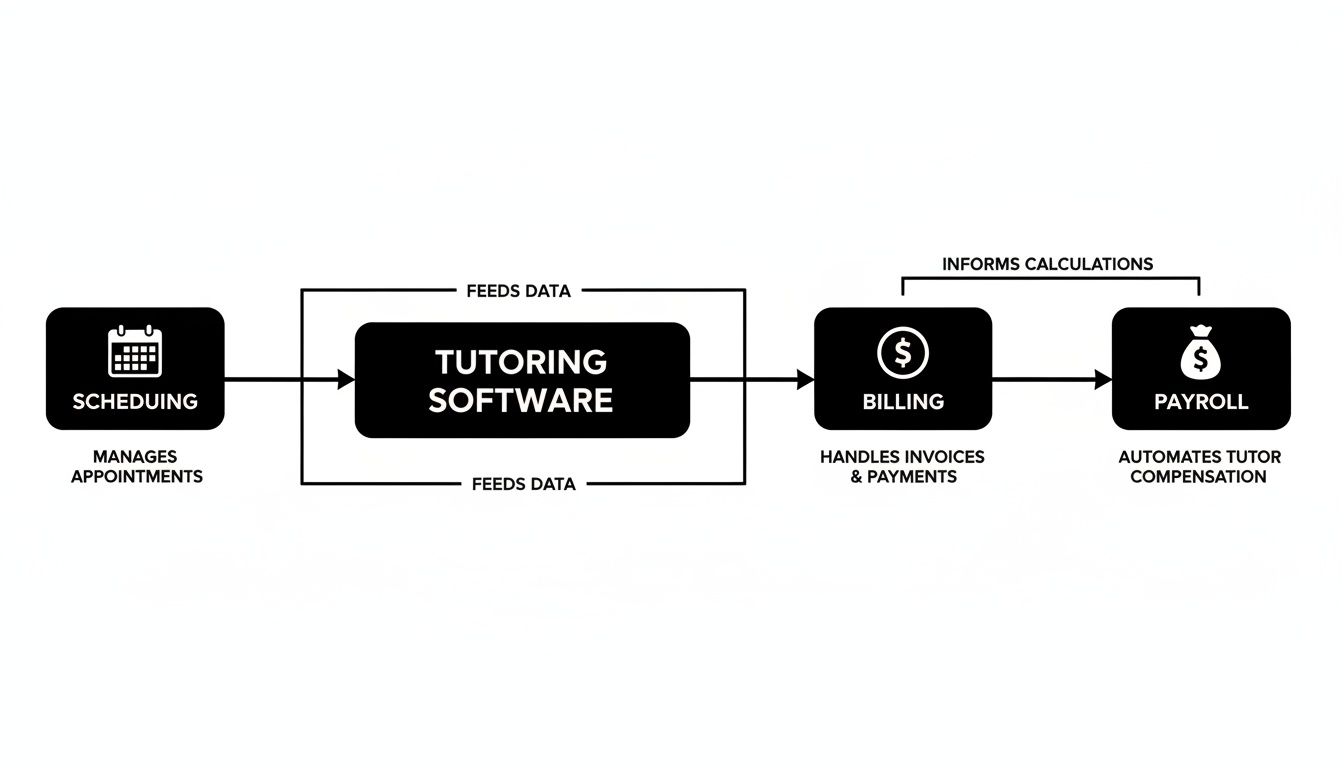
As you can see, a truly integrated system makes scheduling, billing, and payroll talk to each other, creating a single, automated workflow that eliminates manual data entry.
Key Questions to Ask Any Software Provider
Walk into any demo armed with pointed questions that reveal a platform's true capabilities. Vague answers are a major red flag.
- Scheduling: Can your system find the best teacher, room, and time for a new student in under two minutes with a "Find Slot" feature?
- Billing: Does your software automatically generate invoices from attendance, or does an admin have to manually review and approve every batch?
- Payroll: Can you configure custom pay rates, weekend premiums, and revenue-sharing models for individual teachers without manual calculations?
- Multi-Branch Operations: Can I manage room bookings, schedules, and financial reporting across all my locations from a single dashboard?
- Prepaid Credits: Is your package system a native, wallet-style feature, or a clunky add-on? How does it handle automatic deductions and low-balance alerts?
These questions cut through marketing fluff and get to the operational reality of running a growing tutoring center.
Feature Comparison of Tutoring Software
The difference between a starter tool and a genuine management platform becomes clear when you compare how they solve complex problems. A basic system offers a digital version of your manual process. An advanced system redesigns it for maximum efficiency.
| Feature | Tutorbase | Teachworks | TutorCruncher |
|---|---|---|---|
| Find Slot/Spot | ✅ AI-powered | ❌ Manual | ❌ Manual |
| Auto billing | ✅ | Semi-manual | Semi-manual |
| Prepaid credits | ✅ Native | Limited | Add-on |
| Complex payroll | ✅ | Basic hourly | Basic hourly |
| Multi-branch rooms | ✅ | Limited | Limited |
| Multi-brand | ✅ | ❌ | ❌ |
| ✅ | ❌ | ❌ | |
| Scale (10k+/week) | ✅ | Slows | Slows |
This distinction is crucial. The online tutoring software sector is projected to hit $5 billion by 2033. Yet, many of the 280,000+ tutoring centers that haven't adopted integrated management are still losing over 10 admin hours every week. Choosing a platform designed for this future is essential.
To get a better sense of how advanced features are structured, you can review different plans, like the transparent Tutorbase pricing, to understand what a truly scalable solution looks like.
How do I switch to a new tutoring software?
The thought of changing the core software you use to run your business can be terrifying. It brings up worries about losing data, getting pushback from your team, and grinding operations to a halt.
But migrating to a new tutoring business management software doesn't have to be a nightmare. When you have a solid plan, it's less of a painful overhaul and more of a strategic upgrade that empowers your team.

A successful switch is about good preparation and a step-by-step roadmap. This approach breaks the process into manageable chunks, building confidence and ensuring a smooth rollout for staff, tutors, and clients. The goal is to move from chaos to control without missing a single lesson.
The Pre-Implementation Checklist
Before you import a single student's name, a little housekeeping will save you a world of pain. This phase is about cleaning up your existing data. Importing messy data just means you'll have the same old problems in a shiny new system.
Your pre-flight check should cover these key areas:
- Data Cleanup: Dive into your current spreadsheets. Fix misspelled names, standardize addresses, and merge any duplicate entries for students, parents, and tutors.
- Service Catalog Definition: Make a clear list of every service you offer. Define each by name (like "Grade 11 SAT Prep"), student capacity, delivery method (online, in-person, or hybrid), and its default price.
- Policy Audit: Write down your current pricing rules, cancellation policies, and tutor payroll calculations. Having this information ready makes configuring the new system incredibly fast.
Think of this stage like packing before a big move. You wouldn't just shovel everything into random boxes. You'd sort, label, and get rid of the junk first to make unpacking smooth and organized.
How to Configure Your New System
With your data clean, it's time to build your new operational hub. This is where you turn your business rules into automated workflows. You’re teaching the system how your tutoring center operates, from scheduling a trial to processing payroll.
This setup usually involves a few key steps:
- Import Core Data: Start by importing your cleaned-up lists of students, parents, and tutors. Any good software provider will offer tools or hands-on support for this.
- Build Your Curriculum: Next, enter the subjects (Math, Spanish) and levels (A1, B2, AP) you teach. Link these to the services you defined earlier to create your full menu of classes.
- Set Up Pricing and Payroll: Now, configure your pricing "Policy Packs." Here you will set up your per-lesson rates, package deals, and subscription models. At the same time, input the specific pay rates and rules for each tutor.
Training Your Team and Going Live
Once the system is configured, the final steps are about empowering your team and launching with confidence. Great training is non-negotiable, your team should feel comfortable with the new tools, not intimidated.
A fantastic strategy is to run the new software in parallel with your old system for a week or two. This "parallel run" gives your team a low-stakes environment to practice in, building their confidence and helping you spot workflow gaps before you make the final switch.
When you're ready to launch, communicate clearly with parents about any new portals or payment processes. A well-planned launch solidifies the transition and helps you see a return on your investment from day one. For a more detailed walkthrough, check out this complete tutoring software implementation plan.
Measuring the ROI of Tutoring Management Software
Investing in new software is a big decision, and you need to know it will pay off. Beyond a slick interface, the real value of tutoring business management software is its direct impact on your bottom line. It’s about turning saved time into revenue, stamping out expensive errors, and building operational efficiency that fuels growth.
The return isn't just about saving money. It’s about unlocking your team's potential. When your staff isn't spending 10+ hours a week drowning in manual admin, they can focus on high-value work like parent communication, curriculum development, and marketing. This is the critical shift from putting out fires to proactively building your business.
Key Performance Indicators to Track
To see the software's impact, you have to track the right numbers. We're talking about key performance indicators (KPIs) that give you hard data to prove the system's worth. These metrics connect directly to your center's financial health.
Here’s what you should be monitoring:
- Reduction in Admin Hours: Clock the time your admin staff spends on scheduling, invoicing, and payroll before and after you switch. A 60% reduction is a realistic benchmark, freeing up hundreds of hours every year.
- Student Onboarding Speed: How long does it take from a new lead’s first inquiry to their first paid lesson? Automation can speed this up by 3x, capturing revenue faster.
- Booking Error Rate: Your goal should be zero double-bookings. Every scheduling conflict you avoid is a direct saving in lost revenue and damage to your reputation.
- Client Renewal and Retention Rates: A smooth, professional experience creates loyalty. With automated reminders and easy payment options, it’s possible to see a 42% increase in monthly renewals.
Connecting Efficiency to Your Bottom Line
Every one of these metrics translates directly into financial results. For instance, businesses with 5-100 teachers across 1-10 branches see student onboarding speed up by 3x and renewal rates jump by 42%. When you can manage leads from a WhatsApp widget straight into your CRM, you convert more trials into paid students.
Think about language schools or SAT/IELTS prep academies, where juggling rooms is a daily headache. The right software eliminates capacity blind spots, revealing underutilized rooms. You can check out more industry insights about tutoring software's impact at Tutorbase.com.
The ultimate ROI of management software isn't just doing the same tasks faster. It's about building a more resilient, scalable, and profitable business that can thrive in a competitive market.
By focusing on these measurable outcomes, you can confidently justify the investment. You are not just buying a tool, you are implementing a strategic system designed to cut costs, boost revenue, and give you back the time you need to grow.
Frequently Asked Questions (FAQ)
What is the best software for a tutoring business?
The "best" software depends on your business. For a small center with basic needs, a simple tool like Teachworks might be enough. For a growing business with multiple locations or complex payroll, the best choice is a platform built for that reality. You'll want features like multi-location room management, advanced payroll, and scheduling that does the heavy lifting for you.
How do I manage my tutors' schedules?
The best way to manage tutor schedules is with a centralized system that tracks everyone's availability, bookings, and subjects in real time. Tutoring business management software provides a single source of truth, which eliminates the risk of double-bookings that plague manual calendars. The system automatically flags conflicts and can suggest the best tutor, time, and room for a new booking in seconds.
How much does tutoring software cost?
The price for tutoring software can vary widely, from $30-$50 per month for basic tools to over $500 per month for powerful platforms designed for larger centers. Pricing is often based on the number of active students or staff. Instead of focusing only on the monthly fee, consider the value. A system that cuts admin time by 60% and boosts renewals by 42% pays for itself many times over.
Can this software handle multi-location tutoring centers?
Yes, modern tutoring management software is built specifically for running multiple locations. The best platforms provide a unified dashboard where you can manage every branch from one login. This means you can oversee schedules, room availability, billing, and teacher assignments across all locations without jumping between different accounts.
How does tutoring software automate billing?
Tutoring software automates billing by directly connecting lesson attendance to invoicing. When a tutor marks a lesson as "Attended," the system automatically generates an invoice based on pre-set pricing rules (per-hour, per-lesson, package). It can also deduct credits from prepaid packages and send invoices or charge a card on file without any manual intervention.
Can tutoring software manage complex teacher payroll?
Yes, advanced tutoring software can handle complex payroll models far beyond simple hourly rates. You can configure rules for individual teachers, including per-student rates, revenue sharing, base salary plus bonuses, and premiums for weekends or specific subjects. The system automatically calculates payroll from completed lessons, ensuring accuracy and saving hours of manual work.
Ready to escape the administrative weeds and build a more profitable tutoring business? Tutorbase provides the AI-powered tools you need to automate scheduling, billing, and payroll, giving you back hundreds of hours per year. See how much time you can save by registering for a free trial at tutorbase.com/register.


