


Key Takeaways: To achieve tutoring center accessibility compliance, you must audit physical locations for barriers, ensure digital tools like your website meet WCAG 2.1 AA standards, and create documented policies for handling accommodation requests. This proactive approach reduces legal risk from regulations like the ADA and opens your business to a wider student base, turning compliance into a competitive advantage.
Why is Accessibility a Business Imperative?
For many tutoring centers, accessibility has been an afterthought, addressed only when a specific need arises. This reactive model is no longer sustainable. Failing to embed accessibility into your operations exposes your business to significant legal risks, creates administrative chaos, and damages your reputation.
This is not just about avoiding lawsuits; it is about recognizing that a large portion of your potential market requires accessible services. Research from the CDC indicates that 27% of adults in the US have some type of disability. By ignoring their needs, you are not just out of compliance, you are actively turning away students who could benefit from your services.
The Rising Tide of Legal Scrutiny
Legal enforcement of accessibility standards is intensifying. In the United States, higher education institutions face a constant stream of legal challenges over digital inaccessibility, and this scrutiny is now extending to private tutoring centers using online platforms for booking and student management.
Between 2017 and 2022, over 14,000 web accessibility lawsuits were filed under Title III of the Americans with Disabilities Act (ADA), with more than 3,000 in 2022 alone. Educational services are a frequent target, which makes sense considering that about 20% of students in higher education report having a disability, making accessible digital tools non-negotiable.
The Problem with Fragmented Systems
Many tutoring centers create compliance nightmares for themselves with the very tools they use to run their business. Juggling a patchwork of separate systems makes managing accessibility nearly impossible and introduces significant operational risks.
Consider the daily workflow:
- Google Calendar for Scheduling: Offers no way to flag a room as "wheelchair accessible" or a "quiet zone." This forces your staff into a manual, error-prone guessing game.
- Spreadsheets for Student Data: Make it incredibly difficult to securely track accommodation needs. A parent's request for large-print materials can easily get lost in a sea of cells, leading to service failures.
- Generic Web Forms for Intake: Are often unusable for students relying on screen readers, preventing them from even contacting you.
- QuickBooks for Billing: Cannot generate invoices in accessible formats, creating barriers for parents or adult students who use assistive technology.
This fragmented approach doesn't just invite legal trouble; it creates an environment where errors are inevitable. Every manual data transfer between systems is a potential failure point, risking that a student is left without the support they need.
A solid Commercial Property Due Diligence Checklist should always include accessibility compliance. It underscores a crucial point: this is no longer optional. Ignoring accessibility is like ignoring fire codes—a preventable risk with devastating consequences.
How do you move from chaos to control?
The only effective way to manage accessibility compliance is with a unified platform designed for the unique complexities of a tutoring business. An integrated system like Tutorbase centralizes your critical information, transforming a scattered, manual mess into a structured, manageable process.
Instead of digging through spreadsheets, your team can see a student's accommodation needs right alongside their schedule. Instead of guessing, they can filter for rooms with specific accessibility features. This shifts your operation from reactive fire-fighting to proactive, inclusive service delivery. It protects your business while building a reputation as a center that genuinely serves every student.
How to Audit Your Physical Tutoring Locations
The first practical step toward genuine accessibility compliance is auditing your physical centers. This means walking through your locations with a critical eye, focused on identifying and removing barriers for students and staff with diverse needs. This is not just about measuring doorways; it is about experiencing the entire student journey from the parking lot to the classroom.
The diagram below illustrates how compliance gaps often hide across physical, digital, and material domains. It highlights how a disconnected operational approach creates unnecessary risk.
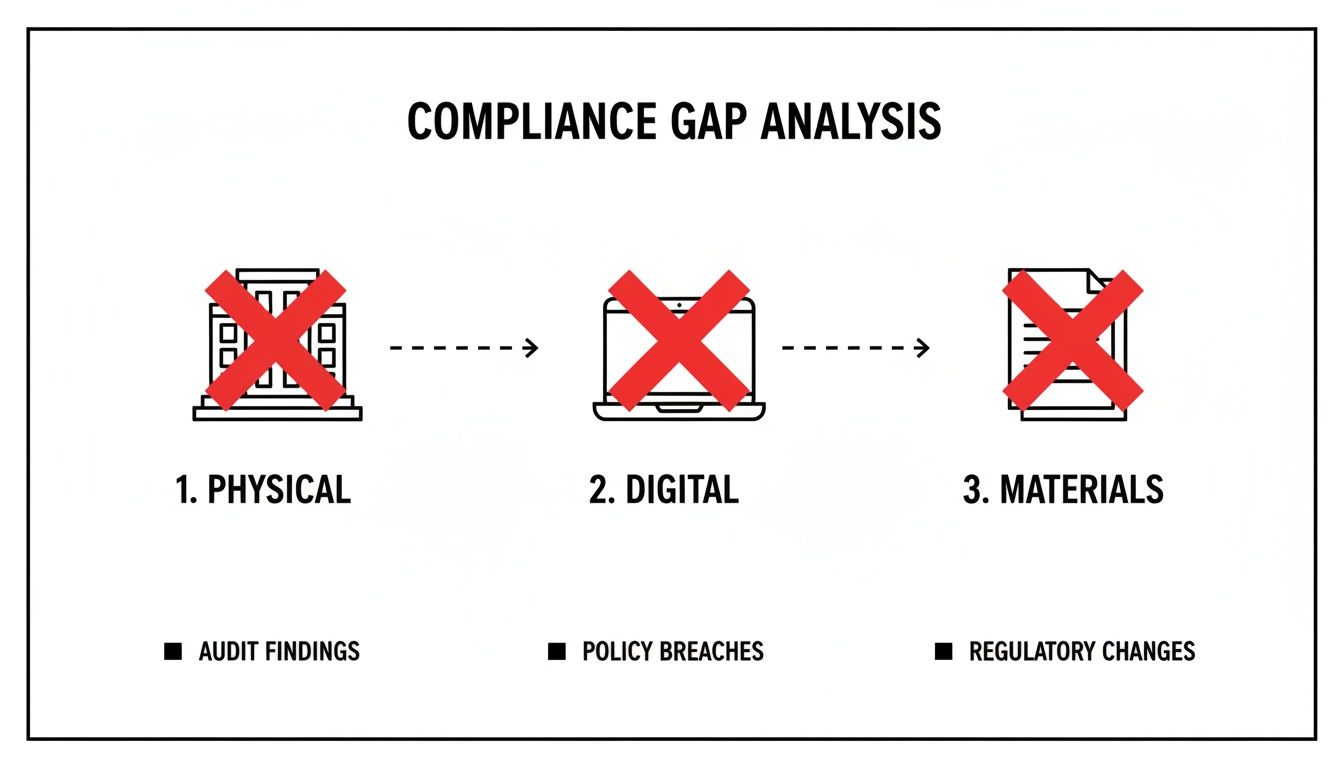
As you can see, when your systems do not communicate, problems emerge everywhere. An integrated strategy is the only way to close these gaps permanently.
Entryways and Common Areas
Begin your walkthrough before anyone even steps inside. Is there a clear, accessible path from parking spaces or public transport to your front door? Look for essentials like ramps, automatic door openers, and unambiguous signage.
Once inside, navigate hallways, the reception area, and restrooms as if using a wheelchair or another mobility aid. Are pathways at least 36 inches wide? Is the reception desk low enough for a seated person to interact comfortably with your staff? These small details make a significant difference.
Creating Accessible Learning Spaces
The classroom is where accessibility most directly impacts learning. Following Universal Design principles is not just a legal requirement; it is a blueprint for creating spaces that are inclusive and functional for everyone. Unfortunately, many centers still fail on the basics.
Higher education learning centers often prioritize features like adjustable-height tables for wheelchair users and trackball mice for students with motor impairments. With one in five U.S. college students reporting a disability, these are not "nice-to-haves"—they are essential. Research from the University of Washington shows how these designs directly improve student success.
Your audit should cover:
- Adjustable Furniture: Can you easily modify tables and chairs for different body types and mobility devices?
- Lighting: Is the lighting adequate without being harsh? Consider installing dimmers or providing task lighting to reduce glare for students with visual sensitivities.
- Acoustics: Are your rooms designed to minimize echo and background noise? This is critical for students with hearing impairments or sensory processing disorders.
The goal is not just to check a box on a compliance form. It is to create an environment where every student feels comfortable and can focus completely on learning, free from physical barriers.
How to turn your audit into actionable data
An audit is useless if its findings remain in a spreadsheet. The real value is unlocked when you integrate this information into your daily operations. A unified management platform like Tutorbase transforms compliance from a chore into a powerful operational tool.
For example, within Tutorbase, you can use room management features to log the specific attributes of each learning space. Instead of a generic "Room 3," you can build a detailed, useful profile.
- Tagging: Add specific, searchable tags like 'Wheelchair Accessible,' 'Sensory-Friendly Lighting,' or 'Sound-Dampened.'
- Room Notes: Use the notes field to add crucial details like, "Table height is adjustable from 28-36 inches" or "Located on the ground floor near the accessible restroom."
- Capacity Management: Track the usable capacity accurately, accounting for the extra space needed for mobility devices, not just the number of chairs.
By documenting these features, you empower your administrative team. When a new student enrolls with specific accessibility needs, your staff no longer has to guess or physically check rooms. They can simply use the room booking for tutoring filters to find a suitable space in seconds. This ensures a seamless experience for the student from their first lesson and turns audit data into a reliable, everyday asset.
How to Achieve Digital Accessibility on Your Website and Portal
Physical accessibility is only half the battle. Your tutoring center's digital front door—your website, booking forms, and student portal—must also be welcoming to everyone. If a prospective student using a screen reader cannot figure out how to contact you, you have lost them before they even have a chance to see your value. Digital accessibility is a critical part of your compliance strategy.
The global standard is the Web Content Accessibility Guidelines (WCAG), specifically version 2.1 Level AA. Think of WCAG as the digital equivalent of a building code. It provides clear rules to ensure people with various disabilities can perceive, operate, and understand your online content. This is about providing equal access to education.

A Non-Technical WCAG Checklist for Your Center
You do not need to be a web developer to spot common accessibility roadblocks. Getting a handle on mastering website accessibility requirements is easier than you think. Use this simple checklist to conduct a quick audit of your site.
- Keyboard Navigation: Can you navigate your entire website, fill out a contact form, and book a lesson using only the "Tab" key? A person who cannot use a mouse must be able to access every interactive element this way.
- Clear Form Labels: Examine your intake and payment forms. Are all fields clearly labeled? A screen reader relies on these labels to tell the user what information to enter. Vague placeholder text is not sufficient.
- Image Alt Text: Do all your important images have descriptive alternative text? This "alt text" is read aloud by screen readers, describing the image's content to visually impaired users.
- Color Contrast: Is there enough contrast between your text and background colors? Faint text on a light background may look stylish, but it is unreadable for many people with low vision.
- Video Captions: Do your promotional or instructional videos have accurate, synchronized captions? This is non-negotiable for students who are deaf or hard of hearing.
This quick review can reveal significant barriers that may be turning potential students away.
The Hidden Risk of Generic Forms and Spreadsheets
Many tutoring centers use generic tools like Google Forms linked to a spreadsheet. While seemingly simple and free, this setup is often a compliance disaster. These basic forms frequently lack the proper code structure that screen readers need to navigate them effectively.
This means a student with a visual impairment might be completely unable to sign up for a trial lesson. Legally, this could be interpreted as denying service based on a disability, putting you in direct violation of laws like the ADA. In April 2024, the Department of Justice issued a final rule under Title II of the ADA that strengthens requirements for web and mobile app accessibility for public entities. This signals a clear trend toward stricter enforcement that private businesses cannot afford to ignore, with compliance deadlines for many organizations in April 2026.
When a potential student encounters an inaccessible form, they do not just get frustrated; they move on to your competitor. You do not just lose a lead; you send a message that your center is not for them.
How to Build an Accessible Intake Process
A truly compliant tutoring center integrates accessibility into every step of the student journey. A specialized platform provides a significant advantage over a patchwork of generic tools. Tutorbase, for instance, provides tools designed with accessibility in mind from the start.
- WCAG-Compliant Custom Forms: You can build and embed intake forms on your website that are designed to meet WCAG standards, ensuring every field is properly labeled and navigable by assistive technology.
- Accessible WhatsApp Widget: The intake process through the WhatsApp widget is structured for accessibility, offering a simple, text-based alternative for students who struggle with complex web forms.
- Integrated Student Portal: Once enrolled, students need a central hub to manage their learning. An accessible student portal for tutoring is crucial for them to manage schedules, view notes, and track progress independently.
By using tools built for compliance, you eliminate risky, fragmented systems. You protect your business from legal threats while improving the experience for every person who interacts with your center online. This proactive approach transforms a legal obligation into a tool for growth.
How to Develop and Document Your Accessibility Policies
Having accessible facilities and websites is a crucial step, but true compliance is built on a foundation of clear, documented policies. Without them, your efforts can be inconsistent and are nearly impossible to prove if ever questioned.
A strong operational backbone ensures every team member, from the front desk to your most experienced tutor, knows exactly how to support every student. It is about creating a public promise and a set of internal rules for handling accommodation requests. These documents build trust with families and empower your staff to act with confidence.
Crafting a Public Accessibility Statement
First, you need a clear and easy-to-find accessibility statement on your website. This is your public commitment to families. It should be written in simple, direct language, avoiding dense legal jargon.
A solid accessibility statement typically covers four key areas:
- Your Commitment: A straightforward declaration of your center's dedication to an inclusive learning environment.
- Conformance Status: Mention the standard you are aiming for, such as the Web Content Accessibility Guidelines (WCAG) 2.1 Level AA.
- Feedback Mechanism: Provide a clear way for people to report issues, such as an email address, phone number, or a dedicated contact form.
- Known Limitations: Be transparent about any areas you are still working to improve. Honesty demonstrates your commitment to progress.
This statement does more than just satisfy a requirement. It sets expectations and shows that accessibility is a core value, not merely a reaction to a complaint. It is a proactive measure that builds an inclusive reputation.
Creating Internal Accommodation Protocols
While your public statement sets the tone, your internal protocols are where the work gets done. You need a standardized process for when a parent or student requests an accommodation. This ensures every request is handled efficiently, respectfully, and consistently across all your locations.
Your protocol should map out the entire journey. Who is the first point of contact? How is the student's need assessed and documented? Who is responsible for implementing the accommodation correctly? What is the follow-up process to confirm it is working?
A documented workflow prevents critical information from being lost. It ensures a request for "large-print materials" or "a tutor familiar with screen readers" is treated with the same operational seriousness as scheduling a new lesson.
Using Technology for Secure Documentation
Relying on sticky notes or scattered emails for this process is inadequate. Documenting accommodations requires a secure, centralized system that protects student privacy while making vital information available to the right staff. This is a core function of specialized tutoring center software.
For example, within Tutorbase, you can use built-in features to create a reliable and discreet audit trail for every accommodation.
- Student Notes: Securely add persistent notes to a student's profile, like "Requires large-print materials for all lessons." This note is visible to administrators and assigned tutors every time they access the student's file.
- Teacher Notes: Tutors can add notes after each lesson to track what is working. For instance, "Student responded well to using a digital whiteboard with high-contrast mode." This creates a valuable feedback loop.
- Custom Fields: Create specific fields in the student profile to track official accommodation plans or required assistive technologies, keeping key data structured and easy to find.
This approach transforms informal requests into structured, actionable data. It means if a student's regular tutor is sick, the substitute has instant access to the information needed to provide a seamless learning experience. It also provides a clear, time-stamped record of your center’s good-faith efforts, which is invaluable for demonstrating compliance.
How to Train Your Team to Be Accessibility Champions
Your accessibility policies and updated facilities are a great start, but they are only as effective as the people who implement them. Without proper training, even the best intentions can fall short, leaving students unsupported and your business exposed. The goal is to build a team of accessibility champions.
This is about shifting your culture so that proactive inclusion becomes a shared value. Equipping your admins and tutors with the knowledge and tools to serve every student with confidence is paramount. This training must go beyond a simple checklist; it is about building empathy, awareness, and practical skills.

Core Components of Accessibility Training
Effective training is not a one-time event. It should be a core part of your onboarding process and a topic you revisit regularly. Keep it practical, focusing on real-world scenarios your staff will encounter.
Essential training modules include:
- Disability Etiquette: This is foundational. Teach your team to use person-first language and interact respectfully. It covers everything from how to offer assistance without making assumptions to communicating effectively with students who are deaf or hard of hearing.
- Understanding Assistive Technologies: Your team does not need to be IT experts, but they should have a basic understanding of common tools like screen readers, magnifiers, and speech-to-text software. This context helps them understand the "why" behind accessible documents and labeled web forms.
- Your Internal Protocols: Everyone on your team must know the exact process for handling an accommodation request. A clear, step-by-step protocol ensures consistency and accountability.
Bridging Training with Technology
The most powerful training connects abstract principles to the concrete tools your team uses daily. Your tutoring management software becomes a critical piece of your compliance strategy. When you show staff how to use the platform to support accessibility, you turn knowledge into confident action.
Imagine a parent calls to enroll their child, who uses a wheelchair and has sensory sensitivities to bright, fluorescent lighting. Your trained administrator knows exactly what to do.
Instead of fumbling or putting the parent on hold to check rooms, they open Tutorbase. By combining the 'Find Spot' filter with room tags like 'Wheelchair Accessible' and 'Sensory-Friendly Lighting,' they identify and book the perfect classroom in under a minute.
That is the difference. The process is seamless, respectful, and efficient. It demonstrates your center's commitment to inclusion from the first interaction and eliminates the guesswork that can erode a family's trust. Delegating these tasks ensures nothing is missed.
Accessibility Task Delegation in Tutorbase
| Role | Responsibility | Tutorbase Feature Used | Example Action |
|---|---|---|---|
| Center Director/Admin | Set up and maintain accessible infrastructure metadata for all physical and virtual rooms. | Room & Location Management | Adds tags like "Ground Floor," "Quiet Zone," or "High-Contrast Whiteboard" to room profiles. |
| Front Desk/Scheduler | Use metadata to match students with appropriate learning environments during booking. | Scheduling & 'Find Spot' Filter | Filters for a room tagged "Assistive Tech Compatible" when booking a student who uses a screen reader. |
| Tutor | Review student needs before each session and document accommodations provided. | Persistent Student Notes & Lesson Notes | Checks student notes for "Requires large-print handouts" and adds a lesson note: "Used 18pt font worksheets, student responded well." |
| Compliance Officer | Audit records to ensure accommodation requests are being documented and met consistently. | Reporting & Student Profiles | Runs a report to review lesson notes for students with documented accessibility needs to ensure compliance. |
A well-defined workflow, supported by the right tools, transforms your accessibility plan into a living part of your daily operations.
Empowering Tutors to Create Inclusive Lessons
Training must extend into the classroom. Your tutors are on the front lines and need to feel empowered to adapt their teaching styles and materials for students with diverse needs.
This part of the training should focus on actionable skills:
- Accessible Document Creation: Show tutors how to create and share materials that work for everyone. This means using proper heading structures in Word documents, adding alt text to images in presentations, and choosing high-contrast color schemes.
- Leveraging Student Notes: Make it a habit for tutors to check the persistent student notes in Tutorbase before every lesson. This is where they will find critical information like "Requires verbal descriptions of all visual aids" or "Benefits from 5-minute sensory breaks every half hour."
- Documenting What Works: Encourage tutors to use the per-lesson notes feature to track successful strategies. A simple note like, "Student was highly engaged when using the digital whiteboard's zoom function" provides invaluable feedback for the next tutor and demonstrates a continuous commitment to that student's success.
By weaving these practices into your tutors' standard workflow, accessibility becomes an integral part of how you teach. This proactive approach not only supports tutoring center accessibility compliance but also directly improves student outcomes.
FAQ: Common Accessibility Questions Answered
Navigating the world of accessibility can bring up many practical questions for tutoring center owners. Here are answers to common concerns to help you move from uncertainty to confident action.
What does WCAG compliance mean for my day-to-day operations?
In simple terms, WCAG (Web Content Accessibility Guidelines) compliance means your website and student portal work for everyone, including people who use assistive technology like screen readers. For daily operations, this involves small but critical details. Do your online booking forms have clearly labeled fields? Do images have descriptive "alt text"? Can a student complete the entire booking process using only their keyboard? Focusing on these elements makes a real difference.
Where should a small tutoring center start with accessibility?
The best place for a small center to start is your digital front door: your website's intake or contact form. If a prospective student cannot easily contact you or sign up for a trial, nothing else matters. Start with a simple audit by trying to navigate your contact form using only the 'Tab' key. Fixing this one touchpoint delivers the biggest return on effort by opening your services to a wider audience and tackling a major area of legal risk.
The most impactful first step is often the simplest. Ensuring your online sign-up process is accessible is a foundational win that immediately expands your potential student base and demonstrates a genuine commitment to inclusion.
What are the real costs involved in becoming compliant?
The costs of tutoring center accessibility compliance fall into two categories: remediation and proactive investment. Trying to fix an old, inaccessible website can be expensive, sometimes requiring a complete rebuild. A proactive investment is far more manageable. When you choose software built with accessibility in mind, like Tutorbase, the cost becomes a predictable operational expense. This initial investment is almost always less than the cost of a single lawsuit or a major website overhaul.
How do I manage accessibility for hybrid classes?
Hybrid classes add a layer of complexity, as you must manage two environments at once. You have to ensure both your physical space and your digital classroom are accessible simultaneously. A unified management system is a game-changer here. Your staff needs to see a student's requirements at a glance, regardless of how they attend. For example, a student joining online might need live captioning, while another in the same class at your center needs an adjustable-height desk. Using a platform with persistent student notes ensures the tutor is always aware of every learner's needs, creating an equitable experience for everyone.
Ready to stop juggling spreadsheets and start building a more accessible, efficient tutoring center? Tutorbase consolidates your scheduling, billing, and compliance documentation into one powerful platform. Register for a free trial and see how you can reduce admin time by 60%.


