
The Best CRM for a Tutoring Business: An Essential Guide for 2026
Published: January 7, 2026 by Amy Ashford

A modern CRM for a tutoring business is a specialized platform that manages the entire student journey, from a parent's first inquiry to ongoing lessons and billing. Unlike generic software, it understands the unique relationship between students, parents (bill payers), and tutors, simplifying your daily operations and preventing common administrative headaches.
What is a CRM for a tutoring business?

A tutoring business CRM is the central command center for your entire operation. It connects and coordinates scheduling, automated invoicing, tutor payroll, and parent communications. The goal is to eliminate the chaos of juggling spreadsheets, separate calendars, and payment apps just to keep your business running smoothly.
A purpose-built CRM does more than manage contacts. It handles the specific, often complex workflows of an education business. This means it includes features that generic systems simply don't have, tailored to solve the daily challenges tutors and administrators face.
How is a specialized CRM different?
The biggest difference is how the software understands the student-payer relationship. A standard CRM sees every contact as a single customer. A tutoring CRM correctly identifies that a parent (the bill payer) may be responsible for several children (the students), each with unique schedules and needs.
This specialized structure is a game-changer. It allows you to:
Manage Family Billing: Send one consolidated invoice to a parent for all their children's lessons, avoiding confusion.
Track Individual Progress: Keep separate academic records and lesson notes for each student under one family account.
Maintain Clear Communication: Easily send updates, reports, and reminders to the correct parent for each student.
The global online tutoring market is projected to reach USD 386.56 billion by 2032. You cannot manage that level of growth with clumsy workarounds in generic software. Having the right software for a tutoring business is critical for success in 2026 and beyond.
Comparison Table: Generic CRM vs. Specialized Tutoring CRM
Not all CRMs are created equal. A generic CRM might seem flexible, but it often requires awkward workarounds that a specialized system handles effortlessly. This table shows the key differences that impact your daily operations.
Feature | Generic CRM | Specialized Tutoring CRM (like Tutorbase) |
|---|---|---|
Contact Management | Treats everyone as an individual contact. | Understands the Parent-Student relationship; links multiple students to one payer. |
Billing & Invoicing | Standard, single-contact invoicing. | Automated family invoicing consolidates charges for multiple students. |
Scheduling | Basic appointment booking. | Smart scheduling with tutor availability, room management, and recurring lessons. |
Progress Tracking | Lacks dedicated academic monitoring features. | Offers built-in lesson notes, attendance tracking, and parent progress reports. |
Payroll | Has no specific features for tutor pay. | Automates tutor payroll calculations based on hours taught. |
Multi-Location Support | Is often an expensive add-on. | Natively supports managing multiple rooms and physical center locations. |
From Leads to Enrolled Students
A modern tutoring CRM is also a powerful growth tool. It helps you manage potential clients from their first phone call or website inquiry. Most give you a visual lead management pipeline, often a Kanban board, letting you track every prospective family through customizable stages.
This process ensures no potential student slips through the cracks. By structuring your lead flow, you boost conversion rates and grow student numbers effectively. It transforms a messy manual process into an organized system for welcoming new families.
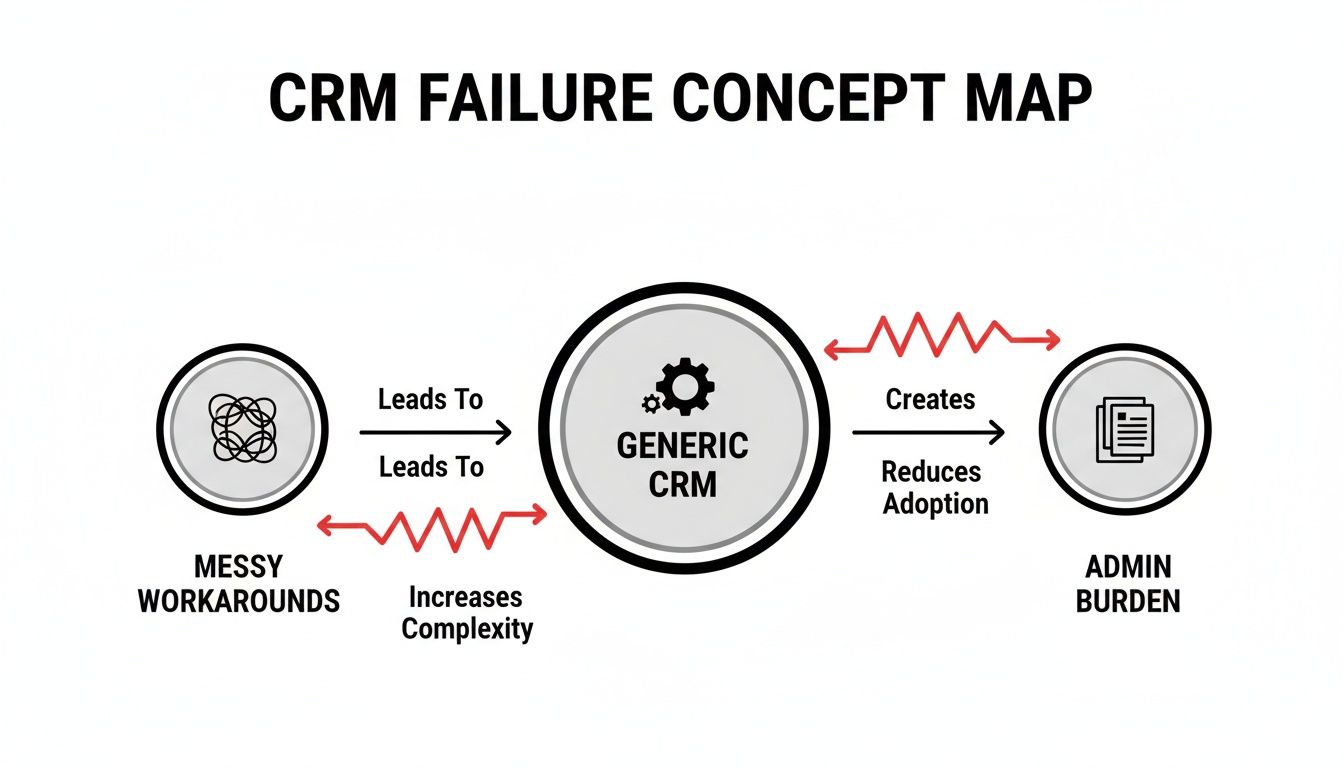
Why do generic CRMs fail tutoring centers?
Trying to run a tutoring center with a generic CRM is like fitting a square peg into a round hole. These platforms are designed for a simple one-to-one sales model. For any education business, this fundamental design flaw creates constant operational problems and administrative burdens that hold back your growth.
The core issue is how these systems see people. They cannot grasp the link between a student and their bill-payer, treating them as separate contacts. This forces you into clumsy manual work for basic tasks, like sending one invoice to a family with multiple children.
What is the problem with single-contact models?
A generic CRM's architecture lacks the concept of a "family unit." You cannot cleanly link several students to a single paying parent. This one flaw causes a domino effect of operational headaches that drain your time and make it harder to provide a great family experience.
This operational drag is a massive problem in competitive markets. In Hong Kong, the number of tutorial firms nearly halved from 102 to 56 as competition forced businesses to become more efficient. Owners often waste over 10 hours a week on manual admin that a specialized CRM could automate. You can read more about the challenges facing Hong Kong's tutoring industry.
Here is where generic platforms fall short:
Complicated Family Billing: You are stuck manually grouping invoices or creating confusing custom fields. This skyrockets the risk of sending incorrect bills.
Split Household Chaos: Managing billing for students with separated parents who share costs is nearly impossible without a system built for it.
No Centralized View: You cannot click on a family and see all enrolled children, their schedules, and the family's payment history in one place.
Scheduling and Operational Gaps
Generic CRMs also miss the mark on complex scheduling. They might offer basic appointment booking, but that is useless for managing recurring group classes, one-on-one sessions, and the availability of multiple tutors across different rooms or locations. This operational gap leaves your team manually handling critical tasks.
A generic CRM forces you to bend your business to fit its software. A specialized CRM for a tutoring business, like Tutorbase, adapts to your needs. It solves unique challenges like family billing and multi-tutor scheduling from day one.
The Hidden Costs of Workarounds
A generic system might seem cheaper upfront, but hidden costs add up quickly. Every hour your team spends on manual invoicing, fixing scheduling mistakes, or fighting the software is an hour not spent on marketing or improving your curriculum. These inefficiencies hurt your bottom line and drain team morale.
A purpose-built CRM eliminates these problems. Platforms like Tutorbase are structured around the natural flow: Leads → Students → Families. Student and bill-payer profiles are separate but linked, allowing you to manage relationships effortlessly and focus on growth.
What are the must-have features of a modern tutoring CRM?
When evaluating CRMs, focus on features that solve your specific, daily headaches. A generic CRM was not built for education management. You need a platform that understands how tutoring centers actually work, automating tasks and preventing mistakes like double-bookings.
The right features don't just store information; they make your life easier. They eliminate mind-numbing manual tasks and free up your admin team to focus on growing the business instead of drowning in paperwork. Here is a checklist of non-negotiable features.
Essential Tutoring CRM Feature Checklist
Feature | What It Does | Problem Solved |
|---|---|---|
People & Lead Management | Correctly links student, parent (payer), and tutor profiles. Includes a visual pipeline for new inquiries. | Prevents billing mix-ups and ensures no new leads fall through the cracks. |
Smart Scheduling | Provides a central calendar with built-in conflict detection for tutors and rooms across multiple locations. | Eliminates double-bookings and saves hours of manual coordination. |
Automated Billing & Payments | Automatically generates invoices and deducts credits based on triggers like marked attendance. | Stops revenue leakage from missed invoices and ends the manual chase for payments. |
Automated Payroll | Calculates tutor pay automatically based on completed lessons and predefined rates. | Drastically reduces payroll errors and the time spent on manual calculations. |
Multi-Location Management | Allows you to manage schedules, room availability, and staff across all your centres from one dashboard. | Gives you a unified view of your entire operation, making scaling much simpler. |
What is people management in a tutoring context?
People management in a tutoring CRM is the system's ability to understand the unique web of relationships in your business. It knows how to separate and link profiles for students, the parents who pay, and the tutors who teach them. This is a primary failure point for generic CRMs.
Student Profiles: Track everything for the learner, including attendance, progress reports, lesson notes, and their specific schedule.
Payer Profiles: Manage billing details, payment history, and contact information for the parent or guardian paying the bills.
Teacher Profiles: Keep tutor availability, subjects taught, pay rates, and assigned classes organized in one place.
This structure guarantees billing is accurate, parent communication goes to the right person, and you get a complete picture of every family you serve.
How do I automate tutoring center billing?
Automated billing is a must-have for any modern tutoring center. This feature allows your system to automatically create an invoice the moment a tutor marks a student's attendance on their phone. That single click initiates a chain of automated events.
A solid system handles all common billing models:
Pay-per-hour or pay-per-lesson: Invoices generate automatically after a session is completed.
Prepaid Packages: The system tracks and automatically deducts lesson credits after each class.
Monthly Subscriptions: Recurring invoices are sent on a set schedule for ongoing courses.
This automation cuts admin time and stops revenue leakage from forgotten bills or human error. According to market research, operational efficiency is a key factor for survival in today's competitive education landscape.
What is a visual lead management pipeline?
A powerful CRM for a tutoring business is also your primary growth tool. It must have a visual lead management pipeline, often a Kanban board. This gives you a clear way to track every new inquiry from the first contact until the student is enrolled.
You can set up custom stages that mirror your onboarding process:
New Inquiry
Trial Lesson Booked
Follow-up Sent
Enrolled
This visual approach makes it impossible for a potential student to be forgotten. It gives you total clarity on your sales funnel, shows you where prospects get stuck, and helps your team follow up at the right time to boost conversion rates.
How does a specialized CRM drive business growth?
A specialized CRM is a growth engine. By automating daily administration, centers can reduce overhead by up to 60%, onboard new students 3x faster, and achieve a significant lift in conversions and monthly renewals. It shifts your focus from managing the business to actively scaling it.
The first impact you will feel is on your administrative overhead. A specialized system automates time-consuming tasks like chasing payments, calculating tutor payroll, and juggling schedules. The result is a leaner, more efficient, and more profitable operation.
From manual chaos to automated efficiency
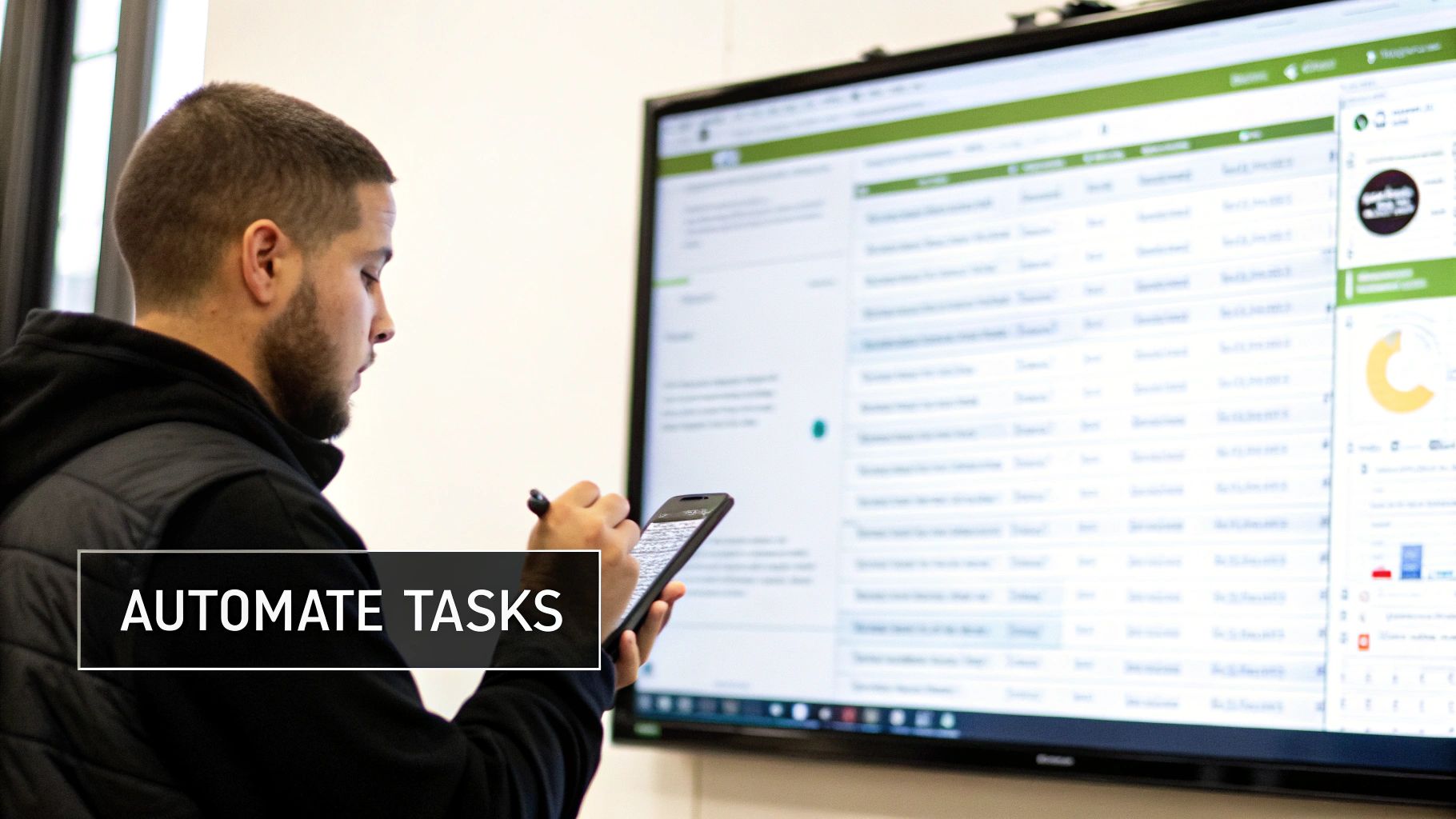
Many tutoring centers operate in manual chaos. Staff spend hours wrestling with calendars, fixing booking errors, and creating invoices one by one. This admin burden is a direct roadblock to growth, capping the number of students you can effectively manage.
In a competitive market like Hong Kong, you cannot afford inefficiency. Specialized CRMs can deliver up to a 60% reduction in admin time and lead to a 42% boost in monthly renewals by giving owners their time back. You can discover more insights about the Hong Kong tutoring market.
A CRM built for tutoring automates these core processes:
Attendance-Triggered Billing: An invoice generates automatically when a tutor marks a student as present.
Automated Payroll Calculations: Tutor pay is calculated instantly based on lessons taught and set rates.
Conflict-Free Scheduling: The system prevents you from double-booking teachers or rooms.
How does a CRM improve profitability?
A specialized CRM drives profit by plugging revenue leaks and increasing the lifetime value of each family. It also provides the data needed for smarter business decisions. This creates a powerful cycle of sustained growth for your tutoring center.
Automated billing and integrated payments ensure every lesson is invoiced correctly and payments are collected on time. This simple fix can have a huge impact on your monthly cash flow, stopping money from slipping through the cracks.
A visual Kanban board helps you track every new inquiry. This clear pipeline ensures no potential student gets forgotten, helping you convert more inquiries into enrolled families.
When operations run smoothly, families notice. Easy onboarding, clear communication, and error-free billing lead to happier clients who stick around longer. This directly improves retention rates and generates more word-of-mouth referrals. You can explore how CRMs prevent client loss and improve lead capture to see this in practice.
Faster Onboarding and Higher Conversion Rates
The journey from a parent's first call to their child's first lesson is where you win their business. An organized system can make this process up to 3x faster. A purpose-built CRM lets you capture lead info, schedule trial lessons, and send enrollment forms all from one place.
A purpose-built CRM does not just organize your tutoring business; it actively helps you grow it. By automating the back end, it frees you to focus on strategic initiatives like marketing, teacher training, and curriculum development.
How do you choose and implement a tutoring CRM?
Choosing the right CRM is a major decision that will shape your business for years. A good choice means less admin, happier staff, and smoother growth. A rushed decision can lead to operational chaos. A successful rollout requires a clear plan for data migration and team training.

Think of choosing a CRM for your tutoring business as a long-term strategic move. The evaluation goes beyond a feature checklist. Ask yourself: can this platform support our growth? Does it understand our unique scheduling and billing headaches?
What are the key evaluation criteria for my tutoring center?
When comparing platforms, focus on the features that solve your biggest operational pains. A pretty interface is useless if the software cannot handle family billing or prevent accidental double-bookings of your most popular tutors.
Scalability: Will the system grow with you? It must handle more students, tutors, and locations without slowing down.
Ease of Use: If your team finds the software confusing, they will not use it. Look for a clean, intuitive interface.
Specialized Tutoring Features: It must support family accounts, prepaid lesson packages, and multi-tutor payroll out of the box.
Support and Onboarding: A dedicated onboarding process and responsive support are critical for a smooth transition.
Comparison Table: Modern vs. Legacy Systems
The difference between a modern, purpose-built tutoring CRM and an older system (or a spreadsheet) is night and day. Modern solutions use intelligent, automated workflows that save you time and prevent costly mistakes, which is essential for any business in 2026.
Feature | Legacy System (e.g., Spreadsheets) | Modern Tutoring CRM (e.g., Tutorbase) |
|---|---|---|
Scheduling | Basic calendar view, prone to human error and double-bookings. | Intelligent scheduling with real-time conflict detection and resource management. |
Billing | Manual invoice creation and payment tracking, leading to revenue leakage. | Automated, attendance-triggered invoicing and integrated online payments. |
Reporting | Requires manual data compilation, offering limited business insights. | Real-time dashboards showing student enrolment, revenue, and teacher performance. |
Accessibility | Often desktop-based, limiting access for tutors on the go. | Is mobile-friendly, allowing tutors to manage schedules from their phones. |
Before choosing a tutoring-specific tool, seeing what is in the broader market can be helpful. This comprehensive guide to the best CRM for small business options provides a great overview.
How do I create an implementation plan?
A successful CRM launch requires a clear, step-by-step plan. Rushing the process risks losing data and frustrating your staff. A structured approach ensures a smooth transition and helps you see the benefits of your new system much faster. For a detailed guide, see our tutoring software implementation plan.
Here is a simple three-step checklist to start:
Structured Data Migration: First, move your data cleanly. A good CRM provider offers tools or support to help you import student records, parent details, and tutor information without errors.
Comprehensive Staff Training: Schedule dedicated training sessions for everyone who will use the system, from administrators to tutors. Ensure they see how the new software makes their jobs easier.
Phased Rollout Strategy: Do not switch everything at once. Consider a phased approach. Roll out the scheduling module first, let everyone get comfortable, then introduce billing and payroll features.
What is the future of tutoring management?
If you still rely on spreadsheets, you are working with one hand tied behind your back. The future of tutoring management is intelligent automation. A modern CRM for tutoring business operations acts as a proactive partner, anticipating needs and handling repetitive tasks.
It is designed to help you grow smarter, not just bigger. Imagine intelligent scheduling that instantly finds the perfect teacher, room, and time for a new student. This alone can save hours for your admin team each week.
What does end-to-end automation look like?
Here is a simple example: a teacher marks a student's attendance on their phone. In an automated system, that one action triggers a cascade:
An invoice is automatically generated and sent to the parent.
A lesson credit is deducted from the student's prepaid package.
The teacher's pay for that session is calculated and logged for payroll.
This seamless workflow closes the gaps where mistakes and delays occur. End-to-end automation can deliver up to a 60% reduction in overhead and 3x faster onboarding. You can discover more about the growing after-school tutoring market to see why this efficiency is critical.
Ultimately, this lets you scale student numbers without hiring more admin staff. To learn more about how artificial intelligence is shaping education, check our guide on AI tutoring software for centres.
Frequently Asked Questions
What is the main advantage of a tutoring-specific CRM?
The biggest advantage of a tutoring-specific CRM is its understanding of the student-parent-tutor relationship. It is purpose-built to handle complex scenarios like family billing, where one parent pays for multiple children, which generic CRMs cannot do without messy workarounds.
How long does it take to set up a new tutoring CRM?
Most tutoring centers can set up a new CRM and be running within one to two weeks. A good provider will offer structured data migration to import your existing records and provide hands-on training to ensure your staff is confident using the new system from day one.
Can a tutoring CRM handle different billing models?
Yes, a modern tutoring CRM is built for flexibility. It can manage various billing models, including pay-per-lesson invoicing, prepaid lesson packages with automatic credit deductions, and monthly subscriptions for ongoing courses, all within the same system.
Is a CRM only for large tutoring centers?
No, a CRM is beneficial for tutoring businesses of all sizes. While essential for large, multi-location operations, it is also a game-changer for smaller centers and solo tutors by automating scheduling, billing, and reminders, saving significant time.
How does a CRM help with calculating tutor payroll?
A specialized CRM automates payroll by calculating tutor pay based on completed lessons. When a tutor marks attendance, the system logs the session and applies their specific rate, creating an accurate report and saving you hours of manual spreadsheet work each month.
Is a modern CRM easy for tutors to use?
Yes, modern tutoring platforms are designed to be mobile-friendly and intuitive for tutors. Tutors can easily check their schedules, mark student attendance, and add lesson notes directly from their smartphones, which encourages adoption and ensures data is always up-to-date.
Can a CRM manage multiple physical locations?
Absolutely, multi-branch management is a core feature of a quality tutoring CRM. It provides a single dashboard to oversee schedules, room bookings, and staff across all your center locations, giving you a unified view that simplifies scaling your business.
Ready to stop wasting time on manual admin and start growing your tutoring business? Tutorbase automates your scheduling, billing, and payroll so you can focus on what matters. Get started today at tutorbase.com/register.
The Best CRM for a Tutoring Business: An Essential Guide for 2026
Published: January 6, 2026 by Amy Ashford


A modern CRM for a tutoring business is a specialized platform that manages the entire student journey, from a parent's first inquiry to ongoing lessons and billing. Unlike generic software, it understands the unique relationship between students, parents (bill payers), and tutors, simplifying your daily operations and preventing common administrative headaches.
What is a CRM for a tutoring business?

A tutoring business CRM is the central command center for your entire operation. It connects and coordinates scheduling, automated invoicing, tutor payroll, and parent communications. The goal is to eliminate the chaos of juggling spreadsheets, separate calendars, and payment apps just to keep your business running smoothly.
A purpose-built CRM does more than manage contacts. It handles the specific, often complex workflows of an education business. This means it includes features that generic systems simply don't have, tailored to solve the daily challenges tutors and administrators face.
How is a specialized CRM different?
The biggest difference is how the software understands the student-payer relationship. A standard CRM sees every contact as a single customer. A tutoring CRM correctly identifies that a parent (the bill payer) may be responsible for several children (the students), each with unique schedules and needs.
This specialized structure is a game-changer. It allows you to:
Manage Family Billing: Send one consolidated invoice to a parent for all their children's lessons, avoiding confusion.
Track Individual Progress: Keep separate academic records and lesson notes for each student under one family account.
Maintain Clear Communication: Easily send updates, reports, and reminders to the correct parent for each student.
The global online tutoring market is projected to reach USD 386.56 billion by 2032. You cannot manage that level of growth with clumsy workarounds in generic software. Having the right software for a tutoring business is critical for success in 2026 and beyond.
Comparison Table: Generic CRM vs. Specialized Tutoring CRM
Not all CRMs are created equal. A generic CRM might seem flexible, but it often requires awkward workarounds that a specialized system handles effortlessly. This table shows the key differences that impact your daily operations.
Feature | Generic CRM | Specialized Tutoring CRM (like Tutorbase) |
|---|---|---|
Contact Management | Treats everyone as an individual contact. | Understands the Parent-Student relationship; links multiple students to one payer. |
Billing & Invoicing | Standard, single-contact invoicing. | Automated family invoicing consolidates charges for multiple students. |
Scheduling | Basic appointment booking. | Smart scheduling with tutor availability, room management, and recurring lessons. |
Progress Tracking | Lacks dedicated academic monitoring features. | Offers built-in lesson notes, attendance tracking, and parent progress reports. |
Payroll | Has no specific features for tutor pay. | Automates tutor payroll calculations based on hours taught. |
Multi-Location Support | Is often an expensive add-on. | Natively supports managing multiple rooms and physical center locations. |
From Leads to Enrolled Students
A modern tutoring CRM is also a powerful growth tool. It helps you manage potential clients from their first phone call or website inquiry. Most give you a visual lead management pipeline, often a Kanban board, letting you track every prospective family through customizable stages.
This process ensures no potential student slips through the cracks. By structuring your lead flow, you boost conversion rates and grow student numbers effectively. It transforms a messy manual process into an organized system for welcoming new families.
Why do generic CRMs fail tutoring centers?
Trying to run a tutoring center with a generic CRM is like fitting a square peg into a round hole. These platforms are designed for a simple one-to-one sales model. For any education business, this fundamental design flaw creates constant operational problems and administrative burdens that hold back your growth.
The core issue is how these systems see people. They cannot grasp the link between a student and their bill-payer, treating them as separate contacts. This forces you into clumsy manual work for basic tasks, like sending one invoice to a family with multiple children.

What is the problem with single-contact models?
A generic CRM's architecture lacks the concept of a "family unit." You cannot cleanly link several students to a single paying parent. This one flaw causes a domino effect of operational headaches that drain your time and make it harder to provide a great family experience.
This operational drag is a massive problem in competitive markets. In Hong Kong, the number of tutorial firms nearly halved from 102 to 56 as competition forced businesses to become more efficient. Owners often waste over 10 hours a week on manual admin that a specialized CRM could automate. You can read more about the challenges facing Hong Kong's tutoring industry.
Here is where generic platforms fall short:
Complicated Family Billing: You are stuck manually grouping invoices or creating confusing custom fields. This skyrockets the risk of sending incorrect bills.
Split Household Chaos: Managing billing for students with separated parents who share costs is nearly impossible without a system built for it.
No Centralized View: You cannot click on a family and see all enrolled children, their schedules, and the family's payment history in one place.
Scheduling and Operational Gaps
Generic CRMs also miss the mark on complex scheduling. They might offer basic appointment booking, but that is useless for managing recurring group classes, one-on-one sessions, and the availability of multiple tutors across different rooms or locations. This operational gap leaves your team manually handling critical tasks.
A generic CRM forces you to bend your business to fit its software. A specialized CRM for a tutoring business, like Tutorbase, adapts to your needs. It solves unique challenges like family billing and multi-tutor scheduling from day one.
The Hidden Costs of Workarounds
A generic system might seem cheaper upfront, but hidden costs add up quickly. Every hour your team spends on manual invoicing, fixing scheduling mistakes, or fighting the software is an hour not spent on marketing or improving your curriculum. These inefficiencies hurt your bottom line and drain team morale.
A purpose-built CRM eliminates these problems. Platforms like Tutorbase are structured around the natural flow: Leads → Students → Families. Student and bill-payer profiles are separate but linked, allowing you to manage relationships effortlessly and focus on growth.
What are the must-have features of a modern tutoring CRM?
When evaluating CRMs, focus on features that solve your specific, daily headaches. A generic CRM was not built for education management. You need a platform that understands how tutoring centers actually work, automating tasks and preventing mistakes like double-bookings.
The right features don't just store information; they make your life easier. They eliminate mind-numbing manual tasks and free up your admin team to focus on growing the business instead of drowning in paperwork. Here is a checklist of non-negotiable features.
Essential Tutoring CRM Feature Checklist
Feature | What It Does | Problem Solved |
|---|---|---|
People & Lead Management | Correctly links student, parent (payer), and tutor profiles. Includes a visual pipeline for new inquiries. | Prevents billing mix-ups and ensures no new leads fall through the cracks. |
Smart Scheduling | Provides a central calendar with built-in conflict detection for tutors and rooms across multiple locations. | Eliminates double-bookings and saves hours of manual coordination. |
Automated Billing & Payments | Automatically generates invoices and deducts credits based on triggers like marked attendance. | Stops revenue leakage from missed invoices and ends the manual chase for payments. |
Automated Payroll | Calculates tutor pay automatically based on completed lessons and predefined rates. | Drastically reduces payroll errors and the time spent on manual calculations. |
Multi-Location Management | Allows you to manage schedules, room availability, and staff across all your centres from one dashboard. | Gives you a unified view of your entire operation, making scaling much simpler. |
What is people management in a tutoring context?
People management in a tutoring CRM is the system's ability to understand the unique web of relationships in your business. It knows how to separate and link profiles for students, the parents who pay, and the tutors who teach them. This is a primary failure point for generic CRMs.
Student Profiles: Track everything for the learner, including attendance, progress reports, lesson notes, and their specific schedule.
Payer Profiles: Manage billing details, payment history, and contact information for the parent or guardian paying the bills.
Teacher Profiles: Keep tutor availability, subjects taught, pay rates, and assigned classes organized in one place.
This structure guarantees billing is accurate, parent communication goes to the right person, and you get a complete picture of every family you serve.
How do I automate tutoring center billing?
Automated billing is a must-have for any modern tutoring center. This feature allows your system to automatically create an invoice the moment a tutor marks a student's attendance on their phone. That single click initiates a chain of automated events.
A solid system handles all common billing models:
Pay-per-hour or pay-per-lesson: Invoices generate automatically after a session is completed.
Prepaid Packages: The system tracks and automatically deducts lesson credits after each class.
Monthly Subscriptions: Recurring invoices are sent on a set schedule for ongoing courses.
This automation cuts admin time and stops revenue leakage from forgotten bills or human error. According to market research, operational efficiency is a key factor for survival in today's competitive education landscape.
What is a visual lead management pipeline?
A powerful CRM for a tutoring business is also your primary growth tool. It must have a visual lead management pipeline, often a Kanban board. This gives you a clear way to track every new inquiry from the first contact until the student is enrolled.
You can set up custom stages that mirror your onboarding process:
New Inquiry
Trial Lesson Booked
Follow-up Sent
Enrolled
This visual approach makes it impossible for a potential student to be forgotten. It gives you total clarity on your sales funnel, shows you where prospects get stuck, and helps your team follow up at the right time to boost conversion rates.
How does a specialized CRM drive business growth?
A specialized CRM is a growth engine. By automating daily administration, centers can reduce overhead by up to 60%, onboard new students 3x faster, and achieve a significant lift in conversions and monthly renewals. It shifts your focus from managing the business to actively scaling it.
The first impact you will feel is on your administrative overhead. A specialized system automates time-consuming tasks like chasing payments, calculating tutor payroll, and juggling schedules. The result is a leaner, more efficient, and more profitable operation.

From manual chaos to automated efficiency
Many tutoring centers operate in manual chaos. Staff spend hours wrestling with calendars, fixing booking errors, and creating invoices one by one. This admin burden is a direct roadblock to growth, capping the number of students you can effectively manage.
In a competitive market like Hong Kong, you cannot afford inefficiency. Specialized CRMs can deliver up to a 60% reduction in admin time and lead to a 42% boost in monthly renewals by giving owners their time back. You can discover more insights about the Hong Kong tutoring market.
A CRM built for tutoring automates these core processes:
Attendance-Triggered Billing: An invoice generates automatically when a tutor marks a student as present.
Automated Payroll Calculations: Tutor pay is calculated instantly based on lessons taught and set rates.
Conflict-Free Scheduling: The system prevents you from double-booking teachers or rooms.
How does a CRM improve profitability?
A specialized CRM drives profit by plugging revenue leaks and increasing the lifetime value of each family. It also provides the data needed for smarter business decisions. This creates a powerful cycle of sustained growth for your tutoring center.
Automated billing and integrated payments ensure every lesson is invoiced correctly and payments are collected on time. This simple fix can have a huge impact on your monthly cash flow, stopping money from slipping through the cracks.
A visual Kanban board helps you track every new inquiry. This clear pipeline ensures no potential student gets forgotten, helping you convert more inquiries into enrolled families.
When operations run smoothly, families notice. Easy onboarding, clear communication, and error-free billing lead to happier clients who stick around longer. This directly improves retention rates and generates more word-of-mouth referrals. You can explore how CRMs prevent client loss and improve lead capture to see this in practice.
Faster Onboarding and Higher Conversion Rates
The journey from a parent's first call to their child's first lesson is where you win their business. An organized system can make this process up to 3x faster. A purpose-built CRM lets you capture lead info, schedule trial lessons, and send enrollment forms all from one place.
A purpose-built CRM does not just organize your tutoring business; it actively helps you grow it. By automating the back end, it frees you to focus on strategic initiatives like marketing, teacher training, and curriculum development.
How do you choose and implement a tutoring CRM?
Choosing the right CRM is a major decision that will shape your business for years. A good choice means less admin, happier staff, and smoother growth. A rushed decision can lead to operational chaos. A successful rollout requires a clear plan for data migration and team training.

Think of choosing a CRM for your tutoring business as a long-term strategic move. The evaluation goes beyond a feature checklist. Ask yourself: can this platform support our growth? Does it understand our unique scheduling and billing headaches?
What are the key evaluation criteria for my tutoring center?
When comparing platforms, focus on the features that solve your biggest operational pains. A pretty interface is useless if the software cannot handle family billing or prevent accidental double-bookings of your most popular tutors.
Scalability: Will the system grow with you? It must handle more students, tutors, and locations without slowing down.
Ease of Use: If your team finds the software confusing, they will not use it. Look for a clean, intuitive interface.
Specialized Tutoring Features: It must support family accounts, prepaid lesson packages, and multi-tutor payroll out of the box.
Support and Onboarding: A dedicated onboarding process and responsive support are critical for a smooth transition.
Comparison Table: Modern vs. Legacy Systems
The difference between a modern, purpose-built tutoring CRM and an older system (or a spreadsheet) is night and day. Modern solutions use intelligent, automated workflows that save you time and prevent costly mistakes, which is essential for any business in 2026.
Feature | Legacy System (e.g., Spreadsheets) | Modern Tutoring CRM (e.g., Tutorbase) |
|---|---|---|
Scheduling | Basic calendar view, prone to human error and double-bookings. | Intelligent scheduling with real-time conflict detection and resource management. |
Billing | Manual invoice creation and payment tracking, leading to revenue leakage. | Automated, attendance-triggered invoicing and integrated online payments. |
Reporting | Requires manual data compilation, offering limited business insights. | Real-time dashboards showing student enrolment, revenue, and teacher performance. |
Accessibility | Often desktop-based, limiting access for tutors on the go. | Is mobile-friendly, allowing tutors to manage schedules from their phones. |
Before choosing a tutoring-specific tool, seeing what is in the broader market can be helpful. This comprehensive guide to the best CRM for small business options provides a great overview.
How do I create an implementation plan?
A successful CRM launch requires a clear, step-by-step plan. Rushing the process risks losing data and frustrating your staff. A structured approach ensures a smooth transition and helps you see the benefits of your new system much faster. For a detailed guide, see our tutoring software implementation plan.
Here is a simple three-step checklist to start:
Structured Data Migration: First, move your data cleanly. A good CRM provider offers tools or support to help you import student records, parent details, and tutor information without errors.
Comprehensive Staff Training: Schedule dedicated training sessions for everyone who will use the system, from administrators to tutors. Ensure they see how the new software makes their jobs easier.
Phased Rollout Strategy: Do not switch everything at once. Consider a phased approach. Roll out the scheduling module first, let everyone get comfortable, then introduce billing and payroll features.
What is the future of tutoring management?
If you still rely on spreadsheets, you are working with one hand tied behind your back. The future of tutoring management is intelligent automation. A modern CRM for tutoring business operations acts as a proactive partner, anticipating needs and handling repetitive tasks.
It is designed to help you grow smarter, not just bigger. Imagine intelligent scheduling that instantly finds the perfect teacher, room, and time for a new student. This alone can save hours for your admin team each week.
What does end-to-end automation look like?
Here is a simple example: a teacher marks a student's attendance on their phone. In an automated system, that one action triggers a cascade:
An invoice is automatically generated and sent to the parent.
A lesson credit is deducted from the student's prepaid package.
The teacher's pay for that session is calculated and logged for payroll.
This seamless workflow closes the gaps where mistakes and delays occur. End-to-end automation can deliver up to a 60% reduction in overhead and 3x faster onboarding. You can discover more about the growing after-school tutoring market to see why this efficiency is critical.
Ultimately, this lets you scale student numbers without hiring more admin staff. To learn more about how artificial intelligence is shaping education, check our guide on AI tutoring software for centres.
Frequently Asked Questions
What is the main advantage of a tutoring-specific CRM?
The biggest advantage of a tutoring-specific CRM is its understanding of the student-parent-tutor relationship. It is purpose-built to handle complex scenarios like family billing, where one parent pays for multiple children, which generic CRMs cannot do without messy workarounds.
How long does it take to set up a new tutoring CRM?
Most tutoring centers can set up a new CRM and be running within one to two weeks. A good provider will offer structured data migration to import your existing records and provide hands-on training to ensure your staff is confident using the new system from day one.
Can a tutoring CRM handle different billing models?
Yes, a modern tutoring CRM is built for flexibility. It can manage various billing models, including pay-per-lesson invoicing, prepaid lesson packages with automatic credit deductions, and monthly subscriptions for ongoing courses, all within the same system.
Is a CRM only for large tutoring centers?
No, a CRM is beneficial for tutoring businesses of all sizes. While essential for large, multi-location operations, it is also a game-changer for smaller centers and solo tutors by automating scheduling, billing, and reminders, saving significant time.
How does a CRM help with calculating tutor payroll?
A specialized CRM automates payroll by calculating tutor pay based on completed lessons. When a tutor marks attendance, the system logs the session and applies their specific rate, creating an accurate report and saving you hours of manual spreadsheet work each month.
Is a modern CRM easy for tutors to use?
Yes, modern tutoring platforms are designed to be mobile-friendly and intuitive for tutors. Tutors can easily check their schedules, mark student attendance, and add lesson notes directly from their smartphones, which encourages adoption and ensures data is always up-to-date.
Can a CRM manage multiple physical locations?
Absolutely, multi-branch management is a core feature of a quality tutoring CRM. It provides a single dashboard to oversee schedules, room bookings, and staff across all your center locations, giving you a unified view that simplifies scaling your business.
Ready to stop wasting time on manual admin and start growing your tutoring business? Tutorbase automates your scheduling, billing, and payroll so you can focus on what matters. Get started today at tutorbase.com/register.
More from the Blog

January 5, 2026
Language School Software Singapore: Your 2026 Essential Guide
Read Article
Read Article

January 5, 2026
Language School Software Singapore: Your 2026 Essential Guide
Read Article
Read Article

January 4, 2026
The Ultimate Tutoring Center Management System Hong Kong Guide for 2026
Read Article
Read Article

January 4, 2026
The Ultimate Tutoring Center Management System Hong Kong Guide for 2026
Read Article
Read Article

January 4, 2026
A Guide to Tutoring Center Management System Hong Kong
Read Article
Read Article

January 4, 2026
A Guide to Tutoring Center Management System Hong Kong
Read Article
Read Article


