
The Essential Guide to Test Prep Center Software
Published: January 12, 2026 by Amy Ashford

Test prep center software is a unified platform for managing scheduling, billing, student tracking, and payroll. It replaces messy spreadsheets with a central system, automating tasks to reduce errors and save significant admin time. This allows your team to focus on student success and business growth instead of manual data entry.
What is test prep center software and why is it essential?
This isn't just a generic business tool. Specialized test prep center software is a platform engineered to solve the exact problems you face daily. It helps manage SAT group cohorts, track individual IELTS progress, or schedule mock tests for DSE students efficiently.
The old way of using a patchwork of manual systems creates administrative friction. This approach leads to costly mistakes like double-booked rooms, missed payments from expired course packages, and inaccurate teacher payroll. It is a slow, inefficient process.
The Problem with Manual Administration
Without a single source of truth, one task can trigger a chain reaction of manual work. For instance, after a teacher marks attendance for a TOEFL prep session in a manual setup, an admin must complete several steps. They have to:
Manually deduct one session from the student's balance in a spreadsheet.
Log into a separate accounting tool to create and send an invoice.
Note the teacher's hours elsewhere for month-end payroll calculations.
This process is slow and prone to human error. One wrong entry can lead to an angry parent, an underpaid teacher, and a dent in your center's profitability. You can explore this further in our guide to software for a tutoring business.
How does a centralized platform create efficiency?
Imagine that same scenario with a modern test prep platform. The teacher marks attendance with a single click. The software instantly deducts the session from the student's prepaid package, generates an invoice, and updates the teacher's payroll statement automatically. No extra steps, no room for error.
This automation allows a business to scale without operational breakdowns. By automating routine tasks, test prep centers free up staff to focus on high-value work. This includes parent communication, curriculum improvements, and student support, which all drive growth.
The market data supports this shift. The global exam preparation and tutoring market is expected to hit $86.53 billion by 2029, growing at 5.2% annually. In competitive markets like Hong Kong, centers using intelligent software gain a massive advantage by slashing admin costs. Research on the growing global tutoring market shows this trend makes robust software a necessity for survival.
What core features does every test prep center need?
When choosing software, look for platforms that crush administrative chaos and provide room to grow. The best systems automate four key areas: smart scheduling, automated billing, accurate payroll, and robust lead management. Getting these right simplifies everything else.
High-quality test prep center software is an integrated system. One action, like a tutor marking a student present, triggers a chain of automated financial and logistical tasks. This eliminates manual data entry and payment chasing for good.
Many centers still juggle separate tools for bookings, payments, and payroll. This often involves error-prone spreadsheets at the center of the chaos.
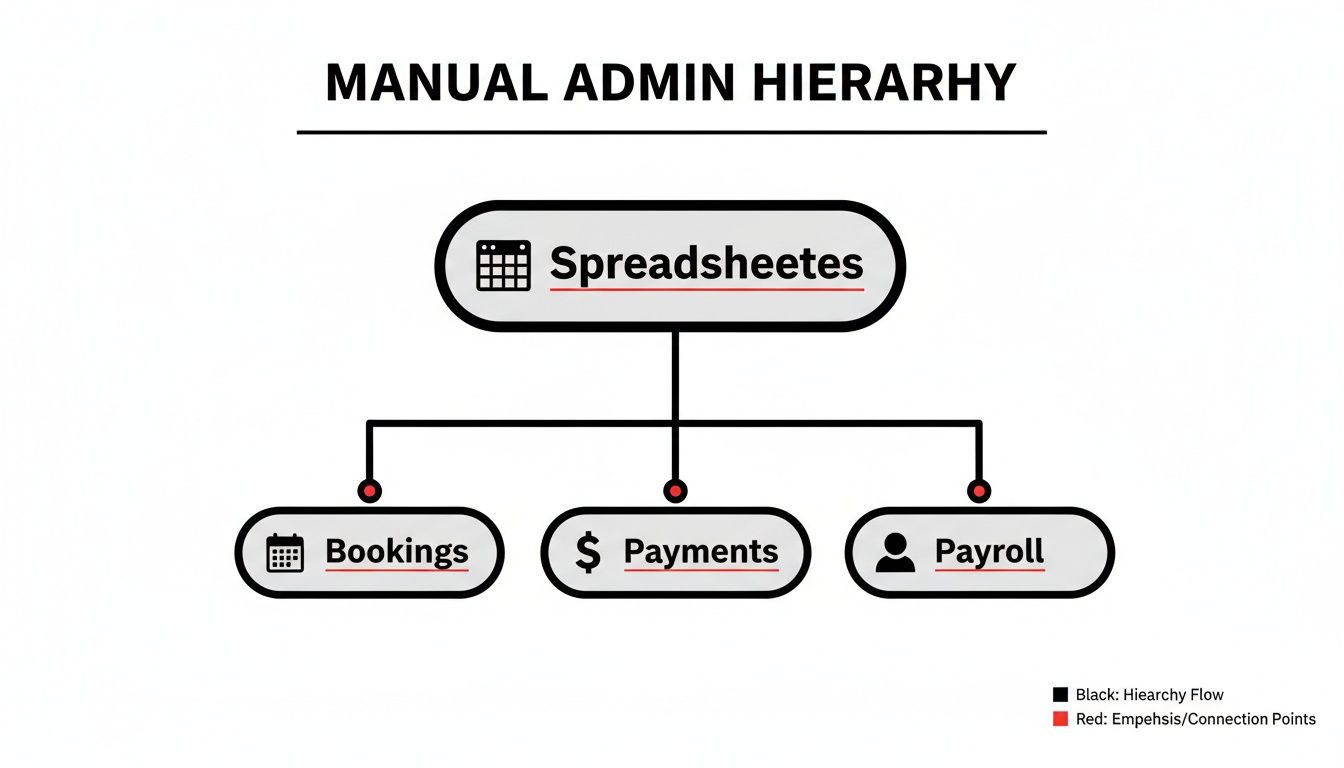
This manual setup creates endless administrative bottlenecks and opens the door to costly mistakes. A unified platform pulls these functions together, ensuring data consistency and smooth operations. The table below outlines core capabilities that solve common headaches.
Comparison of Must-Have Features in Modern Test Prep Software
Feature | What It Does For You | Why It's a Game-Changer |
|---|---|---|
Intelligent Scheduling | Instantly finds the right tutor, room, and time for students based on real-time availability and expertise. | Eliminates manual booking back-and-forth. Your admin staff can schedule a new student in seconds, not minutes. |
Automated Billing | Links lesson attendance directly to prepaid packages, automatically deducting sessions and sending invoices when needed. | Guarantees you get paid for every lesson taught. It improves cash flow by removing manual invoicing delays. |
Automated Payroll | Calculates tutor pay based on complex contracts (e.g., group vs. private rates) without spreadsheets. | Saves dozens of hours in monthly admin work and ensures your tutors are always paid accurately and on time. |
Lead & Student Management | Captures detailed information from the first inquiry, including target test, goal score, and trial lesson notes. | Turns inquiries into enrolled students by giving your team the exact information they need for a personalized follow-up. |
These features form the operational backbone of a modern, scalable test prep business. They replace manual work with smart automation, freeing your team to focus on teaching and growth.
Intelligent Scheduling for Test Prep
Your scheduling tool must be a problem-solver, not just a simple calendar. For a busy test prep center, this means juggling individual lessons and group classes with speed and precision.
Find Slot Functionality: A new student needs SAT math prep. The system should instantly find the perfect teacher, room, and time slot by filtering based on tutor expertise and availability.
Find Spot Functionality: A parent asks if there's an open seat in tonight's IELTS group class. This feature lets your staff find and fill that empty spot in seconds, maximizing class fill rates.
Smart scheduling is essential in markets with high-stakes exams, like the Hong Kong Diploma of Secondary Education (HKDSE). The predictable seasonal peaks demand software that can match subject specialists to students without error.
How does automated billing work?
Automated billing is your solution for getting out of the business of chasing payments. It connects billing directly to lesson attendance, creating a seamless financial loop that saves dozens of hours each month.
It's simple. When a tutor marks a student's attendance for a lesson, the system should automatically:
Deduct one session from the student's prepaid 10-lesson package.
Track the package's expiry date to prevent its use after it lapses.
Instantly generate and email a detailed invoice if a payment is due.
This process ensures you are paid on time, every time. It removes guesswork and follow-up from invoicing, which directly boosts your center's cash flow and financial health.
Automated Payroll for Complex Contracts
Test prep centers rarely have simple payroll. Tutors often work under varied contracts, and your software must handle that without forcing you back to spreadsheets.
Picture a tutor who earns a base salary plus a premium for leading weekend GMAT sessions. An automated payroll system calculates their exact earnings based on the specific lessons they taught. It applies the correct rate for each session type, eliminating manual calculations and mistakes.
Why is lead and student management crucial?
Turning an interested parent into a paying client is a process. A good management system captures high-intent data from the first contact, setting you up for a successful enrollment.
When a new lead gets in touch, your team should log everything that matters:
The student's target test (e.g., SAT, IELTS, TOEFL)
Their target test date
Their current score and goal score
Notes from their trial lesson or assessment
This provides a complete picture of the student's needs. It empowers your team to follow up with relevant course recommendations, making it easier to convert leads into long-term clients. Part of this approach also means integrating the best AI study tool options to give students an edge.
How can smart scheduling eliminate operational chaos?

Manual scheduling is the enemy of growth. Juggling spreadsheets, sticky notes, and your memory to book lessons creates constant, unnecessary friction in your operations. It is slow, frustrating, and a magnet for human error.
This is where test prep center software with smart scheduling steps in. It transforms daily chaos into a smooth, professional, and more profitable operation.
Instead of a frantic scramble when a parent calls, a smart system does the heavy lifting. It finds the perfect teacher, room, and time slot in seconds. That instant, confident response improves the customer experience and captures bookings you might otherwise lose.
Instantly Find the Perfect Lesson Slot
A parent calls, desperate for a last-minute ACT prep session. Instead of putting them on hold, your administrator clicks a "Find Slot" button. The system instantly sifts through every available option, filtering by subject, qualified teachers, and open rooms.
It only presents slots that actually work. All the back-and-forth and guesswork disappear. Your admin can confirm the booking on the spot, knowing the system has already checked for every possible conflict. This feature prevents the costly headache of double-booking a teacher or classroom.
The right scheduling tool makes your whole operation more nimble. You can explore proven strategies for creating effective workflows that deliver real results.
How do you manage group classes and waitlists?
Test prep centers often rely on group classes, like recurring SAT or IELTS cohorts. Managing these groups manually is an administrative nightmare. Modern software automates the entire process, from booking to attendance.
You can set up a recurring schedule for an entire course in a few clicks. Parents can see real-time availability and book a spot for their child online, 24/7, without calling your front desk. The system handles it all:
Online Booking: Parents can easily enroll their children in upcoming IELTS cohorts through your online portal.
Automated Waitlists: If a popular class fills up, the software manages a waitlist and automatically notifies parents when a spot opens.
Capacity Management: The system keeps a live count of enrollments, preventing overbooking and ensuring optimal class sizes.
Real-Time Conflict Detection as Your Safety Net
Perhaps the most powerful feature is its built-in safety net: real-time conflict detection. This actively stops scheduling errors before they happen. If an admin tries to assign a teacher to two classes at the same time, the system will immediately flag the conflict.
By preventing double-bookings, you safeguard your center's reputation and avoid frustrating parents and staff. This single feature can save you from countless operational headaches. This automated vigilance means you can trust your schedule completely, which our guide on class scheduling software explores in more detail.
Streamlining Your Finances from Billing to Payroll

Managing the money flow is often the most time-consuming part of running a test prep center. A dedicated test prep center software pulls scattered financial tasks (invoicing, tracking payments, calculating pay) into a single, automated workflow.
This saves hours every week while eliminating costly human errors from manual spreadsheets. Imagine a TOEFL prep teacher marks a student's attendance. That one click triggers a domino effect.
The system instantly generates a precise invoice and deducts one session from the student's prepaid 10-lesson package. We have seen centers cut their financial admin overhead by up to 60% this way.
What is attendance-driven billing?
Attendance-driven billing is a system where financial actions are automatically triggered by attendance. When a lesson is marked as completed, the software handles all downstream billing and payroll calculations without any manual intervention from your staff.
This process is built for accuracy and speed. When that TOEFL lesson is marked complete, the system simultaneously calculates the teacher's pay for that session. It even accounts for special rates and adds it to their upcoming payroll, giving you a real-time snapshot of revenue and expenses.
By linking attendance directly to finances, you create a perfect audit trail. Every lesson taught is a lesson billed and a lesson paid for. This leaves no room for discrepancies that hurt cash flow or teacher morale.
How can you manage diverse billing models?
Your test prep center probably doesn't have a one-size-fits-all payment model. Modern platforms are built to handle the complexity of different payment options, moving you beyond simple pay-per-lesson billing.
This flexibility is key to catering to a wider audience. You can easily manage multiple revenue streams from one dashboard.
Prepaid Packages: Sell a 10-session SAT prep course with a built-in expiry date. The system automatically tracks every lesson used and the expiration.
Recurring Subscriptions: Offer ongoing monthly support for students needing long-term guidance, with payments automatically charged each month.
One-Time Payments: Easily manage billing for intensive, one-off boot camps or weekend workshops for exams like the GMAT or IELTS.
How does automated payroll save you time?
Calculating payroll by hand is slow and full of potential errors, especially with tutors on different contracts. Automation removes the risk by calculating pay based on actual lessons taught, ensuring tutors are always paid correctly and on time.
For instance, you can set up unique pay rules for each teacher. The software applies these rules automatically, generating a detailed, transparent statement for each pay period. No more manual calculations, no more mistakes.
Our comprehensive tutoring billing software guide breaks down exactly how to set these systems up. This automation gives you confidence that your payroll is flawless, freeing you to focus on growing your business.
How do you choose the right software for your center?
Picking the right technology is a strategic move that shapes your center's growth and profitability. The best platforms introduce intelligent automation that older systems can't touch, often cutting admin time by over 60%.
Look past a simple features list. You need to understand the fundamental operational differences between legacy systems and today's smarter platforms. One keeps your team bogged down, while the other frees them up to focus on growth.
Many older systems are little more than digital diaries, forcing staff to manually drag and drop appointments. This is slow, clunky, and a recipe for human error, with no built-in intelligence to prevent booking conflicts.
Legacy Systems vs Modern Platforms
Modern software changes the game completely. Features like an instant 'Find Slot' function allow your admin to find the perfect teacher, room, and time for a new student in seconds. That speed makes a huge difference to your customer experience.
To see the gap, let's put them head-to-head. The table below breaks down the practical differences you'll feel every day.
Comparison Table: Legacy Software vs. Modern Platforms
Capability | Legacy Systems | Modern Platforms |
|---|---|---|
User Interface | Outdated, clunky design that often needs days of staff training. | Intuitive and modern, designed for quick onboarding and everyday ease of use. |
Scheduling | Manual calendar dragging; constant risk of double-bookings and errors. | 'Find Slot' intelligence; real-time conflict detection makes mistakes impossible. |
Billing Flexibility | Basic invoicing; struggles with complex packages and subscription models. | Automated billing tied to attendance; manages prepaid packages with expiry tracking effortlessly. |
Scalability | Performance slows down with high volume; not built for multiple branches. | Designed to easily manage 10,000+ lessons a week across multiple locations without a hitch. |
As you can see, modern platforms are built from the ground up to solve the real-world operational headaches that growing centers face.
How to evaluate your own needs
Before you jump into any demos, get a clear picture of your own operational pain points. A few direct questions will help you build a checklist to measure any potential software against. This way, you choose a solution that fixes your specific problems.
This self-evaluation is critical in a competitive market like Hong Kong. With 508 registered secondary schools, the demand for quality tutoring is immense. The government’s education expenditure recently hit HK$111.9 billion, so centers need hyper-efficient software to win market share. You can find more insights into Hong Kong's dynamic education market on china-briefing.com.
Start by asking your team these questions:
How many hours do our staff spend on admin tasks each week?
Does our current system prevent double-bookings 100% of the time?
Can we easily manage prepaid course packages, including automatic expiry tracking?
How much revenue have we lost from billing mistakes or missed payments?
Will our current system support our growth plans for the next three years?
Your answers will point directly to where a modern platform can deliver the biggest return. If manual admin consumes more than 10 hours a week, a switch to a smarter system is overdue.
How to implement new software and measure the ROI

You’ve chosen your software. Now comes the most important part: getting it running smoothly and proving it was worth the investment. A smart, phased rollout is key to avoiding chaos, while tracking key numbers will show you how the new system is paying for itself.
Moving away from spreadsheets or a legacy system is a big leap. A well-thought-out implementation plan ensures the transition is seamless for your staff, students, and parents. It is a carefully managed process.
What is a phased rollout plan?
A phased rollout introduces your new software in manageable chunks instead of all at once. This approach dramatically lowers the risk and gives your team time to get comfortable. A typical plan involves a few logical steps.
Here's a common four-step process that works:
Data Migration: First, get your essential data across. This means active student profiles, parent contact details, and existing prepaid lesson package histories.
Staff Training: Get your administrators and teachers into focused training sessions. The goal is to make them comfortable with core functions like scheduling, marking attendance, and pulling up student info.
Parent Communication: Let parents know what's changing and why it's better for them. Highlight new conveniences, like easier online booking or a dedicated parent portal.
Go-Live and Support: Pick a D-day for the full switch. Crucially, ensure your software provider has dedicated support ready during this critical transition period.
How to measure your return on investment
How do you prove this new test prep center software was a smart business decision? By looking at real, measurable improvements. The point is to connect the software's features to tangible gains in efficiency and your bottom line.
By tracking the right metrics, you can build a powerful business case that justifies the software investment. For example, a 60% reduction in administrative time represents thousands of dollars in staff hours that you can reallocate to teaching or business development.
Let's break down the key performance indicators (KPIs) you should watch.
Calculating the Value of Saved Admin Time
Start by figuring out exactly how many hours your team sinks into manual tasks before the new software. Track time spent on schedules, creating invoices, and calculating payroll. Once the new system is running, measure it all again.
If you save 20 hours of admin work per week at an average staff cost of HK$150/hour, that's a direct operational saving of HK$12,000 every month.
Tracking Revenue Gains from Efficiency
A more efficient center is a more profitable one. Two areas where you’ll see an immediate financial impact are room utilization and booking accuracy.
Eliminating Double-Bookings: Every time you double-book a classroom and have to cancel a lesson, that's lost revenue. Your new software's conflict detection should drop this number to zero.
Improved Room Utilization: Use booking data to see which rooms are empty or when peak hours are. Tweaking your schedule can open up more slots for billable lessons.
Analyzing Student Onboarding and Conversion
Finally, look at how the software fuels your growth. A slick, professional process for handling new inquiries can have a massive impact on your enrollment numbers.
If you can achieve a 3x faster student onboarding process, you shorten the sales cycle and give parents a much better first impression. This directly translates into higher conversion rates, turning more curious parents into paying customers.
Frequently Asked Questions (FAQ)
Here are answers to common questions test prep center owners ask when choosing software.
What is test prep center software?
Test prep center software is a specialized management platform designed for tutoring businesses that focus on standardized tests (e.g., SAT, IELTS, HKDSE). It automates and integrates core operations like student scheduling, group class management, automated billing for packages, tutor payroll, and lead tracking into a single system.
How much does test prep center software cost in 2026?
In 2026, most modern platforms operate on a subscription model (SaaS). Pricing is typically based on metrics like the number of active students or staff users. For a mid-sized center, expect to invest between HK$800 to HK$4,000 per month. This fee usually includes setup, ongoing software updates, and customer support.
Can this software handle both private and group classes?
Yes, a key function of effective test prep center software is managing both individual and group lesson formats. The system should allow you to schedule one-on-one sessions based on tutor availability while also setting up recurring group classes for SAT or IELTS cohorts with fixed schedules, capacity limits, and automated waitlists.
How do you manage prepaid lesson packages?
The software should track prepaid packages automatically. When a student buys a 10-session prep course, the system logs it. Each time the student attends a lesson, the software deducts one session from their balance. It should also track the package's expiry date to prevent use after it has lapsed, ensuring accurate billing.
How does the software help with lead management?
It provides a centralized system to capture and track new inquiries. When a parent calls, your staff can immediately log key details like the student's target test, current score, and goal score. This high-intent data allows for personalized follow-ups with tailored course recommendations, improving your lead-to-enrollment conversion rate.
Is my student data secure on a cloud-based platform?
Reputable cloud platforms use robust security measures to protect your data. This includes end-to-end data encryption, regular security audits, and compliance with standards like GDPR. By using secure infrastructure from providers like AWS or Google Cloud, they protect sensitive student and business information from unauthorized access.
How long does it take to migrate from spreadsheets?
Migrating from spreadsheets to a new software system typically takes between two and four weeks. The timeline depends on the quality and organization of your existing data. A good software provider will offer a structured onboarding process, guiding you through data import, verification, and staff training to ensure a smooth transition.
Ready to eliminate administrative chaos and grow your center with intelligent automation? Tutorbase consolidates scheduling, billing, and payroll into one powerful platform. See how you can save 10+ hours a week at tutorbase.com/register.
The Essential Guide to Test Prep Center Software
Published: January 11, 2026 by Amy Ashford


Test prep center software is a unified platform for managing scheduling, billing, student tracking, and payroll. It replaces messy spreadsheets with a central system, automating tasks to reduce errors and save significant admin time. This allows your team to focus on student success and business growth instead of manual data entry.
What is test prep center software and why is it essential?
This isn't just a generic business tool. Specialized test prep center software is a platform engineered to solve the exact problems you face daily. It helps manage SAT group cohorts, track individual IELTS progress, or schedule mock tests for DSE students efficiently.
The old way of using a patchwork of manual systems creates administrative friction. This approach leads to costly mistakes like double-booked rooms, missed payments from expired course packages, and inaccurate teacher payroll. It is a slow, inefficient process.
The Problem with Manual Administration
Without a single source of truth, one task can trigger a chain reaction of manual work. For instance, after a teacher marks attendance for a TOEFL prep session in a manual setup, an admin must complete several steps. They have to:
Manually deduct one session from the student's balance in a spreadsheet.
Log into a separate accounting tool to create and send an invoice.
Note the teacher's hours elsewhere for month-end payroll calculations.
This process is slow and prone to human error. One wrong entry can lead to an angry parent, an underpaid teacher, and a dent in your center's profitability. You can explore this further in our guide to software for a tutoring business.
How does a centralized platform create efficiency?
Imagine that same scenario with a modern test prep platform. The teacher marks attendance with a single click. The software instantly deducts the session from the student's prepaid package, generates an invoice, and updates the teacher's payroll statement automatically. No extra steps, no room for error.
This automation allows a business to scale without operational breakdowns. By automating routine tasks, test prep centers free up staff to focus on high-value work. This includes parent communication, curriculum improvements, and student support, which all drive growth.
The market data supports this shift. The global exam preparation and tutoring market is expected to hit $86.53 billion by 2029, growing at 5.2% annually. In competitive markets like Hong Kong, centers using intelligent software gain a massive advantage by slashing admin costs. Research on the growing global tutoring market shows this trend makes robust software a necessity for survival.
What core features does every test prep center need?
When choosing software, look for platforms that crush administrative chaos and provide room to grow. The best systems automate four key areas: smart scheduling, automated billing, accurate payroll, and robust lead management. Getting these right simplifies everything else.
High-quality test prep center software is an integrated system. One action, like a tutor marking a student present, triggers a chain of automated financial and logistical tasks. This eliminates manual data entry and payment chasing for good.
Many centers still juggle separate tools for bookings, payments, and payroll. This often involves error-prone spreadsheets at the center of the chaos.

This manual setup creates endless administrative bottlenecks and opens the door to costly mistakes. A unified platform pulls these functions together, ensuring data consistency and smooth operations. The table below outlines core capabilities that solve common headaches.
Comparison of Must-Have Features in Modern Test Prep Software
Feature | What It Does For You | Why It's a Game-Changer |
|---|---|---|
Intelligent Scheduling | Instantly finds the right tutor, room, and time for students based on real-time availability and expertise. | Eliminates manual booking back-and-forth. Your admin staff can schedule a new student in seconds, not minutes. |
Automated Billing | Links lesson attendance directly to prepaid packages, automatically deducting sessions and sending invoices when needed. | Guarantees you get paid for every lesson taught. It improves cash flow by removing manual invoicing delays. |
Automated Payroll | Calculates tutor pay based on complex contracts (e.g., group vs. private rates) without spreadsheets. | Saves dozens of hours in monthly admin work and ensures your tutors are always paid accurately and on time. |
Lead & Student Management | Captures detailed information from the first inquiry, including target test, goal score, and trial lesson notes. | Turns inquiries into enrolled students by giving your team the exact information they need for a personalized follow-up. |
These features form the operational backbone of a modern, scalable test prep business. They replace manual work with smart automation, freeing your team to focus on teaching and growth.
Intelligent Scheduling for Test Prep
Your scheduling tool must be a problem-solver, not just a simple calendar. For a busy test prep center, this means juggling individual lessons and group classes with speed and precision.
Find Slot Functionality: A new student needs SAT math prep. The system should instantly find the perfect teacher, room, and time slot by filtering based on tutor expertise and availability.
Find Spot Functionality: A parent asks if there's an open seat in tonight's IELTS group class. This feature lets your staff find and fill that empty spot in seconds, maximizing class fill rates.
Smart scheduling is essential in markets with high-stakes exams, like the Hong Kong Diploma of Secondary Education (HKDSE). The predictable seasonal peaks demand software that can match subject specialists to students without error.
How does automated billing work?
Automated billing is your solution for getting out of the business of chasing payments. It connects billing directly to lesson attendance, creating a seamless financial loop that saves dozens of hours each month.
It's simple. When a tutor marks a student's attendance for a lesson, the system should automatically:
Deduct one session from the student's prepaid 10-lesson package.
Track the package's expiry date to prevent its use after it lapses.
Instantly generate and email a detailed invoice if a payment is due.
This process ensures you are paid on time, every time. It removes guesswork and follow-up from invoicing, which directly boosts your center's cash flow and financial health.
Automated Payroll for Complex Contracts
Test prep centers rarely have simple payroll. Tutors often work under varied contracts, and your software must handle that without forcing you back to spreadsheets.
Picture a tutor who earns a base salary plus a premium for leading weekend GMAT sessions. An automated payroll system calculates their exact earnings based on the specific lessons they taught. It applies the correct rate for each session type, eliminating manual calculations and mistakes.
Why is lead and student management crucial?
Turning an interested parent into a paying client is a process. A good management system captures high-intent data from the first contact, setting you up for a successful enrollment.
When a new lead gets in touch, your team should log everything that matters:
The student's target test (e.g., SAT, IELTS, TOEFL)
Their target test date
Their current score and goal score
Notes from their trial lesson or assessment
This provides a complete picture of the student's needs. It empowers your team to follow up with relevant course recommendations, making it easier to convert leads into long-term clients. Part of this approach also means integrating the best AI study tool options to give students an edge.
How can smart scheduling eliminate operational chaos?

Manual scheduling is the enemy of growth. Juggling spreadsheets, sticky notes, and your memory to book lessons creates constant, unnecessary friction in your operations. It is slow, frustrating, and a magnet for human error.
This is where test prep center software with smart scheduling steps in. It transforms daily chaos into a smooth, professional, and more profitable operation.
Instead of a frantic scramble when a parent calls, a smart system does the heavy lifting. It finds the perfect teacher, room, and time slot in seconds. That instant, confident response improves the customer experience and captures bookings you might otherwise lose.
Instantly Find the Perfect Lesson Slot
A parent calls, desperate for a last-minute ACT prep session. Instead of putting them on hold, your administrator clicks a "Find Slot" button. The system instantly sifts through every available option, filtering by subject, qualified teachers, and open rooms.
It only presents slots that actually work. All the back-and-forth and guesswork disappear. Your admin can confirm the booking on the spot, knowing the system has already checked for every possible conflict. This feature prevents the costly headache of double-booking a teacher or classroom.
The right scheduling tool makes your whole operation more nimble. You can explore proven strategies for creating effective workflows that deliver real results.
How do you manage group classes and waitlists?
Test prep centers often rely on group classes, like recurring SAT or IELTS cohorts. Managing these groups manually is an administrative nightmare. Modern software automates the entire process, from booking to attendance.
You can set up a recurring schedule for an entire course in a few clicks. Parents can see real-time availability and book a spot for their child online, 24/7, without calling your front desk. The system handles it all:
Online Booking: Parents can easily enroll their children in upcoming IELTS cohorts through your online portal.
Automated Waitlists: If a popular class fills up, the software manages a waitlist and automatically notifies parents when a spot opens.
Capacity Management: The system keeps a live count of enrollments, preventing overbooking and ensuring optimal class sizes.
Real-Time Conflict Detection as Your Safety Net
Perhaps the most powerful feature is its built-in safety net: real-time conflict detection. This actively stops scheduling errors before they happen. If an admin tries to assign a teacher to two classes at the same time, the system will immediately flag the conflict.
By preventing double-bookings, you safeguard your center's reputation and avoid frustrating parents and staff. This single feature can save you from countless operational headaches. This automated vigilance means you can trust your schedule completely, which our guide on class scheduling software explores in more detail.
Streamlining Your Finances from Billing to Payroll

Managing the money flow is often the most time-consuming part of running a test prep center. A dedicated test prep center software pulls scattered financial tasks (invoicing, tracking payments, calculating pay) into a single, automated workflow.
This saves hours every week while eliminating costly human errors from manual spreadsheets. Imagine a TOEFL prep teacher marks a student's attendance. That one click triggers a domino effect.
The system instantly generates a precise invoice and deducts one session from the student's prepaid 10-lesson package. We have seen centers cut their financial admin overhead by up to 60% this way.
What is attendance-driven billing?
Attendance-driven billing is a system where financial actions are automatically triggered by attendance. When a lesson is marked as completed, the software handles all downstream billing and payroll calculations without any manual intervention from your staff.
This process is built for accuracy and speed. When that TOEFL lesson is marked complete, the system simultaneously calculates the teacher's pay for that session. It even accounts for special rates and adds it to their upcoming payroll, giving you a real-time snapshot of revenue and expenses.
By linking attendance directly to finances, you create a perfect audit trail. Every lesson taught is a lesson billed and a lesson paid for. This leaves no room for discrepancies that hurt cash flow or teacher morale.
How can you manage diverse billing models?
Your test prep center probably doesn't have a one-size-fits-all payment model. Modern platforms are built to handle the complexity of different payment options, moving you beyond simple pay-per-lesson billing.
This flexibility is key to catering to a wider audience. You can easily manage multiple revenue streams from one dashboard.
Prepaid Packages: Sell a 10-session SAT prep course with a built-in expiry date. The system automatically tracks every lesson used and the expiration.
Recurring Subscriptions: Offer ongoing monthly support for students needing long-term guidance, with payments automatically charged each month.
One-Time Payments: Easily manage billing for intensive, one-off boot camps or weekend workshops for exams like the GMAT or IELTS.
How does automated payroll save you time?
Calculating payroll by hand is slow and full of potential errors, especially with tutors on different contracts. Automation removes the risk by calculating pay based on actual lessons taught, ensuring tutors are always paid correctly and on time.
For instance, you can set up unique pay rules for each teacher. The software applies these rules automatically, generating a detailed, transparent statement for each pay period. No more manual calculations, no more mistakes.
Our comprehensive tutoring billing software guide breaks down exactly how to set these systems up. This automation gives you confidence that your payroll is flawless, freeing you to focus on growing your business.
How do you choose the right software for your center?
Picking the right technology is a strategic move that shapes your center's growth and profitability. The best platforms introduce intelligent automation that older systems can't touch, often cutting admin time by over 60%.
Look past a simple features list. You need to understand the fundamental operational differences between legacy systems and today's smarter platforms. One keeps your team bogged down, while the other frees them up to focus on growth.
Many older systems are little more than digital diaries, forcing staff to manually drag and drop appointments. This is slow, clunky, and a recipe for human error, with no built-in intelligence to prevent booking conflicts.
Legacy Systems vs Modern Platforms
Modern software changes the game completely. Features like an instant 'Find Slot' function allow your admin to find the perfect teacher, room, and time for a new student in seconds. That speed makes a huge difference to your customer experience.
To see the gap, let's put them head-to-head. The table below breaks down the practical differences you'll feel every day.
Comparison Table: Legacy Software vs. Modern Platforms
Capability | Legacy Systems | Modern Platforms |
|---|---|---|
User Interface | Outdated, clunky design that often needs days of staff training. | Intuitive and modern, designed for quick onboarding and everyday ease of use. |
Scheduling | Manual calendar dragging; constant risk of double-bookings and errors. | 'Find Slot' intelligence; real-time conflict detection makes mistakes impossible. |
Billing Flexibility | Basic invoicing; struggles with complex packages and subscription models. | Automated billing tied to attendance; manages prepaid packages with expiry tracking effortlessly. |
Scalability | Performance slows down with high volume; not built for multiple branches. | Designed to easily manage 10,000+ lessons a week across multiple locations without a hitch. |
As you can see, modern platforms are built from the ground up to solve the real-world operational headaches that growing centers face.
How to evaluate your own needs
Before you jump into any demos, get a clear picture of your own operational pain points. A few direct questions will help you build a checklist to measure any potential software against. This way, you choose a solution that fixes your specific problems.
This self-evaluation is critical in a competitive market like Hong Kong. With 508 registered secondary schools, the demand for quality tutoring is immense. The government’s education expenditure recently hit HK$111.9 billion, so centers need hyper-efficient software to win market share. You can find more insights into Hong Kong's dynamic education market on china-briefing.com.
Start by asking your team these questions:
How many hours do our staff spend on admin tasks each week?
Does our current system prevent double-bookings 100% of the time?
Can we easily manage prepaid course packages, including automatic expiry tracking?
How much revenue have we lost from billing mistakes or missed payments?
Will our current system support our growth plans for the next three years?
Your answers will point directly to where a modern platform can deliver the biggest return. If manual admin consumes more than 10 hours a week, a switch to a smarter system is overdue.
How to implement new software and measure the ROI

You’ve chosen your software. Now comes the most important part: getting it running smoothly and proving it was worth the investment. A smart, phased rollout is key to avoiding chaos, while tracking key numbers will show you how the new system is paying for itself.
Moving away from spreadsheets or a legacy system is a big leap. A well-thought-out implementation plan ensures the transition is seamless for your staff, students, and parents. It is a carefully managed process.
What is a phased rollout plan?
A phased rollout introduces your new software in manageable chunks instead of all at once. This approach dramatically lowers the risk and gives your team time to get comfortable. A typical plan involves a few logical steps.
Here's a common four-step process that works:
Data Migration: First, get your essential data across. This means active student profiles, parent contact details, and existing prepaid lesson package histories.
Staff Training: Get your administrators and teachers into focused training sessions. The goal is to make them comfortable with core functions like scheduling, marking attendance, and pulling up student info.
Parent Communication: Let parents know what's changing and why it's better for them. Highlight new conveniences, like easier online booking or a dedicated parent portal.
Go-Live and Support: Pick a D-day for the full switch. Crucially, ensure your software provider has dedicated support ready during this critical transition period.
How to measure your return on investment
How do you prove this new test prep center software was a smart business decision? By looking at real, measurable improvements. The point is to connect the software's features to tangible gains in efficiency and your bottom line.
By tracking the right metrics, you can build a powerful business case that justifies the software investment. For example, a 60% reduction in administrative time represents thousands of dollars in staff hours that you can reallocate to teaching or business development.
Let's break down the key performance indicators (KPIs) you should watch.
Calculating the Value of Saved Admin Time
Start by figuring out exactly how many hours your team sinks into manual tasks before the new software. Track time spent on schedules, creating invoices, and calculating payroll. Once the new system is running, measure it all again.
If you save 20 hours of admin work per week at an average staff cost of HK$150/hour, that's a direct operational saving of HK$12,000 every month.
Tracking Revenue Gains from Efficiency
A more efficient center is a more profitable one. Two areas where you’ll see an immediate financial impact are room utilization and booking accuracy.
Eliminating Double-Bookings: Every time you double-book a classroom and have to cancel a lesson, that's lost revenue. Your new software's conflict detection should drop this number to zero.
Improved Room Utilization: Use booking data to see which rooms are empty or when peak hours are. Tweaking your schedule can open up more slots for billable lessons.
Analyzing Student Onboarding and Conversion
Finally, look at how the software fuels your growth. A slick, professional process for handling new inquiries can have a massive impact on your enrollment numbers.
If you can achieve a 3x faster student onboarding process, you shorten the sales cycle and give parents a much better first impression. This directly translates into higher conversion rates, turning more curious parents into paying customers.
Frequently Asked Questions (FAQ)
Here are answers to common questions test prep center owners ask when choosing software.
What is test prep center software?
Test prep center software is a specialized management platform designed for tutoring businesses that focus on standardized tests (e.g., SAT, IELTS, HKDSE). It automates and integrates core operations like student scheduling, group class management, automated billing for packages, tutor payroll, and lead tracking into a single system.
How much does test prep center software cost in 2026?
In 2026, most modern platforms operate on a subscription model (SaaS). Pricing is typically based on metrics like the number of active students or staff users. For a mid-sized center, expect to invest between HK$800 to HK$4,000 per month. This fee usually includes setup, ongoing software updates, and customer support.
Can this software handle both private and group classes?
Yes, a key function of effective test prep center software is managing both individual and group lesson formats. The system should allow you to schedule one-on-one sessions based on tutor availability while also setting up recurring group classes for SAT or IELTS cohorts with fixed schedules, capacity limits, and automated waitlists.
How do you manage prepaid lesson packages?
The software should track prepaid packages automatically. When a student buys a 10-session prep course, the system logs it. Each time the student attends a lesson, the software deducts one session from their balance. It should also track the package's expiry date to prevent use after it has lapsed, ensuring accurate billing.
How does the software help with lead management?
It provides a centralized system to capture and track new inquiries. When a parent calls, your staff can immediately log key details like the student's target test, current score, and goal score. This high-intent data allows for personalized follow-ups with tailored course recommendations, improving your lead-to-enrollment conversion rate.
Is my student data secure on a cloud-based platform?
Reputable cloud platforms use robust security measures to protect your data. This includes end-to-end data encryption, regular security audits, and compliance with standards like GDPR. By using secure infrastructure from providers like AWS or Google Cloud, they protect sensitive student and business information from unauthorized access.
How long does it take to migrate from spreadsheets?
Migrating from spreadsheets to a new software system typically takes between two and four weeks. The timeline depends on the quality and organization of your existing data. A good software provider will offer a structured onboarding process, guiding you through data import, verification, and staff training to ensure a smooth transition.
Ready to eliminate administrative chaos and grow your center with intelligent automation? Tutorbase consolidates scheduling, billing, and payroll into one powerful platform. See how you can save 10+ hours a week at tutorbase.com/register.
More from the Blog

January 10, 2026
A Guide to Piano School Management Software
Read Article
Read Article

January 10, 2026
A Guide to Piano School Management Software
Read Article
Read Article

January 9, 2026
The Ultimate Music Academy CRM Guide
Read Article
Read Article

January 9, 2026
The Ultimate Music Academy CRM Guide
Read Article
Read Article

January 8, 2026
After School Program Registration Software: Streamline Enrollment & Operations
Read Article
Read Article

January 8, 2026
After School Program Registration Software: Streamline Enrollment & Operations
Read Article
Read Article


