
How a WhatsApp Widget for Education Websites Boosts Enrolment
Published: January 3, 2026 by Amy Ashford

Key Takeaway: Adding a WhatsApp widget to your website opens a direct communication line with parents, meeting them on an app they already use daily. This simple tool speeds up the enrolment process by capturing leads instantly and automating initial conversations. When connected to a CRM, it transforms casual website visits into organized, trackable student enquiries.
Quick Wins with a WhatsApp Widget

Adding a WhatsApp chat widget to your education website delivers immediate results for your center. Your site quickly transforms from a static brochure into a dynamic hub for real conversations. This direct connection dramatically shortens the enrolment cycle and boosts lead conversion.
Imagine a parent visits your site with questions about class schedules or pricing. Instead of waiting hours for an email reply, they receive instant answers through the widget. This speed allows an interested parent to move from a simple question to a booked trial lesson in minutes, all within one chat.
Why Does Your Education Website Need a WhatsApp Widget in 2024?
A website visitor is just a number until you engage them in a conversation. The primary challenge is converting a casual browser into a confirmed enrolment. Traditional contact forms often feel slow, causing potential students to lose interest while they wait for your response.
Parents in 2024 expect immediate answers. A delay of even a few hours gives them time to find and book a trial with a competitor. A WhatsApp widget transforms your website from a passive information source into an active lead generation tool that meets modern expectations.
Meet Parents Where They Are: On WhatsApp
WhatsApp is the default communication app for millions of parents globally. For instance, in Hong Kong, over 7.1 million people are active users. By adding a WhatsApp widget, you are not forcing parents to adopt a new communication channel; you are meeting them on a platform they already use daily.
A study by Statista confirms that WhatsApp is the most-used mobile messaging app in many regions. This familiarity removes the friction of filling out a form and waiting. It offers an immediate, comfortable way for parents to connect with your education center.
The Real Cost of a Slow Reply
Speed is critical in the education sector. Industry data shows that education centers can lose up to 70% of potential students due to slow replies or missed calls. A delayed response gives parents ample time to browse a competitor's site and book a trial lesson elsewhere.
A WhatsApp widget for education websites closes this gap. It provides parents a direct line to your team at the exact moment their interest is highest. This immediate engagement is crucial for converting website traffic into measurable leads and enrolments. You can explore more dedicated WhatsApp solutions for the education industry to see what's possible.
How Do I Choose the Right WhatsApp Tool for My Website?
Selecting the right WhatsApp integration involves balancing simplicity with power. Your choice determines how parents interact with you and how your team manages inquiries. You can choose a simple link, an embeddable widget, or a full API integration.
Not all WhatsApp solutions are created equal. Let's break down the three main options so you can select the one that fits your center's current needs and future growth. Each path has distinct advantages and disadvantages for an education business.
Path 1: The Simple Start with Click-to-Chat Links
A click-to-chat link is a basic URL that opens a new WhatsApp conversation with your business number when clicked. You can place this link on any button, image, or text on your website. This is the fastest and easiest way to get started.
This method requires zero coding and is completely free. However, its functionality is limited. You cannot collect a parent's name or email before the chat begins, and it offers no customization. It is a good first step for a solo tutor testing WhatsApp communication.
Path 2: The Professional Upgrade with Embeddable Widgets
An embeddable widget is a small piece of code you add to your website. This code displays a familiar chat icon, usually in the bottom corner of the screen. An embeddable WhatsApp widget for education websites offers a more polished experience for parents.
With a widget, you can customize the appearance to match your brand's colors. You can also set up automated welcome messages like, "Hi! How can we help with your child's tuition today?" This option provides powerful features without being overly complex, making it ideal for most growing education centers.
Path 3: The Powerhouse with the WhatsApp Business API
For larger organizations needing advanced automation, the WhatsApp Business API is the ultimate solution. This connects WhatsApp directly to your core business systems, such as your CRM and booking software. It allows for automated message flows and multi-agent support from one number.
Setting up the API is a technical process. You will likely need a developer or a third-party platform to manage the backend integration. It is the best choice for multi-location centers that want to automate the entire inquiry-to-billing process.
Comparison Table: Which WhatsApp Integration is Best for You?
This table compares the three main WhatsApp integration options. Consider your current inquiry volume and your team's administrative workload to make the right choice. A simple link works for today, but a scalable widget or API will save hours as you grow.
Feature | Click-to-Chat Link | Embeddable Widget | WhatsApp Business API |
|---|---|---|---|
Setup Complexity | Very Low (just a URL) | Low (copy-paste a code snippet) | High (requires developer or third-party platform) |
Cost | Free | Free to moderate monthly fee | Moderate to high (platform fees + per-conversation charges) |
Customization | None | High (branding, colors, welcome messages) | Very High (fully programmable) |
Lead Capture | No (chat starts immediately) | Yes (optional pre-chat forms) | Yes (integrates directly with CRM) |
Automation | None | Basic (automated greetings, business hours) | Advanced (chatbots, automated workflows, message templates) |
Multi-Agent Support | No (tied to one phone) | Varies by provider | Yes (designed for teams) |
Best For | Solo tutors, very small centers just starting out. | Most growing tutoring businesses and tuition centers. | Large, multi-location centers needing deep system integration. |
How Can I Automate Lead Capture with a CRM?
Connecting your WhatsApp widget to a Customer Relationship Management (CRM) system turns casual chats into organized, trackable enrolments. Without this integration, you are simply managing another busy inbox. With it, you prevent valuable leads from being lost and eliminate manual data entry.
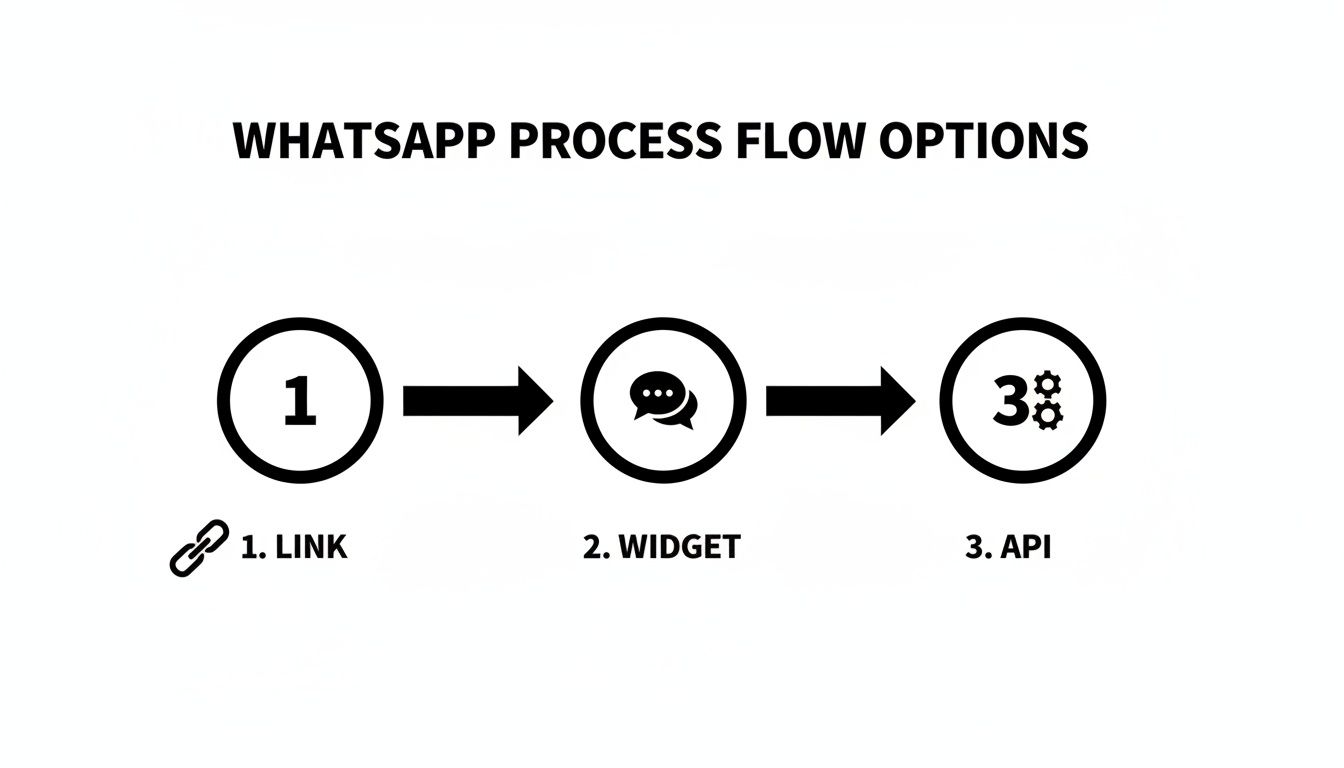
This workflow shows the evolution from a basic link to a fully integrated API for managing communications. Each step adds powerful layers of automation and data capture. This process is the difference between simply talking to parents and actively enrolling students.
What is CRM Integration for a WhatsApp Widget?
CRM integration means your WhatsApp widget for education websites communicates directly with your center's management software. When a parent initiates a chat, their name, phone number, and message automatically create a new lead profile in your CRM. This process requires no manual data entry.
This connection bridges the gap between a quick question and a structured enrolment process. It ensures every inquiry is captured and gives your team immediate context on each lead. This leads to a faster and more professional follow-up, which you can learn more about in this guide on how a tutoring CRM helps convert inquiries.
What Information Should My Widget Collect?
For effective automation, you must collect the right information from the start. A well-configured WhatsApp widget uses a pre-chat form to gather essential details before the conversation begins. This form is your first point of automated data capture.
Your widget can collect the following information:
Parent's Name: To personalize the conversation.
Student's Name: To distinguish between the parent and the learner.
Email Address: For sending follow-up materials and invoices.
Subject of Interest: To route the inquiry to the correct team member.
Preferred Schedule: To quickly find available class slots.
The Seamless Workflow from Inquiry to Booking
Imagine a parent visits your website at 10 PM. They click the WhatsApp widget and enter their name, their child's name, and their interest in "Primary English." Instantly, a new lead profile appears in your CRM, automatically tagged with "Primary English" for easy tracking.
Your administrator sees this lead the next morning. Instead of asking basic questions, they can immediately find available Primary English classes in the CRM. Within minutes, they reply on WhatsApp with a personalized message offering two specific class times, accelerating the booking process.

This streamlined interface allows an admin to quickly filter and find available spots to offer the parent. This seamless flow turns your website into a powerful, 24/7 enrolment machine. Selecting the best CRM for small business is crucial for this efficiency.
Best Practices for Managing WhatsApp Inquiries

Installing a WhatsApp widget is the first step. The real success comes from how you manage the resulting parent inquiries. An organized response strategy can significantly improve your enrolment rates and build trust from the very first message.
Effective management balances speed with a personal touch. Parents want fast answers, but they also need to feel heard. Nailing this combination is what converts a casual chat into a confirmed trial lesson for your education center.
How Can I Make My First Response Fast and Professional?
Your first reply sets the tone for the entire interaction. An immediate, helpful response shows parents that your center is professional and responsive. A small amount of automation can make a big difference here.
Set up an automated welcome message that sends the moment a parent starts a chat. This simple action acknowledges them instantly and manages their expectations. A good welcome message should:
Confirm receipt: "Thanks for contacting Bright Minds Tutoring!"
Provide a timeframe: "Our team will reply within 15 minutes."
Ask a helpful question: "To speed things up, could you tell us the student's year level and the subject you're interested in?"
Should I Use Templates for Common Questions?
Your admin team likely answers the same few questions repeatedly. Manually typing details about pricing, schedules, and trial lessons consumes a significant amount of time. Message templates are a powerful tool for improving efficiency.
Create pre-written templates for your most common inquiries:
Pricing Tiers: A clear message breaking down package options and rates.
Class Schedules: Templates for different subjects and age groups.
Trial Lesson Process: An outline of the steps for booking a trial.
Using templates ensures your messaging is consistent. It also frees up your administrators to focus on more complex conversations that require a human touch. This is crucial for managing inquiries with a good student inquiry management software.
How to Personalize Communication Without Losing Speed
While automation is efficient, it can feel impersonal if not managed carefully. Your goal is to build genuine rapport with parents. Train your team to use the parent's and student's names and refer to the specific subject they asked about.
Always maintain a friendly and approachable tone. For example, after sending a schedule template, a good follow-up is: "I see you're interested in Primary English for David. Our Tuesday class is led by Ms. Chan. Would that time work for you?" This small step shows you are paying attention and makes the parent feel valued.
FAQ: Using a WhatsApp Widget for Education Websites
How do I add a WhatsApp widget to my website?
You can add a widget by pasting a single line of code into your website's header or footer. Providers like Tutorbase offer this one-line embed code that works on any website, including platforms like WordPress. You do not need any development skills to install it.
Can I use my personal WhatsApp number for the widget?
You can, but it is not recommended. You should use a dedicated WhatsApp Business account, which is free. This account provides professional features like automated welcome messages, business hours, and quick replies, which helps build trust with parents.
Is using a WhatsApp widget GDPR compliant?
Yes, using a WhatsApp widget is GDPR compliant if you handle data correctly. When a parent initiates a chat, they provide explicit consent for communication. You must also update your website's privacy policy to explain how you collect, store, and process data from these conversations.
What information should my widget collect upfront?
Customize your widget to collect essential information before the chat begins. You can ask for the parent's name, student's name, email address, the subject of interest, and their preferred schedule. This data allows for instant CRM sync, eliminating manual data entry.
Can multiple team members answer chats from one number?
Yes, with the WhatsApp Business API or a third-party platform, your entire team can manage chats from a single business number. This is crucial for handling high inquiry volumes during peak enrolment periods and ensures parents receive prompt replies.
How does the widget connect with a CRM like Tutorbase?
The widget integrates directly with your CRM. When a parent submits the pre-chat form, the information instantly creates a new lead profile in Tutorbase. This seamless sync ensures no leads are lost and your team can follow up immediately.
What happens if a parent messages after business hours?
A WhatsApp Business account allows you to set up an automated away message. This message can inform parents of your operating hours and assure them of a response when you are back online. This manages expectations and maintains a professional image.
Is the widget free?
Many providers offer free versions of their WhatsApp widget. Advanced features, such as deep CRM integration and multi-agent support, may require a subscription. Some platforms, like Tutorbase, include a "Powered by Tutorbase" dofollow backlink on their free widgets for SEO benefits.
Ready to stop losing leads and start turning parent chats into enrolments? Tutorbase integrates seamlessly with your WhatsApp widget to make it happen. See how it works and register today.
How a WhatsApp Widget for Education Websites Boosts Enrolment
Published: January 1, 2026 by Amy Ashford


Key Takeaway: Adding a WhatsApp widget to your website opens a direct communication line with parents, meeting them on an app they already use daily. This simple tool speeds up the enrolment process by capturing leads instantly and automating initial conversations. When connected to a CRM, it transforms casual website visits into organized, trackable student enquiries.
Quick Wins with a WhatsApp Widget

Adding a WhatsApp chat widget to your education website delivers immediate results for your center. Your site quickly transforms from a static brochure into a dynamic hub for real conversations. This direct connection dramatically shortens the enrolment cycle and boosts lead conversion.
Imagine a parent visits your site with questions about class schedules or pricing. Instead of waiting hours for an email reply, they receive instant answers through the widget. This speed allows an interested parent to move from a simple question to a booked trial lesson in minutes, all within one chat.
Why Does Your Education Website Need a WhatsApp Widget in 2024?
A website visitor is just a number until you engage them in a conversation. The primary challenge is converting a casual browser into a confirmed enrolment. Traditional contact forms often feel slow, causing potential students to lose interest while they wait for your response.
Parents in 2024 expect immediate answers. A delay of even a few hours gives them time to find and book a trial with a competitor. A WhatsApp widget transforms your website from a passive information source into an active lead generation tool that meets modern expectations.
Meet Parents Where They Are: On WhatsApp
WhatsApp is the default communication app for millions of parents globally. For instance, in Hong Kong, over 7.1 million people are active users. By adding a WhatsApp widget, you are not forcing parents to adopt a new communication channel; you are meeting them on a platform they already use daily.
A study by Statista confirms that WhatsApp is the most-used mobile messaging app in many regions. This familiarity removes the friction of filling out a form and waiting. It offers an immediate, comfortable way for parents to connect with your education center.
The Real Cost of a Slow Reply
Speed is critical in the education sector. Industry data shows that education centers can lose up to 70% of potential students due to slow replies or missed calls. A delayed response gives parents ample time to browse a competitor's site and book a trial lesson elsewhere.
A WhatsApp widget for education websites closes this gap. It provides parents a direct line to your team at the exact moment their interest is highest. This immediate engagement is crucial for converting website traffic into measurable leads and enrolments. You can explore more dedicated WhatsApp solutions for the education industry to see what's possible.
How Do I Choose the Right WhatsApp Tool for My Website?
Selecting the right WhatsApp integration involves balancing simplicity with power. Your choice determines how parents interact with you and how your team manages inquiries. You can choose a simple link, an embeddable widget, or a full API integration.
Not all WhatsApp solutions are created equal. Let's break down the three main options so you can select the one that fits your center's current needs and future growth. Each path has distinct advantages and disadvantages for an education business.
Path 1: The Simple Start with Click-to-Chat Links
A click-to-chat link is a basic URL that opens a new WhatsApp conversation with your business number when clicked. You can place this link on any button, image, or text on your website. This is the fastest and easiest way to get started.
This method requires zero coding and is completely free. However, its functionality is limited. You cannot collect a parent's name or email before the chat begins, and it offers no customization. It is a good first step for a solo tutor testing WhatsApp communication.
Path 2: The Professional Upgrade with Embeddable Widgets
An embeddable widget is a small piece of code you add to your website. This code displays a familiar chat icon, usually in the bottom corner of the screen. An embeddable WhatsApp widget for education websites offers a more polished experience for parents.
With a widget, you can customize the appearance to match your brand's colors. You can also set up automated welcome messages like, "Hi! How can we help with your child's tuition today?" This option provides powerful features without being overly complex, making it ideal for most growing education centers.
Path 3: The Powerhouse with the WhatsApp Business API
For larger organizations needing advanced automation, the WhatsApp Business API is the ultimate solution. This connects WhatsApp directly to your core business systems, such as your CRM and booking software. It allows for automated message flows and multi-agent support from one number.
Setting up the API is a technical process. You will likely need a developer or a third-party platform to manage the backend integration. It is the best choice for multi-location centers that want to automate the entire inquiry-to-billing process.
Comparison Table: Which WhatsApp Integration is Best for You?
This table compares the three main WhatsApp integration options. Consider your current inquiry volume and your team's administrative workload to make the right choice. A simple link works for today, but a scalable widget or API will save hours as you grow.
Feature | Click-to-Chat Link | Embeddable Widget | WhatsApp Business API |
|---|---|---|---|
Setup Complexity | Very Low (just a URL) | Low (copy-paste a code snippet) | High (requires developer or third-party platform) |
Cost | Free | Free to moderate monthly fee | Moderate to high (platform fees + per-conversation charges) |
Customization | None | High (branding, colors, welcome messages) | Very High (fully programmable) |
Lead Capture | No (chat starts immediately) | Yes (optional pre-chat forms) | Yes (integrates directly with CRM) |
Automation | None | Basic (automated greetings, business hours) | Advanced (chatbots, automated workflows, message templates) |
Multi-Agent Support | No (tied to one phone) | Varies by provider | Yes (designed for teams) |
Best For | Solo tutors, very small centers just starting out. | Most growing tutoring businesses and tuition centers. | Large, multi-location centers needing deep system integration. |
How Can I Automate Lead Capture with a CRM?
Connecting your WhatsApp widget to a Customer Relationship Management (CRM) system turns casual chats into organized, trackable enrolments. Without this integration, you are simply managing another busy inbox. With it, you prevent valuable leads from being lost and eliminate manual data entry.

This workflow shows the evolution from a basic link to a fully integrated API for managing communications. Each step adds powerful layers of automation and data capture. This process is the difference between simply talking to parents and actively enrolling students.
What is CRM Integration for a WhatsApp Widget?
CRM integration means your WhatsApp widget for education websites communicates directly with your center's management software. When a parent initiates a chat, their name, phone number, and message automatically create a new lead profile in your CRM. This process requires no manual data entry.
This connection bridges the gap between a quick question and a structured enrolment process. It ensures every inquiry is captured and gives your team immediate context on each lead. This leads to a faster and more professional follow-up, which you can learn more about in this guide on how a tutoring CRM helps convert inquiries.
What Information Should My Widget Collect?
For effective automation, you must collect the right information from the start. A well-configured WhatsApp widget uses a pre-chat form to gather essential details before the conversation begins. This form is your first point of automated data capture.
Your widget can collect the following information:
Parent's Name: To personalize the conversation.
Student's Name: To distinguish between the parent and the learner.
Email Address: For sending follow-up materials and invoices.
Subject of Interest: To route the inquiry to the correct team member.
Preferred Schedule: To quickly find available class slots.
The Seamless Workflow from Inquiry to Booking
Imagine a parent visits your website at 10 PM. They click the WhatsApp widget and enter their name, their child's name, and their interest in "Primary English." Instantly, a new lead profile appears in your CRM, automatically tagged with "Primary English" for easy tracking.
Your administrator sees this lead the next morning. Instead of asking basic questions, they can immediately find available Primary English classes in the CRM. Within minutes, they reply on WhatsApp with a personalized message offering two specific class times, accelerating the booking process.

This streamlined interface allows an admin to quickly filter and find available spots to offer the parent. This seamless flow turns your website into a powerful, 24/7 enrolment machine. Selecting the best CRM for small business is crucial for this efficiency.
Best Practices for Managing WhatsApp Inquiries

Installing a WhatsApp widget is the first step. The real success comes from how you manage the resulting parent inquiries. An organized response strategy can significantly improve your enrolment rates and build trust from the very first message.
Effective management balances speed with a personal touch. Parents want fast answers, but they also need to feel heard. Nailing this combination is what converts a casual chat into a confirmed trial lesson for your education center.
How Can I Make My First Response Fast and Professional?
Your first reply sets the tone for the entire interaction. An immediate, helpful response shows parents that your center is professional and responsive. A small amount of automation can make a big difference here.
Set up an automated welcome message that sends the moment a parent starts a chat. This simple action acknowledges them instantly and manages their expectations. A good welcome message should:
Confirm receipt: "Thanks for contacting Bright Minds Tutoring!"
Provide a timeframe: "Our team will reply within 15 minutes."
Ask a helpful question: "To speed things up, could you tell us the student's year level and the subject you're interested in?"
Should I Use Templates for Common Questions?
Your admin team likely answers the same few questions repeatedly. Manually typing details about pricing, schedules, and trial lessons consumes a significant amount of time. Message templates are a powerful tool for improving efficiency.
Create pre-written templates for your most common inquiries:
Pricing Tiers: A clear message breaking down package options and rates.
Class Schedules: Templates for different subjects and age groups.
Trial Lesson Process: An outline of the steps for booking a trial.
Using templates ensures your messaging is consistent. It also frees up your administrators to focus on more complex conversations that require a human touch. This is crucial for managing inquiries with a good student inquiry management software.
How to Personalize Communication Without Losing Speed
While automation is efficient, it can feel impersonal if not managed carefully. Your goal is to build genuine rapport with parents. Train your team to use the parent's and student's names and refer to the specific subject they asked about.
Always maintain a friendly and approachable tone. For example, after sending a schedule template, a good follow-up is: "I see you're interested in Primary English for David. Our Tuesday class is led by Ms. Chan. Would that time work for you?" This small step shows you are paying attention and makes the parent feel valued.
FAQ: Using a WhatsApp Widget for Education Websites
How do I add a WhatsApp widget to my website?
You can add a widget by pasting a single line of code into your website's header or footer. Providers like Tutorbase offer this one-line embed code that works on any website, including platforms like WordPress. You do not need any development skills to install it.
Can I use my personal WhatsApp number for the widget?
You can, but it is not recommended. You should use a dedicated WhatsApp Business account, which is free. This account provides professional features like automated welcome messages, business hours, and quick replies, which helps build trust with parents.
Is using a WhatsApp widget GDPR compliant?
Yes, using a WhatsApp widget is GDPR compliant if you handle data correctly. When a parent initiates a chat, they provide explicit consent for communication. You must also update your website's privacy policy to explain how you collect, store, and process data from these conversations.
What information should my widget collect upfront?
Customize your widget to collect essential information before the chat begins. You can ask for the parent's name, student's name, email address, the subject of interest, and their preferred schedule. This data allows for instant CRM sync, eliminating manual data entry.
Can multiple team members answer chats from one number?
Yes, with the WhatsApp Business API or a third-party platform, your entire team can manage chats from a single business number. This is crucial for handling high inquiry volumes during peak enrolment periods and ensures parents receive prompt replies.
How does the widget connect with a CRM like Tutorbase?
The widget integrates directly with your CRM. When a parent submits the pre-chat form, the information instantly creates a new lead profile in Tutorbase. This seamless sync ensures no leads are lost and your team can follow up immediately.
What happens if a parent messages after business hours?
A WhatsApp Business account allows you to set up an automated away message. This message can inform parents of your operating hours and assure them of a response when you are back online. This manages expectations and maintains a professional image.
Is the widget free?
Many providers offer free versions of their WhatsApp widget. Advanced features, such as deep CRM integration and multi-agent support, may require a subscription. Some platforms, like Tutorbase, include a "Powered by Tutorbase" dofollow backlink on their free widgets for SEO benefits.
Ready to stop losing leads and start turning parent chats into enrolments? Tutorbase integrates seamlessly with your WhatsApp widget to make it happen. See how it works and register today.
More from the Blog

Finding the Best Language School CRM Singapore
Read Article
Read Article

Finding the Best Language School CRM Singapore
Read Article
Read Article

A Guide to Tutoring Center CRM Hong Kong: Boost Your Center's Performance
Read Article
Read Article

A Guide to Tutoring Center CRM Hong Kong: Boost Your Center's Performance
Read Article
Read Article

The Best Contact Form for Tutoring Tools to Boost Enrolments in 2026
Read Article
Read Article

The Best Contact Form for Tutoring Tools to Boost Enrolments in 2026
Read Article
Read Article


