
After a lesson ends, mark who came in Calendar and save attendance. Then the lesson is finalized, by someone who may finalize or automatically by Tutorbase. Finalizing is the step that uses a plan lesson and adds the teacher's pay.
Before you start
Your school decides what each role may do in Settings > Team & roles, under Lessons: Attendance lets someone mark attendance, and Finalize lets them finalize. Someone who may only mark attendance sees Save attendance. Someone who may also finalize sees Save and finalize.
Get the real attendance and length from the teacher. For example, Theo Brooks came to his Individual Mathematics lesson with Maya Chen from 9 to 10 AM. It ran the full hour, and his maths plan pays for it.
Mark attendance
In Calendar, open the lesson. An ended lesson that nobody has marked shows Needs attendance.
Select Mark attendance.
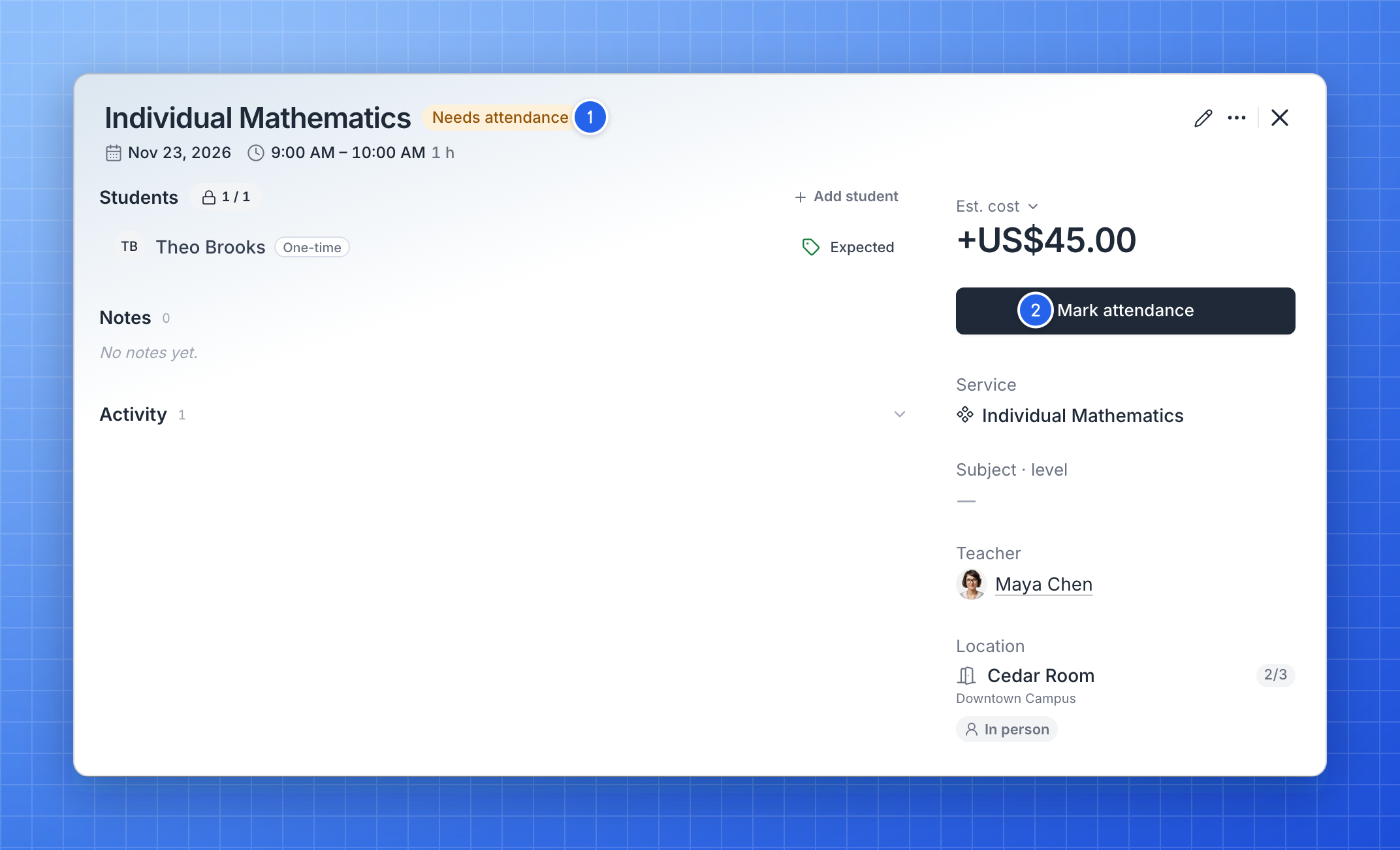
Then record what happened:
Mark each student present (✓) or not present (✕). Mark all present fills in only students with no answer.
The length in the header says how long the lesson ran. To change it, select it and enter the Actual duration. If the lesson didn't run, choose No under Did it run and pick why, then select Done.
Select Save and finalize. To save without finalizing, open the arrow beside it and choose Save attendance only: the lesson then waits in Needs finalization.
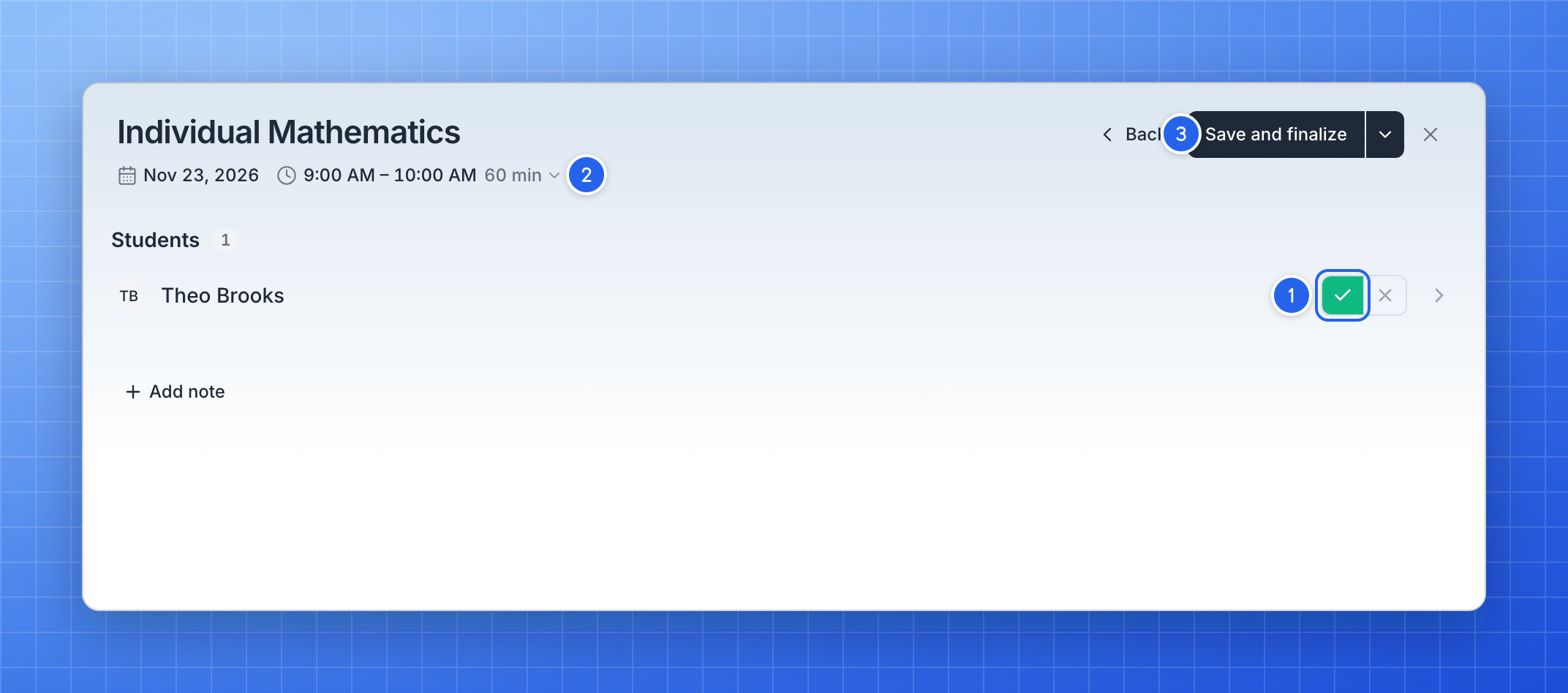
To add a lesson note, select Add note before you save. Closing without saving keeps nothing.
What finalizing changes
Once the lesson is finalized, the strip beside its title turns solid, the status disappears and Correct finalization appears.
- Plans. Theo's lesson uses one lesson from his maths plan. Select his attendance tag to see Plan lesson used.
- Teacher pay. Maya's pay for the lesson appears in Payroll > Pay items, at her pay rate.
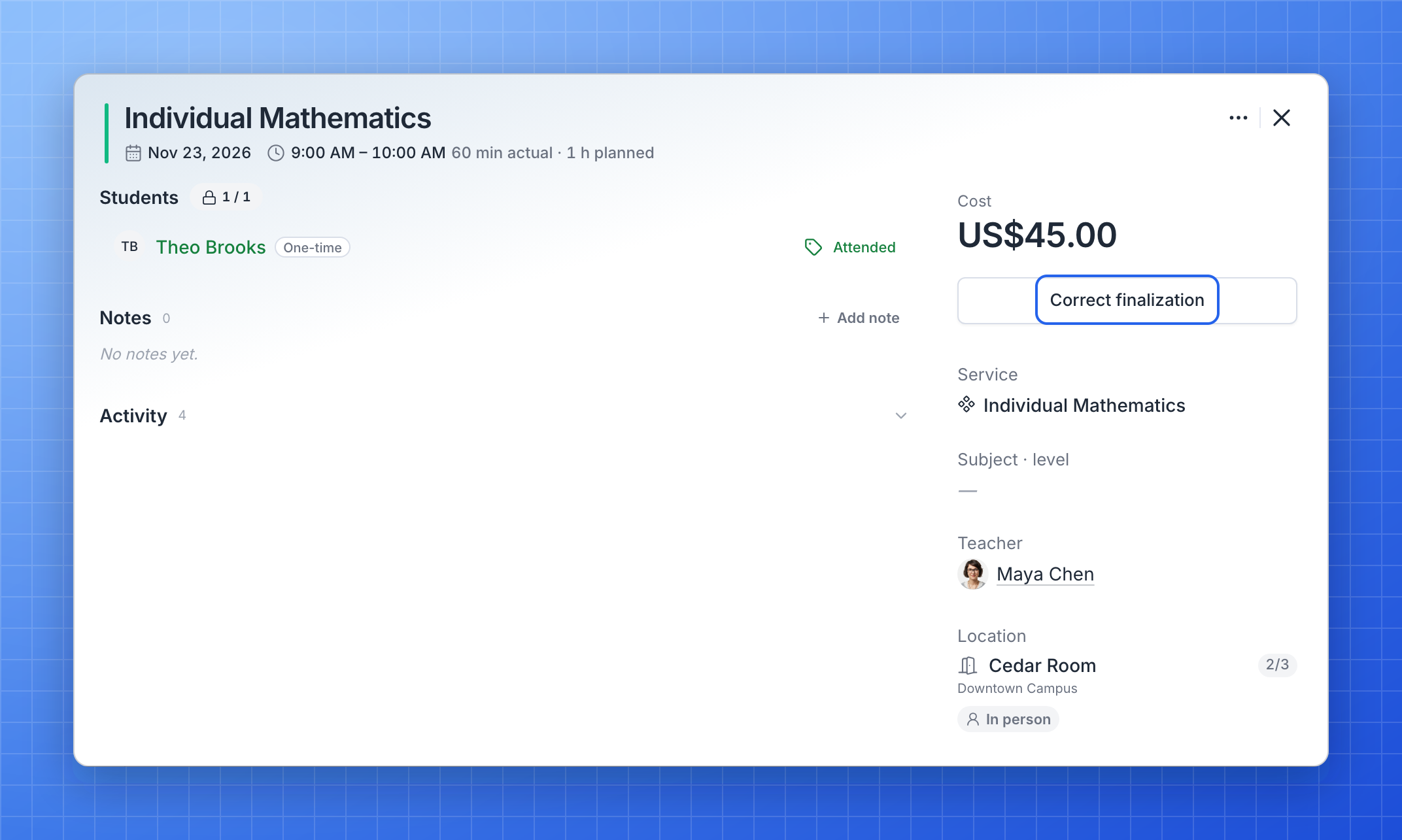
Saving attendance alone moves no money. Until a lesson is finalized, anyone who may mark its attendance can change it with Edit attendance in the lesson's ⋯ menu.
When a lesson waits
Some lessons need a decision before they can be finalized, such as a student with no plan. Attendance still saves, and the lesson waits in Needs finalization. Someone who may finalize sees the reason and the action that fixes it. Someone who may only mark attendance sees Attendance saved, with no money details.
Open the lesson, from Calendar or the Needs finalization view. Then:
Select the action under the reason, such as Choose plan, and make the choice.
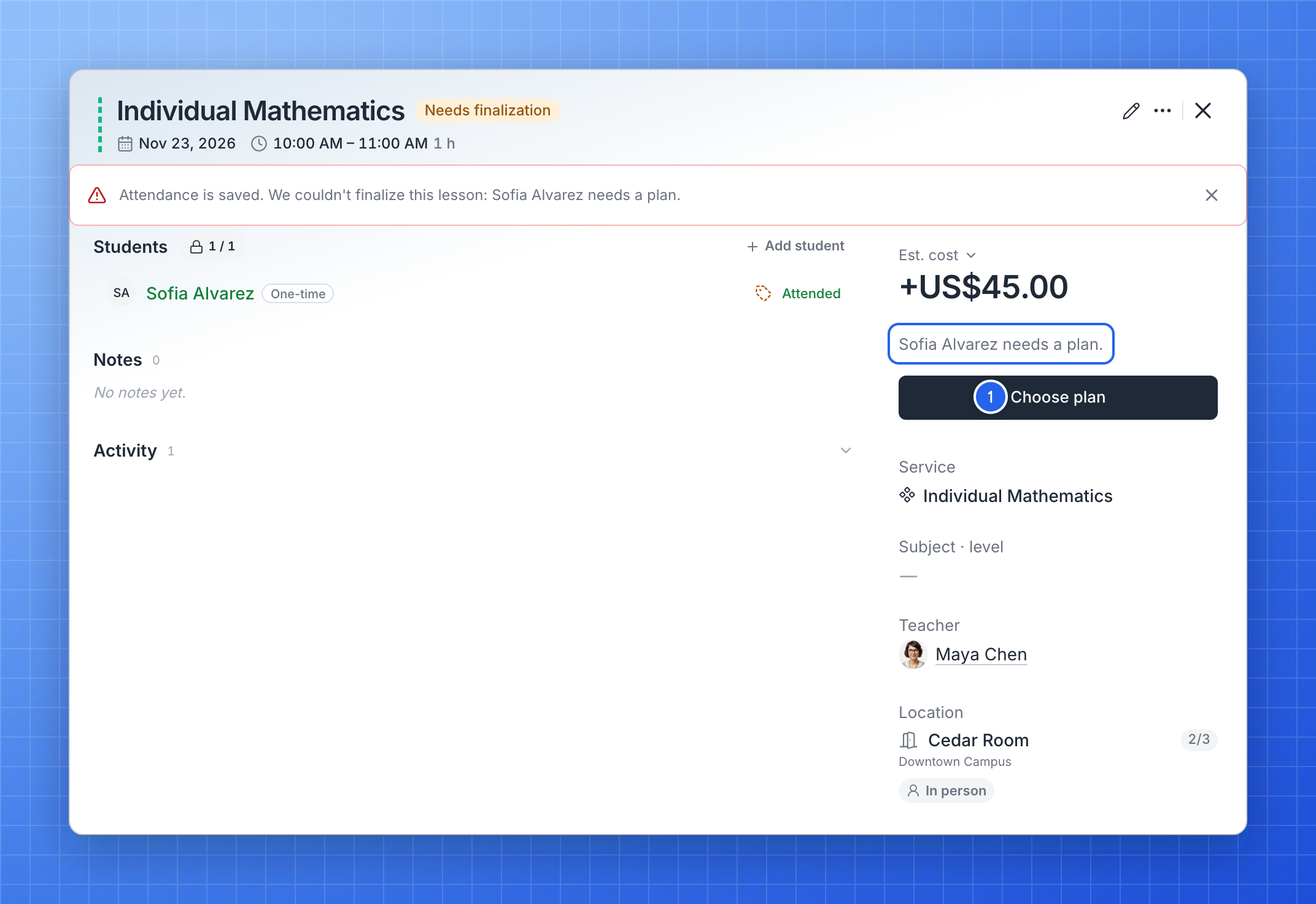
Select Finalize lesson.
If a teacher has no pay rate, someone who may finalize sees "{Teacher} has no pay rate." It never stops you: you can finalize anyway, and Payroll shows the missing setup.
Finalize lessons automatically
When someone who may only mark attendance saves it, Tutorbase finalizes the lesson right away if no billing or pay decision is needed, and the lesson's history reads "Finalized automatically after {name} saved attendance". Otherwise the lesson waits in Needs finalization.
Open Settings, then Attendance under Scheduling:
Turn Finalize lessons automatically on or off. It is on for every school unless you turn it off.
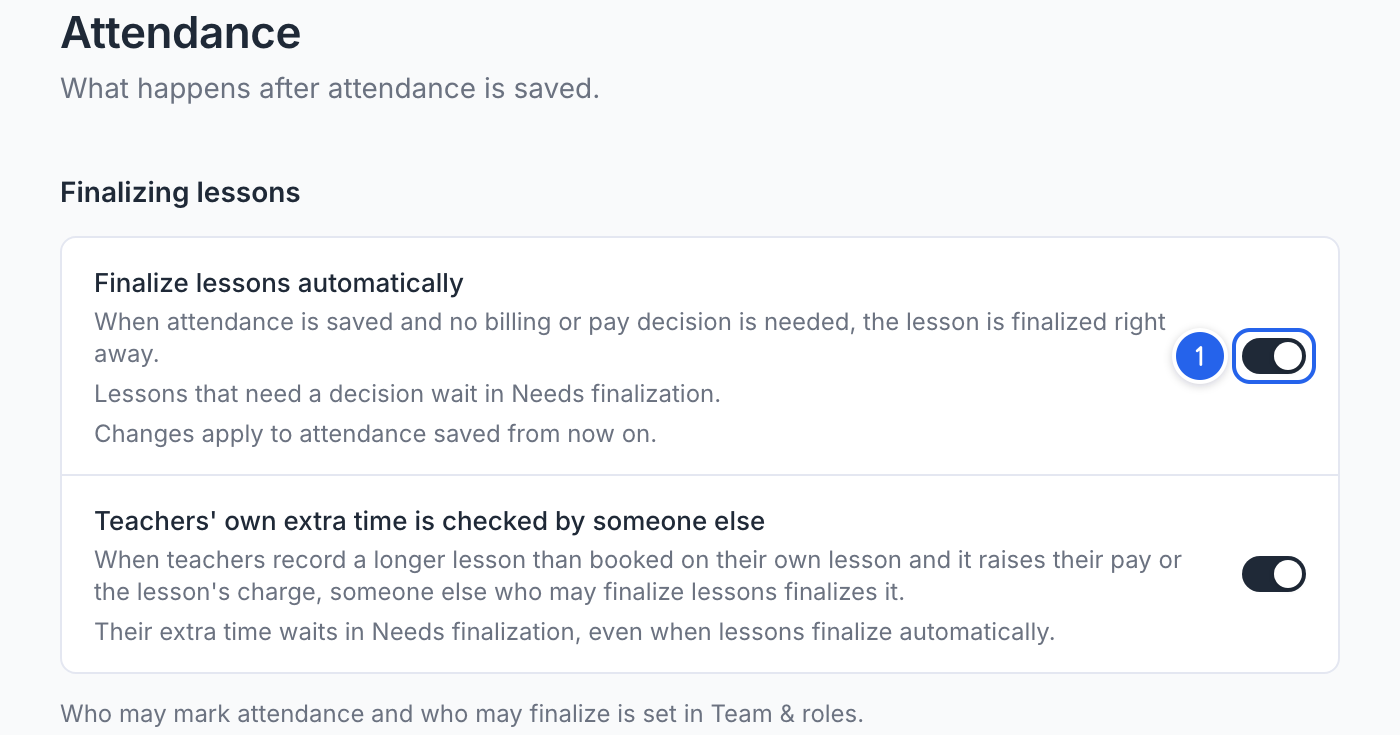
Changes apply to attendance saved from then on: turning it on finalizes nothing that is already waiting. Save attendance only never finalizes, whatever this setting says.
Teachers' own extra time is checked by someone else is on by default. When teachers record a longer lesson than booked on their own lesson, and that raises their pay or the lesson's charge, the lesson waits for someone else who may finalize.
Common questions
Why didn't the lesson finalize?
Someone who may finalize must decide something first, such as a plan for a student, or Finalize lessons automatically is off. The lesson shows Needs finalization with the reason.
Can a teacher fix attendance after saving?
Yes, until the lesson is finalized: Edit attendance in the lesson's ⋯ menu. After that, someone whose role may correct finalized lessons uses Correct finalization.
Does finalizing email the family?
Only if you share a lesson note with the family as you finalize. Without a shared note, finalizing sends no email.