
Understand how plans cover lessons
Check a student's lesson plan, understand Needs plan, and tell remaining lesson credits apart from reserved and available credits.
Last updated
In Tutorbase, plan coverage identifies which bought plan (lesson package) covers a student's lesson; Needs plan means the choice is unresolved. Open Calendar, open the lesson, and select the student's plan icon to see the Plan panel.
Before you start
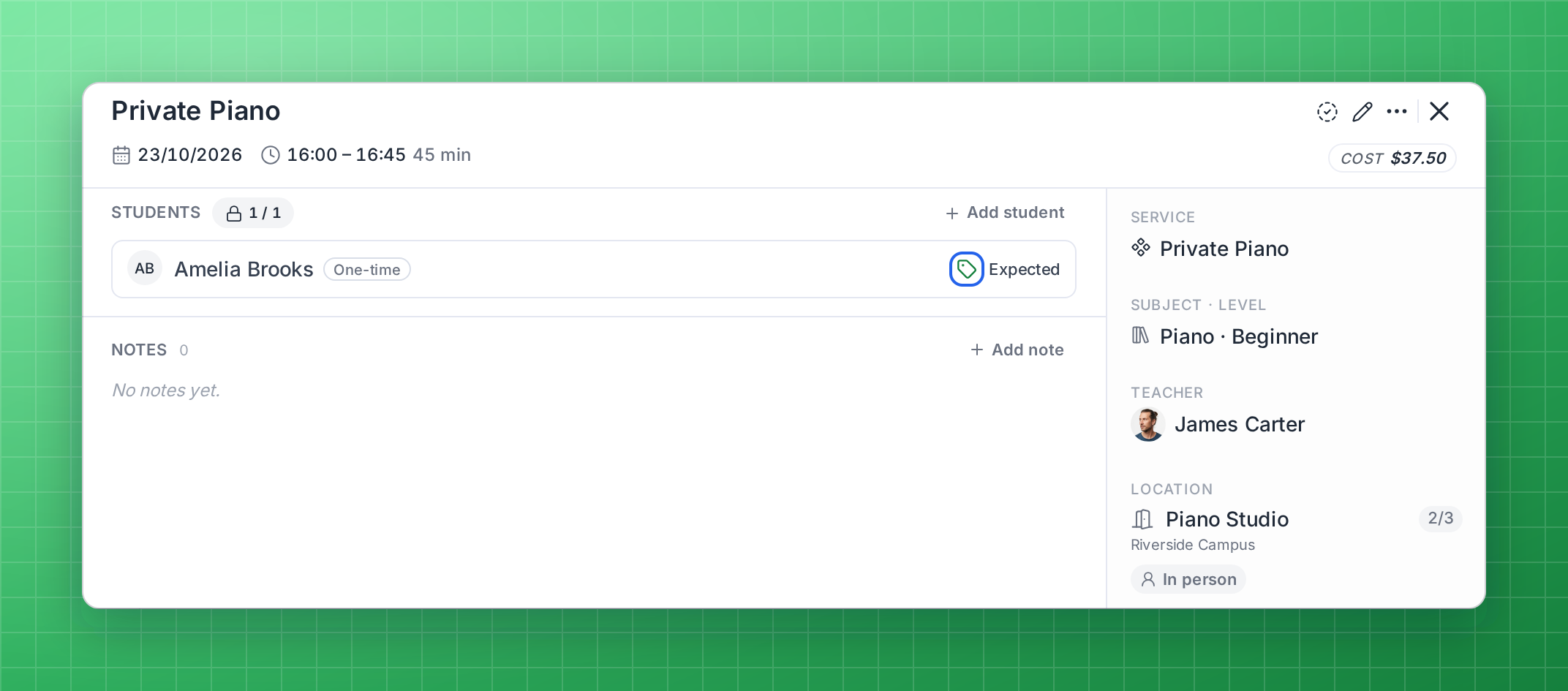
You need an existing lesson and student profile. The example uses a piano lesson covered by a two-lesson pack, with one lesson reserved for the booking.
Where to see a lesson's coverage
Open Calendar and open the lesson. Select the plan icon next to the student to open the Plan panel. A selected plan identifies the package covering that student's lesson; the icon's description gives the lessons available after the reservation.
For example, a lesson covered by Piano · 2 lessons can show 1 lesson available after this reservation.
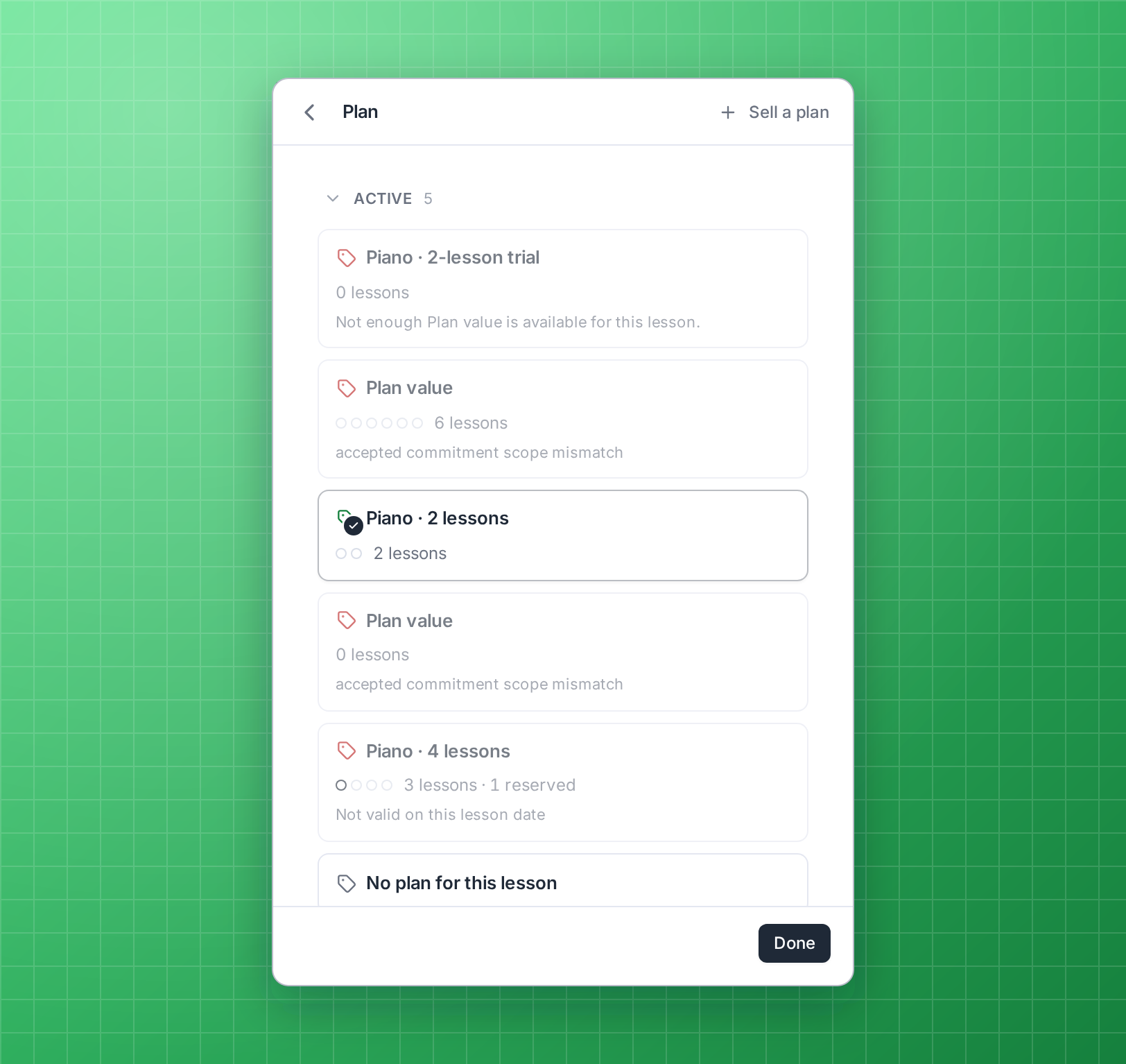
A greyed plan cannot be chosen for the lesson. Being listed under Active does not guarantee that a plan fits: the lesson can fall outside the plan's dates, or the plan can have too few lessons available.
What coverage and reservations change
Choose a suitable available plan when a package should cover the lesson, so the student's booking is assigned to that package. Choose No plan for this lesson only when you intend to leave the student's lesson without package coverage, so the decision is explicit.
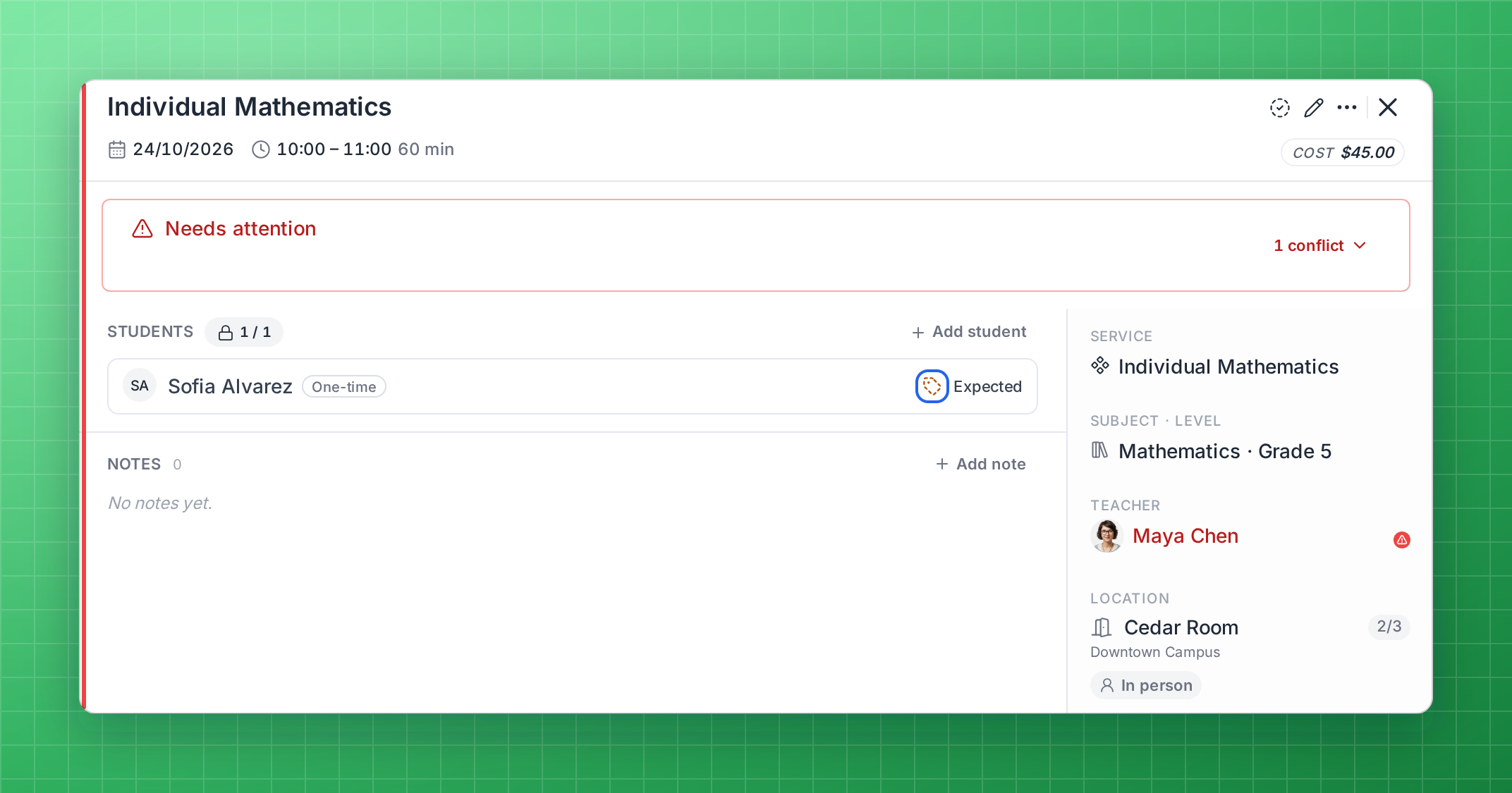
Needs plan means neither choice has been made. Select the Needs plan icon in the lesson to open the Plan panel and decide the student's coverage.
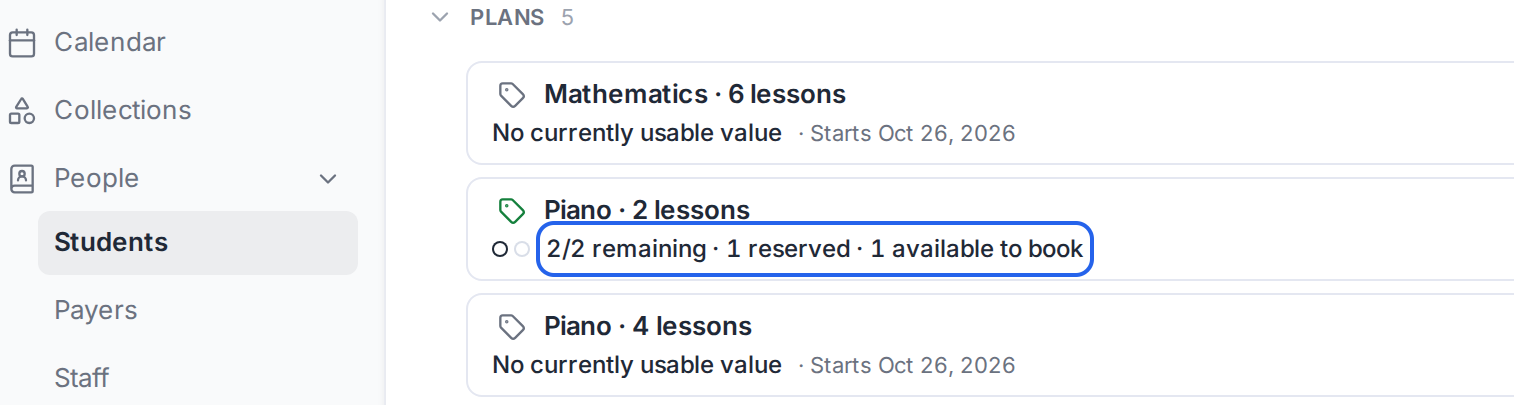
A reservation sets aside lessons for a booking. To understand the pack's balance, open People > Students, open the student's profile, and read Plans:
- Remaining includes the lessons reserved for bookings.
- Reserved counts lessons already set aside for bookings.
- Available to book counts lessons that are not already reserved.
Check Available to book when deciding whether the pack has lessons left for another booking, because Remaining includes reservations.
For example, 2/2 remaining · 1 reserved · 1 available to book means both lessons remain in the two-lesson pack, but one is already reserved. Booking has set a lesson aside rather than used it up.
Common questions
What does Needs plan mean?
Needs plan marks an undecided plan choice for a student in a lesson. Open the lesson in Calendar and select the icon to choose a plan or deliberately leave the lesson without one.
How do lesson packages work on a lesson?
The lesson's Plan panel shows which bought plan covers the student. On the student profile, Plans distinguishes remaining lessons from lessons reserved for bookings and lessons still available to book.
Why didn't my remaining lessons go down after booking?
A reservation can still be included in the pack's remaining count. On the student profile, read Reserved and Available to book alongside Remaining in Plans to see how many lessons are set aside and how many are available for another booking.
Is No plan for this lesson the same as Needs plan?
No. Needs plan means the lesson's coverage choice is undecided; No plan for this lesson deliberately leaves the student's lesson without package coverage. Neither choice means the lesson is free or pay as you go.
Why is an Active plan unavailable for my lesson?
A plan under Active can still be unavailable for a particular lesson. The Plan panel can show that the lesson falls outside the plan's dates or that the plan has too few lessons available; choose an available plan that fits the lesson.