The Best Client Management Software For Tutors
Published: January 7, 2026 by Amy Ashford

The best client management software for tutors is the central operating system for your business, automating the scheduling, billing, and payroll that consumes over 10 hours of admin time per week. For tutoring centers focused on growth, the right platform eliminates costly booking errors and replaces fragmented tools with a single source of truth.
Why Your Tutoring Center Needs a Central Operating System

If you’re juggling Google Calendar for bookings, QuickBooks for invoicing, and spreadsheets for payroll, you’re operating a fragmented business. This patchwork of disconnected tools creates friction, leading to double-booked teachers, missed invoices, and hours wasted on manual data entry. The right software consolidates these tasks, turning administrative chaos into a streamlined engine for growth.
The global private tutoring market is set to hit $192.09 billion by 2029. This growth presents a massive opportunity, but it's only accessible to centers that can scale efficiently. Manual systems become a bottleneck, preventing you from expanding your services or opening new locations without getting buried in paperwork.
Connecting Problems to Solutions
Investing in a new platform is about solving specific, expensive problems. Instead of comparing endless feature lists, focus on your biggest daily headaches and identify the software functions that directly solve them. This approach reframes the cost from a monthly expense to a strategic investment in operational efficiency.
To do this well, it’s crucial to find platforms that provide specific industry insights for education and tutoring centers because they understand the unique challenges you face every day.
The table below connects common pain points in tutoring centers to the specific software solutions that deliver a measurable impact.
Mapping Software Features to Your Biggest Headaches
This table directly connects common administrative problems in tutoring centers to the specific software features that solve them, showing a clear path to improved efficiency.
Common Tutoring Problem | Essential Software Solution | Operational Impact |
|---|---|---|
Hours spent finding lesson slots | AI-powered "Find Slot" & Conflict Detection | Booking time drops from over 10 minutes to under 2 minutes, with zero double-bookings. |
Manually creating and chasing invoices | Automated Billing from Attendance Records | Invoice processing time shrinks from hours to minutes, improving cash flow and accuracy. |
Complex teacher payroll calculations | Flexible Payroll Models (e.g., revenue share) | Eliminates payroll errors and reduces admin time by up to 60%, ensuring teachers are paid correctly. |
Lack of visibility across multiple locations | Multi-Branch Room & Resource Management | Provides a unified view of capacity, teacher workload, and room utilization to maximize revenue. |
Every problem in the first column is actively costing your business money, whether in wasted staff hours, lost student revenue, or administrative burnout. The right software feature plugs these leaks, allowing you to focus on what actually grows the business: delivering exceptional teaching.
The Hidden Costs of Disconnected Management Tools
Relying on a patchwork of tools like Google Calendar, QuickBooks, and Excel creates a constant drag on your business. This isn't just a minor annoyance, it's a real financial drain. The true cost isn't the subscription fees but the slow bleed from manual work, lost revenue, and capped growth.
An administrator spends 15 minutes navigating three different calendars to book one new student. Later, they manually build an invoice in QuickBooks, referencing attendance notes from a spreadsheet. Come month-end, they spend hours calculating payroll, hoping no mistakes slipped through. These "small" tasks pile up, easily consuming the 10+ hours per week that owners lose to admin.
The Financial Drain of Manual Operations
When your systems don't communicate, every action requires a human to bridge the gap, creating endless opportunities for errors. This inefficiency hits your bottom line directly, costing you both money and opportunities.
It usually looks something like this:
Lost Revenue from Booking Errors: A tutor is accidentally double-booked for a peak time slot. You cancel one lesson, resulting in lost income and an unhappy client.
Wasted Hours on Manual Invoicing: An admin spends a full day each month creating, sending, and chasing invoices. That’s eight hours that could be spent on student retention.
High Cost of Administrative Overhead: You pay skilled staff for repetitive data entry. If a manager earning $30/hour spends 10 hours a week on these tasks, that’s $1,200 a month spent on work a system should automate.
This administrative burden acts as a ceiling on your growth. You can only add so many students or tutors before the manual processes break down completely, forcing you to choose between chaos and stagnation.
How Inefficiency Restricts Your Growth Potential
The operational drag from fragmented tools does more than waste time, it actively holds your business back. With the United States private tutoring market projected to grow by $28.85 billion between 2025 and 2029, centers stuck with manual systems will find it difficult to capture that new demand.
Outdated operations become a serious bottleneck. Trying to open a new location or launch a new program becomes nearly impossible when your foundation is already shaky. You can learn more about this market transformation from industry reports.
This is why finding the best client management software for tutors is so critical. It’s not about adding another tool. It’s about replacing a broken, piecemeal system with a single platform built for growth. By automating manual tasks, you build a solid foundation that supports more students, tutors, and locations without collapsing.
Comparing The Top Tutoring Management Platforms
When choosing client management software, look beyond a simple feature checklist and focus on what actually saves you time. While platforms like Teachworks and TutorCruncher have been around for a while, their older architecture creates bottlenecks for growing tutoring centers.
The real difference is how a system handles core, repetitive tasks, especially at scale. Legacy systems often require an admin to manually approve, generate, or connect different steps. A modern platform automates those connections, freeing up your team and eliminating human error.
This comparison focuses on high-impact areas where platforms differ. The hidden costs of sticking with manual or semi-manual admin work add up fast, eating into your profits and wasting valuable staff hours.
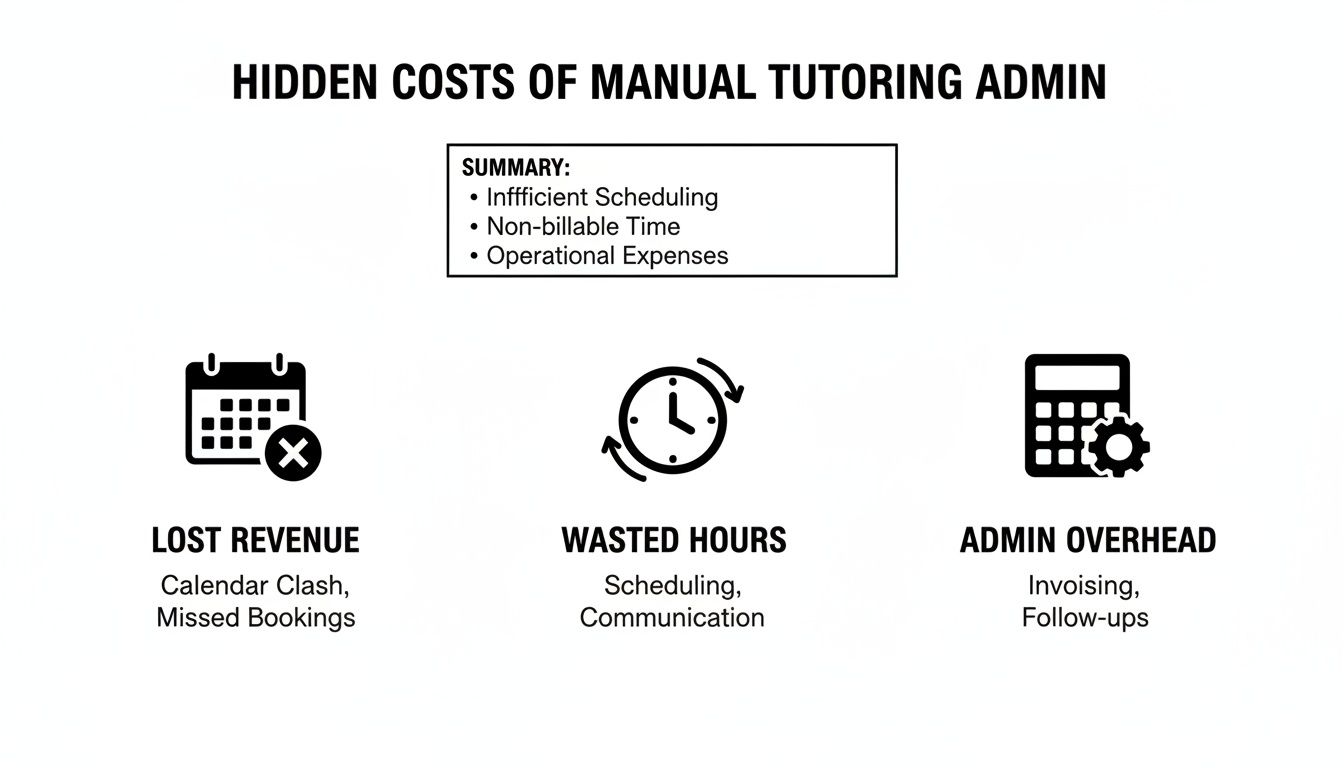
As you can see, those small inefficiencies in scheduling, invoicing, and payroll quickly compound into a significant financial drain on your business.
Scheduling Speed and Intelligence
Finding the perfect lesson slot is one of the most frequent tasks for any admin. It’s a constant juggle of student needs, tutor availability, and room capacity.
With platforms like Teachworks or TutorCruncher, this is a tedious, manual search. An admin opens multiple calendars, cross-references availability by hand, and hopes they find a match. This process takes over 10 minutes for a single booking and is a major cause of double-bookings.
Tutorbase uses its AI-powered “Find Slot” feature to solve this. You enter the student’s requirements (subject, level, location), and the system instantly generates a list of all possible teacher, room, and time combinations.
What was a 10-minute manual hunt becomes a 2-minute task. For a center handling 50 new bookings a week, that’s over 8 hours of admin time saved every single month on scheduling alone.
This isn’t just about speed. It guarantees zero double-bookings and gets new clients into their first lesson 3x faster, dramatically improving their first impression.
From Manual Billing to True Automation
Billing is another area where legacy systems show their age. Most platforms can generate invoices, but the process matters. With older software, an admin reviews attendance logs, manually selects lessons to bill, and then triggers an invoice run. It's a semi-manual process.
Tutorbase delivers true automation. When a teacher marks a lesson "Attended," the system automatically generates the correct invoice item based on your predefined pricing rules. There is no end-of-month billing rush because the work is already done in real-time.
This silent, background process handles every billing scenario without human intervention:
Prepaid Credits: Automatically deducts the lesson cost from a student's wallet balance and sends low-balance alerts.
Package Lessons: Ticks one lesson off a purchased bundle with an expiration date.
Post-paid Invoices: Adds the charge to the next scheduled invoice, whether it's weekly or monthly.
What used to be hours of error-prone work becomes a process that runs itself, accurately and reliably.
Handling Complex Payroll and Multi-Brand Operations
For a growing tutoring business, payroll is often the most complex puzzle. Simple hourly rates are one thing, but what about revenue sharing, weekend pay premiums, or performance bonuses? Most client management tools offer only basic hourly payroll, forcing you back into spreadsheets for anything advanced.
Tutorbase was built to handle this complexity. You can create unique pay rules for each tutor (per-hour, per-lesson, per-student, revenue share), ensuring payroll is calculated perfectly every time. This is a game-changer for centers that want to attract top talent with flexible compensation models.
As businesses scale, many run multiple brands from a single backend, for instance, an academic tutoring center and a separate language school. Tutorbase is one of the few platforms offering true multi-brand support, letting you manage distinct brands with shared resources. You won't find this capability in most competitors.
For a deeper dive into how different platforms stack up, check out our complete guide on tuition management systems reviews.
The table below breaks down the practical differences between a modern, automated platform like Tutorbase and its competitors.
Feature Showdown: Tutorbase vs The Competition
Operational Area | Tutorbase | Teachworks & TutorCruncher | Impact for Your Center |
|---|---|---|---|
Smart Scheduling | AI-powered "Find Slot" finds all possible options in seconds. Zero double-bookings. | Manual search across multiple calendars. 10+ minute task per booking. Prone to errors. | Saves 8+ hours/month in admin time, improves client onboarding speed by 3x, and eliminates costly scheduling mistakes. |
Automated Billing | True, real-time automation. Invoices are generated instantly when attendance is marked. | Semi-manual batch processing. Requires an admin to review and trigger invoice runs weekly or monthly. | Eliminates the end-of-month billing rush, ensures 100% billing accuracy, and improves cash flow with faster invoicing. |
Complex Payroll | Natively supports complex rules like revenue sharing, bonuses, and tiered rates. | Basic hourly payroll only. Requires manual calculations in spreadsheets for anything non-standard. | Allows you to offer flexible compensation to attract top tutors and saves hours on manual payroll processing. |
Scalability | Architected to handle 10,000+ weekly lessons without performance lag. Offers true multi-brand support. | Can experience slowdowns at high volume. Lacks multi-brand capabilities for managing separate business lines. | Provides a reliable foundation for growth, whether you're scaling to thousands of students or launching a new brand. |
Ultimately, the choice comes down to whether you want a tool to manage your current workload or one that clears the path for future growth. While older systems can get the job done, a modern platform like Tutorbase removes administrative friction entirely, letting you focus on teaching and scaling your business.
How To Automate Billing And Payroll Operations

For any tutoring center, manual billing and payroll are the two biggest time sinks. The end-of-month scramble to create invoices, chase late payments, and calculate teacher pay is a recipe for stress and costly mistakes. True automation builds a system where these jobs happen in the background.
The best platforms connect attendance directly to your finances. The trigger is an action you already take: marking a student's attendance. This connection turns hours of weekly admin into a self-running process that is accurate and on time.
Setting Up Smart Billing Rules
The key to hands-off invoicing is a flexible, layered pricing structure. You cannot scale if you are manually adjusting rates for every student. A modern system uses "Policy Packs" to set pricing rules at different levels, creating a clear hierarchy.
This layered logic acts like a series of overrides to ensure the right price is always applied.
Global Level: Set a default rate of $50/hour for all services.
Location Level: Your downtown branch could have a premium rate of $60/hour.
Service Level: A specialized "SAT Prep" class might be priced at $75/hour, overriding the location rate.
Student Level: A long-term student could have a unique, discounted rate of $45/hour.
This structure ensures the correct price is applied automatically. It also lets you enforce cancellation policies, for instance, automatically charging 50% of the lesson fee if a student cancels within 24 hours of the start time.
By setting these rules once, you eliminate the need for manual invoice review. The system handles the complexity, freeing your staff from constant calculations and protecting your revenue.
The Automated Invoice Lifecycle
With smart pricing rules in place, the entire invoice lifecycle becomes fully automated. A platform like Tutorbase transforms billing from a manual batch process into a real-time, event-driven workflow.
Consider the journey of a single lesson:
Attendance is Marked: A teacher marks a student as "Attended."
System Reacts Instantly: The software immediately checks that student's specific billing profile.
Action is Triggered: Based on the profile, one of three things happens automatically:
Prepaid Credits: The lesson cost is deducted from the student’s wallet balance.
Package Lessons: One session is used from their pre-purchased lesson bundle.
Post-paid Invoice: The charge is added to the student’s next scheduled invoice (e.g., monthly, bi-weekly).
This means invoices are built accurately in the background all month long. When the billing date arrives, the system sends the completed, correct invoice. The days of the frantic month-end billing rush are over.
Solving Complex Teacher Payroll
Just as critical as client billing is paying your tutors correctly and on time. Most tutoring software offers only basic hourly payroll, forcing you back to spreadsheets for anything more complex. This limitation makes it tough to offer the flexible compensation models that attract top talent.
A robust system supports varied and layered pay structures out of the box. This lets you build sophisticated contracts directly into the platform, automating even the most headache-inducing calculations.
Here are examples of advanced payroll models this enables:
Revenue Sharing: Automatically pay a teacher a set percentage of the revenue from their lessons.
Base + Variable: Set a standard hourly rate plus a per-student bonus for larger group classes.
Pay Premiums: Automatically apply a higher rate for lessons taught on weekends or for high-demand subjects.
Automating these models doesn't just save admin hours, it eliminates payroll errors, building trust with your teaching staff. For a deeper look into this topic, you can learn more about how to streamline your sessions and payroll management. When you move beyond simple hourly rates, you create a more dynamic environment for your tutors, helping you retain top talent.
Managing Multi-Branch and Hybrid Tutoring Models

Running a single tutoring location is challenging. Adding new branches or mixing in hybrid classes skyrockets the complexity. Without a single source of truth, you’re juggling separate schedules, guessing at room availability, and risking double-booking your best tutor.
The right client management software acts as your central control tower. It pulls all your locations, physical and virtual, into one unified dashboard. This provides the visibility to make smart, data-driven decisions that maximize your resources across the entire business.
Unifying Multi-Branch Operations
True multi-branch management requires a system that understands the logistics of running connected, yet separate, sites. You need granular control over every resource, from your top teachers down to the smallest classroom.
For multi-location centers, these capabilities are non-negotiable:
Centralized Room Management: See every room across every branch, complete with its capacity, features (like a smartboard), and specific rental fees.
Conflict-Free Scheduling: When a lesson is booked, the system instantly checks availability across all locations to prevent a tutor from being scheduled in two places at once.
Automated Room Fees: If booking a specific room costs extra, the software automatically adds that charge to the student's invoice when it's reserved.
A unified dashboard gives you a live, accurate view of your entire operation. You can instantly see which rooms are underutilized at one branch and which teachers are overbooked at another, allowing you to optimize resource allocation.
For a deeper look into the specifics, check out our guide on implementing multi-location scheduling software. This is the oversight that separates controlled, strategic growth from chaotic expansion.
Mastering The Hybrid Classroom
Online learning has cemented the hybrid classroom as the new normal. Managing a single lesson with both in-person and online students creates new headaches for attendance, billing, and resource management. A simple spreadsheet can't keep up.
This isn't a niche concern. The online tutoring segment is on track to become the dominant delivery method, expected to account for 55.3% of market revenue by 2025. This shift makes it critical to have systems that can handle physical and digital classroom space. You can discover more insights on this market trend and what it means for hybrid operations.
A robust platform handles this complexity effortlessly. It lets you:
Track Hybrid Attendance: Mark one student in a class as "Attended - In-Person" and another as "Attended - Online."
Apply Differentiated Pricing: Automatically charge a different rate for online vs. in-person attendance if your business model requires it.
Coordinate Resources: Assign an in-person student a physical seat while an online student gets a unique meeting link, all from a single booking.
By seamlessly integrating these advanced models, the right software provides the operational backbone you need to scale confidently, whether you're opening a new branch across town or welcoming students from around the world.
Picking the Right Software for Your Center
Choosing the best client management software is a strategic move that will shape how fast you can grow. The right platform isn’t about a long list of features. It’s about finding the one that fits your center’s size, complexity, and ambitions.
When you're looking at different options, it helps to see them in the bigger picture of the best SaaS tools to boost business growth. The goal is simple: find a system that solves today's headaches while laying a solid foundation for tomorrow's growth.
Checklist for the Growing Center (5-20 teachers)
At this stage, your goal is to eliminate manual work that’s consuming your time and build processes that work. Your software choice should focus on smart automation that frees you up to improve teaching quality and find new clients.
Automated Billing: Does the software create invoices directly from attendance records? This feature can save you 10+ hours a week.
Intelligent Scheduling: Can it find open lesson slots for you automatically? As you grow, this prevents double-bookings and scheduling chaos.
Centralized Communication: Is there one place for all student, parent, and teacher notes? This stops crucial information from getting lost in email chains.
Checklist for the Multi-Location Operator (20-100+ teachers)
When running multiple branches, your biggest challenges shift to visibility and control. Your software must act as a central nervous system for the business, giving you a single, clear view of everything.
Multi-Branch Management: Can you see and manage room availability, tutor schedules, and student data across all locations from one dashboard?
Complex Payroll Support: Does it handle tricky pay structures, like revenue sharing or different location rates, without requiring spreadsheets?
Performance at Scale: Is the platform built to handle 10,000+ lessons a week without grinding to a halt?
The return on investment is clear. A unified system delivers a 60% reduction in admin time and can lead to a 42% increase in monthly renewals by creating a smoother, more professional experience for clients and your team.
The right software removes the operational friction that holds you back. It lets you focus on big-picture growth instead of daily admin tasks. To see how an AI-powered platform can transform your operations, learn more at tutorbase.com/register.
Got Questions? We've Got Answers
Here are some of the most common questions we hear from tutoring center owners when they're thinking about making a switch.
How long does it take to switch to a new system?
Migration from spreadsheets or an old tool is faster than you think. With a platform like Tutorbase, which offers dedicated support, most centers are fully operational within a few weeks. The team imports your existing data and guides you through setup. That initial time investment pays off fast, typically saving owners over 10 hours a week.
Can this software handle my complex pricing?
Yes. The best platforms are built for the complexity of real tutoring businesses. You can use layered pricing rules to set a global hourly rate, a different rate for a specific location, a special price for a service like "SAT Prep," and even a unique rate for one student. This flexibility ensures your billing is always accurate without manual review.
The most immediate improvement centers see is the drastic reduction in administrative time spent on scheduling and billing. Automating invoice generation from attendance records alone can turn hours of weekly work into minutes.
What is the biggest improvement I will see?
The biggest improvement is the elimination of double-bookings and clear visibility into your true capacity, which helps maximize resources and revenue. The cumulative effect of small efficiencies, like turning a 10-minute scheduling task into a 2-minute search, adds up across your operation, improving everything from client onboarding speed to team morale.
Is this software only for big centers?
Not at all. While platforms like Tutorbase are built for large, multi-branch operations, they deliver huge value to smaller centers. Automating your admin early on frees you to focus on teaching quality and growth. It puts an efficient foundation in place that prevents operational chaos before it happens as you add more students and teachers.
Ready to eliminate the admin chaos and build a real foundation for growth? See how Tutorbase transforms your operations at tutorbase.com/register.



The Best Client Management Software For Tutors
Published: January 6, 2026 by Amy Ashford
The best client management software for tutors is the central operating system for your business, automating the scheduling, billing, and payroll that consumes over 10 hours of admin time per week. For tutoring centers focused on growth, the right platform eliminates costly booking errors and replaces fragmented tools with a single source of truth.
Why Your Tutoring Center Needs a Central Operating System
If you’re juggling Google Calendar for bookings, QuickBooks for invoicing, and spreadsheets for payroll, you’re operating a fragmented business. This patchwork of disconnected tools creates friction, leading to double-booked teachers, missed invoices, and hours wasted on manual data entry. The right software consolidates these tasks, turning administrative chaos into a streamlined engine for growth.
The global private tutoring market is set to hit $192.09 billion by 2029. This growth presents a massive opportunity, but it's only accessible to centers that can scale efficiently. Manual systems become a bottleneck, preventing you from expanding your services or opening new locations without getting buried in paperwork.
Connecting Problems to Solutions
Investing in a new platform is about solving specific, expensive problems. Instead of comparing endless feature lists, focus on your biggest daily headaches and identify the software functions that directly solve them. This approach reframes the cost from a monthly expense to a strategic investment in operational efficiency.
To do this well, it’s crucial to find platforms that provide specific industry insights for education and tutoring centers because they understand the unique challenges you face every day.
The table below connects common pain points in tutoring centers to the specific software solutions that deliver a measurable impact.
Mapping Software Features to Your Biggest Headaches
This table directly connects common administrative problems in tutoring centers to the specific software features that solve them, showing a clear path to improved efficiency.
Common Tutoring Problem | Essential Software Solution | Operational Impact |
|---|---|---|
Hours spent finding lesson slots | AI-powered "Find Slot" & Conflict Detection | Booking time drops from over 10 minutes to under 2 minutes, with zero double-bookings. |
Manually creating and chasing invoices | Automated Billing from Attendance Records | Invoice processing time shrinks from hours to minutes, improving cash flow and accuracy. |
Complex teacher payroll calculations | Flexible Payroll Models (e.g., revenue share) | Eliminates payroll errors and reduces admin time by up to 60%, ensuring teachers are paid correctly. |
Lack of visibility across multiple locations | Multi-Branch Room & Resource Management | Provides a unified view of capacity, teacher workload, and room utilization to maximize revenue. |
Every problem in the first column is actively costing your business money, whether in wasted staff hours, lost student revenue, or administrative burnout. The right software feature plugs these leaks, allowing you to focus on what actually grows the business: delivering exceptional teaching.
The Hidden Costs of Disconnected Management Tools
Relying on a patchwork of tools like Google Calendar, QuickBooks, and Excel creates a constant drag on your business. This isn't just a minor annoyance, it's a real financial drain. The true cost isn't the subscription fees but the slow bleed from manual work, lost revenue, and capped growth.
An administrator spends 15 minutes navigating three different calendars to book one new student. Later, they manually build an invoice in QuickBooks, referencing attendance notes from a spreadsheet. Come month-end, they spend hours calculating payroll, hoping no mistakes slipped through. These "small" tasks pile up, easily consuming the 10+ hours per week that owners lose to admin.
The Financial Drain of Manual Operations
When your systems don't communicate, every action requires a human to bridge the gap, creating endless opportunities for errors. This inefficiency hits your bottom line directly, costing you both money and opportunities.
It usually looks something like this:
Lost Revenue from Booking Errors: A tutor is accidentally double-booked for a peak time slot. You cancel one lesson, resulting in lost income and an unhappy client.
Wasted Hours on Manual Invoicing: An admin spends a full day each month creating, sending, and chasing invoices. That’s eight hours that could be spent on student retention.
High Cost of Administrative Overhead: You pay skilled staff for repetitive data entry. If a manager earning $30/hour spends 10 hours a week on these tasks, that’s $1,200 a month spent on work a system should automate.
This administrative burden acts as a ceiling on your growth. You can only add so many students or tutors before the manual processes break down completely, forcing you to choose between chaos and stagnation.
How Inefficiency Restricts Your Growth Potential
The operational drag from fragmented tools does more than waste time, it actively holds your business back. With the United States private tutoring market projected to grow by $28.85 billion between 2025 and 2029, centers stuck with manual systems will find it difficult to capture that new demand.
Outdated operations become a serious bottleneck. Trying to open a new location or launch a new program becomes nearly impossible when your foundation is already shaky. You can learn more about this market transformation from industry reports.
This is why finding the best client management software for tutors is so critical. It’s not about adding another tool. It’s about replacing a broken, piecemeal system with a single platform built for growth. By automating manual tasks, you build a solid foundation that supports more students, tutors, and locations without collapsing.
Comparing The Top Tutoring Management Platforms
When choosing client management software, look beyond a simple feature checklist and focus on what actually saves you time. While platforms like Teachworks and TutorCruncher have been around for a while, their older architecture creates bottlenecks for growing tutoring centers.
The real difference is how a system handles core, repetitive tasks, especially at scale. Legacy systems often require an admin to manually approve, generate, or connect different steps. A modern platform automates those connections, freeing up your team and eliminating human error.
This comparison focuses on high-impact areas where platforms differ. The hidden costs of sticking with manual or semi-manual admin work add up fast, eating into your profits and wasting valuable staff hours.
As you can see, those small inefficiencies in scheduling, invoicing, and payroll quickly compound into a significant financial drain on your business.
Scheduling Speed and Intelligence
Finding the perfect lesson slot is one of the most frequent tasks for any admin. It’s a constant juggle of student needs, tutor availability, and room capacity.
With platforms like Teachworks or TutorCruncher, this is a tedious, manual search. An admin opens multiple calendars, cross-references availability by hand, and hopes they find a match. This process takes over 10 minutes for a single booking and is a major cause of double-bookings.
Tutorbase uses its AI-powered “Find Slot” feature to solve this. You enter the student’s requirements (subject, level, location), and the system instantly generates a list of all possible teacher, room, and time combinations.
What was a 10-minute manual hunt becomes a 2-minute task. For a center handling 50 new bookings a week, that’s over 8 hours of admin time saved every single month on scheduling alone.
This isn’t just about speed. It guarantees zero double-bookings and gets new clients into their first lesson 3x faster, dramatically improving their first impression.
From Manual Billing to True Automation
Billing is another area where legacy systems show their age. Most platforms can generate invoices, but the process matters. With older software, an admin reviews attendance logs, manually selects lessons to bill, and then triggers an invoice run. It's a semi-manual process.
Tutorbase delivers true automation. When a teacher marks a lesson "Attended," the system automatically generates the correct invoice item based on your predefined pricing rules. There is no end-of-month billing rush because the work is already done in real-time.
This silent, background process handles every billing scenario without human intervention:
Prepaid Credits: Automatically deducts the lesson cost from a student's wallet balance and sends low-balance alerts.
Package Lessons: Ticks one lesson off a purchased bundle with an expiration date.
Post-paid Invoices: Adds the charge to the next scheduled invoice, whether it's weekly or monthly.
What used to be hours of error-prone work becomes a process that runs itself, accurately and reliably.
Handling Complex Payroll and Multi-Brand Operations
For a growing tutoring business, payroll is often the most complex puzzle. Simple hourly rates are one thing, but what about revenue sharing, weekend pay premiums, or performance bonuses? Most client management tools offer only basic hourly payroll, forcing you back into spreadsheets for anything advanced.
Tutorbase was built to handle this complexity. You can create unique pay rules for each tutor (per-hour, per-lesson, per-student, revenue share), ensuring payroll is calculated perfectly every time. This is a game-changer for centers that want to attract top talent with flexible compensation models.
As businesses scale, many run multiple brands from a single backend, for instance, an academic tutoring center and a separate language school. Tutorbase is one of the few platforms offering true multi-brand support, letting you manage distinct brands with shared resources. You won't find this capability in most competitors.
For a deeper dive into how different platforms stack up, check out our complete guide on tuition management systems reviews.
The table below breaks down the practical differences between a modern, automated platform like Tutorbase and its competitors.
Feature Showdown: Tutorbase vs The Competition
Operational Area | Tutorbase | Teachworks & TutorCruncher | Impact for Your Center |
|---|---|---|---|
Smart Scheduling | AI-powered "Find Slot" finds all possible options in seconds. Zero double-bookings. | Manual search across multiple calendars. 10+ minute task per booking. Prone to errors. | Saves 8+ hours/month in admin time, improves client onboarding speed by 3x, and eliminates costly scheduling mistakes. |
Automated Billing | True, real-time automation. Invoices are generated instantly when attendance is marked. | Semi-manual batch processing. Requires an admin to review and trigger invoice runs weekly or monthly. | Eliminates the end-of-month billing rush, ensures 100% billing accuracy, and improves cash flow with faster invoicing. |
Complex Payroll | Natively supports complex rules like revenue sharing, bonuses, and tiered rates. | Basic hourly payroll only. Requires manual calculations in spreadsheets for anything non-standard. | Allows you to offer flexible compensation to attract top tutors and saves hours on manual payroll processing. |
Scalability | Architected to handle 10,000+ weekly lessons without performance lag. Offers true multi-brand support. | Can experience slowdowns at high volume. Lacks multi-brand capabilities for managing separate business lines. | Provides a reliable foundation for growth, whether you're scaling to thousands of students or launching a new brand. |
Ultimately, the choice comes down to whether you want a tool to manage your current workload or one that clears the path for future growth. While older systems can get the job done, a modern platform like Tutorbase removes administrative friction entirely, letting you focus on teaching and scaling your business.
How To Automate Billing And Payroll Operations
For any tutoring center, manual billing and payroll are the two biggest time sinks. The end-of-month scramble to create invoices, chase late payments, and calculate teacher pay is a recipe for stress and costly mistakes. True automation builds a system where these jobs happen in the background.
The best platforms connect attendance directly to your finances. The trigger is an action you already take: marking a student's attendance. This connection turns hours of weekly admin into a self-running process that is accurate and on time.
Setting Up Smart Billing Rules
The key to hands-off invoicing is a flexible, layered pricing structure. You cannot scale if you are manually adjusting rates for every student. A modern system uses "Policy Packs" to set pricing rules at different levels, creating a clear hierarchy.
This layered logic acts like a series of overrides to ensure the right price is always applied.
Global Level: Set a default rate of $50/hour for all services.
Location Level: Your downtown branch could have a premium rate of $60/hour.
Service Level: A specialized "SAT Prep" class might be priced at $75/hour, overriding the location rate.
Student Level: A long-term student could have a unique, discounted rate of $45/hour.
This structure ensures the correct price is applied automatically. It also lets you enforce cancellation policies, for instance, automatically charging 50% of the lesson fee if a student cancels within 24 hours of the start time.
By setting these rules once, you eliminate the need for manual invoice review. The system handles the complexity, freeing your staff from constant calculations and protecting your revenue.
The Automated Invoice Lifecycle
With smart pricing rules in place, the entire invoice lifecycle becomes fully automated. A platform like Tutorbase transforms billing from a manual batch process into a real-time, event-driven workflow.
Consider the journey of a single lesson:
Attendance is Marked: A teacher marks a student as "Attended."
System Reacts Instantly: The software immediately checks that student's specific billing profile.
Action is Triggered: Based on the profile, one of three things happens automatically:
Prepaid Credits: The lesson cost is deducted from the student’s wallet balance.
Package Lessons: One session is used from their pre-purchased lesson bundle.
Post-paid Invoice: The charge is added to the student’s next scheduled invoice (e.g., monthly, bi-weekly).
This means invoices are built accurately in the background all month long. When the billing date arrives, the system sends the completed, correct invoice. The days of the frantic month-end billing rush are over.
Solving Complex Teacher Payroll
Just as critical as client billing is paying your tutors correctly and on time. Most tutoring software offers only basic hourly payroll, forcing you back to spreadsheets for anything more complex. This limitation makes it tough to offer the flexible compensation models that attract top talent.
A robust system supports varied and layered pay structures out of the box. This lets you build sophisticated contracts directly into the platform, automating even the most headache-inducing calculations.
Here are examples of advanced payroll models this enables:
Revenue Sharing: Automatically pay a teacher a set percentage of the revenue from their lessons.
Base + Variable: Set a standard hourly rate plus a per-student bonus for larger group classes.
Pay Premiums: Automatically apply a higher rate for lessons taught on weekends or for high-demand subjects.
Automating these models doesn't just save admin hours, it eliminates payroll errors, building trust with your teaching staff. For a deeper look into this topic, you can learn more about how to streamline your sessions and payroll management. When you move beyond simple hourly rates, you create a more dynamic environment for your tutors, helping you retain top talent.
Managing Multi-Branch and Hybrid Tutoring Models
Running a single tutoring location is challenging. Adding new branches or mixing in hybrid classes skyrockets the complexity. Without a single source of truth, you’re juggling separate schedules, guessing at room availability, and risking double-booking your best tutor.
The right client management software acts as your central control tower. It pulls all your locations, physical and virtual, into one unified dashboard. This provides the visibility to make smart, data-driven decisions that maximize your resources across the entire business.
Unifying Multi-Branch Operations
True multi-branch management requires a system that understands the logistics of running connected, yet separate, sites. You need granular control over every resource, from your top teachers down to the smallest classroom.
For multi-location centers, these capabilities are non-negotiable:
Centralized Room Management: See every room across every branch, complete with its capacity, features (like a smartboard), and specific rental fees.
Conflict-Free Scheduling: When a lesson is booked, the system instantly checks availability across all locations to prevent a tutor from being scheduled in two places at once.
Automated Room Fees: If booking a specific room costs extra, the software automatically adds that charge to the student's invoice when it's reserved.
A unified dashboard gives you a live, accurate view of your entire operation. You can instantly see which rooms are underutilized at one branch and which teachers are overbooked at another, allowing you to optimize resource allocation.
For a deeper look into the specifics, check out our guide on implementing multi-location scheduling software. This is the oversight that separates controlled, strategic growth from chaotic expansion.
Mastering The Hybrid Classroom
Online learning has cemented the hybrid classroom as the new normal. Managing a single lesson with both in-person and online students creates new headaches for attendance, billing, and resource management. A simple spreadsheet can't keep up.
This isn't a niche concern. The online tutoring segment is on track to become the dominant delivery method, expected to account for 55.3% of market revenue by 2025. This shift makes it critical to have systems that can handle physical and digital classroom space. You can discover more insights on this market trend and what it means for hybrid operations.
A robust platform handles this complexity effortlessly. It lets you:
Track Hybrid Attendance: Mark one student in a class as "Attended - In-Person" and another as "Attended - Online."
Apply Differentiated Pricing: Automatically charge a different rate for online vs. in-person attendance if your business model requires it.
Coordinate Resources: Assign an in-person student a physical seat while an online student gets a unique meeting link, all from a single booking.
By seamlessly integrating these advanced models, the right software provides the operational backbone you need to scale confidently, whether you're opening a new branch across town or welcoming students from around the world.
Picking the Right Software for Your Center
Choosing the best client management software is a strategic move that will shape how fast you can grow. The right platform isn’t about a long list of features. It’s about finding the one that fits your center’s size, complexity, and ambitions.
When you're looking at different options, it helps to see them in the bigger picture of the best SaaS tools to boost business growth. The goal is simple: find a system that solves today's headaches while laying a solid foundation for tomorrow's growth.
Checklist for the Growing Center (5-20 teachers)
At this stage, your goal is to eliminate manual work that’s consuming your time and build processes that work. Your software choice should focus on smart automation that frees you up to improve teaching quality and find new clients.
Automated Billing: Does the software create invoices directly from attendance records? This feature can save you 10+ hours a week.
Intelligent Scheduling: Can it find open lesson slots for you automatically? As you grow, this prevents double-bookings and scheduling chaos.
Centralized Communication: Is there one place for all student, parent, and teacher notes? This stops crucial information from getting lost in email chains.
Checklist for the Multi-Location Operator (20-100+ teachers)
When running multiple branches, your biggest challenges shift to visibility and control. Your software must act as a central nervous system for the business, giving you a single, clear view of everything.
Multi-Branch Management: Can you see and manage room availability, tutor schedules, and student data across all locations from one dashboard?
Complex Payroll Support: Does it handle tricky pay structures, like revenue sharing or different location rates, without requiring spreadsheets?
Performance at Scale: Is the platform built to handle 10,000+ lessons a week without grinding to a halt?
The return on investment is clear. A unified system delivers a 60% reduction in admin time and can lead to a 42% increase in monthly renewals by creating a smoother, more professional experience for clients and your team.
The right software removes the operational friction that holds you back. It lets you focus on big-picture growth instead of daily admin tasks. To see how an AI-powered platform can transform your operations, learn more at tutorbase.com/register.
Got Questions? We've Got Answers
Here are some of the most common questions we hear from tutoring center owners when they're thinking about making a switch.
How long does it take to switch to a new system?
Migration from spreadsheets or an old tool is faster than you think. With a platform like Tutorbase, which offers dedicated support, most centers are fully operational within a few weeks. The team imports your existing data and guides you through setup. That initial time investment pays off fast, typically saving owners over 10 hours a week.
Can this software handle my complex pricing?
Yes. The best platforms are built for the complexity of real tutoring businesses. You can use layered pricing rules to set a global hourly rate, a different rate for a specific location, a special price for a service like "SAT Prep," and even a unique rate for one student. This flexibility ensures your billing is always accurate without manual review.
The most immediate improvement centers see is the drastic reduction in administrative time spent on scheduling and billing. Automating invoice generation from attendance records alone can turn hours of weekly work into minutes.
What is the biggest improvement I will see?
The biggest improvement is the elimination of double-bookings and clear visibility into your true capacity, which helps maximize resources and revenue. The cumulative effect of small efficiencies, like turning a 10-minute scheduling task into a 2-minute search, adds up across your operation, improving everything from client onboarding speed to team morale.
Is this software only for big centers?
Not at all. While platforms like Tutorbase are built for large, multi-branch operations, they deliver huge value to smaller centers. Automating your admin early on frees you to focus on teaching quality and growth. It puts an efficient foundation in place that prevents operational chaos before it happens as you add more students and teachers.
Ready to eliminate the admin chaos and build a real foundation for growth? See how Tutorbase transforms your operations at tutorbase.com/register.
More from the Blog
The Best Client Management Software For Tutors
Read Article
Read Article
The Best Client Management Software For Tutors
Read Article
Read Article

12 Best Software for Managing Group Tutoring in 2026
Read Article
Read Article
12 Best Software for Managing Group Tutoring in 2026
Read Article
Read Article

A Guide to Flat Pay Rate for Tutoring Centers
Read Article
Read Article
A Guide to Flat Pay Rate for Tutoring Centers
Read Article
Read Article