
12 Best Online Booking Systems for Tutors in 2026: An In-Depth Review

Published: January 11, 2026 by Amy Ashford

If you're spending more than 10 hours a week wrestling with Google Calendar, creating manual invoices, and chasing payments, your booking system is broken. Tutoring centers and language schools lose thousands in revenue not from a lack of students, but from administrative chaos. Common pain points include double-booked teachers, underutilized rooms, and countless hours spent on tasks that software should automate.

The right online booking system does more than just schedule lessons. It becomes the operational backbone of your business, integrating scheduling, billing, payroll, and student management into a single, efficient workflow. A powerful platform eliminates manual data entry, prevents costly booking errors, and frees up your time to focus on student outcomes and business growth rather than tedious administration.

This guide cuts through the noise to analyze the 12 best online booking systems for tutors, focusing on the features that solve the biggest operational headaches for growing, multi-location centers. We'll examine everything from basic appointment setters to comprehensive management software. Each option includes a detailed breakdown of its ideal user, key features, and practical limitations, complete with screenshots and direct links to help you make an informed decision.

Beyond managing appointments, effective marketing is key to filling your schedule and growing your tutoring business. To streamline your outreach and engage with potential students on platforms where they spend their time, consider exploring some of the best social media scheduling tools to complement your new booking system. Our goal is to provide a clear, honest comparison that helps you find the perfect platform to run and scale your operations efficiently.

1. Tutorbase

Tutorbase positions itself as a comprehensive, AI-powered tutoring management platform designed to replace fragmented toolsets with a single, unified system. It's an excellent choice for established tutoring centers, language schools, and multi-branch operations that require robust automation to manage complex scheduling, billing, and payroll. This platform is engineered for scale, making it one of the best online booking systems for tutors managing growing teams and student rosters.

The system excels at eliminating administrative bottlenecks. Its core strength lies in its intelligent scheduling tools, "Find Slot" and "Find Spot," which automate the complex task of matching available teachers, rooms, and times, or identifying open seats in existing classes. This dramatically reduces the time spent on manual coordination, a common pain point for operations managers. Reported metrics, like a 60% reduction in admin time and complete elimination of double-bookings, underscore its impact.
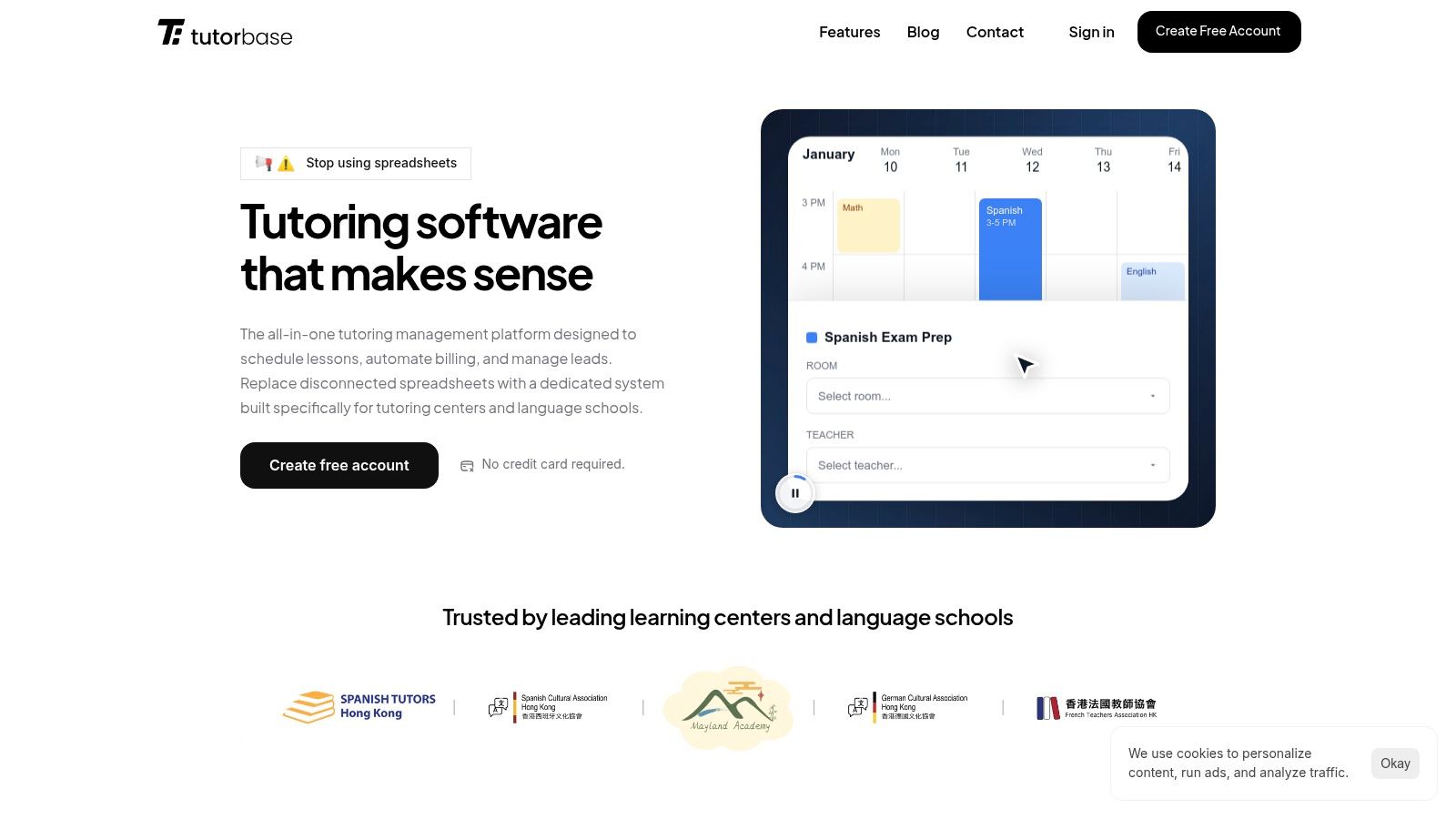
Tutorbase

Key Features & Use Cases

  • Intelligent Scheduling: Use Find Slot to instantly generate teacher, room, and time combinations for new student inquiries. Employ Find Spot to maximize class fill rates by quickly filtering existing lessons with open capacity across multiple branches.

  • End-to-End Financial Automation: The platform auto-generates invoices directly from attendance records. It supports diverse payment models including native prepaid credit wallets, lesson packages, and recurring subscriptions, while integrating with Stripe and bank transfers.

  • Advanced Payroll Engine: Configure complex pay rules for teachers, including hourly, per-student, revenue share, and base-plus-variable models. The system automates calculations for various settlement periods, saving hours on manual payroll processing.

  • Multi-Branch Operations: Manage multiple locations, track room availability and capacity, and apply location-specific pricing and rules from a single dashboard. This is ideal for franchises or expanding centers.

Pricing

Tutorbase does not offer public, one-size-fits-all pricing. Instead, it uses a policy-driven model tailored to the specific needs of a tutoring business. You will need to schedule a demo to receive a custom quote based on your operational scale and feature requirements.

  • Pros:

    • Dramatically reduces administrative workload and revenue leakage through deep automation.

    • Intelligent scheduling simplifies complex booking for multi-teacher, multi-location centers.

    • Powerful and flexible financial tools, from automated invoicing to a sophisticated payroll engine.

    • Built to scale, supporting hybrid classes, multi-branch management, and thousands of weekly lessons.

  • Cons:

    • Lack of transparent pricing requires a sales consultation to determine the total cost.

    • Its comprehensive feature set might be excessive for solo tutors with simpler needs.

    • Migrating from an existing system will require a dedicated setup and onboarding process.

Website: https://tutorbase.com

2. Calendly

Calendly is a streamlined and highly popular scheduling automation platform. While not a full-fledged tutoring management system, it excels at one crucial task: making the process of booking appointments, trial lessons, or consultations incredibly simple for both the tutor and the client. This focus makes it one of the best online booking systems for tutors or centers needing a quick, reliable way to fill their schedules without complex setup.

Its core strength lies in its user-friendly interface and robust integrations. You can create different event types (e.g., "30-Minute Trial Lesson," "60-Minute SAT Prep Session") and share a single link. Clients see your real-time availability and book a slot that works for them, eliminating back-and-forth emails.

Key Features and Use Cases

Calendly is ideal for centers that primarily need to manage intake and initial bookings. Its features are geared towards efficiency at the top of the funnel.

  • Payment at Booking: Integrating with Stripe and PayPal allows you to require payment when a client books a session. This simple feature drastically reduces no-shows for trial lessons or paid consultations.

  • Automated Workflows: The platform automatically sends booking confirmations, reminders, and follow-up emails. This reduces manual administrative work and ensures students have all the necessary information.

  • Team Scheduling: For centers with multiple tutors, you can create round-robin events that assign new students to the next available tutor, or team pages where clients can choose a specific instructor.

  • Broad Integrations: It connects seamlessly with tools like Zoom for creating video links, Salesforce or HubSpot for CRM, and your primary calendar (Google, Outlook, etc.) to prevent double-bookings.

Pricing and Limitations

Calendly offers a free basic plan, but most tutoring businesses will need a paid tier. The "Standard" plan unlocks group events and multiple calendar connections, while the "Teams" plan adds round-robin scheduling and CRM integrations. A key consideration is its per-user pricing model, which can become costly for centers with a large team of tutors. While excellent for booking, Calendly does not handle complex billing cycles or detailed payroll, which are critical functions for growing centers. You can learn more about managing sessions and payroll effectively here.

Website: https://calendly.com/pricing

3. Squarespace Scheduling (Acuity)

Squarespace Scheduling, formerly known as Acuity Scheduling, is a comprehensive booking tool that handles appointments, classes, packages, and even recurring subscriptions. It functions as a full booking stack that can be embedded on any website or used as a standalone page, making it a strong choice for tutoring centers that manage varied offerings like trial lessons, recurring sessions, and multi-lesson class packs.

Its main advantage is the ability to manage complex scheduling needs with a high degree of brand customization. Tutors and centers can automate billing, offer memberships, and sync schedules seamlessly, providing a professional client-facing experience from the initial booking to the final payment. For those already on the Squarespace platform, it offers a native feel, but its power is available to all users regardless of their website builder.
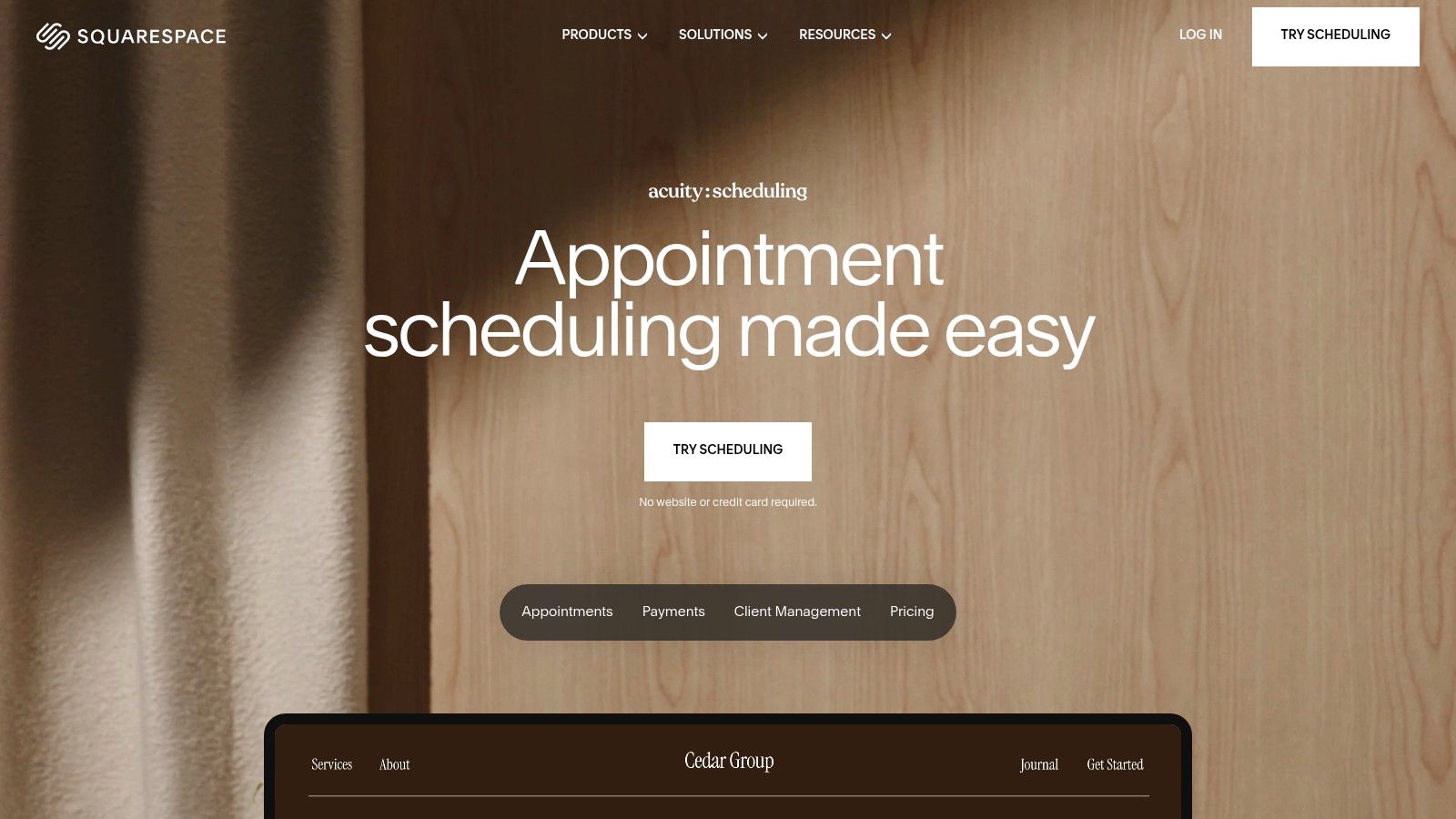
Squarespace Scheduling (Acuity)

Key Features and Use Cases

This platform is particularly well-suited for centers offering group classes and packages, as its features support more than just simple one-on-one appointments.

  • Advanced Class Offerings: Easily set up group events, sell packages of lessons (e.g., "10 SAT Prep Sessions"), and create memberships that grant clients access to a certain number of classes per month.

  • Integrated Payments and Billing: Connects with Stripe, Square, and PayPal to take payments or deposits at the time of booking. It also supports automated billing for subscriptions and memberships.

  • Custom Branding: The scheduler can be heavily customized to match your center's branding, including colors, logo, and messaging, for a consistent user experience.

  • Automated Communication: Sends branded email and SMS reminders to reduce no-shows. It integrates with Zoom and Google Meet to automatically generate video conferencing links. For tutors considering this system, it is also useful to know how to install an accessibility solution on Squarespace to ensure the entire platform is inclusive.

Pricing and Limitations

Squarespace Scheduling is priced separately from a standard Squarespace website plan. The cost increases with the number of calendars (tutors) and locations needed. While its feature set is robust for booking, centers with multiple branches may find its location management less intuitive than specialized software. You can discover more about the nuances of multi-location scheduling software here. Another potential confusion point can be the differences between its legacy Acuity plans and the current Squarespace-branded tiers.

Website: https://www.squarespace.com/scheduling

4. Setmore

Setmore is a versatile appointment and class booking platform designed for service-based businesses, making it a strong contender for tutoring centers seeking a low-cost, feature-rich scheduling solution. Its primary appeal lies in providing a public-facing booking page, online payments, and robust team management features, often at a more accessible price point than many competitors. This makes it one of the best online booking systems for tutors transitioning from manual methods to an automated system.

The platform allows tutors to create a customized booking page where clients can see availability and book one-on-one sessions or group classes. It stands out by offering multiple payment integrations with Stripe, Square, and PayPal, giving centers flexibility in how they collect fees without Setmore adding its own transaction charges. This is particularly beneficial for centers in the US that want to leverage options like Tap to Pay.
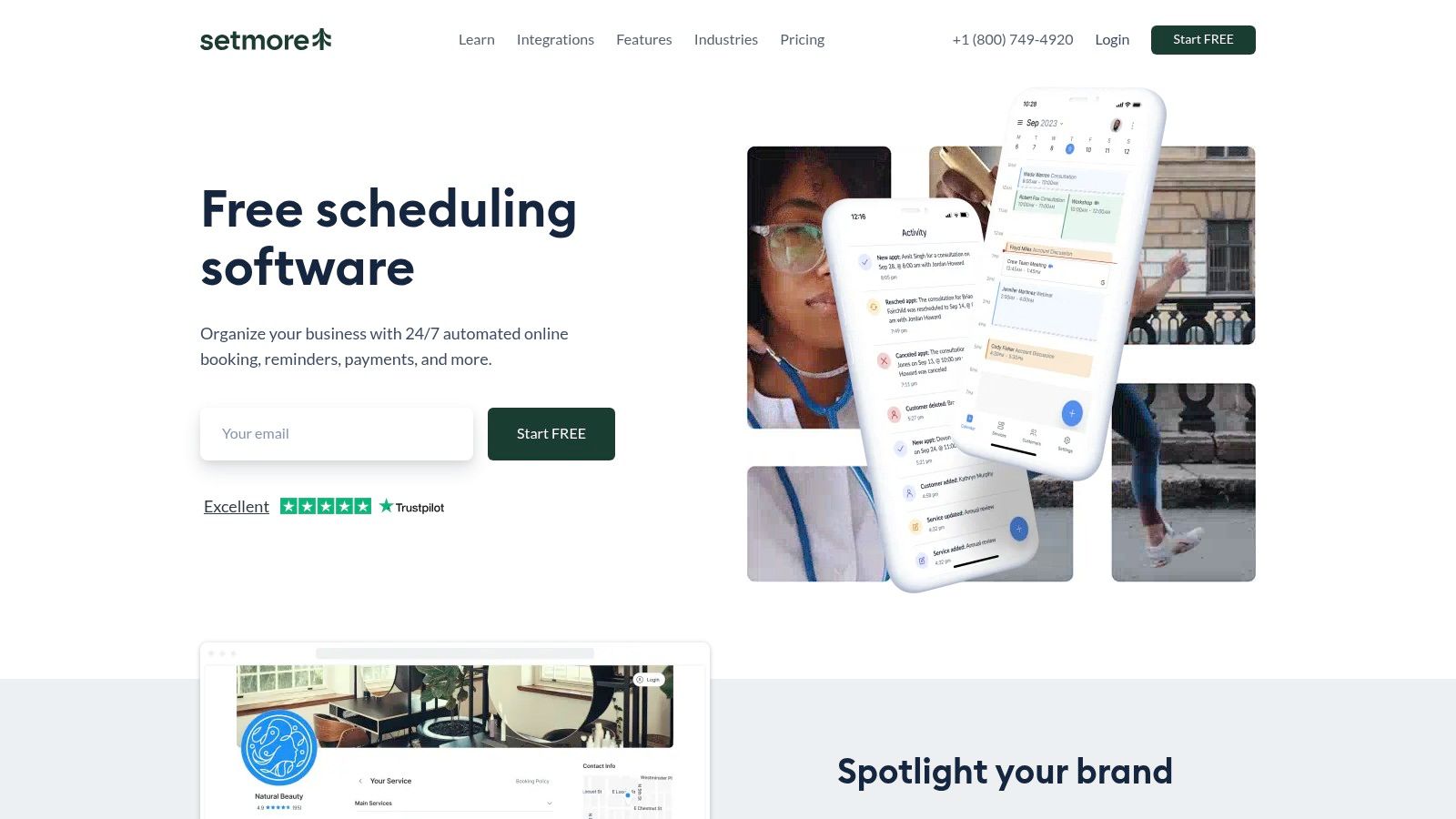
Setmore

Key Features and Use Cases

Setmore is well-suited for centers that need straightforward scheduling for multiple tutors and want to streamline payments without a complex setup. Its features support both individual and group lesson models effectively.

  • Flexible Payment Options: Process payments online or in-person using Stripe, Square, or PayPal. The ability to use different gateways and avoid platform transaction fees is a significant advantage.

  • Group Class Management: Tutors can easily set up and manage group classes, define capacity, and accept payments for multiple students in a single booking.

  • Public Booking Page: Each account gets a customizable booking page to share with clients, which can be integrated directly into a website or social media profile.

  • Automated Reminders: Paid plans include automated SMS and email reminders for clients and staff, reducing no-shows and administrative follow-up. It also integrates with Zoom and Google Meet.

Pricing and Limitations

Setmore offers a generous free tier that supports unlimited appointments and up to four user logins, making it highly accessible for small or new centers. The "Pro" and "Team" plans unlock key features like two-way calendar sync, SMS reminders, and recurring appointments. While it provides excellent value for scheduling and payments, Setmore is not a comprehensive tutoring management system. It lacks integrated payroll, detailed student progress tracking, and multi-branch room management. A noted quirk is that feature names can vary in its documentation, so verifying plan details in-app before purchasing is recommended.

Website: https://www.setmore.com

5. Bookeo (Classes & Courses)

Bookeo is a scheduling and booking platform specifically designed for businesses that run classes, courses, and workshops. Unlike generic appointment schedulers, its features are tailored for language schools, test prep academies, and other training centers that manage group sessions. This focus makes it a strong contender for tutors and centers whose primary business model revolves around class-based instruction rather than just one-to-one appointments.

Its core advantage is the built-in logic for managing multi-session courses, teacher assignments, and even physical room availability. You can set up a course that runs over several weeks, manage a roster of students for that specific class, and accept bookings until the capacity is met. This makes it one of the best online booking systems for tutors scaling from individual lessons to a group class format.

Key Features and Use Cases

Bookeo is ideal for centers that need to manage complex class schedules, including recurring events, staff, and resource allocation. Its feature set is built to handle the logistics of a school-like environment.

  • Class and Course Management: Easily set up one-time classes or multi-part courses with fixed start and end dates. The system displays real-time availability and allows you to embed a booking widget directly on your website.

  • Staff and Room Management: Assign specific teachers to classes and manage room bookings simultaneously to prevent conflicts. This is essential for centers operating out of a physical location with multiple classrooms.

  • Integrated Payments: Connects with major payment gateways to accept online payments at the time of booking. It also supports memberships, prepaid packages, and gift vouchers to offer flexible pricing options.

  • Marketing and Promotions: Create and manage promotions, like early-bird discounts or "buy one, get one" offers, to drive enrollment and fill empty seats in your classes.

Pricing and Limitations

Bookeo’s pricing is tiered based on the number of bookings, features, and staff logins. The "Standard" plan is a good starting point for a small center, but growing businesses will likely need the "Pro" plan for its higher booking limits and advanced features. The primary limitation is its tier-based caps on bookings and resources, which means costs increase directly with business growth, requiring plan upgrades as you scale.

Website: https://www.bookeo.com/classes

6. SimplyBook.me

SimplyBook.me is a comprehensive booking system that scales from individual tutors to large, multi-campus educational institutions. It offers a rich feature set that goes beyond simple scheduling, providing a customizable booking website, client portal, and support for classes, memberships, and promotional coupons. This makes it one of the best online booking systems for tutors who need an all-in-one solution that can grow with their business.

Its versatility is a key differentiator. A solo tutor can quickly set up a professional booking page, while a larger academy can leverage its enterprise-level features for managing multiple locations and integrating with an existing Learning Management System (LMS) via its API. The platform is designed to handle diverse educational workflows, from simple one-on-one sessions to complex class schedules.
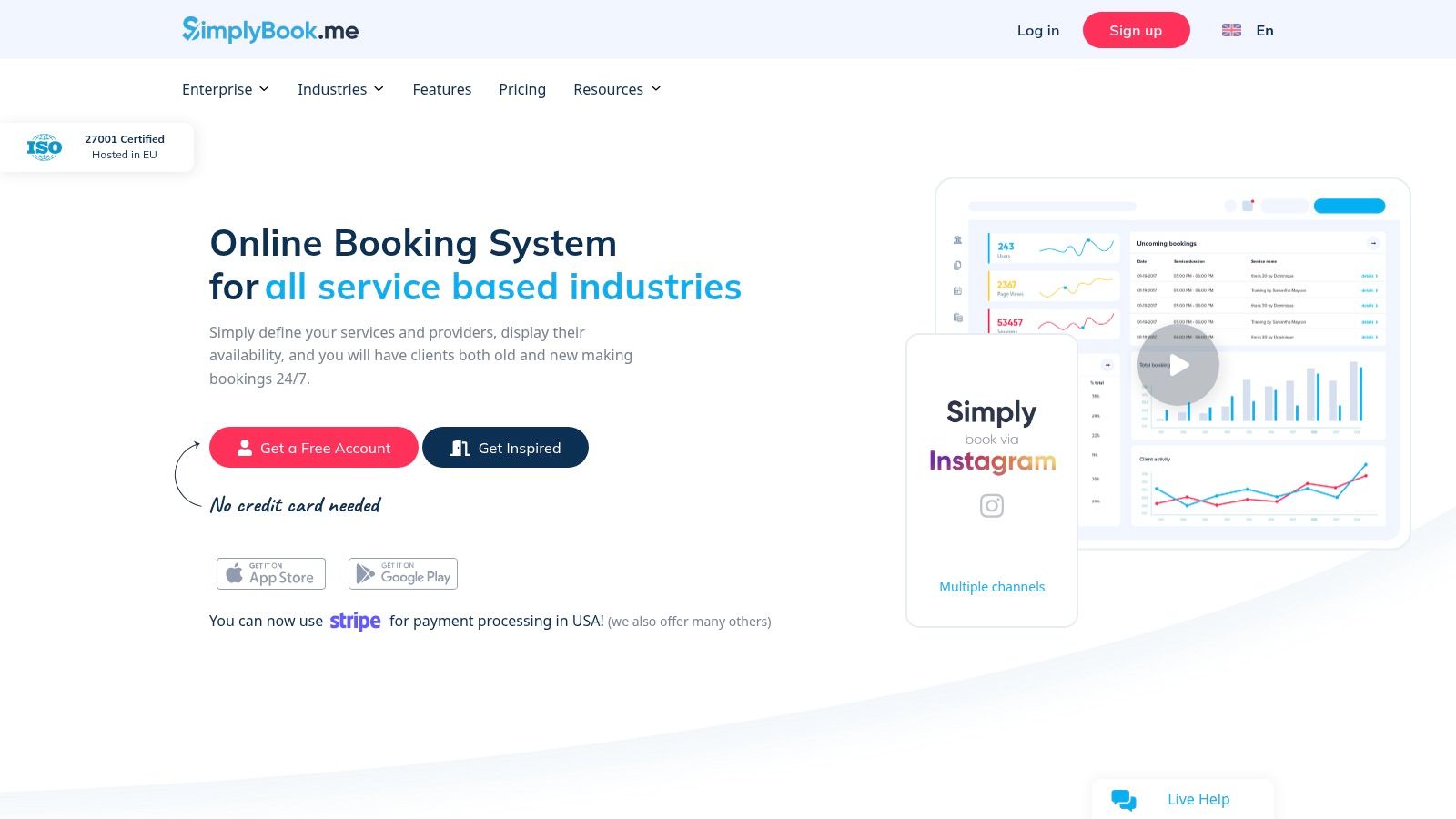
SimplyBook.me

Key Features and Use Cases

SimplyBook.me is well-suited for tutoring centers that require flexibility for both individual lessons and group classes, along with marketing tools to attract and retain students.

  • Classes and Memberships: Create group classes with set capacities and offer membership packages that give clients access to specific services or discounts, encouraging long-term commitment.

  • Booking Site and Widget: Every user gets a fully functional booking website. You can also embed the booking widget directly into your existing site for a seamless user experience.

  • Online Video Integration: It natively integrates with Microsoft Teams and can connect with Zoom to automatically create and send unique video meeting links for virtual tutoring sessions.

  • Automated Notifications: The system sends automated email and SMS reminders to students and tutors, reducing no-shows and administrative follow-up.

Pricing and Limitations

SimplyBook.me offers a free plan for up to 50 bookings, with paid tiers that increase booking limits and unlock advanced features like accepting payments, coupons, and memberships. While it is feature-rich, the platform's complexity can present a learning curve for larger deployments requiring significant configuration. The pricing is often displayed in GBP or EUR, so businesses in other regions should confirm USD rates at checkout. It excels at booking and client management but does not offer the specialized payroll or in-depth financial reporting required by a fast-growing tutoring center.

Website: https://simplybook.me

7. Appointy

Appointy is a versatile appointment and class scheduling software popular in the K-12 and education sectors. It excels at integrating directly into your existing operations, offering website booking widgets and strong connections with Google Calendar. This makes it one of the best online booking systems for tutors who rely heavily on the Google ecosystem and need a straightforward way to manage individual and group sessions.

Its platform is designed for accessibility, allowing clients to book directly from your website or a dedicated booking page. Appointy supports resource scheduling, making it useful for centers that need to manage not just tutors but also specific rooms or equipment. The system also includes multi-location support, a critical feature for growing tutoring businesses.
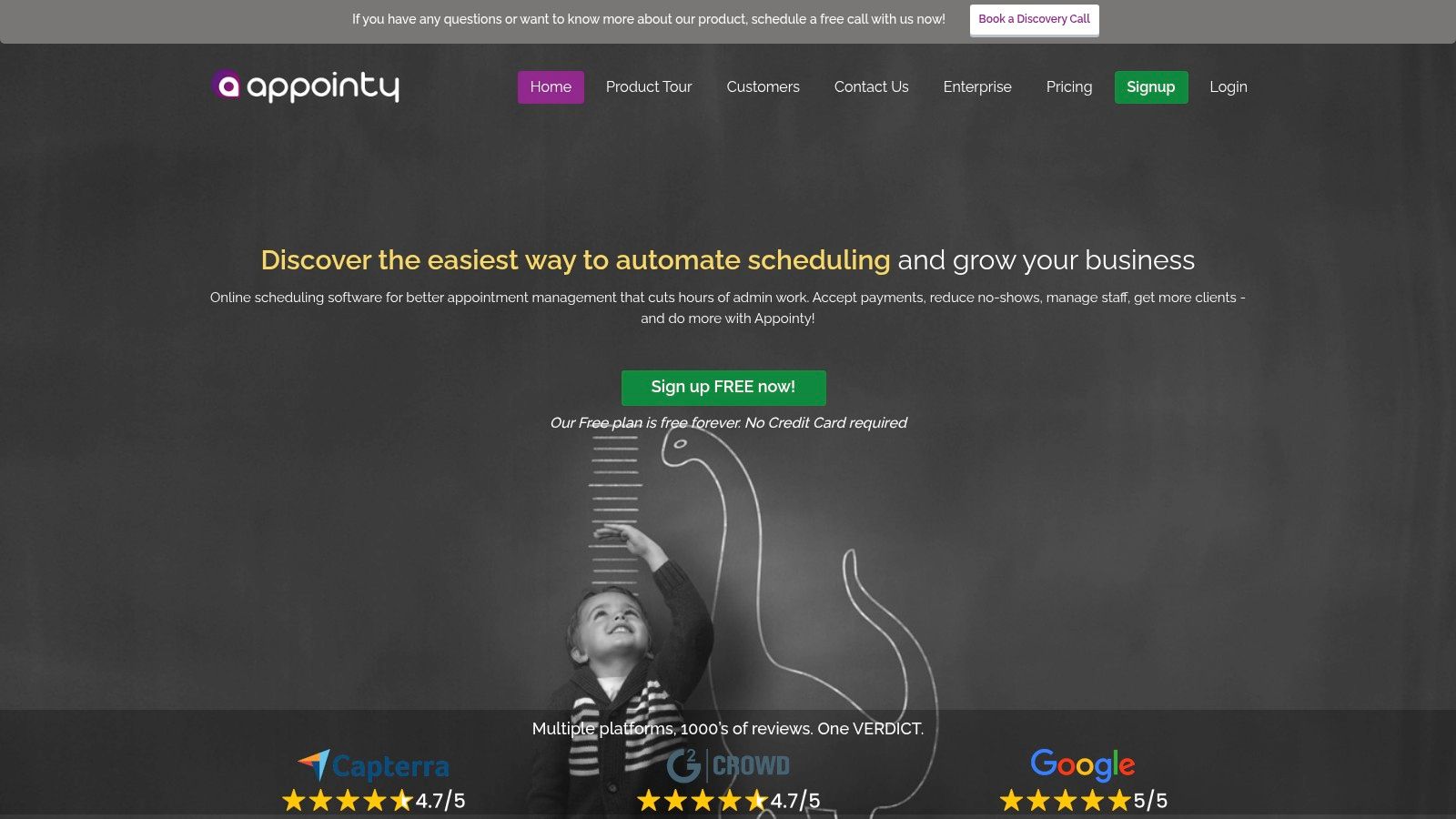
Appointy

Key Features and Use Cases

Appointy is well-suited for tutoring centers that need a customizable, client-facing booking engine with integrated payment and communication tools. Its features are geared toward streamlining the entire booking journey from initial contact to post-session follow-up.

  • Website Integration: Embeddable booking widgets allow you to add scheduling functionality directly to your website, creating a seamless experience for parents and students.

  • Google Integrations: Offers a robust two-way sync with Google Calendar and a "Reserve with Google" feature, allowing clients to book directly from Google search results.

  • Payments and POS: Supports multiple payment gateways, including Stripe, PayPal, and Square, enabling you to take payments at the time of booking and reducing no-shows.

  • Resource and Staff Scheduling: You can manage schedules for multiple tutors and physical resources like classrooms across different locations from a single dashboard.

Pricing and Limitations

Appointy offers a competitive free plan for solo tutors, with paid plans scaling up to support teams and multi-location businesses. The "Growth," "Professional," and "Enterprise" tiers add more advanced features like recurring appointments, gift certificates, and customizable SMS reminders. However, businesses should be aware of the "fair-usage" limits, which can include daily appointment caps on certain plans. For centers with high booking volumes or complex multi-branch needs, a higher-tier plan is essential to avoid these limitations.

Website: https://www.appointy.com

8. SuperSaaS

SuperSaaS is a highly flexible and customizable online booking system designed to handle a wide variety of scheduling scenarios. Its strength lies in its configurability, allowing tutoring centers to create complex pricing rules, manage resource bookings like specific rooms, and sell class packages or credits. This makes it an attractive option for centers needing advanced, tailor-made booking rules without the high costs or platform fees on payments often found elsewhere.

The platform is less of a turnkey solution and more of a powerful engine that can be shaped to fit unique business models. You can set up schedules for one-on-one appointments, group classes, and even resource rentals. Its extensive integration capabilities with payment gateways and calendars make it a versatile hub for scheduling operations.
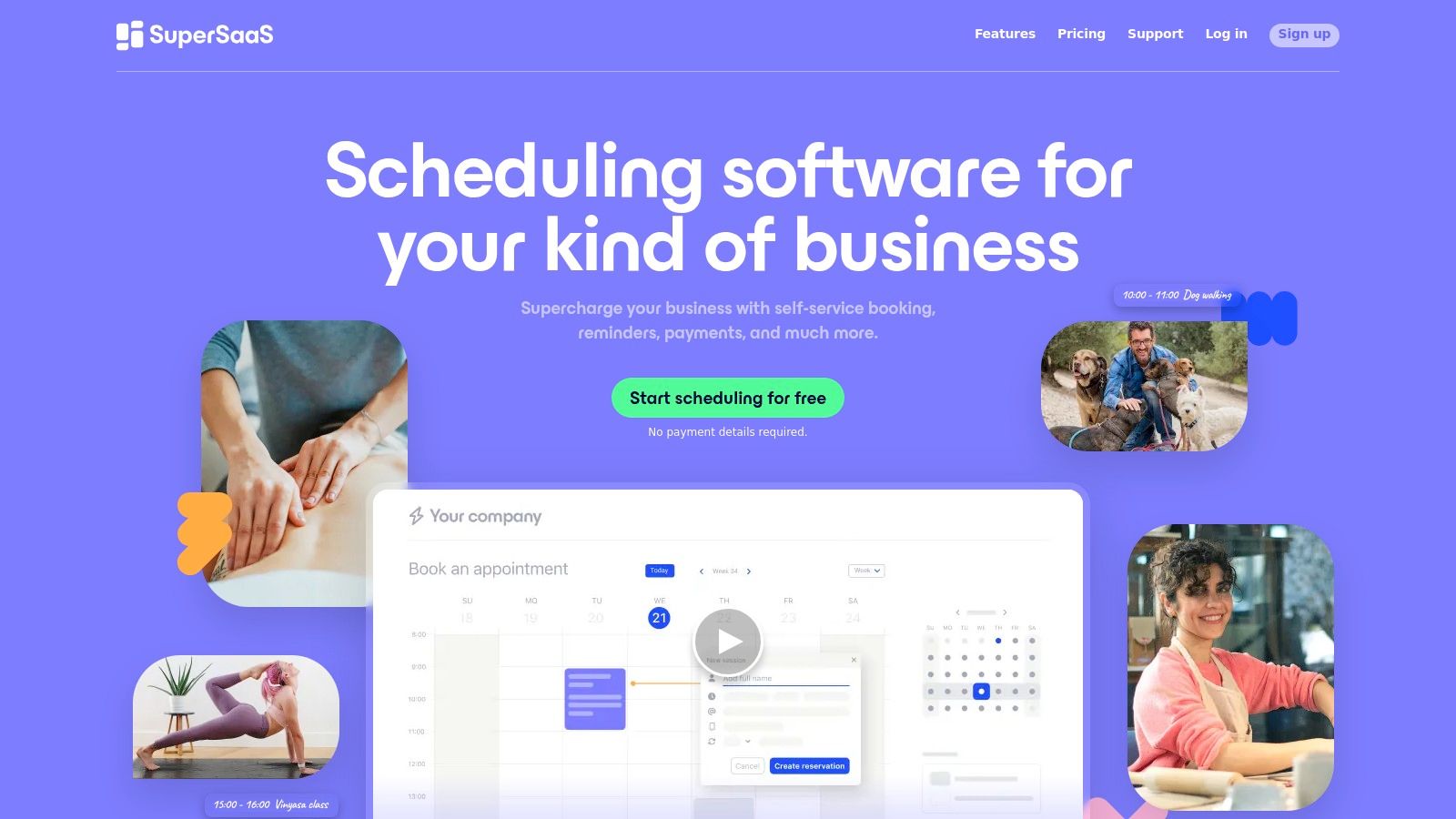
SuperSaaS

Key Features and Use Cases

SuperSaaS is best suited for tech-savvy administrators who want granular control over their booking process. It excels where standard schedulers fall short.

  • Advanced Pricing and Payment Rules: The system supports numerous payment gateways and, notably, does not charge its own transaction fees. You can implement dynamic pricing, time-based surcharges, and create sophisticated package or credit systems for students.

  • Flexible Schedule Types: It can be configured for capacity schedules (group classes), resource schedules (booking a specific tutor or room), and service schedules (booking a type of session).

  • Customizable User Interface: While not the most modern out-of-the-box, the user-facing interface can be customized with your branding and integrated directly into your website.

  • Automated Communication: Like other top systems, it handles automated confirmations, reminders, and follow-ups to reduce administrative workload and minimize no-shows.

Pricing and Limitations

SuperSaaS offers very affordable, month-to-month pricing tiers based on the number of upcoming appointments, starting from a free plan. This flexibility is a significant advantage for businesses with fluctuating demand. The main limitation is its complexity. The sheer number of configuration options can be overwhelming, and the user interface for administrators feels more functional than intuitive. Achieving the perfect setup requires a significant initial time investment, which may not be ideal for centers needing a simple, ready-to-use booking tool.

Website: https://www.supersaas.com

9. YouCanBook.me

YouCanBook.me is a flexible and highly customizable scheduling tool that connects directly to your existing calendars. Its strength lies in creating personalized booking pages that offer powerful control over availability and appointment types, making it one of the best online booking systems for tutors who need more than just basic scheduling. It is particularly well-suited for managing specific events like parent-teacher conference days or short-term course registrations.

The platform works by creating a booking grid on top of your Google, Microsoft, or Apple calendar. This ensures your real-time availability is always accurate and prevents double-bookings. Clients see a clean, professional interface where they can select a service, choose a time, provide their details, and even pay, all in one seamless workflow.
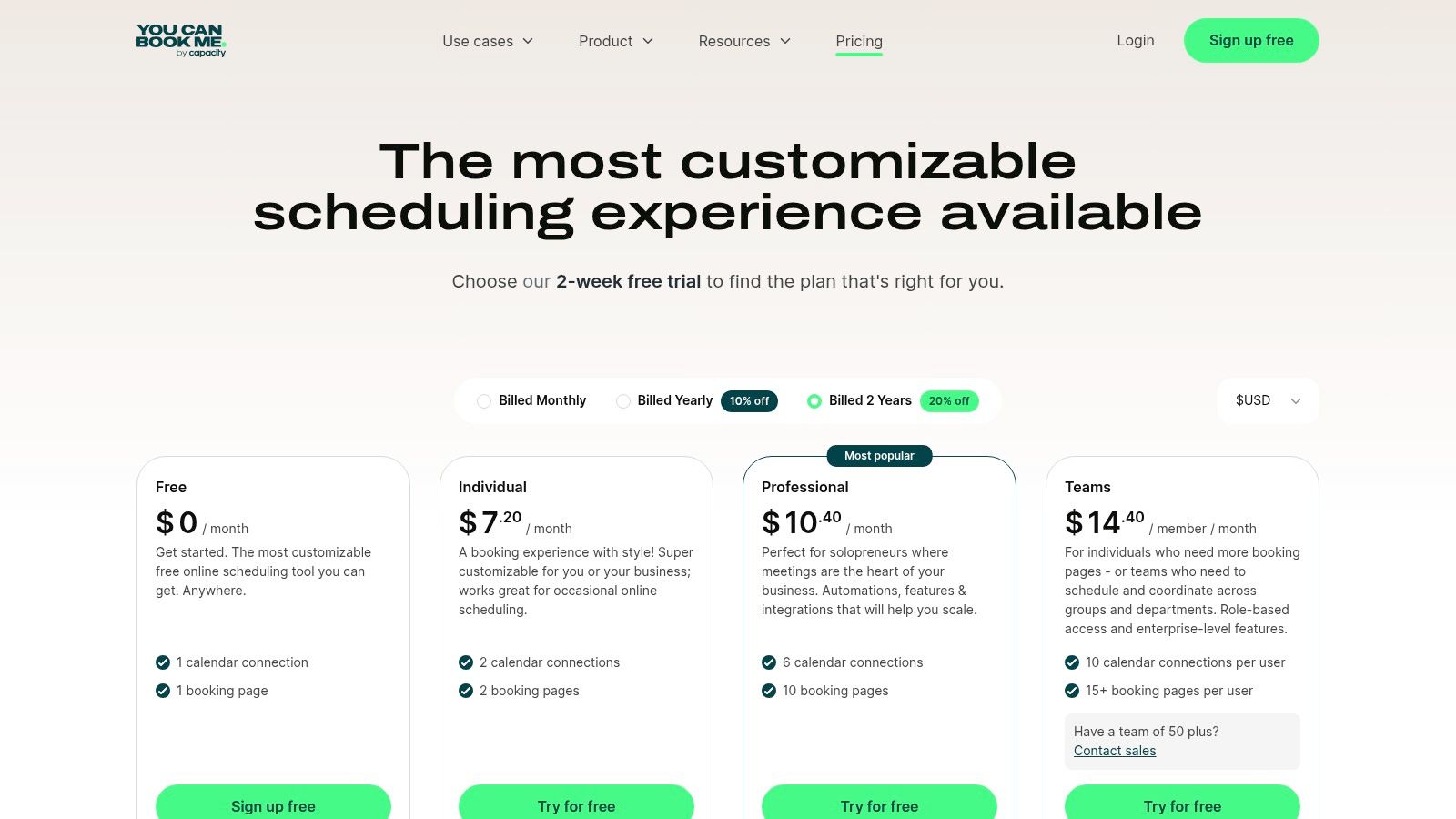
YouCanBook.me pricing plans

Key Features and Use Cases

YouCanBook.me excels for individual tutors or small centers that want deep customization over the booking experience without the complexity of a full management system.

  • Deep Calendar Integration: Connects with Google, Microsoft 365, and Apple calendars, allowing for sophisticated availability rules based on events already in your schedule.

  • Payment at Booking: Integrates with Stripe to accept credit card, Apple Pay, and Google Pay payments directly on the booking form, securing commitment from new students.

  • Customizable Booking Pages: Offers extensive control over the look, feel, and questions on your booking form, allowing you to capture all necessary student information upfront.

  • Education-Specific Plans: Provides special packages and support for educational use cases, such as managing parent-teacher conference schedules efficiently.

Pricing and Limitations

YouCanBook.me offers a "forever free" plan with basic features and a paid plan that scales at a low per-calendar cost, making it affordable for small teams. However, a key limitation is the 1% fee it charges on all payments processed through its Stripe integration, which is in addition to Stripe’s own fees. While it's great for front-end booking and payments, it does not offer back-end management functions like detailed payroll, recurring invoicing, or student progress tracking.

Website: https://youcanbook.me/pricing

10. TutorBird

TutorBird is a comprehensive, all-in-one management platform built specifically for the needs of individual tutors and small to medium-sized tutoring centers. It combines scheduling, billing, communication, and basic business management into a single, user-friendly interface. This focus on the tutoring vertical makes it one of the best online booking systems for tutors who need more than just a calendar but aren't ready for complex enterprise software.

Its main appeal is providing a complete operational toolkit out of the box. Tutors can manage their calendar, track student attendance, automate invoicing, process payments, and even maintain lesson notes all in one place. The platform also includes a student and parent portal, which empowers clients to book sessions, view their schedule, and pay invoices online, reducing administrative overhead for the tutor.
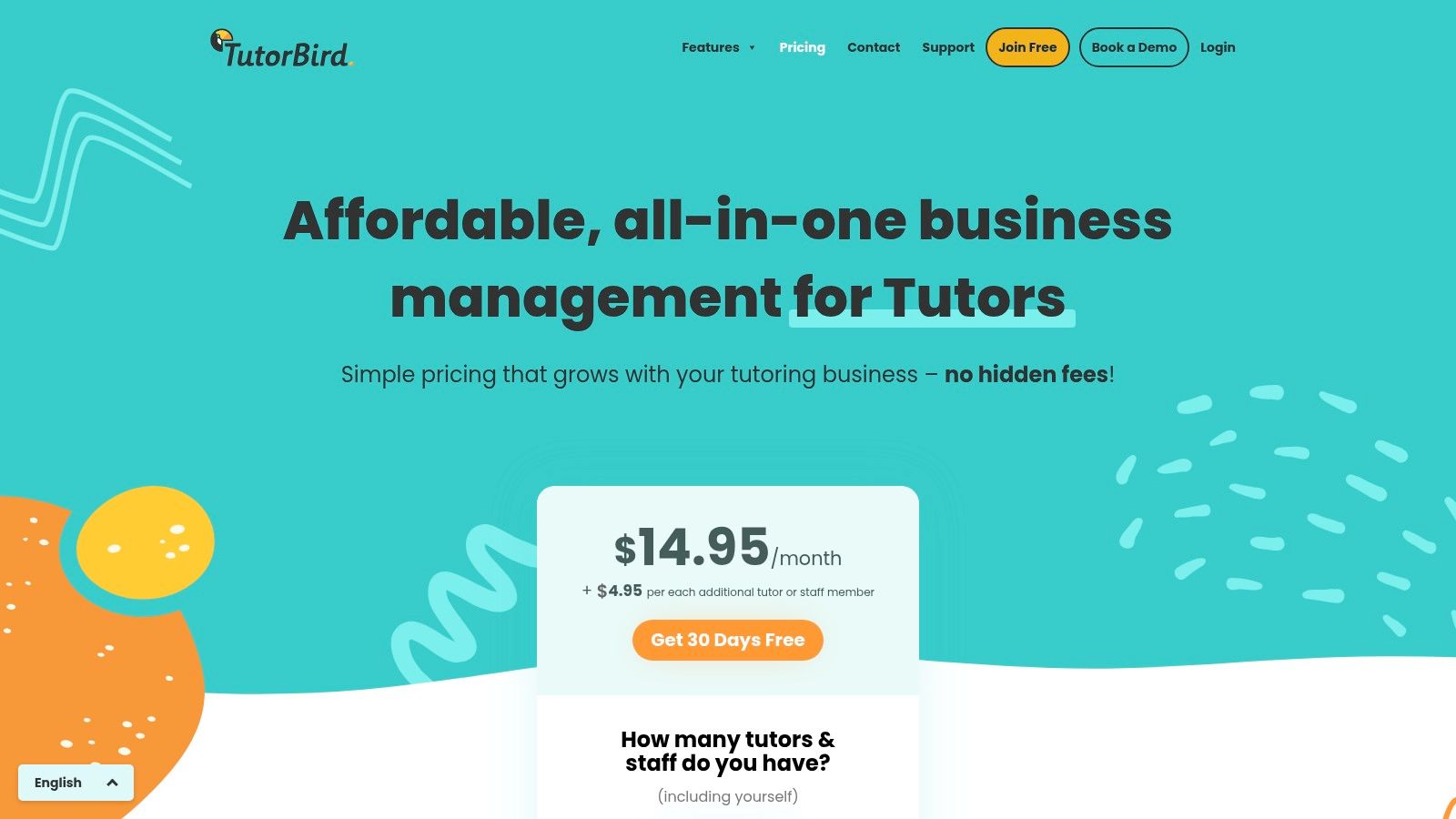
TutorBird pricing plan

Key Features and Use Cases

TutorBird is ideal for growing tutoring businesses that need to consolidate their administrative tools into one system. It's designed to handle the entire student lifecycle, from booking to billing.

  • Integrated Student Portal: Clients can log in to view attendance records, check lesson notes, schedule or cancel sessions, and pay outstanding invoices, which significantly reduces back-and-forth communication.

  • Automated Invoicing and Payments: The system automatically generates invoices based on completed lessons and can be configured to add late fees. It integrates with Stripe and PayPal for easy online payments.

  • Attendance and Lesson Notes: Tutors can easily track attendance for each session and leave detailed notes for parents to review through the portal, improving communication and demonstrating value.

  • Website Integration: TutorBird provides a simple website builder and embeddable booking forms, allowing tutors to capture new leads and bookings directly from their existing site.

Pricing and Limitations

TutorBird's pricing is straightforward, offering a flat monthly fee based on the number of active students, which includes all core features. This model is cost-effective for solo tutors and small centers. While it is purpose-built for tutoring, it may lack the advanced customization, multi-branch room management, and complex payroll configurations needed by larger, multi-location enterprises. Its feature set is robust for its target user but less scalable for centers with highly complex operational demands.

Website: https://www.tutorbird.com/pricing

11. TutorCruncher

TutorCruncher is an end-to-end management platform built specifically for tutoring companies. It combines CRM, scheduling, invoicing, and payroll into a single system, positioning itself as a comprehensive solution for agencies and multi-branch operations that require centralized workflows. Its strength is providing a unified dashboard for nearly all administrative tasks a growing tutoring business faces.

The platform is designed around the entire client lifecycle, from lead management in its CRM pipelines to automated billing and lesson reporting. This all-in-one approach aims to eliminate the need for separate tools, making it one of the best online booking systems for tutors who want to scale their operations without fragmented software.

Key Features and Use Cases

TutorCruncher is best suited for tutoring centers that need robust administrative control and automation beyond simple scheduling. Its feature set is designed to manage the complexities of a growing team and client base.

  • Integrated CRM and Scheduling: Manage leads, schedule lessons, and track communications in one place. The color-coded calendar provides a clear overview of tutor availability and scheduled sessions.

  • Automated Billing and Payroll: The system automates invoicing based on completed lessons and supports complex payroll calculations, including split payments for multi-tutor sessions. It also manages client credits and balances.

  • Lesson Reporting: Tutors can submit reports after each session, providing valuable feedback to both administrators and parents, ensuring transparency and quality control.

  • Customizable Dashboards: Higher-tier plans offer advanced reporting and data exports, allowing administrators to track key business metrics and make informed decisions.

Pricing and Limitations

TutorCruncher’s pricing is tiered, scaling with the number of tutors and features required. While it offers a powerful, integrated solution, businesses should account for payment processing fees on top of the subscription cost. The system's per-feature complexity also means there is a learning curve, and initial setup requires a significant time investment to configure workflows correctly. Although comprehensive, some centers find its payroll and scheduling tools less flexible than specialized alternatives. You can explore a detailed analysis of other tuition management systems in our reviews here.

Website: https://tutorcruncher.com/pricing/us

12. Teachworks

Teachworks is a comprehensive management platform designed specifically for tutoring and education businesses. It focuses on centralising scheduling, attendance, billing, and payroll into a single system. Its primary differentiator is a usage-based pricing model tied directly to student lesson volume, making it a potentially cost-effective solution for centers with fluctuating enrollment or those primarily offering group classes.

The platform is built to handle the operational complexities of running a learning center, including managing multiple locations from one dashboard. It offers features tailored to educational workflows, moving beyond simple appointment booking to cover the entire student lifecycle from enrollment to invoicing.
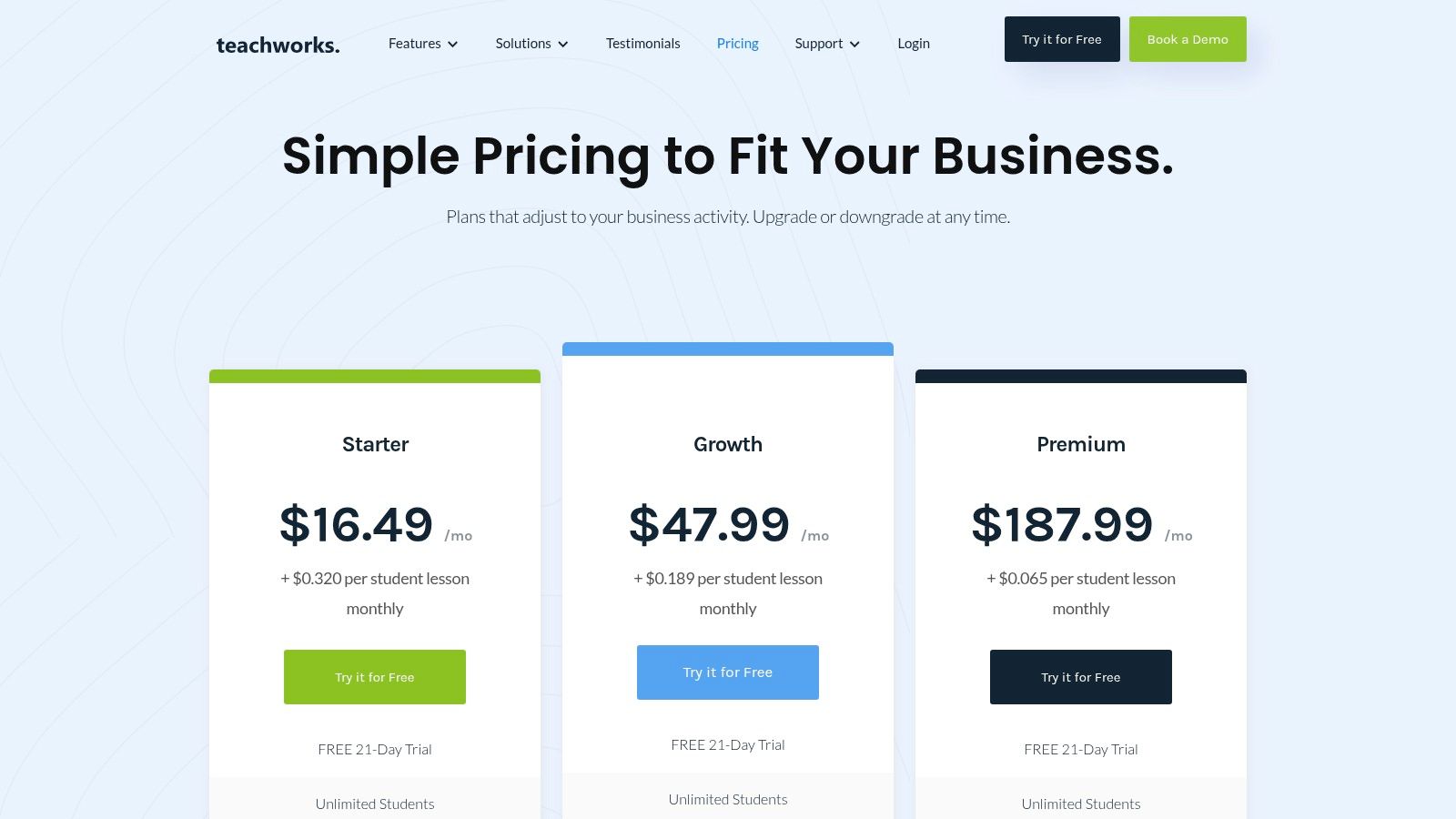
Teachworks pricing plans showing Growth and Premium tiers

Key Features and Use Cases

Teachworks is best suited for tutoring centers that require an all-in-one system with education-specific functions and a pricing model that scales with their business activity.

  • Usage-Based Billing: Instead of a per-tutor fee, pricing is based on the number of lessons scheduled each month. This aligns costs directly with revenue-generating activities, which is ideal for businesses with seasonal peaks.

  • Multi-Location Management: A key strength is the ability to manage schedules, tutors, and billing across different physical branches from a unified account.

  • Integrated Invoicing and Payroll: The system automates invoice generation based on attendance records and simplifies payroll calculations for tutors. This reduces manual data entry and potential errors.

  • Multi-Student Lesson Tracking: It effectively handles group classes and workshops, tracking individual student attendance and billing within a single scheduled event.

Pricing and Limitations

Teachworks offers several tiers based on monthly lesson volume, starting with a "Starter" plan for up to 50 lessons. As a center's lesson count grows, it moves into higher-priced tiers. While this model is flexible, the per-lesson fee requires careful forecasting to manage expenses, and unpredictable spikes in activity can lead to unexpected costs. The platform covers core administrative needs well, but lacks some of the advanced AI-driven scheduling and multi-brand management features found in more modern, specialised alternatives.

Website: https://teachworks.com/pricing

Top 12 Online Booking Systems for Tutors — Features & Pricing

Product

Core features

Target & scale

Key differentiator

Pricing model

Admin / UX impact

Tutorbase — Recommended

Smart scheduling (Find Slot/Spot), auto-billing, payroll, multi-branch rooms, leads, attendance, hybrid classes

Tutoring centers & language schools; 5–100+ teachers; 50–10,000+ lessons/week

AI scheduling, auto-invoice from attendance, native prepaid credits, advanced payroll, WhatsApp lead widget

Policy-driven (per-hour/lesson/package/subscription); custom quote (no public price)

~60% admin time reduction; eliminates double-bookings; built to scale

Calendly

One-to-one/group/team scheduling, payments, automations, integrations

Small–medium teams needing booking pages & trial scheduling

Fast setup, wide 3rd-party integrations

Per-seat pricing (can scale up cost)

Reduces booking friction; not full operations platform

Squarespace Scheduling (Acuity)

Classes, packages, memberships, branded scheduler, payments, reminders

Schools running trials, recurring lessons, branded booking

Strong branding/customization; class-pack support

Add-on to Squarespace plans; tier nuances apply

Good for class packs; limited full ERP features

Setmore

Appointment & class booking, payments, calendar sync, reminders

Multi-tutor teams seeking low-cost scheduling

Generous free tier; 24/7 support

Free tier available; paid tiers for more features

Basic automation; limited enterprise scalability

Bookeo (Classes & Courses)

Class/course management, teacher & room mgmt, payments, memberships

Language schools, test-prep, training centers

Designed for class-based operations; real-time availability

Tiered plans with caps (upgrade as you scale)

Class-focused workflows; may need plan upgrades

SimplyBook.me

Booking site/widgets, classes, memberships, video integrations, enterprise API

Solo tutors to multi-campus deployments

Broad feature set + enterprise/LMS options

Pricing shown in GBP/EUR; check USD at checkout

Feature-rich but may require configuration

Appointy

Class scheduling, resource & staff mgmt, payments, multi-location support

K–12 and education centers, small–medium

Strong Google Calendar integrations; competitive pricing

Free tier with limits; paid tiers for more features

Useful for education; fair-use caps to review

SuperSaaS

Highly configurable booking engine, pricing rules, packages/credits

Centers needing flexible rules on a budget

Extensive pricing rules; no extra platform payment fees

Very affordable, month-to-month plans

Powerful but requires admin configuration time

YouCanBook.me

Deep calendar sync, Stripe payments, auto meeting links, embeds

Multi-teacher events, short-term scheduling, education bundles

Low per-user pricing; education-friendly plans

Low per-user price; 1% fee on payments via YCBM Stripe

Simple booking flows; good for short-term needs

TutorBird

Tutor-focused scheduling, attendance, invoicing, student portal

Single centers or small multi-tutor teams

Purpose-built for tutors; flat pricing with core features

Flat pricing including core features

All-in-one for small/medium; less enterprise customization

TutorCruncher

CRM, scheduling, lesson reports, invoicing, payroll, dashboards

Agencies & multi-branch tutoring businesses

Built around tutoring workflows, credits, payroll

Tiered pricing; processing fees apply

Strong enterprise features; setup time required

Teachworks

Scheduling, multi-student lessons, attendance, billing, payroll

Multi-location centers; class & small-group models

Usage-based pricing aligned to lesson volume

Usage-based (per-student-lesson) model

Education-specific but budgeting can be complex

Choosing Your Operations Hub: Which System Is Right for You?

Navigating the landscape of online booking systems for tutors can feel overwhelming. We've explored a dozen powerful tools, from simple schedulers like Calendly and YouCanBook.me to more comprehensive management platforms like TutorBird and Teachworks. The fundamental truth is that the "best" system is the one that directly solves your most significant operational bottlenecks and aligns with your growth ambitions.

For a solo tutor managing a handful of students, a straightforward booking link might be all you need to reclaim your evenings from administrative tasks. However, as you scale, the challenges evolve. The problem is no longer just about scheduling; it's about orchestrating a complex web of teachers, students, rooms, payroll, and billing across multiple locations. This is where the distinction between a simple booking tool and a true tutoring management system becomes critical.

From Simple Scheduling to Strategic Operations

A growing tutoring center's needs quickly outpace the capabilities of generic schedulers. Your focus must shift from merely filling a calendar slot to optimizing your entire business. When evaluating the best online booking systems for your tutoring center, ask yourself these critical questions:

  • Scalability: Will this system slow down or create new manual work when we grow from 50 lessons a week to 500? Can it handle the demands of 10,000+ lessons without performance issues?

  • Financial Integration: How seamlessly does booking connect to invoicing and payroll? Does the system automatically generate invoices from attendance records, or will an administrator still need to manually compile them?

  • Resource Management: Can the platform manage complex room and teacher availability across multiple branches? Does it have built-in conflict detection to prevent costly double-bookings?

  • Payroll Complexity: Can the system handle diverse payroll models, such as revenue sharing, per-student rates, or weekend premiums, or is it limited to basic hourly calculations?

Making Your Final Decision

Your choice hinges on your business model. If you are a small operation with straightforward hourly billing, platforms like TutorCruncher or Teachworks offer a solid foundation with industry-specific features. They represent a significant step up from spreadsheets and provide essential tools for managing a tutoring business.

However, if your ambition is to build a highly efficient, scalable, multi-location operation, your needs are more demanding. You require a system built not just to manage but to automate and optimize. This is the core differentiator for a platform like Tutorbase. It was designed specifically to address the high-friction points that legacy systems often struggle with, such as intelligent slot finding, truly automated billing from attendance, native prepaid credit management, and a payroll engine that accommodates real-world complexity.

Ultimately, investing in the right platform is an investment in your business's future. It frees you from the 10+ hours of weekly administrative drag, empowers you to deliver a superior customer experience, and provides the operational backbone needed to scale confidently and profitably. The goal is to transform your booking system from a simple utility into the central, intelligent hub of your entire tutoring operation.

Ready to eliminate administrative chaos and build a more scalable tutoring business? Replace fragmented tools like Teachworks and TutorCruncher with a single, AI-powered platform. See how you can reduce admin time by 60% and onboard students 3x faster with Tutorbase today.

12 Best Online Booking Systems for Tutors in 2026: An In-Depth Review

Published: January 10, 2026 by Amy Ashford

If you're spending more than 10 hours a week wrestling with Google Calendar, creating manual invoices, and chasing payments, your booking system is broken. Tutoring centers and language schools lose thousands in revenue not from a lack of students, but from administrative chaos. Common pain points include double-booked teachers, underutilized rooms, and countless hours spent on tasks that software should automate.

The right online booking system does more than just schedule lessons. It becomes the operational backbone of your business, integrating scheduling, billing, payroll, and student management into a single, efficient workflow. A powerful platform eliminates manual data entry, prevents costly booking errors, and frees up your time to focus on student outcomes and business growth rather than tedious administration.

This guide cuts through the noise to analyze the 12 best online booking systems for tutors, focusing on the features that solve the biggest operational headaches for growing, multi-location centers. We'll examine everything from basic appointment setters to comprehensive management software. Each option includes a detailed breakdown of its ideal user, key features, and practical limitations, complete with screenshots and direct links to help you make an informed decision.

Beyond managing appointments, effective marketing is key to filling your schedule and growing your tutoring business. To streamline your outreach and engage with potential students on platforms where they spend their time, consider exploring some of the best social media scheduling tools to complement your new booking system. Our goal is to provide a clear, honest comparison that helps you find the perfect platform to run and scale your operations efficiently.

1. Tutorbase

Tutorbase positions itself as a comprehensive, AI-powered tutoring management platform designed to replace fragmented toolsets with a single, unified system. It's an excellent choice for established tutoring centers, language schools, and multi-branch operations that require robust automation to manage complex scheduling, billing, and payroll. This platform is engineered for scale, making it one of the best online booking systems for tutors managing growing teams and student rosters.

The system excels at eliminating administrative bottlenecks. Its core strength lies in its intelligent scheduling tools, "Find Slot" and "Find Spot," which automate the complex task of matching available teachers, rooms, and times, or identifying open seats in existing classes. This dramatically reduces the time spent on manual coordination, a common pain point for operations managers. Reported metrics, like a 60% reduction in admin time and complete elimination of double-bookings, underscore its impact.

Tutorbase

Key Features & Use Cases

  • Intelligent Scheduling: Use Find Slot to instantly generate teacher, room, and time combinations for new student inquiries. Employ Find Spot to maximize class fill rates by quickly filtering existing lessons with open capacity across multiple branches.

  • End-to-End Financial Automation: The platform auto-generates invoices directly from attendance records. It supports diverse payment models including native prepaid credit wallets, lesson packages, and recurring subscriptions, while integrating with Stripe and bank transfers.

  • Advanced Payroll Engine: Configure complex pay rules for teachers, including hourly, per-student, revenue share, and base-plus-variable models. The system automates calculations for various settlement periods, saving hours on manual payroll processing.

  • Multi-Branch Operations: Manage multiple locations, track room availability and capacity, and apply location-specific pricing and rules from a single dashboard. This is ideal for franchises or expanding centers.

Pricing

Tutorbase does not offer public, one-size-fits-all pricing. Instead, it uses a policy-driven model tailored to the specific needs of a tutoring business. You will need to schedule a demo to receive a custom quote based on your operational scale and feature requirements.

  • Pros:

    • Dramatically reduces administrative workload and revenue leakage through deep automation.

    • Intelligent scheduling simplifies complex booking for multi-teacher, multi-location centers.

    • Powerful and flexible financial tools, from automated invoicing to a sophisticated payroll engine.

    • Built to scale, supporting hybrid classes, multi-branch management, and thousands of weekly lessons.

  • Cons:

    • Lack of transparent pricing requires a sales consultation to determine the total cost.

    • Its comprehensive feature set might be excessive for solo tutors with simpler needs.

    • Migrating from an existing system will require a dedicated setup and onboarding process.

Website: https://tutorbase.com

2. Calendly

Calendly is a streamlined and highly popular scheduling automation platform. While not a full-fledged tutoring management system, it excels at one crucial task: making the process of booking appointments, trial lessons, or consultations incredibly simple for both the tutor and the client. This focus makes it one of the best online booking systems for tutors or centers needing a quick, reliable way to fill their schedules without complex setup.

Its core strength lies in its user-friendly interface and robust integrations. You can create different event types (e.g., "30-Minute Trial Lesson," "60-Minute SAT Prep Session") and share a single link. Clients see your real-time availability and book a slot that works for them, eliminating back-and-forth emails.

Key Features and Use Cases

Calendly is ideal for centers that primarily need to manage intake and initial bookings. Its features are geared towards efficiency at the top of the funnel.

  • Payment at Booking: Integrating with Stripe and PayPal allows you to require payment when a client books a session. This simple feature drastically reduces no-shows for trial lessons or paid consultations.

  • Automated Workflows: The platform automatically sends booking confirmations, reminders, and follow-up emails. This reduces manual administrative work and ensures students have all the necessary information.

  • Team Scheduling: For centers with multiple tutors, you can create round-robin events that assign new students to the next available tutor, or team pages where clients can choose a specific instructor.

  • Broad Integrations: It connects seamlessly with tools like Zoom for creating video links, Salesforce or HubSpot for CRM, and your primary calendar (Google, Outlook, etc.) to prevent double-bookings.

Pricing and Limitations

Calendly offers a free basic plan, but most tutoring businesses will need a paid tier. The "Standard" plan unlocks group events and multiple calendar connections, while the "Teams" plan adds round-robin scheduling and CRM integrations. A key consideration is its per-user pricing model, which can become costly for centers with a large team of tutors. While excellent for booking, Calendly does not handle complex billing cycles or detailed payroll, which are critical functions for growing centers. You can learn more about managing sessions and payroll effectively here.

Website: https://calendly.com/pricing

3. Squarespace Scheduling (Acuity)

Squarespace Scheduling, formerly known as Acuity Scheduling, is a comprehensive booking tool that handles appointments, classes, packages, and even recurring subscriptions. It functions as a full booking stack that can be embedded on any website or used as a standalone page, making it a strong choice for tutoring centers that manage varied offerings like trial lessons, recurring sessions, and multi-lesson class packs.

Its main advantage is the ability to manage complex scheduling needs with a high degree of brand customization. Tutors and centers can automate billing, offer memberships, and sync schedules seamlessly, providing a professional client-facing experience from the initial booking to the final payment. For those already on the Squarespace platform, it offers a native feel, but its power is available to all users regardless of their website builder.

Squarespace Scheduling (Acuity)

Key Features and Use Cases

This platform is particularly well-suited for centers offering group classes and packages, as its features support more than just simple one-on-one appointments.

  • Advanced Class Offerings: Easily set up group events, sell packages of lessons (e.g., "10 SAT Prep Sessions"), and create memberships that grant clients access to a certain number of classes per month.

  • Integrated Payments and Billing: Connects with Stripe, Square, and PayPal to take payments or deposits at the time of booking. It also supports automated billing for subscriptions and memberships.

  • Custom Branding: The scheduler can be heavily customized to match your center's branding, including colors, logo, and messaging, for a consistent user experience.

  • Automated Communication: Sends branded email and SMS reminders to reduce no-shows. It integrates with Zoom and Google Meet to automatically generate video conferencing links. For tutors considering this system, it is also useful to know how to install an accessibility solution on Squarespace to ensure the entire platform is inclusive.

Pricing and Limitations

Squarespace Scheduling is priced separately from a standard Squarespace website plan. The cost increases with the number of calendars (tutors) and locations needed. While its feature set is robust for booking, centers with multiple branches may find its location management less intuitive than specialized software. You can discover more about the nuances of multi-location scheduling software here. Another potential confusion point can be the differences between its legacy Acuity plans and the current Squarespace-branded tiers.

Website: https://www.squarespace.com/scheduling

4. Setmore

Setmore is a versatile appointment and class booking platform designed for service-based businesses, making it a strong contender for tutoring centers seeking a low-cost, feature-rich scheduling solution. Its primary appeal lies in providing a public-facing booking page, online payments, and robust team management features, often at a more accessible price point than many competitors. This makes it one of the best online booking systems for tutors transitioning from manual methods to an automated system.

The platform allows tutors to create a customized booking page where clients can see availability and book one-on-one sessions or group classes. It stands out by offering multiple payment integrations with Stripe, Square, and PayPal, giving centers flexibility in how they collect fees without Setmore adding its own transaction charges. This is particularly beneficial for centers in the US that want to leverage options like Tap to Pay.

Setmore

Key Features and Use Cases

Setmore is well-suited for centers that need straightforward scheduling for multiple tutors and want to streamline payments without a complex setup. Its features support both individual and group lesson models effectively.

  • Flexible Payment Options: Process payments online or in-person using Stripe, Square, or PayPal. The ability to use different gateways and avoid platform transaction fees is a significant advantage.

  • Group Class Management: Tutors can easily set up and manage group classes, define capacity, and accept payments for multiple students in a single booking.

  • Public Booking Page: Each account gets a customizable booking page to share with clients, which can be integrated directly into a website or social media profile.

  • Automated Reminders: Paid plans include automated SMS and email reminders for clients and staff, reducing no-shows and administrative follow-up. It also integrates with Zoom and Google Meet.

Pricing and Limitations

Setmore offers a generous free tier that supports unlimited appointments and up to four user logins, making it highly accessible for small or new centers. The "Pro" and "Team" plans unlock key features like two-way calendar sync, SMS reminders, and recurring appointments. While it provides excellent value for scheduling and payments, Setmore is not a comprehensive tutoring management system. It lacks integrated payroll, detailed student progress tracking, and multi-branch room management. A noted quirk is that feature names can vary in its documentation, so verifying plan details in-app before purchasing is recommended.

Website: https://www.setmore.com

5. Bookeo (Classes & Courses)

Bookeo is a scheduling and booking platform specifically designed for businesses that run classes, courses, and workshops. Unlike generic appointment schedulers, its features are tailored for language schools, test prep academies, and other training centers that manage group sessions. This focus makes it a strong contender for tutors and centers whose primary business model revolves around class-based instruction rather than just one-to-one appointments.

Its core advantage is the built-in logic for managing multi-session courses, teacher assignments, and even physical room availability. You can set up a course that runs over several weeks, manage a roster of students for that specific class, and accept bookings until the capacity is met. This makes it one of the best online booking systems for tutors scaling from individual lessons to a group class format.

Key Features and Use Cases

Bookeo is ideal for centers that need to manage complex class schedules, including recurring events, staff, and resource allocation. Its feature set is built to handle the logistics of a school-like environment.

  • Class and Course Management: Easily set up one-time classes or multi-part courses with fixed start and end dates. The system displays real-time availability and allows you to embed a booking widget directly on your website.

  • Staff and Room Management: Assign specific teachers to classes and manage room bookings simultaneously to prevent conflicts. This is essential for centers operating out of a physical location with multiple classrooms.

  • Integrated Payments: Connects with major payment gateways to accept online payments at the time of booking. It also supports memberships, prepaid packages, and gift vouchers to offer flexible pricing options.

  • Marketing and Promotions: Create and manage promotions, like early-bird discounts or "buy one, get one" offers, to drive enrollment and fill empty seats in your classes.

Pricing and Limitations

Bookeo’s pricing is tiered based on the number of bookings, features, and staff logins. The "Standard" plan is a good starting point for a small center, but growing businesses will likely need the "Pro" plan for its higher booking limits and advanced features. The primary limitation is its tier-based caps on bookings and resources, which means costs increase directly with business growth, requiring plan upgrades as you scale.

Website: https://www.bookeo.com/classes

6. SimplyBook.me

SimplyBook.me is a comprehensive booking system that scales from individual tutors to large, multi-campus educational institutions. It offers a rich feature set that goes beyond simple scheduling, providing a customizable booking website, client portal, and support for classes, memberships, and promotional coupons. This makes it one of the best online booking systems for tutors who need an all-in-one solution that can grow with their business.

Its versatility is a key differentiator. A solo tutor can quickly set up a professional booking page, while a larger academy can leverage its enterprise-level features for managing multiple locations and integrating with an existing Learning Management System (LMS) via its API. The platform is designed to handle diverse educational workflows, from simple one-on-one sessions to complex class schedules.

SimplyBook.me

Key Features and Use Cases

SimplyBook.me is well-suited for tutoring centers that require flexibility for both individual lessons and group classes, along with marketing tools to attract and retain students.

  • Classes and Memberships: Create group classes with set capacities and offer membership packages that give clients access to specific services or discounts, encouraging long-term commitment.

  • Booking Site and Widget: Every user gets a fully functional booking website. You can also embed the booking widget directly into your existing site for a seamless user experience.

  • Online Video Integration: It natively integrates with Microsoft Teams and can connect with Zoom to automatically create and send unique video meeting links for virtual tutoring sessions.

  • Automated Notifications: The system sends automated email and SMS reminders to students and tutors, reducing no-shows and administrative follow-up.

Pricing and Limitations

SimplyBook.me offers a free plan for up to 50 bookings, with paid tiers that increase booking limits and unlock advanced features like accepting payments, coupons, and memberships. While it is feature-rich, the platform's complexity can present a learning curve for larger deployments requiring significant configuration. The pricing is often displayed in GBP or EUR, so businesses in other regions should confirm USD rates at checkout. It excels at booking and client management but does not offer the specialized payroll or in-depth financial reporting required by a fast-growing tutoring center.

Website: https://simplybook.me

7. Appointy

Appointy is a versatile appointment and class scheduling software popular in the K-12 and education sectors. It excels at integrating directly into your existing operations, offering website booking widgets and strong connections with Google Calendar. This makes it one of the best online booking systems for tutors who rely heavily on the Google ecosystem and need a straightforward way to manage individual and group sessions.

Its platform is designed for accessibility, allowing clients to book directly from your website or a dedicated booking page. Appointy supports resource scheduling, making it useful for centers that need to manage not just tutors but also specific rooms or equipment. The system also includes multi-location support, a critical feature for growing tutoring businesses.

Appointy

Key Features and Use Cases

Appointy is well-suited for tutoring centers that need a customizable, client-facing booking engine with integrated payment and communication tools. Its features are geared toward streamlining the entire booking journey from initial contact to post-session follow-up.

  • Website Integration: Embeddable booking widgets allow you to add scheduling functionality directly to your website, creating a seamless experience for parents and students.

  • Google Integrations: Offers a robust two-way sync with Google Calendar and a "Reserve with Google" feature, allowing clients to book directly from Google search results.

  • Payments and POS: Supports multiple payment gateways, including Stripe, PayPal, and Square, enabling you to take payments at the time of booking and reducing no-shows.

  • Resource and Staff Scheduling: You can manage schedules for multiple tutors and physical resources like classrooms across different locations from a single dashboard.

Pricing and Limitations

Appointy offers a competitive free plan for solo tutors, with paid plans scaling up to support teams and multi-location businesses. The "Growth," "Professional," and "Enterprise" tiers add more advanced features like recurring appointments, gift certificates, and customizable SMS reminders. However, businesses should be aware of the "fair-usage" limits, which can include daily appointment caps on certain plans. For centers with high booking volumes or complex multi-branch needs, a higher-tier plan is essential to avoid these limitations.

Website: https://www.appointy.com

8. SuperSaaS

SuperSaaS is a highly flexible and customizable online booking system designed to handle a wide variety of scheduling scenarios. Its strength lies in its configurability, allowing tutoring centers to create complex pricing rules, manage resource bookings like specific rooms, and sell class packages or credits. This makes it an attractive option for centers needing advanced, tailor-made booking rules without the high costs or platform fees on payments often found elsewhere.

The platform is less of a turnkey solution and more of a powerful engine that can be shaped to fit unique business models. You can set up schedules for one-on-one appointments, group classes, and even resource rentals. Its extensive integration capabilities with payment gateways and calendars make it a versatile hub for scheduling operations.

SuperSaaS

Key Features and Use Cases

SuperSaaS is best suited for tech-savvy administrators who want granular control over their booking process. It excels where standard schedulers fall short.

  • Advanced Pricing and Payment Rules: The system supports numerous payment gateways and, notably, does not charge its own transaction fees. You can implement dynamic pricing, time-based surcharges, and create sophisticated package or credit systems for students.

  • Flexible Schedule Types: It can be configured for capacity schedules (group classes), resource schedules (booking a specific tutor or room), and service schedules (booking a type of session).

  • Customizable User Interface: While not the most modern out-of-the-box, the user-facing interface can be customized with your branding and integrated directly into your website.

  • Automated Communication: Like other top systems, it handles automated confirmations, reminders, and follow-ups to reduce administrative workload and minimize no-shows.

Pricing and Limitations

SuperSaaS offers very affordable, month-to-month pricing tiers based on the number of upcoming appointments, starting from a free plan. This flexibility is a significant advantage for businesses with fluctuating demand. The main limitation is its complexity. The sheer number of configuration options can be overwhelming, and the user interface for administrators feels more functional than intuitive. Achieving the perfect setup requires a significant initial time investment, which may not be ideal for centers needing a simple, ready-to-use booking tool.

Website: https://www.supersaas.com

9. YouCanBook.me

YouCanBook.me is a flexible and highly customizable scheduling tool that connects directly to your existing calendars. Its strength lies in creating personalized booking pages that offer powerful control over availability and appointment types, making it one of the best online booking systems for tutors who need more than just basic scheduling. It is particularly well-suited for managing specific events like parent-teacher conference days or short-term course registrations.

The platform works by creating a booking grid on top of your Google, Microsoft, or Apple calendar. This ensures your real-time availability is always accurate and prevents double-bookings. Clients see a clean, professional interface where they can select a service, choose a time, provide their details, and even pay, all in one seamless workflow.

YouCanBook.me pricing plans

Key Features and Use Cases

YouCanBook.me excels for individual tutors or small centers that want deep customization over the booking experience without the complexity of a full management system.

  • Deep Calendar Integration: Connects with Google, Microsoft 365, and Apple calendars, allowing for sophisticated availability rules based on events already in your schedule.

  • Payment at Booking: Integrates with Stripe to accept credit card, Apple Pay, and Google Pay payments directly on the booking form, securing commitment from new students.

  • Customizable Booking Pages: Offers extensive control over the look, feel, and questions on your booking form, allowing you to capture all necessary student information upfront.

  • Education-Specific Plans: Provides special packages and support for educational use cases, such as managing parent-teacher conference schedules efficiently.

Pricing and Limitations

YouCanBook.me offers a "forever free" plan with basic features and a paid plan that scales at a low per-calendar cost, making it affordable for small teams. However, a key limitation is the 1% fee it charges on all payments processed through its Stripe integration, which is in addition to Stripe’s own fees. While it's great for front-end booking and payments, it does not offer back-end management functions like detailed payroll, recurring invoicing, or student progress tracking.

Website: https://youcanbook.me/pricing

10. TutorBird

TutorBird is a comprehensive, all-in-one management platform built specifically for the needs of individual tutors and small to medium-sized tutoring centers. It combines scheduling, billing, communication, and basic business management into a single, user-friendly interface. This focus on the tutoring vertical makes it one of the best online booking systems for tutors who need more than just a calendar but aren't ready for complex enterprise software.

Its main appeal is providing a complete operational toolkit out of the box. Tutors can manage their calendar, track student attendance, automate invoicing, process payments, and even maintain lesson notes all in one place. The platform also includes a student and parent portal, which empowers clients to book sessions, view their schedule, and pay invoices online, reducing administrative overhead for the tutor.

TutorBird pricing plan

Key Features and Use Cases

TutorBird is ideal for growing tutoring businesses that need to consolidate their administrative tools into one system. It's designed to handle the entire student lifecycle, from booking to billing.

  • Integrated Student Portal: Clients can log in to view attendance records, check lesson notes, schedule or cancel sessions, and pay outstanding invoices, which significantly reduces back-and-forth communication.

  • Automated Invoicing and Payments: The system automatically generates invoices based on completed lessons and can be configured to add late fees. It integrates with Stripe and PayPal for easy online payments.

  • Attendance and Lesson Notes: Tutors can easily track attendance for each session and leave detailed notes for parents to review through the portal, improving communication and demonstrating value.

  • Website Integration: TutorBird provides a simple website builder and embeddable booking forms, allowing tutors to capture new leads and bookings directly from their existing site.

Pricing and Limitations

TutorBird's pricing is straightforward, offering a flat monthly fee based on the number of active students, which includes all core features. This model is cost-effective for solo tutors and small centers. While it is purpose-built for tutoring, it may lack the advanced customization, multi-branch room management, and complex payroll configurations needed by larger, multi-location enterprises. Its feature set is robust for its target user but less scalable for centers with highly complex operational demands.

Website: https://www.tutorbird.com/pricing

11. TutorCruncher

TutorCruncher is an end-to-end management platform built specifically for tutoring companies. It combines CRM, scheduling, invoicing, and payroll into a single system, positioning itself as a comprehensive solution for agencies and multi-branch operations that require centralized workflows. Its strength is providing a unified dashboard for nearly all administrative tasks a growing tutoring business faces.

The platform is designed around the entire client lifecycle, from lead management in its CRM pipelines to automated billing and lesson reporting. This all-in-one approach aims to eliminate the need for separate tools, making it one of the best online booking systems for tutors who want to scale their operations without fragmented software.

Key Features and Use Cases

TutorCruncher is best suited for tutoring centers that need robust administrative control and automation beyond simple scheduling. Its feature set is designed to manage the complexities of a growing team and client base.

  • Integrated CRM and Scheduling: Manage leads, schedule lessons, and track communications in one place. The color-coded calendar provides a clear overview of tutor availability and scheduled sessions.

  • Automated Billing and Payroll: The system automates invoicing based on completed lessons and supports complex payroll calculations, including split payments for multi-tutor sessions. It also manages client credits and balances.

  • Lesson Reporting: Tutors can submit reports after each session, providing valuable feedback to both administrators and parents, ensuring transparency and quality control.

  • Customizable Dashboards: Higher-tier plans offer advanced reporting and data exports, allowing administrators to track key business metrics and make informed decisions.

Pricing and Limitations

TutorCruncher’s pricing is tiered, scaling with the number of tutors and features required. While it offers a powerful, integrated solution, businesses should account for payment processing fees on top of the subscription cost. The system's per-feature complexity also means there is a learning curve, and initial setup requires a significant time investment to configure workflows correctly. Although comprehensive, some centers find its payroll and scheduling tools less flexible than specialized alternatives. You can explore a detailed analysis of other tuition management systems in our reviews here.

Website: https://tutorcruncher.com/pricing/us

12. Teachworks

Teachworks is a comprehensive management platform designed specifically for tutoring and education businesses. It focuses on centralising scheduling, attendance, billing, and payroll into a single system. Its primary differentiator is a usage-based pricing model tied directly to student lesson volume, making it a potentially cost-effective solution for centers with fluctuating enrollment or those primarily offering group classes.

The platform is built to handle the operational complexities of running a learning center, including managing multiple locations from one dashboard. It offers features tailored to educational workflows, moving beyond simple appointment booking to cover the entire student lifecycle from enrollment to invoicing.

Teachworks pricing plans showing Growth and Premium tiers

Key Features and Use Cases

Teachworks is best suited for tutoring centers that require an all-in-one system with education-specific functions and a pricing model that scales with their business activity.

  • Usage-Based Billing: Instead of a per-tutor fee, pricing is based on the number of lessons scheduled each month. This aligns costs directly with revenue-generating activities, which is ideal for businesses with seasonal peaks.

  • Multi-Location Management: A key strength is the ability to manage schedules, tutors, and billing across different physical branches from a unified account.

  • Integrated Invoicing and Payroll: The system automates invoice generation based on attendance records and simplifies payroll calculations for tutors. This reduces manual data entry and potential errors.

  • Multi-Student Lesson Tracking: It effectively handles group classes and workshops, tracking individual student attendance and billing within a single scheduled event.

Pricing and Limitations

Teachworks offers several tiers based on monthly lesson volume, starting with a "Starter" plan for up to 50 lessons. As a center's lesson count grows, it moves into higher-priced tiers. While this model is flexible, the per-lesson fee requires careful forecasting to manage expenses, and unpredictable spikes in activity can lead to unexpected costs. The platform covers core administrative needs well, but lacks some of the advanced AI-driven scheduling and multi-brand management features found in more modern, specialised alternatives.

Website: https://teachworks.com/pricing

Top 12 Online Booking Systems for Tutors — Features & Pricing

Product

Core features

Target & scale

Key differentiator

Pricing model

Admin / UX impact

Tutorbase — Recommended

Smart scheduling (Find Slot/Spot), auto-billing, payroll, multi-branch rooms, leads, attendance, hybrid classes

Tutoring centers & language schools; 5–100+ teachers; 50–10,000+ lessons/week

AI scheduling, auto-invoice from attendance, native prepaid credits, advanced payroll, WhatsApp lead widget

Policy-driven (per-hour/lesson/package/subscription); custom quote (no public price)

~60% admin time reduction; eliminates double-bookings; built to scale

Calendly

One-to-one/group/team scheduling, payments, automations, integrations

Small–medium teams needing booking pages & trial scheduling

Fast setup, wide 3rd-party integrations

Per-seat pricing (can scale up cost)

Reduces booking friction; not full operations platform

Squarespace Scheduling (Acuity)

Classes, packages, memberships, branded scheduler, payments, reminders

Schools running trials, recurring lessons, branded booking

Strong branding/customization; class-pack support

Add-on to Squarespace plans; tier nuances apply

Good for class packs; limited full ERP features

Setmore

Appointment & class booking, payments, calendar sync, reminders

Multi-tutor teams seeking low-cost scheduling

Generous free tier; 24/7 support

Free tier available; paid tiers for more features

Basic automation; limited enterprise scalability

Bookeo (Classes & Courses)

Class/course management, teacher & room mgmt, payments, memberships

Language schools, test-prep, training centers

Designed for class-based operations; real-time availability

Tiered plans with caps (upgrade as you scale)

Class-focused workflows; may need plan upgrades

SimplyBook.me

Booking site/widgets, classes, memberships, video integrations, enterprise API

Solo tutors to multi-campus deployments

Broad feature set + enterprise/LMS options

Pricing shown in GBP/EUR; check USD at checkout

Feature-rich but may require configuration

Appointy

Class scheduling, resource & staff mgmt, payments, multi-location support

K–12 and education centers, small–medium

Strong Google Calendar integrations; competitive pricing

Free tier with limits; paid tiers for more features

Useful for education; fair-use caps to review

SuperSaaS

Highly configurable booking engine, pricing rules, packages/credits

Centers needing flexible rules on a budget

Extensive pricing rules; no extra platform payment fees

Very affordable, month-to-month plans

Powerful but requires admin configuration time

YouCanBook.me

Deep calendar sync, Stripe payments, auto meeting links, embeds

Multi-teacher events, short-term scheduling, education bundles

Low per-user pricing; education-friendly plans

Low per-user price; 1% fee on payments via YCBM Stripe

Simple booking flows; good for short-term needs

TutorBird

Tutor-focused scheduling, attendance, invoicing, student portal

Single centers or small multi-tutor teams

Purpose-built for tutors; flat pricing with core features

Flat pricing including core features

All-in-one for small/medium; less enterprise customization

TutorCruncher

CRM, scheduling, lesson reports, invoicing, payroll, dashboards

Agencies & multi-branch tutoring businesses

Built around tutoring workflows, credits, payroll

Tiered pricing; processing fees apply

Strong enterprise features; setup time required

Teachworks

Scheduling, multi-student lessons, attendance, billing, payroll

Multi-location centers; class & small-group models

Usage-based pricing aligned to lesson volume

Usage-based (per-student-lesson) model

Education-specific but budgeting can be complex

Choosing Your Operations Hub: Which System Is Right for You?

Navigating the landscape of online booking systems for tutors can feel overwhelming. We've explored a dozen powerful tools, from simple schedulers like Calendly and YouCanBook.me to more comprehensive management platforms like TutorBird and Teachworks. The fundamental truth is that the "best" system is the one that directly solves your most significant operational bottlenecks and aligns with your growth ambitions.

For a solo tutor managing a handful of students, a straightforward booking link might be all you need to reclaim your evenings from administrative tasks. However, as you scale, the challenges evolve. The problem is no longer just about scheduling; it's about orchestrating a complex web of teachers, students, rooms, payroll, and billing across multiple locations. This is where the distinction between a simple booking tool and a true tutoring management system becomes critical.

From Simple Scheduling to Strategic Operations

A growing tutoring center's needs quickly outpace the capabilities of generic schedulers. Your focus must shift from merely filling a calendar slot to optimizing your entire business. When evaluating the best online booking systems for your tutoring center, ask yourself these critical questions:

  • Scalability: Will this system slow down or create new manual work when we grow from 50 lessons a week to 500? Can it handle the demands of 10,000+ lessons without performance issues?

  • Financial Integration: How seamlessly does booking connect to invoicing and payroll? Does the system automatically generate invoices from attendance records, or will an administrator still need to manually compile them?

  • Resource Management: Can the platform manage complex room and teacher availability across multiple branches? Does it have built-in conflict detection to prevent costly double-bookings?

  • Payroll Complexity: Can the system handle diverse payroll models, such as revenue sharing, per-student rates, or weekend premiums, or is it limited to basic hourly calculations?

Making Your Final Decision

Your choice hinges on your business model. If you are a small operation with straightforward hourly billing, platforms like TutorCruncher or Teachworks offer a solid foundation with industry-specific features. They represent a significant step up from spreadsheets and provide essential tools for managing a tutoring business.

However, if your ambition is to build a highly efficient, scalable, multi-location operation, your needs are more demanding. You require a system built not just to manage but to automate and optimize. This is the core differentiator for a platform like Tutorbase. It was designed specifically to address the high-friction points that legacy systems often struggle with, such as intelligent slot finding, truly automated billing from attendance, native prepaid credit management, and a payroll engine that accommodates real-world complexity.

Ultimately, investing in the right platform is an investment in your business's future. It frees you from the 10+ hours of weekly administrative drag, empowers you to deliver a superior customer experience, and provides the operational backbone needed to scale confidently and profitably. The goal is to transform your booking system from a simple utility into the central, intelligent hub of your entire tutoring operation.

Ready to eliminate administrative chaos and build a more scalable tutoring business? Replace fragmented tools like Teachworks and TutorCruncher with a single, AI-powered platform. See how you can reduce admin time by 60% and onboard students 3x faster with Tutorbase today.