


You join a billing software demo hoping to solve invoice chaos. Instead, the vendor shows a polished dashboard, clicks through generic reports, and never touches the messy parts that eat your week. If you run a tutoring center or language school, that kind of demo wastes time and hides the primary risk: buying software that looks clean on a call but breaks under daily operations.
Key takeaway: A good billing software demo for a tutoring business must follow your workflow, not the vendor's slide deck. You should force the system to prove booking, attendance, invoicing, payments, and payroll in one connected flow using your real scenarios.
Why Most Billing Software Demos Fail Tutoring Centers
Monday at 4:15 p.m., a parent switches a student from a private lesson to a group class, the original teacher calls out sick, another instructor covers, and the family wants the charge split between two payers. That is a normal tutoring-center problem. In many demos, none of it appears. The rep clicks through a tidy sample account, prints a clean invoice, and calls the system flexible.
That is why buyers miss the actual risk. Tutoring centers do not bill in a straight line. A last-minute teacher substitution for a group class has to update payroll rules and parent communication at the same time, or the invoice is wrong and the family is confused. If the vendor cannot show how the system handles that chain in one live workflow, your team will handle it later with workarounds.
A lot of billing demos are built around simpler service businesses or other industries entirely. Tutoring operators need attendance-based invoicing, package balances, recurring schedules, sibling payers, makeup lessons, and teacher pay rules that change by class type or time slot. Buyers need to force that context into the room. The Tutorbase software guide is useful for framing that buyer-side approach before the call starts.
The canned demo problem
Canned demos usually fail tutoring centers in three predictable ways:
- They isolate each function: scheduling, billing, payments, and payroll appear on separate screens, but the rep never proves that one action updates the next step automatically.
- They avoid the messy cases: no late cancellation, no expired package, no split family billing, no makeup credit, no teacher replacement.
- They reward presentation over operations: the interface looks polished while your actual admin burden stays hidden.
I have sat through demos where the software looked great for 30 minutes and then collapsed as soon as we asked one practical question: what happens if attendance is corrected after invoices have already been drafted?
That question matters more than another dashboard view. Tutoring centers live on connected records. Booking affects attendance. Attendance affects invoices. Payments affect account balances and renewals. Teacher assignments affect payroll. A platform that cannot run that sequence live is asking your admin team to become the integration layer.
What a useful demo actually proves
A useful demo feels like an operations test, not a product tour. You give the vendor a real scenario and make them run it from booking to payment to teacher pay without resetting the data halfway through.
For buyers, the goal is control. Sellers want to show what is easy to show. You need to surface what usually breaks. If you want a clean record of the call so your team can review missed steps later, use a simple screen capture workflow before the meeting. This review of Mac screen recording apps covers practical options.
The wrong software rarely fails in the demo. It fails after go-live, when an admin is fixing package balances by hand, checking payroll exceptions in spreadsheets, and explaining invoice errors to parents who already paid. A strong demo exposes those weak points early, while you still have the option to walk away.
Before the Demo Your Preparation Checklist
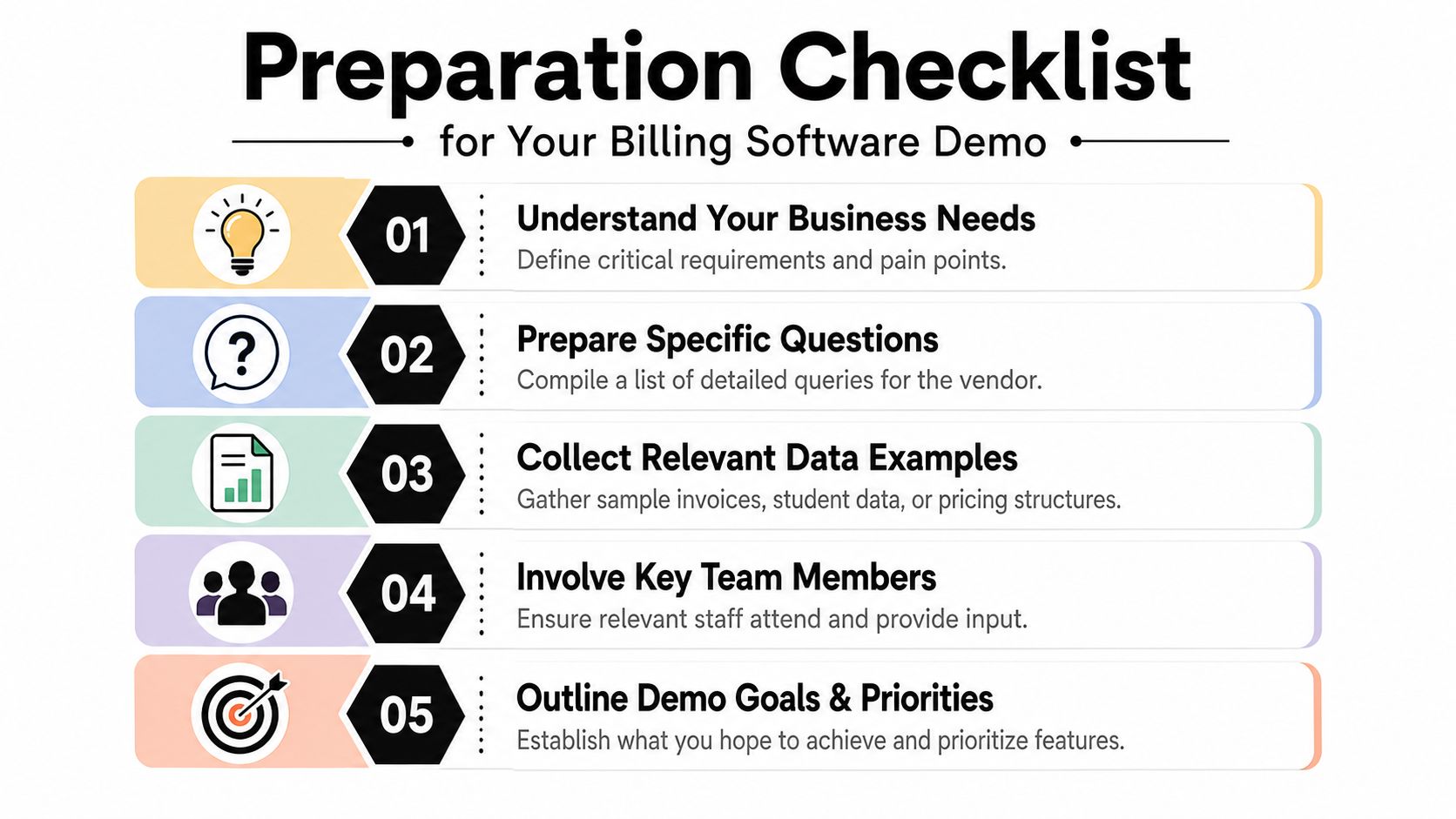
If you show up unprepared, the vendor controls the story. If you bring real workflows, you control the test.
Tutoring centers managing 50 to 10,000+ lessons per week across 5 to 100+ teachers typically spend 10+ hours weekly on admin tasks like manual invoicing and payroll calculations, and fragmented tools in Google Calendar, QuickBooks, and Excel make the problem worse by blocking capacity visibility and causing double-bookings, according to this tutoring center systems analysis. That's why prep matters. You need the demo to attack your actual admin burden.
Bring your bottlenecks, not just your curiosity
Start by writing down the top three things that go wrong every week. Be blunt.
Examples:
- Billing delay: Your admin waits until Friday to turn attendance into invoices.
- Payroll confusion: Teachers get paid under different rules, and someone checks them manually.
- Scheduling conflict: Rooms or teachers get double-booked when changes happen midweek.
If a vendor can't solve one of your top three failures on the call, that's useful information.
Build a small real-world dataset
Don't hand over your entire database. Bring a small, representative sample that mirrors your operation.
Include items like:
- Students and payers: A student with a separate parent payer, a sibling setup, or a trial student.
- Teachers: One hourly teacher, one package-based teacher, one teacher with a premium rule.
- Services: A private lesson, a group class, and a package or subscription.
- Rooms and branches: At least two locations or rooms if you operate across multiple spaces.
This is also why it helps to record the session and review it later with your team. If you need a simple tool to capture the live walkthrough, this review of Mac screen recording apps is a practical place to compare options.
Write three unbreakable scenarios
Your vendor should not choose the scenarios. You should.
Use prompts like these:
- Trial to paid conversion: Show a trial lesson marked attended, then convert that student to a paid package, deduct the first lesson, and place the teacher bonus into the next pay run.
- Conflict handling: Book a recurring weekly lesson and show how the system prevents a room or teacher clash.
- Payment allocation: Receive a partial bank transfer, apply it to the correct invoice, and generate a receipt.
Practical rule: If a workflow matters every week, make the vendor perform it live.
Put the right people in the room
The owner shouldn't be the only person on the call. Include the staff who live with the consequences.
Bring:
- Operations: They know where handoffs break.
- Billing or finance admin: They spot hidden manual steps immediately.
- Academic or branch manager: They understand scheduling realities and teacher constraints.
A buyer-specific checklist helps too. The Tutorbase software guide is useful because it frames the demo from the operator's side, not the seller's side.
Set goals before the call starts
Open the meeting with your agenda. Say what success looks like.
For example:
- You want to see a student move from booking to invoice without manual re-entry.
- You want to see prepaid credits deducted automatically.
- You want to see payroll generated from lesson activity, not rebuilt from exports.
That changes the entire dynamic. The demo stops being a presentation and starts becoming a proof exercise.
Running the Demo Core Workflow Test Scenarios
The cleanest way to test a billing platform is to follow one student from first booking to collected payment, then into teacher payroll. Don't jump around the product. Make the vendor stay inside one operational story.
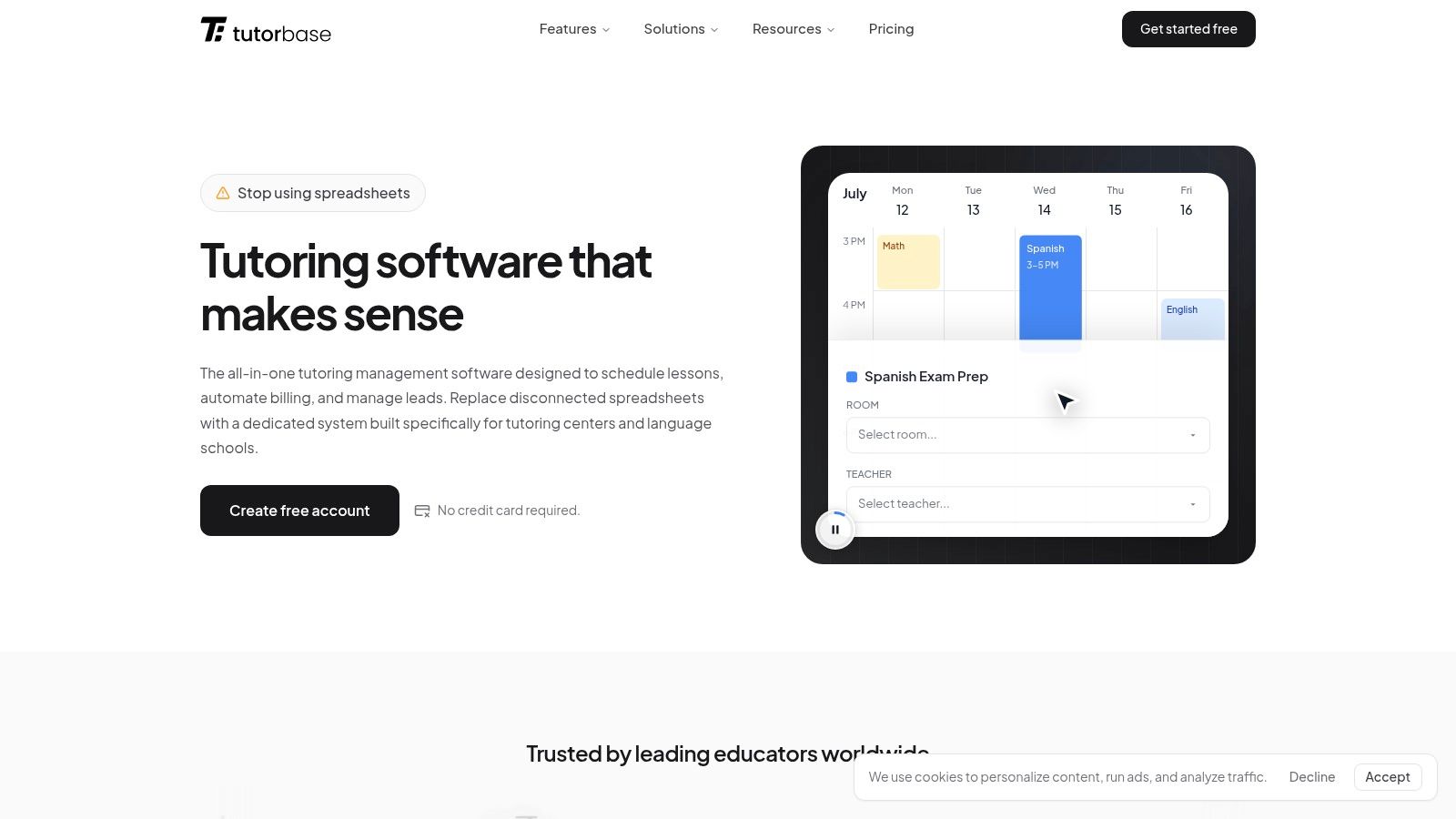
Start with scheduling. Ask them to create a new student, assign the right subject and level, and book a recurring lesson. If the platform supports scheduling intelligence, ask it to find a workable combination of teacher, room, time, and location instead of forcing your team to hunt manually through calendars.
Step through the student journey in order
Use a sequence like this during the live call:
- Book the lesson: Show a recurring booking and prove conflict detection works.
- Mark attendance: Change the lesson status from scheduled to attended.
- Generate billing: Show where that attended lesson appears in billing, without manual invoice creation.
- Collect payment: Apply a payment method and produce a receipt.
- Update payroll: Show that the teacher's work appears in the next pay calculation.
Weak systems usually crack at this point. The presenter suddenly says, “That happens in the back office,” or “You'd export that to payroll.” That's your answer.
Force the billing chain to appear live
A tutoring billing system should not require someone to rebuild what already happened in scheduling and attendance. Automated invoicing from attended lessons should turn attendance into billable invoices with a lifecycle moving from Draft → Published → Paid → Overdue, while supporting cadences like per-lesson, weekly, bi-weekly, or monthly and handling prepaid credit wallets that auto-deduct balances as lessons are consumed, as described in this Tutorbase billing profile on Capterra.
Ask the vendor to narrate every transition on screen:
| Demo checkpoint | What you should ask |
|---|---|
| Attendance marked | “Where does this attended lesson become billable?” |
| Draft invoice created | “What rule triggered this invoice?” |
| Payment applied | “Can you split or partially allocate this payment?” |
| Receipt issued | “Is the receipt automatic or manual?” |
| Credit wallet updated | “Where do I see the remaining balance?” |
If your team currently handles invoices from PDFs or mixed payment evidence, it also helps to understand adjacent automation patterns like invoice processing with OCR. That won't replace a tutoring workflow system, but it sharpens your eye for where manual re-entry still hides.
Test prepaid credits and package logic
Most tutoring centers don't bill in one simple way. You may sell packages, subscriptions, private lessons, group classes, or a mix.
So ask the vendor to show:
- Prepaid credits: A wallet balance that drops when a lesson is attended.
- Packages: A bundle with lesson consumption and expiration tracking.
- Cadence changes: A family billed monthly for one service and per-lesson for another.
- Payment methods: Stripe, FPS, bank transfer, or cash, with invoice allocation.
One option in this category is tutoring billing software, which connects attendance, invoicing, payments, and receipts in one workflow. The point isn't the label. The point is whether your chosen tool removes re-entry.
If the billing software demo can't follow one student end to end, it won't survive a busy Monday at your center.
Finish with payroll, not just payment
Many demos stop after the invoice gets paid. That's too early. For tutoring centers, payroll is part of the same operational truth.
Ask the vendor to take the attended lesson and show how it affects a teacher paid by one of your actual models, such as per-lesson, per-student, or a premium rule. If they need to leave the system, export a file, or “handle that in setup,” you've found a future bottleneck.
Evaluating Advanced Scenarios for Growing Centers
Basic workflows matter, but they don't tell you whether the software can still work when your center gets more complex. Growth creates strain in branch visibility, room usage, payroll logic, and policy exceptions. That's where many tools that feel fine for a small center start falling apart.

Ask for your complexity, not their defaults
Expert demos should use mirrored, real-world data instead of placeholder records. 62% of sellers believe demos should happen on the second call after discovery, with a target of 35% higher conversion when scenarios are modeled on actual client pain points such as manual invoice creation and double-bookings, according to this demo workflow guidance. Buyers should use that same logic in reverse. Don't accept a first-pass generic demo when your workflows are layered.
Ask the vendor to configure things like:
- Policy packs: Global pricing overridden by location, then service, then student.
- Cancellation rules: Time windows, fee percentages, and refund behavior.
- Teacher pay logic: Base + variable + overtime, plus subject or weekend premiums.
- Operational scale: A center with many lessons, many teachers, and multiple branches.
Growth tests that expose weak software
Use a table like this in your notes during the call:
| Advanced scenario | What good looks like | Red flag |
|---|---|---|
| Multi-branch dashboard | One view across locations, rooms, and staff | Separate branch silos |
| Complex payroll | Configurable rules inside the platform | Manual spreadsheet adjustment |
| Multi-brand operations | Separate branding with shared resources | Duplicate databases |
| Package and credit controls | Expiration, auto-consumption, clear balances | Notes field and manual tracking |
| Room fees on invoices | Automatically added from room setup | Custom line entry every time |
A tutoring center software stack should also reflect your vertical. Tutorbase is an AI-powered tutoring management platform that replaces tools like Teachworks, TutorCruncher, TutorBird, and spreadsheet-heavy workflows by combining scheduling, billing, payroll, room management, and student tracking in one system. For operators comparing vendors, this best billing software for tutoring centers page is useful as a benchmark for the category features you should expect to see proven live.
Stress-test future use, not just current pain
A lot of buyers ask, “Can this handle what we do today?” That's only half the job. Ask whether it can handle what you'll look like after another branch, another program, or another pricing model.
Use prompts like:
- Show me one family with two students in different programs.
- Show me a hybrid class with online and in-person attendees in one lesson.
- Show me a contractor self-billing invoice.
- Show me a room fee automatically added to the payer invoice.
The best demo moment is when the vendor handles a messy exception calmly, in the same workflow, without switching tools.
That's what growing centers need. Not elegance in a simple case. Reliability in the complicated one.
After the Demo Your Decision Making Framework
Don't choose software because the rep was smooth or the interface looked modern. Choose it because the workflow held together under pressure.
The strongest billing demos increase renewals when they visibly prove prepaid credit deduction and package expiration tracking. Successful billing demos achieve a 42% increase in renewals by validating those flows, which addresses a major churn driver: fragmented tools and manual payment chasing, according to this billing demo reference. That's why your debrief should focus on proof, not promises.
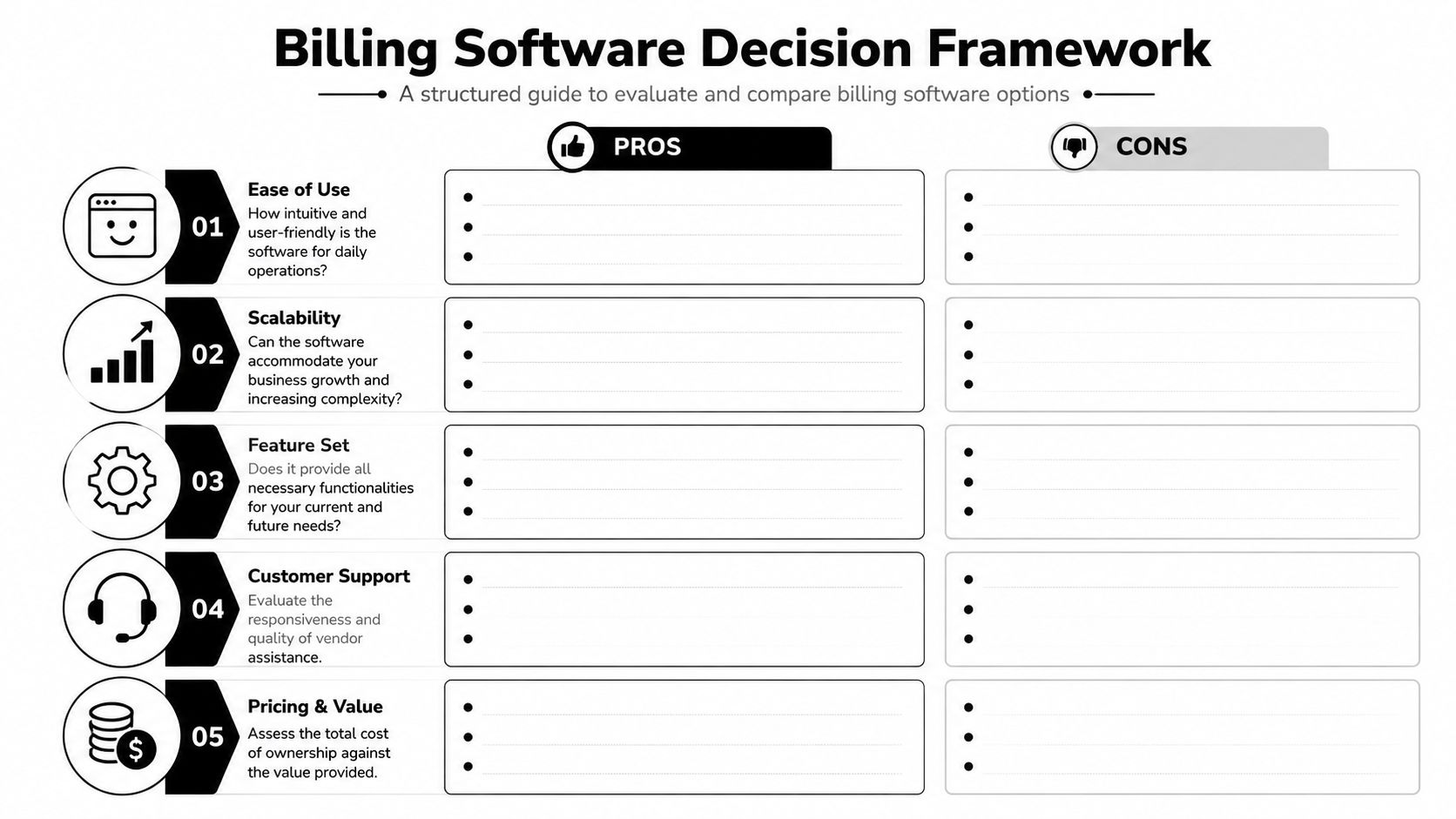
Use a simple scorecard
Right after the call, score each vendor while the details are still fresh.
Rate them on:
- Workflow automation: Did attendance flow into billing without manual work?
- Operational fit: Did the platform understand tutoring center realities?
- Payroll handling: Could it model your pay rules cleanly?
- Scalability: Did multi-branch, room, and package logic work?
- Implementation confidence: Did answers feel direct and proven?
Use short notes, not vague impressions. “Looked easy” is less useful than “Couldn't show partial payment allocation.”
Watch for red flags and green flags
Here's the pattern I trust after many demos.
Red flags
- The presenter avoids your sample data.
- They keep saying a feature is “coming soon.”
- They switch between modules like separate products.
- They can't explain what triggers invoice creation.
- They promise custom work for everyday tutoring use cases.
Green flags
- They follow your sequence without resistance.
- They explain policy logic clearly.
- They recover from exceptions live.
- They show related records without leaving the workflow.
- They end with a concrete next step, not “we'll circle back.”
Decision rule: If the vendor needs your team to become the integration layer, the software isn't solving the real problem.
Translate features into operational impact
Your internal champion needs more than a feature checklist. They need a business case.
Tie each proven workflow to one of these outcomes:
- Less admin time spent creating or correcting invoices
- Fewer missed charges from unbilled attendance
- Faster payment collection because invoices and receipts move cleanly
- Cleaner payroll because teaching activity feeds the pay run directly
- Better retention because families see accurate balances and package usage
That framing helps you get budget approval. It also protects you from buying a product that demos well but shifts the hard work back onto your staff.
Frequently Asked Questions About Billing Software
Why are so many billing platforms basically spreadsheets with better design
Because the product was built around finance records, not daily center operations. Tutoring centers do not bill from a static list of line items. They bill from lessons taught, attendance changes, makeup credits, package balances, sibling discounts, and teacher pay rules. If those pieces sit in separate modules that do not update each other cleanly, staff end up doing the actual work by hand.
Why does so much billing software demo content feel irrelevant to tutoring centers
A lot of demo material is built for industries with very different billing logic. Tutoring centers need attendance-driven invoicing, prepaid hours, package tracking, parent payers, and payroll tied to teaching activity. If the vendor spends the first half of the demo on claims, generic invoices, or accounting exports, they are showing a product shaped for someone else.
I have found this is usually obvious within minutes. The rep can explain invoicing in general terms, but they struggle once you ask what happens when a student attends one extra session, uses the last two credits in a package, and the parent pays late.
Is it better to buy separate tools or one all-in-one system
It depends on your size and tolerance for manual checks.
Separate tools can work for a small center with simple pricing and one person who knows every family account. Once volume grows, each handoff becomes a control problem. Attendance lives in one place, invoices in another, and payroll in a spreadsheet someone updates on Friday night. That setup is cheap to buy and expensive to operate.
An all-in-one system usually gives you better control, but only if the workflows are connected. During the demo, make the vendor prove that connection instead of taking the phrase at face value.
What should I ask in the first ten minutes of a billing software demo
Start with a buyer-controlled test.
Ask the vendor to use a sample based on your center, not their polished sandbox. Then ask for one complete chain: schedule a lesson, mark attendance, generate the charge, take a payment, issue a receipt, and show the payroll effect. If they cannot run that sequence cleanly, the rest of the demo will not save it.
How hard is it to migrate from spreadsheets, Teachworks, or TutorCruncher
Migration is usually less about volume and more about data quality. The hard part is not exporting records. The hard part is deciding which records are trustworthy enough to bring over.
Start with active students, parent payers, teachers, services, pricing rules, balances, and recurring bookings. Historical clutter can wait. In practice, clean current data does more for a successful launch than a perfect archive.
What's the biggest warning sign during a live demo
A workflow break.
If the rep needs to leave the system, patch the gap with a spreadsheet, or explain that your team will handle part of the process manually, treat that as future admin load. Vendors often present those gaps as minor workarounds. They rarely stay minor once your center is busy.
Should I record the demo and share it internally
Yes. Record it if the vendor agrees, and tell them in advance.
A recording changes how teams review software. Operations can check workflow logic, finance can review billing controls, and leadership can compare vendors without relying on whoever took notes that day. It also makes scorecards more honest because people can verify what was shown.
If you want to see how an education-first platform handles scheduling, billing, payroll, rooms, and student workflows in one system, you can book a live walkthrough with Tutorbase.


