


Key takeaway: Lesson time management for tutoring centers isn't mainly about what happens inside a 60-minute class. It's about controlling every minute around that class, booking it correctly, staffing it correctly, tracking what happened, and billing it correctly so your business stops leaking time and revenue.
If you're running a center in 2026, you probably already feel the problem. A parent wants to move Wednesday to Friday, a teacher updates availability on WhatsApp, one room is blocked for a makeup lesson, payroll still sits in Excel, and someone needs an invoice before the day ends.
The Real Meaning of Lesson Time Management for Owners
Most owners start with good intentions and end up with a patchwork system. Scheduling lives in Google Calendar, billing sits in QuickBooks, payroll sits in Excel, and last-minute changes arrive through email and WhatsApp. The lesson itself may run fine, but the operation around it doesn't.
That is the lesson time management problem.
For owners, lesson time management means managing the full operational life of a lesson. It starts when a lead asks for Tuesday at 4 p.m. It continues through teacher matching, room assignment, attendance, cancellations, invoicing, payment allocation, and payroll settlement. If any one of those steps breaks, the lesson becomes less profitable or harder to deliver.
What owners are actually managing
You aren't only managing teaching time. You're managing:
- Booking time, how long staff spend finding a workable slot
- Coordination time, how long it takes to confirm teacher, room, subject, and level
- Recovery time, how much staff time goes into fixing avoidable mistakes
- Follow-up time, how long billing and payroll take after the lesson ends
A lot of owners try to solve this with personal productivity hacks alone. Those can help, especially if you're trying to optimize time for Mac users while juggling calendars and communication. But individual discipline won't fix a broken operating system.
Operator view: If a lesson requires manual checking before and after delivery, the class isn't fully scheduled. It's only partially controlled.
The centers that get this under control stop treating lessons as isolated teaching events. They treat each lesson as a unit of operations. That shift changes staffing, admin workload, and renewal quality.
A useful place to see how tutoring centers streamline operations is in the systems they build around scheduling, billing, payroll, room management, and student tracking. That's where clarity starts.
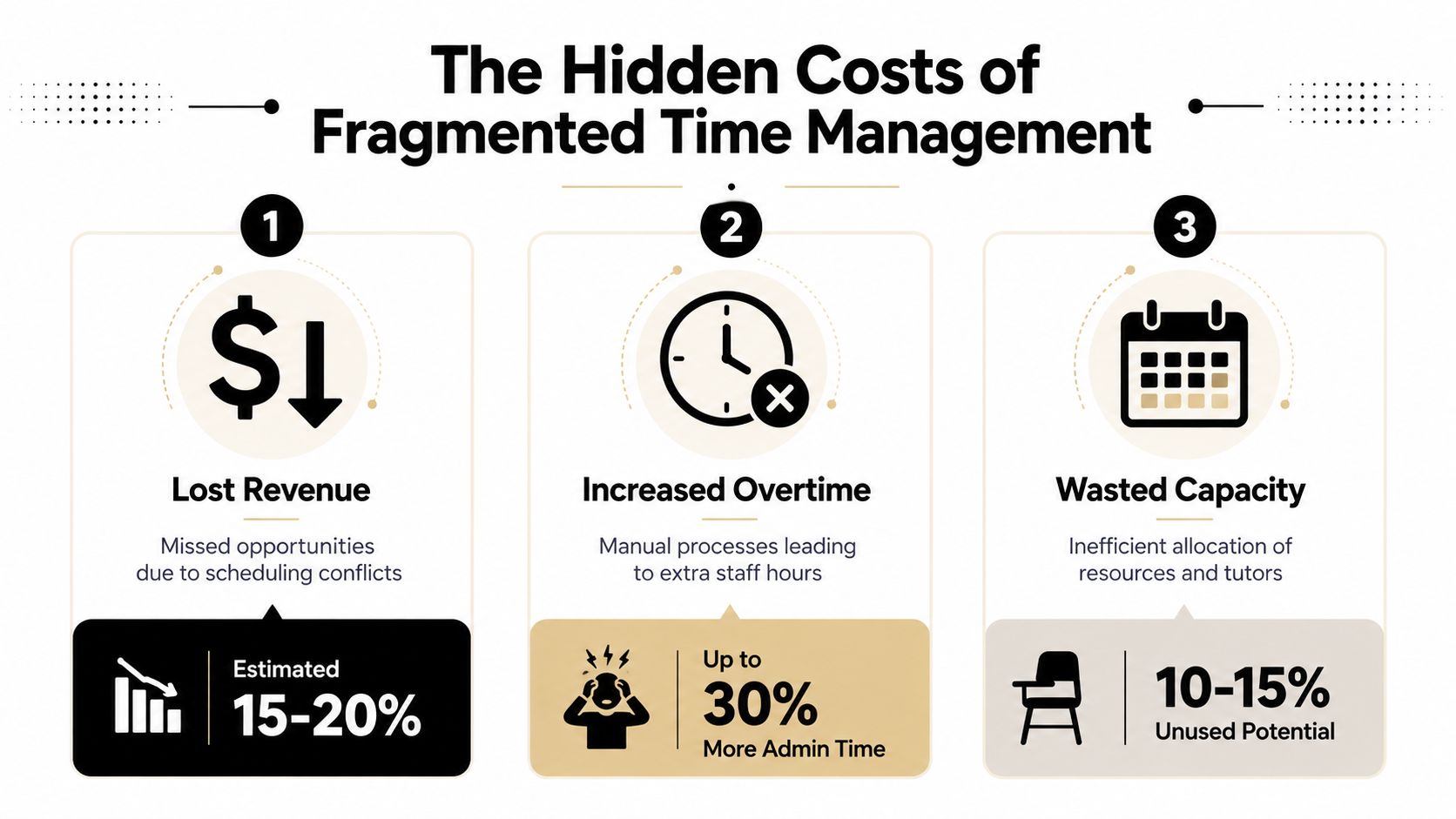
The Hidden Costs of Fragmented Time Management
Fragmented operations don't just feel messy. They cost money in labor, lost capacity, and slower growth.
In the global education sector, teachers spend an average of 11 to 13 hours per week on administrative tasks such as scheduling, grading, and lesson planning. For tutoring centers running 50 to 1,000+ lessons weekly, fragmented tools cause operators to lose an additional 10+ hours weekly on admin, according to Clockify's time management statistics.
Where the loss actually happens
The damage usually shows up in ordinary moments, not dramatic failures.
A coordinator spends part of the morning checking three calendars to place one new trial. A teacher gets assigned to two lessons that overlap by a few minutes. A room fee gets missed because room tracking isn't tied to billing. A parent attends half a hybrid session and someone later has to work out how to charge it manually.
Each problem looks small in isolation. Together, they eat margin.
Three costs owners tend to underestimate
- Wasted labor: Staff keep re-entering the same lesson details in separate systems.
- Broken availability: You can't trust the calendar if room, teacher, and student data live in different places.
- Slow cash collection: Manual invoices and payment chasing delay the point where delivered lessons turn into collected revenue.
A fragmented setup also makes onboarding slower than it should be. When a family asks for Math, Spanish, Piano, or SAT Prep, your staff shouldn't need to hunt through folders, branches, and teacher notes to make a booking.
A center can look busy all week and still lose money because the operation spends too much time servicing the schedule.
Why this gets worse as you grow
The bigger the center, the more the friction multiplies. One branch can sometimes survive on heroic admin effort. Multiple branches can't.
You start dealing with:
| Operational area | Fragmented setup | Controlled setup |
|---|---|---|
| Scheduling | Manual calendar hunting | One source of availability |
| Billing | Hand-created invoices | Attendance-linked billing |
| Payroll | Excel reconciliation | Rules-based calculation |
| Rooms | Separate room notes | Live room assignment and tracking |
The issue isn't only stress. It's capacity. If your team spends lesson-related time on coordination instead of delivery and follow-through, you reduce the number of lessons the business can support cleanly.
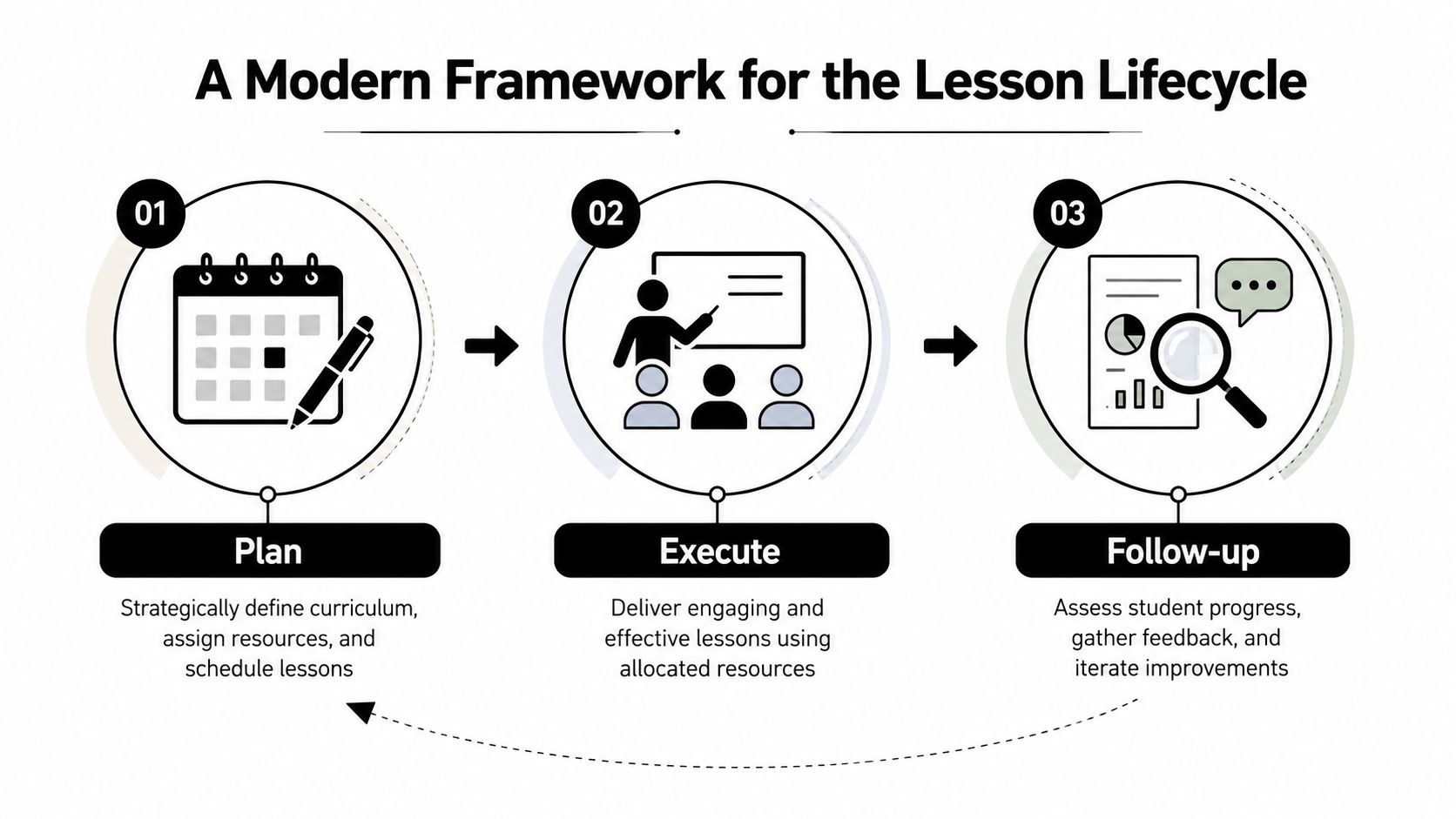
A Modern Framework for the Lesson Lifecycle
A reliable lesson operation runs on three stages: Plan, Execute, Follow-up. Most centers handle all three, but they do them in different tools and at different levels of discipline. That's where errors creep in.
Plan with fewer decisions
Planning should settle the hard questions before lesson day arrives.
That means defining the subject, level, service type, delivery mode, branch, room constraints, teacher fit, and pricing rules before anyone confirms the booking. If you're still deciding those details by message thread, the lesson isn't planned. It's being improvised.
One of the biggest operational mistakes is constant switching between planning tasks. Research cited by Tutopiya notes that task switching during planning and grading reduces productivity by up to 40%, and the recommended countermeasure is batching similar tasks into dedicated blocks, as outlined in Tutopiya's guidance for busy tutors.
Use that principle operationally:
- Batch new enrollments into scheduled intake windows
- Batch recurring schedule creation instead of building each week manually
- Batch room reviews by branch rather than checking room conflicts ad hoc
- Batch teacher availability updates so the schedule stays trustworthy
Execute with rules, not memory
On lesson day, your team should be recording what happened, not debating what should happen.
That requires a system for attendance statuses such as Scheduled, Attended, No-show, Cancelled, and Late Cancelled. It also requires support for lesson types like Regular, Trial, and Catch-up, plus hybrid tracking when some students attend in person and others join online.
Centers that run language schools, test prep academies, after-school programs, and music schools all face this same issue. The curriculum differs, but the execution logic doesn't. You still need to know who attended, how the lesson was delivered, and which policy applies.
Practical rule: If cancellation policy enforcement depends on staff remembering the rule, you don't have a policy. You have a hope.
For in-class delivery, there is still one timing discipline that matters at the instructional level. A structured lesson close matters. GoStudent recommends allocating exactly 10 minutes at the end of every lesson for consolidation, reflection, and next-step feedback, which helps prevent rushed endings and omitted content, as described in GoStudent's time management advice for tutors.
Follow up without rebuilding the lesson by hand
The last stage is where many centers unwittingly lose evenings.
After the lesson, staff often re-create the same event in accounting and payroll. They check attendance notes, decide whether the lesson counts, calculate teacher pay, work out package usage, and then build or edit invoices manually. That isn't follow-up. That's duplication.
A better model ties lesson records directly to downstream actions:
- Attendance determines billable status.
- Billing rules determine invoice treatment.
- Teacher rates determine payroll treatment.
- Payment allocation updates the payer record.
- Notes and history remain attached to the student.
This is also where policy packs matter. If you use per-hour, per-lesson, per-package, or subscription pricing, the system should apply the correct rule at the right level, global, location, service, or student, without staff interpreting it manually each time.
Automate Scheduling and Stop Double-Bookings Forever
Scheduling creates the most visible chaos because everyone feels it at once. Parents wait for answers. Teachers need certainty. Rooms can't be in two places. Admin teams end up acting like human routers.
That old process usually looks like this: check teacher availability, check room availability, confirm subject fit, scan recurring commitments, send options, get a reply, realize one option conflicts, then start again.
What AI scheduling actually changes
The biggest leap comes from removing manual cross-checking.
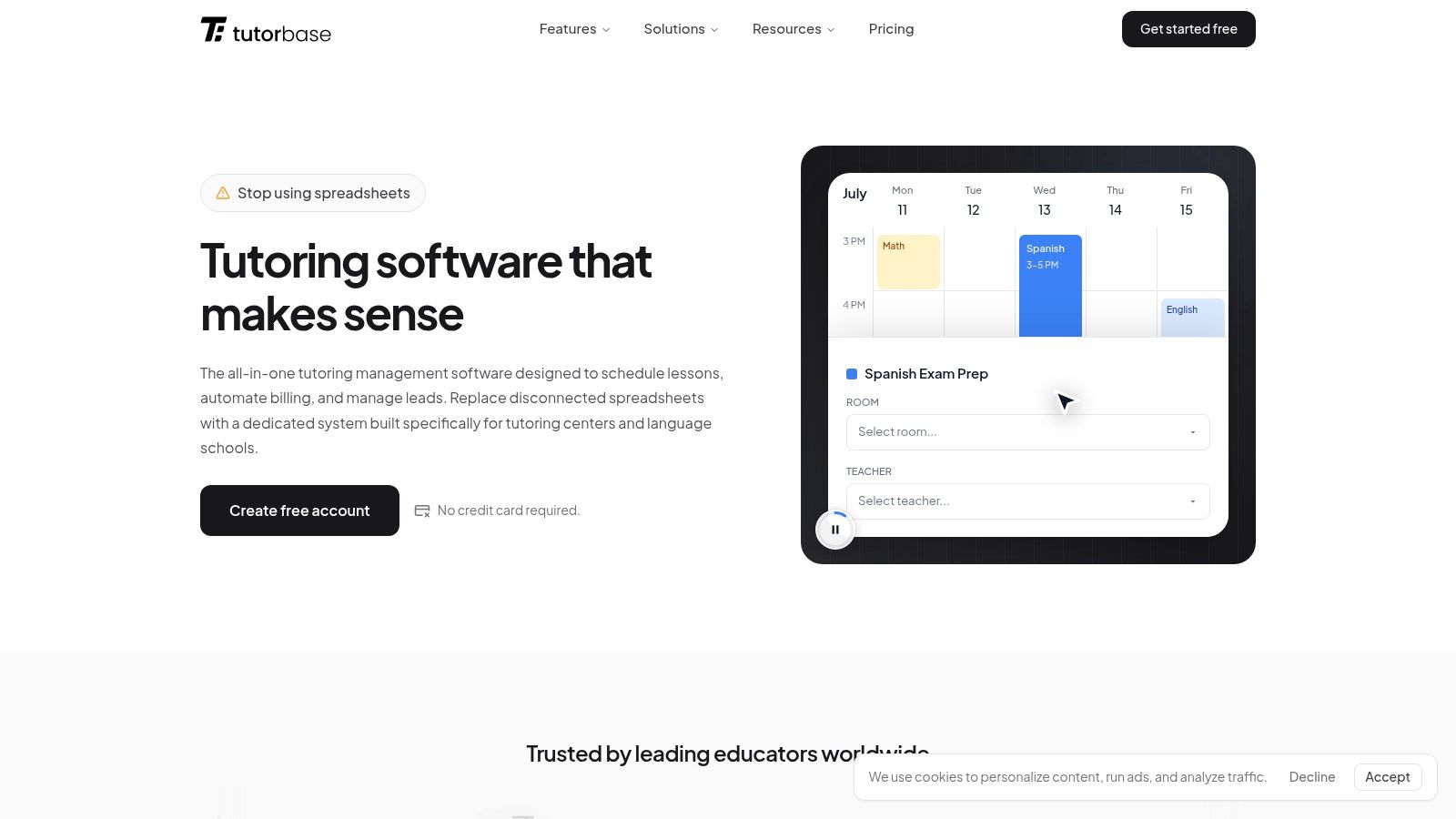
According to Capterra's Tutorbase listing, the Find Slot feature in AI-powered tutoring software auto-generates teacher, room, and time combinations based on real-time availability, subject matching, and room capacity, reducing average booking time from 10+ minutes to under 2 minutes per new student enrollment.
That matters because speed alone isn't the point. Confidence is. When the system proposes only workable options, your staff stop second-guessing every booking.
If you're comparing vendors more broadly, Solo AI's scheduling software review gives a helpful look at how scheduling tools differ in practice.
Two workflows that remove the bottleneck
One workflow helps with new bookings. The other helps fill existing classes.
- Find Slot: Builds valid combinations of teacher, room, and time for a new student.
- Find Spot: Filters existing classes with open seats by subject, level, teacher, time, and location.
That second workflow matters more than many owners realize. Group classes often underperform not because demand is weak, but because nobody can quickly see which classes still have space.
A practical example is Tutorbase scheduling, which includes Find Slot, Find Spot, conflict detection, recurring lessons, and filtered calendar views. Those features address the exact point where centers usually get stuck: turning demand into a clean, billable booking.
Here is a quick product walkthrough.
Why manual scheduling keeps failing
Manual scheduling depends on perfect communication and near-perfect memory. Neither scales.
A better scheduling process should do all of these automatically:
- Check teacher fit: Subject, level, branch, availability, employment setup
- Check room fit: Capacity, features, fees, availability, branch
- Check series logic: Weekly or bi-weekly recurring patterns
- Check conflicts: Existing classes, blocked rooms, unavailable staff
When that logic lives in one place, double-bookings stop being a normal operating hazard.
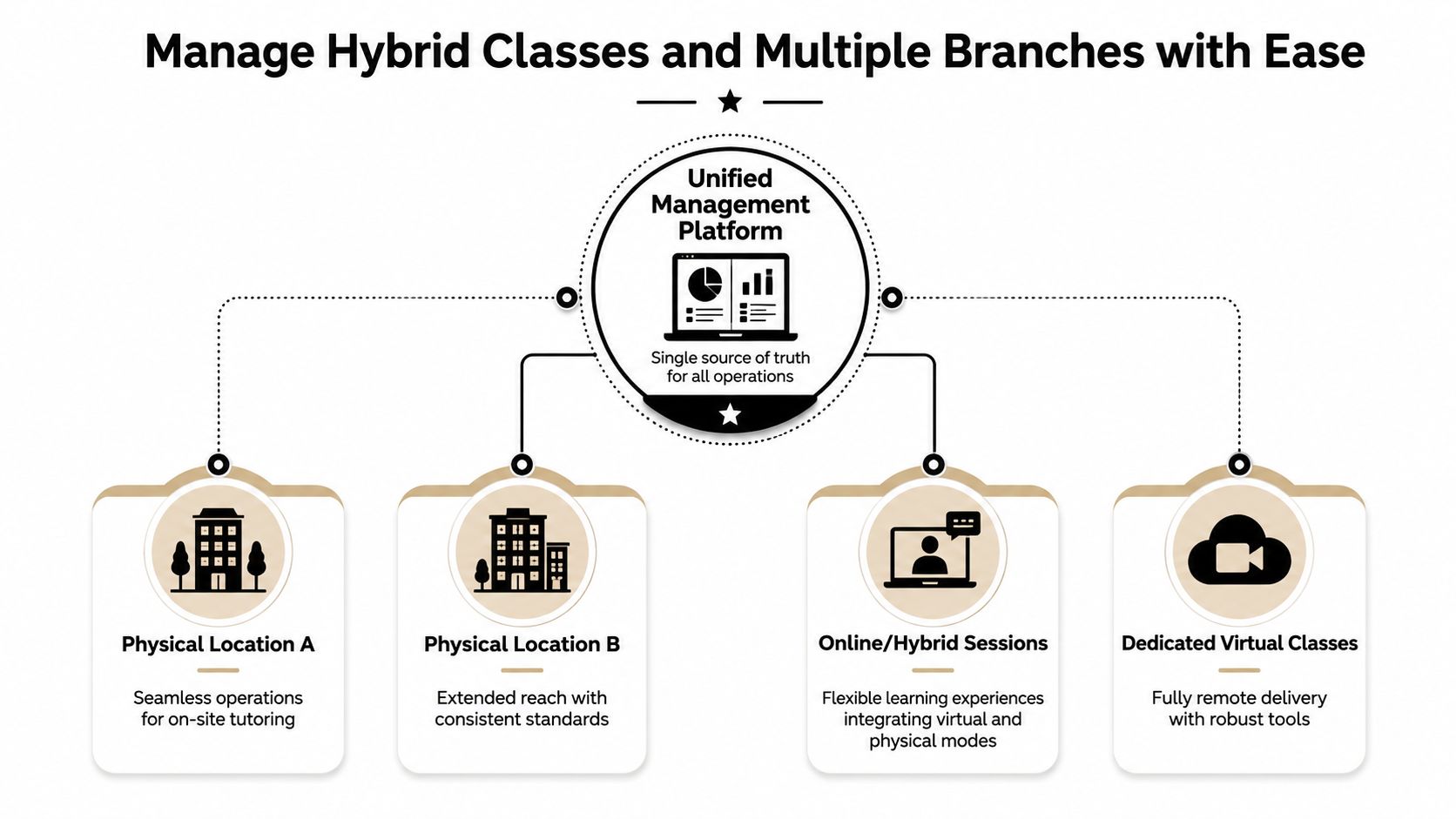
Manage Hybrid Classes and Multiple Branches with Ease
The moment a center adds hybrid delivery and more than one branch, lesson time management changes again. You aren't only assigning a teacher and a room. You're coordinating delivery mode, attendance type, local rules, and branch-level resources in the same operating flow.
Hybrid classes create a tracking problem
A hybrid class sounds simple until billing and attendance start.
One student sits in Room 3. Another joins online. A third arrives late and attends only part of the session. The teacher delivers one class, but the operation has to record different attendance realities for different students. If your system can't track that cleanly, someone ends up rebuilding the lesson later.
That problem affects more than invoicing. It also affects packages, prepaid credits, cancellation enforcement, parent communication, and teacher records.
Multi-branch growth needs one source of truth
Branch growth breaks spreadsheet systems because each location starts inventing its own workarounds. One branch names rooms one way, another handles catch-up lessons differently, and a third tracks teacher availability through chat.
Unified software fixes that by standardizing the operating model across branches while still allowing local specifics such as room fees, services, and availability patterns. That matters for K-12 tutoring, language schools teaching Spanish, French, German, Mandarin, or Arabic, test prep programs like SAT, ACT, IELTS, TOEFL, DELF, and Goethe, and even music schools and after-school programs.
The business case is strong. Since 2015, the adoption of digital scheduling and automated billing systems has produced a documented 42% increase in student lesson renewals and 3x faster onboarding for tutoring centers that moved from fragmented tools to unified software, according to LifeHack Method's time management statistics.
Growth becomes manageable when every branch uses the same operational language for lessons, rooms, attendance, billing, and payroll.
A centralized setup also lets you manage multiple brands without splitting resources. You can keep separate branding and portals while sharing teachers, rooms, and administrative controls where needed. For operators evaluating branch-ready systems, Tutorbase for tutoring centers shows the kind of structure that supports multi-location scheduling, room tracking, hybrid classes, and standardized workflows.
How to Measure Your Operational Time Savings
You need a way to prove whether your lesson time management changes are working. Otherwise, every software decision turns into opinion.
A practical baseline starts with admin hours. Tutoring centers with 5–100+ teachers across 1–10+ branches typically spend 10+ hours per week on administrative tasks such as manual invoice creation, payroll calculations in Excel, and payment chasing, according to Tutorbase. If your center looks similar, that's the first figure to benchmark against your current reality.
The metrics that actually matter
Track operational outcomes, not just activity.
- Admin hours per week: Measure time spent on scheduling, invoicing, payroll prep, and payment chasing.
- Booking turnaround: Track how long it takes from lead inquiry to confirmed trial or first paid lesson.
- Conflict rate: Count teacher or room booking issues. The target is simple, zero.
- Attendance-to-invoice lag: Measure how quickly delivered lessons become invoices.
- Payroll prep time: Track how long rate calculation and settlement review take each cycle.
How to run a clean before and after review
Use a short audit period first. Record real staff time, not estimates.
Then compare the old process and the new one across the same lesson volume. If your center runs multiple branches, compare by branch as well. That shows whether one location still depends on manual workarounds.
A useful scorecard looks like this:
| KPI | Before | After |
|---|---|---|
| Weekly admin time | Manual log | Manual log after process change |
| Booking errors | Incident count | Incident count |
| Invoice turnaround | Time from attendance to invoice | Same measure |
| Payroll prep effort | Staff time per cycle | Same measure |
The strongest ROI case isn't "the team feels better." It's "the team recovered hours, reduced errors, and turned delivered lessons into collected revenue faster."
Frequently Asked Questions
What is lesson time management for a tutoring center owner
It means managing the time around every lesson, not just the teaching block. That includes booking, recurring scheduling, attendance, billing, payment allocation, room use, and payroll.
How do I handle billing for partial or interrupted hybrid lessons
This is one of the most common operational pain points. Research in Frontiers notes a frequent question around how to bill for partial or interrupted lesson time in hybrid settings without manual invoice creation, especially when centers also lack visibility into capacity and deal with double-booked teachers, as discussed in this Frontiers article on time management training and education operations.
The practical answer is to bill from actual attendance records, not from the original planned block.
Can one system handle different pricing models
Yes, if the platform supports pricing logic at multiple levels. Many centers need per-hour, per-lesson, per-package, and subscription billing in the same operation, plus trial settings, cancellation rules, and prepaid credits.
What about complex teacher payroll
You need payroll logic that matches how centers really pay teachers. That often includes per-hour, per-lesson, per-student, revenue share, base plus variable, overtime, and premiums for weekends or specific subjects.
How do I migrate from spreadsheets without breaking operations
Start with the core records first: students, payers, teachers, subjects, levels, services, and recurring schedules. Clean your naming conventions before import. If room names, subject labels, or teacher types are inconsistent, fix those first.
Can this work for language schools and test prep academies
Yes. The underlying operational problem is the same. You still need subject and level tracking, teacher matching, recurring schedules, attendance, invoicing, and payroll, whether you're running IELTS, TOEFL, DELF, Goethe, SAT, ACT, Mandarin classes, or piano lessons.
Do I need separate tools for CRM and operations
Not if your intake and scheduling are connected properly. A strong setup captures leads from website forms, WhatsApp, phone calls, and walk-ins, then moves them through a pipeline from New to Contacted to Trial Scheduled to Converted or Lost without retyping the same information.
If your center still manages lessons across calendars, spreadsheets, chat threads, and manual invoices, the problem isn't your team. It's the operating system around the lesson. Tutorbase gives tutoring centers one platform for scheduling, billing, payroll, rooms, attendance, and student tracking, so lesson time management becomes a controllable process instead of a daily scramble.


