


Key Takeaway: The class scheduling problem isn't just an academic puzzle. It's the daily operational mess of matching the right student, teacher, room, time, level, and pricing rule without creating conflicts or wasting capacity. For tutoring centers running across multiple teachers and branches, spreadsheets break down fast, and the fix is a scheduling system that understands your constraints before your team books the lesson.
The Daily Scheduling Puzzle
The phone rings. A parent wants an after-school math class for a Grade 8 student, ideally on Tuesdays or Thursdays, preferably with a teacher who can also support exam prep later.
Your admin opens Google Calendar for teacher availability, an Excel sheet for room usage, another file for class lists, WhatsApp to check a teacher's latest message, and maybe QuickBooks to confirm whether the family still has credit. Ten minutes later, the slot looks possible, but you still haven't checked whether the room fits the class size, whether the teacher already has a back-to-back lesson at another branch, or whether there's an existing group the student could join instead.
That mess is the actual class scheduling problem.
In a tutoring business, scheduling isn't one decision. It's a chain of decisions that all depend on each other. If you move one teacher, you affect room usage. If you add one student, you change class capacity. If you create one new trial lesson, you may create billing work, payroll work, and a future recurring schedule.
What the admin team usually deals with
The problem rarely starts as “we need advanced optimization.” It starts as:
- A parent who needs a specific time: Even one new inquiry can trigger a long manual search across calendars and spreadsheets.
- A teacher with limited availability: Great teachers often teach multiple subjects, levels, or branches, which makes them harder to place cleanly.
- A room that looks free but isn't usable: Capacity, equipment, floor, or branch rules can rule out a slot that first looked available.
- An existing class with empty seats: If nobody can find it quickly, you create a new class instead and lower utilization.
Most scheduling chaos doesn't come from laziness. It comes from too many moving parts living in separate tools.
That's why admin teams burn time on tasks that should take seconds. Before adopting automated systems, tutoring centers averaged 10+ hours per week on administrative tasks such as manual invoice creation, payment chasing, and resolving double-booked teachers or rooms, according to Tutorbase reviews on Capterra.
Why this feels harder than it should
If you're handling scheduling manually, you're not failing. You're trying to solve a dense operational problem with tools that don't share context.
A spreadsheet can list availability. A calendar can show appointments. Neither one comprehends your business rules.
What Exactly Is the Class Scheduling Problem
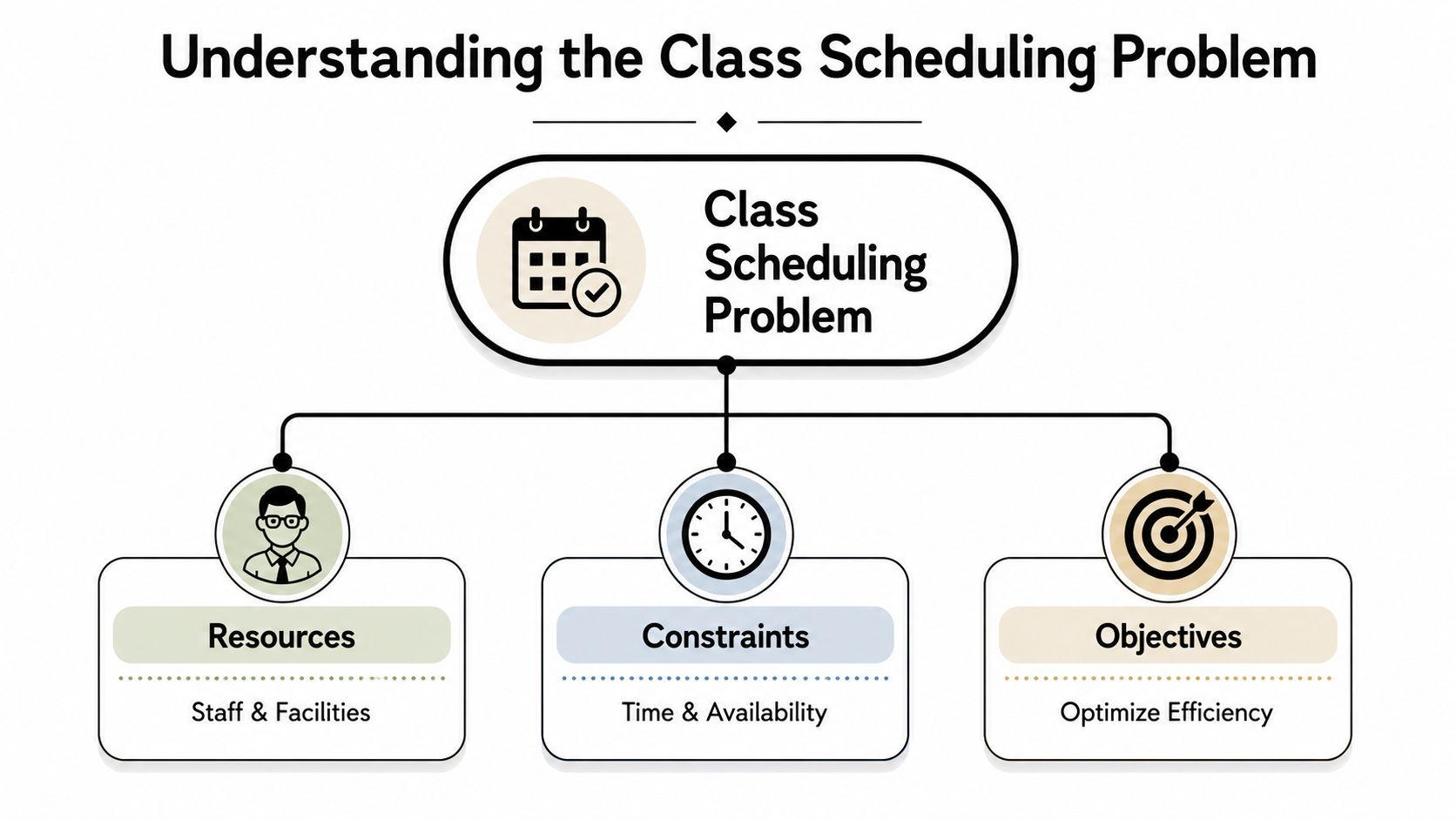
The class scheduling problem is the challenge of assigning lessons to the right resources, under the right constraints, while still hitting useful business objectives.
That sounds technical, but the business version is simple. You need every lesson to fit, and you need the fit to make sense.
Think of it like a 3D puzzle
A tutoring center doesn't just place classes on a timetable. It places people, rooms, services, and policies on top of each other.
The pieces usually fall into three buckets:
| Part | What it includes | Why it matters |
|---|---|---|
| Resources | Teachers, rooms, branches, online slots | These are the things you can allocate |
| Events | Trials, recurring lessons, group classes, catch-up sessions | These are the bookings you need to place |
| Constraints | Availability, capacity, level, subject, location, delivery mode | These are the rules that decide whether a booking is valid |
The constraints that make tutoring centers tricky
A lot of scheduling content talks about schools or universities. Tutoring centers have their own version of complexity.
Common constraints include:
- Teacher fit: A Spanish B1 class can't go to a teacher who only handles beginner Mandarin.
- Student availability: Parents often give narrow time windows, especially after school or on weekends.
- Room capacity: A private room may work for a trial, but not for a full group class.
- Branch rules: A student may only attend one location, while a teacher may rotate across several.
- Recurring patterns: A class that works this week must still work next week and next month.
- Delivery mode: Online, in-person, and hybrid lessons need different scheduling logic.
- Commercial rules: Trial pricing, package balances, and cancellation policies affect what should be booked and how.
Operational view: A valid schedule is one that your team can actually run, bill, and repeat without cleanup.
This gets harder as volume grows. The average tutoring center operates 50 to 10,000+ lessons weekly across 1 to 10+ branches with 5 to 100+ teachers, which is why fragmented tools like Google Calendar and Excel stop working once you need real-time room tracking and capacity visibility, as described in this Tutorbase operations overview on YouTube.
Why owners underestimate it at first
Many centers think they have a calendar problem. They instead have a rule-management problem.
Once you define the issue this way, a lot of painful symptoms make more sense:
- missed renewal opportunities because nobody sees open seats
- overloaded teachers at one branch and idle teachers at another
- rooms that are technically booked but badly allocated
- recurring classes that slowly become exceptions your team has to babysit
That's the class scheduling problem in practical terms.
Why Manual Scheduling Fails at Scale
Manual scheduling works when the center is small, the timetable is simple, and one person still remembers every moving piece. It fails when growth adds more combinations than a human can track reliably.
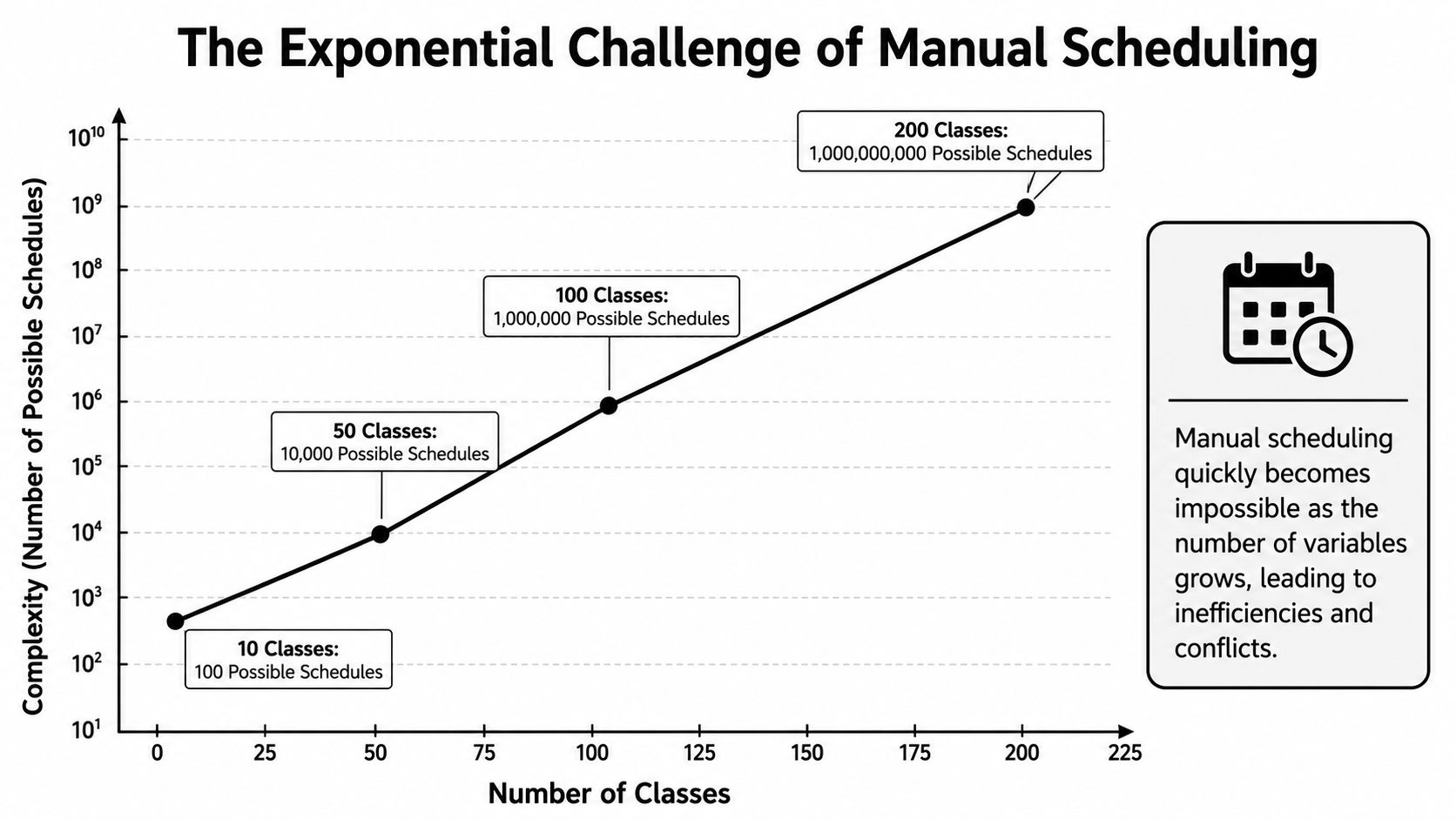
The formal reason matters here. The class scheduling problem is NP-complete, which means the difficulty rises very quickly as constraints stack up. In university settings, advanced heuristic methods have reduced conflict rates by 85–95% compared to manual scheduling, according to this University course scheduling research paper.
Small examples hide the real problem
If you have:
- 2 teachers
- 2 rooms
- 2 lessons
you can keep the options in your head.
If you have a growing center with multiple branches, mixed class sizes, online and in-person delivery, recurring bookings, subject-level matching, and teacher availability changes, your team stops solving one puzzle at a time. You start juggling a live system where every new booking can break something else.
That's why spreadsheet-based scheduling feels manageable right until it suddenly doesn't.
What breaks first in real operations
The first failure usually isn't some dramatic collapse. It's a pattern of small errors and slowdowns.
Manual scheduling tends to create:
- Double-bookings: A teacher looks free in one file but already has a session elsewhere.
- Wasted capacity: A student gets placed into a new class when an existing class had open seats.
- Messy teacher timetables: Instructors get awkward gaps, branch jumps, or uneven workloads.
- Room misuse: Large rooms host tiny groups while busier classes get squeezed.
- Admin drag: Every booking requires calendar hunting, message chasing, and manual confirmation.
That's when many operators start looking for Tutorbase for managing tutoring operations, or another system that replaces disconnected calendars and spreadsheets with one scheduling layer.
The real cost of manual scheduling isn't just the conflict you notice. It's the revenue, capacity, and staff time you never recover.
Why “good enough” stops being good enough
At low volume, a rough schedule may still hold. At higher volume, the same roughness creates compounding friction.
One bad placement affects attendance. One awkward recurring slot affects teacher retention. One underfilled class reduces margin. One admin-heavy booking process slows response time to new leads.
Manual scheduling doesn't fail because your team stops caring. It fails because the number of valid choices becomes too large, and the consequences of one weak decision spread across billing, payroll, rooms, and renewals.
How Technology Solves the Scheduling Problem
Scheduling technology doesn't solve the problem by making calendars prettier. It solves it by turning your business rules into booking logic.
That distinction matters. A proper system doesn't just show free time. It checks whether the free time is usable for the student, teacher, room, branch, level, and service you're trying to book.
What smart scheduling software actually does
In practice, most useful scheduling systems combine two ideas:
- Rule awareness: The system understands your constraints, such as room capacity, teacher qualifications, service type, and branch availability.
- Fast search: The system looks across many valid options quickly enough for your team to book in real time.
That's the practical version of what academic research often describes with terms like heuristics or constraint methods. For an owner or operations manager, the only question that matters is simpler. Can the system find a valid, sensible booking without creating cleanup work later?
Technology adoption is still lower than it should be. The academic scheduling market is valued at over $2 billion, yet only 42% of institutions use dedicated scheduling software, according to Anchor Group's scheduling statistics summary. The same hesitation shows up in tutoring businesses that still run scheduling in spreadsheets because “it works for now.”
The feature translation that matters to operators
Most owners don't care what the algorithm is called. They care what it prevents.
Here's the translation:
| Technical idea | What it means in daily operations |
|---|---|
| Constraint handling | The system won't offer a room that is too small or a teacher who can't teach that level |
| Conflict detection | The booking gets blocked before you create a double-booking |
| Search optimization | Staff see the best available combinations quickly instead of checking calendars one by one |
| Capacity matching | Open seats in existing classes get surfaced before new classes are created |
That's what tutoring scheduling software should do if it's built for real center operations.
Software should prevent bad bookings before they happen. Alerts after the mistake are better than nothing, but prevention is where the real savings sit.
What works and what doesn't
What works:
- one shared system for scheduling, room tracking, attendance, and billing logic
- centralized scheduling policies
- live visibility into teacher and room usage
- recurring lesson tools that carry rules forward correctly
- seat-filling logic for group classes
What doesn't:
- copying availability between tools
- relying on memory for teacher qualifications
- checking branch calendars manually
- creating new classes before checking existing capacity
- treating scheduling as separate from billing, attendance, or payroll
For centers with multiple services, locations, and pricing rules, the class scheduling problem is not just a calendar issue. It's an operational system problem. Technology solves it when the system understands the rules your staff have been trying to hold in their heads.
Key Metrics for a Healthy Schedule
You can't improve a schedule by staring at the calendar harder. You need a few operating metrics that tell you whether the schedule is healthy or leaking time and money.
Modern class schedule optimizers can reduce administrative workload by 60% and increase room utilization by 42% when policies are centralized and data quality is maintained, according to benchmark data from Clemson research.
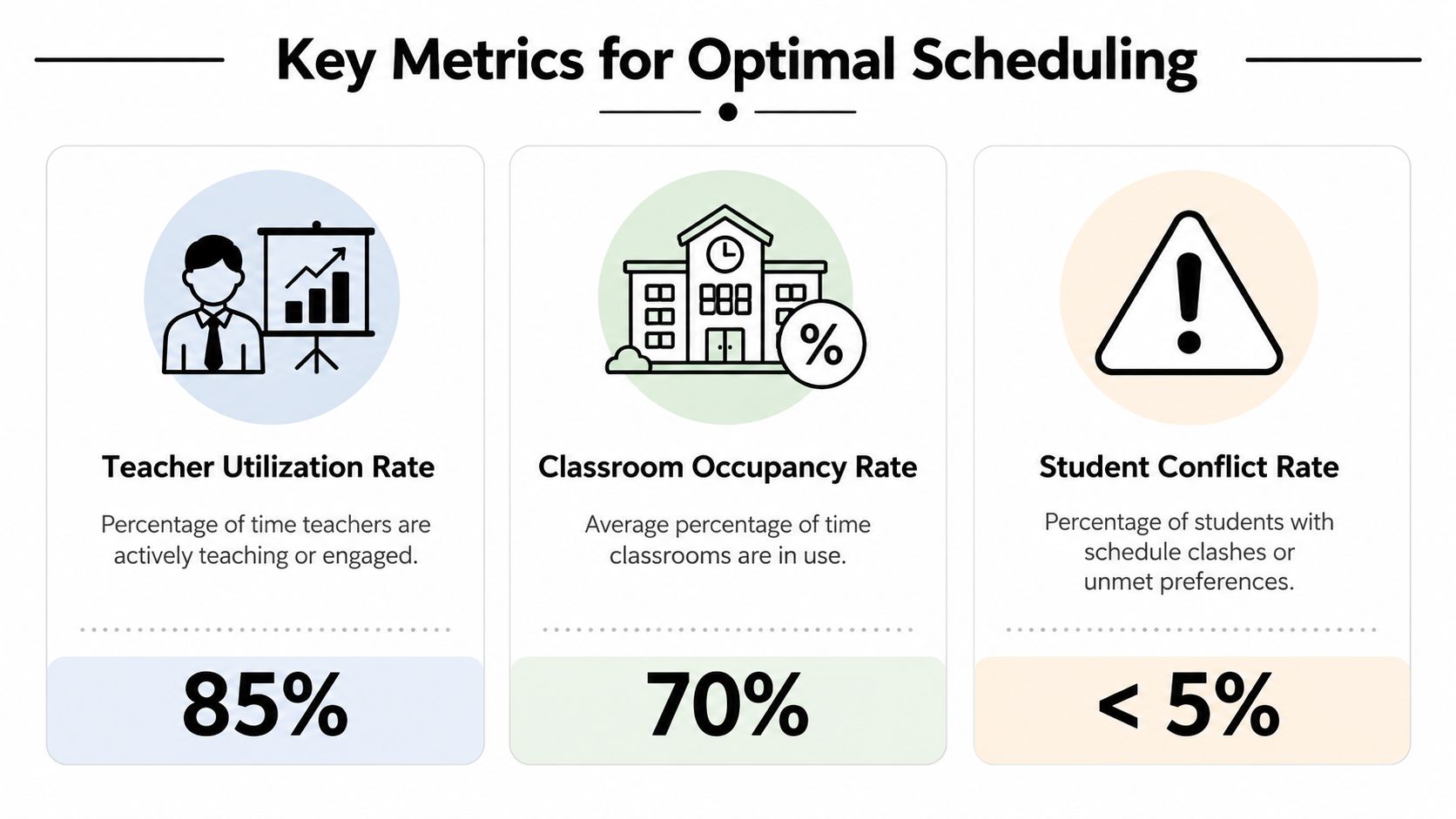
Three numbers worth watching every week
Capacity utilization
This tells you how much of your teaching and room inventory you're using.
For a tutoring center, that usually means asking:
- are group classes filling properly
- are some rooms idle while others stay overbooked
- are you opening unnecessary new classes instead of using existing seats
A center can look busy and still waste capacity if classes are poorly distributed.
Conflict rate
This is the rate at which bookings create clashes, exceptions, or manual corrections.
You don't need a complicated formula to start. Track how often your team has to fix:
- teacher double-bookings
- room collisions
- lesson changes caused by bad initial placement
- parent complaints tied to avoidable scheduling errors
Low conflict rates usually indicate that your booking logic is sound. High conflict rates often mean staff are patching a broken system manually.
Admin time
This is the hidden cost most centers ignore longest. Measure how many hours your team spends each week on:
- finding slots
- checking room availability
- creating recurring lessons
- updating attendance for billing
- fixing schedule errors after the fact
Manager's shortcut: If a booking takes multiple tools and several messages to confirm, your scheduling process is already too expensive.
What a healthy schedule looks like
A healthy schedule usually has these traits:
- classes fill before new sections open
- teacher workloads look balanced, not chaotic
- rooms have a clear purpose and predictable usage
- recurring lessons stay stable
- admin can answer booking requests quickly without detective work
If you only track one thing this month, track admin time. It's the fastest way to expose whether your current process is sustainable.
An Actionable Checklist for Choosing Scheduling Software
Most scheduling demos look fine for the first five minutes. The true test is whether the software can handle your actual operating rules without pushing the hard work back onto staff.
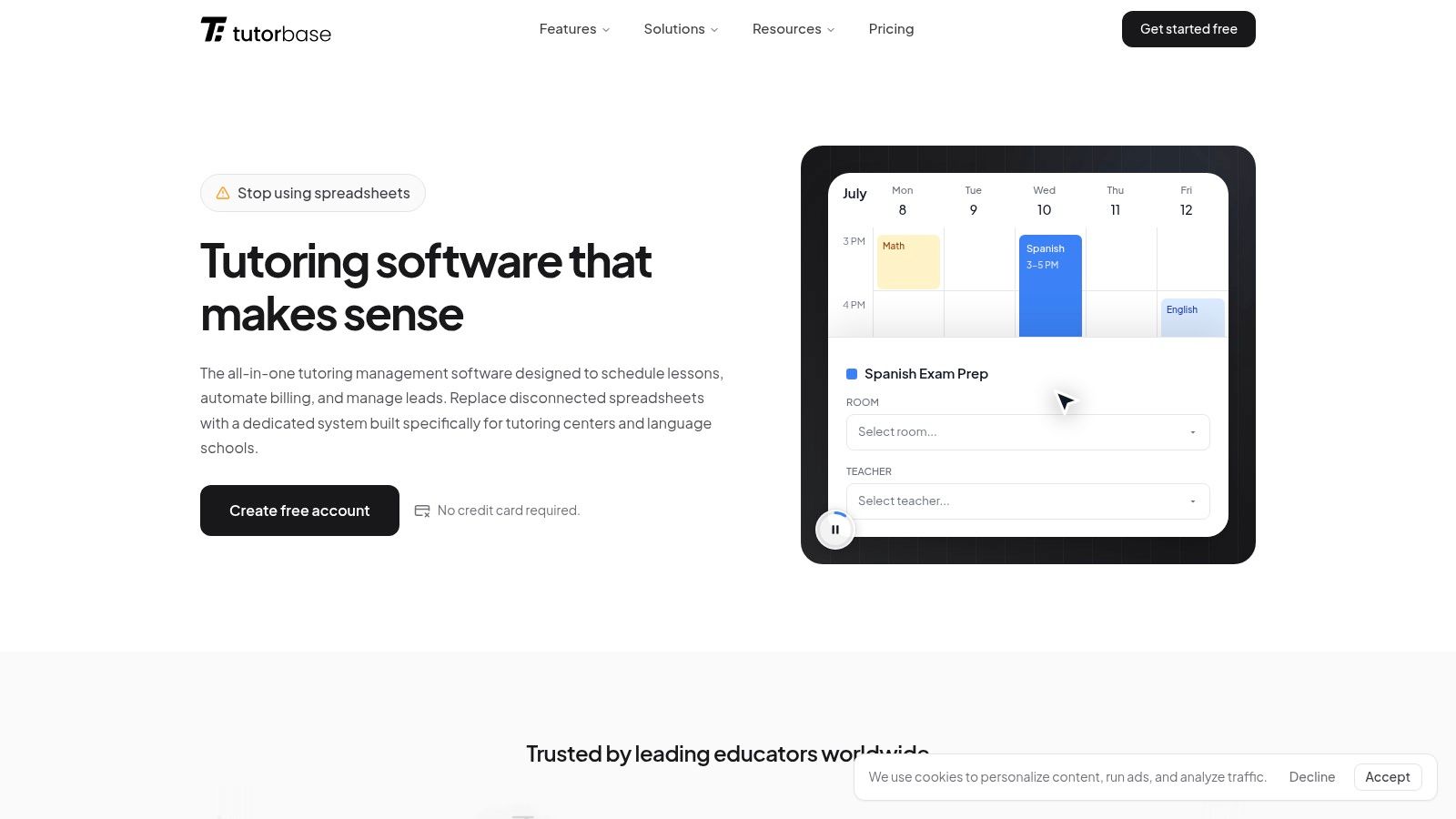
Check the booking workflow, not just the calendar view
Ask how the software handles a brand-new inquiry.
Bad: Staff must open several screens, check teachers one by one, then test rooms manually.
Good: The system flags availability and alerts on basic conflicts.
Best: The system generates valid teacher, room, and time combinations based on your rules.
Automated features like Find Spot can reduce booking time from over 10 minutes to under 2 minutes by filtering existing classes with open seats by subject, level, teacher, time, and location, as shown on the Tutorbase features page.
Use this checklist during every demo
- Conflict prevention: Does the system stop double-bookings before they happen, or only warn you after the booking is made?
- Existing class matching: Can it find open seats in current classes by subject, level, teacher, time, and branch?
- Recurring lesson logic: Can you create weekly or bi-weekly series in one action without rebuilding each lesson?
- Room intelligence: Does it track room name, capacity, features, fees, and unavailability?
- Teacher fit: Can it filter by subject, level, branch, availability, and contract rules?
- Hybrid support: Can one lesson include online and in-person students when needed?
- Commercial connection: Does attendance flow into invoices, credits, packages, and payroll without re-entry?
Compare bad, good, and best
| Area | Bad | Good | Best |
|---|---|---|---|
| Slot finding | Manual calendar hunting | Basic free-time display | Valid combinations generated automatically |
| Group placement | Staff search class lists manually | Open seats shown | Best-fit existing class surfaced first |
| Room allocation | Separate spreadsheet | Room calendar only | Capacity and feature-aware room suggestions |
| Payroll impact | Manual calculations later | Export after lessons | Lesson data flows into payroll models directly |
| Multi-branch use | One branch at a time | Branch filter | Shared visibility across branches and rooms |
If you're evaluating options, this best tutoring scheduling software comparison is a useful reference point for what purpose-built tutoring workflows should include.
Don't buy software that only records your decisions. Buy software that improves your decisions while you book.
The broader system matters too
Scheduling software works better when it isn't isolated.
For tutoring centers and language schools with 5-100+ teachers across 1-10+ branches, running 50-10,000+ lessons per week, the useful setup is one platform that connects scheduling with billing, payroll, room management, lead tracking, and student records. That's the operating context where tools like Tutorbase are relevant, alongside alternatives such as Teachworks, TutorCruncher, TutorBird, or spreadsheet-based workflows.
A complete operational stack should also cover:
- Curriculum structure: subjects, levels, and services
- Pricing rules: per-hour, per-lesson, per-package, subscription, plus layered policy precedence
- Attendance states: scheduled, attended, no-show, cancelled, late cancelled
- Payments and credits: Stripe, bank transfer, cash, FPS, prepaid balances, package consumption
- Teacher payroll: per-hour, per-lesson, per-student, revenue share, base plus variable, overtime
- Lead capture: website forms, WhatsApp widget, phone, walk-ins, and a pipeline from new lead to conversion
If the schedule sits apart from those workflows, your team will still do cleanup manually.
FAQ About Solving the Class Scheduling Problem
Is manual scheduling okay when my center is still small
Yes, for a while. A very small center can survive on spreadsheets and calendars if the owner still knows every teacher, room, and student personally.
The risk is that habits built at a small size become painful later. If your booking process already depends on memory, chat threads, and manual checking, growth will make those weaknesses expensive.
Does this problem still matter if all my lessons are online
Yes. Online delivery removes room constraints, but it doesn't remove teacher fit, time clashes, recurring schedules, level matching, attendance tracking, billing, or payroll dependencies.
Online centers still face the same operational question. Can you place the right student with the right teacher at the right time, with clean downstream admin?
What should I fix first if scheduling feels messy
Start with the source of truth.
Pick one system to hold teacher availability, room or virtual capacity, subjects, levels, and recurring bookings. If those basics live in different places, every other fix will be temporary. After that, track admin time and conflict patterns so you can see where the schedule is breaking.
Can software handle complex pay rules and pricing policies too
It should, if it's built for tutoring businesses rather than generic appointment booking.
Many centers need more than a simple hourly setup. They may pay by lesson, by student, by revenue share, or with weekend and subject premiums. They may also bill with packages, subscriptions, prepaid credits, trials, and cancellation policies. If your software can't connect scheduling to those rules, your team will keep doing manual reconciliation.
What's the biggest sign that my current setup is no longer enough
Your team starts spending more time coordinating lessons than improving the student experience.
That usually shows up as slow bookings, recurring conflicts, uneven teacher loads, room confusion, billing cleanup, and missed opportunities to place students into existing groups.
How do I know whether a scheduling tool is actually good
Test one real booking flow from start to finish.
Use a realistic scenario with subject, level, preferred times, teacher constraints, room needs, and billing implications. If the software handles that cleanly, it may fit your center. If staff still need side spreadsheets or message threads, it probably won't scale.
If scheduling is eating your week, Tutorbase is one option to evaluate for bringing scheduling, billing, payroll, rooms, and student operations into one system.


