


Friday evening is when billing problems show up in full. Teachers have marked attendance in one place, parent payment notes sit in another, your pricing rules live in someone's head, and you're still building invoices by hand while chasing overdue balances on your phone.
That setup doesn't just waste time. It slows cash flow, creates billing errors, and keeps owners and operations managers stuck in admin instead of fixing enrollment, staffing, and retention. A mobile-first billing workflow changes that by connecting attendance, invoices, payments, and follow-up in one place you can manage from anywhere.
The End of Spreadsheet-Driven Billing Chaos
If you run a tutoring center or language school, you already know the pattern. A parent asks why this month's invoice looks different. A teacher forgets to note a late cancellation. Someone updates a package balance in a spreadsheet, but the front desk still sees the old number. By the time you catch the mismatch, the lesson is over and the invoice is wrong.
That problem gets bigger as you grow. Tutoring centers and language schools with 5-100+ teachers across 1-10+ branches, often running 50-10,000+ lessons per week, don't break because teaching fails. They break because operations become fragmented. Owners, directors, and operations managers often spend over 10 hours weekly on administrative tasks that should be automated, according to Tutorbase on Capterra.
Practical rule: If your team has to compare attendance, pricing, and payment records across separate tools before sending invoices, your billing process is already too fragile.
The usual stack looks familiar:
- Scheduling lives elsewhere: Google Calendar or a shared calendar handles bookings.
- Billing lives elsewhere: QuickBooks or manual invoices handle charges.
- Payroll lives elsewhere: Excel tracks teacher pay, adjustments, and bonuses.
- Nobody sees the full picture: Capacity, room usage, teacher workload, and unpaid balances stay disconnected.
That's why generic invoicing apps rarely solve the actual problem. They send invoices, but they don't tie the invoice back to the lesson, the room, the cancellation rule, or the teacher who taught it. In a tutoring business, those details matter every day.
A billing software mobile app changes the rhythm of the week. Instead of waiting until Friday night to reconcile everything, your team can confirm attendance, review charges, send payment reminders, and monitor overdue accounts from a phone. If you still need a stopgap for manual workflows, a free tutoring invoice generator can help. But once your center manages multiple teachers, branches, billing models, and parent accounts, you need the workflow itself to become mobile and connected.
What a Tutoring Billing App Actually Does
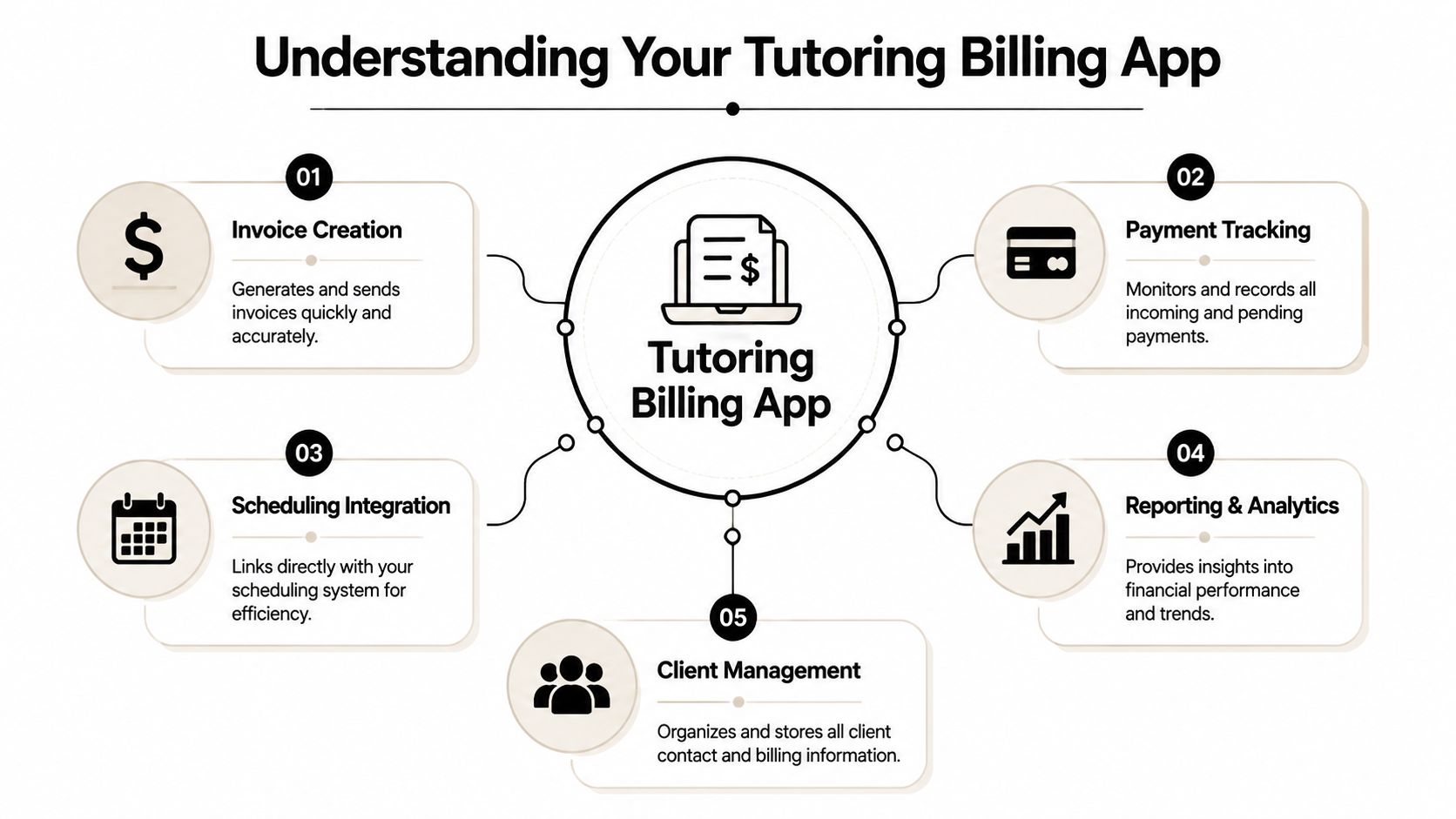
A tutoring billing app isn't just an invoice sender with a smaller screen. It's a financial cockpit for the whole center. It connects lesson activity, pricing rules, payer records, and payment collection so you don't have to rebuild the same information every billing cycle.
The market is moving in that direction. The global Billing and Invoicing Software Market is projected to reach USD 20.04 billion by 2035, growing at a 15.23% CAGR, driven by cloud adoption and the need for automated systems in service businesses, according to Business Research Insights.
The mobile app is the control layer
When the app works properly, it sits on top of your daily operations and answers four questions fast:
What happened
Which lessons were attended, cancelled, missed, or rescheduled.
What should be charged
Per-hour, per-lesson, package, subscription, trial lesson, or cancellation fee.
Who should be charged
The payer, not just the student. This matters when one parent pays for multiple children.
What still needs attention
Draft invoices, unpaid balances, low credits, failed payments, or overdue accounts.
What is a billing software mobile app
A billing software mobile app is a mobile application that lets you manage invoice creation, payment tracking, payer records, and billing-related workflows directly from a phone or tablet. In tutoring, the useful versions also connect to scheduling, attendance, packages, subscriptions, and teacher payroll.
That's the difference between a generic billing tool and tutoring management software. A generic tool tracks money after the fact. A tutoring-focused app links billing to the lesson itself.
Here's what that looks like in practice:
| Workflow | Basic invoicing app | Tutoring billing app |
|---|---|---|
| Attendance | Separate record | Connected to billing |
| Pricing rules | Manual entry | Stored by policy |
| Parent account handling | Limited | Linked payer profiles |
| Credits and packages | Usually manual | Tracked in-app |
| Scheduling impact | Not connected | Syncs with lessons |
The strongest mobile billing setups don't ask your staff to “remember what happened.” They capture it once and use that same record everywhere else.
For tutoring centers, language schools, test prep providers, music schools, and after-school programs, that single-record approach matters more than another invoice template ever will.
Key Mobile Features for On-the-Go Management
A useful mobile billing workflow solves specific operational failures. It doesn't just look clean on a phone. It removes the handoff points where lessons go unbilled, balances go stale, and parents need manual follow-up.

A major gap in the market is the disconnect between attendance and billing. A 2026 benchmark found that centers using a mobile app to auto-convert lesson attendance into published invoices saw a 60% reduction in administrative time, while 68% of centers still use separate attendance and billing tools, which causes delays and errors, according to Tutorware. If you're evaluating systems, this is the first item in what to look for in tutoring software.
Instant invoicing from attendance
This is the feature that changes daily operations fastest.
Your teacher marks a lesson as attended, late cancelled, no-show, or catch-up on a phone. The system applies the correct billing rule automatically. That may mean charging a normal lesson rate, deducting prepaid credit, applying a cancellation fee, or skipping billing for a free trial.
Without this connection, office staff still has to translate attendance into invoices later. That's where errors creep in.
- Attended lesson: The invoice line gets created with the right service and rate.
- Late cancellation: The policy pack can apply the configured charge automatically.
- Package lesson: The app can consume one lesson from the bundle instead of creating a new charge.
- Hybrid lesson: The status can reflect whether the student joined in person or online.
Payer management that reflects real families
Tutoring centers don't bill “students” in the abstract. They bill payers. One parent may cover two children in different subjects, with different teachers, on different plans.
A strong mobile setup lets you:
- Link multiple students to one payer
- Store billing preferences
- Track credit balance
- Allocate a payment across one or more invoices
- Issue receipts automatically
That matters when a parent messages your team from the parking lot asking whether their balance already covers next week's math lesson. If the answer depends on checking three systems, your process is too slow.
When billing lives at the payer level, your team stops patching together family accounts manually.
Payment collection that removes friction
The app should make payment feel immediate. Parents receive the invoice, pay through the supported method, and the system records the result against the right account. That flow is cleaner than emailing a PDF and waiting for someone to reply with a transfer screenshot.
Useful payment support includes:
- Stripe
- Bank transfer
- Cash
- FPS
- Partial allocations
- Multiple invoice settlement
- Auto-generated receipts
For centers with prepaid credits or subscriptions, mobile alerts are especially valuable. Staff can see low balances before the next lesson instead of discovering the issue after the class has already happened.
Native mobile usability matters
A lot of software says it's mobile-friendly when it really means “the desktop screen shrinks enough to tap.” That's not the same thing.
A true mobile workflow needs quick attendance entry, clear invoice states, readable payer history, and notification handling that works during normal center operations. It should also support real-world conditions, including inconsistent connections and fast handoffs between front desk staff, coordinators, and teachers.
Integrating Mobile Billing with Scheduling and Payroll
A standalone billing app creates a new silo. You might send invoices faster, but you still won't know whether the charged lesson happened, whether the room was available, or whether the teacher's pay matches the billed service.
The cleaner model is a single source of truth. Scheduling, attendance, billing, payroll, rooms, and people records all draw from the same lesson data.
Why disconnected systems fail
Here's the common chain reaction in fragmented operations:
- A class gets moved: The calendar changes, but billing doesn't.
- A student late cancels: Staff remembers to note it, but no fee gets applied.
- A teacher covers another teacher: Payroll still uses the old assignment.
- A room fee applies at one branch: The invoice misses it because branch data sits elsewhere.
Those aren't edge cases. They're normal tutoring-center events.
If your billing app doesn't connect to scheduling that syncs with billing, your team still spends time reconciling exceptions manually. That's where double-bookings, missed charges, and payroll disputes come from.
What integration looks like in real operations
A connected system should handle these workflows from one lesson record:
| Operational event | Billing result | Payroll result |
|---|---|---|
| Lesson marked attended | Invoice generated or credit deducted | Teacher pay calculated |
| Late cancellation | Policy applied automatically | Pay rule handled correctly |
| Recurring class created | Future billing cadence stays aligned | Future teaching load stays visible |
| Branch or room change | Correct fees and location rules apply | Assignment remains traceable |
This matters for complex tutoring businesses. Many centers run layered pricing and compensation models, not one flat rate. Billing may depend on global rules, location rules, service rules, or student-specific exceptions. Payroll may depend on per-hour, per-lesson, per-student, revenue share, base plus variable pay, overtime, or premiums for weekends and certain subjects.
One platform that combines scheduling, billing, payroll, room management, student tracking, CRM, and attendance is Tutorbase. It's designed for tutoring centers and language schools replacing Teachworks, TutorCruncher, TutorBird, and spreadsheet-based operations. The useful part isn't that it combines more modules. The useful part is that one lesson record can drive everything else.
If your staff has to “update payroll after billing,” you don't have integration. You have extra admin wearing a software label.
Measuring the ROI of Your Mobile Billing App
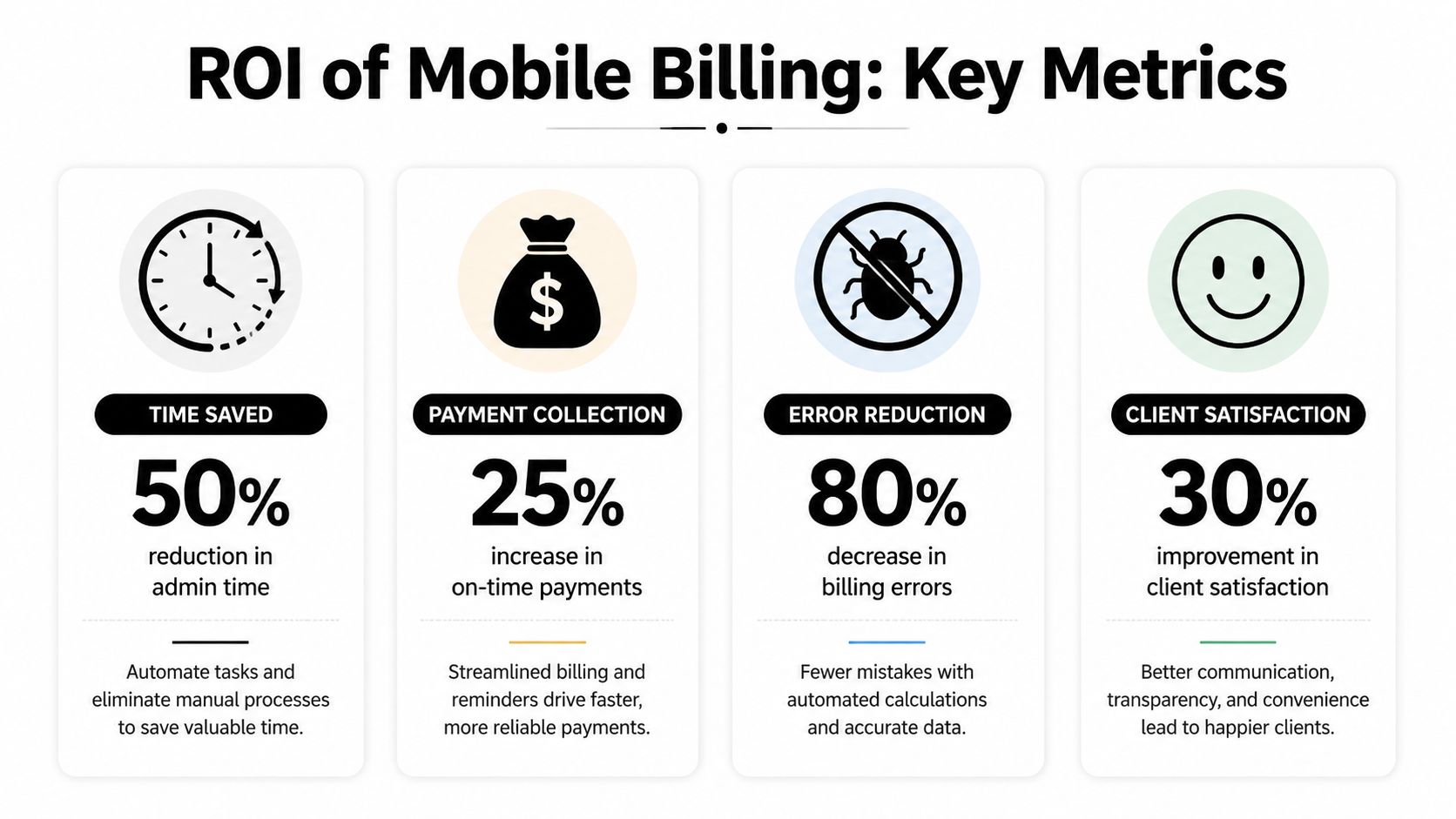
The monthly subscription fee is the smallest part of this decision. The core question is whether the app removes enough admin, speeds up payment enough, and reduces enough billing friction to change your operating margin.
Where the return actually shows up
Start with staff time. If your director, coordinator, or front desk team spends evenings publishing invoices, chasing balances, correcting package counts, and reconciling teacher pay, the cost isn't just labor. It's delayed decisions on hiring, renewals, room planning, and lead follow-up.
Then look at payment completion. In retail, native mobile apps produce 1.5 times higher conversion rates than mobile web and reduce cart abandonment to around 20%, according to Chop Dawg. Tutoring isn't retail, but the lesson carries over. A smoother native payment flow usually means fewer interrupted payment attempts.
A practical ROI framework
Use a simple three-part model:
- Admin time recovered: Count the hours your team no longer spends on invoice creation, corrections, and payment chasing.
- Cash flow improved: Measure how quickly invoices go out and how quickly parents pay once mobile payment is easier.
- Retention protected: Check whether balance alerts, package visibility, and fewer billing mistakes help families renew more consistently.
If you're comparing software with custom development, read AppLighter's breakdown on uncovering hidden app development fees. It's a useful reminder that the visible build cost is rarely the full cost of ownership.
What to watch after launch
Track operational signals, not just finance totals:
- Invoice publishing speed
- Overdue follow-up workload
- Payment completion on mobile
- Package balance disputes
- Billing-related parent complaints
- Time needed for payroll review
A mobile billing app earns its place when finance stops lagging behind teaching operations.
The Ultimate Buyer's Checklist for Your Tutoring Center
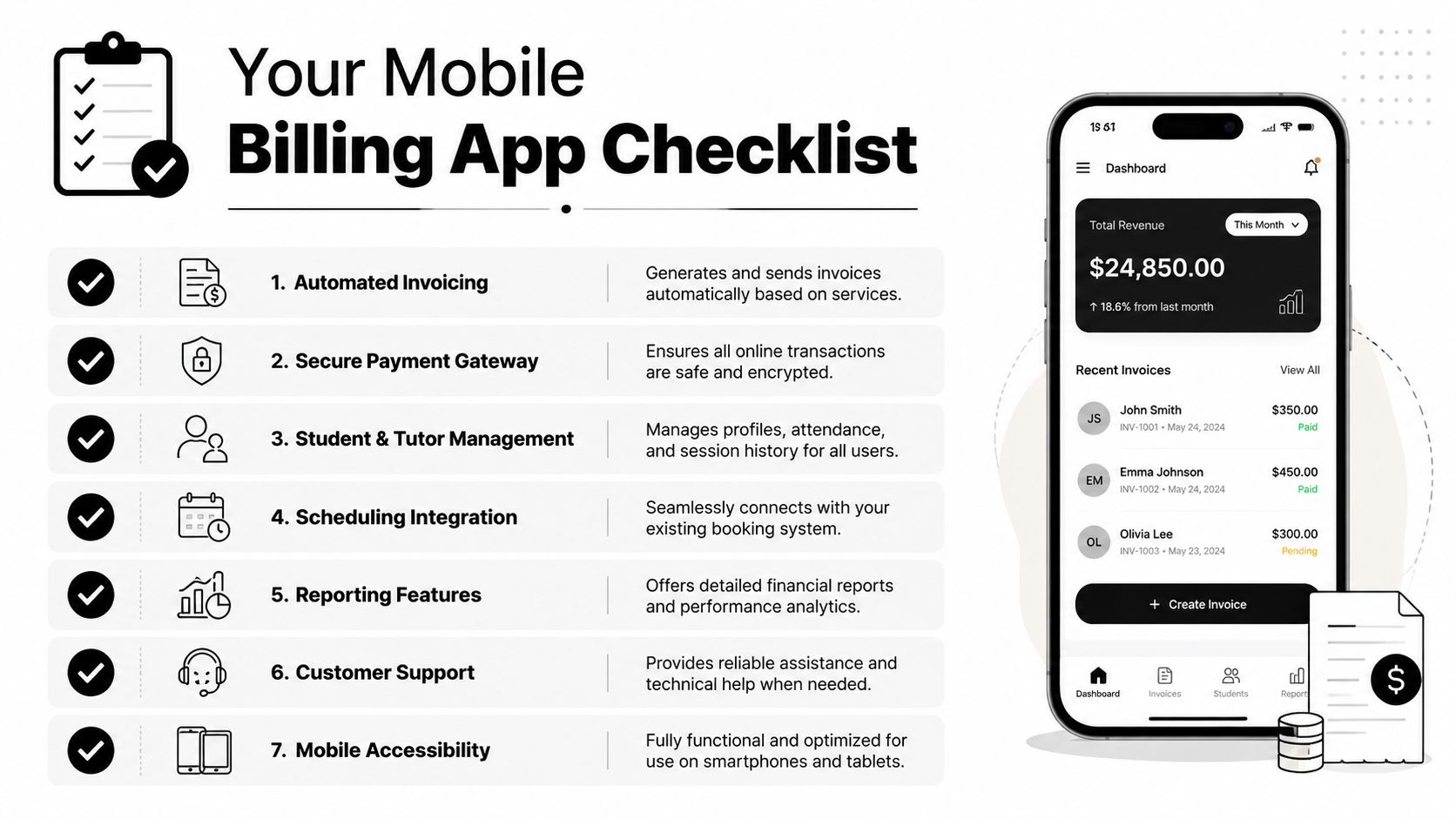
Most billing apps look similar in a demo because every vendor can show an invoice screen. The key test is whether the system handles the awkward details that tutoring businesses deal with every week.
Non-negotiables for tutoring centers
Ask these questions before you sign anything:
Does attendance trigger billing automatically
If staff still converts lesson logs into invoices by hand, the core problem remains.
Can it handle multiple pricing models
You need support for per-hour, per-lesson, per-package, and subscription billing, plus trial settings and cancellation rules.
Does it support payer-level billing
Family accounts need linked students, shared balances, receipts, and allocation across invoices.
Can it manage teacher payroll from the same lesson data
Basic hourly payroll won't be enough for many centers.
Does it support branches, rooms, and room fees
Multi-location operations need branch-aware scheduling and billing logic.
Can it handle hybrid classes
In-person and online students often sit inside the same operational workflow.
Quick comparison lens
| Evaluation point | What good looks like | Warning sign |
|---|---|---|
| Billing automation | Attendance to invoice flow | Manual export or re-entry |
| Payroll depth | Multiple pay models | Hourly only |
| Multi-location support | Branches and rooms in one system | Separate workarounds |
| Parent payments | Native mobile flow | PDF invoice plus manual chasing |
| Operational fit | Built for tutoring workflows | Generic small-business invoicing |
If you want a useful outside perspective on mobile product decisions, Refact's ecommerce mobile app advice is worth reading. It focuses on commerce apps, but the product thinking applies directly to parent payments, checkout friction, and mobile behavior.
Buy for the exception cases, not the clean demo. Normal weeks in a tutoring center include makeups, sibling billing, teacher substitutions, late cancellations, and mixed payment methods.
Frequently Asked Questions
Is mobile billing secure enough for student and payment data
Security depends on the vendor's architecture, permissions, and payment integrations. You should ask how they handle access controls, payment processing, audit history, and mobile session management. A tutoring center should never rely on informal message threads or shared spreadsheets for billing records.
Can parents see billing history and pay themselves
In a strong setup, yes. Parents should be able to review invoices, receipts, balances, and payment status without sending your team repeated messages for simple account questions.
Can one payer manage multiple children
It should. Family billing is standard in tutoring. If the app can't link one payer to several students, your team will end up creating manual workarounds.
Will it work for multiple brands or branches
Some systems support separate branding, policies, and portals while still sharing resources behind the scenes. If you run more than one school name or location, ask about multi-brand and multi-branch support early.
Can it handle hybrid classes
It should track lesson attendance cleanly for in-person and online participation. Hybrid delivery creates billing mistakes fast when the status rules aren't built into the workflow.
What kind of onboarding should you expect
You should expect help importing students, payers, teachers, services, schedules, pricing rules, and balances. A good migration plan matters more than a polished sales demo.
If you're done patching together calendars, spreadsheets, invoice templates, and payment follow-up, Tutorbase is worth a look. It gives tutoring centers and language schools one place to run scheduling, billing, payroll, rooms, attendance, and parent payments without the usual manual handoffs.


