


You finish a block of online classes, open your inbox, and find the same mess again. One tutor sends a screenshot of the participant list. Another forgets. A third marks everyone present even though two students dropped after a few minutes. Then you still have to decide who gets billed, which teacher gets paid, and which parent needs a no-show follow-up.
That's why a Google Meet attendance tracker matters, but not in the way most tutorials frame it. The core issue isn't collecting names from a call. Instead, the objective is turning attendance into clean operations, without extra spreadsheet work, compliance risk, or end-of-week payroll surprises.
Why Manual Attendance Tracking Fails Tutoring Centers
Manual attendance breaks down fast once you run multiple teachers, multiple branches, or hybrid classes. It looks manageable when you have a few sessions a day. It stops being manageable when attendance lives in screenshots, chat logs, tutor memory, and one shared spreadsheet that only one person really understands.
A common pattern looks like this. Your schedule lives in Google Calendar. Your class roster lives in a spreadsheet. Your teacher pay rules live somewhere else. After classes end, someone reconciles all three and tries to decide what happened.
That sounds small until you repeat it all week.
The problem isn't attendance alone
A simple present or absent list doesn't solve much for a tutoring center. You also need to know:
- Billing status, who attended and should be invoiced
- Payroll status, which teacher delivered the lesson and under what pay rule
- Exception handling, who was late, who no-showed, and who joined the wrong meeting
- Parent communication, which absence needs a follow-up before it turns into churn
If your team still copies names from Meet into Sheets, you're not really tracking attendance. You're doing after-the-fact reconstruction.
Practical rule: If attendance requires your operations team to “figure out what happened” after the lesson, the system is already too fragile.
That's why so many centers end up rethinking the process entirely and start with choosing the right attendance system based on workflow, not just a feature checklist. The shift usually happens when owners realize the true cost is not the register itself. It's the admin drag that follows.
Where errors creep in
Manual methods fail in predictable ways:
- Tutors mark attendance differently, one writes “present,” another writes “att,” another sends nothing
- Meet links get reused, so the participant list doesn't match the scheduled class cleanly
- Operations staff do duplicate work, first for attendance, then again for invoicing, then again for payroll
- No-shows get missed, so you lose the chance to enforce your cancellation policy consistently
For centers trying to graduate from ad hoc systems, this is usually the point where tutoring software for spreadsheet users starts making sense. Not because spreadsheets are bad, but because attendance touches too many downstream tasks to keep running manually.
Using Google's Native Attendance Reports
Google's built-in option is often the initial choice for organizations. If you're on the right Workspace plan, it's the cleanest native way to get a post-meeting attendance record without installing anything in every tutor's browser.
Who can use it
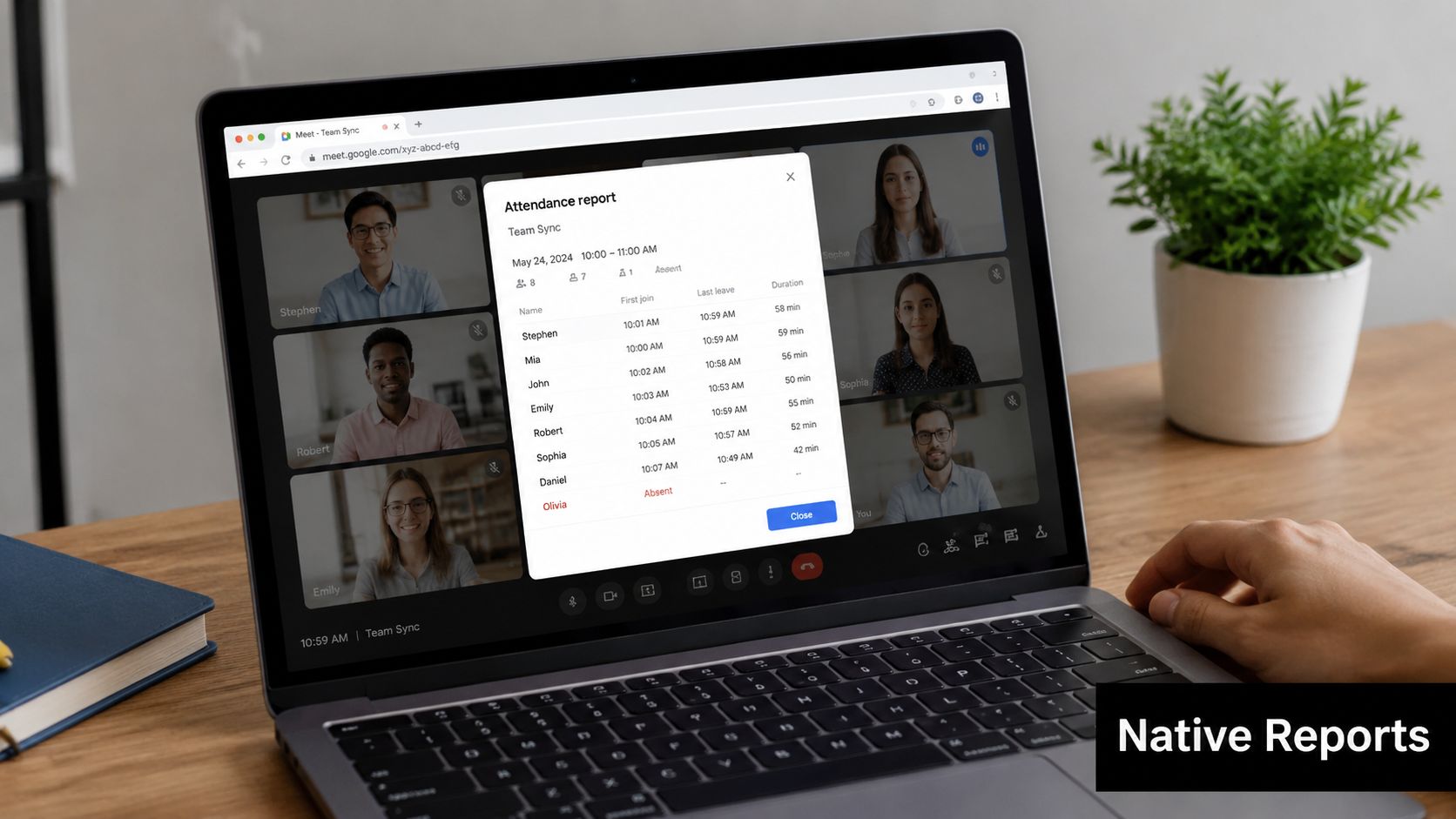
Google states that Google Meet's native attendance reporting is automatically available for Google Workspace for Education Plus and Teaching and Learning Upgrade customers for meetings with 2 or more participants. Google also notes that administrators can enable or disable the feature in Admin Console, and setting changes can take up to 24 hours to apply for rollouts across an organization (Google Meet Help).
That point matters because many guides talk about Google Meet attendance reports as if every account has them. They don't.
How to turn it on
For eligible setups, the most practical workflow is straightforward:
- Create the meeting in Google Calendar. This matters more than people think.
- Enable attendance tracking in Calendar event details or turn it on from Host controls inside the meeting.
- Run the class as scheduled with the same organizer and link structure you planned.
- Wait for the post-meeting report, which Google sends to the organizer as a Google Sheets file in eligible setups.
If you manage recurring classes, standardize this during scheduling, not when the tutor is already in the room and trying to start on time.
If you rely on one-time or instant meetings, attendance settings can become inconsistent from session to session.
What works well and what doesn't
The native report is useful when you need a basic record tied to a scheduled class. It removes manual list-taking and gives the organizer a cleaner audit trail than screenshots or chat logs.
Its limits show up quickly in tutoring operations:
- Plan restrictions, many centers won't have access
- Basic post-meeting reporting, you get records after the class, not an operational workflow
- Admin dependency, if settings aren't enabled correctly, the report won't help you after the fact
- Weak connection to billing and payroll, the report exists, but someone still has to act on it
If your team also records lessons, it's worth understanding the policy side separately from attendance. This guide on when people try to record Google Meet without permission is useful because attendance tracking and recording often get bundled together operationally, even though the legal and ethical questions differ.
A quick walkthrough helps if you're rolling this out to staff:
The Hidden Costs of Chrome Extensions
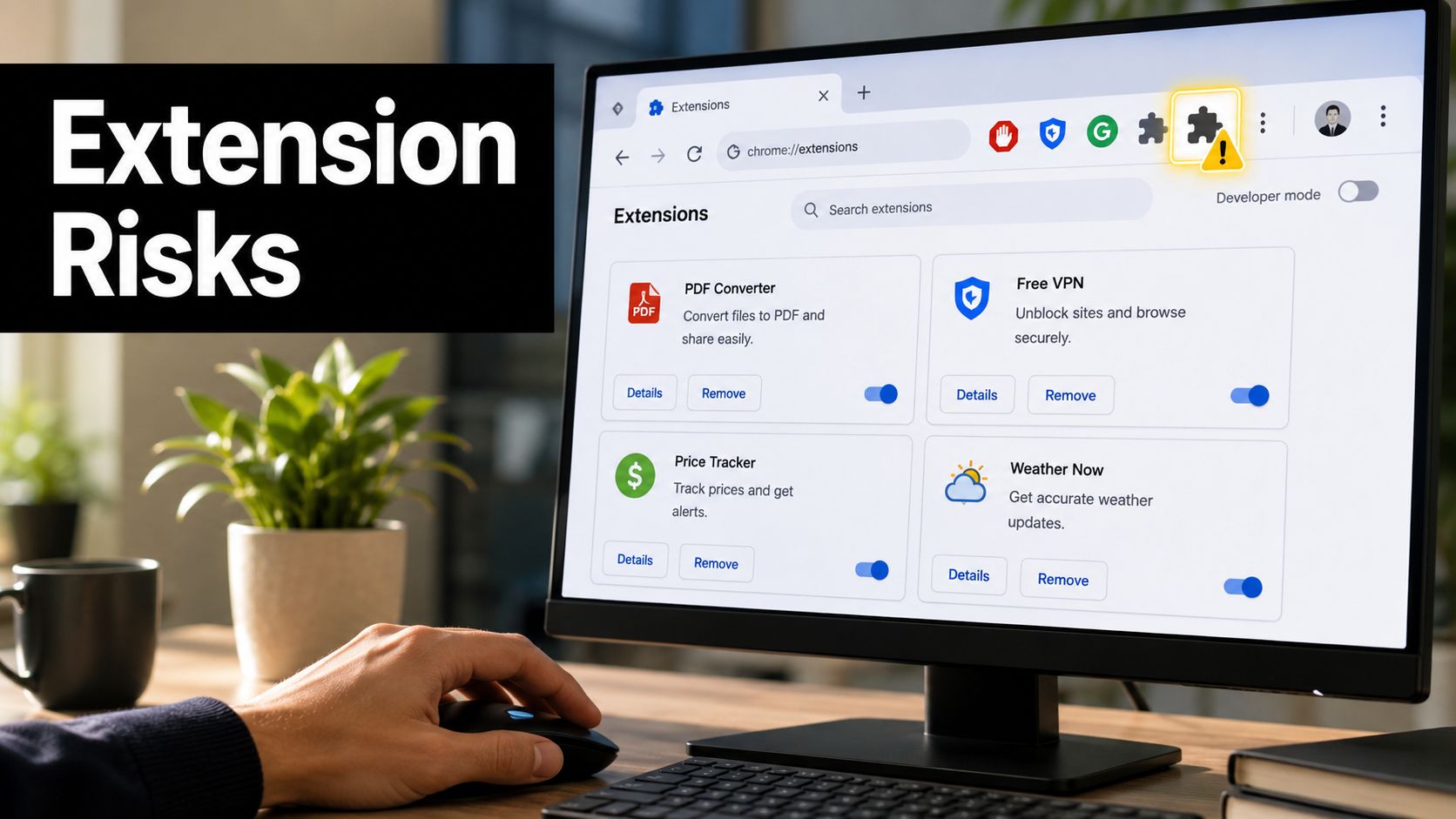
Chrome extensions are popular because they feel like a shortcut. Install one, join the meeting, export a CSV, done. For a solo tutor, that can be enough.
For a growing tutoring center, it usually creates a different problem. The attendance data sits inside individual browsers, under individual teacher habits, with no reliable path into your main operations workflow.
Why extensions look attractive
The appeal is obvious:
- Fast setup, no domain admin work
- Low barrier for tutors, especially with free Google accounts
- Extra exports, often CSV or spreadsheet output
- Join and leave logs, which feel more detailed than a manual roll call
That's why the extension market around Google Meet keeps growing. It fills the gap for users who don't have native reports or want a little more detail.
Where they break at scale
The issue isn't whether a Chrome extension can capture attendance. Many can. The issue is what happens after that.
A 2025 industry report found that 62% of mid-sized tutoring centers (20 to 100 teachers) abandoned standalone Chrome extensions due to security vulnerabilities and inconsistent data accuracy, and because staff had to manually export data, wasting over 10 hours per week for operations managers.
That lines up with what operations teams usually experience in practice. Extensions create fragmented records. One tutor exports a file. Another forgets to. Another changes devices. Now your “system” depends on local browser behavior.
A Google Meet attendance tracker isn't scalable if the data only exists on the person who hosted the class.
The operational trade-offs
Here's what usually goes wrong in real centers:
- Data silos, attendance lives in a tutor's browser instead of your central system
- Version inconsistency, different tutors install different tools, or stop updating them
- Messy reconciliation, exported files still need manual matching against scheduled lessons
- Security uncertainty, you often don't get the governance clarity you need for student data
- Support burden, when the extension fails midweek, your operations team becomes tech support
Extensions solve collection. They rarely solve accountability.
That's why they're fine as a temporary bridge, but weak as a long-term operations layer for any center handling multiple teachers, recurring classes, and parent billing rules.
Building an Automated Google Sheets Tracker
If you want more control and you've got technical capacity in-house, a DIY Google Sheets workflow can be a reasonable middle ground. This usually means combining Google Meet processes with Google Sheets and some custom logic, often through Google Apps Script or an adjacent internal workflow.
It's more effective than asking tutors to send screenshots. It also demands more maintenance than most center owners expect.
What a DIY setup can do
A custom tracker usually aims to centralize a few things:
- Lesson roster matching, connect a scheduled class to the expected students
- Attendance logging, capture who joined and when the session happened
- Status updates, mark attended, absent, cancelled, or no-show in a master sheet
- Ops visibility, give one place where coordinators can review exceptions
In practice, the value comes from standardization. You stop collecting attendance in five different ways and start enforcing one workflow.
The parts people underestimate
The build itself is only half the work. The harder part is keeping the system stable when your timetable changes, your teachers use meetings differently, or Google changes behavior in the products you depend on.
A DIY tracker usually requires you to think through questions like:
- Who owns the meeting link. If the wrong person creates it, your attendance logic may not line up with the class record.
- What counts as attendance. Is a student present if they join briefly and leave? What about late arrivals?
- How exceptions get reviewed. Someone still has to decide whether to bill a no-show or pay a teacher for a partial class.
- Who maintains the script. If the person who built it leaves, can anyone else debug it?
When this route makes sense
A Google Sheets tracker works best when you have a technically confident manager or contractor who can maintain it, and when your rules are still simple enough to express in spreadsheets.
It's a practical option if you need:
- Custom attendance rules that off-the-shelf tools don't match
- One central operations sheet before moving to a full platform
- A lower-cost bridge while you standardize your scheduling process
It becomes less attractive when your attendance status directly affects invoicing, credit deduction, makeup lessons, or teacher payroll.
Custom workflows feel flexible until your business grows faster than the script.
That's usually the turning point. Once attendance isn't just a record, but a trigger for financial actions, DIY systems start showing their limits.
Integrating Attendance with Your Billing and Payroll
Attendance on its own has limited value. The primary payoff comes when attendance updates the rest of the business automatically.
If a student attended, you should be able to invoice correctly. If a teacher delivered the class, you should be able to calculate pay correctly. If a student no-showed, your cancellation policy should apply consistently. That's the part generic Google Meet attendance tracker guides usually skip.
What the ideal workflow looks like
For tutoring centers, the clean workflow is simple:
- The lesson is scheduled
- Attendance gets confirmed
- Billing rules apply automatically
- Teacher pay is calculated from the same lesson record
- Operations only reviews exceptions
That removes duplicate entry. It also reduces the usual arguments at month end about whether a lesson happened, whether a parent should be charged, or whether a teacher's hours are right.
Attendance tracking methods compared for tutoring centers
| Method | Setup Effort | Data Integration | Scalability | Compliance Risk |
|---|---|---|---|---|
| Manual spreadsheet tracking | Low to start, high ongoing effort | Weak | Low | Medium |
| Google native attendance reports | Moderate | Limited | Moderate for eligible organizations | Lower |
| Chrome extensions | Low | Weak | Low for multi-teacher operations | Higher |
| DIY Google Sheets plus scripts | High | Moderate | Moderate with maintenance | Depends on implementation |
| Integrated tutoring management software | Higher upfront process change | Strong | High | More controllable |
The difference is not convenience alone. It's whether your attendance tool creates more work downstream.
What integrated operations actually change
In an integrated setup, attendance becomes the source of truth for the commercial side of the lesson. That means:
- Invoices can follow lesson status, instead of being built manually afterward
- Payroll can use the same attendance record, instead of separate timesheets
- Hybrid classes can be handled more cleanly, especially when some students are in person and others are online
- Audit trails improve, because scheduling, delivery, and payment all point back to one record
For teams that need this link, platforms like Tutorbase payroll matter because payroll is no longer detached from lesson delivery. The same lesson record can drive settlement logic instead of forcing administrators to rebuild hours from exported attendance files.
What actually works in practice
The method that works depends on business size.
A solo tutor can survive with manual logs or a simple extension. A center with multiple teachers and recurring classes usually can't, because each attendance record has financial consequences.
The operational question isn't “How do we track attendance?” It's “How do we stop attendance from being retyped into billing and payroll?”
Once you frame it that way, the decision gets easier. Native reports can help. Extensions can patch a gap. DIY can buy time. But if attendance still needs manual reconciliation before you can invoice or run payroll, the process hasn't been solved.
Attendance Tracking Compliance and Student Privacy
Student attendance data looks harmless until you map what it contains. Names, emails, session times, attendance status, and lesson history all count as sensitive operational data in an education business. If you teach minors, the bar is even higher.
Most tutoring centers don't get into trouble because they meant to mishandle data. They get into trouble because they adopted convenient tools before defining a policy.
Why extensions create extra risk
A 2025 study by the International Data Privacy Institute found that 58% of tutoring centers using third-party Chrome extensions for attendance are unknowingly violating data retention policies, because extensions store student names and session data on external servers without proper parental consent. The study identifies that as a major risk under laws such as GDPR and FERPA.
That doesn't mean every extension is automatically unsafe. It means you can't assume that because a tool is easy to install, it fits your obligations.
The compliance checklist operators should actually use
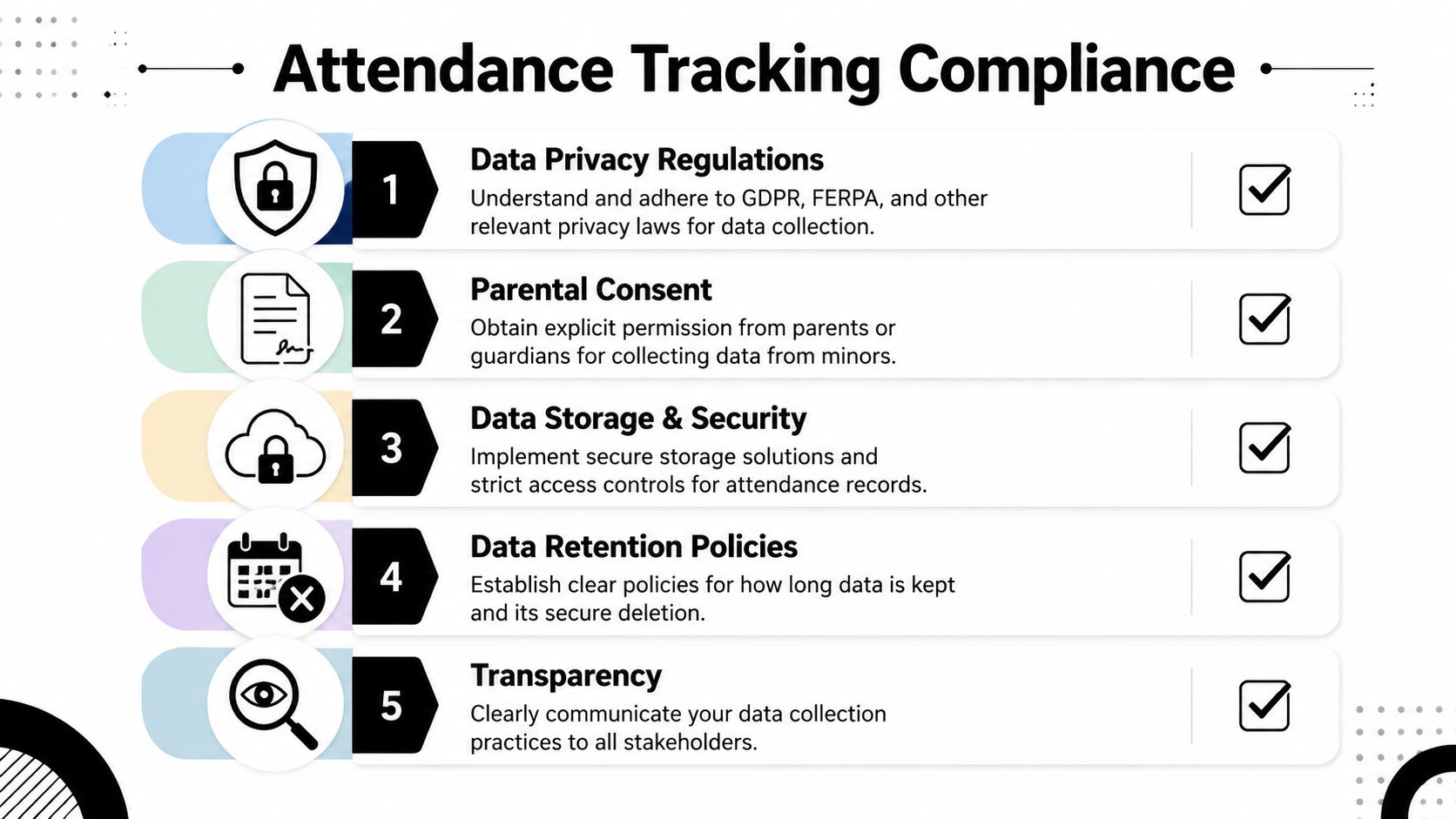
When reviewing any Google Meet attendance tracker, ask these five questions:
What data gets collected
Keep it minimal. If the tool captures more than attendance requires, you're adding unnecessary risk.Where is the data stored
You need a clear answer, not a vague product page.Who can access it
Access should be limited to staff who need it.How long is it retained
Retention should match a defined policy, not whatever the tool defaults to.How do you handle consent for minors
If you teach students under 18, this is not optional.
Native tools versus third-party tools
Google's native attendance reporting sits inside the broader Google Workspace environment for eligible education customers, which gives many schools and training organizations a more controlled governance path than random browser add-ons. That doesn't remove your responsibilities, but it usually gives you a clearer admin framework.
Third-party tools can still be usable, but only after a proper review of storage, permissions, retention, and consent processes.
For centers formalizing this area, it helps to study Tutorbase's approach to student data as one example of how tutoring software can treat attendance as part of a wider data-governance system rather than an isolated browser utility.
Compliance isn't a legal side quest. It's part of attendance system design.
What to standardize internally
Even before you change tools, you should tighten policy:
- Document attendance categories, so teachers don't invent their own labels
- Separate attendance from recording consent, because they're related but not identical
- Limit exports, especially ad hoc CSV downloads sitting on personal devices
- Review access by role, not by convenience
- Train staff on exceptions, such as hybrid classes, parent disputes, and late cancellations
Most compliance problems start as process problems. The technology matters, but the internal rules matter first.
Google Meet Attendance Tracker FAQ
Can Google Meet track attendance for hybrid classes
Partially. A Google Meet report can help with online participants, but hybrid delivery adds another layer because some students may sit in the room while others join remotely. You need one class record that can distinguish online attendance from in-person attendance, otherwise your register becomes inconsistent.
What should you do if the tracker fails for one lesson
Use a fallback rule before you need it. Most centers should define a backup process such as tutor confirmation plus an operations review against the schedule. Don't improvise on the day, because that's when billing and payroll errors start.
Are Chrome extensions enough for a small tutoring business
They can be enough for a small or early-stage setup, especially if one person manages everything. They become harder to control as soon as multiple teachers host their own classes and your team needs clean records for invoicing, parent communication, and payroll.
How should you track no-shows, trials, and late cancellations
Don't lump them into a generic absent status. These outcomes affect billing and teacher pay differently. Your attendance process should support distinct statuses so staff can apply your cancellation and trial policies consistently.
Is Google's native report better than a third-party tracker
It's better for governance and simplicity if you're on an eligible Workspace plan and only need a basic post-meeting record. It's not automatically better for operations if you still need richer workflows, historical lesson handling, or direct links into billing and payroll.
What's the most practical option for a growing center
For a growing center, the safest choice is usually the one that fits your scheduling, billing, payroll, and privacy process together. If you're still comparing options, this guide that helps you compare attendance tracking tools is a useful starting point for evaluating how different approaches fit different team sizes.
Do free Google accounts include built-in attendance reports
No. In the current Google Meet ecosystem, free Google accounts don't have built-in attendance reports. That's one reason so many users turn to extensions or external workflows when they need attendance logs.
If your team still tracks attendance in Google Meet and then retypes the result into invoices, payroll, and follow-up tasks, you don't have an attendance system yet. You have a manual reconciliation process. Tutorbase is one option for tutoring centers that want attendance, scheduling, billing, and payroll connected in one workflow.


