


Does your week involve juggling Google Calendars, chasing late payments, and manually creating invoices in Excel? If you're spending 10+ hours weekly on administrative tasks, you're not just busy, you're running a tutoring business with avoidable friction. That friction shows up as missed bookings, slow collections, payroll headaches, and too many decisions made with partial information.
Tutorbase is AI-powered tutoring management software built to replace Teachworks, TutorCruncher, TutorBird, and spreadsheet-based operations. It combines scheduling, billing, payroll, room management, student tracking, attendance, CRM, and reporting in one system for tutoring centers and language schools with 5 to 100+ teachers, 1 to 10+ branches, and 50 to 10,000+ lessons per week. These management lessons come from the kind of operational problems that show up in real centers every day, and from the systems that fix them.
1. Lesson 1, Automate Scheduling to Eliminate Conflicts and Save Hours
Most scheduling problems don't start with a bad team. They start with too many moving parts. One student needs Grade 5 Math after school, one teacher only works Tuesdays and Thursdays, one room has the whiteboard setup for hybrid delivery, and someone else already penciled in a trial lesson.
A human can solve that puzzle. A human just shouldn't have to solve it over and over.
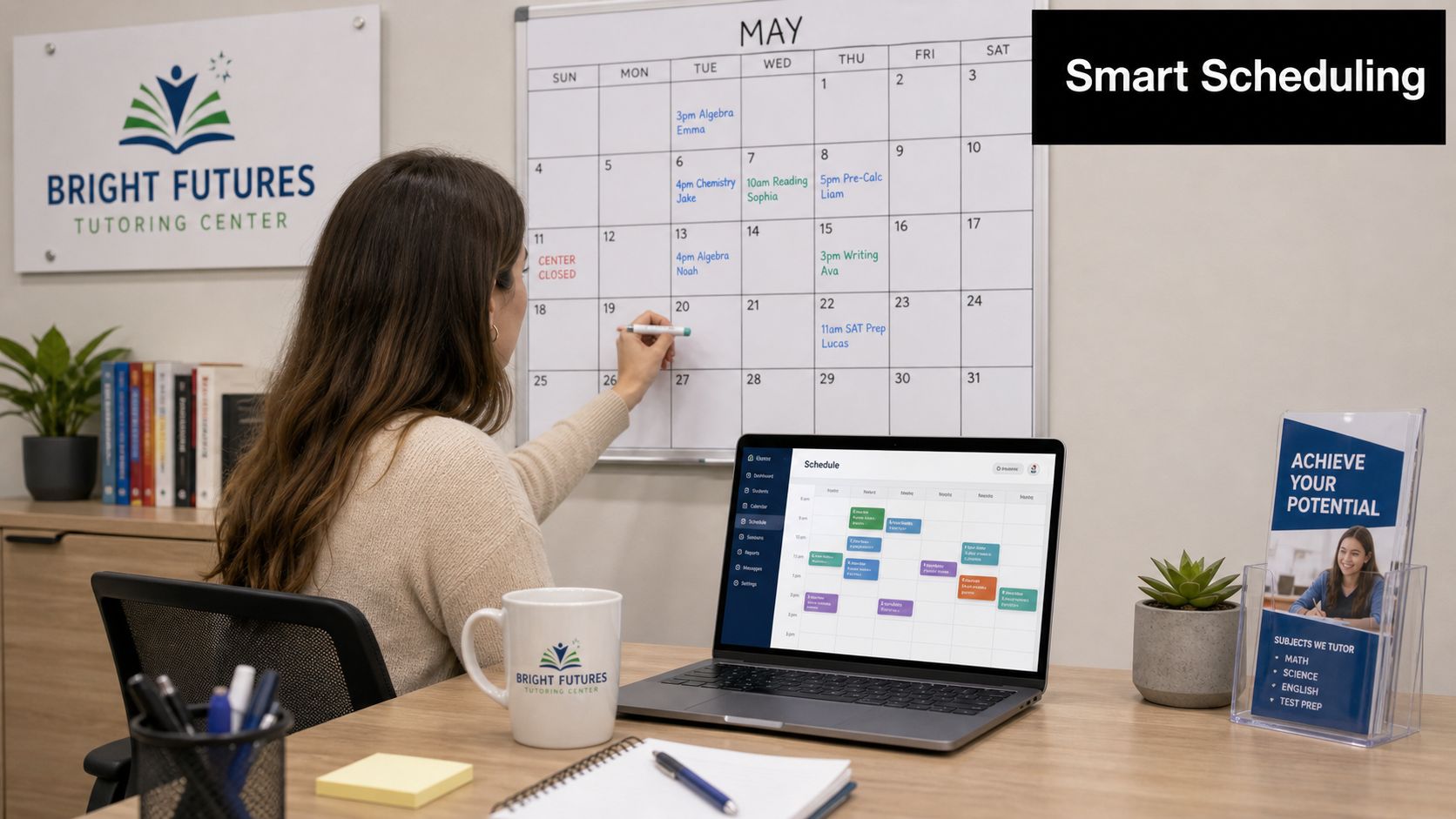
With tutoring scheduling software, you set the constraints once. Then the system finds teacher, room, and time combinations instead of asking your front desk staff to compare calendars manually.
What good scheduling looks like
An admin books a new Grade 5 Math student. Instead of checking five teachers across separate calendars and then calling another branch about room availability, they use Find Slot. The system returns valid options based on subject, level, teacher availability, room capacity, and location. The booking gets confirmed quickly, and nobody has to clean up a mistake later.
That matters more as you grow. Centers operating across 1 to 10+ branches often lose visibility into room usage and teacher workload, which leads to double-booked teachers and overbooked rooms.
Practical rule: If your team still “checks a few calendars first,” you're already paying the cost of fragmented scheduling.
A few habits make automation work better:
- Map teacher capabilities clearly: Enter subjects, levels, and locations up front, so the system matches the right teacher to the right lesson.
- Set room rules properly: Add capacity, floor, features, and availability, especially if you run piano rooms, test prep labs, or hybrid classrooms.
- Use Find Spot weekly: Fill partially booked group classes before opening new ones. That protects margin and improves room utilization.
Later in the week, the same scheduling logic helps with recurring lessons. A weekly or bi-weekly series can be created in one click, with conflict detection catching problems before parents do.
A short walkthrough helps your team see the difference in real time.
2. Lesson 2, Link Billing to Attendance for 100% Accuracy
Manual invoicing creates two kinds of damage. The obvious damage is billing errors. The quieter damage is trust. Parents stop believing your invoices when lesson counts don't match what happened.
The clean fix is simple. Billing should start with attendance, not with someone rebuilding the month from memory.
Tie service delivery to the invoice
When a teacher marks a lesson as Attended, the billing system should pull that lesson into the next invoice automatically. If your cadence is weekly, bi-weekly, monthly, or per lesson, the rule should already be in place. Your team shouldn't need to retype anything.
A center billing monthly can generate a full batch of invoices from attendance records in minutes instead of assembling them by hand. Parents receive itemized bills that match delivered lessons, and your admin team stops wasting time on avoidable invoice questions.
Tutorbase handles this through invoicing connected to lesson scheduling. That link matters because lesson status, pricing rules, prepaid credits, and invoice cadence all sit in the same workflow.
The broader lesson goes beyond software. In education, poor implementation wastes tools. In the United States, about 67% of education software licenses remain unused, and 98% are not used intensively. If you buy billing software but still let staff manage attendance and pricing manually in side spreadsheets, you'll recreate the same problem in a more expensive form.
A billing setup that holds up under pressure
Use a few operational rules:
- Choose one billing cadence intentionally: Weekly gives flexibility, monthly reduces invoice volume, and per-lesson billing fits some high-variability programs.
- Use prepaid credits where appropriate: Wallet-style balances reduce transaction volume and improve cash collection.
- Set low-balance alerts: Parents top up before classes stop, instead of after your staff starts chasing.
Billing works when the system answers one question clearly: was the lesson delivered, and what policy applies?
3. Lesson 3, Manage All Rooms Across All Branches from One Place
Multi-branch centers often think they have a teaching problem when they really have a visibility problem. One branch is packed. Another has open rooms at the same hour. One coordinator thinks a room is free. Another just assigned it to a catch-up class.
That confusion costs money because every scheduling conflict triggers manual recovery. Staff call each other, move teachers, apologize to parents, and sometimes lose the booking altogether.

Centralize room operations before you add more space
A single dashboard should show every room across every branch, along with capacity, floor, features, fees, and availability. That changes how an operations manager works. Instead of asking each location what might be available, you filter by what the lesson needs.
A language school with downtown and suburban branches can use one screen to book a last-minute B1 French class. The coordinator checks room size, projector access, and branch location without calling another site. If the best option is at the second branch, the booking happens immediately.
This is one of the most practical management lessons for growing centers. Expansion amplifies weak systems. It doesn't fix them.
What to track at room level
The basics matter:
- Tag rooms by teaching need: Piano, projector, whiteboard, online-ready, exam setup.
- Record room fees accurately: If a room carries a cost, it should flow into billing automatically.
- Watch utilization patterns: Peak and off-peak usage tells you whether to rebalance classes, shift teachers, or delay opening new space.
When room data lives beside scheduling data, your branch managers stop making local decisions that create system-wide problems. That's especially important in businesses serving K-12 tutoring, language schools, test prep, music schools, and after-school programs, because each format has different room constraints.
4. Lesson 4, Implement Layered Pricing to Maximize Revenue
Flat pricing feels simple until your business gets more complex. Then it starts leaking margin. Your premium SAT teacher charges the same as a junior tutor. Your city-center branch absorbs higher occupancy costs without any pricing difference. Long-term families need special terms, but your billing team has to remember them manually.
That's not a pricing model. That's a collection problem waiting to happen.
Match pricing to how the business actually works
A better setup uses policy packs with layered precedence. You start with a global rate, then override it by location, service, or student when the business case is clear. The important part isn't sophistication. It's consistency.
A music school might set a base hourly rate, then apply a higher location price for its downtown branch and a separate service rate for lessons with a senior instructor. When a student books that teacher at that branch, the system applies the right rule automatically.
That removes ad hoc billing decisions. It also makes cancellation and trial policies enforceable. Free first lesson, discounted trial, package pricing, subscription pricing, per-hour, per-lesson, or per-package structures all work better when the rule lives inside the platform instead of inside someone's memory.
Keep pricing complexity under control
Use a few guardrails:
- Start simple: Set one global default first, then add overrides only where you can explain the reason clearly.
- State cancellation rules early: Parents should acknowledge time windows, fee percentages, and refund treatment before the first invoice goes out.
- Use packages strategically: Bundles can improve commitment and smooth cash flow.
If you're rethinking structure rather than just rates, this value based pricing strategy guide offers a useful lens. The practical version for tutoring centers is straightforward. Price around outcomes, delivery constraints, and scarce teaching capacity, then automate the policy so your team doesn't negotiate exceptions all day.
5. Lesson 5, Standardize Payroll to Retain Top Talent
Teachers will tolerate a lot less operational mess than owners assume. They may work around room changes, last-minute student swaps, and packed schedules for a while. They won't stay patient with incorrect or late pay.
Payroll errors usually come from one of two issues. Either the pay rules are too complex for spreadsheets, or attendance records aren't reliable enough to calculate from.
Use payroll rules your business can actually support
Tutoring centers often pay using a mix of per-hour, per-lesson, per-student, revenue share, base plus variable, overtime, and premium rates for weekends or specific subjects. That's normal. The problem starts when finance has to calculate all of it by hand.
With tutor payroll software, you can connect confirmed lesson attendance to each teacher's contract terms. A center can pay one teacher per lesson, another on revenue share, and another on a blended structure without recreating formulas every cycle.
A common scenario looks like this. The system pulls all Attended lessons for the payroll period, applies the teacher-specific pay model, adds any subject or time-slot premiums, and generates a payroll report for approval. Contractors can then create self-billing invoices from the same dataset.
Operations note: Payroll disputes often reveal an attendance process problem first, not a payroll problem.
Weak management is expensive. Poor leadership can cost businesses up to $550 billion annually in lost productivity globally, while 58% of managers step into leadership roles without formal management training. Payroll is one of the first places untrained managers create avoidable friction, because it combines policy, operations, communication, and trust.
Practical payroll habits
- Create a review window: Give teachers time to check lesson records before payroll is finalized.
- Align incentives carefully: Revenue share can work well for some contractors, but only if reporting is transparent.
- Add premiums deliberately: Weekend or evening incentives help you staff high-demand slots without constant negotiation.
6. Lesson 6, Treat Inquiries Like a Sales Pipeline, Not an Inbox
A tutoring center can lose good leads without ever realizing it. A WhatsApp message comes in after hours. A web form sits in email. A front desk note from a walk-in never makes it to follow-up. By the time someone checks, the parent has already booked elsewhere.
Inboxes don't manage pipeline movement. They just store messages.
Put every inquiry into stages
A working CRM for a tutoring business doesn't need to be complicated. It needs to be visible. New, Contacted, Trial Scheduled, Converted, and Lost is enough for most centers to see where momentum breaks.
Say an admin reviews fresh leads on Monday. They move new inquiries into Contacted after the first call, then into Trial Scheduled once a lesson is booked. After the trial, some convert, some don't. That progression tells you where the issue sits. If many parents inquire but few book a trial, your response process needs work. If trial lessons happen but few convert, your sales conversation or class fit may be off.
Tutorbase supports this with lead capture from website forms, WhatsApp, phone calls, and walk-ins, plus custom fields and conversion tracking. For owners replacing Teachworks alternative workflows or a TutorCruncher alternative setup, this is often the first place they notice how much demand was leaking through process gaps.
Make lead handling operational, not personal
A few rules change outcomes fast:
- Tag the source of every lead: Google Search, referral, Facebook ad, school partnership, WhatsApp.
- Use structured intake: Name, subject, level, preferred time, and branch should enter the system in one format.
- Review lost leads regularly: Price objections, scheduling mismatch, and slow response all require different fixes.
One management lesson that gets ignored in generic advice is narrative. Data alone doesn't move every stakeholder. As noted earlier, leaders often need to combine metrics with a clear story about how decisions affect students and families. If you're proposing a new intake process or changing trial policy, explain what parents experience now and what will improve.
7. Lesson 7, Use Explicit Attendance Statuses to Drive Accuracy
Attendance seems small until it contaminates everything else. Billing, payroll, renewals, and parent communication all depend on what happened in the lesson. If your system uses vague labels or late updates, every downstream process gets weaker.
The fix is not more supervision. The fix is cleaner status design.

Remove ambiguity from the record
Each lesson should carry a clear status such as Scheduled, Attended, No-show, Cancelled, or Late Cancelled. That sounds basic, but it changes enforcement. A student who cancels inside the policy window shouldn't trigger a staff debate. The lesson should be marked correctly and billed according to the rule already set.
A common example is a student cancelling a few hours before class. If your policy charges part of the fee for late cancellations, the system should apply that automatically when the status changes. Your admin team doesn't need to improvise, and your teachers don't need to explain billing policy on the fly.
Make attendance useful, not just recorded
Good attendance practice includes:
- Mark lessons in real time: Teachers should update status at the start of class or immediately after.
- Use lesson types properly: Trial, regular, and catch-up sessions should remain distinct.
- Track delivery mode: Hybrid classes need per-student clarity on who attended online and who attended in person.
Management discipline matters. Managers account for at least 70% of the variance in employee engagement across teams, and highly engaged teams achieve 23% higher profitability. In practice, that means your teachers are far more likely to maintain accurate attendance when their manager sets clear expectations, explains why the data matters, and checks the process consistently.
“You get better billing and payroll when attendance becomes a non-negotiable teaching habit.”
8. Lesson 8, Make Decisions with Real-Time Dashboards, Not Monthly Reports
Waiting until month-end to understand operations is one of the most expensive habits in education businesses. By the time your spreadsheet tells you renewals dipped, rooms were underused, or one branch was overloaded, the damage has already reached parents, teachers, and cash flow.
Operators need current visibility, not historical reconstruction.
Watch the business while it's running
A real-time dashboard should answer the questions that matter today. How many lessons are scheduled? Which invoices are overdue? Which teachers are near capacity? Where are no-shows rising? Which branches have room to absorb new enrollments?
That changes manager behavior. Instead of reacting after complaints arrive, you catch leading indicators. A branch manager sees unusual absenteeism tied to one class format, or an owner spots overdue invoices building in one program before the month closes.
Tutorbase is built for this kind of operational view across scheduling, billing, payroll, room management, and student tracking. For centers managing 50 to 10,000+ lessons weekly, the point isn't more data. It's faster action.
Focus on a few operational signals
A dashboard becomes useful when you keep it practical:
- Check daily operational flow: Today's lessons, teacher gaps, room conflicts, and unpaid items.
- Review weekly finance movement: Revenue trends, invoice status, prepaid credit balances, and renewals.
- Watch capacity before hiring: Teacher and room utilization often reveal a scheduling problem before they justify recruitment.
This is also where platform consolidation pays off. Adopting a single platform for scheduling, billing, payroll, and room management can reduce administrative time by over 60%, eliminate billing errors and scheduling conflicts, and has documented outcomes including a 42% increase in student renewals with zero double-bookings for centers scaling to 10,000+ lessons per week. That isn't just software efficiency. It's management clarity.
8 Management Lessons Comparison
| Title | Implementation complexity | Resource requirements | Expected outcomes | Ideal use cases | Key advantages |
|---|---|---|---|---|---|
| Lesson 1: Automate Scheduling to Eliminate Conflicts and Save Hours | Medium, initial constraints/rules setup and calendar logic | Populate teacher availability, room profiles, training, scheduling software | Faster booking (80% time reduction), near-zero conflicts, higher class fill rates | High-volume centers, multi-teacher or multi-branch scheduling | Prevents double-booking, rapid slot generation, improved utilization |
| Lesson 2: Link Billing to Attendance for 100% Accuracy | Medium, configure billing rules and attendance triggers | Reliable attendance capture, billing engine, payment integrations | Accurate automated invoices, faster cash flow, auditable billing trail | Centers with billing disputes or high invoice volume | Eliminates manual invoice errors, reduces payment chasing, consistent audit trail |
| Lesson 3: Manage All Rooms Across All Branches from One Place | Medium–High, centralize multi-branch room data and permissions | Detailed room data entry, cross-branch coordination, staff processes | Prevented overbooking, clearer capacity visibility, automated room fees | Multi-branch centers, shared-resource scheduling, expansion planning | Single dashboard visibility, cross-branch booking, utilization reporting |
| Lesson 4: Implement Layered Pricing to Maximize Revenue | High, set precedence rules and override logic | Pricing rule modeling, communication to clients, billing integration | Higher average revenue per lesson, flexible promotions, automated overrides | Centers with premium teachers, location-based pricing, varied services | Captures premium pricing, automated overrides, supports packages/subscriptions |
| Lesson 5: Standardize Payroll to Retain Top Talent | Medium–High, support multiple compensation models and settlements | Contract/pay rates setup, attendance linkage, payroll engine, review workflow | Accurate, timely pay, fewer disputes, faster payroll processing | Centers with mixed payroll models or many contractors | Supports diverse pay models, links pay to attended lessons, reduces errors |
| Lesson 6: Treat Inquiries Like a Sales Pipeline, Not an Inbox | Low–Medium, implement simple CRM stages and capture points | Lead capture widgets, staff discipline, basic automation | Fewer lost leads, measurable conversion rates, better marketing ROI | Growing centers, multi-source lead acquisition, conversion-focused teams | Organized pipeline, conversion attribution, automated reminders |
| Lesson 7: Use Explicit Attendance Statuses to Drive Accuracy | Low, define statuses and enforce teacher marking practices | Teacher training, integration with billing/payroll, attendance tools | Clear billing/payroll decisions, reduced disputes, no-show insights | Centers with billing ambiguity, hybrid delivery, frequent cancellations | Removes billing guesswork, enforces policy, supports make-up workflows |
| Lesson 8: Make Decisions with Real-Time Dashboards, Not Monthly Reports | Medium, integrate data sources and configure dashboards/alerts | Integration with attendance, invoicing, payroll, and accounting systems | Proactive issue detection, faster operational responses, data-driven decisions | Multi-location operators, managers needing live metrics | Real-time visibility, automated alerts, consolidated operational & financial KPIs |
Stop Managing Chaos, Start Building Your Business
Most management lessons sound good in a meeting and fall apart in real operations. The useful ones survive contact with late cancellations, teacher availability changes, parent billing questions, branch-level room conflicts, and the thousand small exceptions that fill a normal week.
That's why the shift isn't “become a better manager” in the abstract. It's build systems that remove preventable decisions, standardize the messy parts, and give your team one clear version of the truth.
For tutoring centers and language schools, that means replacing fragmented tools with one platform that connects scheduling, billing, payroll, rooms, CRM, attendance, and reporting. It means using Find Slot and Find Spot instead of calendar hunting. It means generating invoices from attendance instead of from memory. It means setting pricing and cancellation rules once, then letting the system enforce them consistently.
It also means managing growth differently. A center with one location can sometimes survive on workarounds. A center with several branches, multiple teaching formats, different pay structures, and high lesson volume usually can't. The more you scale, the more small process weaknesses turn into expensive patterns.
You can see the same principle in other service businesses. Strong operators don't just market better or hire faster. They reduce friction inside the business so good work can compound. That's one reason this set of practical marketing tips for law firms is relevant outside legal services too. Service businesses grow more reliably when operations and delivery support the promise being sold.
Tutorbase was built by school owners who understand that chaos from the inside. It's headquartered in Hong Kong and used by customers across Asia, North America, Europe, and Australia. The platform serves K-12 tutoring, language schools teaching Spanish, French, German, Mandarin, and Arabic, test prep programs for SAT, ACT, IELTS, TOEFL, DELF, and Goethe, plus music schools and after-school programs.
If you're evaluating tutoring management software, tutoring center software, or tutor scheduling software in 2026, the decision isn't really about features alone. It's about whether your system helps you run a calmer, more accurate, more scalable business. The right platform gives you time back. It gives your team consistency. It gives parents a smoother experience. And it lets you spend less time repairing operations and more time building the center you want.
If you're ready to replace spreadsheets, disconnected calendars, and manual invoicing with one system, Tutorbase is worth a serious look. It gives tutoring centers and language schools one place to manage scheduling, billing, payroll, rooms, CRM, and student operations without the usual patchwork of tools.


