


Key Takeaway: Switching from spreadsheets to dedicated scheduling software for schools is no longer an option—it's essential for survival. A modern platform like Tutorbase automates tedious admin, cuts booking time from 10+ minutes to under 2, and eliminates costly errors like double-booked teachers, saving owners over 10 hours a week and boosting revenue.
If your school’s schedule lives in a tangled mess of spreadsheets, shared calendars, and Post-it notes, you’re not just losing time—you’re actively losing money. For growing tutoring centers and language schools, running operations on manual systems is chaotic, prone to costly mistakes, and a direct drain on your bottom line.
Modern scheduling software for schools is the central command system that gives you clarity, automation, and control over your entire operation.
Why Manual Scheduling Is Costing Your School Money
Every minute an admin spends digging through Google Calendar to find a slot, cross-referencing a tutor’s availability in Excel, and checking if a room is free is a minute they’re not spending on growing your business. These fragmented tools and manual processes are the hidden source of operational chaos and a massive administrative burden.

This admin grind easily eats up 10+ hours per week for school owners and operations managers. But the true cost isn't just in wasted hours. It shows up in tangible, expensive mistakes that hurt your reputation and your revenue.
The Real-World Impact of Outdated Methods
Manual scheduling creates operational friction that directly hits your bank account. We see these issues constantly in tutoring centers and language schools with 5-100+ teachers that are trying to scale without upgrading their tools.
The most common—and painful—problems include:
- Double-Booked Tutors: Your star tutor gets scheduled for two different lessons at the same time. The result? A frustrated parent, a confused student, and a serious blow to your school's reputation.
- Overbooked Rooms: Two classes are assigned to the same room, forcing a last-minute scramble that disrupts the learning environment. It feels unprofessional and disorganized.
- Missed Enrollment Opportunities: The process to find and book a slot is so slow that a prospective parent loses patience and moves on to your competitor. A simple booking that should take under 2 minutes becomes a 10-minute bottleneck that costs you a new student.
- Zero Operational Visibility: Are your best tutors overworked while others have empty slots? Are your most popular times fully monetized? Spreadsheets can’t answer these crucial strategic questions.
For schools managing anywhere from 50 to 10,000 lessons weekly, these "small" errors quickly compound into significant financial losses and create a chaotic, stressful environment for your staff. Scaling becomes impossible without a central system.
The table below breaks down the real business impact of sticking with manual methods versus automating your scheduling. It’s a clear picture of what you gain by moving away from fragmented tools.
The Real Cost of Manual vs Automated Scheduling
| Administrative Task | Manual Method (Spreadsheets & Calendars) | Automated Software (Tutorbase) | Business Impact |
|---|---|---|---|
| Booking New Students | 10+ minutes of back-and-forth emails and calendar checks. | A 2-minute booking process using an AI-powered "Find Slot" tool. | 3x faster conversions and fewer lost leads. |
| Handling Reschedules | Multiple emails or calls to confirm new times, leading to potential errors. | Parents self-serve through a portal, with automated conflict detection. | 60% reduction in admin time and less frustration. |
| Preventing Double Bookings | Relies on human vigilance, which fails under pressure. | The system automatically blocks unavailable tutors or rooms, making it impossible to double-book. | Protects your reputation and eliminates costly mistakes. |
| Generating Invoices | Manually creating invoices from attendance data in Excel, then chasing payments. | Invoices are generated automatically from attendance records in one click. | Improved cash flow and hours saved on billing. |
| Reporting & Analytics | No real-time data; requires hours of manual compilation to see revenue or utilization. | Instant dashboards showing revenue, tutor hours, and booking trends. | Data-driven decisions that help you grow strategically. |
The difference is stark. One path leads to constant firefighting and missed opportunities, while the other paves the way for smooth operations and sustainable growth.
The Growing Need for Automation
The move away from manual scheduling isn't just a trend; it's a fundamental shift in how successful educational businesses are run. The academic scheduling software market is projected to skyrocket from USD 14.2 billion in 2025 to USD 51.3 billion by 2035.
This explosive growth, detailed in Future Market Insights' comprehensive industry report, is fueled by one simple fact: schools can no longer afford the inefficiency of manual systems. They need to automate everything from tutor allocation to attendance tracking just to stay competitive.
For a modern tutoring center or language school, adopting dedicated scheduling software is no longer a luxury—it’s a critical move for survival. It replaces the chaos of manual work with the precision of automation, turning your schedule from a liability into your greatest strategic asset.
What Are the Essential Scheduling Features for Schools?
Good scheduling software does more than just show you a digital calendar. It’s the central nervous system of your school, built to handle the real-world problems that tutoring centers and language schools juggle every single day. These aren't just nice-to-have features; they're the core functions that prevent chaos, protect your revenue, and create a smooth experience for your staff and parents.
Imagine this all-too-common nightmare: your admin books a top tutor, Sarah, for an SAT prep session on Tuesday at 4 PM. A minute later, a different admin—working from an outdated calendar—schedules her for a Grade 10 Math trial lesson at the exact same time. Without a smart system, that double-booking slips through. The result? An angry parent, a wasted trip for a new student, and a serious dent in your school's reputation.
This is where the right features make all the difference. To find the best fit for your business, you need to understand the essential scheduling features that a truly robust system provides.
Intelligent Conflict Detection
The most basic, non-negotiable feature is automated conflict detection. This is a digital gatekeeper that makes it physically impossible to double-book a tutor or a room.
But it's more than just a "no" button. Instead of just flashing an error, a system like Tutorbase instantly flags the conflict and suggests the next available times. It turns a potential disaster into a quick, simple resolution. This one feature eliminates one of the most common—and damaging—manual errors, ensuring your schedule is always a reliable source of truth.
Smart Booking and Class Filling Tools
Manually finding the perfect lesson slot for a new student can easily take 10+ minutes of cross-referencing spreadsheets and calendars. Modern tutoring scheduling software cuts that process down to under 2 minutes with smart search functions.
- Find Slot: A new student calls asking for "Spanish B1 with a certified tutor on weekday afternoons." This tool instantly searches all your tutor and room availability to generate every possible combination that fits. What took ages now takes seconds.
- Find Spot: A parent wants to join an existing group class. This feature quickly filters all groups that match the subject and level and shows you exactly which ones have an open seat. You can maximize your class utilization instead of turning away revenue because an admin couldn't find an opening.
These tools do more than just schedule—they turn your front desk into a revenue-driving engine. They help fill every last seat and speed up new student onboarding by 3x, directly boosting your bottom line.
Effortless Recurring Lessons
Most of your business comes from recurring weekly or bi-weekly lessons. Manually creating those appointments for an entire semester—for hundreds of students—is a monumental time-sink and a breeding ground for data entry mistakes.
A truly essential feature is the ability to create a recurring lesson series with a single click. You just set the first lesson, define the frequency (like every Monday at 5 PM), and pick an end date. The software then populates the entire series across the calendar for the student, tutor, and room.
This saves hours of tedious admin work every single term. More importantly, it frees up your team to focus on things that matter more, like parent communication and educational quality, instead of being stuck managing calendar entries. It's the simplest way to lock in future revenue with minimal effort.
How to Automate Operations Beyond the Calendar
A modern schedule is much more than a timetable. It's the central engine driving your entire tutoring business. The best scheduling software for schools weaves every part of your operation together, turning simple calendar events into a seamless flow of data that powers everything from billing and payroll to your school-wide policies.
This deep connection is what saves you from hours of mind-numbing data entry and prevents the kinds of costly administrative mistakes that can quietly drain your profits.
This diagram shows how these features all work together, building on one another to create a fully connected system.
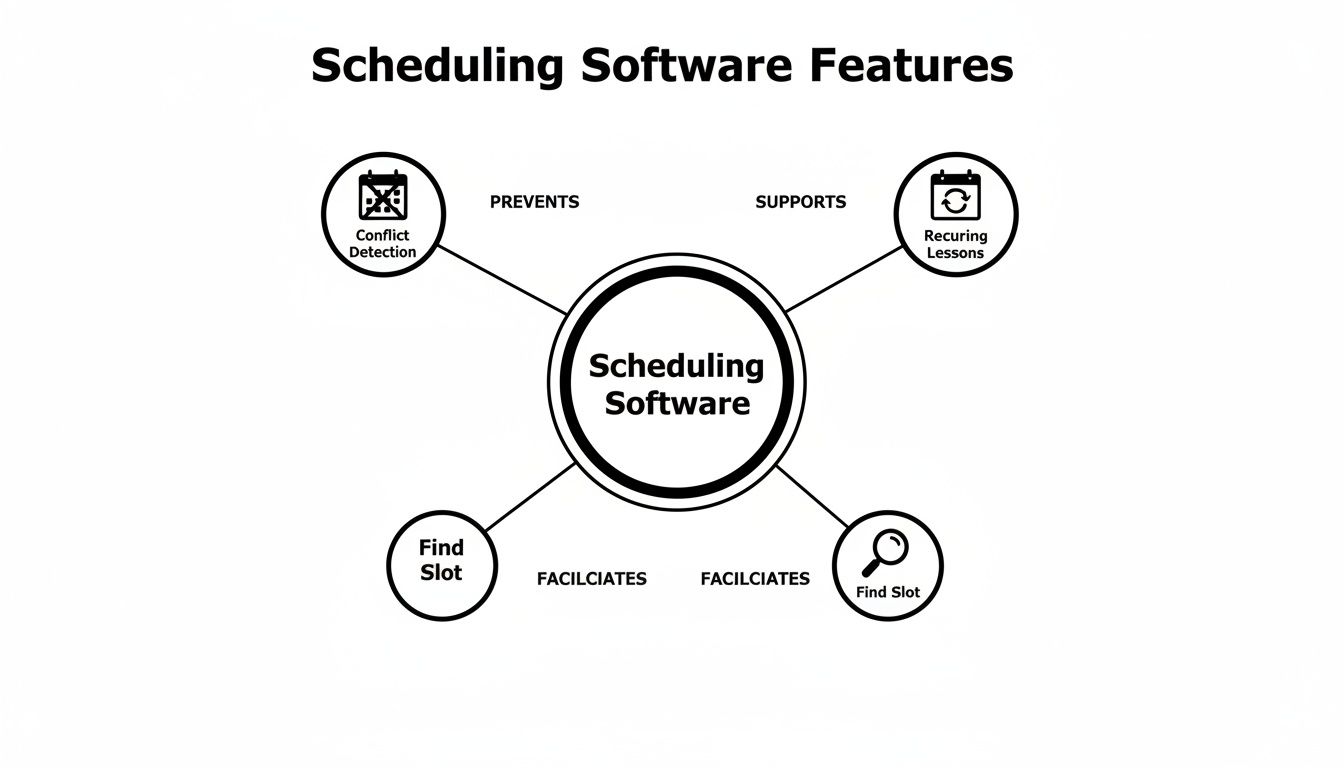
As you can see, core tools like conflict detection and recurring lessons are just the starting point. The real magic happens when that data starts working for you.
From Attendance to Automated Invoicing
Imagine this: a student finishes their piano lesson, and the teacher marks their attendance as 'Attended'. In a manual setup using QuickBooks and Excel, this is where the real work begins for your admin team. They have to note it down, remember it at the end of the month, and then manually create an invoice.
With integrated software, that simple 'Attended' status instantly kicks off a chain of automated actions. The system already knows the student, the service they received, and the correct price. It then automatically generates an accurate invoice—or deducts from a prepaid credit balance—with zero human input.
This single connection completely changes your back-office operations.
- Eliminate manual entry: No more building invoices from scratch in QuickBooks. This drastically cuts down on errors and reclaims hours of admin time.
- Improve your cash flow: Invoices can be generated and sent immediately after a lesson, week, or month, shortening your payment cycles.
- Track balances with precision: The system automatically manages prepaid credits (a wallet-style balance), even sending low-balance alerts to parents to prompt a top-up.
Powering Complex Payroll Calculations
That same attendance data doesn't just stop at billing; it flows directly into your teacher payroll. Tutoring centers and music schools rarely use a simple, flat hourly rate. Your payroll probably involves a mix of models based on location, how many students are in a class, or even the time of day.
Manually calculating pay in Excel based on a mix of hourly rates, revenue-sharing agreements, and weekend premiums is a recipe for mistakes and frustrated teachers. An integrated system removes this risk entirely.
When a teacher marks a lesson 'Attended', the software automatically calculates their earnings based on the specific rules you’ve already set for that teacher, service, or time slot.
- Per-Student Rates: A teacher gets paid more for a group class with five students than one with two. The system handles it.
- Revenue Share: The system calculates the teacher's exact percentage of the lesson fee.
- Premiums & Overtime: A bonus for teaching that popular SAT prep class or working on a weekend? It's applied automatically.
At the end of the pay period, you just run a report. What once took hours of spreadsheet wrangling now takes minutes, producing accurate, transparent pay statements for your entire staff.
Enforcing Your Rules with Policy Packs
Every school has its own set of rules for things like pricing, cancellations, and trial lessons. The real challenge is making sure your staff enforces them consistently, every single time. How do you ensure everyone applies the correct late cancellation fee or offers the right introductory discount?
This is where Policy Packs become your digital rule enforcer. These are collections of pricing and cancellation rules that you define once and apply automatically across your entire school. Think of them as the operational logic for your business, built right into the software.
For example, you can create policies to:
- Automate Cancellation Rules: Automatically charge 50% of the lesson fee if a parent cancels within 24 hours, but apply a 100% fee for a no-show. The system enforces it for you.
- Build a Pricing Hierarchy: Set a global hourly rate, but let the system override it with a special price for a specific service (like AP prep) or a discounted rate for a long-term student.
- Define Trial Settings: Offer the first lesson free, but have the system automatically convert the student to your standard pricing for their second lesson.
By embedding your business logic directly into the software, you stop revenue leakage from inconsistent enforcement and free your admins from having to memorize a complex rulebook. The system handles it for them, ensuring fairness and consistency for every student, every time.
Choosing the Right Scheduling Software for Your School
Picking the right scheduling software for schools is about more than finding a digital calendar. It's a strategic decision that will shape your business for years. You need a platform that not only fixes your immediate headaches but can grow with you, supporting five teachers today and fifty in two years. This means you have to look past the basic features and ask tough questions about scalability, education-specific functions, and whether it helps you run the entire business.
To make the right choice, you need a practical way to evaluate your options. The goal is to find a system built for the real-world demands of a growing tutoring center, language school, or multi-branch operator. It has to handle your business's complexity from day one and adapt as you expand.
Can It Scale with Your Ambition?
Scalability isn't just a tech buzzword; it’s a must-have for any ambitious school. A platform that works fine for a single location with 100 weekly lessons might grind to a halt when you open a second branch and start managing 1,000. Performance issues with legacy systems like Teachworks and TutorCruncher are common, causing slowdowns that frustrate your admins and parents alike.
Your software has to handle growth in a few key ways:
- Number of Teachers: Can it manage payroll and availability for 5, 50, or even 100+ instructors without lagging?
- Multiple Locations: Does it let you manage several branches from one dashboard, keeping track of rooms and resources across all your sites?
- Lesson Volume: Will the system stay fast and responsive as you scale from hundreds to over 10,000 lessons per week?
Choosing a platform built for scale from the start prevents the painful process of migrating your entire business again in a couple of years. It’s about investing in your future, not just fixing today’s problems.
Is It Built for Education or Just Business?
Generic scheduling tools often fall short because they don't get the unique needs of a school. You don't just book "appointments"—you manage a complex curriculum with different subjects, levels, and class types. This is where software built specifically for education really shines.
Look for a system that understands how a school is structured. This means features like:
- Multi-Level Curriculum: The ability to define subjects (like Spanish, Math, or Piano) and then assign specific levels to them (such as A1, A2, B1, or Grade 5). This is critical for tracking student progress and making sure they're in the right class.
- Native Hybrid Class Tracking: The software should seamlessly manage classes that have both in-person and online students at the same time, tracking attendance for each group individually.
- Specialized Verticals: Whether you run a test prep center for the SAT, a language school (DELF, Goethe), or a music program, the software should be able to handle your specific offerings without clunky workarounds.
Without these education-specific features, you'll find yourself creating awkward hacks that defeat the whole purpose of automation. When you're trying to figure out what to look for in tutoring software, these curriculum and delivery features should be at the top of your list. You can see more on the Tutorbase features page.
For schools trying to decide between their current setup and a modern platform, a direct comparison can make the choice clear.
Feature Checklist: Tutorbase vs. Legacy Systems
| Feature | Legacy Systems (Teachworks, TutorCruncher) | Modern AI-Powered Platform (Tutorbase) |
|---|---|---|
| Scalability (10k+ lessons) | Slows down with multiple branches or high lesson volume. | ✅ Designed to handle 10,000+ lessons/week across unlimited locations. |
| Find Slot/Spot | ❌ Manual search only. | ✅ AI-powered suggestions find optimal slots in seconds. |
| Multi-Branch Room Mgmt | Limited, often requires workarounds. | ✅ Native support for managing rooms across all locations. |
| Complex Payroll | Basic hourly rates only. | ✅ Handles per-student, revenue share, and premium rates. |
| Multi-Brand Support | ❌ Not supported. | ✅ Run multiple brands with separate portals from one account. |
| WhatsApp Integration | ❌ No native integration. | ✅ Built-in widget to capture leads directly into your CRM. |
This table highlights the operational gap. Legacy systems might handle the basics for a small operation, but they can't support the workflows needed for serious growth.
Does It Manage the Full Student Lifecycle?
A student's journey doesn't begin with their first lesson. It starts the moment they first show interest in your school. The best scheduling software includes a built-in Customer Relationship Management (CRM) system designed to capture and nurture leads until they become enrolled students.
This turns your software from a simple scheduling tool into a powerful growth engine. An integrated CRM lets you:
- Capture Leads from Anywhere: Funnel inquiries from website forms, phone calls, or even a WhatsApp widget directly into a structured pipeline.
- Track the Entire Journey: Move leads through stages like 'New,' 'Contacted,' 'Trial Scheduled,' and 'Converted,' giving you a clear view of your sales process.
- Measure Conversion: See exactly where your students are coming from and which channels are actually working.
The market for education-specific scheduling apps is booming for a reason. It hit USD 72.0 million in 2025 and is projected to reach USD 222.2 million by 2033, growing at a remarkable 15.2% CAGR. This growth is driven by schools abandoning spreadsheets for platforms that optimize everything from scheduling to lead management. Beyond that, advanced AI Front Desk solutions for school operations can further support your growth by offering 24/7 assistance to students and parents, handling inquiries even when your team is offline.
A Smooth Transition to Your New Software
Let's be honest: switching the core software that runs your school sounds like a huge, stressful project. But it doesn't have to be. With the right plan, moving to a new scheduling system is a strategic upgrade, not a technical headache. A successful switch is all about good planning and clear communication.

Think of it like moving your school into a new, custom-built building. You wouldn't just throw the furniture in. You'd make sure the foundation is solid and every classroom is set up perfectly first. This guide is your practical checklist to make sure the transition is smooth, efficient, and even welcomed by your staff and families.
Your Pre-Launch Checklist
A successful launch starts long before you go live. A bit of prep work up front saves you from major headaches down the road and makes sure the new system works for you from day one. Taking the time to clean your data and set up the software correctly is the single most important part of the whole process.
Here’s where to focus before launch:
- Data Cleanup: Before you import a single file, clean up your existing records. Archive old students, fix typos in names, standardize contact info, and make sure your current schedules are perfect. Remember the old saying: garbage in, garbage out. Start clean.
- System Configuration: This is where you lay the groundwork. Set up your locations, define every room and its capacity, and configure your core pricing and cancellation rules (Policy Packs). This is your chance to build the system around your business rules.
- Pilot Program: Don't roll it out to everyone at once. Test the software with a small, trusted group first. Let one admin and a couple of teachers run a handful of classes through the system. They'll catch any quirks and become your internal experts before the full rollout.
Phased Rollout and Team Training
Instead of flipping a switch overnight, roll out the new system in phases. This builds confidence and makes the learning curve feel much smaller for your staff. For example, you could start by using the new software for all new student bookings while keeping existing students on the old system for another week or two.
And when it comes to training, it's about more than showing your team which buttons to press.
Frame the training around solving their daily frustrations. Show your admins how the 'Find Spot' feature turns a 10-minute booking nightmare into a 30-second task. Show teachers how automated payroll means no more pay disputes or chasing down timesheets.
When your team sees how the scheduling software for schools makes their specific job easier, they won't just adopt it—they’ll become its biggest advocates. Focus on the real-world benefits, not just the features.
Communicating with Parents and Students
Finally, let’s get your parents and students on board. This new system isn't just an internal upgrade; it's a major improvement to their experience with your school.
When you announce the change, communicate the benefits to them clearly:
- Introduce the new portal: Explain how they can now book, reschedule, and pay for lessons online, any time they want.
- Highlight the convenience: Emphasize how easy it is to see their schedule, track their prepaid packages, and get automated reminders so they never miss a class.
- Provide simple instructions: Send a short, clear email or a quick video tutorial showing them exactly how to log in and use the new booking portal.
By framing the transition as an investment in a better, more convenient experience for them, you turn a potential point of friction into a moment of positive engagement.
Measuring the ROI of Your Scheduling Software
Switching to new scheduling software for schools isn't just about getting a fancier calendar—it's a serious financial decision. And you need to be able to prove it was worth it. Forget vague promises of "efficiency." The real test is seeing a measurable return on investment (ROI) that shows up in your bank account and on your clock.
This means drawing a straight line from the software's features to real-world improvements in your business. By tracking a few specific Key Performance Indicators (KPIs), you can build a rock-solid case that the software is fueling your school's health, profitability, and growth.
From Time Saved to Money Earned
The first and most obvious return you’ll see is a massive drop in administrative work. For most school owners and operations managers, this is the real game-changer. Those 10+ hours per week you lose to manual scheduling, chasing payments, and running payroll? You can get that time back, and you can prove it.
Start by tracking these numbers before and after you make the switch:
- Admin Time on Scheduling: How many hours does your team really spend booking lessons, handling reschedules, and juggling tutor availability? Track it for a week. Your goal is to see a 60% reduction as tools like "Find Slot" do the heavy lifting for you.
- Invoice and Payroll Processing: Time how long it takes to generate all your monthly invoices and run payroll. With automation, you can shrink this from a painful, multi-hour process to just minutes.
- Student Onboarding Speed: Clock the time it takes from a new parent inquiry to their first scheduled lesson. A good system can make this process up to 3x faster, which means fewer leads go cold and more students actually sign up.
Key Takeaway: Every hour of admin time you save is an hour you can put back into things that actually grow the business—like marketing, talking to parents, or training your tutors. You're not just saving time; you're creating opportunities to earn more revenue.
Quantifying Growth and Retention
A great scheduling platform doesn't just cut your costs; it actively helps you make more money. It helps you squeeze more value from the resources you already have and gives parents an experience that makes them want to stick around.
The market for this kind of software is huge for a reason. The broader education software industry was valued at USD 30.67 billion in 2026 and is expected to hit USD 50.06 billion by 2031. This isn't just a trend; it's a direct response to tutoring centers worldwide—especially in fast-growing markets like the Asia-Pacific region—realizing they can't scale with spreadsheets and manual admin. You can see more on this in this in-depth education software market report.
Here are the financial metrics to watch like a hawk:
- Increased Capacity Utilization: Use your software’s reporting to see how full your classes and tutor schedules really are. By using a "Find Spot" feature to fill empty seats in group lessons, you can boost revenue from the same tutors and rooms you're already paying for.
- Higher Student Retention: A smooth, professional booking and payment experience makes parents feel confident and valued. Track your monthly renewal rates. Well-run schools see a clear lift here, with some Tutorbase users reporting a 42% increase in monthly renewals.
- Zero Revenue Leakage: Automated cancellation policies are your best friend. They ensure you get paid for no-shows and last-minute cancellations that used to be lost revenue. Compare your income from these policies before and after—the difference is pure profit recovered.
By focusing on these KPIs, you’ll have a clear dashboard to show anyone—investors, partners, or just yourself—that the software is working.
FAQ: Your Questions on School Scheduling Software
Let's tackle the big questions school owners and operations managers always ask when looking at new scheduling software. We'll get straight to the point on cost, setup, security, and how a good system handles the unique quirks of running a school, so you can make a decision you feel good about.
How much does scheduling software for schools cost?
The price tag on scheduling software can be all over the map. You might see basic plans starting around $50 a month, while comprehensive platforms for multi-branch schools can climb into the hundreds. Most modern systems, like Tutorbase, use a subscription model that scales with you—usually based on the number of active teachers or weekly lessons. This is what you want. Be wary of any system that hits you with a massive setup fee; the real value should always be in the ongoing service and support, not a one-time charge.
How do I implement new software without causing chaos?
Switching systems is far less painful than most people imagine, especially with a clear game plan. A smooth transition really comes down to three common-sense steps:
- Clean House First: Before you move anything, tidy up your existing data. Get rid of old student records and fix the inevitable errors in your spreadsheets.
- Set Up the New System: Get your locations, rooms, services, and pricing rules configured in the new platform before you bring your team into it.
- Roll It Out in Phases: Don't flip the switch for everyone at once. Start with a small pilot group of staff or use it for new students only. This builds confidence and lets you iron out any wrinkles before the full launch.
Good software providers will offer dedicated onboarding support, which takes a massive amount of work off your plate. We’ve seen schools go from signing up to being fully live in just a few weeks.
How does this software handle complex teacher payroll?
This is where modern software truly shines. Instead of just logging hours in a spreadsheet, platforms like Tutorbase allow you to build out the sophisticated pay rules you actually use. You can set up rules for just about anything: revenue share, per-student rates, per-lesson rates, and premiums for weekends or specific subjects. The system crunches the numbers based on real attendance data, which means you get 100% accurate pay runs every single time. It ends disputes over pay and keeps your best teachers happy.
Can this software handle multiple locations?
Yes, a robust platform is designed for multi-branch operations. You can manage all your locations from a single dashboard, view schedules across different branches, and track room availability for each site. This centralized control is impossible with spreadsheets and is a key feature for any tutoring business looking to scale.
What is the difference between Tutorbase and Teachworks or TutorCruncher?
The biggest difference is that Tutorbase is built for scale and operational complexity. While alternatives like Teachworks and TutorCruncher handle basic scheduling, they often slow down with high lesson volumes and lack native support for multi-branch room management, complex payroll models (like revenue share), and multi-brand support. Tutorbase was designed by school owners to solve these specific, high-growth challenges.
Stop wasting time on manual admin and start growing your business. Tutorbase consolidates your scheduling, billing, and payroll into one smart platform, helping you cut admin time by 60% and onboard students 3x faster. See how it works.


