


A student enrollment management system is the operational core for your tutoring center or language school. It replaces the chaos of spreadsheets, Google Calendar, and separate billing software with a single, automated platform. This guide explains how these systems cut admin time by 60%, boost revenue, and provide the tools to scale your business.
What is a Student Enrollment Management System?
A student enrollment management system centralizes every administrative task for a tutoring business. It handles the entire student lifecycle, from the first inquiry through a lead management CRM to ongoing scheduling, automated billing, and teacher payroll. It is designed to solve the operational headaches of running a growing educational center.
Most tutoring centers and language schools with 5-100+ teachers know the pain. "Operations" often means juggling Google Calendar for scheduling, QuickBooks for invoicing, and a mess of spreadsheets for tracking students, payroll, and leads. This fragmented approach causes booking errors, missed revenue, and administrative burnout.
A student enrollment management system fixes this problem. It becomes your single source of truth, automating the tedious tasks that consume over 10+ hours per week for most owners. Instead of creating invoices one by one, the system generates them automatically based on lesson attendance. Instead of hunting for an open slot, the software finds the perfect teacher and time in seconds.
This isn't just about saving time; it's about building a professional, scalable operation. The need is so strong that the global market for this software is projected to grow from USD 3.6 billion in 2025 to USD 10.3 billion by 2034. This growth is driven by the demand for automation, which can cut administrative time by a staggering 60%.
The table below shows the shift from the daily grind of manual tasks to the streamlined control an integrated system like Tutorbase provides.
From Manual Chaos to Automated Control
| Problem | Solution with an Integrated System |
|---|---|
| Fragmented Tools: Data is spread across Google Calendar, QuickBooks, and Excel, causing errors. | Centralized Platform: A single record for each student holds their entire history, from the first call to their last lesson. |
| Manual Scheduling: Double-bookings, missed appointments, and endless back-and-forth emails to find a time. | AI-Powered Booking: The system finds open teacher/room/time slots in seconds. Conflict detection prevents errors. |
| Manual Invoicing & Payment Chasing: Hours spent creating invoices and following up on late payments. | Automated Billing: Invoices generate from attendance records and send automatically. Parents pay online via Stripe. |
| Complex Teacher Payroll: Calculating pay for varied rates and hours is a monthly nightmare. | Integrated Payroll: The system tracks tutor hours and calculates payouts automatically based on predefined rates. |
| No Visibility: You cannot see revenue, capacity utilization, or which classes are most profitable. | Real-Time Dashboards: At a glance, you see key metrics like revenue, attendance trends, and teacher performance. |
By consolidating these functions, you stop reacting to administrative fires and start proactively building a more profitable, organized business. A platform like Tutorbase brings these critical parts of your business together.
Core Features That Drive Growth and Efficiency
A modern student enrollment management system is more than a digital filing cabinet. It’s an engine for growth, packed with features designed to eliminate tedious work, maximize your resources, and directly boost your bottom line. These tools don't just keep records, they actively help you run a smarter business.
The diagram below shows the common shift from disjointed, manual chaos to the integrated, automated control you get with a dedicated system.
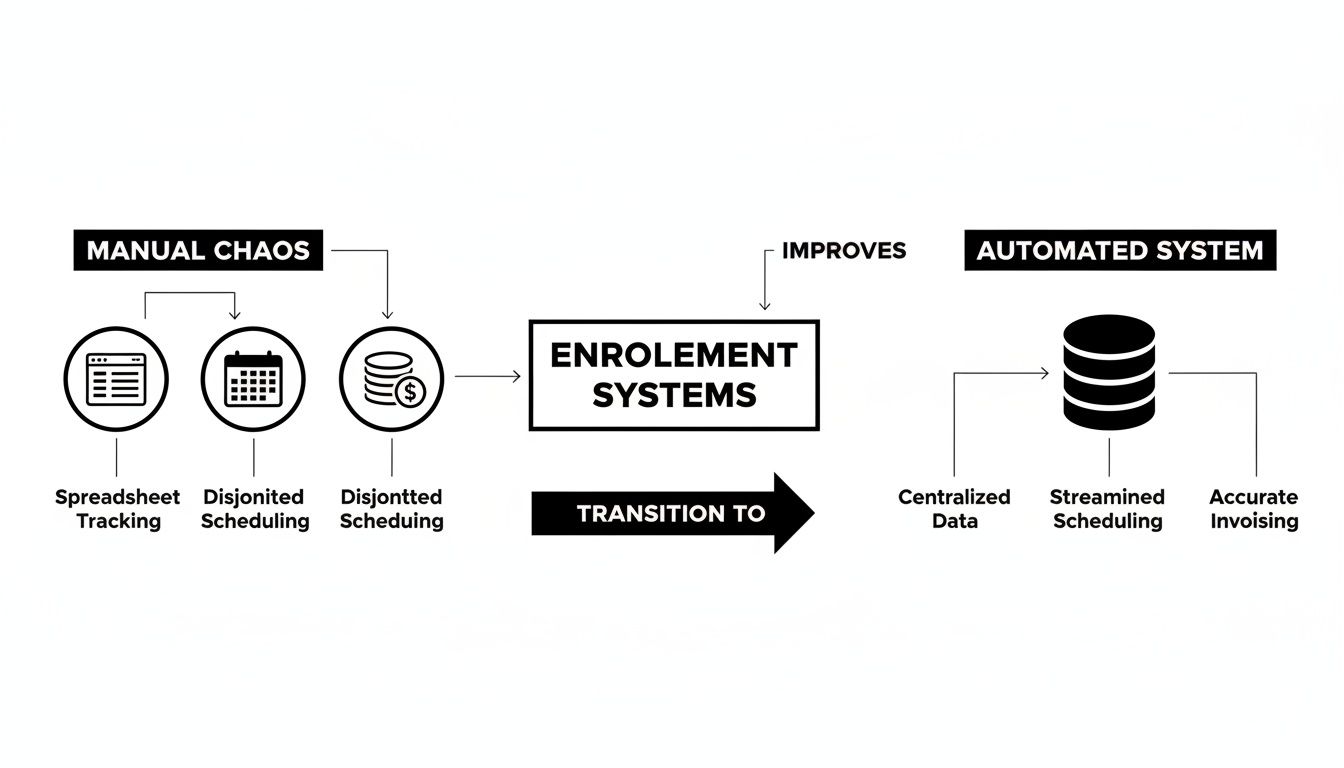
Moving scattered tools into one platform crushes data silos and operational headaches, clearing the path for real efficiency and growth.
AI-Powered Scheduling and Resource Management
For most tutoring centers, scheduling is the single biggest administrative nightmare. Manually checking tutor availability against student requests and open rooms can easily take 10+ minutes for one booking, and it's a magnet for human error. A key feature of a modern system is intelligent, automated scheduling.
Instead of digging through spreadsheets, AI-powered tools like Tutorbase’s "Find Slot" feature instantly generate every valid teacher, room, and time combination for a new booking. This slashes student onboarding time from over ten minutes to less than two while eliminating double-bookings.
This isn’t just a time-saver. It means you can onboard students 3x faster, giving them a professional, organized experience from the first call. The same goes for maximizing group classes. A "Find Spot" feature lets your staff instantly filter existing classes with empty seats by subject, level, and time, ensuring you fill every spot.
Integrated Billing and Automated Payments
Manual invoicing is a slow, painful drain on your time. It means tracking attendance, calculating charges, creating every invoice, and then chasing payments. An integrated billing system automates this entire cycle.
An efficient student enrollment management system must simplify payments, including making it easy for accepting credit cards online. Here’s how a modern platform puts billing on autopilot:
- Automated Invoice Generation: The system builds invoices directly from your attendance records. Mark a lesson "Attended," and it instantly adds a billable item to the next invoice draft. No more manual data entry.
- Prepaid Credit Management: For centers that sell packages, the system acts as a digital wallet. It automatically deducts credits after each lesson and sends parents low-balance alerts, nudging them to top up.
- Flexible Invoicing Cadence: You can set the system to bill per-lesson, weekly, bi-weekly, or monthly. It adapts to your business model without you lifting a finger.
This automation turns hours of weekly billing work into a few minutes of review. It frees your team to focus on what really matters: teaching and student satisfaction. The proactive alerts for prepaid credits alone can be a game-changer for your cash flow.
Complex Teacher Payroll and Multi-Branch Operations
Running payroll for tutors with different rates, contracts, and hours is a monthly headache. Modern systems handle this complexity by supporting multiple payroll models:
- Per-hour or per-lesson rates
- Per-student fees
- Revenue-sharing percentages
- Base salary plus bonuses and overtime
The system automatically calculates each tutor's earnings based on their completed lessons, even applying premiums for weekend hours or specific subjects. This gets rid of manual spreadsheets and ensures tutors are paid accurately and on time, which is critical for morale.
For tutoring businesses with multiple locations, a solid student enrollment management system gives you a single dashboard to run everything. You can manage room availability, track tutor schedules across different sites, and pull location-specific financial reports without logging into separate accounts. All of these powerful Tutorbase features work together in one platform.
How to Choose the Right System for Your Tutoring Center in 2026
Picking a student enrollment management system is a strategic bet on your business's future. The right platform grows with you; the wrong one becomes another bottleneck. For any tutoring center or language school with 5 to 100+ teachers, this decision goes beyond a simple pros and cons list.
Generic or legacy systems often look fine on paper but crack under the pressure of a multi-tutor, multi-location business. Your choice must be more than a digital address book with a calendar. It must be an operational hub built for growth.
Core Evaluation Criteria for Tutoring Centers
Before looking at demos, define your non-negotiables. A system for a solo tutor will fail a center managing 50 teachers and three branches. Your checklist must prioritize these key areas to ensure the platform can handle the demands of a growing tutoring business.
Scalability for High Volume: Can the system handle thousands of lessons a week without lagging? Ask vendors if they can manage 10,000+ weekly lessons. The last thing you need is a system crash during peak booking season.
True Multi-Branch Functionality: Does the platform let you manage every location from a single dashboard? You need to see room availability, assign teachers, and pull financial reports for each branch without logging in and out of different accounts.
Complex Pricing and Payroll Support: Can the software automate your business rules? This includes prepaid credit packages, automatic cancellation policy enforcement, and calculating payroll for various models like per-hour, revenue share, or performance bonuses.
A platform that nails these three things was designed with a real tutoring center in mind. You can see how a purpose-built solution like Tutorbase for tutoring centers solves these exact problems.
Comparing Modern Platforms to Legacy Systems
The difference between a modern, integrated platform and older software like Teachworks or TutorCruncher becomes obvious when you compare core features. Legacy systems often force you into clumsy workarounds, while a modern platform automates them completely. This is critical for any center trying to cut down on admin work, which easily consumes 10+ hours per week.
The goal is to find a system that eliminates manual work, not just digitizes it. If your team still needs to manually cross-reference calendars or calculate payroll in a spreadsheet, the software is not solving the core problem.
The table below breaks down the key differences that directly impact your daily operations and ability to scale.
Feature Comparison: Modern vs. Legacy Systems
| Critical Feature | Tutorbase (Modern Platform) | Legacy Systems (Teachworks/TutorCruncher) |
|---|---|---|
| Scheduling Engine | ✅ AI-Powered "Find Slot": Instantly generates optimal teacher/room/time combinations, cutting booking time by over 80%. | ❌ Manual Search: Requires administrators to manually filter and cross-reference calendars to find availability. |
| Multi-Branch Room Management | ✅ Centralized Control: Manage rooms, capacity, and fees across all locations from one unified dashboard. | ❌ Limited or Separate Accounts: Often requires workarounds or separate logins, complicating cross-branch scheduling. |
| Billing and Invoicing | ✅ Fully Automated: Invoices are automatically generated directly from attendance records. No manual data entry required. | ❌ Semi-Manual: Requires manual review, charge creation, and batch processing, leaving room for errors. |
| Prepaid Credit Model | ✅ Native Wallet System: Fully integrated credit packages with auto-deduction and low-balance alerts to boost renewals. | ❌ Limited or Add-On: Basic package tracking without automated alerts or seamless top-up functionality. |
| Complex Payroll Rules | ✅ Flexible Models: Natively supports per-hour, revenue share, base + variable, and overtime calculations automatically. | ❌ Basic Hourly Rates: Struggles with complex contracts, requiring manual calculations in external spreadsheets. |
| Client Communication | ✅ Integrated WhatsApp: Captures leads directly from WhatsApp into the Tutorbase CRM, streamlining a primary communication channel. | ❌ No Integration: Requires staff to manually transfer conversations and contact information from WhatsApp. |
| Branding | ✅ Multi-Brand Support: Manage multiple brands with separate portals while sharing resources like teachers and rooms. | ❌ Single Brand Only: Cannot support a portfolio of different tutoring brands under one account. |
Choosing the right student enrollment management system is about future-proofing your business. A platform with truly integrated, advanced features gives you the tools to scale efficiently without hitting a technology ceiling next year.
What is the ROI of an Enrollment System?
It's easy to see a student enrollment management system as just another monthly expense. That’s the wrong perspective. This is an investment that pays for itself, often within months. The value isn't just in feeling more organized; it's in hard numbers: saved hours, more revenue, and students who stay longer.
We're not talking about vague promises of "efficiency." We're talking about tangible financial gains on your bottom line.

The quickest win is getting your time back. Tutoring center owners consistently lose 10+ hours every week to manual admin. By automating scheduling, invoicing, and payroll, you can achieve a 60% reduction in admin time. That’s money you save on wages, or it’s time you can finally spend on growth instead of paperwork.
From Saved Hours to Captured Revenue
Beyond saving time, a modern system is an engine for generating revenue. Every feature is designed for a direct financial impact.
3x Faster Student Onboarding: What took 10 minutes of back-and-forth now takes less than two. AI-powered scheduling helps you convert an interested parent into a paying student before they look elsewhere.
42% Increase in Monthly Renewals: Think of revenue lost when a student’s prepaid package runs out. Automated low-balance alerts prompt parents to top up, ensuring lessons continue and dramatically improving retention.
Zero Double-Bookings: We’ve all booked two teachers for one student or scheduled a class in an occupied room. Conflict detection stops these costly errors, preventing lost revenue and protecting your professional reputation.
An integrated system pays for itself by turning administrative chaos into predictable revenue. It closes the leaks in your operational bucket, from unbilled lessons to under-filled classes, ensuring you capture every dollar you earn.
Calculating the True Return on Your Investment
To see the financial picture, think about how these benefits add up. For a center with 20 teachers, saving 60% of a full-time administrator's salary is a massive return. Add the new revenue from a 42% increase in student renewals and the income from filling seats that used to be empty.
That’s the business case for a student enrollment management system. It turns a recurring cost into a revenue-driving asset. The software stops being a monthly bill and starts acting as a profit center, actively helping you grow.
When you’re ready to see how these numbers could look for your center, you can explore platforms built for this kind of growth at tutorbase.com/register.
How to Migrate to a New Enrollment System

Switching to a new student enrollment management system can feel daunting. However, a clear, step-by-step plan turns it into a manageable project. A smooth rollout comes down to solid preparation, great communication, and having an expert partner to guide you.
This checklist breaks down the process into a practical roadmap for a low-stress transition. The goal is to move your entire operation, including students, tutors, schedules, and billing, without disrupting your daily business.
The success of your implementation hinges on the quality of your data. Think of it like moving houses: it’s far easier to unpack if you've already labeled all your boxes. A clean data export is the most critical first step.
Your software provider should be a partner, not just a vendor. At Tutorbase, our onboarding specialists have guided centers of all sizes through this process. We’ve seen the common hurdles and know how to help you clear them.
Phase 1: Data Preparation and Export
Before you build your new system, you need to gather your existing data. The cleaner your information is now, the fewer problems you’ll have later.
- Export Core Lists: Pull your essential data from your current tools. You will need separate files for your students, payers (parents or companies), and teachers.
- Clean Up Contact Information: Go through your records and ensure every student and payer has a unique email address and phone number. This is non-negotiable for automated reminders, invoices, and portal invitations.
- Document Financial Balances: If you use a prepaid credit model, create a clear record of each family’s current balance. This becomes the starting point for their digital wallets in the new system.
Taking the time to organize your data now will save you hours of manual correction work after you go live.
Phase 2: System Configuration and Setup
With your clean data ready, it’s time to build your new operational hub. This is where you translate your business rules into automated workflows inside the student enrollment management system.
- Define Your Services: Set up your subjects (like Math, Spanish, or SAT Prep) and their matching levels (e.g., Grade 3, A2, AP). This structure is key to accurate scheduling and reporting.
- Configure Pricing Policies: Input your pricing models, whether you charge per hour, per lesson, or by package. This is also where you set up your cancellation policies, which the system can then enforce automatically.
- Set Up Locations and Rooms: If you have multiple branches, create profiles for each location and the individual rooms within them. Specify details like capacity or special equipment to prevent booking mix-ups.
Phase 3: Training and Communication
A new system is only as good as the team using it. Getting everyone on board requires dedicated training and clear communication.
Schedule training sessions for your admin staff and teachers. Focus on the tasks they will perform every day, like booking a student, marking attendance, or checking payroll reports.
Once your staff feels comfortable, roll out a clear communication plan for parents and students. Let them know what’s changing and highlight the benefits for them, such as an easy-to-use parent portal, simple online payment options, and automated lesson reminders. This is a crucial step for achieving effective school admissions process improvement.
FAQ: Your Student Enrollment Management System Questions Answered
Let's tackle the most common questions tutoring center owners have when considering a move to a real student enrollment management system. These are the practical, direct answers you need to make the right call for your business.
How much admin time can this system really save me?
A lot. A fully integrated system can realistically cut your administrative workload by up to 60%. This isn't about doing things faster; it's about making entire tasks disappear.
Think about the hours you spend manually creating invoices or calculating complex teacher payroll. That's gone, replaced by automated billing and one-click payroll reports. This isn't just a time-saver; it's a sanity-saver, freeing you to focus on teaching and growth.
What is the real difference between a system and just using spreadsheets?
Spreadsheets and calendars are static. They are separate notebooks you must update by hand, and they don't talk to each other. A proper student enrollment management system is a dynamic platform where one action automatically triggers another.
For example, when you mark a lesson "Attended," the system instantly updates the student's record, adds the charge to their next invoice, and logs the hour for the tutor's payroll. A spreadsheet can't stop you from double-booking a tutor, but a system with built-in conflict detection can, saving you from a scheduling disaster.
A dedicated system becomes your single source of truth. Everyone—you, your admin, your teachers, and your parents—looks at the same real-time information. It’s the difference between disconnected files and a cohesive, automated operation.
Is migrating all our existing student data a huge hassle?
This is a big worry, but it's more manageable than you think. Modern platforms like Tutorbase are built for a smooth transition. The process usually involves exporting your current student, parent, and teacher lists into simple CSV files.
The secret to a painless migration is cleaning up your data before you import it. Ensure every contact has a unique email and all financial balances are correct. Getting this right upfront prevents most post-launch headaches. A good provider will also give you an onboarding specialist to walk you through it.
How does it help increase student retention and renewals?
A great system boosts retention by professionalizing the client experience and automating financial touchpoints. For instance, Tutorbase’s prepaid credit system sends automated low-balance alerts to parents, gently prompting them to top up. That simple nudge prevents service interruptions and can lead to a 42% increase in monthly renewals.
It goes beyond just payments. Features like a parent portal for easy online booking, automated lesson reminders, and consistent communication make your center incredibly easy to do business with. When the experience is smooth and professional, families have every reason to stay.
Can a system handle multiple locations and brands?
Yes, but only if you choose the right one. Basic systems struggle with this. A modern, multi-branch platform lets you manage all locations from a single dashboard, tracking room availability and staff schedules across different sites. Advanced systems like Tutorbase even support multi-brand operations, allowing you to run separate brands with their own portals while sharing resources like teachers and rooms.
Ready to see how a truly integrated system can transform your tutoring center? Tutorbase replaces fragmented tools with one AI-powered platform for scheduling, billing, and payroll. Stop losing hours to admin and start focusing on growth. Get started today at tutorbase.com/register.


