


Teachworks pricing starts with monthly base fees of $16.49 for Starter, $47.99 for Growth, and $187.99 for Premium, plus per-student-lesson charges of $0.350, $0.210, and $0.080, respectively, as listed when I checked Teachworks' pricing page in June 2026. The lowest base fee is not automatically the cheapest choice. The tier costs cross as lesson volume rises, while group size and the work of running scheduling, billing, payments, and teacher pay also affect the total.
Table of Contents
- Teachworks Plans, Base Fees and What Drives Your Bill
- How Teachworks Counts a Billable Student Lesson
- Total Monthly Cost of Running Scheduling, Billing and Pay
- Checklist Before You Choose a Teachworks Plan
- When Teachworks Fits and When a Connected System Fits Better
- Choose a Plan From Your Own Lesson Count
Teachworks Plans, Base Fees and What Drives Your Bill
Teachworks charges a fixed monthly base fee plus a charge for every student lesson, so your total depends on the plan you choose and how many student lessons you teach. The Teachworks pricing page lists monthly base fees of $16.49, $47.99, and $187.99 for Starter, Growth, and Premium, alongside usage charges of $0.350, $0.210, and $0.080 per student lesson, as checked in June 2026.
I checked that official page, rather than a directory listing, because listed rates change and third parties don't always match them. For example, Cal.com states that Teachworks offers a 21-day free trial and paid plans starting at $16.49 per month plus $0.32 per student lesson, in its 2026 comparison. That $0.32 figure doesn't match the $0.350 Starter rate on the official page, so use the official page for your arithmetic and treat comparisons as a prompt to recheck, not as your budget.
Teachworks Tiers and Estimated Monthly Totals
| Tier | Monthly base fee | Charge per student lesson | Estimated total at 100 student lessons | Estimated total at 1,000 student lessons |
|---|---|---|---|---|
| Starter | $16.49 | $0.350 | $51.49 | $366.49 |
| Growth | $47.99 | $0.210 | $68.99 | $257.99 |
| Premium | $187.99 | $0.080 | $195.99 | $267.99 |
These estimated totals are base fee plus usage charge, before any other charges. At 100 student lessons, Starter is clearly cheapest. At 1,000 student lessons, Growth is slightly below Premium, and Starter has become the most expensive option by a wide margin.
The pattern is simple. Higher tiers carry larger fixed fees but lower per-lesson charges, so the cheapest tier changes as volume rises.
Where the Tiers Cross
You can work out your own crossing points from the listed rates.
- Starter versus Growth: Growth costs $31.50 more in base fee, but saves $0.140 on each student lesson. Divide $31.50 by $0.140 and you get 225 student lessons. Below about 225, Starter costs least. Above it, Growth pulls ahead.
- Growth versus Premium: Premium costs $140.00 more in base fee, but saves $0.130 on each student lesson. Divide $140.00 by $0.130 and you get about 1,077 student lessons. Above that point, Premium costs least on the listed rates.
That gives you three working bands. Starter costs least below about 225 student lessons a month, Growth costs least between about 225 and 1,077, and Premium costs least above about 1,077.
Those bands are arithmetic, not a recommendation. A tier can also matter for features your centre needs, so don't choose on price bands alone if a lower tier doesn't cover a workflow you depend on. Confirm feature access on the official page before you pay, and get anything unclear in writing.
Practical rule: If your expected volume sits near 225 or 1,077 student lessons, a small counting error can put you on the wrong tier. Model a low, expected, and high month before you decide.
What Actually Drives the Bill
The base fee is the part you can predict without a timetable. The usage charge isn't.
Volume multiplied by the per-lesson charge is the main driver. A busy exam season, a new branch, or a successful enrolment push raises the software bill in the same month your teaching rises. That's fair in one sense, since you're paying in line with activity. It's harder for cash flow forecasting, since a strong month for lessons is also a more expensive month for software.
Group size multiplies student lessons. One teacher in one room for one hour can produce one, three, or eight student lessons depending on how many students are in that lesson. Two centres with identical teacher hours can therefore have very different Teachworks bills. This is why counting sessions from your calendar gives you the wrong answer.
Cancellations drop out of the count. A lesson that doesn't run doesn't add to usage, which helps in holiday months and during illness spikes. It also means your forecast should be built from lessons that ran, not lessons you originally scheduled.
The mix of private and group work changes the count without changing teaching hours. Say you move four private students into one small group at the same time. Your teacher still teaches one hour, but you still have four student lessons. If you instead add a fifth student to that group, teacher time stays flat while your usage count rises by one for every session that student attends.
Seasonality matters too. A test-prep centre may run far more student lessons in the eight weeks before major exams than in a quiet summer month. A music school may see the reverse around recital terms. If you budget from last month's peak, you'll overstate the annual cost. If you budget from your quietest month, you'll understate it and get a surprise when volume returns.
How to Estimate Your Own Month
Don't start with registered students. Start with teaching activity.
- Pull the last three months of lessons that ran. Count each student in each lesson separately.
- Exclude cancelled lessons. They don't belong in the usage estimate.
- Average the three months, then note the highest month separately. The average tells you the likely tier. The highest month tells you the bill you need to be able to absorb.
- Run the average through all three tiers. Use base fee plus student lessons multiplied by the tier's charge.
- Repeat the calculation at the volume you expect in six months. Growth changes the answer, especially near a crossing point.
Model the next three months at expected volume rather than last month's peak. That approach gives you a budget you can defend, and it shows whether you're safely inside a band or sitting on an edge where the cheapest tier could flip.
Teachworks also offers a pricing calculator to identify an economical tier for a typical month, and it's worth using as a cross-check on your own spreadsheet. If the calculator and your count disagree, your count of student lessons is usually where the difference sits.
For a wider view of how different pricing models behave as a tutoring business grows, see Tutorbase's guide to software pricing. Our current plans and pricing are listed at tutorbase.com/pricing, without per-student, per-lesson, or per-teacher fees.
The tier decision only works if your student lesson count is right. Counting rules come next.
How Teachworks Counts a Billable Student Lesson
The number of sessions on a calendar may not match the usage figure in a pricing estimate. Teachworks lists student-lesson pricing on its official pricing page, but confirm with Teachworks how it counts each case before committing to a plan.
Common Cases in Timetable Order
Use these situations as questions to resolve with Teachworks, rather than assuming how each affects your bill:
- Private lesson: Ask whether one student attending one lesson counts as one billable student lesson.
- Sibling pair sharing a private session: Confirm whether both children count separately, even if one parent pays.
- Group of three: Ask whether billing follows the number of students, the session, or another rule.
- Cancelled lesson: Confirm how cancellations affect the usage count and whether the timing or cancellation policy changes the outcome.
- Make-up lesson: Ask whether a make-up is counted when it takes place and how it relates to the original cancelled lesson.
Get the answers in writing and use the same counting rules in your monthly estimate. Otherwise, a group timetable or a run of make-up lessons can make the projected tier unreliable.
A Worked Example From a Family Account
A family has two children, each scheduled for a weekly one-hour private lesson. That is two student attendances each week, or roughly eight or nine across a month, depending on the calendar. Whether Teachworks bills them as separate student lessons is a detail to confirm before using this example in a cost forecast.
For a solo tutor teaching private lessons, session count and student count may appear to match. A centre with group classes or siblings sharing sessions should check the billing rule for each arrangement rather than assume that calendar entries translate directly into billable units.
A calendar that handles recurring lessons can help organize the schedule and identify the sessions to include in a forecast. The billable count still depends on Teachworks' rules.
Teachers and Accounts
Teacher count and student-lesson count are different measures. Teachworks' GetApp listing describes its plans as including unlimited students, teachers, and user accounts, and mentions a 21-day trial with access to its features. Treat directory details as a point to check against Teachworks' current terms, especially for account limits.
Before choosing a tier, ask Teachworks to explain how its usage count applies to groups, siblings, cancellations, and make-ups. Then use those answers consistently in your estimate.
Total Monthly Cost of Running Scheduling, Billing and Pay
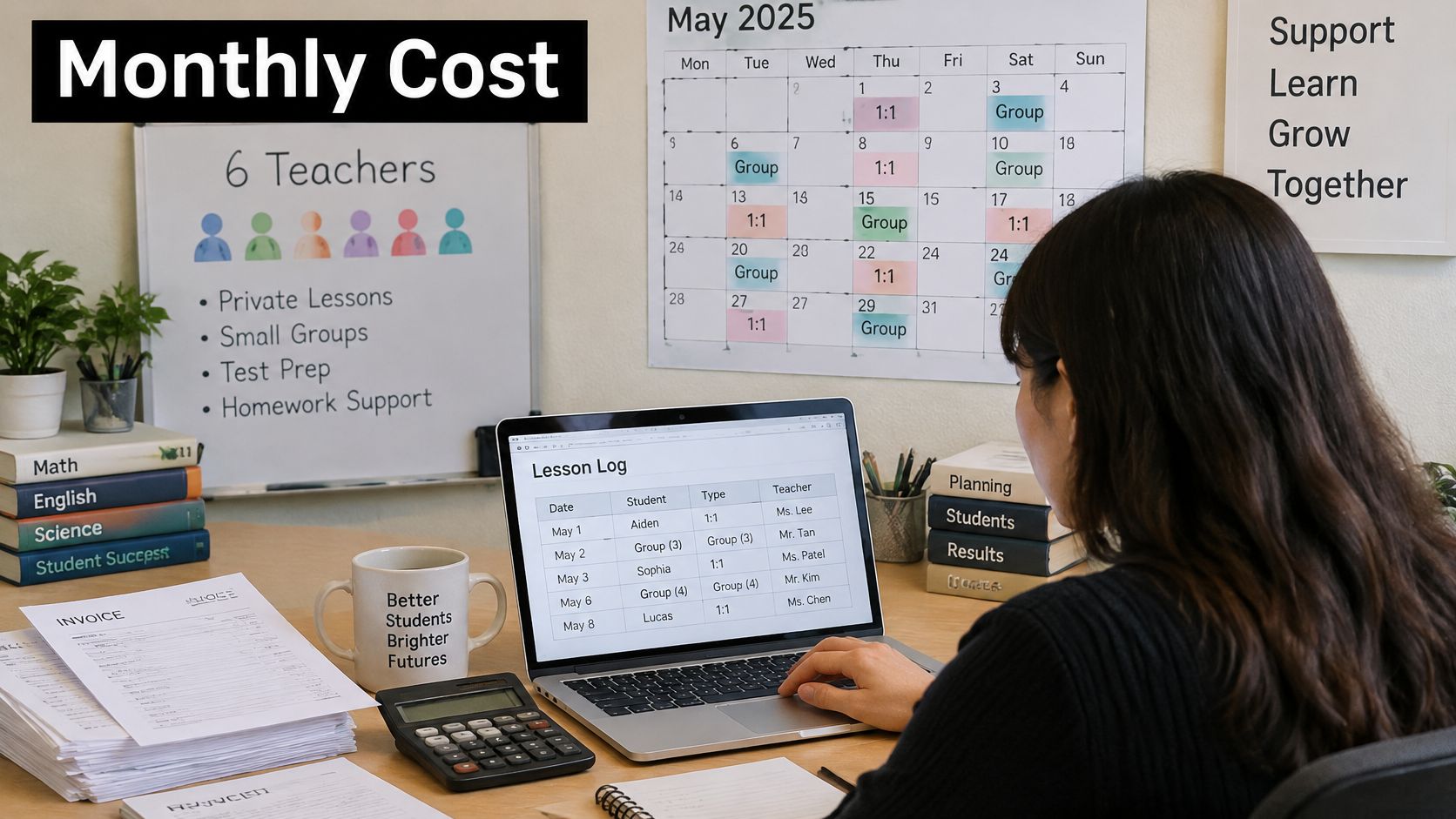
Say a tuition centre has six teachers and about 400 student lessons a month, mixing private lessons and small groups. On the listed Teachworks rates, base fee plus usage comes to $156.49 on Starter, $131.99 on Growth, and $219.99 on Premium. Growth is cheapest at this volume, which matches the 225 to 1,077 band.
That figure is only the Teachworks line. It isn't what it costs to run scheduling, billing, payments, and teacher pay for the month.
Tutorbase is an operating system for tutoring businesses that connects students, scheduling, billing and teacher pay. A lesson that was scheduled and attended drives the invoice, the payment follow-up, and the teacher's pay, without re-entering data. In our system, a finalized lesson produces the family's charge and the teacher's pay from the same record.
Where the Rest of the Money Goes
| Cost line | Separate tools | One connected system |
|---|---|---|
| Scheduling | Calendar and spreadsheet, with clashes found by hand | One lesson record shared with billing and pay |
| Invoicing | Invoices typed from a schedule or exported list | Invoices produced from the same lessons that were attended |
| Online payments | Payment links sent separately and matched by hand | Payments followed up against the invoice they belong to, with Stripe processing |
| Teacher pay | Hours copied into a payroll spreadsheet | Payable hours and gross pay calculated from the same lesson records |
| Admin reconciliation | Weekly time spent matching schedule, invoices and pay | Little or none, since one record drives each step |
Each row is a place where staff either re-enter the same lesson or check whether two tools agree. Scheduling errors show up as clashes and wrong rooms. Invoicing from an exported list invites a missed make-up lesson or a sibling charged to the wrong payer. Payment links sent separately leave an administrator matching bank deposits to names. Teacher pay copied into a spreadsheet invites an arithmetic error that a teacher finds before you do.
Putting a Number on Admin Time
You don't need a benchmark to price this. Use your own numbers.
Take the hours per week your team spends building invoices, chasing payments, preparing teacher pay, and reconciling the three. Multiply by the hourly cost of the staff who do that work. Multiply by about 52 weeks, then divide by 12 for a monthly figure.
Worked formula: Weekly admin hours × hourly staff cost × 52 ÷ 12 = monthly admin cost of your current workflow.
Even a small number surprises owners. Two hours a week of reconciliation is a recurring monthly cost that never appears on a software invoice, and it grows with every teacher and every group class you add. Compare that figure against the difference between software options, not just the subscription lines.
Card processing fees apply whichever system you use, so keep them out of the software comparison or apply them equally to both sides. Online payments run through Stripe, and ACH, Apple Pay, and regional methods depend on the country, account, and configuration.
Teacher pay adds its own calculation work. Rates can be set hourly, per lesson, per student, or as a revenue share, and each variant adds checking work in a separate-tools stack, especially when one teacher covers another teacher's lesson or a group runs with fewer students than planned. To calculate instructor pay correctly, the pay calculation needs the attended lesson, the students present, and the rate that applies to that lesson type, all from one record.
We charge no per-student, per-lesson, or per-teacher fees. See current plans for our pricing, and look at how invoices are generated from attended lessons when you compare the full workflow.
Checklist Before You Choose a Teachworks Plan
Run through this checklist before you sign up or switch tiers. You should be able to answer every row in one sitting, using your own timetable, your invoice history, and your teacher pay rules. Where a row needs vendor confirmation, note the question instead of guessing.
Pre-Purchase Checks for a Teachworks Decision
| Criterion | What to confirm | Why it matters |
|---|---|---|
| Monthly student lessons | Count per student over the last three months, excluding cancellations | It sets the usage charge and the tier |
| Group and private mix | How many lessons have more than one student | Each student adds a usage charge |
| Packages and prepaid lessons | How a package is counted against usage | Affects the monthly count and invoice timing |
| Teacher pay variants | Separate rates for private, group and weekend lessons | Changes payroll preparation work |
| Family billing | Whether one parent pays for several students | Determines how invoices are grouped |
| Currency and payment methods | Currency, card, Apple Pay, ACH and regional options by country | Depends on country, account and configuration |
| Migration | Student records, lesson history and billing data moved across | Sets the switching effort and risk |
| Pricing date | Month in 2026 when the listed rates were checked | Listed rates change, so the figures are a snapshot |
How to Work the Rows That Change Cost
Packages and prepaid lessons need a written answer, because a package can be sold in one month and used over several. You need to know whether usage follows the lesson date, and how a package running out mid-month affects the count and the invoice. We handle group and private lessons, packages and pay as you go, make-ups, cancellation policies, family payers, multiple brands, and variable teacher pay, so test any system against the combination you sell, such as a sibling on a package and another on hourly billing.
Teacher pay variants are where small centres become big spreadsheets. A teacher can earn one rate for private lessons, another rate for group lessons, and a weekend premium on Saturdays. List every variant you pay today, including cover lessons, trial lessons, and no-show rules. Then check how each system calculates gross pay from attended lessons. Teacher pay here means calculating payable hours and gross teacher pay, payout approval, and pay documents. It doesn't mean statutory payroll, tax filing, or accounting advice.
Family billing looks minor until one parent pays for three children across two subjects with different teachers. Confirm whether invoices group by payer, whether sibling lessons appear together, and how partial payments and credits are shown. Ask to see a sample family invoice with two students and one cancelled lesson.
Currency and payment methods affect whether families pay on time. Card, Apple Pay, ACH for eligible US payments, and regional options depend on country, account, and configuration, so confirm your own country and currency rather than relying on a general list. If most of your families pay by bank transfer today, ask how those payments are matched to invoices.
Migration deserves its own line in your budget. Student records are the easy part. Lesson history, package balances, and outstanding invoices carry the risk, because an error there becomes a billing dispute in your first month.
If a row needs an answer the official page doesn't give, ask the vendor in writing before paying. A written answer protects you when your first invoice doesn't match your estimate.
When Teachworks Fits and When a Connected System Fits Better
Teachworks suits a tutoring business whose main need is lesson volume on a predictable base fee, where the per-lesson charge is easy to forecast and the team doesn't need the wider workflow connected. That's a real fit for many smaller centres. It isn't the right answer for every operating model, so judge by situation rather than by brand.
Likely Fit by Tutoring Business Situation
| Situation | Likely fit | Why |
|---|---|---|
| Solo tutor under about 225 student lessons a month | Either option can fit | Invoicing and payment tracking decide it more than the base fee |
| Single-location centre at 225 to 1,077 student lessons with simple pay rules | Teachworks Growth can fit | The listed rates are easy to budget at that volume |
| Centre with group classes and several teacher pay types | Connected system to compare | Scheduling, billing, payments and pay share one lesson record |
| Multi-location or multi-brand operator | Test both against branch processes | Standard processes and one payer record across branches decide the fit |
| Language school or test-prep centre with package rules | Check package counting first | Package and level rules decide the monthly count |
A solo tutor under about 225 student lessons a month can fit either option on price. But you still need invoicing, payment tracking, and a clear view of who owes what, so compare both on those jobs rather than on the base fee alone. Solo tutors and small teams of 1 to 5 people are a size tier we serve for exactly that combination of needs.
A single-location centre between about 225 and 1,077 student lessons with simple pay rules can budget Teachworks on the listed rates with reasonable confidence. If one administrator handles a short weekly invoicing run and teachers are all paid one hourly rate, the case for change is weaker.
A centre with group classes and several teacher pay types has a different problem. Its cost sits in reconciliation, not in the subscription. When scheduling, billing, payments, and teacher pay share one lesson record, a covered lesson, a make-up, and a group with an absent student each flow to the right invoice and the right payout without a manual check.
A multi-location or multi-brand operator should test whether standard processes and one payer record across branches matter before choosing. A family with children at two branches exposes weak payer records quickly. Front desk load matters here too, and Recepta.ai for education and tutoring is worth a look if enquiry handling and missed calls are part of the same operational strain, since software choice and enquiry response often get decided together.
A language school or test-prep centre whose package rules decide the count should verify package counting first, including level changes mid-package and intensive courses that compress many student lessons into a short period.
We're specialized for lessons, groups, rooms, teachers, and the billing and payroll consequences of each lesson, and we're one option among several. If another tool fits your stated need better, use it.
See how it compares to Teachworks for a side-by-side view, browse other software options for tutoring businesses, and check the pages for tutoring centres, language schools, test-prep centres, and solo tutors that match your type of business.
Choose a Plan From Your Own Lesson Count
Pick the tier from your own monthly student lesson count, then verify the rules that change the count. Don't start from a competitor's summary or a headline base fee.
- Count student lessons from the last three months, per student, excluding cancellations.
- Find your band in the tier table and note the cheapest listed tier at that volume.
- Recalculate at the volume you expect in six months, since small estimate errors matter most near a break-even point.
- Work through the pre-purchase checklist, and ask Teachworks in writing about anything the official page doesn't answer.
- Add the surrounding workflow cost, including weekly admin hours multiplied by the hourly cost of the staff who do the work.
- If you're switching, plan the migration of student records, lesson history, and billing data, and run one month in parallel before stopping the old tool.
- Compare the two totals and decide.

Our team provides migration support from spreadsheets and from tutoring tools such as Teachworks, TutorCruncher and TutorBird, covering student records, lesson history, and billing data. A parallel month is cheap insurance. It lets you compare invoices and teacher pay side by side before families see a difference.
Use the side-by-side Teachworks comparison to check feature fit, review current plans and pricing, and preview an invoice with the tutoring invoice generator before you commit. When your count, your package rules, and your admin hours are all on one page, the cheaper option is usually obvious, and it isn't always the lower subscription. Get started free when you're ready to test your own numbers in a live account.
If your Teachworks estimate looks reasonable but your weekly admin hours don't, Tutorbase connects Students & CRM → Scheduling → Billing → Payroll in one system, so an attended lesson produces the invoice, the payment follow-up, and the teacher's pay from the same record. Bring your last three months of student lessons, run them through your real group sizes, packages, and pay rates, and compare the total against the tier you calculated here.


